ngx-skeleton-loader 8.0.1 → 8.0.2
This diff represents the content of publicly available package versions that have been released to one of the supported registries. The information contained in this diff is provided for informational purposes only and reflects changes between package versions as they appear in their respective public registries.
- package/CHANGELOG.md +589 -0
- package/CODE_OF_CONDUCT.md +77 -0
- package/CONTRIBUTING.md +34 -0
- package/README.md +334 -13
- package/package.json +1 -1
package/CHANGELOG.md
ADDED
|
@@ -0,0 +1,589 @@
|
|
|
1
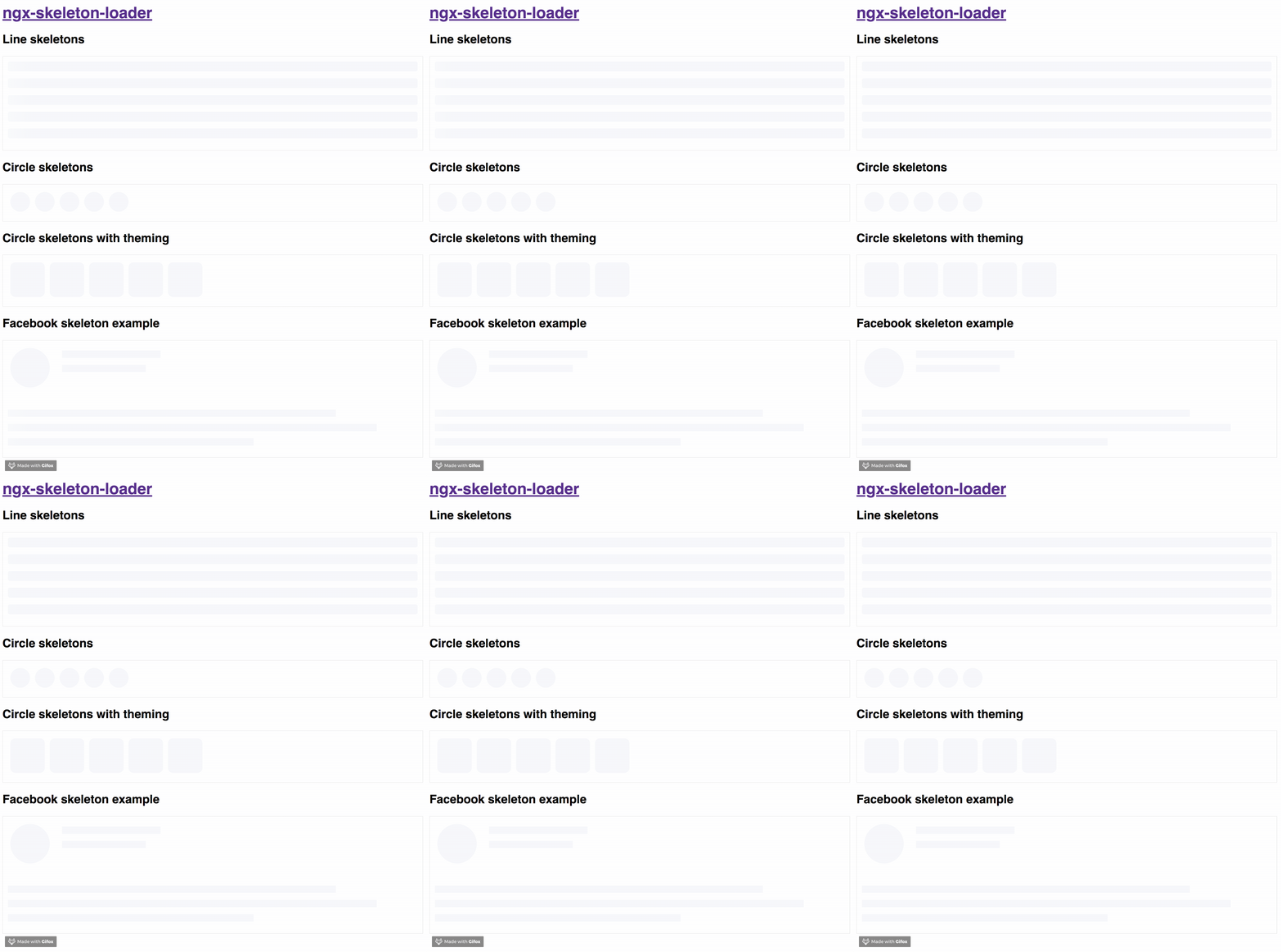
|
+
# Change Log
|
|
2
|
+
|
|
3
|
+
All notable changes to this project will be documented in this file.
|
|
4
|
+
|
|
5
|
+
The format is based on [Keep a Changelog](http://keepachangelog.com/)
|
|
6
|
+
and this project adheres to [Semantic Versioning](http://semver.org/).
|
|
7
|
+
|
|
8
|
+
## [Unreleased][]
|
|
9
|
+
|
|
10
|
+
## [8.0.2][] - 2023-09-11
|
|
11
|
+
|
|
12
|
+
### Fixed
|
|
13
|
+
|
|
14
|
+
- Fixing `README.md` docs
|
|
15
|
+
|
|
16
|
+
## [8.0.1][] - 2023-08-30
|
|
17
|
+
|
|
18
|
+
### Fixed
|
|
19
|
+
|
|
20
|
+
- Fixing CSS reduce motion in MacOS;
|
|
21
|
+
|
|
22
|
+
## [8.0.0][] - 2023-06-20
|
|
23
|
+
|
|
24
|
+
### Updated
|
|
25
|
+
|
|
26
|
+
- Updating project to support Angular v16;
|
|
27
|
+
- Updating NodeJS version to v18;
|
|
28
|
+
- Updating peerDependencies to point to latest `@angular/*` packages;
|
|
29
|
+
|
|
30
|
+
### Removed
|
|
31
|
+
|
|
32
|
+
- Removing `perf-marks` dependency library;
|
|
33
|
+
|
|
34
|
+
## [7.0.0][] - 2023-02-04
|
|
35
|
+
|
|
36
|
+
### Added
|
|
37
|
+
|
|
38
|
+
- Adding support for extending global theme added via `NgxSkeletonLoaderModule.forRoot({ theme: /* ...list of CSS atributes */} })`
|
|
39
|
+
|
|
40
|
+
By default when using `NgxSkeletonLoaderModule.forRoot({ theme: /* ...list of CSS atributes */} })` the application is using this value as source of truth, overriding any local theming passed to `<ngx-skeleton-loader>` component via `[theme]` input.
|
|
41
|
+
|
|
42
|
+
By using `NgxSkeletonLoaderModule.forRoot({ theme: { extendsFromRoot: true, /* ...list of CSS atributes */} })` in your application, you should also be aware that:
|
|
43
|
+
|
|
44
|
+
- By default, every `<ngx-skeleton-loader>` component will use `theme` coming from `NgxSkeletonLoaderModule.forRoot()` as the source of truth
|
|
45
|
+
- If there's any CSS attribute on the component locally which overrides the CSS spec, it combines both themes, but overriding global CSS attributes in favor of local ones.
|
|
46
|
+
|
|
47
|
+
```html
|
|
48
|
+
<!--
|
|
49
|
+
// ... E.G: App is using this configuration below
|
|
50
|
+
|
|
51
|
+
NgxSkeletonLoaderModule.forRoot({
|
|
52
|
+
theme: {
|
|
53
|
+
// Enabliong theme combination
|
|
54
|
+
extendsFromRoot: true,
|
|
55
|
+
// ... list of CSS theme attributes
|
|
56
|
+
height: '30px',
|
|
57
|
+
},
|
|
58
|
+
}),
|
|
59
|
+
-->
|
|
60
|
+
|
|
61
|
+
<div class="item">
|
|
62
|
+
<ngx-skeleton-loader></ngx-skeleton-loader>
|
|
63
|
+
<!-- above line will produce a skeleton component using `height: 30px;`" -->
|
|
64
|
+
<ngx-skeleton-loader [theme]="{background: 'blue'}"></ngx-skeleton-loader>
|
|
65
|
+
<!-- above line will produce a skeleton component using `height: 30px; background: blue;`" -->
|
|
66
|
+
<ngx-skeleton-loader [theme]="{height: '50px', background: 'red'}"></ngx-skeleton-loader>
|
|
67
|
+
<!-- above line will produce a skeleton component using `height: 50px; background: red;`" -->
|
|
68
|
+
</div>
|
|
69
|
+
```
|
|
70
|
+
|
|
71
|
+
- Adding new `custom-content` appearance. From now on, consumers can now add their own content inside `<ng-skeleton-loader></ng-skeleton-loader>` component. So that, they can add some custom content, such as SVG, as an example
|
|
72
|
+
- Adding examples for `custom-content` usage
|
|
73
|
+
|
|
74
|
+
### Updated
|
|
75
|
+
|
|
76
|
+
- Updagrading module to Angular v15
|
|
77
|
+
|
|
78
|
+
### Fixed
|
|
79
|
+
|
|
80
|
+
- Removing build warnings
|
|
81
|
+
|
|
82
|
+
## [6.0.0][] - 2022-08-18
|
|
83
|
+
|
|
84
|
+
### Updated
|
|
85
|
+
|
|
86
|
+
- Adding Publishing setup using NPX
|
|
87
|
+
- Replacing CSS class namespace from `.loader` to `.skeleton-loader`
|
|
88
|
+
|
|
89
|
+
#### Breaking Change
|
|
90
|
+
|
|
91
|
+
The CSS class used as namespace was changed. Previously, it was called `.loader` and now is `.skeleton-loader`. It might cause some issues in cases of `:host` DOM style scoping usage. For the sake of semantic versioning, please bear in mind this scenario in case of `:host` usage.
|
|
92
|
+
|
|
93
|
+
## [5.0.0][] - 2022-02-08
|
|
94
|
+
|
|
95
|
+
### Updated
|
|
96
|
+
|
|
97
|
+
> Thanks @yharaskrik
|
|
98
|
+
|
|
99
|
+
#### Breaking Change
|
|
100
|
+
|
|
101
|
+
Bundle distribution are now `esm2020`, `fesm2015` and `fesm2020`. UMD and CommonJS versions were support were removed from Angular CLI directly. So the next version for the package will be a major version to cover these changes accordingly.
|
|
102
|
+
|
|
103
|
+
- Updating package bundle distribution
|
|
104
|
+
- Updating `@angular/cli` to v13
|
|
105
|
+
- Applying project changes to v13
|
|
106
|
+
- Updating bundlesize check to point to `fesm2020`
|
|
107
|
+
|
|
108
|
+
## [4.0.0][] - 2021-07-28
|
|
109
|
+
|
|
110
|
+
### Fixed
|
|
111
|
+
|
|
112
|
+
#### Breaking Change
|
|
113
|
+
|
|
114
|
+
- Rolling back "Adding mechanism to prevents calling `forRoot()` more than once if module is loaded asynchronously in a submodule.". Unfortunately, this was affecting consumers and it needed to be reverted to avoid friction in other applications.
|
|
115
|
+
|
|
116
|
+
If you need to have this feature in place, the suggestion is to create a specific module in your app and apply the changes on your application.
|
|
117
|
+
|
|
118
|
+
## [3.0.0][] - 2021-07-23
|
|
119
|
+
|
|
120
|
+
### Added
|
|
121
|
+
|
|
122
|
+
#### Breaking Change
|
|
123
|
+
|
|
124
|
+
- Adding mechanism to prevents calling `forRoot()` more than once if module is loaded asynchronously in a submodule. This is required in order to avoid issues in consumers. To avoid that, consumers should load the module once on the main module instead - if loading submodules async.
|
|
125
|
+
|
|
126
|
+
## [2.10.1][] - 2021-07-13
|
|
127
|
+
|
|
128
|
+
### Fixed
|
|
129
|
+
|
|
130
|
+
- Ensures every ARIA progressbar node has an accessible name. This is caused by missing aria-label on the `<span>` element.
|
|
131
|
+
|
|
132
|
+
Thanks @rkristelijn for raising the issue and the pull request!
|
|
133
|
+
|
|
134
|
+
## [2.10.0][] - 2021-06-15
|
|
135
|
+
|
|
136
|
+
### Added
|
|
137
|
+
|
|
138
|
+
- Adding module configuration support via `forRoot()` method. Now you can add configure your module via `forRoot()`. You can now set the default of `appearance`, `animation`, `theme`, `loadingText`, `count` and/or `items`.E.G.
|
|
139
|
+
|
|
140
|
+
```ts
|
|
141
|
+
|
|
142
|
+
@NgModule({
|
|
143
|
+
// ...
|
|
144
|
+
imports: [NgxSkeletonLoaderModule.forRoot({ appearance: 'circle', count: 3 )],
|
|
145
|
+
// ...
|
|
146
|
+
})
|
|
147
|
+
```
|
|
148
|
+
|
|
149
|
+
## [2.9.2][] - 2021-04-11
|
|
150
|
+
|
|
151
|
+
### Updated
|
|
152
|
+
|
|
153
|
+
- Updating link in README.md
|
|
154
|
+
|
|
155
|
+
### Fixed
|
|
156
|
+
|
|
157
|
+
- Bumping dev dependencies to avoid security issues
|
|
158
|
+
|
|
159
|
+
## [2.9.1][] - 2021-02-20
|
|
160
|
+
|
|
161
|
+
### Fixed
|
|
162
|
+
|
|
163
|
+
- Adding `appearance` attribute to be checked via `ngOnChanges`
|
|
164
|
+
|
|
165
|
+
### Updated
|
|
166
|
+
|
|
167
|
+
- Updating examples with new features
|
|
168
|
+
|
|
169
|
+
## [2.9.0][] - 2021-02-19
|
|
170
|
+
|
|
171
|
+
### Added
|
|
172
|
+
|
|
173
|
+
- Adding validation for @Input attributes that needs internal manipulation. After these changes:
|
|
174
|
+
- if `count` is not a numeric value, it will use the default value as `1`
|
|
175
|
+
- if `animation` is not a valid attribute, it will use the default value as `progress`
|
|
176
|
+
- PS: The other values alredy have a fallback, so nothing to worry here
|
|
177
|
+
- Adding error feedback for `appearance` attribute in case of wrong configuration. Now it will show a error message on the console in case of receiving a wrong value
|
|
178
|
+
|
|
179
|
+
### Updated
|
|
180
|
+
|
|
181
|
+
- Adding `ngOnChange` to validate `count` input in case of changes via binding
|
|
182
|
+
- Updating `README.md` with information about `appearance` and `theme` usage.
|
|
183
|
+
|
|
184
|
+
## [2.8.0][] - 2021-02-18
|
|
185
|
+
|
|
186
|
+
### Fixed
|
|
187
|
+
|
|
188
|
+
- Using `ngAcceptInputType_count` for template checking in count input. That solves issue https://github.com/willmendesneto/ngx-skeleton-loader/issues/59. You can find more details about it in https://angular.io/guide/template-typecheck
|
|
189
|
+
- Fixing type issues on `yarn build:ssr` command
|
|
190
|
+
|
|
191
|
+
### Updated
|
|
192
|
+
|
|
193
|
+
- Updating `perf-marks` to `v1.14.1`
|
|
194
|
+
- Adding strict mode support in module
|
|
195
|
+
- Updating types for `theme` to match with `ngStyle`. More details in https://angular.io/api/common/NgStyle#properties
|
|
196
|
+
|
|
197
|
+
## [2.7.0][] - 2021-02-06
|
|
198
|
+
|
|
199
|
+
### Added
|
|
200
|
+
|
|
201
|
+
- Adding new `loadingText` attribute to be used as WAI-ARIA `aria-valuetext`. In this case, it will render the component using "Please wait ...". Otherwise, it defaults to "Loading..."
|
|
202
|
+
|
|
203
|
+
```html
|
|
204
|
+
<!-- Passing loading text to be used as WAI-ARIA `aria-valuetext` -->
|
|
205
|
+
<!-- In this case, it will render the component using "Please wait ..." -->
|
|
206
|
+
<!-- Otherwise, it defaults to "Loading..." -->
|
|
207
|
+
<div class="skeleton-with-specific-loading-text">
|
|
208
|
+
<ngx-skeleton-loader loadingText="Please wait ..."></ngx-skeleton-loader>
|
|
209
|
+
</div>
|
|
210
|
+
```
|
|
211
|
+
|
|
212
|
+
### Updated
|
|
213
|
+
|
|
214
|
+
- Using OnPush as changeDetection mechanism into ngx-skeleton-loader component
|
|
215
|
+
- Adding ability to pass `false` as string or boolean (coming from variable value via binding) on `animation` attribute in `ngx-skeleton-loader` component configuration. animation will receive `false` as string when attribute field it's not using binding. Component now can receive `false` (boolean), "false" (string), or any other animation type via binding.
|
|
216
|
+
|
|
217
|
+
```html
|
|
218
|
+
<div class="item">
|
|
219
|
+
<!-- Disables the animation -->
|
|
220
|
+
<ngx-skeleton-loader animation="false"></ngx-skeleton-loader>
|
|
221
|
+
<!-- Disables the animation, but receiving boolean value from binding -->
|
|
222
|
+
<!-- Via binding it can receive `false` (boolean), "false" (string), or any other animation type -->
|
|
223
|
+
<ngx-skeleton-loader [animation]="classAttributeWithBooleanFalseValue"></ngx-skeleton-loader>
|
|
224
|
+
<!-- Uses `progress` as animation -->
|
|
225
|
+
<ngx-skeleton-loader animation="progress"></ngx-skeleton-loader>
|
|
226
|
+
<ngx-skeleton-loader></ngx-skeleton-loader>
|
|
227
|
+
<!-- Uses `pulse` as animation -->
|
|
228
|
+
<ngx-skeleton-loader animation="pulse"></ngx-skeleton-loader>
|
|
229
|
+
</div>
|
|
230
|
+
```
|
|
231
|
+
|
|
232
|
+
## [2.6.2][] - 2020-12-08
|
|
233
|
+
|
|
234
|
+
### Fixed
|
|
235
|
+
|
|
236
|
+
- Removing Lighthouse "Avoid non-composited animations" issue. Lighthouse shows warnings from ngx-skeleton-loader.scss -file (progress).
|
|
237
|
+
|
|
238
|
+
- "Avoid non-composited animations":
|
|
239
|
+
- "Animations which are not composited can be janky and contribute to CLS"
|
|
240
|
+
|
|
241
|
+
To solve that, instead of using CSS `background-position` the module is now using CSS `translate3d`, which improves the animation by using GPU instead of CPU. Issue fixed and performance boost added 🎉
|
|
242
|
+
|
|
243
|
+
## [2.6.1][] - 2020-11-30
|
|
244
|
+
|
|
245
|
+
### Fixed
|
|
246
|
+
|
|
247
|
+
- Solving `forRoot()` types error `Generic type 'ModuleWithProviders<T>' requires 1 type argument(s)`. Closes https://github.com/willmendesneto/ngx-skeleton-loader/issues/51
|
|
248
|
+
|
|
249
|
+
## [2.6.0][] - 2020-11-15
|
|
250
|
+
|
|
251
|
+
### Added
|
|
252
|
+
|
|
253
|
+
- Adding `NgxSkeletonLoaderModule.forRoot()` method. Usage:
|
|
254
|
+
|
|
255
|
+
```js
|
|
256
|
+
import { NgModule } from '@angular/core';
|
|
257
|
+
import { NgxSkeletonLoaderModule } from 'ngx-skeleton-loader';
|
|
258
|
+
// ... list of other app dependencies
|
|
259
|
+
|
|
260
|
+
import { AppComponent } from './app.component';
|
|
261
|
+
// ... list of other app components/modules
|
|
262
|
+
|
|
263
|
+
@NgModule({
|
|
264
|
+
declarations: [AppComponent],
|
|
265
|
+
imports: [NgxSkeletonLoaderModule.forRoot()],
|
|
266
|
+
providers: [],
|
|
267
|
+
bootstrap: [AppComponent],
|
|
268
|
+
})
|
|
269
|
+
export class AppModule {}
|
|
270
|
+
```
|
|
271
|
+
|
|
272
|
+
## [2.5.0][] - 2020-10-10
|
|
273
|
+
|
|
274
|
+
### Fixed
|
|
275
|
+
|
|
276
|
+
- Fixing bundle size command on CircleCI pipeline
|
|
277
|
+
|
|
278
|
+
### Updated
|
|
279
|
+
|
|
280
|
+
- Upgrading NodeJS to v14.11.0
|
|
281
|
+
- Updating `perf-marks` package to v1.14.0
|
|
282
|
+
- Improving skeleton animations fps by using `cubic-bezier` instead of `ease-in-out`
|
|
283
|
+
|
|
284
|
+
## [2.4.4][] - 2020-08-21
|
|
285
|
+
|
|
286
|
+
### Fixed
|
|
287
|
+
|
|
288
|
+
- Remove check requirements if perf-marks is running in a browser or not in Angular apps 🔥
|
|
289
|
+
|
|
290
|
+
### Added
|
|
291
|
+
|
|
292
|
+
- Adding Angular Universal support for examples. Now we can run `npm run dev:ssr` and access `http://localhost:4200/index.html` and the page will run using angular universal 💪
|
|
293
|
+
- Adding `.prettierrc` file with some of the code styling rules
|
|
294
|
+
|
|
295
|
+
## [2.4.3][] - 2020-08-13
|
|
296
|
+
|
|
297
|
+
### Fixed
|
|
298
|
+
|
|
299
|
+
- Avoiding perf-marks call if running in Angular Universal applications
|
|
300
|
+
|
|
301
|
+
## [2.4.2][] - 2020-08-01
|
|
302
|
+
|
|
303
|
+
### Updated
|
|
304
|
+
|
|
305
|
+
- Bumping `perf-marks` to latest version
|
|
306
|
+
|
|
307
|
+
## [2.4.1][] - 2020-08-01
|
|
308
|
+
|
|
309
|
+
### Updated
|
|
310
|
+
|
|
311
|
+
- Bumping `perf-marks` to latest version
|
|
312
|
+
|
|
313
|
+
## [2.4.0][] - 2020-08-01
|
|
314
|
+
|
|
315
|
+
### Added
|
|
316
|
+
|
|
317
|
+
- Adding User Timing API to track component render and content loader time
|
|
318
|
+
|
|
319
|
+
### Updated
|
|
320
|
+
|
|
321
|
+
- Updating examples with new skeleton simulation
|
|
322
|
+
- Adding Stackblitz link for user card skeleton loading demo
|
|
323
|
+
|
|
324
|
+
## [2.3.0][] - 2020-08-01
|
|
325
|
+
|
|
326
|
+
### Added
|
|
327
|
+
|
|
328
|
+
- Adding User Timing API to track component render and content loader time
|
|
329
|
+
|
|
330
|
+
### Updated
|
|
331
|
+
|
|
332
|
+
- Updating examples with new skeleton simulation
|
|
333
|
+
- Adding Stackblitz link for user card skeleton loading demo
|
|
334
|
+
|
|
335
|
+
## [2.2.1][] - 2020-06-30
|
|
336
|
+
|
|
337
|
+
### Fixed
|
|
338
|
+
|
|
339
|
+
- For compatibility with IE11 by using indexOf instead of `includes`
|
|
340
|
+
|
|
341
|
+
### Updated
|
|
342
|
+
|
|
343
|
+
- Updating `npm run postinstall` command to follow the new rules from update.angular.io website
|
|
344
|
+
|
|
345
|
+
## [2.2.0][] - 2020-06-01
|
|
346
|
+
|
|
347
|
+
### Added
|
|
348
|
+
|
|
349
|
+
- Using `prefers-reduced-motion` to respect user’s OS option to `Reduce Motion`. More details about `prefers-reduced-motion` in https://web.dev/prefers-reduced-motion/
|
|
350
|
+
|
|
351
|
+
## [2.1.0][] - 2020-06-01
|
|
352
|
+
|
|
353
|
+
### Updated
|
|
354
|
+
|
|
355
|
+
- Upgrading @angular/cli to version 9
|
|
356
|
+
- 🎉 Decreasing bundle size to 1.17KB 🎉
|
|
357
|
+
|
|
358
|
+
## [2.0.0][] - 2020-05-15
|
|
359
|
+
|
|
360
|
+
### Updated
|
|
361
|
+
|
|
362
|
+
- Upgrading NodeJS to v12.16.2
|
|
363
|
+
- Updating documentation with `animation` attribute
|
|
364
|
+
|
|
365
|
+
### Added
|
|
366
|
+
|
|
367
|
+
- Supporting for new animation `progress-dark` to enable users when using theme with darker color schema
|
|
368
|
+
- Supporting for different animations 🎉
|
|
369
|
+
|
|
370
|
+
Now we can define the animation we want to use in `<ngx-skeleton-loader>` component via `animation` input. It's a string that can defined the animation used during the loading, having as options:
|
|
371
|
+
|
|
372
|
+
- `false`: it will disable the animation;
|
|
373
|
+
- `progress` - _default_: it will use it `progress` as animation;
|
|
374
|
+
- `pulse`: it will use `pulse` as animation;
|
|
375
|
+
|
|
376
|
+
> `progress` is the default animation, used as the single one previously. If you don't pass the animation attribute, it defaults to `progress`.
|
|
377
|
+
|
|
378
|
+
```html
|
|
379
|
+
<div class="item">
|
|
380
|
+
<!-- Disables the animation -->
|
|
381
|
+
<ngx-skeleton-loader animation="false"></ngx-skeleton-loader>
|
|
382
|
+
<!-- Uses `progress` as animation -->
|
|
383
|
+
<ngx-skeleton-loader animation="progress"></ngx-skeleton-loader>
|
|
384
|
+
<ngx-skeleton-loader></ngx-skeleton-loader>
|
|
385
|
+
<!-- Uses `pulse` as animation -->
|
|
386
|
+
<ngx-skeleton-loader animation="pulse"></ngx-skeleton-loader>
|
|
387
|
+
</div>
|
|
388
|
+
```
|
|
389
|
+
|
|
390
|
+
- Supporting enabling/disabling animations.
|
|
391
|
+
Now the users will be able to enable/disable animations by using `animation` input. It's a string with `false` as value that the component receives to check if it should not load progress animation.
|
|
392
|
+
|
|
393
|
+
> It works only to disable it. In case you want to keep enable it
|
|
394
|
+
|
|
395
|
+
```js
|
|
396
|
+
<div class="item">
|
|
397
|
+
<ngx-skeleton-loader animation="false"></ngx-skeleton-loader>
|
|
398
|
+
</div>
|
|
399
|
+
```
|
|
400
|
+
|
|
401
|
+
## [1.2.7][] - 2020-04-13
|
|
402
|
+
|
|
403
|
+
### Updated
|
|
404
|
+
|
|
405
|
+
- Decreasing bundle size after disable Ivy in production build
|
|
406
|
+
- Adding description, keywords and github information on `package.json` files
|
|
407
|
+
|
|
408
|
+
## [1.2.6][] - 2020-02-26
|
|
409
|
+
|
|
410
|
+
### Fixed
|
|
411
|
+
|
|
412
|
+
- Changing angular library configuration to prod and forcing it at publish time
|
|
413
|
+
|
|
414
|
+
## [1.2.5][] - 2020-02-25
|
|
415
|
+
|
|
416
|
+
### Fixed
|
|
417
|
+
|
|
418
|
+
- Changing angular library configuration to prod
|
|
419
|
+
|
|
420
|
+
## [1.2.4][] - 2020-02-25
|
|
421
|
+
|
|
422
|
+
### Updated
|
|
423
|
+
|
|
424
|
+
- Updating Github templates
|
|
425
|
+
- Updating Angular CLI to v9
|
|
426
|
+
|
|
427
|
+
## [1.2.3][] - 2020-02-25
|
|
428
|
+
|
|
429
|
+
### Fixed
|
|
430
|
+
|
|
431
|
+
- Solving peerDependency warning when installing library in an Angular 9 project
|
|
432
|
+
|
|
433
|
+
## [1.2.2][] - 2019-06-22
|
|
434
|
+
|
|
435
|
+
### Fixed
|
|
436
|
+
|
|
437
|
+
- Fixing component dimensions via theme
|
|
438
|
+
|
|
439
|
+
## [1.2.1][] - 2019-06-08
|
|
440
|
+
|
|
441
|
+
### Updated
|
|
442
|
+
|
|
443
|
+
- Updating Angular CLI to v8
|
|
444
|
+
|
|
445
|
+
## [1.2.0][] - 2019-04-19
|
|
446
|
+
|
|
447
|
+
### Updated
|
|
448
|
+
|
|
449
|
+
- Updating Angular CLI to 7.3.8
|
|
450
|
+
|
|
451
|
+
## [1.1.2][] - 2019-01-07
|
|
452
|
+
|
|
453
|
+
### Added
|
|
454
|
+
|
|
455
|
+
- Adding badges for stackblitz, bundlephobia and license
|
|
456
|
+
|
|
457
|
+
### Updated
|
|
458
|
+
|
|
459
|
+
- Removing unnecessary CSS styles for skeleton
|
|
460
|
+
|
|
461
|
+
## [1.1.1][] - 2018-12-17
|
|
462
|
+
|
|
463
|
+
### Fixed
|
|
464
|
+
|
|
465
|
+
- Fixing Stackblitz link demo link
|
|
466
|
+
|
|
467
|
+
## [1.1.0][] - 2018-12-17
|
|
468
|
+
|
|
469
|
+
### Added
|
|
470
|
+
|
|
471
|
+
- Added GitHub urls into `package.json`
|
|
472
|
+
- Added Circle CI integration
|
|
473
|
+
- Added Coveralls integration
|
|
474
|
+
- Added GitHub templates
|
|
475
|
+
- Added `CODE_OF_CONDUCT.md` with the Code of conduct
|
|
476
|
+
- Added unit tests for skeletons and demo components
|
|
477
|
+
|
|
478
|
+
### Updated
|
|
479
|
+
|
|
480
|
+
- Decreased bundle size
|
|
481
|
+
- New gif showing `ngx-skeleton-loader` in action
|
|
482
|
+
|
|
483
|
+
## [1.0.2][] - 2018-12-16
|
|
484
|
+
|
|
485
|
+
### Fixed
|
|
486
|
+
|
|
487
|
+
- Added markdown files in dist folder in build time
|
|
488
|
+
|
|
489
|
+
## [1.0.1][] - 2018-12-16
|
|
490
|
+
|
|
491
|
+
### Fixed
|
|
492
|
+
|
|
493
|
+
- Added markdown files in dist folder in build time
|
|
494
|
+
|
|
495
|
+
## [1.0.0][] - 2018-12-16
|
|
496
|
+
|
|
497
|
+
### Fixed
|
|
498
|
+
|
|
499
|
+
- Fixed build script
|
|
500
|
+
|
|
501
|
+
## [0.0.1][] - 2018-12-16
|
|
502
|
+
|
|
503
|
+
### Added
|
|
504
|
+
|
|
505
|
+
- Created `ngx-skeleton-loader`
|
|
506
|
+
- Created test automation for the module
|
|
507
|
+
|
|
508
|
+
[unreleased]: https://github.com/willmendesneto/ngx-skeleton-loader/compare/v0.0.1...HEAD
|
|
509
|
+
[0.0.1]: https://github.com/willmendesneto/ngx-skeleton-loader/tree/v0.0.1
|
|
510
|
+
[unreleased]: https://github.com/willmendesneto/ngx-skeleton-loader/compare/v1.0.0...HEAD
|
|
511
|
+
[1.0.0]: https://github.com/willmendesneto/ngx-skeleton-loader/tree/v1.0.0
|
|
512
|
+
[unreleased]: https://github.com/willmendesneto/ngx-skeleton-loader/compare/v1.0.2...HEAD
|
|
513
|
+
[1.0.2]: https://github.com/willmendesneto/ngx-skeleton-loader/compare/v1.0.1...v1.0.2
|
|
514
|
+
[1.0.1]: https://github.com/willmendesneto/ngx-skeleton-loader/tree/v1.0.1
|
|
515
|
+
[unreleased]: https://github.com/willmendesneto/ngx-skeleton-loader/compare/v1.0.2...HEAD
|
|
516
|
+
[1.0.2]: https://github.com/willmendesneto/ngx-skeleton-loader/tree/v1.0.2
|
|
517
|
+
[unreleased]: https://github.com/willmendesneto/ngx-skeleton-loader/compare/v1.1.0...HEAD
|
|
518
|
+
[1.1.0]: https://github.com/willmendesneto/ngx-skeleton-loader/tree/v1.1.0
|
|
519
|
+
[unreleased]: https://github.com/willmendesneto/ngx-skeleton-loader/compare/v1.1.1...HEAD
|
|
520
|
+
[1.1.1]: https://github.com/willmendesneto/ngx-skeleton-loader/tree/v1.1.1
|
|
521
|
+
[unreleased]: https://github.com/willmendesneto/ngx-skeleton-loader/compare/v1.2.4...HEAD
|
|
522
|
+
[1.2.4]: https://github.com/willmendesneto/ngx-skeleton-loader/compare/v1.2.3...v1.2.4
|
|
523
|
+
[1.2.3]: https://github.com/willmendesneto/ngx-skeleton-loader/compare/v1.2.2...v1.2.3
|
|
524
|
+
[1.2.2]: https://github.com/willmendesneto/ngx-skeleton-loader/compare/v1.2.1...v1.2.2
|
|
525
|
+
[1.2.1]: https://github.com/willmendesneto/ngx-skeleton-loader/compare/v1.2.0...v1.2.1
|
|
526
|
+
[1.2.0]: https://github.com/willmendesneto/ngx-skeleton-loader/compare/v1.1.2...v1.2.0
|
|
527
|
+
[1.1.2]: https://github.com/willmendesneto/ngx-skeleton-loader/tree/v1.1.2
|
|
528
|
+
[unreleased]: https://github.com/willmendesneto/ngx-skeleton-loader/compare/v1.2.5...HEAD
|
|
529
|
+
[1.2.5]: https://github.com/willmendesneto/ngx-skeleton-loader/tree/v1.2.5
|
|
530
|
+
[unreleased]: https://github.com/willmendesneto/ngx-skeleton-loader/compare/v1.2.6...HEAD
|
|
531
|
+
[1.2.6]: https://github.com/willmendesneto/ngx-skeleton-loader/tree/v1.2.6
|
|
532
|
+
[unreleased]: https://github.com/willmendesneto/ngx-skeleton-loader/compare/v1.2.7...HEAD
|
|
533
|
+
[1.2.7]: https://github.com/willmendesneto/ngx-skeleton-loader/tree/v1.2.7
|
|
534
|
+
[unreleased]: https://github.com/willmendesneto/ngx-skeleton-loader/compare/v2.0.0...HEAD
|
|
535
|
+
[2.0.0]: https://github.com/willmendesneto/ngx-skeleton-loader/tree/v2.0.0
|
|
536
|
+
[unreleased]: https://github.com/willmendesneto/ngx-skeleton-loader/compare/v2.1.0...HEAD
|
|
537
|
+
[2.1.0]: https://github.com/willmendesneto/ngx-skeleton-loader/tree/v2.1.0
|
|
538
|
+
[unreleased]: https://github.com/willmendesneto/ngx-skeleton-loader/compare/v2.2.0...HEAD
|
|
539
|
+
[2.2.0]: https://github.com/willmendesneto/ngx-skeleton-loader/tree/v2.2.0
|
|
540
|
+
[unreleased]: https://github.com/willmendesneto/ngx-skeleton-loader/compare/v2.2.1...HEAD
|
|
541
|
+
[2.2.1]: https://github.com/willmendesneto/ngx-skeleton-loader/tree/v2.2.1
|
|
542
|
+
[unreleased]: https://github.com/willmendesneto/ngx-skeleton-loader/compare/v2.3.0...HEAD
|
|
543
|
+
[2.3.0]: https://github.com/willmendesneto/ngx-skeleton-loader/tree/v2.3.0
|
|
544
|
+
[unreleased]: https://github.com/willmendesneto/ngx-skeleton-loader/compare/v2.4.0...HEAD
|
|
545
|
+
[2.4.0]: https://github.com/willmendesneto/ngx-skeleton-loader/tree/v2.4.0
|
|
546
|
+
[unreleased]: https://github.com/willmendesneto/ngx-skeleton-loader/compare/v2.4.1...HEAD
|
|
547
|
+
[2.4.1]: https://github.com/willmendesneto/ngx-skeleton-loader/tree/v2.4.1
|
|
548
|
+
[unreleased]: https://github.com/willmendesneto/ngx-skeleton-loader/compare/v2.4.2...HEAD
|
|
549
|
+
[2.4.2]: https://github.com/willmendesneto/ngx-skeleton-loader/tree/v2.4.2
|
|
550
|
+
[unreleased]: https://github.com/willmendesneto/ngx-skeleton-loader/compare/v2.4.3...HEAD
|
|
551
|
+
[2.4.3]: https://github.com/willmendesneto/ngx-skeleton-loader/tree/v2.4.3
|
|
552
|
+
[unreleased]: https://github.com/willmendesneto/ngx-skeleton-loader/compare/v2.4.4...HEAD
|
|
553
|
+
[2.4.4]: https://github.com/willmendesneto/ngx-skeleton-loader/tree/v2.4.4
|
|
554
|
+
[unreleased]: https://github.com/willmendesneto/ngx-skeleton-loader/compare/v2.5.0...HEAD
|
|
555
|
+
[2.5.0]: https://github.com/willmendesneto/ngx-skeleton-loader/tree/v2.5.0
|
|
556
|
+
[unreleased]: https://github.com/willmendesneto/ngx-skeleton-loader/compare/v2.6.0...HEAD
|
|
557
|
+
[2.6.0]: https://github.com/willmendesneto/ngx-skeleton-loader/tree/v2.6.0
|
|
558
|
+
[unreleased]: https://github.com/willmendesneto/ngx-skeleton-loader/compare/v2.6.1...HEAD
|
|
559
|
+
[2.6.1]: https://github.com/willmendesneto/ngx-skeleton-loader/tree/v2.6.1
|
|
560
|
+
[unreleased]: https://github.com/willmendesneto/ngx-skeleton-loader/compare/v2.6.2...HEAD
|
|
561
|
+
[2.6.2]: https://github.com/willmendesneto/ngx-skeleton-loader/tree/v2.6.2
|
|
562
|
+
[unreleased]: https://github.com/willmendesneto/ngx-skeleton-loader/compare/v2.7.0...HEAD
|
|
563
|
+
[2.7.0]: https://github.com/willmendesneto/ngx-skeleton-loader/tree/v2.7.0
|
|
564
|
+
[unreleased]: https://github.com/willmendesneto/ngx-skeleton-loader/compare/v2.8.0...HEAD
|
|
565
|
+
[2.8.0]: https://github.com/willmendesneto/ngx-skeleton-loader/tree/v2.8.0
|
|
566
|
+
[unreleased]: https://github.com/willmendesneto/ngx-skeleton-loader/compare/v2.9.0...HEAD
|
|
567
|
+
[2.9.0]: https://github.com/willmendesneto/ngx-skeleton-loader/tree/v2.9.0
|
|
568
|
+
[unreleased]: https://github.com/willmendesneto/ngx-skeleton-loader/compare/v2.9.1...HEAD
|
|
569
|
+
[2.9.1]: https://github.com/willmendesneto/ngx-skeleton-loader/tree/v2.9.1
|
|
570
|
+
[unreleased]: https://github.com/willmendesneto/ngx-skeleton-loader/compare/v2.9.2...HEAD
|
|
571
|
+
[2.9.2]: https://github.com/willmendesneto/ngx-skeleton-loader/tree/v2.9.2
|
|
572
|
+
[unreleased]: https://github.com/willmendesneto/ngx-skeleton-loader/compare/v2.10.0...HEAD
|
|
573
|
+
[2.10.0]: https://github.com/willmendesneto/ngx-skeleton-loader/tree/v2.10.0
|
|
574
|
+
[unreleased]: https://github.com/willmendesneto/ngx-skeleton-loader/compare/v2.10.1...HEAD
|
|
575
|
+
[2.10.1]: https://github.com/willmendesneto/ngx-skeleton-loader/tree/v2.10.1
|
|
576
|
+
[unreleased]: https://github.com/willmendesneto/ngx-skeleton-loader/compare/v4.0.0...HEAD
|
|
577
|
+
[4.0.0]: https://github.com/willmendesneto/ngx-skeleton-loader/compare/v3.0.0...v4.0.0
|
|
578
|
+
[3.0.0]: https://github.com/willmendesneto/ngx-skeleton-loader/tree/v3.0.0
|
|
579
|
+
[unreleased]: https://github.com/willmendesneto/ngx-skeleton-loader/compare/v5.0.0...HEAD
|
|
580
|
+
[5.0.0]: https://github.com/willmendesneto/ngx-skeleton-loader/tree/v5.0.0
|
|
581
|
+
[unreleased]: https://github.com/willmendesneto/ngx-skeleton-loader/compare/v6.0.0...HEAD
|
|
582
|
+
[6.0.0]: https://github.com/willmendesneto/ngx-skeleton-loader/tree/v6.0.0
|
|
583
|
+
[Unreleased]: https://github.com/willmendesneto/ngx-skeleton-loader/compare/v8.0.2...HEAD
|
|
584
|
+
[8.0.2]: https://github.com/willmendesneto/ngx-skeleton-loader/compare/v8.0.1...v8.0.2
|
|
585
|
+
[8.0.1]: https://github.com/willmendesneto/ngx-skeleton-loader/compare/v8.0.2...v8.0.1
|
|
586
|
+
[8.0.2]: https://github.com/willmendesneto/ngx-skeleton-loader/compare/v8.0.1...v8.0.2
|
|
587
|
+
[8.0.1]: https://github.com/willmendesneto/ngx-skeleton-loader/compare/v8.0.0...v8.0.1
|
|
588
|
+
[8.0.0]: https://github.com/willmendesneto/ngx-skeleton-loader/compare/v7.0.0...v8.0.0
|
|
589
|
+
[7.0.0]: https://github.com/willmendesneto/ngx-skeleton-loader/tree/v7.0.0
|
|
@@ -0,0 +1,77 @@
|
|
|
1
|
+
# Contributor Covenant Code of Conduct
|
|
2
|
+
|
|
3
|
+
## Our Pledge
|
|
4
|
+
|
|
5
|
+
In the interest of fostering an open and welcoming environment, we as
|
|
6
|
+
contributors and maintainers pledge to making participation in our project and
|
|
7
|
+
our community a harassment-free experience for everyone, regardless of age, body
|
|
8
|
+
size, disability, ethnicity, sex characteristics, gender identity and expression,
|
|
9
|
+
level of experience, education, socio-economic status, nationality, personal
|
|
10
|
+
appearance, race, religion, or sexual identity and orientation.
|
|
11
|
+
|
|
12
|
+
## Our Standards
|
|
13
|
+
|
|
14
|
+
Examples of behavior that contributes to creating a positive environment
|
|
15
|
+
include:
|
|
16
|
+
|
|
17
|
+
* Using welcoming and inclusive language
|
|
18
|
+
* Being respectful of differing viewpoints and experiences
|
|
19
|
+
* Gracefully accepting constructive criticism
|
|
20
|
+
* Focusing on what is best for the community
|
|
21
|
+
* Showing empathy towards other community members
|
|
22
|
+
|
|
23
|
+
Examples of unacceptable behavior by participants include:
|
|
24
|
+
|
|
25
|
+
* The use of sexualized language or imagery and unwelcome sexual attention or
|
|
26
|
+
advances
|
|
27
|
+
* Trolling, insulting/derogatory comments, and personal or political attacks
|
|
28
|
+
* Public or private harassment
|
|
29
|
+
* Publishing others' private information, such as a physical or electronic
|
|
30
|
+
address, without explicit permission
|
|
31
|
+
* Other conduct which could reasonably be considered inappropriate in a
|
|
32
|
+
professional setting
|
|
33
|
+
|
|
34
|
+
## Our Responsibilities
|
|
35
|
+
|
|
36
|
+
Project maintainers are responsible for clarifying the standards of acceptable
|
|
37
|
+
behavior and are expected to take appropriate and fair corrective action in
|
|
38
|
+
response to any instances of unacceptable behavior.
|
|
39
|
+
|
|
40
|
+
Project maintainers have the right and responsibility to remove, edit, or
|
|
41
|
+
reject comments, commits, code, wiki edits, issues, and other contributions
|
|
42
|
+
that are not aligned to this Code of Conduct, or to ban temporarily or
|
|
43
|
+
permanently any contributor for other behaviors that they deem inappropriate,
|
|
44
|
+
threatening, offensive, or harmful.
|
|
45
|
+
|
|
46
|
+
## Scope
|
|
47
|
+
|
|
48
|
+
This Code of Conduct applies both within project spaces and in public spaces
|
|
49
|
+
when an individual is representing the project or its community. Examples of
|
|
50
|
+
representing a project or community include using an official project e-mail
|
|
51
|
+
address, posting via an official social media account, or acting as an appointed
|
|
52
|
+
representative at an online or offline event. Representation of a project may be
|
|
53
|
+
further defined and clarified by project maintainers.
|
|
54
|
+
|
|
55
|
+
## Enforcement
|
|
56
|
+
|
|
57
|
+
Instances of abusive, harassing, or otherwise unacceptable behavior may be
|
|
58
|
+
reported by contacting the project team at [INSERT EMAIL ADDRESS]. All
|
|
59
|
+
complaints will be reviewed and investigated and will result in a response that
|
|
60
|
+
is deemed necessary and appropriate to the circumstances. The project team is
|
|
61
|
+
obligated to maintain confidentiality with regard to the reporter of an incident.
|
|
62
|
+
Further details of specific enforcement policies may be posted separately.
|
|
63
|
+
|
|
64
|
+
Project maintainers who do not follow or enforce the Code of Conduct in good
|
|
65
|
+
faith may face temporary or permanent repercussions as determined by other
|
|
66
|
+
members of the project's leadership.
|
|
67
|
+
|
|
68
|
+
## Attribution
|
|
69
|
+
|
|
70
|
+
This Code of Conduct is adapted from the [Contributor Covenant][homepage], version 1.4,
|
|
71
|
+
available at https://www.contributor-covenant.org/version/1/4/code-of-conduct.html
|
|
72
|
+
|
|
73
|
+
[homepage]: https://www.contributor-covenant.org
|
|
74
|
+
|
|
75
|
+
For answers to common questions about this code of conduct, see
|
|
76
|
+
https://www.contributor-covenant.org/faq
|
|
77
|
+
|
package/CONTRIBUTING.md
ADDED
|
@@ -0,0 +1,34 @@
|
|
|
1
|
+
# How to start
|
|
2
|
+
|
|
3
|
+
**Note** requires node v10.x.x or higher and npm 6.x.x.
|
|
4
|
+
|
|
5
|
+
```bash
|
|
6
|
+
git clone https://github.com/willmendesneto/ngx-skeleton-loader.git
|
|
7
|
+
cd ngx-skeleton-loader
|
|
8
|
+
npm install
|
|
9
|
+
npm start
|
|
10
|
+
```
|
|
11
|
+
|
|
12
|
+
# Running test
|
|
13
|
+
|
|
14
|
+
```bash
|
|
15
|
+
npm test
|
|
16
|
+
```
|
|
17
|
+
|
|
18
|
+
## Submitting Pull Requests
|
|
19
|
+
|
|
20
|
+
**Please follow these basic steps to simplify pull request reviews - if you don't you'll probably just be asked to anyway.**
|
|
21
|
+
|
|
22
|
+
- Please rebase your branch against the current master
|
|
23
|
+
- Run `npm install` to make sure your development dependencies are up-to-date
|
|
24
|
+
- Please ensure that the test suite passes **and** that code is lint free before submitting a PR by running:
|
|
25
|
+
- `npm test`
|
|
26
|
+
- If you've added new functionality, **please** include tests which validate its behaviour
|
|
27
|
+
- Make reference to possible [issues](https://github.com/willmendesneto/ngx-skeleton-loader/issues) on PR comment
|
|
28
|
+
- This module follows Angular commit message standard, so please make sure that you are following this standard.
|
|
29
|
+
|
|
30
|
+
## Submitting bug reports
|
|
31
|
+
|
|
32
|
+
- Please detail the affected browser(s) and operating system(s)
|
|
33
|
+
- Please be sure to state which version of node **and** npm you're using
|
|
34
|
+
- Please use try to simulate your bug based on [the demo on Stackblitz](https://ngx-skeleton-loader-sample.stackblitz.io)!
|
package/README.md
CHANGED
|
@@ -1,24 +1,345 @@
|
|
|
1
|
-
#
|
|
1
|
+
# NGX Skeleton loader
|
|
2
2
|
|
|
3
|
-
|
|
3
|
+
[](https://npmjs.org/ngx-skeleton-loader)
|
|
4
|
+
[](https://stackblitz.com/edit/ngx-skeleton-loader-sample)
|
|
5
|
+
[](https://stackblitz.com/edit/ngx-skeleton-loader-user-card-component-sample)
|
|
4
6
|
|
|
5
|
-
|
|
7
|
+
[](https://npmjs.org/ngx-skeleton-loader)
|
|
8
|
+
[](https://npmjs.org/ngx-skeleton-loader)
|
|
6
9
|
|
|
7
|
-
|
|
8
|
-
|
|
10
|
+
[](https://circleci.com/gh/willmendesneto/ngx-skeleton-loader)
|
|
11
|
+
[](https://coveralls.io/r/willmendesneto/ngx-skeleton-loader?branch=master)
|
|
12
|
+
[](https://bundlephobia.com/result?p=ngx-skeleton-loader)
|
|
13
|
+
[](/LICENSE)
|
|
9
14
|
|
|
10
|
-
|
|
15
|
+
|
|
11
16
|
|
|
12
|
-
|
|
17
|
+
## Why skeletons?
|
|
13
18
|
|
|
14
|
-
|
|
19
|
+
> If you want to get more details about that, please read ["NGX-Skeleton-Loader — States, Animations, Performance, and Accessibility for your Angular App"](https://willmendesneto.com/posts/ngx-skeleton-loader-states-animations-performance-and-accessibility-for-your-angular-app) blog post
|
|
15
20
|
|
|
16
|
-
|
|
21
|
+
The idea of this component is make the process transparent and easier. So the main point is integrate this component with other tooling process, such as:
|
|
17
22
|
|
|
18
|
-
|
|
23
|
+
- Server-side rendering;
|
|
24
|
+
- Progressive rendering;
|
|
25
|
+
- Any other that you like :)
|
|
19
26
|
|
|
20
|
-
|
|
27
|
+
It's totally transparent for you and you can integrate easier in your application, improving your user experience 🎉
|
|
21
28
|
|
|
22
|
-
|
|
29
|
+
- [Demo](#demo)
|
|
30
|
+
- [Install](#install)
|
|
31
|
+
- [Setup](#setup)
|
|
32
|
+
- [Development](#development)
|
|
33
|
+
- [Contribute](#contribute)
|
|
23
34
|
|
|
24
|
-
|
|
35
|
+
## Demo
|
|
36
|
+
|
|
37
|
+
Try out our demos on Stackblitz!
|
|
38
|
+
|
|
39
|
+
- [Usage: animations, appearance, and themes](https://ngx-skeleton-loader-sample.stackblitz.io)
|
|
40
|
+
- [User Card Component Loading simulation using NGX Skeleton Loader](https://ngx-skeleton-loader-user-card-component-sample.stackblitz.io)
|
|
41
|
+
|
|
42
|
+
## Install
|
|
43
|
+
|
|
44
|
+
You can get it on NPM installing `ngx-skeleton-loader` module as a project dependency.
|
|
45
|
+
|
|
46
|
+
```shell
|
|
47
|
+
npm install ngx-skeleton-loader --save
|
|
48
|
+
```
|
|
49
|
+
|
|
50
|
+
## Setup
|
|
51
|
+
|
|
52
|
+
You'll need to add `NgxSkeletonLoaderModule` to your application module. So that, the `<ngx-skeleton-loader>` components will be accessible in your application.
|
|
53
|
+
|
|
54
|
+
```typescript
|
|
55
|
+
...
|
|
56
|
+
import { NgxSkeletonLoaderModule } from 'ngx-skeleton-loader';
|
|
57
|
+
...
|
|
58
|
+
|
|
59
|
+
@NgModule({
|
|
60
|
+
declarations: [
|
|
61
|
+
YourAppComponent
|
|
62
|
+
],
|
|
63
|
+
imports: [
|
|
64
|
+
...
|
|
65
|
+
NgxSkeletonLoaderModule,
|
|
66
|
+
...
|
|
67
|
+
],
|
|
68
|
+
providers: [],
|
|
69
|
+
bootstrap: [YourAppComponent]
|
|
70
|
+
})
|
|
71
|
+
|
|
72
|
+
export class YourAppComponent {}
|
|
73
|
+
|
|
74
|
+
```
|
|
75
|
+
|
|
76
|
+
After that, you can use the `ngx-skeleton-loader` components in your templates, passing the configuration data into the component itself.
|
|
77
|
+
|
|
78
|
+
- `ngx-skeleton-loader`: Handle the skeleton animation and the skeleton styles of your app;
|
|
79
|
+
|
|
80
|
+
```html
|
|
81
|
+
<div class="item">
|
|
82
|
+
<ngx-skeleton-loader count="5" appearance="circle"></ngx-skeleton-loader>
|
|
83
|
+
</div>
|
|
84
|
+
```
|
|
85
|
+
|
|
86
|
+
### Using `NgxSkeletonLoaderModule.forRoot()`
|
|
87
|
+
|
|
88
|
+
Also, you can import the module in your app by calling `NgxSkeletonLoaderModule.forRoot()` when adding it. So it will be available across your Angular application.
|
|
89
|
+
|
|
90
|
+
Importing the module this way also allows you to globally configure the default values for the `ngx-skeleton-loader` components in your application, in case you need some different default values for your app.
|
|
91
|
+
|
|
92
|
+
```typescript
|
|
93
|
+
...
|
|
94
|
+
import { NgxSkeletonLoaderModule } from 'ngx-skeleton-loader';
|
|
95
|
+
...
|
|
96
|
+
|
|
97
|
+
@NgModule({
|
|
98
|
+
declarations: [
|
|
99
|
+
YourAppComponent
|
|
100
|
+
],
|
|
101
|
+
imports: [
|
|
102
|
+
...
|
|
103
|
+
NgxSkeletonLoaderModule.forRoot({ animation: 'pulse', loadingText: 'This item is actually loading...' }),
|
|
104
|
+
...
|
|
105
|
+
],
|
|
106
|
+
providers: [],
|
|
107
|
+
bootstrap: [YourAppComponent]
|
|
108
|
+
})
|
|
109
|
+
|
|
110
|
+
export class YourAppComponent {}
|
|
111
|
+
|
|
112
|
+
```
|
|
113
|
+
|
|
114
|
+
```html
|
|
115
|
+
<div class="item">
|
|
116
|
+
<ngx-skeleton-loader count="5" appearance="circle"></ngx-skeleton-loader>
|
|
117
|
+
<!-- above line will produce the rendering of 5 circles with the pulse animation and the aria-valuetext attribute set with "This item is actually loading..." -->
|
|
118
|
+
</div>
|
|
119
|
+
```
|
|
120
|
+
|
|
121
|
+
#### Extending `theme` via `NgxSkeletonLoaderModule.forRoot()`
|
|
122
|
+
|
|
123
|
+
> By default when using `NgxSkeletonLoaderModule.forRoot({ theme: /* ...list of CSS atributes */} })` the application is using this value as source of truth, overriding any local theming passed to `<ngx-skeleton-loader>` component via `[theme]` input. Check these steps in case you need to change this behaviour in your app
|
|
124
|
+
|
|
125
|
+
This method is also accepting the option of having a global theme and local theme inputs. You can enable it by passing `NgxSkeletonLoaderModule.forRoot({ theme: { extendsFromRoot: true, /* ...list of CSS atributes */} })` in your module. Quite simple, right? 😄
|
|
126
|
+
|
|
127
|
+
By using that configuration in your application, you should also be aware that:
|
|
128
|
+
|
|
129
|
+
- By default, every `<ngx-skeleton-loader>` component will use `theme` coming from `NgxSkeletonLoaderModule.forRoot()` as the source of truth
|
|
130
|
+
- If there's any CSS attribute on the component locally which overrides the CSS spec, it combines both themes, but overriding global CSS attributes in favor of local ones.
|
|
131
|
+
|
|
132
|
+
As an example:
|
|
133
|
+
|
|
134
|
+
```typescript
|
|
135
|
+
...
|
|
136
|
+
import { NgxSkeletonLoaderModule } from 'ngx-skeleton-loader';
|
|
137
|
+
...
|
|
138
|
+
|
|
139
|
+
@NgModule({
|
|
140
|
+
declarations: [
|
|
141
|
+
YourAppComponent
|
|
142
|
+
],
|
|
143
|
+
imports: [
|
|
144
|
+
...
|
|
145
|
+
NgxSkeletonLoaderModule.forRoot({
|
|
146
|
+
theme: {
|
|
147
|
+
// Enabliong theme combination
|
|
148
|
+
extendsFromRoot: true,
|
|
149
|
+
// ... list of CSS theme attributes
|
|
150
|
+
height: '30px',
|
|
151
|
+
},
|
|
152
|
+
}),
|
|
153
|
+
...
|
|
154
|
+
],
|
|
155
|
+
providers: [],
|
|
156
|
+
bootstrap: [YourAppComponent]
|
|
157
|
+
})
|
|
158
|
+
|
|
159
|
+
export class YourAppComponent {}
|
|
160
|
+
|
|
161
|
+
```
|
|
162
|
+
|
|
163
|
+
```html
|
|
164
|
+
<div class="item">
|
|
165
|
+
<ngx-skeleton-loader></ngx-skeleton-loader>
|
|
166
|
+
<!-- above line will produce a skeleton component using `height: 30px;`" -->
|
|
167
|
+
<ngx-skeleton-loader [theme]="{background: 'blue'}"></ngx-skeleton-loader>
|
|
168
|
+
<!-- above line will produce a skeleton component using `height: 30px; background: blue;`" -->
|
|
169
|
+
<ngx-skeleton-loader [theme]="{height: '50px', background: 'red'}"></ngx-skeleton-loader>
|
|
170
|
+
<!-- above line will produce a skeleton component using `height: 50px; background: red;`" -->
|
|
171
|
+
</div>
|
|
172
|
+
```
|
|
173
|
+
|
|
174
|
+
## WAI-ARIA values
|
|
175
|
+
|
|
176
|
+
- loadingText - _default_ `Loading...`: attribute that defines the text value for `aria-valuetext` attribute. Defaults to "Loading..."
|
|
177
|
+
- `aria-label` - _default_ `loading`: you can add `ariaLabel` as input of the component to set a different value.
|
|
178
|
+
|
|
179
|
+
## Appearance
|
|
180
|
+
|
|
181
|
+
You can also define which appearance want to use in your skeleton loader by passing the options in your component via `[appearance]` attribute.
|
|
182
|
+
|
|
183
|
+
### Options
|
|
184
|
+
|
|
185
|
+
- `''` - _default_: it will use it `''` as appearance. At the end, it will render like a line;
|
|
186
|
+
- `line`: it will render like a line. This is the same behavior as passing an empty string;
|
|
187
|
+
- `circle`: it will use `circle` as appearance. Great for avatar skeletons, for example :);
|
|
188
|
+
- `custom-content`: it will NOT add any appearance. Great for custom content, such as SVG, internal components and such;
|
|
189
|
+
|
|
190
|
+
## Animations
|
|
191
|
+
|
|
192
|
+
You can also define which CSS animation you want to use - even not use any, if it's the case - in your skeleton loader by passing the options in your component via `[animation]` attribute.
|
|
193
|
+
|
|
194
|
+
### Options
|
|
195
|
+
|
|
196
|
+
- `"false"` (as string): it will disable the animation;
|
|
197
|
+
- `false` (as boolean): it will disable the animation. Animation will receive `false` as string when attribute field it's not using binding. Component now can receive `false` (boolean), "false" (string), or any other animation type via binding;
|
|
198
|
+
- `progress` - _default_: it will use it `progress` as animation;
|
|
199
|
+
- `progress-dark`: it will use it `progress-dark` as animation. Recommended if your color schema is darken;
|
|
200
|
+
- `pulse`: it will use `pulse` as animation;
|
|
201
|
+
|
|
202
|
+
> `progress` is the default animation, used as the single one previously. If you don't pass the animation attribute, it defaults to `progress`.
|
|
203
|
+
|
|
204
|
+
```html
|
|
205
|
+
<!--
|
|
206
|
+
If you need to change all the background wrapper
|
|
207
|
+
you need to apply the style changes on the
|
|
208
|
+
`ngx-skeleton-loader` component wrapper
|
|
209
|
+
-->
|
|
210
|
+
<div class="item">
|
|
211
|
+
<!-- Disables the animation -->
|
|
212
|
+
<ngx-skeleton-loader animation="false"></ngx-skeleton-loader>
|
|
213
|
+
<!-- Disables the animation, but receiving boolean value from binding -->
|
|
214
|
+
<!-- Via binding it can receive `false` (boolean), "false" (string), or any other animation type -->
|
|
215
|
+
<ngx-skeleton-loader [animation]="classAttributeWithBooleanFalseValue"></ngx-skeleton-loader>
|
|
216
|
+
<!-- Uses `progress` as animation -->
|
|
217
|
+
<ngx-skeleton-loader animation="progress"></ngx-skeleton-loader>
|
|
218
|
+
<ngx-skeleton-loader></ngx-skeleton-loader>
|
|
219
|
+
<!-- Uses `pulse` as animation -->
|
|
220
|
+
<ngx-skeleton-loader animation="pulse"></ngx-skeleton-loader>
|
|
221
|
+
</div>
|
|
222
|
+
```
|
|
223
|
+
|
|
224
|
+
> You can check the code details in the [Stackblitz Live Demo Link](https://stackblitz.com/edit/ngx-skeleton-loader-sample?file=app%2Fapp.component.html)
|
|
225
|
+
|
|
226
|
+
## Theming
|
|
227
|
+
|
|
228
|
+
You can also define different styles for the skeleton loader by passing an object with the css styles - in dashed case - into the component via `[theme]` attribute.
|
|
229
|
+
|
|
230
|
+
```html
|
|
231
|
+
<!--
|
|
232
|
+
If you need to change all the background wrapper
|
|
233
|
+
you need to apply the style changes on the
|
|
234
|
+
`ngx-skeleton-loader` component wrapper
|
|
235
|
+
-->
|
|
236
|
+
|
|
237
|
+
<div style="background: #FF0001; padding: 10px;">
|
|
238
|
+
<ngx-skeleton-loader
|
|
239
|
+
count="5"
|
|
240
|
+
[theme]="{
|
|
241
|
+
'border-radius': '5px',
|
|
242
|
+
height: '50px',
|
|
243
|
+
'background-color': '#992929',
|
|
244
|
+
border: '1px solid white'
|
|
245
|
+
}"
|
|
246
|
+
></ngx-skeleton-loader>
|
|
247
|
+
</div>
|
|
248
|
+
```
|
|
249
|
+
|
|
250
|
+
The [theme] attribute now accepts the same configuration as `ngStyle` as well. That means you can manage to use like you're doing with the built-in directive, having a pleasure and beautiful experience
|
|
251
|
+
|
|
252
|
+
```html
|
|
253
|
+
<!--
|
|
254
|
+
Note that we are using a combination of styles and ngStyle inside theme object,
|
|
255
|
+
having `height.px` receiving a number and `background-color` receiving a HEX Color
|
|
256
|
+
-->
|
|
257
|
+
<div style="background: #FF0001; padding: 10px;">
|
|
258
|
+
<ngx-skeleton-loader
|
|
259
|
+
count="5"
|
|
260
|
+
[theme]="{
|
|
261
|
+
'height.px': 50,
|
|
262
|
+
'background-color': '#992929'
|
|
263
|
+
}"
|
|
264
|
+
></ngx-skeleton-loader>
|
|
265
|
+
</div>
|
|
266
|
+
```
|
|
267
|
+
|
|
268
|
+
### ⚠️ This is here only as a documentation, but it's not encouraged to be used. Please consider use it with caution ⚠️
|
|
269
|
+
|
|
270
|
+
Also, you can use CSS to add theme styles into your component. However, there are some implications:
|
|
271
|
+
|
|
272
|
+
- You're using `:host` in your stylesheet, which means **you are aware of any possible problem `:host` can create for your app at that level since it's based on [`:host` DOM style scoping](https://developer.mozilla.org/en-US/docs/Web/CSS/:host)**
|
|
273
|
+
- You're adding stylesheet based on `<ngx-skeleton-loader>` internal classes. It means that **class naming changes on module's side will be breaking changes for your application as well**.
|
|
274
|
+
|
|
275
|
+
As an example, your Component file is like this
|
|
276
|
+
|
|
277
|
+
```typescript
|
|
278
|
+
import { Component } from '@angular/core';
|
|
279
|
+
|
|
280
|
+
@Component({
|
|
281
|
+
selector: 'my-ngx-skeleton-loader-with-theming',
|
|
282
|
+
templateUrl: './my-ngx-skeleton-loader-with-theming.component.html',
|
|
283
|
+
styleUrls: ['./my-ngx-skeleton-loader-with-theming.component.css'],
|
|
284
|
+
})
|
|
285
|
+
export class MyNGXSkeletonLoaderWithThemingComponent {
|
|
286
|
+
/* ... code goes here*/
|
|
287
|
+
}
|
|
288
|
+
```
|
|
289
|
+
|
|
290
|
+
And your component HTML code is
|
|
291
|
+
|
|
292
|
+
```html
|
|
293
|
+
<!--
|
|
294
|
+
file: my-ngx-skeleton-loader-with-theming.component.html
|
|
295
|
+
|
|
296
|
+
As an example, it's not using themes via [theme] attributes.
|
|
297
|
+
-->
|
|
298
|
+
|
|
299
|
+
<ngx-skeleton-loader count="5" animation="pulse"></ngx-skeleton-loader>
|
|
300
|
+
```
|
|
301
|
+
|
|
302
|
+
You can apply theme changes in our stylesheet. At the end it will be
|
|
303
|
+
|
|
304
|
+
```css
|
|
305
|
+
/* file: `my-ngx-skeleton-loader-with-theming.component.css`
|
|
306
|
+
*
|
|
307
|
+
* You can find more details about `:host` at
|
|
308
|
+
* Angular Component Style Docs https://angular.io/guide/component-styles#host
|
|
309
|
+
*/
|
|
310
|
+
:host >>> ngx-skeleton-loader .skeleton-loader {
|
|
311
|
+
border-radius: 5px;
|
|
312
|
+
height: 50px;
|
|
313
|
+
background-color: #992929;
|
|
314
|
+
border: 1px solid white;
|
|
315
|
+
}
|
|
316
|
+
```
|
|
317
|
+
|
|
318
|
+
> You should change the styles on the skeleton wrapper element in case you need to change the background color. You can check the code details in the [Stackblitz Live Demo Link](https://stackblitz.com/edit/ngx-skeleton-loader-sample?file=app%2Fapp.component.html) or check it out a content load simulation [in this Stackblitz Live Demo Link](https://stackblitz.com/edit/ngx-skeleton-loader-user-card-component-sample?file=app%2Fapp.component.html)
|
|
319
|
+
|
|
320
|
+
## Development
|
|
321
|
+
|
|
322
|
+
### Run demo locally
|
|
323
|
+
|
|
324
|
+
1. This project uses [Angular CLI](https://cli.angular.io/) as base. That means you just need to run `npm start` and access the link `http://localhost:4200` in your browser
|
|
325
|
+
|
|
326
|
+
### Run tests
|
|
327
|
+
|
|
328
|
+
1. Run `npm test` for run tests. In case you want to test using watch, please use `npm run tdd`
|
|
329
|
+
|
|
330
|
+
### Publish
|
|
331
|
+
|
|
332
|
+
this project is using `np` package to publish, which makes things straightforward. EX: `npx np <patch|minor|major> --no-yarn --no-cleanup --contents=dist/ngx-skeleton-loader`
|
|
333
|
+
|
|
334
|
+
> For more details, [please check np package on npmjs.com](https://www.npmjs.com/package/np)
|
|
335
|
+
|
|
336
|
+
## Contribute
|
|
337
|
+
|
|
338
|
+
For any type of contribution, please follow the instructions in [CONTRIBUTING.md](https://github.com/willmendesneto/ngx-skeleton-loader/blob/master/CONTRIBUTING.md) and read [CODE_OF_CONDUCT.md](https://github.com/willmendesneto/ngx-skeleton-loader/blob/master/CODE_OF_CONDUCT.md) files.
|
|
339
|
+
|
|
340
|
+
## Author
|
|
341
|
+
|
|
342
|
+
**Wilson Mendes (willmendesneto)**
|
|
343
|
+
|
|
344
|
+
- <https://twitter.com/willmendesneto>
|
|
345
|
+
- <http://github.com/willmendesneto>
|
package/package.json
CHANGED
|
@@ -1,7 +1,7 @@
|
|
|
1
1
|
{
|
|
2
2
|
"name": "ngx-skeleton-loader",
|
|
3
3
|
"description": "Make beautiful, animated loading skeletons that automatically adapt to your Angular apps",
|
|
4
|
-
"version": "8.0.
|
|
4
|
+
"version": "8.0.2",
|
|
5
5
|
"peerDependencies": {
|
|
6
6
|
"@angular/common": ">=16.0.0",
|
|
7
7
|
"@angular/core": ">=16.0.0"
|