monacopilot 0.18.10 → 0.18.12
This diff represents the content of publicly available package versions that have been released to one of the supported registries. The information contained in this diff is provided for informational purposes only and reflects changes between package versions as they appear in their respective public registries.
- package/README.md +2 -734
- package/package.json +66 -64
package/README.md
CHANGED
|
@@ -1,11 +1,3 @@
|
|
|
1
|
-
[](https://www.npmjs.com/package/monacopilot)
|
|
2
|
-
[](https://github.com/arshad-yaseen/monacopilot/blob/main/LICENSE)
|
|
3
|
-
[](https://bundlephobia.com/package/monacopilot)
|
|
4
|
-
|
|
5
|
-
# Monacopilot
|
|
6
|
-
|
|
7
|
-
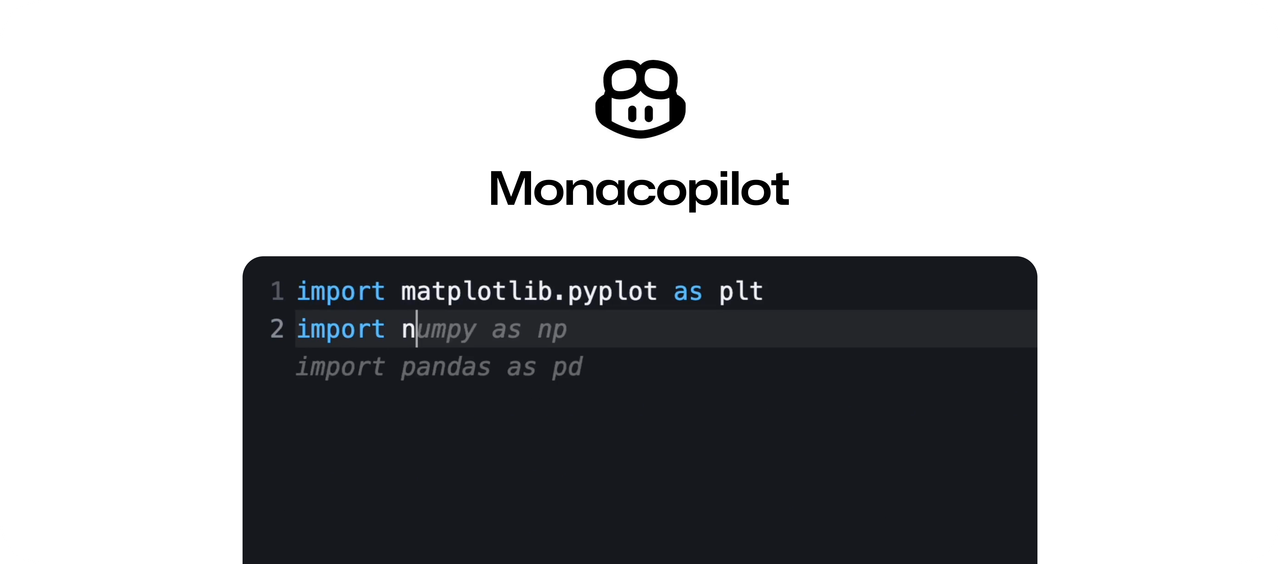
Add GitHub Copilot-style AI completions to your Monaco Editor in minutes! 🚀
|
|
8
|
-
|
|
9
1
|
|
|
10
2
|
|
|
11
3
|
### Features
|
|
@@ -19,739 +11,15 @@ Add GitHub Copilot-style AI completions to your Monaco Editor in minutes! 🚀
|
|
|
19
11
|
- 🔌 Custom Model Support
|
|
20
12
|
- 🎮 Manual Trigger Support
|
|
21
13
|
|
|
22
|
-
### Quick Start (3 Simple Steps)
|
|
23
|
-
|
|
24
|
-
#### Install the package
|
|
25
|
-
|
|
26
|
-
```bash
|
|
27
|
-
npm install monacopilot
|
|
28
|
-
```
|
|
29
|
-
|
|
30
|
-
#### Register the AI completion to your editor
|
|
31
|
-
|
|
32
|
-
In your frontend code:
|
|
33
|
-
|
|
34
|
-
```javascript
|
|
35
|
-
import * as monaco from 'monaco-editor';
|
|
36
|
-
import {registerCompletion} from 'monacopilot';
|
|
37
|
-
|
|
38
|
-
const editor = monaco.editor.create(document.getElementById('container'), {
|
|
39
|
-
language: 'javascript',
|
|
40
|
-
});
|
|
41
|
-
|
|
42
|
-
registerCompletion(monaco, editor, {
|
|
43
|
-
language: 'javascript',
|
|
44
|
-
// Your API endpoint for handling completion requests
|
|
45
|
-
endpoint: 'https://api.example.com/code-completion',
|
|
46
|
-
});
|
|
47
|
-
```
|
|
48
|
-
|
|
49
|
-
#### Create your completion API handler
|
|
50
|
-
|
|
51
|
-
Create an API handler for the endpoint (e.g. `/code-completion`) you provided in the `registerCompletion` function to handle completion requests from the editor.
|
|
52
|
-
|
|
53
|
-
Example using Express.js:
|
|
54
|
-
|
|
55
|
-
```javascript
|
|
56
|
-
import {Copilot} from 'monacopilot';
|
|
57
|
-
|
|
58
|
-
const copilot = new Copilot(OPENAI_API_KEY, {
|
|
59
|
-
provider: 'openai',
|
|
60
|
-
model: 'gpt-4o',
|
|
61
|
-
});
|
|
62
|
-
|
|
63
|
-
app.post('/code-completion', async (req, res) => {
|
|
64
|
-
const {completion, error, raw} = await copilot.complete({body: req.body});
|
|
65
|
-
|
|
66
|
-
// Optional: Use raw response for analytics or token counting
|
|
67
|
-
if (raw) {
|
|
68
|
-
calculateCost(raw.usage.input_tokens);
|
|
69
|
-
}
|
|
70
|
-
|
|
71
|
-
if (error) {
|
|
72
|
-
return res.status(500).json({completion: null, error});
|
|
73
|
-
}
|
|
74
|
-
|
|
75
|
-
res.json({completion});
|
|
76
|
-
});
|
|
77
|
-
```
|
|
78
|
-
|
|
79
|
-
**That's it! Your Monaco Editor now has AI-powered completions! 🎉**
|
|
80
|
-
|
|
81
|
-
> [!NOTE]
|
|
82
|
-
> You can use any backend framework or programming language for your API handler, as long as the endpoint is accessible from the browser. For non-JavaScript implementations, see [Cross-Language API Handler Implementation](#cross-language-api-handler-implementation).
|
|
83
|
-
|
|
84
|
-
### Examples
|
|
85
|
-
|
|
86
|
-
Here are some examples of how to integrate Monacopilot into your project:
|
|
87
|
-
|
|
88
|
-
- Next.js
|
|
89
|
-
- [App Router](https://github.com/arshad-yaseen/monacopilot/tree/main/examples/nextjs/app)
|
|
90
|
-
- [Pages Router](https://github.com/arshad-yaseen/monacopilot/tree/main/examples/nextjs/pages)
|
|
91
|
-
- [Remix](https://github.com/arshad-yaseen/monacopilot/tree/main/examples/remix)
|
|
92
|
-
- [Vue](https://github.com/arshad-yaseen/monacopilot/tree/main/examples/vue)
|
|
93
|
-
|
|
94
14
|
### See it in action
|
|
95
15
|
|
|
96
16
|
[Inline Completions Demo Video](https://github.com/user-attachments/assets/f2ec4ae1-f658-4002-af9c-c6b1bbad70d9)
|
|
97
17
|
|
|
98
18
|
In the demo, we are using the `onTyping` trigger mode with the Groq model, which is why you see such quick and fast completions. Groq provides very fast response times.
|
|
99
19
|
|
|
100
|
-
|
|
101
|
-
|
|
102
|
-
The above is all you need to get started with Monacopilot. Read the rest of the documentation for more advanced features.
|
|
103
|
-
|
|
104
|
-
Expand the table of contents below to navigate to your desired section.
|
|
105
|
-
|
|
106
|
-
<details>
|
|
107
|
-
<summary>Table of Contents</summary>
|
|
108
|
-
|
|
109
|
-
- [Register Completion Options](#register-completion-options)
|
|
110
|
-
- [Trigger Mode](#trigger-mode)
|
|
111
|
-
- [Manually Trigger Completions](#manually-trigger-completions)
|
|
112
|
-
- [Trigger Completions with a Keyboard Shortcut](#trigger-completions-with-a-keyboard-shortcut)
|
|
113
|
-
- [Trigger Completions with an Editor Action](#trigger-completions-with-an-editor-action)
|
|
114
|
-
- [Multi-File Context](#multi-file-context)
|
|
115
|
-
- [Filename](#filename)
|
|
116
|
-
- [Completions for Specific Technologies](#completions-for-specific-technologies)
|
|
117
|
-
- [Max Context Lines](#max-context-lines)
|
|
118
|
-
- [Caching Completions](#caching-completions)
|
|
119
|
-
- [Handling Errors](#handling-errors)
|
|
120
|
-
- [Custom Request Handler](#custom-request-handler)
|
|
121
|
-
- [Request Handler Example](#request-handler-example)
|
|
122
|
-
- [Completion Event Handlers](#completion-event-handlers)
|
|
123
|
-
- [onCompletionShown](#oncompletionshown)
|
|
124
|
-
- [onCompletionAccepted](#oncompletionaccepted)
|
|
125
|
-
- [onCompletionRejected](#oncompletionrejected)
|
|
126
|
-
- [Copilot Options](#copilot-options)
|
|
127
|
-
- [Changing the Provider and Model](#changing-the-provider-and-model)
|
|
128
|
-
- [Custom Model](#custom-model)
|
|
129
|
-
- [Completion Request Options](#completion-request-options)
|
|
130
|
-
- [Custom Headers for LLM Requests](#custom-headers-for-llm-requests)
|
|
131
|
-
- [Custom Prompt](#custom-prompt)
|
|
132
|
-
- [Cross-Language API Handler Implementation](#cross-language-api-handler-implementation)
|
|
133
|
-
- [Security](#security)
|
|
134
|
-
- [Contributing](#contributing)
|
|
135
|
-
</details>
|
|
136
|
-
|
|
137
|
-
## Register Completion Options
|
|
138
|
-
|
|
139
|
-
### Trigger Mode
|
|
140
|
-
|
|
141
|
-
The `trigger` option determines when the completion service provides code completions. You can choose between receiving suggestions/completions in real-time as you type or after a brief pause.
|
|
142
|
-
|
|
143
|
-
```javascript
|
|
144
|
-
registerCompletion(monaco, editor, {
|
|
145
|
-
trigger: 'onTyping',
|
|
146
|
-
});
|
|
147
|
-
```
|
|
148
|
-
|
|
149
|
-
| Trigger | Description | Notes |
|
|
150
|
-
| -------------------- | --------------------------------------------------- | ----------------------------------------------------------------------------------------------------------------------------------------------------------------------------------------------------------------------------- |
|
|
151
|
-
| `'onIdle'` (default) | Provides completions after a brief pause in typing. | This approach is less resource-intensive, as it only initiates a request when the editor is idle. |
|
|
152
|
-
| `'onTyping'` | Provides completions in real-time as you type. | Best suited for models with low response latency, such as Groq models or Claude 3-5 Haiku. This trigger mode initiates additional background requests to deliver real-time suggestions, a method known as predictive caching. |
|
|
153
|
-
| `'onDemand'` | Does not provide completions automatically. | Completions are triggered manually using the `trigger` function from the `registerCompletion` return. This allows for precise control over when completions are provided. |
|
|
154
|
-
|
|
155
|
-
[OnTyping Demo](https://github.com/user-attachments/assets/22c2ce44-334c-4963-b853-01b890b8e39f)
|
|
156
|
-
|
|
157
|
-
> [!NOTE]
|
|
158
|
-
> If you prefer real-time completions, you can set the `trigger` option to `'onTyping'`. This may increase the number of requests made to the provider and the cost. This should not be too costly since most small models are very inexpensive.
|
|
159
|
-
|
|
160
|
-
### Manually Trigger Completions
|
|
161
|
-
|
|
162
|
-
If you prefer not to trigger completions automatically (e.g., on typing or on idle), you can trigger completions manually. This is useful in scenarios where you want to control when completions are provided, such as through a button click or a keyboard shortcut.
|
|
163
|
-
|
|
164
|
-
```javascript
|
|
165
|
-
const completion = registerCompletion(monaco, editor, {
|
|
166
|
-
trigger: 'onDemand',
|
|
167
|
-
});
|
|
168
|
-
|
|
169
|
-
completion.trigger();
|
|
170
|
-
```
|
|
171
|
-
|
|
172
|
-
To set up manual triggering, configure the `trigger` option to `'onDemand'`. This disables automatic completions, allowing you to call the `completion.trigger()` method explicitly when needed.
|
|
173
|
-
|
|
174
|
-
#### Trigger Completions with a Keyboard Shortcut
|
|
175
|
-
|
|
176
|
-
You can set up completions to trigger when the `Ctrl+Shift+Space` keyboard shortcut is pressed.
|
|
177
|
-
|
|
178
|
-
```javascript
|
|
179
|
-
const completion = registerCompletion(monaco, editor, {
|
|
180
|
-
trigger: 'onDemand',
|
|
181
|
-
});
|
|
182
|
-
|
|
183
|
-
editor.addCommand(
|
|
184
|
-
monaco.KeyMod.CtrlCmd | monaco.KeyMod.Shift | monaco.KeyCode.Space,
|
|
185
|
-
() => {
|
|
186
|
-
completion.trigger();
|
|
187
|
-
},
|
|
188
|
-
);
|
|
189
|
-
```
|
|
190
|
-
|
|
191
|
-
#### Trigger Completions with an Editor Action
|
|
192
|
-
|
|
193
|
-
You can add a custom editor action to trigger completions manually.
|
|
194
|
-
|
|
195
|
-

|
|
196
|
-
|
|
197
|
-
```javascript
|
|
198
|
-
const completion = registerCompletion(monaco, editor, {
|
|
199
|
-
trigger: 'onDemand',
|
|
200
|
-
});
|
|
201
|
-
|
|
202
|
-
monaco.editor.addEditorAction({
|
|
203
|
-
id: 'monacopilot.triggerCompletion',
|
|
204
|
-
label: 'Complete Code',
|
|
205
|
-
contextMenuGroupId: 'navigation',
|
|
206
|
-
keybindings: [
|
|
207
|
-
monaco.KeyMod.CtrlCmd | monaco.KeyMod.Shift | monaco.KeyCode.Space,
|
|
208
|
-
],
|
|
209
|
-
run: () => {
|
|
210
|
-
completion.trigger();
|
|
211
|
-
},
|
|
212
|
-
});
|
|
213
|
-
```
|
|
214
|
-
|
|
215
|
-
### Multi-File Context
|
|
216
|
-
|
|
217
|
-
Improve the quality and relevance of Copilot's suggestions by providing additional code context from other files in your project. This feature allows Copilot to understand the broader scope of your codebase, resulting in more accurate and contextually appropriate completions.
|
|
218
|
-
|
|
219
|
-
```javascript
|
|
220
|
-
registerCompletion(monaco, editor, {
|
|
221
|
-
relatedFiles: [
|
|
222
|
-
{
|
|
223
|
-
path: './utils.js',
|
|
224
|
-
content:
|
|
225
|
-
'export const reverse = (str) => str.split("").reverse().join("")',
|
|
226
|
-
},
|
|
227
|
-
],
|
|
228
|
-
});
|
|
229
|
-
```
|
|
230
|
-
|
|
231
|
-
For instance, if you begin typing `const isPalindrome = ` in your current file, Copilot will recognize the `reverse` function from the `utils.js` file you provided earlier. It will then suggest a completion that utilizes this function.
|
|
232
|
-
|
|
233
|
-
### Filename
|
|
234
|
-
|
|
235
|
-
Specify the name of the file being edited to receive more contextually relevant completions.
|
|
236
|
-
|
|
237
|
-
```javascript
|
|
238
|
-
registerCompletion(monaco, editor, {
|
|
239
|
-
filename: 'utils.js', // e.g., "index.js", "utils/objects.js"
|
|
240
|
-
});
|
|
241
|
-
```
|
|
242
|
-
|
|
243
|
-
Now, the completions will be more relevant to the file's context.
|
|
244
|
-
|
|
245
|
-
### Completions for Specific Technologies
|
|
246
|
-
|
|
247
|
-
Enable completions tailored to specific technologies by using the `technologies` option.
|
|
248
|
-
|
|
249
|
-
```javascript
|
|
250
|
-
registerCompletion(monaco, editor, {
|
|
251
|
-
technologies: ['react', 'next.js', 'tailwindcss'],
|
|
252
|
-
});
|
|
253
|
-
```
|
|
254
|
-
|
|
255
|
-
This configuration will provide completions relevant to React, Next.js, and Tailwind CSS.
|
|
256
|
-
|
|
257
|
-
### Max Context Lines
|
|
258
|
-
|
|
259
|
-
To manage potentially lengthy code in your editor, you can limit the number of lines included in the completion request using the `maxContextLines` option.
|
|
260
|
-
|
|
261
|
-
For example, if there's a chance that the code in your editor may exceed `500+ lines`, you don't need to provide `500 lines` to the model. This would increase costs due to the huge number of input tokens. Instead, you can set `maxContextLines` to maybe `80` or `100`, depending on how accurate you want the completions to be and how much you're willing to pay for the model.
|
|
262
|
-
|
|
263
|
-
```javascript
|
|
264
|
-
registerCompletion(monaco, editor, {
|
|
265
|
-
maxContextLines: 80,
|
|
266
|
-
});
|
|
267
|
-
```
|
|
268
|
-
|
|
269
|
-
> [!NOTE]
|
|
270
|
-
> If you're using `groq` as your provider, it's recommended to set `maxContextLines` to `60` or less due to its low rate limits and lack of pay-as-you-go pricing. However, Groq is expected to offer pay-as-you-go pricing in the near future.
|
|
271
|
-
|
|
272
|
-
### Caching Completions
|
|
273
|
-
|
|
274
|
-
Monacopilot caches completions by default. It uses a FIFO (First In First Out) strategy, reusing cached completions when the context and cursor position match while editing (default: `true`). To disable caching:
|
|
275
|
-
|
|
276
|
-
```javascript
|
|
277
|
-
registerCompletion(monaco, editor, {
|
|
278
|
-
enableCaching: false,
|
|
279
|
-
});
|
|
280
|
-
```
|
|
281
|
-
|
|
282
|
-
### Handling Errors
|
|
283
|
-
|
|
284
|
-
When an error occurs during the completion process or requests, Monacopilot will log it to the console by default rather than throwing errors. This ensures smooth editing even when completions are unavailable.
|
|
285
|
-
|
|
286
|
-
You can provide this callback to handle errors yourself, which will disable the default console logging.
|
|
287
|
-
|
|
288
|
-
```javascript
|
|
289
|
-
registerCompletion(monaco, editor, {
|
|
290
|
-
onError: error => {
|
|
291
|
-
console.error(error);
|
|
292
|
-
},
|
|
293
|
-
});
|
|
294
|
-
```
|
|
295
|
-
|
|
296
|
-
### Custom Request Handler
|
|
297
|
-
|
|
298
|
-
The `requestHandler` option in the `registerCompletion` function allows you to handle requests sent to the specified endpoint, offering high customization for both requests and responses. By leveraging this functionality, you can manipulate and customize the request or response to meet your specific requirements.
|
|
299
|
-
|
|
300
|
-
```javascript
|
|
301
|
-
registerCompletion(monaco, editor, {
|
|
302
|
-
endpoint: 'https://api.example.com/complete',
|
|
303
|
-
// ... other options
|
|
304
|
-
requestHandler: async ({endpoint, body}) => {
|
|
305
|
-
const response = await fetch(endpoint, {
|
|
306
|
-
method: 'POST',
|
|
307
|
-
headers: {
|
|
308
|
-
'Content-Type': 'application/json',
|
|
309
|
-
},
|
|
310
|
-
body: JSON.stringify(body),
|
|
311
|
-
});
|
|
312
|
-
|
|
313
|
-
const data = await response.json();
|
|
314
|
-
|
|
315
|
-
return {
|
|
316
|
-
completion: data.completion,
|
|
317
|
-
};
|
|
318
|
-
},
|
|
319
|
-
});
|
|
320
|
-
```
|
|
321
|
-
|
|
322
|
-
The `requestHandler` function takes an object with `endpoint` and `body` as parameters.
|
|
323
|
-
|
|
324
|
-
| Property | Type | Description |
|
|
325
|
-
| ---------- | -------- | ------------------------------------------------------------------------------------------------------ |
|
|
326
|
-
| `endpoint` | `string` | The endpoint to which the request is sent. This is the same as the `endpoint` in `registerCompletion`. |
|
|
327
|
-
| `body` | `object` | The body of the request processed by Monacopilot. |
|
|
328
|
-
|
|
329
|
-
> [!NOTE]
|
|
330
|
-
> The `body` object contains properties generated by Monacopilot. If you need to include additional properties in the request body, you can create a new object that combines the existing `body` with your custom properties. For example:
|
|
331
|
-
>
|
|
332
|
-
> ```javascript
|
|
333
|
-
> const customBody = {
|
|
334
|
-
> ...body,
|
|
335
|
-
> myCustomProperty: 'value',
|
|
336
|
-
> };
|
|
337
|
-
> ```
|
|
338
|
-
|
|
339
|
-
The `requestHandler` should return an object with the following property:
|
|
340
|
-
|
|
341
|
-
| Property | Type | Description |
|
|
342
|
-
| ------------ | ------------------ | ------------------------------------------------------------------------------------------------ |
|
|
343
|
-
| `completion` | `string` or `null` | The completion text to be inserted into the editor. Return `null` if no completion is available. |
|
|
344
|
-
|
|
345
|
-
#### Request Handler Example
|
|
346
|
-
|
|
347
|
-
Here's a practical example demonstrating how to let users select different models for AI auto-completion, We use the `requestHandler` option to attach the selected model to the request body and use it in the server-side API handler.
|
|
348
|
-
|
|
349
|
-
Client-side implementation:
|
|
350
|
-
|
|
351
|
-
```javascript
|
|
352
|
-
const selectedModel = 'gpt-4'; // Example of model selected by user via UI (e.g. dropdown, settings panel)
|
|
353
|
-
|
|
354
|
-
registerCompletion(monaco, editor, {
|
|
355
|
-
endpoint: 'https://api.example.com/complete',
|
|
356
|
-
requestHandler: async ({endpoint, body}) => {
|
|
357
|
-
const response = await fetch(endpoint, {
|
|
358
|
-
method: 'POST',
|
|
359
|
-
headers: {
|
|
360
|
-
'Content-Type': 'application/json',
|
|
361
|
-
},
|
|
362
|
-
body: JSON.stringify({
|
|
363
|
-
...body,
|
|
364
|
-
model: selectedModel, // Attach selected model to request body
|
|
365
|
-
}),
|
|
366
|
-
});
|
|
367
|
-
|
|
368
|
-
const data = await response.json();
|
|
369
|
-
return {
|
|
370
|
-
completion: data.completion,
|
|
371
|
-
};
|
|
372
|
-
},
|
|
373
|
-
});
|
|
374
|
-
```
|
|
375
|
-
|
|
376
|
-
Server-side implementation (Example using Express.js): This is the server-side API handler that the `endpoint` parameter points to in the `registerCompletion` function.
|
|
377
|
-
|
|
378
|
-
```javascript
|
|
379
|
-
import express from 'express';
|
|
380
|
-
import {Copilot} from 'monacopilot';
|
|
381
|
-
|
|
382
|
-
const app = express();
|
|
383
|
-
|
|
384
|
-
// Initialize different copilot instances for different models
|
|
385
|
-
const copilotInstances = {
|
|
386
|
-
'gpt-4o': new Copilot(process.env.OPENAI_API_KEY, {
|
|
387
|
-
provider: 'openai',
|
|
388
|
-
model: 'gpt-4o',
|
|
389
|
-
}),
|
|
390
|
-
'sonnet-3.5': new Copilot(process.env.ANTHROPIC_API_KEY, {
|
|
391
|
-
provider: 'anthropic',
|
|
392
|
-
model: 'claude-3-5-sonnet',
|
|
393
|
-
}),
|
|
394
|
-
'llama-3': new Copilot(process.env.GROQ_API_KEY, {
|
|
395
|
-
provider: 'groq',
|
|
396
|
-
model: 'llama-3-70b',
|
|
397
|
-
}),
|
|
398
|
-
};
|
|
399
|
-
|
|
400
|
-
app.post('/complete', async (req, res) => {
|
|
401
|
-
try {
|
|
402
|
-
// Get the selected model from the request body
|
|
403
|
-
const {model, ...completionBody} = req.body;
|
|
404
|
-
|
|
405
|
-
// Use the appropriate copilot instance based on selected model
|
|
406
|
-
const copilot = copilotInstances[model];
|
|
407
|
-
if (!copilot) {
|
|
408
|
-
return res.status(400).json({
|
|
409
|
-
completion: null,
|
|
410
|
-
error: 'Invalid model selected',
|
|
411
|
-
});
|
|
412
|
-
}
|
|
413
|
-
|
|
414
|
-
const {completion, error} = await copilot.complete({
|
|
415
|
-
body: completionBody,
|
|
416
|
-
});
|
|
417
|
-
|
|
418
|
-
if (error) {
|
|
419
|
-
return res.status(500).json({
|
|
420
|
-
completion: null,
|
|
421
|
-
error,
|
|
422
|
-
});
|
|
423
|
-
}
|
|
424
|
-
|
|
425
|
-
res.json({completion});
|
|
426
|
-
} catch (err) {
|
|
427
|
-
res.status(500).json({
|
|
428
|
-
completion: null,
|
|
429
|
-
error: err.message,
|
|
430
|
-
});
|
|
431
|
-
}
|
|
432
|
-
});
|
|
433
|
-
|
|
434
|
-
app.listen(3000);
|
|
435
|
-
```
|
|
436
|
-
|
|
437
|
-
The server maintains a map of Copilot instances configured with different providers and models, allowing for flexible model selection while keeping API keys secure on the server side.
|
|
438
|
-
|
|
439
|
-
### Completion Event Handlers
|
|
440
|
-
|
|
441
|
-
The editor provides several events to handle completion suggestions. These events allow you to respond to different stages of the completion process, such as when a suggestion is shown or accepted by the user.
|
|
442
|
-
|
|
443
|
-
#### onCompletionShown
|
|
444
|
-
|
|
445
|
-
This event is triggered when a completion suggestion is shown to the user. You can use this event to log or perform actions when a suggestion is displayed.
|
|
446
|
-
|
|
447
|
-
```javascript
|
|
448
|
-
registerCompletion(monaco, editor, {
|
|
449
|
-
// ... other options
|
|
450
|
-
onCompletionShown: (completion, range) => {
|
|
451
|
-
console.log('Completion suggestion:', {completion, range});
|
|
452
|
-
},
|
|
453
|
-
});
|
|
454
|
-
```
|
|
455
|
-
|
|
456
|
-
**Parameters:**
|
|
457
|
-
|
|
458
|
-
- `completion`: The completion text that is being shown
|
|
459
|
-
- `range`: The editor range object where the completion will be inserted
|
|
460
|
-
|
|
461
|
-
#### onCompletionAccepted
|
|
462
|
-
|
|
463
|
-
Event triggered when a completion suggestion is accepted by the user.
|
|
464
|
-
|
|
465
|
-
```javascript
|
|
466
|
-
registerCompletion(monaco, editor, {
|
|
467
|
-
// ... other options
|
|
468
|
-
onCompletionAccepted: () => {
|
|
469
|
-
console.log('Completion accepted');
|
|
470
|
-
},
|
|
471
|
-
});
|
|
472
|
-
```
|
|
473
|
-
|
|
474
|
-
#### onCompletionRejected
|
|
475
|
-
|
|
476
|
-
Event triggered when a completion suggestion is rejected by the user.
|
|
477
|
-
|
|
478
|
-
```javascript
|
|
479
|
-
registerCompletion(monaco, editor, {
|
|
480
|
-
// ... other options
|
|
481
|
-
onCompletionRejected: () => {
|
|
482
|
-
console.log('Completion rejected');
|
|
483
|
-
},
|
|
484
|
-
});
|
|
485
|
-
```
|
|
486
|
-
|
|
487
|
-
## Copilot Options
|
|
488
|
-
|
|
489
|
-
### Changing the Provider and Model
|
|
490
|
-
|
|
491
|
-
You can specify a different provider and model by setting the `provider` and `model` parameters in the `Copilot` instance.
|
|
492
|
-
|
|
493
|
-
```javascript
|
|
494
|
-
const copilot = new Copilot(process.env.ANTHROPIC_API_KEY, {
|
|
495
|
-
provider: 'anthropic',
|
|
496
|
-
model: 'claude-3-5-haiku',
|
|
497
|
-
});
|
|
498
|
-
```
|
|
499
|
-
|
|
500
|
-
There are other providers and models available. Here is a list:
|
|
501
|
-
|
|
502
|
-
| Provider | Models | Notes |
|
|
503
|
-
| --------- | ----------------------------------------------------------- | -------------------------------------------------------------------------------------------------------------------------------------------------------------------------------------------------- |
|
|
504
|
-
| groq | `llama-3-70b` | Offers moderate accuracy with extremely fast response times. Ideal for real-time completions while typing. |
|
|
505
|
-
| openai | `gpt-4o`, `gpt-4o-mini`, `o1-mini (beta model)` | |
|
|
506
|
-
| anthropic | `claude-3-5-sonnet`, `claude-3-haiku`, `claude-3-5-haiku` | Claude-3-5-haiku provides an optimal balance between accuracy and response time. |
|
|
507
|
-
| google | `gemini-1.5-pro`, `gemini-1.5-flash`, `gemini-1.5-flash-8b` | |
|
|
508
|
-
| deepseek | `v3` | Provides highly accurate completions using Fill-in-the-Middle (FIM) technology. While response times are slower, it excels in completion accuracy. Best choice when precision is the top priority. |
|
|
509
|
-
|
|
510
|
-
### Custom Model
|
|
511
|
-
|
|
512
|
-
You can use a custom LLM that isn't built into Monacopilot by setting up a `model` when you create a new Copilot. This feature lets you connect to LLMs from other services or your own custom-built models.
|
|
513
|
-
|
|
514
|
-
Please ensure you are using a high-quality model, especially for coding tasks, to get the best and most accurate completions. Also, use a model with very low response latency (preferably under 1.5 seconds) to enjoy a great experience and utilize the full power of Monacopilot.
|
|
515
|
-
|
|
516
|
-
#### Example
|
|
517
|
-
|
|
518
|
-
```javascript
|
|
519
|
-
const copilot = new Copilot(process.env.HUGGINGFACE_API_KEY, {
|
|
520
|
-
// You don't need to set the provider if you are using a custom model.
|
|
521
|
-
// provider: 'huggingface',
|
|
522
|
-
model: {
|
|
523
|
-
config: (apiKey, prompt) => ({
|
|
524
|
-
endpoint:
|
|
525
|
-
'https://api-inference.huggingface.co/models/openai-community/gpt2',
|
|
526
|
-
headers: {
|
|
527
|
-
Authorization: `Bearer ${apiKey}`,
|
|
528
|
-
'Content-Type': 'application/json',
|
|
529
|
-
},
|
|
530
|
-
body: {
|
|
531
|
-
inputs: prompt.user,
|
|
532
|
-
parameters: {
|
|
533
|
-
max_length: 100,
|
|
534
|
-
num_return_sequences: 1,
|
|
535
|
-
temperature: 0.7,
|
|
536
|
-
},
|
|
537
|
-
},
|
|
538
|
-
}),
|
|
539
|
-
transformResponse: response => ({text: response[0].generated_text}),
|
|
540
|
-
},
|
|
541
|
-
});
|
|
542
|
-
```
|
|
543
|
-
|
|
544
|
-
#### Configuration
|
|
545
|
-
|
|
546
|
-
The `model` option accepts an object with two functions:
|
|
547
|
-
|
|
548
|
-
| Function | Description | Type |
|
|
549
|
-
| ------------------- | ----------------------------------------------------------------------------------------------------------------------- | --------------------------------------------------------------------------------------------------------------------- |
|
|
550
|
-
| `config` | A function that receives the API key and prompt data, and returns the configuration for the custom model API request. | `(apiKey: string, prompt: { system: string; user: string }) => { endpoint: string; body?: object; headers?: object }` |
|
|
551
|
-
| `transformResponse` | A function that takes the raw/parsed response from the custom model API and returns an object with the `text` property. | `(response: unknown) => { text: string \| null; }` |
|
|
552
|
-
|
|
553
|
-
The `config` function must return an object with the following properties:
|
|
554
|
-
|
|
555
|
-
| Property | Type | Description |
|
|
556
|
-
| ---------- | ----------------------- | -------------------------------------------- |
|
|
557
|
-
| `endpoint` | `string` | The URL of the custom model API endpoint. |
|
|
558
|
-
| `body` | `object` or `undefined` | The body of the custom model API request. |
|
|
559
|
-
| `headers` | `object` or `undefined` | The headers of the custom model API request. |
|
|
560
|
-
|
|
561
|
-
The `transformResponse` function must return an object with the `text` property. This `text` property should contain the text generated by the custom model. If no valid text can be extracted, the function should return `null` for the `text` property.
|
|
562
|
-
|
|
563
|
-
## Completion Request Options
|
|
564
|
-
|
|
565
|
-
### Custom Headers for LLM Requests
|
|
566
|
-
|
|
567
|
-
You can add custom headers to the provider's completion requests. For example, if you select `OpenAI` as your provider, you can add a custom header to the OpenAI completion requests made by Monacopilot.
|
|
568
|
-
|
|
569
|
-
```javascript
|
|
570
|
-
copilot.complete({
|
|
571
|
-
options: {
|
|
572
|
-
headers: {
|
|
573
|
-
'X-Custom-Header': 'custom-value',
|
|
574
|
-
},
|
|
575
|
-
},
|
|
576
|
-
});
|
|
577
|
-
```
|
|
578
|
-
|
|
579
|
-
### Custom Prompt
|
|
580
|
-
|
|
581
|
-
You can customize the prompt used for generating completions by providing a `customPrompt` function in the options parameter of the `copilot.complete` method. This allows you to tailor the AI's behavior to your specific needs.
|
|
582
|
-
|
|
583
|
-
#### Usage
|
|
584
|
-
|
|
585
|
-
```javascript
|
|
586
|
-
copilot.complete({
|
|
587
|
-
options: {
|
|
588
|
-
customPrompt: metadata => ({
|
|
589
|
-
system: 'Your custom system prompt here',
|
|
590
|
-
user: 'Your custom user prompt here',
|
|
591
|
-
}),
|
|
592
|
-
},
|
|
593
|
-
});
|
|
594
|
-
```
|
|
595
|
-
|
|
596
|
-
The `system` and `user` prompts in the `customPrompt` function are optional. If you omit either the `system` or `user` prompt, the default prompt for that field will be used. Example of customizing only the system prompt:
|
|
597
|
-
|
|
598
|
-
```javascript
|
|
599
|
-
copilot.complete({
|
|
600
|
-
options: {
|
|
601
|
-
customPrompt: metadata => ({
|
|
602
|
-
system:
|
|
603
|
-
'You are an AI assistant specialized in writing React components, focusing on creating clean...',
|
|
604
|
-
}),
|
|
605
|
-
},
|
|
606
|
-
});
|
|
607
|
-
```
|
|
608
|
-
|
|
609
|
-
#### Parameters
|
|
610
|
-
|
|
611
|
-
The `customPrompt` function receives a `completionMetadata` object, which contains information about the current editor state and can be used to tailor the prompt.
|
|
612
|
-
|
|
613
|
-
##### Completion Metadata
|
|
614
|
-
|
|
615
|
-
| Property | Type | Description |
|
|
616
|
-
| ------------------ | ---------------------------------------- | ----------------------------------------------------------------------------------------------------------------------------------------------------------------------------- |
|
|
617
|
-
| `language` | `string` | The programming language of the code. |
|
|
618
|
-
| `cursorPosition` | `{ lineNumber: number; column: number }` | The current cursor position in the editor. |
|
|
619
|
-
| `filename` | `string` or `undefined` | The name of the file being edited. Only available if you have provided the `filename` option in the `registerCompletion` function. |
|
|
620
|
-
| `technologies` | `string[]` or `undefined` | An array of technologies used in the project. Only available if you have provided the `technologies` option in the `registerCompletion` function. |
|
|
621
|
-
| `relatedFiles` | `object[]` or `undefined` | An array of objects containing the `path` and `content` of related files. Only available if you have provided the `relatedFiles` option in the `registerCompletion` function. |
|
|
622
|
-
| `textAfterCursor` | `string` | The text that appears after the cursor. |
|
|
623
|
-
| `textBeforeCursor` | `string` | The text that appears before the cursor. |
|
|
624
|
-
| `editorState` | `object` | An object containing the `completionMode` property. |
|
|
625
|
-
|
|
626
|
-
The `editorState.completionMode` can be one of the following:
|
|
627
|
-
|
|
628
|
-
| Mode | Description |
|
|
629
|
-
| ---------- | ------------------------------------------------------------------------------------------------------------------------------------------------------------------- |
|
|
630
|
-
| `insert` | Indicates that there is a character immediately after the cursor. In this mode, the AI will generate content to be inserted at the cursor position. |
|
|
631
|
-
| `complete` | Indicates that there is a character after the cursor but not immediately. In this mode, the AI will generate content to complete the text from the cursor position. |
|
|
632
|
-
| `continue` | Indicates that there is no character after the cursor. In this mode, the AI will generate content to continue the text from the cursor position. |
|
|
633
|
-
|
|
634
|
-
For additional `completionMetadata` needs, please [open an issue](https://github.com/arshad-yaseen/monacopilot/issues/new).
|
|
635
|
-
|
|
636
|
-
The `customPrompt` function should return an object with two properties:
|
|
637
|
-
|
|
638
|
-
| Property | Type | Description |
|
|
639
|
-
| -------- | ----------------------- | ------------------------------------------------------ |
|
|
640
|
-
| `system` | `string` or `undefined` | A string representing the system prompt for the model. |
|
|
641
|
-
| `user` | `string` or `undefined` | A string representing the user prompt for the model. |
|
|
642
|
-
|
|
643
|
-
#### Example
|
|
644
|
-
|
|
645
|
-
Here's an example of a custom prompt that focuses on generating React component code:
|
|
646
|
-
|
|
647
|
-
```javascript
|
|
648
|
-
const customPrompt = ({textBeforeCursor, textAfterCursor}) => ({
|
|
649
|
-
system:
|
|
650
|
-
'You are an AI assistant specialized in writing React components. Focus on creating clean, reusable, and well-structured components.',
|
|
651
|
-
user: `Please complete the following React component:
|
|
652
|
-
|
|
653
|
-
${textBeforeCursor}
|
|
654
|
-
// Cursor position
|
|
655
|
-
${textAfterCursor}
|
|
656
|
-
|
|
657
|
-
Use modern React practices and hooks where appropriate. If you're adding new props, make sure to include proper TypeScript types. Please provide only the completed part of the code without additional comments or explanations.`,
|
|
658
|
-
});
|
|
659
|
-
|
|
660
|
-
copilot.complete({
|
|
661
|
-
options: {customPrompt},
|
|
662
|
-
});
|
|
663
|
-
```
|
|
664
|
-
|
|
665
|
-
By using a custom prompt, you can guide the model to generate completions that better fit your coding style, project requirements, or specific technologies you're working with.
|
|
666
|
-
|
|
667
|
-
## Cross-Language API Handler Implementation
|
|
668
|
-
|
|
669
|
-
While the example in this documentation uses JavaScript/Node.js (which is recommended), you can set up the API handler in any language or framework. For JavaScript, Monacopilot provides a built-in function that handles all the necessary steps, such as generating the prompt, sending it to the model, and processing the response. However, if you're using a different language, you'll need to implement these steps manually. Here's a general approach to implement the handler in your preferred language:
|
|
670
|
-
|
|
671
|
-
1. Create an endpoint that accepts POST requests (e.g., `/complete`).
|
|
672
|
-
2. The endpoint should expect a JSON body containing completion metadata.
|
|
673
|
-
3. Use the metadata to construct a prompt for your LLM.
|
|
674
|
-
4. Send the prompt to your chosen LLM and get the completion.
|
|
675
|
-
5. Return a JSON response with the following structure:
|
|
676
|
-
|
|
677
|
-
```json
|
|
678
|
-
{
|
|
679
|
-
"completion": "Generated completion text"
|
|
680
|
-
}
|
|
681
|
-
```
|
|
682
|
-
|
|
683
|
-
Or in case of an error:
|
|
684
|
-
|
|
685
|
-
```json
|
|
686
|
-
{
|
|
687
|
-
"completion": null,
|
|
688
|
-
"error": "Error message"
|
|
689
|
-
}
|
|
690
|
-
```
|
|
691
|
-
|
|
692
|
-
### Key Considerations
|
|
693
|
-
|
|
694
|
-
- The prompt should instruct the model to return only the completion text, without any additional formatting or explanations.
|
|
695
|
-
- The completion text should be ready for direct insertion into the editor.
|
|
696
|
-
|
|
697
|
-
Check out the [prompt.ts](https://github.com/arshad-yaseen/monacopilot/blob/main/src/helpers/prompt.ts) file to see how Monacopilot generates the prompt. This will give you an idea of how to structure the prompt for your LLM to achieve the best completions.
|
|
698
|
-
|
|
699
|
-
### Metadata Overview
|
|
700
|
-
|
|
701
|
-
The request body's `completionMetadata` object contains essential information for crafting a prompt for the LLM to generate accurate completions. See the [Completion Metadata](#completion-metadata) section for more details.
|
|
702
|
-
|
|
703
|
-
### Example Implementation (Python with FastAPI)
|
|
704
|
-
|
|
705
|
-
Here's a basic example using Python and FastAPI:
|
|
706
|
-
|
|
707
|
-
```python
|
|
708
|
-
from fastapi import FastAPI, Request
|
|
709
|
-
|
|
710
|
-
app = FastAPI()
|
|
711
|
-
|
|
712
|
-
@app.post('/complete')
|
|
713
|
-
async def handle_completion(request: Request):
|
|
714
|
-
try:
|
|
715
|
-
body = await request.json()
|
|
716
|
-
metadata = body['completionMetadata']
|
|
717
|
-
|
|
718
|
-
prompt = f"""Please complete the following {metadata['language']} code:
|
|
719
|
-
|
|
720
|
-
{metadata['textBeforeCursor']}
|
|
721
|
-
<cursor>
|
|
722
|
-
{metadata['textAfterCursor']}
|
|
723
|
-
|
|
724
|
-
Use modern {metadata['language']} practices and hooks where appropriate. Please provide only the completed part of the
|
|
725
|
-
code without additional comments or explanations."""
|
|
726
|
-
|
|
727
|
-
# Simulate a response from a model
|
|
728
|
-
response = "Your model's response here"
|
|
729
|
-
|
|
730
|
-
return {
|
|
731
|
-
'completion': response,
|
|
732
|
-
'error': None
|
|
733
|
-
}
|
|
734
|
-
except Exception as e:
|
|
735
|
-
return {
|
|
736
|
-
'completion': None,
|
|
737
|
-
'error': str(e)
|
|
738
|
-
}
|
|
739
|
-
```
|
|
740
|
-
|
|
741
|
-
Now, Monacopilot is set up to send completion requests to the `/complete` endpoint and receive completions in response.
|
|
742
|
-
|
|
743
|
-
```javascript
|
|
744
|
-
registerCompletion(monaco, editor, {
|
|
745
|
-
endpoint: 'https://my-python-api.com/complete',
|
|
746
|
-
// ... other options
|
|
747
|
-
});
|
|
748
|
-
```
|
|
749
|
-
|
|
750
|
-
## Security
|
|
751
|
-
|
|
752
|
-
Monacopilot takes security seriously. Your code remains completely private since Monacopilot never stores or transmits code from the editor.
|
|
20
|
+
## Documentation
|
|
753
21
|
|
|
754
|
-
|
|
22
|
+
Go to the [documentation](https://monacopilot.arshadyaseen.com) to get started with Monacopilot.
|
|
755
23
|
|
|
756
24
|
## Contributing
|
|
757
25
|
|
package/package.json
CHANGED
|
@@ -1,66 +1,68 @@
|
|
|
1
1
|
{
|
|
2
|
-
|
|
3
|
-
|
|
4
|
-
|
|
5
|
-
|
|
6
|
-
|
|
7
|
-
|
|
8
|
-
|
|
9
|
-
|
|
10
|
-
|
|
11
|
-
|
|
12
|
-
|
|
13
|
-
|
|
14
|
-
|
|
15
|
-
|
|
16
|
-
|
|
17
|
-
|
|
18
|
-
|
|
19
|
-
|
|
20
|
-
|
|
21
|
-
|
|
22
|
-
|
|
23
|
-
|
|
24
|
-
|
|
25
|
-
|
|
26
|
-
"
|
|
27
|
-
|
|
28
|
-
|
|
29
|
-
|
|
30
|
-
|
|
31
|
-
|
|
32
|
-
|
|
33
|
-
|
|
34
|
-
|
|
35
|
-
|
|
36
|
-
|
|
37
|
-
|
|
38
|
-
|
|
39
|
-
|
|
40
|
-
|
|
41
|
-
|
|
42
|
-
|
|
43
|
-
|
|
44
|
-
|
|
45
|
-
|
|
46
|
-
"
|
|
47
|
-
|
|
48
|
-
|
|
49
|
-
|
|
50
|
-
|
|
51
|
-
|
|
52
|
-
|
|
53
|
-
|
|
54
|
-
|
|
55
|
-
"
|
|
56
|
-
|
|
57
|
-
|
|
58
|
-
|
|
59
|
-
|
|
60
|
-
|
|
61
|
-
|
|
62
|
-
|
|
63
|
-
|
|
64
|
-
|
|
65
|
-
|
|
2
|
+
"name": "monacopilot",
|
|
3
|
+
"version": "0.18.12",
|
|
4
|
+
"description": "AI auto-completion plugin for Monaco Editor",
|
|
5
|
+
"main": "./build/index.js",
|
|
6
|
+
"module": "./build/index.mjs",
|
|
7
|
+
"types": "./build/index.d.ts",
|
|
8
|
+
"files": [
|
|
9
|
+
"build"
|
|
10
|
+
],
|
|
11
|
+
"scripts": {
|
|
12
|
+
"build": "tsup src/index.ts",
|
|
13
|
+
"dev": "tsup src/index.ts --watch",
|
|
14
|
+
"test": "vitest run",
|
|
15
|
+
"dev:test-ui": "pnpm -C tests/ui dev",
|
|
16
|
+
"dev:docs": "pnpm -C docs dev",
|
|
17
|
+
"build:docs": "pnpm -C docs build",
|
|
18
|
+
"tsc": "tsc --noEmit",
|
|
19
|
+
"lint": "eslint . --ext .ts,.tsx --fix",
|
|
20
|
+
"lint:test-ui": "pnpm -C tests/ui lint",
|
|
21
|
+
"validate": "pnpm build && pnpm format && pnpm tsc && pnpm lint && pnpm lint:test-ui",
|
|
22
|
+
"format": "prettier --write .",
|
|
23
|
+
"release": "release-it",
|
|
24
|
+
"prepare": "husky"
|
|
25
|
+
},
|
|
26
|
+
"devDependencies": {
|
|
27
|
+
"@anthropic-ai/sdk": "^0.27.3",
|
|
28
|
+
"@commitlint/cli": "^19.5.0",
|
|
29
|
+
"@commitlint/config-conventional": "^19.5.0",
|
|
30
|
+
"@google/generative-ai": "^0.21.0",
|
|
31
|
+
"@ianvs/prettier-plugin-sort-imports": "^4.2.1",
|
|
32
|
+
"@release-it/conventional-changelog": "^8.0.2",
|
|
33
|
+
"@typescript-eslint/eslint-plugin": "^7.3.1",
|
|
34
|
+
"eslint": "^8.57.0",
|
|
35
|
+
"groq-sdk": "^0.3.2",
|
|
36
|
+
"husky": "^9.1.6",
|
|
37
|
+
"monaco-editor": "^0.52.0",
|
|
38
|
+
"openai": "^4.60.1",
|
|
39
|
+
"prettier": "^3.2.5",
|
|
40
|
+
"release-it": "^17.6.0",
|
|
41
|
+
"tsup": "^8.0.2",
|
|
42
|
+
"typescript": "^5.4.3",
|
|
43
|
+
"vite-tsconfig-paths": "^5.1.4",
|
|
44
|
+
"vitest": "^2.0.5"
|
|
45
|
+
},
|
|
46
|
+
"keywords": [
|
|
47
|
+
"monaco-editor",
|
|
48
|
+
"monaco",
|
|
49
|
+
"ai",
|
|
50
|
+
"auto-completion",
|
|
51
|
+
"code-completion",
|
|
52
|
+
"copilot",
|
|
53
|
+
"github-copilot"
|
|
54
|
+
],
|
|
55
|
+
"repository": {
|
|
56
|
+
"type": "git",
|
|
57
|
+
"url": "git+https://github.com/arshad-yaseen/monacopilot.git"
|
|
58
|
+
},
|
|
59
|
+
"maintainers": [
|
|
60
|
+
{
|
|
61
|
+
"name": "Arshad Yaseen",
|
|
62
|
+
"email": "m@arshadyaseen.com",
|
|
63
|
+
"url": "https://arshadyaseen.com"
|
|
64
|
+
}
|
|
65
|
+
],
|
|
66
|
+
"license": "MIT",
|
|
67
|
+
"author": "Arshad Yaseen <m@arshadyaseen.com> (https://arshadyaseen.com)"
|
|
66
68
|
}
|