memctx 1.3.2 → 1.3.3
This diff represents the content of publicly available package versions that have been released to one of the supported registries. The information contained in this diff is provided for informational purposes only and reflects changes between package versions as they appear in their respective public registries.
- package/README.md +90 -640
- package/dashboard/dist/assets/{index-CxWJuL1v.js → index-3bCQZb8O.js} +230 -230
- package/dashboard/dist/assets/{index-CPwG9ame.css → index-CrXhH_rW.css} +1 -1
- package/dashboard/dist/assets/{index.es-CXqvPrRU.js → index.es-DfVMYbD4.js} +1 -1
- package/dashboard/dist/assets/{jszip.min-D05hOMrx.js → jszip.min-Bmra7ZPs.js} +1 -1
- package/dashboard/dist/index.html +2 -2
- package/package.json +1 -1
package/README.md
CHANGED
|
@@ -1,716 +1,166 @@
|
|
|
1
1
|
<div align="center">
|
|
2
2
|
|
|
3
|
-
#
|
|
3
|
+
# <img src="https://raw.githubusercontent.com/bbhunterpk-ux/memctx/main/assets/hero.png" width="80" alt="MemCTX Logo" style="vertical-align: middle;" /> MemCTX
|
|
4
4
|
|
|
5
|
-
|
|
5
|
+
**Autonomous Session Memory & Context Handoff for Claude Code**
|
|
6
|
+
*Never repeat yourself. Your AI pair programmer, now with world-class memory.*
|
|
6
7
|
|
|
7
|
-
|
|
8
|
+
[](https://www.npmjs.com/package/memctx)
|
|
9
|
+
[](https://www.npmjs.com/package/memctx)
|
|
10
|
+
[](https://opensource.org/licenses/MIT)
|
|
11
|
+
[](https://nodejs.org)
|
|
8
12
|
|
|
9
|
-
[
|
|
10
|
-
[
|
|
11
|
-
[
|
|
12
|
-
[
|
|
13
|
+
[🚀 Quick Start](#-quick-start) •
|
|
14
|
+
[✨ Features](#-key-features) •
|
|
15
|
+
[🏗️ Architecture](#-how-it-works) •
|
|
16
|
+
[💻 CLI Commands](#-cli-reference)
|
|
13
17
|
|
|
14
|
-
|
|
15
|
-
|
|
16
|
-
<img src="https://raw.githubusercontent.com/bbhunterpk-ux/memctx/main/assets/hero.png" alt="MemCTX Dashboard" width="800" />
|
|
18
|
+
<img src="https://raw.githubusercontent.com/bbhunterpk-ux/memctx/main/assets/hero.png" alt="MemCTX Dashboard" width="850" style="border-radius: 12px; box-shadow: 0 4px 14px rgba(0,0,0,0.1);" />
|
|
17
19
|
|
|
18
20
|
</div>
|
|
19
21
|
|
|
20
22
|
---
|
|
21
23
|
|
|
22
|
-
##
|
|
24
|
+
## ⚡ The Problem vs The Solution
|
|
23
25
|
|
|
24
26
|
MemCTX transforms Claude Code into a **context-aware development companion** by automatically capturing, analyzing, and intelligently injecting your development history. Think of it as giving Claude a **photographic memory** of your entire project journey.
|
|
25
27
|
|
|
26
|
-
|
|
27
|
-
|
|
28
|
-
|
|
29
|
-
|
|
30
|
-
|
|
31
|
-
|
|
32
|
-
- ❌ Lost conversation history
|
|
33
|
-
- ❌ Manual session notes
|
|
34
|
-
- ❌ Forgotten decisions
|
|
35
|
-
- ❌ Context switching overhead
|
|
36
|
-
|
|
37
|
-
</td>
|
|
38
|
-
<td width="50%">
|
|
39
|
-
|
|
40
|
-
### ✨ With MemCTX
|
|
41
|
-
- ✅ Automatic context injection
|
|
42
|
-
- ✅ Searchable session history
|
|
43
|
-
- ✅ AI-powered summaries
|
|
44
|
-
- ✅ Decision tracking
|
|
45
|
-
- ✅ Seamless continuity
|
|
46
|
-
|
|
47
|
-
</td>
|
|
48
|
-
</tr>
|
|
49
|
-
</table>
|
|
50
|
-
|
|
51
|
-
---
|
|
52
|
-
|
|
53
|
-
## ✨ Features
|
|
54
|
-
|
|
55
|
-
<table>
|
|
56
|
-
<tr>
|
|
57
|
-
<td width="33%" align="center">
|
|
58
|
-
|
|
59
|
-
### 🧠 Smart Memory
|
|
60
|
-
Automatically captures every Claude Code session with full context preservation
|
|
61
|
-
|
|
62
|
-
</td>
|
|
63
|
-
<td width="33%" align="center">
|
|
64
|
-
|
|
65
|
-
### 🤖 AI Summaries
|
|
66
|
-
Claude analyzes each session and generates structured summaries with key insights
|
|
67
|
-
|
|
68
|
-
</td>
|
|
69
|
-
<td width="33%" align="center">
|
|
70
|
-
|
|
71
|
-
### 📊 Beautiful Dashboard
|
|
72
|
-
Modern, responsive UI to browse, search, and analyze your development history
|
|
73
|
-
|
|
74
|
-
</td>
|
|
75
|
-
</tr>
|
|
76
|
-
<tr>
|
|
77
|
-
<td width="33%" align="center">
|
|
78
|
-
|
|
79
|
-
### 🔍 Full-Text Search
|
|
80
|
-
Lightning-fast search across all sessions, conversations, and code snippets
|
|
81
|
-
|
|
82
|
-
</td>
|
|
83
|
-
<td width="33%" align="center">
|
|
84
|
-
|
|
85
|
-
### 📈 Live Monitoring
|
|
86
|
-
Real-time view of active sessions with WebSocket updates
|
|
87
|
-
|
|
88
|
-
</td>
|
|
89
|
-
<td width="33%" align="center">
|
|
90
|
-
|
|
91
|
-
### 🎯 Context Injection
|
|
92
|
-
Automatically injects relevant history into new sessions for perfect continuity
|
|
93
|
-
|
|
94
|
-
</td>
|
|
95
|
-
</tr>
|
|
96
|
-
<tr>
|
|
97
|
-
<td width="33%" align="center">
|
|
98
|
-
|
|
99
|
-
### 🏷️ Tags & Bookmarks
|
|
100
|
-
Organize sessions with custom tags and bookmark important moments
|
|
101
|
-
|
|
102
|
-
</td>
|
|
103
|
-
<td width="33%" align="center">
|
|
104
|
-
|
|
105
|
-
### 📝 Session Notes
|
|
106
|
-
Add custom notes and annotations to any session
|
|
107
|
-
|
|
108
|
-
</td>
|
|
109
|
-
<td width="33%" align="center">
|
|
110
|
-
|
|
111
|
-
### 🌓 Dark/Light Theme
|
|
112
|
-
Beautiful themes that adapt to your preference
|
|
113
|
-
|
|
114
|
-
</td>
|
|
115
|
-
</tr>
|
|
116
|
-
</table>
|
|
28
|
+
| 😫 Without MemCTX | ✨ With MemCTX |
|
|
29
|
+
| :--- | :--- |
|
|
30
|
+
| **❌ Repeating Context** every session | **✅ Automatic Injection** of critical context |
|
|
31
|
+
| **❌ Lost History** when closing terminal | **✅ Persistent Graph** of all past decisions |
|
|
32
|
+
| **❌ Manual Notes** for handoffs | **✅ AI Handoffs** indicating where to start next |
|
|
33
|
+
| **❌ Unnoticed Tech Debt** accumulation | **✅ Telemetry & Metrics** tracking Tech Debt |
|
|
117
34
|
|
|
118
35
|
---
|
|
119
36
|
|
|
120
|
-
##
|
|
37
|
+
## ✨ Key Features
|
|
121
38
|
|
|
122
39
|
<details open>
|
|
123
|
-
<summary><b
|
|
124
|
-
|
|
125
|
-
```bash
|
|
126
|
-
# Install globally with npm
|
|
127
|
-
npm install -g memctx
|
|
128
|
-
|
|
129
|
-
# Or with pnpm (recommended)
|
|
130
|
-
pnpm add -g memctx
|
|
131
|
-
|
|
132
|
-
# Or with yarn
|
|
133
|
-
yarn global add memctx
|
|
134
|
-
```
|
|
135
|
-
|
|
40
|
+
<summary><b style="font-size: 1.1em;">🧠 World-Class Memory</b></summary>
|
|
41
|
+
Automatically captures every Claude Code session, extracting gamification metrics like <b>Aha! moments</b>, <b>Divergence</b>, and <b>Flow State</b>.
|
|
136
42
|
</details>
|
|
137
43
|
|
|
138
44
|
<details open>
|
|
139
|
-
<summary><b
|
|
140
|
-
|
|
141
|
-
```bash
|
|
142
|
-
# 1. Install and configure hooks
|
|
143
|
-
memctx install
|
|
144
|
-
|
|
145
|
-
# 2. Start the service
|
|
146
|
-
memctx start
|
|
147
|
-
|
|
148
|
-
# 3. Open the dashboard
|
|
149
|
-
memctx open
|
|
150
|
-
```
|
|
151
|
-
|
|
152
|
-
**That's it!** MemCTX is now capturing your Claude Code sessions automatically. 🎉
|
|
153
|
-
|
|
45
|
+
<summary><b style="font-size: 1.1em;">🤖 Explicit AI Handoffs</b></summary>
|
|
46
|
+
Claude analyzes each session and passes it on. The next session gets explicit <code>START HERE</code> markers, <b>Open Rabbit Holes</b>, <b>Tech Debt</b>, and <b>Architectural Drift</b>.
|
|
154
47
|
</details>
|
|
155
48
|
|
|
156
|
-
<details>
|
|
157
|
-
<summary><b
|
|
158
|
-
|
|
159
|
-
### Settings Dashboard (Recommended)
|
|
160
|
-
|
|
161
|
-
Open `http://localhost:9999/settings` and configure:
|
|
162
|
-
|
|
163
|
-
- **API Provider**: Direct (Anthropic) or Proxy (9router, etc.)
|
|
164
|
-
- **API Key**: Your Anthropic or proxy API key
|
|
165
|
-
- **Model**: Choose Claude Opus, Sonnet, Haiku, or AWS default
|
|
166
|
-
- **Disable Summaries**: Toggle to save API costs
|
|
167
|
-
|
|
168
|
-
### Environment Variables (Alternative)
|
|
169
|
-
|
|
170
|
-
```bash
|
|
171
|
-
# Required for AI summaries
|
|
172
|
-
export ANTHROPIC_API_KEY="sk-ant-..."
|
|
173
|
-
|
|
174
|
-
# Optional: Use proxy
|
|
175
|
-
export ANTHROPIC_BASE_URL="https://your-proxy.com/v1"
|
|
176
|
-
|
|
177
|
-
# Optional: Custom port (default: 9999)
|
|
178
|
-
export MEMCTX_PORT=8080
|
|
179
|
-
|
|
180
|
-
# Optional: Custom database location
|
|
181
|
-
export MEMCTX_DB_PATH="/path/to/db.sqlite"
|
|
182
|
-
```
|
|
183
|
-
|
|
49
|
+
<details open>
|
|
50
|
+
<summary><b style="font-size: 1.1em;">🏗️ Knowledge Graph Architecture</b></summary>
|
|
51
|
+
Unifies your context into a persistent graph database. Extracts complex file-function relationships in a single optimized pass.
|
|
184
52
|
</details>
|
|
185
53
|
|
|
186
|
-
|
|
187
|
-
|
|
188
|
-
|
|
189
|
-
|
|
190
|
-
<table>
|
|
191
|
-
<tr>
|
|
192
|
-
<th width="30%">Command</th>
|
|
193
|
-
<th width="70%">Description</th>
|
|
194
|
-
</tr>
|
|
195
|
-
<tr>
|
|
196
|
-
<td><code>memctx install</code></td>
|
|
197
|
-
<td>Install hooks and start daemon</td>
|
|
198
|
-
</tr>
|
|
199
|
-
<tr>
|
|
200
|
-
<td><code>memctx start</code></td>
|
|
201
|
-
<td>Start the worker daemon</td>
|
|
202
|
-
</tr>
|
|
203
|
-
<tr>
|
|
204
|
-
<td><code>memctx stop</code></td>
|
|
205
|
-
<td>Stop the worker daemon</td>
|
|
206
|
-
</tr>
|
|
207
|
-
<tr>
|
|
208
|
-
<td><code>memctx restart</code></td>
|
|
209
|
-
<td>Restart the worker daemon</td>
|
|
210
|
-
</tr>
|
|
211
|
-
<tr>
|
|
212
|
-
<td><code>memctx status</code></td>
|
|
213
|
-
<td>Show daemon status and health check</td>
|
|
214
|
-
</tr>
|
|
215
|
-
<tr>
|
|
216
|
-
<td><code>memctx open</code></td>
|
|
217
|
-
<td>Open dashboard in browser</td>
|
|
218
|
-
</tr>
|
|
219
|
-
<tr>
|
|
220
|
-
<td><code>memctx search <query></code></td>
|
|
221
|
-
<td>Search sessions from terminal</td>
|
|
222
|
-
</tr>
|
|
223
|
-
<tr>
|
|
224
|
-
<td><code>memctx export</code></td>
|
|
225
|
-
<td>Export all sessions as markdown</td>
|
|
226
|
-
</tr>
|
|
227
|
-
<tr>
|
|
228
|
-
<td><code>memctx config</code></td>
|
|
229
|
-
<td>Show configuration</td>
|
|
230
|
-
</tr>
|
|
231
|
-
<tr>
|
|
232
|
-
<td><code>memctx uninstall</code></td>
|
|
233
|
-
<td>Remove hooks and stop daemon</td>
|
|
234
|
-
</tr>
|
|
235
|
-
</table>
|
|
236
|
-
|
|
237
|
-
---
|
|
238
|
-
|
|
239
|
-
## 🎯 Demo
|
|
240
|
-
|
|
241
|
-
<div align="center">
|
|
242
|
-
|
|
243
|
-
### Dashboard Overview
|
|
244
|
-
|
|
245
|
-
<img src="https://raw.githubusercontent.com/bbhunterpk-ux/memctx/main/assets/dashboard.png" alt="Dashboard" width="800" />
|
|
246
|
-
|
|
247
|
-
### Session Details
|
|
248
|
-
|
|
249
|
-
<img src="https://raw.githubusercontent.com/bbhunterpk-ux/memctx/main/assets/session-detail.png" alt="Session Detail" width="800" />
|
|
250
|
-
|
|
251
|
-
### Search & Filter
|
|
252
|
-
|
|
253
|
-
<img src="https://raw.githubusercontent.com/bbhunterpk-ux/memctx/main/assets/search.png" alt="Search" width="800" />
|
|
254
|
-
|
|
255
|
-
</div>
|
|
256
|
-
|
|
257
|
-
---
|
|
258
|
-
|
|
259
|
-
## 🏗️ How It Works
|
|
260
|
-
|
|
261
|
-
```mermaid
|
|
262
|
-
graph LR
|
|
263
|
-
A[Claude Code CLI] -->|Hooks| B[MemCTX Worker]
|
|
264
|
-
B -->|Store| C[SQLite Database]
|
|
265
|
-
B -->|Summarize| D[Anthropic API]
|
|
266
|
-
D -->|AI Summary| C
|
|
267
|
-
C -->|Serve| E[React Dashboard]
|
|
268
|
-
B -->|Inject Context| F[CLAUDE.md]
|
|
269
|
-
F -->|Auto-load| A
|
|
270
|
-
|
|
271
|
-
style A fill:#4A90E2
|
|
272
|
-
style B fill:#50C878
|
|
273
|
-
style C fill:#FFB347
|
|
274
|
-
style D fill:#9B59B6
|
|
275
|
-
style E fill:#E74C3C
|
|
276
|
-
style F fill:#3498DB
|
|
277
|
-
```
|
|
278
|
-
|
|
279
|
-
<details>
|
|
280
|
-
<summary><b>📋 Detailed Flow</b></summary>
|
|
281
|
-
|
|
282
|
-
1. **Session Start**: Claude Code session begins → `session-start` hook fires
|
|
283
|
-
2. **Capture**: MemCTX worker creates session record in SQLite
|
|
284
|
-
3. **Observe**: Every tool use is captured via `post-tool-use` hook
|
|
285
|
-
4. **End**: Session ends → `stop` hook fires
|
|
286
|
-
5. **Summarize**: Worker sends transcript to Claude for AI analysis
|
|
287
|
-
6. **Store**: Summary stored in database
|
|
288
|
-
7. **Inject**: Next session auto-loads relevant context from `CLAUDE.md`
|
|
289
|
-
8. **Browse**: View everything in the beautiful dashboard
|
|
290
|
-
|
|
54
|
+
<details open>
|
|
55
|
+
<summary><b style="font-size: 1.1em;">📊 Beautiful React Dashboard</b></summary>
|
|
56
|
+
Modern, responsive UI visualizing session telemetry, tool usage, and your node/edge graph layout in seconds.
|
|
291
57
|
</details>
|
|
292
58
|
|
|
293
|
-
|
|
294
|
-
|
|
295
|
-
|
|
296
|
-
|
|
297
|
-
<table>
|
|
298
|
-
<tr>
|
|
299
|
-
<td width="50%">
|
|
300
|
-
|
|
301
|
-
### 📚 For Users
|
|
302
|
-
- [Installation Guide](https://memctx.dev/docs/installation)
|
|
303
|
-
- [Configuration](https://memctx.dev/docs/configuration)
|
|
304
|
-
- [CLI Reference](https://memctx.dev/docs/cli)
|
|
305
|
-
- [Dashboard Guide](https://memctx.dev/docs/dashboard)
|
|
306
|
-
- [Troubleshooting](https://memctx.dev/docs/troubleshooting)
|
|
307
|
-
|
|
308
|
-
</td>
|
|
309
|
-
<td width="50%">
|
|
310
|
-
|
|
311
|
-
### 🛠️ For Developers
|
|
312
|
-
- [Architecture](https://memctx.dev/docs/architecture)
|
|
313
|
-
- [API Reference](https://memctx.dev/docs/api)
|
|
314
|
-
- [Contributing Guide](https://github.com/bbhunterpk-ux/memctx/blob/main/CONTRIBUTING.md)
|
|
315
|
-
- [Development Setup](https://memctx.dev/docs/development)
|
|
316
|
-
- [Plugin System](https://memctx.dev/docs/plugins)
|
|
317
|
-
|
|
318
|
-
</td>
|
|
319
|
-
</tr>
|
|
320
|
-
</table>
|
|
321
|
-
|
|
322
|
-
---
|
|
323
|
-
|
|
324
|
-
## 🔧 Requirements
|
|
325
|
-
|
|
326
|
-
<table>
|
|
327
|
-
<tr>
|
|
328
|
-
<td width="50%">
|
|
329
|
-
|
|
330
|
-
### System Requirements
|
|
331
|
-
- **Node.js**: 18.0.0 or higher
|
|
332
|
-
- **Claude Code**: CLI installed
|
|
333
|
-
- **OS**: Linux, macOS, or Windows (WSL)
|
|
334
|
-
|
|
335
|
-
</td>
|
|
336
|
-
<td width="50%">
|
|
337
|
-
|
|
338
|
-
### Build Tools (for installation)
|
|
339
|
-
- **Linux**: `build-essential`, `python3`
|
|
340
|
-
- **macOS**: Xcode Command Line Tools
|
|
341
|
-
- **Windows**: Visual Studio Build Tools
|
|
342
|
-
|
|
343
|
-
</td>
|
|
344
|
-
</tr>
|
|
345
|
-
</table>
|
|
346
|
-
|
|
347
|
-
<details>
|
|
348
|
-
<summary><b>🔨 Installing Build Tools</b></summary>
|
|
349
|
-
|
|
350
|
-
**Linux (Ubuntu/Debian):**
|
|
351
|
-
```bash
|
|
352
|
-
sudo apt install build-essential python3
|
|
353
|
-
```
|
|
354
|
-
|
|
355
|
-
**macOS:**
|
|
356
|
-
```bash
|
|
357
|
-
xcode-select --install
|
|
358
|
-
```
|
|
359
|
-
|
|
360
|
-
**Windows:**
|
|
361
|
-
Install [Visual Studio Build Tools](https://visualstudio.microsoft.com/downloads/#build-tools-for-visual-studio-2022)
|
|
362
|
-
|
|
59
|
+
<details open>
|
|
60
|
+
<summary><b style="font-size: 1.1em;">⚡ Incremental Snapshots & Privacy-First</b></summary>
|
|
61
|
+
Long sessions are safely chunked via hybrid 10-turn / 5-minute triggers. Everything runs locally via SQLite. The global daemon operates efficiently out of the way on port 9999.
|
|
363
62
|
</details>
|
|
364
63
|
|
|
365
64
|
---
|
|
366
65
|
|
|
367
|
-
##
|
|
368
|
-
|
|
369
|
-
<table>
|
|
370
|
-
<tr>
|
|
371
|
-
<td width="33%" align="center">
|
|
372
|
-
|
|
373
|
-
### 📊 Projects View
|
|
374
|
-
Browse all projects and their sessions organized by directory
|
|
375
|
-
|
|
376
|
-
</td>
|
|
377
|
-
<td width="33%" align="center">
|
|
378
|
-
|
|
379
|
-
### 🔍 Search
|
|
380
|
-
Full-text search with filters, tags, and date ranges
|
|
381
|
-
|
|
382
|
-
</td>
|
|
383
|
-
<td width="33%" align="center">
|
|
384
|
-
|
|
385
|
-
### 📈 Live Monitor
|
|
386
|
-
Real-time view of active sessions with WebSocket updates
|
|
387
|
-
|
|
388
|
-
</td>
|
|
389
|
-
</tr>
|
|
390
|
-
<tr>
|
|
391
|
-
<td width="33%" align="center">
|
|
392
|
-
|
|
393
|
-
### 📝 Session Details
|
|
394
|
-
View full conversation history, summaries, and observations
|
|
395
|
-
|
|
396
|
-
</td>
|
|
397
|
-
<td width="33%" align="center">
|
|
398
|
-
|
|
399
|
-
### 🏷️ Tags & Notes
|
|
400
|
-
Organize with custom tags and add notes to sessions
|
|
401
|
-
|
|
402
|
-
</td>
|
|
403
|
-
<td width="33%" align="center">
|
|
404
|
-
|
|
405
|
-
### 📊 Metrics
|
|
406
|
-
System performance, API usage, and statistics
|
|
407
|
-
|
|
408
|
-
</td>
|
|
409
|
-
</tr>
|
|
410
|
-
<tr>
|
|
411
|
-
<td width="33%" align="center">
|
|
66
|
+
## �� Quick Start
|
|
412
67
|
|
|
413
|
-
###
|
|
414
|
-
Beautiful dark and light themes
|
|
415
|
-
|
|
416
|
-
</td>
|
|
417
|
-
<td width="33%" align="center">
|
|
418
|
-
|
|
419
|
-
### ⌨️ Shortcuts
|
|
420
|
-
Keyboard shortcuts for power users (press `?`)
|
|
421
|
-
|
|
422
|
-
</td>
|
|
423
|
-
<td width="33%" align="center">
|
|
424
|
-
|
|
425
|
-
### 📤 Export
|
|
426
|
-
Export sessions as markdown or screenshots
|
|
427
|
-
|
|
428
|
-
</td>
|
|
429
|
-
</tr>
|
|
430
|
-
</table>
|
|
431
|
-
|
|
432
|
-
---
|
|
433
|
-
|
|
434
|
-
## 🚨 Troubleshooting
|
|
435
|
-
|
|
436
|
-
<details>
|
|
437
|
-
<summary><b>Service won't start</b></summary>
|
|
68
|
+
### 1. Installation
|
|
438
69
|
|
|
439
70
|
```bash
|
|
440
|
-
#
|
|
441
|
-
|
|
442
|
-
|
|
443
|
-
# Check logs
|
|
444
|
-
tail -f /tmp/memctx.log
|
|
445
|
-
|
|
446
|
-
# Restart service
|
|
447
|
-
memctx restart
|
|
448
|
-
```
|
|
449
|
-
|
|
450
|
-
</details>
|
|
451
|
-
|
|
452
|
-
<details>
|
|
453
|
-
<summary><b>Hooks not working</b></summary>
|
|
454
|
-
|
|
455
|
-
```bash
|
|
456
|
-
# Verify hooks are registered
|
|
457
|
-
cat ~/.claude/settings.json | grep memctx
|
|
458
|
-
|
|
459
|
-
# Reinstall hooks
|
|
460
|
-
memctx uninstall
|
|
461
|
-
memctx install
|
|
462
|
-
```
|
|
463
|
-
|
|
464
|
-
</details>
|
|
465
|
-
|
|
466
|
-
<details>
|
|
467
|
-
<summary><b>SQLite compilation errors</b></summary>
|
|
468
|
-
|
|
469
|
-
```bash
|
|
470
|
-
# Rebuild native modules
|
|
471
|
-
npm rebuild better-sqlite3
|
|
71
|
+
# Strongly recommended
|
|
72
|
+
pnpm add -g memctx
|
|
472
73
|
|
|
473
|
-
#
|
|
474
|
-
npm uninstall -g memctx
|
|
74
|
+
# Alternatives
|
|
475
75
|
npm install -g memctx
|
|
76
|
+
yarn global add memctx
|
|
476
77
|
```
|
|
477
78
|
|
|
478
|
-
|
|
479
|
-
|
|
480
|
-
<details>
|
|
481
|
-
<summary><b>AI summaries not working</b></summary>
|
|
482
|
-
|
|
483
|
-
```bash
|
|
484
|
-
# Check API key is set
|
|
485
|
-
echo $ANTHROPIC_API_KEY
|
|
486
|
-
|
|
487
|
-
# Set API key
|
|
488
|
-
export ANTHROPIC_API_KEY="sk-ant-..."
|
|
489
|
-
|
|
490
|
-
# Or configure in dashboard
|
|
491
|
-
memctx open
|
|
492
|
-
# Navigate to Settings
|
|
493
|
-
```
|
|
494
|
-
|
|
495
|
-
</details>
|
|
496
|
-
|
|
497
|
-
---
|
|
498
|
-
|
|
499
|
-
## 🤝 Contributing
|
|
500
|
-
|
|
501
|
-
We love contributions! MemCTX is open source and community-driven.
|
|
502
|
-
|
|
503
|
-
<table>
|
|
504
|
-
<tr>
|
|
505
|
-
<td width="33%" align="center">
|
|
506
|
-
|
|
507
|
-
### 🐛 Report Bugs
|
|
508
|
-
[Open an issue](https://github.com/bbhunterpk-ux/memctx/issues/new?template=bug_report.md)
|
|
509
|
-
|
|
510
|
-
</td>
|
|
511
|
-
<td width="33%" align="center">
|
|
512
|
-
|
|
513
|
-
### 💡 Request Features
|
|
514
|
-
[Suggest a feature](https://github.com/bbhunterpk-ux/memctx/issues/new?template=feature_request.md)
|
|
515
|
-
|
|
516
|
-
</td>
|
|
517
|
-
<td width="33%" align="center">
|
|
518
|
-
|
|
519
|
-
### 🔧 Submit PRs
|
|
520
|
-
[Contributing Guide](https://github.com/bbhunterpk-ux/memctx/blob/main/CONTRIBUTING.md)
|
|
521
|
-
|
|
522
|
-
</td>
|
|
523
|
-
</tr>
|
|
524
|
-
</table>
|
|
525
|
-
|
|
526
|
-
<details>
|
|
527
|
-
<summary><b>Development Setup</b></summary>
|
|
79
|
+
### 2. Setup (30 seconds)
|
|
528
80
|
|
|
529
81
|
```bash
|
|
530
|
-
#
|
|
531
|
-
|
|
532
|
-
|
|
533
|
-
|
|
534
|
-
# Install dependencies
|
|
535
|
-
pnpm install
|
|
536
|
-
|
|
537
|
-
# Build
|
|
538
|
-
pnpm run build
|
|
539
|
-
|
|
540
|
-
# Link locally
|
|
541
|
-
npm link
|
|
542
|
-
|
|
543
|
-
# Test
|
|
544
|
-
memctx install
|
|
545
|
-
memctx start
|
|
82
|
+
memctx install # Registers Claude Code hooks
|
|
83
|
+
memctx start # Boots the backend daemon
|
|
84
|
+
memctx open # Opens your dashboard
|
|
546
85
|
```
|
|
547
86
|
|
|
548
|
-
|
|
87
|
+
> **You're all set!** MemCTX is now silently backing up and injecting context behind the scenes. Start a session by running `claude`.
|
|
549
88
|
|
|
550
89
|
---
|
|
551
90
|
|
|
552
|
-
##
|
|
91
|
+
## 🏗️ How It Works
|
|
553
92
|
|
|
554
93
|
<div align="center">
|
|
555
94
|
|
|
556
|
-
|
|
557
|
-
|
|
558
|
-
[
|
|
95
|
+
```mermaid
|
|
96
|
+
graph LR
|
|
97
|
+
A[Claude Code CLI] -->|Hooks| B["MemCTX Daemon (Port 9999)"]
|
|
98
|
+
B -->|Persist| C[("SQLite DB")]
|
|
99
|
+
B -->|Graph & Stats| D["Anthropic Analysis"]
|
|
100
|
+
D -->|Rich Context| C
|
|
101
|
+
C -->|Serve| E["React UI Dashboard"]
|
|
102
|
+
B -->|Explicit Handoff Payload| A
|
|
103
|
+
|
|
104
|
+
style A fill:#3b82f6,color:#fff,stroke:#fff
|
|
105
|
+
style B fill:#10b981,color:#fff,stroke:#fff
|
|
106
|
+
style C fill:#f59e0b,color:#fff,stroke:#fff
|
|
107
|
+
style D fill:#8b5cf6,color:#fff,stroke:#fff
|
|
108
|
+
style E fill:#ef4444,color:#fff,stroke:#fff
|
|
109
|
+
```
|
|
559
110
|
|
|
560
111
|
</div>
|
|
561
112
|
|
|
562
|
-
|
|
563
|
-
|
|
564
|
-
|
|
113
|
+
1. **Initialization:** `memctx start` boots the local daemon.
|
|
114
|
+
2. **Seamless Hooks:** MemCTX injects directly into Claude Code via `~/.claude/settings.json`.
|
|
115
|
+
3. **Session Start:** MemCTX computes past context, open tech debt, and immediate next steps, piping it directly into Claude's System Prompt via the `SessionStart` hook.
|
|
116
|
+
4. **Live Telemetry:** A background worker monitors streams via a hybrid 10-turn or 5-minute snapshot strategy.
|
|
117
|
+
5. **Session Extraction:** MemCTX analyzes gamified session stats (Aha! moments, tech debt, flow states).
|
|
118
|
+
6. **Dashboard Visualization:** Review your timeline, metrics, and architecture maps in a beautiful React SPA!
|
|
565
119
|
|
|
566
120
|
---
|
|
567
121
|
|
|
568
|
-
##
|
|
122
|
+
## 💻 CLI Reference
|
|
569
123
|
|
|
570
|
-
|
|
571
|
-
|
|
572
|
-
|
|
573
|
-
|
|
574
|
-
|
|
575
|
-
|
|
576
|
-
|
|
577
|
-
|
|
578
|
-
|
|
579
|
-
|
|
580
|
-
## 🗺️ Roadmap
|
|
581
|
-
|
|
582
|
-
<table>
|
|
583
|
-
<tr>
|
|
584
|
-
<th width="33%">✅ v1.0 (Current)</th>
|
|
585
|
-
<th width="33%">🚧 v1.1 (Next)</th>
|
|
586
|
-
<th width="33%">🔮 v2.0 (Future)</th>
|
|
587
|
-
</tr>
|
|
588
|
-
<tr>
|
|
589
|
-
<td valign="top">
|
|
590
|
-
|
|
591
|
-
- [x] Session capture
|
|
592
|
-
- [x] AI summaries
|
|
593
|
-
- [x] Dashboard UI
|
|
594
|
-
- [x] Search & filter
|
|
595
|
-
- [x] Tags & bookmarks
|
|
596
|
-
- [x] Export functionality
|
|
597
|
-
|
|
598
|
-
</td>
|
|
599
|
-
<td valign="top">
|
|
600
|
-
|
|
601
|
-
- [ ] Team collaboration
|
|
602
|
-
- [ ] Cloud sync
|
|
603
|
-
- [ ] VS Code extension
|
|
604
|
-
- [ ] Advanced analytics
|
|
605
|
-
- [ ] Custom plugins
|
|
606
|
-
- [ ] API webhooks
|
|
607
|
-
|
|
608
|
-
</td>
|
|
609
|
-
<td valign="top">
|
|
610
|
-
|
|
611
|
-
- [ ] Multi-user support
|
|
612
|
-
- [ ] Enterprise features
|
|
613
|
-
- [ ] Advanced AI insights
|
|
614
|
-
- [ ] Integration marketplace
|
|
615
|
-
- [ ] Mobile app
|
|
616
|
-
- [ ] Self-hosted option
|
|
617
|
-
|
|
618
|
-
</td>
|
|
619
|
-
</tr>
|
|
620
|
-
</table>
|
|
124
|
+
| Command | Description |
|
|
125
|
+
| :--- | :--- |
|
|
126
|
+
| `memctx install` | Install hooks and start daemon |
|
|
127
|
+
| `memctx start` | Boot the background worker daemon |
|
|
128
|
+
| `memctx stop` | Stop the background worker daemon |
|
|
129
|
+
| `memctx status` | Show daemon status and SQLite health |
|
|
130
|
+
| `memctx open` | Open the React dashboard in your browser |
|
|
131
|
+
| `memctx search <Q>` | Search sessions directly from the terminal |
|
|
132
|
+
| `memctx export` | Export all sessions to clean Markdown files |
|
|
133
|
+
| `memctx uninstall` | Remove all hooks and gracefully stop daemon |
|
|
621
134
|
|
|
622
135
|
---
|
|
623
136
|
|
|
624
|
-
##
|
|
625
|
-
|
|
626
|
-
MemCTX is [MIT licensed](LICENSE).
|
|
137
|
+
## 🔧 Configuration
|
|
627
138
|
|
|
628
|
-
|
|
629
|
-
MIT License
|
|
139
|
+
While MemCTX typically runs instantly out of the box, you can fine-tune it in `http://localhost:9999/settings` or via environment variables:
|
|
630
140
|
|
|
631
|
-
|
|
632
|
-
|
|
633
|
-
|
|
634
|
-
|
|
635
|
-
|
|
636
|
-
to use, copy, modify, merge, publish, distribute, sublicense, and/or sell
|
|
637
|
-
copies of the Software, and to permit persons to whom the Software is
|
|
638
|
-
furnished to do so, subject to the following conditions:
|
|
639
|
-
|
|
640
|
-
The above copyright notice and this permission notice shall be included in all
|
|
641
|
-
copies or substantial portions of the Software.
|
|
141
|
+
```bash
|
|
142
|
+
export ANTHROPIC_API_KEY="sk-ant-..." # Required for rich summaries
|
|
143
|
+
export ANTHROPIC_BASE_URL="..." # Support for proxies like 9router
|
|
144
|
+
export MEMCTX_PORT=8080 # Custom Daemon Port (Default: 9999)
|
|
145
|
+
export MEMCTX_DB_PATH="/path/to/db.sqlite" # Custom DB path
|
|
642
146
|
```
|
|
643
147
|
|
|
644
148
|
---
|
|
645
149
|
|
|
646
|
-
## 🙏 Acknowledgments
|
|
647
|
-
|
|
648
|
-
Built with ❤️ using:
|
|
649
|
-
|
|
650
|
-
<div align="center">
|
|
651
|
-
|
|
652
|
-
[](https://claude.ai)
|
|
653
|
-
[](https://expressjs.com)
|
|
654
|
-
[](https://react.dev)
|
|
655
|
-
[](https://sqlite.org)
|
|
656
|
-
[](https://vitejs.dev)
|
|
657
|
-
|
|
658
|
-
</div>
|
|
659
|
-
|
|
660
|
-
Special thanks to:
|
|
661
|
-
- [Anthropic](https://anthropic.com) for Claude AI
|
|
662
|
-
- The Claude Code community
|
|
663
|
-
- All our contributors and users
|
|
664
|
-
|
|
665
|
-
---
|
|
666
|
-
|
|
667
|
-
## 📞 Support
|
|
668
|
-
|
|
669
|
-
<table>
|
|
670
|
-
<tr>
|
|
671
|
-
<td width="50%" align="center">
|
|
672
|
-
|
|
673
|
-
### 📧 Email
|
|
674
|
-
[info@memctx.dev](mailto:info@memctx.dev)
|
|
675
|
-
|
|
676
|
-
</td>
|
|
677
|
-
<td width="50%" align="center">
|
|
678
|
-
|
|
679
|
-
### 🌐 Website
|
|
680
|
-
[memctx.dev](https://memctx.dev)
|
|
681
|
-
|
|
682
|
-
</td>
|
|
683
|
-
</tr>
|
|
684
|
-
<tr>
|
|
685
|
-
<td width="50%" align="center">
|
|
686
|
-
|
|
687
|
-
### 🐛 Issues
|
|
688
|
-
[GitHub Issues](https://github.com/bbhunterpk-ux/memctx/issues)
|
|
689
|
-
|
|
690
|
-
</td>
|
|
691
|
-
<td width="50%" align="center">
|
|
692
|
-
|
|
693
|
-
### 💬 Discussions
|
|
694
|
-
[GitHub Discussions](https://github.com/bbhunterpk-ux/memctx/discussions)
|
|
695
|
-
|
|
696
|
-
</td>
|
|
697
|
-
</tr>
|
|
698
|
-
</table>
|
|
699
|
-
|
|
700
|
-
---
|
|
701
|
-
|
|
702
150
|
<div align="center">
|
|
703
151
|
|
|
704
152
|
### ⭐ Star us on GitHub — it motivates us a lot!
|
|
705
153
|
|
|
706
154
|
[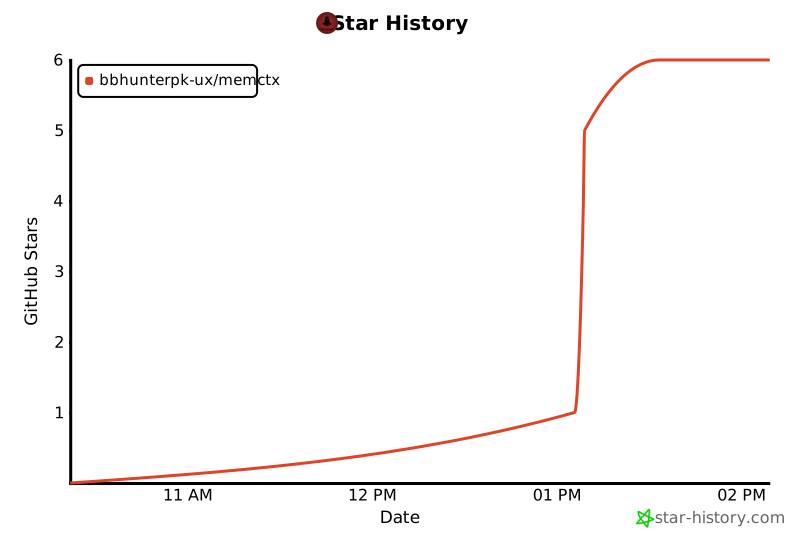](https://star-history.com/#bbhunterpk-ux/memctx&Date)
|
|
707
155
|
|
|
708
|
-
|
|
156
|
+
### 💡 Open Source & Community
|
|
709
157
|
|
|
710
|
-
|
|
158
|
+
[](https://github.com/bbhunterpk-ux/memctx/discussions)
|
|
159
|
+
[](https://discord.gg/memctx)
|
|
160
|
+
[](https://twitter.com/memctx)
|
|
711
161
|
|
|
712
|
-
*
|
|
162
|
+
*MemCTX is built by and for the developer community. We heartily welcome [contributions](https://github.com/bbhunterpk-ux/memctx/blob/main/CONTRIBUTING.md) and feedback!*
|
|
713
163
|
|
|
714
|
-
[
|
|
164
|
+
**[MIT Licensed](LICENSE)** • **Made with ❤️ by [Fahad Aziz Qureshi](https://memctx.dev)**
|
|
715
165
|
|
|
716
166
|
</div>
|