memctx 1.0.0 → 1.0.1
This diff represents the content of publicly available package versions that have been released to one of the supported registries. The information contained in this diff is provided for informational purposes only and reflects changes between package versions as they appear in their respective public registries.
- package/README.md +595 -168
- package/package.json +1 -1
package/README.md
CHANGED
|
@@ -1,227 +1,484 @@
|
|
|
1
|
-
|
|
1
|
+
<div align="center">
|
|
2
2
|
|
|
3
|
-
|
|
3
|
+
# 🧠 MemCTX
|
|
4
4
|
|
|
5
|
-
|
|
5
|
+
### Autonomous Session Memory for Claude Code
|
|
6
6
|
|
|
7
|
-
|
|
7
|
+
*Never lose context. Never repeat yourself. Your AI pair programmer, now with perfect memory.*
|
|
8
8
|
|
|
9
|
-
|
|
10
|
-
|
|
11
|
-
|
|
12
|
-
|
|
13
|
-
- 📈 **Live Monitoring** - Real-time view of active sessions
|
|
14
|
-
- 🎯 **Smart Context Injection** - Automatically injects relevant session history into new sessions
|
|
15
|
-
- 🏷️ **Tags & Bookmarks** - Organize sessions with tags and bookmarks
|
|
16
|
-
- 📝 **Session Notes** - Add custom notes to any session
|
|
17
|
-
- 🌓 **Dark/Light Theme** - Beautiful themes for any preference
|
|
9
|
+
[](https://www.npmjs.com/package/memctx)
|
|
10
|
+
[](https://www.npmjs.com/package/memctx)
|
|
11
|
+
[](https://opensource.org/licenses/MIT)
|
|
12
|
+
[](https://nodejs.org)
|
|
18
13
|
|
|
19
|
-
|
|
14
|
+
[🚀 Quick Start](#-quick-start) • [📖 Documentation](#-documentation) • [✨ Features](#-features) • [🎯 Demo](#-demo) • [💬 Community](#-community)
|
|
15
|
+
|
|
16
|
+
<img src="https://raw.githubusercontent.com/bbhunterpk-ux/memctx/main/assets/hero.png" alt="MemCTX Dashboard" width="800" />
|
|
17
|
+
|
|
18
|
+
</div>
|
|
19
|
+
|
|
20
|
+
---
|
|
21
|
+
|
|
22
|
+
## 🎯 What is MemCTX?
|
|
23
|
+
|
|
24
|
+
MemCTX transforms Claude Code into a **context-aware development companion** by automatically capturing, analyzing, and intelligently injecting your development history. Think of it as giving Claude a **photographic memory** of your entire project journey.
|
|
25
|
+
|
|
26
|
+
<table>
|
|
27
|
+
<tr>
|
|
28
|
+
<td width="50%">
|
|
29
|
+
|
|
30
|
+
### 😫 Before MemCTX
|
|
31
|
+
- ❌ Repeat context every session
|
|
32
|
+
- ❌ Lost conversation history
|
|
33
|
+
- ❌ Manual session notes
|
|
34
|
+
- ❌ Forgotten decisions
|
|
35
|
+
- ❌ Context switching overhead
|
|
36
|
+
|
|
37
|
+
</td>
|
|
38
|
+
<td width="50%">
|
|
39
|
+
|
|
40
|
+
### ✨ With MemCTX
|
|
41
|
+
- ✅ Automatic context injection
|
|
42
|
+
- ✅ Searchable session history
|
|
43
|
+
- ✅ AI-powered summaries
|
|
44
|
+
- ✅ Decision tracking
|
|
45
|
+
- ✅ Seamless continuity
|
|
46
|
+
|
|
47
|
+
</td>
|
|
48
|
+
</tr>
|
|
49
|
+
</table>
|
|
50
|
+
|
|
51
|
+
---
|
|
52
|
+
|
|
53
|
+
## ✨ Features
|
|
54
|
+
|
|
55
|
+
<table>
|
|
56
|
+
<tr>
|
|
57
|
+
<td width="33%" align="center">
|
|
58
|
+
|
|
59
|
+
### 🧠 Smart Memory
|
|
60
|
+
Automatically captures every Claude Code session with full context preservation
|
|
61
|
+
|
|
62
|
+
</td>
|
|
63
|
+
<td width="33%" align="center">
|
|
64
|
+
|
|
65
|
+
### 🤖 AI Summaries
|
|
66
|
+
Claude analyzes each session and generates structured summaries with key insights
|
|
67
|
+
|
|
68
|
+
</td>
|
|
69
|
+
<td width="33%" align="center">
|
|
70
|
+
|
|
71
|
+
### 📊 Beautiful Dashboard
|
|
72
|
+
Modern, responsive UI to browse, search, and analyze your development history
|
|
73
|
+
|
|
74
|
+
</td>
|
|
75
|
+
</tr>
|
|
76
|
+
<tr>
|
|
77
|
+
<td width="33%" align="center">
|
|
78
|
+
|
|
79
|
+
### 🔍 Full-Text Search
|
|
80
|
+
Lightning-fast search across all sessions, conversations, and code snippets
|
|
81
|
+
|
|
82
|
+
</td>
|
|
83
|
+
<td width="33%" align="center">
|
|
84
|
+
|
|
85
|
+
### 📈 Live Monitoring
|
|
86
|
+
Real-time view of active sessions with WebSocket updates
|
|
87
|
+
|
|
88
|
+
</td>
|
|
89
|
+
<td width="33%" align="center">
|
|
90
|
+
|
|
91
|
+
### 🎯 Context Injection
|
|
92
|
+
Automatically injects relevant history into new sessions for perfect continuity
|
|
93
|
+
|
|
94
|
+
</td>
|
|
95
|
+
</tr>
|
|
96
|
+
<tr>
|
|
97
|
+
<td width="33%" align="center">
|
|
98
|
+
|
|
99
|
+
### 🏷️ Tags & Bookmarks
|
|
100
|
+
Organize sessions with custom tags and bookmark important moments
|
|
101
|
+
|
|
102
|
+
</td>
|
|
103
|
+
<td width="33%" align="center">
|
|
104
|
+
|
|
105
|
+
### 📝 Session Notes
|
|
106
|
+
Add custom notes and annotations to any session
|
|
107
|
+
|
|
108
|
+
</td>
|
|
109
|
+
<td width="33%" align="center">
|
|
110
|
+
|
|
111
|
+
### 🌓 Dark/Light Theme
|
|
112
|
+
Beautiful themes that adapt to your preference
|
|
113
|
+
|
|
114
|
+
</td>
|
|
115
|
+
</tr>
|
|
116
|
+
</table>
|
|
117
|
+
|
|
118
|
+
---
|
|
119
|
+
|
|
120
|
+
## 🚀 Quick Start
|
|
121
|
+
|
|
122
|
+
<details open>
|
|
123
|
+
<summary><b>📦 Installation</b></summary>
|
|
20
124
|
|
|
21
125
|
```bash
|
|
22
126
|
# Install globally with npm
|
|
23
|
-
npm install -g
|
|
127
|
+
npm install -g memctx
|
|
24
128
|
|
|
25
|
-
# Or with pnpm
|
|
26
|
-
pnpm add -g
|
|
129
|
+
# Or with pnpm (recommended)
|
|
130
|
+
pnpm add -g memctx
|
|
27
131
|
|
|
28
132
|
# Or with yarn
|
|
29
|
-
yarn global add
|
|
133
|
+
yarn global add memctx
|
|
30
134
|
```
|
|
31
135
|
|
|
32
|
-
|
|
136
|
+
</details>
|
|
137
|
+
|
|
138
|
+
<details open>
|
|
139
|
+
<summary><b>⚡ Setup (30 seconds)</b></summary>
|
|
33
140
|
|
|
34
141
|
```bash
|
|
35
|
-
# Install and
|
|
36
|
-
|
|
142
|
+
# 1. Install and configure hooks
|
|
143
|
+
memctx install
|
|
37
144
|
|
|
38
|
-
# Start the service
|
|
39
|
-
|
|
145
|
+
# 2. Start the service
|
|
146
|
+
memctx start
|
|
40
147
|
|
|
41
|
-
# Open the dashboard
|
|
42
|
-
|
|
148
|
+
# 3. Open the dashboard
|
|
149
|
+
memctx open
|
|
43
150
|
```
|
|
44
151
|
|
|
45
|
-
That's it
|
|
152
|
+
**That's it!** MemCTX is now capturing your Claude Code sessions automatically. 🎉
|
|
46
153
|
|
|
47
|
-
|
|
154
|
+
</details>
|
|
48
155
|
|
|
49
|
-
|
|
50
|
-
|
|
51
|
-
- **Build tools** for native dependencies:
|
|
52
|
-
- Linux: `build-essential`, `python3`
|
|
53
|
-
- macOS: Xcode Command Line Tools
|
|
54
|
-
- Windows: Visual Studio Build Tools
|
|
55
|
-
|
|
56
|
-
## Configuration
|
|
156
|
+
<details>
|
|
157
|
+
<summary><b>🔧 Configuration</b></summary>
|
|
57
158
|
|
|
58
159
|
### Settings Dashboard (Recommended)
|
|
59
160
|
|
|
60
|
-
|
|
61
|
-
|
|
62
|
-
1. Open `http://localhost:9999/settings`
|
|
63
|
-
2. Configure your preferences:
|
|
64
|
-
- **API Provider**: Direct (Anthropic) or Proxy (9router, etc.)
|
|
65
|
-
- **API Key**: Your Anthropic or proxy API key
|
|
66
|
-
- **Base URL**: Custom proxy endpoint (if using proxy)
|
|
67
|
-
- **Model**: Choose Claude Opus, Sonnet, Haiku, or AWS default
|
|
68
|
-
- **Disable Summaries**: Toggle to save API costs
|
|
69
|
-
3. Click "Save Settings"
|
|
70
|
-
4. Restart worker: `claudectx restart`
|
|
161
|
+
Open `http://localhost:9999/settings` and configure:
|
|
71
162
|
|
|
72
|
-
|
|
163
|
+
- **API Provider**: Direct (Anthropic) or Proxy (9router, etc.)
|
|
164
|
+
- **API Key**: Your Anthropic or proxy API key
|
|
165
|
+
- **Model**: Choose Claude Opus, Sonnet, Haiku, or AWS default
|
|
166
|
+
- **Disable Summaries**: Toggle to save API costs
|
|
73
167
|
|
|
74
168
|
### Environment Variables (Alternative)
|
|
75
169
|
|
|
76
|
-
You can also configure via environment variables:
|
|
77
|
-
|
|
78
170
|
```bash
|
|
79
171
|
# Required for AI summaries
|
|
80
172
|
export ANTHROPIC_API_KEY="sk-ant-..."
|
|
81
173
|
|
|
82
|
-
# Optional: Use proxy
|
|
174
|
+
# Optional: Use proxy
|
|
83
175
|
export ANTHROPIC_BASE_URL="https://your-proxy.com/v1"
|
|
84
176
|
|
|
85
177
|
# Optional: Custom port (default: 9999)
|
|
86
|
-
export
|
|
178
|
+
export MEMCTX_PORT=8080
|
|
87
179
|
|
|
88
180
|
# Optional: Custom database location
|
|
89
|
-
export
|
|
90
|
-
|
|
91
|
-
# Optional: Number of sessions to inject (default: 3)
|
|
92
|
-
export CLAUDECTX_CONTEXT_SESSIONS=5
|
|
181
|
+
export MEMCTX_DB_PATH="/path/to/db.sqlite"
|
|
93
182
|
```
|
|
94
183
|
|
|
95
|
-
|
|
184
|
+
</details>
|
|
96
185
|
|
|
97
|
-
|
|
186
|
+
---
|
|
98
187
|
|
|
99
|
-
|
|
188
|
+
## 💻 CLI Commands
|
|
189
|
+
|
|
190
|
+
<table>
|
|
191
|
+
<tr>
|
|
192
|
+
<th width="30%">Command</th>
|
|
193
|
+
<th width="70%">Description</th>
|
|
194
|
+
</tr>
|
|
195
|
+
<tr>
|
|
196
|
+
<td><code>memctx install</code></td>
|
|
197
|
+
<td>Install hooks and start daemon</td>
|
|
198
|
+
</tr>
|
|
199
|
+
<tr>
|
|
200
|
+
<td><code>memctx start</code></td>
|
|
201
|
+
<td>Start the worker daemon</td>
|
|
202
|
+
</tr>
|
|
203
|
+
<tr>
|
|
204
|
+
<td><code>memctx stop</code></td>
|
|
205
|
+
<td>Stop the worker daemon</td>
|
|
206
|
+
</tr>
|
|
207
|
+
<tr>
|
|
208
|
+
<td><code>memctx restart</code></td>
|
|
209
|
+
<td>Restart the worker daemon</td>
|
|
210
|
+
</tr>
|
|
211
|
+
<tr>
|
|
212
|
+
<td><code>memctx status</code></td>
|
|
213
|
+
<td>Show daemon status and health check</td>
|
|
214
|
+
</tr>
|
|
215
|
+
<tr>
|
|
216
|
+
<td><code>memctx open</code></td>
|
|
217
|
+
<td>Open dashboard in browser</td>
|
|
218
|
+
</tr>
|
|
219
|
+
<tr>
|
|
220
|
+
<td><code>memctx search <query></code></td>
|
|
221
|
+
<td>Search sessions from terminal</td>
|
|
222
|
+
</tr>
|
|
223
|
+
<tr>
|
|
224
|
+
<td><code>memctx export</code></td>
|
|
225
|
+
<td>Export all sessions as markdown</td>
|
|
226
|
+
</tr>
|
|
227
|
+
<tr>
|
|
228
|
+
<td><code>memctx config</code></td>
|
|
229
|
+
<td>Show configuration</td>
|
|
230
|
+
</tr>
|
|
231
|
+
<tr>
|
|
232
|
+
<td><code>memctx uninstall</code></td>
|
|
233
|
+
<td>Remove hooks and stop daemon</td>
|
|
234
|
+
</tr>
|
|
235
|
+
</table>
|
|
100
236
|
|
|
101
|
-
|
|
102
|
-
~/.claudectx/
|
|
103
|
-
├── db.sqlite # Session database
|
|
104
|
-
├── settings.json # User preferences (API key, model, etc.)
|
|
105
|
-
├── hooks/ # Claude Code hooks
|
|
106
|
-
└── logs/ # Service logs
|
|
107
|
-
```
|
|
237
|
+
---
|
|
108
238
|
|
|
109
|
-
##
|
|
239
|
+
## 🎯 Demo
|
|
110
240
|
|
|
111
|
-
|
|
112
|
-
|
|
113
|
-
|
|
114
|
-
|
|
115
|
-
|
|
116
|
-
|
|
117
|
-
|
|
118
|
-
|
|
119
|
-
|
|
120
|
-
|
|
121
|
-
|
|
122
|
-
|
|
123
|
-
|
|
124
|
-
|
|
125
|
-
|
|
126
|
-
|
|
127
|
-
|
|
128
|
-
|
|
129
|
-
|
|
130
|
-
|
|
131
|
-
|
|
241
|
+
<div align="center">
|
|
242
|
+
|
|
243
|
+
### Dashboard Overview
|
|
244
|
+
|
|
245
|
+
<img src="https://raw.githubusercontent.com/bbhunterpk-ux/memctx/main/assets/dashboard.png" alt="Dashboard" width="800" />
|
|
246
|
+
|
|
247
|
+
### Session Details
|
|
248
|
+
|
|
249
|
+
<img src="https://raw.githubusercontent.com/bbhunterpk-ux/memctx/main/assets/session-detail.png" alt="Session Detail" width="800" />
|
|
250
|
+
|
|
251
|
+
### Search & Filter
|
|
252
|
+
|
|
253
|
+
<img src="https://raw.githubusercontent.com/bbhunterpk-ux/memctx/main/assets/search.png" alt="Search" width="800" />
|
|
254
|
+
|
|
255
|
+
</div>
|
|
256
|
+
|
|
257
|
+
---
|
|
258
|
+
|
|
259
|
+
## 🏗️ How It Works
|
|
260
|
+
|
|
261
|
+
```mermaid
|
|
262
|
+
graph LR
|
|
263
|
+
A[Claude Code CLI] -->|Hooks| B[MemCTX Worker]
|
|
264
|
+
B -->|Store| C[SQLite Database]
|
|
265
|
+
B -->|Summarize| D[Anthropic API]
|
|
266
|
+
D -->|AI Summary| C
|
|
267
|
+
C -->|Serve| E[React Dashboard]
|
|
268
|
+
B -->|Inject Context| F[CLAUDE.md]
|
|
269
|
+
F -->|Auto-load| A
|
|
270
|
+
|
|
271
|
+
style A fill:#4A90E2
|
|
272
|
+
style B fill:#50C878
|
|
273
|
+
style C fill:#FFB347
|
|
274
|
+
style D fill:#9B59B6
|
|
275
|
+
style E fill:#E74C3C
|
|
276
|
+
style F fill:#3498DB
|
|
132
277
|
```
|
|
133
278
|
|
|
134
|
-
|
|
279
|
+
<details>
|
|
280
|
+
<summary><b>📋 Detailed Flow</b></summary>
|
|
281
|
+
|
|
282
|
+
1. **Session Start**: Claude Code session begins → `session-start` hook fires
|
|
283
|
+
2. **Capture**: MemCTX worker creates session record in SQLite
|
|
284
|
+
3. **Observe**: Every tool use is captured via `post-tool-use` hook
|
|
285
|
+
4. **End**: Session ends → `stop` hook fires
|
|
286
|
+
5. **Summarize**: Worker sends transcript to Claude for AI analysis
|
|
287
|
+
6. **Store**: Summary stored in database
|
|
288
|
+
7. **Inject**: Next session auto-loads relevant context from `CLAUDE.md`
|
|
289
|
+
8. **Browse**: View everything in the beautiful dashboard
|
|
290
|
+
|
|
291
|
+
</details>
|
|
292
|
+
|
|
293
|
+
---
|
|
294
|
+
|
|
295
|
+
## 📖 Documentation
|
|
296
|
+
|
|
297
|
+
<table>
|
|
298
|
+
<tr>
|
|
299
|
+
<td width="50%">
|
|
300
|
+
|
|
301
|
+
### 📚 For Users
|
|
302
|
+
- [Installation Guide](https://memctx.dev/docs/installation)
|
|
303
|
+
- [Configuration](https://memctx.dev/docs/configuration)
|
|
304
|
+
- [CLI Reference](https://memctx.dev/docs/cli)
|
|
305
|
+
- [Dashboard Guide](https://memctx.dev/docs/dashboard)
|
|
306
|
+
- [Troubleshooting](https://memctx.dev/docs/troubleshooting)
|
|
307
|
+
|
|
308
|
+
</td>
|
|
309
|
+
<td width="50%">
|
|
135
310
|
|
|
136
|
-
|
|
311
|
+
### 🛠️ For Developers
|
|
312
|
+
- [Architecture](https://memctx.dev/docs/architecture)
|
|
313
|
+
- [API Reference](https://memctx.dev/docs/api)
|
|
314
|
+
- [Contributing Guide](https://github.com/bbhunterpk-ux/memctx/blob/main/CONTRIBUTING.md)
|
|
315
|
+
- [Development Setup](https://memctx.dev/docs/development)
|
|
316
|
+
- [Plugin System](https://memctx.dev/docs/plugins)
|
|
137
317
|
|
|
138
|
-
|
|
318
|
+
</td>
|
|
319
|
+
</tr>
|
|
320
|
+
</table>
|
|
139
321
|
|
|
140
|
-
|
|
141
|
-
|
|
142
|
-
|
|
143
|
-
|
|
144
|
-
|
|
145
|
-
|
|
322
|
+
---
|
|
323
|
+
|
|
324
|
+
## 🔧 Requirements
|
|
325
|
+
|
|
326
|
+
<table>
|
|
327
|
+
<tr>
|
|
328
|
+
<td width="50%">
|
|
146
329
|
|
|
147
|
-
###
|
|
330
|
+
### System Requirements
|
|
331
|
+
- **Node.js**: 18.0.0 or higher
|
|
332
|
+
- **Claude Code**: CLI installed
|
|
333
|
+
- **OS**: Linux, macOS, or Windows (WSL)
|
|
148
334
|
|
|
149
|
-
|
|
150
|
-
|
|
151
|
-
- **Bookmarks** - Mark important sessions for quick access
|
|
152
|
-
- **Notes** - Add custom notes to any session
|
|
153
|
-
- **Archive** - Archive old sessions to declutter
|
|
154
|
-
- **Export** - Export sessions as markdown or screenshots
|
|
155
|
-
- **Keyboard Shortcuts** - Press `?` to see all shortcuts
|
|
335
|
+
</td>
|
|
336
|
+
<td width="50%">
|
|
156
337
|
|
|
157
|
-
|
|
338
|
+
### Build Tools (for installation)
|
|
339
|
+
- **Linux**: `build-essential`, `python3`
|
|
340
|
+
- **macOS**: Xcode Command Line Tools
|
|
341
|
+
- **Windows**: Visual Studio Build Tools
|
|
158
342
|
|
|
159
|
-
|
|
160
|
-
|
|
161
|
-
|
|
162
|
-
4. **Context Injection** - On new sessions, relevant history is automatically injected into `CLAUDE.md`
|
|
163
|
-
5. **Dashboard** - A React app provides a beautiful interface to browse and search your history
|
|
343
|
+
</td>
|
|
344
|
+
</tr>
|
|
345
|
+
</table>
|
|
164
346
|
|
|
165
|
-
|
|
347
|
+
<details>
|
|
348
|
+
<summary><b>🔨 Installing Build Tools</b></summary>
|
|
166
349
|
|
|
350
|
+
**Linux (Ubuntu/Debian):**
|
|
351
|
+
```bash
|
|
352
|
+
sudo apt install build-essential python3
|
|
167
353
|
```
|
|
168
|
-
|
|
169
|
-
|
|
170
|
-
|
|
171
|
-
|
|
172
|
-
│ hooks
|
|
173
|
-
▼
|
|
174
|
-
┌─────────────────┐
|
|
175
|
-
│ ClaudeContext │
|
|
176
|
-
│ Worker │◄──── WebSocket ────┐
|
|
177
|
-
│ (Node.js) │ │
|
|
178
|
-
└────────┬────────┘ │
|
|
179
|
-
│ │
|
|
180
|
-
▼ │
|
|
181
|
-
┌─────────────────┐ ┌────────┴────────┐
|
|
182
|
-
│ SQLite DB │ │ Dashboard │
|
|
183
|
-
│ (Sessions) │ │ (React) │
|
|
184
|
-
└─────────────────┘ └─────────────────┘
|
|
354
|
+
|
|
355
|
+
**macOS:**
|
|
356
|
+
```bash
|
|
357
|
+
xcode-select --install
|
|
185
358
|
```
|
|
186
359
|
|
|
187
|
-
|
|
360
|
+
**Windows:**
|
|
361
|
+
Install [Visual Studio Build Tools](https://visualstudio.microsoft.com/downloads/#build-tools-for-visual-studio-2022)
|
|
362
|
+
|
|
363
|
+
</details>
|
|
364
|
+
|
|
365
|
+
---
|
|
366
|
+
|
|
367
|
+
## 🎨 Dashboard Features
|
|
368
|
+
|
|
369
|
+
<table>
|
|
370
|
+
<tr>
|
|
371
|
+
<td width="33%" align="center">
|
|
372
|
+
|
|
373
|
+
### 📊 Projects View
|
|
374
|
+
Browse all projects and their sessions organized by directory
|
|
375
|
+
|
|
376
|
+
</td>
|
|
377
|
+
<td width="33%" align="center">
|
|
378
|
+
|
|
379
|
+
### 🔍 Search
|
|
380
|
+
Full-text search with filters, tags, and date ranges
|
|
381
|
+
|
|
382
|
+
</td>
|
|
383
|
+
<td width="33%" align="center">
|
|
188
384
|
|
|
189
|
-
###
|
|
385
|
+
### 📈 Live Monitor
|
|
386
|
+
Real-time view of active sessions with WebSocket updates
|
|
387
|
+
|
|
388
|
+
</td>
|
|
389
|
+
</tr>
|
|
390
|
+
<tr>
|
|
391
|
+
<td width="33%" align="center">
|
|
392
|
+
|
|
393
|
+
### 📝 Session Details
|
|
394
|
+
View full conversation history, summaries, and observations
|
|
395
|
+
|
|
396
|
+
</td>
|
|
397
|
+
<td width="33%" align="center">
|
|
398
|
+
|
|
399
|
+
### 🏷️ Tags & Notes
|
|
400
|
+
Organize with custom tags and add notes to sessions
|
|
401
|
+
|
|
402
|
+
</td>
|
|
403
|
+
<td width="33%" align="center">
|
|
404
|
+
|
|
405
|
+
### 📊 Metrics
|
|
406
|
+
System performance, API usage, and statistics
|
|
407
|
+
|
|
408
|
+
</td>
|
|
409
|
+
</tr>
|
|
410
|
+
<tr>
|
|
411
|
+
<td width="33%" align="center">
|
|
412
|
+
|
|
413
|
+
### 🌓 Themes
|
|
414
|
+
Beautiful dark and light themes
|
|
415
|
+
|
|
416
|
+
</td>
|
|
417
|
+
<td width="33%" align="center">
|
|
418
|
+
|
|
419
|
+
### ⌨️ Shortcuts
|
|
420
|
+
Keyboard shortcuts for power users (press `?`)
|
|
421
|
+
|
|
422
|
+
</td>
|
|
423
|
+
<td width="33%" align="center">
|
|
424
|
+
|
|
425
|
+
### 📤 Export
|
|
426
|
+
Export sessions as markdown or screenshots
|
|
427
|
+
|
|
428
|
+
</td>
|
|
429
|
+
</tr>
|
|
430
|
+
</table>
|
|
431
|
+
|
|
432
|
+
---
|
|
433
|
+
|
|
434
|
+
## 🚨 Troubleshooting
|
|
435
|
+
|
|
436
|
+
<details>
|
|
437
|
+
<summary><b>Service won't start</b></summary>
|
|
190
438
|
|
|
191
439
|
```bash
|
|
192
440
|
# Check if port is in use
|
|
193
441
|
lsof -i :9999
|
|
194
442
|
|
|
195
443
|
# Check logs
|
|
196
|
-
tail -f /tmp/
|
|
444
|
+
tail -f /tmp/memctx.log
|
|
197
445
|
|
|
198
446
|
# Restart service
|
|
199
|
-
|
|
447
|
+
memctx restart
|
|
200
448
|
```
|
|
201
449
|
|
|
202
|
-
|
|
450
|
+
</details>
|
|
451
|
+
|
|
452
|
+
<details>
|
|
453
|
+
<summary><b>Hooks not working</b></summary>
|
|
203
454
|
|
|
204
455
|
```bash
|
|
205
456
|
# Verify hooks are registered
|
|
206
|
-
cat ~/.claude/settings.json | grep
|
|
457
|
+
cat ~/.claude/settings.json | grep memctx
|
|
207
458
|
|
|
208
459
|
# Reinstall hooks
|
|
209
|
-
|
|
210
|
-
|
|
460
|
+
memctx uninstall
|
|
461
|
+
memctx install
|
|
211
462
|
```
|
|
212
463
|
|
|
213
|
-
|
|
464
|
+
</details>
|
|
465
|
+
|
|
466
|
+
<details>
|
|
467
|
+
<summary><b>SQLite compilation errors</b></summary>
|
|
214
468
|
|
|
215
469
|
```bash
|
|
216
470
|
# Rebuild native modules
|
|
217
471
|
npm rebuild better-sqlite3
|
|
218
472
|
|
|
219
473
|
# Or reinstall
|
|
220
|
-
npm uninstall -g
|
|
221
|
-
npm install -g
|
|
474
|
+
npm uninstall -g memctx
|
|
475
|
+
npm install -g memctx
|
|
222
476
|
```
|
|
223
477
|
|
|
224
|
-
|
|
478
|
+
</details>
|
|
479
|
+
|
|
480
|
+
<details>
|
|
481
|
+
<summary><b>AI summaries not working</b></summary>
|
|
225
482
|
|
|
226
483
|
```bash
|
|
227
484
|
# Check API key is set
|
|
@@ -230,16 +487,49 @@ echo $ANTHROPIC_API_KEY
|
|
|
230
487
|
# Set API key
|
|
231
488
|
export ANTHROPIC_API_KEY="sk-ant-..."
|
|
232
489
|
|
|
233
|
-
#
|
|
234
|
-
|
|
490
|
+
# Or configure in dashboard
|
|
491
|
+
memctx open
|
|
492
|
+
# Navigate to Settings
|
|
235
493
|
```
|
|
236
494
|
|
|
237
|
-
|
|
495
|
+
</details>
|
|
496
|
+
|
|
497
|
+
---
|
|
498
|
+
|
|
499
|
+
## 🤝 Contributing
|
|
500
|
+
|
|
501
|
+
We love contributions! MemCTX is open source and community-driven.
|
|
502
|
+
|
|
503
|
+
<table>
|
|
504
|
+
<tr>
|
|
505
|
+
<td width="33%" align="center">
|
|
506
|
+
|
|
507
|
+
### 🐛 Report Bugs
|
|
508
|
+
[Open an issue](https://github.com/bbhunterpk-ux/memctx/issues/new?template=bug_report.md)
|
|
509
|
+
|
|
510
|
+
</td>
|
|
511
|
+
<td width="33%" align="center">
|
|
512
|
+
|
|
513
|
+
### 💡 Request Features
|
|
514
|
+
[Suggest a feature](https://github.com/bbhunterpk-ux/memctx/issues/new?template=feature_request.md)
|
|
515
|
+
|
|
516
|
+
</td>
|
|
517
|
+
<td width="33%" align="center">
|
|
518
|
+
|
|
519
|
+
### 🔧 Submit PRs
|
|
520
|
+
[Contributing Guide](https://github.com/bbhunterpk-ux/memctx/blob/main/CONTRIBUTING.md)
|
|
521
|
+
|
|
522
|
+
</td>
|
|
523
|
+
</tr>
|
|
524
|
+
</table>
|
|
525
|
+
|
|
526
|
+
<details>
|
|
527
|
+
<summary><b>Development Setup</b></summary>
|
|
238
528
|
|
|
239
529
|
```bash
|
|
240
530
|
# Clone repository
|
|
241
|
-
git clone https://github.com/
|
|
242
|
-
cd
|
|
531
|
+
git clone https://github.com/bbhunterpk-ux/memctx.git
|
|
532
|
+
cd memctx
|
|
243
533
|
|
|
244
534
|
# Install dependencies
|
|
245
535
|
pnpm install
|
|
@@ -251,39 +541,176 @@ pnpm run build
|
|
|
251
541
|
npm link
|
|
252
542
|
|
|
253
543
|
# Test
|
|
254
|
-
|
|
255
|
-
|
|
544
|
+
memctx install
|
|
545
|
+
memctx start
|
|
256
546
|
```
|
|
257
547
|
|
|
258
|
-
|
|
548
|
+
</details>
|
|
549
|
+
|
|
550
|
+
---
|
|
551
|
+
|
|
552
|
+
## 💬 Community
|
|
553
|
+
|
|
554
|
+
<div align="center">
|
|
259
555
|
|
|
260
|
-
|
|
556
|
+
[](https://github.com/bbhunterpk-ux/memctx/discussions)
|
|
557
|
+
[](https://discord.gg/memctx)
|
|
558
|
+
[](https://twitter.com/memctx)
|
|
261
559
|
|
|
262
|
-
|
|
263
|
-
2. Create a feature branch
|
|
264
|
-
3. Make your changes
|
|
265
|
-
4. Add tests if applicable
|
|
266
|
-
5. Submit a pull request
|
|
560
|
+
</div>
|
|
267
561
|
|
|
268
|
-
|
|
562
|
+
- **GitHub Discussions**: Ask questions, share ideas
|
|
563
|
+
- **Discord**: Real-time chat with the community
|
|
564
|
+
- **Twitter**: Follow for updates and tips
|
|
269
565
|
|
|
270
|
-
|
|
566
|
+
---
|
|
271
567
|
|
|
272
|
-
##
|
|
568
|
+
## 📊 Stats
|
|
273
569
|
|
|
274
|
-
|
|
275
|
-
- **Discussions**: [GitHub Discussions](https://github.com/yourusername/claudectx/discussions)
|
|
276
|
-
- **Email**: your.email@example.com
|
|
570
|
+
<div align="center">
|
|
277
571
|
|
|
278
|
-
|
|
572
|
+

|
|
573
|
+

|
|
574
|
+

|
|
279
575
|
|
|
280
|
-
|
|
281
|
-
- [Claude](https://claude.ai) - AI assistant by Anthropic
|
|
282
|
-
- [Express](https://expressjs.com/) - Web framework
|
|
283
|
-
- [SQLite](https://www.sqlite.org/) - Database
|
|
284
|
-
- [React](https://react.dev/) - UI framework
|
|
285
|
-
- [Vite](https://vitejs.dev/) - Build tool
|
|
576
|
+
</div>
|
|
286
577
|
|
|
287
578
|
---
|
|
288
579
|
|
|
289
|
-
|
|
580
|
+
## 🗺️ Roadmap
|
|
581
|
+
|
|
582
|
+
<table>
|
|
583
|
+
<tr>
|
|
584
|
+
<th width="33%">✅ v1.0 (Current)</th>
|
|
585
|
+
<th width="33%">🚧 v1.1 (Next)</th>
|
|
586
|
+
<th width="33%">🔮 v2.0 (Future)</th>
|
|
587
|
+
</tr>
|
|
588
|
+
<tr>
|
|
589
|
+
<td valign="top">
|
|
590
|
+
|
|
591
|
+
- [x] Session capture
|
|
592
|
+
- [x] AI summaries
|
|
593
|
+
- [x] Dashboard UI
|
|
594
|
+
- [x] Search & filter
|
|
595
|
+
- [x] Tags & bookmarks
|
|
596
|
+
- [x] Export functionality
|
|
597
|
+
|
|
598
|
+
</td>
|
|
599
|
+
<td valign="top">
|
|
600
|
+
|
|
601
|
+
- [ ] Team collaboration
|
|
602
|
+
- [ ] Cloud sync
|
|
603
|
+
- [ ] VS Code extension
|
|
604
|
+
- [ ] Advanced analytics
|
|
605
|
+
- [ ] Custom plugins
|
|
606
|
+
- [ ] API webhooks
|
|
607
|
+
|
|
608
|
+
</td>
|
|
609
|
+
<td valign="top">
|
|
610
|
+
|
|
611
|
+
- [ ] Multi-user support
|
|
612
|
+
- [ ] Enterprise features
|
|
613
|
+
- [ ] Advanced AI insights
|
|
614
|
+
- [ ] Integration marketplace
|
|
615
|
+
- [ ] Mobile app
|
|
616
|
+
- [ ] Self-hosted option
|
|
617
|
+
|
|
618
|
+
</td>
|
|
619
|
+
</tr>
|
|
620
|
+
</table>
|
|
621
|
+
|
|
622
|
+
---
|
|
623
|
+
|
|
624
|
+
## 📄 License
|
|
625
|
+
|
|
626
|
+
MemCTX is [MIT licensed](LICENSE).
|
|
627
|
+
|
|
628
|
+
```
|
|
629
|
+
MIT License
|
|
630
|
+
|
|
631
|
+
Copyright (c) 2026 Fahad Aziz Qureshi
|
|
632
|
+
|
|
633
|
+
Permission is hereby granted, free of charge, to any person obtaining a copy
|
|
634
|
+
of this software and associated documentation files (the "Software"), to deal
|
|
635
|
+
in the Software without restriction, including without limitation the rights
|
|
636
|
+
to use, copy, modify, merge, publish, distribute, sublicense, and/or sell
|
|
637
|
+
copies of the Software, and to permit persons to whom the Software is
|
|
638
|
+
furnished to do so, subject to the following conditions:
|
|
639
|
+
|
|
640
|
+
The above copyright notice and this permission notice shall be included in all
|
|
641
|
+
copies or substantial portions of the Software.
|
|
642
|
+
```
|
|
643
|
+
|
|
644
|
+
---
|
|
645
|
+
|
|
646
|
+
## 🙏 Acknowledgments
|
|
647
|
+
|
|
648
|
+
Built with ❤️ using:
|
|
649
|
+
|
|
650
|
+
<div align="center">
|
|
651
|
+
|
|
652
|
+
[](https://claude.ai)
|
|
653
|
+
[](https://expressjs.com)
|
|
654
|
+
[](https://react.dev)
|
|
655
|
+
[](https://sqlite.org)
|
|
656
|
+
[](https://vitejs.dev)
|
|
657
|
+
|
|
658
|
+
</div>
|
|
659
|
+
|
|
660
|
+
Special thanks to:
|
|
661
|
+
- [Anthropic](https://anthropic.com) for Claude AI
|
|
662
|
+
- The Claude Code community
|
|
663
|
+
- All our contributors and users
|
|
664
|
+
|
|
665
|
+
---
|
|
666
|
+
|
|
667
|
+
## 📞 Support
|
|
668
|
+
|
|
669
|
+
<table>
|
|
670
|
+
<tr>
|
|
671
|
+
<td width="50%" align="center">
|
|
672
|
+
|
|
673
|
+
### 📧 Email
|
|
674
|
+
[info@memctx.dev](mailto:info@memctx.dev)
|
|
675
|
+
|
|
676
|
+
</td>
|
|
677
|
+
<td width="50%" align="center">
|
|
678
|
+
|
|
679
|
+
### 🌐 Website
|
|
680
|
+
[memctx.dev](https://memctx.dev)
|
|
681
|
+
|
|
682
|
+
</td>
|
|
683
|
+
</tr>
|
|
684
|
+
<tr>
|
|
685
|
+
<td width="50%" align="center">
|
|
686
|
+
|
|
687
|
+
### 🐛 Issues
|
|
688
|
+
[GitHub Issues](https://github.com/bbhunterpk-ux/memctx/issues)
|
|
689
|
+
|
|
690
|
+
</td>
|
|
691
|
+
<td width="50%" align="center">
|
|
692
|
+
|
|
693
|
+
### 💬 Discussions
|
|
694
|
+
[GitHub Discussions](https://github.com/bbhunterpk-ux/memctx/discussions)
|
|
695
|
+
|
|
696
|
+
</td>
|
|
697
|
+
</tr>
|
|
698
|
+
</table>
|
|
699
|
+
|
|
700
|
+
---
|
|
701
|
+
|
|
702
|
+
<div align="center">
|
|
703
|
+
|
|
704
|
+
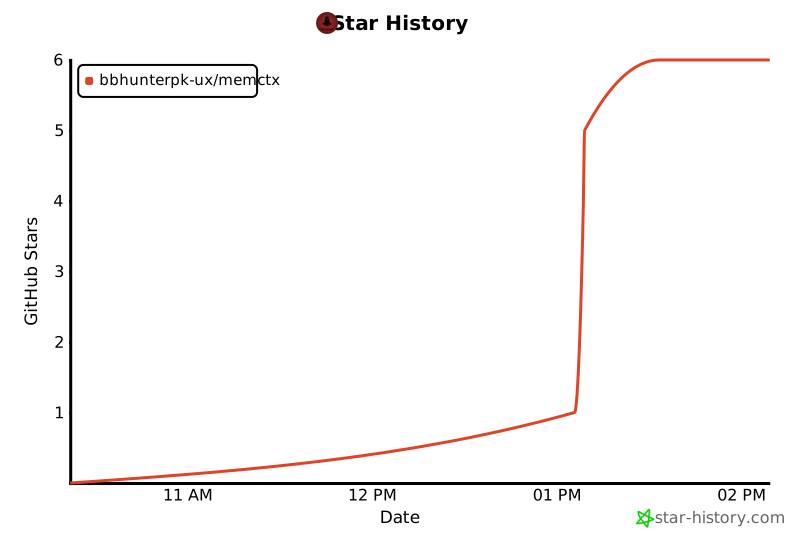
### ⭐ Star us on GitHub — it motivates us a lot!
|
|
705
|
+
|
|
706
|
+
[](https://star-history.com/#bbhunterpk-ux/memctx&Date)
|
|
707
|
+
|
|
708
|
+
---
|
|
709
|
+
|
|
710
|
+
**Made with ❤️ by [Fahad Aziz Qureshi](https://memctx.dev)**
|
|
711
|
+
|
|
712
|
+
*Empowering developers with perfect AI memory*
|
|
713
|
+
|
|
714
|
+
[⬆ Back to Top](#-memctx)
|
|
715
|
+
|
|
716
|
+
</div>
|
package/package.json
CHANGED
|
@@ -1,6 +1,6 @@
|
|
|
1
1
|
{
|
|
2
2
|
"name": "memctx",
|
|
3
|
-
"version": "1.0.
|
|
3
|
+
"version": "1.0.1",
|
|
4
4
|
"description": "Autonomous session memory for Claude Code - automatically captures, analyzes, and summarizes your development sessions",
|
|
5
5
|
"author": "Fahad Aziz Qureshi <info@memctx.dev> (https://memctx.dev)",
|
|
6
6
|
"license": "MIT",
|