md-editor-v3 1.11.14 → 2.0.0-beta.10
This diff represents the content of publicly available package versions that have been released to one of the supported registries. The information contained in this diff is provided for informational purposes only and reflects changes between package versions as they appear in their respective public registries.
- package/README.md +314 -134
- package/lib/MdEditor/Editor.d.ts +26 -188
- package/lib/MdEditor/{DropdownToolbar.d.ts → extensions/DropdownToolbar.d.ts} +0 -0
- package/lib/MdEditor/extensions/MdCatalog/CatalogLink.d.ts +39 -0
- package/lib/MdEditor/{layouts/Catalog → extensions/MdCatalog}/index.d.ts +2 -2
- package/lib/MdEditor/extensions/ModalToolbar.d.ts +96 -0
- package/lib/MdEditor/{NormalToolbar.d.ts → extensions/NormalToolbar.d.ts} +0 -0
- package/lib/MdEditor/index.d.ts +56 -392
- package/lib/MdEditor/type.d.ts +122 -11
- package/lib/MdEditor/utils/config.d.ts +3 -0
- package/lib/md-editor-v3.es.js +1079 -544
- package/lib/md-editor-v3.umd.js +94 -62
- package/lib/style.css +1 -1
- package/package.json +31 -25
package/README.md
CHANGED
|
@@ -21,9 +21,9 @@ Markdown editor for vue3, developed in `jsx` and `typescript`.
|
|
|
21
21
|
- Multi-language, build-in Chinese and English(default: Chinese).
|
|
22
22
|
- Upload picture, paste or clip the picture and upload it.
|
|
23
23
|
- Render article directly(no editor, no event listener, only preview content).
|
|
24
|
-
- Preview themes,
|
|
25
|
-
- `mermaid`(>=1.8.0).
|
|
26
|
-
-
|
|
24
|
+
- Preview themes, `defalut`, `vuepress`, `github`, `cyanosis`, `mk-cute`, `smart-blue` styles(not identical). It can be customized also(Get the demo page).
|
|
25
|
+
- `mermaid`(>=1.8.0), `katex` mathematical formula(>=1.9.0).
|
|
26
|
+
- Customize the toolbar as you like.
|
|
27
27
|
|
|
28
28
|
## Preview
|
|
29
29
|
|
|
@@ -31,57 +31,43 @@ Markdown editor for vue3, developed in `jsx` and `typescript`.
|
|
|
31
31
|
| --- | --- | --- |
|
|
32
32
|
| 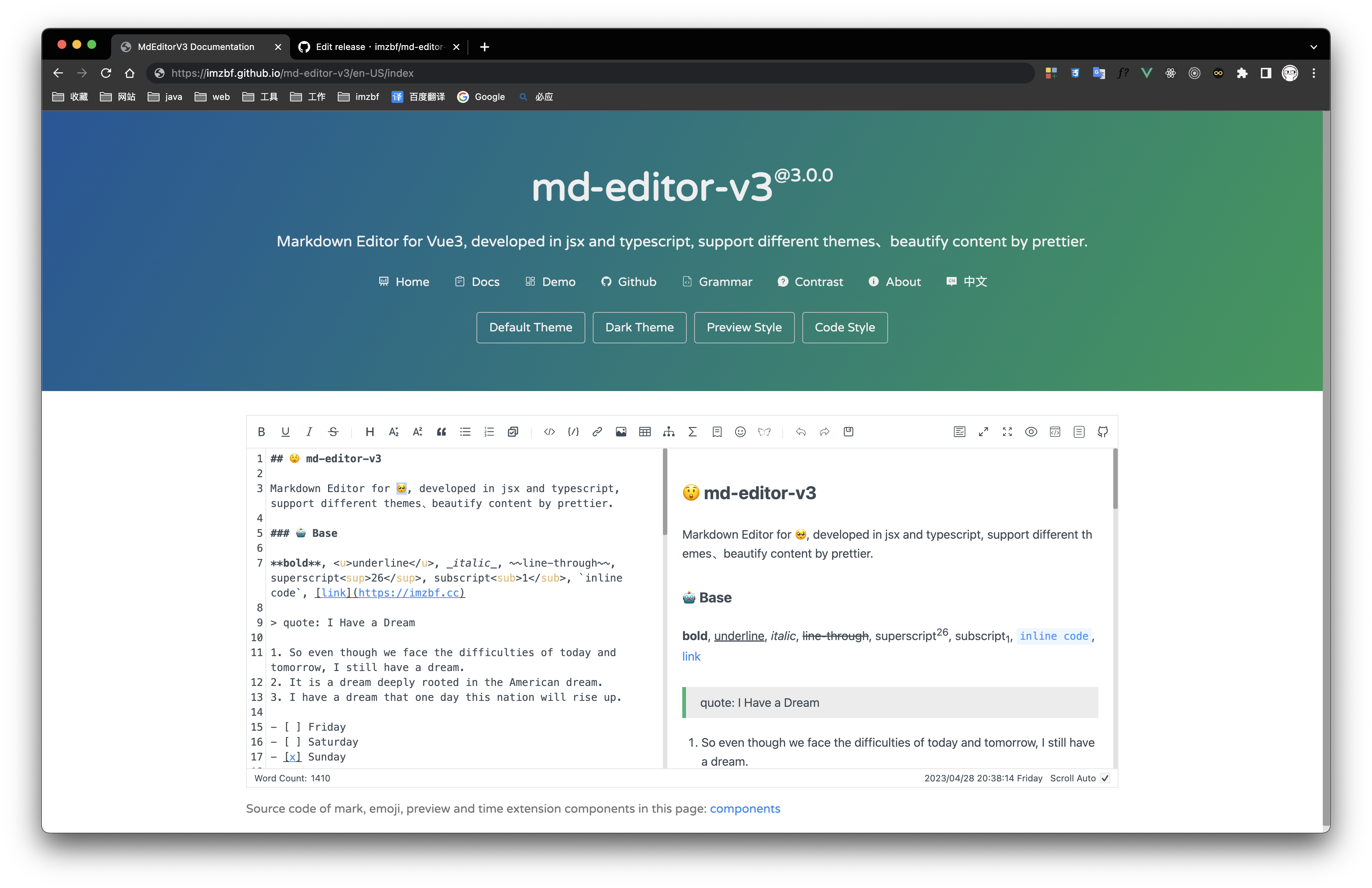 | 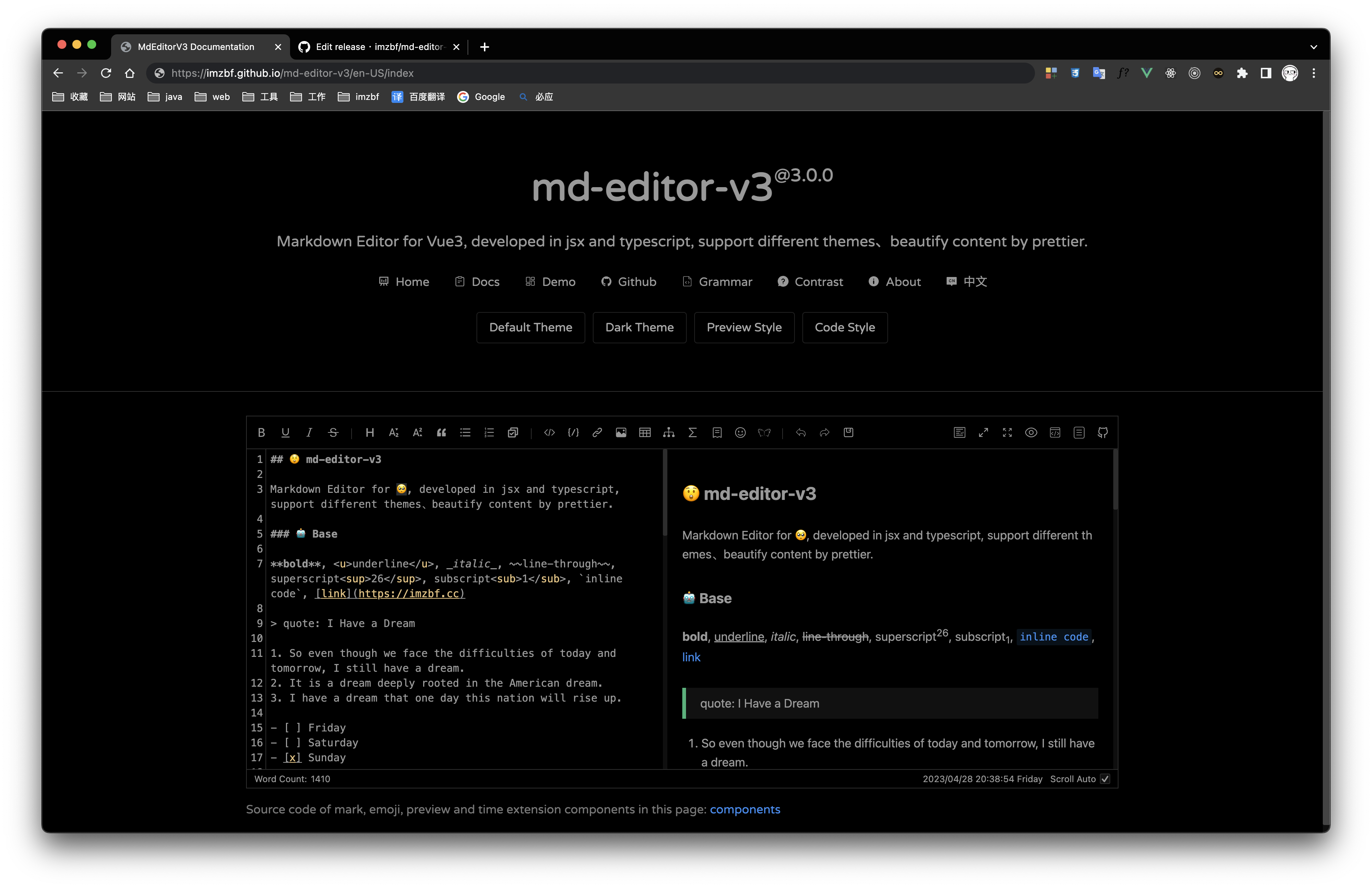 | 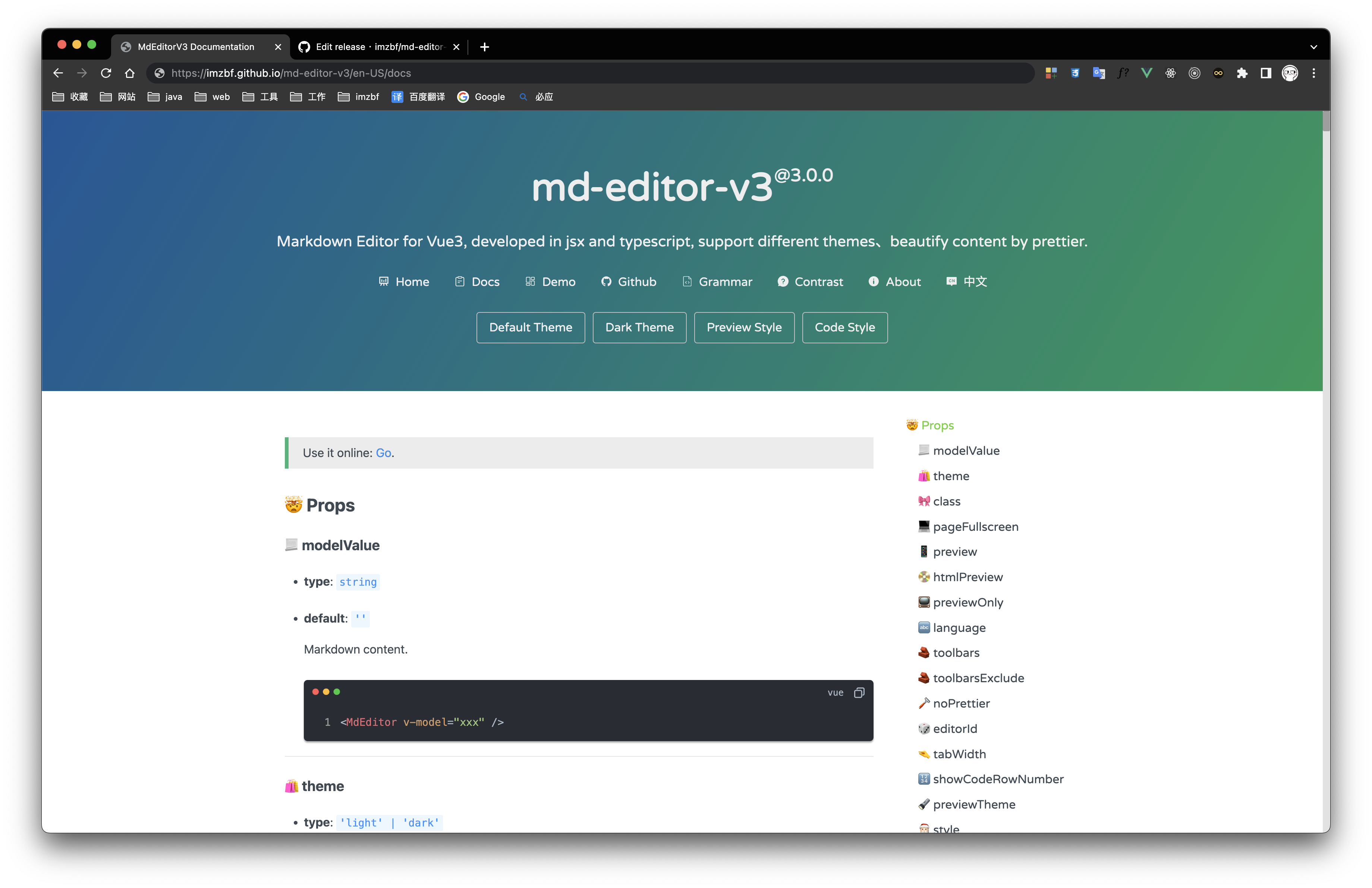 |
|
|
33
33
|
|
|
34
|
+
mark and emoji extensions
|
|
35
|
+
|
|
36
|
+
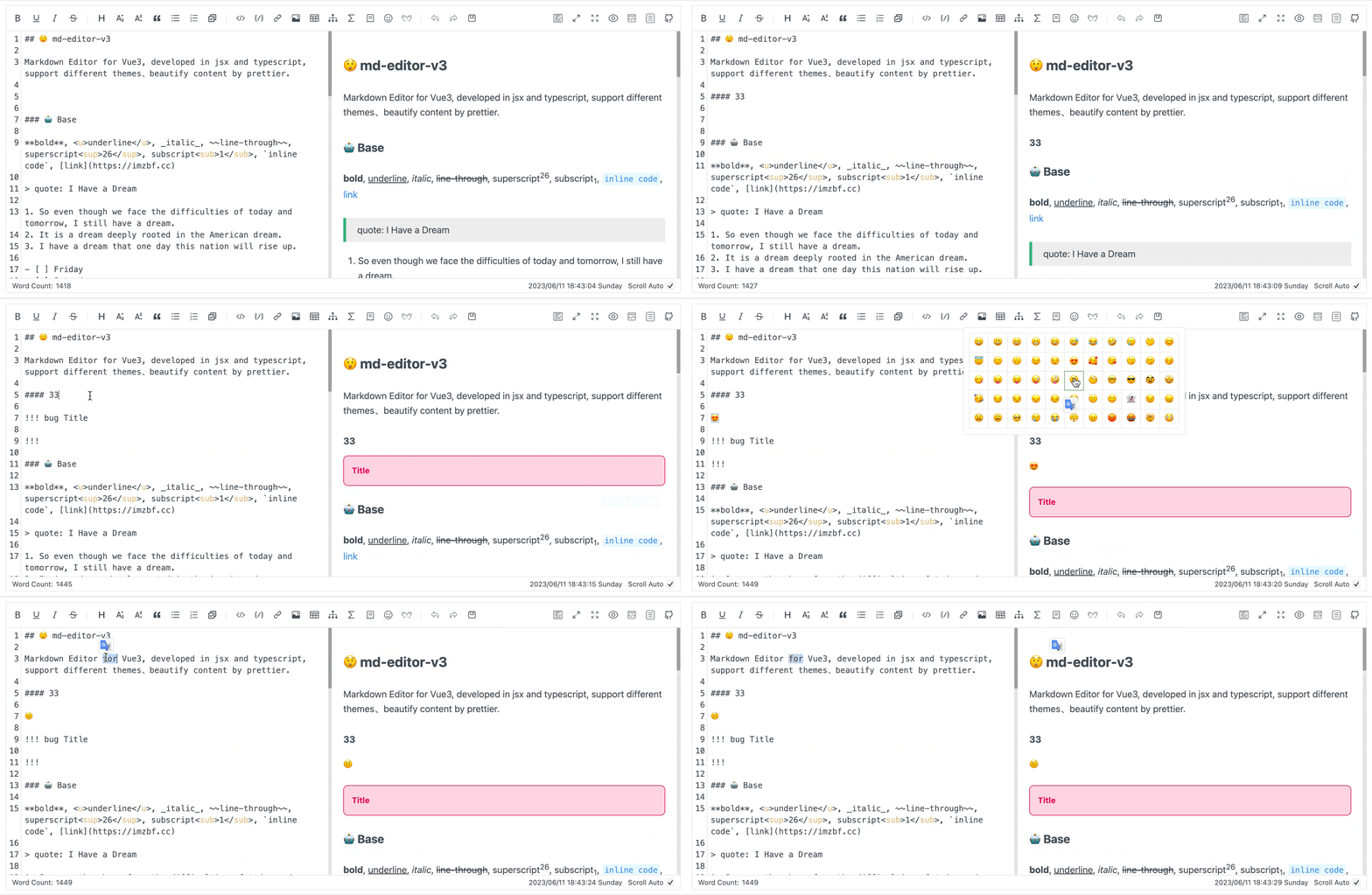
|
|
37
|
+
|
|
34
38
|
## Apis
|
|
35
39
|
|
|
36
40
|
### Props
|
|
37
41
|
|
|
38
42
|
| name | type | default | description |
|
|
39
43
|
| --- | --- | --- | --- |
|
|
40
|
-
| modelValue |
|
|
41
|
-
| theme | 'light' \| 'dark' | 'light' |
|
|
42
|
-
|
|
|
43
|
-
|
|
|
44
|
-
|
|
|
45
|
-
|
|
|
46
|
-
|
|
|
47
|
-
|
|
|
48
|
-
|
|
|
49
|
-
| htmlPreview | Boolean | false | Preview html in editor |
|
|
50
|
-
| previewOnly | Boolean | false | Only render article content, no toolbar, no edit area |
|
|
51
|
-
| language | String | 'zh-CN' | Build-in language('zh-CN','en-US') |
|
|
52
|
-
| languageUserDefined | Object | {key: StaticTextDefaultValue} | Expand language, update `language` api to your key |
|
|
44
|
+
| modelValue | string | '' | Markdown content, use `v-model` in vue template |
|
|
45
|
+
| theme | 'light' \| 'dark' | 'light' | Editor theme |
|
|
46
|
+
| class | string | '' | |
|
|
47
|
+
| historyLength | number | 10 | The max length of history(if it is too big, editor will use more `RAM`) |
|
|
48
|
+
| pageFullScreen | boolean | false | Screenfull in web page |
|
|
49
|
+
| preview | boolean | true | Preview content in editor |
|
|
50
|
+
| htmlPreview | boolean | false | Preview html in editor |
|
|
51
|
+
| previewOnly | boolean | false | Only render article content, no toolbar, no edit area |
|
|
52
|
+
| language | string | 'zh-CN' | Build-in language('zh-CN','en-US') |
|
|
53
53
|
| toolbars | Array | [toolbars] | Show some item of toolbars, all keys<sup>see `toolbars` below</sup> |
|
|
54
54
|
| toolbarsExclude | Array | [] | Don't show some item of toolbars, all keys`toolbars` |
|
|
55
|
-
|
|
|
56
|
-
|
|
|
57
|
-
|
|
|
58
|
-
|
|
|
59
|
-
|
|
|
60
|
-
|
|
|
61
|
-
|
|
|
62
|
-
|
|
|
63
|
-
|
|
|
64
|
-
|
|
|
65
|
-
|
|
|
66
|
-
|
|
|
67
|
-
|
|
|
68
|
-
|
|
69
|
-
|
|
70
|
-
|
|
71
|
-
| noMermaid | Boolean | false | Do not use mermaid |
|
|
72
|
-
| placeholder | String | '' | |
|
|
73
|
-
| katex | Object | undefined | `katex` instance(You need import css by yourself) |
|
|
74
|
-
| katexJs | String | [katex.min.js@0.15.1](https://cdn.jsdelivr.net/npm/katex@0.15.1/dist/katex.min.js) | KatexJs url |
|
|
75
|
-
| katexCss | String | [katex.min.css@0.15.1](https://cdn.jsdelivr.net/npm/katex@0.15.1/dist/katex.min.css) | KatexCss url |
|
|
76
|
-
| noKatex | Boolean | false | Do not use katex |
|
|
77
|
-
| defToolbars | Array<DropdownToolbar \| NormalToolbar> | null | Customize Toolbar, for more usage, please refer to [docs](https://imzbf.github.io/md-editor-v3/docs/index#%F0%9F%92%AA%20defToolbars) and [emoji](https://imzbf.github.io/md-editor-v3/demo/index#💪%20Customize%20Toolbar) |
|
|
78
|
-
| extensions | Array | [] | [marked](https://marked.js.org/using_pro#extensions) extensions |
|
|
79
|
-
|
|
80
|
-
mark and emoji extensions
|
|
81
|
-
|
|
82
|
-

|
|
83
|
-
|
|
84
|
-
[toolbars]
|
|
55
|
+
| noPrettier | boolean | false | Use prettier to beautify content or not |
|
|
56
|
+
| editorId | string | md-editor-v3 | Editor id, it is used when there are more than two editors in the same page. |
|
|
57
|
+
| tabWidth | number | 2 | One tab eq some spaces |
|
|
58
|
+
| showCodeRowNumber | boolean | false | Show row number for code block or not |
|
|
59
|
+
| previewTheme | 'default' \| 'github' \| 'vuepress' \| 'mk-cute' \| 'smart-blue' \| 'cyanosis' | 'default' | Preview theme, can be customized |
|
|
60
|
+
| style | string \| CSSProperties | {} | Editor inline style |
|
|
61
|
+
| tableShape | [number, number] | [6, 4] | Preset the size of the table, [columns, rows] |
|
|
62
|
+
| noMermaid | boolean | false | Use mermaid or not |
|
|
63
|
+
| placeholder | string | '' | |
|
|
64
|
+
| noKatex | boolean | false | Use katex or not |
|
|
65
|
+
| codeTheme | 'atom' \| 'a11y' \| 'github' \| 'gradient' \| 'kimbie' \| 'paraiso' \| 'qtcreator' \| 'stackoverflow' | 'atom' | [Highlight](https://www.jsdelivr.com/package/npm/highlight.js?path=styles) code style, can be customized also |
|
|
66
|
+
| markedHeadingId | (text: string, level: number) => string | (text) => text | H1-H6 `ID` generator |
|
|
67
|
+
| sanitize | (html: string) => string | (html) => html | Sanitize the html, prevent XSS |
|
|
68
|
+
|
|
69
|
+
<details>
|
|
70
|
+
<summary>[toolbars]</summary>
|
|
85
71
|
|
|
86
72
|
```js
|
|
87
73
|
[
|
|
@@ -118,13 +104,16 @@ mark and emoji extensions
|
|
|
118
104
|
];
|
|
119
105
|
```
|
|
120
106
|
|
|
107
|
+
</details>
|
|
108
|
+
|
|
121
109
|
> After v1.6.0, You can sort the toolbar as you like, split tools by `'-'`, the left and right toolbars are divided by `'='`!
|
|
122
110
|
|
|
123
|
-
> After v1.10.0, you can customize the toolbar. To display them, put index of `defToolbars` into `toolbars`(this is not standard), for more usage, please refer to[docs]().
|
|
111
|
+
> After v1.10.0, you can customize the toolbar. To display them, put index of `defToolbars` into `toolbars`(this is not standard), for more usage, please refer to [docs](https://imzbf.github.io/md-editor-v3/docs).
|
|
124
112
|
|
|
125
|
-
|
|
113
|
+
<details>
|
|
114
|
+
<summary>[StaticTextDefaultValue]</summary>
|
|
126
115
|
|
|
127
|
-
|
|
116
|
+
Expand language, you need to replace all the content here:
|
|
128
117
|
|
|
129
118
|
```ts
|
|
130
119
|
export interface ToolbarTips {
|
|
@@ -194,7 +183,8 @@ export interface StaticTextDefaultValue {
|
|
|
194
183
|
// Copy code tips, v1.1.4
|
|
195
184
|
copyCode?: {
|
|
196
185
|
text?: string;
|
|
197
|
-
|
|
186
|
+
successTips?: string;
|
|
187
|
+
failTips?: string;
|
|
198
188
|
};
|
|
199
189
|
// 1.8.0
|
|
200
190
|
mermaid?: {
|
|
@@ -217,101 +207,290 @@ export interface StaticTextDefaultValue {
|
|
|
217
207
|
}
|
|
218
208
|
```
|
|
219
209
|
|
|
220
|
-
|
|
210
|
+
</details>
|
|
211
|
+
|
|
212
|
+
### Slots
|
|
221
213
|
|
|
222
|
-
| name |
|
|
214
|
+
| name | type | default | description |
|
|
223
215
|
| --- | --- | --- | --- |
|
|
224
|
-
|
|
|
225
|
-
| onSave | v:string | @onSave="xxx" | Save content event, `ctrl+s`and click button will trigger |
|
|
226
|
-
| onUploadImg | files:Array<File>, callback:Function | @onUploadImg="xxx" | Upload picture event, when picture is uploading the modal will not close, please provide right urls to the callback function |
|
|
227
|
-
| onHtmlChanged | h:string | @onHtmlChanged="xxx" | Compile markdown successful event, you can use it to get the html code |
|
|
228
|
-
| onGetCatalog | list: HeadList[] | @onGetCatalog="xxx" | Get catalogue of article |
|
|
229
|
-
| markedHeading | text: string,level: 1-6,raw: string, slugger: Slugger | :marked-heading="xxx" | `marked` head renderer methods |
|
|
230
|
-
| markedHeadingId | (text: string, level: number) => string | :marked-heading-id="xxx" | title `ID` generator |
|
|
231
|
-
| sanitize | (html: string) => string | :sanitize="xxx" | Sanitize the html, prevent XSS |
|
|
232
|
-
| markedImage | (href: string, title: string, desc: string) => string | :marked-image="xxx" | Overrides the html element structure of the default generated picture |
|
|
216
|
+
| defToolbars | Array<DropdownToolbar \| NormalToolbar \| ModalToolbar> | null | Customize Toolbar, for more usage, please refer to [docs](https://imzbf.github.io/md-editor-v3/docs/index#%F0%9F%92%AA%20defToolbars) and [emoji](https://imzbf.github.io/md-editor-v3/demo/index#💪%20Customize%20Toolbar) |
|
|
233
217
|
|
|
234
|
-
|
|
218
|
+
`NormalToolbar` component example:
|
|
235
219
|
|
|
236
|
-
|
|
220
|
+
```vue
|
|
221
|
+
<template>
|
|
222
|
+
<md-editor>
|
|
223
|
+
<template #defToolbars>
|
|
224
|
+
<normal-toolbar title="mark" @click="handler">
|
|
225
|
+
<template #trigger>
|
|
226
|
+
<svg class="md-icon" aria-hidden="true">
|
|
227
|
+
<use xlink:href="#icon-mark"></use>
|
|
228
|
+
</svg>
|
|
229
|
+
</template>
|
|
230
|
+
</normal-toolbar>
|
|
231
|
+
</template>
|
|
232
|
+
</md-editor>
|
|
233
|
+
</template>
|
|
237
234
|
|
|
238
|
-
|
|
239
|
-
|
|
240
|
-
|
|
241
|
-
|
|
242
|
-
|
|
243
|
-
|
|
244
|
-
|
|
245
|
-
|
|
246
|
-
|
|
247
|
-
|
|
248
|
-
|
|
249
|
-
|
|
250
|
-
|
|
251
|
-
|
|
|
252
|
-
|
|
|
253
|
-
|
|
|
254
|
-
|
|
|
255
|
-
|
|
|
256
|
-
|
|
|
257
|
-
|
|
|
258
|
-
|
|
|
259
|
-
|
|
260
|
-
|
|
261
|
-
|
|
262
|
-
|
|
263
|
-
|
|
264
|
-
|
|
265
|
-
|
|
266
|
-
|
|
267
|
-
|
|
235
|
+
<script setup>
|
|
236
|
+
import MdEditor from 'md-editor-v3';
|
|
237
|
+
|
|
238
|
+
const NormalToolbar = MdEditor.NormalToolbar;
|
|
239
|
+
|
|
240
|
+
const handler = () => {
|
|
241
|
+
console.log('NormalToolbar clicked!');
|
|
242
|
+
};
|
|
243
|
+
</script>
|
|
244
|
+
```
|
|
245
|
+
|
|
246
|
+
### Events
|
|
247
|
+
|
|
248
|
+
| name | param | description |
|
|
249
|
+
| --- | --- | --- |
|
|
250
|
+
| onChange | v:string | Content changed event(bind to `oninput` of `textarea`) |
|
|
251
|
+
| onSave | v:string | Save content event, `ctrl+s`and click button will be triggered also |
|
|
252
|
+
| onUploadImg | files:Array<File>, callback:Function | Upload picture event, when picture is uploading the modal will not close, please provide right urls to the callback function |
|
|
253
|
+
| onHtmlChanged | h:string | Compile markdown successful event, you can use it to get the html code |
|
|
254
|
+
| onGetCatalog | list: HeadList[] | Get catalog of article |
|
|
255
|
+
| onError | err: { name: string; message: string } | Catch run-time error, `Cropper`,`fullScreen` and `prettier` are used when they are not loaded |
|
|
256
|
+
|
|
257
|
+
## Config
|
|
258
|
+
|
|
259
|
+
Use `MdEditor.config(option: ConfigOption)` to reconfigure `renderer`.
|
|
260
|
+
|
|
261
|
+
- markedRenderer: `(renderer: Renderer) => Renderer`, 🌰(Open target page in a new browser window):
|
|
262
|
+
|
|
263
|
+
```js
|
|
264
|
+
MdEditor.config({
|
|
265
|
+
markedRenderer(renderer) {
|
|
266
|
+
renderer.link = (href, title, text) => {
|
|
267
|
+
return `<a href="${href}" title="${title}" target="_blank">${text}</a>`;
|
|
268
|
+
};
|
|
269
|
+
|
|
270
|
+
return renderer;
|
|
271
|
+
}
|
|
272
|
+
});
|
|
273
|
+
```
|
|
274
|
+
|
|
275
|
+
> Reference: https://marked.js.org/using_pro#renderer
|
|
276
|
+
|
|
277
|
+
- markedExtensions: `Array<marked.TokenizerExtension & marked.RendererExtension>`
|
|
278
|
+
|
|
279
|
+
```js
|
|
280
|
+
import MdEditor from 'md-editor-v3';
|
|
281
|
+
|
|
282
|
+
MdEditor.config({
|
|
283
|
+
markedExtensions: [your extension]
|
|
284
|
+
});
|
|
285
|
+
```
|
|
286
|
+
|
|
287
|
+
> Reference: https://marked.js.org/using_pro#extensions
|
|
288
|
+
|
|
289
|
+
- markedOptions: `marked.MarkedOptions`, 🌰(do not render `<br>` on a single line break):
|
|
290
|
+
|
|
291
|
+
```js
|
|
292
|
+
import MdEditor from 'md-editor-v3';
|
|
293
|
+
|
|
294
|
+
MdEditor.config({
|
|
295
|
+
markedOptions: { breaks: false }
|
|
296
|
+
});
|
|
297
|
+
```
|
|
298
|
+
|
|
299
|
+
> Reference: https://marked.js.org/using_advanced#options
|
|
300
|
+
|
|
301
|
+
- editorConfig: Add more languages,reset `mermaid` template:
|
|
302
|
+
|
|
303
|
+
```js
|
|
304
|
+
import MdEditor from 'md-editor-v3';
|
|
305
|
+
|
|
306
|
+
MdEditor.config({
|
|
307
|
+
editorConfig: {
|
|
308
|
+
languageUserDefined: { lang: StaticTextDefaultValue },
|
|
309
|
+
mermaidTemplate: {
|
|
310
|
+
flow: `flow tempalte`,
|
|
311
|
+
...more
|
|
312
|
+
},
|
|
313
|
+
// ms
|
|
314
|
+
renderDelay: 500
|
|
315
|
+
}
|
|
316
|
+
});
|
|
317
|
+
```
|
|
318
|
+
|
|
319
|
+
- editorExtensions: Config some dependency libraries, like highlight..
|
|
320
|
+
|
|
321
|
+
```typescript
|
|
322
|
+
import MdEditor from 'md-editor-v3';
|
|
323
|
+
|
|
324
|
+
MdEditor.config({
|
|
325
|
+
editorExtensions: { iconfont: 'https://xxx.cc' }
|
|
326
|
+
});
|
|
327
|
+
```
|
|
328
|
+
|
|
329
|
+
<details>
|
|
330
|
+
<summary>[EditorExtensions]</summary>
|
|
331
|
+
|
|
332
|
+
```ts
|
|
333
|
+
import MdEditor from 'md-editor-v3';
|
|
334
|
+
|
|
335
|
+
interface EditorExtensions {
|
|
336
|
+
highlight?: {
|
|
337
|
+
instance?: any;
|
|
338
|
+
js?: string;
|
|
339
|
+
css?: {
|
|
340
|
+
[key: string]: {
|
|
341
|
+
light: string;
|
|
342
|
+
dark: string;
|
|
343
|
+
};
|
|
344
|
+
};
|
|
345
|
+
};
|
|
346
|
+
prettier?: {
|
|
347
|
+
standaloneJs?: string;
|
|
348
|
+
parserMarkdownJs?: string;
|
|
349
|
+
};
|
|
350
|
+
cropper?: {
|
|
351
|
+
instance?: any;
|
|
352
|
+
js?: string;
|
|
353
|
+
css?: string;
|
|
354
|
+
};
|
|
355
|
+
iconfont?: string;
|
|
356
|
+
screenfull?: {
|
|
357
|
+
instance?: any;
|
|
358
|
+
js?: string;
|
|
359
|
+
};
|
|
360
|
+
mermaid?: {
|
|
361
|
+
instance?: any;
|
|
362
|
+
js?: string;
|
|
363
|
+
};
|
|
364
|
+
katex?: {
|
|
365
|
+
instance?: any;
|
|
366
|
+
js?: string;
|
|
367
|
+
css?: string;
|
|
368
|
+
};
|
|
369
|
+
}
|
|
370
|
+
```
|
|
371
|
+
|
|
372
|
+
</details>
|
|
373
|
+
|
|
374
|
+
## Shortcut key
|
|
375
|
+
|
|
376
|
+
| key | function | description |
|
|
377
|
+
| --- | --- | --- |
|
|
378
|
+
| TAB | insert space | Insert space, the length eq `tabWidth`, default: 2, support multiline |
|
|
379
|
+
| SHIFT + TAB | delete space, setting is the same as Tab | |
|
|
380
|
+
| CTRL + C | copy | When selected, copy the selected content. When not selected, copy the content of the current line |
|
|
381
|
+
| CTRL + X | shear | When selected, cut the selected content. When not selected, cut the current line |
|
|
382
|
+
| CTRL + D | delete | When selected, delete the selected content. When not selected, delete the current line |
|
|
383
|
+
| CTRL + S | save | Trigger `onSave` event |
|
|
384
|
+
| CTRL + B | bold text | `**bold**` |
|
|
385
|
+
| CTRL + U | underline | `<u>underline</u>` |
|
|
386
|
+
| CTRL + I | italic | `*italic*` |
|
|
387
|
+
| CTRL + 1-6 | h1-h6 | `# title` |
|
|
388
|
+
| CTRL + ↑ | superscript | `<sup>superscript</sup>` |
|
|
389
|
+
| CTRL + ↓ | subscript | `<sub>subscript</sub>` |
|
|
390
|
+
| CTRL + Q | quote | `> quote` |
|
|
391
|
+
| CTRL + O | ordered list | `1. ordered list` |
|
|
392
|
+
| CTRL + L | link | `[link](https://github.com/imzbf/md-editor-v3)` |
|
|
393
|
+
| CTRL + Z | withdraw | Withdraw history in editor, not the function of system |
|
|
394
|
+
| CTRL + SHIFT + S | line-through | `~line-through~` |
|
|
395
|
+
| CTRL + SHIFT + U | unordered list | `- unordered list` |
|
|
396
|
+
| CTRL + SHIFT + C | code block | |
|
|
397
|
+
| CTRL + SHIFT + I | picture | `` |
|
|
398
|
+
| CTRL + SHIFT + Z | forward | Forward history in editor, not the function of system |
|
|
399
|
+
| CTRL + SHIFT + F | Beautify | |
|
|
400
|
+
| CTRL + ALT + C | code row | |
|
|
401
|
+
| CTRL + SHIFT + ALT + T | table | `\|table\|` |
|
|
402
|
+
|
|
403
|
+
## Components
|
|
404
|
+
|
|
405
|
+
They are used as attributes of the editor component, eg: `Editor.DropdownToolbar`. For more examples, refer to [document](https://imzbf.github.io/md-editor-v3).
|
|
268
406
|
|
|
269
407
|
### NormalToolbar
|
|
270
408
|
|
|
271
409
|
`Editor.NormalToolbar`
|
|
272
410
|
|
|
273
|
-
-
|
|
274
|
-
|
|
275
|
-
- `
|
|
411
|
+
- **props**
|
|
412
|
+
|
|
413
|
+
- `title`: `string`, not necessary, title of toolbar.
|
|
414
|
+
|
|
415
|
+
- **events**
|
|
416
|
+
|
|
417
|
+
- `onClick`: `(e: MouseEvent) => void`, necessary.
|
|
418
|
+
|
|
419
|
+
- **slots**
|
|
420
|
+
|
|
421
|
+
- `trigger`: `string | JSX.Element`, necessary, it is usually an icon, which is displayed on the toolbar.
|
|
276
422
|
|
|
277
423
|
### DropdownToolbar
|
|
278
424
|
|
|
279
425
|
`Editor.DropdownToolbar`
|
|
280
426
|
|
|
281
|
-
-
|
|
282
|
-
|
|
283
|
-
- `
|
|
284
|
-
- `
|
|
285
|
-
|
|
427
|
+
- **props**
|
|
428
|
+
|
|
429
|
+
- `title`: `string`, not necessary, title of toolbar.
|
|
430
|
+
- `visible`: `boolean`, necessary.
|
|
431
|
+
|
|
432
|
+
- **events**
|
|
433
|
+
|
|
434
|
+
- `onChange`: `(visible: boolean) => void`, necessary.
|
|
435
|
+
|
|
436
|
+
- **slots**
|
|
437
|
+
|
|
438
|
+
- `trigger`: `string | JSX.Element`, necessary, it is usually an icon, which is displayed on the toolbar.
|
|
439
|
+
- `overlay`: `string | JSX.Element`, necessary, content of dropdown box.
|
|
440
|
+
|
|
441
|
+
### ModalToolbar
|
|
442
|
+
|
|
443
|
+
`Editor.ModalToolbar`
|
|
444
|
+
|
|
445
|
+
- **props**
|
|
286
446
|
|
|
287
|
-
|
|
447
|
+
- `title`: `string`, not necessary, title of toolbar.
|
|
448
|
+
- `modalTitle`: `string`, not necessary, title of the Modal.
|
|
449
|
+
- `visible`: `boolean`, necessary, visibility of Modal.
|
|
450
|
+
- `width`: `string`, not necessary, width of Modal, default `auto`.
|
|
451
|
+
- `height`:`string`, same as `width`.
|
|
452
|
+
- `showAdjust`: `boolean`, not necessary, visibility of fullscreen button.
|
|
453
|
+
- `isFullscreen`: `boolean`, necessary when `showAdjust = true`, status of fullscreen.
|
|
288
454
|
|
|
289
|
-
|
|
455
|
+
- **events**
|
|
290
456
|
|
|
291
|
-
- `
|
|
292
|
-
- `
|
|
293
|
-
- `
|
|
294
|
-
- `scrollElement`: `string | HTMLElement`, not necessary, it is an element selector when its type is string. When `previewOnly` eq `true`, it is usually set to `document.documentElement`.
|
|
295
|
-
- `theme`: 'light' | 'dark', not necessary, provide it when you want to change theme online, it is the same as Editor `theme`.
|
|
457
|
+
- `onClick`: `() => void`, necessary.
|
|
458
|
+
- `onClose`:`() => void`, necessary, close event.
|
|
459
|
+
- `onAdjust`:`(val: boolean) => void`, fullscreen button click event.
|
|
296
460
|
|
|
297
|
-
|
|
461
|
+
- **slots**
|
|
462
|
+
|
|
463
|
+
- `trigger`: `string | JSX.Element`, necessary, it is usually an icon, which is displayed on the toolbar.
|
|
464
|
+
- `overlay`: `string | JSX.Element`, necessary, content of Modal.
|
|
465
|
+
|
|
466
|
+
### Catalog
|
|
467
|
+
|
|
468
|
+
`Editor.MdCatalog`
|
|
469
|
+
|
|
470
|
+
- **props**
|
|
471
|
+
|
|
472
|
+
- `editorId`: `string`, necessary, same as editor's `editorId`, used to register listening events.
|
|
473
|
+
- `class`: `string`, not necessary.
|
|
474
|
+
- `markedHeadingId`: `MarkedHeadingId`, not necessary, same as editor.
|
|
475
|
+
- `scrollElement`: `string | HTMLElement`, not necessary, it is an element selector when its type is string. When `previewOnly` eq `true`, it is usually set to `document.documentElement`.
|
|
476
|
+
- `theme`: `'light' | 'dark'`, not necessary, provide it when you want to change theme online, it is the same as Editor `theme`.
|
|
477
|
+
|
|
478
|
+
## Examples
|
|
298
479
|
|
|
299
480
|
### Jsx module
|
|
300
481
|
|
|
301
482
|
```js
|
|
302
483
|
import { defineComponent, reactive } from 'vue';
|
|
303
|
-
import
|
|
484
|
+
import MdEditor from 'md-editor-v3';
|
|
304
485
|
import 'md-editor-v3/lib/style.css';
|
|
305
|
-
import hljs from 'highlight.js';
|
|
306
|
-
import 'highlight.js/styles/atom-one-dark.css';
|
|
307
486
|
|
|
308
487
|
export default defineComponent({
|
|
309
488
|
setup() {
|
|
310
489
|
const md = reactive({
|
|
311
|
-
text: '
|
|
490
|
+
text: '# Hello Editor'
|
|
312
491
|
});
|
|
313
492
|
return () => (
|
|
314
|
-
<
|
|
493
|
+
<MdEditor modelValue={md.text} onChange={(value) => (md.text = value)} />
|
|
315
494
|
);
|
|
316
495
|
}
|
|
317
496
|
});
|
|
@@ -319,35 +498,36 @@ export default defineComponent({
|
|
|
319
498
|
|
|
320
499
|
### Vue template
|
|
321
500
|
|
|
322
|
-
```
|
|
501
|
+
```vue
|
|
323
502
|
<template>
|
|
324
|
-
<editor v-model="text"
|
|
503
|
+
<md-editor v-model="text" preview-only />
|
|
325
504
|
</template>
|
|
326
505
|
|
|
327
|
-
<script>
|
|
328
|
-
import {
|
|
329
|
-
import
|
|
506
|
+
<script setup>
|
|
507
|
+
import { ref } from 'vue';
|
|
508
|
+
import MdEditor from 'md-editor-v3';
|
|
330
509
|
import 'md-editor-v3/lib/style.css';
|
|
331
510
|
|
|
332
|
-
|
|
333
|
-
name: 'VueTemplateDemo',
|
|
334
|
-
components: { Editor },
|
|
335
|
-
data() {
|
|
336
|
-
return {
|
|
337
|
-
text: '# md-editor-v3'
|
|
338
|
-
};
|
|
339
|
-
}
|
|
340
|
-
});
|
|
511
|
+
const text = ref('# Hello Editor');
|
|
341
512
|
</script>
|
|
342
|
-
|
|
343
513
|
```
|
|
344
514
|
|
|
345
515
|
### Upload picture
|
|
346
516
|
|
|
347
517
|
> Tips:When you paste and upload GIF, it will upload a static picture. So you should upload it by file system!
|
|
348
518
|
|
|
349
|
-
|
|
350
|
-
|
|
519
|
+
<template>
|
|
520
|
+
<md-editor v-model="text" @onUploadImg="onUploadImg" />
|
|
521
|
+
</template>
|
|
522
|
+
|
|
523
|
+
<script setup>
|
|
524
|
+
import { ref } from 'vue';
|
|
525
|
+
import MdEditor from 'md-editor-v3';
|
|
526
|
+
import 'md-editor-v3/lib/style.css';
|
|
527
|
+
|
|
528
|
+
const text = ref('# Hello Editor');
|
|
529
|
+
|
|
530
|
+
const onUploadImg = async (files, callback) => {
|
|
351
531
|
const res = await Promise.all(
|
|
352
532
|
files.map((file) => {
|
|
353
533
|
return new Promise((rev, rej) => {
|
|
@@ -366,6 +546,6 @@ async onUploadImg(files: Array<File>, callback: (urls: string[]) => void) {
|
|
|
366
546
|
})
|
|
367
547
|
);
|
|
368
548
|
|
|
369
|
-
callback(res.map((item
|
|
370
|
-
}
|
|
371
|
-
|
|
549
|
+
callback(res.map((item) => item.data.url));
|
|
550
|
+
};
|
|
551
|
+
</script>
|