mc-markdown-viewer 1.0.2 → 1.0.4
This diff represents the content of publicly available package versions that have been released to one of the supported registries. The information contained in this diff is provided for informational purposes only and reflects changes between package versions as they appear in their respective public registries.
- package/README.md +240 -10
- package/main.js +78 -25
- package/package.json +1 -1
- package/pub.sh +0 -1
package/README.md
CHANGED
|
@@ -1,27 +1,257 @@
|
|
|
1
|
-
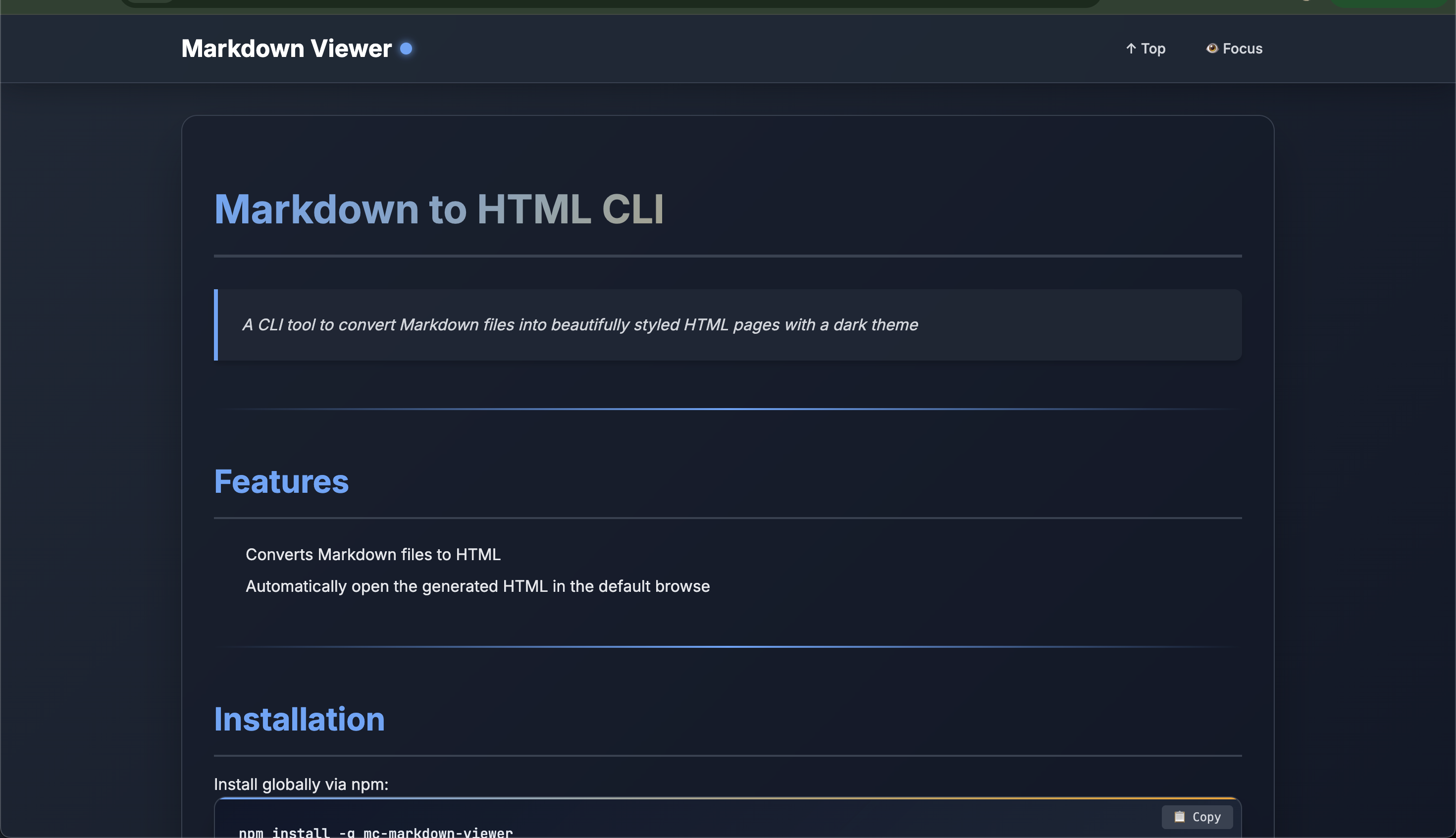
# Markdown to HTML CLI
|
|
1
|
+
# Markdown to HTML CLI ✨
|
|
2
2
|
|
|
3
|
-
> A CLI tool to convert Markdown files into beautifully styled HTML pages with
|
|
3
|
+
> A powerful CLI tool to convert Markdown files into beautifully styled HTML pages with enhanced dark themes and modern UI
|
|
4
|
+
|
|
5
|
+
[](https://www.npmjs.com/package/mc-markdown-viewer)
|
|
6
|
+
[](https://github.com/yourusername/mc-markdown-viewer/blob/main/LICENSE)
|
|
4
7
|
|
|
5
8
|
---
|
|
6
9
|
|
|
7
|
-
|
|
10
|
+
|
|
11
|
+
|
|
12
|
+
## ✨ Features
|
|
13
|
+
|
|
14
|
+
- 📝 **Markdown to HTML Conversion** - Seamlessly convert any Markdown file to styled HTML
|
|
15
|
+
- 🎨 **Multiple Themes** - Choose from 4 beautiful dark theme variants
|
|
16
|
+
- 📖 **Reading Mode** - Distraction-free focus mode for better readability
|
|
17
|
+
- 📋 **Code Block Copy** - One-click copy for all code snippets
|
|
18
|
+
- 📊 **Reading Progress** - Visual progress indicator as you scroll
|
|
19
|
+
- 🔗 **Smooth Navigation** - Anchor links with smooth scrolling
|
|
20
|
+
- 📱 **Responsive Design** - Looks great on all screen sizes
|
|
21
|
+
- 🌐 **Auto Browser Launch** - Automatically opens HTML in your default browser
|
|
22
|
+
- ⌨️ **Stdin Support** - Pipe markdown content directly from other commands
|
|
23
|
+
- 💾 **Custom Output** - Save to any location you choose
|
|
8
24
|
|
|
9
|
-
- Converts Markdown files to HTML
|
|
10
|
-
- Automatically open the generated HTML in the default browse
|
|
11
25
|
---
|
|
12
26
|
|
|
13
|
-
## Installation
|
|
27
|
+
## 📦 Installation
|
|
14
28
|
|
|
15
29
|
Install globally via npm:
|
|
16
30
|
|
|
17
31
|
```bash
|
|
18
|
-
npm install -g mc-markdown-viewer
|
|
32
|
+
npm install -g mc-markdown-viewer
|
|
33
|
+
```
|
|
34
|
+
|
|
35
|
+
Or use without installing:
|
|
36
|
+
|
|
37
|
+
```bash
|
|
38
|
+
npx mc-markdown-viewer -f README.md
|
|
39
|
+
```
|
|
40
|
+
|
|
41
|
+
---
|
|
42
|
+
|
|
43
|
+
## 🚀 Usage
|
|
44
|
+
|
|
45
|
+
### Basic Usage
|
|
46
|
+
|
|
47
|
+
```bash
|
|
48
|
+
# Convert a file
|
|
49
|
+
md-viewer -f README.md
|
|
50
|
+
|
|
51
|
+
# With a specific theme
|
|
52
|
+
md-viewer -f README.md -t ocean
|
|
53
|
+
|
|
54
|
+
# Custom output location
|
|
55
|
+
md-viewer -f README.md -o ~/Desktop/output.html
|
|
56
|
+
```
|
|
57
|
+
|
|
58
|
+
### Stdin Input
|
|
59
|
+
|
|
60
|
+
```bash
|
|
61
|
+
# Pipe from cat
|
|
62
|
+
cat README.md | md-viewer
|
|
63
|
+
|
|
64
|
+
# Pipe from echo
|
|
65
|
+
echo "# Hello World" | md-viewer -t forest
|
|
66
|
+
|
|
67
|
+
# Pipe from curl
|
|
68
|
+
curl https://raw.githubusercontent.com/user/repo/main/README.md | md-viewer
|
|
69
|
+
|
|
70
|
+
# Using heredoc
|
|
71
|
+
md-viewer -t sunset <<EOF
|
|
72
|
+
# My Document
|
|
73
|
+
This is **markdown** content.
|
|
74
|
+
EOF
|
|
75
|
+
```
|
|
76
|
+
|
|
77
|
+
### Advanced Examples
|
|
78
|
+
|
|
79
|
+
```bash
|
|
80
|
+
# Convert multiple files with different themes
|
|
81
|
+
md-viewer -f docs/intro.md -t default -o intro.html
|
|
82
|
+
md-viewer -f docs/guide.md -t ocean -o guide.html
|
|
83
|
+
|
|
84
|
+
# Process markdown from clipboard (macOS)
|
|
85
|
+
pbpaste | md-viewer -t forest
|
|
86
|
+
|
|
87
|
+
# Chain with other commands
|
|
88
|
+
grep -A 50 "## Installation" README.md | md-viewer -t ocean
|
|
19
89
|
```
|
|
20
90
|
|
|
21
|
-
|
|
91
|
+
---
|
|
92
|
+
|
|
93
|
+
## 🎨 Available Themes
|
|
94
|
+
|
|
95
|
+
| Theme | Primary Color | Best For |
|
|
96
|
+
|-------|--------------|----------|
|
|
97
|
+
| **default** | Blue | General documentation |
|
|
98
|
+
| **ocean** | Cyan | Technical content |
|
|
99
|
+
| **forest** | Green | Nature/environmental content |
|
|
100
|
+
| **sunset** | Orange | Creative/warm content |
|
|
101
|
+
|
|
102
|
+
Preview all themes:
|
|
103
|
+
|
|
104
|
+
```bash
|
|
105
|
+
md-viewer -f README.md -t default
|
|
106
|
+
md-viewer -f README.md -t ocean
|
|
107
|
+
md-viewer -f README.md -t forest
|
|
108
|
+
md-viewer -f README.md -t sunset
|
|
109
|
+
```
|
|
110
|
+
|
|
111
|
+
---
|
|
112
|
+
|
|
113
|
+
## 📖 Command Options
|
|
114
|
+
|
|
115
|
+
```bash
|
|
116
|
+
md-viewer [options]
|
|
117
|
+
|
|
118
|
+
Options:
|
|
119
|
+
-V, --version output the version number
|
|
120
|
+
-f, --file <path> Input Markdown file
|
|
121
|
+
-t, --theme <theme> Theme variant (default, ocean, forest, sunset) (default: "default")
|
|
122
|
+
-o, --output <path> Output HTML file path (optional)
|
|
123
|
+
-h, --help display help for command
|
|
124
|
+
```
|
|
125
|
+
|
|
126
|
+
**Note:** Either `-f` or stdin input is required.
|
|
127
|
+
|
|
128
|
+
---
|
|
129
|
+
|
|
130
|
+
## 🎯 Features in Detail
|
|
131
|
+
|
|
132
|
+
### Enhanced Typography
|
|
133
|
+
- Beautiful font pairing with Inter and JetBrains Mono
|
|
134
|
+
- Optimized line heights for readability
|
|
135
|
+
- Gradient headings with proper hierarchy
|
|
136
|
+
|
|
137
|
+
### Interactive Elements
|
|
138
|
+
- **Copy Buttons** - Click to copy any code block
|
|
139
|
+
- **Focus Mode** - Toggle header/footer visibility
|
|
140
|
+
- **Scroll to Top** - Quick navigation button
|
|
141
|
+
- **Reading Progress** - Visual progress bar at the top
|
|
142
|
+
|
|
143
|
+
### Modern Styling
|
|
144
|
+
- Glassmorphism effects
|
|
145
|
+
- Smooth animations and transitions
|
|
146
|
+
- Responsive tables with gradients
|
|
147
|
+
- Enhanced blockquotes
|
|
148
|
+
- Syntax-highlighted code blocks
|
|
149
|
+
|
|
150
|
+
### Accessibility
|
|
151
|
+
- Semantic HTML structure
|
|
152
|
+
- Reduced motion support for users who prefer it
|
|
153
|
+
- Proper color contrast ratios
|
|
154
|
+
- Keyboard navigation support
|
|
155
|
+
|
|
156
|
+
---
|
|
157
|
+
|
|
158
|
+
## 🛠️ Development
|
|
159
|
+
|
|
160
|
+
### Prerequisites
|
|
161
|
+
|
|
22
162
|
```bash
|
|
163
|
+
node >= 14.0.0
|
|
164
|
+
npm >= 6.0.0
|
|
165
|
+
```
|
|
166
|
+
|
|
23
167
|
|
|
24
|
-
|
|
168
|
+
### Project Structure
|
|
25
169
|
|
|
26
|
-
md-viewer -f README.md -t forest
|
|
27
170
|
```
|
|
171
|
+
mc-markdown-viewer/
|
|
172
|
+
├── index.js # Main CLI script
|
|
173
|
+
├── package.json # NPM package configuration
|
|
174
|
+
├── README.md # This file
|
|
175
|
+
└── LICENSE # License file
|
|
176
|
+
```
|
|
177
|
+
|
|
178
|
+
---
|
|
179
|
+
|
|
180
|
+
## 📝 Markdown Support
|
|
181
|
+
|
|
182
|
+
Supports all standard Markdown features:
|
|
183
|
+
|
|
184
|
+
- **Headings** (H1-H6)
|
|
185
|
+
- **Text formatting** (bold, italic, strikethrough)
|
|
186
|
+
- **Lists** (ordered and unordered)
|
|
187
|
+
- **Links** and images
|
|
188
|
+
- **Code blocks** with syntax highlighting
|
|
189
|
+
- **Tables**
|
|
190
|
+
- **Blockquotes**
|
|
191
|
+
- **Horizontal rules**
|
|
192
|
+
- **Inline code**
|
|
193
|
+
|
|
194
|
+
---
|
|
195
|
+
|
|
196
|
+
|
|
197
|
+
## 📄 License
|
|
198
|
+
|
|
199
|
+
This project is licensed under the MIT License - see the LICENSE file for details.
|
|
200
|
+
|
|
201
|
+
---
|
|
202
|
+
|
|
203
|
+
## 👨💻 Author
|
|
204
|
+
|
|
205
|
+
- [Mohan Chinnappan](https://mohan-chinnappan-n.github.io/about/cv.html)
|
|
206
|
+
|
|
207
|
+
---
|
|
208
|
+
|
|
209
|
+
|
|
210
|
+
|
|
211
|
+
|
|
212
|
+
## 🔮 Roadmap
|
|
213
|
+
|
|
214
|
+
- [ ] Custom theme configuration via JSON
|
|
215
|
+
- [ ] Table of contents generation
|
|
216
|
+
- [ ] Dark/Light mode toggle in output
|
|
217
|
+
- [ ] PDF export option
|
|
218
|
+
- [ ] Watch mode for live preview
|
|
219
|
+
- [ ] Custom CSS injection
|
|
220
|
+
- [ ] Mermaid diagram support
|
|
221
|
+
- [ ] GitHub Flavored Markdown extensions
|
|
222
|
+
|
|
223
|
+
---
|
|
224
|
+
|
|
225
|
+
## 💡 Tips
|
|
226
|
+
|
|
227
|
+
1. **Batch Processing**: Use shell scripts to convert multiple files
|
|
228
|
+
```bash
|
|
229
|
+
for file in docs/*.md; do
|
|
230
|
+
md-viewer -f "$file" -o "html/$(basename "$file" .md).html"
|
|
231
|
+
done
|
|
232
|
+
```
|
|
233
|
+
|
|
234
|
+
2. **Integration**: Add to your npm scripts
|
|
235
|
+
```json
|
|
236
|
+
{
|
|
237
|
+
"scripts": {
|
|
238
|
+
"docs": "md-viewer -f README.md -o docs/index.html"
|
|
239
|
+
}
|
|
240
|
+
}
|
|
241
|
+
```
|
|
242
|
+
|
|
243
|
+
3. **Git Hooks**: Auto-generate HTML on commit
|
|
244
|
+
```bash
|
|
245
|
+
# .git/hooks/pre-commit
|
|
246
|
+
md-viewer -f README.md -o dist/README.html
|
|
247
|
+
```
|
|
248
|
+
|
|
249
|
+
---
|
|
250
|
+
|
|
251
|
+
<div align="center">
|
|
252
|
+
|
|
253
|
+
**[⬆ back to top](#markdown-to-html-cli-)**
|
|
254
|
+
|
|
255
|
+
Made with ❤️ by [MC](https://mohan-chinnappan-n.github.io/about/cv.html)
|
|
256
|
+
|
|
257
|
+
</div>
|
package/main.js
CHANGED
|
@@ -10,8 +10,9 @@ const marked = require('marked');
|
|
|
10
10
|
program
|
|
11
11
|
.version('1.0.0')
|
|
12
12
|
.description('Convert Markdown to HTML with enhanced Tailwind CSS dark theme')
|
|
13
|
-
.
|
|
13
|
+
.option('-f, --file <path>', 'Input Markdown file')
|
|
14
14
|
.option('-t, --theme <theme>', 'Theme variant (default, ocean, forest, sunset)', 'default')
|
|
15
|
+
.option('-o, --output <path>', 'Output HTML file path (optional)')
|
|
15
16
|
.parse(process.argv);
|
|
16
17
|
|
|
17
18
|
const options = program.opts();
|
|
@@ -468,42 +469,64 @@ const htmlTemplate = (content, theme = 'default') => {
|
|
|
468
469
|
`;
|
|
469
470
|
};
|
|
470
471
|
|
|
471
|
-
async function
|
|
472
|
-
|
|
473
|
-
|
|
474
|
-
|
|
472
|
+
async function readStdin() {
|
|
473
|
+
return new Promise((resolve, reject) => {
|
|
474
|
+
const chunks = [];
|
|
475
|
+
|
|
476
|
+
process.stdin.on('data', chunk => {
|
|
477
|
+
chunks.push(chunk);
|
|
478
|
+
});
|
|
479
|
+
|
|
480
|
+
process.stdin.on('end', () => {
|
|
481
|
+
resolve(Buffer.concat(chunks).toString('utf-8'));
|
|
482
|
+
});
|
|
475
483
|
|
|
484
|
+
process.stdin.on('error', reject);
|
|
485
|
+
});
|
|
486
|
+
}
|
|
487
|
+
|
|
488
|
+
async function convertMarkdownToHtml(markdown, theme, outputPath = null) {
|
|
489
|
+
try {
|
|
476
490
|
// Convert markdown to HTML using marked
|
|
477
491
|
const htmlContent = marked.parse(markdown);
|
|
478
492
|
|
|
479
493
|
// Generate full HTML with template
|
|
480
494
|
const fullHtml = htmlTemplate(htmlContent, theme);
|
|
481
495
|
|
|
482
|
-
//
|
|
483
|
-
|
|
484
|
-
|
|
485
|
-
|
|
486
|
-
|
|
487
|
-
|
|
496
|
+
// Determine output file path
|
|
497
|
+
let outputFile;
|
|
498
|
+
if (outputPath) {
|
|
499
|
+
outputFile = path.resolve(outputPath);
|
|
500
|
+
} else {
|
|
501
|
+
// Create temp folder
|
|
502
|
+
const tempDir = path.join(os.tmpdir(), 'md-to-html');
|
|
503
|
+
await fs.mkdir(tempDir, { recursive: true });
|
|
504
|
+
|
|
505
|
+
// Create output filename in temp folder
|
|
506
|
+
const timestamp = Date.now();
|
|
507
|
+
outputFile = path.join(tempDir, `markdown-${timestamp}.html`);
|
|
508
|
+
}
|
|
488
509
|
|
|
489
510
|
// Write HTML to file
|
|
490
511
|
await fs.writeFile(outputFile, fullHtml);
|
|
491
512
|
|
|
492
|
-
console.log(`Successfully converted
|
|
513
|
+
console.log(`Successfully converted markdown to ${outputFile}`);
|
|
493
514
|
console.log(`Theme: ${theme}`);
|
|
494
515
|
|
|
495
|
-
// Open the file in default browser (cross-platform)
|
|
496
|
-
|
|
497
|
-
|
|
498
|
-
|
|
499
|
-
|
|
500
|
-
|
|
501
|
-
|
|
502
|
-
|
|
516
|
+
// Open the file in default browser (cross-platform) if not using custom output
|
|
517
|
+
if (!outputPath) {
|
|
518
|
+
try {
|
|
519
|
+
if (process.platform === 'darwin') {
|
|
520
|
+
execSync(`open "${outputFile}"`);
|
|
521
|
+
} else if (process.platform === 'win32') {
|
|
522
|
+
execSync(`start "${outputFile}"`);
|
|
523
|
+
} else {
|
|
524
|
+
execSync(`xdg-open "${outputFile}"`);
|
|
525
|
+
}
|
|
526
|
+
} catch (browserError) {
|
|
527
|
+
console.log(`File saved to: ${outputFile}`);
|
|
528
|
+
console.log('Please open the file manually in your browser.');
|
|
503
529
|
}
|
|
504
|
-
} catch (browserError) {
|
|
505
|
-
console.log(`File saved to: ${outputFile}`);
|
|
506
|
-
console.log('Please open the file manually in your browser.');
|
|
507
530
|
}
|
|
508
531
|
} catch (error) {
|
|
509
532
|
console.error('Error:', error.message);
|
|
@@ -511,5 +534,35 @@ async function convertMarkdownToHtml(inputFile, theme) {
|
|
|
511
534
|
}
|
|
512
535
|
}
|
|
513
536
|
|
|
514
|
-
//
|
|
515
|
-
|
|
537
|
+
// Main execution
|
|
538
|
+
async function main() {
|
|
539
|
+
let markdown;
|
|
540
|
+
|
|
541
|
+
// Check if input is from stdin or file
|
|
542
|
+
if (!options.file && process.stdin.isTTY) {
|
|
543
|
+
console.error('Error: No input provided. Use -f <file> or pipe markdown via stdin.');
|
|
544
|
+
console.error('Examples:');
|
|
545
|
+
console.error(' md2html -f README.md');
|
|
546
|
+
console.error(' cat README.md | md2html');
|
|
547
|
+
console.error(' echo "# Hello World" | md2html -t ocean');
|
|
548
|
+
process.exit(1);
|
|
549
|
+
}
|
|
550
|
+
|
|
551
|
+
if (options.file) {
|
|
552
|
+
// Read from file
|
|
553
|
+
try {
|
|
554
|
+
markdown = await fs.readFile(options.file, 'utf-8');
|
|
555
|
+
} catch (error) {
|
|
556
|
+
console.error(`Error reading file ${options.file}:`, error.message);
|
|
557
|
+
process.exit(1);
|
|
558
|
+
}
|
|
559
|
+
} else {
|
|
560
|
+
// Read from stdin
|
|
561
|
+
markdown = await readStdin();
|
|
562
|
+
}
|
|
563
|
+
|
|
564
|
+
// Convert and output
|
|
565
|
+
await convertMarkdownToHtml(markdown, options.theme, options.output);
|
|
566
|
+
}
|
|
567
|
+
|
|
568
|
+
main();
|
package/package.json
CHANGED
package/pub.sh
DELETED
|
@@ -1 +0,0 @@
|
|
|
1
|
-
npm publish --access public
|