maxsimcli 3.5.1 → 3.5.3
This diff represents the content of publicly available package versions that have been released to one of the supported registries. The information contained in this diff is provided for informational purposes only and reflects changes between package versions as they appear in their respective public registries.
- package/README.md +140 -75
- package/dist/.tsbuildinfo +1 -1
- package/dist/assets/CHANGELOG.md +14 -0
- package/dist/assets/dashboard/server.js +6 -5
- package/dist/assets/templates/workflows/update.md +1 -1
- package/dist/cli.cjs +3 -3
- package/dist/cli.cjs.map +1 -1
- package/dist/core/core.d.ts.map +1 -1
- package/dist/core/core.js +3 -3
- package/dist/core/core.js.map +1 -1
- package/package.json +4 -4
package/README.md
CHANGED
|
@@ -2,15 +2,14 @@
|
|
|
2
2
|
|
|
3
3
|
# MAXSIM
|
|
4
4
|
|
|
5
|
-
|
|
5
|
+
**Your AI coding assistant is forgetting things. MAXSIM fixes that.**
|
|
6
6
|
|
|
7
|
-
|
|
8
|
-
|
|
9
|
-
**Solves context rot — the quality degradation that happens as Claude fills its context window.**
|
|
7
|
+
As Claude fills its context window, code quality degrades — wrong decisions, repeated mistakes, lost intent.
|
|
8
|
+
MAXSIM solves this by offloading work to fresh-context subagents, each with a single responsibility and no memory of the mess before.
|
|
10
9
|
|
|
11
10
|
[](https://www.npmjs.com/package/maxsimcli)
|
|
12
11
|
[](https://www.npmjs.com/package/maxsimcli)
|
|
13
|
-
[](https://github.com/maystudios/maxsimcli)
|
|
14
13
|
[](LICENSE)
|
|
15
14
|
|
|
16
15
|
<br>
|
|
@@ -24,129 +23,151 @@
|
|
|
24
23
|
npx maxsimcli@latest
|
|
25
24
|
```
|
|
26
25
|
|
|
27
|
-
**Works on Mac, Windows, and Linux.**
|
|
26
|
+
**Works with Claude Code, OpenCode, Gemini CLI, and Codex — on Mac, Windows, and Linux.**
|
|
27
|
+
|
|
28
|
+
> ⚠️ **Early Alpha** — APIs, commands, and workflows may change between releases. Expect rough edges.
|
|
28
29
|
|
|
29
30
|
</div>
|
|
30
31
|
|
|
31
32
|
---
|
|
32
33
|
|
|
33
|
-
##
|
|
34
|
+
## The Problem in 30 Seconds
|
|
34
35
|
|
|
35
|
-
|
|
36
|
-
npx maxsimcli@latest
|
|
37
|
-
```
|
|
36
|
+
You start a session with Claude. The first 20 minutes are great. Then it starts forgetting your architecture decisions. It repeats the same mistakes. Output quality drops. You start a new session and lose all context.
|
|
38
37
|
|
|
39
|
-
|
|
40
|
-
1. **Runtime** — Claude Code, OpenCode, Gemini, Codex, or all
|
|
41
|
-
2. **Location** — Global (all projects) or local (current project only)
|
|
38
|
+
This is **context rot** — and it gets worse the bigger your project is.
|
|
42
39
|
|
|
43
|
-
|
|
44
|
-
- Claude Code / Gemini: `/maxsim:help`
|
|
45
|
-
- OpenCode: `/maxsim-help`
|
|
46
|
-
- Codex: `$maxsim-help`
|
|
40
|
+
**MAXSIM fixes this** by breaking your build into phases, planning each one independently, and running each task in a fresh subagent with only the context it needs. No rot. No drift. Consistent quality from phase 1 to phase 50.
|
|
47
41
|
|
|
48
|
-
|
|
49
|
-
<summary><strong>Non-interactive Install (Docker, CI, Scripts)</strong></summary>
|
|
50
|
-
|
|
51
|
-
```bash
|
|
52
|
-
npx maxsimcli --claude --global # Claude Code → ~/.claude/
|
|
53
|
-
npx maxsimcli --opencode --global # OpenCode → ~/.config/opencode/
|
|
54
|
-
npx maxsimcli --gemini --global # Gemini CLI → ~/.gemini/
|
|
55
|
-
npx maxsimcli --codex --global # Codex → ~/.codex/
|
|
56
|
-
npx maxsimcli --all --global # All runtimes
|
|
57
|
-
```
|
|
58
|
-
|
|
59
|
-
Add `--local` instead of `--global` for project-scoped installs.
|
|
42
|
+
---
|
|
60
43
|
|
|
61
|
-
|
|
44
|
+
## Try It in 1 Minute
|
|
62
45
|
|
|
63
|
-
|
|
46
|
+
```bash
|
|
47
|
+
# Install
|
|
48
|
+
npx maxsimcli@latest
|
|
64
49
|
|
|
65
|
-
|
|
50
|
+
# In Claude Code, start a new project:
|
|
51
|
+
/maxsim:new-project
|
|
66
52
|
|
|
67
|
-
|
|
53
|
+
# Or jump straight to planning a phase:
|
|
54
|
+
/maxsim:plan-phase 1
|
|
68
55
|
|
|
69
|
-
|
|
70
|
-
|
|
56
|
+
# Execute it:
|
|
57
|
+
/maxsim:execute-phase 1
|
|
71
58
|
```
|
|
72
59
|
|
|
73
|
-
|
|
60
|
+
That's the loop. Discuss → Plan → Execute → Verify. Each phase is isolated, each task gets a fresh agent, every change gets an atomic commit.
|
|
74
61
|
|
|
75
|
-
|
|
76
|
-
- **Phase overview** — progress bars, milestone stats, and completion percentage
|
|
77
|
-
- **Phase drill-down** — expand any phase to see individual plan tasks with toggleable checkboxes
|
|
78
|
-
- **Inline Markdown editor** — edit plan files directly in the browser (CodeMirror, Ctrl+S to save)
|
|
79
|
-
- **Todos panel** — create, complete, and delete todos
|
|
80
|
-
- **Blockers panel** — view and resolve blockers from STATE.md
|
|
81
|
-
- **STATE.md editor** — edit project state inline
|
|
82
|
-
- **Auto-launches** during `/maxsim:execute-phase` so you always have a live view
|
|
83
|
-
- **Idempotent** — running the command again when a server is already up does nothing
|
|
84
|
-
- **LAN sharing** — share your dashboard with teammates on the same network
|
|
62
|
+
---
|
|
85
63
|
|
|
86
|
-
|
|
64
|
+
## Who Is This For
|
|
87
65
|
|
|
88
|
-
|
|
89
|
-
|
|
90
|
-
|
|
66
|
+
**Individual developers** who want to ship complex projects with Claude without losing coherence over long sessions.
|
|
67
|
+
|
|
68
|
+
**Teams** who want a shared structure for AI-assisted development — consistent planning, traceable decisions, reproducible phases.
|
|
91
69
|
|
|
92
|
-
|
|
70
|
+
**AI-heavy projects** (SaaS, CLIs, data pipelines) where a single Claude session can't hold the full project context.
|
|
93
71
|
|
|
94
|
-
|
|
95
|
-
- Configures firewall rules on Windows (`netsh`) and Linux (`ufw`/`iptables`) with one command
|
|
96
|
-
- Generates a **QR code** so you can open the dashboard on your phone in seconds
|
|
72
|
+
**Not a fit if** your project is a single file, a one-shot script, or you just want quick answers from Claude — MAXSIM is a workflow system, not a chat interface.
|
|
97
73
|
|
|
98
74
|
---
|
|
99
75
|
|
|
100
76
|
## How It Works
|
|
101
77
|
|
|
102
|
-
|
|
78
|
+
MAXSIM installs 30+ slash commands into your AI runtime. Each command is a structured workflow that spawns specialized subagents with fresh context.
|
|
103
79
|
|
|
80
|
+
### The Core Loop
|
|
81
|
+
|
|
82
|
+
**1. Initialize your project**
|
|
104
83
|
```
|
|
105
84
|
/maxsim:new-project
|
|
106
85
|
```
|
|
86
|
+
Answer a few questions → MAXSIM researches your domain, scopes v1/v2, and creates a phased roadmap in `.planning/`.
|
|
107
87
|
|
|
108
|
-
|
|
109
|
-
|
|
110
|
-
### 2. Discuss Phase
|
|
111
|
-
|
|
88
|
+
**2. Discuss a phase** _(optional but recommended)_
|
|
112
89
|
```
|
|
113
90
|
/maxsim:discuss-phase 1
|
|
114
91
|
```
|
|
92
|
+
Shape the implementation before anything gets built. Surfaces gray areas and locks in decisions.
|
|
115
93
|
|
|
116
|
-
|
|
117
|
-
|
|
118
|
-
### 3. Plan Phase
|
|
119
|
-
|
|
94
|
+
**3. Plan the phase**
|
|
120
95
|
```
|
|
121
96
|
/maxsim:plan-phase 1
|
|
122
97
|
```
|
|
98
|
+
Research agent investigates. Planner creates atomic task plans. Plan-checker verifies them. You get a PLAN.md ready to execute.
|
|
123
99
|
|
|
124
|
-
|
|
100
|
+
**4. Execute**
|
|
101
|
+
```
|
|
102
|
+
/maxsim:execute-phase 1
|
|
103
|
+
```
|
|
104
|
+
Plans run in parallel waves. Each task gets its own fresh executor agent and atomic git commit. Verifier checks the codebase delivered what the phase promised.
|
|
125
105
|
|
|
126
|
-
|
|
106
|
+
**5. Verify**
|
|
107
|
+
```
|
|
108
|
+
/maxsim:verify-work 1
|
|
109
|
+
```
|
|
110
|
+
Walk through testable deliverables. Broken things get fix plans automatically.
|
|
127
111
|
|
|
112
|
+
**6. Repeat until shipped**
|
|
128
113
|
```
|
|
129
|
-
/maxsim:
|
|
114
|
+
/maxsim:complete-milestone
|
|
115
|
+
/maxsim:new-milestone
|
|
130
116
|
```
|
|
131
117
|
|
|
132
|
-
|
|
118
|
+
---
|
|
133
119
|
|
|
134
|
-
|
|
120
|
+
## Real-World CLI Flow
|
|
135
121
|
|
|
136
122
|
```
|
|
137
|
-
/maxsim:
|
|
123
|
+
You: /maxsim:new-project
|
|
124
|
+
MAXSIM: Tell me about your project...
|
|
125
|
+
You: A CLI tool that converts PDFs to structured JSON using AI
|
|
126
|
+
MAXSIM: [spawns 4 research agents in parallel]
|
|
127
|
+
[synthesizes findings]
|
|
128
|
+
[creates REQUIREMENTS.md and ROADMAP.md with 8 phases]
|
|
129
|
+
Phase 1: PDF parsing + text extraction
|
|
130
|
+
Phase 2: AI-powered structure detection
|
|
131
|
+
...
|
|
132
|
+
|
|
133
|
+
You: /maxsim:plan-phase 1
|
|
134
|
+
MAXSIM: [research agent investigates pdf libraries]
|
|
135
|
+
[planner creates 3 atomic task plans]
|
|
136
|
+
[plan-checker verifies feasibility]
|
|
137
|
+
Ready. Run /maxsim:execute-phase 1
|
|
138
|
+
|
|
139
|
+
You: /maxsim:execute-phase 1
|
|
140
|
+
MAXSIM: [wave 1: executor installs dependencies, commits]
|
|
141
|
+
[wave 2: executor implements PDF reader, commits]
|
|
142
|
+
[wave 3: executor adds tests, commits]
|
|
143
|
+
[verifier confirms phase goal achieved]
|
|
144
|
+
✓ Phase 1 complete. 3 commits. Dashboard updated.
|
|
138
145
|
```
|
|
139
146
|
|
|
140
|
-
|
|
147
|
+
---
|
|
141
148
|
|
|
142
|
-
|
|
149
|
+
## Live Dashboard
|
|
143
150
|
|
|
151
|
+
```bash
|
|
152
|
+
npx maxsimcli dashboard
|
|
144
153
|
```
|
|
145
|
-
|
|
146
|
-
|
|
154
|
+
|
|
155
|
+
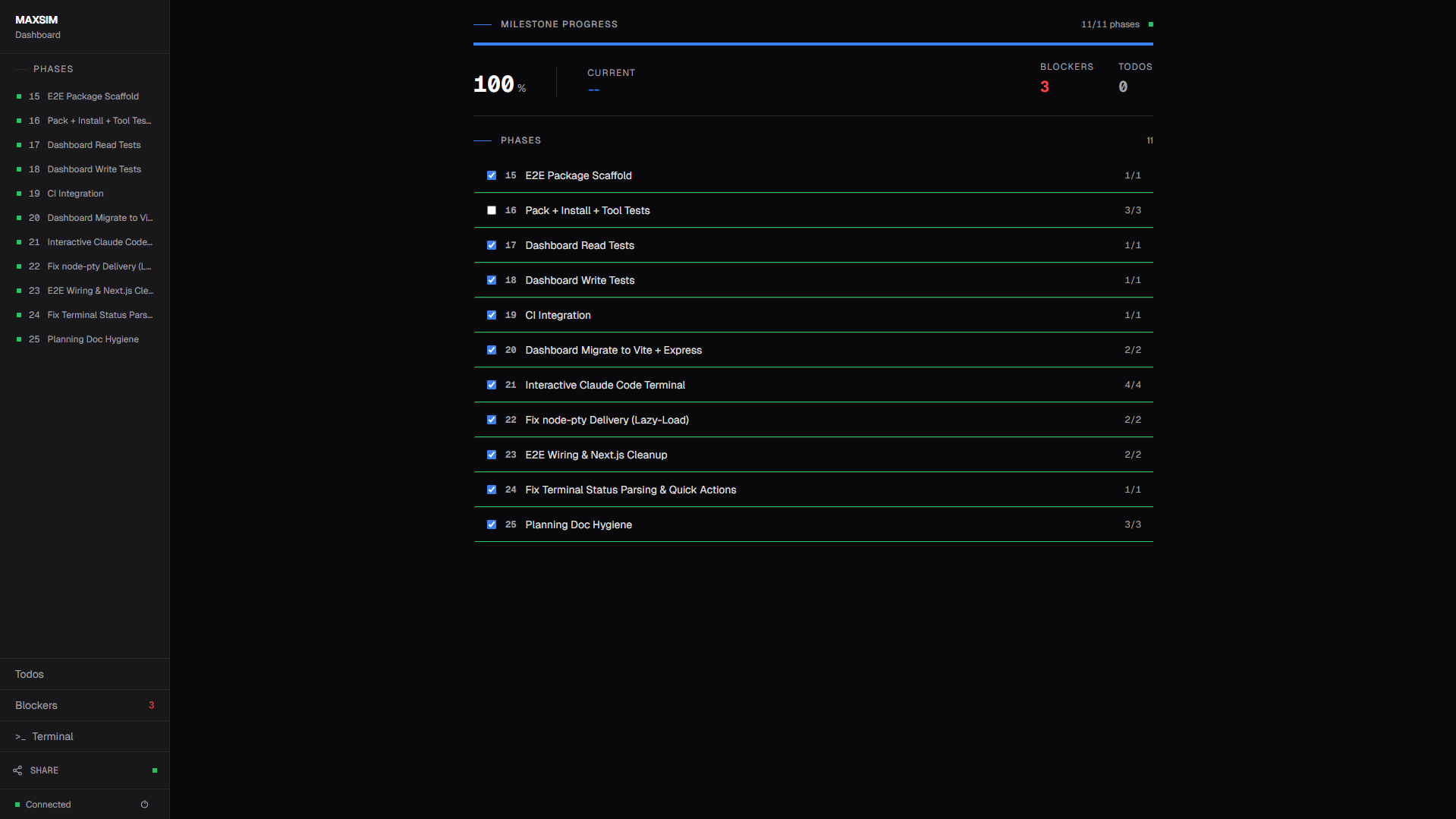
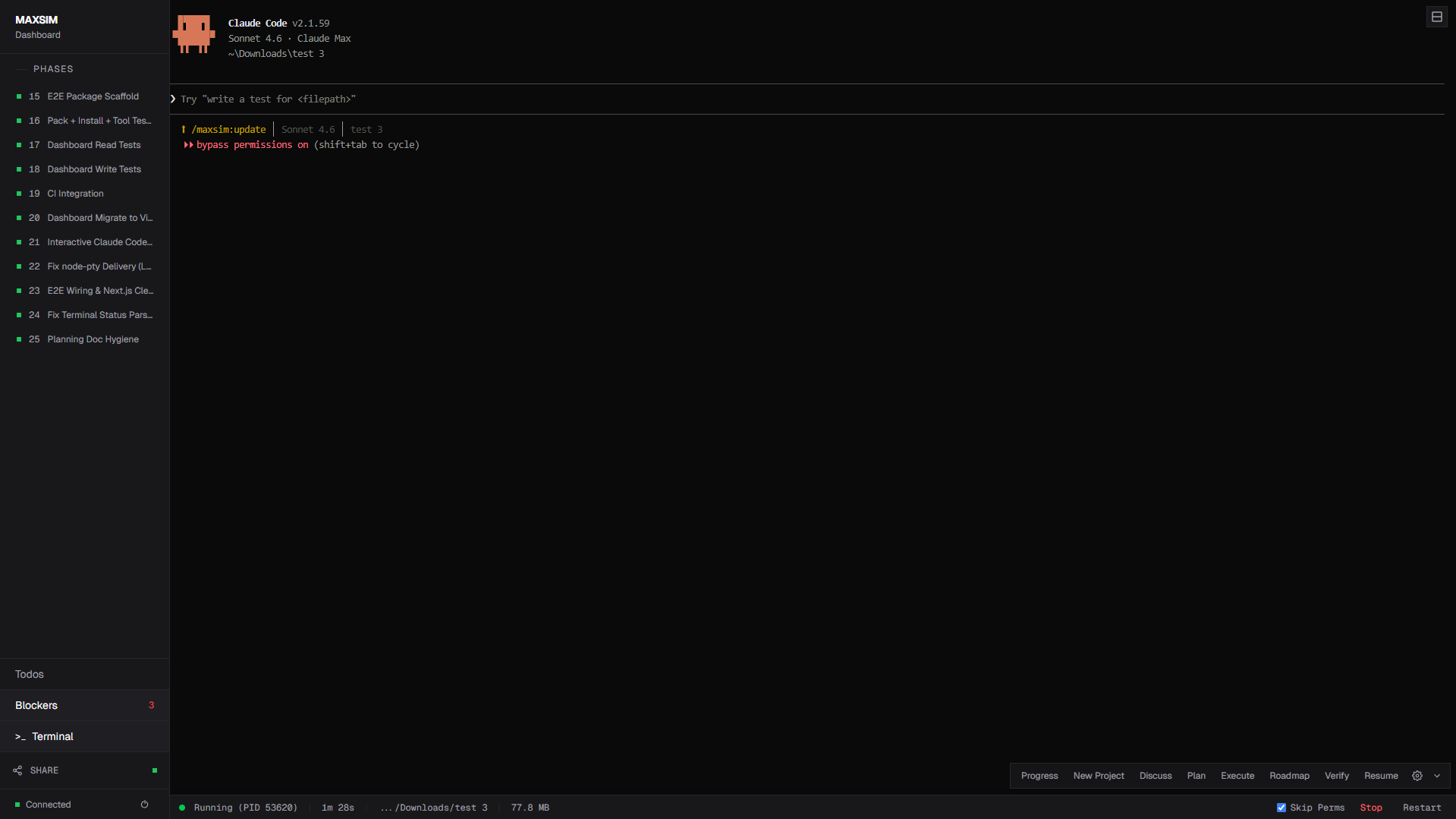
Real-time web dashboard — bundled inside the CLI, no separate setup needed.
|
|
156
|
+
|
|
157
|
+
- **Phase overview** — progress bars, milestone stats, completion percentage
|
|
158
|
+
- **Phase drill-down** — expand phases to see individual tasks with checkboxes
|
|
159
|
+
- **Inline Markdown editor** — edit plan files directly in the browser (CodeMirror, Ctrl+S)
|
|
160
|
+
- **Todos & Blockers** — manage todos and resolve blockers from STATE.md
|
|
161
|
+
- **Auto-launches** during `/maxsim:execute-phase` so you always have a live view
|
|
162
|
+
- **LAN sharing** — share with teammates on the same network
|
|
163
|
+
|
|
164
|
+
```bash
|
|
165
|
+
npx maxsimcli dashboard --network # LAN sharing + QR code
|
|
147
166
|
```
|
|
148
167
|
|
|
149
|
-
|
|
168
|
+
|
|
169
|
+
|
|
170
|
+
|
|
150
171
|
|
|
151
172
|
---
|
|
152
173
|
|
|
@@ -223,6 +244,38 @@ Loop **discuss → plan → execute → verify** until done. Archive the milesto
|
|
|
223
244
|
|
|
224
245
|
---
|
|
225
246
|
|
|
247
|
+
## Installation
|
|
248
|
+
|
|
249
|
+
```bash
|
|
250
|
+
npx maxsimcli@latest
|
|
251
|
+
```
|
|
252
|
+
|
|
253
|
+
The installer prompts you to choose:
|
|
254
|
+
1. **Runtime** — Claude Code, OpenCode, Gemini, Codex, or all
|
|
255
|
+
2. **Location** — Global (all projects) or local (current project only)
|
|
256
|
+
|
|
257
|
+
Verify with:
|
|
258
|
+
- Claude Code / Gemini: `/maxsim:help`
|
|
259
|
+
- OpenCode: `/maxsim-help`
|
|
260
|
+
- Codex: `$maxsim-help`
|
|
261
|
+
|
|
262
|
+
<details>
|
|
263
|
+
<summary><strong>Non-interactive Install (Docker, CI, Scripts)</strong></summary>
|
|
264
|
+
|
|
265
|
+
```bash
|
|
266
|
+
npx maxsimcli --claude --global # Claude Code → ~/.claude/
|
|
267
|
+
npx maxsimcli --opencode --global # OpenCode → ~/.config/opencode/
|
|
268
|
+
npx maxsimcli --gemini --global # Gemini CLI → ~/.gemini/
|
|
269
|
+
npx maxsimcli --codex --global # Codex → ~/.codex/
|
|
270
|
+
npx maxsimcli --all --global # All runtimes
|
|
271
|
+
```
|
|
272
|
+
|
|
273
|
+
Add `--local` instead of `--global` for project-scoped installs.
|
|
274
|
+
|
|
275
|
+
</details>
|
|
276
|
+
|
|
277
|
+
---
|
|
278
|
+
|
|
226
279
|
## Configuration
|
|
227
280
|
|
|
228
281
|
Project settings live in `.planning/config.json`, created during `/maxsim:new-project` or editable via `/maxsim:settings`.
|
|
@@ -297,7 +350,7 @@ MAXSIM installs three compiled hooks into Claude Code:
|
|
|
297
350
|
| `maxsim-context-monitor` | Warns when context window is running low (35% / 25% thresholds) |
|
|
298
351
|
| `maxsim-check-update` | Periodic npm update check with statusline notification |
|
|
299
352
|
|
|
300
|
-
The context bar
|
|
353
|
+
The context bar shows a 10-segment indicator that turns red and blinks above 95% — your signal to spawn a new session before quality degrades.
|
|
301
354
|
|
|
302
355
|
---
|
|
303
356
|
|
|
@@ -321,6 +374,18 @@ The context bar in the statusline shows a 10-segment progress indicator that tur
|
|
|
321
374
|
|
|
322
375
|
---
|
|
323
376
|
|
|
377
|
+
## Contributing
|
|
378
|
+
|
|
379
|
+
MAXSIM is open source and contributions are welcome.
|
|
380
|
+
|
|
381
|
+
- **Bug reports:** [Open an issue](https://github.com/maystudios/maxsimcli/issues)
|
|
382
|
+
- **Feature requests:** [Start a discussion](https://github.com/maystudios/maxsimcli/discussions)
|
|
383
|
+
- **PRs:** Fork, branch, and open a pull request — see [CLAUDE.md](CLAUDE.md) for architecture overview
|
|
384
|
+
|
|
385
|
+
The "runtime" for MAXSIM is the AI itself — commands are markdown prompts in `templates/`, not compiled code. If you want to improve a workflow or add a command, you're editing markdown.
|
|
386
|
+
|
|
387
|
+
---
|
|
388
|
+
|
|
324
389
|
## Acknowledgments
|
|
325
390
|
|
|
326
391
|
Inspired by [GSD (Get Shit Done)](https://github.com/gsd-build/get-shit-done).
|