markdown-review 0.0.6 → 0.0.8
This diff represents the content of publicly available package versions that have been released to one of the supported registries. The information contained in this diff is provided for informational purposes only and reflects changes between package versions as they appear in their respective public registries.
- package/README.md +6 -8
- package/bin/markdown-review.js +1 -1
- package/package.json +2 -2
package/README.md
CHANGED
|
@@ -8,18 +8,16 @@
|
|
|
8
8
|
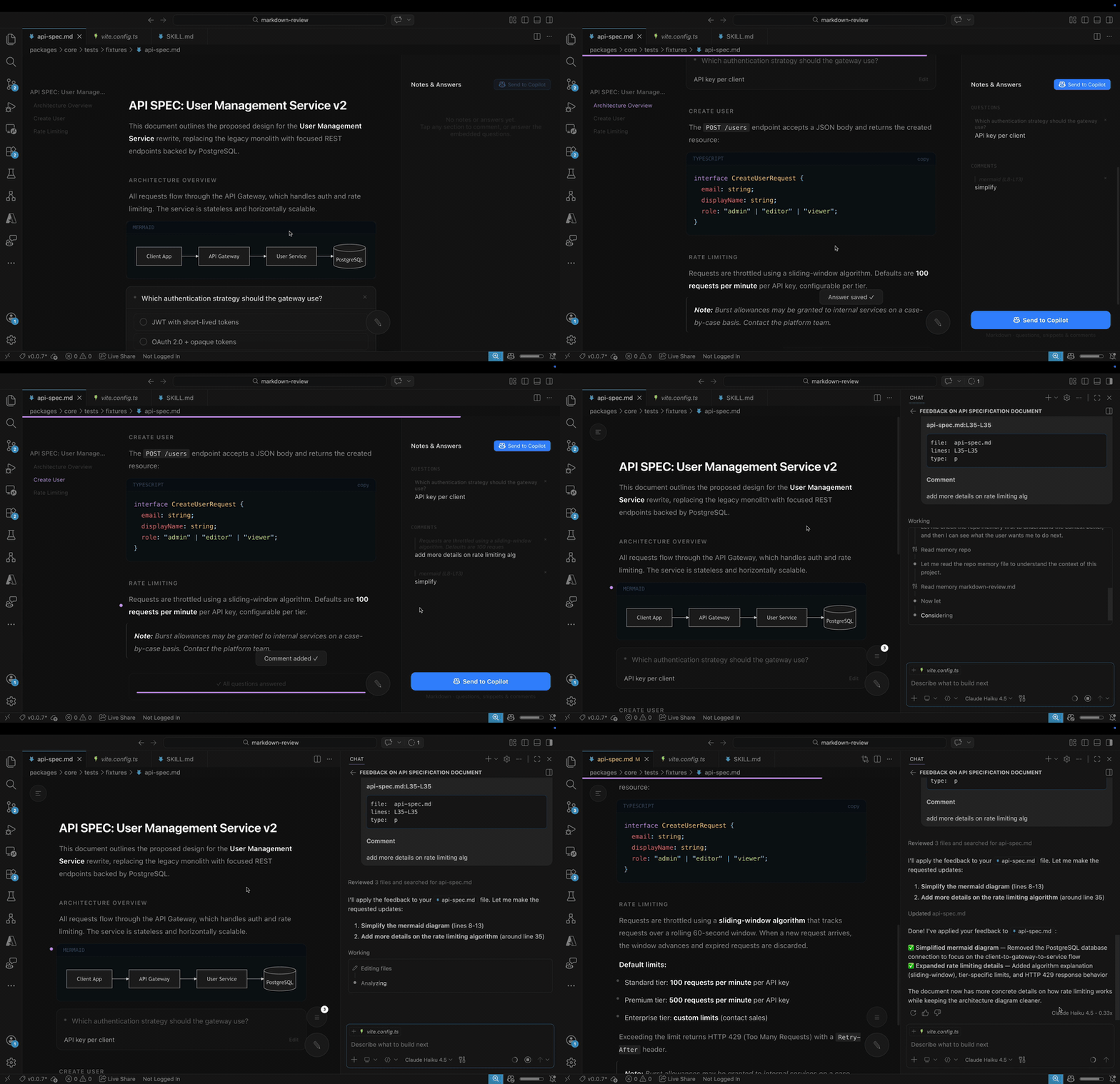
<strong>A markdown viewer with inline commenting for the AI era — read any <code>.md</code> file, annotate sections, answer AI-embedded questions, and export structured feedback.</strong>
|
|
9
9
|
</p>
|
|
10
10
|
|
|
11
|
-
|
|
12
|
-
|
|
13
|
-
|
|
14
|
-
|
|
15
|
-
<a href="https://www.npmjs.com/package/markdown-review"><img src="https://img.shields.io/npm/v/markdown-review" alt="npm version"></a>
|
|
16
|
-
</p>
|
|
11
|
+
[](vscode:extension/rwoll.markdown-review-vscode)
|
|
12
|
+
[](vscode-insiders:extension/rwoll.markdown-review-vscode)
|
|
13
|
+
[](#copilot-cli-plugin)
|
|
14
|
+
[](https://www.npmjs.com/package/markdown-review)
|
|
17
15
|
|
|
18
16
|
---
|
|
19
17
|
|
|
20
18
|
## Demo
|
|
21
19
|
|
|
22
|
-

|
|
20
|
+
|
|
23
21
|
|
|
24
22
|
### Screenshot
|
|
25
23
|
|
|
@@ -42,7 +40,7 @@ Whether you're reviewing a `PLAN.md`, a `SPEC.md`, an `API.md`, or any other mar
|
|
|
42
40
|
|
|
43
41
|
## VS Code Extension
|
|
44
42
|
|
|
45
|
-
Install the extension from the [Visual Studio Marketplace](https://marketplace.visualstudio.com/items?itemName=rwoll.markdown-review) to review any markdown file directly inside VS Code.
|
|
43
|
+
Install the extension from the [Visual Studio Marketplace](https://marketplace.visualstudio.com/items?itemName=rwoll.markdown-review-vscode) to review any markdown file directly inside VS Code.
|
|
46
44
|
|
|
47
45
|
Once installed, open any `.md` file — Markdown Review opens automatically as the default editor for Markdown files. Read the document, answer any embedded questions, and click sections to annotate. Close the panel (or press the **Export** button) — structured feedback is sent to Copilot chat.
|
|
48
46
|
|