maiass 5.12.2 → 5.12.9
This diff represents the content of publicly available package versions that have been released to one of the supported registries. The information contained in this diff is provided for informational purposes only and reflects changes between package versions as they appear in their respective public registries.
- package/README.md +46 -25
- package/lib/account-info.js +7 -2
- package/lib/ci-templates.js +13 -2
- package/maiass.mjs +1 -1
- package/package.json +2 -2
- package/templates/ci/bitbucket-pipelines-excerpt.yml +7 -4
- package/templates/ci/github-version-bump.yml +15 -9
- package/templates/ci/gitlab-ci-excerpt.yml +9 -6
package/README.md
CHANGED
|
@@ -1,7 +1,8 @@
|
|
|
1
1
|
|
|
2
2
|
|
|
3
|
-
#
|
|
4
|
-
|
|
3
|
+
# MAIASS
|
|
4
|
+
|
|
5
|
+
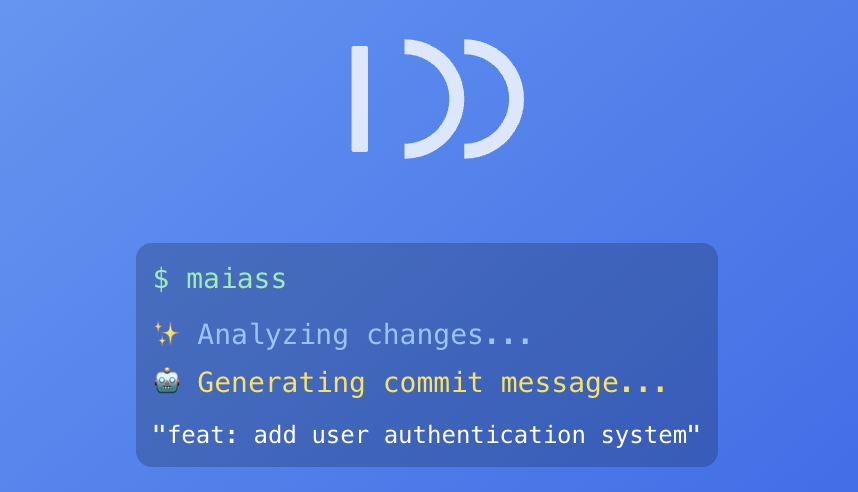
**AI commit messages, version bumps, and changelogs from one command.**
|
|
5
6
|
|
|
6
7
|
[](https://www.npmjs.com/package/maiass)
|
|
7
8
|
[](https://nodejs.org/)
|
|
@@ -9,23 +10,31 @@
|
|
|
9
10
|
|
|
10
11
|
---
|
|
11
12
|
|
|
12
|
-
|
|
13
|
+
Run `maiass` in any git repo and it stages your changes, writes the commit message, bumps the version, updates the changelog, and merges the branch. It's for developers who do this routine every day and want the keystrokes back. Anonymous on first run — no email, no card, no sign-up.
|
|
13
14
|
|
|
14
|
-
>
|
|
15
|
+
> Site: [maiass.net](https://maiass.net) · Bash/Homebrew source: [bashmaiass](https://github.com/vsmash/bashmaiass)
|
|
15
16
|
|
|
16
17
|
---
|
|
17
18
|
|
|
18
|
-
##
|
|
19
|
+
## Install
|
|
20
|
+
|
|
21
|
+
**npm — all platforms (primary):**
|
|
19
22
|
|
|
20
23
|
```bash
|
|
21
24
|
npm install -g maiass
|
|
22
25
|
```
|
|
23
26
|
|
|
24
|
-
|
|
27
|
+
**Homebrew — macOS:**
|
|
28
|
+
|
|
29
|
+
```bash
|
|
30
|
+
brew tap vsmash/maiass && brew install maiass
|
|
31
|
+
```
|
|
32
|
+
|
|
33
|
+
Requires Node.js 20+ for the npm install. Linux script install and other options are in the [docs](docs/setup.md).
|
|
25
34
|
|
|
26
35
|
---
|
|
27
36
|
|
|
28
|
-
## Quick
|
|
37
|
+
## Quick start
|
|
29
38
|
|
|
30
39
|
```bash
|
|
31
40
|
# First time in a project — run setup
|
|
@@ -47,29 +56,41 @@ maiass --dry-run patch
|
|
|
47
56
|
|
|
48
57
|
---
|
|
49
58
|
|
|
50
|
-
##
|
|
59
|
+
## CI auto-version-bump
|
|
51
60
|
|
|
52
|
-
|
|
53
|
-
|
|
54
|
-
To use a named account (for credit top-ups):
|
|
61
|
+
One flag installs a CI workflow that runs `maiass -a patch` every time a PR merges into your develop branch — so version bumps and changelog entries never get forgotten.
|
|
55
62
|
|
|
56
63
|
```bash
|
|
57
|
-
|
|
58
|
-
|
|
64
|
+
# GitHub Actions — writes .github/workflows/maiass-version-bump.yml
|
|
65
|
+
maiass --create-gh-action
|
|
59
66
|
|
|
60
|
-
|
|
67
|
+
# GitLab CI — prints a job stage to paste into .gitlab-ci.yml
|
|
68
|
+
maiass --show-gl-excerpt
|
|
61
69
|
|
|
62
|
-
|
|
63
|
-
|
|
64
|
-
MAIASS_AI_MODE=autosuggest # always use AI
|
|
65
|
-
MAIASS_AI_MODE=off # disable AI
|
|
70
|
+
# Bitbucket Pipelines — prints a step to paste into bitbucket-pipelines.yml
|
|
71
|
+
maiass --show-bb-excerpt
|
|
66
72
|
```
|
|
67
73
|
|
|
74
|
+
The installed workflow sets `MAIASS_AI_MODE=off`, so the bump runs at zero AI credit cost. Your configured `MAIASS_DEVELOPBRANCH` is baked into the trigger filter at install time. Full setup (PAT scopes for GitHub, double-bump guard for GitLab/Bitbucket) in [the workflow docs](docs/workflow.md#-ci-auto-version-bump-on-pr-merge).
|
|
75
|
+
|
|
68
76
|
---
|
|
69
77
|
|
|
70
|
-
##
|
|
78
|
+
## Anonymous by default
|
|
79
|
+
|
|
80
|
+
First run creates a subscription tied to a machine fingerprint — no email, no account, no card. When you need credits, top up at [maiass.net](https://maiass.net) or run `maiass --setup` to add an API key for a named account.
|
|
81
|
+
|
|
82
|
+
API keys live in OS-level secure storage (Keychain on macOS, Secret Service on Linux, encrypted local store on Windows), never in your repo. Commit diffs are sent to the proxy to generate the message and aren't stored — token counts, model, timestamp, and source IP are kept for billing and abuse prevention.
|
|
83
|
+
|
|
84
|
+
AI mode per project in `.env.maiass`: `ask` / `autosuggest` / `off`.
|
|
85
|
+
|
|
86
|
+
Run `maiass account-info` to see your subscription ID, credit balance, and top-up link.
|
|
87
|
+
|
|
88
|
+
---
|
|
89
|
+
|
|
90
|
+
## Key features
|
|
71
91
|
|
|
72
92
|
- **AI commit messages** — analyses your diff and suggests a structured commit message
|
|
93
|
+
- **CI auto-version-bump** — one flag installs a GitHub Actions, GitLab CI, or Bitbucket Pipelines workflow that bumps the version on every merge to your develop branch, at zero AI credit cost
|
|
73
94
|
- **Version management** — detects and bumps `package.json`, `composer.json`, `VERSION`, `.pbxproj` (Swift/Xcode), and more
|
|
74
95
|
- **Changelog generation** — user-facing `CHANGELOG.md` and internal developer changelog
|
|
75
96
|
- **Branch workflow** — feature → develop → staging → main with merge handling
|
|
@@ -131,7 +152,7 @@ MAIASS_DEBUG=true # verbose output
|
|
|
131
152
|
|
|
132
153
|
Issues and PRs welcome. See [docs/development.md](docs/development.md) to get started.
|
|
133
154
|
|
|
134
|
-
##
|
|
155
|
+
## Acknowledgments
|
|
135
156
|
|
|
136
157
|
- Git community for workflow inspiration
|
|
137
158
|
- All contributors and testers
|
|
@@ -140,11 +161,11 @@ Issues and PRs welcome. See [docs/development.md](docs/development.md) to get st
|
|
|
140
161
|
|
|
141
162
|
[GNU General Public License v3.0](LICENSE)
|
|
142
163
|
|
|
143
|
-
|
|
144
|
-
|
|
145
|
-
**Made with ❤️ for developers who want to automate versioning, changelogs, and commit messages.**
|
|
146
|
-
|
|
147
|
-
## 💸 Support MAIASS
|
|
164
|
+
## Support MAIASS
|
|
148
165
|
|
|
149
166
|
[](https://github.com/sponsors/vsmash)
|
|
150
167
|
[](https://ko-fi.com/myass)
|
|
168
|
+
|
|
169
|
+
---
|
|
170
|
+
|
|
171
|
+
<sub>MAIASS is a backronym for *Modular AI-Assisted Semantic Scribe*. It's also pronounced however you like.</sub>
|
package/lib/account-info.js
CHANGED
|
@@ -442,9 +442,14 @@ export async function handleAccountInfoCommand(options = {}) {
|
|
|
442
442
|
} else {
|
|
443
443
|
console.log(`Status: ${result.status || 'unknown'}`);
|
|
444
444
|
}
|
|
445
|
-
|
|
445
|
+
|
|
446
|
+
if (subscriptionId && subscriptionId.startsWith('sub_anon_')) {
|
|
447
|
+
const topupEndpoint = process.env.MAIASS_TOPUP_ENDPOINT || 'https://maiass.net/top-up';
|
|
448
|
+
console.log(`Top-up link: ${topupEndpoint}/${subscriptionId}`);
|
|
449
|
+
}
|
|
450
|
+
|
|
446
451
|
console.log('');
|
|
447
|
-
|
|
452
|
+
|
|
448
453
|
} catch (error) {
|
|
449
454
|
if (debugMode) {
|
|
450
455
|
log.debug(SYMBOLS.WARNING, `[MAIASS DEBUG] Account info error: ${error.stack || error.message}`);
|
package/lib/ci-templates.js
CHANGED
|
@@ -8,6 +8,17 @@ import { SYMBOLS } from './symbols.js';
|
|
|
8
8
|
const __dirname = path.dirname(fileURLToPath(import.meta.url));
|
|
9
9
|
const TEMPLATES_DIR = path.join(__dirname, '..', 'templates', 'ci');
|
|
10
10
|
|
|
11
|
+
// Read a template from disk and substitute placeholders for the user's configured
|
|
12
|
+
// branch names. The develop-branch trigger filter in GitHub Actions / GitLab CI /
|
|
13
|
+
// Bitbucket Pipelines must be a YAML literal — there is no runtime escape hatch —
|
|
14
|
+
// so we bake the value in at install time from MAIASS_DEVELOPBRANCH.
|
|
15
|
+
function renderTemplate(src) {
|
|
16
|
+
// .trim() guards against a stray newline or whitespace from a mis-quoted
|
|
17
|
+
// .env.maiass entry silently breaking the YAML trigger filter
|
|
18
|
+
const developBranch = (process.env.MAIASS_DEVELOPBRANCH || 'develop').trim() || 'develop';
|
|
19
|
+
return fs.readFileSync(src, 'utf8').replaceAll('__MAIASS_DEVELOPBRANCH__', developBranch);
|
|
20
|
+
}
|
|
21
|
+
|
|
11
22
|
/**
|
|
12
23
|
* Copy a CI template file to the target path in the current project.
|
|
13
24
|
* Creates intermediate directories if needed.
|
|
@@ -32,7 +43,7 @@ function copyTemplate(templateFile, targetPath, label) {
|
|
|
32
43
|
|
|
33
44
|
// Create parent directories (e.g. .github/workflows/)
|
|
34
45
|
fs.mkdirSync(path.dirname(targetPath), { recursive: true });
|
|
35
|
-
fs.
|
|
46
|
+
fs.writeFileSync(targetPath, renderTemplate(src));
|
|
36
47
|
|
|
37
48
|
console.log(colors.BGreen(`${SYMBOLS.CHECKMARK} Created ${targetPath}`));
|
|
38
49
|
console.log(colors.Gray(` ${label}`));
|
|
@@ -52,7 +63,7 @@ function showTemplate(templateFile, label) {
|
|
|
52
63
|
|
|
53
64
|
console.log(colors.BGreen(`\n${label}\n`));
|
|
54
65
|
console.log(colors.Gray('─'.repeat(60)));
|
|
55
|
-
console.log(
|
|
66
|
+
console.log(renderTemplate(src));
|
|
56
67
|
console.log(colors.Gray('─'.repeat(60)));
|
|
57
68
|
console.log(colors.Gray('Copy the above into your bitbucket-pipelines.yml\n'));
|
|
58
69
|
}
|
package/maiass.mjs
CHANGED
package/package.json
CHANGED
|
@@ -1,8 +1,8 @@
|
|
|
1
1
|
{
|
|
2
2
|
"name": "maiass",
|
|
3
3
|
"type": "module",
|
|
4
|
-
"version": "5.12.
|
|
5
|
-
"description": "AI commit
|
|
4
|
+
"version": "5.12.9",
|
|
5
|
+
"description": "AI commit messages, version bumps, and changelogs from one command. Stages, commits, merges, tags. Anonymous on first run — no email, no card.",
|
|
6
6
|
"main": "maiass.mjs",
|
|
7
7
|
"bin": {
|
|
8
8
|
"maiass": "./maiass.mjs",
|
|
@@ -11,17 +11,20 @@
|
|
|
11
11
|
# the last commit message. If it looks like a MAIASS version bump, it exits early.
|
|
12
12
|
#
|
|
13
13
|
# Setup:
|
|
14
|
-
# 1.
|
|
15
|
-
#
|
|
14
|
+
# 1. Set MAIASS_DEVELOPBRANCH in your .env.maiass if your develop branch
|
|
15
|
+
# isn't called 'develop', then run `maiass --show-bb-excerpt` to print
|
|
16
|
+
# this template with your branch name baked in (defaults to 'develop'
|
|
17
|
+
# when unset).
|
|
18
|
+
# 2. Merge the printed excerpt into your bitbucket-pipelines.yml (or use as-is)
|
|
19
|
+
# 3. In Bitbucket: Repository Settings → Pipelines → SSH Keys
|
|
16
20
|
# Add a key pair and grant write access, OR use an app password:
|
|
17
21
|
# - Create an app password with Repositories: Read & Write scope
|
|
18
22
|
# - Add it as a repository variable named BB_APP_PASSWORD (secured)
|
|
19
23
|
# - Add your Bitbucket username as BB_USERNAME
|
|
20
|
-
# 3. Set MAIASS_DEVELOPBRANCH in your .env.maiass if your branch isn't 'develop'
|
|
21
24
|
|
|
22
25
|
pipelines:
|
|
23
26
|
branches:
|
|
24
|
-
|
|
27
|
+
__MAIASS_DEVELOPBRANCH__:
|
|
25
28
|
- step:
|
|
26
29
|
name: MAIASS Version Bump
|
|
27
30
|
image: node:20
|
|
@@ -3,21 +3,27 @@
|
|
|
3
3
|
# What this does:
|
|
4
4
|
# When a pull request is merged into your develop branch, this workflow
|
|
5
5
|
# automatically runs `maiass -a patch` to bump the patch version, commit
|
|
6
|
-
# the change, and push it back
|
|
6
|
+
# the change, and push it back.
|
|
7
7
|
#
|
|
8
8
|
# Setup:
|
|
9
|
-
# 1.
|
|
9
|
+
# 1. Set MAIASS_DEVELOPBRANCH in your .env.maiass if your develop branch
|
|
10
|
+
# isn't called 'develop', then run `maiass --create-gh-action` so the
|
|
11
|
+
# branch name is baked into the installed workflow (defaults to 'develop'
|
|
12
|
+
# when unset).
|
|
10
13
|
# 2. Create a fine-grained Personal Access Token (PAT) with:
|
|
11
14
|
# - Contents: Read & Write
|
|
12
15
|
# - Metadata: Read-only
|
|
13
16
|
# - Workflows: Read & Write
|
|
14
17
|
# 3. Add the PAT as a repository secret named GH_PAT
|
|
15
|
-
# 4. Set MAIASS_DEVELOPBRANCH in your .env.maiass if your branch isn't 'develop'
|
|
16
18
|
#
|
|
17
19
|
# Notes:
|
|
18
|
-
# - AI is disabled (MAIASS_AI_MODE: off) so no credits are used
|
|
19
|
-
# - The
|
|
20
|
-
#
|
|
20
|
+
# - AI is disabled (MAIASS_AI_MODE: off) so no credits are used.
|
|
21
|
+
# - The branch name below is substituted at install time from
|
|
22
|
+
# MAIASS_DEVELOPBRANCH. GitHub Actions requires `on.pull_request.branches`
|
|
23
|
+
# to be a YAML literal, so it cannot be read from env at runtime. Edit
|
|
24
|
+
# this file manually only if you rename your develop branch after install.
|
|
25
|
+
# - maiass pulls the latest of that branch before bumping to prevent stale
|
|
26
|
+
# version conflicts.
|
|
21
27
|
|
|
22
28
|
name: Version Bump on PR Merge
|
|
23
29
|
|
|
@@ -25,7 +31,7 @@ on:
|
|
|
25
31
|
pull_request:
|
|
26
32
|
types: [closed]
|
|
27
33
|
branches:
|
|
28
|
-
-
|
|
34
|
+
- __MAIASS_DEVELOPBRANCH__
|
|
29
35
|
|
|
30
36
|
jobs:
|
|
31
37
|
bump-version:
|
|
@@ -57,8 +63,8 @@ jobs:
|
|
|
57
63
|
|
|
58
64
|
# Explicitly check out the develop branch head (the pull_request closed
|
|
59
65
|
# event checks out a merge ref, not the branch itself)
|
|
60
|
-
- name: Checkout
|
|
61
|
-
run: git checkout
|
|
66
|
+
- name: Checkout __MAIASS_DEVELOPBRANCH__
|
|
67
|
+
run: git checkout __MAIASS_DEVELOPBRANCH__
|
|
62
68
|
|
|
63
69
|
- name: Bump version
|
|
64
70
|
run: maiass -a patch
|
|
@@ -5,11 +5,14 @@
|
|
|
5
5
|
# (including merge requests). Bumps the patch version, commits, and pushes.
|
|
6
6
|
#
|
|
7
7
|
# Setup:
|
|
8
|
-
# 1.
|
|
9
|
-
#
|
|
10
|
-
#
|
|
11
|
-
#
|
|
12
|
-
#
|
|
8
|
+
# 1. Set MAIASS_DEVELOPBRANCH in your .env.maiass if your develop branch
|
|
9
|
+
# isn't called 'develop', then run `maiass --show-gl-excerpt` to print
|
|
10
|
+
# this template with your branch name baked in (defaults to 'develop'
|
|
11
|
+
# when unset).
|
|
12
|
+
# 2. Merge the printed excerpt into your existing .gitlab-ci.yml, or use it as-is
|
|
13
|
+
# 3. In GitLab: Settings → Repository → Protected branches → allow pipelines to push
|
|
14
|
+
# 4. Create a project access token or personal access token with write access
|
|
15
|
+
# 5. Add it as a CI/CD variable named GITLAB_TOKEN (masked, protected)
|
|
13
16
|
#
|
|
14
17
|
# Double-bump protection:
|
|
15
18
|
# The script checks the last commit author and skips if it was already made
|
|
@@ -22,7 +25,7 @@ maiass-version-bump:
|
|
|
22
25
|
stage: version
|
|
23
26
|
image: node:20
|
|
24
27
|
only:
|
|
25
|
-
-
|
|
28
|
+
- __MAIASS_DEVELOPBRANCH__
|
|
26
29
|
script:
|
|
27
30
|
# Skip if the last commit was already a version bump from this pipeline
|
|
28
31
|
- |
|