magic-glyphs 0.7.0 → 0.7.1
This diff represents the content of publicly available package versions that have been released to one of the supported registries. The information contained in this diff is provided for informational purposes only and reflects changes between package versions as they appear in their respective public registries.
- package/README.md +110 -87
- package/cli/index.js +3 -2
- package/data/index.json +1 -1
- package/docs/flutter.md +18 -0
- package/docs/jetpack-compose.md +21 -0
- package/docs/maker.md +64 -0
- package/docs/react-native.md +34 -0
- package/docs/react-vue.md +1 -1
- package/docs/swiftui.md +22 -0
- package/docs/tauri-rust.md +15 -0
- package/docs/windows.md +23 -0
- package/lib.js +4 -1
- package/package.json +37 -8
- package/shopify/magic-glyph.liquid +8 -6
- package/tools/native.js +208 -0
- package/web/magic-glyphs.all.js +3 -2
- package/web/runtime.js +3 -2
- package/wordpress/magic-glyphs/magic-glyphs.all.js +3 -2
- package/wordpress/magic-glyphs/magic-glyphs.php +18 -6
package/README.md
CHANGED
|
@@ -1,14 +1,15 @@
|
|
|
1
|
-
# Magic Glyphs
|
|
1
|
+
# Magic Glyphs: animated icons with sound
|
|
2
2
|
|
|
3
|
-
|
|
3
|
+
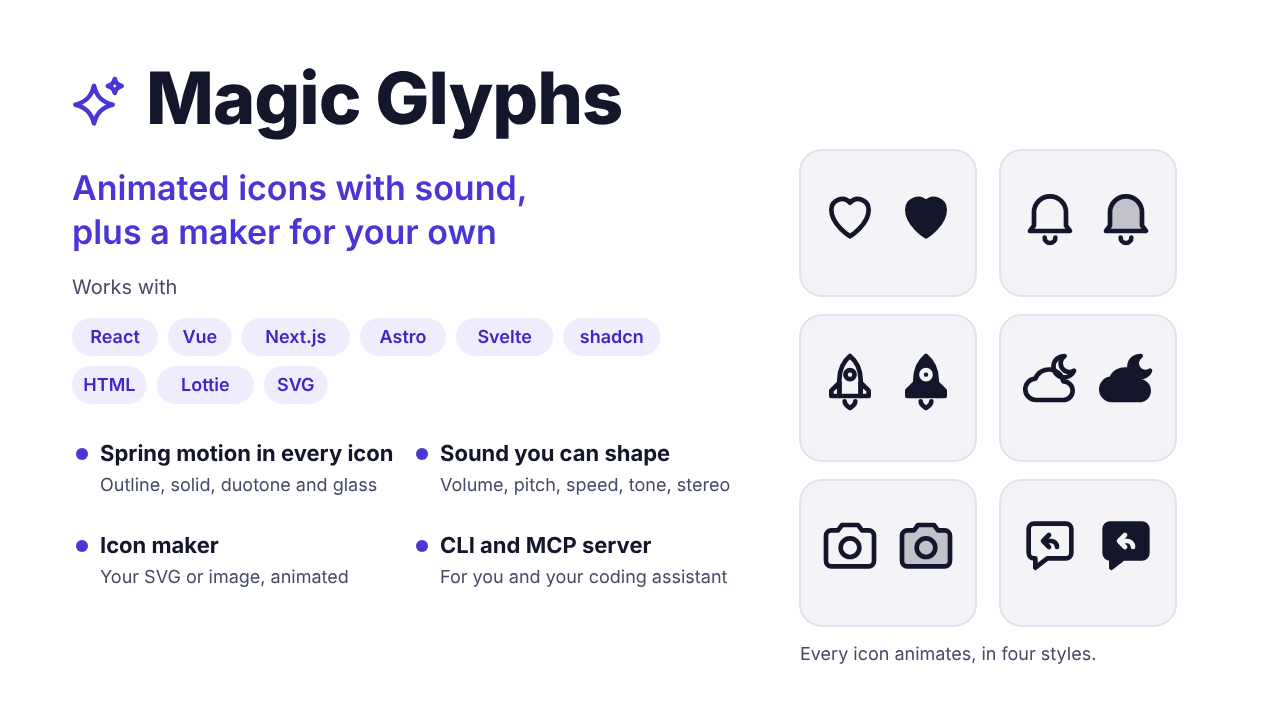
**An animated icon library for React, Next.js, Vue, Nuxt, Svelte, Astro, shadcn, plain HTML, WordPress, Shopify, React Native, SwiftUI, Jetpack Compose, Flutter, Windows and Tauri.** Every icon has its own spring animation and a short sound you can shape, in four styles: outline, solid, duotone and glass. It includes an icon maker that turns your own SVG or image into an animated icon, a command line tool, and an MCP server so coding assistants can insert icons for you.
|
|
4
4
|
|
|
5
|
-
|
|
6
6
|
|
|
7
|
-
|
|
7
|
+
**[Live demo, docs and free icon browser →](https://magic-glyphs-site.lewisvillamor26.workers.dev)**
|
|
8
8
|
|
|
9
|
-
**
|
|
10
|
-
|
|
11
|
-
|
|
9
|
+
- **120 free icons** in this package, free for personal and commercial use.
|
|
10
|
+
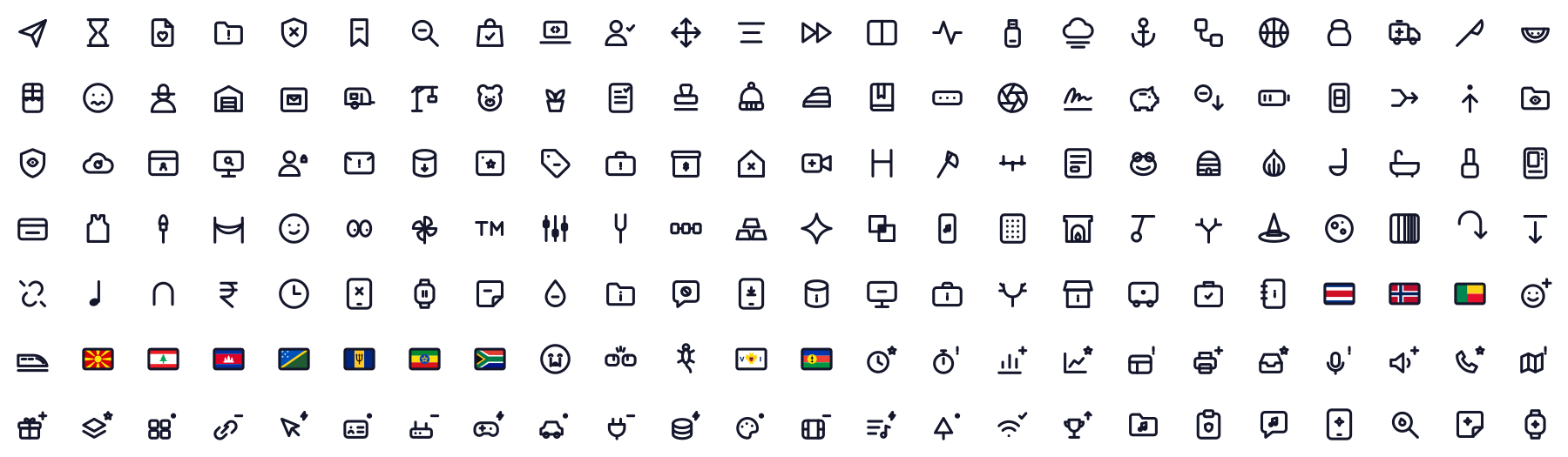
- **3,900+ icons** in the full library with a licence key: interface, arrows, files, commerce, devices, media, food, nature, people, travel and flags.
|
|
11
|
+
- **Tiny:** 8.5 KB compressed for the code that draws, animates and plays every icon, about 0.2 KB per icon, and no browser dependencies.
|
|
12
|
+
- **Accessible:** respects reduced motion, takes an accessible label, and sound is easy to mute.
|
|
12
13
|
|
|
13
14
|
## Install
|
|
14
15
|
|
|
@@ -16,46 +17,67 @@ This package includes **120 free icons**. A licence key unlocks the full library
|
|
|
16
17
|
npm install magic-glyphs
|
|
17
18
|
```
|
|
18
19
|
|
|
19
|
-
|
|
20
|
+
The command line tool needs Node.js 18 or later. The browser code has no dependencies.
|
|
20
21
|
|
|
21
22
|
## Quick start
|
|
22
23
|
|
|
23
|
-
###
|
|
24
|
+
### HTML, no build step
|
|
24
25
|
|
|
25
26
|
```html
|
|
26
|
-
<script src="
|
|
27
|
+
<script src="https://unpkg.com/magic-glyphs/web/magic-glyphs.all.js" defer></script>
|
|
27
28
|
|
|
28
29
|
<magic-glyph name="heart"></magic-glyph>
|
|
29
30
|
<magic-glyph name="bell" variant="duotone" size="32" sound></magic-glyph>
|
|
31
|
+
<magic-glyphs-sound-toggle></magic-glyphs-sound-toggle> <!-- a mute switch for visitors -->
|
|
30
32
|
```
|
|
31
33
|
|
|
32
|
-
|
|
34
|
+
Works the same in Astro, Svelte, SvelteKit, Angular, Solid, Lit, WordPress (plugin included) and Shopify (snippet included). Icons take the text colour, so Tailwind classes like `text-rose-500` work.
|
|
33
35
|
|
|
34
|
-
|
|
35
|
-
import { MagicGlyph, register } from 'magic-glyphs/react';
|
|
36
|
-
import icons from 'magic-glyphs/icons.json';
|
|
36
|
+
### React and Next.js
|
|
37
37
|
|
|
38
|
-
|
|
38
|
+
```bash
|
|
39
|
+
npx magic-glyphs add heart bell --format react --out src/icons
|
|
40
|
+
```
|
|
39
41
|
|
|
40
|
-
|
|
41
|
-
|
|
42
|
-
|
|
42
|
+
```tsx
|
|
43
|
+
import HeartGlyph from './icons/HeartGlyph';
|
|
44
|
+
|
|
45
|
+
<HeartGlyph size={24} label="Like" sound soundOptions={{ pitch: 2 }} />
|
|
43
46
|
```
|
|
44
47
|
|
|
45
|
-
|
|
48
|
+
Components are typed in TypeScript projects and marked `'use client'`, so they work inside Next.js server components.
|
|
49
|
+
|
|
50
|
+
### Vue and Nuxt
|
|
51
|
+
|
|
52
|
+
```bash
|
|
53
|
+
npx magic-glyphs add heart bell --format vue --out components
|
|
54
|
+
```
|
|
46
55
|
|
|
47
56
|
```vue
|
|
48
|
-
<
|
|
49
|
-
|
|
50
|
-
|
|
51
|
-
|
|
52
|
-
|
|
53
|
-
|
|
54
|
-
|
|
55
|
-
|
|
56
|
-
</template>
|
|
57
|
+
<HeartGlyph :size="24" label="Like" />
|
|
58
|
+
```
|
|
59
|
+
|
|
60
|
+
### shadcn
|
|
61
|
+
|
|
62
|
+
```bash
|
|
63
|
+
npx magic-glyphs shadcn
|
|
64
|
+
npx shadcn@latest add @magic-glyphs/heart
|
|
57
65
|
```
|
|
58
66
|
|
|
67
|
+
### React Native, SwiftUI, Jetpack Compose, Flutter, Windows
|
|
68
|
+
|
|
69
|
+
One ready-to-use component file per icon, with the animation built in and its sound as a WAV file:
|
|
70
|
+
|
|
71
|
+
```bash
|
|
72
|
+
npx magic-glyphs add heart --format react-native --sound # or swiftui, compose, flutter, winui
|
|
73
|
+
```
|
|
74
|
+
|
|
75
|
+
Lottie files are also available with `--format lottie` for any Lottie player.
|
|
76
|
+
|
|
77
|
+
### Tauri and other web-view apps
|
|
78
|
+
|
|
79
|
+
Use the HTML, React, Vue or Svelte setup above: Tauri, Dioxus and Leptos draw their interface in a web view.
|
|
80
|
+
|
|
59
81
|
## Options
|
|
60
82
|
|
|
61
83
|
| Attribute | Values | Default |
|
|
@@ -64,7 +86,7 @@ register(icons);
|
|
|
64
86
|
| `variant` | `outline`, `solid`, `duotone`, `glass` | `outline` |
|
|
65
87
|
| `size` | Pixels | `24` |
|
|
66
88
|
| `trigger` | `hover`, `click`, `load`, `visible`, `none` | `hover` |
|
|
67
|
-
| `sound` | Present
|
|
89
|
+
| `sound` | Present to play the icon's sound; `off` to keep an icon silent | off |
|
|
68
90
|
| `label` | Accessible name; leave out for decorative icons | none |
|
|
69
91
|
|
|
70
92
|
Icons take their colour from CSS `color`. Three CSS variables tune the other styles:
|
|
@@ -78,39 +100,55 @@ Icons take their colour from CSS `color`. Three CSS variables tune the other sty
|
|
|
78
100
|
}
|
|
79
101
|
```
|
|
80
102
|
|
|
103
|
+
## Sound
|
|
104
|
+
|
|
105
|
+
Every icon has a short synthesized sound matched to its motion, panned left or right by where the icon sits on screen. All sounds are levelled to the same loudness. Shape any icon's sound:
|
|
106
|
+
|
|
107
|
+
```html
|
|
108
|
+
<magic-glyph name="bell" sound sound-pitch="-3" sound-speed="1.2" sound-tone="-0.4"></magic-glyph>
|
|
109
|
+
```
|
|
110
|
+
|
|
111
|
+
| Setting | Range |
|
|
112
|
+
|---|---|
|
|
113
|
+
| `sound-name` | any of the 39 sounds |
|
|
114
|
+
| `sound-volume` | 0 to 2 |
|
|
115
|
+
| `sound-pitch` | -12 to 12 semitones |
|
|
116
|
+
| `sound-speed` | 0.5 to 2 |
|
|
117
|
+
| `sound-tone` | -1 (softer) to 1 (brighter) |
|
|
118
|
+
| `sound-pan` | 0 (centred) to 1 (follows the icon) |
|
|
119
|
+
| `sound-delay` | milliseconds, or `auto` to line impact sounds up with the motion |
|
|
120
|
+
|
|
121
|
+
In React and Vue, use `soundOptions`. Browsers allow audio only after the visitor's first click or key press. [Hear every sound.](https://magic-glyphs-site.lewisvillamor26.workers.dev/docs/sound/)
|
|
122
|
+
|
|
123
|
+
## Icon maker
|
|
124
|
+
|
|
125
|
+
Paid licences include the **[icon maker](https://magic-glyphs-site.lewisvillamor26.workers.dev/maker/)**. Upload an SVG, paste SVG code, or drop in a PNG or JPG logo to trace it, or remix any library icon. It is fitted to the grid in the same line style. Choose a motion (pop, bounce, drop in, wiggle, swing, spin, slide, shake, float, pulse, tilt), shape its sound, and export SVG, React, Vue, HTML, Lottie, WAV or icon data. Your own icons then work everywhere the library does:
|
|
126
|
+
|
|
127
|
+
```bash
|
|
128
|
+
npx magic-glyphs add my-logo --from my-icons/ --format react
|
|
129
|
+
```
|
|
130
|
+
|
|
81
131
|
## Command line tool
|
|
82
132
|
|
|
83
133
|
```bash
|
|
84
134
|
npx magic-glyphs search shopping cart # find icons
|
|
85
135
|
npx magic-glyphs list --free # the free set
|
|
86
136
|
npx magic-glyphs add heart bell --format react --out src/icons
|
|
87
|
-
npx magic-glyphs add rocket --format lottie --
|
|
137
|
+
npx magic-glyphs add rocket --format lottie --sound
|
|
88
138
|
npx magic-glyphs bundle heart bell --out public/magic-glyphs.js
|
|
89
139
|
npx magic-glyphs static --out public/icons # plain SVG files and sprites
|
|
140
|
+
npx magic-glyphs update # newer version and new icons
|
|
90
141
|
```
|
|
91
142
|
|
|
92
|
-
Formats for `add`: `svg`, `react`, `vue`, `html`, `
|
|
93
|
-
|
|
94
|
-
## Sound
|
|
95
|
-
|
|
96
|
-
Every icon has a short synthesized sound that matches its motion, placed left or right in stereo by where the icon sits on screen. It is off unless you ask for it.
|
|
143
|
+
Formats for `add`: `svg`, `react`, `vue`, `html`, `json`, `lottie`, `wav`, `react-native`, `swiftui`, `compose`, `flutter`, `winui`.
|
|
97
144
|
|
|
98
|
-
|
|
99
|
-
<magic-glyph name="bell" sound></magic-glyph>
|
|
100
|
-
<script>MagicGlyphs.sound.enable(true); MagicGlyphs.sound.volume(0.4);</script>
|
|
101
|
-
```
|
|
145
|
+
## MCP server for coding assistants
|
|
102
146
|
|
|
103
|
-
|
|
104
|
-
|
|
105
|
-
```html
|
|
106
|
-
<magic-glyph name="bell" sound sound-pitch="-3" sound-tone="-0.4"></magic-glyph>
|
|
147
|
+
```bash
|
|
148
|
+
npx -y magic-glyphs-mcp
|
|
107
149
|
```
|
|
108
150
|
|
|
109
|
-
|
|
110
|
-
|
|
111
|
-
## Icon maker
|
|
112
|
-
|
|
113
|
-
Paid licences include the **[icon maker](https://magic-glyphs-site.lewisvillamor26.workers.dev/maker/)**: upload your own SVG (or remix any library icon), and it is fitted to the grid in the same line style. Choose a motion and shape its sound, then export SVG, React, Vue, HTML, Lottie or icon data.
|
|
151
|
+
Lets Claude, Cursor and other MCP clients search the library and insert icons in your project's format. It lives in the separate [`magic-glyphs-mcp`](https://www.npmjs.com/package/magic-glyphs-mcp) package so the icon package stays small.
|
|
114
152
|
|
|
115
153
|
## The full library
|
|
116
154
|
|
|
@@ -118,61 +156,46 @@ Paid licences include the **[icon maker](https://magic-glyphs-site.lewisvillamor
|
|
|
118
156
|
npx magic-glyphs login YOUR-LICENCE-KEY
|
|
119
157
|
```
|
|
120
158
|
|
|
121
|
-
Buy a licence at **[magicscraper.gumroad.com/l/vjaxbp](https://magicscraper.gumroad.com/l/vjaxbp)**.
|
|
159
|
+
Buy a licence at **[magicscraper.gumroad.com/l/vjaxbp](https://magicscraper.gumroad.com/l/vjaxbp)**. `login` checks the purchase and downloads every icon to your computer; every command above then works with the whole library. Plans: Personal (1 person, 3 devices), Team (10 people, 20 devices), Business (50 people, 100 devices). For CI, `npx magic-glyphs build-key` makes a key that does not use a device.
|
|
122
160
|
|
|
123
161
|
|
|
124
162
|
|
|
125
|
-
A licence works on a set number of devices (Personal 3, Team 20, Business 100). Devices unused for 30 days free themselves, and `npx magic-glyphs logout` frees one at once. For CI and build servers, run `npx magic-glyphs build-key` once, store the key as `MAGIC_GLYPHS_KEY`, and run `npx magic-glyphs sync` in the build. `npx magic-glyphs update` fetches icons added later.
|
|
126
|
-
|
|
127
163
|
## Where it works
|
|
128
164
|
|
|
129
|
-
| Platform | How |
|
|
130
|
-
|
|
131
|
-
| HTML,
|
|
132
|
-
| React, Next.js | `magic-glyphs/react
|
|
133
|
-
|
|
|
134
|
-
| Astro, Svelte,
|
|
135
|
-
|
|
|
136
|
-
| WordPress |
|
|
137
|
-
| Shopify |
|
|
138
|
-
|
|
|
139
|
-
|
|
|
140
|
-
|
|
|
165
|
+
| Platform | How | Tested |
|
|
166
|
+
|---|---|---|
|
|
167
|
+
| HTML, JavaScript, no build step | `<magic-glyph>` tag | yes |
|
|
168
|
+
| React, Next.js | `magic-glyphs/react`, generated components | Vite + TypeScript, Next.js App Router |
|
|
169
|
+
| Vue, Nuxt | `magic-glyphs/vue`, generated components | Vite + TypeScript, Nuxt 4 |
|
|
170
|
+
| Astro, Svelte, Tailwind CSS | `<magic-glyph>` tag | Astro 5, Svelte 5 + Tailwind 4 |
|
|
171
|
+
| shadcn | official registry | shadcn 4 |
|
|
172
|
+
| WordPress | plugin in `wordpress/` | PHP checked |
|
|
173
|
+
| Shopify | snippet in `shopify/` | |
|
|
174
|
+
| React Native | `--format react-native` | type-checked |
|
|
175
|
+
| SwiftUI, Jetpack Compose, Flutter, Windows (WinUI) | `--format swiftui`, `compose`, `flutter`, `winui` | not yet on devices |
|
|
176
|
+
| Tauri, Dioxus, Leptos | web setup | |
|
|
177
|
+
| Any Lottie player | `--format lottie` | checked against an independent renderer |
|
|
178
|
+
| Coding assistants | `magic-glyphs-mcp` | yes |
|
|
141
179
|
|
|
142
180
|
## Limitations
|
|
143
181
|
|
|
144
|
-
- **
|
|
145
|
-
- **
|
|
146
|
-
- **
|
|
147
|
-
- **
|
|
148
|
-
- **Flags** are simplified to fit a small grid.
|
|
149
|
-
- **
|
|
150
|
-
- **Reduced motion:** when a visitor's device asks for reduced motion, icons do not animate.
|
|
151
|
-
- **Seats and devices:** the number of people on a plan is not checked; the number of devices is.
|
|
152
|
-
- **Icon maker:** SVG text must be converted to outlines first, and stroke widths are replaced by the library's line weight. PNG, JPG and WebP tracing (beta) suits simple, high-contrast artwork, not photos.
|
|
182
|
+
- **Native app components** (SwiftUI, Compose, Flutter, WinUI) are generated from the tested Lottie export but have not yet been run on devices.
|
|
183
|
+
- **Sound in native apps** comes as a separate `.wav` file; Lottie and static SVG themselves are silent.
|
|
184
|
+
- **Glass style** is not available in Lottie, native or static SVG exports.
|
|
185
|
+
- **Icon maker:** SVG text must be converted to outlines first, and stroke widths are replaced by the library's line weight. Image tracing (beta) suits simple, high-contrast artwork, not photos.
|
|
186
|
+
- **Flags** are simplified to fit a small grid.
|
|
187
|
+
- **Reduced motion:** when a device asks for reduced motion, icons do not animate.
|
|
153
188
|
|
|
154
189
|
## Licence
|
|
155
190
|
|
|
156
191
|
- **Free icons:** use them in any personal or commercial project, no attribution needed.
|
|
157
|
-
- **Paid icons:** one-time purchase
|
|
192
|
+
- **Paid icons:** one-time purchase for the people and devices in your plan.
|
|
158
193
|
- **Not allowed:** reselling or redistributing the icons as icons, publishing the paid icons where others can download them, or using them to train or build icon generators.
|
|
159
194
|
|
|
160
|
-
The full terms are in [`LICENSE.md`](https://unpkg.com/magic-glyphs/LICENSE.md)
|
|
195
|
+
The full terms are in [`LICENSE.md`](https://unpkg.com/magic-glyphs/LICENSE.md).
|
|
161
196
|
|
|
162
197
|
## Guides
|
|
163
198
|
|
|
164
|
-
|
|
165
|
-
|
|
166
|
-
| Guide | For |
|
|
167
|
-
|---|---|
|
|
168
|
-
| [Getting started](https://unpkg.com/magic-glyphs/docs/getting-started.md) | Choosing the right install for your project |
|
|
169
|
-
| [Web](https://unpkg.com/magic-glyphs/docs/web.md) | HTML, Angular, WordPress, Shopify, sound |
|
|
170
|
-
| [React and Vue](https://unpkg.com/magic-glyphs/docs/react-vue.md) | Components and per-icon files |
|
|
171
|
-
| [Native through Lottie](https://unpkg.com/magic-glyphs/docs/native-lottie.md) | iOS, macOS, Android, Windows, Flutter |
|
|
172
|
-
| [Theming](https://unpkg.com/magic-glyphs/docs/theming.md) | Colours and the four styles |
|
|
173
|
-
| [Static SVG](https://unpkg.com/magic-glyphs/docs/static.md) | Files and sprites with no JavaScript |
|
|
174
|
-
| [Command line tool](https://unpkg.com/magic-glyphs/docs/cli.md) | Every command and option |
|
|
175
|
-
| [Licence keys](https://unpkg.com/magic-glyphs/docs/licence.md) | Logging in, build servers |
|
|
176
|
-
| [Data format](https://unpkg.com/magic-glyphs/docs/data-format.md) | For writing your own renderer |
|
|
199
|
+
[Getting started](https://magic-glyphs-site.lewisvillamor26.workers.dev/docs/getting-started/) · [HTML, WordPress, Shopify](https://magic-glyphs-site.lewisvillamor26.workers.dev/docs/web/) · [React, Next.js, Vue, Nuxt](https://magic-glyphs-site.lewisvillamor26.workers.dev/docs/react-vue/) · [shadcn](https://magic-glyphs-site.lewisvillamor26.workers.dev/docs/shadcn/) · [Astro, Svelte, Tailwind](https://magic-glyphs-site.lewisvillamor26.workers.dev/docs/frameworks/) · [React Native](https://magic-glyphs-site.lewisvillamor26.workers.dev/docs/react-native/) · [SwiftUI](https://magic-glyphs-site.lewisvillamor26.workers.dev/docs/swiftui/) · [Jetpack Compose](https://magic-glyphs-site.lewisvillamor26.workers.dev/docs/jetpack-compose/) · [Flutter](https://magic-glyphs-site.lewisvillamor26.workers.dev/docs/flutter/) · [Windows](https://magic-glyphs-site.lewisvillamor26.workers.dev/docs/windows/) · [Tauri and Rust](https://magic-glyphs-site.lewisvillamor26.workers.dev/docs/tauri-rust/) · [Sound](https://magic-glyphs-site.lewisvillamor26.workers.dev/docs/sound/) · [CLI](https://magic-glyphs-site.lewisvillamor26.workers.dev/docs/cli/) · [MCP](https://magic-glyphs-site.lewisvillamor26.workers.dev/docs/mcp/)
|
|
177
200
|
|
|
178
201
|
Made by Lewis John Villamor.
|
package/cli/index.js
CHANGED
|
@@ -23,6 +23,7 @@ Usage
|
|
|
23
23
|
|
|
24
24
|
Options for add
|
|
25
25
|
--format <f> svg (default) | lottie | react | vue | json | html | wav (the icon's sound)
|
|
26
|
+
react-native | swiftui | compose | flutter | winui (one ready-to-use component file)
|
|
26
27
|
--sound with --format lottie, also write each icon's sound as a .wav file
|
|
27
28
|
--style <s> outline (default) | solid | duotone | glass
|
|
28
29
|
--out <dir> where to write (default ./magic-glyphs)
|
|
@@ -102,8 +103,8 @@ try{
|
|
|
102
103
|
if(opt.size&&!(+opt.size>0))fail('--size must be a positive number.');
|
|
103
104
|
for(const k of ['color','secondary','background'])if(opt[k]&&!/^#([0-9a-f]{3}|[0-9a-f]{6})$/i.test(opt[k])&&!(format==='svg'&&/^[a-z]+$/i.test(opt[k])))fail('--'+k+' must be a hex colour such as #2747f5.');
|
|
104
105
|
// wav: the icon's sound as an audio file, for native apps (Lottie and static exports are silent); --sound adds one next to each Lottie file
|
|
105
|
-
if(format==='wav'||(
|
|
106
|
-
(async()=>{const files=[];for(const n of names){if(format
|
|
106
|
+
if(format==='wav'||(['lottie','react-native','swiftui','compose','flutter','winui'].includes(format)&&opt.sound)){if(opt.stdout)fail('Audio cannot be printed; use --out.');const A=require('../tools/audio.js'),dir=path.resolve(opt.out||'magic-glyphs');
|
|
107
|
+
(async()=>{const files=[];for(const n of names){if(format!=='wav')files.push(L.render(n,format,o));const ic=L.byName.get(n);if(!ic.s){if(format==='wav')console.log(n+' has no sound; skipped.');continue}
|
|
107
108
|
files.push({file:n+'.wav',data:await A.wav(L.MG,n)})}
|
|
108
109
|
if(!opt['dry-run']){fs.mkdirSync(dir,{recursive:true});files.forEach(f=>fs.writeFileSync(path.join(dir,f.file),f.data||f.text))}
|
|
109
110
|
console.log((opt['dry-run']?'Would write ':'Wrote ')+files.length+' file'+(files.length===1?'':'s')+' to '+dir+(files.length<=6?': '+files.map(f=>f.file).join(', '):''))})().catch(e=>fail(e.message));return}
|