linecraft 0.2.0 → 0.2.1
This diff represents the content of publicly available package versions that have been released to one of the supported registries. The information contained in this diff is provided for informational purposes only and reflects changes between package versions as they appear in their respective public registries.
- package/README.md +31 -7
- package/package.json +5 -1
package/README.md
CHANGED
|
@@ -41,6 +41,30 @@ r.set(
|
|
|
41
41
|
r.destroy(true);
|
|
42
42
|
```
|
|
43
43
|
|
|
44
|
+
## Performance
|
|
45
|
+
|
|
46
|
+
Linecraft is built for high-performance terminal rendering from Node.js. The renderer includes several optimizations to minimize terminal updates and CPU usage:
|
|
47
|
+
|
|
48
|
+
### Frame Diffing
|
|
49
|
+
Only updates lines that actually changed. Unchanged lines are skipped entirely, reducing terminal writes by up to 90% for static content.
|
|
50
|
+
|
|
51
|
+
### Render Throttling
|
|
52
|
+
Uses high-resolution timing (`process.hrtime.bigint()`) to limit frame rate (default: 30 FPS). Prevents excessive rendering during rapid updates while maintaining smooth animations.
|
|
53
|
+
|
|
54
|
+
### Batched ANSI Operations
|
|
55
|
+
All ANSI escape sequences are batched into a single `stdout.write()` call per frame, minimizing syscalls and improving throughput.
|
|
56
|
+
|
|
57
|
+
### Efficient Cursor Movement
|
|
58
|
+
Optimized ANSI cursor positioning that only moves when necessary. The renderer tracks viewport state to avoid redundant cursor movements.
|
|
59
|
+
|
|
60
|
+
### Viewport Management
|
|
61
|
+
Only renders visible lines within the terminal viewport. Content that extends beyond the viewport is efficiently managed without unnecessary rendering.
|
|
62
|
+
|
|
63
|
+
### Auto-Wrap Disabled
|
|
64
|
+
Disables terminal auto-wrap to prevent unwanted line breaks, ensuring precise control over terminal output layout.
|
|
65
|
+
|
|
66
|
+
These optimizations make Linecraft suitable for real-time terminal UIs, progress displays, and animated components without overwhelming the terminal or consuming excessive CPU.
|
|
67
|
+
|
|
44
68
|
## Core API
|
|
45
69
|
|
|
46
70
|
### Region
|
|
@@ -103,7 +127,7 @@ r.set(Styled({
|
|
|
103
127
|
|
|
104
128
|
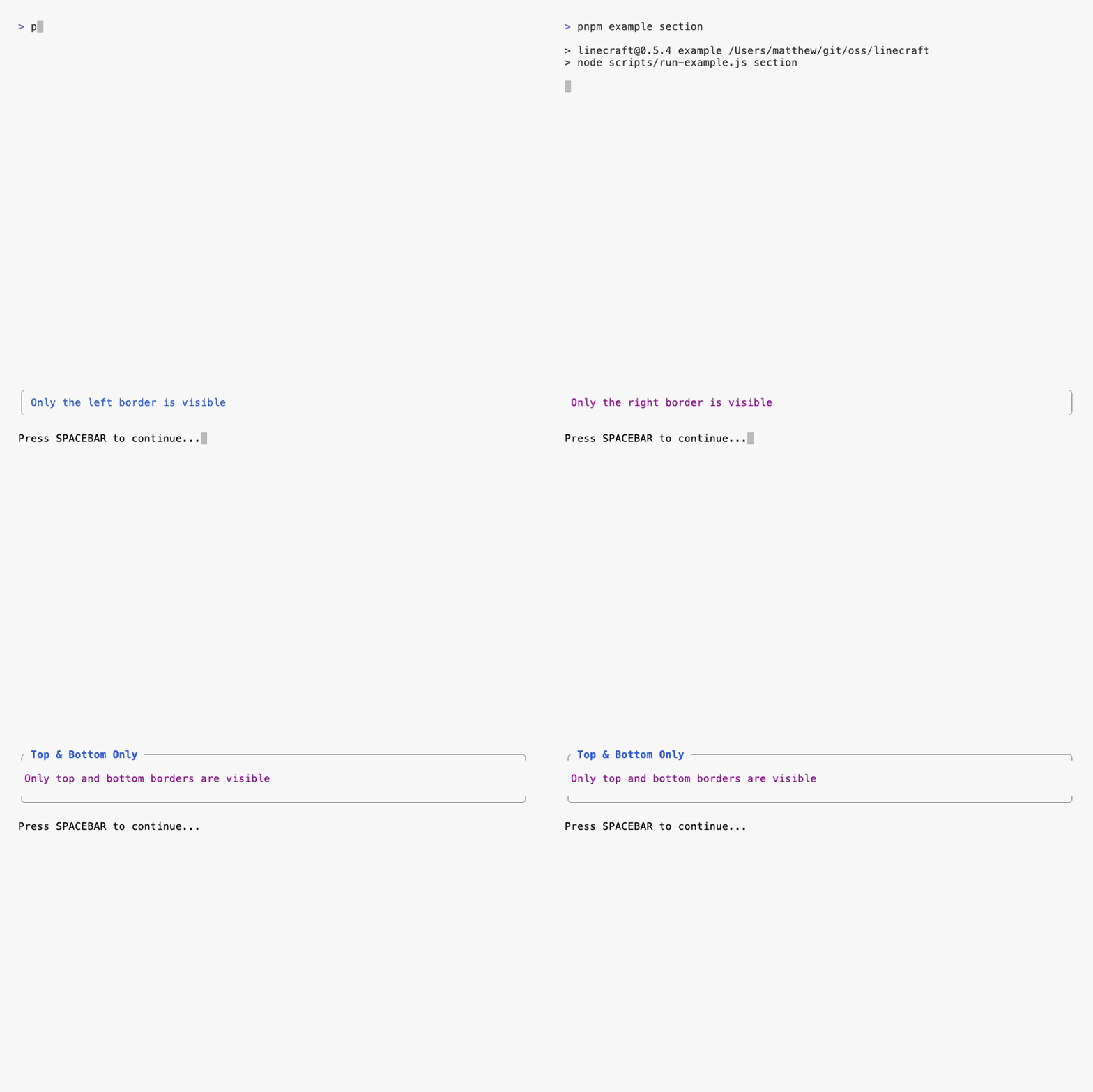
Wrap content in a bordered box with an optional title.
|
|
105
129
|
|
|
106
|
-

|
|
130
|
+
|
|
107
131
|
|
|
108
132
|
```typescript
|
|
109
133
|
import { Section } from 'linecraft';
|
|
@@ -128,7 +152,7 @@ r.set(Section(
|
|
|
128
152
|
|
|
129
153
|
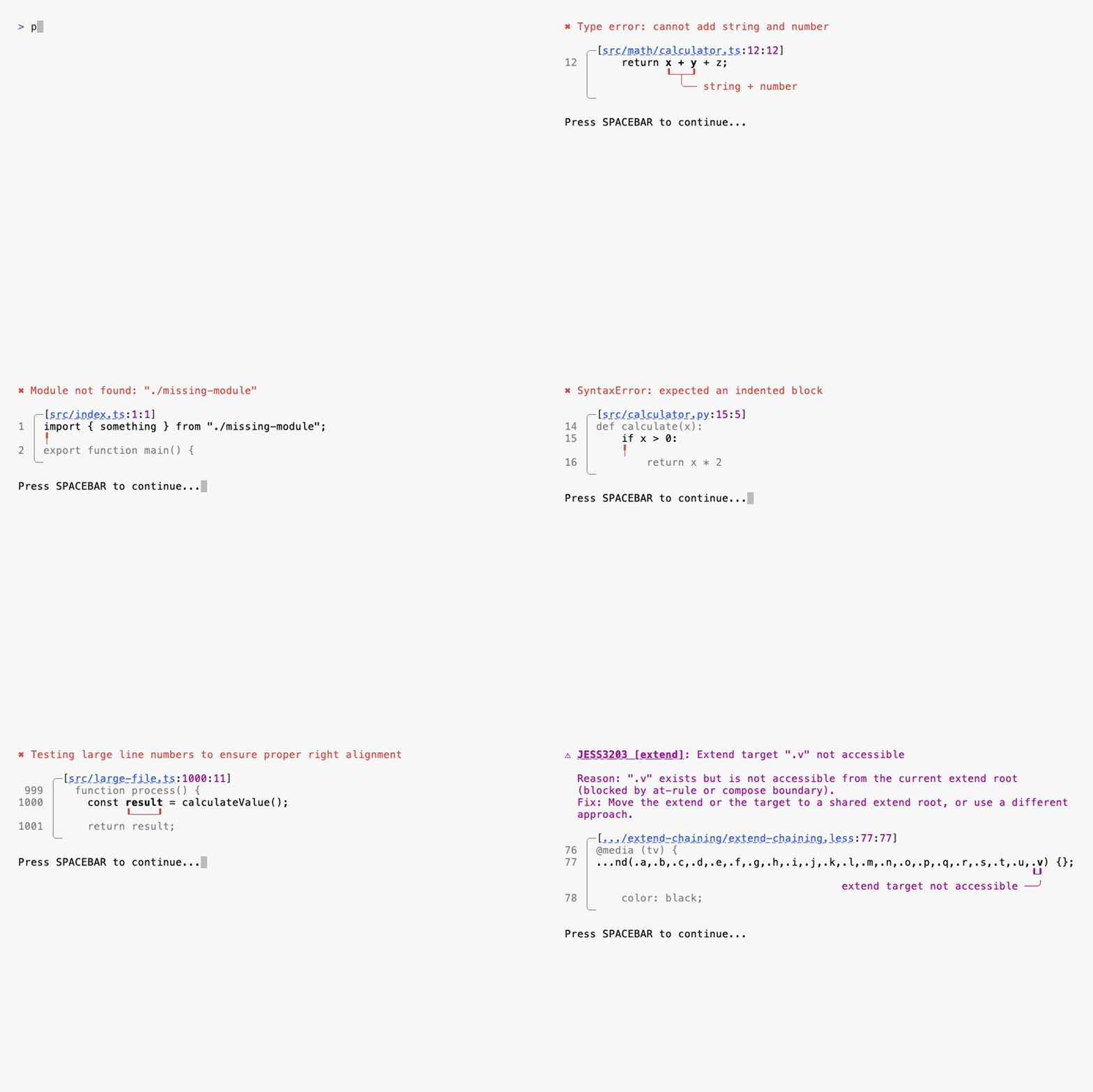
Display code errors and warnings with line numbers, context, and clickable file paths.
|
|
130
154
|
|
|
131
|
-

|
|
155
|
+
|
|
132
156
|
|
|
133
157
|
```typescript
|
|
134
158
|
import { CodeDebug } from 'linecraft';
|
|
@@ -161,7 +185,7 @@ r.set(CodeDebug({
|
|
|
161
185
|
|
|
162
186
|
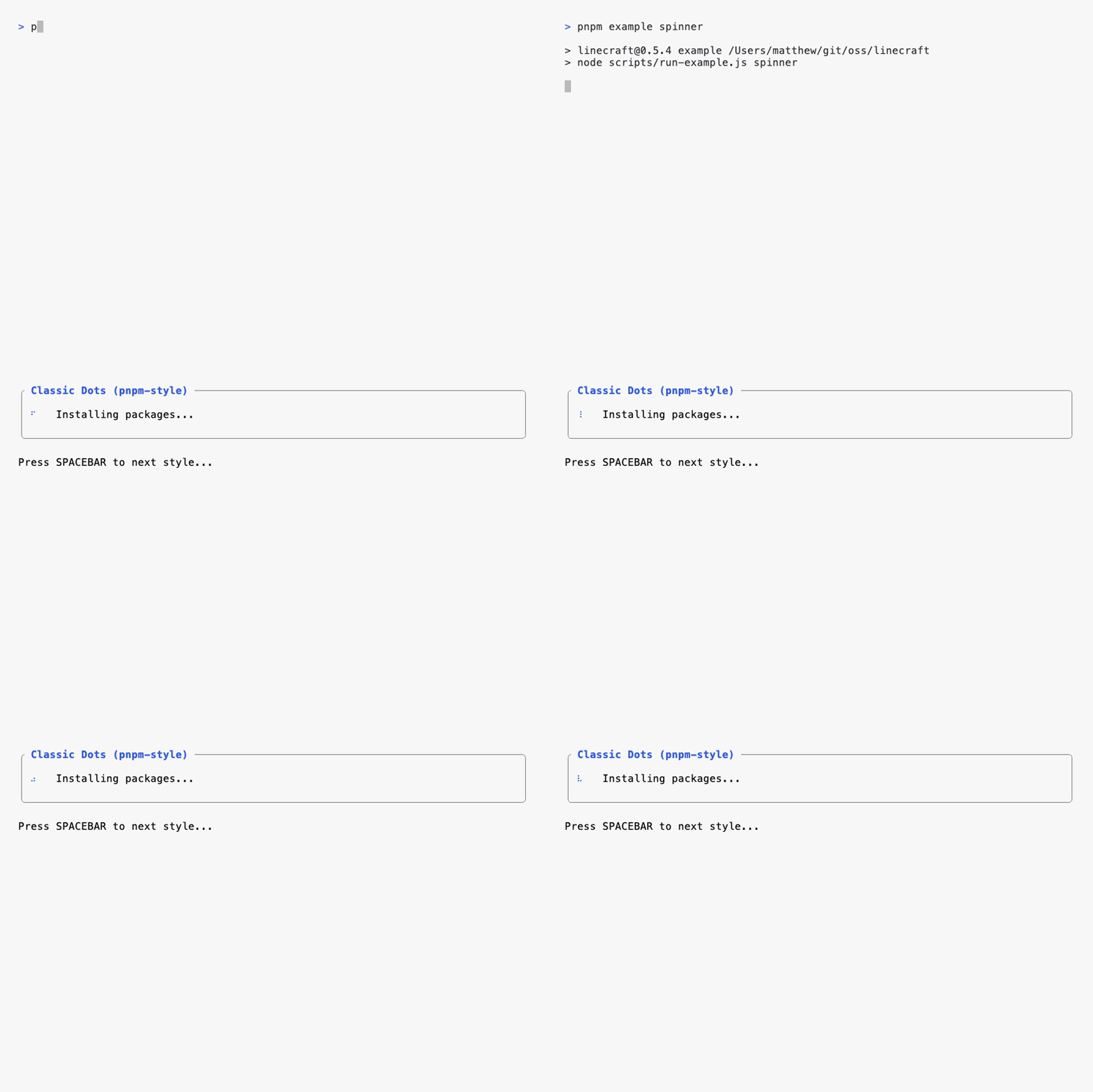
Animated spinners for loading states. Includes built-in styles or use custom frames.
|
|
163
187
|
|
|
164
|
-

|
|
188
|
+
|
|
165
189
|
|
|
166
190
|
```typescript
|
|
167
191
|
import { Spinner } from 'linecraft';
|
|
@@ -194,7 +218,7 @@ Spinners automatically stop when components are replaced or the region is destro
|
|
|
194
218
|
|
|
195
219
|
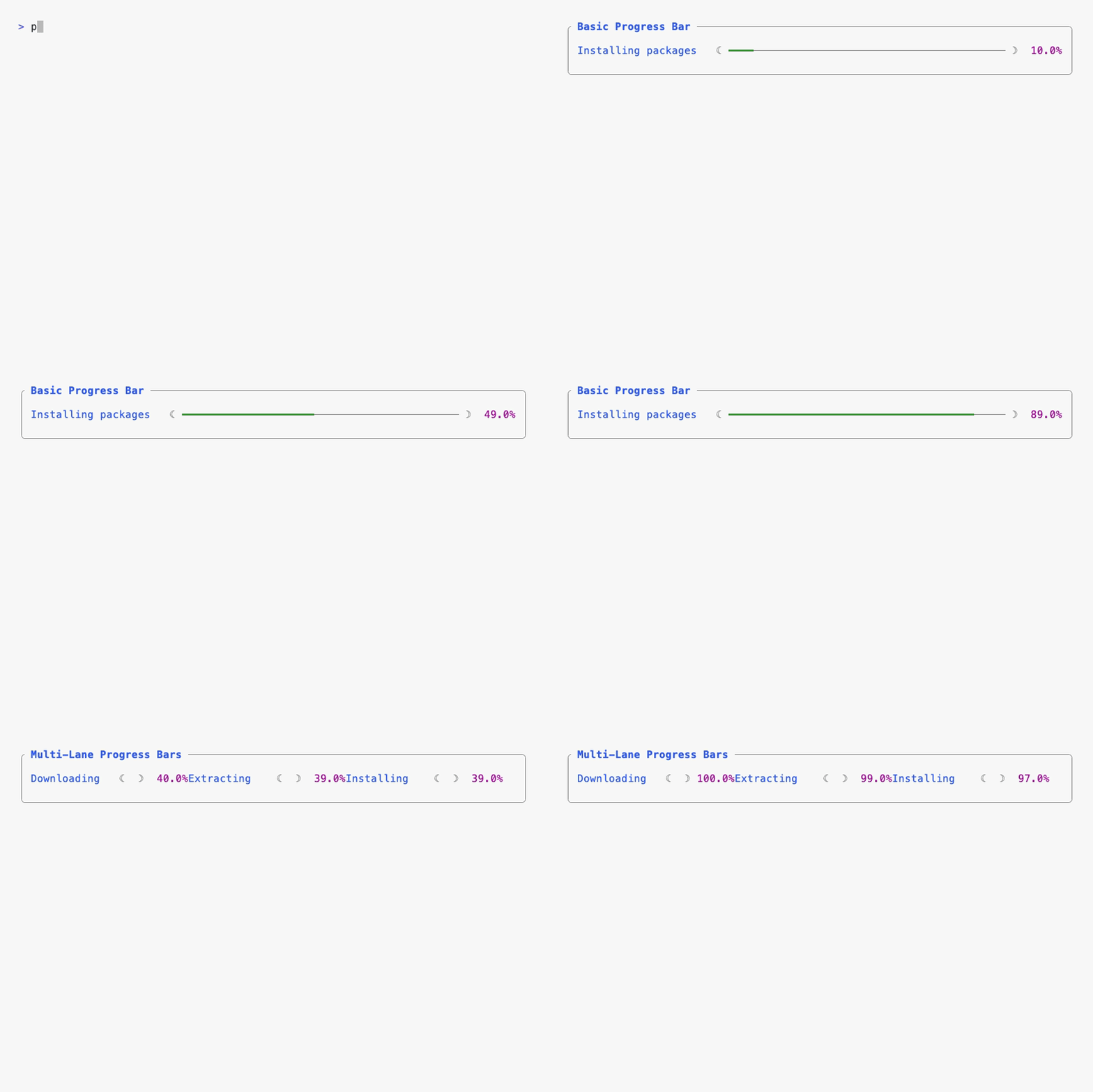
Progress bars with customizable colors and styling.
|
|
196
220
|
|
|
197
|
-

|
|
221
|
+
|
|
198
222
|
|
|
199
223
|
```typescript
|
|
200
224
|
import { progressBar } from 'linecraft';
|
|
@@ -219,7 +243,7 @@ r.set(progressBar({
|
|
|
219
243
|
|
|
220
244
|
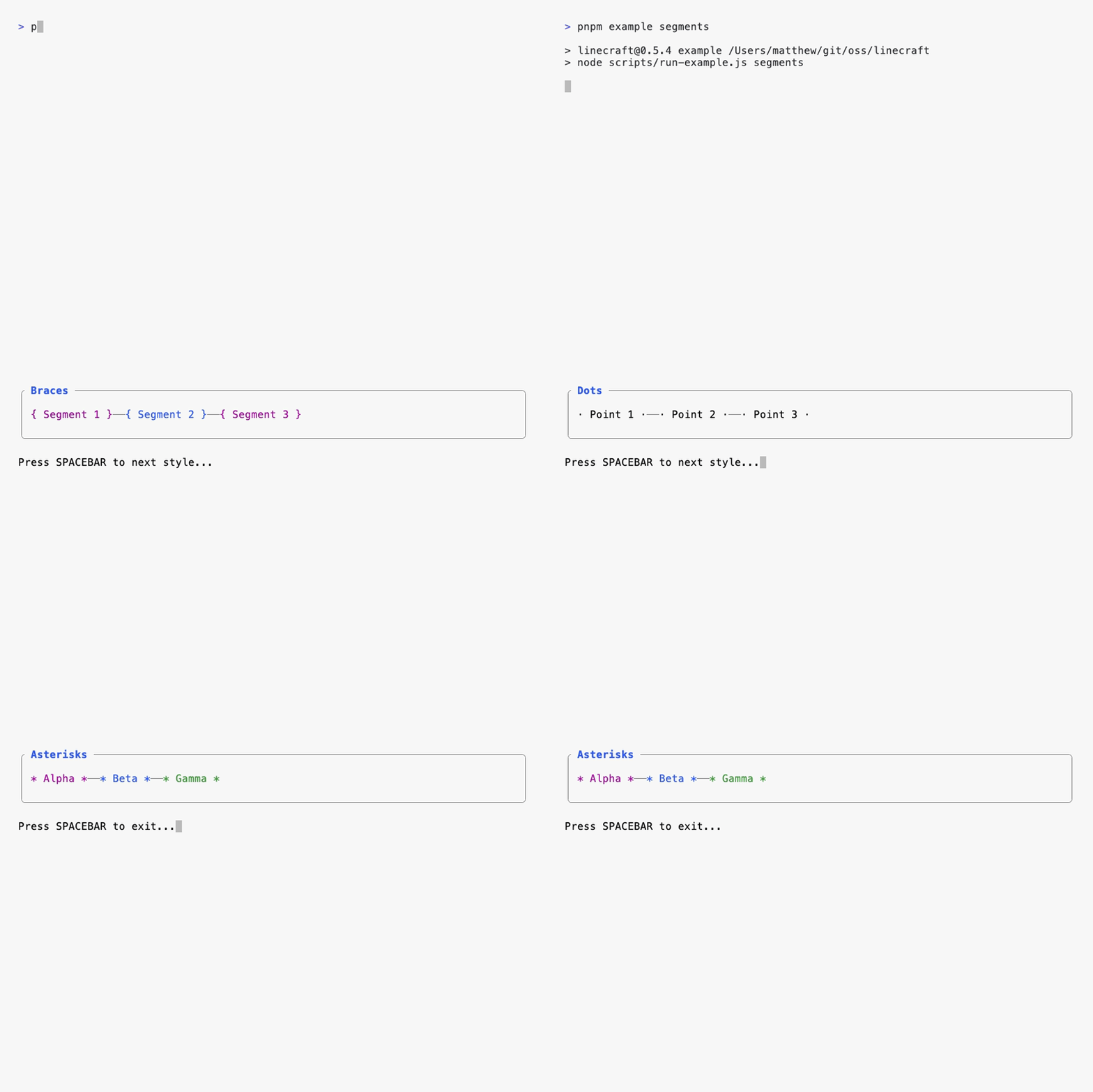
Create segmented displays (like oh-my-zsh style prompts).
|
|
221
245
|
|
|
222
|
-

|
|
246
|
+
|
|
223
247
|
|
|
224
248
|
```typescript
|
|
225
249
|
import { Segments } from 'linecraft';
|
|
@@ -242,7 +266,7 @@ r.set(Segments({
|
|
|
242
266
|
|
|
243
267
|
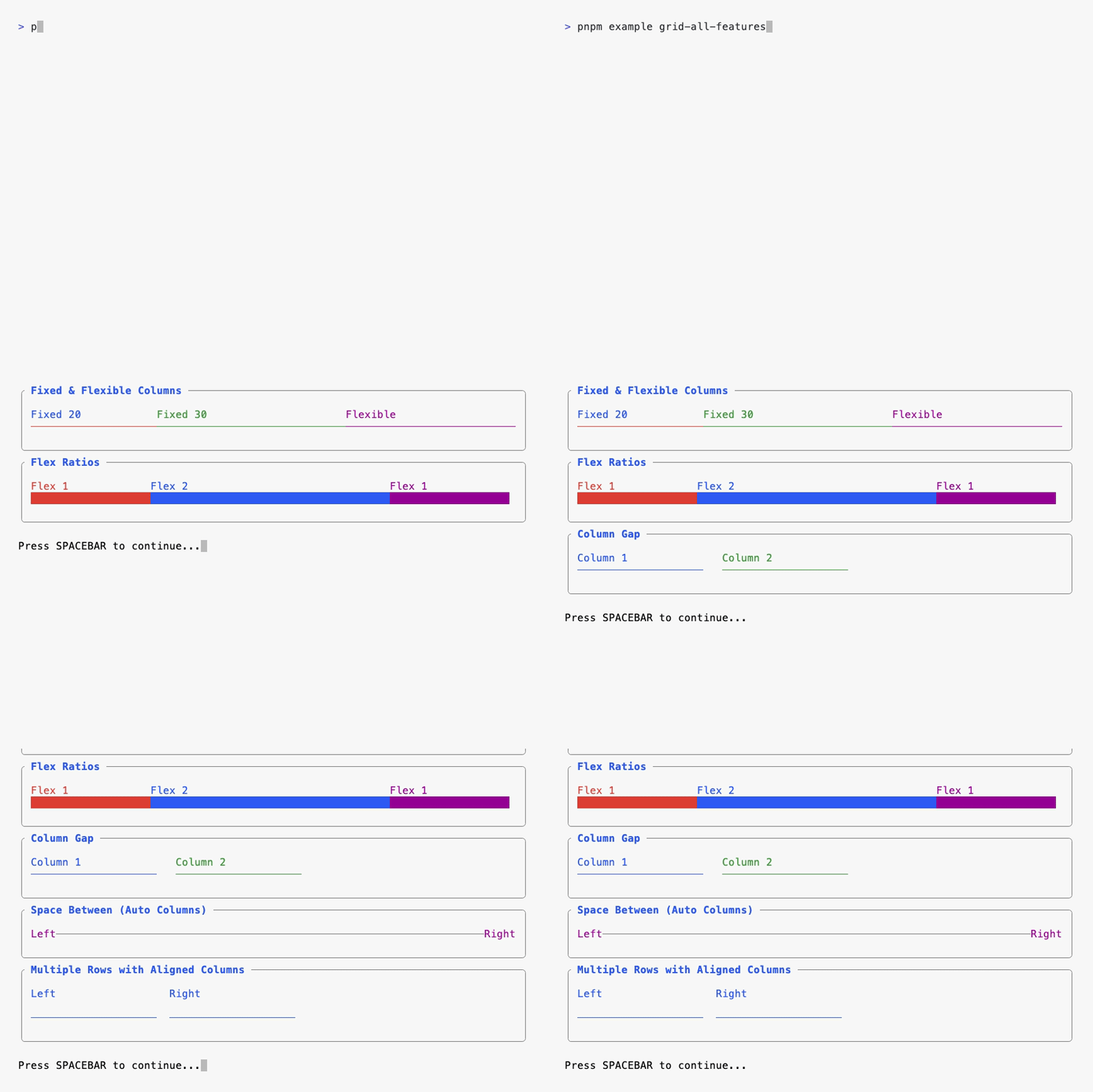
Create responsive grid layouts. Children automatically wrap to new rows when they exceed the number of explicit columns.
|
|
244
268
|
|
|
245
|
-

|
|
269
|
+
|
|
246
270
|
|
|
247
271
|
```typescript
|
|
248
272
|
import { Grid } from 'linecraft';
|
|
@@ -285,7 +309,7 @@ r.set(Grid({
|
|
|
285
309
|
|
|
286
310
|
Fill available space with a character. Typically used within grids.
|
|
287
311
|
|
|
288
|
-

|
|
312
|
+

|
|
289
313
|
|
|
290
314
|
```typescript
|
|
291
315
|
import { fill } from 'linecraft';
|
package/package.json
CHANGED
|
@@ -1,6 +1,6 @@
|
|
|
1
1
|
{
|
|
2
2
|
"name": "linecraft",
|
|
3
|
-
"version": "0.2.
|
|
3
|
+
"version": "0.2.1",
|
|
4
4
|
"description": "High-performance terminal UI library for Node.js",
|
|
5
5
|
"type": "module",
|
|
6
6
|
"main": "./lib/index.js",
|
|
@@ -18,6 +18,10 @@
|
|
|
18
18
|
"files": [
|
|
19
19
|
"lib/**/*"
|
|
20
20
|
],
|
|
21
|
+
"repository": {
|
|
22
|
+
"type": "git",
|
|
23
|
+
"url": "https://github.com/matthew-dean/linecraft.git"
|
|
24
|
+
},
|
|
21
25
|
"license": "MIT",
|
|
22
26
|
"keywords": [
|
|
23
27
|
"terminal",
|