k0-board 0.1.0
This diff represents the content of publicly available package versions that have been released to one of the supported registries. The information contained in this diff is provided for informational purposes only and reflects changes between package versions as they appear in their respective public registries.
- package/.claude/skills/k0-import/SKILL.md +83 -0
- package/CHANGELOG.md +57 -0
- package/LICENSE +21 -0
- package/README.md +688 -0
- package/bin/k0-board.js +456 -0
- package/bin/prompt.js +41 -0
- package/menubar/Info.plist +25 -0
- package/menubar/K0MenuBar.swift +561 -0
- package/menubar/build.sh +28 -0
- package/package.json +45 -0
- package/platform/contract.js +134 -0
- package/platform/darwin/extras.js +254 -0
- package/platform/darwin/index.js +24 -0
- package/platform/darwin/metrics.js +59 -0
- package/platform/darwin/power.js +133 -0
- package/platform/darwin/service.js +143 -0
- package/platform/darwin/shell.js +59 -0
- package/platform/darwin/terminal.js +324 -0
- package/platform/index.js +97 -0
- package/platform/linux/index.js +60 -0
- package/platform/linux/metrics.js +88 -0
- package/platform/linux/power.js +137 -0
- package/platform/linux/service.js +111 -0
- package/platform/linux/shell.js +97 -0
- package/platform/linux/tray.py +229 -0
- package/platform/shared/command.js +26 -0
- package/platform/shared/ps.js +40 -0
- package/platform/shared/run.js +99 -0
- package/platform/shared/tmux.js +242 -0
- package/platform/win32/index.js +53 -0
- package/platform/win32/metrics.js +72 -0
- package/platform/win32/power.js +109 -0
- package/platform/win32/powershell.js +44 -0
- package/platform/win32/service.js +111 -0
- package/platform/win32/shell.js +64 -0
- package/platform/win32/terminal.js +209 -0
- package/platform/win32/tray.ps1 +159 -0
- package/server/db.js +262 -0
- package/server/files.js +488 -0
- package/server/git.js +157 -0
- package/server/index.js +636 -0
- package/server/launcher.js +121 -0
- package/server/machine.js +213 -0
- package/server/mode.js +182 -0
- package/server/paths.js +67 -0
- package/server/pdf.js +110 -0
- package/server/projects.js +152 -0
- package/server/sessions.js +341 -0
- package/server/watcher.js +200 -0
- package/web/base.css +134 -0
- package/web/board.css +561 -0
- package/web/board.js +777 -0
- package/web/favicon.js +41 -0
- package/web/favicon.svg +8 -0
- package/web/files.css +535 -0
- package/web/files.html +63 -0
- package/web/files.js +877 -0
- package/web/fonts/caveat-latin-ext.woff2 +0 -0
- package/web/fonts/caveat-latin.woff2 +0 -0
- package/web/fuzzy.js +57 -0
- package/web/index.html +112 -0
- package/web/md.js +238 -0
- package/web/mentions.js +188 -0
- package/web/refs.js +176 -0
- package/web/title.js +26 -0
- package/web/units.js +33 -0
- package/web/view.js +248 -0
package/README.md
ADDED
|
@@ -0,0 +1,688 @@
|
|
|
1
|
+
# k0
|
|
2
|
+
|
|
3
|
+
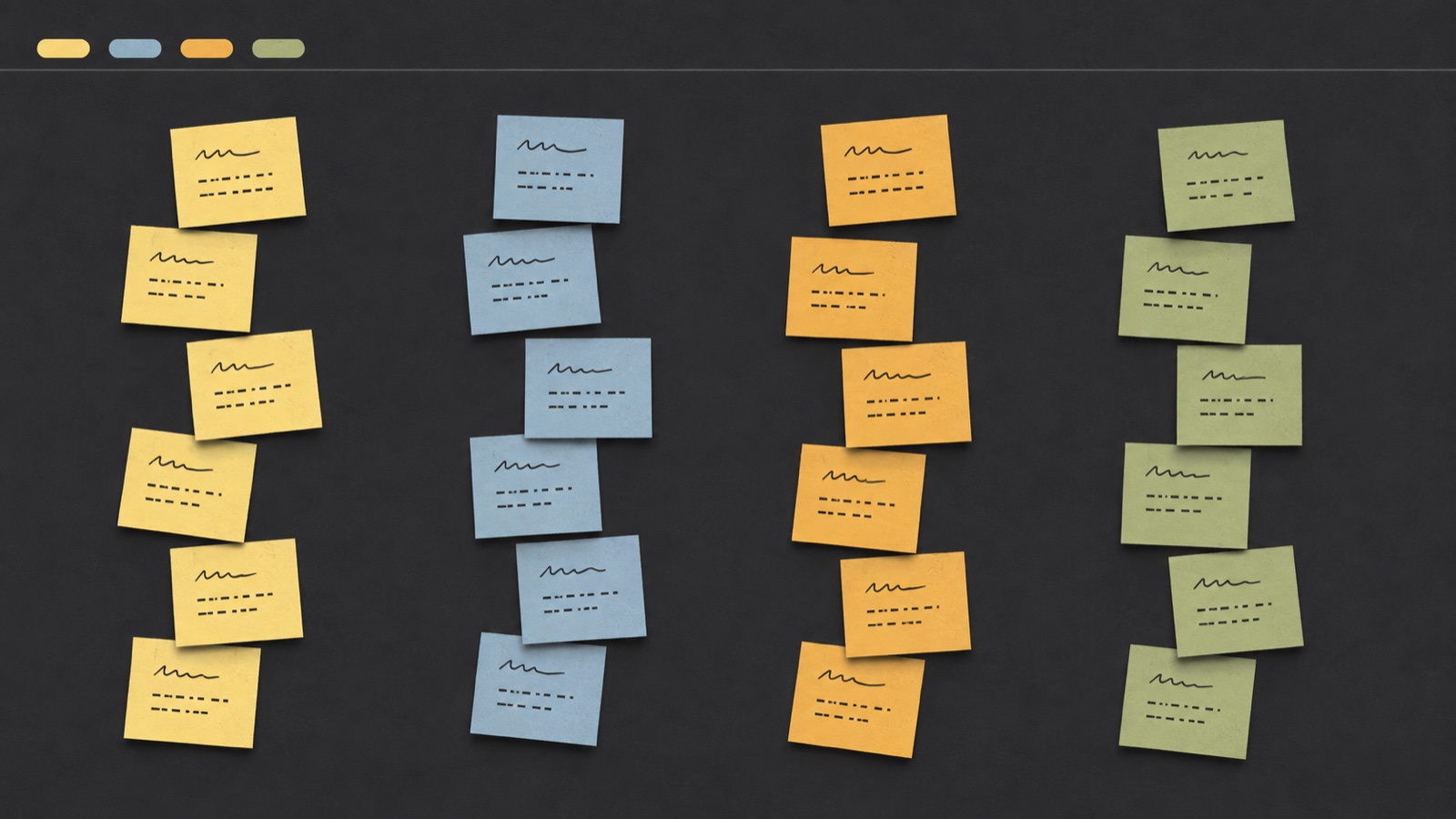
**A board of sticky notes that drives your Claude Code sessions.** One column per project, one
|
|
4
|
+
card per piece of work. From a card you open a real terminal, and on the card you see at a
|
|
5
|
+
glance whether the session is working, has finished, is asking you something, or has a plan
|
|
6
|
+
waiting for your approval.
|
|
7
|
+
|
|
8
|
+
It exists because of one specific moment: four terminals open, and no way to tell which one is
|
|
9
|
+
waiting for you without clicking through all four.
|
|
10
|
+
|
|
11
|
+
If you have used a kanban board, an infinite canvas like Miro, and a wall of paper sticky notes,
|
|
12
|
+
you have already seen the three pieces k0 is made of: cards standing in columns, a board that pans
|
|
13
|
+
and zooms instead of scrolling, and notes that sit at their own slightly crooked angle. What is
|
|
14
|
+
different is what those things are underneath. **A column is a repository, not a stage** — nothing
|
|
15
|
+
gets dragged from one to the next; the cards reorder themselves by who is waiting for you.
|
|
16
|
+
**A card is a real Claude Code session** — it opens a terminal, it knows what that session is
|
|
17
|
+
doing, and it goes on saying so while you are looking somewhere else.
|
|
18
|
+
|
|
19
|
+
|
|
20
|
+
|
|
21
|
+
[](https://github.com/alessio-ragni/k0-board/actions/workflows/ci.yml)
|
|
22
|
+
[](LICENSE)
|
|
23
|
+
|
|
24
|
+
**Contents** · [Install](#install) · [How it is used](#how-it-is-used) ·
|
|
25
|
+
[The files of a session](#the-files-of-a-session) · [What it costs](#what-it-costs) ·
|
|
26
|
+
[Filling the board with what you have already done](#filling-the-board-with-what-you-have-already-done) ·
|
|
27
|
+
[The statuses](#the-statuses) · [The four modes](#the-four-modes) ·
|
|
28
|
+
[Shift+Enter starts a new line](#shiftenter-starts-a-new-line) ·
|
|
29
|
+
[Pasting into the terminal](#pasting-into-the-terminal) ·
|
|
30
|
+
[How it is put together](#how-it-is-put-together) · [Security](#security) ·
|
|
31
|
+
[What is not here yet](#what-is-not-here-yet) · [Contributing](#contributing) · [Licence](#licence)
|
|
32
|
+
|
|
33
|
+
---
|
|
34
|
+
|
|
35
|
+
## Install
|
|
36
|
+
|
|
37
|
+
```bash
|
|
38
|
+
npx k0-board
|
|
39
|
+
```
|
|
40
|
+
|
|
41
|
+
That is the whole thing. It tells you everything it is about to change, asks, and only then does
|
|
42
|
+
it. `k0-board uninstall` undoes all of it.
|
|
43
|
+
|
|
44
|
+
From a clone, if you would rather look first:
|
|
45
|
+
|
|
46
|
+
```bash
|
|
47
|
+
git clone https://github.com/alessio-ragni/k0-board.git
|
|
48
|
+
cd k0-board
|
|
49
|
+
node bin/k0-board.js start
|
|
50
|
+
```
|
|
51
|
+
|
|
52
|
+
That runs the server in the foreground and opens the board. Nothing is installed and nothing
|
|
53
|
+
outside the directory is touched.
|
|
54
|
+
|
|
55
|
+
The board lives at <http://k0.localhost:4319>.
|
|
56
|
+
|
|
57
|
+
### Requirements
|
|
58
|
+
|
|
59
|
+
- **Node 24 or newer.** k0 keeps the board in SQLite through `node:sqlite`, which is built into
|
|
60
|
+
Node — there is nothing to install and there are no npm dependencies at all.
|
|
61
|
+
- **Claude Code**, obviously.
|
|
62
|
+
- **git**, for the mark on each card that says whether your work is safe.
|
|
63
|
+
- **macOS**: Xcode Command Line Tools, to build the menu bar icon. Nothing else.
|
|
64
|
+
- **Linux**: tmux, which is how k0 drives terminals there. Optionally `xdotool` for window
|
|
65
|
+
placement, and `python3` with PyGObject for the tray icon.
|
|
66
|
+
- **Windows**: PowerShell, which is already there. Windows Terminal is recommended.
|
|
67
|
+
|
|
68
|
+
### Which platforms this really works on
|
|
69
|
+
|
|
70
|
+
| | macOS | Linux | Windows |
|
|
71
|
+
|---|---|---|---|
|
|
72
|
+
| Open a terminal and run Claude Code in it | ✅ | ✅ tmux | ✅ |
|
|
73
|
+
| Read the terminal to know when it is ready | ✅ | ✅ | ❌ waits a fixed moment instead |
|
|
74
|
+
| Leave your prompt in place, unsent | ✅ needs Accessibility | ✅ | ✅ |
|
|
75
|
+
| Place, resize and raise windows | ✅ | ✅ X11 only | ✅ |
|
|
76
|
+
| Large text in terminals for driving mode | ✅ | ❌ | ❌ |
|
|
77
|
+
| Keep the machine awake | ✅ | ✅ | ✅ |
|
|
78
|
+
| Keep working with the lid closed | ✅ | ❌ system setting | ❌ system setting |
|
|
79
|
+
| Tray icon and notifications | ✅ | ✅ GNOME/KDE | ✅ |
|
|
80
|
+
|
|
81
|
+
**macOS is the only platform the author has.** Linux and Windows are written from the
|
|
82
|
+
documentation and reviewed carefully, and the logic they share with macOS is tested on all three
|
|
83
|
+
in CI — but nobody has yet sat in front of a Linux desktop or a Windows machine and watched k0
|
|
84
|
+
open a terminal on it. If you are the first, please
|
|
85
|
+
[say what happened](https://github.com/alessio-ragni/k0-board/issues), including the parts that
|
|
86
|
+
worked.
|
|
87
|
+
|
|
88
|
+
`k0-board doctor` prints this same table for your actual machine, with a sentence explaining
|
|
89
|
+
every ❌.
|
|
90
|
+
|
|
91
|
+
### What installing it changes
|
|
92
|
+
|
|
93
|
+
Nothing on this list happens before you have seen it and said yes. Everything on it is undone by
|
|
94
|
+
`k0-board uninstall`, and any single item can be skipped with `--no-<name>`.
|
|
95
|
+
|
|
96
|
+
| What | Where | Why |
|
|
97
|
+
|---|---|---|
|
|
98
|
+
| A copy of k0 | `~/.k0/app` | so the service does not point at a temporary npx cache |
|
|
99
|
+
| Your board, logs and cache | `~/.k0/` | `%LOCALAPPDATA%\k0` on Windows |
|
|
100
|
+
| A service that starts at login | LaunchAgents · systemd user unit · Task Scheduler | so k0 is simply there |
|
|
101
|
+
| **macOS only** — one administrator rule | `/etc/sudoers.d/k0-pmset` | to keep the Mac awake with the lid closed. Asks for your password once, and grants exactly two command lines |
|
|
102
|
+
| **macOS only** — one key binding | your Terminal profile (backed up first) | so Shift+Enter starts a new line |
|
|
103
|
+
| **macOS only** — Accessibility for `node` | you grant it by hand, in System Settings | so k0 can place a prompt without sending it |
|
|
104
|
+
|
|
105
|
+
That last one deserves a sentence of its own: a process with the Accessibility permission can
|
|
106
|
+
send keystrokes to any application, and here it is granted to your `node`, not to a signed k0
|
|
107
|
+
app. Skipping it breaks nothing — the prompt gets typed and the session starts by itself.
|
|
108
|
+
|
|
109
|
+
k0 makes **no network requests**. Not one, not even for a font.
|
|
110
|
+
|
|
111
|
+
---
|
|
112
|
+
|
|
113
|
+
## How it is used
|
|
114
|
+
|
|
115
|
+
### The board
|
|
116
|
+
|
|
117
|
+
- **+** — at the left, next to k0, and next to every repository name on the board: that one opens
|
|
118
|
+
a card with the repository already chosen. First the repository, then a title, then what Claude
|
|
119
|
+
should do when it starts. The prompt can be left empty.
|
|
120
|
+
|
|
121
|
+
The repository has to be **picked from the list** (searchable, most used at the top; arrow keys
|
|
122
|
+
to move, Enter takes the highlighted row): a name typed by hand does not count. On leaving the
|
|
123
|
+
field, if what you typed identifies exactly one repository it takes that one; otherwise the
|
|
124
|
+
field empties — either you select one or there is nothing.
|
|
125
|
+
|
|
126
|
+
At the bottom there are **Save** and **Start**: Start saves and launches the session
|
|
127
|
+
immediately. The **X** at the top closes without saving.
|
|
128
|
+
|
|
129
|
+
The title normalises as you type: a capital at the start of every word, dashes instead of
|
|
130
|
+
spaces, and the capitals you typed stay where you put them — `fix api` becomes `Fix-Api`, while
|
|
131
|
+
`Fix API` stays `Fix-API`. What you see in the field is exactly the name the session will have.
|
|
132
|
+
|
|
133
|
+
- **the pencil** (top right of a card) — the only way to open the editor: clicking the card
|
|
134
|
+
itself does nothing. On a card that is already finished, where there is nothing left to edit,
|
|
135
|
+
the **bin** takes its place.
|
|
136
|
+
|
|
137
|
+
Changing the title — only the title; the prompt has nothing to do with it — **immediately**
|
|
138
|
+
rewrites the name in the window's title bar, even while the session is running. Inside Claude
|
|
139
|
+
Code the real name catches up when the session ends: while the process is alive the transcript
|
|
140
|
+
already has an owner, and it would write the old name back over ours.
|
|
141
|
+
|
|
142
|
+
- **Start** — opens a new terminal window, runs `claude` in the right repository under the card's
|
|
143
|
+
name, and puts the prompt in it. You press Enter.
|
|
144
|
+
|
|
145
|
+
The session is **born in plan mode**, always. On the board the card turns **Planning** as soon
|
|
146
|
+
as it gets to work, and amber **Needs approval** when the plan is ready. If you need something
|
|
147
|
+
else, shift+tab as usual. **Resume** forces nothing: that session already had a mode, and it
|
|
148
|
+
comes back as it was.
|
|
149
|
+
|
|
150
|
+
In exchange, **once the plan is approved it asks for confirmations**: starting inside a plan and
|
|
151
|
+
never asking anything are two things Claude Code does not do together — the why is
|
|
152
|
+
[further down](#the-traps).
|
|
153
|
+
|
|
154
|
+
The window is born **centred on the screen you are using**, at 86% of the free space: the same
|
|
155
|
+
margin on all four sides, never under a menu bar or a dock. Open more than one and they stack
|
|
156
|
+
in the middle — double click brings the one underneath back.
|
|
157
|
+
|
|
158
|
+
**If the screen changes** — you plug a monitor in or out, or change resolution — the windows put
|
|
159
|
+
themselves back: all of them centred on the main screen, at their usual size, without asking and
|
|
160
|
+
**without bringing the terminal to the front**.
|
|
161
|
+
|
|
162
|
+
- **double click** — brings that session's terminal back to the front, even if you had minimised
|
|
163
|
+
it. It is what stops you losing track of which window is which.
|
|
164
|
+
|
|
165
|
+
- **Resume** — appears once you have closed the terminal: it reopens the same conversation exactly
|
|
166
|
+
where it was.
|
|
167
|
+
|
|
168
|
+
- **Done** — closes the work **and its terminal**, with no questions: undo it with **Reopen**, and
|
|
169
|
+
pick the conversation up again with **Resume**. It is not on backlog cards: they never started.
|
|
170
|
+
|
|
171
|
+
The session is stopped first and only then is the window closed. Closing a window with `claude`
|
|
172
|
+
still inside it makes macOS put up the "terminate running processes" dialog, and the window does
|
|
173
|
+
not close at all.
|
|
174
|
+
|
|
175
|
+
The only thing that asks for confirmation is throwing a card away.
|
|
176
|
+
|
|
177
|
+
Cards reorder themselves inside a column: first the ones waiting for you, then the ones grinding
|
|
178
|
+
away, backlog at the bottom, and among equals the most recent first.
|
|
179
|
+
|
|
180
|
+
### Moving around
|
|
181
|
+
|
|
182
|
+
**There are no scrollbars.** With a dozen repositories open the board is wider than the screen,
|
|
183
|
+
and to turn it you **bring the pointer near an edge**: from there it moves that way by itself —
|
|
184
|
+
right, left, up, down, and diagonally in the corners — faster the closer you are, and it stops
|
|
185
|
+
where the board ends. The thin shadow along one side says there is still something over there.
|
|
186
|
+
Holding a mouse button keeps the board still, so a click near the edge lands.
|
|
187
|
+
|
|
188
|
+
Bottom right there is the **zoom** and a percentage that, clicked, goes back to 100%; the button
|
|
189
|
+
next to it shrinks just enough to fit the whole board on the screen. On a trackpad, two fingers
|
|
190
|
+
move the view and a pinch zooms. Where you were is still there after a reload.
|
|
191
|
+
|
|
192
|
+
The pills at the top are both legend and filter: click one and that status leaves the board. They
|
|
193
|
+
stay as you left them.
|
|
194
|
+
|
|
195
|
+
**The last column on the right is `Others`**: the repositories that have no column because they
|
|
196
|
+
have no cards. Headings only, in alphabetical order. It is there for two things — getting into
|
|
197
|
+
the files of a directory you are not working on, and giving birth to the first card there with
|
|
198
|
+
its `+`.
|
|
199
|
+
|
|
200
|
+
### The git mark
|
|
201
|
+
|
|
202
|
+
On every card, next to the repository name, and next to every column name, one symbol says
|
|
203
|
+
whether the work is safe: a **dot** with how many files, if there is work that is nowhere yet; an
|
|
204
|
+
**up arrow** with how many commits, if it is committed but not pushed; a faded **tick**, if
|
|
205
|
+
everything is saved. Hover to read it in full — branch, files, commits, and how many of those
|
|
206
|
+
commits belong to that session. **Click it and the files open.**
|
|
207
|
+
|
|
208
|
+
A card running in an **isolated worktree** has a working tree of its own, so the mark is really
|
|
209
|
+
its own. A card working in the base repository shares the working tree with everybody — there the
|
|
210
|
+
dot belongs to the repository, and the only thing that belongs to the session is the commits made
|
|
211
|
+
since it started, which k0 counts by remembering where `HEAD` was at that moment.
|
|
212
|
+
|
|
213
|
+
k0 **never runs `git fetch`**. It only looks at what your git already knows about the remotes. For
|
|
214
|
+
"did I push this?" that is exact and instant, because pushing updates the remote reference by
|
|
215
|
+
itself; a push made by somebody else does not show until you fetch. On a repository with no
|
|
216
|
+
remote, pushing is not mentioned at all.
|
|
217
|
+
|
|
218
|
+
---
|
|
219
|
+
|
|
220
|
+
## The files of a session
|
|
221
|
+
|
|
222
|
+
The git mark is also the door: clicking it opens a file viewer **in another tab**, and the board
|
|
223
|
+
stays where it is. Where there is no mark — a repository without git, or git that has not answered
|
|
224
|
+
yet — a **lens** takes its place, so every card and every column still leads in.
|
|
225
|
+
|
|
226
|
+
Files on the left, what they say on the right, and a divider in between that you can drag.
|
|
227
|
+
|
|
228
|
+
**Only documents are listed** — markdown, html, text, PDF, Word: things you read and print. In a
|
|
229
|
+
real repository code is 95% of the files, and among two thousand `.tsx` files the document you
|
|
230
|
+
were after cannot be found. This closes nothing off: a code file reached by a link inside a
|
|
231
|
+
document still opens, and so do images.
|
|
232
|
+
|
|
233
|
+
The listing is flat, in three groups:
|
|
234
|
+
|
|
235
|
+
- **Changed** — what this session has touched: files still hanging in the working tree plus the
|
|
236
|
+
ones inside commits made since it started.
|
|
237
|
+
- **Recent** — the thirty most recently modified. It is the only group you can have where there is
|
|
238
|
+
no git.
|
|
239
|
+
- **All files** — everything else, in path order.
|
|
240
|
+
|
|
241
|
+
The search at the top looks in two places and keeps them apart:
|
|
242
|
+
|
|
243
|
+
- **Names** — not the exact word, but the letters you type in the order you type them: `audrep`
|
|
244
|
+
finds `docs/audit-report.md`. It filters as you type, asking the server nothing.
|
|
245
|
+
- **In the text** — inside the documents, with the line the word appears on and the word
|
|
246
|
+
highlighted. Because what you remember about a file is what was in it, not what it was called.
|
|
247
|
+
Accents do not need typing — `cafe` finds `café`.
|
|
248
|
+
|
|
249
|
+
There is no index. The documents are read every time: a few hundred files of a few KB, all
|
|
250
|
+
already in the operating system's cache. An index would cost more and go stale.
|
|
251
|
+
|
|
252
|
+
`/` puts the cursor in the search, arrows scroll, Enter opens, Esc clears.
|
|
253
|
+
|
|
254
|
+
### Pasting a chunk of chat
|
|
255
|
+
|
|
256
|
+
There is a way to reach files that does not go through searching for them. When a session ends,
|
|
257
|
+
the summary in the chat says what it touched and **names the files already**. Click the **lens** at
|
|
258
|
+
the top, paste that piece of conversation, press **Find the files**, and the list on the left
|
|
259
|
+
narrows to the files that text names.
|
|
260
|
+
|
|
261
|
+
It looks **only for the names written down**, not for the subject: no index, no server, no
|
|
262
|
+
waiting — the file listing is already in the browser. The price is stated: a file the chat talks
|
|
263
|
+
about without ever naming does not come out, and for that there is the search above.
|
|
264
|
+
|
|
265
|
+
The results come in two groups, because they are two different degrees of certainty:
|
|
266
|
+
|
|
267
|
+
- **From your text** — what is written out in full: a name with its extension, or a directory
|
|
268
|
+
path. The path can be complete, partial, or with things in front that do not count.
|
|
269
|
+
- **Maybe these** — what is only guessed at, and it arrives **closed** so as not to cover the
|
|
270
|
+
other: a word that is a file's name without the extension, or the whole beginning of a name.
|
|
271
|
+
In here file names come **before** directories: in a text about onboarding the word
|
|
272
|
+
"onboarding" is an ordinary word before it is a directory, and arriving first it would carry
|
|
273
|
+
off that directory's files.
|
|
274
|
+
|
|
275
|
+
Files come **in the order they appear in the text**, which is the order of the story, and the
|
|
276
|
+
first opens by itself on the right. A name that fits several files — eight `README.md` — shows
|
|
277
|
+
**one row**, the most recently touched, with "7 more" next to it.
|
|
278
|
+
|
|
279
|
+
### The file names inside a document are clickable
|
|
280
|
+
|
|
281
|
+
Documents point at each other constantly, but almost never with a markdown link: you write
|
|
282
|
+
`glossary.md` in backticks, you put `search/summary.md` in a table, you say "it produces
|
|
283
|
+
`out/report.pdf`". All those names **are clickable**, and open the file in a **new tab**.
|
|
284
|
+
|
|
285
|
+
There is one rule: **it has to exist**. There is no list of words to avoid, and none is needed —
|
|
286
|
+
in a README full of `TRUE`, `spacing`, `active: false` and `bold`, existence throws all of them
|
|
287
|
+
out by itself.
|
|
288
|
+
|
|
289
|
+
The hard part is not finding the names, it is choosing **which**. In a repository with nine
|
|
290
|
+
`README.md` files, the right one is the one in the directory you are reading in; failing that, one
|
|
291
|
+
directory up, and so on to the top. If it is still ambiguous, **it does not become a link**:
|
|
292
|
+
better nothing than sending you to the wrong README.
|
|
293
|
+
|
|
294
|
+
Files the listing does **not** show open too. `out/`, `dist/`, `node_modules/` stay out of the
|
|
295
|
+
listing — in a code repository they are generated — but in a directory of documents `out/` holds
|
|
296
|
+
the real PDFs. When it is a document naming them, that file counts. Hidden directories really do
|
|
297
|
+
stay out: `.claude/` is configuration, not something to read.
|
|
298
|
+
|
|
299
|
+
### On paper
|
|
300
|
+
|
|
301
|
+
At the end of the path row there are three buttons that change with the file: the **printer** (or
|
|
302
|
+
Ctrl/Cmd+P), the file **as it is on disk**, and the **PDF**.
|
|
303
|
+
|
|
304
|
+
The sheet gets **only the document**: no file listing, no bar, no divider, and not even the path
|
|
305
|
+
or the front matter. Code blocks, tables and images do not break across two pages.
|
|
306
|
+
|
|
307
|
+
The **PDF is not the print dialog**: the server opens a headless Chrome on the same page and has
|
|
308
|
+
it print, so the file arrives already laid out in your downloads. The difference shows — from
|
|
309
|
+
there the margins are ours and the date and address do not end up at the top, which the browser
|
|
310
|
+
puts there from the print dialog and CSS cannot remove. It needs Chrome or Chromium installed;
|
|
311
|
+
without one the button says so, and printing and downloading still work.
|
|
312
|
+
|
|
313
|
+
---
|
|
314
|
+
|
|
315
|
+
## What it costs
|
|
316
|
+
|
|
317
|
+
At the end of the top bar there is **how the computer is doing**: memory and CPU, with a green,
|
|
318
|
+
amber or red dot. The colour is not a threshold k0 invented — on macOS and Linux it is the
|
|
319
|
+
kernel's own verdict, plus one added rule: amber when memory in use goes over 90%. Hover to read
|
|
320
|
+
the whole picture, including **what is heavy and is not k0**: if the machine is struggling because
|
|
321
|
+
of Chrome it is fair to know that, instead of closing sessions for nothing.
|
|
322
|
+
|
|
323
|
+
On every card there is **what that session weighs**. Not the `claude` process: everything it has
|
|
324
|
+
dragged along — the MCP servers, the Chromes they open, a `tsc` started from a commit hook. That
|
|
325
|
+
is where the memory goes, and it is the thing no other tool can attribute to the right card.
|
|
326
|
+
|
|
327
|
+
Only one card is red, the heaviest, and only while the machine is struggling: if they were all
|
|
328
|
+
red they would say nothing.
|
|
329
|
+
|
|
330
|
+
Two things said plainly. The CPU is the CPU of **right now**, worked out from the difference in
|
|
331
|
+
CPU time between two readings — `ps`'s own `%cpu` would be the average since the process was born,
|
|
332
|
+
which on an old session says nothing about this minute. And summing the memory of a process tree
|
|
333
|
+
counts shared memory twice, so the total is a little generous: it is the usual approximation, and
|
|
334
|
+
it is the right one for the question that matters — which one do I close to feel better.
|
|
335
|
+
|
|
336
|
+
Reading the process table costs little on a calm machine and a lot on a struggling one, which is
|
|
337
|
+
exactly when you look at it. So it is sampled every three seconds, and **only while the board is
|
|
338
|
+
open**.
|
|
339
|
+
|
|
340
|
+
---
|
|
341
|
+
|
|
342
|
+
## Filling the board with what you have already done
|
|
343
|
+
|
|
344
|
+
An empty board is no help in getting your bearings. The installer offers to do this on the first
|
|
345
|
+
run; afterwards, `/k0-import` from a Claude Code session picks up the sessions that already
|
|
346
|
+
happened — including the ones opened by hand, outside k0 — and puts them on the board as cards:
|
|
347
|
+
the last 14 days, at most the 10 most recent per repository. `/k0-import 30 5` changes the two
|
|
348
|
+
numbers.
|
|
349
|
+
|
|
350
|
+
The difference between the two is the writing. The installer uses the name the session already
|
|
351
|
+
had, or the first few words of the first prompt. `/k0-import` has Claude read the conversation and
|
|
352
|
+
write a title and a description in the language it was held in.
|
|
353
|
+
|
|
354
|
+
Imported cards are born yellow — *Your turn*: **Resume** reopens the conversation where it was,
|
|
355
|
+
**Done** clears it away. Being dead sessions they do not light the tray icon. Running it again
|
|
356
|
+
skips the ones already imported.
|
|
357
|
+
|
|
358
|
+
Automated runs stay out — `claude -p`, subagents, skills launched from a script. The tell is the
|
|
359
|
+
`{"type":"mode",…}` line, which only Claude Code's interface writes when it really starts. On one
|
|
360
|
+
real machine that separated 145 genuine sessions from 867 automated ones, and it is read from
|
|
361
|
+
64 KB at the head and 64 KB at the tail rather than the whole file.
|
|
362
|
+
|
|
363
|
+
---
|
|
364
|
+
|
|
365
|
+
## The statuses
|
|
366
|
+
|
|
367
|
+
A card **is** the colour of its status — there is nothing else to read. On the left is the code in
|
|
368
|
+
the database, then how it reads on screen.
|
|
369
|
+
|
|
370
|
+
| | | | |
|
|
371
|
+
|---|---|---|---|
|
|
372
|
+
| `BACKLOG` | **Backlog** | grey | just an idea, the session has not been born |
|
|
373
|
+
| `ASK` | **Needs answer** | red | it is asking you something |
|
|
374
|
+
| `PLANNED` | **Needs approval** | amber | it has finished a plan and is waiting for your yes |
|
|
375
|
+
| `IDLE` | **Your turn** | yellow | the terminal is idle, waiting for you to say something |
|
|
376
|
+
| `WORKING` | **Working** | blue | it is working |
|
|
377
|
+
| `PLANNING` | **Planning** | light blue | it is working inside a plan |
|
|
378
|
+
| `COMPLETED` | **Done** | green | you closed it |
|
|
379
|
+
|
|
380
|
+
The first four are your move; the two blues are its move.
|
|
381
|
+
|
|
382
|
+
---
|
|
383
|
+
|
|
384
|
+
## The four modes
|
|
385
|
+
|
|
386
|
+
How awake the machine has to stay while sessions are working. It is a **scale of four steps**, not
|
|
387
|
+
four switches: each includes the one before it, and exactly **one** is always lit. Clicking the lit
|
|
388
|
+
one again does nothing — you leave a mode, you do not switch it off.
|
|
389
|
+
|
|
390
|
+
| Icon | Mode | The machine | The screen | The text |
|
|
391
|
+
|---|---|---|---|---|
|
|
392
|
+
| two **z** | **Sleep** | sleeps as it normally would | goes off | normal |
|
|
393
|
+
| a **palm tree** | **Away** | does not sleep, not even with the lid closed | may sleep and lock | normal |
|
|
394
|
+
| a **nerd face** with glasses | **Nerd** | does not sleep | **stays on** | normal |
|
|
395
|
+
| a **car** | **Driving** | does not sleep | **stays on** | **large**, here and in the terminals |
|
|
396
|
+
|
|
397
|
+
The four icons do not describe the machine: they describe **where you are**. Asleep, away, at the
|
|
398
|
+
desk, watching from across the room. That is where the order comes from, and it is why the second
|
|
399
|
+
one is a palm tree and not a technical symbol: the mode does not say "the machine is on", it says
|
|
400
|
+
"I am not here, but it keeps going".
|
|
401
|
+
|
|
402
|
+
The four buttons are at the end of the board's bar, or four ticked entries in the tray menu. They
|
|
403
|
+
are the same control: changed on one side, the other catches up within a couple of seconds.
|
|
404
|
+
|
|
405
|
+
**Nerd** and **Driving** do exactly the same things to the machine: the only difference is the size
|
|
406
|
+
of the text. Nerd is "I am sitting here programming", Driving is "I glance at it from across the
|
|
407
|
+
room".
|
|
408
|
+
|
|
409
|
+
### Why an idle inhibitor is not enough
|
|
410
|
+
|
|
411
|
+
The `caffeinate -dim` you leave running in a terminal sets three assertions, and they are all
|
|
412
|
+
*idle* assertions. They stop sleep **from inactivity**. The sleep that fires when you **close the
|
|
413
|
+
lid** is not that one: it is a forced sleep, and it goes straight past them. Anyone relying on
|
|
414
|
+
`caffeinate` to work with the lid shut is relying on a wrong idea of what that command does.
|
|
415
|
+
|
|
416
|
+
On macOS the only thing that stops that one too is the system flag **`SleepDisabled`**, which
|
|
417
|
+
takes root. So there are **two levers**: an inhibitor that follows the mode, and the system flag,
|
|
418
|
+
which is the one that can be missing.
|
|
419
|
+
|
|
420
|
+
The installer writes one line in `/etc/sudoers.d/k0-pmset` granting that command and nothing else,
|
|
421
|
+
after validating the file with `visudo -c` — a malformed file in there would make `sudo` unusable
|
|
422
|
+
on the whole machine. Skip the password and nothing breaks: the modes still work, but only with
|
|
423
|
+
the lid open, and the lit button takes an **amber ring** to say so rather than promising something
|
|
424
|
+
it does not do.
|
|
425
|
+
|
|
426
|
+
**On Linux and Windows the lid is not k0's to touch.** There it belongs to a machine-wide setting
|
|
427
|
+
— `HandleLidSwitch` in logind, the power plan in Control Panel — that outlives k0 and that k0 has
|
|
428
|
+
no business rewriting behind your back. The switch reports itself unavailable, and `k0-board
|
|
429
|
+
doctor` says where to change it yourself.
|
|
430
|
+
|
|
431
|
+
### Large text, and windows that do not move
|
|
432
|
+
|
|
433
|
+
In Driving the **text inside the terminals** goes from the profile's size to 22, the board's from
|
|
434
|
+
17 to 22 pixels, and the **things you click** grow too — the `+`, the git lens, the corner pencil
|
|
435
|
+
(which also stays visible instead of appearing only on hover), the zoom controls. They are in
|
|
436
|
+
pixels, so they would not grow with the rest.
|
|
437
|
+
|
|
438
|
+
The one thing that changes and is not a measurement is the **order of the columns**: in Driving
|
|
439
|
+
they reorder by urgency, reddest to the left. On a screen you glance at, two or three columns are
|
|
440
|
+
visible at a time and the most urgent one has to come to you. Full screen you have them all in
|
|
441
|
+
front of you already, and a board that reshuffles itself while you work only loses your place.
|
|
442
|
+
|
|
443
|
+
**The windows do not move.** New ones are born centred at 86% as always; ones already open do not
|
|
444
|
+
shift by a pixel — if you had dragged one to the other monitor, there it stays. Terminals already
|
|
445
|
+
open change size **immediately**, not only the ones you open next.
|
|
446
|
+
|
|
447
|
+
That the window does not move **is not free**, and it is the least obvious part of this whole
|
|
448
|
+
chapter: Terminal.app keeps rows and columns when the font changes and resizes the window to
|
|
449
|
+
match — going from 12 to 22 turns a 700×500 window into 1378×856, measured. So the bounds are read
|
|
450
|
+
first, the font is changed, and **its own** bounds are put back.
|
|
451
|
+
|
|
452
|
+
k0 touches **only its own windows**, the ones born from a card.
|
|
453
|
+
|
|
454
|
+
### What it remembers, and what it looks at
|
|
455
|
+
|
|
456
|
+
**The mode is remembered**, Driving included. A missing row means Away, which is the right way to
|
|
457
|
+
start. At startup the server reapplies it.
|
|
458
|
+
|
|
459
|
+
Reapplying rather than deducing is the point. The server restarts often — working on k0's own code
|
|
460
|
+
is enough — and the windows from before do not notice. Applying the saved mode **repairs** that
|
|
461
|
+
mismatch, while reading the state back off the windows would adopt it.
|
|
462
|
+
|
|
463
|
+
But memory is for **what you want**; for **how the machine actually is**, it looks. After every
|
|
464
|
+
command the system state is read back: if the flag is not on, the button does not claim it is.
|
|
465
|
+
|
|
466
|
+
### Why the machine does not stay awake forever
|
|
467
|
+
|
|
468
|
+
A sleep block is **system state**, not something held in memory: if k0 vanished while it was on,
|
|
469
|
+
the machine would never sleep again and nobody would know why. There are four nets:
|
|
470
|
+
|
|
471
|
+
1. the inhibitor is born tied to the server's process id, so it dies when the server dies, even
|
|
472
|
+
when the server is killed outright;
|
|
473
|
+
2. the server has an **exit handler** on `exit`, `SIGTERM`, `SIGINT` and `SIGHUP` that releases
|
|
474
|
+
the block;
|
|
475
|
+
3. **at startup it repairs**: if the saved mode is Sleep but the block was left on by a server
|
|
476
|
+
that died badly, it is switched off;
|
|
477
|
+
4. **`k0-board uninstall`** removes the block and then the permission — in that order, because
|
|
478
|
+
the other way round would leave the machine awake with no way left to fix it.
|
|
479
|
+
|
|
480
|
+
And one more guard, which is not a net but a courtesy: **below 15% on battery** it lets go of the
|
|
481
|
+
lid. A machine forbidden to sleep does not merely drain: it reaches zero and dies outright, which
|
|
482
|
+
is worse than a session left waiting. The idle inhibitor stays, and everything resumes as soon as
|
|
483
|
+
the power is back.
|
|
484
|
+
|
|
485
|
+
---
|
|
486
|
+
|
|
487
|
+
## Shift+Enter starts a new line
|
|
488
|
+
|
|
489
|
+
*(macOS only. On Linux tmux already does this; on Windows, Windows Terminal does.)*
|
|
490
|
+
|
|
491
|
+
Terminal.app, up to macOS 26, does not tell Shift+Enter from Enter: the program receives the same
|
|
492
|
+
single byte, so Claude Code has no way of noticing the Shift and sends the message. That is why
|
|
493
|
+
the documented way to start a new line was a backslash and then Enter.
|
|
494
|
+
|
|
495
|
+
k0 puts a key binding in the Terminal profile that sends **Esc+Enter** on Shift+Enter — the
|
|
496
|
+
sequence Claude Code reads as "new line", the same one its own `/terminal-setup` installs for
|
|
497
|
+
other editors. Before touching the preferences it backs them up.
|
|
498
|
+
|
|
499
|
+
The hard part is not writing it, it is **when** to write it: Terminal reads bindings **only at
|
|
500
|
+
startup**, and **on quitting it rewrites its preferences** from what it had in memory — erasing
|
|
501
|
+
whatever you put there while it was running. So writing it with Terminal open does nothing, and
|
|
502
|
+
the ⌘Q that ought to make it stick is precisely the moment it disappears.
|
|
503
|
+
|
|
504
|
+
The only good moment is **right after Terminal has quit**. The menu bar icon catches it: it is
|
|
505
|
+
always running and it sees applications leave. You never have to do anything.
|
|
506
|
+
|
|
507
|
+
Worth knowing:
|
|
508
|
+
|
|
509
|
+
- the binding lives in the **profile**, so it applies to **every** Terminal window with that
|
|
510
|
+
profile, not only the ones k0 opens. That is deliberate;
|
|
511
|
+
- **the very first time, Terminal has to be quit completely (⌘Q) and reopened**, and there is no
|
|
512
|
+
way around it;
|
|
513
|
+
- **backslash and Enter still work**: nothing is taken away;
|
|
514
|
+
- `k0-board uninstall` removes that one entry and leaves the rest of your bindings alone;
|
|
515
|
+
- from **macOS 27** none of this is needed: the Shift arrives distinct by itself, and k0 does not
|
|
516
|
+
touch anything (the check is already in).
|
|
517
|
+
|
|
518
|
+
---
|
|
519
|
+
|
|
520
|
+
## Pasting into the terminal
|
|
521
|
+
|
|
522
|
+
**Cmd+V for everything**, text and images. But the two go by different roads:
|
|
523
|
+
|
|
524
|
+
- **text** is pasted by the terminal itself, as always;
|
|
525
|
+
- **images** are k0's doing. Outside an IDE, Cmd+V with an image on the clipboard does nothing:
|
|
526
|
+
the terminal swallows the keystroke before Claude Code sees it, and an image would not go
|
|
527
|
+
through a terminal anyway.
|
|
528
|
+
|
|
529
|
+
k0 does not intercept the keystroke — that road wants the Accessibility permission and needs
|
|
530
|
+
macOS to make it stick. It works on the clipboard instead, which asks for no permission:
|
|
531
|
+
**while Terminal is in front**, an image on the clipboard is saved to `~/.k0/cache/images/` and
|
|
532
|
+
its path is put in its place. Your Cmd+V pastes that path, and Claude Code recognises it and
|
|
533
|
+
attaches it as `[Image #1]`. The moment you switch to another application, the image comes back.
|
|
534
|
+
|
|
535
|
+
An honest side effect: if you copy an image, go into Terminal, and **from there** switch to
|
|
536
|
+
another application and paste within a third of a second, you may paste the path instead of the
|
|
537
|
+
image.
|
|
538
|
+
|
|
539
|
+
Two side effects of the Cmd+V k0 uses to write your prompt, worth knowing:
|
|
540
|
+
|
|
541
|
+
- the card's prompt replaces whatever was on your clipboard (if the paste fails, the clipboard is
|
|
542
|
+
put back);
|
|
543
|
+
- to paste, the terminal is brought to the front for an instant: if you happen to be **dictating**
|
|
544
|
+
at that moment, the dictation lands in there and sticks to the prompt.
|
|
545
|
+
|
|
546
|
+
---
|
|
547
|
+
|
|
548
|
+
## How it is put together
|
|
549
|
+
|
|
550
|
+
No dependencies, nothing to compile. Change a file, reload the page.
|
|
551
|
+
|
|
552
|
+
```
|
|
553
|
+
bin/
|
|
554
|
+
k0-board.js the command line: install, uninstall, start, doctor. Says what it will change,
|
|
555
|
+
asks, and only then does it
|
|
556
|
+
platform/
|
|
557
|
+
contract.js the line between k0 and the operating system, and what an adapter must fill in
|
|
558
|
+
index.js picks the adapter, and reports what this machine can and cannot do
|
|
559
|
+
darwin/ AppleScript and Terminal.app, pmset and caffeinate, launchd, the Swift icon
|
|
560
|
+
linux/ tmux and any emulator, systemd-inhibit, systemd user units, a GTK tray
|
|
561
|
+
win32/ PowerShell and Windows Terminal, execution state, Task Scheduler, a WinForms tray
|
|
562
|
+
shared/ what more than one of them needs: tmux, running commands, reading a process table
|
|
563
|
+
server/
|
|
564
|
+
index.js the http server, the API, and the watching loop that runs every second
|
|
565
|
+
db.js SQLite (node:sqlite): the card, session_event and pref tables
|
|
566
|
+
paths.js where the board, the logs and the cache live
|
|
567
|
+
watcher.js reads Claude Code's own files and derives the statuses; also renames a session
|
|
568
|
+
git.js the only one that talks to git: what is committed, what is pushed, whose it is
|
|
569
|
+
launcher.js starts and resumes sessions, through the platform's terminal
|
|
570
|
+
mode.js the four modes: how awake to keep the machine, and whether the text goes large
|
|
571
|
+
projects.js the repositories, in the order you last used them
|
|
572
|
+
sessions.js digs already-lived sessions out of the transcripts, to import as cards
|
|
573
|
+
files.js the only one that reads the projects' disk: what is there, what changed, what it says
|
|
574
|
+
machine.js the only one that looks at processes and memory: what it all costs, and who is costing it
|
|
575
|
+
pdf.js the document on paper, printed by a headless browser
|
|
576
|
+
web/ the two pages (html, css, js served exactly as they are)
|
|
577
|
+
index.html the board — board.js, board.css, view.js
|
|
578
|
+
files.html the file viewer — files.js, files.css
|
|
579
|
+
base.css colours, fonts and scale: the house variables, shared by both pages
|
|
580
|
+
md.js markdown laid out, written by hand because nothing here is compiled
|
|
581
|
+
fuzzy.js searching the names: the letters you type, in the order you type them
|
|
582
|
+
mentions.js which of a repository's files a piece of text names
|
|
583
|
+
refs.js what a name written inside a document points at, and which of the nine READMEs
|
|
584
|
+
.claude/skills/
|
|
585
|
+
k0-import/ the skill that fills the board with sessions you have already had
|
|
586
|
+
test/ npm test — plain scripts, no framework. See CONTRIBUTING.md
|
|
587
|
+
```
|
|
588
|
+
|
|
589
|
+
### What it reads, and what it never does
|
|
590
|
+
|
|
591
|
+
k0 does not emulate a terminal and installs no hooks. It reads two things Claude Code already
|
|
592
|
+
writes for itself:
|
|
593
|
+
|
|
594
|
+
- `~/.claude/sessions/<pid>.json` — live status (`busy`, `idle`, `waiting` with the reason for the
|
|
595
|
+
wait) and the session id;
|
|
596
|
+
- `~/.claude/projects/<project>/<session>.jsonl` — the transcript, read incrementally, which is
|
|
597
|
+
where you can tell whether you are inside a plan.
|
|
598
|
+
|
|
599
|
+
Sessions are launched with `--session-id` (k0 chooses the id, so the card ↔ session link is
|
|
600
|
+
certain), `-n` for the name, `--resume` to pick one up, and `--permission-mode plan` on new ones.
|
|
601
|
+
|
|
602
|
+
### The traps
|
|
603
|
+
|
|
604
|
+
Field notes the code takes for granted.
|
|
605
|
+
|
|
606
|
+
- **`--dangerously-skip-permissions` switches off plan mode.** No error, no warning, and the order
|
|
607
|
+
of the two flags changes nothing — the session starts in `bypassPermissions` and there is no
|
|
608
|
+
trace of a plan. It looks like it works, which is what makes it a trap. The only way to really
|
|
609
|
+
start inside a plan is `--allow-dangerously-skip-permissions`.
|
|
610
|
+
- **While a dialog is open, the call that caused it is not yet in the transcript.** A plan to
|
|
611
|
+
approve and a question are told apart by the `waitingFor` field of the session file:
|
|
612
|
+
`permission prompt` is the plan, `input needed` is the question.
|
|
613
|
+
- **The transcript directory's name** is the path with **every** non-alphanumeric character
|
|
614
|
+
replaced by `-`, truncated at 200 characters with a hash on the end. That is lossy: `my_project`
|
|
615
|
+
and `my-project` become the same name, so the working directory is always read from inside the
|
|
616
|
+
transcript, never by reversing the directory name.
|
|
617
|
+
- **A session's name lives in two places** — the session file, rewritten by the live process, and
|
|
618
|
+
the end of the transcript, in `custom-title` and `agent-name` lines that Claude Code rewrites
|
|
619
|
+
every turn. **The last one wins.** So renaming a closed session means appending another copy; a
|
|
620
|
+
live one would have the old name written back over it.
|
|
621
|
+
- **The session file appears before the interface is ready to receive.** Writing at that moment
|
|
622
|
+
loses the first characters and swallows the Enter. So k0 waits until it can see the input box —
|
|
623
|
+
and where a platform cannot read a terminal's screen, it waits a fixed moment and says so.
|
|
624
|
+
- **`do script … in tab 1 of window id N`** writes into the interface with no simulated keystrokes
|
|
625
|
+
and no permissions, but it **always adds the Enter**. You can hold the Enter back with a
|
|
626
|
+
trailing backslash, but the backslash stays on screen and forces two presses: tried and rejected.
|
|
627
|
+
- **The font size is a property of the tab**, not only of the profile — which is what lets k0
|
|
628
|
+
change its own windows without dragging along terminals that are not its own. But changing it
|
|
629
|
+
makes Terminal keep rows and columns **and resize**: the font goes **before** the bounds, or the
|
|
630
|
+
size you just set is eaten.
|
|
631
|
+
- **A key binding in Terminal's preferences** is an entry under `Window Settings → <profile> →
|
|
632
|
+
keyMapBoundKeys`: the key is the modifiers (`$` = Shift) followed by the key code in four hex
|
|
633
|
+
digits, and the value is the raw bytes to send (Esc is the byte `1b`, not the text `\033`). It
|
|
634
|
+
is written with `plutil -insert`, not PlistBuddy: PlistBuddy converts the file from binary to
|
|
635
|
+
XML, and with a `1b` byte inside, that XML is not even valid. And `killall cfprefsd` twice, not
|
|
636
|
+
once: **before** writing, so the preferences daemon flushes what it still holds from the Terminal
|
|
637
|
+
that just quit, and **after**, or nobody sees the change.
|
|
638
|
+
|
|
639
|
+
### Where the repository list comes from
|
|
640
|
+
|
|
641
|
+
The order is the fresher of two histories. The first is `~/.claude.json`, where Claude Code notes
|
|
642
|
+
when you opened each one — but `lastStartTime` is rewritten when the session *ends*, so on its own
|
|
643
|
+
it only tells you about the past. The second is k0's own database, which moves when you create or
|
|
644
|
+
edit a card and on every status change of a live session. That is what brings the repository you
|
|
645
|
+
are working in right now to the top.
|
|
646
|
+
|
|
647
|
+
The list holds directories with a `.git`, directories you have already worked in even if they are
|
|
648
|
+
not repositories, directories with a card, directories with a document inside them — and **empty
|
|
649
|
+
ones**.
|
|
650
|
+
|
|
651
|
+
Empty ones belong because an empty directory under your home is one you just made, and it cannot
|
|
652
|
+
be anything other than a project about to start: make it, and on the first refresh it is already
|
|
653
|
+
in `Others` with its `+`. Anything starting with a dot does not make it full, or one glance from a
|
|
654
|
+
file manager would be enough to make it disappear again.
|
|
655
|
+
|
|
656
|
+
**A column lives as long as its directory does.** If that directory is gone — deleted, renamed, an
|
|
657
|
+
external disk unmounted — the column does not appear, and neither do its cards. **Hiding is not
|
|
658
|
+
deleting**: the cards stay in the database, and if the directory comes back so do they.
|
|
659
|
+
|
|
660
|
+
---
|
|
661
|
+
|
|
662
|
+
## Security
|
|
663
|
+
|
|
664
|
+
The server listens on loopback only, and refuses requests that arrive with a `Host` or `Origin`
|
|
665
|
+
it does not recognise — which is what stops a web page you happen to have open from talking to it.
|
|
666
|
+
HTML files from your repositories are shown in a sandbox with no permissions. There is no account
|
|
667
|
+
and no token: anything already running as you on this machine can reach the API, and that is worth
|
|
668
|
+
knowing rather than glossing over.
|
|
669
|
+
|
|
670
|
+
The full picture, and how to report a problem privately, is in [SECURITY.md](SECURITY.md).
|
|
671
|
+
|
|
672
|
+
## What is not here yet
|
|
673
|
+
|
|
674
|
+
Checkboxes inside a card. In the viewer only documents are listed: code opens if you arrive at it
|
|
675
|
+
from a link, but it is not browsable and the text search does not look at it. Files are read only:
|
|
676
|
+
they are not edited, not diffed, and you cannot talk to them — for that you open the repository
|
|
677
|
+
with Claude. Sessions opened by hand outside k0 are picked up with `/k0-import`, on request:
|
|
678
|
+
nothing notices them by itself yet.
|
|
679
|
+
|
|
680
|
+
## Contributing
|
|
681
|
+
|
|
682
|
+
Yes please — especially if you are on Linux or Windows, where nobody has tried this yet. See
|
|
683
|
+
[CONTRIBUTING.md](CONTRIBUTING.md); the fastest useful thing you can send is the output of
|
|
684
|
+
`k0-board doctor`.
|
|
685
|
+
|
|
686
|
+
## Licence
|
|
687
|
+
|
|
688
|
+
[MIT](LICENSE) © Alessio Ragni · [alessioragni.com](https://alessioragni.com)
|