git-truck 0.0.0-1f51d21 → 0.0.0-267eaec
This diff represents the content of publicly available package versions that have been released to one of the supported registries. The information contained in this diff is provided for informational purposes only and reflects changes between package versions as they appear in their respective public registries.
- package/README.md +1 -7
- package/build/index.js +125 -117
- package/build/metafile.js.json +1 -1
- package/build/metafile.server.json +1 -1
- package/build/version.txt +1 -1
- package/cli.js +71 -71
- package/package.json +18 -12
- package/public/build/_assets/animations-TUO2PXWS.css +1 -0
- package/public/build/_assets/tailwind-72RAMDD2.css +1 -0
- package/public/build/_assets/vars-COQCVZEU.css +1 -0
- package/public/build/_shared/buttons.esm-NERHWBM5.js +10 -0
- package/public/build/_shared/{chunk-C4FAJW7L.js → chunk-2VJVTLMY.js} +1 -1
- package/public/build/_shared/chunk-4SJHXJI7.js +1 -0
- package/public/build/_shared/{chunk-DPCIHQKL.js → chunk-AK3AD3DY.js} +1 -1
- package/public/build/_shared/chunk-T4XCWYMZ.js +1 -0
- package/public/build/{entry.client-LRRCQTX2.js → entry.client-BTXLKLEV.js} +1 -1
- package/public/build/manifest-CC7CCBCD.js +1 -0
- package/public/build/root-NJBWNQGV.js +1 -0
- package/public/build/routes/$repo.$-4LRRFNNR.js +27 -0
- package/public/build/routes/_index-OCAMKNPN.js +1 -0
- package/public/build/_assets/index-J6PD77UO.css +0 -1
- package/public/build/_assets/tailwind-MNPH7PLU.css +0 -1
- package/public/build/_assets/vars-4NGWF3MU.css +0 -1
- package/public/build/_shared/chunk-3UNTI63Y.js +0 -1
- package/public/build/_shared/chunk-PKXMFIRJ.js +0 -1
- package/public/build/manifest-D9405B7D.js +0 -1
- package/public/build/root-Z62LLOJM.js +0 -1
- package/public/build/routes/$repo.$-O2WULVCZ.js +0 -35
- package/public/build/routes/_index-KOFOJN2F.js +0 -1
package/README.md
CHANGED
|
@@ -1,6 +1,6 @@
|
|
|
1
1
|
# Git Truck 🚛 · [](https://github.com/git-truck/git-truck/blob/main/LICENSE) [](https://www.npmjs.com/git-truck)
|
|
2
2
|
|
|
3
|
-
Git-Truck is a tool that provides you with a truckload of visualizations for your git repository, and helps you find out if your project has a good [truck factor](https://
|
|
3
|
+
Git-Truck is a tool that provides you with a truckload of visualizations for your git repository, and helps you find out if your project has a good [truck factor](https://en.wikipedia.org/wiki/Bus_factor).
|
|
4
4
|
|
|
5
5
|
| Git Truck can help you figure out: | |
|
|
6
6
|
|-|-|
|
|
@@ -93,12 +93,6 @@ You can also define files to ignore.
|
|
|
93
93
|
}
|
|
94
94
|
```
|
|
95
95
|
|
|
96
|
-
### Very large repositories
|
|
97
|
-
|
|
98
|
-
> [!TIP]
|
|
99
|
-
> If the repository you intend to analyze is very large (300k+ commits), we recommend to increase the memory available to nodejs by setting the environment variable `NODE_OPTIONS` to `--max-old-space-size=4096` before starting Git Truck, otherwise analyzation might crash.
|
|
100
|
-
> If your repository has more than 1 million commits, it is unlikely that Git Truck can successfully analyze it, even with higher memory limit.
|
|
101
|
-
|
|
102
96
|
## Star History
|
|
103
97
|
|
|
104
98
|
[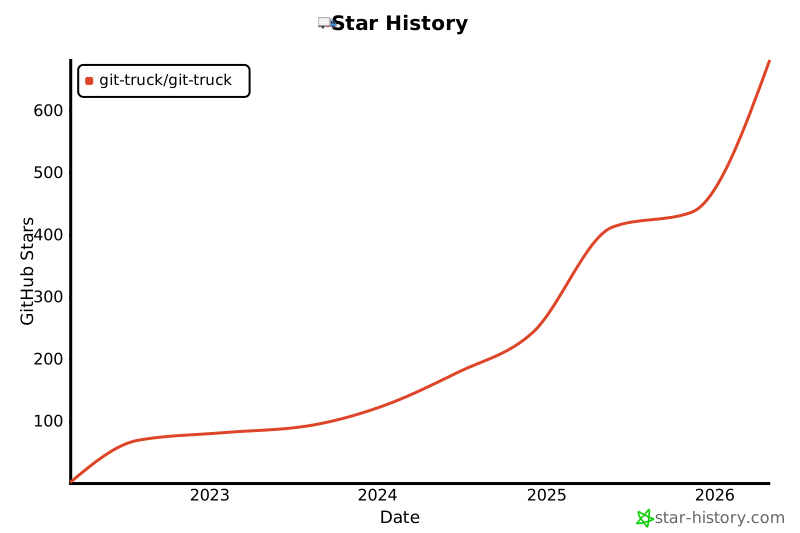](https://star-history.com/#git-truck/git-truck&Date)
|