flashduty-knowledge-base 1.3.4 → 1.3.6
This diff represents the content of publicly available package versions that have been released to one of the supported registries. The information contained in this diff is provided for informational purposes only and reflects changes between package versions as they appear in their respective public registries.
- package/README.md +19 -3
- package/dist/en.d.ts +5 -1
- package/dist/esm/en.js +1149 -252
- package/dist/esm/zh.js +1075 -246
- package/dist/iife/en.js +1119 -222
- package/dist/iife/zh.js +1051 -222
- package/dist/zh.d.ts +5 -1
- package/package.json +1 -1
package/dist/esm/zh.js
CHANGED
|
@@ -86,6 +86,15 @@ POST, Content-Type:"application/json"
|
|
|
86
86
|
| alert_key | 否 | string | 告警标识,用于对已经存在的告警进行更新或自动恢复。<br><br>您可以自定义此值,但不可超过\`255\`个字符。您也可以依赖系统自动生成,该值会在响应中返回。<br><br>如果您上报的是恢复事件,则此值必须存在。
|
|
87
87
|
| description | 否 | string | 告警描述,不超过\`2048\`个字符,超出后将自动截断。
|
|
88
88
|
| labels | 否 | map | 告警标签集合,key 为标签名称,value 为标签值:<br><br>1. 标签的 key 和 value 均为 string 类型,区分大小写。<br>2. 标签的 key 不要超过\`128\`个字符,遵循Prometheus标签命名规范。value 不超过\`2048\`个字符,超出后将自动截断。<br>3. 至多传入\`50\`个标签。\`标签内容参考\`[最佳实践](#最佳实践)。<br><br>示例:"resource": "171.26.23.22", "check": "api latency > 500ms"
|
|
89
|
+
| images | 否 | [][image](#image) | 图片数组,可用于前端或飞书和钉钉应用通知的图片展示。系统根据 alt 进行合并覆盖,相同(包括空字符)的alt只保留一条
|
|
90
|
+
|
|
91
|
+
#### image 结构体 <span id="image"></span>
|
|
92
|
+
|
|
93
|
+
字段|必含|类型|释义
|
|
94
|
+
:-:|:-:|:-:|:---
|
|
95
|
+
| alt | 否 | string | 图片的替代文本, 长度限制 128 字符,超长截断。
|
|
96
|
+
| src | 是 | string | 图片来源,值:http/https 开头的图片链接地址 或 [图片上传接口](https://developer.flashcat.cloud/api-344943718)返回的image_key,长度限制 256 字符,超长会被丢弃
|
|
97
|
+
| href | 否 | string | 超链接引用路径,长度限制 256 字符,超长截断
|
|
89
98
|
|
|
90
99
|
</div>
|
|
91
100
|
|
|
@@ -289,7 +298,7 @@ url: "https://docs.flashcat.cloud/zh/flashduty/email-integration-guide"
|
|
|
289
298
|
|
|
290
299
|
配置示例:
|
|
291
300
|
|
|
292
|
-
- 接收所有邮件,当邮件内容中包含 **
|
|
301
|
+
- 接收所有邮件,当邮件内容中包含 **RESOLVED** 字样时,关闭告警,否则触发新告警;
|
|
293
302
|
- Alert Key 从邮件标题中提取,规则为 **/(.\\*)/**。
|
|
294
303
|
|
|
295
304
|
<img src="https://download.flashcat.cloud/flashduty/integration/email/send-mode.png" alt="drawing" width="800"/>
|
|
@@ -397,7 +406,7 @@ url: "https://docs.flashcat.cloud/zh/flashduty/nightingale-integration-guide"
|
|
|
397
406
|
#### 步骤 1:添加通知媒介
|
|
398
407
|
|
|
399
408
|
1. 登录您的 n9e 控制台,选择 告警管理 > 通知媒介,并点击新增。
|
|
400
|
-
2. 填写媒介名称和标识,选择 **
|
|
409
|
+
2. 填写媒介名称和标识,选择 **Flashduty** 类型,\`URL\` 填写 Flashduty 的 \`推送地址\`。
|
|
401
410
|
3. 点击 **保存** 后,完成。
|
|
402
411
|
|
|
403
412
|
<img alt="drawing" width="600" src="https://download.flashcat.cloud/flashduty/doc/zh/fd/n9e-1.png" />
|
|
@@ -406,7 +415,7 @@ url: "https://docs.flashcat.cloud/zh/flashduty/nightingale-integration-guide"
|
|
|
406
415
|
|
|
407
416
|
1. 登录您的 n9e 控制台,选择 告警管理 > 通知规则,并点击新增或编辑已有的告警规则。
|
|
408
417
|
2. 基础信息部分按需配置即可。
|
|
409
|
-
3. 在通知配置中选择上一步添加的 \`
|
|
418
|
+
3. 在通知配置中选择上一步添加的 \`Flashduty\` 通知媒介。
|
|
410
419
|
4. 选择通过此规则生成的告警应发送到的协作空间(协作空间需提前在 [Flashduty](https://console.flashcat.cloud/channel) 中创建),其他按需选择。
|
|
411
420
|
5. 点击 **保存** 后,完成。
|
|
412
421
|
|
|
@@ -415,7 +424,7 @@ url: "https://docs.flashcat.cloud/zh/flashduty/nightingale-integration-guide"
|
|
|
415
424
|
#### 步骤 3:告警规则中选择通知规则
|
|
416
425
|
|
|
417
426
|
1. 登录您的 n9e 控制台,选择 告警管理 > 告警规则,并点击新增或编辑已有的告警规则。
|
|
418
|
-
2. 在通知配置中选择上一步添加的 \`
|
|
427
|
+
2. 在通知配置中选择上一步添加的 \`Flashduty\` 通知规则,其他按需选择。
|
|
419
428
|
3. 点击 **保存** 后,完成。
|
|
420
429
|
|
|
421
430
|
<img alt="drawing" width="600" src="https://download.flashcat.cloud/flashduty/doc/zh/fd/n9e-3.png" />
|
|
@@ -907,7 +916,7 @@ media type 必须关联至某个 user 才能发送事件。user 至少拥有对
|
|
|
907
916
|
1. 登录 Zabbix 控制台,选择 \`Users > Users\`,选择 Admin 用户,选择 media,选择 Add,进入编辑窗口:
|
|
908
917
|
|
|
909
918
|
- Type: 选择以上创建的快猫星云 media type
|
|
910
|
-
- Send To:填写
|
|
919
|
+
- Send To:填写 Flashduty
|
|
911
920
|
- 其他配置使用默认配置,保持不变
|
|
912
921
|
|
|
913
922
|
<img alt="drawing" width="600" src="https://download.flashcat.cloud/flashduty/doc/zabbix-3.png" />
|
|
@@ -925,7 +934,7 @@ media type 必须关联至某个 user 才能发送事件。user 至少拥有对
|
|
|
925
934
|
|
|
926
935
|
1. 点击 \`Create action\`,进入 action 编辑页面
|
|
927
936
|
|
|
928
|
-
- Name:填写为“Send To
|
|
937
|
+
- Name:填写为“Send To Flashduty”
|
|
929
938
|
|
|
930
939
|
2. 选择 \`Operations\`,分别添加三种场景的通知发送配置:
|
|
931
940
|
|
|
@@ -1017,7 +1026,7 @@ media type 必须关联至某个 user 才能发送事件。user 至少拥有对
|
|
|
1017
1026
|
|
|
1018
1027
|
1. 点击 \`Create action\`,进入 action 编辑页面
|
|
1019
1028
|
|
|
1020
|
-
- Name:填写为“Send To
|
|
1029
|
+
- Name:填写为“Send To Flashduty”
|
|
1021
1030
|
|
|
1022
1031
|
2. 选择 \`Operations\`,分别添加三种场景的通知发送配置:
|
|
1023
1032
|
|
|
@@ -1063,7 +1072,7 @@ media type 必须关联至某个 user 才能发送事件。user 至少拥有对
|
|
|
1063
1072
|
- \`{ALERT.SUBJECT}\`:告警标题,保持在第一个参数
|
|
1064
1073
|
- \`{ALERT.MESSAGE}\`:告警信息,保持在第二个参数
|
|
1065
1074
|
|
|
1066
|
-
- \`
|
|
1075
|
+
- \`Flashduty webhook 推送请求地址\`,复制集成的推送地址即可,保持在第三个参数
|
|
1067
1076
|
- \`Zabbix 控制台地址\`,直接复制即可(如果您的页面配置了 tomcat/nginx 转发路径,请同时携带),用于生成告警详情页面连接。如果没有空着即可,保持在第四个参数
|
|
1068
1077
|
- \`HTTPProxy\`:如果您的 Zabbix Server 不能直接访问快猫星云服务,可以将该参数设置为一个代理地址。如果没有空着即可,保持在第五个参数
|
|
1069
1078
|
|
|
@@ -1117,7 +1126,7 @@ media type 必须关联至某个 user 才能发送事件。user 至少拥有对
|
|
|
1117
1126
|
|
|
1118
1127
|
1. 点击\`Create action\`,进入 action 编辑页面
|
|
1119
1128
|
|
|
1120
|
-
- Name:填写为“Send To
|
|
1129
|
+
- Name:填写为“Send To Flashduty”
|
|
1121
1130
|
|
|
1122
1131
|
2. 选择 \`Operations\`,分别更新三种场景的通知用户配置:
|
|
1123
1132
|
|
|
@@ -1132,11 +1141,11 @@ media type 必须关联至某个 user 才能发送事件。user 至少拥有对
|
|
|
1132
1141
|
|
|
1133
1142
|
3. 选择 \`Operations\`,分别更新三种场景的通知内容配置:
|
|
1134
1143
|
|
|
1135
|
-
- **在 Default Message 配置项,完整复制以下内容,粘贴在默认内容之后**,
|
|
1144
|
+
- **在 Default Message 配置项,完整复制以下内容,粘贴在默认内容之后**,Flashduty 收到事件后将解析对应文字,找到告警属性信息:
|
|
1136
1145
|
|
|
1137
1146
|
\`\`\`
|
|
1138
1147
|
|
|
1139
|
-
-----
|
|
1148
|
+
-----Flashduty Required Starts-----event_severity={TRIGGER.SEVERITY}||event_name={TRIGGER.NAME}||event_id={EVENT.ID}||event_tags={EVENT.TAGS}||event_ack={EVENT.ACK.STATUS}||event_value={EVENT.VALUE}||trigger_id={TRIGGER.ID}||trigger_desc={TRIGGER.DESCRIPTION}||trigger_expr={TRIGGER.EXPRESSION}||host_group={TRIGGER.HOSTGROUP.NAME}||host_ip={HOST.IP}||host_name={HOST.NAME}||item_name={ITEM.NAME}||item_value={ITEM.VALUE}-----Flashduty Required Ends-----
|
|
1140
1149
|
|
|
1141
1150
|
\`\`\`
|
|
1142
1151
|
|
|
@@ -1230,7 +1239,7 @@ url: "https://docs.flashcat.cloud/zh/flashduty/uptime-kuma-integration-guide"
|
|
|
1230
1239
|
**步骤 1:设置通知渠道**
|
|
1231
1240
|
|
|
1232
1241
|
1. 进入 \`Settings -> Notifications\` 页面,单击 Setup 进行编辑,如下图所示;
|
|
1233
|
-
2. \`Notification Type\` 选择 \`
|
|
1242
|
+
2. \`Notification Type\` 选择 \`Flashduty( Flashduty )\`;
|
|
1234
1243
|
3. \`Integration Key\` 复制写入集成推送地址中的 integration_key 参数值;
|
|
1235
1244
|
4. \`Severity\` 为严重程度,按需选择;
|
|
1236
1245
|
5. 提交保存
|
|
@@ -1243,7 +1252,7 @@ url: "https://docs.flashcat.cloud/zh/flashduty/uptime-kuma-integration-guide"
|
|
|
1243
1252
|
|
|
1244
1253
|
1. 点击 \`Add New Monitor\` 或编辑已有的监控项,按需完成监控配置;
|
|
1245
1254
|
2. 如图,右侧 \`Notifications\` 部分启用上一步创建的通知方式;
|
|
1246
|
-
3. 如需设置标签,可以添加 \`Tags\`,注意仅同时存在 Key/Value 的标签才会推送到
|
|
1255
|
+
3. 如需设置标签,可以添加 \`Tags\`,注意仅同时存在 Key/Value 的标签才会推送到 Flashduty;
|
|
1247
1256
|
4. 提交保存,等待告警触发。
|
|
1248
1257
|
|
|
1249
1258
|
<img alt="drawing" width="600" src="https://download.flashcat.cloud/flashduty/integration/uptime-kuma/monitor.png" />
|
|
@@ -1647,7 +1656,7 @@ url: "https://docs.flashcat.cloud/zh/flashduty/aliyun-sls-integration-guide"
|
|
|
1647
1656
|
<img alt="drawing" width="600" src="https://download.flashcat.cloud/flashduty/integration/aliyun-sls/aliyun-sls-update-alert-rule.jpg" />
|
|
1648
1657
|
|
|
1649
1658
|
4. 点击\`确定\`按钮,提交保存
|
|
1650
|
-
5. 针对所有其他规则,重复上述步骤,可以将全部告警推送到
|
|
1659
|
+
5. 针对所有其他规则,重复上述步骤,可以将全部告警推送到 Flashduty
|
|
1651
1660
|
|
|
1652
1661
|
</div>
|
|
1653
1662
|
|
|
@@ -1719,10 +1728,10 @@ url: "https://docs.flashcat.cloud/zh/flashduty/aws-cloudwatch-integration-guide"
|
|
|
1719
1728
|
|
|
1720
1729
|
1. 登录您的 AWS 控制台,检索 \`Simple Notification Service\` 产品,并进入对应产品控制台
|
|
1721
1730
|
2. 进入 \`Topics\` 页面,单击 \`Create topic\` 按钮,开始创建主题
|
|
1722
|
-
3. \`Type\` 选择 \`Standard\`,填写名称为 \`
|
|
1731
|
+
3. \`Type\` 选择 \`Standard\`,填写名称为 \`Flashduty\`
|
|
1723
1732
|
4. 点击 \`Create Topic\` 按钮,完成主题创建
|
|
1724
1733
|
5. 进入 \`Subscriptions\` 页面,单击 \`Create subscription\` 按钮,为主题创建订阅
|
|
1725
|
-
6. \`Topic ARN\` 选择 \`
|
|
1734
|
+
6. \`Topic ARN\` 选择 \`Flashduty\`,\`Protocal\` 选择 \`HTTPS\`,\`Endpoint\` 填写集成的推送地址(当前页面填写集成名称,保存后即可生成地址)
|
|
1726
1735
|
7. 点击 \`Create subscription\` 按钮,完成订阅创建
|
|
1727
1736
|
|
|
1728
1737
|
<img alt="drawing" width="600" src="https://download.flashcat.cloud/aws-cloudwatch-subscribe.png" />
|
|
@@ -1730,7 +1739,7 @@ url: "https://docs.flashcat.cloud/zh/flashduty/aws-cloudwatch-integration-guide"
|
|
|
1730
1739
|
8. 回到 \`Subscriptions\` 页面,当订阅状态为 \`Confirmed\`,说明订阅地址校验成功,否则请联系 Flashduty
|
|
1731
1740
|
9. 检索 \`CloudWatch\` 产品,并进入对应产品控制台
|
|
1732
1741
|
10. 进入 \`All alrams\` 页面,选择创建或编辑已有的告警策略
|
|
1733
|
-
11. 对于 \`Notification\` 这一步,\`In alarm\`、\`OK\` 和 \`Insufficient data\` 三种状态推送目标 \`SNS topic\` 均选择 \`
|
|
1742
|
+
11. 对于 \`Notification\` 这一步,\`In alarm\`、\`OK\` 和 \`Insufficient data\` 三种状态推送目标 \`SNS topic\` 均选择 \`Flashduty\`,如下图所示:
|
|
1734
1743
|
|
|
1735
1744
|
<img alt="drawing" width="600" src="https://download.flashcat.cloud/aws-cloudwatch-alram.png" />
|
|
1736
1745
|
|
|
@@ -1910,7 +1919,7 @@ url: "https://docs.flashcat.cloud/zh/flashduty/baidu-bcm-integration-guide"
|
|
|
1910
1919
|
| 通知 | Info | 提醒 |
|
|
1911
1920
|
|
|
1912
1921
|
</div>
|
|
1913
|
-
`,
|
|
1922
|
+
`,g=`---
|
|
1914
1923
|
title: "华为云监控 CES集成"
|
|
1915
1924
|
description: 通过 webhook 的方式同步华为云监控 CES 告警事件到 Flashduty,实现告警事件自动化降噪处理"
|
|
1916
1925
|
date: "2025-05-19T10:00:00+08:00"
|
|
@@ -1968,7 +1977,7 @@ url: "https://docs.flashcat.cloud/zh/flashduty/huawei-ces-integration-guide"
|
|
|
1968
1977
|
<img alt="drawing" width="600" src="https://download.flashcat.cloud/huawei-ces-create-notify-obj.png" />
|
|
1969
1978
|
|
|
1970
1979
|
5. 进入 \`告警-告警通知-通知组\` 页面,单击 \`创建通知组\` 按钮
|
|
1971
|
-
6. 组名称填写 \`
|
|
1980
|
+
6. 组名称填写 \`Flashduty\`,通知对象勾选前边创建的 \`flashduty\`
|
|
1972
1981
|
7. 点击 \`确定\` 按钮,完成通知组创建
|
|
1973
1982
|
|
|
1974
1983
|
<img alt="drawing" width="600" src="https://download.flashcat.cloud/huawei-ces-create-notify-group.png" />
|
|
@@ -1976,7 +1985,7 @@ url: "https://docs.flashcat.cloud/zh/flashduty/huawei-ces-integration-guide"
|
|
|
1976
1985
|
注意,创建通知组时,华为云会发起请求到 Flashduty,验证推送地址,查看通知组的通知对象列表,仅当通知对象状态为 \`已确认\` 时,才会正常推送告警
|
|
1977
1986
|
|
|
1978
1987
|
8. 进入 \`告警-告警规则\` 页面,选择已有的告警规则进行编辑,或者创建新的告警规则,打开 \`告警规则详情\` 页面
|
|
1979
|
-
9. 其中 \`通知组\` 选择 \`
|
|
1988
|
+
9. 其中 \`通知组\` 选择 \`Flashduty\`,触发条件勾选 \`出现告警\` 和 \`恢复正常\`。点击 \`确定\` 按钮,保存修改
|
|
1980
1989
|
|
|
1981
1990
|
<img alt="drawing" width="600" src="https://download.flashcat.cloud/huawei-ces-create-alarm.png" />
|
|
1982
1991
|
|
|
@@ -1999,7 +2008,7 @@ url: "https://docs.flashcat.cloud/zh/flashduty/huawei-ces-integration-guide"
|
|
|
1999
2008
|
| 提示 | Info | 提醒 |
|
|
2000
2009
|
|
|
2001
2010
|
</div>
|
|
2002
|
-
`,
|
|
2011
|
+
`,m=`---
|
|
2003
2012
|
title: "Influxdata 集成"
|
|
2004
2013
|
description: "通过 webhook 的方式同步 Influxdata 告警事件到 Flashduty,实现告警事件自动化降噪处理"
|
|
2005
2014
|
date: "2025-05-19T10:00:00+08:00"
|
|
@@ -2062,7 +2071,7 @@ url: "https://docs.flashcat.cloud/zh/flashduty/influxdata-integration-guide"
|
|
|
2062
2071
|
#### 步骤1:创建告警通道
|
|
2063
2072
|
1. 登录您的 \`Influxdata\` 控制台,进去 \`Alerts > Notifycation Endpoints\` 页面。
|
|
2064
2073
|
2. 点击 \`Create\` 创建告警通知通道。
|
|
2065
|
-
3. \`Destination\` 选择 \`HTTP\`,\`Name\` 输入 \`
|
|
2074
|
+
3. \`Destination\` 选择 \`HTTP\`,\`Name\` 输入 \`Flashduty\`。
|
|
2066
2075
|
4. \`HTTP Method\` 选择 \`POST\`,\`URL\` 输入集成的推送地址。
|
|
2067
2076
|
|
|
2068
2077
|
<img alt="drawing" width="600" src="https://download.flashcat.cloud/flashduty/doc/influxdb-1.png" />
|
|
@@ -2071,7 +2080,7 @@ url: "https://docs.flashcat.cloud/zh/flashduty/influxdata-integration-guide"
|
|
|
2071
2080
|
1. 登录您的 \`Influxdata\` 控制台,进去 \`Alerts > Notifycation Rules\` 页面。
|
|
2072
2081
|
2. 点击 \`Create\` 创建告警通知规则。
|
|
2073
2082
|
3. \`About\` 和 \`Conditions\` 按需配置即可。
|
|
2074
|
-
4. \`Message\` 选择步骤1创建的 \`
|
|
2083
|
+
4. \`Message\` 选择步骤1创建的 \`Flashduty\`。
|
|
2075
2084
|
|
|
2076
2085
|
<img alt="drawing" width="600" src="https://download.flashcat.cloud/flashduty/doc/influxdb-2.png" />
|
|
2077
2086
|
|
|
@@ -2339,7 +2348,7 @@ filter:
|
|
|
2339
2348
|
query_string:
|
|
2340
2349
|
query: "created_at:*"
|
|
2341
2350
|
|
|
2342
|
-
# -------
|
|
2351
|
+
# ------- Flashduty ----------------
|
|
2343
2352
|
alert: pagerduty
|
|
2344
2353
|
pagerduty_service_key: xxx
|
|
2345
2354
|
pagerduty_client_name: wahaha
|
|
@@ -2349,7 +2358,7 @@ pagerduty_v2_payload_component: mysql
|
|
|
2349
2358
|
pagerduty_v2_payload_group: app-stack
|
|
2350
2359
|
pagerduty_v2_payload_severity: error
|
|
2351
2360
|
pagerduty_v2_payload_source: mysql.host.name
|
|
2352
|
-
# -------
|
|
2361
|
+
# ------- Flashduty ----------------
|
|
2353
2362
|
\`\`\`
|
|
2354
2363
|
|
|
2355
2364
|
4. 步骤 4:重启 ElastAlert,等待告警触发
|
|
@@ -2406,7 +2415,7 @@ url: "https://docs.flashcat.cloud/zh/flashduty/tencent-bk-integration-guide"
|
|
|
2406
2415
|
---
|
|
2407
2416
|
以下内容已经在\`蓝鲸V6/7版本\`完成验证,V5 及以下版本官方已不再支持,建议您升级。
|
|
2408
2417
|
|
|
2409
|
-
蓝鲸告警策略可以触发\`处理套餐\`,处理套餐可与周边系统打通,来完成复杂功能。我们首先创建一个处理套餐,配置
|
|
2418
|
+
蓝鲸告警策略可以触发\`处理套餐\`,处理套餐可与周边系统打通,来完成复杂功能。我们首先创建一个处理套餐,配置 Flashduty 的回调地址,然后编辑告警策略,关联动作到该处理套餐,实现告警变更自动推送到 Flashduty。具体步骤如下:
|
|
2410
2419
|
|
|
2411
2420
|
#### 步骤 1、创建处理套餐
|
|
2412
2421
|
|
|
@@ -2414,7 +2423,7 @@ url: "https://docs.flashcat.cloud/zh/flashduty/tencent-bk-integration-guide"
|
|
|
2414
2423
|
|
|
2415
2424
|
1. 登录您的蓝鲸智云桌面,进入\`监控平台\`;
|
|
2416
2425
|
2. 进入\`配置-处理套餐\`页面,单击\`添加套餐\`按钮,开始创建处理套餐;
|
|
2417
|
-
3. 填写名称为\`Send To
|
|
2426
|
+
3. 填写名称为\`Send To Flashduty\`,套餐类型选择\`HTTP回调\`,推送方式选择\`POST\`,并填写集成的推送地址(保存集成后获得),如下图所示:
|
|
2418
2427
|
|
|
2419
2428
|
<img alt="drawing" width="600" src="https://download.flashcat.cloud/flashduty/integration/tencent-bk/create_package.jpg" />
|
|
2420
2429
|
|
|
@@ -2432,12 +2441,12 @@ url: "https://docs.flashcat.cloud/zh/flashduty/tencent-bk-integration-guide"
|
|
|
2432
2441
|
<div class="md-block">
|
|
2433
2442
|
|
|
2434
2443
|
1. 进入\`配置-告警策略\`页面,选择一个已有的策略进行编辑,或新建一个告警策略;
|
|
2435
|
-
2. 下拉到\`告警处理\`部分,三种场景均选择\`Send To
|
|
2444
|
+
2. 下拉到\`告警处理\`部分,三种场景均选择\`Send To Flashduty\`处理套餐,并关闭\`防御规则\`,如下图:
|
|
2436
2445
|
|
|
2437
2446
|
<img alt="drawing" width="600" src="https://download.flashcat.cloud/flashduty/integration/tencent-bk/update_alert_rule.jpg" />
|
|
2438
2447
|
|
|
2439
2448
|
3. 提交保存,完成;
|
|
2440
|
-
4. 对于其他想要推送到
|
|
2449
|
+
4. 对于其他想要推送到 Flashduty 的告警,重复以上步骤。
|
|
2441
2450
|
|
|
2442
2451
|
</div>
|
|
2443
2452
|
|
|
@@ -2577,7 +2586,7 @@ url: "https://docs.flashcat.cloud/zh/flashduty/tencent-cls-integration-guide"
|
|
|
2577
2586
|
"record_group_id": "{{escape .RecordGroupId}}",
|
|
2578
2587
|
"detail_url": "{{escape .DetailUrl}}",
|
|
2579
2588
|
"query_url": "{{escape .QueryUrl}}",
|
|
2580
|
-
"message": {{.Message}},
|
|
2589
|
+
"message": "{{.Message}}",
|
|
2581
2590
|
"query_result": {{.QueryResult}},
|
|
2582
2591
|
"query_log": {{.QueryLog}},
|
|
2583
2592
|
"analysis_result": {{.AnalysisResult}}
|
|
@@ -2727,7 +2736,7 @@ url: "https://docs.flashcat.cloud/zh/flashduty/tencent-event-bridge-integration-
|
|
|
2727
2736
|
|
|
2728
2737
|
1. 登录您的腾讯云控制台,选择事件总线产品
|
|
2729
2738
|
2. 进入 事件规则 页面,单击 新建 按钮,开始编辑规则
|
|
2730
|
-
3. 填写名称为
|
|
2739
|
+
3. 填写名称为 Flashduty,如下图所示:
|
|
2731
2740
|
|
|
2732
2741
|
<img alt="drawing" width="600" src="https://download.flashcat.cloud/tencent-eb-new-rule.png" />
|
|
2733
2742
|
|
|
@@ -2830,12 +2839,12 @@ url: "https://docs.flashcat.cloud/zh/flashduty/oceanbase-integration-guide"
|
|
|
2830
2839
|
|
|
2831
2840
|
<img alt="drawing" width="600" src="https://fcpub-1301667576.cos.ap-nanjing.myqcloud.com/flashduty/doc/oceanbase-1.png" />
|
|
2832
2841
|
|
|
2833
|
-
5. 配置通道中复制以下脚本内容,同时**请将脚本中的 integration_key 参数补充上
|
|
2842
|
+
5. 配置通道中复制以下脚本内容,同时**请将脚本中的 integration_key 参数补充上 Flashduty 推送地址中的 integration_key 值**。
|
|
2834
2843
|
|
|
2835
2844
|
\`\`\`
|
|
2836
2845
|
#!/usr/bin/env bash
|
|
2837
2846
|
|
|
2838
|
-
function
|
|
2847
|
+
function sendToFlashduty() {
|
|
2839
2848
|
URL="\${address}/event/push/alert/standard?integration_key=\${integration_key}"
|
|
2840
2849
|
curl -s -X POST \${URL} -H 'Content-Type: application/json' -d '{
|
|
2841
2850
|
"event_status": "'\${alert_level}'",
|
|
@@ -2905,7 +2914,7 @@ fi
|
|
|
2905
2914
|
|
|
2906
2915
|
#只有状态是告警中或恢复告警才发通知,屏蔽或抑制的不发通知
|
|
2907
2916
|
if [[ \${statusMd5} == \${active} || \${statusMd5} == \${Inactive} ]];then
|
|
2908
|
-
|
|
2917
|
+
sendToFlashduty
|
|
2909
2918
|
fi
|
|
2910
2919
|
\`\`\`
|
|
2911
2920
|
|
|
@@ -2944,7 +2953,7 @@ OCP告警通知-单条告警
|
|
|
2944
2953
|
<img alt="drawing" width="600" src="https://fcpub-1301667576.cos.ap-nanjing.myqcloud.com/flashduty/doc/oceanbase-2.png" />
|
|
2945
2954
|
|
|
2946
2955
|
3. 推送语言选择 **简体中文**。
|
|
2947
|
-
4. 告警通道选择 **
|
|
2956
|
+
4. 告警通道选择 **Flashduty** 。
|
|
2948
2957
|
5. 开启 **恢复通知**。
|
|
2949
2958
|
6. 提交。
|
|
2950
2959
|
|
|
@@ -3044,7 +3053,7 @@ url: "https://docs.flashcat.cloud/zh/flashduty/graylog-integration-guide"
|
|
|
3044
3053
|
|
|
3045
3054
|
<img alt="drawing" width="600" src="https://fcpub-1301667576.cos.ap-nanjing.myqcloud.com/flashduty/doc/graylog-2.png" />
|
|
3046
3055
|
|
|
3047
|
-
6. 输入
|
|
3056
|
+
6. 输入 Flashduty 获取到的 URL (第一次输入需要对 URL 加白)。
|
|
3048
3057
|
|
|
3049
3058
|
<img alt="drawing" width="600" src="https://fcpub-1301667576.cos.ap-nanjing.myqcloud.com/flashduty/doc/graylog-3.png" />
|
|
3050
3059
|
|
|
@@ -3056,11 +3065,11 @@ url: "https://docs.flashcat.cloud/zh/flashduty/graylog-integration-guide"
|
|
|
3056
3065
|
|
|
3057
3066
|
<img alt="drawing" width="600" src="https://fcpub-1301667576.cos.ap-nanjing.myqcloud.com/flashduty/doc/graylog-5.png" />
|
|
3058
3067
|
|
|
3059
|
-
### 步骤2:在告警事件中使用
|
|
3068
|
+
### 步骤2:在告警事件中使用 Flashduty 告警通道
|
|
3060
3069
|
1. 创建或编辑已有的 Event Definition。
|
|
3061
3070
|
2. 此处省略其他告警配置(按业务需求配置告警条件)。
|
|
3062
3071
|
3. 在 Notifications 配置通道。
|
|
3063
|
-
4. Add Notifition 选择
|
|
3072
|
+
4. Add Notifition 选择 Flashduty 通道。
|
|
3064
3073
|
5. 点击 Done。
|
|
3065
3074
|
6. 下一步完成即可。
|
|
3066
3075
|
|
|
@@ -3147,7 +3156,7 @@ rules:
|
|
|
3147
3156
|
tags:
|
|
3148
3157
|
level: Warning
|
|
3149
3158
|
\`\`\`
|
|
3150
|
-
4. 添加
|
|
3159
|
+
4. 添加 Flashduty 的 webhook 地址。
|
|
3151
3160
|
|
|
3152
3161
|
\`\`\`
|
|
3153
3162
|
# 在配置文件底部添加
|
|
@@ -3237,12 +3246,12 @@ Sentry 提供了两类告警机制:Issue Alerts 和 Metric Alerts。Issue Aler
|
|
|
3237
3246
|
|
|
3238
3247
|
## 二、Sentry 告警推送配置
|
|
3239
3248
|
|
|
3240
|
-
### 步骤1:添加
|
|
3249
|
+
### 步骤1:添加 Flashduty Custom Integrations
|
|
3241
3250
|
|
|
3242
3251
|
1. 登录 Sentry 管理控制台。
|
|
3243
3252
|
2. 在左侧导航栏,找到 **Settings => Custom Integrations**。
|
|
3244
3253
|
3. 点击 Create New Integration 并选择 **Internal Integration**。
|
|
3245
|
-
4. 在编辑页面。**Name 处填写
|
|
3254
|
+
4. 在编辑页面。**Name 处填写 Flashduty,WebhookURL 处复制写入集成的推送地址**。
|
|
3246
3255
|
5. 开启 **Alert Rule Action**,参考如下图配置:
|
|
3247
3256
|
|
|
3248
3257
|
<img alt="drawing" width="600" src="https://fcpub-1301667576.cos.ap-nanjing.myqcloud.com/flashduty/doc/sentry-1.png" />
|
|
@@ -3255,11 +3264,11 @@ Sentry 提供了两类告警机制:Issue Alerts 和 Metric Alerts。Issue Aler
|
|
|
3255
3264
|
<img alt="drawing" width="600" src="https://fcpub-1301667576.cos.ap-nanjing.myqcloud.com/flashduty/doc/sentry-2.png" />
|
|
3256
3265
|
|
|
3257
3266
|
**关于 WEBHOOKS 配置的特殊说明:**
|
|
3258
|
-
1. 勾选 **issue** 后
|
|
3267
|
+
1. 勾选 **issue** 后 Flashduty 可以接收 issue 的 resolved 事件,即在 issue 列表中对某个问题进行手动触发 resolved 时,我们会自动恢复 Flashduty 中关联的故障。
|
|
3259
3268
|
2. 不支持 issue 的其他事件,如 create、assigned、archived 和 unresolved。
|
|
3260
|
-
3. 如果同时勾选了 error 和 comment ,
|
|
3269
|
+
3. 如果同时勾选了 error 和 comment ,Flashduty 并不会接收和处理这类事件。
|
|
3261
3270
|
|
|
3262
|
-
### 步骤2:在 Alerts 中使用
|
|
3271
|
+
### 步骤2:在 Alerts 中使用 Flashduty Integration
|
|
3263
3272
|
1. 在左侧导航栏,找到 **Alerts => Create Alert**。
|
|
3264
3273
|
2. 选择要创建的 Alert 类型,如 Issue 。
|
|
3265
3274
|
|
|
@@ -3271,7 +3280,7 @@ Sentry 提供了两类告警机制:Issue Alerts 和 Metric Alerts。Issue Aler
|
|
|
3271
3280
|
|
|
3272
3281
|
<img alt="drawing" width="600" src="https://fcpub-1301667576.cos.ap-nanjing.myqcloud.com/flashduty/doc/sentry-4.png" />
|
|
3273
3282
|
|
|
3274
|
-
5. 通知渠道选择上面添加的 **
|
|
3283
|
+
5. 通知渠道选择上面添加的 **Flashduty**。
|
|
3275
3284
|
|
|
3276
3285
|
|
|
3277
3286
|
<img alt="drawing" width="600" src="https://fcpub-1301667576.cos.ap-nanjing.myqcloud.com/flashduty/doc/sentry-5.png" />
|
|
@@ -3356,7 +3365,7 @@ url: "https://docs.flashcat.cloud/zh/flashduty/jiankongbao-integration-guide"
|
|
|
3356
3365
|
|
|
3357
3366
|
<img alt="drawing" width="600" src="https://fcpub-1301667576.cos.ap-nanjing.myqcloud.com/flashduty/doc/jkb-2.png" />
|
|
3358
3367
|
|
|
3359
|
-
4. 自定义名称输入
|
|
3368
|
+
4. 自定义名称输入 Flashduty,回调 URL 输入复制集成的推送地址。
|
|
3360
3369
|
5. 回调方式选择 **POST**,数据格式选择 **JSON**。
|
|
3361
3370
|
6. 勾选**开启 URL 回调**,其他按需选择即可,参考下图配置。
|
|
3362
3371
|
|
|
@@ -3365,10 +3374,10 @@ url: "https://docs.flashcat.cloud/zh/flashduty/jiankongbao-integration-guide"
|
|
|
3365
3374
|
7. 点击保存。
|
|
3366
3375
|
|
|
3367
3376
|
|
|
3368
|
-
### 步骤2:在监控任务使用
|
|
3377
|
+
### 步骤2:在监控任务使用 Flashduty 告警通道
|
|
3369
3378
|
1. 创建或编辑已有的监控任务。
|
|
3370
3379
|
2. 此处省略其他告警配置。
|
|
3371
|
-
3. 在 Webhook 通知处,选择
|
|
3380
|
+
3. 在 Webhook 通知处,选择 Flashduty 通道。
|
|
3372
3381
|
|
|
3373
3382
|
<img alt="drawing" width="600" src="https://fcpub-1301667576.cos.ap-nanjing.myqcloud.com/flashduty/doc/jkb-4.png" />
|
|
3374
3383
|
|
|
@@ -3449,10 +3458,10 @@ url: "https://docs.flashcat.cloud/zh/flashduty/aws-eventbridge-integration-guide
|
|
|
3449
3458
|
|
|
3450
3459
|
<img alt="drawing" width="600" src="https://download.flashcat.cloud/flashduty/doc/aws-eb-3.png" />
|
|
3451
3460
|
|
|
3452
|
-
4. 在 \`Connection details\` 部分中,\`Connection name\` 处填写 \`
|
|
3461
|
+
4. 在 \`Connection details\` 部分中,\`Connection name\` 处填写 \`Flashduty\`。
|
|
3453
3462
|
5. 在 \`Authorization\` 部分中,\`Destination type\` 选择 \`Other\`。
|
|
3454
3463
|
6. \`Authorization type\` 选择 \`API Key\`。
|
|
3455
|
-
7. \`API key name\` 填写 \`
|
|
3464
|
+
7. \`API key name\` 填写 \`Flashduty\`,\`Value\` 填写集成推送地址的 \`integration_key\`。
|
|
3456
3465
|
8. 点击 \`Create\` 保存即可。
|
|
3457
3466
|
|
|
3458
3467
|
<img alt="drawing" width="600" src="https://download.flashcat.cloud/flashduty/doc/aws-eb-4.png" />
|
|
@@ -3463,10 +3472,10 @@ url: "https://docs.flashcat.cloud/zh/flashduty/aws-eventbridge-integration-guide
|
|
|
3463
3472
|
|
|
3464
3473
|
<img alt="drawing" width="600" src="https://download.flashcat.cloud/flashduty/doc/aws-eb-5.png" />
|
|
3465
3474
|
|
|
3466
|
-
2. 在 \`API destination detail\` 编辑界面填写相关信息,\`Name\` 填写 \`
|
|
3475
|
+
2. 在 \`API destination detail\` 编辑界面填写相关信息,\`Name\` 填写 \`Flashduty\` 。
|
|
3467
3476
|
3. \`API destination endpoint\` 填写集成的推送地址(当前页面填写集成名称,保存后即可生成地址)。
|
|
3468
3477
|
4. \`HTTP method\` 选择 \`POST\`。
|
|
3469
|
-
5. \`Connection type\` 选择 \`Use an existing connection\` 并在列表中选择步骤1添加的 \`
|
|
3478
|
+
5. \`Connection type\` 选择 \`Use an existing connection\` 并在列表中选择步骤1添加的 \`Flashduty\` Connection。
|
|
3470
3479
|
6. 点击 \`Create\` 保存即可。
|
|
3471
3480
|
|
|
3472
3481
|
<img alt="drawing" width="600" src="https://download.flashcat.cloud/flashduty/doc/aws-eb-6.png" />
|
|
@@ -3476,7 +3485,7 @@ url: "https://docs.flashcat.cloud/zh/flashduty/aws-eventbridge-integration-guide
|
|
|
3476
3485
|
2. 在左侧导航栏选择 \`Buses=>Rules\`,创建或编辑已有的规则。
|
|
3477
3486
|
3. 此处省略其他配置。
|
|
3478
3487
|
4. 在 \`Target types\` 处,选择 \`EventBridge API destination\` 作为目标类型。
|
|
3479
|
-
5. 在 \`API destination\` 中选择 \`Use an existing API destination\`,并在下拉框中选择步骤2创建的 \`
|
|
3488
|
+
5. 在 \`API destination\` 中选择 \`Use an existing API destination\`,并在下拉框中选择步骤2创建的 \`Flashduty\` API destination。
|
|
3480
3489
|
6. \`Next\` 后按需配置,并保存即可。
|
|
3481
3490
|
|
|
3482
3491
|
<img alt="drawing" width="600" src="https://download.flashcat.cloud/flashduty/doc/aws-eb-7.png" />
|
|
@@ -3486,8 +3495,8 @@ url: "https://docs.flashcat.cloud/zh/flashduty/aws-eventbridge-integration-guide
|
|
|
3486
3495
|
|
|
3487
3496
|
<div class="md-block">
|
|
3488
3497
|
|
|
3489
|
-
1. 由于 AWS EventBridge 的事件并没有严重等级,所以推送至
|
|
3490
|
-
2. AWS EventBridge 的事件只有触发,没有恢复,所以
|
|
3498
|
+
1. 由于 AWS EventBridge 的事件并没有严重等级,所以推送至 Flashduty 的事件等级均为 Warning。
|
|
3499
|
+
2. AWS EventBridge 的事件只有触发,没有恢复,所以 Flashduty 接收到的事件也不会自动关联恢复。
|
|
3491
3500
|
|
|
3492
3501
|
</div>
|
|
3493
3502
|
|
|
@@ -3563,7 +3572,7 @@ url: "https://docs.flashcat.cloud/zh/flashduty/dynatrace-integration-guide"
|
|
|
3563
3572
|
<img alt="drawing" width="600" src="https://download.flashcat.cloud/flashduty/doc/dyn-3.png" />
|
|
3564
3573
|
|
|
3565
3574
|
5. 在 \`Notification type\` 处,选择 \`Custom Integraion\`。
|
|
3566
|
-
6. \`Display name\` 填写 \`
|
|
3575
|
+
6. \`Display name\` 填写 \`Flashduty\`。
|
|
3567
3576
|
7. \`Webhook URL\` 填写集成的推送地址(当前页面填写集成名称,保存后即可生成地址)。
|
|
3568
3577
|
8. \`Call webhook if problem is closed\` 保持开启状态。
|
|
3569
3578
|
|
|
@@ -3660,14 +3669,14 @@ url: "https://docs.flashcat.cloud/zh/flashduty/huaweilts-integration-guide"
|
|
|
3660
3669
|
|
|
3661
3670
|
## 一、华为云日志服务 LTS 告警推送配置
|
|
3662
3671
|
|
|
3663
|
-
### 步骤1:创建
|
|
3672
|
+
### 步骤1:创建 Flashduty 告警通道
|
|
3664
3673
|
1. 登录您的华为云控制台,检索 \`SMN\` 消息通知服务产品,并进入对应产品控制台。
|
|
3665
3674
|
2. 在左侧导航栏选择 \`主题管理=>主题\`。
|
|
3666
|
-
3. 点击 \`创建主题\`,在编辑页面中的主题名称处输入 \`
|
|
3675
|
+
3. 点击 \`创建主题\`,在编辑页面中的主题名称处输入 \`Flashduty\` 并点击确认。
|
|
3667
3676
|
|
|
3668
3677
|
<img alt="drawing" width="600" src="https://download.flashcat.cloud/flashduty/doc/huawei-lts-1.png" />
|
|
3669
3678
|
|
|
3670
|
-
4. 回到主题列表后,在刚创建的
|
|
3679
|
+
4. 回到主题列表后,在刚创建的 Flashduty 主题中点击 \`添加订阅\`。
|
|
3671
3680
|
|
|
3672
3681
|
<img alt="drawing" width="600" src="https://download.flashcat.cloud/flashduty/doc/huawei-lts-2.png" />
|
|
3673
3682
|
|
|
@@ -3686,14 +3695,14 @@ url: "https://docs.flashcat.cloud/zh/flashduty/huaweilts-integration-guide"
|
|
|
3686
3695
|
|
|
3687
3696
|
<img alt="drawing" width="600" src="https://download.flashcat.cloud/flashduty/doc/huawei-lts-5.png" />
|
|
3688
3697
|
|
|
3689
|
-
3. 在模版编辑页面中,名称填写 **
|
|
3698
|
+
3. 在模版编辑页面中,名称填写 **Flashduty**,消息头语言选择 \`英文\`。
|
|
3690
3699
|
4. 通知类型选择 \`HTTP/HTTPS\`,数据类型选择 \`JSON\`。
|
|
3691
3700
|
5. 点击 \`确认\` 保存。
|
|
3692
3701
|
|
|
3693
3702
|
<img alt="drawing" width="600" src="https://download.flashcat.cloud/flashduty/doc/huawei-lts-6.png" />
|
|
3694
3703
|
|
|
3695
3704
|
6. 回到 \`告警行动规则\` 列表,点击 \`创建\`。
|
|
3696
|
-
7. 规则名称填写 **
|
|
3705
|
+
7. 规则名称填写 **Flashduty** ,主题和消息模版都选择已创建的 **Flashduty** 主题和模版。
|
|
3697
3706
|
|
|
3698
3707
|
<img alt="drawing" width="600" src="https://download.flashcat.cloud/flashduty/doc/huawei-lts-7.png" />
|
|
3699
3708
|
|
|
@@ -3703,7 +3712,7 @@ url: "https://docs.flashcat.cloud/zh/flashduty/huaweilts-integration-guide"
|
|
|
3703
3712
|
2. 创建或编辑已有的告警规则。
|
|
3704
3713
|
3. 此处省略其他配置。
|
|
3705
3714
|
4. 在 \`高级设置\` 中,通知场景的 \`告警触发\` 和 \`告警恢复\` 都要勾选上。
|
|
3706
|
-
5. 打开行动规则,并选择 \`步骤2\` 创建的 **
|
|
3715
|
+
5. 打开行动规则,并选择 \`步骤2\` 创建的 **Flashduty** 规则。
|
|
3707
3716
|
6. 语言选择 \`英文\`,完成配置后点击 \`确认\` 保存即可。
|
|
3708
3717
|
|
|
3709
3718
|
<img alt="drawing" width="600" src="https://download.flashcat.cloud/flashduty/doc/huawei-lts-8.png" />
|
|
@@ -3784,18 +3793,18 @@ url: "https://docs.flashcat.cloud/zh/flashduty/gcpcm-integration-guide"
|
|
|
3784
3793
|
|
|
3785
3794
|
3. 在 Notification channels 页面找到 \`Webhooks\` 并点击 \`ADD NEW\`。
|
|
3786
3795
|
4. 在 \`Endpoint URL\` 处输入集成的推送地址(当前页面填写集成名称,保存后即可生成地址。
|
|
3787
|
-
5. 在 \`Display Name\` 处输入 **
|
|
3796
|
+
5. 在 \`Display Name\` 处输入 **Flashduty** 。
|
|
3788
3797
|
6. 点击 \`TEST CONNECTION\` 后,点击 \`SAVE\` 保存即可。
|
|
3789
3798
|
|
|
3790
3799
|
<img alt="drawing" width="600" src="https://download.flashcat.cloud/flashduty/doc/google-cm-2.png" />
|
|
3791
3800
|
|
|
3792
|
-
### 步骤2:在告警策略中使用
|
|
3801
|
+
### 步骤2:在告警策略中使用 Flashduty 告警通道
|
|
3793
3802
|
|
|
3794
3803
|
1. 回到 \`Alerting\` 页面。
|
|
3795
3804
|
2. 创建或编辑已有的策略。
|
|
3796
3805
|
3. 此处省略其他策略配置(按业务需求配置告警条件)。
|
|
3797
3806
|
4. 在 \`Notifications and name\` 页面中,将 \`Use notification channel\` 保持开启状态。
|
|
3798
|
-
5. 在 \`Notification channels\` 下拉框中选择 **步骤1** 创建的 **
|
|
3807
|
+
5. 在 \`Notification channels\` 下拉框中选择 **步骤1** 创建的 **Flashduty** 通道,并勾选 \`Notify on incident closure\`。
|
|
3799
3808
|
6. 完成其他配置并保存策略即可。
|
|
3800
3809
|
|
|
3801
3810
|
<img alt="drawing" width="600" src="https://download.flashcat.cloud/flashduty/doc/google-cm-3.png" />
|
|
@@ -3954,7 +3963,7 @@ url: "https://docs.flashcat.cloud/zh/flashduty/appdynamics-integration-guide"
|
|
|
3954
3963
|
|
|
3955
3964
|
<img alt="drawing" width="600" src="https://download.flashcat.cloud/flashduty/doc/appdyn-1.png" />
|
|
3956
3965
|
|
|
3957
|
-
3. 在模版配置中,\`Name\` 填写 **
|
|
3966
|
+
3. 在模版配置中,\`Name\` 填写 **Flashduty** 。
|
|
3958
3967
|
4. 在 \`Request URL\` 部分,\`Method\` 选择 **POST** ,\`Raw URL\` 填写集成的推送地址(当前页面填写集成名称,保存后即可生成地址)。
|
|
3959
3968
|
|
|
3960
3969
|
<img alt="drawing" width="600" src="https://download.flashcat.cloud/flashduty/doc/appdyn-2.png" />
|
|
@@ -4032,7 +4041,7 @@ url: "https://docs.flashcat.cloud/zh/flashduty/appdynamics-integration-guide"
|
|
|
4032
4041
|
|
|
4033
4042
|
<img alt="drawing" width="600" src="https://download.flashcat.cloud/flashduty/doc/appdyn-6.png" />
|
|
4034
4043
|
|
|
4035
|
-
3. 在弹出的 \`Create HTTP Action\` 框中,输入 Name,\`HTTP Request Template\` 选择 \`步骤1\` 创建的 **
|
|
4044
|
+
3. 在弹出的 \`Create HTTP Action\` 框中,输入 Name,\`HTTP Request Template\` 选择 \`步骤1\` 创建的 **Flashduty** 并点击 \`SAVE\`。
|
|
4036
4045
|
|
|
4037
4046
|
<img alt="drawing" width="600" src="https://download.flashcat.cloud/flashduty/doc/appdyn-7.png" />
|
|
4038
4047
|
|
|
@@ -4059,7 +4068,7 @@ url: "https://docs.flashcat.cloud/zh/flashduty/appdynamics-integration-guide"
|
|
|
4059
4068
|
|INFO|Info|提醒|
|
|
4060
4069
|
|
|
4061
4070
|
</div>
|
|
4062
|
-
`,
|
|
4071
|
+
`,R=`---
|
|
4063
4072
|
title: "SolarWinds 告警事件"
|
|
4064
4073
|
description: "通过 webhook 的方式同步 SolarWinds 告警事件到 Flashduty,实现告警事件自动化降噪处理"
|
|
4065
4074
|
date: "2024-08-20T10:00:00+08:00"
|
|
@@ -4118,7 +4127,7 @@ url: "https://docs.flashcat.cloud/zh/flashduty/solarwinds-integration-guide"
|
|
|
4118
4127
|
|
|
4119
4128
|
**前提说明**
|
|
4120
4129
|
1. SolarWinds 的告警类型有五种(Anomaly、Entity、Event、Log、Metric Group),每种类型对应不同的告警通道,所以需要创建五个告警通道,以便在不同告警类型中使用。
|
|
4121
|
-
2. 在创建 Webhook 通道过程中,其中 Name 字段建议使用: 类型
|
|
4130
|
+
2. 在创建 Webhook 通道过程中,其中 Name 字段建议使用: 类型_Flashduty 组合的形式,例如:Anomaly_Flashduty。
|
|
4122
4131
|
3. 在选择 **Select Custom Body Template Based On The Alert Types** 时,系统会默认生成相应的 **HTTP POST Body**, **生成的模版内容请不要修改**。
|
|
4123
4132
|
|
|
4124
4133
|
**开始创建**
|
|
@@ -4128,7 +4137,7 @@ url: "https://docs.flashcat.cloud/zh/flashduty/solarwinds-integration-guide"
|
|
|
4128
4137
|
<img alt="drawing" width="600" src="https://download.flashcat.cloud/flashduty/doc/sw-1.png" />
|
|
4129
4138
|
|
|
4130
4139
|
3. 点击 \`CREATE CONFIGURATION\` 进行创建相应的告警通道。
|
|
4131
|
-
4. 在 \`Method\` 处选择 **POST** ,\`Name\` 处可以根据前提说明中的建议进行命名,例如:
|
|
4140
|
+
4. 在 \`Method\` 处选择 **POST** ,\`Name\` 处可以根据前提说明中的建议进行命名,例如:Anomaly_Flashduty。
|
|
4132
4141
|
5. \`Destination URL\` 填写集成的推送地址(当前页面填写集成名称,保存后即可生成地址)。
|
|
4133
4142
|
6. \`Content Type\` 选择 **application/json**。
|
|
4134
4143
|
7. \`Select Custom Body Template Based On The Alert Types\` 选择需要创建的类型,例如:Anomaly Based Alert。
|
|
@@ -4144,7 +4153,7 @@ url: "https://docs.flashcat.cloud/zh/flashduty/solarwinds-integration-guide"
|
|
|
4144
4153
|
1. 在左侧导航栏找到 \`Alerts\`,选择 \`Alert Settings\`。
|
|
4145
4154
|
2. 创建或编辑已有的策略(告警规则按需配置即可,此处省略告警规则的配置)。
|
|
4146
4155
|
3. 在配置策略页面的 \`Actions\` 部分中,\`Services\` 选择 **Webhook** 。
|
|
4147
|
-
4. \`Configuration\` 选择步骤1创建的
|
|
4156
|
+
4. \`Configuration\` 选择步骤1创建的 Anomaly_Flashduty 通道。
|
|
4148
4157
|
5. \`Send an additional notification when the Alert is cleared\` 保持开启状态。
|
|
4149
4158
|
|
|
4150
4159
|
<img alt="drawing" width="600" src="https://download.flashcat.cloud/flashduty/doc/sw-4.png" />
|
|
@@ -4219,14 +4228,14 @@ url: "https://docs.flashcat.cloud/zh/flashduty/volcengine-metric-integration-gui
|
|
|
4219
4228
|
|
|
4220
4229
|
## 一、火山引擎云监控告警推送配置
|
|
4221
4230
|
|
|
4222
|
-
### 步骤1:创建
|
|
4231
|
+
### 步骤1:创建 Flashduty 告警通道
|
|
4223
4232
|
1. 登录您的火山引擎控制台,检索 \`云监控\` 产品,并进入对应产品控制台。
|
|
4224
4233
|
2. 在左侧导航栏选择 \`通知组=>回调\`。
|
|
4225
4234
|
3. 点击 \`创建回调地址\`。
|
|
4226
4235
|
|
|
4227
4236
|
<img alt="drawing" width="600" src="https://download.flashcat.cloud/flashduty/doc/ve-m-1.png" />
|
|
4228
4237
|
|
|
4229
|
-
4. 在编辑页面中填写相应的信息,回调地址名称填写 \`
|
|
4238
|
+
4. 在编辑页面中填写相应的信息,回调地址名称填写 \`Flashduty_Metric\`。
|
|
4230
4239
|
5. 回调地址类型选择 \`通用回调地址\`。
|
|
4231
4240
|
6. 回调地址填写**集成的推送地址**(当前页面填写集成名称,保存后即可生成地址)。
|
|
4232
4241
|
7. 点击 \`确认\` 即可完成创建(不支持连通性测试,即使点击测试出现连通性失败,也不会影响告警的接收)。
|
|
@@ -4239,7 +4248,7 @@ url: "https://docs.flashcat.cloud/zh/flashduty/volcengine-metric-integration-gui
|
|
|
4239
4248
|
2. 创建或编辑已有的告警策略(策略请按需配置,此处略过)。
|
|
4240
4249
|
3. 在策略编辑页面中,\`发送聚合策略\` 选择 \`规则和资源\`。
|
|
4241
4250
|
4. \`告警恢复通知\` 保持开启状态。
|
|
4242
|
-
5. 在 \`告警渠道\` 中勾选 \`告警回调\` ,并在告警回调下拉框中选择**步骤1**创建的 \`
|
|
4251
|
+
5. 在 \`告警渠道\` 中勾选 \`告警回调\` ,并在告警回调下拉框中选择**步骤1**创建的 \`Flashduty_Metric\` 通道。
|
|
4243
4252
|
6. 其他配置完成后,点击 \`确认\` 即可完成。
|
|
4244
4253
|
|
|
4245
4254
|
<img alt="drawing" width="600" src="https://download.flashcat.cloud/flashduty/doc/ve-m-6.png" />
|
|
@@ -4255,7 +4264,7 @@ url: "https://docs.flashcat.cloud/zh/flashduty/volcengine-metric-integration-gui
|
|
|
4255
4264
|
|通知|Info|提醒|
|
|
4256
4265
|
|
|
4257
4266
|
</div>
|
|
4258
|
-
`,
|
|
4267
|
+
`,M=`---
|
|
4259
4268
|
title: "火山引擎云监控事件中心告警事件"
|
|
4260
4269
|
description: "通过 webhook 的方式同步火山引擎云监控事件中心告警事件到 Flashduty,实现告警事件自动化降噪处理"
|
|
4261
4270
|
date: "2024-07-05T10:00:00+08:00"
|
|
@@ -4310,14 +4319,14 @@ url: "https://docs.flashcat.cloud/zh/flashduty/volcengine-event-integration-guid
|
|
|
4310
4319
|
|
|
4311
4320
|
## 一、火山引擎云监控事件中心告警推送配置
|
|
4312
4321
|
|
|
4313
|
-
### 步骤1:创建
|
|
4322
|
+
### 步骤1:创建 Flashduty 告警通道
|
|
4314
4323
|
1. 登录您的火山引擎控制台,检索 \`云监控\` 产品,并进入对应产品控制台。
|
|
4315
4324
|
2. 在左侧导航栏选择 \`通知组=>回调\`。
|
|
4316
4325
|
3. 点击 \`创建回调地址\`。
|
|
4317
4326
|
|
|
4318
4327
|
<img alt="drawing" width="600" src="https://download.flashcat.cloud/flashduty/doc/ve-m-1.png" />
|
|
4319
4328
|
|
|
4320
|
-
4. 在编辑页面中填写相应的信息,回调地址名称填写 \`
|
|
4329
|
+
4. 在编辑页面中填写相应的信息,回调地址名称填写 \`Flashduty_Event\`。
|
|
4321
4330
|
5. 回调地址类型选择 \`通用回调地址\`。
|
|
4322
4331
|
6. 回调地址填写**集成的推送地址**(当前页面填写集成名称,保存后即可生成地址)。
|
|
4323
4332
|
7. 点击 \`确认\` 即可完成创建(不支持连通性测试,即使点击测试出现连通性失败,也不会影响告警的接收)。
|
|
@@ -4328,7 +4337,7 @@ url: "https://docs.flashcat.cloud/zh/flashduty/volcengine-event-integration-guid
|
|
|
4328
4337
|
|
|
4329
4338
|
1. 在左侧导航栏选择 \`事件中心=>事件规则\`。
|
|
4330
4339
|
2. 创建或编辑已有的事件规则(规则请按需配置,此处略过)。
|
|
4331
|
-
3. 在规则编辑页面中,投递渠道处勾选 \`告警回调\`,并在告警回调下拉框中选择**步骤1**创建的 \`
|
|
4340
|
+
3. 在规则编辑页面中,投递渠道处勾选 \`告警回调\`,并在告警回调下拉框中选择**步骤1**创建的 \`Flashduty_Event\` 通道。
|
|
4332
4341
|
4. 其他配置完成后,点击 \`确认\` 即可完成。
|
|
4333
4342
|
|
|
4334
4343
|
<img alt="drawing" width="600" src="https://download.flashcat.cloud/flashduty/doc/ve-m-3.png" />
|
|
@@ -4399,14 +4408,14 @@ url: "https://docs.flashcat.cloud/zh/flashduty/volcengine-tls-integration-guide"
|
|
|
4399
4408
|
|
|
4400
4409
|
## 一、火山引擎日志服务 TLS 告警推送配置
|
|
4401
4410
|
|
|
4402
|
-
### 步骤1:创建
|
|
4411
|
+
### 步骤1:创建 Flashduty 告警通道
|
|
4403
4412
|
1. 登录您的火山引擎控制台,检索 \`TLS\`日志服务产品,并进入对应产品控制台。
|
|
4404
4413
|
2. 在左侧导航栏选择 \`日志告警=>通知管理\`。
|
|
4405
4414
|
3. 选择 \`webhook 告警集成\`,并点击 \`创建 webhook 告警集成\`。
|
|
4406
4415
|
|
|
4407
4416
|
<img alt="drawing" width="600" src="https://download.flashcat.cloud/flashduty/doc/ve-tls-1.png" />
|
|
4408
4417
|
|
|
4409
|
-
4. 在弹出的编辑框中填写相应的信息,名称填写 \`
|
|
4418
|
+
4. 在弹出的编辑框中填写相应的信息,名称填写 \`Flashduty\`。
|
|
4410
4419
|
5. 类型选择 \`自定义 Webhook\`,请求方法选择 \`POST\`。
|
|
4411
4420
|
6. 请求地址填写**集成的推送地址**(当前页面填写集成名称,保存后即可生成地址)。
|
|
4412
4421
|
7. 请求头保持默认的即可,配置完成点击 \`创建\`。
|
|
@@ -4417,7 +4426,7 @@ url: "https://docs.flashcat.cloud/zh/flashduty/volcengine-tls-integration-guide"
|
|
|
4417
4426
|
|
|
4418
4427
|
1. 回到 \`通知管理\` 页面。
|
|
4419
4428
|
2. 选择 \`内容模版\`,并点击 \`创建内容模版\`。
|
|
4420
|
-
3. 在创建模版页面中填写相关信息,模版名称填写 \`
|
|
4429
|
+
3. 在创建模版页面中填写相关信息,模版名称填写 \`Flashduty\`。
|
|
4421
4430
|
4. 其他类型的通道内容可为空,在 \`自定义Webhook\` 的通知内容处,填写以下模版内容。
|
|
4422
4431
|
|
|
4423
4432
|
\`\`\`
|
|
@@ -4450,7 +4459,7 @@ url: "https://docs.flashcat.cloud/zh/flashduty/volcengine-tls-integration-guide"
|
|
|
4450
4459
|
|
|
4451
4460
|
1. 回到 \`通知管理\` 页面。
|
|
4452
4461
|
2. 选择 \`通知组\`,并点击 \`创建通知组\`。
|
|
4453
|
-
3. 在编辑通知组页面中填写相关信息,通知组名称填写 \`
|
|
4462
|
+
3. 在编辑通知组页面中填写相关信息,通知组名称填写 \`Flashduty\`。
|
|
4454
4463
|
4. 通知规则和其他配置可按需配置(此处略过)。
|
|
4455
4464
|
5. 在通知渠道配置中,接收渠道的 \`自定义webhook\` 保持勾选状态。
|
|
4456
4465
|
6. \`Webhook\` 选择**步骤1**创建的 **FlahDuty** 通道。
|
|
@@ -4465,7 +4474,7 @@ url: "https://docs.flashcat.cloud/zh/flashduty/volcengine-tls-integration-guide"
|
|
|
4465
4474
|
2. 创建或编辑已有的告警策略。
|
|
4466
4475
|
3. 告警规则可按需配置(此处略过)。
|
|
4467
4476
|
4. 在 \`通知组\` 处,点击 \`关联通知组\`。
|
|
4468
|
-
5. 在弹出的选择框中,选择**步骤3**创建的 **
|
|
4477
|
+
5. 在弹出的选择框中,选择**步骤3**创建的 **Flashduty** 通知组,选择好后,点击 \`关联\`。
|
|
4469
4478
|
6. 配置好其他内容后,点击 \`创建/保存\` 即可完成。
|
|
4470
4479
|
|
|
4471
4480
|
<img alt="drawing" width="600" src="https://download.flashcat.cloud/flashduty/doc/ve-tls-5.png" />
|
|
@@ -4600,7 +4609,7 @@ url: "https://docs.flashcat.cloud/zh/flashduty/opmanager-integration-guide"
|
|
|
4600
4609
|
|
|
4601
4610
|
10. 选择希望应用此配置文件的设备,使用右箭头将它们移动到选定设备窗口,然后点击下一步。
|
|
4602
4611
|
11. Time Window/Delayed Trigger/Recurring Trigger 可按需配置,然后点击下一步。
|
|
4603
|
-
12. 为该配置文件添加名称 \`
|
|
4612
|
+
12. 为该配置文件添加名称 \`Flashduty\`,然后点击 \`Save\` 保存即可完成配置。
|
|
4604
4613
|
|
|
4605
4614
|
</dev>
|
|
4606
4615
|
|
|
@@ -4616,7 +4625,7 @@ url: "https://docs.flashcat.cloud/zh/flashduty/opmanager-integration-guide"
|
|
|
4616
4625
|
| Attention | Info | 提醒 |
|
|
4617
4626
|
|
|
4618
4627
|
</div>
|
|
4619
|
-
`,
|
|
4628
|
+
`,z=`---
|
|
4620
4629
|
title: "Meraki 告警事件"
|
|
4621
4630
|
description: "通过 webhook 的方式同步 Meraki 告警事件到 Flashduty,实现告警事件自动化降噪处理"
|
|
4622
4631
|
date: "2024-07-05T10:00:00+08:00"
|
|
@@ -4673,7 +4682,7 @@ url: "https://docs.flashcat.cloud/zh/flashduty/meraki-integration-guide"
|
|
|
4673
4682
|
1. 登录您的 \`Meraki\` 控制台,选择需要配置告警的设备。
|
|
4674
4683
|
2. 在 \`Alerts\` 页面中,按需配置 \`Cellular gateway\` 和其他部分。
|
|
4675
4684
|
3. 在 \`Webhooks\` 处,配置 \`HTTPS receivers\`。
|
|
4676
|
-
4. \`Name\` 填写 \`
|
|
4685
|
+
4. \`Name\` 填写 \`Flashduty\`,\`URL\` 填写**告警集成的推送地址**。
|
|
4677
4686
|
5. \`Shared secret\` 留空,\`Payload template\` 保持默认的 \`Meraki(included)\` 即可。
|
|
4678
4687
|
6. 点击 \`Save\` 保存。
|
|
4679
4688
|
|
|
@@ -4692,7 +4701,7 @@ url: "https://docs.flashcat.cloud/zh/flashduty/meraki-integration-guide"
|
|
|
4692
4701
|
| informational | Info | 提醒 |
|
|
4693
4702
|
|
|
4694
4703
|
</div>
|
|
4695
|
-
`,
|
|
4704
|
+
`,W=`---
|
|
4696
4705
|
title: "天翼云告警事件"
|
|
4697
4706
|
description: "通过 webhook 的方式同步天翼云告警事件到 Flashduty,实现告警事件自动化降噪处理"
|
|
4698
4707
|
date: "2024-07-05T10:00:00+08:00"
|
|
@@ -4780,7 +4789,7 @@ url: "https://docs.flashcat.cloud/zh/flashduty/statecloud-integration-guide"
|
|
|
4780
4789
|
|
|
4781
4790
|
|
|
4782
4791
|
</div>
|
|
4783
|
-
`,
|
|
4792
|
+
`,U=`---
|
|
4784
4793
|
title: "观测云告警事件"
|
|
4785
4794
|
description: "通过 webhook 的方式同步观测云告警事件到 Flashduty,实现告警事件自动化降噪处理"
|
|
4786
4795
|
date: "2024-07-05T10:00:00+08:00"
|
|
@@ -4846,7 +4855,7 @@ url: "https://docs.flashcat.cloud/zh/flashduty/guance-integration-guide"
|
|
|
4846
4855
|
|
|
4847
4856
|
1. 登录您的 \`观测云\` 控制台,在 \`监控\` 中,选择 \`告警策略管理\` 。
|
|
4848
4857
|
2. 在 \`告警策略\` 页面, 新建或修改告警策略。
|
|
4849
|
-
3. 在告警策略编辑页面的通知配置部分,选择 \`等级\`,\`通知对象\` 选择步骤1中创建的 \`
|
|
4858
|
+
3. 在告警策略编辑页面的通知配置部分,选择 \`等级\`,\`通知对象\` 选择步骤1中创建的 \`Flashduty\`。
|
|
4850
4859
|
4. 其他按需配置,点击 \`保存\` 完成创建。
|
|
4851
4860
|
|
|
4852
4861
|
<img alt="drawing" width="600" src="https://download.flashcat.cloud/flashduty/doc/zh/fd/guance-2.png" />
|
|
@@ -4943,7 +4952,7 @@ url: "https://docs.flashcat.cloud/zh/flashduty/zilliz-integration-guide"
|
|
|
4943
4952
|
|
|
4944
4953
|
</div>
|
|
4945
4954
|
|
|
4946
|
-
`,
|
|
4955
|
+
`,H=`---
|
|
4947
4956
|
title: "华为云 APM 告警事件"
|
|
4948
4957
|
description: "通过 webhook 的方式同步华为云 APM 告警事件到 Flashduty,实现告警事件自动化降噪处理"
|
|
4949
4958
|
date: "2024-07-05T10:00:00+08:00"
|
|
@@ -4998,14 +5007,14 @@ url: "https://docs.flashcat.cloud/zh/flashduty/huawei-apm-integration-guide"
|
|
|
4998
5007
|
|
|
4999
5008
|
## 一、华为云 APM 告警推送配置
|
|
5000
5009
|
|
|
5001
|
-
### 创建
|
|
5010
|
+
### 创建 Flashduty 告警通道
|
|
5002
5011
|
1. 登录您的华为云控制台,检索 \`SMN\` 消息通知服务产品,并进入对应产品控制台。
|
|
5003
5012
|
2. 在左侧导航栏选择 \`主题管理=>主题\`。
|
|
5004
|
-
3. 点击 \`创建主题\`,在编辑页面中的主题名称处输入 \`
|
|
5013
|
+
3. 点击 \`创建主题\`,在编辑页面中的主题名称处输入 \`Flashduty\` 并点击确认。
|
|
5005
5014
|
|
|
5006
5015
|
<img alt="drawing" width="600" src="https://download.flashcat.cloud/flashduty/doc/huawei-lts-1.png" />
|
|
5007
5016
|
|
|
5008
|
-
4. 回到主题列表后,在刚创建的
|
|
5017
|
+
4. 回到主题列表后,在刚创建的 Flashduty 主题中点击 \`添加订阅\`。
|
|
5009
5018
|
|
|
5010
5019
|
<img alt="drawing" width="600" src="https://download.flashcat.cloud/flashduty/doc/huawei-lts-2.png" />
|
|
5011
5020
|
|
|
@@ -5021,7 +5030,7 @@ url: "https://docs.flashcat.cloud/zh/flashduty/huawei-apm-integration-guide"
|
|
|
5021
5030
|
|
|
5022
5031
|
#### 步骤1:添加通知配置
|
|
5023
5032
|
1. 登录您的 \`华为云 APM\` 控制台,在 \`应用监控=>指标\` 中,点击 \`通知配置\`。
|
|
5024
|
-
2. 选择对应的区域后,点击 \`新增\`,在主题处选择已创建的 \`
|
|
5033
|
+
2. 选择对应的区域后,点击 \`新增\`,在主题处选择已创建的 \`Flashduty\` 主题。
|
|
5025
5034
|
3. 点击 \`确认\` 完成配置。
|
|
5026
5035
|
|
|
5027
5036
|
<img alt="drawing" width="600" src="https://download.flashcat.cloud/flashduty/doc/zh/hw/hw-apm-1.png" />
|
|
@@ -5031,7 +5040,7 @@ url: "https://docs.flashcat.cloud/zh/flashduty/huawei-apm-integration-guide"
|
|
|
5031
5040
|
2. 选择 \`告警策略\`,点击 \`新增自定义告警策略\` 或编辑已有的告警策略。
|
|
5032
5041
|
3. 在 \`告警策略\` 编辑页面中,告警指标、告警条件等请按业务需要进行配置。
|
|
5033
5042
|
4. \`告警内容\` 中在引用变量时,建议以K:V的格式进行配置,便于后续告警事件的解析,比如 host:\${hostInfo}。
|
|
5034
|
-
5. \`通知对象\` 中选择已创建的 \`
|
|
5043
|
+
5. \`通知对象\` 中选择已创建的 \`Flashduty\` 通知渠道。
|
|
5035
5044
|
6. 点击 \`确认\` 完成配置。
|
|
5036
5045
|
|
|
5037
5046
|
<img alt="drawing" width="600" src="https://download.flashcat.cloud/flashduty/doc/zh/hw/hw-apm-2.png" />
|
|
@@ -5051,7 +5060,7 @@ url: "https://docs.flashcat.cloud/zh/flashduty/huawei-apm-integration-guide"
|
|
|
5051
5060
|
|
|
5052
5061
|
</div>
|
|
5053
5062
|
|
|
5054
|
-
`,
|
|
5063
|
+
`,q=`---
|
|
5055
5064
|
title: "zstack 告警事件"
|
|
5056
5065
|
description: "通过 webhook 的方式同步 zstack 告警事件到 Flashduty,实现告警事件自动化降噪处理"
|
|
5057
5066
|
date: "2024-07-05T10:00:00+08:00"
|
|
@@ -5140,7 +5149,7 @@ url: "https://docs.flashcat.cloud/zh/flashduty/zstack-integration-guide"
|
|
|
5140
5149
|
|
|
5141
5150
|
</div>
|
|
5142
5151
|
|
|
5143
|
-
`,
|
|
5152
|
+
`,O=`---
|
|
5144
5153
|
title: "Keep 告警集成指引"
|
|
5145
5154
|
description: "通过 Keep 的 Provider 将告警事件推送到 Flashduty,实现告警事件自动化降噪处理。"
|
|
5146
5155
|
date: "2025-05-19T10:00:00+08:00"
|
|
@@ -5272,7 +5281,7 @@ url: "https://docs.flashcat.cloud/zh/flashduty/elastalert2-alert-integration-gui
|
|
|
5272
5281
|
---
|
|
5273
5282
|
|
|
5274
5283
|
### 配置 ElastAlert 2 告警
|
|
5275
|
-
遵循 [ElastAlert
|
|
5284
|
+
遵循 [ElastAlert Flashduty](https://elastalert2.readthedocs.io/en/latest/alerts.html#flashduty) 推送配置文档
|
|
5276
5285
|
|
|
5277
5286
|
1. 创建或编辑告警规则文件,例如 \`rules/elastalert2_alert.yaml\`。
|
|
5278
5287
|
2. 在 \`alert\` 字段中填写 \`flashduty\` 告警类型。
|
|
@@ -5324,7 +5333,7 @@ filter:
|
|
|
5324
5333
|
query_string:
|
|
5325
5334
|
query: "created_at:*"
|
|
5326
5335
|
|
|
5327
|
-
# -------
|
|
5336
|
+
# ------- Flashduty ----------------
|
|
5328
5337
|
alert: flashduty
|
|
5329
5338
|
flashduty_integration_key: "xxxx"
|
|
5330
5339
|
flashduty_title: "elastalert2 告警"
|
|
@@ -5339,7 +5348,7 @@ flashduty_group: "group1"
|
|
|
5339
5348
|
flashduty_cluster: "bj"
|
|
5340
5349
|
flashduty_app: "app1 "
|
|
5341
5350
|
flashduty_env: "dev"
|
|
5342
|
-
# -------
|
|
5351
|
+
# ------- Flashduty ----------------
|
|
5343
5352
|
\`\`\`
|
|
5344
5353
|
|
|
5345
5354
|
5.重启 ElastAlert,等待告警触发。`,V=`---
|
|
@@ -5633,7 +5642,7 @@ url: "https://docs.flashcat.cloud/zh/flashduty/rum-alert-integration-guide"
|
|
|
5633
5642
|
|
|
5634
5643
|
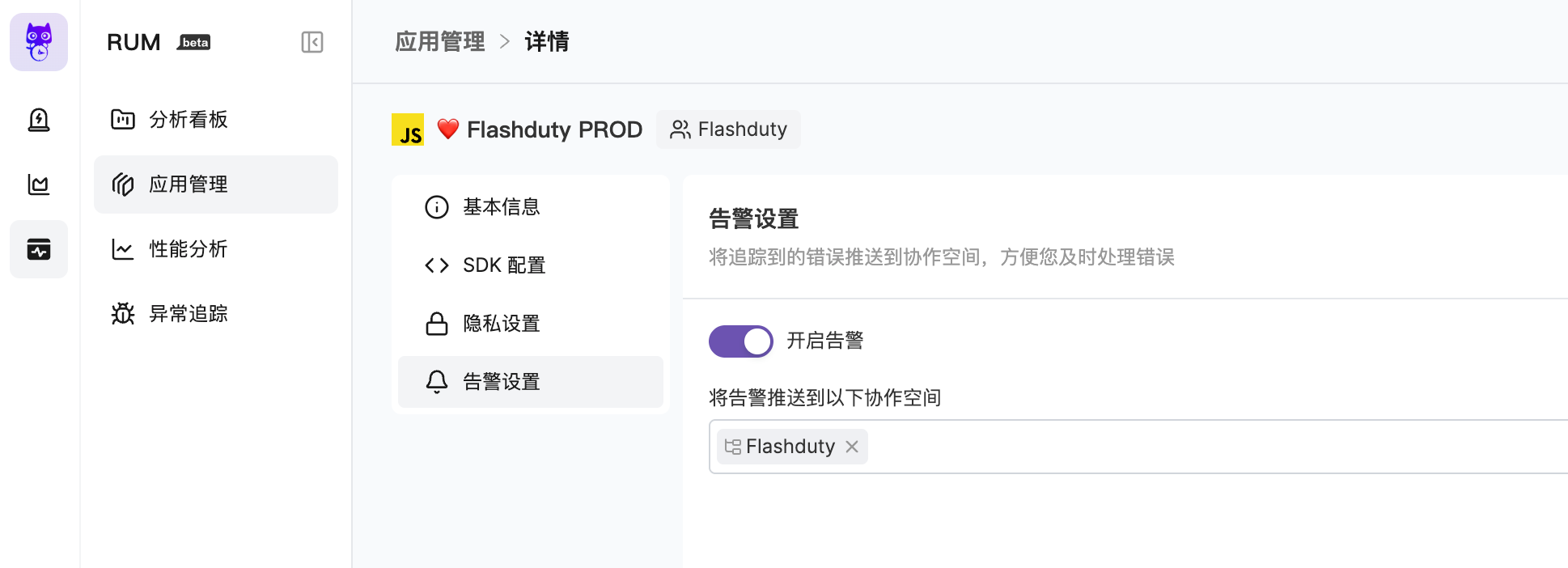
|
|
5635
5644
|
|
|
5636
|
-
更多内容,请您参考 [RUM Issue 告警](https://docs.flashcat.cloud/zh/flashduty/rum/issue-alerting)。`,
|
|
5645
|
+
更多内容,请您参考 [RUM Issue 告警](https://docs.flashcat.cloud/zh/flashduty/rum/issue-alerting)。`,X=`---
|
|
5637
5646
|
title: "Cloudflare 告警事件"
|
|
5638
5647
|
description: "通过 webhook 的方式同步 Cloudflare 告警事件到 Flashduty,实现告警事件自动化降噪处理"
|
|
5639
5648
|
date: "2024-07-05T10:00:00+08:00"
|
|
@@ -5703,7 +5712,154 @@ url: "https://docs.flashcat.cloud/zh/flashduty/volcengine-detect-integration-gui
|
|
|
5703
5712
|
|
|
5704
5713
|
</div>
|
|
5705
5714
|
|
|
5706
|
-
`,
|
|
5715
|
+
`,Q=`---
|
|
5716
|
+
title: "企微告警集成"
|
|
5717
|
+
description: "在 Flashduty 生成唯一的企微机器人地址,通过企微的方式将告警的发生与恢复同步到 Flashduty"
|
|
5718
|
+
date: "2025-05-19T10:00:00+08:00"
|
|
5719
|
+
url: "https://docs.flashcat.cloud/zh/flashduty/wecom-alert-integration-guide"
|
|
5720
|
+
---
|
|
5721
|
+
|
|
5722
|
+
在 Flashduty 生成唯一的企微机器人告警地址,通过企微机器人告警地址将告警的发生与恢复同步到 Flashduty。
|
|
5723
|
+
|
|
5724
|
+
<div class="hide">
|
|
5725
|
+
|
|
5726
|
+
## 操作步骤
|
|
5727
|
+
---
|
|
5728
|
+
|
|
5729
|
+
### 创建企微告警集成
|
|
5730
|
+
|
|
5731
|
+
您可通过以下2种方式,获取一个企微机器人告警集成地址,任选其一即可。
|
|
5732
|
+
|
|
5733
|
+
#### 使用专属集成
|
|
5734
|
+
|
|
5735
|
+
当您不需要将告警事件路由到不同的协作空间,优先选择此方式,更简单。
|
|
5736
|
+
|
|
5737
|
+
<details>
|
|
5738
|
+
<summary>展开</summary>
|
|
5739
|
+
|
|
5740
|
+
1. 进入 Flashduty 控制台,选择 **协作空间**,进入某个空间的详情页面
|
|
5741
|
+
2. 选择 **集成数据** tab,点击 **添加一个集成**,进入添加集成页面
|
|
5742
|
+
3. 选择 **企微告警** 集成,点击 **保存**,生成卡片。
|
|
5743
|
+
4. 点击生成的卡片,可以查看到 **企微告警集成地址**,复制备用,完成。
|
|
5744
|
+
|
|
5745
|
+
</details>
|
|
5746
|
+
|
|
5747
|
+
#### 使用共享集成
|
|
5748
|
+
|
|
5749
|
+
当您需要根据告警事件的 Payload 信息,将告警路由到不同的协作空间,优先选择此方式。
|
|
5750
|
+
|
|
5751
|
+
<details>
|
|
5752
|
+
<summary>展开</summary>
|
|
5753
|
+
|
|
5754
|
+
1. 进入 Flashduty 控制台,选择 **集成中心=>告警事件**,进入集成选择页面。
|
|
5755
|
+
2. 选择 **企微告警** 集成:
|
|
5756
|
+
- **集成名称**:为当前集成定义一个名称。
|
|
5757
|
+
- **消息类型**:选择企微告警消息类型,目前仅支持 Text、Markdown。
|
|
5758
|
+
- **推送模式**:选择企微告警在何种情况下触发或恢复告警。
|
|
5759
|
+
3. 复制当前页面的 **企微告警集成地址** 备用。
|
|
5760
|
+
4. 配置默认路由,并选择对应的协作空间(集成创建后可以前往 \`路由\` 进行更多路由规则的配置)。
|
|
5761
|
+
5. 完成。
|
|
5762
|
+
|
|
5763
|
+
</details>
|
|
5764
|
+
</div>
|
|
5765
|
+
|
|
5766
|
+
### 定制企微告警集成
|
|
5767
|
+
|
|
5768
|
+
#### 企微告警集成地址
|
|
5769
|
+
|
|
5770
|
+
系统会帮您生成一个唯一的企微告警集成地址,该地址兼容企微机器人消息的协议,在有的平台仅支持企微机器人通道时,您可以使用该地址来接收对应的消息。
|
|
5771
|
+
|
|
5772
|
+
#### 推送模式
|
|
5773
|
+
|
|
5774
|
+
默认系统总是为每一条消息创建新的告警,但您可以切换模式为:
|
|
5775
|
+
|
|
5776
|
+
**根据规则触发或关闭告警**:该模式下,每当接收到新消息,系统会根据您的规则进行消息匹配,匹配到的消息按照规则去触发新告警或关闭已有告警。
|
|
5777
|
+
|
|
5778
|
+
- 您至少需要填写一条**触发**规则;
|
|
5779
|
+
- 您必须设置 Alert Key 的正则提取规则。系统使用该字段来查找历史告警,以便对其进行更新或关闭;**如果正则提取失败,系统将随机来生成 Alert Key**,以确保告警不会因为配置错误而丢失;
|
|
5780
|
+
- 您可以选择,当所有的规则都不匹配时,是否丢弃消息。
|
|
5781
|
+
|
|
5782
|
+
配置示例:
|
|
5783
|
+
|
|
5784
|
+
- 接收所有消息,当消息内容中包含 **RESOVED** 字样时,关闭告警,否则触发新告警;
|
|
5785
|
+
- Alert Key 从消息内容中提取,规则为 **/(.\\*)/**。
|
|
5786
|
+
|
|
5787
|
+
|
|
5788
|
+
### 注意事项
|
|
5789
|
+
- 企微告警集成地址仅支持接收 Text、Markdown 消息类型,其他消息无法接收。
|
|
5790
|
+
- Flashduty 会生成默认告警标题: “企微机器人告警”,如果您需要更改标题,可以通过[告警处理 Pipeline](https://docs.flashcat.cloud/zh/flashduty/alert-pipelines) 来自定义标题。
|
|
5791
|
+
|
|
5792
|
+
## 严重程度映射关系
|
|
5793
|
+
---
|
|
5794
|
+
|
|
5795
|
+
当前企微告警集成推送到 Flashduty 的严重程度均为Warning,但您可以通过[告警处理 Pipeline](https://docs.flashcat.cloud/zh/flashduty/alert-pipelines) 来自定义严重程度。`,Y=`---
|
|
5796
|
+
title: "Harbor 告警集成"
|
|
5797
|
+
description: "通过 webhook 的方式同步 Harbor 的告警事件到 Flashduty,实现告警事件自动化降噪处理"
|
|
5798
|
+
date: "2025-05-19T10:00:00+08:00"
|
|
5799
|
+
url: "https://docs.flashcat.cloud/zh/flashduty/harboe-integration-guide"
|
|
5800
|
+
---
|
|
5801
|
+
|
|
5802
|
+
通过 webhook 的方式同步 Harbor 的告警事件到 Flashduty,实现告警事件自动化降噪处理。
|
|
5803
|
+
|
|
5804
|
+
<div class="hide">
|
|
5805
|
+
|
|
5806
|
+
## 在 Flashduty
|
|
5807
|
+
---
|
|
5808
|
+
|
|
5809
|
+
### 创建 Harbor 告警集成
|
|
5810
|
+
|
|
5811
|
+
您可通过以下2种方式,获取一个企微机器人告警集成地址,任选其一即可。
|
|
5812
|
+
|
|
5813
|
+
#### 使用专属集成
|
|
5814
|
+
|
|
5815
|
+
当您不需要将告警事件路由到不同的协作空间,优先选择此方式,更简单。
|
|
5816
|
+
|
|
5817
|
+
<details>
|
|
5818
|
+
<summary>展开</summary>
|
|
5819
|
+
|
|
5820
|
+
1. 进入 Flashduty 控制台,选择 **协作空间**,进入某个空间的详情页面
|
|
5821
|
+
2. 选择 **集成数据** tab,点击 **添加一个集成**,进入添加集成页面
|
|
5822
|
+
3. 选择 **Harbor** 集成,点击 **保存**,生成卡片。
|
|
5823
|
+
4. 点击生成的卡片,可以查看到 **Harbor 告警集成地址**,复制备用,完成。
|
|
5824
|
+
|
|
5825
|
+
</details>
|
|
5826
|
+
|
|
5827
|
+
#### 使用共享集成
|
|
5828
|
+
|
|
5829
|
+
当您需要根据告警事件的 Payload 信息,将告警路由到不同的协作空间,优先选择此方式。
|
|
5830
|
+
|
|
5831
|
+
<details>
|
|
5832
|
+
<summary>展开</summary>
|
|
5833
|
+
|
|
5834
|
+
1. 进入 Flashduty 控制台,选择 **集成中心=>告警事件**,进入集成选择页面。
|
|
5835
|
+
2. 选择 **Harbor** 集成:
|
|
5836
|
+
- **集成名称**:为当前集成定义一个名称。
|
|
5837
|
+
- **推送模式**:选择企微告警在何种情况下触发或恢复告警。
|
|
5838
|
+
3. 复制当前页面的 **Harbor 告警集成地址** 备用。
|
|
5839
|
+
4. 配置默认路由,并选择对应的协作空间(集成创建后可以前往 \`路由\` 进行更多路由规则的配置)。
|
|
5840
|
+
5. 完成。
|
|
5841
|
+
|
|
5842
|
+
</details>
|
|
5843
|
+
|
|
5844
|
+
## 在 Harbor
|
|
5845
|
+
---
|
|
5846
|
+
</div>
|
|
5847
|
+
|
|
5848
|
+
|
|
5849
|
+
### 配置 Webhook 通道
|
|
5850
|
+
|
|
5851
|
+
1. 使用至少具有项目管理员权限的帐户登录 Harbor 界面。
|
|
5852
|
+
2. 转到\`项目\`,选择一个项目,然后选择 \`Webhook\`。
|
|
5853
|
+
3. 选择通知类型 \`HTTP\`,以便 webhook 将发送到 HTTP 端点。
|
|
5854
|
+
4. 当选择 HTTP 通知类型时,选择有效负载格式为 \`Default 或 CloudEvents\`。
|
|
5855
|
+
5. 选择您要\`订阅的事件\`。
|
|
5856
|
+
6. \`Endpoint URL\` 输入告警集成的<span class='integration_url'>推送地址</span>。
|
|
5857
|
+
7. 单击 添加 以创建 webhook。
|
|
5858
|
+
|
|
5859
|
+
## 严重程度映射关系
|
|
5860
|
+
---
|
|
5861
|
+
|
|
5862
|
+
当前 Harbor 告警集成推送到 Flashduty 的严重程度均为 Warning,但您可以通过[告警处理 Pipeline](https://docs.flashcat.cloud/zh/flashduty/alert-pipelines) 来自定义严重程度。`,nn=`---
|
|
5707
5863
|
title: "自定义变更事件集成指引"
|
|
5708
5864
|
description: "通过标准协议推送自有系统变更事件到 Flashduty,大部分故障由变更导致,变更和告警事件联动有助于快速定位故障原因。"
|
|
5709
5865
|
date: "2025-05-19T10:00:00+08:00"
|
|
@@ -5760,7 +5916,7 @@ Flashduty 已经适配部分常用工单、部署系统的 webhook 协议,对
|
|
|
5760
5916
|
|
|
5761
5917
|
</details>
|
|
5762
5918
|
|
|
5763
|
-
`,
|
|
5919
|
+
`,tn=`---
|
|
5764
5920
|
title: "Jira 事件集成指引"
|
|
5765
5921
|
description: "通过 webhook 的方式同步 Jira Issue 事件到 Flashduty,实现变更事件收集。"
|
|
5766
5922
|
date: "2025-05-19T10:00:00+08:00"
|
|
@@ -5834,7 +5990,7 @@ Flashduty 默认提取 webhook payload 中 status.name 信息,并按照下边
|
|
|
5834
5990
|
如您希望变更此映射关系,请联系 Flashduty。
|
|
5835
5991
|
|
|
5836
5992
|
</div>
|
|
5837
|
-
`,
|
|
5993
|
+
`,en=`---
|
|
5838
5994
|
title: "飞书集成"
|
|
5839
5995
|
description: "通过集成飞书自建应用,您可以在飞书端内接收和响应告警。"
|
|
5840
5996
|
date: "2025-05-19T10:00:00+08:00"
|
|
@@ -5895,13 +6051,20 @@ url: "https://docs.flashcat.cloud/zh/flashduty/lark-integration-guide"
|
|
|
5895
6051
|
|
|
5896
6052
|
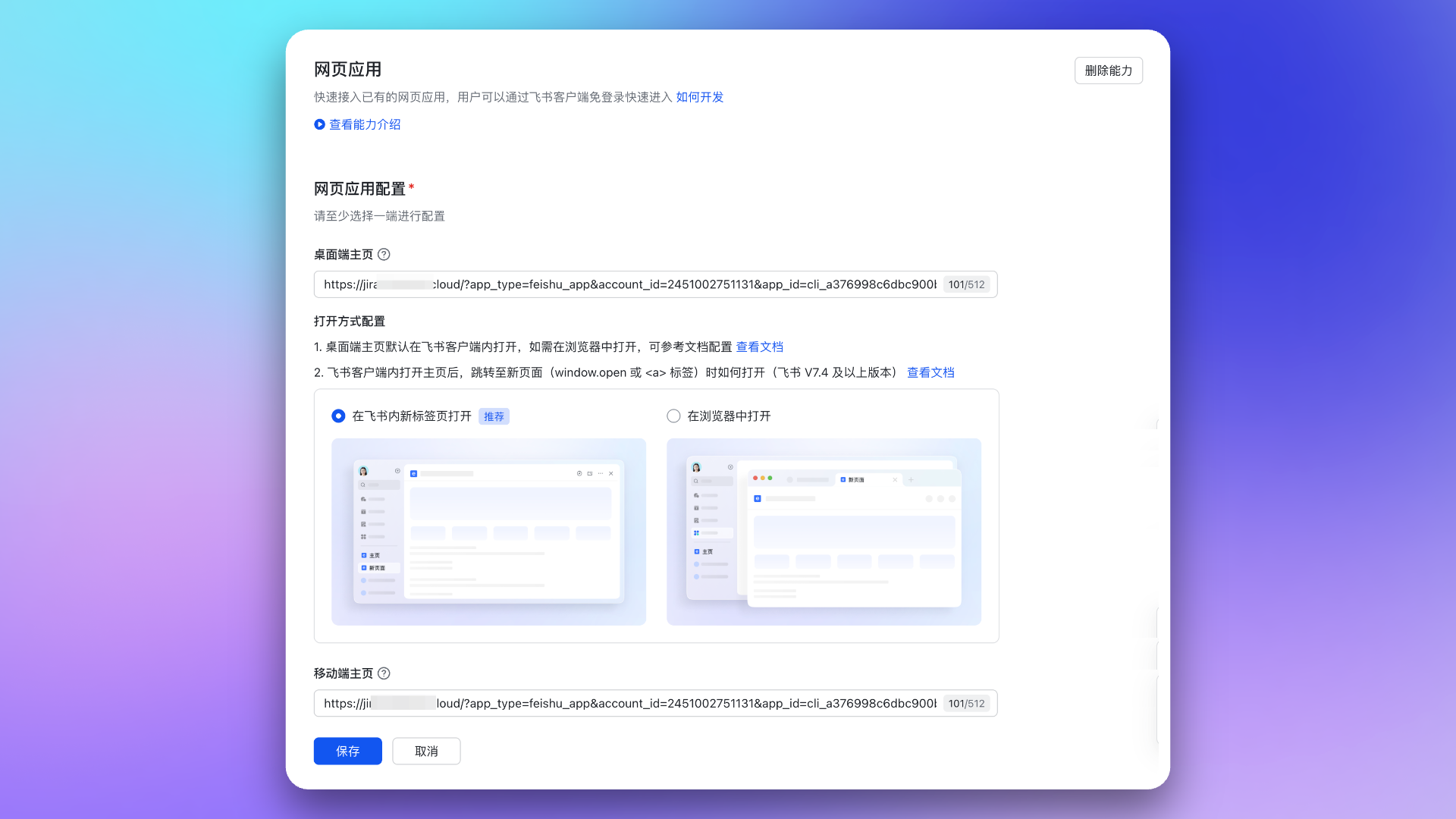
|
|
5897
6053
|
|
|
5898
|
-
3. 前往 事件回调 →
|
|
6054
|
+
3. 前往 事件回调 → **事件配置** 页面,配置 \`订阅方式\`(内容为集成详情中的 **消息卡片请求网址**)。然后,添加以下两项事件:
|
|
5899
6055
|
|
|
5900
|
-
- \`im.message.receive_v1\`
|
|
5901
6056
|
- \`im.chat.disbanded_v1\`
|
|
6057
|
+
- \`im.message.receive_v1\`
|
|
5902
6058
|
|
|
5903
6059
|
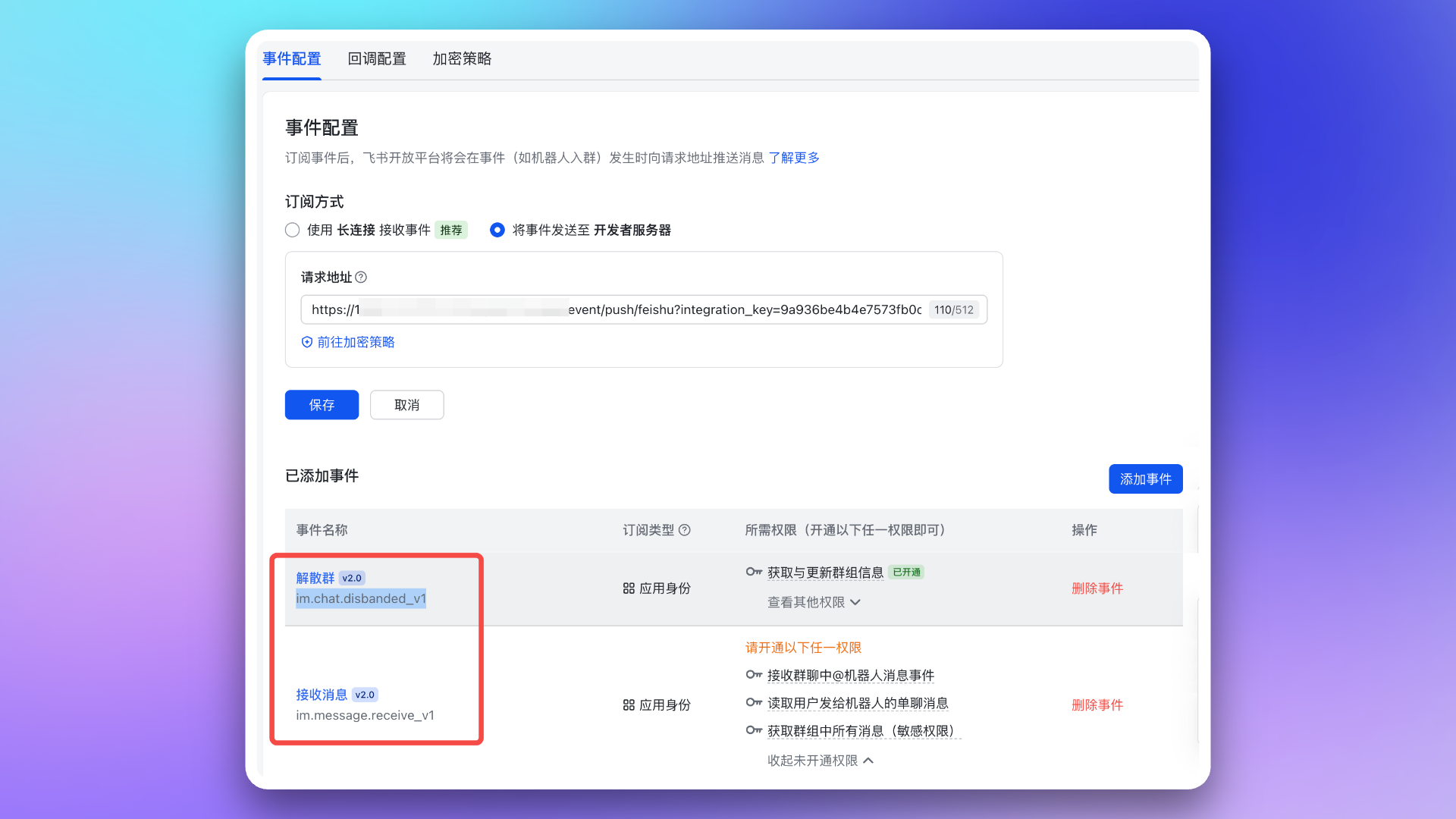
|
|
5904
6060
|
|
|
6061
|
+
4. 前往 事件回调 → **回调配置** 页面,配置 \`订阅方式\`(内容为集成详情中的 **消息卡片请求网址**)。然后,订阅以下两项回调:
|
|
6062
|
+
|
|
6063
|
+
- \`card.action.trigger\`
|
|
6064
|
+
- \`card.action.trigger_v1\`
|
|
6065
|
+
|
|
6066
|
+
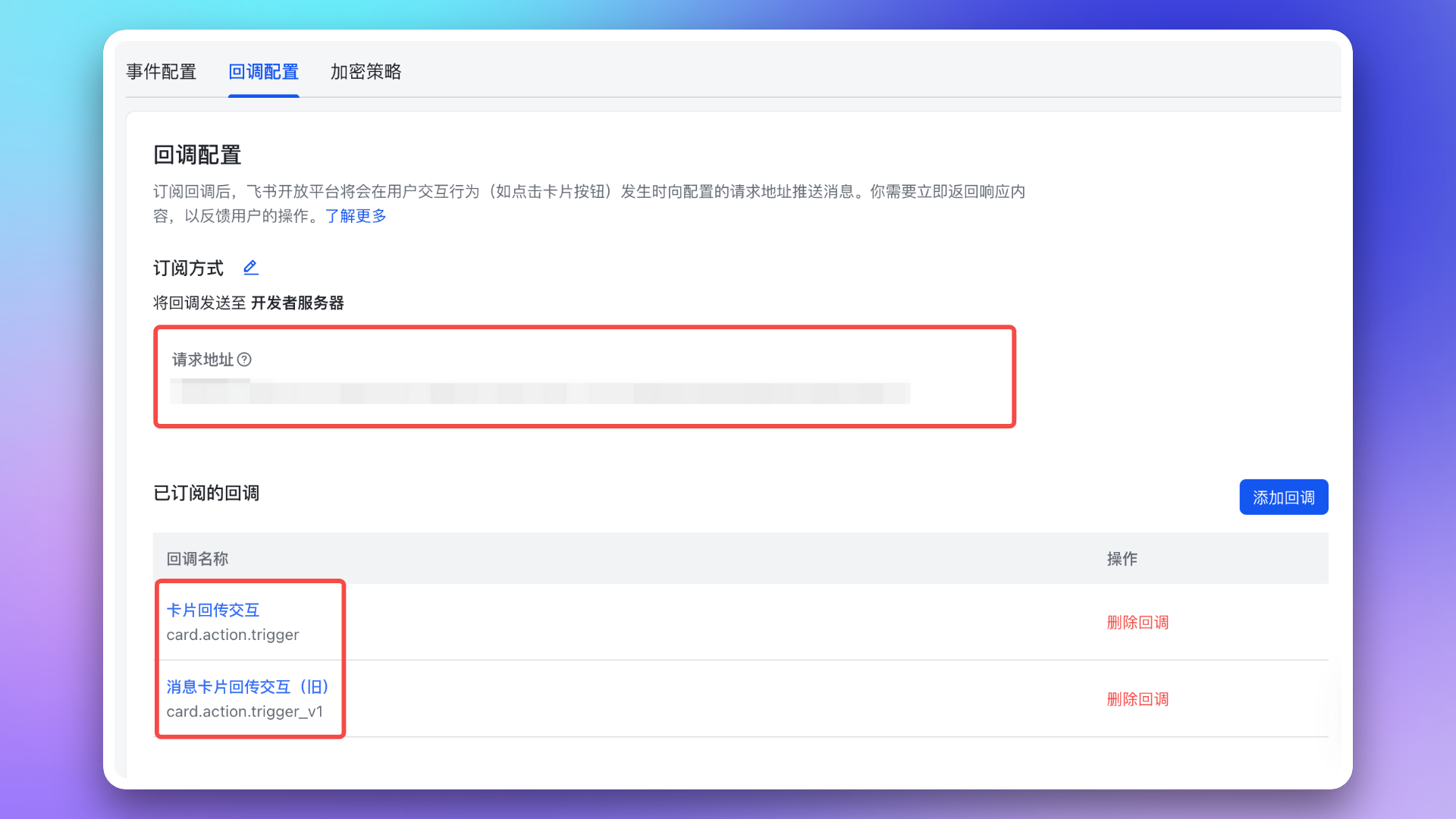
|
|
6067
|
+
|
|
5905
6068
|
### 2. 添加重定向 URL 到飞书应用
|
|
5906
6069
|
|
|
5907
6070
|
进入 **安全设置** 页面,配置 \`重定向URL\`,内容为集成详情中的 **重定向 URL**。
|
|
@@ -5916,7 +6079,7 @@ url: "https://docs.flashcat.cloud/zh/flashduty/lark-integration-guide"
|
|
|
5916
6079
|
|
|
5917
6080
|
- \`im:chat\`:获取与更新群组信息
|
|
5918
6081
|
- \`im:message\`:获取与发送单聊、群组消息
|
|
5919
|
-
- \`contact:user.id:readonly\`:通过手机号或邮箱获取用户 ID
|
|
6082
|
+
- \`contact:user.id:readonly\`:通过手机号或邮箱获取用户 ID <span id="war-room-scope"></span>
|
|
5920
6083
|
|
|
5921
6084
|
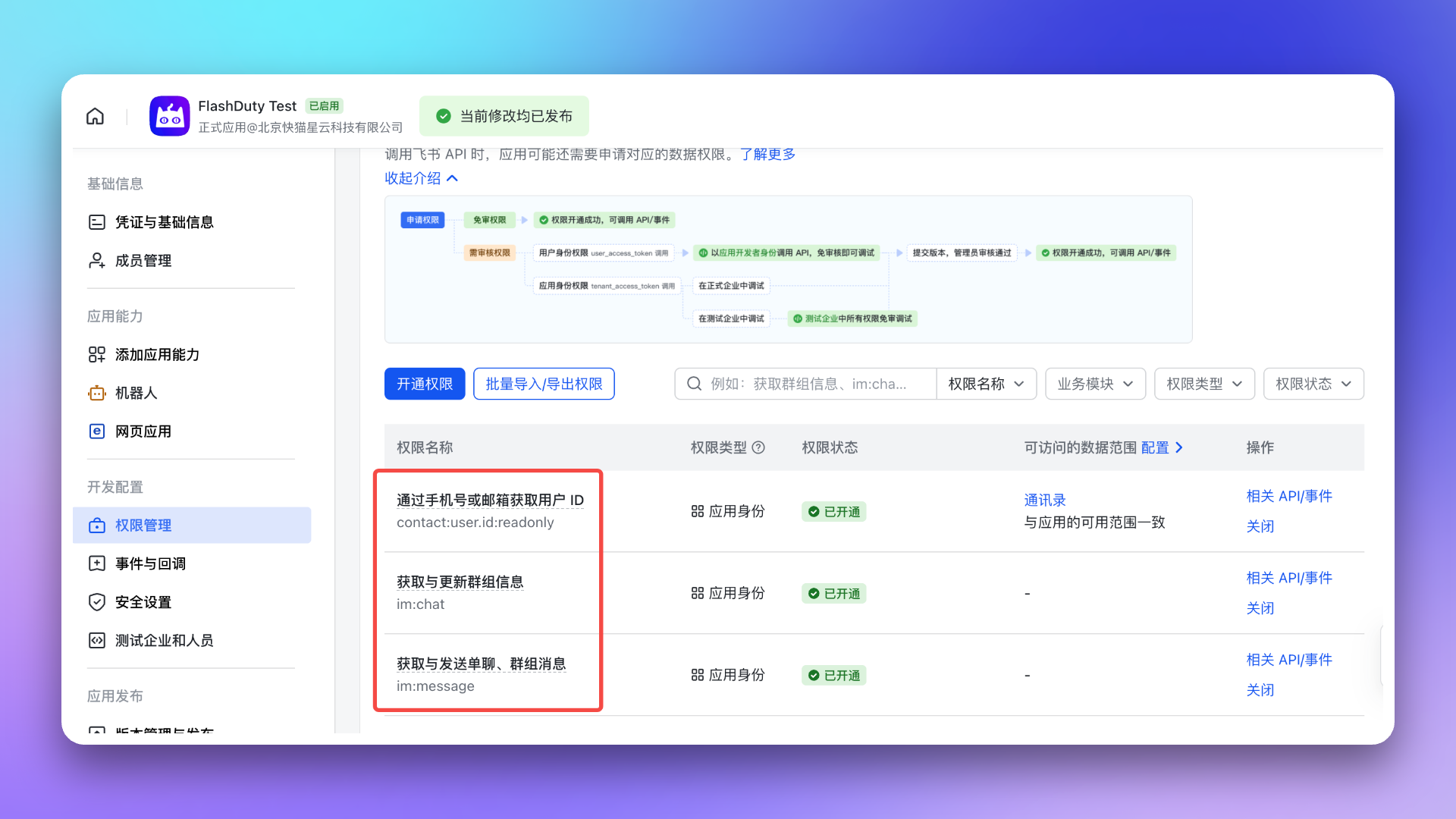
|
|
5922
6085
|
|
|
@@ -5980,7 +6143,7 @@ url: "https://docs.flashcat.cloud/zh/flashduty/lark-integration-guide"
|
|
|
5980
6143
|
5. **为什么作战室功能未按预期工作?**
|
|
5981
6144
|
- 请再次检查是否为应用配置了作战室功能[所需权限](#war-room-scope)。
|
|
5982
6145
|
- 请参考 Flashduty [作战室介绍文档](https://docs.flashcat.cloud/zh/flashduty/war-room) 的 **常见问题** 部分。
|
|
5983
|
-
`,
|
|
6146
|
+
`,an=`---
|
|
5984
6147
|
title: "钉钉集成"
|
|
5985
6148
|
description: "通过集成钉钉自建应用,实现在钉钉端内接收和响应告警的能力"
|
|
5986
6149
|
date: "2025-05-19T10:00:00+08:00"
|
|
@@ -6197,7 +6360,6 @@ url: "https://docs.flashcat.cloud/zh/flashduty/dingtalk-integration-guide"
|
|
|
6197
6360
|
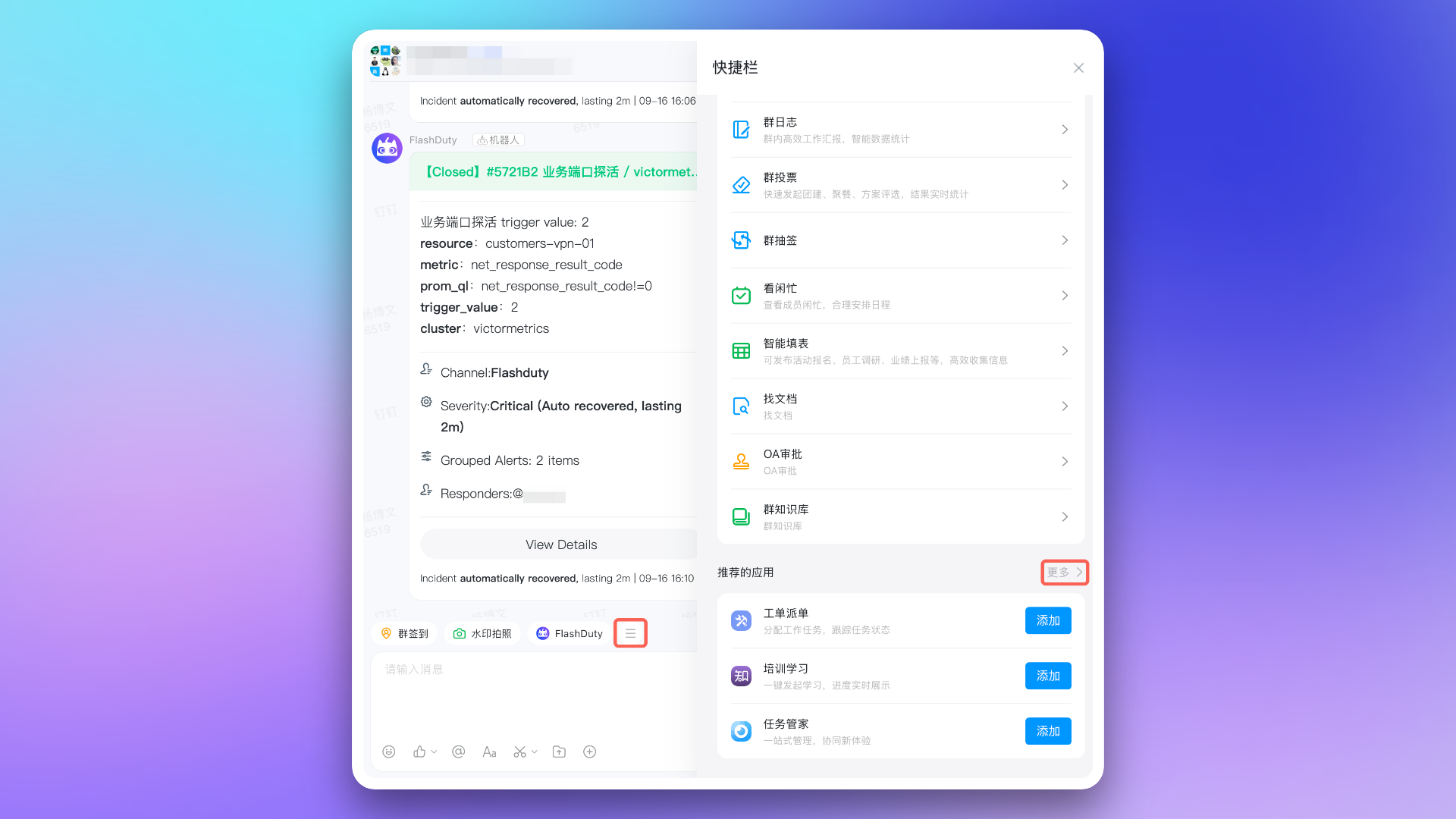
|
|
6198
6361
|
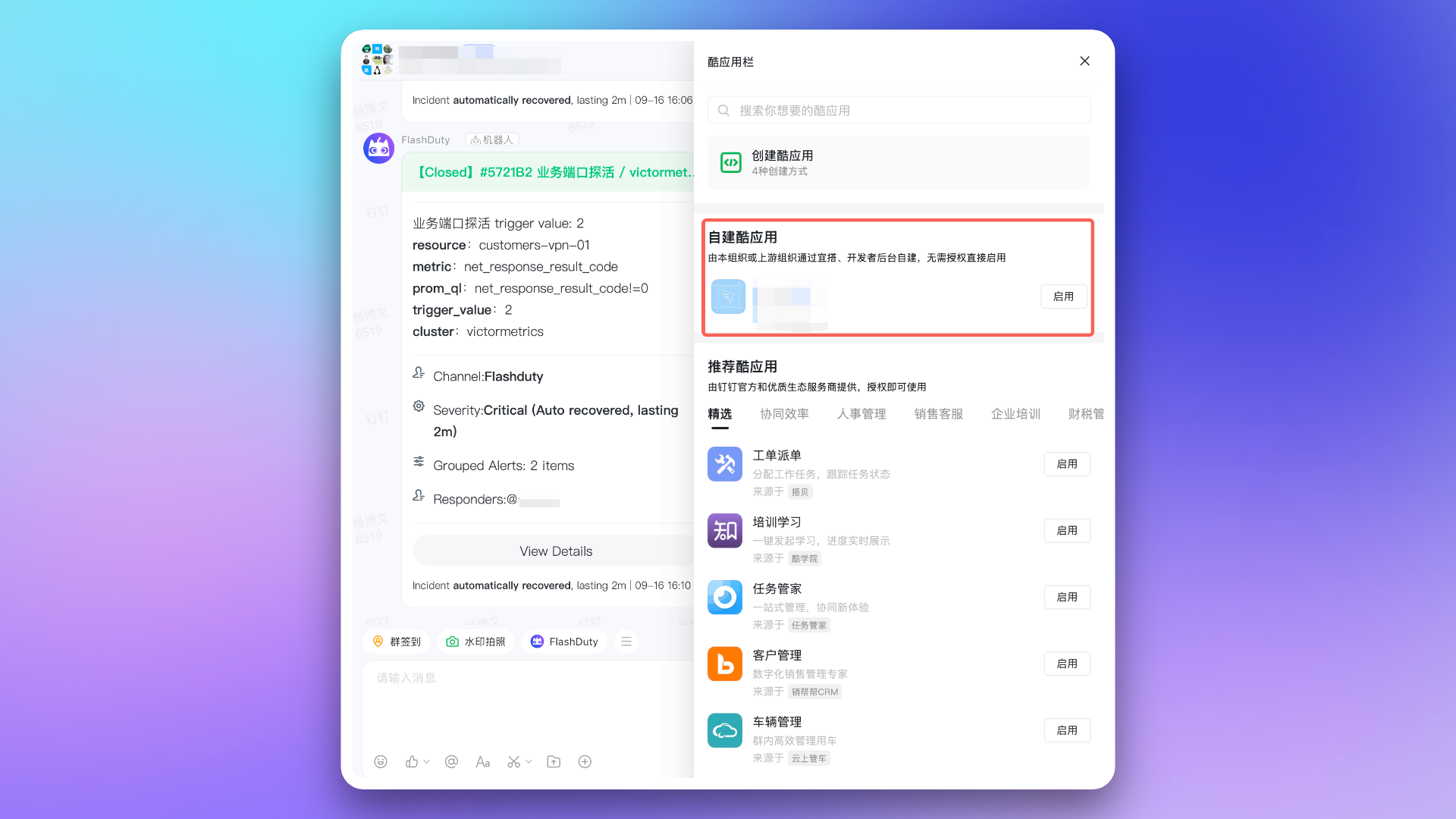
|
|
6199
6362
|
|
|
6200
|
-
|
|
6201
6363
|
- 回到分派策略配置页面,刷新后重新选择群聊列表。
|
|
6202
6364
|
- 如果仍然无法获取群聊列表,请尝试在群内卸载酷应用后,重试以上步骤。如果问题依旧,请联系客户或专属技术支持。
|
|
6203
6365
|
|
|
@@ -6214,7 +6376,7 @@ url: "https://docs.flashcat.cloud/zh/flashduty/dingtalk-integration-guide"
|
|
|
6214
6376
|
| 专属版 | 550 万次 | 60 | 每月 1 日 |
|
|
6215
6377
|
|
|
6216
6378
|
> 超出 API 调用量限制后,钉钉应用将无法正常推送消息。建议合理使用通知渠道。详见 [钉钉官方文档](https://open.dingtalk.com/document/orgapp/descriptions-about-adjusting-limit-and-frequency-of-api-calls?spm=ding_open_doc.document.0.0.6f6b21d9WtkxJI)。
|
|
6217
|
-
`,
|
|
6379
|
+
`,sn=`---
|
|
6218
6380
|
title: "企业微信 WeCom 集成"
|
|
6219
6381
|
description: "通过集成企业微信第三方应用,实现在企业微信端接收和响应告警的能力"
|
|
6220
6382
|
date: "2025-05-19T10:00:00+08:00"
|
|
@@ -6261,7 +6423,7 @@ url: "https://docs.flashcat.cloud/zh/flashduty/wecom-integration-guide"
|
|
|
6261
6423
|
|
|
6262
6424
|
4. 访问 [企业微信管理后台](https://work.weixin.qq.com/wework_admin/frame#apps),进入 **我的企业** 页面,获取 \`企业 ID\`。
|
|
6263
6425
|
|
|
6264
|
-
|
|
6426
|
+
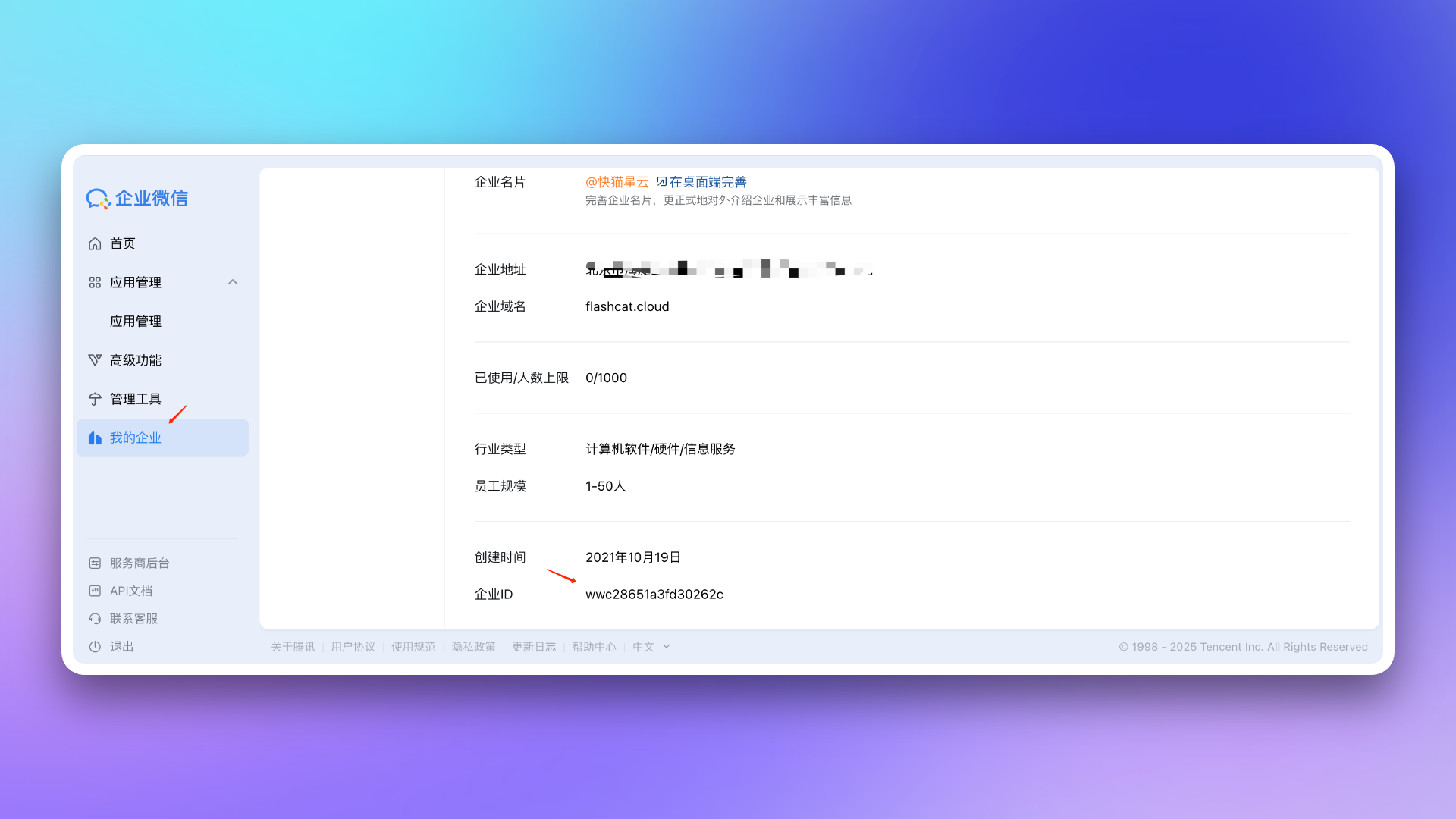
|
|
6265
6427
|
|
|
6266
6428
|
5. 返回 Flashduty 集成配置页面,填写上一步获取的 \`企业 ID\`,点击 **保存** 完成集成。
|
|
6267
6429
|
|
|
@@ -6289,13 +6451,13 @@ url: "https://docs.flashcat.cloud/zh/flashduty/wecom-integration-guide"
|
|
|
6289
6451
|
|
|
6290
6452
|
6. 在应用详情页,获取 \`Secret\`,并将其填写至 Flashduty 集成配置页面。
|
|
6291
6453
|
|
|
6292
|
-
7. 在应用详情页,进入 **网页授权及 JS-SDK** 页面,点击
|
|
6454
|
+
7. 在应用详情页,进入 **网页授权及 JS-SDK** 页面,点击 **设置可信域名**,并按要求配置。
|
|
6293
6455
|
|
|
6294
6456
|
> 可信域名需要指向 Flashduty 的后端地址 \`{api_host}\`(可通过 CNAME 或代理转发实现)。
|
|
6295
6457
|
>
|
|
6296
6458
|
> 关于可信域名的要求,详见企业微信官方文档 [《企业内部开发配置域名指引》](https://open.work.weixin.qq.com/wwopen/common/readDocument/40754)。
|
|
6297
6459
|
|
|
6298
|
-
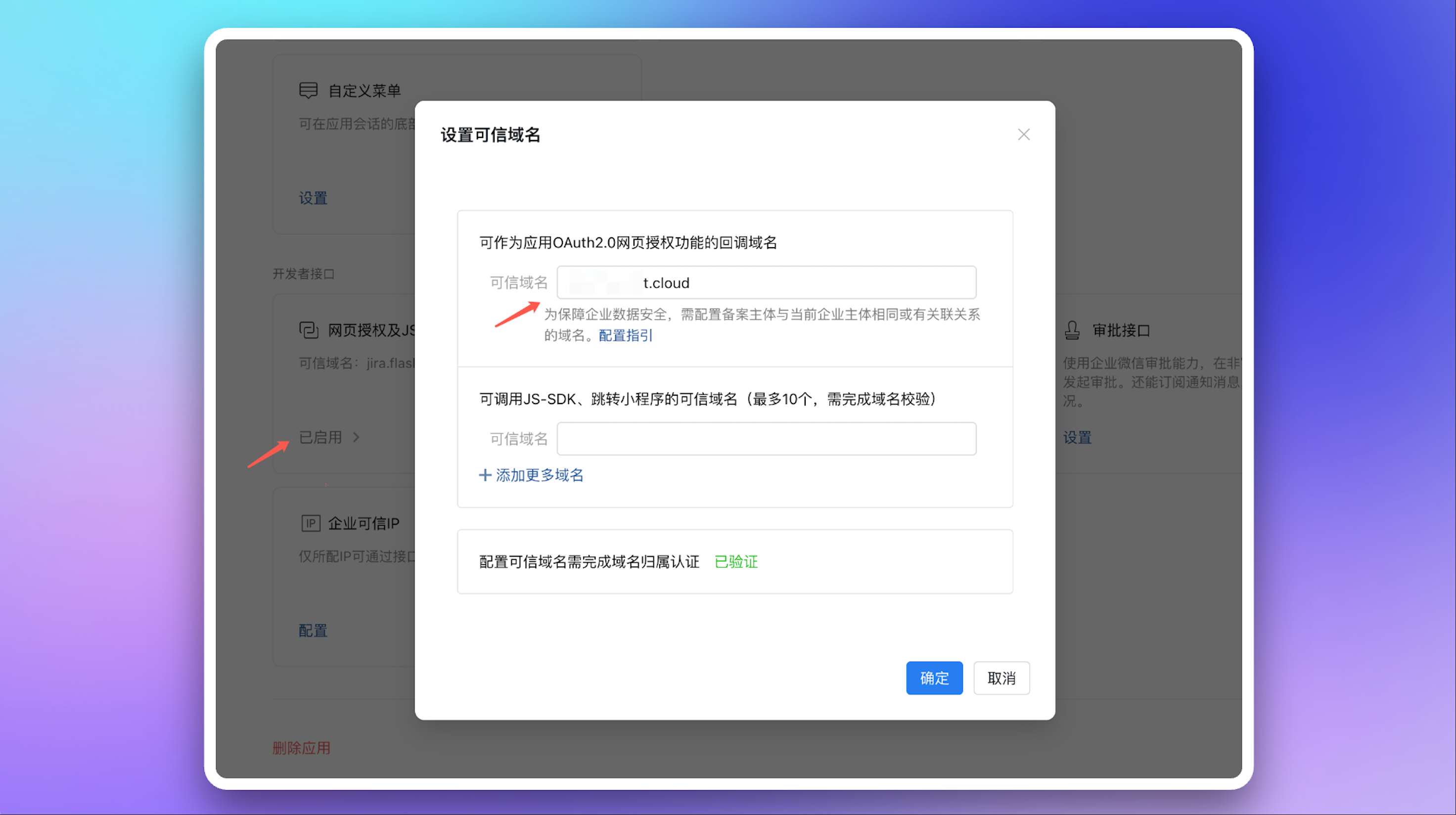
|
|
6299
6461
|
|
|
6300
6462
|
返回 Flashduty 集成配置页面,填写该域名,并完成验证。
|
|
6301
6463
|
|
|
@@ -6307,7 +6469,21 @@ url: "https://docs.flashcat.cloud/zh/flashduty/wecom-integration-guide"
|
|
|
6307
6469
|
|
|
6308
6470
|
9. 复制 Flashduty 集成详情页中的 \`回调地址\`,返回企业微信刚才的 **接收消息** 页面。在 **API 接收** 设置中,填入该 \`回调地址\` 以及上一步保存的 \`Token\` 和 \`EncodingAESKey\`,然后点击 **保存**。
|
|
6309
6471
|
|
|
6310
|
-
|
|
6472
|
+
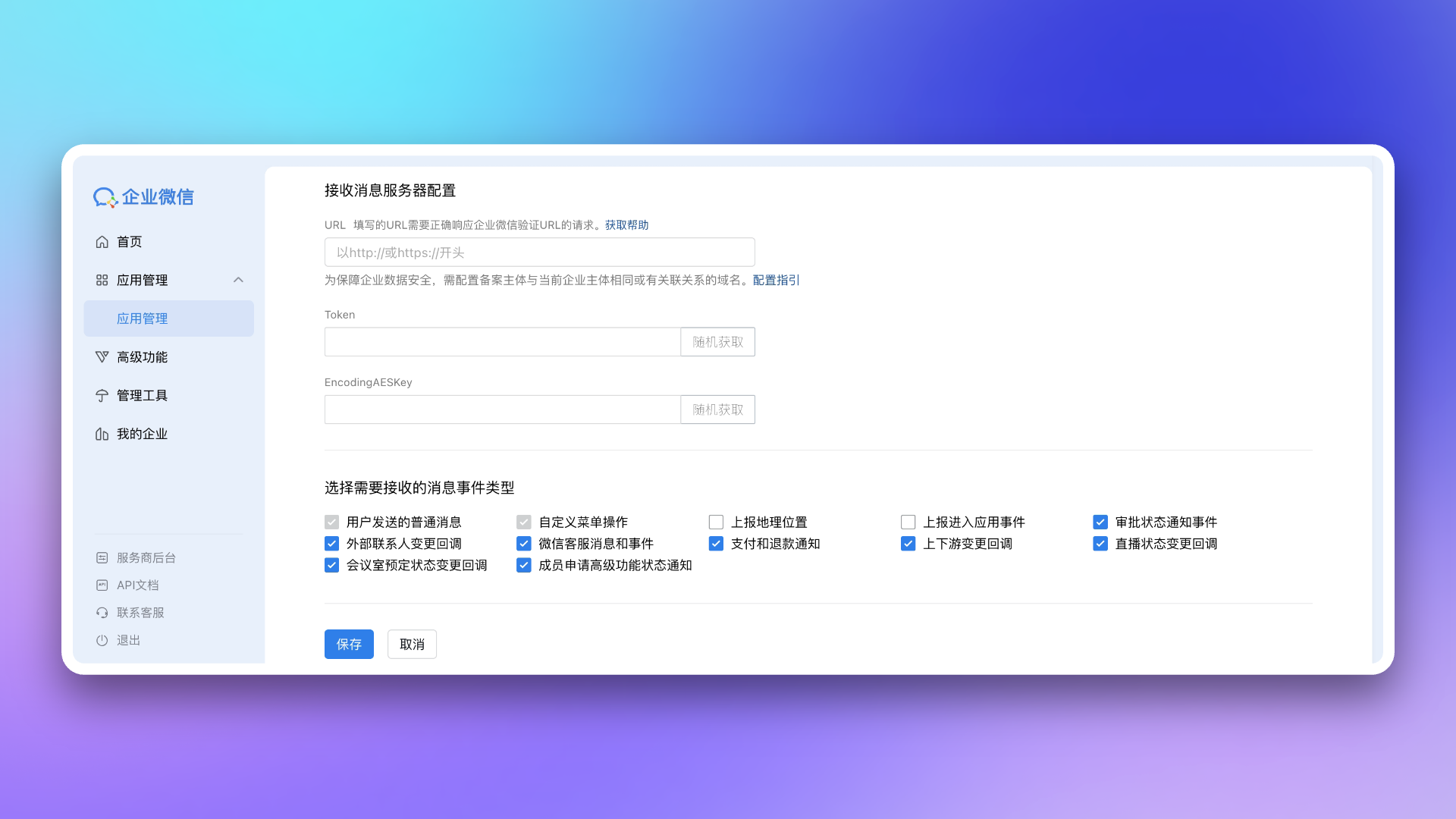
|
|
6473
|
+
|
|
6474
|
+
10. 配置**前端可信域名**
|
|
6475
|
+
|
|
6476
|
+
> 可信域名需要指向 Flashduty 的前端地址 \`console.flashcat.cloud\`(可通过 CNAME 或代理转发实现)。
|
|
6477
|
+
>
|
|
6478
|
+
> 关于可信域名的要求,详见企业微信官方文档 [《企业内部开发配置域名指引》](https://open.work.weixin.qq.com/wwopen/common/readDocument/40754)。
|
|
6479
|
+
|
|
6480
|
+
前端可信域名校验通过后将生成的**主页地址**配置到企微应用的**工作台应用主页**
|
|
6481
|
+
|
|
6482
|
+
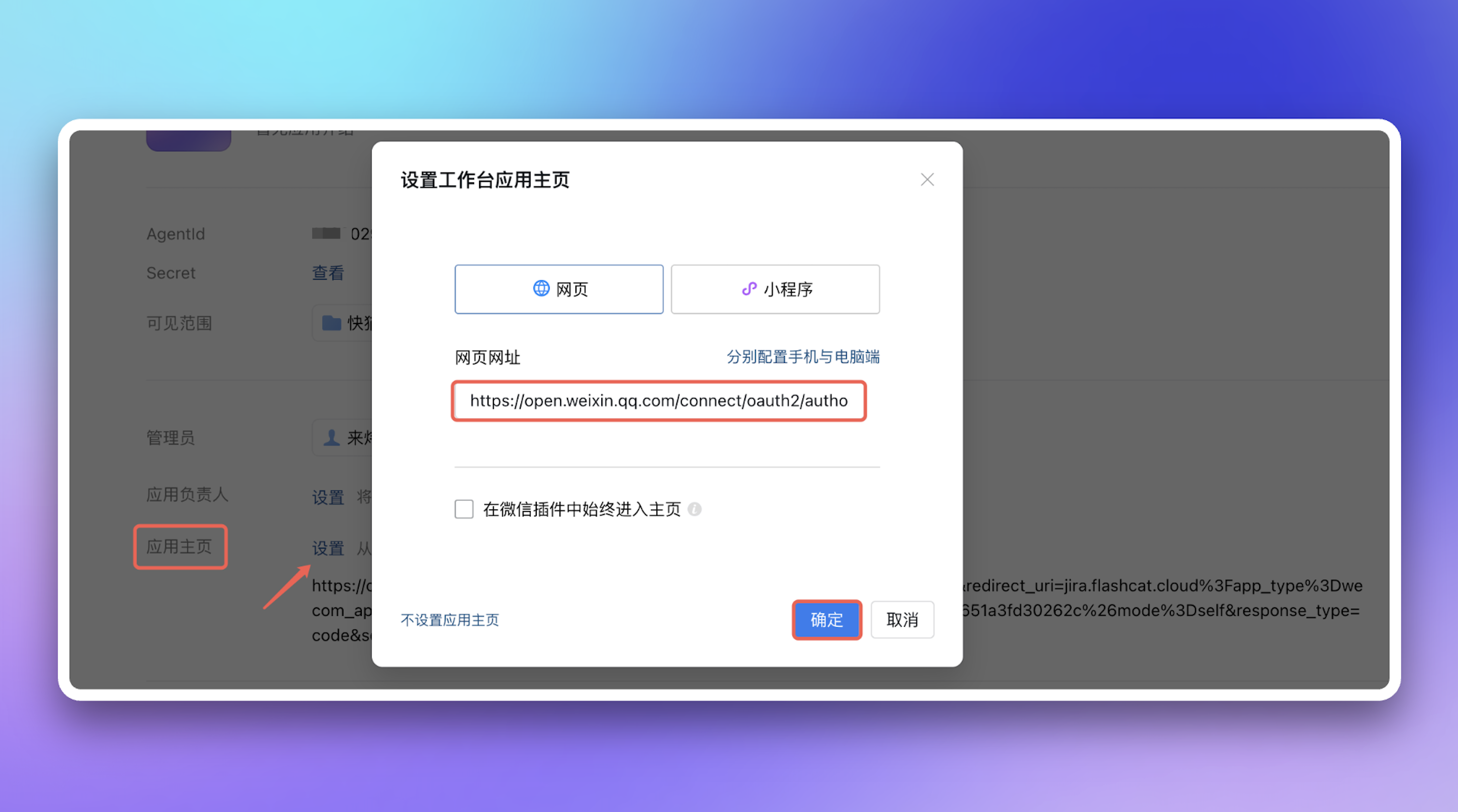
|
|
6483
|
+
|
|
6484
|
+
11. 配置**可信 IP 地址**:\`47.93.12.134\`
|
|
6485
|
+
|
|
6486
|
+
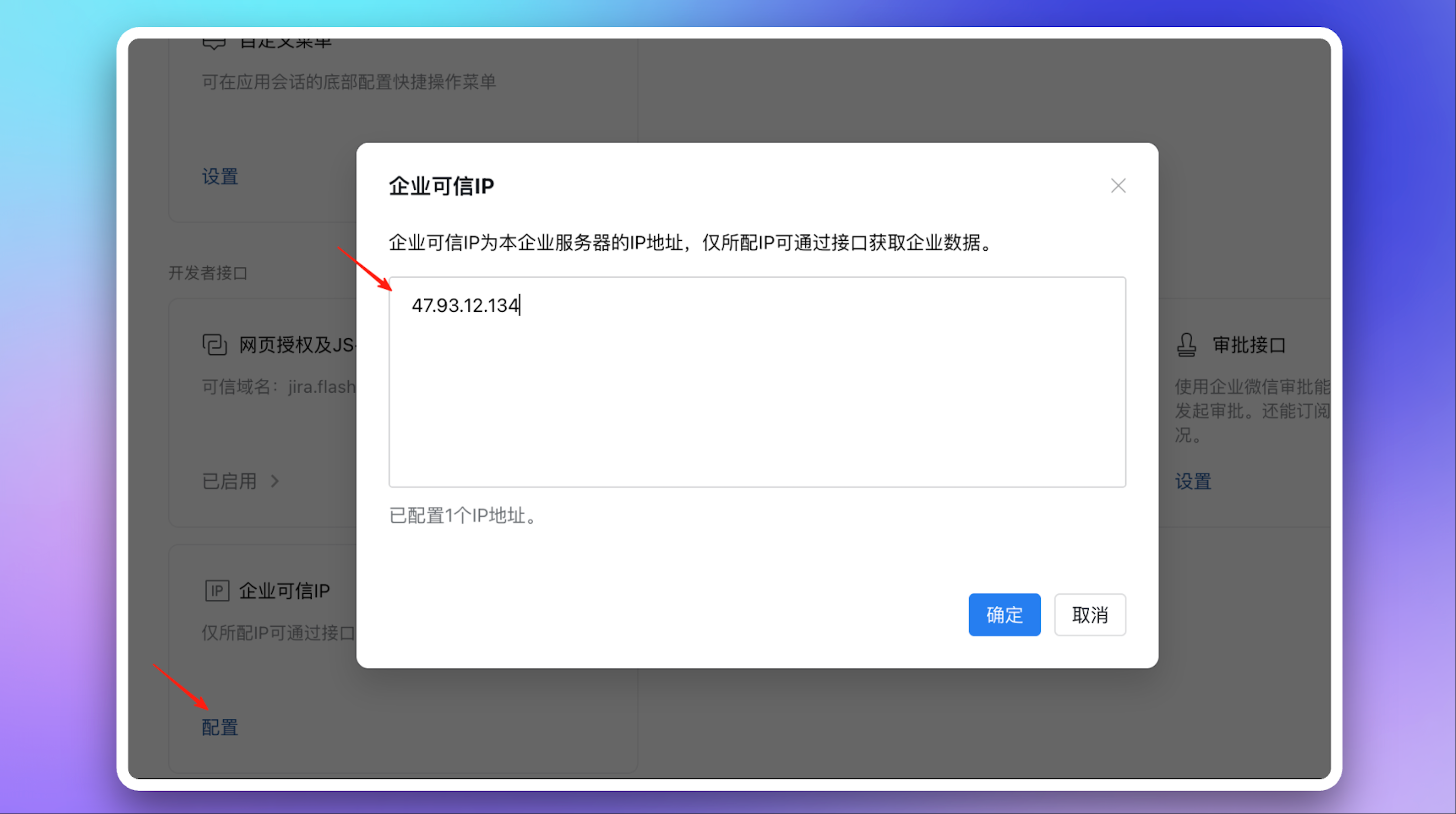
|
|
6311
6487
|
|
|
6312
6488
|
## 三、配置作战室
|
|
6313
6489
|
|
|
@@ -6350,7 +6526,8 @@ url: "https://docs.flashcat.cloud/zh/flashduty/wecom-integration-guide"
|
|
|
6350
6526
|
- 请联系 Flashduty 客服或您的专属技术支持,为您购买并开通许可。
|
|
6351
6527
|
8. **为什么作战室功能未按预期工作?**
|
|
6352
6528
|
- 请参考 Flashduty [作战室介绍文档](https://docs.flashcat.cloud/zh/flashduty/war-room) 的 **常见问题** 部分。
|
|
6353
|
-
|
|
6529
|
+
9. **为什么在企微工作台打开应用后提示“redirect_uri需使用应用可信域名”?**
|
|
6530
|
+
- 请确认**应用主页**的url中的\`redirect_uri\`参数中的域名是否完成企业微信要求的域名归属认证,详见企业微信官方文档 [《企业内部开发配置域名指引》](https://open.work.weixin.qq.com/wwopen/common/readDocument/40754)。`,dn=`---
|
|
6354
6531
|
title: "Slack 集成"
|
|
6355
6532
|
description: "通过集成 Slack 第三方应用,您可以在 Slack 内接收和响应告警。"
|
|
6356
6533
|
date: "2025-05-19T10:00:00+08:00"
|
|
@@ -6405,7 +6582,7 @@ url: "https://docs.flashcat.cloud/zh/flashduty/slack-integration-guide"
|
|
|
6405
6582
|
9. **为什么作战室功能未按预期工作?**
|
|
6406
6583
|
- 对于之前授权的 Slack IM 集成,需要您在 Flashduty 集成配置页中对 Slack 手动进行重新授权,以使应用获得作战室功能所需的额外权限。
|
|
6407
6584
|
- 请参考 Flashduty [作战室介绍文档](https://docs.flashcat.cloud/zh/flashduty/war-room) 的 **常见问题** 部分。
|
|
6408
|
-
`,
|
|
6585
|
+
`,ln=`---
|
|
6409
6586
|
title: "Microsoft Teams 集成"
|
|
6410
6587
|
description: "通过集成 Microsoft Teams 第三方应用,您可以在 Microsoft Teams 内接收和响应告警。"
|
|
6411
6588
|
date: "2025-05-19T10:00:00+08:00"
|
|
@@ -6423,10 +6600,10 @@ Microsoft Teams 集成现处于 Beta 阶段,在关联前您需要先完成以
|
|
|
6423
6600
|
:::
|
|
6424
6601
|
|
|
6425
6602
|
### 1. 下载应用
|
|
6426
|
-
将 [
|
|
6603
|
+
将 [FlashdutyBot-v1.0.3.zip](https://flashduty-docs.oss-cn-beijing.aliyuncs.com/docs/FlashdutyBot-v1.0.3.zip) 下载到本地。
|
|
6427
6604
|
|
|
6428
6605
|
### 2. 安装应用
|
|
6429
|
-
进入 Microsoft Teams,导航至 +Apps → Manage your apps → Upload an app → **Upload an app to your org's app catalog**,然后上传应用包 \`
|
|
6606
|
+
进入 Microsoft Teams,导航至 +Apps → Manage your apps → Upload an app → **Upload an app to your org's app catalog**,然后上传应用包 \`FlashdutyBot.zip\`。
|
|
6430
6607
|
|
|
6431
6608
|
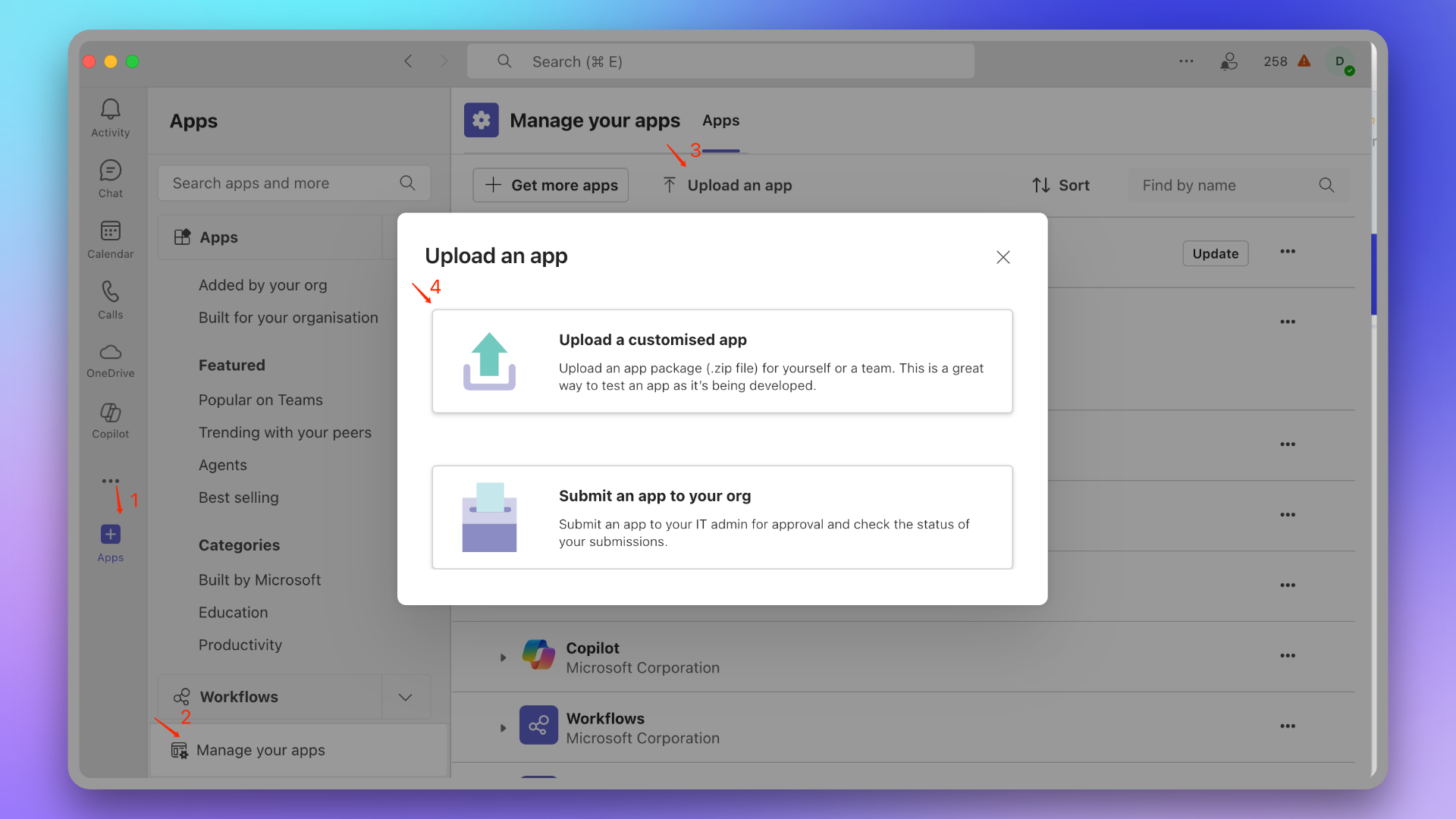
|
|
6432
6609
|
|
|
@@ -6441,7 +6618,7 @@ Microsoft Teams 集成现处于 Beta 阶段,在关联前您需要先完成以
|
|
|
6441
6618
|
#### 查看是否添加成功
|
|
6442
6619
|
等待几分钟,组织成员即可在 +Apps → **Built for your org** 找到此应用。
|
|
6443
6620
|
|
|
6444
|
-
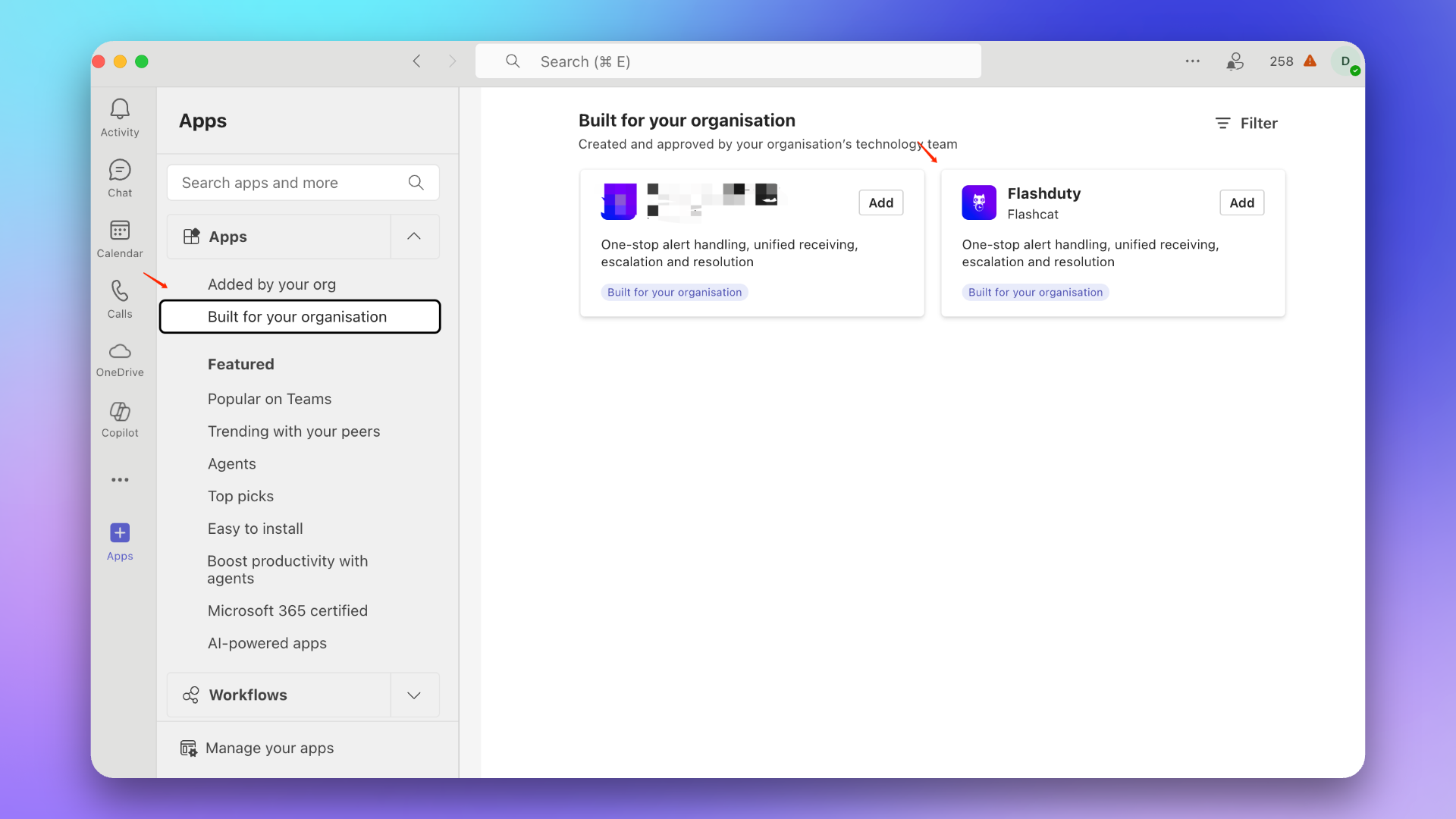
|
|
6445
6622
|
|
|
6446
6623
|
### 3. 更新应用
|
|
6447
6624
|
::: caution
|
|
@@ -6462,21 +6639,22 @@ Microsoft Teams 集成现处于 Beta 阶段,在关联前您需要先完成以
|
|
|
6462
6639
|
---
|
|
6463
6640
|
### 1. 添加 Flashduty 应用
|
|
6464
6641
|
1. 在应用市场中找到 Flashduty 应用。
|
|
6465
|
-
> 如无应用,请联系您的 Microsoft Teams 组织管理员。
|
|
6642
|
+
> 如无应用,请联系您的 Microsoft Teams 组织管理员。
|
|
6643
|
+
|
|
6644
|
+
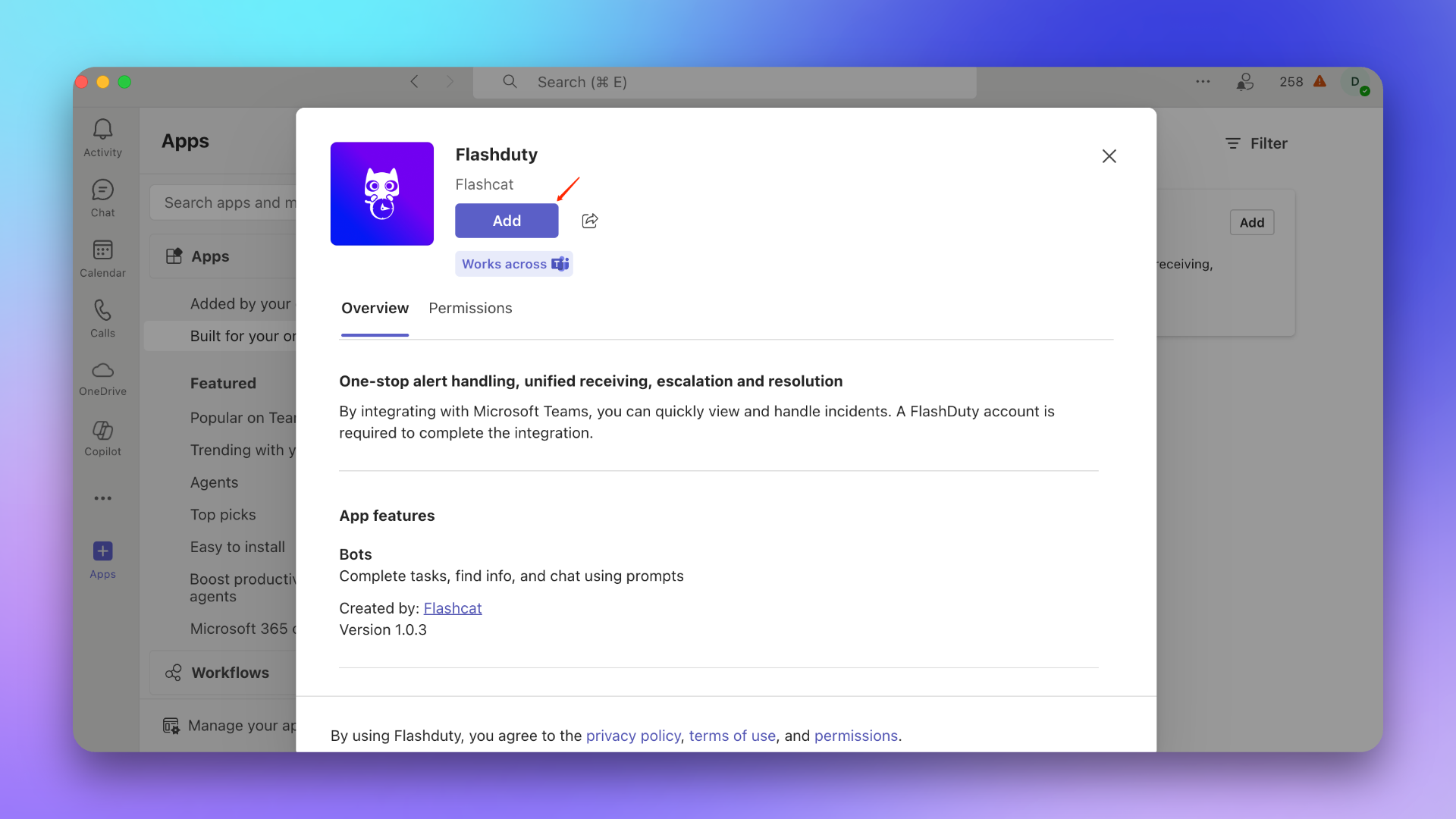
|
|
6466
6645
|
|
|
6467
|
-
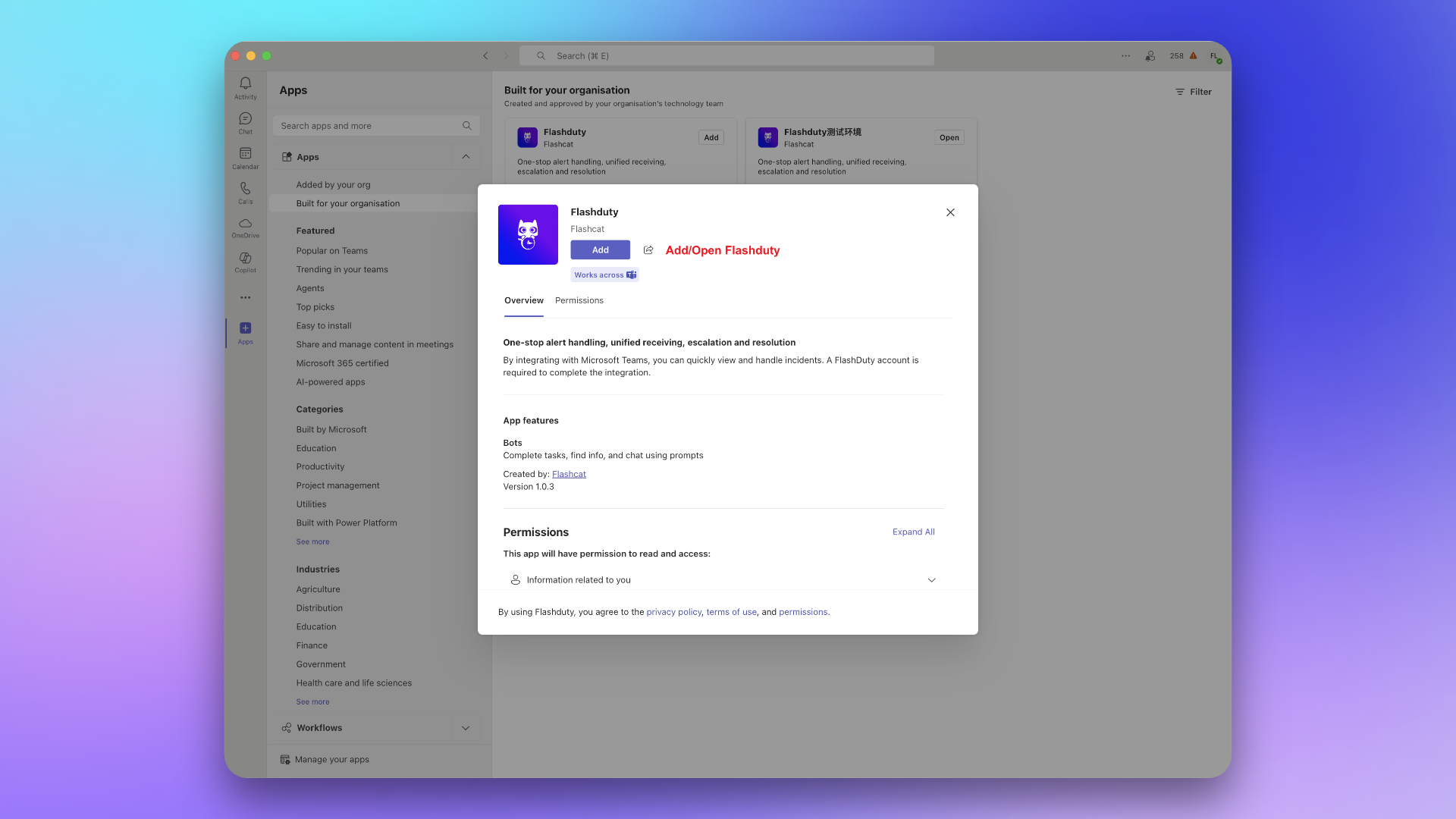
|
|
6468
6646
|
|
|
6469
6647
|
2. 将应用添加到目标 Team。
|
|
6470
6648
|
::: caution
|
|
6471
6649
|
此步骤必须选择目标 Team 的 General Channel,否则将无法发送故障到 Team 中。
|
|
6472
6650
|
:::
|
|
6473
6651
|
|
|
6474
|
-
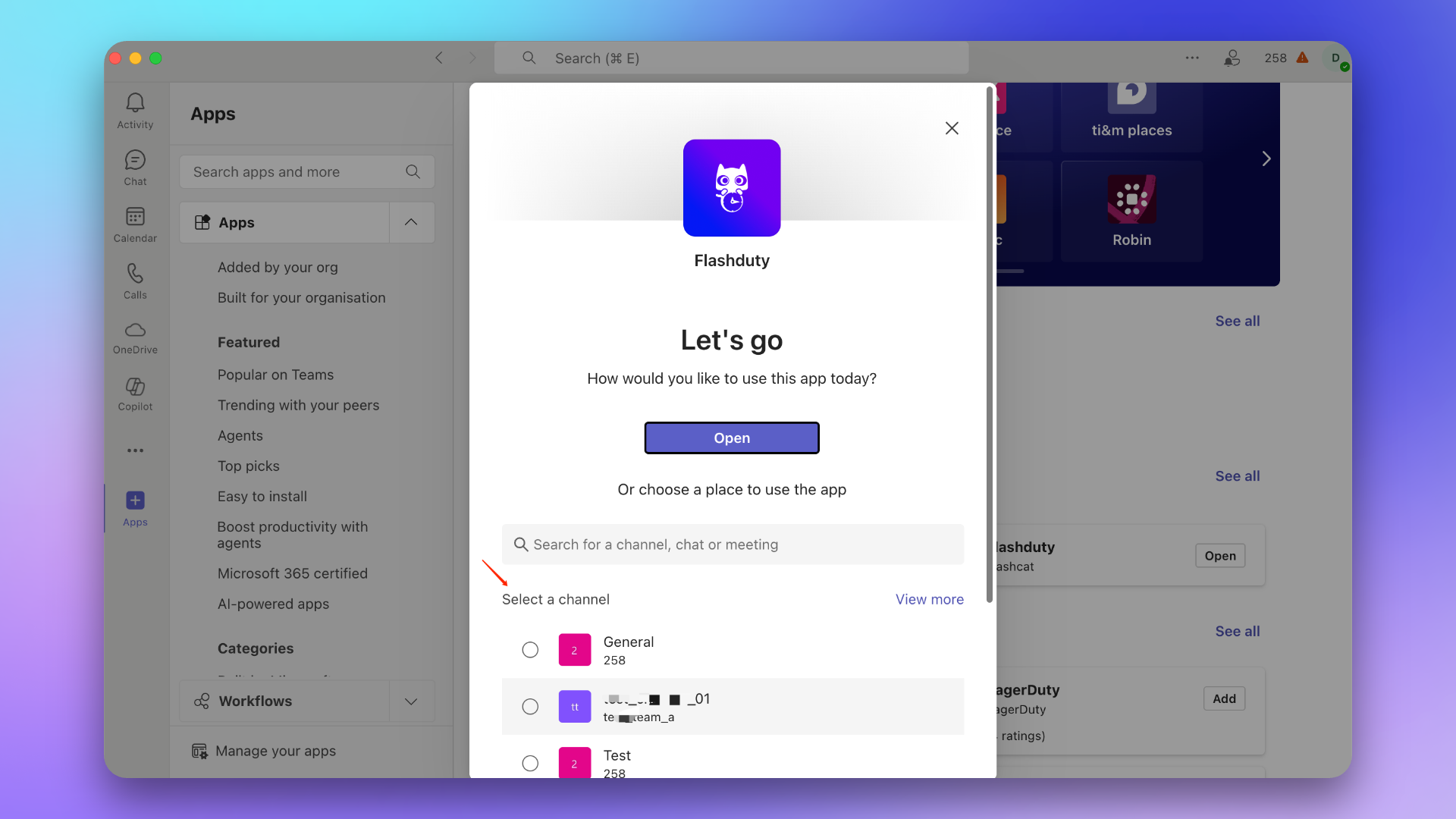
|
|
6475
6653
|
|
|
6476
6654
|
### 2. 发送关联指令
|
|
6477
6655
|
在 Team 中 @Flashduty 并发送指令 \`linkTeam {ID}\`,然后点击 **立即关联**。
|
|
6478
6656
|
|
|
6479
|
-
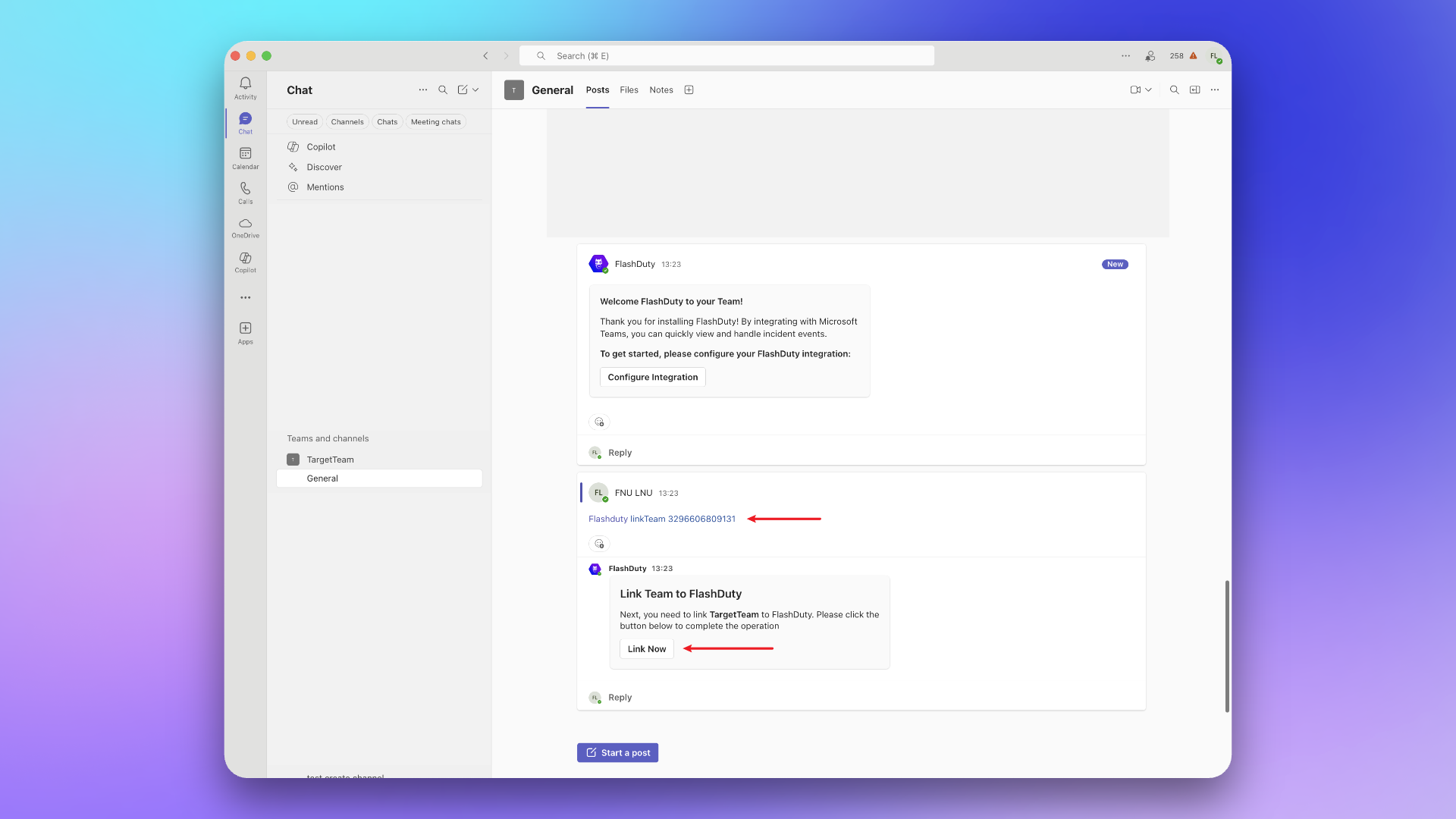
|
|
6657
|
+

|
|
6480
6658
|
|
|
6481
6659
|
## 三、关联群聊 (Chat)
|
|
6482
6660
|
---
|
|
@@ -6484,11 +6662,11 @@ Microsoft Teams 集成现处于 Beta 阶段,在关联前您需要先完成以
|
|
|
6484
6662
|
1. 在应用市场中找到 Flashduty 应用。
|
|
6485
6663
|
> 如无应用,请联系您的 Microsoft Teams 组织管理员。
|
|
6486
6664
|
|
|
6487
|
-

|
|
6488
6666
|
|
|
6489
6667
|
2. 将应用添加到目标 Chat。
|
|
6490
6668
|
|
|
6491
|
-
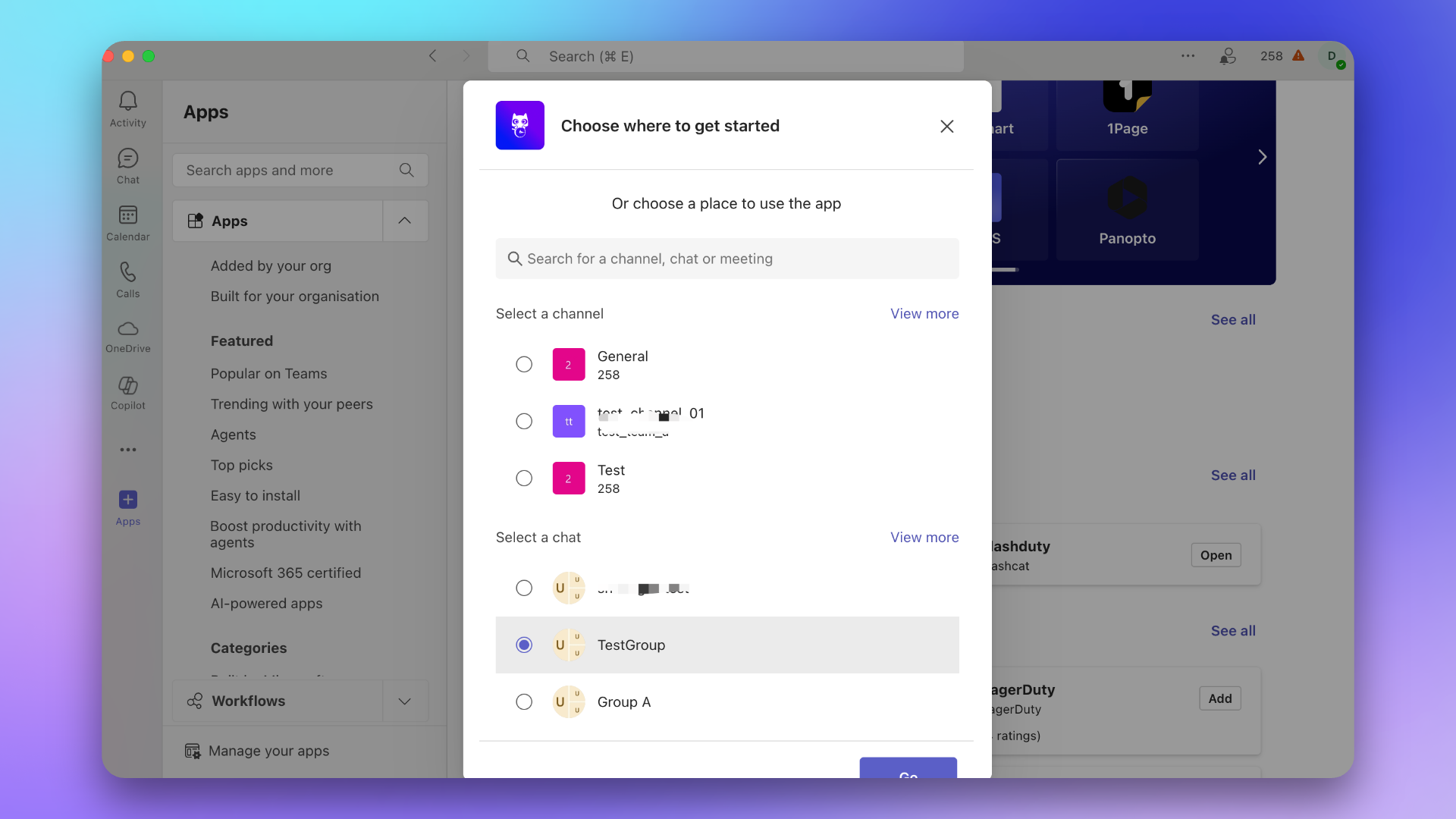
|
|
6492
6670
|
|
|
6493
6671
|
### 2. 发送关联指令
|
|
6494
6672
|
在 Chat 中 @Flashduty 并发送指令 \`linkChat {ID} {ChatName}\`,然后点击 **立即关联**。
|
|
@@ -6501,7 +6679,7 @@ Microsoft Teams 集成现处于 Beta 阶段,在关联前您需要先完成以
|
|
|
6501
6679
|
1. 在应用市场中找到 Flashduty 应用。
|
|
6502
6680
|
> 如无应用,请联系您的 Microsoft Teams 组织管理员。
|
|
6503
6681
|
|
|
6504
|
-

|
|
6505
6683
|
|
|
6506
6684
|
2. 点击 **打开应用**。
|
|
6507
6685
|
|
|
@@ -6522,7 +6700,7 @@ Microsoft Teams 集成现处于 Beta 阶段,在关联前您需要先完成以
|
|
|
6522
6700
|
3. **如何取消已关联的团队和用户?**
|
|
6523
6701
|
- 暂不支持此功能。
|
|
6524
6702
|
|
|
6525
|
-
`,
|
|
6703
|
+
`,on=`配置告警 Webhook,当告警发生特定操作(如触发、关闭)时,系统通过 HTTP 回调您配置的地址。回调内容将包含告警最新关键信息,您可以与自研工具进行集成。
|
|
6526
6704
|
|
|
6527
6705
|
<span id="EventTypes"></span>
|
|
6528
6706
|
|
|
@@ -6633,7 +6811,7 @@ curl -X POST 'https://example.com/alert/webhook?a=a' \\
|
|
|
6633
6811
|
"data_source_name":"阿里云 SLS",
|
|
6634
6812
|
"data_source_ref_id":"",
|
|
6635
6813
|
"data_source_type":"aliyun-sls.alert",
|
|
6636
|
-
"description":"测试发送到
|
|
6814
|
+
"description":"测试发送到Flashduty告警触发",
|
|
6637
6815
|
"end_time":0,
|
|
6638
6816
|
"event_cnt":1,
|
|
6639
6817
|
"incident":{
|
|
@@ -6645,7 +6823,7 @@ curl -X POST 'https://example.com/alert/webhook?a=a' \\
|
|
|
6645
6823
|
"alert_type":"sls_alert",
|
|
6646
6824
|
"alert_url":"https://sls.console.aliyun.com/lognext/project/sls-api-testing/alert/alert-1683548531-071659",
|
|
6647
6825
|
"aliuid":"1082109605037616",
|
|
6648
|
-
"check":"测试发送到
|
|
6826
|
+
"check":"测试发送到Flashduty",
|
|
6649
6827
|
"fire_results":"{\\"_col0\\":\\"true\\"}",
|
|
6650
6828
|
"fire_results_count":"1",
|
|
6651
6829
|
"project":"sls-api-testing",
|
|
@@ -6657,7 +6835,7 @@ curl -X POST 'https://example.com/alert/webhook?a=a' \\
|
|
|
6657
6835
|
"last_time":1683809153,
|
|
6658
6836
|
"progress":"Triggered",
|
|
6659
6837
|
"start_time":1683766013,
|
|
6660
|
-
"title":"测试发送到
|
|
6838
|
+
"title":"测试发送到Flashduty告警触发",
|
|
6661
6839
|
"title_rule":"$resource::$check",
|
|
6662
6840
|
"updated_at":1683809170
|
|
6663
6841
|
},
|
|
@@ -6676,11 +6854,14 @@ curl -X POST 'https://example.com/alert/webhook?a=a' \\
|
|
|
6676
6854
|
|
|
6677
6855
|
1. **服务是否有响应超时时间?**
|
|
6678
6856
|
|
|
6679
|
-
- 服务需要在
|
|
6857
|
+
- 服务需要在 2 秒内返回响应,超过 2 秒则认为响应失败
|
|
6680
6858
|
|
|
6681
6859
|
2. **推送失败后是否会持续推送?**
|
|
6682
6860
|
|
|
6683
|
-
|
|
6861
|
+
针对特定的网络错误,会进行重试,最多重试2次:
|
|
6862
|
+
- context deadline exceeded (排除 awaiting headers)
|
|
6863
|
+
- i/o timeout
|
|
6864
|
+
- eof
|
|
6684
6865
|
|
|
6685
6866
|
3. **如何保证推送顺序?**
|
|
6686
6867
|
|
|
@@ -6690,7 +6871,7 @@ curl -X POST 'https://example.com/alert/webhook?a=a' \\
|
|
|
6690
6871
|
4. **推送来源可信 IP 白名单?**
|
|
6691
6872
|
- {ip_whitelist}
|
|
6692
6873
|
- 未来可能会更新,请定期查验
|
|
6693
|
-
`,
|
|
6874
|
+
`,rn=`配置故障 Webhook,当故障发生特定操作(如触发、关闭)时,系统通过 HTTP 回调您配置的地址。回调内容将包含故障最新关键信息,您可以与自研工具进行集成。
|
|
6694
6875
|
|
|
6695
6876
|
<span id="EventTypes"></span>
|
|
6696
6877
|
|
|
@@ -6885,11 +7066,14 @@ curl -X POST 'https://example.com/incident/webhook?a=a' \\
|
|
|
6885
7066
|
|
|
6886
7067
|
1. **服务是否有响应超时时间?**
|
|
6887
7068
|
|
|
6888
|
-
- 服务需要在
|
|
7069
|
+
- 服务需要在 2 秒内返回响应,超过 2 秒则认为响应失败
|
|
6889
7070
|
|
|
6890
7071
|
2. **推送失败后是否会持续推送?**
|
|
6891
7072
|
|
|
6892
|
-
|
|
7073
|
+
针对特定的网络错误,会进行重试,最多重试2次:
|
|
7074
|
+
- context deadline exceeded (排除 awaiting headers)
|
|
7075
|
+
- i/o timeout
|
|
7076
|
+
- eof
|
|
6893
7077
|
|
|
6894
7078
|
3. **如何保证推送顺序?**
|
|
6895
7079
|
|
|
@@ -6898,11 +7082,11 @@ curl -X POST 'https://example.com/incident/webhook?a=a' \\
|
|
|
6898
7082
|
|
|
6899
7083
|
4. **推送来源可信 IP 白名单?**
|
|
6900
7084
|
- {ip_whitelist}
|
|
6901
|
-
- 未来可能会更新,请定期查验`,
|
|
7085
|
+
- 未来可能会更新,请定期查验`,cn=`配置故障 自定义操作,允许您在故障排查期间,快速调用外部接口,实现故障自愈、信息丰富等任何自定义操作。
|
|
6902
7086
|
|
|
6903
7087
|
## 一、创建操作
|
|
6904
7088
|
|
|
6905
|
-
1. 登录
|
|
7089
|
+
1. 登录 Flashduty 控制台,进入【集成中心-Webhook】
|
|
6906
7090
|
2. 点击添加 自定义操作 集成
|
|
6907
7091
|
3. 配置 操作名称,此名称将以按钮的形式体现在故障详情中
|
|
6908
7092
|
4. 配置 协作空间,可以配置多个,但每个协作空间至多添加三个 自定义操作
|
|
@@ -7138,7 +7322,7 @@ curl -X POST 'https://example.com/incident/action?a=a' \\
|
|
|
7138
7322
|
|
|
7139
7323
|
### 信息丰富
|
|
7140
7324
|
|
|
7141
|
-
当故障发生时,回调您的服务,根据告警详情调取 Tracing、Logging、拓扑等信息,主动调用
|
|
7325
|
+
当故障发生时,回调您的服务,根据告警详情调取 Tracing、Logging、拓扑等信息,主动调用 Flashduty Open API 来更新故障信息,比如增加标签或设定自定义字段,辅助排障。
|
|
7142
7326
|
|
|
7143
7327
|
### 回滚变更
|
|
7144
7328
|
|
|
@@ -7157,7 +7341,7 @@ curl -X POST 'https://example.com/incident/action?a=a' \\
|
|
|
7157
7341
|
|
|
7158
7342
|
2. **推送来源可信 IP 白名单?**
|
|
7159
7343
|
- {ip_whitelist}
|
|
7160
|
-
- 未来可能会更新,请定期查验`,
|
|
7344
|
+
- 未来可能会更新,请定期查验`,un=`---
|
|
7161
7345
|
title: "Jira 同步"
|
|
7162
7346
|
description: "通过 Jira 同步 Webhook,实现故障与 Jira Issue 的关联。"
|
|
7163
7347
|
date: "2025-05-19T10:00:00+08:00"
|
|
@@ -7242,7 +7426,7 @@ url: "https://docs.flashcat.cloud/zh/flashduty/jira-sync"
|
|
|
7242
7426
|
|
|
7243
7427
|
- Flashduty 会按照默认的字段映射以及您配置的自定义字段映射进行同步信息,如果您的 Jira 事务类型中有必选的字段且没有配置映射关系,则会遇到创建 Jira Issue 失败的情况。
|
|
7244
7428
|
- Jira 的 Issue 详情是基于项目 KEY + 编号的格式进行访问的,如果您修改了项目 KEY,可能无法通过 Flashduty 中保存的 Issue 地址进行访问,请谨慎修改项目 KEY。
|
|
7245
|
-
`,
|
|
7429
|
+
`,hn=`---
|
|
7246
7430
|
title: "ServiceNow 同步"
|
|
7247
7431
|
description: "通过 ServiceNow 同步 Webhook,实现故障与 ServiceNow Incident 的关联。"
|
|
7248
7432
|
date: "2025-05-19T10:00:00+08:00"
|
|
@@ -7254,6 +7438,7 @@ url: "https://docs.flashcat.cloud/zh/flashduty/service-now-sync"
|
|
|
7254
7438
|
## 在 ServiceNow
|
|
7255
7439
|
|
|
7256
7440
|
### 创建用户
|
|
7441
|
+
需创建一个用户以连接 ServiceNow 实例,用于 Incident 的同步与更新。如果已有可用用户,请直接跳过本步骤。
|
|
7257
7442
|
|
|
7258
7443
|
1. 登录 ServiceNow 实例控制台,通过选择 \`ALL\` ,输入 \`USERS\` 选择\`Organization\`-\`Users\` 。
|
|
7259
7444
|
2. 点击 \`New\` 新建用户。
|
|
@@ -7261,18 +7446,24 @@ url: "https://docs.flashcat.cloud/zh/flashduty/service-now-sync"
|
|
|
7261
7446
|
4. \`Password needs reset\` 和 \`Web service access only\` 以及 \`Internal Integration User\` 保持取消勾选状态。
|
|
7262
7447
|
5. 提交保存。
|
|
7263
7448
|
|
|
7264
|
-
|
|
7449
|
+
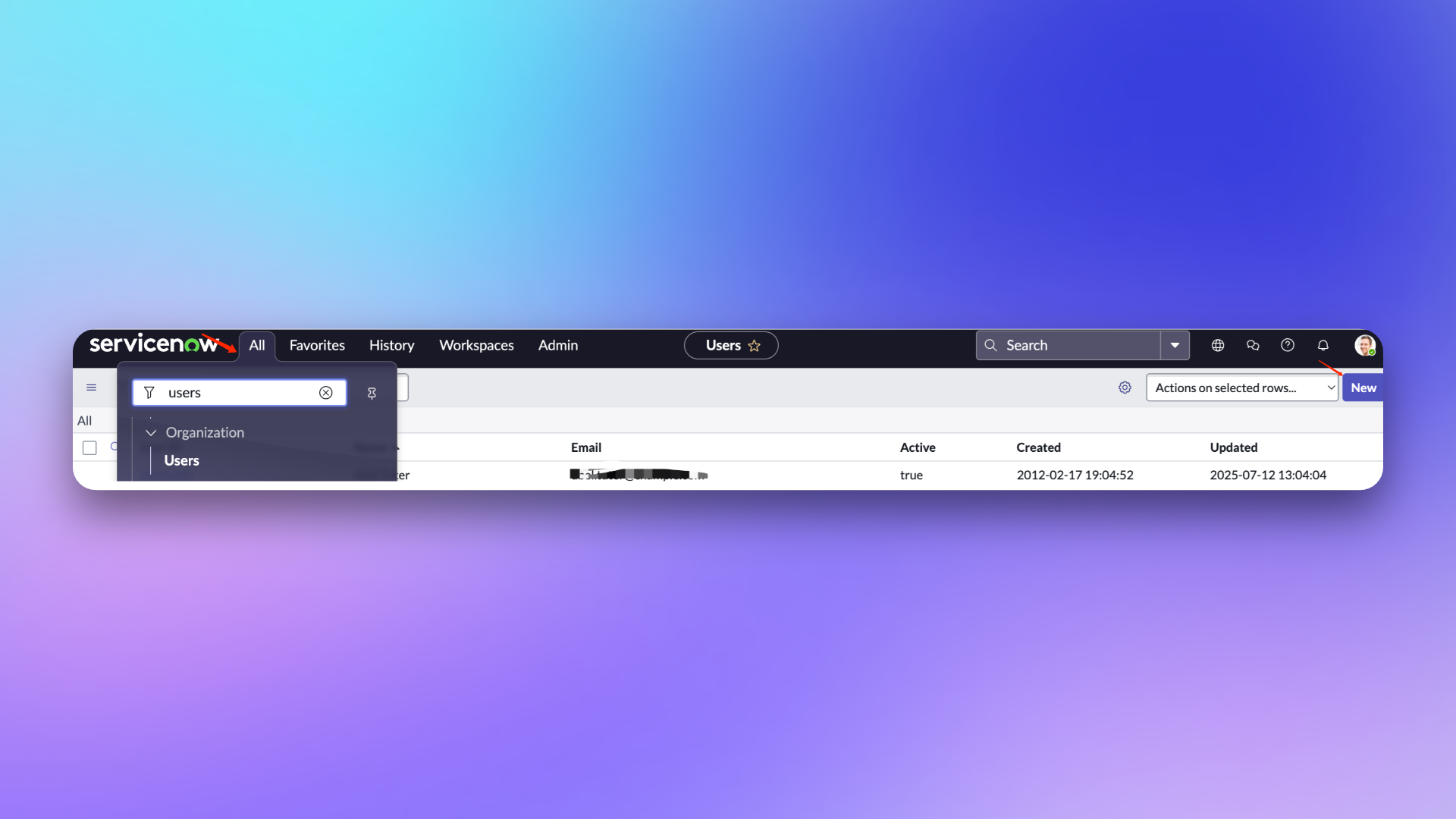
|
|
7265
7450
|
|
|
7266
7451
|
### 配置用户
|
|
7267
7452
|
|
|
7268
|
-
|
|
7453
|
+
> **用户角色说明**
|
|
7454
|
+
> **itil:** 该角色在 Flashduty 中的主要使用范围仅限于在同步 ServiceNow Incident 时,进行获取、创建、更新 ServiceNow Incident,不涉及其他任何操作。
|
|
7455
|
+
>
|
|
7456
|
+
> **personalize_dictionary:** 该角色在 Flashduty 中的主要使用范围仅限于 ServiceNow Incident Table 的字段获取,不涉及其他任何操作。
|
|
7457
|
+
>
|
|
7458
|
+
> 关于以上两个角色更多权限范围,可以参考 ServiceNow [官方文档](https://www.servicenow.com/docs/bundle/washingtondc-platform-administration/page/administer/roles/reference/r_BaseSystemRoles.html#d130465e3182)
|
|
7269
7459
|
|
|
7270
7460
|
1. 在用户列表页面,找到新创建的 \`flashduty\` 用户并进到配置页面。
|
|
7271
7461
|
2. 在编辑页面中,点击 \`Set Password\` 设置一个密码。
|
|
7272
7462
|
3. 点击 \`Roles\` 添加 **personalize_dictionary 和 itil** 角色(如果不需要配置自定义字段映射关系,可以不授予 personalize_dictionary 权限)。
|
|
7273
7463
|
4. 点击 \`Update\` 更新配置。
|
|
7274
7464
|
|
|
7275
|
-
|
|
7465
|
+
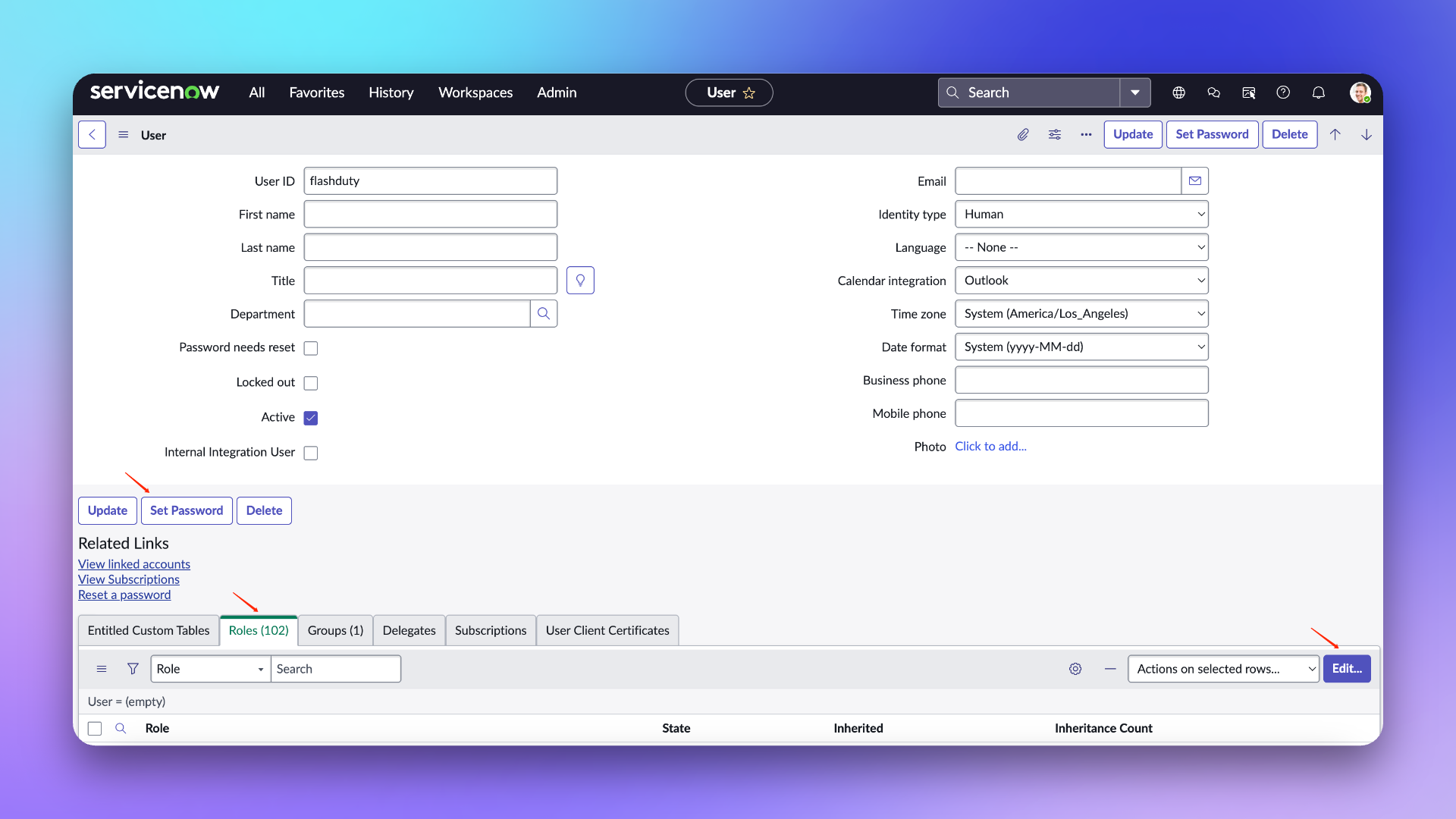
|
|
7466
|
+
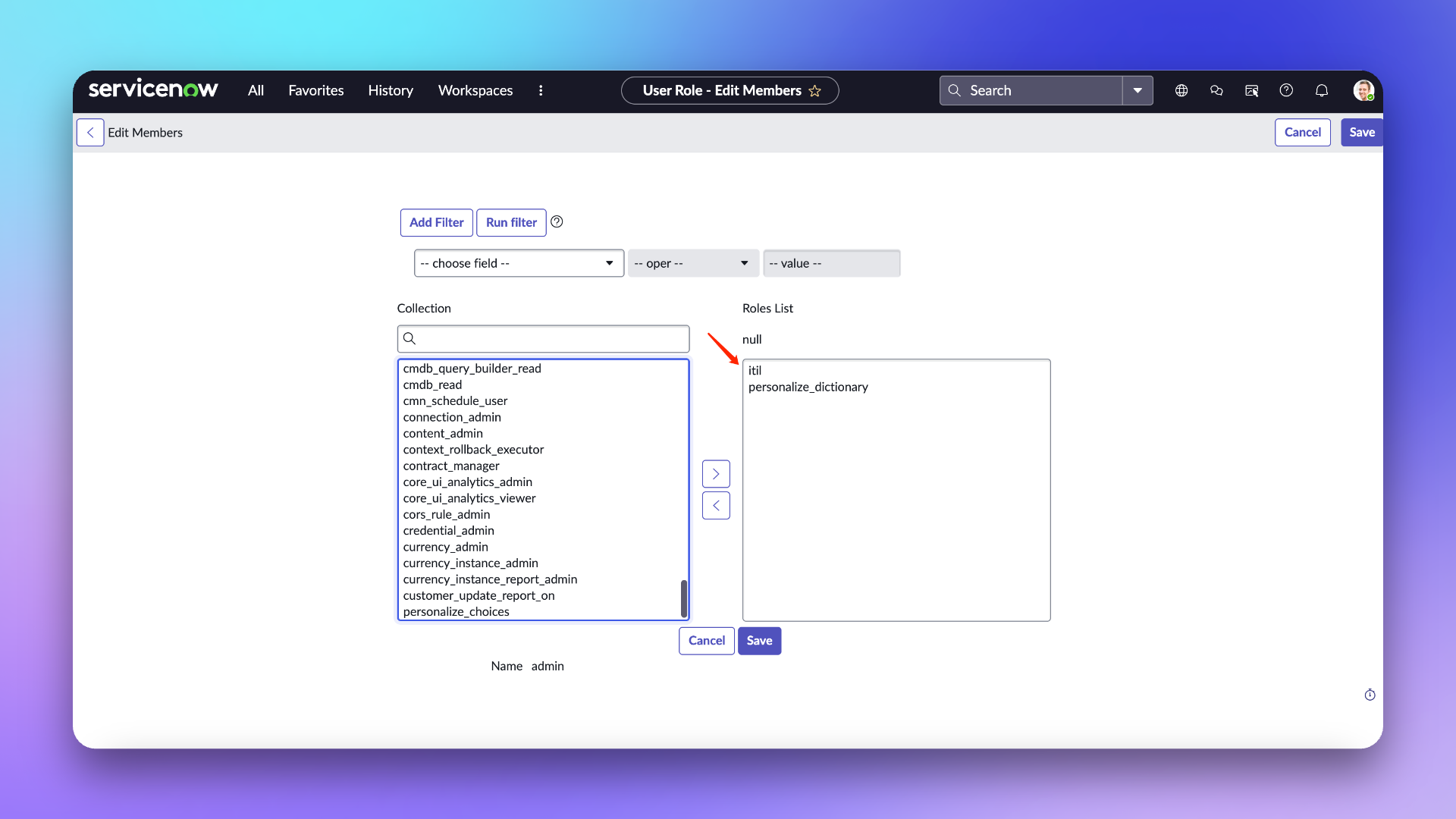
|
|
7276
7467
|
|
|
7277
7468
|
## 在 Flashduty
|
|
7278
7469
|
|
|
@@ -7280,18 +7471,31 @@ url: "https://docs.flashcat.cloud/zh/flashduty/service-now-sync"
|
|
|
7280
7471
|
|
|
7281
7472
|
将以上配置的用户名/密码以及实例名称输入到左侧集成信息中并点击下一步进行配置。
|
|
7282
7473
|
|
|
7283
|
-
|
|
7284
|
-
|
|
7285
|
-
|
|
7286
|
-
|
|
7287
|
-
|
|
7288
|
-
|
|
7289
|
-
|
|
7290
|
-
-
|
|
7291
|
-
|
|
7292
|
-
|
|
7293
|
-
-
|
|
7294
|
-
-
|
|
7474
|
+
1. **集成名称:** 为当前集成定义一个名称。
|
|
7475
|
+
2. **管理团队:** 当选择管理团队后,只有该团队成员以及租户管理员可以编辑此集成。
|
|
7476
|
+
3. **协作空间**:选择该集成生效的协作空间,。
|
|
7477
|
+
4. **同步方向:**
|
|
7478
|
+
|
|
7479
|
+
- To_ServiceNow:将 Flashduty 的故障同步至 ServiceNow。
|
|
7480
|
+
- From_ServiceNow:将 ServiceNow 的 Incident 同步至 Flashduty。
|
|
7481
|
+
- Two-way:Flashduty 和 ServiceNow 互相同步。
|
|
7482
|
+
|
|
7483
|
+
5. **触发模式**:
|
|
7484
|
+
- 自动触发:需要配置相应的条件,Flashduty 会自动将符合条件的故障同步到 ServiceNow 中。
|
|
7485
|
+
- 手动触发:需要在故障详情页的更多操作中手动触发 ServiceNow 同步(该集成配置的名称为触发器名称)。
|
|
7486
|
+
|
|
7487
|
+
6. **严重程度映射**:
|
|
7488
|
+
|
|
7489
|
+
- ServiceNow 的 Priority 是由 Impact 和 Urgency 的值共同决定的,所以可以参考 ServiceNow 的 \`Priority Lookup Rules\` 进行配置。
|
|
7490
|
+
- 当 ServiceNow Incident 的 Urgency 发生变化时,才会触发 Flashduty 故障严重程度的更新。
|
|
7491
|
+
- 由于 Flashduty 在遵循最小权限的情况下,无法获取 ServiceNow 的 Impact 和 Urgency 列表,所以只提供了默认值,如果您需要自定义映射关系时,可以联系技术支持。
|
|
7492
|
+
|
|
7493
|
+
7. **自定义字段映射**:可以将故障中的标签或自定义字段,映射到 ServiceNow 工单中的对应文本字段,实现信息自动填充。该功能支持将常见上下文信息(如服务名、实例地址、指标名称等)同步至 ServiceNow,便于后续排查与跟踪。
|
|
7494
|
+
|
|
7495
|
+
- 仅支持目标为单行文本或多行文本类型的字段。
|
|
7496
|
+
- 支持从故障标签(如 service、instance)或自定义属性中提取值。
|
|
7497
|
+
- 若源字段为空,目标字段也将保持为空,不会覆盖原有内容。
|
|
7498
|
+
- 映射配置在集成设置中统一管理,无需每次手动填写。
|
|
7295
7499
|
|
|
7296
7500
|
## 在 ServiceNow
|
|
7297
7501
|
|
|
@@ -7332,7 +7536,7 @@ url: "https://docs.flashcat.cloud/zh/flashduty/service-now-sync"
|
|
|
7332
7536
|
2. 点击 \`New\` 新建 Script Include。
|
|
7333
7537
|
3. \`Name\` 输入:**IncidentWebhookHelper** , \`Accessible from\` 选择 **All application scopes**。
|
|
7334
7538
|
4. \`Client callable\` 和 \`Active\` 保持勾选状态。
|
|
7335
|
-
5. \`Script\` 输入以下内容,其中 **request.setEndpoint**
|
|
7539
|
+
5. \`Script\` 输入以下内容,其中 **request.setEndpoint** 中需要补充集成的<span class='integration_url'>推送地址</span>:
|
|
7336
7540
|
|
|
7337
7541
|
<div class="hide">
|
|
7338
7542
|
|
|
@@ -7426,7 +7630,7 @@ IncidentWebhookHelper.prototype = {
|
|
|
7426
7630
|
3. \`Name\` 输入:**Send To Flashduty** , \`Table\` 选择 **Incident**。
|
|
7427
7631
|
4. \`Advanced\` 和 \`Active\` 保持勾选状态。
|
|
7428
7632
|
5. 在 \`When to run\` 区域中,\`When\` 选择 **async**,\`Insert\` 和 \`Upsert\` 保持勾选状态,其他按需配置。
|
|
7429
|
-
6. 在 \`Advanced\` 区域中,\`Script\` 填写以下内容,其中 **endpoint**
|
|
7633
|
+
6. 在 \`Advanced\` 区域中,\`Script\` 填写以下内容,其中 **endpoint** 中需要补充集成的<span class='integration_url'>推送地址</span>
|
|
7430
7634
|
|
|
7431
7635
|
<div class="hide">
|
|
7432
7636
|
|
|
@@ -7497,23 +7701,23 @@ IncidentWebhookHelper.prototype = {
|
|
|
7497
7701
|
|
|
7498
7702
|
| ServiceNow | Flashduty | 备注 |
|
|
7499
7703
|
| ------------------- | ------------- | ---- |
|
|
7500
|
-
| Short_description | Title |
|
|
7501
|
-
| Description | Description |
|
|
7502
|
-
| Additional comments | Comments |
|
|
7503
|
-
| State | Progress |
|
|
7504
|
-
| Urgency | Severity |
|
|
7505
|
-
| Others | Custom Fields |
|
|
7704
|
+
| Short_description | Title | 标题 |
|
|
7705
|
+
| Description | Description | 描述信息 |
|
|
7706
|
+
| Additional comments | Comments | 评论 |
|
|
7707
|
+
| State | Progress | 状态 |
|
|
7708
|
+
| Urgency | Severity | 严重程度 |
|
|
7709
|
+
| Others | Custom Fields | 自定义字段 |
|
|
7506
7710
|
|
|
7507
7711
|
### 状态映射
|
|
7508
7712
|
|
|
7509
7713
|
| ServiceNow | Flashduty | 备注 |
|
|
7510
7714
|
| ----------- | ---------- | --------------- |
|
|
7511
|
-
| New | Trigger |
|
|
7512
|
-
| In Progress | Processing |
|
|
7715
|
+
| New | Trigger | 触发 |
|
|
7716
|
+
| In Progress | Processing | 待处理 |
|
|
7513
7717
|
| On Hold | Snoozed | 默认暂缓 2 小时 |
|
|
7514
|
-
| Resolved | CLosed |
|
|
7515
|
-
| Closed | CLosed |
|
|
7516
|
-
| Canceled | CLosed |
|
|
7718
|
+
| Resolved | CLosed | 关闭 |
|
|
7719
|
+
| Closed | CLosed | 关闭 |
|
|
7720
|
+
| Canceled | CLosed | 关闭 |
|
|
7517
7721
|
|
|
7518
7722
|
### 优先级映射
|
|
7519
7723
|
|
|
@@ -7521,10 +7725,192 @@ IncidentWebhookHelper.prototype = {
|
|
|
7521
7725
|
|
|
7522
7726
|
| ServiceNow | Flashduty | 备注 |
|
|
7523
7727
|
| ---------- | --------- | ---- |
|
|
7524
|
-
| Low | Info |
|
|
7525
|
-
| Medium | Warning |
|
|
7526
|
-
| High | Critical |
|
|
7527
|
-
|
|
7728
|
+
| Low | Info | 提示 |
|
|
7729
|
+
| Medium | Warning | 警告 |
|
|
7730
|
+
| High | Critical | 灾难 |
|
|
7731
|
+
|
|
7732
|
+
## 常见问题
|
|
7733
|
+
|
|
7734
|
+
<details>
|
|
7735
|
+
<summary>新建 ServiceNow 用户时,UserID 是否可以自定义?</summary>
|
|
7736
|
+
可以自定义,文档指引中使用 flashduty 作为 UserID,是为了更好的标识该用户用于 Incident 同步
|
|
7737
|
+
</details>
|
|
7738
|
+
|
|
7739
|
+
<details>
|
|
7740
|
+
<summary>配置集成时提示 401 错误 </summary>
|
|
7741
|
+
提示 401 一般是密码错误导致的,请检查密码是否正确,或者重新设置新的密码(在配置密码时,请勿勾选 Password needs reset 选项)
|
|
7742
|
+
</details>`,pn=`---
|
|
7743
|
+
title: "ServiceDesk Plus 同步"
|
|
7744
|
+
description: "通过 ServiceDesk Plus 同步 Webhook,实现故障与 ServiceDesk Plus request 的关联。"
|
|
7745
|
+
date: "2025-05-19T10:00:00+08:00"
|
|
7746
|
+
url: "https://docs.flashcat.cloud/zh/flashduty/servicedesk-plus-sync"
|
|
7747
|
+
---
|
|
7748
|
+
|
|
7749
|
+
通过 ServiceDesk Plus 同步 Webhook,将 Flashduty 的故障与 ServiceDesk Plus request 进行关联同步,实现 Flashduty 与 ServiceDesk Plus 的联动。
|
|
7750
|
+
|
|
7751
|
+
本集成基于 ServiceDesk Plus 官方提供的 v3 API 协议,兼容其接口规范。若您使用私有化部署版本,请确认其 API 是否支持 v3 版本。此外,ServiceDesk Plus 的云版本与私有化版本在授权配置方式上存在差异,具体配置请参考相关文档说明。
|
|
7752
|
+
|
|
7753
|
+
- [云版本](#云版本)
|
|
7754
|
+
- [私有化](#私有化)
|
|
7755
|
+
|
|
7756
|
+
在配置此集成时,如果您选择的同步方向是 From_ServiceDesk_Plus,您可以直接跳过授权相关配置,直接参考[配置同步](#配置同步)即可。
|
|
7757
|
+
|
|
7758
|
+
## 云版本 <span id="云版本"></span>
|
|
7759
|
+
|
|
7760
|
+
### 在 ServiceDesk Plus
|
|
7761
|
+
#### 步骤1 创建授权应用
|
|
7762
|
+
请根据您的 ServiceDesk Plus 服务区域选择对应的 Developer Console 地址:[Data Centres](https://www.manageengine.com/products/service-desk/sdpod-v3-api/getting-started/data-centers.html)
|
|
7763
|
+
|
|
7764
|
+
1. 登录 Developer Console,选择 \`Self Client\` 类型的 Client 并创建。
|
|
7765
|
+
2. 点击 \`Generate Code\`,在 \`Scope\` 中填写:**SDPOnDemand.requests.ALL,SDPOnDemand.setup.READ,SDPOnDemand.custommodule.READ**。权限范围参考[官方文档](https://www.manageengine.com/products/service-desk/sdpod-v3-api/getting-started/oauth-2.0.html#scopes)。
|
|
7766
|
+
|
|
7767
|
+
3. \`Time Duration\` 选择最大的 **10 minutes**,\`Scope Description\` 填写内容可自定义,比如: Flashduty 同步使用,并创建。
|
|
7768
|
+
4. 将生成的 **Code** 和 **Client ID** 以及 **Client Secret** 复制备用。
|
|
7769
|
+
|
|
7770
|
+
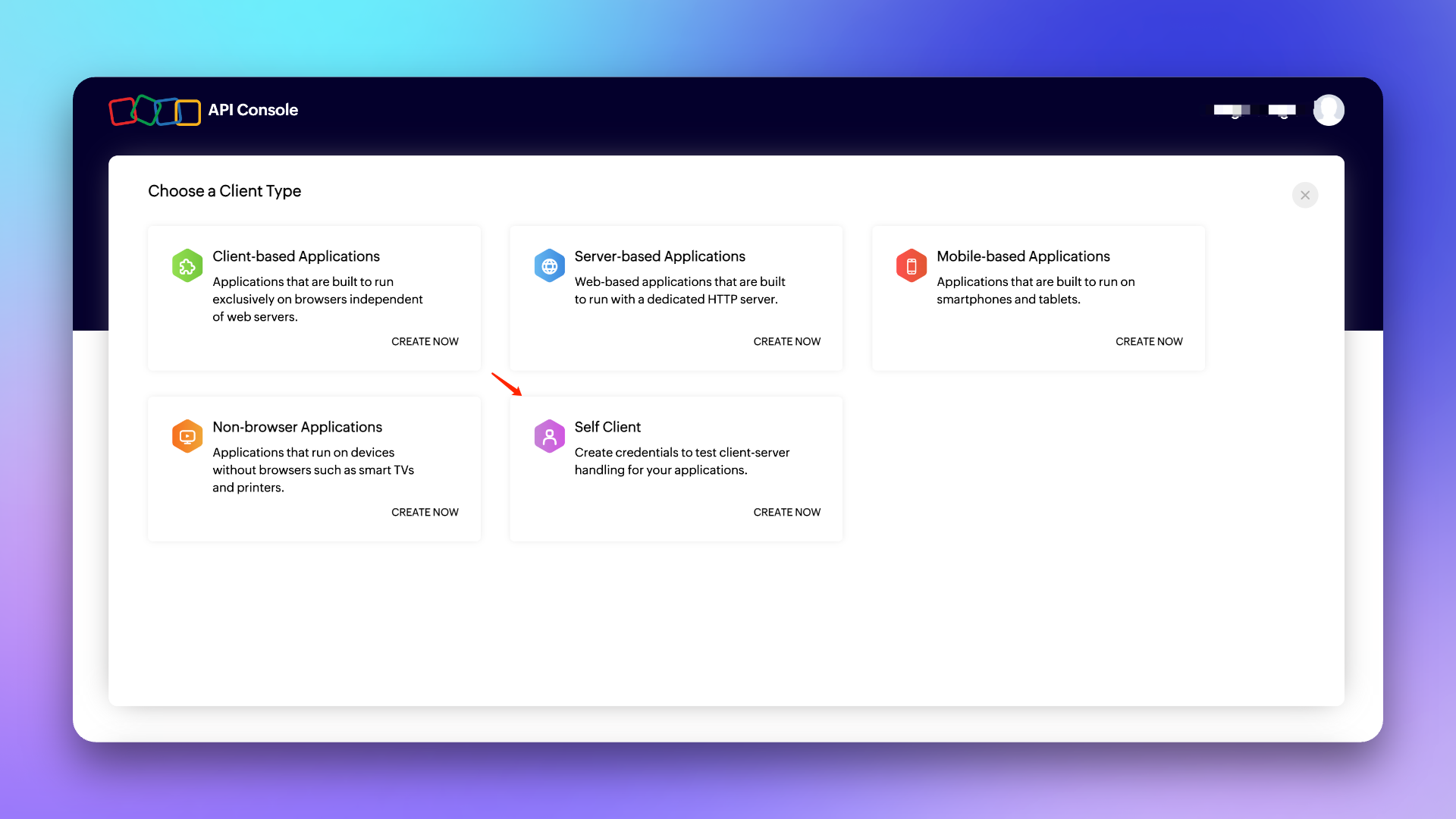
|
|
7771
|
+
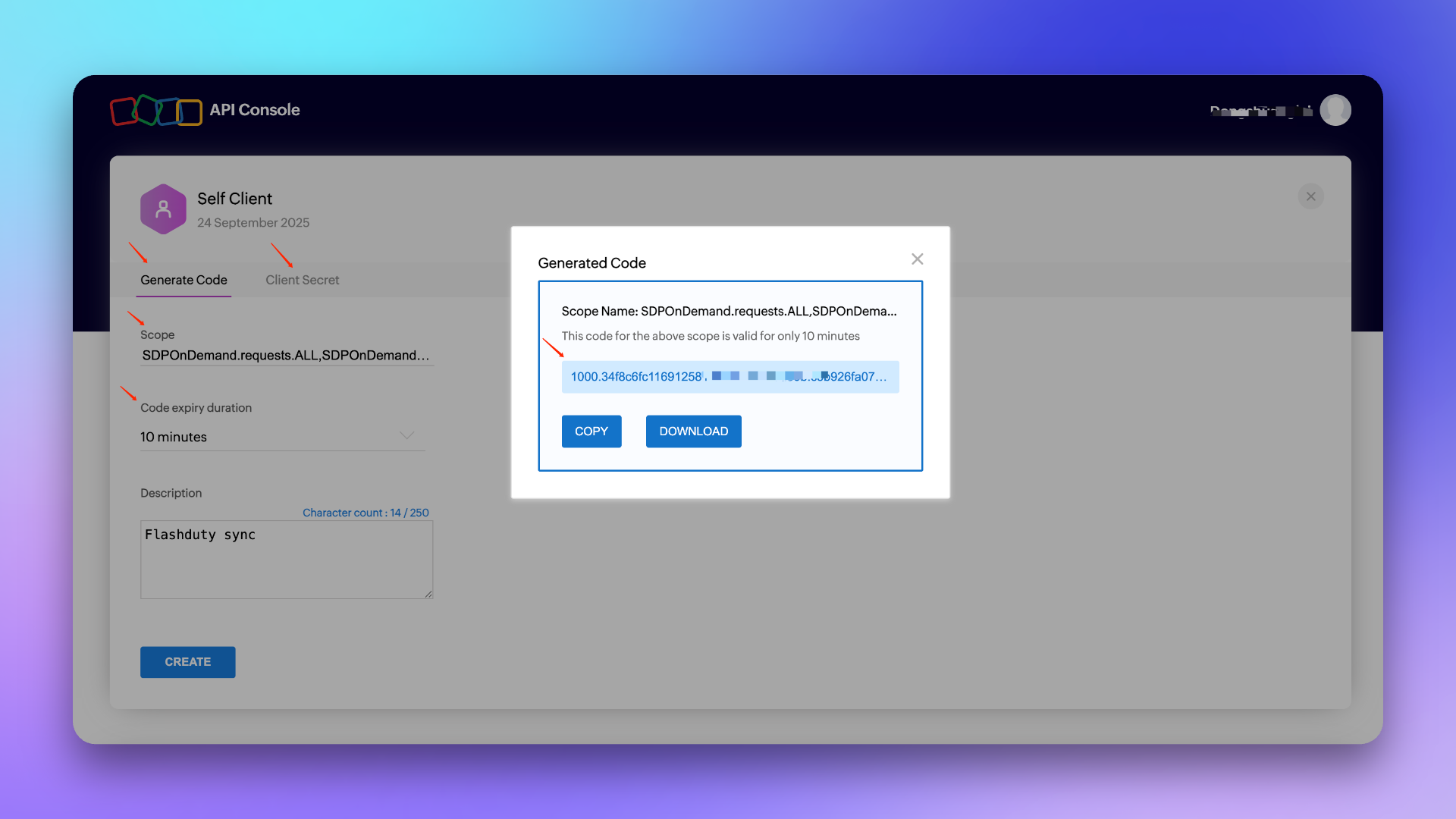
|
|
7772
|
+
|
|
7773
|
+
###### 注意:Code 的有效期只有 10 分钟且只能使用一次,所以在获取到 Code 后,请在有效期内尽快完成[集成授权](#集成授权)
|
|
7774
|
+
|
|
7775
|
+
### 在 Flashduty
|
|
7776
|
+
#### 步骤2 集成授权 <span id="集成授权"></span>
|
|
7777
|
+
请根据您的 ServiceDesk Plus 服务区域选择对应的 API Endpoint 和 Accounts Server URL:[Data Centres](https://www.manageengine.com/products/service-desk/sdpod-v3-api/getting-started/data-centers.html)
|
|
7778
|
+
|
|
7779
|
+
1. \`平台类型\` 选择**云版本**,填写\`API Endpoint\` 和 \`Accounts Server URL\`。
|
|
7780
|
+
2. 将**创建授权应用**步骤中生成的 \`Code\` 和 \`Client ID\` 以及 \`Client Secret\` 填写到对应的编辑框并点击下一步完成[集成配置](#集成配置)(如果报错请重新获取 Code,或联系技术支持排查问题)。
|
|
7781
|
+
|
|
7782
|
+
## 私有化版本 <span id="私有化"></span>
|
|
7783
|
+
### 在 ServiceDesk Plus
|
|
7784
|
+
#### 步骤1 生成 API 密钥
|
|
7785
|
+
1. 登录 ServiceDesk Plus 控制台,在个人中心点击 \`生成 API 密钥\`。
|
|
7786
|
+
2. \`令牌过期时间\` 选择 **永不过期**,将生成的 **Token** 复制备用,并完成[集成授权](#私有化版本集成授权)。
|
|
7787
|
+
|
|
7788
|
+
###### 注意:生成 API 密钥的用户需要具备相关权限,比如创建/更新请求、获取模版/优先级/自定义字段列表等权限,如果权限不足,会导致无法完成集成配置,建议使用管理员角色生成。
|
|
7789
|
+
|
|
7790
|
+
### 在 Flashduty
|
|
7791
|
+
#### 步骤2 集成授权 <span id="私有化版本集成授权"></span>
|
|
7792
|
+
1. \`平台类型\` 选择**私有化版本**,填写\`API Endpoint\`。
|
|
7793
|
+
2. 将生成的 **Token** 填写到对应的编辑框并点击下一步完成[集成配置](#集成配置)。
|
|
7794
|
+
|
|
7795
|
+
|
|
7796
|
+
## 通用配置
|
|
7797
|
+
|
|
7798
|
+
### 在 Flashduty
|
|
7799
|
+
#### 步骤1 集成配置 <span id="集成配置"></span>
|
|
7800
|
+
|
|
7801
|
+
1. **集成名称:** 为当前集成定义一个名称。
|
|
7802
|
+
2. **管理团队:** 当选择管理团队后,只有该团队成员以及租户管理员可以编辑此集成。
|
|
7803
|
+
3. **同步方向:**
|
|
7804
|
+
|
|
7805
|
+
- To_ServiceDesk_Plus:将 Flashduty 的故障同步至 ServiceDesk Plus。
|
|
7806
|
+
- From_ServiceDesk_Plus:将 ServiceDesk Plus 的 Request 同步至 Flashduty。
|
|
7807
|
+
- Two-way:Flashduty 和 ServiceDesk Plus 互相同步。
|
|
7808
|
+
|
|
7809
|
+
4. **触发模式**:
|
|
7810
|
+
- 自动触发:需要配置相应的条件,Flashduty 会自动将符合条件的故障同步到 ServiceDesk Plus 中。
|
|
7811
|
+
- 手动触发:需要在故障详情页的更多操作中手动触发 ServiceDesk Plus 同步(该集成配置的名称为触发器名称)。
|
|
7812
|
+
|
|
7813
|
+
5. **协作空间**:选择该集成生效的协作空间。
|
|
7814
|
+
6. **请求模版**:选择创建 request 时使用的模版,为空时使用默认模版创建工单。
|
|
7815
|
+
7. **严重程度映射**:可以选择使用严重程度、故障标签、自定义字段的值与 ServiceDesk Plus 的优先级字段进行映射,如果为空,在创建工单时不传该字段。
|
|
7816
|
+
8. **自定义字段映射**:可以将故障中的标签或自定义字段,映射到 ServiceDesk Plus 工单中的对应文本字段,实现信息自动填充。该功能支持将常见上下文信息(如服务名、实例地址、指标名称等)同步至 ServiceDesk Plus,便于后续排查与跟踪。
|
|
7817
|
+
- 仅支持目标为单行文本或多行文本类型的字段。
|
|
7818
|
+
- 支持从故障标签(如 service、instance)或自定义属性中提取值。
|
|
7819
|
+
- 若源字段为空,目标字段也将保持为空,不会覆盖原有内容。
|
|
7820
|
+
|
|
7821
|
+
9. **指派对象映射**:当 Flashduty 的故障同步至 ServiceDesk Plus 并需要自动指派到 Technician 或 Group 时,可以获取 Flashduty 故障标签的值作为指派对象(如果对应的指派对象不存在,会导致同步失败,请谨慎选择)。
|
|
7822
|
+
10. **请求者**:创建工单时指定的 requester,如果工单在创建时该字段是必须,则需要配置。
|
|
7823
|
+
11. 点击\`保存\`完成配置。
|
|
7824
|
+
|
|
7825
|
+
### 在 ServiceDesk Plus
|
|
7826
|
+
|
|
7827
|
+
#### 步骤2 配置同步 <span id="配置同步"></span>
|
|
7828
|
+
要实现 ServiceDesk Plus 的 Request 向 Flashduty 的同步,请参考此配置项。**注意:** 不同版本的路径可能略有不同,但配置方法相同。
|
|
7829
|
+
##### 创建 Webhook
|
|
7830
|
+
1. 登录 ServiceDesk Plus 控制台,找到 \`Setup\` 配置页面。
|
|
7831
|
+
2. 选择 \`Automation\` 之后,进入到 \`Custom Actions\` 页面,并选择 \`Webhooks\`。
|
|
7832
|
+
3. 点击 \`New Webhook\`,在编辑页面中 \`Webhook Name\` 填写 **to_Flashduty**。
|
|
7833
|
+
4. \`URL\` 填写集成的<span class='integration_url'>推送地址</span>。
|
|
7834
|
+
5. \`Applies to\` 选择 **Requsts**,\`Method\` 选择 **POST**,\`Headers\` 中填写 **Content-Type application/json**。
|
|
7835
|
+
6. \`Message Body\` 的 Type 选择 **JSON**,并填写以下内容:
|
|
7836
|
+
|
|
7837
|
+
\`\`\`
|
|
7838
|
+
# 云版本
|
|
7839
|
+
{
|
|
7840
|
+
"subject":"\${subject}",
|
|
7841
|
+
"request_id":"\${id}",
|
|
7842
|
+
"description":"\${udf_fields.txt_destination}",
|
|
7843
|
+
"priority":"\${priority.name}",
|
|
7844
|
+
"status":"\${status.name}",
|
|
7845
|
+
"txt_test_field":"\${udf_fields.txt_test_field}"
|
|
7846
|
+
|
|
7847
|
+
}
|
|
7848
|
+
\`\`\`
|
|
7849
|
+
|
|
7850
|
+
\`\`\`
|
|
7851
|
+
# 私有化版本
|
|
7852
|
+
{
|
|
7853
|
+
"suject":"\${{request.subject}}",
|
|
7854
|
+
"request_id":"\${{request.id}}",
|
|
7855
|
+
"description":"\${{request.description}}",
|
|
7856
|
+
"status":"\${{request.status.name}}",
|
|
7857
|
+
"priority":"\${{request.priority.name}}",
|
|
7858
|
+
"udf_sline_301":"\${{request.udf_fields.udf_sline_301}}"
|
|
7859
|
+
}
|
|
7860
|
+
|
|
7861
|
+
\`\`\`
|
|
7862
|
+
7. 点击 \`Save\` 完成配置。
|
|
7863
|
+
|
|
7864
|
+
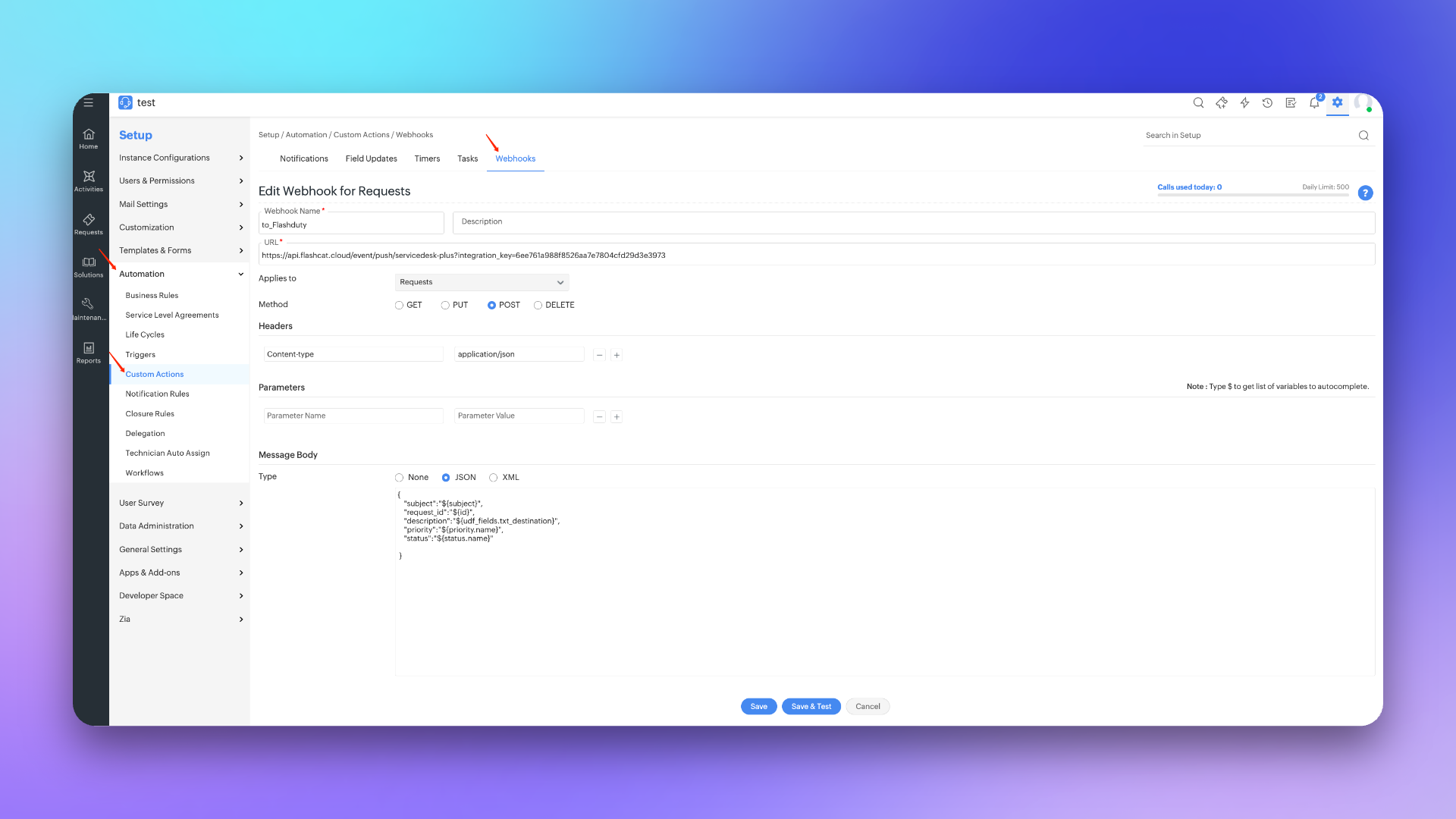
|
|
7865
|
+
|
|
7866
|
+
##### 步骤3 创建触发器
|
|
7867
|
+
1. 登录 ServiceDesk Plus 控制台,找到 \`Setup\` 配置页面。
|
|
7868
|
+
2. 选择 \`Automation\` 之后,进入到 \`Triggers\` 页面,并选择 \`Request\`。
|
|
7869
|
+
3. 点击 \`New Trigger\`,在编辑页面中 \`Name\` 填写 **to_Flashduty**。
|
|
7870
|
+
4. \`Trigger applies to\` 选择 **Request**,\`Execute when a request is\` 勾选 **Create 和 Edited**。
|
|
7871
|
+
5. \`Execute during\` 选择 **Any time**,并勾选 **Enable Trigger**。
|
|
7872
|
+
6. \`Conditions\` 选择 \`Without condition\` 或按实际需求配置。
|
|
7873
|
+
7. 在 \`Actions\` 中选择 **Webhook** 并勾选 **to_Flashduty** 通道。
|
|
7874
|
+
8. 点击 \`Save\` 完成配置。
|
|
7875
|
+
|
|
7876
|
+
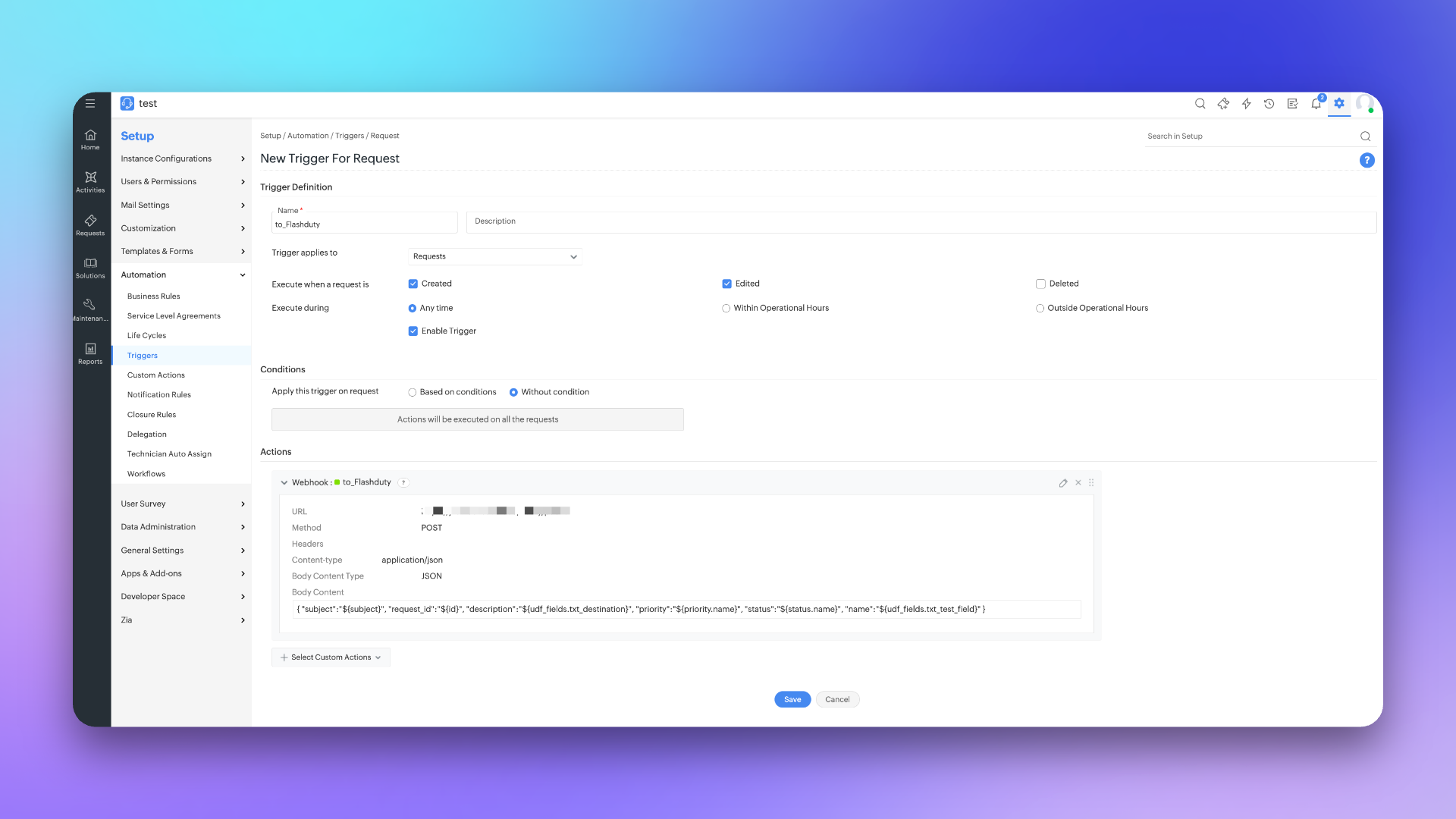
|
|
7877
|
+
|
|
7878
|
+
|
|
7879
|
+
## 同步信息映射关系
|
|
7880
|
+
|
|
7881
|
+
### 表单字段
|
|
7882
|
+
|
|
7883
|
+
| ServiceDesk Plus | Flashduty | 备注 |
|
|
7884
|
+
| ------------------- | ------------- | ---- |
|
|
7885
|
+
| Subjeck | Title | | 标题
|
|
7886
|
+
| Description | Description | 描述信息 |
|
|
7887
|
+
| Status | Progress | 状态 |
|
|
7888
|
+
| Priority | Severity | 严重程度 |
|
|
7889
|
+
| Others | Custom Fields | 自定义字段 |
|
|
7890
|
+
|
|
7891
|
+
### 状态映射
|
|
7892
|
+
|
|
7893
|
+
| ServiceDesk Plus | Flashduty | 备注 |
|
|
7894
|
+
| ----------- | ---------- | --------------- |
|
|
7895
|
+
| Open | Trigger | 触发 |
|
|
7896
|
+
| In Progress | Processing | 待处理 |
|
|
7897
|
+
| Assigned | Processing | 待处理 |
|
|
7898
|
+
| Pending Verification | Processing | 待处理 |
|
|
7899
|
+
| Staging | Processing | 待处理 |
|
|
7900
|
+
| On Hold | Snoozed | 默认暂缓 2 小时 |
|
|
7901
|
+
| Resolved | CLosed | 关闭 |
|
|
7902
|
+
| Closed | CLosed | 关闭 |
|
|
7903
|
+
| Canceled | CLosed | 关闭 |
|
|
7904
|
+
| Rejected | CLosed | 关闭 |
|
|
7905
|
+
|
|
7906
|
+
|
|
7907
|
+
## 常见问题
|
|
7908
|
+
|
|
7909
|
+
<details>
|
|
7910
|
+
<summary> Scope 是否可以更改</summary>
|
|
7911
|
+
不可以,目前所使用的 Scope 已经是最小单元了,Flashduty 在与 ServiceDesc Plus 进行同步 request 时,需要做获取/创建/更新操作,以及在配置集成时,需要获取优先级/自定义字段列表,所以需要相应的权限支持。
|
|
7912
|
+
</details>
|
|
7913
|
+
`,gn=`---
|
|
7528
7914
|
title: "配置通知模版"
|
|
7529
7915
|
description: "通过自定义配置模版,可以实现个性化通知内容的需求"
|
|
7530
7916
|
date: "2024-05-10T10:00:00+08:00"
|
|
@@ -7658,10 +8044,8 @@ Title | string | 是 | 告警标题
|
|
|
7658
8044
|
Description | string | 是 | 告警描述,可能为空
|
|
7659
8045
|
AlertSeverity | string | 是 | 严重程度,枚举值:Critical,Warning,Info
|
|
7660
8046
|
AlertStatus | string | 是 | 告警状态,枚举值:Critical,Warning,Info,Ok
|
|
7661
|
-
Progress | string | 是 | 处理进度,枚举值:Triggered,Processing,Closed
|
|
7662
8047
|
StartTime | int64 | 是 | 触发时间,Unix 秒时间戳
|
|
7663
8048
|
EndTime | int64 | 否 | 恢复时间,Unix 秒时间戳,默认为 0
|
|
7664
|
-
CloseTime | int64 | 否 | 关闭时间,EndTime 为告警恢复时间,CloseTime 为处理进度的关闭时间,告警恢复时会自动关闭,告警手动关闭时不影响告警恢复。Unix 秒时间戳,默认为 0
|
|
7665
8049
|
\`Labels\` | map[string]string | 否 | 标签 KV,Key 和 Value 均为字符串
|
|
7666
8050
|
|
|
7667
8051
|
## 常见问题
|
|
@@ -8614,80 +8998,321 @@ msg_type 必填,值为 post
|
|
|
8614
8998
|
|
|
8615
8999
|
<head data-id="__react-email-head">
|
|
8616
9000
|
<style>
|
|
8617
|
-
|
|
8618
|
-
|
|
8619
|
-
|
|
8620
|
-
|
|
8621
|
-
|
|
8622
|
-
|
|
8623
|
-
|
|
8624
|
-
|
|
8625
|
-
|
|
8626
|
-
|
|
9001
|
+
/* Light mode colors */
|
|
9002
|
+
:root {
|
|
9003
|
+
--bg-color: rgb(255, 255, 255);
|
|
9004
|
+
--text-color: rgb(55, 65, 81);
|
|
9005
|
+
--label-key-color: #000;
|
|
9006
|
+
--section-bg: rgb(255, 255, 255);
|
|
9007
|
+
--border-color: rgb(229, 231, 235);
|
|
9008
|
+
}
|
|
9009
|
+
|
|
9010
|
+
/* Dark mode colors */
|
|
9011
|
+
@media (prefers-color-scheme: dark) {
|
|
9012
|
+
:root {
|
|
9013
|
+
--bg-color: rgb(31, 41, 55);
|
|
9014
|
+
--text-color: rgb(209, 213, 219);
|
|
9015
|
+
--label-key-color: rgb(229, 231, 235);
|
|
9016
|
+
--section-bg: rgb(17, 24, 39);
|
|
9017
|
+
--border-color: rgb(75, 85, 99);
|
|
9018
|
+
}
|
|
9019
|
+
}
|
|
9020
|
+
|
|
9021
|
+
/* Severity background colors */
|
|
9022
|
+
.severity-Critical {
|
|
9023
|
+
background-color: #C80000;
|
|
9024
|
+
color: #ffffff;
|
|
9025
|
+
padding: 4px 12px;
|
|
9026
|
+
border-radius: 12px;
|
|
9027
|
+
display: inline-block;
|
|
9028
|
+
font-weight: 600;
|
|
9029
|
+
font-size: 13px;
|
|
9030
|
+
}
|
|
9031
|
+
.severity-Warning {
|
|
9032
|
+
background-color: #fef3c7;
|
|
9033
|
+
color: #92400e;
|
|
9034
|
+
padding: 4px 12px;
|
|
9035
|
+
border-radius: 12px;
|
|
9036
|
+
display: inline-block;
|
|
9037
|
+
font-weight: 600;
|
|
9038
|
+
font-size: 13px;
|
|
9039
|
+
}
|
|
9040
|
+
.severity-Info {
|
|
9041
|
+
background-color: #dbeafe;
|
|
9042
|
+
color: #1e40af;
|
|
9043
|
+
padding: 4px 12px;
|
|
9044
|
+
border-radius: 12px;
|
|
9045
|
+
display: inline-block;
|
|
9046
|
+
font-weight: 600;
|
|
9047
|
+
font-size: 13px;
|
|
9048
|
+
}
|
|
9049
|
+
.severity-Ok {
|
|
9050
|
+
background-color: #d1fae5;
|
|
9051
|
+
color: #065f46;
|
|
9052
|
+
padding: 4px 12px;
|
|
9053
|
+
border-radius: 12px;
|
|
9054
|
+
display: inline-block;
|
|
9055
|
+
font-weight: 600;
|
|
9056
|
+
font-size: 13px;
|
|
9057
|
+
}
|
|
9058
|
+
|
|
9059
|
+
/* Progress status colors */
|
|
9060
|
+
.progress-Triggered {
|
|
9061
|
+
background-color: #dbeafe;
|
|
9062
|
+
color: #1e40af;
|
|
9063
|
+
padding: 4px 12px;
|
|
9064
|
+
border-radius: 12px;
|
|
9065
|
+
display: inline-block;
|
|
9066
|
+
font-weight: 600;
|
|
9067
|
+
font-size: 13px;
|
|
9068
|
+
}
|
|
9069
|
+
.progress-Acknowledged {
|
|
9070
|
+
background-color: #ede9fe;
|
|
9071
|
+
color: #6b21a8;
|
|
9072
|
+
padding: 4px 12px;
|
|
9073
|
+
border-radius: 12px;
|
|
9074
|
+
display: inline-block;
|
|
9075
|
+
font-weight: 600;
|
|
9076
|
+
font-size: 13px;
|
|
9077
|
+
}
|
|
9078
|
+
.progress-Resolved {
|
|
9079
|
+
background-color: #d1fae5;
|
|
9080
|
+
color: #065f46;
|
|
9081
|
+
padding: 4px 12px;
|
|
9082
|
+
border-radius: 12px;
|
|
9083
|
+
display: inline-block;
|
|
9084
|
+
font-weight: 600;
|
|
9085
|
+
font-size: 13px;
|
|
9086
|
+
}
|
|
9087
|
+
.progress-Closed {
|
|
9088
|
+
background-color: #f3f4f6;
|
|
9089
|
+
color: #374151;
|
|
9090
|
+
padding: 4px 12px;
|
|
9091
|
+
border-radius: 12px;
|
|
9092
|
+
display: inline-block;
|
|
9093
|
+
font-weight: 600;
|
|
9094
|
+
font-size: 13px;
|
|
9095
|
+
}
|
|
9096
|
+
|
|
9097
|
+
/* Field row styles */
|
|
9098
|
+
.field-row {
|
|
9099
|
+
padding: 1rem 0;
|
|
9100
|
+
border-bottom: 1px solid var(--border-color);
|
|
9101
|
+
}
|
|
9102
|
+
.field-row:first-child {
|
|
9103
|
+
padding-top: 0;
|
|
9104
|
+
}
|
|
9105
|
+
.field-row:last-child {
|
|
9106
|
+
border-bottom: none;
|
|
9107
|
+
}
|
|
9108
|
+
.field-label {
|
|
9109
|
+
color: #6b7280;
|
|
9110
|
+
font-size: 0.875rem;
|
|
9111
|
+
margin-bottom: 0.25rem;
|
|
9112
|
+
}
|
|
9113
|
+
.field-value {
|
|
9114
|
+
color: var(--text-color);
|
|
9115
|
+
word-break: break-word;
|
|
9116
|
+
overflow-wrap: break-word;
|
|
9117
|
+
}
|
|
9118
|
+
|
|
9119
|
+
body {
|
|
9120
|
+
background-color: var(--bg-color);
|
|
9121
|
+
color: var(--text-color);
|
|
9122
|
+
}
|
|
9123
|
+
|
|
9124
|
+
.labels-section {
|
|
9125
|
+
background-color: #f3f4f6;
|
|
9126
|
+
padding: 1rem;
|
|
9127
|
+
border-radius: 0.375rem;
|
|
9128
|
+
margin-top: 0.5rem;
|
|
9129
|
+
}
|
|
9130
|
+
@media (prefers-color-scheme: dark) {
|
|
9131
|
+
.labels-section {
|
|
9132
|
+
background-color: rgb(55, 65, 81);
|
|
9133
|
+
}
|
|
9134
|
+
}
|
|
8627
9135
|
</style>
|
|
8628
9136
|
</head>
|
|
8629
9137
|
|
|
8630
|
-
<body data-id="__react-email-body" style="
|
|
8631
|
-
|
|
8632
|
-
<
|
|
8633
|
-
<
|
|
8634
|
-
|
|
8635
|
-
|
|
8636
|
-
|
|
8637
|
-
|
|
8638
|
-
|
|
8639
|
-
|
|
8640
|
-
|
|
8641
|
-
|
|
8642
|
-
|
|
8643
|
-
|
|
8644
|
-
|
|
8645
|
-
|
|
8646
|
-
|
|
8647
|
-
|
|
8648
|
-
|
|
8649
|
-
|
|
8650
|
-
|
|
8651
|
-
|
|
8652
|
-
|
|
8653
|
-
|
|
8654
|
-
|
|
8655
|
-
|
|
8656
|
-
|
|
8657
|
-
|
|
8658
|
-
|
|
8659
|
-
|
|
8660
|
-
|
|
8661
|
-
|
|
8662
|
-
|
|
8663
|
-
|
|
8664
|
-
|
|
8665
|
-
|
|
8666
|
-
|
|
8667
|
-
|
|
8668
|
-
|
|
8669
|
-
|
|
8670
|
-
|
|
8671
|
-
|
|
8672
|
-
|
|
8673
|
-
|
|
8674
|
-
|
|
8675
|
-
|
|
8676
|
-
|
|
8677
|
-
|
|
8678
|
-
|
|
8679
|
-
|
|
8680
|
-
|
|
8681
|
-
|
|
8682
|
-
|
|
8683
|
-
|
|
8684
|
-
|
|
8685
|
-
|
|
8686
|
-
|
|
8687
|
-
|
|
8688
|
-
|
|
9138
|
+
<body data-id="__react-email-body" style="margin:0;padding:0;background-color:#f3f4f6;font-family:ui-sans-serif, system-ui, -apple-system, BlinkMacSystemFont, Segoe UI, Roboto, Helvetica Neue, Arial, Noto Sans, sans-serif, Apple Color Emoji, Segoe UI Emoji, Segoe UI Symbol, Noto Color Emoji">
|
|
9139
|
+
<!-- Outer wrapper table for centering -->
|
|
9140
|
+
<table width="100%" cellpadding="0" cellspacing="0" border="0" style="background-color:#f3f4f6">
|
|
9141
|
+
<tr>
|
|
9142
|
+
<td align="center" style="padding:40px 20px">
|
|
9143
|
+
<!-- Main container table with fixed width -->
|
|
9144
|
+
<table width="600" cellpadding="0" cellspacing="0" border="0" style="background-color:#ffffff;max-width:600px">
|
|
9145
|
+
<!-- Purple header bar with logo -->
|
|
9146
|
+
<tr>
|
|
9147
|
+
<td style="padding:32px 0 32px 32px;text-align:left">
|
|
9148
|
+
<img data-id="react-email-img" src="https://flashduty-public.oss-cn-beijing.aliyuncs.com/icons/flashduty-20251216.png" height="70" style="display:block;outline:none;border:none;text-decoration:none;height:70px;width:auto" alt="Flashduty" />
|
|
9149
|
+
</td>
|
|
9150
|
+
</tr>
|
|
9151
|
+
|
|
9152
|
+
<!-- Divider after logo -->
|
|
9153
|
+
<tr>
|
|
9154
|
+
<td style="padding:0 32px">
|
|
9155
|
+
<div style="border-top:1px solid #e5e7eb"></div>
|
|
9156
|
+
</td>
|
|
9157
|
+
</tr>
|
|
9158
|
+
|
|
9159
|
+
<!-- Main content -->
|
|
9160
|
+
<tr>
|
|
9161
|
+
<td style="padding:16px 32px 32px 32px">
|
|
9162
|
+
<!-- Title and Description -->
|
|
9163
|
+
<table width="100%" cellpadding="0" cellspacing="0" border="0">
|
|
9164
|
+
<tr>
|
|
9165
|
+
<td>
|
|
9166
|
+
<h1 style="margin:0;font-size:24px;font-weight:600;color:#111827;line-height:1.5">{{.Title}}</h1>
|
|
9167
|
+
{{if .Description}}
|
|
9168
|
+
<p style="margin:8px 0 0 0;font-size:16px;color:#6b7280;line-height:1.5">{{toHtml .Description}}</p>
|
|
9169
|
+
{{end}}
|
|
9170
|
+
</td>
|
|
9171
|
+
</tr>
|
|
9172
|
+
</table>
|
|
9173
|
+
|
|
9174
|
+
<!-- Divider after title -->
|
|
9175
|
+
<div style="border-top:1px solid #e5e7eb;margin:32px 0"></div>
|
|
9176
|
+
|
|
9177
|
+
<!-- Fields section -->
|
|
9178
|
+
<table width="100%" cellpadding="0" cellspacing="0" border="0" style="margin-bottom:30px">
|
|
9179
|
+
<tr>
|
|
9180
|
+
<td style="padding:16px 0;border-bottom:1px solid #e5e7eb;background-color:#ffffff">
|
|
9181
|
+
<table width="100%" cellpadding="0" cellspacing="0" border="0">
|
|
9182
|
+
<tr>
|
|
9183
|
+
<td width="100" style="font-weight:600;color:#374151;font-size:14px;vertical-align:top;padding-left:16px">严重程度</td>
|
|
9184
|
+
<td style="color:#6b7280;font-size:14px;word-break:break-word;padding-right:16px"><span class="severity-{{.IncidentSeverity}}">{{.IncidentSeverity}}</span></td>
|
|
9185
|
+
</tr>
|
|
9186
|
+
</table>
|
|
9187
|
+
</td>
|
|
9188
|
+
</tr>
|
|
9189
|
+
|
|
9190
|
+
<tr>
|
|
9191
|
+
<td style="padding:16px 0;border-bottom:1px solid #e5e7eb;background-color:#ffffff">
|
|
9192
|
+
<table width="100%" cellpadding="0" cellspacing="0" border="0">
|
|
9193
|
+
<tr>
|
|
9194
|
+
<td width="100" style="font-weight:600;color:#374151;font-size:14px;vertical-align:top;padding-left:16px">协作空间</td>
|
|
9195
|
+
<td style="color:#6b7280;font-size:14px;word-break:break-word;padding-right:16px">{{if .ChannelName}}{{.ChannelName}}{{else}}无{{end}}</td>
|
|
9196
|
+
</tr>
|
|
9197
|
+
</table>
|
|
9198
|
+
</td>
|
|
9199
|
+
</tr>
|
|
9200
|
+
|
|
9201
|
+
<tr>
|
|
9202
|
+
<td style="padding:16px 0;border-bottom:1px solid #e5e7eb;background-color:#ffffff">
|
|
9203
|
+
<table width="100%" cellpadding="0" cellspacing="0" border="0">
|
|
9204
|
+
<tr>
|
|
9205
|
+
<td width="100" style="font-weight:600;color:#374151;font-size:14px;vertical-align:top;padding-left:16px">触发时间</td>
|
|
9206
|
+
<td style="color:#6b7280;font-size:14px;word-break:break-word;padding-right:16px">{{date "2006-01-02 15:04:05" .StartTime}}</td>
|
|
9207
|
+
</tr>
|
|
9208
|
+
</table>
|
|
9209
|
+
</td>
|
|
9210
|
+
</tr>
|
|
9211
|
+
|
|
9212
|
+
{{if .CreatorID}}
|
|
9213
|
+
<tr>
|
|
9214
|
+
<td style="padding:16px 0;border-bottom:1px solid #e5e7eb;background-color:#ffffff">
|
|
9215
|
+
<table width="100%" cellpadding="0" cellspacing="0" border="0">
|
|
9216
|
+
<tr>
|
|
9217
|
+
<td width="100" style="font-weight:600;color:#374151;font-size:14px;vertical-align:top;padding-left:16px">发起人员</td>
|
|
9218
|
+
<td style="color:#6b7280;font-size:14px;word-break:break-word;padding-right:16px">{{.Creator.PersonName}}</td>
|
|
9219
|
+
</tr>
|
|
9220
|
+
</table>
|
|
9221
|
+
</td>
|
|
9222
|
+
</tr>
|
|
9223
|
+
{{end}}
|
|
9224
|
+
|
|
9225
|
+
{{if gt (len .Responders) 0}}
|
|
9226
|
+
<tr>
|
|
9227
|
+
<td style="padding:16px 0;border-bottom:1px solid #e5e7eb;background-color:#ffffff">
|
|
9228
|
+
<table width="100%" cellpadding="0" cellspacing="0" border="0">
|
|
9229
|
+
<tr>
|
|
9230
|
+
<td width="100" style="font-weight:600;color:#374151;font-size:14px;vertical-align:top;padding-left:16px">处理人员</td>
|
|
9231
|
+
<td style="color:#6b7280;font-size:14px;word-break:break-word;padding-right:16px">{{range .Responders}}@{{.PersonName}} {{end}}</td>
|
|
9232
|
+
</tr>
|
|
9233
|
+
</table>
|
|
9234
|
+
</td>
|
|
9235
|
+
</tr>
|
|
9236
|
+
{{end}}
|
|
9237
|
+
|
|
9238
|
+
<tr>
|
|
9239
|
+
<td style="padding:16px 0;border-bottom:1px solid #e5e7eb;background-color:#ffffff">
|
|
9240
|
+
<table width="100%" cellpadding="0" cellspacing="0" border="0">
|
|
9241
|
+
<tr>
|
|
9242
|
+
<td width="100" style="font-weight:600;color:#374151;font-size:14px;vertical-align:top;padding-left:16px">处理进度</td>
|
|
9243
|
+
<td style="color:#6b7280;font-size:14px;word-break:break-word;padding-right:16px"><span class="progress-{{.Progress}}">{{.Progress}}</span></td>
|
|
9244
|
+
</tr>
|
|
9245
|
+
</table>
|
|
9246
|
+
</td>
|
|
9247
|
+
</tr>
|
|
9248
|
+
|
|
9249
|
+
{{if .Labels.resource}}
|
|
9250
|
+
<tr>
|
|
9251
|
+
<td style="padding:16px 0;border-bottom:1px solid #e5e7eb;background-color:#ffffff">
|
|
9252
|
+
<table width="100%" cellpadding="0" cellspacing="0" border="0">
|
|
9253
|
+
<tr>
|
|
9254
|
+
<td width="100" style="font-weight:600;color:#374151;font-size:14px;vertical-align:top;padding-left:16px">告警对象</td>
|
|
9255
|
+
<td style="color:#6b7280;font-size:14px;word-break:break-word;padding-right:16px">{{(joinAlertLabels . "resource" ", ")}}</td>
|
|
9256
|
+
</tr>
|
|
9257
|
+
</table>
|
|
9258
|
+
</td>
|
|
9259
|
+
</tr>
|
|
9260
|
+
{{end}}
|
|
9261
|
+
|
|
9262
|
+
{{if gt (len .Labels) 0}}
|
|
9263
|
+
<tr>
|
|
9264
|
+
<td style="padding:16px 0">
|
|
9265
|
+
<table width="100%" cellpadding="0" cellspacing="0" border="0">
|
|
9266
|
+
<tr>
|
|
9267
|
+
<td width="100" style="font-weight:600;color:#374151;font-size:14px;vertical-align:top;padding-left:16px">标签</td>
|
|
9268
|
+
<td style="color:#6b7280;font-size:14px;word-break:break-word;padding-right:16px;background-color:#f9fafb;padding:16px">
|
|
9269
|
+
<pre style="margin:0;font-family:'Courier New',monospace;font-size:13px;color:#374151;white-space:pre-wrap;word-break:break-word">{{mustToPrettyJson .Labels}}</pre>
|
|
9270
|
+
</td>
|
|
9271
|
+
</tr>
|
|
9272
|
+
</table>
|
|
9273
|
+
</td>
|
|
9274
|
+
</tr>
|
|
9275
|
+
{{end}}
|
|
9276
|
+
</table>
|
|
9277
|
+
|
|
9278
|
+
<!-- Action buttons -->
|
|
9279
|
+
<table width="100%" cellpadding="0" cellspacing="0" border="0" style="margin-top:32px">
|
|
9280
|
+
<tr>
|
|
9281
|
+
<td width="48%" align="center" style="padding:0">
|
|
9282
|
+
<table cellpadding="0" cellspacing="0" border="0" style="width:100%">
|
|
9283
|
+
<tr>
|
|
9284
|
+
<td align="center" style="background-color:rgb(108,83,177);border-radius:6px;padding:14px 32px">
|
|
9285
|
+
<a href="{{.DetailUrl}}?ack=1" data-id="react-email-button" target="_blank" style="color:#ffffff;font-size:16px;font-weight:600;text-decoration:none;display:block">立即认领</a>
|
|
9286
|
+
</td>
|
|
9287
|
+
</tr>
|
|
9288
|
+
</table>
|
|
9289
|
+
</td>
|
|
9290
|
+
<td width="4%" style="padding:0"></td>
|
|
9291
|
+
<td width="48%" align="center" style="padding:0">
|
|
9292
|
+
<table cellpadding="0" cellspacing="0" border="0" style="width:100%">
|
|
9293
|
+
<tr>
|
|
9294
|
+
<td align="center" style="background-color:#ffffff;border:2px solid rgb(108,83,177);border-radius:6px;padding:14px 32px">
|
|
9295
|
+
<a href="{{.DetailUrl}}" data-id="react-email-button" target="_blank" style="color:rgb(108,83,177);font-size:16px;font-weight:600;text-decoration:none;display:block">查看详情</a>
|
|
9296
|
+
</td>
|
|
9297
|
+
</tr>
|
|
9298
|
+
</table>
|
|
9299
|
+
</td>
|
|
9300
|
+
</tr>
|
|
9301
|
+
</table>
|
|
9302
|
+
</td>
|
|
9303
|
+
</tr>
|
|
9304
|
+
|
|
9305
|
+
<!-- Footer -->
|
|
9306
|
+
<tr>
|
|
9307
|
+
<td style="background-color:#f9fafb;padding:20px;text-align:center">
|
|
9308
|
+
<p style="margin:0;font-size:12px;color:#9ca3af">ALL RIGHTS RESERVED © FLASHCAT.CLOUD</p>
|
|
9309
|
+
</td>
|
|
9310
|
+
</tr>
|
|
9311
|
+
</table>
|
|
9312
|
+
</td>
|
|
9313
|
+
</tr>
|
|
9314
|
+
</table>
|
|
8689
9315
|
</body>
|
|
8690
|
-
|
|
8691
9316
|
</html>
|
|
8692
9317
|
\`\`\`
|
|
8693
9318
|
|
|
@@ -8696,7 +9321,7 @@ msg_type 必填,值为 post
|
|
|
8696
9321
|
<img src="https://download.flashcat.cloud/flashduty/changelog/20230720/email_render.png" alt="drawing" style="display: block; margin: 0 auto;" width="500"/>
|
|
8697
9322
|
|
|
8698
9323
|
</div>
|
|
8699
|
-
`,
|
|
9324
|
+
`,mn=`---
|
|
8700
9325
|
title: "Link 集成"
|
|
8701
9326
|
description: "通过 Link 集成,可直接从故障属性、标签等信息中获取访问外部链接所需的关键参数,实现快速访问"
|
|
8702
9327
|
date: "2025-05-19T10:00:00+08:00"
|
|
@@ -8753,4 +9378,208 @@ https://cmdb.com/vm?sn=VM123456
|
|
|
8753
9378
|
1. 当引用的内容不存在时,Link 集成会正常生成对应的链接,但无法获取到值
|
|
8754
9379
|
2. 同一个协作空间至多绑定三个 Link 集成
|
|
8755
9380
|
3. 注意引用语法,如未按照要求进行书写引用变量,会导致无法正常获取对应值
|
|
8756
|
-
`,
|
|
9381
|
+
`,yn=`配置标签映射 API,当告警事件到达时,Flashduty 将自动调用您配置的外部 API 获取增强标签,实现告警信息的动态丰富和关联。通过此功能,您可以将 CMDB、HR 系统等外部数据源的信息自动附加到告警上。
|
|
9382
|
+
|
|
9383
|
+
## 一、功能概述
|
|
9384
|
+
|
|
9385
|
+
标签映射 API 允许您构建自定义的外部服务来增强告警标签。工作流程如下:
|
|
9386
|
+
|
|
9387
|
+
1. Flashduty 接收到告警事件
|
|
9388
|
+
2. 系统根据配置,将事件信息和期望获取的标签列表发送到您的 API
|
|
9389
|
+
3. 您的 API 查询外部数据源(如 CMDB、数据库等)
|
|
9390
|
+
4. API 返回计算得到的增强标签
|
|
9391
|
+
5. Flashduty 将返回的标签附加到告警上
|
|
9392
|
+
|
|
9393
|
+
<span id="ApiSpec"></span>
|
|
9394
|
+
|
|
9395
|
+
## 二、API 规范
|
|
9396
|
+
|
|
9397
|
+
### 请求方式
|
|
9398
|
+
|
|
9399
|
+
<div class="md-block">
|
|
9400
|
+
|
|
9401
|
+
POST, Content-Type:"application/json"
|
|
9402
|
+
|
|
9403
|
+
</div>
|
|
9404
|
+
|
|
9405
|
+
### 请求 Payload:
|
|
9406
|
+
|
|
9407
|
+
<div class="md-block">
|
|
9408
|
+
|
|
9409
|
+
| 字段 | 类型 | 必含 | 释义 |
|
|
9410
|
+
| :--------: | :-------------------: | :--: | :--------- |
|
|
9411
|
+
| result_label_keys | []string | 是 | 期望返回的标签 Key 列表,由用户在 Flashduty 中配置 |
|
|
9412
|
+
| event | [Event](#Event) | 是 | 当前告警事件的完整信息 |
|
|
9413
|
+
|
|
9414
|
+
<span id="Event"></span>
|
|
9415
|
+
**Event**:
|
|
9416
|
+
|
|
9417
|
+
| 字段 | 类型 | 必含 | 释义 |
|
|
9418
|
+
| :--------: | :-------------------: | :--: | :--------- |
|
|
9419
|
+
| account_id | int64 | 是 | 账户 ID |
|
|
9420
|
+
| channel_id | int64 | 是 | 协作空间 ID |
|
|
9421
|
+
| data_source_id | int64 | 是 | 数据源 ID |
|
|
9422
|
+
| data_source_type | string | 是 | 数据源类型,如 prometheus、zabbix 等 |
|
|
9423
|
+
| title | string | 是 | 告警标题 |
|
|
9424
|
+
| title_rule | string | 否 | 标题规则 |
|
|
9425
|
+
| description | string | 否 | 告警描述 |
|
|
9426
|
+
| alert_key | string | 是 | 告警唯一标识 |
|
|
9427
|
+
| alert_id | string | 是 | 告警 ID |
|
|
9428
|
+
| event_severity | string | 是 | 事件严重程度,枚举值:Critical、Warning、Info |
|
|
9429
|
+
| event_status | string | 是 | 事件状态,枚举值:Critical、Warning、Info、Ok |
|
|
9430
|
+
| event_time | int64 | 是 | 事件时间,Unix 秒时间戳 |
|
|
9431
|
+
| labels | map[string]string | 否 | 告警原始标签 KV |
|
|
9432
|
+
| images | []string | 否 | 告警关联图片列表 |
|
|
9433
|
+
|
|
9434
|
+
</div>
|
|
9435
|
+
|
|
9436
|
+
### 请求示例
|
|
9437
|
+
|
|
9438
|
+
<div class="md-block">
|
|
9439
|
+
|
|
9440
|
+
\`\`\`json
|
|
9441
|
+
{
|
|
9442
|
+
"result_label_keys": ["owner_team", "service_tier", "host_ip"],
|
|
9443
|
+
"event": {
|
|
9444
|
+
"account_id": 1,
|
|
9445
|
+
"channel_id": 20,
|
|
9446
|
+
"data_source_id": 15,
|
|
9447
|
+
"data_source_type": "prometheus",
|
|
9448
|
+
"description": "CPU usage for instance '10.0.1.101:9100' is over 95%",
|
|
9449
|
+
"title": "High CPU Usage on instance 10.0.1.101:9100",
|
|
9450
|
+
"title_rule": "",
|
|
9451
|
+
"alert_key": "d41d8cd98f00b204e9800998ecf8427e",
|
|
9452
|
+
"alert_id": "62d6c0f6b8f1b2b3c4d5e6f7",
|
|
9453
|
+
"event_severity": "Critical",
|
|
9454
|
+
"event_status": "Critical",
|
|
9455
|
+
"event_time": 1678886400,
|
|
9456
|
+
"labels": {
|
|
9457
|
+
"region": "us-east-1",
|
|
9458
|
+
"service": "service-A",
|
|
9459
|
+
"env": "production",
|
|
9460
|
+
"instance": "10.0.1.101:9100"
|
|
9461
|
+
},
|
|
9462
|
+
"images": []
|
|
9463
|
+
}
|
|
9464
|
+
}
|
|
9465
|
+
\`\`\`
|
|
9466
|
+
|
|
9467
|
+
</div>
|
|
9468
|
+
|
|
9469
|
+
### 响应规范
|
|
9470
|
+
|
|
9471
|
+
<div class="md-block">
|
|
9472
|
+
|
|
9473
|
+
**成功响应:**
|
|
9474
|
+
|
|
9475
|
+
| 字段 | 类型 | 必含 | 释义 |
|
|
9476
|
+
| :--------: | :-------------------: | :--: | :--------- |
|
|
9477
|
+
| result_labels | map[string]string | 是 | 返回的增强标签 KV 对象 |
|
|
9478
|
+
|
|
9479
|
+
- HTTP 状态码:\`200 OK\`
|
|
9480
|
+
- 响应体必须是包含 \`result_labels\` 字段的 JSON 对象
|
|
9481
|
+
- \`result_labels\` 的 Key 必须是请求中 \`result_label_keys\` 指定的标签名
|
|
9482
|
+
- 如果某个标签无法获取,**不应**在响应中包含该 Key
|
|
9483
|
+
|
|
9484
|
+
**成功响应示例:**
|
|
9485
|
+
|
|
9486
|
+
\`\`\`json
|
|
9487
|
+
{
|
|
9488
|
+
"result_labels": {
|
|
9489
|
+
"owner_team": "team-database",
|
|
9490
|
+
"service_tier": "tier-1",
|
|
9491
|
+
"host_ip": "10.0.1.101"
|
|
9492
|
+
}
|
|
9493
|
+
}
|
|
9494
|
+
\`\`\`
|
|
9495
|
+
|
|
9496
|
+
**失败响应:**
|
|
9497
|
+
|
|
9498
|
+
| 状态码 | 含义 |
|
|
9499
|
+
| :--------: | :--------- |
|
|
9500
|
+
| 404 Not Found | 根据 event 信息无法找到任何可用于增强的数据 |
|
|
9501
|
+
| 400 Bad Request | 请求体格式错误或 event 对象缺少关键字段 |
|
|
9502
|
+
| 5xx | API 内部发生非预期的错误(如数据库连接失败) |
|
|
9503
|
+
|
|
9504
|
+
> **提示:** 返回 \`200 OK\` 状态码 + 空的 \`result_labels: {}\` 对象也会被视为"无结果",但使用 \`404\` 状态码是更规范的做法。
|
|
9505
|
+
|
|
9506
|
+
</div>
|
|
9507
|
+
|
|
9508
|
+
<span id="ServiceConfig"></span>
|
|
9509
|
+
|
|
9510
|
+
## 三、配置映射服务
|
|
9511
|
+
|
|
9512
|
+
在 Flashduty 中配置标签映射时,您需要先创建一个映射服务,然后在标签增强规则中引用该服务。
|
|
9513
|
+
|
|
9514
|
+
### 映射服务字段说明
|
|
9515
|
+
|
|
9516
|
+
<div class="md-block">
|
|
9517
|
+
|
|
9518
|
+
| 字段名 | 类型 | 必填 | 释义 |
|
|
9519
|
+
| :--------: | :-------------------: | :--: | :--------- |
|
|
9520
|
+
| api_name | string | 是 | 服务的可读名称,用于在 UI 中选择和引用,例如 "CMDB 资产查询 API" |
|
|
9521
|
+
| description | string | 否 | 对该服务的详细描述 |
|
|
9522
|
+
| url | string | 是 | API 的请求 URL,支持使用模板变量 |
|
|
9523
|
+
| headers | map[string]string | 否 | HTTP 请求头,用于传递自定义认证信息,受[安全黑名单](#HeaderBlacklist)限制 |
|
|
9524
|
+
| timeout | int | 否 | 请求超时时间(单位:秒),可取值:1~3 |
|
|
9525
|
+
| retry_count | int | 否 | 请求失败后的重试次数,可取值:0~1 |
|
|
9526
|
+
| insecure_skip_verify | bool | 否 | 请求 HTTPS 时跳过证书验证 |
|
|
9527
|
+
| status | string | 否 | 服务状态,如 enabled、disabled |
|
|
9528
|
+
|
|
9529
|
+
</div>
|
|
9530
|
+
|
|
9531
|
+
### 标签增强规则配置
|
|
9532
|
+
|
|
9533
|
+
配置标签增强规则时,只需要关注以下配置:
|
|
9534
|
+
|
|
9535
|
+
1. **result_label_keys**:指定期望从 API 获取的标签列表,Flashduty 会自动将此列表和当前的 \`event\` 对象组合成请求体发送给您的 API
|
|
9536
|
+
2. **映射服务**:选择或配置 API 服务的 URL、Headers 等信息
|
|
9537
|
+
|
|
9538
|
+
<span id="HeaderBlacklist"></span>
|
|
9539
|
+
|
|
9540
|
+
## 四、Header 安全约束
|
|
9541
|
+
|
|
9542
|
+
为了防止安全绕过、请求走私、IP 伪造及缓存污染,在自定义 API 请求头时,**禁止**使用以下 Header。系统网关将自动过滤或拒绝包含这些 Header 的请求。
|
|
9543
|
+
|
|
9544
|
+
<div class="md-block">
|
|
9545
|
+
|
|
9546
|
+
| 分类 | 禁用 Header | 风险说明 |
|
|
9547
|
+
| :--- | :--- | :--- |
|
|
9548
|
+
| **认证与授权** | \`authorization\`, \`proxy-authorization\`, \`cookie\`, \`x-api-key\`, \`x-access-token\` | 防止凭证泄露或非法劫持已有的认证上下文 |
|
|
9549
|
+
| **IP 与地理位置伪造** | \`x-forwarded-for\`, \`x-real-ip\`, \`true-client-ip\`, \`x-client-ip\` | 防止客户端伪造来源 IP 以绕过频率限制或黑白名单 |
|
|
9550
|
+
| **主机与路由操控** | \`host\`, \`x-forwarded-host\`, \`x-forwarded-proto\`, \`x-internal-id\`, \`x-user-id\` | 防止 Host 注入攻击、重定向循环或伪造内部系统 ID |
|
|
9551
|
+
| **协议与请求走私** | \`transfer-encoding\`, \`upgrade\`, \`connection\` | 防止利用 HTTP 协议差异进行的请求走私攻击 |
|
|
9552
|
+
|
|
9553
|
+
</div>
|
|
9554
|
+
|
|
9555
|
+
### Header 最佳实践
|
|
9556
|
+
|
|
9557
|
+
1. **白名单模式**:建议仅允许以 \`X-Custom-\` 或 \`X-Enrich-\` 为前缀的自定义 Header
|
|
9558
|
+
2. **长度限制**:单个 Header 的 Key 或 Value 长度不应超过 1024 字节
|
|
9559
|
+
3. **格式校验**:Header 的 Value 严禁包含换行符(\`\\r\`、\`\\n\`),以防止 Header 注入攻击
|
|
9560
|
+
|
|
9561
|
+
## 五、最佳实践
|
|
9562
|
+
|
|
9563
|
+
1. **性能优先:** 此 API 位于告警处理的关键路径上,必须保证低延迟。对外部数据源的查询应尽可能快,建议实现缓存机制。
|
|
9564
|
+
|
|
9565
|
+
2. **明确的错误处理:** 善用 HTTP 状态码(特别是 \`404\`)来传递清晰的执行结果。
|
|
9566
|
+
|
|
9567
|
+
3. **幂等性:** API 的设计应尽可能幂等。对于同一个 \`event\`,多次调用应返回相同的结果。
|
|
9568
|
+
|
|
9569
|
+
4. **安全性:** API 必须通过认证和授权机制进行保护,推荐使用自定义 Header(如 \`X-Custom-Auth\`)传递认证信息。
|
|
9570
|
+
|
|
9571
|
+
## 六、常见问题
|
|
9572
|
+
|
|
9573
|
+
1. **服务是否有响应超时时间?**
|
|
9574
|
+
|
|
9575
|
+
- 服务需要在配置的超时时间内返回响应,超时则认为响应失败
|
|
9576
|
+
|
|
9577
|
+
2. **如果 API 返回失败会怎样?**
|
|
9578
|
+
|
|
9579
|
+
- 告警会正常处理,但不会附加增强标签
|
|
9580
|
+
- 根据配置的重试次数,系统可能会重试请求
|
|
9581
|
+
|
|
9582
|
+
3. **result_label_keys 可以动态变化吗?**
|
|
9583
|
+
|
|
9584
|
+
- 是的,您可以在 Flashduty 中随时修改期望获取的标签列表,无需修改 API 代码
|
|
9585
|
+
`,fn={CustomAlert:n,Email:t,N9e:e,Prometheus:a,Grafana:s,Zabbix:i,UptimeKuma:d,AliyunARMS:l,AliyunCmEvent:o,AliyunCm:r,AliyunSLS:c,AWSCW:u,AzureMonitor:h,BaiDuBCM:p,HuaWeiCES:g,InfluxDB:m,OpenFalcon:y,PagerDuty:f,TencentBK:b,TencentCLS:v,TencentCm:_,TencentEb:w,OceanBase:k,Graylog:F,Skywalking:x,Sentry:S,Jiankongbao:T,AWSEventBridge:I,Dynatrace:A,HuaweiyunLTS:C,GoogleCM:L,Splunk:P,AppDynamics:D,SolarWinds:R,VolcEngineMetric:N,VolcEngineEvent:M,VolcEngineTLS:$,OpManager:E,Meraki:z,Zilliz:j,StateCloud:W,Guance:U,CustomChange:nn,Jira:tn,Lark:en,Dingtalk:an,Wecom:sn,Slack:dn,MicrosoftTeams:ln,AlertWebhook:on,IncidentWebhook:rn,CustomAction:cn,Templates:gn,HuaweiyunAPM:H,JiraSync:un,ZStack:q,Keep:O,ElastAlert2:B,DingtalkAlert:V,FeishuAlert:G,VolcEngineDetect:J,Link:mn,ServiceNowSync:hn,Monit:K,Rum:Z,Cloudflare:X,WecomAlert:Q,ServiceDeskPlusSync:pn,Harbor:Y,LabelMappingAPI:yn};module.exports=fn;
|