emailengine-app 1.14.0
This diff represents the content of publicly available package versions that have been released to one of the supported registries. The information contained in this diff is provided for informational purposes only and reflects changes between package versions as they appear in their respective public registries.
- package/.eslintrc +14 -0
- package/.github/CODE_OF_CONDUCT.md +76 -0
- package/.github/FUNDING.yml +4 -0
- package/.github/ISSUE_TEMPLATE/bug_report.md +38 -0
- package/.github/ISSUE_TEMPLATE/feature_request.md +20 -0
- package/.github/contributing.md +17 -0
- package/.ncurc.js +10 -0
- package/.prettierrc.js +8 -0
- package/Dockerfile +17 -0
- package/Gruntfile.js +16 -0
- package/LICENSE.txt +661 -0
- package/README.md +524 -0
- package/bin/emailengine.js +14 -0
- package/config/default.toml +39 -0
- package/docker-compose.yml +47 -0
- package/encrypt.js +179 -0
- package/examples/api.md +137 -0
- package/examples/auth-server.js +104 -0
- package/getswagger.sh +8 -0
- package/lib/account.js +562 -0
- package/lib/append-list.js +67 -0
- package/lib/bounce-detect.js +380 -0
- package/lib/connection.js +1753 -0
- package/lib/consts.js +22 -0
- package/lib/db.js +72 -0
- package/lib/encrypt.js +100 -0
- package/lib/enum-message-flags.js +6 -0
- package/lib/get-raw-email.js +292 -0
- package/lib/get-secret.js +83 -0
- package/lib/logger.js +35 -0
- package/lib/lua/s-list-accounts.lua +51 -0
- package/lib/lua/z-expunge.lua +20 -0
- package/lib/lua/z-get-by-uid.lua +16 -0
- package/lib/lua/z-get-mailbox-id.lua +15 -0
- package/lib/lua/z-get-mailbox-path.lua +4 -0
- package/lib/lua/z-get.lua +15 -0
- package/lib/lua/z-push.lua +14 -0
- package/lib/lua/z-set.lua +17 -0
- package/lib/mailbox.js +1545 -0
- package/lib/message-port-stream.js +79 -0
- package/lib/schemas.js +311 -0
- package/lib/settings.js +63 -0
- package/lib/tools.js +488 -0
- package/package.json +79 -0
- package/scan.js +111 -0
- package/server.js +672 -0
- package/static/bootstrap-4.6.0-dist/css/bootstrap-grid.css +3872 -0
- package/static/bootstrap-4.6.0-dist/css/bootstrap-grid.css.map +1 -0
- package/static/bootstrap-4.6.0-dist/css/bootstrap-grid.min.css +7 -0
- package/static/bootstrap-4.6.0-dist/css/bootstrap-grid.min.css.map +1 -0
- package/static/bootstrap-4.6.0-dist/css/bootstrap-reboot.css +325 -0
- package/static/bootstrap-4.6.0-dist/css/bootstrap-reboot.css.map +1 -0
- package/static/bootstrap-4.6.0-dist/css/bootstrap-reboot.min.css +8 -0
- package/static/bootstrap-4.6.0-dist/css/bootstrap-reboot.min.css.map +1 -0
- package/static/bootstrap-4.6.0-dist/css/bootstrap.css +10298 -0
- package/static/bootstrap-4.6.0-dist/css/bootstrap.css.map +1 -0
- package/static/bootstrap-4.6.0-dist/css/bootstrap.min.css +7 -0
- package/static/bootstrap-4.6.0-dist/css/bootstrap.min.css.map +1 -0
- package/static/bootstrap-4.6.0-dist/js/bootstrap.bundle.js +7045 -0
- package/static/bootstrap-4.6.0-dist/js/bootstrap.bundle.js.map +1 -0
- package/static/bootstrap-4.6.0-dist/js/bootstrap.bundle.min.js +7 -0
- package/static/bootstrap-4.6.0-dist/js/bootstrap.bundle.min.js.map +1 -0
- package/static/bootstrap-4.6.0-dist/js/bootstrap.js +4432 -0
- package/static/bootstrap-4.6.0-dist/js/bootstrap.js.map +1 -0
- package/static/bootstrap-4.6.0-dist/js/bootstrap.min.js +7 -0
- package/static/bootstrap-4.6.0-dist/js/bootstrap.min.js.map +1 -0
- package/static/css/callout.css +63 -0
- package/static/css/emailengine.css +33 -0
- package/static/favicon/android-chrome-192x192.png +0 -0
- package/static/favicon/android-chrome-512x512.png +0 -0
- package/static/favicon/apple-touch-icon.png +0 -0
- package/static/favicon/favicon-16x16.png +0 -0
- package/static/favicon/favicon-32x32.png +0 -0
- package/static/favicon/manifest.json +20 -0
- package/static/favicon.ico +0 -0
- package/static/icons/alarm-fill.svg +3 -0
- package/static/icons/alarm.svg +7 -0
- package/static/icons/alert-circle-fill.svg +3 -0
- package/static/icons/alert-circle.svg +4 -0
- package/static/icons/alert-octagon-fill.svg +3 -0
- package/static/icons/alert-octagon.svg +5 -0
- package/static/icons/alert-square-fill.svg +3 -0
- package/static/icons/alert-square.svg +5 -0
- package/static/icons/alert-triangle-fill.svg +3 -0
- package/static/icons/alert-triangle.svg +5 -0
- package/static/icons/archive-fill.svg +3 -0
- package/static/icons/archive.svg +4 -0
- package/static/icons/arrow-bar-bottom.svg +4 -0
- package/static/icons/arrow-bar-left.svg +4 -0
- package/static/icons/arrow-bar-right.svg +4 -0
- package/static/icons/arrow-bar-up.svg +4 -0
- package/static/icons/arrow-clockwise.svg +4 -0
- package/static/icons/arrow-counterclockwise.svg +4 -0
- package/static/icons/arrow-down-left.svg +4 -0
- package/static/icons/arrow-down-right.svg +4 -0
- package/static/icons/arrow-down-short.svg +4 -0
- package/static/icons/arrow-down.svg +4 -0
- package/static/icons/arrow-left-right.svg +5 -0
- package/static/icons/arrow-left-short.svg +4 -0
- package/static/icons/arrow-left.svg +4 -0
- package/static/icons/arrow-repeat.svg +5 -0
- package/static/icons/arrow-right-short.svg +4 -0
- package/static/icons/arrow-right.svg +4 -0
- package/static/icons/arrow-up-down.svg +5 -0
- package/static/icons/arrow-up-left.svg +4 -0
- package/static/icons/arrow-up-right.svg +4 -0
- package/static/icons/arrow-up-short.svg +4 -0
- package/static/icons/arrow-up.svg +4 -0
- package/static/icons/arrows-angle-contract.svg +5 -0
- package/static/icons/arrows-angle-expand.svg +5 -0
- package/static/icons/arrows-collapse.svg +5 -0
- package/static/icons/arrows-expand.svg +5 -0
- package/static/icons/arrows-fullscreen.svg +7 -0
- package/static/icons/at.svg +3 -0
- package/static/icons/award.svg +4 -0
- package/static/icons/backspace-fill.svg +3 -0
- package/static/icons/backspace-reverse-fill.svg +3 -0
- package/static/icons/backspace-reverse.svg +5 -0
- package/static/icons/backspace.svg +5 -0
- package/static/icons/bar-chart-fill.svg +5 -0
- package/static/icons/bar-chart.svg +3 -0
- package/static/icons/battery-charging.svg +5 -0
- package/static/icons/battery-full.svg +4 -0
- package/static/icons/battery.svg +4 -0
- package/static/icons/bell-fill.svg +3 -0
- package/static/icons/bell.svg +4 -0
- package/static/icons/blockquote-left.svg +4 -0
- package/static/icons/blockquote-right.svg +4 -0
- package/static/icons/book-half-fill.svg +4 -0
- package/static/icons/book.svg +4 -0
- package/static/icons/bookmark-fill.svg +3 -0
- package/static/icons/bookmark.svg +3 -0
- package/static/icons/bootstrap-fill.svg +3 -0
- package/static/icons/bootstrap-reboot.svg +3 -0
- package/static/icons/bootstrap.svg +4 -0
- package/static/icons/box-arrow-bottom-left.svg +4 -0
- package/static/icons/box-arrow-bottom-right.svg +4 -0
- package/static/icons/box-arrow-down.svg +5 -0
- package/static/icons/box-arrow-left.svg +5 -0
- package/static/icons/box-arrow-right.svg +5 -0
- package/static/icons/box-arrow-up-left.svg +4 -0
- package/static/icons/box-arrow-up-right.svg +4 -0
- package/static/icons/box-arrow-up.svg +5 -0
- package/static/icons/braces.svg +3 -0
- package/static/icons/brightness-fill-high.svg +4 -0
- package/static/icons/brightness-fill-low.svg +11 -0
- package/static/icons/brightness-high.svg +3 -0
- package/static/icons/brightness-low.svg +11 -0
- package/static/icons/brush.svg +4 -0
- package/static/icons/bucket-fill.svg +4 -0
- package/static/icons/bucket.svg +4 -0
- package/static/icons/building.svg +5 -0
- package/static/icons/bullseye.svg +6 -0
- package/static/icons/calendar-fill.svg +4 -0
- package/static/icons/calendar.svg +4 -0
- package/static/icons/camera-video-fill.svg +4 -0
- package/static/icons/camera-video.svg +4 -0
- package/static/icons/camera.svg +5 -0
- package/static/icons/capslock-fill.svg +3 -0
- package/static/icons/capslock.svg +3 -0
- package/static/icons/chat-fill.svg +3 -0
- package/static/icons/chat.svg +3 -0
- package/static/icons/check-box.svg +4 -0
- package/static/icons/check-circle.svg +4 -0
- package/static/icons/check.svg +3 -0
- package/static/icons/chevron-compact-down.svg +3 -0
- package/static/icons/chevron-compact-left.svg +3 -0
- package/static/icons/chevron-compact-right.svg +3 -0
- package/static/icons/chevron-compact-up.svg +3 -0
- package/static/icons/chevron-down.svg +3 -0
- package/static/icons/chevron-left.svg +3 -0
- package/static/icons/chevron-right.svg +3 -0
- package/static/icons/chevron-up.svg +3 -0
- package/static/icons/circle-fill.svg +3 -0
- package/static/icons/circle-half.svg +3 -0
- package/static/icons/circle-slash.svg +3 -0
- package/static/icons/circle.svg +3 -0
- package/static/icons/clock-fill.svg +3 -0
- package/static/icons/clock.svg +4 -0
- package/static/icons/cloud-download.svg +5 -0
- package/static/icons/cloud-fill.svg +3 -0
- package/static/icons/cloud-upload.svg +5 -0
- package/static/icons/cloud.svg +3 -0
- package/static/icons/code-slash.svg +3 -0
- package/static/icons/code.svg +3 -0
- package/static/icons/columns-gutters.svg +3 -0
- package/static/icons/columns.svg +4 -0
- package/static/icons/command.svg +4 -0
- package/static/icons/compass.svg +5 -0
- package/static/icons/cone-striped.svg +4 -0
- package/static/icons/cone.svg +4 -0
- package/static/icons/controller.svg +5 -0
- package/static/icons/credit-card.svg +5 -0
- package/static/icons/cursor-fill.svg +3 -0
- package/static/icons/cursor.svg +3 -0
- package/static/icons/dash.svg +3 -0
- package/static/icons/diamond-half.svg +3 -0
- package/static/icons/diamond.svg +3 -0
- package/static/icons/display-fill.svg +5 -0
- package/static/icons/display.svg +4 -0
- package/static/icons/document-code.svg +4 -0
- package/static/icons/document-diff.svg +5 -0
- package/static/icons/document-richtext.svg +4 -0
- package/static/icons/document-spreadsheet.svg +5 -0
- package/static/icons/document-text.svg +4 -0
- package/static/icons/document.svg +3 -0
- package/static/icons/documents-alt.svg +4 -0
- package/static/icons/documents.svg +4 -0
- package/static/icons/dot.svg +3 -0
- package/static/icons/download.svg +5 -0
- package/static/icons/egg-fried.svg +4 -0
- package/static/icons/eject-fill.svg +3 -0
- package/static/icons/eject.svg +3 -0
- package/static/icons/envelope-fill.svg +3 -0
- package/static/icons/envelope-open-fill.svg +3 -0
- package/static/icons/envelope-open.svg +5 -0
- package/static/icons/envelope.svg +4 -0
- package/static/icons/eye-fill.svg +4 -0
- package/static/icons/eye-slash-fill.svg +5 -0
- package/static/icons/eye-slash.svg +6 -0
- package/static/icons/eye.svg +4 -0
- package/static/icons/filter.svg +3 -0
- package/static/icons/flag-fill.svg +4 -0
- package/static/icons/flag.svg +4 -0
- package/static/icons/folder-fill.svg +3 -0
- package/static/icons/folder-symlink-fill.svg +3 -0
- package/static/icons/folder-symlink.svg +5 -0
- package/static/icons/folder.svg +4 -0
- package/static/icons/fonts.svg +3 -0
- package/static/icons/forward-fill.svg +3 -0
- package/static/icons/forward.svg +3 -0
- package/static/icons/gear-fill.svg +3 -0
- package/static/icons/gear-wide-connected.svg +4 -0
- package/static/icons/gear-wide.svg +3 -0
- package/static/icons/gear.svg +4 -0
- package/static/icons/geo.svg +5 -0
- package/static/icons/graph-down.svg +5 -0
- package/static/icons/graph-up.svg +5 -0
- package/static/icons/grid-fill.svg +6 -0
- package/static/icons/grid.svg +3 -0
- package/static/icons/hammer.svg +4 -0
- package/static/icons/hash.svg +3 -0
- package/static/icons/heart-fill.svg +3 -0
- package/static/icons/heart.svg +3 -0
- package/static/icons/house-fill.svg +4 -0
- package/static/icons/house.svg +4 -0
- package/static/icons/image-alt.svg +4 -0
- package/static/icons/image-fill.svg +3 -0
- package/static/icons/image.svg +5 -0
- package/static/icons/images.svg +5 -0
- package/static/icons/inbox-fill.svg +4 -0
- package/static/icons/inbox.svg +4 -0
- package/static/icons/inboxes-fill.svg +4 -0
- package/static/icons/inboxes.svg +4 -0
- package/static/icons/info-fill.svg +3 -0
- package/static/icons/info-square-fill.svg +3 -0
- package/static/icons/info-square.svg +5 -0
- package/static/icons/info.svg +5 -0
- package/static/icons/justify-left.svg +3 -0
- package/static/icons/justify-right.svg +3 -0
- package/static/icons/justify.svg +3 -0
- package/static/icons/kanban-fill.svg +3 -0
- package/static/icons/kanban.svg +6 -0
- package/static/icons/laptop.svg +4 -0
- package/static/icons/layout-sidebar-reverse.svg +4 -0
- package/static/icons/layout-sidebar.svg +4 -0
- package/static/icons/layout-split.svg +3 -0
- package/static/icons/list-check.svg +3 -0
- package/static/icons/list-ol.svg +4 -0
- package/static/icons/list-task.svg +5 -0
- package/static/icons/list-ul.svg +3 -0
- package/static/icons/list.svg +3 -0
- package/static/icons/lock-fill.svg +4 -0
- package/static/icons/lock.svg +3 -0
- package/static/icons/map.svg +3 -0
- package/static/icons/mic.svg +4 -0
- package/static/icons/moon.svg +3 -0
- package/static/icons/music-player-fill.svg +4 -0
- package/static/icons/music-player.svg +5 -0
- package/static/icons/option.svg +3 -0
- package/static/icons/outlet.svg +5 -0
- package/static/icons/pause-fill.svg +3 -0
- package/static/icons/pause.svg +3 -0
- package/static/icons/pen.svg +5 -0
- package/static/icons/pencil.svg +4 -0
- package/static/icons/people-fill.svg +3 -0
- package/static/icons/people.svg +3 -0
- package/static/icons/person-fill.svg +3 -0
- package/static/icons/person.svg +3 -0
- package/static/icons/phone-landscape.svg +4 -0
- package/static/icons/phone.svg +4 -0
- package/static/icons/pie-chart-fill.svg +3 -0
- package/static/icons/pie-chart.svg +4 -0
- package/static/icons/play-fill.svg +3 -0
- package/static/icons/play.svg +3 -0
- package/static/icons/plug.svg +4 -0
- package/static/icons/plus.svg +4 -0
- package/static/icons/power.svg +4 -0
- package/static/icons/question-fill.svg +3 -0
- package/static/icons/question-square-fill.svg +3 -0
- package/static/icons/question-square.svg +4 -0
- package/static/icons/question.svg +4 -0
- package/static/icons/reply-all-fill.svg +4 -0
- package/static/icons/reply-all.svg +4 -0
- package/static/icons/reply-fill.svg +3 -0
- package/static/icons/reply.svg +3 -0
- package/static/icons/screwdriver.svg +3 -0
- package/static/icons/search.svg +4 -0
- package/static/icons/shield-fill.svg +3 -0
- package/static/icons/shield-lock-fill.svg +3 -0
- package/static/icons/shield-lock.svg +5 -0
- package/static/icons/shield-shaded.svg +4 -0
- package/static/icons/shield.svg +3 -0
- package/static/icons/shift-fill.svg +3 -0
- package/static/icons/shift.svg +3 -0
- package/static/icons/skip-backward-fill.svg +4 -0
- package/static/icons/skip-backward.svg +3 -0
- package/static/icons/skip-end-fill.svg +5 -0
- package/static/icons/skip-end.svg +4 -0
- package/static/icons/skip-forward-fill.svg +5 -0
- package/static/icons/skip-forward.svg +3 -0
- package/static/icons/skip-start-fill.svg +4 -0
- package/static/icons/skip-start.svg +4 -0
- package/static/icons/speaker.svg +4 -0
- package/static/icons/square-fill.svg +3 -0
- package/static/icons/square-half.svg +3 -0
- package/static/icons/square.svg +3 -0
- package/static/icons/star-fill.svg +3 -0
- package/static/icons/star-half.svg +3 -0
- package/static/icons/star.svg +3 -0
- package/static/icons/stop-fill.svg +3 -0
- package/static/icons/stop.svg +3 -0
- package/static/icons/stopwatch-fill.svg +3 -0
- package/static/icons/stopwatch.svg +5 -0
- package/static/icons/sun.svg +4 -0
- package/static/icons/table.svg +7 -0
- package/static/icons/tablet-landscape.svg +4 -0
- package/static/icons/tablet.svg +4 -0
- package/static/icons/tag-fill.svg +3 -0
- package/static/icons/tag.svg +4 -0
- package/static/icons/terminal-fill.svg +3 -0
- package/static/icons/terminal.svg +4 -0
- package/static/icons/text-center.svg +3 -0
- package/static/icons/text-indent-left.svg +3 -0
- package/static/icons/text-indent-right.svg +3 -0
- package/static/icons/text-left.svg +3 -0
- package/static/icons/text-right.svg +3 -0
- package/static/icons/three-dots-vertical.svg +3 -0
- package/static/icons/three-dots.svg +3 -0
- package/static/icons/toggle-off.svg +3 -0
- package/static/icons/toggle-on.svg +3 -0
- package/static/icons/toggles.svg +4 -0
- package/static/icons/tools.svg +4 -0
- package/static/icons/trash-fill.svg +3 -0
- package/static/icons/trash.svg +4 -0
- package/static/icons/triangle-fill.svg +3 -0
- package/static/icons/triangle-half.svg +3 -0
- package/static/icons/triangle.svg +3 -0
- package/static/icons/trophy.svg +6 -0
- package/static/icons/tv-fill.svg +3 -0
- package/static/icons/tv.svg +3 -0
- package/static/icons/type-bold.svg +3 -0
- package/static/icons/type-h1.svg +3 -0
- package/static/icons/type-h2.svg +3 -0
- package/static/icons/type-h3.svg +3 -0
- package/static/icons/type-italic.svg +3 -0
- package/static/icons/type-strikethrough.svg +4 -0
- package/static/icons/type-underline.svg +4 -0
- package/static/icons/type.svg +3 -0
- package/static/icons/unlock-fill.svg +4 -0
- package/static/icons/unlock.svg +3 -0
- package/static/icons/upload.svg +4 -0
- package/static/icons/volume-down-fill.svg +4 -0
- package/static/icons/volume-down.svg +4 -0
- package/static/icons/volume-mute-fill.svg +4 -0
- package/static/icons/volume-mute.svg +4 -0
- package/static/icons/volume-up-fill.svg +6 -0
- package/static/icons/volume-up.svg +6 -0
- package/static/icons/wallet.svg +3 -0
- package/static/icons/watch.svg +5 -0
- package/static/icons/wifi.svg +5 -0
- package/static/icons/window.svg +5 -0
- package/static/icons/wrench.svg +3 -0
- package/static/icons/x-circle-fill.svg +3 -0
- package/static/icons/x-circle.svg +5 -0
- package/static/icons/x-octagon-fill.svg +3 -0
- package/static/icons/x-octagon.svg +4 -0
- package/static/icons/x-square-fill.svg +3 -0
- package/static/icons/x-square.svg +4 -0
- package/static/icons/x.svg +4 -0
- package/static/index.html +752 -0
- package/static/js/emailengine.js +581 -0
- package/static/js/jquery-3.4.1.slim.min.js +2 -0
- package/static/js/moment-with-locales-2.24.0.min.js +1 -0
- package/static/js/popper.min.js +5 -0
- package/static/logo.png +0 -0
- package/systemd/emailengine.service +89 -0
- package/systemd/nginx-proxy.conf +77 -0
- package/views/error.hbs +2 -0
- package/workers/api.js +2266 -0
- package/workers/arena.js +89 -0
- package/workers/imap.js +611 -0
- package/workers/smtp.js +278 -0
- package/workers/submit.js +214 -0
- package/workers/webhooks.js +134 -0
package/README.md
ADDED
|
@@ -0,0 +1,524 @@
|
|
|
1
|
+

|
|
2
|
+
|
|
3
|
+
# EmailEngine Email API
|
|
4
|
+
|
|
5
|
+
Headless email client that makes IMAP and SMTP resources available over REST. Integrate email accounts with your service with ease!
|
|
6
|
+
|
|
7
|
+
## Use cases
|
|
8
|
+
|
|
9
|
+
- Syncing users' emails to your service and sending out emails on behalf of your users
|
|
10
|
+
- Integrating your app with a specific email account, eg. your support email
|
|
11
|
+
- [Monitor INBOX and Junk folders](https://docs.emailengine.app/measuging-inbox-spam-placement/) of a test email account to see where the emails you send out end up in
|
|
12
|
+
- Lightweight webmail and mobile email apps that do not want to process IMAP and MIME
|
|
13
|
+
|
|
14
|
+
## Quickstart
|
|
15
|
+
|
|
16
|
+
1. Install Node.js and Redis
|
|
17
|
+
2. Install and run EmailEngine from the Postal System's NPM registry (sign up for an account [here](https://postalsys.com/join)):
|
|
18
|
+
|
|
19
|
+
```
|
|
20
|
+
$ npm set @postalsys:registry https://registry.postalsys.com
|
|
21
|
+
$ npm adduser --registry=https://registry.postalsys.com --scope=@postalsys
|
|
22
|
+
$ npm install -g @postalsys/emailengine-app
|
|
23
|
+
$ emailengine
|
|
24
|
+
```
|
|
25
|
+
|
|
26
|
+
3. Open [http://127.0.0.1:3000/](http://127.0.0.1:3000/) in your browser
|
|
27
|
+
|
|
28
|
+
> **Tip** For human readable logs you can use _pino-pretty_ (`npm install -g pino-pretty`) by piping EmailEngine output to it: `emailengine | pino-pretty`
|
|
29
|
+
|
|
30
|
+
## Demo
|
|
31
|
+
|
|
32
|
+
[](https://www.youtube.com/watch?v=shHZHowVnYw)
|
|
33
|
+
|
|
34
|
+
This video shows how to
|
|
35
|
+
|
|
36
|
+
1. Install and start EmailEngine
|
|
37
|
+
2. Configure webhooks destination using the web UI (webhook handling from https://webhook.site/)
|
|
38
|
+
3. Create a new email account at https://ethereal.email/
|
|
39
|
+
4. Open Swagger documentation page that also serves as an API playground
|
|
40
|
+
5. Using the API playground to add a new IMAP/SMTP account using the id "example"
|
|
41
|
+
6. Check the webhook listing to see the notification about found messages from the added account (includes limited information)
|
|
42
|
+
7. Using the ID from the webhook fetch all data for the message (decoded addresses, subject, text etc, also original headers as an array)
|
|
43
|
+
|
|
44
|
+
## Features
|
|
45
|
+
|
|
46
|
+
- EmailEngine allows simple access to IMAP accounts via REST based API. No need to know IMAP or MIME internals, you get a "normal" API with paged message listings.
|
|
47
|
+
- All text (that is subjects, email addresses, text and html content etc) is utf-8. Attachments are automatically decoded to binary representation.
|
|
48
|
+
- Whenever something happens on tracked accounts EmailEngine posts notification over a webhook. This includes new messages, deleted messages and message flag changes.
|
|
49
|
+
- Easy email sending. If you specify the message you are responding to or forwarding then EmailEngine sets all required headers, updates references message's flags in IMAP and also uploads message to the Sent Mail folder after sending.
|
|
50
|
+
- No data ever leaves your system (read about data and security compliance [here](https://docs.emailengine.app/data-compliance/))
|
|
51
|
+
- If you are running into IP based rate limiting then EmailEngine can make use of multiple local network interfaces to make connections from different IP addresses.
|
|
52
|
+
|
|
53
|
+
## Requirements
|
|
54
|
+
|
|
55
|
+
- **Redis** – any version
|
|
56
|
+
- **Node.js** - v12.16.0 or newer
|
|
57
|
+
|
|
58
|
+
> **NB!** Try to keep the latency between EmailEngine and Redis as low as possible, best if these would run in the same machine or at least in the same DC. EmailEngine runs a separate Redis command for each message in a folder when syncing messages, so if the latency is not low then it takes a long time to sync a folder with a lot of messages,
|
|
59
|
+
|
|
60
|
+
## Documentation
|
|
61
|
+
|
|
62
|
+
- [API Reference](https://api.emailengine.app/)
|
|
63
|
+
- [Blog posts](https://docs.emailengine.app/tag/email-engine/)
|
|
64
|
+
- For Postman you can import OpenAPI specification [here](https://api.emailengine.app/swagger.json).
|
|
65
|
+
|
|
66
|
+
## Config mapping
|
|
67
|
+
|
|
68
|
+
#### General settings
|
|
69
|
+
|
|
70
|
+
| Configuration option | CLI argument | ENV value | Default |
|
|
71
|
+
| -------------------- | ------------------------------------ | ----------------------------- | ---------------------------- |
|
|
72
|
+
| IMAP Worker count | `--workers.imap=4` | `EENGINE_WORKERS=4` | `4` |
|
|
73
|
+
| Redis connection URL | `--dbs.redis="url"` | `EENGINE_REDIS="url"` | `"redis://127.0.0.1:6379/8"` |
|
|
74
|
+
| Prepared settings | `--settings='{"JSON"}'` | `EENGINE_SETTINGS='{"JSON"}'` | not set |
|
|
75
|
+
| Encryption secret | `--service.secret="****"` | `EENGINE_SECRET="****"` | not set |
|
|
76
|
+
| Local addresses | `--service.localAddresses="ip1,ip2"` | `EENGINE_ADDRESSES="ip1,ip2"` | default interface |
|
|
77
|
+
| Max command duration | `--service.commandTimeout=10s` | `EENGINE_TIMEOUT=10s` | `10s` |
|
|
78
|
+
| Log level | `--log.level="level"` | `EENGINE_LOG_LEVEL=level` | `"trace"` |
|
|
79
|
+
| Webhook Worker count | `--workers.webhooks=1` | `EENGINE_WORKERS_WEBHOOKS=1` | `1` |
|
|
80
|
+
|
|
81
|
+
#### API server settings
|
|
82
|
+
|
|
83
|
+
| Configuration option | CLI argument | ENV value | Default |
|
|
84
|
+
| -------------------- | ------------------------ | -------------------------- | ------------- |
|
|
85
|
+
| Host to bind to | `--api.host="1.2.3.4"` | `EENGINE_HOST="1.2.3.4"` | `"127.0.0.1"` |
|
|
86
|
+
| Port to bind to | `--api.port=port` | `EENGINE_PORT=port` | `3000` |
|
|
87
|
+
| Max attachment size | `--api.maxSize=5M` | `EENGINE_MAX_SIZE=5M` | `5M` |
|
|
88
|
+
| API Basic Auth | `--api.auth="user:pass"` | `EENGINE_AUTH="user:pass"` | not set |
|
|
89
|
+
|
|
90
|
+
#### SMTP server settings
|
|
91
|
+
|
|
92
|
+
> SMTP server is disabled by default
|
|
93
|
+
|
|
94
|
+
When authenticating via SMTP use the account Id as the username and SMTP password as the password to send emails using the selected account.
|
|
95
|
+
|
|
96
|
+
| Configuration option | CLI argument | ENV value | Default |
|
|
97
|
+
| -------------------- | ----------------------- | ----------------------------- | ------------- |
|
|
98
|
+
| SMTP enabled | `--smtp.enabled=true` | `EENGINE_SMTP_ENABLED=true` | `false` |
|
|
99
|
+
| SMTP password | `--smtp.secret=pass` | `EENGINE_SMTP_SECRET=pass` | `""` |
|
|
100
|
+
| Host to bind to | `--smtp.host="1.2.3.4"` | `EENGINE_SMTP_HOST="1.2.3.4"` | `"127.0.0.1"` |
|
|
101
|
+
| Port to bind to | `--smtp.port=port` | `EENGINE_SMTP_PORT=port` | `2525` |
|
|
102
|
+
| Behind HAProxy | `--smtp.proxy=true` | `EENGINE_SMTP_PROXY=true` | `false` |
|
|
103
|
+
|
|
104
|
+
When sending emails via SMTP you can use the following headers
|
|
105
|
+
|
|
106
|
+
- **X-EE-Send-At: timestamp** to schedule sending to a future time. This matches `sendAt` property of the [POST /submit](https://api.emailengine.app/#operation/postV1AccountAccountSubmit) API endpoint.
|
|
107
|
+
|
|
108
|
+
#### Bull Arena settings
|
|
109
|
+
|
|
110
|
+
[Arena](https://github.com/bee-queue/arena) is a web based UI for Bull.js (the queue system EmailEngine internally uses)
|
|
111
|
+
|
|
112
|
+
> Arena server is disabled by default
|
|
113
|
+
|
|
114
|
+
| Configuration option | CLI argument | ENV value | Default |
|
|
115
|
+
| -------------------- | ------------------------ | ------------------------------ | ------------- |
|
|
116
|
+
| Arena enabled | `--arena.enabled=true` | `EENGINE_ARENA_ENABLED=true` | `false` |
|
|
117
|
+
| Host to bind to | `--arena.host="1.2.3.4"` | `EENGINE_ARENA_HOST="1.2.3.4"` | `"127.0.0.1"` |
|
|
118
|
+
| Port to bind to | `--arena.port=port` | `EENGINE_ARENA_PORT=port` | `3001` |
|
|
119
|
+
|
|
120
|
+
#### Queue settings
|
|
121
|
+
|
|
122
|
+
By default a queue worker process processes a single job at a time. If your queues are processed too slowly you can increase the concurrency counters. Downside is that events aren't processed in correct order anymore, so increase these values only when you do not care about ordering too much.
|
|
123
|
+
|
|
124
|
+
If you also increase worker count value then job processors count equals worker count \* concurrency count.
|
|
125
|
+
|
|
126
|
+
| Configuration option | CLI argument | ENV value | Default |
|
|
127
|
+
| -------------------------- | ------------------- | --------------------- | ------- |
|
|
128
|
+
| Webhooks concurrency count | `--queues.notify=1` | `EENGINE_NOTIFY_QC=1` | `1` |
|
|
129
|
+
| Submit concurrency count | `--queues.submit=1` | `EENGINE_SUBMIT_QC=1` | `1` |
|
|
130
|
+
|
|
131
|
+
---
|
|
132
|
+
|
|
133
|
+
> **NB!** environment variables override CLI arguments. CLI arguments override configuration file values.
|
|
134
|
+
|
|
135
|
+
If available then EmailEngine uses dotenv file from current working directory to populate environment variables.
|
|
136
|
+
|
|
137
|
+
#### Redis connection
|
|
138
|
+
|
|
139
|
+
```
|
|
140
|
+
$ emailengine --dbs.redis="redis://127.0.0.1:6379/8"
|
|
141
|
+
```
|
|
142
|
+
|
|
143
|
+
#### Prepared settings
|
|
144
|
+
|
|
145
|
+
If you do not want to update application settings via API calls then you can provide the initial settings via a command line option (`--settings`) or environment variable (`EENGINE_SETTINGS`). The value must be a valid JSON string that could be used against the `/settings` API endpoint. The behavior is identical to calling the same thing via API, so whatever settings are given are stored in the DB.
|
|
146
|
+
|
|
147
|
+
```
|
|
148
|
+
$ emailengine --settings='{"webhooks": "https://webhook.site/14e88aea-3391-48b2-a4e6-7b617280155d","webhookEvents":["messageNew"]}'
|
|
149
|
+
```
|
|
150
|
+
|
|
151
|
+
When using Docker Compose where environment variables are defined in YAML format, you can use the following environment variable for prepared settings:
|
|
152
|
+
|
|
153
|
+
```yaml
|
|
154
|
+
EENGINE_SETTINGS: >
|
|
155
|
+
{
|
|
156
|
+
"webhooks": "https://webhook.site/f6a00604-7407-4f40-9a8e-ab68a31a3503",
|
|
157
|
+
"webhookEvents": [
|
|
158
|
+
"messageNew", "messageDeleted"
|
|
159
|
+
]
|
|
160
|
+
}
|
|
161
|
+
```
|
|
162
|
+
|
|
163
|
+
If settings object fails validation then the application does not start.
|
|
164
|
+
|
|
165
|
+
#### Encryption secret
|
|
166
|
+
|
|
167
|
+
By default account passwords are stored as cleartext in Redis. You can set an encryption secret that will be used to encrypt these passwords.
|
|
168
|
+
|
|
169
|
+
See the documentation for encryption [here](https://docs.emailengine.app/enabling-secret-encryption/).
|
|
170
|
+
|
|
171
|
+
> EmailEngine is also able to use [Vault](https://www.vaultproject.io/) to store the encryption secret. See Vault usage docs [here](https://docs.emailengine.app/enabling-secret-encryption/#using-vault)
|
|
172
|
+
|
|
173
|
+
#### Local addresses
|
|
174
|
+
|
|
175
|
+
If your server has multiple IP addresses/interfaces available then you can provide a comma separated list of these IP addresses for EmailEngine to bound to when making outbound connections.
|
|
176
|
+
|
|
177
|
+
This is mostly useful if you are making a large amount of connections and might get rate limited by destination server based on your IP address. Using multiple local addresses allows to distribute separate connections between separate IP addresses. An address is selected randomly from the list whenever making a new IMAP connection.
|
|
178
|
+
|
|
179
|
+
```
|
|
180
|
+
$ emailengine --service.localAddresses="192.168.1.176,192.168.1.177,192.168.1.178"
|
|
181
|
+
```
|
|
182
|
+
|
|
183
|
+
If those interfaces aren't actually available then TCP connections will fail, so check the logs.
|
|
184
|
+
|
|
185
|
+
**Local addresses and SMTP**
|
|
186
|
+
|
|
187
|
+
By default when EmailEngine is sending an email to SMTP it uses local hostname in the SMTP greeting. This hostname is resolved by `os.hostname()`. Sometimes hostname is using invalid format (eg. `Servername_local` as undersore is not actually allowed) and depending on the SMTP MSA server it might reject such connection.
|
|
188
|
+
|
|
189
|
+
To overcome you can set the local hostname to use by appending the hostname to the IP address, separated by pipe symbol
|
|
190
|
+
|
|
191
|
+
```
|
|
192
|
+
$ emailengine --service.localAddresses="ip1|hostname1,ip2|hostname2,ip3|hostname3"
|
|
193
|
+
```
|
|
194
|
+
|
|
195
|
+
For example when using AWS you can use the private interface IP but set a public hostname.
|
|
196
|
+
|
|
197
|
+
```
|
|
198
|
+
$ emailengine --service.localAddresses="172.31.1.2|ec2-18-194-1-2.eu-central-1.compute.amazonaws.com"
|
|
199
|
+
```
|
|
200
|
+
|
|
201
|
+
So in general the hostname shoud be whatever the public interface IP (this is what the SMTP MSA server sees) resolves to.
|
|
202
|
+
|
|
203
|
+
#### Authentication
|
|
204
|
+
|
|
205
|
+
EmailEngine supports Basic Auth with a single user. This is a convenience option only, for any kind of production use you should implement your own user management and limit access with a firewall to trusted machines only.
|
|
206
|
+
|
|
207
|
+
```
|
|
208
|
+
$ emailengine --api.auth="user:password"
|
|
209
|
+
```
|
|
210
|
+
|
|
211
|
+
## Screenshots
|
|
212
|
+
|
|
213
|
+
**1. General overview**
|
|
214
|
+
|
|
215
|
+
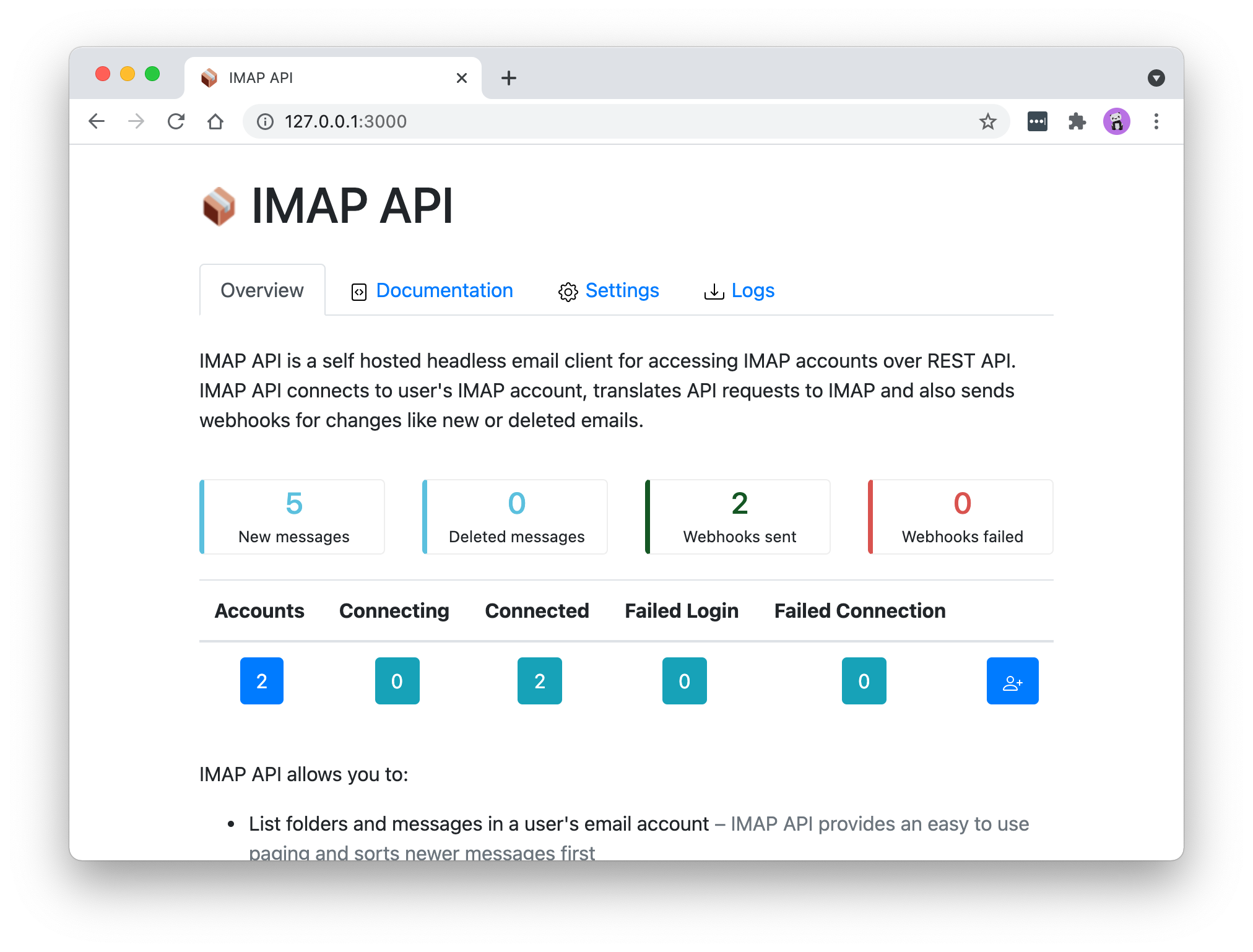
|
|
216
|
+
|
|
217
|
+
**2. Account states**
|
|
218
|
+
|
|
219
|
+
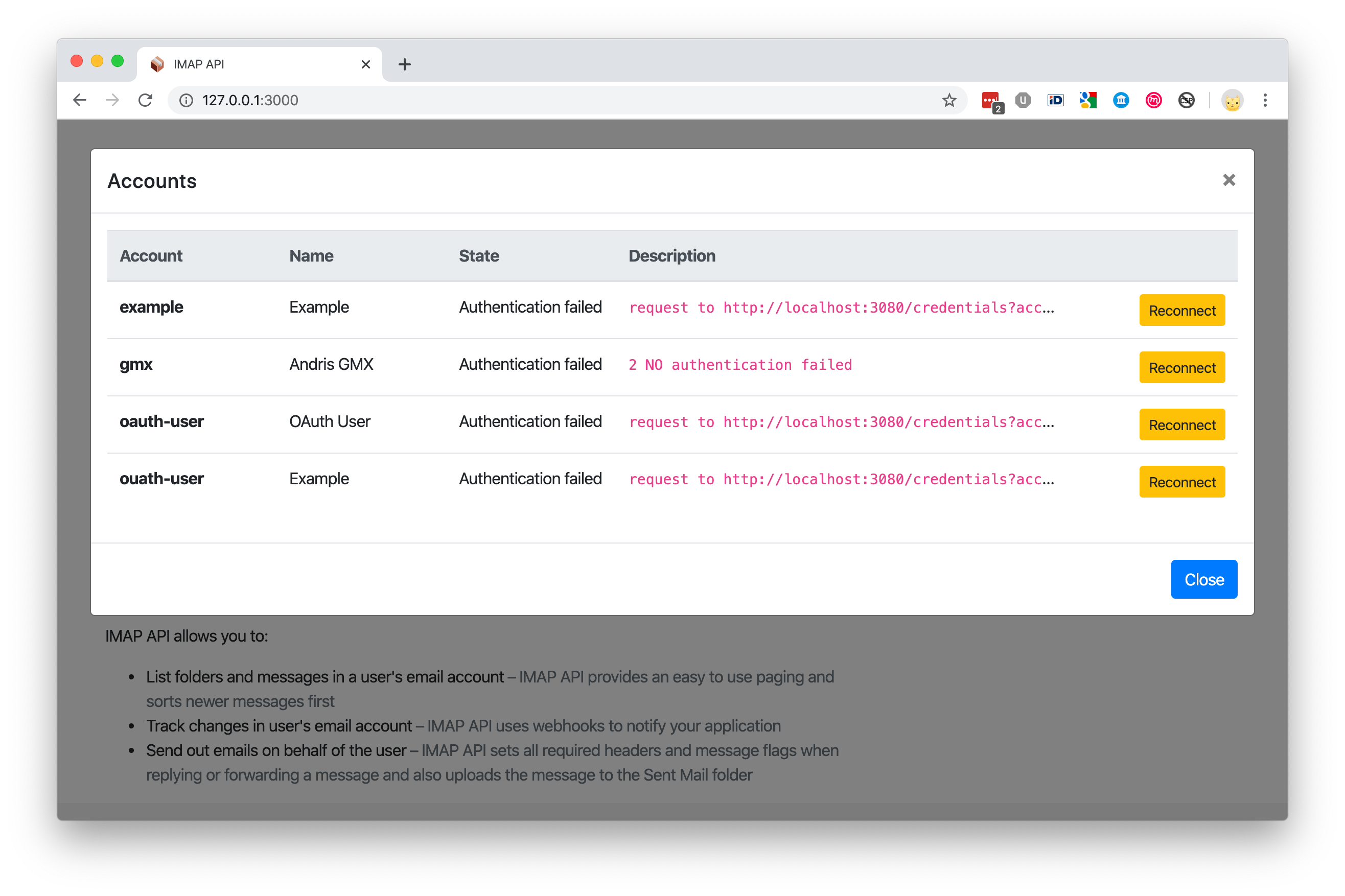
|
|
220
|
+
|
|
221
|
+
**3. Documentation**
|
|
222
|
+
|
|
223
|
+
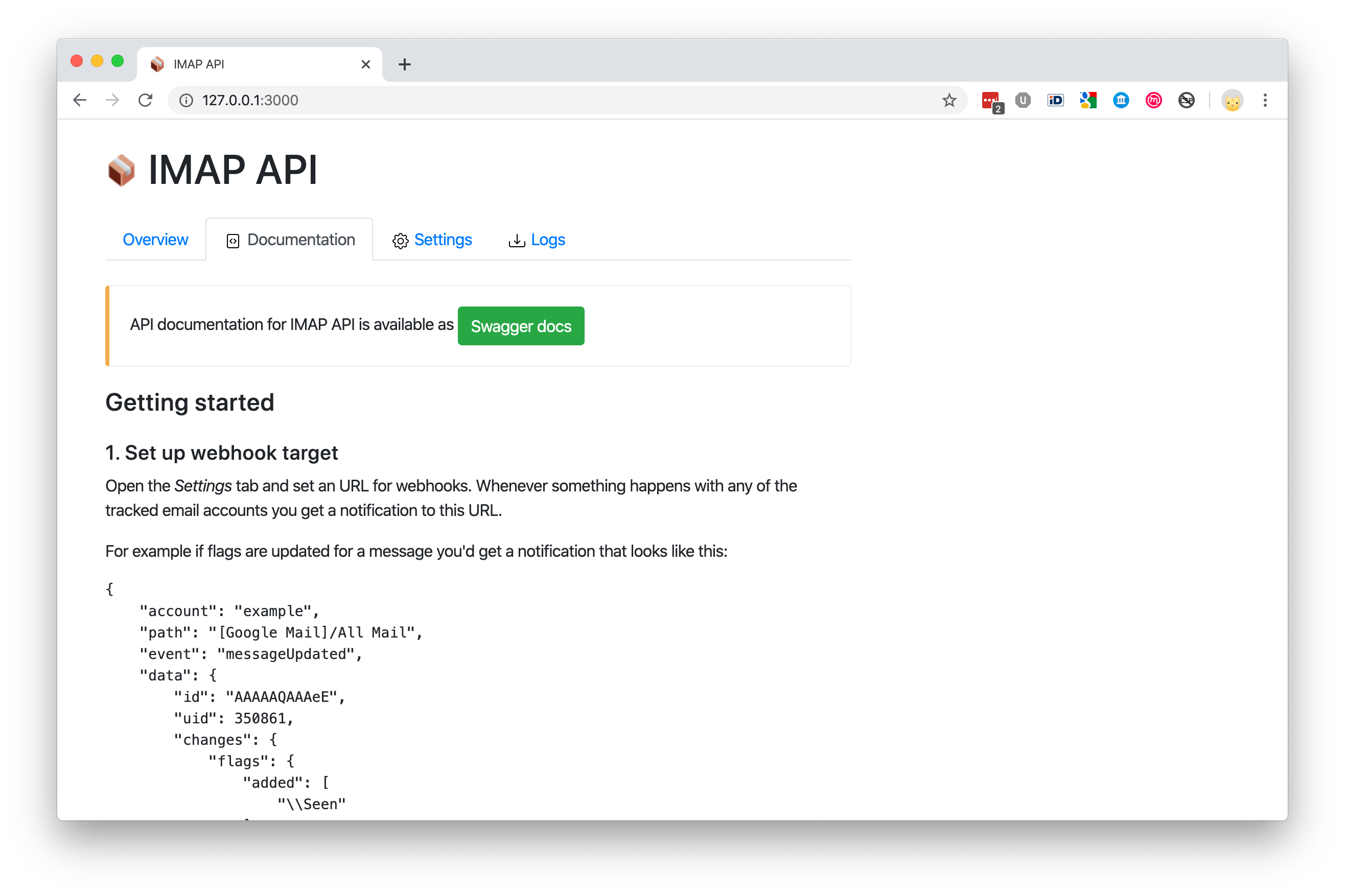
|
|
224
|
+
|
|
225
|
+
**4. Settings**
|
|
226
|
+
|
|
227
|
+
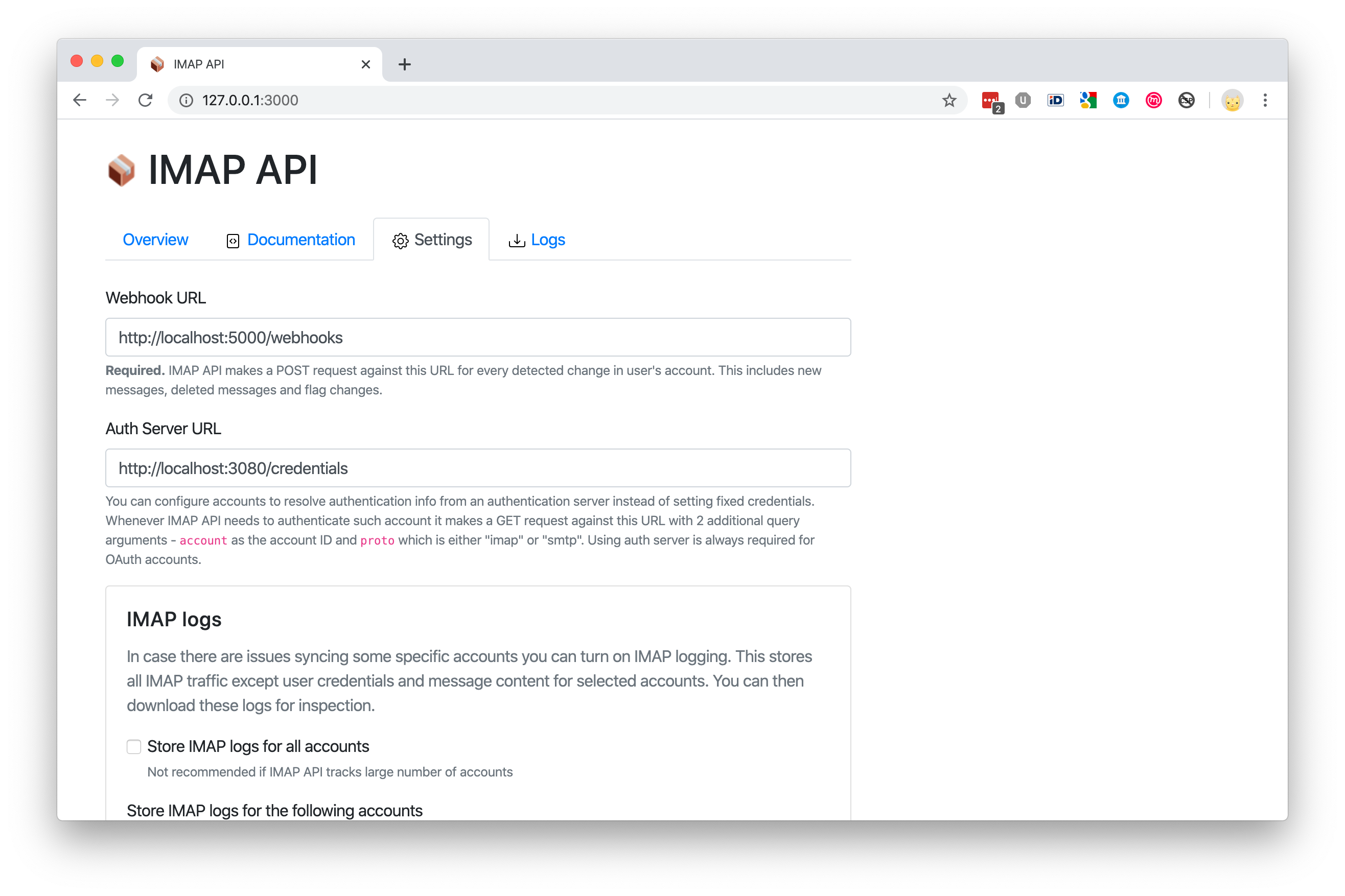
|
|
228
|
+
|
|
229
|
+
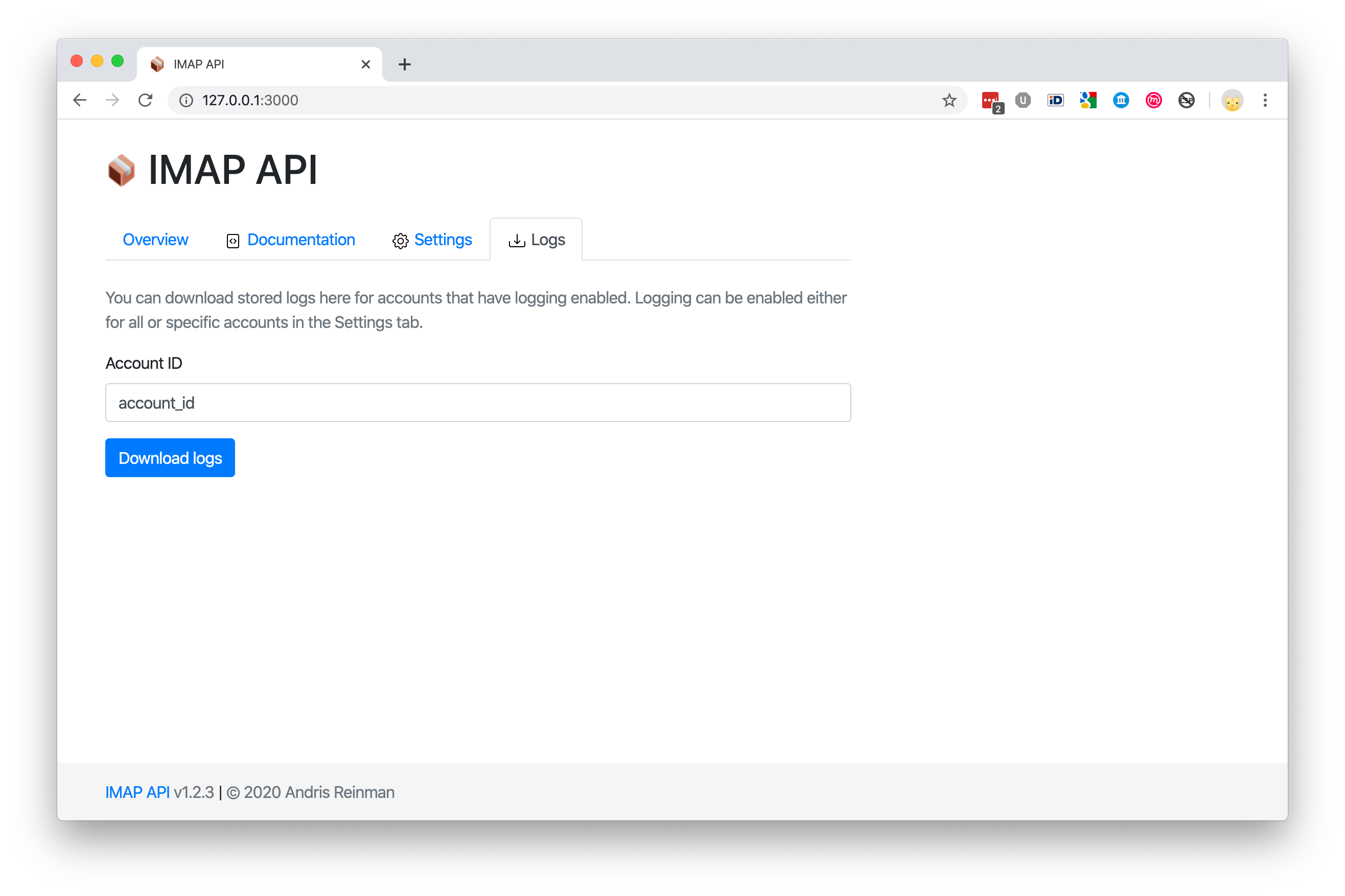
**5. Download stored logs**
|
|
230
|
+
|
|
231
|
+
|
|
232
|
+
|
|
233
|
+
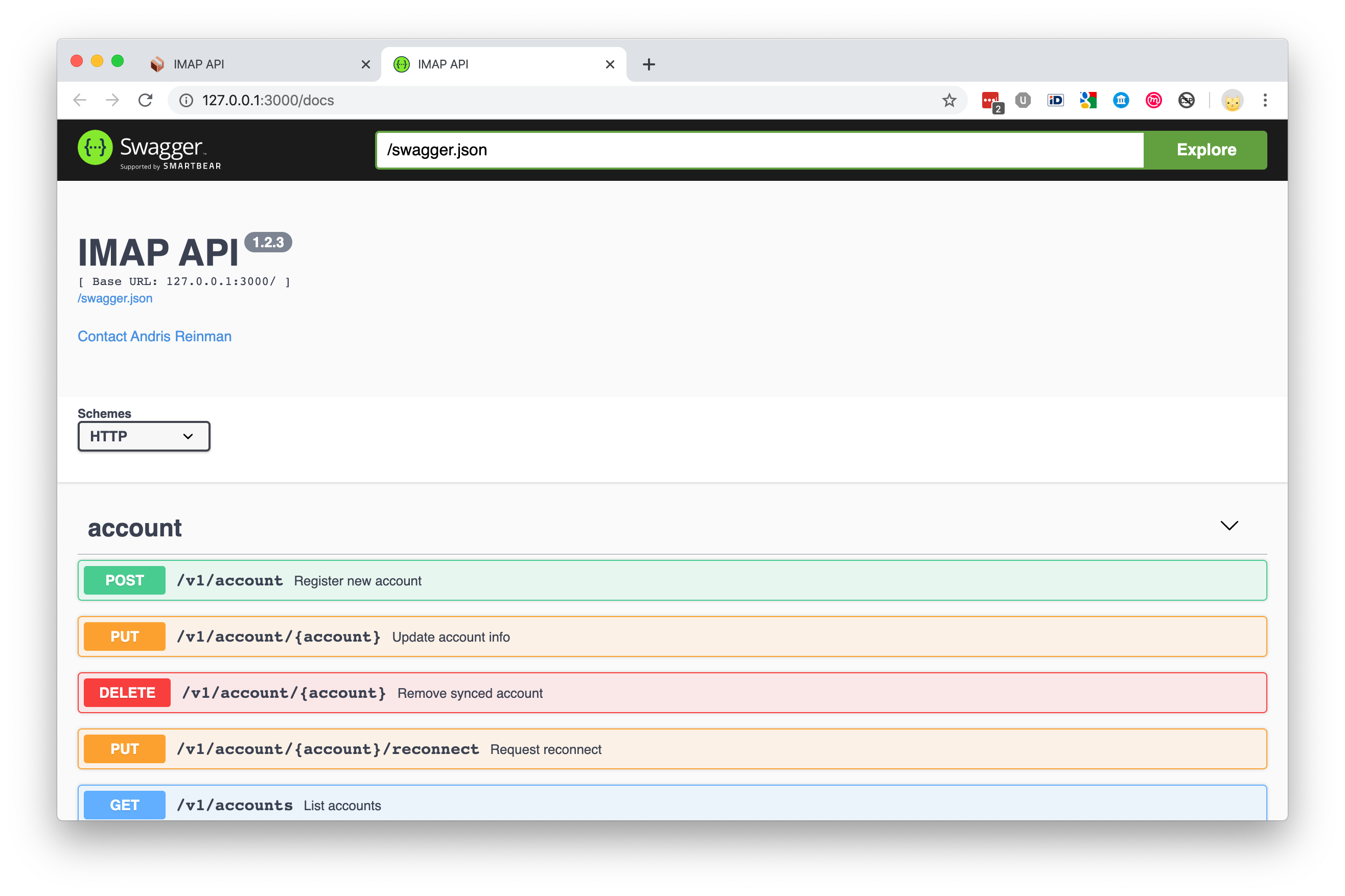
**6. Swagger**
|
|
234
|
+
|
|
235
|
+
|
|
236
|
+
|
|
237
|
+
## Webhooks
|
|
238
|
+
|
|
239
|
+
EmailEngine sends webhooks to a predefined URL whenever something happens on an account.
|
|
240
|
+
|
|
241
|
+
Easiest way to set it up would be to use the built in [web interface](http://127.0.0.1:3000). Open the <em>Settings</em> tab and set an URL for webhooks. You can also select specific events to listen for.
|
|
242
|
+
|
|
243
|
+
For example if flags are updated for a message you'd get a POST notification that looks like this:
|
|
244
|
+
|
|
245
|
+
```json
|
|
246
|
+
{
|
|
247
|
+
"account": "example",
|
|
248
|
+
"path": "[Google Mail]/All Mail",
|
|
249
|
+
"event": "messageUpdated",
|
|
250
|
+
"data": {
|
|
251
|
+
"id": "AAAAAQAAAeE",
|
|
252
|
+
"uid": 350861,
|
|
253
|
+
"changes": {
|
|
254
|
+
"flags": {
|
|
255
|
+
"added": ["\\Seen"]
|
|
256
|
+
}
|
|
257
|
+
}
|
|
258
|
+
}
|
|
259
|
+
}
|
|
260
|
+
```
|
|
261
|
+
|
|
262
|
+
## API usage examples
|
|
263
|
+
|
|
264
|
+
> See the entire API Reference [here](https://api.emailengine.app/)
|
|
265
|
+
|
|
266
|
+
### Register an email account with EmailEngine
|
|
267
|
+
|
|
268
|
+
When registering a new account you have to provide an unique account ID for it. This could be any text identifer, even an email address.
|
|
269
|
+
|
|
270
|
+
> **NB!** Trying to create a new account with the same ID updates the existing account.
|
|
271
|
+
|
|
272
|
+
```
|
|
273
|
+
$ curl -XPOST "localhost:3000/v1/account" -H "content-type: application/json" -d '{
|
|
274
|
+
"account": "example",
|
|
275
|
+
"name": "My Example Account",
|
|
276
|
+
"imap": {
|
|
277
|
+
"host": "imap.gmail.com",
|
|
278
|
+
"port": 993,
|
|
279
|
+
"secure": true,
|
|
280
|
+
"auth": {
|
|
281
|
+
"user": "myuser@gmail.com",
|
|
282
|
+
"pass": "verysecret"
|
|
283
|
+
}
|
|
284
|
+
},
|
|
285
|
+
"smtp": {
|
|
286
|
+
"host": "smtp.gmail.com",
|
|
287
|
+
"port": 465,
|
|
288
|
+
"secure": true,
|
|
289
|
+
"auth": {
|
|
290
|
+
"user": "myuser@gmail.com",
|
|
291
|
+
"pass": "verysecret"
|
|
292
|
+
}
|
|
293
|
+
}
|
|
294
|
+
}'
|
|
295
|
+
```
|
|
296
|
+
|
|
297
|
+
> This example uses a Gmail account but in reality it might be difficult to get past Gmail's security restrictions. In this case use [OAuth2](https://docs.emailengine.app/setting-up-gmail-oauth2-for-imap-api/) instead of password authentication.
|
|
298
|
+
|
|
299
|
+
### List some messages
|
|
300
|
+
|
|
301
|
+
EmailEngine returns paged results, newer messages first. So to get the first page or in other words the newest messages in a mailbox folder you can do it like this (notice the "example" id string that we set earlier in the request URL):
|
|
302
|
+
|
|
303
|
+
```
|
|
304
|
+
$ curl -XGET "localhost:3000/v1/account/example/messages?path=INBOX"
|
|
305
|
+
```
|
|
306
|
+
|
|
307
|
+
In the response you should see a listing of messages.
|
|
308
|
+
|
|
309
|
+
```json
|
|
310
|
+
{
|
|
311
|
+
"page": 0,
|
|
312
|
+
"pages": 10,
|
|
313
|
+
"messages": [
|
|
314
|
+
{
|
|
315
|
+
"id": "AAAAAQAAAeE",
|
|
316
|
+
"uid": 481,
|
|
317
|
+
"date": "2019-10-07T06:05:23.000Z",
|
|
318
|
+
"size": 4334,
|
|
319
|
+
"subject": "Test message",
|
|
320
|
+
"from": {
|
|
321
|
+
"name": "Peter Põder",
|
|
322
|
+
"address": "Peter.Poder@example.com"
|
|
323
|
+
},
|
|
324
|
+
"to": [
|
|
325
|
+
{
|
|
326
|
+
"name": "",
|
|
327
|
+
"address": "andris@emailengine.app"
|
|
328
|
+
}
|
|
329
|
+
],
|
|
330
|
+
"messageId": "<0ebdd7b084794911b03986c827128f1b@example.com>",
|
|
331
|
+
"text": {
|
|
332
|
+
"id": "AAAAAQAAAeGTkaExkaEykA",
|
|
333
|
+
"encodedSize": {
|
|
334
|
+
"plain": 17,
|
|
335
|
+
"html": 2135
|
|
336
|
+
}
|
|
337
|
+
}
|
|
338
|
+
}
|
|
339
|
+
]
|
|
340
|
+
}
|
|
341
|
+
```
|
|
342
|
+
|
|
343
|
+
When fetching next page, add `page` query argument to the URL. Pages are zero indexes so if the server shows that there are 10 pages in total, it means you can query from `page=0` to `page=9`. If you want longer pages, use `pageSize` query argument.
|
|
344
|
+
|
|
345
|
+
```
|
|
346
|
+
$ curl -XGET "localhost:3000/v1/account/example/messages?path=INBOX&page=5"
|
|
347
|
+
```
|
|
348
|
+
|
|
349
|
+
### Send an email
|
|
350
|
+
|
|
351
|
+
The following is an example of how to send a reply. In this case you should specify a reference message you are replying to (NB! this message must exist). Use the "id" from message listing as the "reference.message" value.
|
|
352
|
+
|
|
353
|
+
If referenced message was not found from the IMAP account then API responds with a 404 error and does not send out the reply.
|
|
354
|
+
|
|
355
|
+
```
|
|
356
|
+
curl -XPOST "localhost:3000/v1/account/example/submit" -H "content-type: application/json" -d '{
|
|
357
|
+
"reference": {
|
|
358
|
+
"message": "AAAAAQAAAeE",
|
|
359
|
+
"action": "reply"
|
|
360
|
+
},
|
|
361
|
+
"from": {
|
|
362
|
+
"name": "Example Sender",
|
|
363
|
+
"address": "sender@example.com"
|
|
364
|
+
},
|
|
365
|
+
"to": [{
|
|
366
|
+
"name": "Andris Reinman",
|
|
367
|
+
"address": "andris@emailengine.app"
|
|
368
|
+
}],
|
|
369
|
+
"text": "my reply to you",
|
|
370
|
+
"html": "<p>my reply to you</p>",
|
|
371
|
+
"attachments": [
|
|
372
|
+
{
|
|
373
|
+
"filename": "checkmark.png",
|
|
374
|
+
"content": "iVBORw0KGgoAAAANSUhEUgAAABAAAAAQAQMAAAAlPW0iAAAABlBMVEUAAAD///+l2Z/dAAAAM0lEQVR4nGP4/5/h/1+G/58ZDrAz3D/McH8yw83NDDeNGe4Ug9C9zwz3gVLMDA/A6P9/AFGGFyjOXZtQAAAAAElFTkSuQmCC"
|
|
375
|
+
}
|
|
376
|
+
]
|
|
377
|
+
}'
|
|
378
|
+
```
|
|
379
|
+
|
|
380
|
+
**NB!** if you are sending a standalone email then you most probably want to set `subject` value as well. For replies and forwards, EmailEngine sets subject itself, based on the referenced message.
|
|
381
|
+
|
|
382
|
+
**When sending a referenced message:**
|
|
383
|
+
|
|
384
|
+
- EmailEngine sets correct In-Reply-To and Referenced message headers to the outgoing message
|
|
385
|
+
- If subject is not set, then EmailEngine derives it from the referenced message and adds Re: or Fwd: prefix to it
|
|
386
|
+
- EmailEngine sets `\Answered` flag to the referenced message
|
|
387
|
+
|
|
388
|
+
**For all messages:**
|
|
389
|
+
|
|
390
|
+
- EmailEngine uploads sent message to Sent Mail folder (if the folder can be detected automatically)
|
|
391
|
+
- EmailEngine does not upload to Sent Mail folder when the account is Gmail/GSuite as Gmail does this automatically
|
|
392
|
+
- If account is created with `copy: false` option, then emails are not copied to Sent Mail folder
|
|
393
|
+
|
|
394
|
+
## Using OAuth2
|
|
395
|
+
|
|
396
|
+
Recommended approach for OAuth2 would be to manage access tokens outside of EmailEngine by running an authentication server. In this case whenever EmailEngine needs to authenticate an OAuth2 account, it makes a HTTP request to that authentication server. This server is responsible of respoding with a valid access token for EmailEngine to use.
|
|
397
|
+
|
|
398
|
+
You can find an example authentication server implementation from [examples/auth-server.js](examples/auth-server.js).
|
|
399
|
+
|
|
400
|
+
Alternatively, for Gmail only, you can use EmailEngine as the OAuth2 handler. In this case you would have to provide OAuth2 client id and client secret to EmailEngine (see OAuth2 section in the Settings page) and then, when adding new accounts, use the OAuth2 option instead of manually specifying IMAP and SMTP settings.
|
|
401
|
+
|
|
402
|
+
In any case, your OAuth2 application for Gmail must support the following scope: `"https://mail.google.com/"`.
|
|
403
|
+
|
|
404
|
+
Gmail requires security auditing if you are using restricted OAuth2 scopes for public accounts but for internal accounts (eg. accounts in your own GSuite organization) and test accounts (up to 100 pre-defined accounts) you do not need any permissions.
|
|
405
|
+
|
|
406
|
+
Instructions for setting up OAuth2 with EmailEngine can be found [here](https://docs.emailengine.app/setting-up-gmail-oauth2-for-imap-api/).
|
|
407
|
+
|
|
408
|
+
#### To use authentication server:
|
|
409
|
+
|
|
410
|
+
- You must set `useAuthServer:true` flag for the account settings and not set `auth` value
|
|
411
|
+
- Set authentication server URL in the _Settings_ page, the same way you set the webhook URL
|
|
412
|
+
- EmailEngine makes HTTP request against authentication server URL with 2 extra GET params: `account` and `proto`, eg `url?account=example&proto=imap`
|
|
413
|
+
- Authentication server must respond with a correct JSON structure for this account
|
|
414
|
+
|
|
415
|
+
**Register managed account**
|
|
416
|
+
|
|
417
|
+
```
|
|
418
|
+
curl -XPOST "localhost:3000/v1/account" -H "content-type: application/json" -d '{
|
|
419
|
+
"account": "ouath-user",
|
|
420
|
+
"name": "Example",
|
|
421
|
+
"imap": {
|
|
422
|
+
"host": "imap.gmail.com",
|
|
423
|
+
"port": 993,
|
|
424
|
+
"secure": true,
|
|
425
|
+
"useAuthServer": true
|
|
426
|
+
},
|
|
427
|
+
"smtp": {
|
|
428
|
+
"host": "smtp.gmail.com",
|
|
429
|
+
"port": 465,
|
|
430
|
+
"secure": true,
|
|
431
|
+
"useAuthServer": true
|
|
432
|
+
}
|
|
433
|
+
}'
|
|
434
|
+
```
|
|
435
|
+
|
|
436
|
+
**Auth server response for OAuth2 accounts:**
|
|
437
|
+
|
|
438
|
+
```json
|
|
439
|
+
{
|
|
440
|
+
"user": "username@gmail.com",
|
|
441
|
+
"accessToken": "jhdfgsjfmbsdmg"
|
|
442
|
+
}
|
|
443
|
+
```
|
|
444
|
+
|
|
445
|
+
**Auth server response for password based accounts:**
|
|
446
|
+
|
|
447
|
+
```json
|
|
448
|
+
{
|
|
449
|
+
"user": "username@gmail.com",
|
|
450
|
+
"pass": "verysecret"
|
|
451
|
+
}
|
|
452
|
+
```
|
|
453
|
+
|
|
454
|
+
## App access
|
|
455
|
+
|
|
456
|
+
By default EmailEngine allows connections only from localhost. To change this either edit config file or use `--api.host="0.0.0.0"` cli option. This would enable outside access, so you should use firewall to only allow trusted sources.
|
|
457
|
+
|
|
458
|
+
## Deployment
|
|
459
|
+
|
|
460
|
+
### SystemD
|
|
461
|
+
|
|
462
|
+
See example [systemd unit file](systemd/emailengine.service) ro run EmailEngine as a service and example [Nginx config file](systemd/nginx-proxy.conf) to serve EmailEngine requests behind Nginx reverse proxy.
|
|
463
|
+
|
|
464
|
+
### Docker
|
|
465
|
+
|
|
466
|
+
#### Docker Hub
|
|
467
|
+
|
|
468
|
+
Pull EmailEngine from Docker Hub
|
|
469
|
+
|
|
470
|
+
```
|
|
471
|
+
$ docker pull andris9/emailengine
|
|
472
|
+
```
|
|
473
|
+
|
|
474
|
+
Run the app and provide connection URL to Redis (this example assumes that Redis is running in host machine):
|
|
475
|
+
|
|
476
|
+
```
|
|
477
|
+
$ docker run -p 3000:3000 --env CMD_ARGS="\
|
|
478
|
+
--dbs.redis=redis://host.docker.internal:6379/7 \
|
|
479
|
+
" \
|
|
480
|
+
andris9/emailengine
|
|
481
|
+
```
|
|
482
|
+
|
|
483
|
+
Next open http://127.0.0.1:3000 in your browser.
|
|
484
|
+
|
|
485
|
+
#### Docker compose
|
|
486
|
+
|
|
487
|
+
Clone this repo and in the root folder run the following to start both EmailEngine and Redis containers.
|
|
488
|
+
|
|
489
|
+
```
|
|
490
|
+
$ docker-compose up
|
|
491
|
+
```
|
|
492
|
+
|
|
493
|
+
Next open http://127.0.0.1:3000 in your browser.
|
|
494
|
+
|
|
495
|
+
## Resolving issues with Redis
|
|
496
|
+
|
|
497
|
+
EmailEngine is using Redis as it's data store. Redis stores everything in RAM so if something weird happens, EmailEngine could flood Redis and make the app unusable once there is no available space left.
|
|
498
|
+
|
|
499
|
+
First thing to do is to check what is actually going on. EmailEngine provides a few tools for that:
|
|
500
|
+
|
|
501
|
+
1. Check Bull queues in Redis. You can use the built in [Arena UI](#bull-arena-settings) to view the state of the queues (Arena is not enabled by default). Open [http://127.0.0.1:3001/](http://127.0.0.1:3001/) in your browser to see the queues.
|
|
502
|
+
2. Scan the used keyspace. EmailEngine provides a tool that groups keys by type. Run it like this (use the same config for DB as you are using for the main app):
|
|
503
|
+
|
|
504
|
+
```
|
|
505
|
+
$ emailengine scan > keyspace.csv
|
|
506
|
+
```
|
|
507
|
+
|
|
508
|
+
## Monitoring
|
|
509
|
+
|
|
510
|
+
There is a Prometheus output available at `/metrics` URL path of the app.
|
|
511
|
+
|
|
512
|
+
## Security and Data compliance
|
|
513
|
+
|
|
514
|
+
[Read here](https://docs.emailengine.app/data-compliance/).
|
|
515
|
+
|
|
516
|
+
## Changelog
|
|
517
|
+
|
|
518
|
+
Changelog is available for Postal Systems subscribers [here](https://postalsys.com/changelog/package/emailengine-app).
|
|
519
|
+
|
|
520
|
+
## Licensing
|
|
521
|
+
|
|
522
|
+
Licensed under GNU Affero General Public License v3.0 or later.
|
|
523
|
+
|
|
524
|
+
MIT-licensed version of EmailEngine is available for [Postal Systems subscribers](https://postalsys.com/).
|
|
@@ -0,0 +1,14 @@
|
|
|
1
|
+
#!/usr/bin/env node
|
|
2
|
+
/* eslint global-require: 0 */
|
|
3
|
+
'use strict';
|
|
4
|
+
|
|
5
|
+
if (process.argv[2] === 'encrypt') {
|
|
6
|
+
// encrypt account passwords
|
|
7
|
+
require('../encrypt');
|
|
8
|
+
} else if (process.argv[2] === 'scan') {
|
|
9
|
+
// Scan Redis keys
|
|
10
|
+
require('../scan');
|
|
11
|
+
} else {
|
|
12
|
+
// run normally
|
|
13
|
+
require('../server');
|
|
14
|
+
}
|
|
@@ -0,0 +1,39 @@
|
|
|
1
|
+
|
|
2
|
+
[workers]
|
|
3
|
+
imap = 4
|
|
4
|
+
webhooks = 1
|
|
5
|
+
|
|
6
|
+
[queues]
|
|
7
|
+
# concurrency values
|
|
8
|
+
submit=1
|
|
9
|
+
notify=1
|
|
10
|
+
|
|
11
|
+
[service]
|
|
12
|
+
#commandTimeout = "10s" # how much time to wait until IMAP command is deemed as failed
|
|
13
|
+
#localAddresses = "ip1,ip2" # somma separated list of local IP addresses to use for tcp connections
|
|
14
|
+
#secret = "secret_encryption_key" # key to encrypt passwords and Oauth tokens in DB
|
|
15
|
+
|
|
16
|
+
[api]
|
|
17
|
+
port = 3000
|
|
18
|
+
host = "127.0.0.1" # by default API server is accessible from localhost only
|
|
19
|
+
maxSize = "5M" # maximum size of an attachment when submitting or uploading messages
|
|
20
|
+
#auth = "user:pass" # If set then uses Basic Auth
|
|
21
|
+
|
|
22
|
+
[arena]
|
|
23
|
+
enabled = false
|
|
24
|
+
port = 3001
|
|
25
|
+
host = "127.0.0.1"
|
|
26
|
+
|
|
27
|
+
[smtp]
|
|
28
|
+
enabled = false
|
|
29
|
+
port = 2525
|
|
30
|
+
host = "127.0.0.1"
|
|
31
|
+
secret = "" # client password, if not set allows any password
|
|
32
|
+
proxy = false # Set to true if using HAProxy with send-proxy option
|
|
33
|
+
|
|
34
|
+
[dbs]
|
|
35
|
+
# redis connection
|
|
36
|
+
redis = "redis://127.0.0.1:6379/8"
|
|
37
|
+
|
|
38
|
+
[log]
|
|
39
|
+
level = "trace"
|
|
@@ -0,0 +1,47 @@
|
|
|
1
|
+
version: '3.7'
|
|
2
|
+
services:
|
|
3
|
+
emailengine:
|
|
4
|
+
restart: always
|
|
5
|
+
image: andris9/emailengine
|
|
6
|
+
ports:
|
|
7
|
+
# API and web interface
|
|
8
|
+
- '3000:3000'
|
|
9
|
+
# Bull UI
|
|
10
|
+
- '3001:3001'
|
|
11
|
+
# SMTP for message submission
|
|
12
|
+
- '2525:2525'
|
|
13
|
+
depends_on:
|
|
14
|
+
- redis
|
|
15
|
+
environment:
|
|
16
|
+
# Configuration to EmailEngine can be passed via environment variables
|
|
17
|
+
# For full list see https://github.com/postalsys/emailengine#config-mapping
|
|
18
|
+
|
|
19
|
+
# Settings to write to v1/settings on startup (https://api.emailengine.app/#operation/postV1Settings)
|
|
20
|
+
# The following value is a YAML block scalar string, so make it sure it is properly indented
|
|
21
|
+
EENGINE_SETTINGS: >
|
|
22
|
+
{
|
|
23
|
+
"webhooks": "https://webhook.site/f6a00604-7407-4f40-9a8e-ab68a31a3503",
|
|
24
|
+
"webhookEvents": [
|
|
25
|
+
"messageNew", "messageDeleted"
|
|
26
|
+
]
|
|
27
|
+
}
|
|
28
|
+
|
|
29
|
+
# Encryption secret
|
|
30
|
+
EENGINE_SECRET: 'secret'
|
|
31
|
+
# Database connection URL
|
|
32
|
+
EENGINE_REDIS: 'redis://redis:6379/2'
|
|
33
|
+
# Enable SMTP server for local submission
|
|
34
|
+
EENGINE_SMTP_ENABLED: 'true'
|
|
35
|
+
# Password for SMTP message submission clients (username is account ID)
|
|
36
|
+
EENGINE_SMTP_SECRET: 'passw0rd'
|
|
37
|
+
# Enable Bull UI server for debugging
|
|
38
|
+
EENGINE_ARENA_ENABLED: 'true'
|
|
39
|
+
|
|
40
|
+
# Additional command line arguments
|
|
41
|
+
CMD_ARGS: ''
|
|
42
|
+
|
|
43
|
+
redis:
|
|
44
|
+
image: redis:alpine
|
|
45
|
+
restart: always
|
|
46
|
+
volumes:
|
|
47
|
+
- /data
|