effective-prompt 0.1.1 → 0.1.3
This diff represents the content of publicly available package versions that have been released to one of the supported registries. The information contained in this diff is provided for informational purposes only and reflects changes between package versions as they appear in their respective public registries.
- package/README.md +14 -10
- package/bin/install.mjs +1 -3
- package/package.json +9 -6
package/README.md
CHANGED
|
@@ -6,6 +6,12 @@ Turn rough prompts into clear, agent-ready prompts.
|
|
|
6
6
|
npx effective-prompt@latest
|
|
7
7
|
```
|
|
8
8
|
|
|
9
|
+
Or install it directly through the skills.sh CLI:
|
|
10
|
+
|
|
11
|
+
```bash
|
|
12
|
+
npx skills add noeljabraham/The-Effective-Prompt
|
|
13
|
+
```
|
|
14
|
+
|
|
9
15
|
|
|
10
16
|
|
|
11
17
|
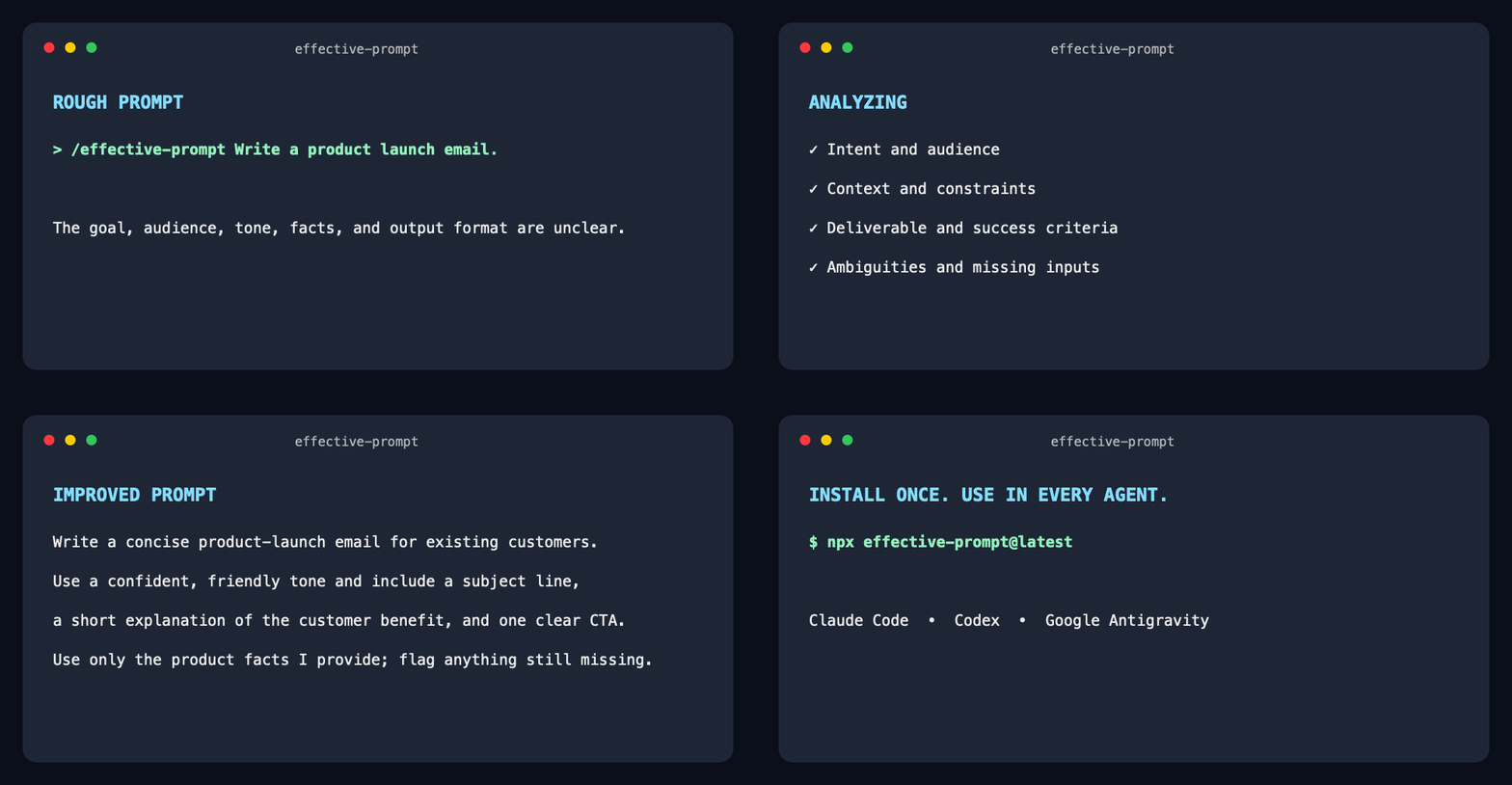
`effective-prompt` preserves your intent, finds missing requirements and contradictions, and returns a clearer prompt for Claude Code, Codex, and Google Antigravity.
|
|
@@ -46,13 +52,13 @@ npx effective-prompt@latest
|
|
|
46
52
|
|
|
47
53
|
## Install
|
|
48
54
|
|
|
49
|
-
Install the latest version globally with
|
|
55
|
+
Install the latest version globally for all supported agents with the npm launcher:
|
|
50
56
|
|
|
51
57
|
```bash
|
|
52
58
|
npx effective-prompt@latest
|
|
53
59
|
```
|
|
54
60
|
|
|
55
|
-
No repository clone or GitHub URL is required. The installer adds the skill to:
|
|
61
|
+
No manual repository clone or GitHub URL is required. The launcher downloads the skill from its public GitHub repository through the standard skills installer, allowing installations to contribute to its skills.sh listing. It adds the skill to:
|
|
56
62
|
|
|
57
63
|
- Claude Code
|
|
58
64
|
- OpenAI Codex
|
|
@@ -61,6 +67,12 @@ No repository clone or GitHub URL is required. The installer adds the skill to:
|
|
|
61
67
|
|
|
62
68
|
Requires Node.js 22.20 or later.
|
|
63
69
|
|
|
70
|
+
Alternatively, use skills.sh directly and choose the installation scope and agents interactively:
|
|
71
|
+
|
|
72
|
+
```bash
|
|
73
|
+
npx skills add noeljabraham/The-Effective-Prompt
|
|
74
|
+
```
|
|
75
|
+
|
|
64
76
|
After installation, start a new agent session. In Antigravity CLI, you can instead run:
|
|
65
77
|
|
|
66
78
|
```text
|
|
@@ -120,14 +132,6 @@ The output should include `effective-prompt`.
|
|
|
120
132
|
npx skills remove effective-prompt --global --agent '*' --yes
|
|
121
133
|
```
|
|
122
134
|
|
|
123
|
-
## Alternative GitHub installation
|
|
124
|
-
|
|
125
|
-
If npm is unavailable, install directly from GitHub:
|
|
126
|
-
|
|
127
|
-
```bash
|
|
128
|
-
npx skills add noeljabraham/The-Effective-Prompt --skill effective-prompt --global --copy --yes --agent claude-code --agent codex --agent antigravity --agent antigravity-cli
|
|
129
|
-
```
|
|
130
|
-
|
|
131
135
|
## Development
|
|
132
136
|
|
|
133
137
|
```bash
|
package/bin/install.mjs
CHANGED
|
@@ -3,12 +3,10 @@
|
|
|
3
3
|
import { spawnSync } from "node:child_process";
|
|
4
4
|
import { createRequire } from "node:module";
|
|
5
5
|
import { dirname, resolve } from "node:path";
|
|
6
|
-
import { fileURLToPath } from "node:url";
|
|
7
6
|
|
|
8
|
-
const packageRoot = resolve(dirname(fileURLToPath(import.meta.url)), "..");
|
|
9
7
|
const installArgs = [
|
|
10
8
|
"add",
|
|
11
|
-
|
|
9
|
+
"noeljabraham/The-Effective-Prompt",
|
|
12
10
|
"--skill",
|
|
13
11
|
"effective-prompt",
|
|
14
12
|
"--global",
|
package/package.json
CHANGED
|
@@ -1,7 +1,7 @@
|
|
|
1
1
|
{
|
|
2
2
|
"name": "effective-prompt",
|
|
3
|
-
"version": "0.1.
|
|
4
|
-
"description": "
|
|
3
|
+
"version": "0.1.3",
|
|
4
|
+
"description": "Improve AI prompts with quick and interactive modes for Claude Code, Codex, and Antigravity.",
|
|
5
5
|
"type": "module",
|
|
6
6
|
"bin": {
|
|
7
7
|
"effective-prompt": "bin/install.mjs"
|
|
@@ -23,12 +23,15 @@
|
|
|
23
23
|
"url": "https://github.com/noeljabraham/The-Effective-Prompt/issues"
|
|
24
24
|
},
|
|
25
25
|
"keywords": [
|
|
26
|
-
"
|
|
27
|
-
"
|
|
26
|
+
"prompt-optimizer",
|
|
27
|
+
"prompt-engineering",
|
|
28
|
+
"agent-skill",
|
|
29
|
+
"ai-agents",
|
|
30
|
+
"claude",
|
|
31
|
+
"codex",
|
|
28
32
|
"antigravity",
|
|
29
33
|
"claude-code",
|
|
30
|
-
"
|
|
31
|
-
"prompt-engineering"
|
|
34
|
+
"gemini"
|
|
32
35
|
],
|
|
33
36
|
"engines": {
|
|
34
37
|
"node": ">=22.20.0"
|