dsh-voice-mode 0.7.25 → 0.7.27
This diff represents the content of publicly available package versions that have been released to one of the supported registries. The information contained in this diff is provided for informational purposes only and reflects changes between package versions as they appear in their respective public registries.
- package/README.en.md +26 -14
- package/README.md +40 -15
- package/lib/client.js +1450 -367
- package/lib/index.js +526 -96
- package/package.json +2 -2
package/README.en.md
CHANGED
|
@@ -3,7 +3,7 @@
|
|
|
3
3
|
[](./LICENSE)
|
|
4
4
|
[](https://github.com/qishuilalala/dsh-voice-mode/releases)
|
|
5
5
|
[](https://www.npmjs.com/package/dsh-voice-mode)
|
|
6
|
-
[![Tests:
|
|
6
|
+
[](https://github.com/qishuilalala/dsh-voice-mode/blob/main/docs/rules/STATE.md)
|
|
7
7
|
|
|
8
8
|
Full-duplex voice conversation mode for DeepSeek Harness (dsh): speak, get a
|
|
9
9
|
spoken answer. Streamed zipformer2 ASR → editable draft → auto send → the
|
|
@@ -16,7 +16,9 @@ interrupts playback and the running turn. No API key.
|
|
|
16
16
|
|
|
17
17
|

|
|
18
18
|
|
|
19
|
-
> **
|
|
19
|
+
> **Latest releases**: **v0.7.27** — the mic button becomes the status panel, right-click quick settings, one-shot mode and always-read (PR #16 by @dyguests); **v0.7.26** — issue #15 feedback addressed (barge-in no longer swallows speech, speaking during a running task steers it, live transcript in the composer, send delay decoupled from the silence threshold, optional LLM correction, visible settings timing, silent-failure notices). Full history in the [CHANGELOG](https://github.com/qishuilalala/dsh-voice-mode/blob/main/CHANGELOG.md).
|
|
20
|
+
>
|
|
21
|
+
> **Runtime changes (v0.7.18 – v0.7.24)**: (1) **Settings work on every dsh version** — fixed the settings page and persistence on dsh 0.1.7+ (Settings → Voice Mode page, writes survive restarts); (2) **i18n rebuilt** — the UI follows dsh's official language setting, zh/en fully consistent, switching needs no refresh; (3) **fixed fresh npm/pnpm installs and the dsh ≥0.1.7 installed-form "failed to import"** (0.7.17 and earlier are affected — upgrade to ≥0.7.18); (4) **local Kokoro fixed under the official desktop (Electron) app** — needs Node.js ≥18 on PATH (or set `DSHVM_NODE`); (5) **v0.7.24: Edge cloud read-aloud restored** — since 2026-10-15 Microsoft's service rejects the old handshake (v0.7.23 and earlier are silent on the default Edge engine; local VITS / Kokoro are unaffected), so the inlined msedge-tts is bumped to 2.1.0; when read-aloud **fails several sentences in a row** the plugin now suggests switching to a local engine; plus host hardening (`/models/retry` is same-origin POST only, model-tree path checks, raw error strings no longer sent downstream). Compatible with dsh up to 0.2.1-rc.2 (from 0.2.1-alpha.4/5 the Settings entry moved into the "Account menu" popover at the bottom of the sidebar; both of this plugin's entry points still work).
|
|
20
22
|
|
|
21
23
|
---
|
|
22
24
|
|
|
@@ -29,24 +31,27 @@ interrupts playback and the running turn. No API key.
|
|
|
29
31
|
- **Long segments**: continuous listening stitches consecutive segments into one message (internally chunked at 30 s and concatenated across chunks); 1500 ms silence split by default; hold keeps pauses from splitting;
|
|
30
32
|
- **Hardening**: session-existence check, loopback + Origin guards, per-endpoint rate limits, model SHA256 pinning, download-host allowlist.
|
|
31
33
|
|
|
32
|
-
> ℹ️ The `demo-voice-flow.gif` at the top is a **real recording of the current UI** (voice mode → live transcription → pause auto-send → sentence-by-sentence read-aloud with live captions), produced by driving the real pipeline via `screenshots/scripts/capture-demo.mjs
|
|
34
|
+
> ℹ️ The `demo-voice-flow.gif` at the top is a **real recording of the current UI** (voice mode → live transcription → pause auto-send → sentence-by-sentence read-aloud with live captions), produced by driving the real pipeline via `screenshots/scripts/capture-demo.mjs`; the UI keeps evolving, so the actual interface prevails.
|
|
33
35
|
|
|
34
36
|
---
|
|
35
37
|
|
|
36
38
|
## ✨ Features
|
|
37
39
|
|
|
38
40
|
- **Voice mode**: toggle with the microphone button in the input toolbar or the global shortcut `Ctrl+Shift+V`; globally single-active (only one session is in voice mode at a time; switching sessions yields automatically)
|
|
39
|
-
- **
|
|
40
|
-
- `toggle` (default) continuous listening: RMS VAD segmentation → streaming zipformer2 ASR (words appear as you speak, live caption preview) → automatic sentence split after 1500 ms of silence into the draft, consecutive segments joined into one message, then auto-sent after ~
|
|
41
|
+
- **Three interaction modes (switchable in settings or by right-clicking the mic)**:
|
|
42
|
+
- `toggle` (default) continuous listening: RMS VAD segmentation → streaming zipformer2 ASR (words appear as you speak, live caption preview) → automatic sentence split after 1500 ms of silence into the draft, consecutive segments joined into one message, then auto-sent after ~1.2 s more of silence (≈2.7 s total); hold `Ctrl` to force an immediate send
|
|
41
43
|
- `hold` push-to-talk: short tap to enter/exit, **hold the mic button to talk, release to send** (swipe up to cancel, `Esc`/blur abandons the segment; pauses do not split while held, up to 10 min); hold `Ctrl` to record-by-keyboard, release to send
|
|
44
|
+
- `once` one-shot: talk like `toggle`; after sending, the mic turns off and voice mode exits once the reply has been read aloud (with auto-send off: exits after the utterance, text stays in the draft)
|
|
45
|
+
- **Read-aloud scope** (`readAloud`): `voice` (default) only replies in voice mode; `always` every reply in the visible session, typed ones included (with the session open in several tabs, only the last-viewed tab plays); `off` never
|
|
46
|
+
- **The mic button is the status panel** (PR #16 by [@dyguests](https://github.com/dyguests)): green bars follow your voice while listening, blue bars follow playback while reading, a spinner while `once` waits for the reply, a check mark before it exits; orange dot = speech detected, red dot = error (hover for details). Right-click (or the keyboard menu key) for quick settings; touch long-press stays push-to-talk. Turn off the status bar and captions to keep all voice UI on the button
|
|
42
47
|
- **Wake word (optional, off by default)**: after setting `wakeWord`, entering voice mode starts in standby, and recognition only begins once the wake word is spoken (e.g. `你好小D`). **You may say it together with your command** ("wake word, check the weather") — the wake word is stripped from the transcript/caption and never sent; matching is fault-tolerant (homophone substitutions, a wrong first char, leading fillers); 3-4 characters recommended; in standby the status bar live-shows "say '<word>' · what it heard". Boundaries (important): **toggle mode only** (inactive with `hold` / manual barge-in); **it must be repeated after each completed utterance or barge-in** (if you only said the wake word, the engine keeps listening so you may pause before the command); **saying it while the agent is reading does not trigger** (barge-in is VAD-based and unrelated to the wake word)
|
|
43
48
|
- **Caption tiers (batch 3)**: `captionFontSize` 4 levels (0=12px / 1=14px / 2=18px / 3=24px) + `captionMaxWidth` 3 levels (0=50vw / 1=70vw / 2=90vw); adapts to narrow viewports
|
|
44
49
|
- **Yield semantics (ADR-0008)**: `backchannelYield` on by default — saying `嗯 / 对 / right` while the AI is reading auto-pauses for 1.5 s; genuine speech still triggers hard barge-in; lets the LLM yield the turn
|
|
45
50
|
- **Output pipeline**: only the final answer's `text-delta` is read (reasoning/tool calls are skipped), streamed sentence-by-sentence (Edge cloud by default; local VITS / Kokoro, int8/fp32, optional) with a live caption overlay at the bottom-right; tool calls trigger a beep; the full text is still written to the chat; in voice mode a spoken-format system prompt is injected (short natural sentences, no Markdown decoration), and the reader side strips markers as well for a smoother listening experience
|
|
46
51
|
- **Barge-in**: three sensitivity levels of voice-onset detection → local mute + host synth queue invalidation (epoch) + running turn cancellation (the half-finished part is kept and naturally flows into your new message). With a wake word set, barge-in **remains speak-to-interrupt** (the gate is the VAD, not the wake word; the engine returns to standby afterwards)
|
|
47
52
|
- **Lazy model download with progress**: the zipformer2 Chinese streaming model (~160 MB, `.part` resumable) is downloaded on first use with live progress in the status bar; `npm run prefetch` can pre-download it
|
|
48
|
-
- **Resilience**: mic-denied red hint, visible model-download failure, TTS unreachable status hint (auto retry), failed submit keeps the text in the draft, SSE auto-reconnect
|
|
49
|
-
- **Settings**: location depends on your dsh version (see Settings below), with voice / rate / interrupt sensitivity / silence pause / idle timeout / model mirror / auto send / interaction mode / wake word / ITN / caption tiers / yield semantics; **voices are previewable** (the "试听/Preview" button synthesizes and plays the current voice at the current rate instantly, no need to enter voice mode; custom ShortNames are previewable too)
|
|
53
|
+
- **Resilience and diagnostics**: mic-denied red hint, visible model-download failure, TTS unreachable status hint (auto retry), failed submit keeps the text in the draft, SSE auto-reconnect; the status bar also hints when the recognition / barge-in detect channel fails several times in a row or the state sync drops (self-healing transient failures stay quiet); when SenseVoice finalization takes over 2 s the status bar counts up "recognizing… Ns"; a "copy diagnostics" button copies version / runtime state / settings snapshot / phase timings in one click — **never any transcript text** (privacy)
|
|
54
|
+
- **Settings**: location depends on your dsh version (see Settings below), with voice / rate / interrupt sensitivity / silence pause / idle timeout / model mirror / auto send / interaction mode / wake word / ITN / caption tiers / yield semantics / yield window / barge-in salvage / LLM correction; **voices are previewable** (the "试听/Preview" button synthesizes and plays the current voice at the current rate instantly, no need to enter voice mode; custom ShortNames are previewable too)
|
|
50
55
|
- **Interface language**: follows dsh's language setting (Settings → General → Language) and **switches instantly, no reload** — the settings page, voice status bar, captions, voice names/gender/accent and error messages all follow it, and the LLM spoken-style prompt is chosen in English or Chinese accordingly. Dictionaries are registered in dsh's official locale service under the `voice-mode` namespace, so community language packs can add more languages (missing ones fall back to English). The plugin's name and description in the Plugins page are localized too.
|
|
51
56
|
- **Idle exit**: auto-exit and mic release after 5 minutes of inactivity (reading counts as activity; batch J 10→5)
|
|
52
57
|
|
|
@@ -57,7 +62,7 @@ interrupts playback and the running turn. No API key.
|
|
|
57
62
|
| Gesture | Behaviour |
|
|
58
63
|
| --- | --- |
|
|
59
64
|
| Click the mic button / `Ctrl+Shift+V` | Enter / exit voice mode |
|
|
60
|
-
| Just speak, pause ~1500 ms (toggle) | Accumulate into draft, auto-send after ~
|
|
65
|
+
| Just speak, pause ~1500 ms (toggle) | Accumulate into draft, auto-send after ~2.7 s of quiet |
|
|
61
66
|
| Hold `Ctrl` (toggle, ≥250 ms speech) | Force-send the current segment immediately |
|
|
62
67
|
| **Hold the mic button (hold)** | Hold to talk, release to send; swipe up / `Esc` / blur abandons the segment; <250 ms tap exits the mode |
|
|
63
68
|
| Hold `Ctrl` (hold, ≥600 ms) | Keyboard push-to-talk, release to send |
|
|
@@ -101,7 +106,7 @@ npm run prefetch # run inside the plugin dir; writes to the platform ca
|
|
|
101
106
|
**First run**:
|
|
102
107
|
|
|
103
108
|
1. Click the mic button in the input toolbar (or press `Ctrl+Shift+V`) to enter voice mode; a status bar appears above the input box
|
|
104
|
-
2. Choose how to speak: just talk and let the ~1500 ms pause split and ~
|
|
109
|
+
2. Choose how to speak: just talk and let the ~1500 ms pause split and ~2.7 s of quiet auto-send (toggle); or hold the mic button and release to send (hold)
|
|
105
110
|
3. The AI answer is read sentence-by-sentence with a caption overlay at the bottom-right; click "Skip" or just start speaking to interrupt
|
|
106
111
|
4. Click "Exit" in the status bar (or press `Ctrl+Shift+V` again) to leave voice mode
|
|
107
112
|
|
|
@@ -120,7 +125,7 @@ If a wake word is configured, you land in standby first (the status bar prompts
|
|
|
120
125
|
- On dsh 0.1.7+ the values are stored in the plugin's own file `~/.dsh/voice-mode.settings.json` (under `$DSH_HOME`) and take precedence over same-named keys in the profile config. The first run migrates the old `voice-mode:` block from `settings.yaml(.imported)` once. To reset, set the file's content to `{}` (do not delete it).
|
|
121
126
|
|
|
122
127
|
|
|
123
|
-
### Full
|
|
128
|
+
### Full 25-key settings table
|
|
124
129
|
|
|
125
130
|
| Key | Default | Description |
|
|
126
131
|
| --- | --- | --- |
|
|
@@ -135,7 +140,10 @@ If a wake word is configured, you land in standby first (the status bar prompts
|
|
|
135
140
|
| `idleTimeoutMinutes` | `5` | Minutes of inactivity before auto-exiting voice mode (reading counts as activity; batch J 10→5) |
|
|
136
141
|
| `modelHost` | default | Model download host (use `https://hf-mirror.com` on mainland networks) |
|
|
137
142
|
| `autoSend` | `true` | Auto-send once quiet (consecutive segments join into one message); when off, text only goes to the draft (hold `Ctrl` / release in hold mode still sends) |
|
|
138
|
-
| `mode` | `toggle` | Interaction mode: `toggle` continuous listening + 1500 ms silence split; `hold` push-to-talk, release to send (short tap exits) |
|
|
143
|
+
| `mode` | `toggle` | Interaction mode: `toggle` continuous listening + 1500 ms silence split; `hold` push-to-talk, release to send (short tap exits); `once` one utterance, then exit after the reply is read aloud |
|
|
144
|
+
| `readAloud` | `voice` | What gets read aloud: `voice` only replies in voice mode; `always` every reply in the visible session, typed ones included; `off` never |
|
|
145
|
+
| `showStatusBar` | `true` | Voice status bar above the composer; when off, status lives on the mic button (timer below it, notices beside it) |
|
|
146
|
+
| `showCaptions` | `true` | Floating caption while reading aloud |
|
|
139
147
|
| `autoResume` | `false` | Auto-restore voice mode when switching back to your last voice session (off by default). When on: the next time you enter that session it auto-enters voice mode and restores it; when off, press `Ctrl+Shift+V` manually |
|
|
140
148
|
| `shortcut` | `Ctrl+Shift+V` | Shortcut to enter / exit voice mode (modifiers Ctrl/Shift/Alt/Meta + one letter key); **empty = disabled**, use the mic button instead |
|
|
141
149
|
| `wakeWord` | empty (off) | Wake word (e.g. `你好小D`): speak it after entering to activate; empty = off. **May be said together with your command** — the wake word is stripped and never sent; fault-tolerant matching (edit distance ≤1 + a 3-char leading window absorbs homophones/fillers); **3-4 characters recommended** (single-char words get no tolerance; a 2-char word also absorbs any same-first-char 2-char word); must be repeated after each utterance split or barge-in; **toggle mode only**; not triggered while the agent is reading |
|
|
@@ -146,9 +154,11 @@ If a wake word is configured, you land in standby first (the status bar prompts
|
|
|
146
154
|
| `captionFontSize` | `0` | Caption font tier 0=12px / 1=14px / 2=18px / 3=24px (default 0 is byte-equivalent to legacy) |
|
|
147
155
|
| `captionMaxWidth` | `1` | Caption width tier 0=50vw / 1=70vw / 2=90vw |
|
|
148
156
|
| `backchannelYield` | `true` | Yield semantics (ADR-0008); saying `嗯 / 对` while reading auto-pauses for 1.5 s; genuine speech still triggers hard barge-in; off = behavior identical to pre-change |
|
|
157
|
+
| `bargeInSalvage` | `true` | Barge-in salvage (Issue #15 batch 1 / ADR-0012): when you speak to interrupt while the agent is reading aloud, keep what you said from speech onset to break confirmation and merge it into recognition (fixes swallowed break-in speech; off = discard pre-break audio; recommended off only on speakers without echo cancellation) |
|
|
158
|
+
| `llmCorrect` | `false` | LLM correction (Issue #15 batch 4, off by default): before sending, run one LLM pass over the whole transcribed text (typos/homophones/punctuation only, meaning preserved; reuses the host configured model). On = about one extra second per message; falls back to the original text if correction fails |
|
|
149
159
|
| `yieldMs` | `1500` | Yield-window length (ms, 500-3000): how long TTS frames are dropped after `backchannelYield` triggers; if you really want to speak in the window the normal `hardBreak` takes over, and playback resumes when the window ends |
|
|
150
160
|
|
|
151
|
-
Effect timing:
|
|
161
|
+
Effect timing, in four tiers: ① immediately — engine / voice / rate / spoken format (applies to later replies) / model mirror (next download attempt); ② next recognition — finalization re-transcription (SenseVoice) / ITN; ③ next utterance — silence threshold (endpoint; the send wait stays a fixed 1.2 s); ④ next time you enter voice mode — interrupt sensitivity / barge-in mode / echo gate / shortcut / auto-send / auto-resume / interaction mode / wake word / tool beep / caption font / caption width / backchannel yielding / yield window / barge-in salvage / LLM correction / idle timeout. Saved-but-not-yet-effective items are listed at the top of the settings card with their current effective values. Defaults come from the plugin config (`base` layer) — they follow the config unless explicitly changed.
|
|
152
162
|
|
|
153
163
|
### Common voices (full list: `node scripts/list-voices.mjs`)
|
|
154
164
|
|
|
@@ -208,7 +218,9 @@ You can also edit the `voice-mode:` section of `~/.dsh/settings.yaml` directly (
|
|
|
208
218
|
| `POST /voice-mode/asr` | Raw f32 LE 16k PCM payload → `{text}` (streaming zipformer2); returns `202 {loading}` until the model is ready; `?reset=1` discards the in-flight segment (used on wake-word hit) |
|
|
209
219
|
| `POST /voice-mode/cancel` | `{sessionId}` invalidates the TTS queue and drops the in-flight ASR segment |
|
|
210
220
|
| `POST /voice-mode/preview` | `{voice, rate?}` one-shot synthesis preview → `audio/mpeg` (400 missing voice / voice too long; 502 synthesis failure, e.g. invalid ShortName; 403 when the plugin's `enabled=false`). Does not require voice mode to be active; uses an isolated synthesis connection and does not affect the reading queue |
|
|
211
|
-
| `GET /voice-mode/config` | Client bootstrap parameters (silence threshold / sensitivity / voice and rate, etc.) — includes the ASR-side fields `senseITN` / `senseVoice` / `captionFontSize` / `captionMaxWidth` / `backchannelYield` |
|
|
221
|
+
| `GET /voice-mode/config` | Client bootstrap parameters (silence threshold / sensitivity / voice and rate, etc.) — includes the ASR-side fields `senseITN` / `senseVoice` / `captionFontSize` / `captionMaxWidth` / `backchannelYield` / `yieldMs` / `bargeInSalvage` / `llmCorrect` |
|
|
222
|
+
| `POST /voice-mode/correct` | `{text}` one LLM correction pass before sending (typos/homophones/punctuation only; reuses the host-configured model) → `{text}`; on failure/timeout/no model it falls back to the original text and never blocks sending |
|
|
223
|
+
| `GET /voice-mode/voices` | Full Edge voice list (fetched when Edge is selected in settings; the client falls back to the common list on network failure) |
|
|
212
224
|
| `GET /voice-mode` | Health check `{ok, name, enabled, active}` |
|
|
213
225
|
|
|
214
226
|
---
|
|
@@ -372,7 +384,7 @@ After changing dependencies run `npm pack --dry-run`, `npm test` and `bash scrip
|
|
|
372
384
|
|
|
373
385
|
```sh
|
|
374
386
|
pnpm install && pnpm build # esbuild: lib/index.js (host) + lib/client.js (browser) + lib/msedge-tts.cjs
|
|
375
|
-
pnpm test #
|
|
387
|
+
pnpm test # 52 test files chained: unit tests + harnesses (fake browser driving the real engine) + structure guards + pre-release self-check (no network)
|
|
376
388
|
bash scripts/smoke-runtime.sh <dsh-core-bin.js> <port> # boot an isolated dsh core: endpoints, mic button, settings page, i18n
|
|
377
389
|
bash scripts/full-e2e.sh <dsh-core-bin.js> <port> # real-LLM end to end: create → toggle → prompt → SSE audio frames
|
|
378
390
|
systemctl restart dsh # Linux; restart the dsh process on other platforms
|
package/README.md
CHANGED
|
@@ -3,7 +3,7 @@
|
|
|
3
3
|
[](LICENSE)
|
|
4
4
|
[](https://github.com/qishuilalala/dsh-voice-mode/releases)
|
|
5
5
|
[](https://www.npmjs.com/package/dsh-voice-mode)
|
|
6
|
-
[![Tests:
|
|
6
|
+
[](https://github.com/qishuilalala/dsh-voice-mode/blob/main/docs/rules/STATE.md)
|
|
7
7
|
|
|
8
8
|
DeepSeek Harness 语音双工对话模式:会话内一键进入 → 边说边出字的流式识别 → 停顿自动发送 → 最终答复按句流式朗读 + 实时字幕,开口即可打断(真 barge-in)。无需 API Key,识别模型在本地宿主端推理。
|
|
9
9
|
|
|
@@ -15,7 +15,23 @@ DeepSeek Harness 语音双工对话模式:会话内一键进入 → 边说边
|
|
|
15
15
|
|
|
16
16
|

|
|
17
17
|
|
|
18
|
-
|
|
18
|
+
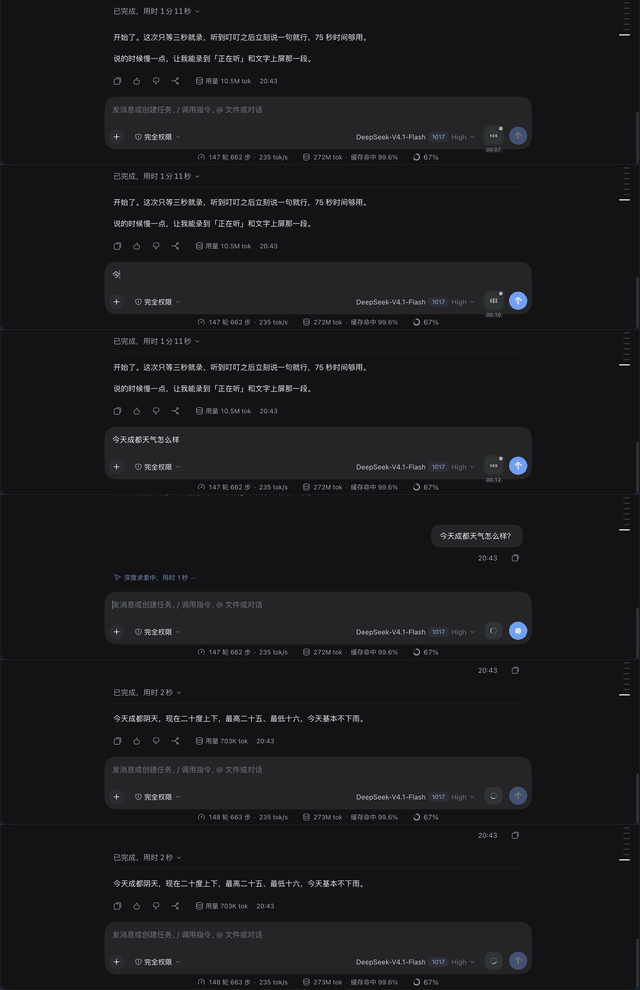
### 麦克风按钮即状态面板(PR #16,[@dyguests](https://github.com/dyguests) 贡献)
|
|
19
|
+
|
|
20
|
+
|
|
21
|
+
|
|
22
|
+
dsh ≥0.1.7 上按钮挂在发送键左侧(`conversation.input.activity`),更早的版本仍在输入框右侧。状态全部画在按钮上:
|
|
23
|
+
|
|
24
|
+
- **聆听**:绿色三根竖条,随麦克风音量跳动;**朗读中**:蓝色五根竖条,随播放音量跳动;**按住说话**:红色
|
|
25
|
+
- **说完就关**(`mode: once`):发出后关麦、转圈等回复,读完显示对勾并自动退出
|
|
26
|
+
- **检测到说话**:右上角橙点;**出错**:左上角红点(悬停看原因)
|
|
27
|
+
- **点击**:平时进入/退出;不在语音模式但正在朗读(`readAloud: always`)时点一下 = 停止朗读
|
|
28
|
+
- **右键菜单**(鼠标右键或键盘菜单键;触屏长按仍是按住说话):交互模式、朗读回复范围、字幕浮层、状态条、自动发送
|
|
29
|
+
- 状态条与字幕默认开启;两项都关掉即上图的「全部收进按钮」形态,此时录音计时显示在按钮下方、提示文字显示在按钮旁
|
|
30
|
+
|
|
31
|
+
|
|
32
|
+
> **最近两版**:**v0.7.27** 麦克风按钮即状态面板 + 右键快捷设置 + 说完就关 + 总是朗读(PR #16,@dyguests 贡献);**v0.7.26** issue #15 体验反馈处置(打断不吃句、运行中插话、实时回填输入框、发送延迟解耦、可选 LLM 纠错、设置生效可见、静默故障提示)。完整记录见 [CHANGELOG](https://github.com/qishuilalala/dsh-voice-mode/blob/main/CHANGELOG.md)。
|
|
33
|
+
>
|
|
34
|
+
> **运行时变更(v0.7.18 ~ v0.7.24)**:① **设置面全版本打通**——dsh 0.1.7+ 上设置页与持久化修复(Settings → 语音模式 专属页、写入与重启保留);② **国际化重做**——界面语言跟随 dsh 官方语言设置,中/英文完整一致、切换无需刷新;③ **修复 npm/pnpm 全新安装失败与 dsh ≥0.1.7 已安装形态「failed to import」**(0.7.17 及更早版本受影响,请升级到 ≥0.7.18);④ **官方桌面端(Electron)下本地 Kokoro 修复**——需系统 PATH 上有 Node.js ≥18(或设 `DSHVM_NODE`);⑤ **v0.7.24:恢复 Edge 云端朗读**——微软服务端自 2026-10-15 起拒绝旧版握手(v0.7.23 及更早的默认 Edge 朗读无声,本地 VITS / Kokoro 不受影响),内联的 msedge-tts 升到 2.1.0;朗读**连续失败时**会提示切换本地引擎;另有 host 加固(`/models/retry` 仅同源 POST、模型树路径校验、错误原文不下行)。兼容 dsh 至 0.2.1-rc.2(0.2.1-alpha.4/5 起设置入口移入侧栏底部「Account menu」弹出层,本插件两处入口仍有效)。
|
|
19
35
|
|
|
20
36
|
---
|
|
21
37
|
|
|
@@ -34,25 +50,27 @@ DeepSeek Harness 语音双工对话模式:会话内一键进入 → 边说边
|
|
|
34
50
|
- **朗读稳定性**:打断即终止在途合成释放 CPU;句间不再有 3-5 秒停顿;长朗读不触发空闲下线;
|
|
35
51
|
- **安全加固**:会话存在性校验 / 回环+Origin 校验 / 全端点限流 / **ASR+TTS 全模型 SHA256 固定** / 下载域名白名单 / 重定向守卫。
|
|
36
52
|
|
|
37
|
-
> ℹ️ 顶部 `demo-voice-flow.gif` 是**当前界面的真实录制**(语音模式 → 边说边出字 → 停顿自动发送 → 按句朗读 + 实时字幕),由 `screenshots/scripts/capture-demo.mjs`
|
|
53
|
+
> ℹ️ 顶部 `demo-voice-flow.gif` 是**当前界面的真实录制**(语音模式 → 边说边出字 → 停顿自动发送 → 按句朗读 + 实时字幕),由 `screenshots/scripts/capture-demo.mjs` 驱动真实链路产出;UI 持续演进,以实际界面为准。
|
|
38
54
|
|
|
39
55
|
---
|
|
40
56
|
|
|
41
57
|
## ✨ 功能
|
|
42
58
|
|
|
43
59
|
- **语音模式**:输入框工具排麦克风按钮或全局快捷键 `Ctrl+Shift+V` 进入/退出;全局单活(同一时刻仅一个会话处于语音模式,切换会话自动让出)
|
|
44
|
-
-
|
|
45
|
-
- `toggle`(默认)持续聆听:RMS VAD 分段 → zipformer2 流式识别(边说边出字,实时字幕预览)→ 静音约 1500 毫秒断句进草稿,连续多段拼成一条消息,再静音约
|
|
60
|
+
- **三种交互模式(右键麦克风或设置可切换,切换即持久化)**:
|
|
61
|
+
- `toggle`(默认)持续聆听:RMS VAD 分段 → zipformer2 流式识别(边说边出字,实时字幕预览)→ 静音约 1500 毫秒断句进草稿,连续多段拼成一条消息,再静音约 1.2 秒(合计约 2.7 秒)自动发送;按住 `Ctrl` 强制立即发送
|
|
46
62
|
- `hold` 按住说话:短按进入/退出,**按住麦克风按钮说话、松手即发**(滑出取消、`Esc`/失焦放弃本段);按住期间停顿不断句(上限 10 分钟);`Ctrl` 按住即录、松开即发
|
|
63
|
+
- `once` 说完就关:像 `toggle` 一样说一段,发出后关麦,等回复朗读完自动退出语音模式(关闭自动发送时:说完这一段即退出,文字留在草稿)
|
|
64
|
+
- **朗读范围**(`readAloud`):`voice`(默认)只朗读语音模式下的回复;`always` 当前可见会话的所有回复都朗读(含打字发的;同一会话开多个标签页只在最后看的那个上播);`off` 从不朗读
|
|
47
65
|
- **唤醒词(可选,默认关)**:设置 `wakeWord` 后进入待机态,说出唤醒词才开始识别(如「你好小D」)。**可直接与命令连说**(「你好小D,帮我查天气」)——唤醒词会在定稿/字幕里自动剥掉、不进消息;匹配带容错(同音字替换「小莫→小墨」、首字错、前置语气词「呃/喂/我说」),建议 3-4 字;待机态状态条实时显示「说『x』开始 · 它听到的转写」,唤醒成败可自查。边界(重要):**仅 `toggle` 模式生效**(`hold` / 手动打断下唤醒词静默失效);**说完整一句后回到待机态需重说唤醒词**(只喊唤醒词、还没说命令时保持聆听,可停顿想好再说);**朗读期说唤醒词不触发**(打断由 VAD 开口即触发,与唤醒词无关)
|
|
48
66
|
- **字幕档位**:`captionFontSize` 4 档(0=12px / 1=14px / 2=18px / 3=24px)+ `captionMaxWidth` 3 档(0=50vw / 1=70vw / 2=90vw),窄屏自适应
|
|
49
67
|
- **让位语义**(ADR-0008):`backchannelYield` 默认开—— 朗读期用户插话「嗯/对」自动让位 1.5s,真要说走硬打断;让 LLM 主动让出话轮(人格层让位);关掉恢复改造前行为
|
|
50
68
|
- **输出链路**:只朗读最终答复的 `text-delta`(reasoning/工具调用不读),按句流式朗读(默认 Edge 云端;可切本地 VITS/Kokoro,中英混读选 Kokoro)+ 右下角实时字幕浮层;工具调用触发提示音;全文照常写入聊天记录;口语化提示词(设置 `spokenFormat`,默认开)让回复为自然短句、不带 Markdown 排版符号
|
|
51
69
|
- **开口打断(barge-in)**:服务端 Silero VAD 帧级检测 + 回声门控(echoGateDb)三档灵敏度 → 本地静音 + host 合成队列作废 + 正在运行的回合取消(保留半截并自然续入新消息);朗读中自动切超灵敏档。开启唤醒词后打断**仍是开口即打断**(打断门控是 VAD,不是唤醒词;打断后回待机态)
|
|
52
70
|
- **模型懒加载与进度**:首次使用自动下载识别/合成模型(`.part` 断点续传),状态条实时显示进度;可用 `npm run prefetch` 预下载
|
|
53
|
-
- **设置**:入口随 dsh
|
|
71
|
+
- **设置**:入口随 dsh 版本而不同(见下方「设置」),可调朗读引擎/音色/语速/打断灵敏度/静音停顿/空闲超时/模型镜像/自动发送/交互模式/唤醒词/口语化提示词/字幕档位/让位语义/让位窗口/打断语音抢救/LLM 纠错;**音色可试听**(按当前音色+语速即时合成预览,自定义 ShortName 亦可)
|
|
54
72
|
- **界面语言**:跟随 dsh 的语言设置(设置 → 通用 → 语言),**切换即时生效、无需刷新**——设置页、语音状态条、字幕、音色名称/性别/口音、错误提示全部随之变化;LLM 口语化提示词也按界面语言选中/英文版。插件词典注册在 dsh 官方 locale 服务的 `voice-mode` 命名空间,社区语言包可据此补充其它语言,缺失的语言回落英文。插件名称与描述在「插件」页同样按语言显示。
|
|
55
|
-
-
|
|
73
|
+
- **容错与诊断**:麦克风被拒红点提示、模型下载失败可见提示、TTS 连接失败状态条提示(自动退避重试)、提交失败文字留在草稿、SSE 断线自动重连;识别/打断检测通道连续失败、状态同步断连时状态条给出提示(可自愈的瞬时失败不打扰);SenseVoice 定稿超过 2 秒时状态条显示「识别中… Ns」递增(看得见它在工作);「复制诊断」一键复制版本/运行状态/设置快照/阶段耗时——**不含任何转写原文**(隐私口径)
|
|
56
74
|
- **空闲退出**:5 分钟无活动自动退出并释放麦克风(**正在朗读计为活动**,长朗读不会中途下线)
|
|
57
75
|
|
|
58
76
|
---
|
|
@@ -78,7 +96,7 @@ bundle 插件安装后需重启 dsh 生效(Linux:`systemctl restart dsh`;
|
|
|
78
96
|
| 手势 | 作用 |
|
|
79
97
|
| --- | --- |
|
|
80
98
|
| `Ctrl+Shift+V` | 进入 / 退出语音模式 |
|
|
81
|
-
| 直接说话 | `toggle`:边说边出字,停顿约 1500 毫秒断句进草稿、再静音约
|
|
99
|
+
| 直接说话 | `toggle`:边说边出字,停顿约 1500 毫秒断句进草稿、再静音约 1.2 秒(合计约 2.7 秒)自动发送;按住 `Ctrl` 强制立即发送 |
|
|
82
100
|
| 按住麦克风按钮 | `hold`:松手发送;短按退出;滑出 / `Esc` / 失焦放弃本段 |
|
|
83
101
|
| 点输入框旁模式按钮 | 在「持续聆听 ⇄ 按住说」间切换(保存到设置) |
|
|
84
102
|
| 说唤醒词 | 待机态激活识别(配置后) |
|
|
@@ -111,7 +129,10 @@ bundle 插件安装后需重启 dsh 生效(Linux:`systemctl restart dsh`;
|
|
|
111
129
|
| `modelHost` | 默认源 | 模型下载源(国内网络填 `https://hf-mirror.com`) |
|
|
112
130
|
| `autoSend` | `true` | 静音到点自动发送(连续多段拼成一条消息);关闭则只进草稿(按住 `Ctrl` / hold 松手仍会发送) |
|
|
113
131
|
| `autoResume` | `false` | 切回上次语音会话时自动恢复语音模式(默认关)。开启后:下次进入语音会话即自动进入语音模式 + 恢复上次会话;关闭则需手动按 `Ctrl+Shift+V` 重新进入 |
|
|
114
|
-
| `mode` | `toggle` | 交互模式:`toggle` 持续聆听 + 1500ms 静音断句;`hold`
|
|
132
|
+
| `mode` | `toggle` | 交互模式:`toggle` 持续聆听 + 1500ms 静音断句;`hold` 按住说话、松手发送(短按退出);`once` 说一段、回复读完自动退出 |
|
|
133
|
+
| `readAloud` | `voice` | 朗读范围:`voice` 仅语音模式下的回复;`always` 当前可见会话的所有回复(含打字发送);`off` 从不朗读 |
|
|
134
|
+
| `showStatusBar` | `true` | 输入框上方的语音状态条;关闭后状态只显示在麦克风按钮上(计时在按钮下方、提示在按钮旁) |
|
|
135
|
+
| `showCaptions` | `true` | 朗读时的字幕浮层 |
|
|
115
136
|
| `shortcut` | `Ctrl+Shift+V` | 进入 / 退出语音模式的快捷键(修饰键 Ctrl/Shift/Alt/Meta + 一个字母键);**留空 = 禁用快捷键**,改用麦克风按钮 |
|
|
116
137
|
| `wakeWord` | 空(关) | 唤醒词(如「你好小D」):进入后先说唤醒词激活,避免误触;空 = 关闭。**可与命令连说**,词头自动剥掉不进消息;匹配带容错(编辑距离 ≤1 + 前 3 字符前导窗口,吸收同音字/语气词);**建议 3-4 字**——单字词无容错、2 字词的容错会连带吸收所有同首字的 2 字词(如「小莫」也会唤醒「小张」),介意误唤醒用 3 字以上;每句断句或打断后回待机需重说;**仅 toggle 模式生效**(hold / 手动打断下不生效);朗读期说唤醒词不触发 |
|
|
117
138
|
| `toolBeep` | `false` | 工具调用提示音(默认关):开启后 AI 调用工具时「滴」一声;关闭则全程静默 |
|
|
@@ -119,11 +140,13 @@ bundle 插件安装后需重启 dsh 生效(Linux:`systemctl restart dsh`;
|
|
|
119
140
|
| `senseITN` | `true` | SenseVoice 逆文本归一化(数字/日期/货币规范化;默认开) |
|
|
120
141
|
| `senseVoice` | `true` | 定稿是否用 SenseVoice 重译(带标点 + 数字归一化,更准;默认开)。**关闭可省 ~228MB 模型**,只走流式识别(更快、精度下降) |
|
|
121
142
|
| `captionFontSize` | `0` | 字幕字号档位 0=12px / 1=14px / 2=18px / 3=24px(默认 0 与现状字节等价) |
|
|
122
|
-
| `captionMaxWidth` | `1` | 字幕宽度档位 0=50vw / 1=70vw / 2=90vw(视口 <686px 接近 480px,>686px 宽于 480px) |
|
|
143
|
+
| `captionMaxWidth` | `1` | 字幕宽度档位 0=50vw / 1=70vw / 2=90vw(视口 <686px 窄于 480px,≈686px 接近 480px,>686px 宽于 480px) |
|
|
123
144
|
| `backchannelYield` | `true` | 让位语义(ADR-0008);朗读期说「嗯/对」自动让位 1.5s + 真要说走硬打断;关 = 行为等同改造前 |
|
|
145
|
+
| `bargeInSalvage` | `true` | 打断语音抢救(Issue #15 批 1 / ADR-0012):AI 朗读时你开口打断,自动保留从开口到打断生效之间你说的话,并入识别继续发送(修「打断吃句」;关 = 丢弃打断前语音——仅外放且无回声消除的环境建议关) |
|
|
146
|
+
| `llmCorrect` | `false` | LLM 纠错(Issue #15 批 4,默认关):发送前用大模型对整条语音文本做一次纠错(只改错别字/同音字/标点,保持原意;复用宿主已配置模型。开 = 每条消息多一次约 1 秒的纠错等待;纠错失败自动用原文) |
|
|
124
147
|
| `yieldMs` | `1500` | 让位窗口时长(ms,500-3000):`backchannelYield` 命中后 TTS 丢帧持续时长;窗口内用户真要说则由原 `hardBreak` 接管,窗口到点自动恢复播放 |
|
|
125
148
|
|
|
126
|
-
|
|
149
|
+
生效时机分四档:① 即时——朗读引擎 / 音色 / 语速 / 口语化提示词(对后续回复生效)/ 朗读范围 / 状态条 / 字幕浮层 / 模型镜像(下次下载尝试即生效);② 下次识别时——定稿重译(SenseVoice)/ 逆文本归一化;③ 下一段话——静音判定时长(断句端点;发送等待固定 1.2 秒不受影响);④ 下次进入语音模式——打断灵敏度 / 打断方式 / 回声门控 / 快捷键 / 自动发送 / 自动恢复 / 交互模式 / 唤醒词 / 工具提示音 / 字幕字号 / 字幕宽度 / 短应答让位 / 让位窗口 / 打断语音抢救 / LLM 纠错 / 空闲时长。已保存但未生效的项会列在设置卡片顶部(含当前生效值)。设置项默认值由插件配置(`base` 层)提供。
|
|
127
150
|
|
|
128
151
|
### 本地音色(VITS / Kokoro)
|
|
129
152
|
|
|
@@ -184,7 +207,9 @@ bundle 插件安装后需重启 dsh 生效(Linux:`systemctl restart dsh`;
|
|
|
184
207
|
| `POST /voice-mode/asr` | 裸 f32 LE 16k PCM → `{text}`(流式 zipformer2);模型未就绪返回 `202 {loading}`;`?reset=1` 丢弃在途段(唤醒词命中时使用) |
|
|
185
208
|
| `POST /voice-mode/cancel` | `{sessionId}` 作废 TTS 队列并丢弃在途 ASR 段 |
|
|
186
209
|
| `POST /voice-mode/preview` | `{voice, rate?}` 一次性合成试听 → `audio/mpeg`(400 缺 voice / voice 过长;502 合成失败,如无效 ShortName;403 插件 `enabled=false`)。不要求语音模式处于激活态;使用独立合成连接,不影响朗读队列 |
|
|
187
|
-
| `GET /voice-mode/config` | 客户端启动参数(静音阈值 / 灵敏度 / 音色与语速等)——含 ASR 侧字段 `senseITN` / `senseVoice` / `captionFontSize` / `captionMaxWidth` / `backchannelYield` |
|
|
210
|
+
| `GET /voice-mode/config` | 客户端启动参数(静音阈值 / 灵敏度 / 音色与语速等)——含 ASR 侧字段 `senseITN` / `senseVoice` / `captionFontSize` / `captionMaxWidth` / `backchannelYield` / `yieldMs` / `bargeInSalvage` / `llmCorrect` |
|
|
211
|
+
| `POST /voice-mode/correct` | `{text}` 发送前 LLM 纠错(只改错别字/同音字/标点;复用宿主已配置模型)→ `{text}`;失败/超时/无模型回退原文,不阻断发送 |
|
|
212
|
+
| `GET /voice-mode/voices` | Edge 全量音色清单(设置面板选 Edge 时拉取;网络失败由客户端回退常用清单) |
|
|
188
213
|
| `GET /voice-mode` | 健康检查 `{ok, name, enabled, active}` |
|
|
189
214
|
|
|
190
215
|
---
|
|
@@ -241,7 +266,7 @@ flowchart LR
|
|
|
241
266
|
- 朗读默认 **Edge 云端**;本地 VITS 纯中文 / Kokoro 原生中英(跑在独立子进程、崩溃自愈)可选(隐私优先);
|
|
242
267
|
- 同一时间仅一个会话处于语音模式(全局单活);LLM 流被无损观察(不阻塞)。
|
|
243
268
|
|
|
244
|
-
详细架构决策:见 [`docs/adr/`](https://github.com/qishuilalala/dsh-voice-mode/blob/main/docs/adr/README.md)
|
|
269
|
+
详细架构决策:见 [`docs/adr/`](https://github.com/qishuilalala/dsh-voice-mode/blob/main/docs/adr/README.md) 12 个 ADR。
|
|
245
270
|
|
|
246
271
|
---
|
|
247
272
|
|
|
@@ -316,7 +341,7 @@ flowchart LR
|
|
|
316
341
|
| 打断后说话没反应(开了唤醒词) | 唤醒词只管「开始识别」的门:打断/每句断句后回到待机态,**需重说唤醒词**再继续说;待机态状态条会显示「说『x』开始」提示 |
|
|
317
342
|
| 唤醒词完全没反应 | ① 确认交互模式是 `toggle`(`hold` 与手动打断下唤醒词不生效);② 确认 `bargeInMode`:`manual`(或 `detect` 在本机无原生回声消除时自动落 manual)会关闭常驻聆听 → 唤醒词失效,改回 `auto` 或按住麦克风/Ctrl;③ 朗读期说唤醒词不触发(先等 AI 说完);④ 看待机态实时转写,确认它听到了什么(同音字 1 字内已容错,建议 3-4 字词) |
|
|
318
343
|
| 按住说话松手后没反应 | 确认交互模式为「按住说」且按住期间按钮高亮;松手后识别定稿约 1 秒内进入草稿 |
|
|
319
|
-
| 打不断(朗读中开口无反应) | 调高 `interruptLevel`(更敏感档 = 0 或 1)或检查麦克风权限;若 VAD 持续不触发可临时切到「手动打断」(`mode: hold` / 唤醒词定时延后);**不要**调 `echoGateDb
|
|
344
|
+
| 打不断(朗读中开口无反应) | 调高 `interruptLevel`(更敏感档 = 0 或 1)或检查麦克风权限;若 VAD 持续不触发可临时切到「手动打断」(`mode: hold` / 唤醒词定时延后);**不要**调 `echoGateDb`——2026-09-14 三条真机录音(外放/耳机 × 纯听/打断)朗读期 Silero 判回声为语音 **0/937 帧**(0/431 + 0/289 + 0/217),打断必要条件从未成立,此阈值在任何已测设备组合下都是空操作(详见 ADR-0006) |
|
|
320
345
|
| 官方桌面端上选本地 Kokoro,设置里显示「加载失败」并提示需要 Node.js | 桌面端宿主是 Electron,Kokoro 的原生 addon 在其中不可用:在系统 PATH 上安装 Node.js ≥18(或设环境变量 `DSHVM_NODE` 指向它)后重试;或改用默认的 Edge / 本地 VITS(桌面端不受影响) |
|
|
321
346
|
| 字幕被输入框挡住 | 默认 `captionMaxWidth=1`(70vw)+ `captionFontSize=0`(12px)在窄屏可能与底部输入框重叠;调高档位或点字幕浮层「×」收起 |
|
|
322
347
|
| 让位行为异常(朗读期说「嗯」不停 / 真话被打断) | 「嗯/对」类短词触发让位 1.5s 后继续朗读;继续说真话会走硬打断;不要时关 `backchannelYield` 即可恢复改造前行为(ADR-0008) |
|
|
@@ -341,7 +366,7 @@ flowchart LR
|
|
|
341
366
|
|
|
342
367
|
```sh
|
|
343
368
|
pnpm install && pnpm build # esbuild:lib/index.js(host)+ lib/client.js(browser)
|
|
344
|
-
pnpm test #
|
|
369
|
+
pnpm test # 52 个测试文件串联:单测 + 台架(假浏览器驱动真引擎)+ 结构守卫 + 发布前自检(无需网络)
|
|
345
370
|
systemctl restart dsh # 本机加载新 host 代码;其他平台重启 dsh 进程
|
|
346
371
|
```
|
|
347
372
|
|