dsh-task-ledger 0.0.130 → 0.0.132
This diff represents the content of publicly available package versions that have been released to one of the supported registries. The information contained in this diff is provided for informational purposes only and reflects changes between package versions as they appear in their respective public registries.
- package/README.md +82 -4
- package/README.zh-CN.md +86 -0
- package/assets/icon.svg +4 -0
- package/dist/client.js +1455 -940
- package/dist/client.js.map +1 -1
- package/dist/host/repositories/identity.repository.d.ts +1 -1
- package/dist/host/repositories/identity.repository.js +2 -1
- package/dist/host/routes.js +25 -2
- package/dist/host/services/identity.service.d.ts +7 -1
- package/dist/host/services/identity.service.js +2 -2
- package/dist/index.d.ts +15 -0
- package/dist/index.js +37 -2
- package/locale/en.json +6 -0
- package/locale/zh.json +6 -0
- package/package.json +12 -4
- package/skill/README.md +122 -30
- package/skill/SKILL.md +2 -2
- package/skill/package.json +1 -1
- package/skill/references/init-identity.md +7 -26
|
@@ -52,7 +52,7 @@ export interface ForgetOutcome {
|
|
|
52
52
|
readonly name: string;
|
|
53
53
|
readonly tasks: number;
|
|
54
54
|
}
|
|
55
|
-
export declare function forgetOwner(repo: string, uuid: string): Promise<ForgetOutcome>;
|
|
55
|
+
export declare function forgetOwner(repo: string, uuid: string, onStep?: (step: string) => void): Promise<ForgetOutcome>;
|
|
56
56
|
/**
|
|
57
57
|
* 清掉本机身份(skill `logout`):台账一个字节都不动。
|
|
58
58
|
* 只删 ~/.taskledger/identity.json —— 路径归 skill 管,插件不复制这份知识。
|
|
@@ -58,7 +58,7 @@ export async function switchIdentity(input) {
|
|
|
58
58
|
}
|
|
59
59
|
return viewOf(result.data);
|
|
60
60
|
}
|
|
61
|
-
export async function forgetOwner(repo, uuid) {
|
|
61
|
+
export async function forgetOwner(repo, uuid, onStep) {
|
|
62
62
|
// 删人也走一遍「写前取最新 → 改 → 提交 → 推送」,一次网络往返就可能几秒,
|
|
63
63
|
// 默认的 10s 会把它判超时(脚本被 kill 时连分片都还没删)。
|
|
64
64
|
//
|
|
@@ -66,6 +66,7 @@ export async function forgetOwner(repo, uuid) {
|
|
|
66
66
|
// 后面几本就会报「这台机器还没有初始化身份」(用户 2026-11-02 实测)。清身份留到最后一步。
|
|
67
67
|
const result = await runLedgerScript("forget", ["--id", uuid, "--keep-identity", "--repo", repo, "--json"], {
|
|
68
68
|
timeoutMs: FORGET_TIMEOUT_MS,
|
|
69
|
+
...(onStep === undefined ? {} : { onStep }),
|
|
69
70
|
});
|
|
70
71
|
if (!result.ok)
|
|
71
72
|
throw new Error(result.error);
|
package/dist/host/routes.js
CHANGED
|
@@ -155,6 +155,11 @@ export function registerRoutes(webServer, deps) {
|
|
|
155
155
|
},
|
|
156
156
|
});
|
|
157
157
|
// 从名册摘人(设置页每行的小叉):逐本台账各删各的,分片还有任务的那本不删。
|
|
158
|
+
//
|
|
159
|
+
// **响应是 NDJSON 流**(2026-11-05):每本台账各跑一条 skill 写命令,逐本走
|
|
160
|
+
// 「检查 → 拉取 → 写 → 提交 → 推送」好几秒,攒完再回只能给界面一句固定提示。
|
|
161
|
+
// 行形状:{"type":"step","step","workspace"} / {"type":"done","report"} / {"type":"error","error","code"}。
|
|
162
|
+
// ⚠️ 头一旦发出去,后面的失败只能进流(状态码改不了)⇒ 参数类错误必须在发头之前挡掉。
|
|
158
163
|
webServer.register({
|
|
159
164
|
kind: "exact",
|
|
160
165
|
path: `${API_PREFIX}/identity/forget`,
|
|
@@ -163,6 +168,8 @@ export function registerRoutes(webServer, deps) {
|
|
|
163
168
|
sendJson(res, 405, { error: "身份写入只接受 POST" });
|
|
164
169
|
return;
|
|
165
170
|
}
|
|
171
|
+
let uuid;
|
|
172
|
+
let workspaces;
|
|
166
173
|
try {
|
|
167
174
|
let raw;
|
|
168
175
|
try {
|
|
@@ -172,14 +179,30 @@ export function registerRoutes(webServer, deps) {
|
|
|
172
179
|
throw new Error(`${BAD_REQUEST}请求体不是合法 JSON`);
|
|
173
180
|
}
|
|
174
181
|
const body = (raw ?? {});
|
|
175
|
-
|
|
182
|
+
uuid = typeof body.uuid === "string" ? body.uuid.trim() : "";
|
|
176
183
|
if (uuid === "")
|
|
177
184
|
throw new Error(`${BAD_REQUEST}摘人必须给 uuid`);
|
|
178
|
-
|
|
185
|
+
workspaces = await workspacesOf(deps);
|
|
179
186
|
}
|
|
180
187
|
catch (error) {
|
|
181
188
|
sendWriteFailure(res, error);
|
|
189
|
+
return;
|
|
190
|
+
}
|
|
191
|
+
res.writeHead(200, {
|
|
192
|
+
"content-type": "application/x-ndjson; charset=utf-8",
|
|
193
|
+
"cache-control": "no-store",
|
|
194
|
+
});
|
|
195
|
+
const send = (event) => {
|
|
196
|
+
res.write(`${JSON.stringify(event)}\n`);
|
|
197
|
+
};
|
|
198
|
+
try {
|
|
199
|
+
const report = await forgetOwner(workspaces, uuid, (step) => send({ type: "step", step: step.step, workspace: step.workspace }));
|
|
200
|
+
send({ type: "done", report });
|
|
182
201
|
}
|
|
202
|
+
catch (error) {
|
|
203
|
+
send({ type: "error", error: messageOf(error), code: codeOf(error) });
|
|
204
|
+
}
|
|
205
|
+
res.end();
|
|
183
206
|
},
|
|
184
207
|
});
|
|
185
208
|
registerRead("/workspaces", async (_req, res) => {
|
|
@@ -38,6 +38,12 @@ export interface ForgetReport {
|
|
|
38
38
|
/** 删的是本机身份、并且**每一本都删成了** ⇒ 顺手退出了登录。 */
|
|
39
39
|
readonly signedOut: boolean;
|
|
40
40
|
}
|
|
41
|
+
/** 一次摘人过程里的阶段(逐本台账各跑一条 skill 写命令,带台账名免得交错时分不清)。 */
|
|
42
|
+
export interface ForgetStep {
|
|
43
|
+
readonly workspace: string;
|
|
44
|
+
/** skill `stepf` 的 key:check / sync / write / commit / push。 */
|
|
45
|
+
readonly step: string;
|
|
46
|
+
}
|
|
41
47
|
/**
|
|
42
48
|
* 把某个人从**所有登记过他的台账**里摘掉(用户 2026-11-02 定的口径):
|
|
43
49
|
* 每本台账各删各的,分片里还有任务的那本不删、如实回报;历史记录与其他台账一概不动。
|
|
@@ -47,7 +53,7 @@ export interface ForgetReport {
|
|
|
47
53
|
* 删 identity.json,先跑完的那本会让后面几本读不到身份(报「这台机器还没有初始化身份」)。
|
|
48
54
|
* 所以 forget 一律带 --keep-identity,全部跑完之后才按需要 logout。
|
|
49
55
|
*/
|
|
50
|
-
export declare function forgetOwner(workspaces: readonly LedgerWorkspace[], uuid: string): Promise<ForgetReport>;
|
|
56
|
+
export declare function forgetOwner(workspaces: readonly LedgerWorkspace[], uuid: string, onStep?: (step: ForgetStep) => void): Promise<ForgetReport>;
|
|
51
57
|
export declare function getRoster(workspaces: readonly LedgerWorkspace[]): Promise<{
|
|
52
58
|
readonly workspaces: readonly RosterWorkspace[];
|
|
53
59
|
}>;
|
|
@@ -15,7 +15,7 @@ export async function switchIdentity(input) {
|
|
|
15
15
|
* 删 identity.json,先跑完的那本会让后面几本读不到身份(报「这台机器还没有初始化身份」)。
|
|
16
16
|
* 所以 forget 一律带 --keep-identity,全部跑完之后才按需要 logout。
|
|
17
17
|
*/
|
|
18
|
-
export async function forgetOwner(workspaces, uuid) {
|
|
18
|
+
export async function forgetOwner(workspaces, uuid, onStep) {
|
|
19
19
|
const key = uuid.trim().toLowerCase();
|
|
20
20
|
const removed = [];
|
|
21
21
|
const kept = [];
|
|
@@ -30,7 +30,7 @@ export async function forgetOwner(workspaces, uuid) {
|
|
|
30
30
|
// 摘的是不是自己:只有「自己」才需要最后退出登录
|
|
31
31
|
const me = await readIdentity().catch(() => ({ uuid: null, name: null }));
|
|
32
32
|
const isSelf = me.uuid !== null && me.uuid === key;
|
|
33
|
-
const outcomes = await Promise.allSettled(targets.map((workspace) => runForget(workspace.path, key)));
|
|
33
|
+
const outcomes = await Promise.allSettled(targets.map((workspace) => runForget(workspace.path, key, (step) => onStep?.({ workspace: workspace.title, step }))));
|
|
34
34
|
outcomes.forEach((result, index) => {
|
|
35
35
|
const workspace = targets[index];
|
|
36
36
|
if (result.status === "rejected") {
|
package/dist/index.d.ts
CHANGED
|
@@ -1,4 +1,19 @@
|
|
|
1
1
|
export declare const name = "dsh-task-ledger";
|
|
2
|
+
/**
|
|
3
|
+
* 插件配置 schema —— 插件详情页配置区的唯一来源(dsh 0.1.7+:settings 服务按活跃
|
|
4
|
+
* entry 的 `Config` 派生表单,命名空间 = `cordis.patch.yml` 那条 insert 的 id = 包名)。
|
|
5
|
+
*
|
|
6
|
+
* · 只有 `.volatile()` 字段会进表单,且由宿主**原位热更新 + 持久化**(写到 profile
|
|
7
|
+
* patch 文档);插件不自己落盘、不碰 localStorage。
|
|
8
|
+
* · `entryMode`:`first` = 左侧第一级(默认,= 既有位置)/ `more` = 「更多」菜单。
|
|
9
|
+
* · `displayName`:空串 = 用词典里的默认名(见 client/locales.ts 的 `panelTitle`)。
|
|
10
|
+
*
|
|
11
|
+
* 刻意不带 `z<Config>` 类型标注:`.volatile()` 改变推导类型,带上反而 TS2322。
|
|
12
|
+
*/
|
|
13
|
+
export declare const Config: import("@deepseek-ai/schemastery").Schema<{
|
|
14
|
+
entryMode: string;
|
|
15
|
+
displayName: string;
|
|
16
|
+
}> | undefined;
|
|
2
17
|
/** 插件上下文的最小面(结构声明,不 import 官方包)。 */
|
|
3
18
|
interface PluginContext {
|
|
4
19
|
inject(deps: readonly string[], callback: (ctx: Record<string, unknown>) => void): void;
|
package/dist/index.js
CHANGED
|
@@ -2,8 +2,9 @@
|
|
|
2
2
|
* dsh-task-ledger host 半入口:装配层,不写业务逻辑。
|
|
3
3
|
*
|
|
4
4
|
* 已落地:数据面路由(任务 3,routes.ts)、内嵌 skill 全局注册(任务 2,
|
|
5
|
-
* skill-registration.ts
|
|
6
|
-
*
|
|
5
|
+
* skill-registration.ts)、插件配置 schema(`Config`,宿主托管的设置区)、
|
|
6
|
+
* 只读文件路由。按钮会话交接(任务 4)落地时再往本文件加装配,业务逻辑一律进
|
|
7
|
+
* host/ 对应文件。
|
|
7
8
|
*
|
|
8
9
|
* 服务等待写在 apply 内的 ctx.inject(参考插件真机教训:顶层 inject 声明组合
|
|
9
10
|
* 满足不了的依赖会令 entry 一直 pending、卡死整个 dsh 启动);两条注入线
|
|
@@ -13,6 +14,40 @@ import { serveFsRoute } from "dsh-plugin-core/host";
|
|
|
13
14
|
import { FS_ROUTE, registerRoutes } from "./host/routes.js";
|
|
14
15
|
import { buildSkillRegistration, } from "./host/skill/registration.js";
|
|
15
16
|
export const name = "dsh-task-ledger";
|
|
17
|
+
/**
|
|
18
|
+
* 取官方 schema 库。**动态 import + 兜底**而不是静态 import:静态 import 一旦解析不到,
|
|
19
|
+
* 整个 server entry 加载失败,插件管理页把它标成「异常」——连侧栏与整页一起没了
|
|
20
|
+
* (dsh-plugin-core demo 2026-10-25 真机事故的同一坑)。退化成 undefined 的代价只是
|
|
21
|
+
* 「详情页没有配置区」,入口照常可用。
|
|
22
|
+
*/
|
|
23
|
+
async function loadSchemastery() {
|
|
24
|
+
try {
|
|
25
|
+
return (await import("@deepseek-ai/schemastery")).default;
|
|
26
|
+
}
|
|
27
|
+
catch {
|
|
28
|
+
return undefined;
|
|
29
|
+
}
|
|
30
|
+
}
|
|
31
|
+
const z = await loadSchemastery();
|
|
32
|
+
if (z === undefined)
|
|
33
|
+
console.warn("[task-ledger] @deepseek-ai/schemastery 解析失败:插件详情页没有配置区(侧栏入口与看板不受影响)");
|
|
34
|
+
/**
|
|
35
|
+
* 插件配置 schema —— 插件详情页配置区的唯一来源(dsh 0.1.7+:settings 服务按活跃
|
|
36
|
+
* entry 的 `Config` 派生表单,命名空间 = `cordis.patch.yml` 那条 insert 的 id = 包名)。
|
|
37
|
+
*
|
|
38
|
+
* · 只有 `.volatile()` 字段会进表单,且由宿主**原位热更新 + 持久化**(写到 profile
|
|
39
|
+
* patch 文档);插件不自己落盘、不碰 localStorage。
|
|
40
|
+
* · `entryMode`:`first` = 左侧第一级(默认,= 既有位置)/ `more` = 「更多」菜单。
|
|
41
|
+
* · `displayName`:空串 = 用词典里的默认名(见 client/locales.ts 的 `panelTitle`)。
|
|
42
|
+
*
|
|
43
|
+
* 刻意不带 `z<Config>` 类型标注:`.volatile()` 改变推导类型,带上反而 TS2322。
|
|
44
|
+
*/
|
|
45
|
+
export const Config = z === undefined
|
|
46
|
+
? undefined
|
|
47
|
+
: z.object({
|
|
48
|
+
entryMode: z.string().default("first").volatile(),
|
|
49
|
+
displayName: z.string().default("").volatile(),
|
|
50
|
+
});
|
|
16
51
|
/**
|
|
17
52
|
* 「继续」用的宿主服务读取器:**现取、不预先注入**。
|
|
18
53
|
*
|
package/locale/en.json
ADDED
|
@@ -0,0 +1,6 @@
|
|
|
1
|
+
{
|
|
2
|
+
"meta": {
|
|
3
|
+
"title": "Whale Ledger (dsh-task-ledger)",
|
|
4
|
+
"description": "Tasks are created, claimed, advanced and closed by the agent and written straight into a plain-text ledger in the workspace, so the owner, the current state and the next step are always on record. It is not limited to development work — research, documentation, presentations and video production all fit. No cloud service is involved: everything is managed locally. Single-user and multi-user both work, with Git synchronisation, and every action is on record. The control panel summarises in-flight, overdue and stalled work with weekly trends."
|
|
5
|
+
}
|
|
6
|
+
}
|
package/locale/zh.json
ADDED
package/package.json
CHANGED
|
@@ -1,7 +1,8 @@
|
|
|
1
1
|
{
|
|
2
2
|
"name": "dsh-task-ledger",
|
|
3
|
-
"version": "0.0.
|
|
4
|
-
"description": "
|
|
3
|
+
"version": "0.0.132",
|
|
4
|
+
"description": "Tasks are created, claimed, advanced and closed by the agent and written straight into a plain-text ledger in the workspace, so the owner, the current state and the next step are always on record. It is not limited to development work — research, documentation, presentations and video production all fit. No cloud service is involved: everything is managed locally. Single-user and multi-user both work, with Git synchronisation, and every action is on record. The control panel summarises in-flight, overdue and stalled work with weekly trends.",
|
|
5
|
+
"icon": "./assets/icon.svg",
|
|
5
6
|
"keywords": [
|
|
6
7
|
"deepseek",
|
|
7
8
|
"harness",
|
|
@@ -15,11 +16,14 @@
|
|
|
15
16
|
"exports": {
|
|
16
17
|
".": "./dist/index.js",
|
|
17
18
|
"./client": "./dist/client.js",
|
|
19
|
+
"./locale/*.json": "./locale/*.json",
|
|
18
20
|
"./package.json": "./package.json"
|
|
19
21
|
},
|
|
20
22
|
"files": [
|
|
21
23
|
"dist",
|
|
22
24
|
"skill",
|
|
25
|
+
"assets",
|
|
26
|
+
"locale",
|
|
23
27
|
"cordis.patch.yml",
|
|
24
28
|
"README.md"
|
|
25
29
|
],
|
|
@@ -52,11 +56,15 @@
|
|
|
52
56
|
"inject": [
|
|
53
57
|
"@deepseek-ai/dsh-client-locale",
|
|
54
58
|
"@deepseek-ai/dsh-client-ui-renderer",
|
|
55
|
-
"@deepseek-ai/dsh-client-ui-layout"
|
|
59
|
+
"@deepseek-ai/dsh-client-ui-layout",
|
|
60
|
+
"@deepseek-ai/dsh-client-ui-settings",
|
|
61
|
+
"@deepseek-ai/dsh-client-ui-plugin-manager",
|
|
62
|
+
"@deepseek-ai/dsh-client-ui-sidebar"
|
|
56
63
|
]
|
|
57
64
|
}
|
|
58
65
|
},
|
|
59
66
|
"dependencies": {
|
|
60
|
-
"
|
|
67
|
+
"@deepseek-ai/schemastery": "^3.18.5",
|
|
68
|
+
"dsh-plugin-core": "^0.33.2"
|
|
61
69
|
}
|
|
62
70
|
}
|
package/skill/README.md
CHANGED
|
@@ -1,53 +1,145 @@
|
|
|
1
1
|
# task-ledger
|
|
2
2
|
|
|
3
|
-
|
|
3
|
+
**English** · [简体中文](https://github.com/cq-guojia/dsh-task-ledger/blob/main/packages/skill/README.zh-CN.md)
|
|
4
4
|
|
|
5
|
-
|
|
5
|
+
A task ledger for AI coding agents. The agent records what it is working on — who owns it, how far it has got, when it was opened and when it was closed — as plain text inside the repository, so the answer survives the end of the conversation.
|
|
6
6
|
|
|
7
|
-
|
|
7
|
+
The package is a skill: a `SKILL.md` file, a prebuilt command-line tool, and reference material. It runs on any agent that loads the open `SKILL.md` format: Claude Code, Cursor, Codex, CodeBuddy, WorkBuddy, Trae, Doubao Work and others.
|
|
8
8
|
|
|
9
|
-
|
|
10
|
-
- **过程正文**:全在 `ledger/worklog/<年月>/<月日>-<时分>-<说明>-<码>.md`(六节),agent 直接编辑前五节,末节「执行记录」只由脚本写。
|
|
11
|
-
- **已结案**:一行一条在 `ledger/history/<年月>.md`(16 列),只由脚本写。
|
|
9
|
+
Four properties define it:
|
|
12
10
|
|
|
13
|
-
|
|
11
|
+
| Property | What it means |
|
|
12
|
+
|---|---|
|
|
13
|
+
| **Task lifecycle tracking** | Tasks are created, claimed, resumed, handed over and closed. Every transition carries a timestamp and an owner; progress, the conclusion and open issues are written into the task document. |
|
|
14
|
+
| **Local by design** | No account, no hosted backend, no service marketplace. The ledger is JSON and Markdown committed with the repository; it works offline and is reviewable in a pull request. |
|
|
15
|
+
| **Single-user and multi-user** | One person on one machine, or a team sharing one repository. Ownership state is sharded per person, so concurrent work never writes the same file. |
|
|
16
|
+
| **Version control as the sync layer** | Git is the transport. Push, pull and merge carry the ledger between machines and contributors. |
|
|
14
17
|
|
|
15
|
-
|
|
18
|
+
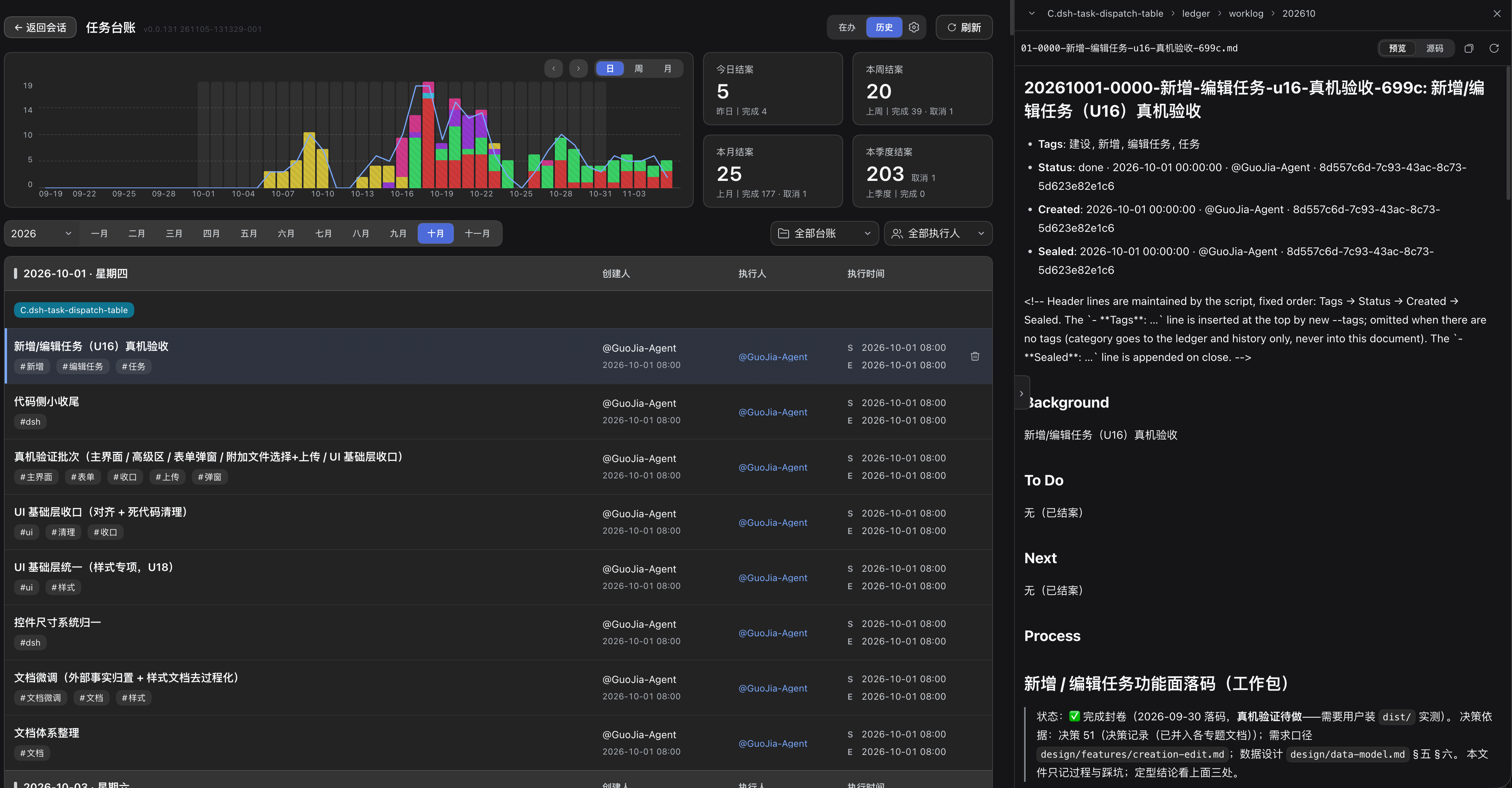
|
|
16
19
|
|
|
17
|
-
|
|
18
|
-
|
|
19
|
-
|
|
20
|
-
| `ledger/owners.json` | 索引:身份 uuid → 分片文件(`name` 只做显示 / 模糊筛) |
|
|
21
|
-
| `ledger/owners/<hash>.json` | 每人一份分片:自己认领的任务 |
|
|
22
|
-
| `ledger/worklog/<年月>/*.md` | 任务正文(六节) |
|
|
23
|
-
| `ledger/history/<年月>.md` | 已结案(一行一条,16 列) |
|
|
20
|
+
## Install
|
|
21
|
+
|
|
22
|
+
### With a skill manager
|
|
24
23
|
|
|
25
|
-
|
|
24
|
+
The [skills CLI](https://skills.sh) (Vercel) detects the agents installed on the machine, writes the skill into the right directory for each, and can update it later:
|
|
26
25
|
|
|
27
|
-
|
|
26
|
+
```bash
|
|
27
|
+
npx skills add https://github.com/cq-guojia/dsh-task-ledger/tree/main/packages/skill
|
|
28
|
+
```
|
|
28
29
|
|
|
29
|
-
|
|
30
|
+
The path is part of the command: this repository is a monorepo holding two copies of the skill, and `packages/skill` selects the source. Add `-g` to install for every project rather than the current one, and `--agent` to restrict the targets.
|
|
30
31
|
|
|
31
|
-
|
|
32
|
+
[SkillHub](https://skillhub.cn) — the market behind CodeBuddy and WorkBuddy — installs a skill once it is listed there. When search does not find `task-ledger`, use the client's local import and point it at `packages/skill`, or add this repository as a GitHub source in the SkillHub desktop application.
|
|
33
|
+
|
|
34
|
+
### Manually
|
|
35
|
+
|
|
36
|
+
Installing means copying the skill directory into the directory your agent reads. Fetch the source once:
|
|
32
37
|
|
|
33
38
|
```bash
|
|
34
|
-
|
|
39
|
+
git clone --depth 1 https://github.com/cq-guojia/dsh-task-ledger.git /tmp/task-ledger-src
|
|
35
40
|
```
|
|
36
41
|
|
|
37
|
-
|
|
42
|
+
Then copy it for the agent you use. User-level paths apply to every project; project-level paths apply to one repository and can be committed, which is how a team shares one skill.
|
|
43
|
+
|
|
44
|
+
| Agent | User-level directory | Command |
|
|
45
|
+
|---|---|---|
|
|
46
|
+
| **Claude Code** | `~/.claude/skills/` | `mkdir -p ~/.claude/skills && cp -R /tmp/task-ledger-src/packages/skill ~/.claude/skills/task-ledger` |
|
|
47
|
+
| **Cursor** | `~/.cursor/skills/` | `mkdir -p ~/.cursor/skills && cp -R /tmp/task-ledger-src/packages/skill ~/.cursor/skills/task-ledger` |
|
|
48
|
+
| **Codex CLI** | `~/.codex/skills/` | `mkdir -p ~/.codex/skills && cp -R /tmp/task-ledger-src/packages/skill ~/.codex/skills/task-ledger` |
|
|
49
|
+
| **CodeBuddy** | `~/.codebuddy/skills/` | `mkdir -p ~/.codebuddy/skills && cp -R /tmp/task-ledger-src/packages/skill ~/.codebuddy/skills/task-ledger` |
|
|
50
|
+
| **WorkBuddy** | `~/.workbuddy/skills/` | `mkdir -p ~/.workbuddy/skills && cp -R /tmp/task-ledger-src/packages/skill ~/.workbuddy/skills/task-ledger` |
|
|
51
|
+
| **Trae** | `~/.trae/skills/` (Trae CN: `~/.trae-cn/skills/`) | `mkdir -p ~/.trae/skills && cp -R /tmp/task-ledger-src/packages/skill ~/.trae/skills/task-ledger` |
|
|
52
|
+
|
|
53
|
+
**Project-level installation.** The same copy works inside a repository: `.claude/skills/`, `.cursor/skills/`, `.codebuddy/skills/`, `.trae/skills/`, or `.agents/skills/` — the cross-agent convention read by Codex and Cursor. Committed alongside the code, it gives every contributor the same instructions.
|
|
54
|
+
|
|
55
|
+
**Doubao Work (豆包工作).** Import the folder from the application: open the sidebar, choose Skills, and import `packages/skill` as a local skill. The application does not document a user-level skills directory, so in-app import is the supported route.
|
|
56
|
+
|
|
57
|
+
**Other agents.** Place the directory under `.agents/skills/task-ledger/`, or wherever the agent scans for `SKILL.md`. Nothing in the package depends on the host: the CLI is a static binary, the content is Markdown.
|
|
58
|
+
|
|
59
|
+
**Windows.** Substitute `%USERPROFILE%\` for `~`. The CLI ships binaries for Linux (amd64), macOS (arm64) and Windows (amd64); the wrapper script selects the right one.
|
|
60
|
+
|
|
61
|
+
## First run
|
|
62
|
+
|
|
63
|
+
Once per machine, initialise the identity that signs every ledger entry. The step is interactive and must be run by you — the agent is not allowed to create or rewrite an identity on your behalf:
|
|
64
|
+
|
|
65
|
+
```bash
|
|
66
|
+
~/.claude/skills/task-ledger/scripts/progress init --new --name "Your Name"
|
|
67
|
+
```
|
|
38
68
|
|
|
39
|
-
|
|
69
|
+
On a second machine, run `init` without arguments and claim the identity already present in the ledger roster, so that both machines write under the same account.
|
|
40
70
|
|
|
41
|
-
|
|
71
|
+
No runtime, package manager or network access is required afterwards.
|
|
42
72
|
|
|
43
|
-
##
|
|
73
|
+
## Using it
|
|
44
74
|
|
|
45
|
-
|
|
75
|
+
There are no commands for you to type. The ledger is driven by what you say to the agent: when a request matches one of the intents below, the agent runs the corresponding operation and records it.
|
|
76
|
+
|
|
77
|
+
| You say | What the agent does | Result |
|
|
78
|
+
|---|---|---|
|
|
79
|
+
| "Open a task: get the release pipeline working" | creates the task with the tags you gave | In the shared pool, state `open`, unclaimed |
|
|
80
|
+
| "Open a task and start on it" | creates and claims it | Owned by you, state `doing` |
|
|
81
|
+
| "I'll take that one" / "continue with X" | claims the task | Moved to your name, state `doing` |
|
|
82
|
+
| *(while working)* | writes the task document, then appends an execution record | Progress, conclusions and blockers on record |
|
|
83
|
+
| "Blocked for now" / "leave it for a while" | records the blocker, leaves the state alone | Still `doing` — a pause is neither a release nor a cancellation |
|
|
84
|
+
| "Hand it back" | releases it | Returns to the shared pool for anyone to claim |
|
|
85
|
+
| "Close this task" | closes it with your summary | One row written to history; read-only afterwards |
|
|
86
|
+
| "Cancel it" | closes it as void, with the reason | Closed, not completed |
|
|
87
|
+
| "Delete it" | asks you to confirm, then deletes | Removed permanently — no undo, no restore |
|
|
88
|
+
| "What should I be doing?" / "what did we close last week?" | lists in-flight tasks, one task, or history | Query only, nothing written |
|
|
89
|
+
|
|
90
|
+
Creating a task requires two inputs: **what the work is** — one sentence, without category or project prefixes — and **what it touches** — one to five tags. A category may be given at creation; it is immutable afterwards.
|
|
91
|
+
|
|
92
|
+
Four rules bind the agent:
|
|
93
|
+
|
|
94
|
+
- It never creates, claims, releases, closes or deletes a task on its own initiative. Each of those needs an explicit instruction from you, and a vague "done" is answered with a question rather than a closure.
|
|
95
|
+
- It never edits state files, the history file or the execution log. Only the task document's first five sections are its to write.
|
|
96
|
+
- It completes the written record before closing: a closed task cannot be written to again.
|
|
97
|
+
- When it cannot find a task for the work at hand, it asks whether to create one instead of registering work you did not ask for.
|
|
98
|
+
|
|
99
|
+
## What gets written
|
|
100
|
+
|
|
101
|
+
```
|
|
102
|
+
ledger/
|
|
103
|
+
├── pool.json unclaimed tasks (shared)
|
|
104
|
+
├── owners.json index: identity → shard file
|
|
105
|
+
├── owners/<hash>.json one shard per person: the tasks they own
|
|
106
|
+
├── worklog/<YYYYMM>/*.md task documents, six fixed sections
|
|
107
|
+
└── history/<YYYYMM>.md closed tasks, one row each
|
|
108
|
+
```
|
|
109
|
+
|
|
110
|
+
State and prose are kept apart: JSON records ownership and state, Markdown records the reasoning. Only the CLI writes state, history and the execution log; the agent writes the first five sections of a task document and nothing else. All timestamps are stored in UTC and rendered in local time.
|
|
111
|
+
|
|
112
|
+
## Commands
|
|
113
|
+
|
|
114
|
+
| Command | Purpose |
|
|
46
115
|
|---|---|
|
|
47
|
-
|
|
|
48
|
-
|
|
|
49
|
-
|
|
|
116
|
+
| `init` | Initialise or claim the machine identity (once per machine) |
|
|
117
|
+
| `new` | Create a task |
|
|
118
|
+
| `claim` | Take ownership of a task |
|
|
119
|
+
| `set` | Change state, owner, tags or notes |
|
|
120
|
+
| `log` | Append an execution record to a task document |
|
|
121
|
+
| `close` | Close a task and write its history row |
|
|
122
|
+
| `delete` | Delete a task created in error |
|
|
123
|
+
| `list` | List in-flight tasks |
|
|
124
|
+
| `show` | Show one task |
|
|
125
|
+
| `history` | List closed tasks |
|
|
126
|
+
| `stats` | Aggregate counters and trend |
|
|
127
|
+
| `owners` | List known identities |
|
|
128
|
+
| `root` | Detect whether a directory holds a ledger |
|
|
129
|
+
| `whoami` | Show the current identity |
|
|
130
|
+
| `validate` | Check ledger consistency |
|
|
131
|
+
|
|
132
|
+
Run `scripts/progress <command> --help` for parameters. The agent-facing workflow lives in `SKILL.md`.
|
|
133
|
+
|
|
134
|
+
## Multiple users
|
|
135
|
+
|
|
136
|
+
Ownership is sharded: each person's tasks live in their own file, so two people advancing two tasks never touch the same file. Git merges the shards, the worklog documents and the history file. Where two people edit the same task document, the conflict is confined to that one file.
|
|
137
|
+
|
|
138
|
+
## Links
|
|
139
|
+
|
|
140
|
+
- Repository and full documentation: <https://github.com/cq-guojia/dsh-task-ledger>
|
|
141
|
+
- The dsh plugin, which bundles this skill with a board UI: [`dsh-task-ledger`](https://www.npmjs.com/package/dsh-task-ledger)
|
|
50
142
|
|
|
51
|
-
##
|
|
143
|
+
## Licence
|
|
52
144
|
|
|
53
|
-
|
|
145
|
+
MIT
|
package/skill/SKILL.md
CHANGED
|
@@ -34,7 +34,7 @@ allowed-tools: Read,Edit,Bash,Grep
|
|
|
34
34
|
| `--claim <uuid>` | 认领名册里已有的 uuid(名字一起复制) |
|
|
35
35
|
| `--new --name "…"` | 新建身份:生成 uuid + 名字 |
|
|
36
36
|
|
|
37
|
-
干什么:写本机身份文件(`~/.taskledger/identity.json`),**一台机器只一次**,与台账无关。真终端里裸跑 `init` 是交互式选择框(↑/↓ 选、Enter 认领、末尾「+
|
|
37
|
+
干什么:写本机身份文件(`~/.taskledger/identity.json`),**一台机器只一次**,与台账无关。真终端里裸跑 `init` 是交互式选择框(↑/↓ 选、Enter 认领、末尾「+ 新建身份」输名字),非终端(agent)下裸跑 `init` 只报名单,任何写操作都被脚本拒绝(Agent 不得代写/重建)。没身份时怎么引导用户,见 `references/init-identity.md`。
|
|
38
38
|
|
|
39
39
|
### new — 建任务
|
|
40
40
|
|
|
@@ -333,7 +333,7 @@ allowed-tools: Read,Edit,Bash,Grep
|
|
|
333
333
|
|
|
334
334
|
**触发判据(只认退出码 100)**:命令**退出码为 `100`**。只读命令(`list` / `show` / `history` / `validate`)未初始化时同样退 100,是设计如此,不是台账坏了;**`owners` 是唯一例外** —— 读名册不需要身份,未初始化也照常输出(要列候选人或看花名册,直接跑它,别当成没身份)。此时 stderr 仍是那句固定的话,但那是**给人看的说明,不作判据**。
|
|
335
335
|
|
|
336
|
-
**触发后 ⇒ 停下,它是当前的主任务**(不适用「故障处置」里「不挡主任务」的通则,等用户 `init` 完再重跑原命令)。身份是用户自己的,不是你的决定:不替用户选、不读 `ledger/*.json`
|
|
336
|
+
**触发后 ⇒ 停下,它是当前的主任务**(不适用「故障处置」里「不挡主任务」的通则,等用户 `init` 完再重跑原命令)。身份是用户自己的,不是你的决定:不替用户选、不读 `ledger/*.json` 兜底、未初始化时不写任何东西。具体怎么做、给用户说什么话,一律见 `references/init-identity.md`(唯一真源),这里不重复。
|
|
337
337
|
|
|
338
338
|
## 任务生命周期
|
|
339
339
|
|
package/skill/package.json
CHANGED
|
@@ -1,6 +1,6 @@
|
|
|
1
1
|
{
|
|
2
2
|
"name": "task-ledger",
|
|
3
|
-
"version": "1.3.
|
|
3
|
+
"version": "1.3.54",
|
|
4
4
|
"description": "Task-ledger skill for coding agents: per-workspace progress tracking (ledger/pool.json + owners/<hash>.json shards + owners.json index, history, worklog) driven by a CLI script. Standalone install for CodeBuddy and other agents; also bundled inside the dsh-task-ledger DSH plugin.",
|
|
5
5
|
"keywords": [
|
|
6
6
|
"skill",
|
|
@@ -2,33 +2,14 @@
|
|
|
2
2
|
|
|
3
3
|
触发:任何命令**退出码为 100**。身份是用户自己的,**不是你的决定**。
|
|
4
4
|
|
|
5
|
-
|
|
5
|
+
> **路径约定**:下文 `<SKILL 目录>` = 本 skill 的安装目录(即你正在读的这份 `SKILL.md` 所在目录)。**交给用户前必须替换成真实绝对路径**,不要原样把 `<SKILL 目录>` 这几个字留给用户。
|
|
6
6
|
|
|
7
|
-
|
|
7
|
+
## 给用户的话(照原样转述;但先把 `<SKILL 目录>` 换成真实绝对路径)
|
|
8
8
|
|
|
9
|
-
|
|
9
|
+
> 这台机器还没有身份。在终端运行 `<SKILL 目录>/scripts/progress init` 进入初始化引导(交互式选 / 建身份);或打开看板「设置 → 创建身份」直接建立用户。
|
|
10
10
|
|
|
11
|
-
|
|
11
|
+
## 你的硬约束(你读,用户不看)
|
|
12
12
|
|
|
13
|
-
|
|
14
|
-
|
|
15
|
-
|
|
16
|
-
|
|
17
|
-
2. 把名册给用户选,并把这**同一条命令**交给用户在 ta 自己的终端跑(真终端里它自己会变成 ↑/↓ 选择框:↑/↓ 移动、Enter 确认、末尾「+ 新建身份」输入名字、最后 Y/N 确认;**选择框、输入名字、Y/N 确认三处都有灰色帮助行**(写着这步怎么走);名字**可以直接写中文**;ESC 统一是**回上一步**:输入名字那步按 ESC 回选择菜单,Y/N 那步按 ESC 回选择菜单,只有选择框那步按 ESC 才是直接退出初始化;**哪一步退出,屏幕上自己画的那几行都会被抹掉**,不留半截输入、不留一摞提示行):
|
|
18
|
-
- 名册有内容 ⇒「名册现有:@A(uuid)、@B(uuid)。请在你的终端运行上面这条,它会让你选。」
|
|
19
|
-
- 名册为空 ⇒「名册为空。请在你的终端运行上面这条,输入一个用户名新建。」
|
|
20
|
-
|
|
21
|
-
**格式只有这一套**:一条命令只出现一次,步骤只编一套号。**不许**出现「1. 报名单…」「1. 请运行…」这种两个都从 1 开始的列表,也不许把同一件事拆成两套方案各编一遍。
|
|
22
|
-
|
|
23
|
-
3. 用户说「好了」后,重跑原命令。用户没跑完就等着,不要替 ta 写。
|
|
24
|
-
|
|
25
|
-
**每次进这个分支都照这套走**:用户上一次关掉选择框、说过「算了」或取消了,**不算**以后不用问;下次照样走同一套呈现,不要退化成纯文字、也不要跳过这一步。
|
|
26
|
-
|
|
27
|
-
## 硬规则
|
|
28
|
-
|
|
29
|
-
- **给用户的命令必须原样保留绝对路径**(`<本 SKILL.md 所在目录>/scripts/progress init --repo <工作区根>`):用户机器的 PATH 里没有 `progress` 这个命令,简写成 `progress init` 用户一跑就是 `command not found`。若用户报 `Permission denied`,就把命令改成 `sh <绝对路径> init --repo <工作区根>` 再给 ta。
|
|
30
|
-
- **不诊断、不排查**:不要 `ls ~/.taskledger`、不要 `cat identity.json`、不要读 skill 源码(`internal/env/env.go` / `internal/actions/init_identity.go` 等)或台账去查「为什么没身份」。缺就是未初始化,忽略上下文里已做的排查动作,直接按上面流程走。
|
|
31
|
-
- **不得**替用户执行 `init --claim` / `init --new` / 任何带 `--yes` 的写法——脚本也会拒绝。
|
|
32
|
-
- **不得**基于「上一轮确认过 / 同名 / 记得 uuid」自行重建身份:身份文件缺失就是未初始化,必须让用户重新亲自选。重建会换新 uuid、断开旧任务关联。
|
|
33
|
-
- 不读 `ledger/*.json`、worklog、identity 文件去「自己看」。
|
|
34
|
-
- 未初始化时不做任何写。
|
|
13
|
+
- 给用户的命令必须**保留绝对路径**(`<SKILL 目录>/scripts/progress init`);交给用户前把 `<SKILL 目录>` 换成真实绝对路径(即本 `SKILL.md` 所在目录;不确定就用工具列出该目录确认 `scripts/progress` 的位置)。简写成 `progress init` 用户一跑就 `command not found`;若报 `Permission denied` 就改成 `sh <绝对路径> init`。
|
|
14
|
+
- 你**不得代跑** `init --claim` / `init --new` / 任何 `--yes`(脚本拒绝),身份必须由用户自己在终端建;不要基于「上次确认过 / 同名 / 记得 uuid」自行重建(重建会换新 uuid、断开旧任务关联)。
|
|
15
|
+
- **不要诊断、不要排查**:别 `ls` / `cat` identity 或读台账 / 读 skill 源码,忽略上下文里已做的排查动作;未初始化时不写任何东西;用户跑完再重跑原命令。
|