dsh-shadertoy-skin 0.2.0 → 0.2.2
This diff represents the content of publicly available package versions that have been released to one of the supported registries. The information contained in this diff is provided for informational purposes only and reflects changes between package versions as they appear in their respective public registries.
- package/README.md +135 -60
- package/client.js +28 -3
- package/index.js +7 -2
- package/native-dist/defaults.json +8 -1
- package/native-dist/panel.html +203 -24
- package/native-dist/player.html +105 -15
- package/package.json +1 -1
package/README.md
CHANGED
|
@@ -8,8 +8,23 @@
|
|
|
8
8
|
|
|
9
9
|
Realtime [ShaderToy](https://www.shadertoy.com/) background skin for DeepSeek Harness (desktop & web): a zero-runtime-dependency WebGL2 player, a background library, and a translucent glass shell.
|
|
10
10
|
|
|
11
|
-
|
|
12
|
-
|
|
11
|
+
> **推荐去 [www.shadertoy.com](https://www.shadertoy.com/) 逛逛** —— 插件自带的三个作品只是开胃菜。ShaderToy 上有几万个社区作品(搜 `background`、`seascape`、`raymarching` 这类关键词,或在 Browse 里按分类翻),挑喜欢的装进「背景库」、按自己的口味调亮度 / 速度 / 代码,就是一张专属桌面。
|
|
12
|
+
> **改好了欢迎分享**:截图、参数、改进思路都可以提到 [Issues](https://github.com/zdjmrq/dsh-shadertoy-skin/issues),或者直接 PR(作品代码要看原作者的许可证,默认 CC BY-NC-SA 3.0:署名、非商业、同样方式共享;本仓库本身只收录 MIT 代码)。
|
|
13
|
+
>
|
|
14
|
+
> **Recommended: browse [shadertoy.com](https://www.shadertoy.com/)** — import any piece into the background library, tune it to your taste, and feel free to share screenshots, settings or improvements via Issues / PRs.
|
|
15
|
+
|
|
16
|
+
https://github.com/user-attachments/assets/c8801ca1-e96e-4bfe-83bc-6e99b5551cf4
|
|
17
|
+
|
|
18
|
+
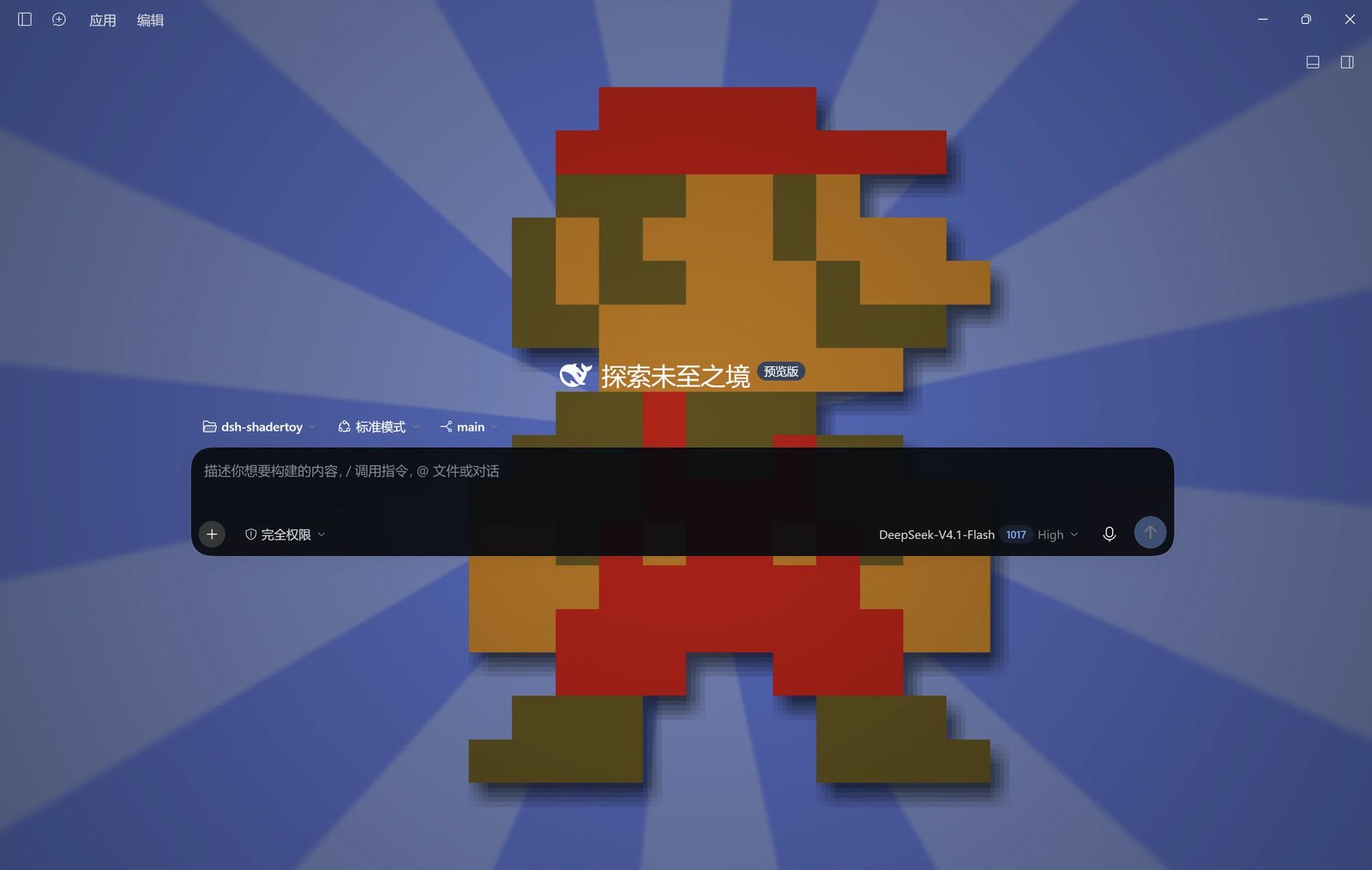
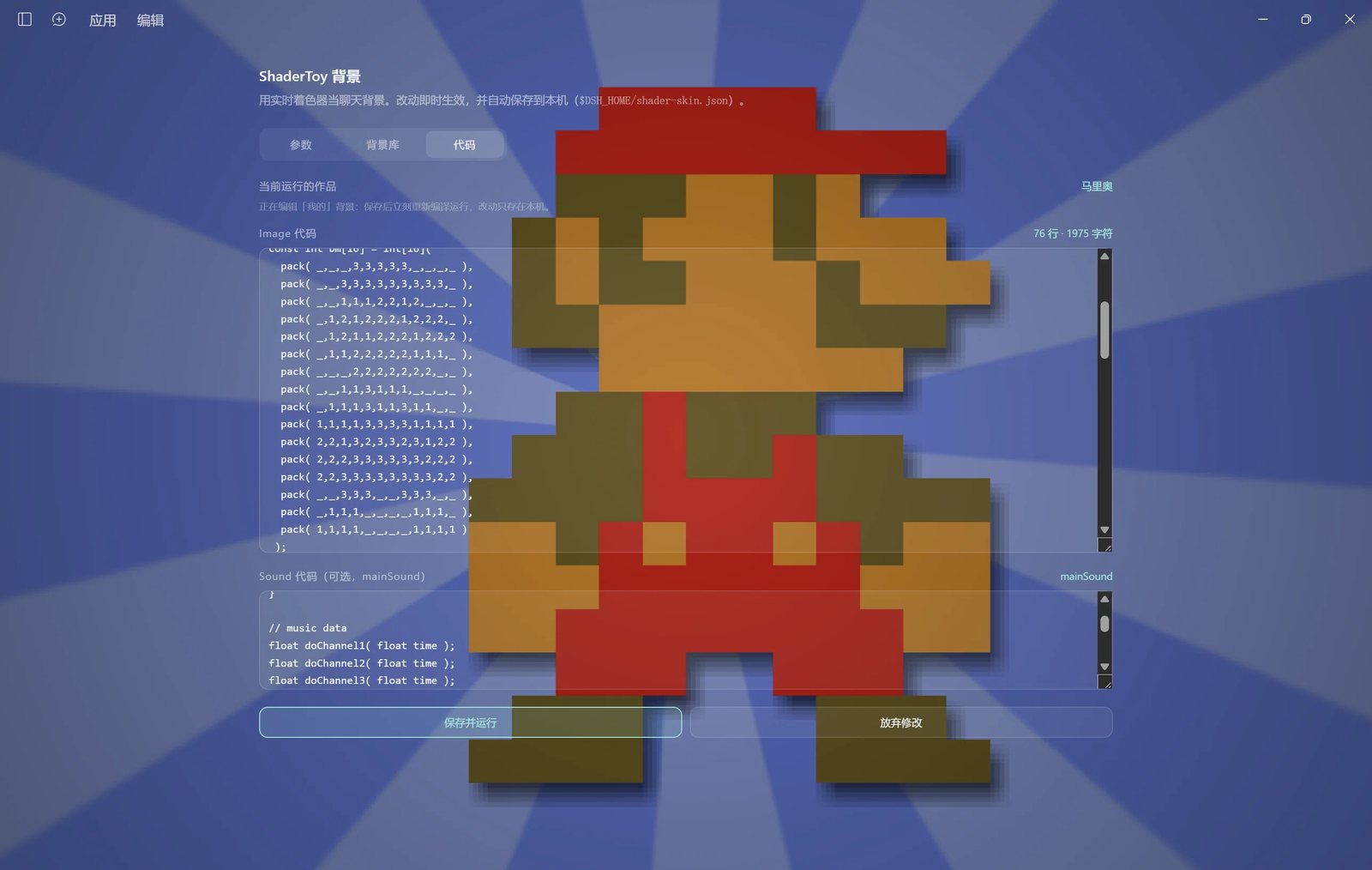
*演示 1 · 像素马里奥:静态画 + 一首歌 —— 音乐「只播一次」,放完画面常驻*
|
|
19
|
+
|
|
20
|
+
https://github.com/user-attachments/assets/001acdf6-90e2-4b2c-85fc-e9d076678597
|
|
21
|
+
|
|
22
|
+
*演示 2 · [Seascape](https://www.shadertoy.com/view/Ms2SD1)(© TDM,CC BY-NC-SA 3.0)的个人修改版:摄像机抬到近地轨道,只留海面*
|
|
23
|
+
|
|
24
|
+
|
|
25
|
+
|
|
26
|
+
|
|
27
|
+
> 视频与截图里的 ShaderToy 作品版权归原作者:像素马里奥(作者见对应作品页)、Seascape(© TDM,CC BY-NC-SA 3.0)。**视频与截图仅作效果展示**,本仓库代码仍是 MIT,且不收录这些作品代码。
|
|
13
28
|
|
|
14
29
|
## 名字 / 包名(认准这两个)
|
|
15
30
|
|
|
@@ -24,6 +39,85 @@ npm 包名**没有 scope、也不带作者用户名**:不是 `@zdjmrq/dsh-shad
|
|
|
24
39
|
npm view dsh-shadertoy-skin version # 确认 npm 上真实存在的版本
|
|
25
40
|
```
|
|
26
41
|
|
|
42
|
+
## 从 ShaderToy 装一个作品
|
|
43
|
+
|
|
44
|
+
插件自带三个 MIT 自写着色器,但真正好玩的是把你喜欢的 ShaderToy 作品装进来。**三种做法,任选一种:**
|
|
45
|
+
|
|
46
|
+
> **推荐一试**:[`shadertoy.com/view/4dfXWj`](https://www.shadertoy.com/view/4dfXWj) —— 装进来效果挺带感,导入方式见下面任意一种。
|
|
47
|
+
> 这只是个起点:**大家完全可以根据自己的喜好随便挑别的作品,也可以自己写着色器**(写好了走同样的导入流程)。ShaderToy 作品的许可证由原作者决定(默认 CC BY-NC-SA 3.0),装在本机自己玩没问题,但别把作品代码提交进仓库或随包再分发。
|
|
48
|
+
|
|
49
|
+
### 1. 粘贴代码(最稳,不用抓网页)
|
|
50
|
+
|
|
51
|
+
1. 打开作品页 `https://www.shadertoy.com/view/xxxxxxxx`,右上角 **Shader** 页签;
|
|
52
|
+
2. 全选 `Image` 页签里的代码(如果作品用了 `Common`,把 Common 里的函数一起复制到开头;用了 Buffer 的作品暂不支持);
|
|
53
|
+
3. 回到插件设置页 → **背景库** → 「粘贴 ShaderToy 代码」→ 填名字 → 粘进 `Image 代码` → **加入背景库**;
|
|
54
|
+
4. 列表里点 **使用** 即可,参数会即时生效。
|
|
55
|
+
|
|
56
|
+
带声音的作品(代码里有 `mainSound`)把声音代码粘进 `Sound 代码`,切到它时会出声。声音签名支持这四种:
|
|
57
|
+
|
|
58
|
+
```glsl
|
|
59
|
+
vec2 mainSound(float time) // 立体声
|
|
60
|
+
float mainSound(float time) // 单声道(自动复制到左右)
|
|
61
|
+
vec2 mainSound(int samp, float time) // 带采样序号
|
|
62
|
+
float mainSound(int samp, float time) // 单声道 + 采样序号
|
|
63
|
+
```
|
|
64
|
+
|
|
65
|
+
如果出声被浏览器拦住,点一下界面任意位置即可解锁(面板音量那一行也会提示)。
|
|
66
|
+
|
|
67
|
+
### 2. 让 AI 帮你装(一条指令,把网址填进去就行)
|
|
68
|
+
|
|
69
|
+
复制下面这段,把第一行的网址换成你要的作品链接,发给 DeepSeek Harness(或任何能操作文件的 AI):
|
|
70
|
+
|
|
71
|
+
```text
|
|
72
|
+
帮我给 DeepSeek Harness 装一个 ShaderToy 背景皮肤。
|
|
73
|
+
|
|
74
|
+
插件:dsh-shadertoy-skin(npm 包名就是 dsh-shadertoy-skin,GitHub: https://github.com/zdjmrq/dsh-shadertoy-skin)
|
|
75
|
+
如果还没装:桌面版走「插件 → 添加插件 → 填 dsh-shadertoy-skin → 装完完全退出并重启客户端」;命令行用 dsh plugin --profile desktop add dsh-shadertoy-skin。
|
|
76
|
+
|
|
77
|
+
要装的作品链接:<把你复制的 https://www.shadertoy.com/view/xxxxxxxx 粘在这里>
|
|
78
|
+
|
|
79
|
+
做法:
|
|
80
|
+
1. 打开上面的链接,拿到 Image pass 的 GLSL(若用了 Common,把 Common 的函数一起带上),以及可选的 mainSound。
|
|
81
|
+
2. 打开插件设置页(左栏「Shader 背景」)→ 背景库 → 「粘贴 ShaderToy 代码」:名字用作品名,Image 粘主代码,Sound 可空。
|
|
82
|
+
3. 导入后把它设为当前背景,确认背景真的渲染出来(不是黑屏、不是编译报错);若报编译错误,按错误行号修好再试。
|
|
83
|
+
4. 如果页面抓不到代码(反爬/需要登录/只给 WebGL 不给源码),直接让我手动复制粘贴,不要猜代码。
|
|
84
|
+
5. 该作品的许可由原作者决定(ShaderToy 默认 CC BY-NC-SA 3.0):只装在本机,不要提交进 git、不要随包发布。
|
|
85
|
+
|
|
86
|
+
装好后告诉我:装的是哪个作品、是否带声音、需不需要我调亮度/玻璃。
|
|
87
|
+
```
|
|
88
|
+
|
|
89
|
+
> AI 抓不到 ShaderToy 页面时(它经常挡爬虫),就走上面第 1 种的「手动粘贴」——一样能装好,而且不会有许可证问题。
|
|
90
|
+
|
|
91
|
+
### 3. 从本地目录导入(批量最方便)
|
|
92
|
+
|
|
93
|
+
把 `ShaderToy 导出的 JSON`、或直接是 `.glsl` / `.txt` 的代码文件放进:
|
|
94
|
+
|
|
95
|
+
```
|
|
96
|
+
$DSH_HOME/shader-skin/presets/ (Windows 默认 C:\Users\<你>\.dsh\shader-skin\presets\)
|
|
97
|
+
```
|
|
98
|
+
|
|
99
|
+
设置页 → 背景库 → 「从本地目录导入」→ 点 **导入**。这个目录不进包、不进 git。
|
|
100
|
+
|
|
101
|
+
## 参数与默认值
|
|
102
|
+
|
|
103
|
+
默认值集中在 [`native-dist/defaults.json`](native-dist/defaults.json),面板读它来渲染选项与「恢复默认」,Host 用它做兜底——**改一个文件就能改默认值**。
|
|
104
|
+
|
|
105
|
+
| 参数 | 默认 | 可选 | 说明 |
|
|
106
|
+
|---|---|---|---|
|
|
107
|
+
| `enabled` | `true` | 开/关 | 关掉只移除背景层,设置页仍在 |
|
|
108
|
+
| `glass` | `60` (%) | 20–95 | 玻璃不透明度:界面压住背景的程度。越高文字越清晰、背景越淡;越低背景越透亮 |
|
|
109
|
+
| `brightness` | `100` (%) | 30–180 | 背景亮度(着色器输出乘数)。黄昏、夜景类作品看着太暗就调高 |
|
|
110
|
+
| `panels` | `opaque` | opaque / half / clear | 卡片、代码块、弹层、**聊天输入框**、编辑器表面的底色:不透明 / 半透明 / 透明。想让背景从框里透出来就调它 |
|
|
111
|
+
| `blur` | `0` px | 0–12 | 只在 > 0 时启用 CSS `filter` |
|
|
112
|
+
| `scale` | `1`× | 0.25 / 0.35 / 0.4 / 0.5 / 0.6 / 0.75 / 1 / 1.25 / 1.5 / 1.75 / 2 | 渲染分辨率倍率(DPR 上限 1.5)。下拉里**直接写实际分辨率**,例如 `1280 × 810(1×)`、`320 × 203(0.25×)`,窗口变大后这些数字会跟着刷新;显卡弱/想省电选 0.25–0.5×,追求锐利选 1.5–2× |
|
|
113
|
+
| `fps` | `30` | 15 / 20 / 30 / 60 | 渲染帧率上限;聊天时 30 足够 |
|
|
114
|
+
| `speed` | `1`× | 0–2 | 时间轴倍速 |
|
|
115
|
+
| `loop` / `loopSeconds` | `false` / `20` s | 开/关 · 5–120 s | **画面循环**:有的作品播一次就不动了,打开后每个周期把 `iTime` 归零重播(只重置画面,不影响声音)。带淡入淡出的作品(如马里奥)每轮会重新淡入,这是作品本身的效果 |
|
|
116
|
+
| `audioMode` / `audioSeconds` | `loop` / `60` s | loop / once · 10–600 s | **音乐播放方式**:ShaderToy 的曲子是有长度的(播完就静音),所以 `loop` = 每到「音乐时长」就把音乐时间轴归零重放(接缝有 40 ms 淡入淡出);`once` = 放完「音乐时长」就停、**画面继续常驻**(马里奥这种静态图 + 一首歌正合适) |
|
|
117
|
+
| `volume` / `muted` | `60` / `false` | 0–100 / 开/关 | 带 `mainSound` 的作品默认出声;浏览器可能拦截自动播放,点一下界面任意位置即可解锁 |
|
|
118
|
+
|
|
119
|
+
> 两个滑块的分工:**玻璃不透明度**控制「界面压暗多少」,**背景亮度**控制「画面本身多亮」。前者影响可读性,后者只影响画面。背景看着黑,先加亮度;文字看着花,再加玻璃。
|
|
120
|
+
|
|
27
121
|
## 状态
|
|
28
122
|
|
|
29
123
|
渲染器、插件骨架、设置页、背景库、音频都已完成,剩下的是增强项:
|
|
@@ -34,11 +128,15 @@ npm view dsh-shadertoy-skin version # 确认 npm 上真实存在的版本
|
|
|
34
128
|
- [x] Client 半:把播放器挂成 body 首子节点、转发 iMouse / 主题 / 可见性,全部资源走 `ctx.effect` 清理
|
|
35
129
|
- [x] 玻璃壳:外壳表面(AppFrame / 侧栏 / 页面容器)全透明,**暗色滤镜只由播放器画一层**(`tintMix`),不再靠多层半透明 token 叠出来(叠 N 层会把背景压到几乎全黑,旧版就栽在这)
|
|
36
130
|
- [x] 设置页:**左栏一行「Shader 背景」→ 主区域整页**(不是弹窗),带页头、参数 / 背景库 / 代码三个页签
|
|
37
|
-
- [x]
|
|
131
|
+
- [x] **参数**:启用、作品切换、玻璃不透明度、背景亮度、卡片透明度、模糊、分辨率、帧率、速度、**画面循环**、**音乐只播一次**、音量/静音、本背景恢复默认
|
|
132
|
+
- [x] **音乐只播一次**:放完设定时长就停,画面继续常驻(适合马里奥这种静态图 + 一首歌);`loop` 则是按「音乐时长」把音乐时间轴归零重放,有限长度的曲子也能一直循环
|
|
133
|
+
- [x] **画面循环**:有些作品播一次就停住,可设周期把 `iTime` 归零重播(只重置画面)
|
|
134
|
+
- [x] 设置页配色改用 **DSH 品牌蓝**(亮色 `#3568dc` / 暗色 `#7aaaff`),小字号数值也清楚
|
|
38
135
|
- [x] **背景库**:内置 + 我的背景列表、切换、改名、删除;粘贴代码导入、文件导入(ShaderToy JSON / GLSL)、从 `$DSH_HOME/shader-skin/presets/` 导入
|
|
39
136
|
- [x] **代码页**:查看当前运行作品的 Image / Sound 源码,直接改 → **保存并运行**(内置作品会自动另存为「我的副本」,原件不动;编辑器里 Ctrl/⌘+S 同样保存)
|
|
40
137
|
- [x] **iMouse 只在「按住左键 + 从空白处开始拖动」时驱动**:点按钮、拖滚动条、选中/复制回复文字都不会再带动背景;松手发一次释放(`iMouse.z < 0`)
|
|
41
|
-
- [x] **卡片透明度三档**(不透明 / 半透明 /
|
|
138
|
+
- [x] **卡片透明度三档**(不透明 / 半透明 / 透明):控制卡片、代码块、弹层、输入框、聊天输入栏的底色,让背景能透进这些「框」里
|
|
139
|
+
- [x] **AI 回复里的「白块」也跟着透**:改动文件头、交付物卡片、markdown 代码块、行内代码、消息气泡原本直接读静态中性色(亮色下是不透明白),现在跟 `panels` 同档 alpha —— 亮色主题下不会再出现「别的卡片都透、就这几块死白」
|
|
42
140
|
- [x] **每背景独立参数**(`overrides`)
|
|
43
141
|
- [x] **`mainSound` 音频**:4096 采样块 → `readPixels` → WebAudio 前瞻调度 + Gain/限幅,音量与静音实时生效
|
|
44
142
|
- [x] **音频签名全兼容**:ShaderToy 音频 pass 的四种写法都接受 —— `vec2`/`float` 返回值 × `(float time)`/`(int samp, float time)` 参数(单声道自动复制到左右;`samp` 传绝对采样序号)
|
|
@@ -48,24 +146,6 @@ npm view dsh-shadertoy-skin version # 确认 npm 上真实存在的版本
|
|
|
48
146
|
- [x] **启动自愈**:桌面端 client 插件行与服务是并发激活的,首次启动时 `theme`/`slots` 可能还没就绪(旧版因此「重启后要手动关开一次插件」)。现在服务现取 + 启动后 10 秒内多次自检(背景层缺失就重建、token 被重置就重设、播放器没 `ready` 就重发 init、侧栏没注册上就补注册),**装好重启即生效**
|
|
49
147
|
- [ ] 多 pass(Buffer A–D)、音频可视化回馈、兼容性静态体检
|
|
50
148
|
|
|
51
|
-
## 参数与默认值
|
|
52
|
-
|
|
53
|
-
默认值集中在 [`native-dist/defaults.json`](native-dist/defaults.json),面板读它来渲染选项与「恢复默认」,Host 用它做兜底——**改一个文件就能改默认值**。
|
|
54
|
-
|
|
55
|
-
| 参数 | 默认 | 可选 | 说明 |
|
|
56
|
-
|---|---|---|---|
|
|
57
|
-
| `enabled` | `true` | 开/关 | 关掉只移除背景层,设置页仍在 |
|
|
58
|
-
| `glass` | `60` (%) | 20–95 | 玻璃不透明度:界面压住背景的程度。越高文字越清晰、背景越淡;越低背景越透亮 |
|
|
59
|
-
| `brightness` | `100` (%) | 30–180 | 背景亮度(着色器输出乘数)。黄昏、夜景类作品看着太暗就调高 |
|
|
60
|
-
| `panels` | `opaque` | opaque / half / clear | 卡片、代码块、弹层、输入框的底色:不透明 / 半透明 / 透明。想让背景从框里透出来就调它 |
|
|
61
|
-
| `blur` | `0` px | 0–12 | 只在 > 0 时启用 CSS `filter` |
|
|
62
|
-
| `scale` | `1`× | 0.5 / 0.75 / 1 / 1.25 / 1.5 | 渲染分辨率倍率(DPR 上限 1.5) |
|
|
63
|
-
| `fps` | `30` | 15 / 20 / 30 / 60 | 渲染帧率上限;聊天时 30 足够 |
|
|
64
|
-
| `speed` | `1`× | 0–2 | 时间轴倍速 |
|
|
65
|
-
| `volume` / `muted` | `60` / `false` | 0–100 / 开/关 | 带 `mainSound` 的作品默认出声;浏览器可能拦截自动播放,面板会给「开声音」 |
|
|
66
|
-
|
|
67
|
-
> 两个滑块的分工:**玻璃不透明度**控制「界面压暗多少」,**背景亮度**控制「画面本身多亮」。前者影响可读性,后者只影响画面。背景看着黑,先加亮度;文字看着花,再加玻璃。
|
|
68
|
-
|
|
69
149
|
## 要求
|
|
70
150
|
|
|
71
151
|
- DeepSeek Harness **0.2.x**(桌面版或 `dsh web`)
|
|
@@ -83,65 +163,59 @@ dsh plugin --profile desktop add dsh-shadertoy-skin
|
|
|
83
163
|
dsh plugin --profile desktop add github:zdjmrq/dsh-shadertoy-skin#main
|
|
84
164
|
```
|
|
85
165
|
|
|
86
|
-
|
|
87
|
-
|
|
88
|
-
**开发期的安全阀**:如果界面出现卡死等异常,新建一个空文件 `$DSH_HOME/shader-skin.safe` 再刷新页面——客户端会跳过侧边栏入口与整页设置(只保留背景层),界面立刻可用;删掉该文件再重启即恢复。
|
|
166
|
+
**Web 版(`dsh web`)**:把 `--profile desktop` 换成 `--profile web`,装完重启 `dsh web` 再刷新页面:
|
|
89
167
|
|
|
90
|
-
|
|
168
|
+
```sh
|
|
169
|
+
dsh plugin --profile web add dsh-shadertoy-skin
|
|
170
|
+
```
|
|
91
171
|
|
|
92
|
-
|
|
172
|
+
安装后左侧栏会多一行 **「Shader 背景」**,点开在主区域就是整页设置(参数 / 背景库);默认背景是「极光」。升级到新版看下面「[更新](#更新)」。
|
|
93
173
|
|
|
94
|
-
|
|
174
|
+
**开发期的安全阀**:如果界面出现卡死等异常,新建一个空文件 `$DSH_HOME/shader-skin.safe` 再刷新页面——客户端会跳过侧边栏入口与整页设置(只保留背景层),界面立刻可用;删掉该文件再重启即恢复。
|
|
95
175
|
|
|
96
|
-
|
|
97
|
-
2. 全选 `Image` 页签里的代码(如果作品用了 `Common`,把 Common 里的函数一起复制到开头;用了 Buffer 的作品暂不支持);
|
|
98
|
-
3. 回到插件设置页 → **背景库** → 「粘贴 ShaderToy 代码」→ 填名字 → 粘进 `Image 代码` → **加入背景库**;
|
|
99
|
-
4. 列表里点 **使用** 即可,参数会即时生效。
|
|
176
|
+
## 更新
|
|
100
177
|
|
|
101
|
-
|
|
178
|
+
先确认 npm 上的最新版本(也可以在 DSH 侧栏「插件」里看已安装版本):
|
|
102
179
|
|
|
103
|
-
```
|
|
104
|
-
|
|
105
|
-
float mainSound(float time) // 单声道(自动复制到左右)
|
|
106
|
-
vec2 mainSound(int samp, float time) // 带采样序号
|
|
107
|
-
float mainSound(int samp, float time) // 单声道 + 采样序号
|
|
180
|
+
```sh
|
|
181
|
+
npm view dsh-shadertoy-skin version
|
|
108
182
|
```
|
|
109
183
|
|
|
110
|
-
|
|
184
|
+
### 桌面版(DeepSeek Harness 客户端)
|
|
111
185
|
|
|
112
|
-
|
|
186
|
+
1. **完全退出客户端**(关窗口不算,要退出进程;插件命令会锁 profile);
|
|
187
|
+
2. 任意终端执行(`@latest` 才会跨小版本升级):
|
|
113
188
|
|
|
114
|
-
|
|
189
|
+
```sh
|
|
190
|
+
dsh plugin --profile desktop add dsh-shadertoy-skin@latest
|
|
191
|
+
```
|
|
115
192
|
|
|
116
|
-
|
|
117
|
-
帮我给 DeepSeek Harness 装一个 ShaderToy 背景皮肤。
|
|
193
|
+
3. 重新打开客户端 —— 左栏「Shader 背景」和整页设置就是新版。
|
|
118
194
|
|
|
119
|
-
|
|
120
|
-
|
|
195
|
+
> 不习惯命令行:侧栏「插件」→「已安装」→ 卸载 `dsh-shadertoy-skin` → 再「添加插件」填一次包名 → **完全退出并重启**。DSH 插件管理器对第三方插件只提供卸载 / 安装,没有「更新」按钮。
|
|
196
|
+
>
|
|
197
|
+
> 本地背景库、参数、代码页改过的作品都在 `$DSH_HOME/shader-skin.json`,重装/升级**不会丢**。
|
|
121
198
|
|
|
122
|
-
|
|
199
|
+
### Web 版(`dsh web`)
|
|
123
200
|
|
|
124
|
-
|
|
125
|
-
1. 打开上面的链接,拿到 Image pass 的 GLSL(若用了 Common,把 Common 的函数一起带上),以及可选的 mainSound。
|
|
126
|
-
2. 打开插件设置页(左栏「Shader 背景」)→ 背景库 → 「粘贴 ShaderToy 代码」:名字用作品名,Image 粘主代码,Sound 可空。
|
|
127
|
-
3. 导入后把它设为当前背景,确认背景真的渲染出来(不是黑屏、不是编译报错);若报编译错误,按错误行号修好再试。
|
|
128
|
-
4. 如果页面抓不到代码(反爬/需要登录/只给 WebGL 不给源码),直接让我手动复制粘贴,不要猜代码。
|
|
129
|
-
5. 该作品的许可由原作者决定(ShaderToy 默认 CC BY-NC-SA 3.0):只装在本机,不要提交进 git、不要随包发布。
|
|
201
|
+
`dsh web` 用的是 **`web` profile**(等价于 `dsh --profile web`),和桌面版的 `desktop` profile 是**两套独立依赖**,更新命令也不同:
|
|
130
202
|
|
|
131
|
-
|
|
203
|
+
```sh
|
|
204
|
+
dsh plugin --profile web add dsh-shadertoy-skin@latest
|
|
132
205
|
```
|
|
133
206
|
|
|
134
|
-
|
|
207
|
+
然后在跑 `dsh web` 的终端里 `Ctrl+C` 停掉、重新 `dsh web`,再刷新浏览器页面(Web 版的 client 插件在页面加载时注入,**重启服务 + 刷新页面**才完整生效)。
|
|
135
208
|
|
|
136
|
-
|
|
209
|
+
| 你用的 | profile | 更新命令 |
|
|
210
|
+
|---|---|---|
|
|
211
|
+
| 桌面客户端 | `desktop` | `dsh plugin --profile desktop add dsh-shadertoy-skin@latest` |
|
|
212
|
+
| `dsh web` | `web` | `dsh plugin --profile web add dsh-shadertoy-skin@latest` |
|
|
137
213
|
|
|
138
|
-
|
|
214
|
+
两个 profile 别弄混:桌面客户端只读 `~/.dsh/profiles/desktop`,`dsh web` 只读 `~/.dsh/profiles/web`;给桌面装的插件 Web 版不会自动有,反之亦然。
|
|
139
215
|
|
|
140
|
-
|
|
141
|
-
$DSH_HOME/shader-skin/presets/ (Windows 默认 C:\Users\<你>\.dsh\shader-skin\presets\)
|
|
142
|
-
```
|
|
216
|
+
### 只改了前端资源?
|
|
143
217
|
|
|
144
|
-
|
|
218
|
+
`player.html` / `panel.html` / `defaults.json` 由 Host 半**按请求读盘(no-cache)**,手动改这些文件后刷新页面即可;但 `index.js` / `client.js`(Host 半 / Client 半)的改动必须重启对应进程:桌面 = 退出重开客户端,Web = 重启 `dsh web` 并刷新页面。
|
|
145
219
|
|
|
146
220
|
## 改代码 / 微调作品
|
|
147
221
|
|
|
@@ -153,6 +227,7 @@ $DSH_HOME/shader-skin/presets/ (Windows 默认 C:\Users\<你>\.dsh\shad
|
|
|
153
227
|
| 改几行立刻看效果 | 改完点 **「保存并运行」**(或 Ctrl/⌘+S):保存状态 → 播放器重新编译 → 画面即时更新;编译错误会显示在按钮下方(带行号) |
|
|
154
228
|
| 改坏了想还原 | 点 **「放弃修改」**,重新读取当前已保存的版本(想彻底恢复默认就去「参数 → 本背景恢复默认」,或从「背景库」重新导入) |
|
|
155
229
|
| 内置作品能改吗 | 能改,但内置文件是只读的:保存时会自动另存为 **「<原名>(我的副本)」** 并切过去运行,内置原件不动 |
|
|
230
|
+
| 代码框太小/太大 | 两个代码框(Image / Sound)下面都有一条**拖动把手**,上下拖动即可改高度(把手指到把手上按 ↑/↓ 也行);调整后的高度会记住(下次打开还是这个高度) |
|
|
156
231
|
|
|
157
232
|
> 注意:ShaderToy 的 WebGL2 着色器语言是 ESSL 3.00,**不支持 `precise` 限定符**(那是 GLSL 4.0 / ESSL 3.20 的东西,ShaderToy 的 Vulkan 后端才有)。需要「共享晶格点必须同哈希」这类修复时,用**整数哈希**(`uint` + 位混合)代替 `precise`——效果是确定的,也不会被驱动 FMA 收缩影响。
|
|
158
233
|
|
package/client.js
CHANGED
|
@@ -195,14 +195,36 @@ window.__ModuleLoader__.load({
|
|
|
195
195
|
'--dsw-alias-bg-base': { light: 'rgba(255, 255, 255, 0)', dark: 'rgba(9, 12, 16, 0)' },
|
|
196
196
|
'--dsw-specific-sidebar-fill': { light: 'rgba(255, 255, 255, 0)', dark: 'rgba(9, 12, 16, 0)' },
|
|
197
197
|
}
|
|
198
|
-
// The boxes that
|
|
199
|
-
//
|
|
198
|
+
// The boxes that follow the `panels` level: cards, nested panels, code
|
|
199
|
+
// blocks, the composer/editor surface (`bg-module-platform`) and the
|
|
200
|
+
// message input (`specific-input-major`). Popovers/menus get a higher
|
|
201
|
+
// alpha below so they stay readable.
|
|
200
202
|
const LAYER_TOKENS = [
|
|
201
203
|
'--dsw-alias-bg-layer-1', '--dsw-alias-bg-layer-2',
|
|
202
204
|
'--dsw-alias-bg-layer-3', '--dsw-alias-bg-layer-4',
|
|
205
|
+
'--dsw-alias-bg-module-platform', '--dsw-specific-input-major',
|
|
203
206
|
]
|
|
204
207
|
const RAISED_TOKENS = [
|
|
205
|
-
'--dsw-alias-bg-overlay', '--dsw-specific-menu',
|
|
208
|
+
'--dsw-alias-bg-overlay', '--dsw-specific-menu',
|
|
209
|
+
]
|
|
210
|
+
/**
|
|
211
|
+
* Content fills that never go through the `bg-layer-*` tokens: the
|
|
212
|
+
* changed-files header strip, deliverable/plan cards, markdown code
|
|
213
|
+
* blocks + inline code, and the user-message bubble. In the light theme
|
|
214
|
+
* those default to opaque near-white (the static neutral-50/100 scale),
|
|
215
|
+
* which is what made some assistant replies look like solid white
|
|
216
|
+
* patches while every other card was translucent. Each entry is
|
|
217
|
+
* [token, weight]: the weight scales the current `panels` alpha.
|
|
218
|
+
*/
|
|
219
|
+
const CONTENT_TOKENS = [
|
|
220
|
+
['--dsw-static-neutral-50', 0.62],
|
|
221
|
+
['--dsw-static-neutral-100', 0.62],
|
|
222
|
+
['--dsw-static-neutral-800', 0.62],
|
|
223
|
+
['--dsw-static-neutral-850', 0.62],
|
|
224
|
+
['--dsw-alias-markdown-code-block', 0.9],
|
|
225
|
+
['--dsw-alias-markdown-code-block-banner', 1],
|
|
226
|
+
['--dsw-alias-markdown-inline-code', 0.7],
|
|
227
|
+
['--dsw-specific-bubble', 1],
|
|
206
228
|
]
|
|
207
229
|
|
|
208
230
|
/** `panels` = opaque (leave theme fills) | half | clear. */
|
|
@@ -227,6 +249,9 @@ window.__ModuleLoader__.load({
|
|
|
227
249
|
const raised = Math.min(0.96, alpha + 0.32)
|
|
228
250
|
for (const token of LAYER_TOKENS) tokens[token] = rgba('9, 12, 16', alpha)
|
|
229
251
|
for (const token of RAISED_TOKENS) tokens[token] = rgba('9, 12, 16', raised)
|
|
252
|
+
for (const [token, weight] of CONTENT_TOKENS) {
|
|
253
|
+
tokens[token] = rgba('9, 12, 16', Math.min(0.96, alpha * weight))
|
|
254
|
+
}
|
|
230
255
|
return tokens
|
|
231
256
|
}
|
|
232
257
|
|
package/index.js
CHANGED
|
@@ -212,15 +212,16 @@ async function readJsonBody(req, limit = MAX_STATE_BYTES) {
|
|
|
212
212
|
}
|
|
213
213
|
|
|
214
214
|
/** Accept only the shape the client half writes; unknown keys are dropped. */
|
|
215
|
-
const PARAM_KEYS = new Set(['enabled', 'glass', 'brightness', 'panels', 'blur', 'scale', 'fps', 'speed', 'volume', 'muted'])
|
|
215
|
+
const PARAM_KEYS = new Set(['enabled', 'glass', 'brightness', 'panels', 'blur', 'scale', 'fps', 'speed', 'loop', 'loopSeconds', 'audioMode', 'audioSeconds', 'volume', 'muted'])
|
|
216
216
|
const PANEL_LEVELS = new Set(['opaque', 'half', 'clear'])
|
|
217
|
+
const AUDIO_MODES = new Set(['loop', 'once'])
|
|
217
218
|
|
|
218
219
|
function sanitizeParams(raw) {
|
|
219
220
|
const out = {}
|
|
220
221
|
if (raw === null || typeof raw !== 'object' || Array.isArray(raw)) return out
|
|
221
222
|
for (const [key, value] of Object.entries(raw)) {
|
|
222
223
|
if (!PARAM_KEYS.has(key)) continue
|
|
223
|
-
if (key === 'enabled' || key === 'muted') {
|
|
224
|
+
if (key === 'enabled' || key === 'muted' || key === 'loop') {
|
|
224
225
|
if (typeof value === 'boolean') out[key] = value
|
|
225
226
|
continue
|
|
226
227
|
}
|
|
@@ -228,6 +229,10 @@ function sanitizeParams(raw) {
|
|
|
228
229
|
if (PANEL_LEVELS.has(value)) out[key] = value
|
|
229
230
|
continue
|
|
230
231
|
}
|
|
232
|
+
if (key === 'audioMode') {
|
|
233
|
+
if (AUDIO_MODES.has(value)) out[key] = value
|
|
234
|
+
continue
|
|
235
|
+
}
|
|
231
236
|
if (typeof value === 'number' && Number.isFinite(value)) out[key] = value
|
|
232
237
|
}
|
|
233
238
|
return out
|
|
@@ -8,6 +8,10 @@
|
|
|
8
8
|
"scale": 1,
|
|
9
9
|
"fps": 30,
|
|
10
10
|
"speed": 1,
|
|
11
|
+
"loop": false,
|
|
12
|
+
"loopSeconds": 20,
|
|
13
|
+
"audioMode": "loop",
|
|
14
|
+
"audioSeconds": 60,
|
|
11
15
|
"volume": 60,
|
|
12
16
|
"muted": false
|
|
13
17
|
},
|
|
@@ -17,8 +21,11 @@
|
|
|
17
21
|
"panels": { "values": ["opaque", "half", "clear"] },
|
|
18
22
|
"blur": { "min": 0, "max": 12, "step": 0.5, "unit": "px" },
|
|
19
23
|
"fps": { "values": [15, 20, 30, 60] },
|
|
20
|
-
"scale": { "values": [0.5, 0.75, 1, 1.25, 1.5] },
|
|
24
|
+
"scale": { "values": [0.25, 0.35, 0.4, 0.5, 0.6, 0.75, 1, 1.25, 1.5, 1.75, 2] },
|
|
21
25
|
"speed": { "min": 0, "max": 2, "step": 0.05, "unit": "x" },
|
|
26
|
+
"loopSeconds": { "min": 5, "max": 120, "step": 1, "unit": "s" },
|
|
27
|
+
"audioMode": { "values": ["loop", "once"] },
|
|
28
|
+
"audioSeconds": { "min": 10, "max": 600, "step": 5, "unit": "s" },
|
|
22
29
|
"volume": { "min": 0, "max": 100, "step": 1, "unit": "%" }
|
|
23
30
|
}
|
|
24
31
|
}
|
package/native-dist/panel.html
CHANGED
|
@@ -13,8 +13,9 @@
|
|
|
13
13
|
--line: rgba(15, 23, 42, .12);
|
|
14
14
|
--field: rgba(15, 23, 42, .045);
|
|
15
15
|
--field-hover: rgba(15, 23, 42, .09);
|
|
16
|
-
|
|
17
|
-
--accent
|
|
16
|
+
/* DSH native brand blue (one step darker than #4176e6 so 11px values stay readable) */
|
|
17
|
+
--accent: #3568dc;
|
|
18
|
+
--accent-soft: rgba(53, 104, 220, .12);
|
|
18
19
|
--pop: rgba(255, 255, 255, .99);
|
|
19
20
|
--shadow: 0 18px 44px rgba(15, 23, 42, .18);
|
|
20
21
|
--danger: #c0362c;
|
|
@@ -27,8 +28,9 @@
|
|
|
27
28
|
--line: rgba(255, 255, 255, .13);
|
|
28
29
|
--field: rgba(255, 255, 255, .06);
|
|
29
30
|
--field-hover: rgba(255, 255, 255, .11);
|
|
30
|
-
|
|
31
|
-
--accent
|
|
31
|
+
/* DSH deepseek-400: the same blue the native dark UI uses */
|
|
32
|
+
--accent: #7aaaff;
|
|
33
|
+
--accent-soft: rgba(122, 170, 255, .16);
|
|
32
34
|
--pop: rgba(18, 24, 32, .99);
|
|
33
35
|
--shadow: 0 18px 50px rgba(0, 0, 0, .45);
|
|
34
36
|
--danger: #ff8d7e;
|
|
@@ -64,8 +66,21 @@
|
|
|
64
66
|
.panel.wide { width: 560px; }
|
|
65
67
|
.panel.open { display: block; }
|
|
66
68
|
|
|
67
|
-
/* full-page mode (rendered in the main column through the sidebar entry)
|
|
68
|
-
|
|
69
|
+
/* full-page mode (rendered in the main column through the sidebar entry).
|
|
70
|
+
`html` must carry the height too: a percentage height on `body` alone resolves
|
|
71
|
+
against `html`'s auto height, so the page just grew past the viewport and the
|
|
72
|
+
bottom of the settings was unreachable. */
|
|
73
|
+
html.mode-main, body.mode-main { height: 100%; }
|
|
74
|
+
body.mode-main { overflow-y: auto; overflow-x: hidden; }
|
|
75
|
+
/* standalone preview (parent === window): same fixed-height scrolling body */
|
|
76
|
+
html.standalone, body.standalone { height: 100%; }
|
|
77
|
+
body.standalone { overflow-y: auto; overflow-x: hidden; }
|
|
78
|
+
/* a visible (but unobtrusive) scrollbar so the page reads as scrollable */
|
|
79
|
+
body.mode-main::-webkit-scrollbar, body.standalone::-webkit-scrollbar { width: 10px; }
|
|
80
|
+
body.mode-main::-webkit-scrollbar-thumb, body.standalone::-webkit-scrollbar-thumb {
|
|
81
|
+
background: var(--line); border-radius: 99px; border: 3px solid transparent; background-clip: content-box;
|
|
82
|
+
}
|
|
83
|
+
body.mode-main::-webkit-scrollbar-track, body.standalone::-webkit-scrollbar-track { background: transparent; }
|
|
69
84
|
body.mode-main .fab { display: none; }
|
|
70
85
|
body.mode-main .panel {
|
|
71
86
|
display: block; width: 100%; max-width: 960px; margin: 0 auto;
|
|
@@ -118,12 +133,28 @@
|
|
|
118
133
|
input[type=text]:focus, textarea:focus { outline: 2px solid var(--accent); outline-offset: 1px; }
|
|
119
134
|
textarea { resize: vertical; min-height: 92px; font-family: ui-monospace, Consolas, monospace; font-size: 11px; line-height: 1.5; }
|
|
120
135
|
|
|
121
|
-
/* code tab: editable shader source of the running skin
|
|
136
|
+
/* code tab: editable shader source of the running skin.
|
|
137
|
+
Both boxes are drag-resizable in height. The native textarea resizer is
|
|
138
|
+
disabled on purpose: it is a 15px invisible corner chrome that Electron
|
|
139
|
+
users never find (and hit-testing it through our padding is fiddly), so a
|
|
140
|
+
real, visible grip sits right under each box. Heights are remembered in
|
|
141
|
+
localStorage so the layout survives reloads. */
|
|
122
142
|
.code-area {
|
|
123
|
-
min-height:
|
|
124
|
-
tab-size: 2; font-size: 11.5px; line-height: 1.6; resize:
|
|
143
|
+
min-height: 240px; max-height: none; white-space: pre; overflow: auto;
|
|
144
|
+
tab-size: 2; font-size: 11.5px; line-height: 1.6; resize: none;
|
|
145
|
+
}
|
|
146
|
+
.code-area.sound { min-height: 90px; }
|
|
147
|
+
.code-grip {
|
|
148
|
+
display: flex; align-items: center; justify-content: center; gap: 4px;
|
|
149
|
+
height: 16px; margin: 2px 0 8px; border-radius: 6px; cursor: ns-resize;
|
|
150
|
+
touch-action: none; user-select: none; outline-offset: 2px;
|
|
151
|
+
}
|
|
152
|
+
.code-grip:hover { background: var(--field-hover); }
|
|
153
|
+
.code-grip:focus-visible { outline: 2px solid var(--accent); }
|
|
154
|
+
.code-grip::before, .code-grip::after {
|
|
155
|
+
content: ""; width: 14px; height: 2px; border-radius: 1px; background: var(--faint);
|
|
125
156
|
}
|
|
126
|
-
.code
|
|
157
|
+
body.dragging-code { cursor: ns-resize; }
|
|
127
158
|
#code-title { color: var(--accent); font-size: 11px; }
|
|
128
159
|
#code-hint { margin: -2px 0 4px; }
|
|
129
160
|
|
|
@@ -264,6 +295,27 @@
|
|
|
264
295
|
<input type="range" id="speed" min="0" max="2" step="0.05">
|
|
265
296
|
</div>
|
|
266
297
|
|
|
298
|
+
<div class="row switch">
|
|
299
|
+
<label for="loop">画面循环</label>
|
|
300
|
+
<input type="checkbox" id="loop">
|
|
301
|
+
</div>
|
|
302
|
+
<div class="row" id="loop-seconds-row">
|
|
303
|
+
<div class="head"><label for="loop-seconds">循环周期</label><output id="loop-seconds-out"></output></div>
|
|
304
|
+
<input type="range" id="loop-seconds" min="5" max="120" step="1">
|
|
305
|
+
<div class="hint">有的作品播一次就停住了:打开后每到「循环周期」就把画面时间轴(iTime)归零重播,适合一次性的开场动画。带淡入淡出的作品(比如马里奥)每轮会看到它重新淡入,这是着色器本身的效果,不是没循环。只重置画面,不影响声音。</div>
|
|
306
|
+
</div>
|
|
307
|
+
|
|
308
|
+
<div class="row" id="audio-mode-row">
|
|
309
|
+
<div class="head"><label>音乐播放</label><output id="audio-mode-out"></output></div>
|
|
310
|
+
<div id="audio-mode-dd"></div>
|
|
311
|
+
<div class="hint">ShaderToy 的音乐通常是一段有长度的曲子(放完就静音),所以「循环重放」要配合下面的「音乐时长」:每到这个时长就把音乐时间轴归零再来一遍,接缝处做了 40ms 淡入淡出。「只播一次」= 放完就停,画面继续常驻。</div>
|
|
312
|
+
</div>
|
|
313
|
+
<div class="row" id="audio-seconds-row">
|
|
314
|
+
<div class="head"><label for="audio-seconds">音乐时长</label><output id="audio-seconds-out"></output></div>
|
|
315
|
+
<input type="range" id="audio-seconds" min="10" max="600" step="5">
|
|
316
|
+
<div class="hint">这首曲子有多长:循环重放时按它从头再来,只播一次时按它停止。从切到这个背景开始计时;开「画面循环」也建议把它设成和循环周期一致的时长。</div>
|
|
317
|
+
</div>
|
|
318
|
+
|
|
267
319
|
<div class="row" id="volume-row">
|
|
268
320
|
<div class="head"><label for="volume">音量</label><output id="volume-out"></output></div>
|
|
269
321
|
<input type="range" id="volume" min="0" max="100" step="1">
|
|
@@ -319,11 +371,13 @@
|
|
|
319
371
|
<div class="row">
|
|
320
372
|
<div class="head"><label for="code-image">Image 代码</label><output id="code-image-info"></output></div>
|
|
321
373
|
<textarea id="code-image" class="code-area" spellcheck="false" autocapitalize="off" autocorrect="off" wrap="off" placeholder="void mainImage(out vec4 fragColor, in vec2 fragCoord) { ... }"></textarea>
|
|
374
|
+
<div class="code-grip" data-code="code-image" role="separator" aria-orientation="horizontal" aria-label="拖动调整 Image 代码框高度(上下方向键也可以)" tabindex="0" title="拖动调整高度"></div>
|
|
322
375
|
</div>
|
|
323
376
|
|
|
324
377
|
<div class="row">
|
|
325
378
|
<div class="head"><label for="code-sound">Sound 代码(可选,mainSound)</label><output id="code-sound-info"></output></div>
|
|
326
379
|
<textarea id="code-sound" class="code-area sound" spellcheck="false" autocapitalize="off" autocorrect="off" wrap="off" placeholder="vec2 mainSound(float time) { ... }"></textarea>
|
|
380
|
+
<div class="code-grip" data-code="code-sound" role="separator" aria-orientation="horizontal" aria-label="拖动调整 Sound 代码框高度(上下方向键也可以)" tabindex="0" title="拖动调整高度"></div>
|
|
327
381
|
</div>
|
|
328
382
|
|
|
329
383
|
<div class="actions">
|
|
@@ -345,7 +399,7 @@
|
|
|
345
399
|
const panel = $('panel')
|
|
346
400
|
|
|
347
401
|
const state = { activeId: null, entries: [], overrides: {} }
|
|
348
|
-
let defaults = { params: { enabled: true, glass: 60, brightness: 100, panels: 'opaque', blur: 0, scale: 1, fps: 30, speed: 1, volume: 60, muted: true }, limits: {} }
|
|
402
|
+
let defaults = { params: { enabled: true, glass: 60, brightness: 100, panels: 'opaque', blur: 0, scale: 1, fps: 30, speed: 1, loop: false, loopSeconds: 20, audioMode: 'loop', audioSeconds: 60, volume: 60, muted: true }, limits: {} }
|
|
349
403
|
let manifest = []
|
|
350
404
|
let localPresets = null
|
|
351
405
|
let open = MODE === 'main'
|
|
@@ -589,8 +643,10 @@
|
|
|
589
643
|
let scaleDd
|
|
590
644
|
let fpsDd
|
|
591
645
|
let panelsDd
|
|
646
|
+
let audioModeDd
|
|
592
647
|
|
|
593
648
|
const PANEL_KINDS = { opaque: '不透明', half: '半透明', clear: '透明' }
|
|
649
|
+
const AUDIO_MODES = { loop: '循环重放', once: '只播一次' }
|
|
594
650
|
|
|
595
651
|
function sync() {
|
|
596
652
|
const p = effective()
|
|
@@ -602,34 +658,77 @@
|
|
|
602
658
|
$('panels-out').textContent = PANEL_KINDS[p.panels] ?? PANEL_KINDS.opaque
|
|
603
659
|
$('blur').value = String(p.blur)
|
|
604
660
|
$('blur-out').textContent = p.blur > 0 ? `${p.blur} px` : '关'
|
|
605
|
-
$('scale-out').textContent =
|
|
661
|
+
$('scale-out').textContent = bufferSizeFor(p.scale)
|
|
606
662
|
$('fps-out').textContent = `${p.fps} fps`
|
|
607
663
|
$('speed').value = String(p.speed)
|
|
608
664
|
$('speed-out').textContent = `${Number(p.speed).toFixed(2)}×`
|
|
665
|
+
$('loop').checked = p.loop === true
|
|
666
|
+
$('loop-seconds').value = String(p.loopSeconds ?? 20)
|
|
667
|
+
$('loop-seconds-out').textContent = `${Math.round(p.loopSeconds ?? 20)} s`
|
|
668
|
+
$('loop-seconds-row').hidden = p.loop !== true
|
|
609
669
|
$('volume').value = String(p.volume)
|
|
610
670
|
$('volume-out').textContent = `${Math.round(p.volume)}%`
|
|
611
671
|
const sound = hasSound()
|
|
612
672
|
$('volume-row').classList.toggle('dim', !sound)
|
|
613
673
|
$('mute-row').classList.toggle('dim', !sound)
|
|
674
|
+
$('audio-mode-row').classList.toggle('dim', !sound)
|
|
675
|
+
$('audio-mode-out').textContent = AUDIO_MODES[p.audioMode] ?? AUDIO_MODES.loop
|
|
676
|
+
$('audio-seconds').value = String(p.audioSeconds ?? 60)
|
|
677
|
+
$('audio-seconds-out').textContent = `${Math.round(p.audioSeconds ?? 60)} s`
|
|
678
|
+
$('audio-seconds-row').hidden = !sound
|
|
614
679
|
$('volume').disabled = !sound
|
|
615
680
|
$('muted').disabled = !sound
|
|
616
681
|
$('muted').checked = p.muted === true
|
|
617
682
|
$('volume-hint').textContent = sound
|
|
618
|
-
? (p.muted ? '已静音'
|
|
683
|
+
? (p.muted ? '已静音'
|
|
684
|
+
: audioState === 'running' ? '有声播放中'
|
|
685
|
+
: audioState === 'suspended' ? '浏览器拦截了自动播放:点「开声音」,或点一下界面任意位置解锁'
|
|
686
|
+
: audioState === 'ended' ? '音乐已播完(「只播一次」),画面照常'
|
|
687
|
+
: '该作品带声音')
|
|
619
688
|
: '这个背景没有声音代码'
|
|
620
689
|
$('audio').hidden = !(sound && audioState === 'suspended')
|
|
621
690
|
if (presetDd) presetDd.setOptions(presetOptions(), state.activeId ?? '')
|
|
622
691
|
if (scaleDd) scaleDd.setValue(String(p.scale))
|
|
623
692
|
if (fpsDd) fpsDd.setValue(String(p.fps))
|
|
624
693
|
if (panelsDd) panelsDd.setValue(p.panels ?? 'opaque')
|
|
625
|
-
|
|
694
|
+
if (audioModeDd) audioModeDd.setValue(p.audioMode === 'once' ? 'once' : 'loop')
|
|
695
|
+
$('scale-hint').textContent = `实际渲染缓冲:${bufferSizeFor(p.scale)}(窗口 ${viewportBasePixels().cssW} × ${viewportBasePixels().cssH},DPR 上限 1.5;换窗口大小这里的数字会跟着变)`
|
|
626
696
|
$('preset-kind').textContent = state.activeId ? (entryById(state.activeId) ? '我的' : '内置') : ''
|
|
627
697
|
}
|
|
628
698
|
|
|
629
|
-
|
|
630
|
-
|
|
631
|
-
|
|
632
|
-
|
|
699
|
+
/**
|
|
700
|
+
* The player iframe covers the whole app viewport, so the settings iframe has to
|
|
701
|
+
* ask its parent for the window size — `window.innerWidth` here is only the main
|
|
702
|
+
* column. DPR is capped at 1.5 by the player, match that.
|
|
703
|
+
*/
|
|
704
|
+
function viewportBasePixels() {
|
|
705
|
+
let owner = window
|
|
706
|
+
try { if (!STANDALONE && parent) owner = parent } catch { /* cross-origin embed */ }
|
|
707
|
+
const cssW = Math.max(1, Math.round(Number(owner.innerWidth) || Number(window.innerWidth) || 1280))
|
|
708
|
+
const cssH = Math.max(1, Math.round(Number(owner.innerHeight) || Number(window.innerHeight) || 800))
|
|
709
|
+
const dpr = Math.min(Number(owner.devicePixelRatio) || Number(window.devicePixelRatio) || 1, 1.5)
|
|
710
|
+
return { cssW, cssH, dpr, w: Math.round(cssW * dpr), h: Math.round(cssH * dpr) }
|
|
711
|
+
}
|
|
712
|
+
|
|
713
|
+
/** "1280 × 810" — the drawing-buffer size this scale multiplies asks the player for. */
|
|
714
|
+
function bufferSizeFor(scale) {
|
|
715
|
+
const base = viewportBasePixels()
|
|
716
|
+
const factor = Math.min(2, Math.max(0.25, Number(scale) || 1))
|
|
717
|
+
return `${Math.round(base.w * factor)} × ${Math.round(base.h * factor)}`
|
|
718
|
+
}
|
|
719
|
+
|
|
720
|
+
function scaleOptions() {
|
|
721
|
+
const values = defaults.limits.scale?.values ?? [0.25, 0.35, 0.4, 0.5, 0.6, 0.75, 1, 1.25, 1.5, 1.75, 2]
|
|
722
|
+
return values.map(value => {
|
|
723
|
+
const note = value === 0.25 ? ' · 最省电' : value === 2 ? ' · 最吃显卡' : ''
|
|
724
|
+
return { value: String(value), text: `${bufferSizeFor(value)}(${value}×${note})` }
|
|
725
|
+
})
|
|
726
|
+
}
|
|
727
|
+
|
|
728
|
+
/** Window size changes move every resolution label, so rebuild the list. */
|
|
729
|
+
function refreshScaleOptions() {
|
|
730
|
+
if (!scaleDd) return
|
|
731
|
+
scaleDd.setOptions(scaleOptions(), String(effective().scale))
|
|
633
732
|
}
|
|
634
733
|
|
|
635
734
|
function bindParams() {
|
|
@@ -638,9 +737,7 @@
|
|
|
638
737
|
onChange: id => setActive(id),
|
|
639
738
|
})
|
|
640
739
|
scaleDd = makeDropdown($('scale-dd'), {
|
|
641
|
-
options: (
|
|
642
|
-
value: String(value), text: value === 1 ? '1×(原生)' : `${value}×`,
|
|
643
|
-
})),
|
|
740
|
+
options: scaleOptions(),
|
|
644
741
|
value: String(effective().scale),
|
|
645
742
|
onChange: value => setParam('scale', Number(value)),
|
|
646
743
|
})
|
|
@@ -658,12 +755,23 @@
|
|
|
658
755
|
value: effective().panels ?? 'opaque',
|
|
659
756
|
onChange: value => setParam('panels', value),
|
|
660
757
|
})
|
|
758
|
+
audioModeDd = makeDropdown($('audio-mode-dd'), {
|
|
759
|
+
options: [
|
|
760
|
+
{ value: 'loop', text: '循环重放(每「音乐时长」秒从头再来)' },
|
|
761
|
+
{ value: 'once', text: '只播一次(播完停,画面常驻)' },
|
|
762
|
+
],
|
|
763
|
+
value: effective().audioMode === 'once' ? 'once' : 'loop',
|
|
764
|
+
onChange: value => setParam('audioMode', value),
|
|
765
|
+
})
|
|
661
766
|
|
|
662
767
|
$('enabled').addEventListener('change', event => setParam('enabled', event.target.checked))
|
|
663
768
|
$('glass').addEventListener('input', event => setParam('glass', clamp(event.target.value, 20, 95, 60)))
|
|
664
769
|
$('brightness').addEventListener('input', event => setParam('brightness', clamp(event.target.value, 30, 180, 100)))
|
|
665
770
|
$('blur').addEventListener('input', event => setParam('blur', clamp(event.target.value, 0, 12, 0)))
|
|
666
771
|
$('speed').addEventListener('input', event => setParam('speed', clamp(event.target.value, 0, 2, 1)))
|
|
772
|
+
$('loop').addEventListener('change', event => setParam('loop', event.target.checked))
|
|
773
|
+
$('loop-seconds').addEventListener('input', event => setParam('loopSeconds', clamp(event.target.value, 5, 120, 20)))
|
|
774
|
+
$('audio-seconds').addEventListener('input', event => setParam('audioSeconds', clamp(event.target.value, 10, 600, 60)))
|
|
667
775
|
$('volume').addEventListener('input', event => setParam('volume', clamp(event.target.value, 0, 100, 60)))
|
|
668
776
|
$('muted').addEventListener('change', event => setParam('muted', event.target.checked))
|
|
669
777
|
$('reset').addEventListener('click', () => {
|
|
@@ -681,7 +789,7 @@
|
|
|
681
789
|
document.addEventListener('keydown', event => {
|
|
682
790
|
if (event.key === 'Escape' && MODE === 'popup' && open && !document.querySelector('.dd.open')) setOpen(false)
|
|
683
791
|
})
|
|
684
|
-
window.addEventListener('resize', () => { sync(); reportSize() })
|
|
792
|
+
window.addEventListener('resize', () => { refreshScaleOptions(); sync(); reportSize() })
|
|
685
793
|
}
|
|
686
794
|
|
|
687
795
|
// ------------------------------------------------------------- library UI
|
|
@@ -872,6 +980,24 @@
|
|
|
872
980
|
|
|
873
981
|
// ------------------------------------------------------------- code tab
|
|
874
982
|
let codeLoadToken = 0
|
|
983
|
+
const CODE_HEIGHTS_KEY = 'shadertoy-skin.codeHeights'
|
|
984
|
+
|
|
985
|
+
/** Restore the user's own code-box heights (drag the bottom-right corner to change). */
|
|
986
|
+
function restoreCodeHeights() {
|
|
987
|
+
try {
|
|
988
|
+
const saved = JSON.parse(localStorage.getItem(CODE_HEIGHTS_KEY) ?? 'null')
|
|
989
|
+
if (!saved || typeof saved !== 'object') return
|
|
990
|
+
if (Number.isFinite(saved.image)) $('code-image').style.height = `${saved.image}px`
|
|
991
|
+
if (Number.isFinite(saved.sound)) $('code-sound').style.height = `${saved.sound}px`
|
|
992
|
+
} catch { /* storage may be blocked */ }
|
|
993
|
+
}
|
|
994
|
+
|
|
995
|
+
function saveCodeHeights() {
|
|
996
|
+
try {
|
|
997
|
+
const heights = { image: $('code-image').offsetHeight, sound: $('code-sound').offsetHeight }
|
|
998
|
+
localStorage.setItem(CODE_HEIGHTS_KEY, JSON.stringify(heights))
|
|
999
|
+
} catch { /* storage may be blocked */ }
|
|
1000
|
+
}
|
|
875
1001
|
|
|
876
1002
|
async function loadCode() {
|
|
877
1003
|
const token = ++codeLoadToken
|
|
@@ -895,9 +1021,9 @@
|
|
|
895
1021
|
$('code-image').value = image
|
|
896
1022
|
$('code-sound').value = sound
|
|
897
1023
|
$('code-title').textContent = name
|
|
898
|
-
$('code-hint').textContent = editable
|
|
1024
|
+
$('code-hint').textContent = `${editable
|
|
899
1025
|
? '正在编辑「我的」背景:保存后立刻重新编译运行,改动只存在本机。'
|
|
900
|
-
: '内置作品只读:保存会另存为「我的副本」并立刻运行,内置原件不动。'
|
|
1026
|
+
: '内置作品只读:保存会另存为「我的副本」并立刻运行,内置原件不动。'} 两个代码框都能拖下面的把手调高度(聚焦把手后按 ↑/↓ 也行),会记住。`
|
|
901
1027
|
updateCodeInfo()
|
|
902
1028
|
setCodeNote('')
|
|
903
1029
|
}
|
|
@@ -956,6 +1082,52 @@
|
|
|
956
1082
|
}
|
|
957
1083
|
}
|
|
958
1084
|
|
|
1085
|
+
/** Visible drag grips under the code boxes (the native textarea resizer is off). */
|
|
1086
|
+
function bindCodeGrips() {
|
|
1087
|
+
for (const grip of document.querySelectorAll('.code-grip')) {
|
|
1088
|
+
const area = $(grip.dataset.code)
|
|
1089
|
+
if (!area) continue
|
|
1090
|
+
const isSound = area.classList.contains('sound')
|
|
1091
|
+
const minHeight = isSound ? 80 : 160
|
|
1092
|
+
const maxHeight = () => Math.max(minHeight + 80, Math.round(window.innerHeight * 0.72))
|
|
1093
|
+
const setHeight = (height) => {
|
|
1094
|
+
const clamped = Math.min(maxHeight(), Math.max(minHeight, Math.round(height)))
|
|
1095
|
+
area.style.height = `${clamped}px`
|
|
1096
|
+
}
|
|
1097
|
+
let startY = 0
|
|
1098
|
+
let startHeight = 0
|
|
1099
|
+
const stop = () => {
|
|
1100
|
+
document.body.classList.remove('dragging-code')
|
|
1101
|
+
window.removeEventListener('pointermove', onMove)
|
|
1102
|
+
window.removeEventListener('pointerup', stop)
|
|
1103
|
+
window.removeEventListener('pointercancel', stop)
|
|
1104
|
+
saveCodeHeights()
|
|
1105
|
+
}
|
|
1106
|
+
const onMove = (event) => {
|
|
1107
|
+
if (typeof event.clientY !== 'number') return
|
|
1108
|
+
event.preventDefault()
|
|
1109
|
+
setHeight(startHeight + (event.clientY - startY))
|
|
1110
|
+
}
|
|
1111
|
+
grip.addEventListener('pointerdown', (event) => {
|
|
1112
|
+
if (event.button !== 0) return
|
|
1113
|
+
event.preventDefault()
|
|
1114
|
+
startY = event.clientY
|
|
1115
|
+
startHeight = area.offsetHeight
|
|
1116
|
+
document.body.classList.add('dragging-code')
|
|
1117
|
+
try { grip.setPointerCapture(event.pointerId) } catch { /* older engines */ }
|
|
1118
|
+
window.addEventListener('pointermove', onMove)
|
|
1119
|
+
window.addEventListener('pointerup', stop)
|
|
1120
|
+
window.addEventListener('pointercancel', stop)
|
|
1121
|
+
})
|
|
1122
|
+
grip.addEventListener('keydown', (event) => {
|
|
1123
|
+
if (event.key !== 'ArrowUp' && event.key !== 'ArrowDown') return
|
|
1124
|
+
event.preventDefault()
|
|
1125
|
+
setHeight(area.offsetHeight + (event.key === 'ArrowDown' ? (event.shiftKey ? 64 : 16) : (event.shiftKey ? -64 : -16)))
|
|
1126
|
+
saveCodeHeights()
|
|
1127
|
+
})
|
|
1128
|
+
}
|
|
1129
|
+
}
|
|
1130
|
+
|
|
959
1131
|
function bindCode() {
|
|
960
1132
|
$('code-save').addEventListener('click', () => { void saveCode() })
|
|
961
1133
|
$('code-revert').addEventListener('click', () => {
|
|
@@ -963,6 +1135,8 @@
|
|
|
963
1135
|
})
|
|
964
1136
|
$('code-image').addEventListener('input', updateCodeInfo)
|
|
965
1137
|
$('code-sound').addEventListener('input', updateCodeInfo)
|
|
1138
|
+
restoreCodeHeights()
|
|
1139
|
+
bindCodeGrips()
|
|
966
1140
|
// Ctrl/Cmd+S inside the editor saves & runs instead of the browser dialog
|
|
967
1141
|
$('view-code').addEventListener('keydown', event => {
|
|
968
1142
|
if ((event.ctrlKey || event.metaKey) && event.key.toLowerCase() === 's') {
|
|
@@ -1002,6 +1176,10 @@
|
|
|
1002
1176
|
async function boot() {
|
|
1003
1177
|
applyTheme()
|
|
1004
1178
|
watchParentTheme()
|
|
1179
|
+
if (STANDALONE) {
|
|
1180
|
+
document.documentElement.classList.add('standalone')
|
|
1181
|
+
document.body.classList.add('standalone')
|
|
1182
|
+
}
|
|
1005
1183
|
try { defaults = await fetchJson('defaults.json') } catch { /* built-in defaults */ }
|
|
1006
1184
|
try { manifest = await fetchJson(`${BASE}/presets/index.json`) } catch { manifest = [] }
|
|
1007
1185
|
manifest = Array.isArray(manifest) ? manifest : []
|
|
@@ -1027,6 +1205,7 @@
|
|
|
1027
1205
|
// shows, and a page refresh is enough to re-sync after an edit elsewhere.
|
|
1028
1206
|
if (!STANDALONE) toParent({ type: 'params', params: effective() })
|
|
1029
1207
|
if (MODE === 'main') {
|
|
1208
|
+
document.documentElement.classList.add('mode-main')
|
|
1030
1209
|
document.body.classList.add('mode-main')
|
|
1031
1210
|
panel.classList.add('open')
|
|
1032
1211
|
} else if (STANDALONE) {
|
package/native-dist/player.html
CHANGED
|
@@ -62,6 +62,10 @@
|
|
|
62
62
|
tintMix: 0, // 0..1 mix toward tint colour (this is the "glass" veil)
|
|
63
63
|
tint: '#ececec',
|
|
64
64
|
paused: false,
|
|
65
|
+
loop: false, // wrap iTime every `loopSeconds` (shaders that only play once)
|
|
66
|
+
loopSeconds: 20, // 5..120 loop period
|
|
67
|
+
audioMode: 'loop', // 'loop' = music keeps playing | 'once' = stop after `audioSeconds`
|
|
68
|
+
audioSeconds: 60, // 10..600 duration used by audioMode 'once'
|
|
65
69
|
volume: 60, // 0..100 mainSound output level
|
|
66
70
|
muted: true, // default muted; parent UI unmutes
|
|
67
71
|
}
|
|
@@ -81,11 +85,16 @@
|
|
|
81
85
|
if (!next || typeof next !== 'object') return
|
|
82
86
|
const wasPaused = params.paused
|
|
83
87
|
if ('speed' in next) params.speed = clamp(next.speed, 0, 2, 1)
|
|
84
|
-
if ('scale' in next) params.scale = clamp(next.scale, 0.
|
|
88
|
+
if ('scale' in next) params.scale = clamp(next.scale, 0.25, 2, 1)
|
|
85
89
|
if ('blur' in next) params.blur = clamp(next.blur, 0, 12, 0)
|
|
86
90
|
if ('fps' in next) params.fps = clamp(next.fps, 1, 120, 30)
|
|
87
91
|
if ('dim' in next) { params.dim = clamp(next.dim, 0, 2, 1); lookExplicit = true }
|
|
88
92
|
if ('tintMix' in next) { params.tintMix = clamp(next.tintMix, 0, 1, 0); lookExplicit = true }
|
|
93
|
+
if ('loop' in next) params.loop = Boolean(next.loop)
|
|
94
|
+
if ('loopSeconds' in next) params.loopSeconds = clamp(next.loopSeconds, 5, 120, 20)
|
|
95
|
+
const audioModeChanged = 'audioMode' in next || 'audioSeconds' in next
|
|
96
|
+
if (next.audioMode === 'loop' || next.audioMode === 'once') params.audioMode = next.audioMode
|
|
97
|
+
if ('audioSeconds' in next) params.audioSeconds = clamp(next.audioSeconds, 1, 600, 60)
|
|
89
98
|
if ('volume' in next) params.volume = clamp(next.volume, 0, 100, 60)
|
|
90
99
|
if ('muted' in next) params.muted = Boolean(next.muted)
|
|
91
100
|
if (typeof next.tint === 'string' && /^#[0-9a-fA-F]{6}$/.test(next.tint)) {
|
|
@@ -103,6 +112,21 @@
|
|
|
103
112
|
if (params.paused) stopAudioScheduler('paused')
|
|
104
113
|
else if (audio.program && audio.ctx && audio.ctx.state === 'running') startAudioScheduler()
|
|
105
114
|
}
|
|
115
|
+
// Switching between "music loops" and "music plays once" while running:
|
|
116
|
+
// re-evaluate immediately instead of waiting for the next preset switch.
|
|
117
|
+
if (audioModeChanged && audio.program && audio.ctx && audio.ctx.state === 'running' && !params.paused) {
|
|
118
|
+
if (params.audioMode === 'once' && audio.time >= params.audioSeconds) {
|
|
119
|
+
stopAudioScheduler('once')
|
|
120
|
+
setAudioState('ended', 'music played once')
|
|
121
|
+
} else if (params.audioMode === 'loop' && audioLoopPeriod() > 0 && audio.time >= params.audioSeconds) {
|
|
122
|
+
// once → loop after the piece already ended: play it again from the top
|
|
123
|
+
audio.time = 0
|
|
124
|
+
audio.chunks = 0
|
|
125
|
+
if (!audio.running) startAudioScheduler()
|
|
126
|
+
} else if (!audio.running) {
|
|
127
|
+
startAudioScheduler()
|
|
128
|
+
}
|
|
129
|
+
}
|
|
106
130
|
resize()
|
|
107
131
|
}
|
|
108
132
|
|
|
@@ -113,7 +137,7 @@
|
|
|
113
137
|
function line() {
|
|
114
138
|
const mode = DEBUG_BG ? 'debug-bg' : (program ? 'running' : 'idle')
|
|
115
139
|
const note = diag.note ? ` · ${diag.note}` : ''
|
|
116
|
-
return `${mode} · gl=${diag.gl} · ${es3 ? 'es3' : 'es1'} · ${canvas.width}x${canvas.height} · ${state.fps}fps · frames=${state.frame} · audio=${audioStateLabel} · look=${params.dim.toFixed(2)}/${params.tintMix.toFixed(2)} · shader=${diag.preset}${note}`
|
|
140
|
+
return `${mode} · gl=${diag.gl} · ${es3 ? 'es3' : 'es1'} · ${canvas.width}x${canvas.height} · ${state.fps}fps · frames=${state.frame} · audio=${audioStateLabel} · look=${params.dim.toFixed(2)}/${params.tintMix.toFixed(2)} · loop=${params.loop ? `${params.loopSeconds.toFixed(0)}s` : 'off'} · music=${params.audioMode === 'once' ? `once/${params.audioSeconds.toFixed(0)}s` : `loop/${params.audioSeconds.toFixed(0)}s`} · shader=${diag.preset}${note}`
|
|
117
141
|
}
|
|
118
142
|
function refreshDiag() {
|
|
119
143
|
diagBox.textContent = line()
|
|
@@ -539,8 +563,40 @@
|
|
|
539
563
|
return true
|
|
540
564
|
}
|
|
541
565
|
|
|
542
|
-
/**
|
|
543
|
-
|
|
566
|
+
/** Length of the music-loop seam fade, in seconds (keeps the repeat click-free). */
|
|
567
|
+
const AUDIO_SEAM_FADE = 0.04
|
|
568
|
+
|
|
569
|
+
/**
|
|
570
|
+
* Loop period for the *music* timeline. ShaderToy sound passes are finite pieces
|
|
571
|
+
* (they fade out and then stay silent), so "循环播放" cannot just keep feeding
|
|
572
|
+
* t=60,70,… — it has to wrap the audio clock at the configured length.
|
|
573
|
+
*/
|
|
574
|
+
function audioLoopPeriod() {
|
|
575
|
+
const period = Number(params.audioSeconds)
|
|
576
|
+
return params.audioMode === 'loop' && Number.isFinite(period) && period > 0 ? period : 0
|
|
577
|
+
}
|
|
578
|
+
|
|
579
|
+
/** Per-sample gain that fades the music in/out at the loop seam and at "stop". */
|
|
580
|
+
function seamGain(time) {
|
|
581
|
+
let gain = 1
|
|
582
|
+
const period = audioLoopPeriod()
|
|
583
|
+
if (period > 0) {
|
|
584
|
+
if (time < AUDIO_SEAM_FADE) gain = Math.min(gain, Math.max(0, time) / AUDIO_SEAM_FADE)
|
|
585
|
+
const left = period - time
|
|
586
|
+
if (left < AUDIO_SEAM_FADE) gain = Math.min(gain, Math.max(0, left) / AUDIO_SEAM_FADE)
|
|
587
|
+
} else if (params.audioMode === 'once') {
|
|
588
|
+
const left = params.audioSeconds - time
|
|
589
|
+
if (left < AUDIO_SEAM_FADE) gain = Math.min(gain, Math.max(0, left) / AUDIO_SEAM_FADE)
|
|
590
|
+
}
|
|
591
|
+
return gain
|
|
592
|
+
}
|
|
593
|
+
|
|
594
|
+
/**
|
|
595
|
+
* Render one chunk that starts at `startTime` into the FBO and decode it into
|
|
596
|
+
* audio.left/right. The caller owns the clock (`audio.time` is not advanced here),
|
|
597
|
+
* so a chunk can be re-rendered at a wrapped time.
|
|
598
|
+
*/
|
|
599
|
+
function renderAudioChunk(startTime, chunkSeconds) {
|
|
544
600
|
if (!audio.program || !audio.sampleRate) return false
|
|
545
601
|
if (!ensureAudioTarget()) return false
|
|
546
602
|
const L = audio.locs
|
|
@@ -553,7 +609,7 @@
|
|
|
553
609
|
gl.vertexAttribPointer(0, 2, gl.FLOAT, false, 0, 0)
|
|
554
610
|
for (let i = 0; i < 4; i++) { gl.activeTexture(gl.TEXTURE0 + i); gl.bindTexture(gl.TEXTURE_2D, blackTex) }
|
|
555
611
|
if (L.iResolution) gl.uniform3f(L.iResolution, AUDIO_CHUNK, 1, 1)
|
|
556
|
-
if (L.iTime) gl.uniform1f(L.iTime,
|
|
612
|
+
if (L.iTime) gl.uniform1f(L.iTime, startTime)
|
|
557
613
|
if (L.iTimeDelta) gl.uniform1f(L.iTimeDelta, 0)
|
|
558
614
|
if (L.iFrame) gl.uniform1i(L.iFrame, audio.chunks)
|
|
559
615
|
if (L.iMouse) gl.uniform4f(L.iMouse, 0, 0, 0, 0)
|
|
@@ -571,11 +627,14 @@
|
|
|
571
627
|
gl.bindFramebuffer(gl.FRAMEBUFFER, null)
|
|
572
628
|
}
|
|
573
629
|
const bytes = audio.bytes
|
|
630
|
+
const perSample = chunkSeconds / AUDIO_CHUNK
|
|
574
631
|
let peak = 0
|
|
575
632
|
let sum = 0
|
|
576
633
|
for (let i = 0; i < AUDIO_CHUNK; i++) {
|
|
577
|
-
const
|
|
578
|
-
const
|
|
634
|
+
const time = startTime + i * perSample
|
|
635
|
+
const gain = seamGain(time)
|
|
636
|
+
const l = ((((bytes[i * 4] << 8) | bytes[i * 4 + 1]) / 65535) * 2 - 1) * gain
|
|
637
|
+
const r = ((((bytes[i * 4 + 2] << 8) | bytes[i * 4 + 3]) / 65535) * 2 - 1) * gain
|
|
579
638
|
audio.left[i] = l
|
|
580
639
|
audio.right[i] = r
|
|
581
640
|
const al = l < 0 ? -l : l
|
|
@@ -586,7 +645,6 @@
|
|
|
586
645
|
}
|
|
587
646
|
audio.peak = peak
|
|
588
647
|
audio.rms = Math.sqrt(sum / (AUDIO_CHUNK * 2))
|
|
589
|
-
audio.time += audioChunkSeconds() * Math.max(params.speed, 0)
|
|
590
648
|
if (AUDIOPROBE) window.__audioProbe = { peak, rms: audio.rms, chunks: audio.chunks }
|
|
591
649
|
return true
|
|
592
650
|
}
|
|
@@ -594,7 +652,13 @@
|
|
|
594
652
|
function scheduleAudioChunk(when) {
|
|
595
653
|
const ctx = audio.ctx
|
|
596
654
|
if (!ctx || !audio.gain) return false
|
|
597
|
-
|
|
655
|
+
const chunkSeconds = audioChunkSeconds()
|
|
656
|
+
const period = audioLoopPeriod()
|
|
657
|
+
let start = audio.time
|
|
658
|
+
if (period > 0 && start >= period) start = start % period
|
|
659
|
+
if (params.audioMode === 'once' && start >= params.audioSeconds) return false
|
|
660
|
+
if (!renderAudioChunk(start, chunkSeconds)) return false
|
|
661
|
+
audio.time = start + chunkSeconds * Math.max(params.speed, 0)
|
|
598
662
|
try {
|
|
599
663
|
const buffer = ctx.createBuffer(2, AUDIO_CHUNK, audio.sampleRate)
|
|
600
664
|
buffer.copyToChannel(audio.left, 0)
|
|
@@ -606,7 +670,7 @@
|
|
|
606
670
|
source.start(when)
|
|
607
671
|
audio.sources.add(source)
|
|
608
672
|
audio.chunks++
|
|
609
|
-
audio.scheduledUntil = when +
|
|
673
|
+
audio.scheduledUntil = when + chunkSeconds
|
|
610
674
|
return true
|
|
611
675
|
} catch (error) {
|
|
612
676
|
setAudioState('error', `audio schedule: ${error.message}`)
|
|
@@ -616,6 +680,15 @@
|
|
|
616
680
|
|
|
617
681
|
function startAudioScheduler() {
|
|
618
682
|
if (!audio.program || !audio.ctx || audio.ctx.state !== 'running' || audio.running) return
|
|
683
|
+
// "music plays once": never resurrect the scheduler after the duration ran out
|
|
684
|
+
if (params.audioMode === 'once' && audio.time >= params.audioSeconds) {
|
|
685
|
+
setAudioState('ended', 'music played once')
|
|
686
|
+
return
|
|
687
|
+
}
|
|
688
|
+
// music loop: switching modes (or shortening the length) may leave the clock
|
|
689
|
+
// past the new seam — restart the piece instead of playing silence forever
|
|
690
|
+
const period = audioLoopPeriod()
|
|
691
|
+
if (period > 0 && audio.time >= period) audio.time = audio.time % period
|
|
619
692
|
audio.running = true
|
|
620
693
|
const startAt = audio.ctx.currentTime + AUDIO_PREBUFFER
|
|
621
694
|
audio.scheduledUntil = startAt
|
|
@@ -637,7 +710,7 @@
|
|
|
637
710
|
}
|
|
638
711
|
audio.sources.clear()
|
|
639
712
|
audio.scheduledUntil = 0
|
|
640
|
-
if (audio.program && reason !== 'switch' && reason !== 'reset') {
|
|
713
|
+
if (audio.program && reason !== 'switch' && reason !== 'reset' && reason !== 'once') {
|
|
641
714
|
setAudioState('suspended', reason)
|
|
642
715
|
}
|
|
643
716
|
}
|
|
@@ -647,6 +720,12 @@
|
|
|
647
720
|
if (!ctx || !audio.program || audio.running !== true) return
|
|
648
721
|
if (params.paused || document.hidden) { stopAudioScheduler('paused'); return }
|
|
649
722
|
if (ctx.state !== 'running') { stopAudioScheduler('context'); return }
|
|
723
|
+
// music-once: the timeline passed the configured duration → stop for good
|
|
724
|
+
if (params.audioMode === 'once' && audio.time >= params.audioSeconds) {
|
|
725
|
+
stopAudioScheduler('once')
|
|
726
|
+
setAudioState('ended', 'music played once')
|
|
727
|
+
return
|
|
728
|
+
}
|
|
650
729
|
if (audio.scheduledUntil < ctx.currentTime - 0.05) audio.scheduledUntil = ctx.currentTime + 0.15 // underrun: skip ahead
|
|
651
730
|
for (let i = 0; i < 16 && audio.scheduledUntil < ctx.currentTime + AUDIO_LOOKAHEAD; i++) {
|
|
652
731
|
if (!scheduleAudioChunk(audio.scheduledUntil)) return
|
|
@@ -730,8 +809,11 @@
|
|
|
730
809
|
|
|
731
810
|
function resize() {
|
|
732
811
|
const dpr = Math.min(window.devicePixelRatio || 1, 1.5)
|
|
733
|
-
|
|
734
|
-
|
|
812
|
+
// 2× on a big window can ask for an 8k-wide drawing buffer; clamp each side to
|
|
813
|
+
// the WebGL texture limit instead of letting the context fail.
|
|
814
|
+
const MAX_SIDE = 8192
|
|
815
|
+
const w = Math.min(MAX_SIDE, Math.max(1, Math.round((canvas.clientWidth || window.innerWidth) * dpr * params.scale)))
|
|
816
|
+
const h = Math.min(MAX_SIDE, Math.max(1, Math.round((canvas.clientHeight || window.innerHeight) * dpr * params.scale)))
|
|
735
817
|
if (w !== canvas.width || h !== canvas.height) { canvas.width = w; canvas.height = h }
|
|
736
818
|
diag.w = canvas.width
|
|
737
819
|
diag.h = canvas.height
|
|
@@ -799,6 +881,11 @@
|
|
|
799
881
|
state.last = now
|
|
800
882
|
state.dt = dt
|
|
801
883
|
state.time += dt * Math.max(params.speed, 0)
|
|
884
|
+
// Loop mode: shaders that animate once (and then sit still) replay from 0.
|
|
885
|
+
// Audio keeps its own realtime timeline, so looping is image-only.
|
|
886
|
+
if (params.loop && params.loopSeconds > 0 && state.time >= params.loopSeconds) {
|
|
887
|
+
state.time = state.time % params.loopSeconds
|
|
888
|
+
}
|
|
802
889
|
draw()
|
|
803
890
|
state.frame++
|
|
804
891
|
diag.frames = state.frame
|
|
@@ -979,11 +1066,14 @@
|
|
|
979
1066
|
// ---------- boot
|
|
980
1067
|
|
|
981
1068
|
// dev conveniences: ?dim= .9 &scale= .75 &speed= .5 &blur= 4 &fps= 60 &tintMix= .3
|
|
982
|
-
// &tint= 090c10 &volume= 70 &muted= 0
|
|
1069
|
+
// &tint= 090c10 &volume= 70 &muted= 0 &loop= 1 &loopSeconds= 12
|
|
1070
|
+
// &audioMode= once &audioSeconds= 2
|
|
983
1071
|
const overrides = {}
|
|
984
|
-
for (const key of ['dim', 'scale', 'speed', 'blur', 'fps', 'tintMix', 'volume']) {
|
|
1072
|
+
for (const key of ['dim', 'scale', 'speed', 'blur', 'fps', 'tintMix', 'volume', 'loopSeconds', 'audioSeconds']) {
|
|
985
1073
|
if (q.has(key)) overrides[key] = Number(q.get(key))
|
|
986
1074
|
}
|
|
1075
|
+
if (q.has('loop')) overrides.loop = q.get('loop') !== '0'
|
|
1076
|
+
if (q.get('audioMode') === 'once' || q.get('audioMode') === 'loop') overrides.audioMode = q.get('audioMode')
|
|
987
1077
|
if (q.has('tint')) {
|
|
988
1078
|
const tint = q.get('tint').trim().replace(/^#/, '')
|
|
989
1079
|
if (/^[0-9a-fA-F]{6}$/.test(tint)) overrides.tint = `#${tint}`
|
package/package.json
CHANGED
|
@@ -1,6 +1,6 @@
|
|
|
1
1
|
{
|
|
2
2
|
"name": "dsh-shadertoy-skin",
|
|
3
|
-
"version": "0.2.
|
|
3
|
+
"version": "0.2.2",
|
|
4
4
|
"description": "Realtime ShaderToy background skin for DeepSeek Harness — a zero-runtime-dependency WebGL2 player, background library and glass UI integration.",
|
|
5
5
|
"type": "module",
|
|
6
6
|
"license": "MIT",
|