dsh-plugin-workspace-capabilities 1.3.1 → 1.3.2
This diff represents the content of publicly available package versions that have been released to one of the supported registries. The information contained in this diff is provided for informational purposes only and reflects changes between package versions as they appear in their respective public registries.
- package/README.en.md +10 -9
- package/README.md +4 -3
- package/package.json +1 -1
package/README.en.md
CHANGED
|
@@ -4,7 +4,7 @@
|
|
|
4
4
|
|
|
5
5
|
A Skill and MCP manager for DeepSeek Harness. Control available capabilities globally or per workspace, discover configured Skills and MCP servers, and translate names and descriptions using the current model.
|
|
6
6
|
|
|
7
|
-
Open **Settings →
|
|
7
|
+
Open **Settings → Skills & MCP**. Package: `dsh-plugin-workspace-capabilities`.
|
|
8
8
|
|
|
9
9
|
The interface uses DSH native i18n and follows language changes immediately. Chinese and English dictionaries are included; other interface languages use the native English fallback.
|
|
10
10
|
|
|
@@ -21,13 +21,13 @@ The interface uses DSH native i18n and follows language changes immediately. Chi
|
|
|
21
21
|
|
|
22
22
|
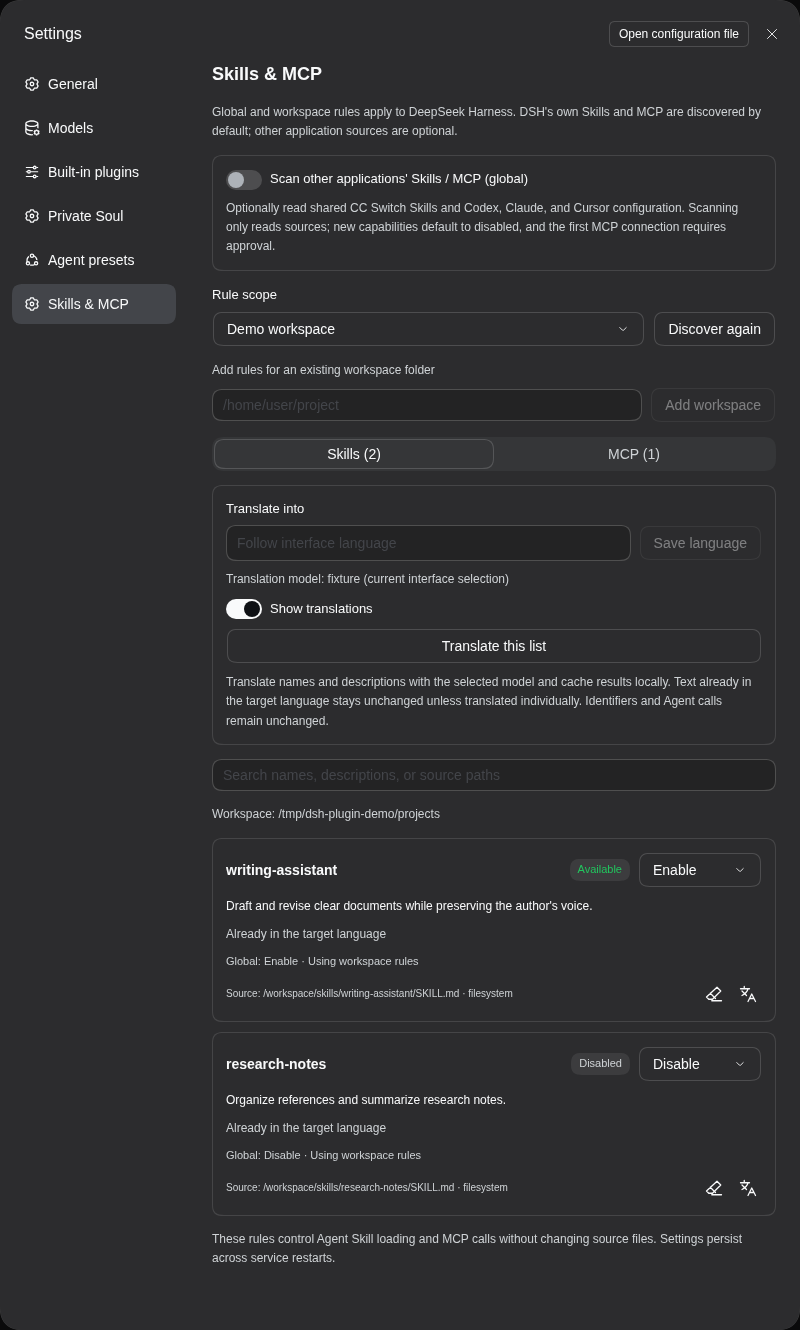
Select a scope, change each capability's rule, and toggle translated text using the bottom-right icon.
|
|
23
23
|
|
|
24
|
-
|
|
25
25
|
|
|
26
26
|
### MCP connections and tool descriptions
|
|
27
27
|
|
|
28
28
|
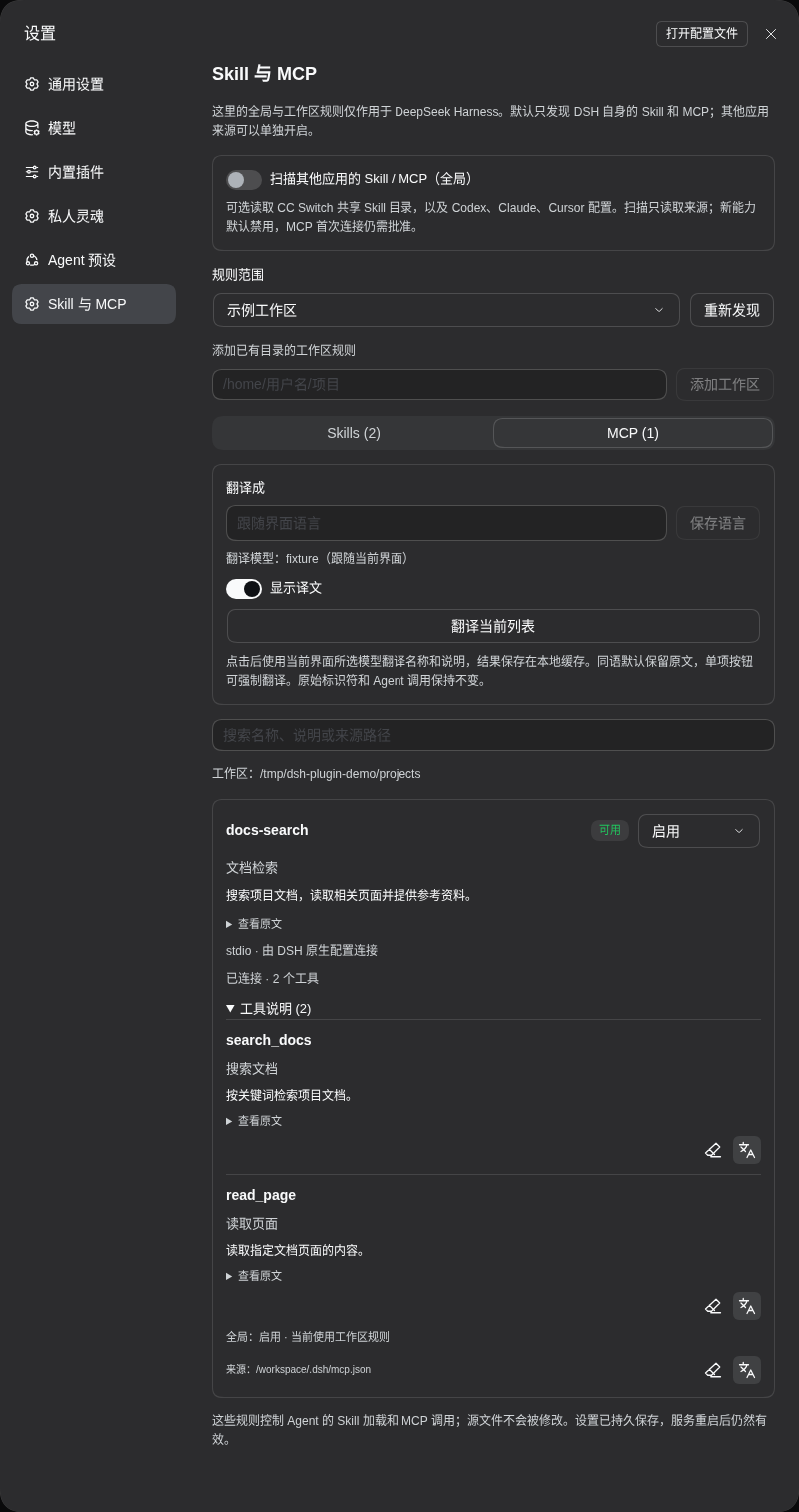
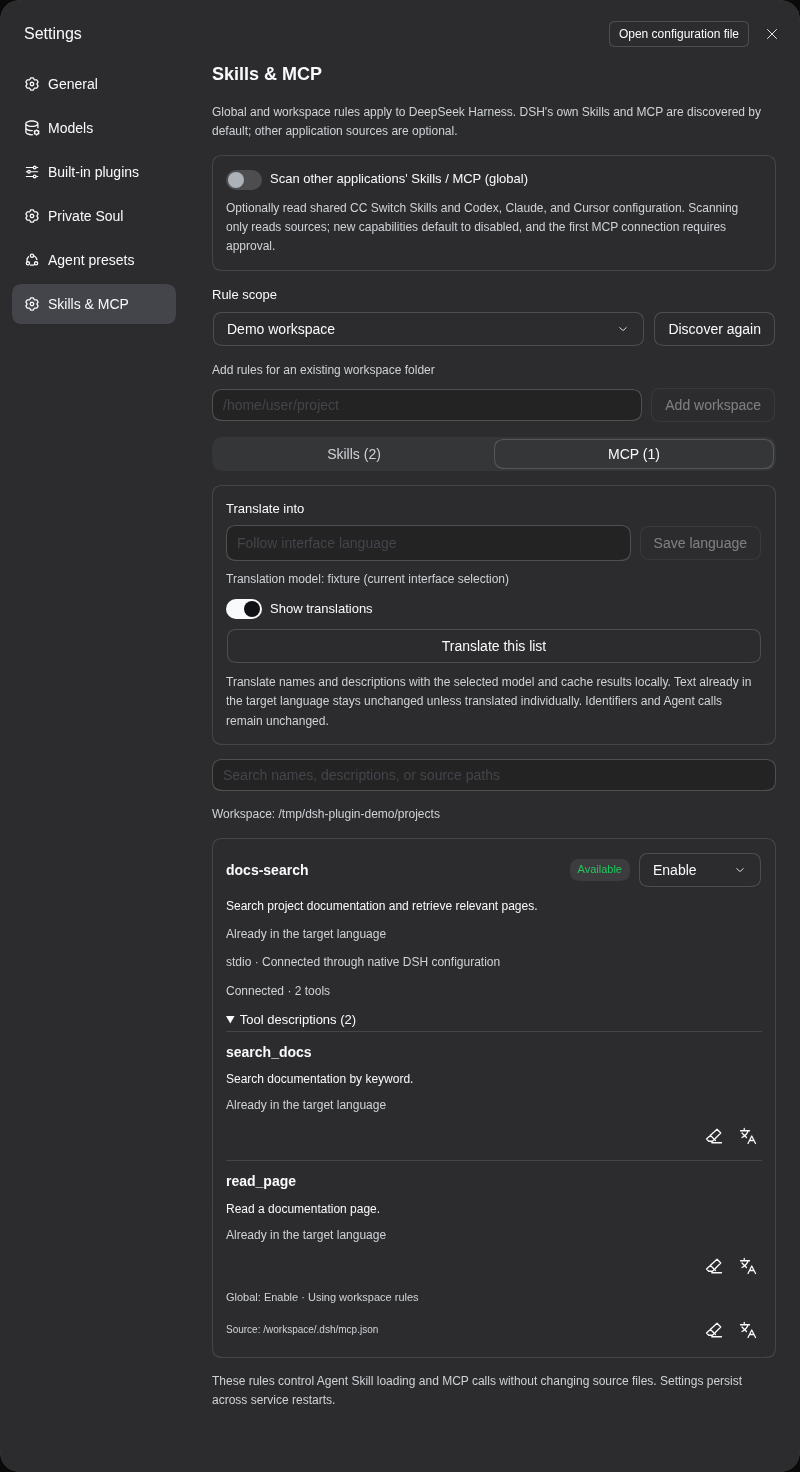
Inspect sources, connection status, and tool lists, and configure availability for each server.
|
|
29
29
|
|
|
30
|
-
|
|
30
|
+
|
|
31
31
|
|
|
32
32
|
## One-command installation
|
|
33
33
|
|
|
@@ -37,15 +37,16 @@ Compatible with DeepSeek Harness **0.2.1-rc.3 / 0.2.1-rc.5 / 0.2.2-rc.2** and No
|
|
|
37
37
|
dsh plugin --profile web add dsh-plugin-workspace-capabilities
|
|
38
38
|
```
|
|
39
39
|
|
|
40
|
-
Enable the plugin in DSH's plugin manager, restart DSH, refresh the page, and open **Settings →
|
|
40
|
+
Enable the plugin in DSH's plugin manager, restart DSH, refresh the page, and open **Settings → Skills & MCP**.
|
|
41
41
|
|
|
42
42
|
## Usage
|
|
43
43
|
|
|
44
|
-
1. Choose
|
|
45
|
-
2. Select a workspace and choose
|
|
46
|
-
3. Enable
|
|
47
|
-
4. Select
|
|
48
|
-
5.
|
|
44
|
+
1. Choose **Global default** to configure defaults and individual capability rules.
|
|
45
|
+
2. Select a workspace and choose **Inherit global / Enable / Disable**.
|
|
46
|
+
3. Enable **Scan other applications’ Skills / MCP (global)** when additional sources are needed.
|
|
47
|
+
4. Select **Approve configuration and enable connection** for newly discovered external MCP servers. Changed configurations require approval again.
|
|
48
|
+
5. Set **Translate into** and choose **Save language**, or leave the target blank to follow the interface.
|
|
49
|
+
6. Choose **Translate this list** to translate in batches. Matching languages stay unchanged; individual translation buttons can force a fresh translation. Use **Retranslate** to refresh a cached result.
|
|
49
50
|
|
|
50
51
|
Subagents use the root session's workspace rules. Changes do not require a new conversation, but cannot retract content already loaded into the model context. Ordinary file and terminal tools continue to follow DSH's own permissions.
|
|
51
52
|
|
package/README.md
CHANGED
|
@@ -21,13 +21,13 @@ DeepSeek Harness 的 Skill 与 MCP 管理插件。按全局或工作区设置可
|
|
|
21
21
|
|
|
22
22
|
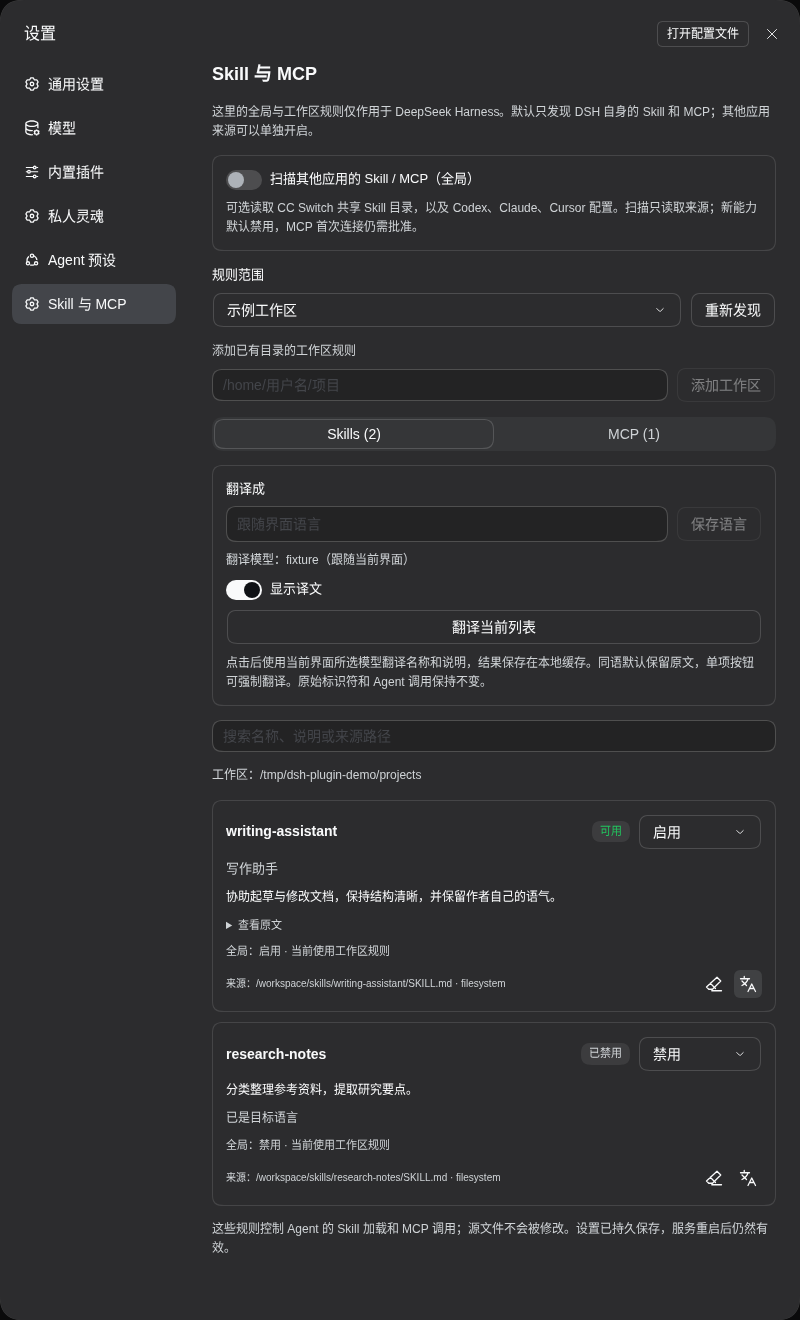
选择规则范围,单独调整能力状态,在卡片右下角切换译文。
|
|
23
23
|
|
|
24
|
-
|
|
25
25
|
|
|
26
26
|
### MCP 连接与工具说明
|
|
27
27
|
|
|
28
28
|
查看来源、连接状态与工具列表,为每个 MCP 设置可用规则。
|
|
29
29
|
|
|
30
|
-

|
|
30
|
+
|
|
31
31
|
|
|
32
32
|
## 一键安装
|
|
33
33
|
|
|
@@ -45,7 +45,8 @@ dsh plugin --profile web add dsh-plugin-workspace-capabilities
|
|
|
45
45
|
2. 选择工作区,设置 **继承全局 / 启用 / 禁用**。
|
|
46
46
|
3. 需要额外来源时,开启 **扫描其他应用的 Skill / MCP**。
|
|
47
47
|
4. 对新发现的外部 MCP 点击 **批准配置并启用连接**;配置发生变化后重新批准。
|
|
48
|
-
5.
|
|
48
|
+
5. 在 **翻译成** 设置目标语言并点击 **保存语言**,留空跟随界面。
|
|
49
|
+
6. 点击 **翻译当前列表** 批量翻译,同语默认保留原文;单项翻译按钮可强制翻译,**重新翻译** 会更新缓存。
|
|
49
50
|
|
|
50
51
|
子 Agent 沿用根会话的工作区规则。修改不需要新建对话;已加载到模型上下文中的内容不会被撤回。普通文件与终端工具仍遵循 DSH 自身权限。
|
|
51
52
|
|
package/package.json
CHANGED