dsh-game-material-master 0.10.0 → 0.10.2
This diff represents the content of publicly available package versions that have been released to one of the supported registries. The information contained in this diff is provided for informational purposes only and reflects changes between package versions as they appear in their respective public registries.
- package/README.en.md +8 -2
- package/README.md +12 -1
- package/lib/client.js +22 -5
- package/lib/config.js +4 -0
- package/lib/index.js +2 -0
- package/lib/isogen.js +4 -0
- package/lib/media.js +8 -2
- package/lib/pipeline.js +5 -3
- package/lib/store.js +5 -5
- package/lib/toapis.js +5 -1
- package/package.json +1 -1
package/README.en.md
CHANGED
|
@@ -21,7 +21,9 @@ third-party service.
|
|
|
21
21
|
> A new **optional ToAPIs asynchronous image / video backend** lands via
|
|
22
22
|
> [PR #7](https://github.com/universe-st/dsh-game-material-master/pull/7) — thanks
|
|
23
23
|
> [@ToAPIs-2025](https://github.com/ToAPIs-2025). The 0.9.x **sound-effect generator** (Seed-Audio) and its
|
|
24
|
-
> network-retry fixes remain.
|
|
24
|
+
> network-retry fixes remain. **0.10.1** fixes a crash in the isometric editor's one-click
|
|
25
|
+
> **continent** generation (the height-field midpoint pass wrote to a cell that does not exist).
|
|
26
|
+
> See the
|
|
25
27
|
> [release notes in AGENTS.md](https://github.com/universe-st/dsh-game-material-master/blob/main/AGENTS.md#已发布版本).
|
|
26
28
|
|
|
27
29
|
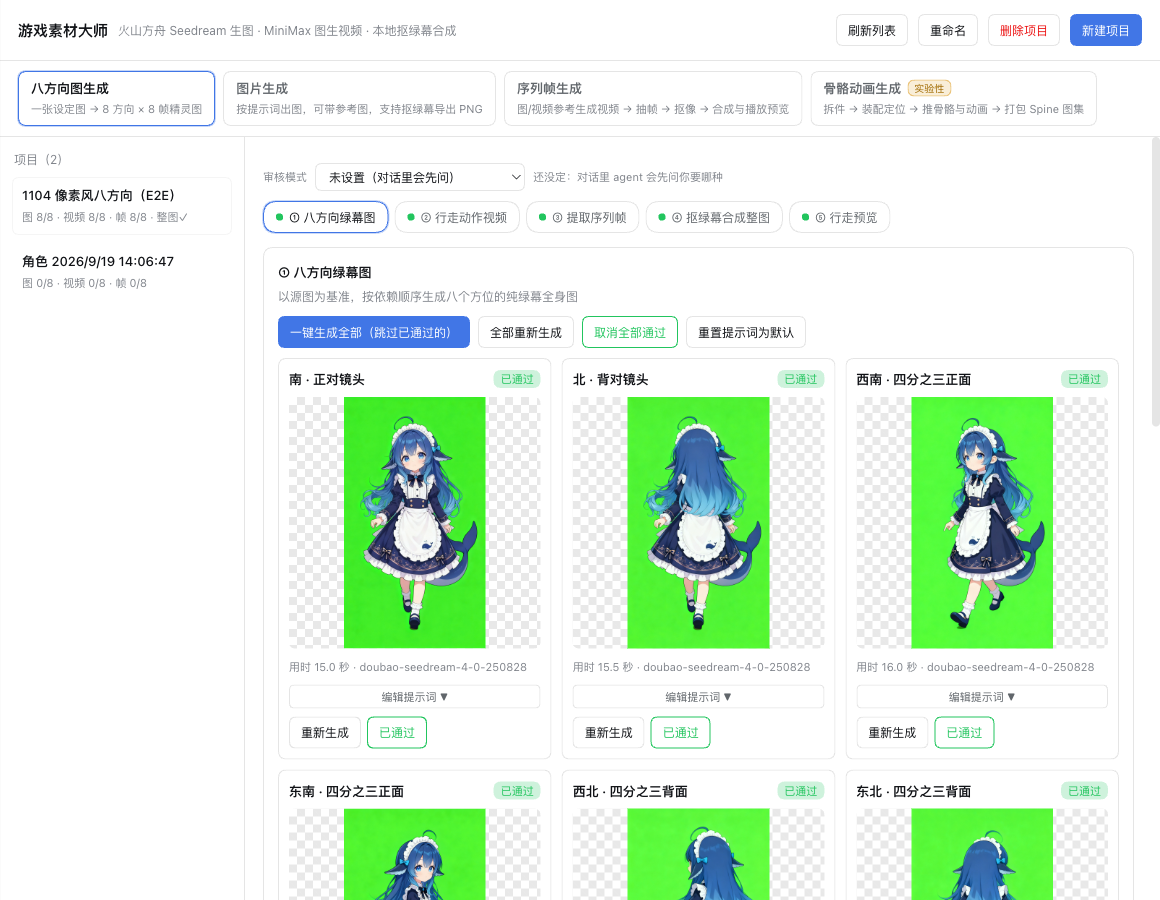
|
|
@@ -379,7 +381,7 @@ dsh plugin --profile web add /path/to/dsh-game-material-master
|
|
|
379
381
|
```
|
|
380
382
|
|
|
381
383
|
The package is published to npm: [dsh-game-material-master](https://www.npmjs.com/package/dsh-game-material-master)
|
|
382
|
-
(currently `0.10.
|
|
384
|
+
(currently `0.10.2`, `latest`). It has no runtime dependencies, so `dsh plugin add` is all you need.
|
|
383
385
|
|
|
384
386
|
**DSH version**: `>=0.2.0-rc.2 <0.3.0` (the `engines.dsh` field; since DSH 0.2.1 the plugin manager checks it first).
|
|
385
387
|
When a Web deployment uses `--public-url https://host/prefix/`, deep links and asset URLs include that path prefix.
|
|
@@ -659,3 +661,7 @@ The screenshots in this document were taken by Playwright against the real UI; t
|
|
|
659
661
|
Configure ToAPIs in settings, then select ToAPIs as the image backend and/or enable its video option. Ark/MiniMax remain the defaults; ComfyUI, custom protocols and local processing remain available. Use `https://toapis.cn/v1` in China or `https://toapis.com/v1` internationally. ToAPIs uses asynchronous media endpoints, not a drop-in synchronous OpenAI image URL.
|
|
660
662
|
|
|
661
663
|
[Configuration, billing and task recovery](https://github.com/universe-st/dsh-game-material-master/blob/main/docs/TOAPIS.md). Keys stay on the host; generation is billable. Check account pricing and model settings first.
|
|
664
|
+
|
|
665
|
+
## ToAPIs
|
|
666
|
+
|
|
667
|
+
ToAPIs is an optional image/video provider using your own key. Homepages: [China](https://toapis.cn/) / [International](https://toapis.com/); Base URLs: `https://toapis.cn/v1` / `https://toapis.com/v1`. [Configuration, scoped pricing and quick reuse](https://github.com/universe-st/dsh-game-material-master/blob/main/docs/TOAPIS.md) · [Real DSH eight-direction and sprite export acceptance](https://github.com/universe-st/dsh-game-material-master/blob/main/docs/toapis-live-20261024/README.md). See the guide for native transparent GPT Image, square videos and actual screenshots; availability depends on merge/release status.
|
package/README.md
CHANGED
|
@@ -17,6 +17,13 @@
|
|
|
17
17
|
> 新增**可选 ToAPIs 异步图片 / 视频后端**(感谢 [PR #7](https://github.com/universe-st/dsh-game-material-master/pull/7),
|
|
18
18
|
> 来自 [@ToAPIs-2025](https://github.com/ToAPIs-2025))。
|
|
19
19
|
> 0.9.x 的 **音效生成**(Seed-Audio)与网络重试修复继续保留。
|
|
20
|
+
>
|
|
21
|
+
> **0.10.1 修复**:45° 地图编辑器「一键生成 → 大陆」不再崩溃(高度场中点插值写到了不存在的格子上)。
|
|
22
|
+
>
|
|
23
|
+
> **0.10.2 更新**:ToAPIs 生图可选**原生透明背景**(GPT Image,下载原图不再二次抠像),图生视频可选
|
|
24
|
+
> **画幅比例**(方形角色用 1:1);透明首帧会先铺白再交给视频模型。感谢
|
|
25
|
+
> [PR #8](https://github.com/universe-st/dsh-game-material-master/pull/8)([@YamiAnn](https://github.com/YamiAnn))
|
|
26
|
+
> 与真机验收记录。
|
|
20
27
|
> 完整变更见 [AGENTS.md 发布记录](https://github.com/universe-st/dsh-game-material-master/blob/main/AGENTS.md#已发布版本)。
|
|
21
28
|
|
|
22
29
|

|
|
@@ -313,7 +320,7 @@ dsh plugin --profile web add /path/to/dsh-game-material-master
|
|
|
313
320
|
```
|
|
314
321
|
|
|
315
322
|
包已发布到 npm:[dsh-game-material-master](https://www.npmjs.com/package/dsh-game-material-master)
|
|
316
|
-
(当前 `0.10.
|
|
323
|
+
(当前 `0.10.2`,`latest`)。本包没有运行时依赖,`dsh plugin add` 拉下来即可用。
|
|
317
324
|
|
|
318
325
|
**DSH 版本**:`>=0.2.0-rc.2 <0.3.0`(`package.json` 的 `engines.dsh`;DSH 0.2.1 起插件管理器优先按它判断兼容性)。
|
|
319
326
|
Web 部署用 `--public-url https://host/prefix/` 时,深链接与产物地址会跟着补路径前缀。
|
|
@@ -555,3 +562,7 @@ T("第 {n0} 帧", { n0: index + 1 }) // 带插值,英
|
|
|
555
562
|
设置页可独立配置 ToAPIs,再将生图后端切为 ToAPIs,或打开「使用 ToAPIs 生成视频」。默认仍是火山方舟/MiniMax,ComfyUI、自定义协议和本地处理保持可选。国内 `https://toapis.cn/v1`,国际 `https://toapis.com/v1`;异步任务需要专用协议,不是把 OpenAI 的地址换一下即可。
|
|
556
563
|
|
|
557
564
|
[配置、计费与恢复说明](https://github.com/universe-st/dsh-game-material-master/blob/main/docs/TOAPIS.md)。API Key仅在宿主保存,生成真实计费;先在自己的账号核对报价和参数。
|
|
565
|
+
|
|
566
|
+
## ToAPIs
|
|
567
|
+
|
|
568
|
+
ToAPIs 可作为可选图片/视频 Provider,使用用户自己的 Key。官网:[国内站](https://toapis.cn/)/[国际站](https://toapis.com/);Base URL 分别为 `https://toapis.cn/v1`/`https://toapis.com/v1`。[配置、价格口径与快速复用](https://github.com/universe-st/dsh-game-material-master/blob/main/docs/TOAPIS.md) · [真实 DSH 八方向与精灵导出验收](https://github.com/universe-st/dsh-game-material-master/blob/main/docs/toapis-live-20261024/README.md)。原生透明 GPT Image、方形视频与实测截图见文档;功能可用版本以合并/发布状态为准。
|
package/lib/client.js
CHANGED
|
@@ -43,9 +43,17 @@ window.__ModuleLoader__.load({
|
|
|
43
43
|
"ToAPIs:图片和视频使用独立的异步协议;每次生成会计费。": "ToAPIs uses asynchronous image/video endpoints. Each generation is billable.",
|
|
44
44
|
"ToAPIs 图片模型": "ToAPIs image model",
|
|
45
45
|
"ToAPIs 图片尺寸": "ToAPIs image size",
|
|
46
|
+
"按当前生图后端的账号价格计费,实际以平台账单为准": "Billed at your selected image provider's account price; check the platform's actual bill.",
|
|
46
47
|
"ToAPIs 图片质量": "ToAPIs image quality",
|
|
48
|
+
"ToAPIs 图片背景(GPT Image)": "ToAPIs image background (GPT Image)",
|
|
49
|
+
"自动背景": "Automatic background",
|
|
50
|
+
"原生透明背景": "Native transparent background",
|
|
51
|
+
"不透明背景": "Opaque background",
|
|
52
|
+
"透明PNG无需绿幕抠像;MP4视频没有透明通道,视频抽帧仍需背景处理。": "Transparent PNGs need no chroma keying. MP4 video has no alpha channel; extracted video frames still need background removal.",
|
|
47
53
|
"ToAPIs 视频模型": "ToAPIs video model",
|
|
48
54
|
"ToAPIs 视频分辨率": "ToAPIs video resolution",
|
|
55
|
+
"ToAPIs 视频比例": "ToAPIs video aspect ratio",
|
|
56
|
+
"角色首帧为方形时建议1:1,避免宽屏裁掉头脚;MP4抽帧仍需去背景。": "Use 1:1 for square character first frames to avoid widescreen cropping of head and feet. MP4 frames still require background removal.",
|
|
49
57
|
"国内地址 https://toapis.cn/v1;国际地址 https://toapis.com/v1。": "China: https://toapis.cn/v1; international: https://toapis.com/v1.",
|
|
50
58
|
"ToAPIs 视频参数独立于 MiniMax;目前仅支持文生视频或一张首帧,不支持尾帧及多模态参考。": "ToAPIs video settings are independent of MiniMax. Currently supports text or one first frame, not last-frame/multimodal inputs.",
|
|
51
59
|
"ToAPIs 视频时长(秒)": "ToAPIs video duration (seconds)",
|
|
@@ -377,7 +385,6 @@ window.__ModuleLoader__.load({
|
|
|
377
385
|
"已开始生成 {n0} 张": "Started generating {n0} images",
|
|
378
386
|
"正在生成 {n0} 张图片…": "Generating {n0} images…",
|
|
379
387
|
"生成 {n0} 张": "Generate {n0}",
|
|
380
|
-
"按 Seedream 刊例约 0.2 元/张,实际以方舟账单为准": "About ¥0.2 per image at Seedream list price; your Volcengine Ark bill is authoritative",
|
|
381
388
|
"② 参考图(可留空)": "② Reference images (optional)",
|
|
382
389
|
"最多 10 张。有参考图时走图生图;引用多张时可在提示词里写「图一」「图二」。": "Up to 10. With reference images it runs image-to-image; to cite several, write \"image 1\" and \"image 2\" in the prompt.",
|
|
383
390
|
"把参考图拖到这里": "Drag reference images here",
|
|
@@ -12471,6 +12478,7 @@ window.__ModuleLoader__.load({
|
|
|
12471
12478
|
* 改提示词 / 尺寸时会被打回原形(同模块①的视频提示词)。判定见 `mergeDrafts`。
|
|
12472
12479
|
*/
|
|
12473
12480
|
const loadedDrafts = React.useRef({ id: null, prompt: "", suffix: "", settings: {}, keying: {} });
|
|
12481
|
+
const imageSaveQueue = React.useRef(Promise.resolve());
|
|
12474
12482
|
React.useEffect(() => {
|
|
12475
12483
|
if (intent === null)
|
|
12476
12484
|
return;
|
|
@@ -12560,7 +12568,13 @@ window.__ModuleLoader__.load({
|
|
|
12560
12568
|
setJobId(created.jobId);
|
|
12561
12569
|
}, T("已新建图片任务"), { key: K_IMG_CREATE, label: T("正在新建任务…") });
|
|
12562
12570
|
};
|
|
12563
|
-
const
|
|
12571
|
+
const enqueueImageSave = (patch) => {
|
|
12572
|
+
const id = job.id;
|
|
12573
|
+
const pending = imageSaveQueue.current.catch(() => undefined).then(() => api.saveImageJob({ jobId: id, ...patch }));
|
|
12574
|
+
imageSaveQueue.current = pending;
|
|
12575
|
+
return pending;
|
|
12576
|
+
};
|
|
12577
|
+
const saveJob = (patch) => run(() => enqueueImageSave(patch), T("已保存"));
|
|
12564
12578
|
const del = async () => {
|
|
12565
12579
|
if (job === null)
|
|
12566
12580
|
return;
|
|
@@ -12631,8 +12645,11 @@ window.__ModuleLoader__.load({
|
|
|
12631
12645
|
busy: tasks.has(K_IMG_JOB),
|
|
12632
12646
|
busyText: T("正在生成 {n0} 张…", { n0: settingsDraft.count ?? 1 }),
|
|
12633
12647
|
disabled: promptDraft.trim() === "" || tasks.has(K_IMG_JOB),
|
|
12634
|
-
onClick: () => void run(() =>
|
|
12635
|
-
|
|
12648
|
+
onClick: () => void run(async () => {
|
|
12649
|
+
await enqueueImageSave({ prompt: promptDraft, suffix: suffixDraft, settings: settingsDraft });
|
|
12650
|
+
return api.runImageJob({ jobId: job.id });
|
|
12651
|
+
}, T("已开始生成 {n0} 张", { n0: settingsDraft.count ?? 1 }), { key: K_IMG_JOB, label: T("正在生成 {n0} 张图片…", { n0: settingsDraft.count ?? 1 }) })
|
|
12652
|
+
}, T("生成 {n0} 张", { n0: settingsDraft.count ?? 1 })), h("span", { className: "SPR_refRow" }, T("按当前生图后端的账号价格计费,实际以平台账单为准")))), h("div", { className: "SPR_card" }, h("div", { className: "SPR_cardHead" }, h("h3", null, T("② 参考图(可留空)"))), h("p", { className: "SPR_hint" }, T("最多 10 张。有参考图时走图生图;引用多张时可在提示词里写「图一」「图二」。")), h(UploadBox, { label: T("把参考图拖到这里"), accept: "image/*", multiple: true, busy: uploading || tasks.has(K_IMG_UPLOAD), onFiles: (files) => void upload(files, "ref") }), (job.refs ?? []).length === 0
|
|
12636
12653
|
? null
|
|
12637
12654
|
: h("div", { className: "SPR_grid" }, (job.refs ?? []).map((ref) => h("div", { key: ref.file, className: "SPR_node" }, h("img", { className: "SPR_thumb", src: `${job.assetBase}${ref.file}?v=${job.updatedAt}`, alt: ref.name }), h("span", { className: "SPR_refRow" }, ref.name), h("div", { className: "SPR_btnRow" }, h(Btn, { danger: true, onClick: () => void run(() => api.removeImageRef({ jobId: job.id, file: ref.file }), T("已移除参考图")) }, T("移除"))))))), h("div", { className: "SPR_card" }, h("div", { className: "SPR_cardHead" }, h("h3", null, T("③ 绿幕抠图"))), h("p", { className: "SPR_hint" }, T("开启后每张生成完会自动抠一遍;也可以上传已有图片只做抠像。")), h("div", { className: "SPR_toolbar" }, h("select", {
|
|
12638
12655
|
className: "SPR_input",
|
|
@@ -15580,7 +15597,7 @@ window.__ModuleLoader__.load({
|
|
|
15580
15597
|
}
|
|
15581
15598
|
}, T("测试连接(会真实生成 1 张 1K 小图,产生少量费用)")))), h("div", { className: "SPR_settingsGroup", "data-testid": "cfg-toapis" }, h("h3", null, "ToAPIs"), h("p", null, T("ToAPIs:图片和视频使用独立的异步协议;每次生成会计费。")), ...[["toapisBaseUrl", "Base URL"], ["toapisImageModel", T("ToAPIs 图片模型")],
|
|
15582
15599
|
["toapisImageSize", T("ToAPIs 图片尺寸")], ["toapisImageQuality", T("ToAPIs 图片质量")],
|
|
15583
|
-
["toapisVideoModel", T("ToAPIs 视频模型")], ["toapisVideoResolution", T("ToAPIs 视频分辨率")]].map(([key, label]) => h("label", { className: "SPR_field" }, h("span", { className: "SPR_fieldLabel" }, label), h("input", { className: "SPR_input", value: config[key] ?? "", onChange: (event) => void patch({ [key]: event.target.value }) }))), h("p", null, T("国内地址 https://toapis.cn/v1;国际地址 https://toapis.com/v1。")), h("p", null, T("ToAPIs 视频参数独立于 MiniMax;目前仅支持文生视频或一张首帧,不支持尾帧及多模态参考。")), h(NumField, { label: T("超时(秒)"), value: Math.round((config.toapisTimeoutMs ?? 600000) / 1000), min: 10, max: 3600, onChange: (value) => void patch({ toapisTimeoutMs: value * 1000 }) }), h(NumField, { label: T("ToAPIs 视频时长(秒)"), value: config.toapisVideoDuration ?? 4, min: 4, max: 15, onChange: (value) => void patch({ toapisVideoDuration: value }) }), h("label", { className: "SPR_check" }, h("input", { type: "checkbox", checked: config.toapisVideo === true, onChange: (event) => void patch({ toapisVideo: event.target.checked, ...(event.target.checked ? { comfyVideo: false } : {}) }) }), h("span", null, T("使用 ToAPIs 生成视频"))), h("p", null, config.toapisApiKeySet ? T("ToAPIs Key 已配置") : T("ToAPIs Key 未配置")), h("input", { className: "SPR_input", type: "password", value: toapisKey, onChange: (event) => setToapisKey(event.target.value), placeholder: T("留空表示不修改") }), h(Btn, { onClick: () => run(async () => { await api.saveConfig({ toapisApiKey: toapisKey }); setToapisKey(""); }, T("ToAPIs Key 已保存")) }, T("保存 Key")), h(Btn, { disabled: !config.toapisApiKeySet, onClick: () => run(() => api.saveConfig({ clearToapisApiKey: true }), T("已清除 ToAPIs Key")) }, T("清除"))),
|
|
15600
|
+
["toapisVideoModel", T("ToAPIs 视频模型")], ["toapisVideoResolution", T("ToAPIs 视频分辨率")]].map(([key, label]) => h("label", { className: "SPR_field" }, h("span", { className: "SPR_fieldLabel" }, label), h("input", { className: "SPR_input", value: config[key] ?? "", onChange: (event) => void patch({ [key]: event.target.value }) }))), h("label", { className: "SPR_field" }, h("span", { className: "SPR_fieldLabel" }, T("ToAPIs 图片背景(GPT Image)")), h("select", { className: "SPR_input", "data-testid": "cfg-toapis-background", value: config.toapisImageBackground ?? "auto", onChange: (event) => void patch({ toapisImageBackground: event.target.value }) }, h("option", { value: "auto" }, T("自动背景")), h("option", { value: "transparent" }, T("原生透明背景")), h("option", { value: "opaque" }, T("不透明背景")))), h("p", null, T("透明PNG无需绿幕抠像;MP4视频没有透明通道,视频抽帧仍需背景处理。")), h("p", null, T("国内地址 https://toapis.cn/v1;国际地址 https://toapis.com/v1。")), h("p", null, T("ToAPIs 视频参数独立于 MiniMax;目前仅支持文生视频或一张首帧,不支持尾帧及多模态参考。")), h(NumField, { label: T("超时(秒)"), value: Math.round((config.toapisTimeoutMs ?? 600000) / 1000), min: 10, max: 3600, onChange: (value) => void patch({ toapisTimeoutMs: value * 1000 }) }), h("label", { className: "SPR_field" }, h("span", { className: "SPR_fieldLabel" }, T("ToAPIs 视频比例")), h("select", { className: "SPR_input", "data-testid": "cfg-toapis-video-ratio", value: config.toapisVideoAspectRatio ?? "16:9", onChange: (event) => void patch({ toapisVideoAspectRatio: event.target.value }) }, ...["16:9", "9:16", "1:1", "4:3", "3:4", "21:9"].map(value => h("option", { key: value, value }, value)))), h("p", null, T("角色首帧为方形时建议1:1,避免宽屏裁掉头脚;MP4抽帧仍需去背景。")), h(NumField, { label: T("ToAPIs 视频时长(秒)"), value: config.toapisVideoDuration ?? 4, min: 4, max: 15, onChange: (value) => void patch({ toapisVideoDuration: value }) }), h("label", { className: "SPR_check" }, h("input", { type: "checkbox", checked: config.toapisVideo === true, onChange: (event) => void patch({ toapisVideo: event.target.checked, ...(event.target.checked ? { comfyVideo: false } : {}) }) }), h("span", null, T("使用 ToAPIs 生成视频"))), h("p", null, config.toapisApiKeySet ? T("ToAPIs Key 已配置") : T("ToAPIs Key 未配置")), h("input", { className: "SPR_input", type: "password", value: toapisKey, onChange: (event) => setToapisKey(event.target.value), placeholder: T("留空表示不修改") }), h(Btn, { onClick: () => run(async () => { await api.saveConfig({ toapisApiKey: toapisKey }); setToapisKey(""); }, T("ToAPIs Key 已保存")) }, T("保存 Key")), h(Btn, { disabled: !config.toapisApiKeySet, onClick: () => run(() => api.saveConfig({ clearToapisApiKey: true }), T("已清除 ToAPIs Key")) }, T("清除"))),
|
|
15584
15601
|
/**
|
|
15585
15602
|
* 自定义生图后端。
|
|
15586
15603
|
*
|
package/lib/config.js
CHANGED
|
@@ -136,10 +136,12 @@ export const DEFAULT_CONFIG = {
|
|
|
136
136
|
toapisImageModel: "gpt-image-2-vip",
|
|
137
137
|
toapisImageSize: "1K",
|
|
138
138
|
toapisImageQuality: "low",
|
|
139
|
+
toapisImageBackground: "auto",
|
|
139
140
|
toapisVideo: false,
|
|
140
141
|
toapisVideoModel: "seedance-2-mini",
|
|
141
142
|
toapisVideoDuration: 4,
|
|
142
143
|
toapisVideoResolution: "480p",
|
|
144
|
+
toapisVideoAspectRatio: "16:9",
|
|
143
145
|
toapisTimeoutMs: 600000,
|
|
144
146
|
imageProvider: "ark",
|
|
145
147
|
customProtocol: "openai",
|
|
@@ -316,10 +318,12 @@ export function normalizeConfig(input) {
|
|
|
316
318
|
toapisImageModel: asString(raw.toapisImageModel, DEFAULT_CONFIG.toapisImageModel).trim(),
|
|
317
319
|
toapisImageSize: asString(raw.toapisImageSize, DEFAULT_CONFIG.toapisImageSize).trim(),
|
|
318
320
|
toapisImageQuality: asString(raw.toapisImageQuality, DEFAULT_CONFIG.toapisImageQuality).trim(),
|
|
321
|
+
toapisImageBackground: raw.toapisImageBackground === "transparent" || raw.toapisImageBackground === "opaque" ? raw.toapisImageBackground : "auto",
|
|
319
322
|
toapisVideo: asBool(raw.toapisVideo, DEFAULT_CONFIG.toapisVideo),
|
|
320
323
|
toapisVideoModel: asString(raw.toapisVideoModel, DEFAULT_CONFIG.toapisVideoModel).trim(),
|
|
321
324
|
toapisVideoDuration: asInt(raw.toapisVideoDuration, DEFAULT_CONFIG.toapisVideoDuration, 4, 15),
|
|
322
325
|
toapisVideoResolution: asString(raw.toapisVideoResolution, DEFAULT_CONFIG.toapisVideoResolution).trim(),
|
|
326
|
+
toapisVideoAspectRatio: ["16:9", "9:16", "1:1", "4:3", "3:4", "21:9"].includes(asString(raw.toapisVideoAspectRatio, "16:9")) ? asString(raw.toapisVideoAspectRatio, "16:9") : "16:9",
|
|
323
327
|
toapisTimeoutMs: asInt(raw.toapisTimeoutMs, DEFAULT_CONFIG.toapisTimeoutMs, 10000, 3600000),
|
|
324
328
|
imageProvider: raw.imageProvider === "toapis" ? "toapis" : raw.imageProvider === "custom" ? "custom" : "ark",
|
|
325
329
|
customProtocol: CUSTOM_PROTOCOLS.includes(String(raw.customProtocol))
|
package/lib/index.js
CHANGED
|
@@ -307,10 +307,12 @@ export class GameStudioGateway extends TypertRemoteService {
|
|
|
307
307
|
"toapisImageModel",
|
|
308
308
|
"toapisImageSize",
|
|
309
309
|
"toapisImageQuality",
|
|
310
|
+
"toapisImageBackground",
|
|
310
311
|
"toapisVideo",
|
|
311
312
|
"toapisVideoModel",
|
|
312
313
|
"toapisVideoDuration",
|
|
313
314
|
"toapisVideoResolution",
|
|
315
|
+
"toapisVideoAspectRatio",
|
|
314
316
|
"toapisTimeoutMs",
|
|
315
317
|
"imageProvider",
|
|
316
318
|
"customProtocol",
|
package/lib/isogen.js
CHANGED
|
@@ -1236,6 +1236,10 @@ export async function runIsoGenerate(projectId, options) {
|
|
|
1236
1236
|
grid[r][c] = neighbors.reduce((sum, value) => sum + value, 0) / neighbors.length + (rng() - 0.5) * 0.08;
|
|
1237
1237
|
}
|
|
1238
1238
|
}
|
|
1239
|
+
// step = 1 时「中点」落在半格上(grid[8.5] 不存在,旧代码在这里直接抛
|
|
1240
|
+
// TypeError);而 step = 1 的第一段已经把每个格子插值完了,这一段本来就不需要。
|
|
1241
|
+
if (step < 2)
|
|
1242
|
+
continue;
|
|
1239
1243
|
for (let r = 0; r < size; r += step * 2) {
|
|
1240
1244
|
for (let c = 0; c < size; c += step * 2) {
|
|
1241
1245
|
if (r + step < size && c + step < size) {
|
package/lib/media.js
CHANGED
|
@@ -272,13 +272,19 @@ export async function fileSize(file) {
|
|
|
272
272
|
* 把一张图转成 JPEG data URI,给 MiniMax 当首帧图用。
|
|
273
273
|
* 同时落一份 JPEG 到 `jpegOut`,方便排查「模型到底看到了什么」。
|
|
274
274
|
*/
|
|
275
|
-
export async function toJpegDataUri(source, jpegOut, maxEdge = 1280, quality = 3) {
|
|
275
|
+
export async function toJpegDataUri(source, jpegOut, maxEdge = 1280, quality = 3, matte) {
|
|
276
|
+
// MP4 has no alpha. Explicitly matte transparent PNGs before sending to a video backend;
|
|
277
|
+
// otherwise invisible source RGB can become a black halo or unpredictable background.
|
|
278
|
+
const filter = matte === "white"
|
|
279
|
+
? `format=rgba,split[fg][canvas];[canvas]lutrgb=r=255:g=255:b=255,colorchannelmixer=aa=1[bg];[bg][fg]overlay=shortest=1:format=auto,scale='min(${maxEdge},iw)':-2:flags=lanczos`
|
|
280
|
+
: `scale='min(${maxEdge},iw)':-2:flags=lanczos`;
|
|
276
281
|
await run(ffmpegPath(), [
|
|
277
282
|
"-hide_banner",
|
|
278
283
|
"-loglevel", "error",
|
|
279
284
|
"-y",
|
|
280
285
|
"-i", source,
|
|
281
|
-
"-vf",
|
|
286
|
+
"-vf", filter,
|
|
287
|
+
"-frames:v", "1",
|
|
282
288
|
"-q:v", String(quality),
|
|
283
289
|
"-f", "image2",
|
|
284
290
|
jpegOut
|
package/lib/pipeline.js
CHANGED
|
@@ -23,7 +23,7 @@ import { loadConfig } from "./config.js";
|
|
|
23
23
|
import { DEFAULT_TURN_PROMPT, DIRECTIONS, DIRECTION_KEYS, TURN_DIRECTION_DEFAULT, TURN_FRAME_COUNT_MAX, TURN_FRAME_COUNT_MIN, directionOf, turnOrder } from "./directions.js";
|
|
24
24
|
import { assertImageProviderReady, generateImageWithProvider, imageModelOf, imageSizeOf, imageWatermarkOf } from "./imageprovider.js";
|
|
25
25
|
import { extractFrames, mimeOf, sniffVideo, toDataUri, toJpegDataUri } from "./media.js";
|
|
26
|
-
import { assertVideoBackendReady, downloadVideoTask, queryVideoTask, submitVideoTask, videoFailureReason } from "./videogen.js";
|
|
26
|
+
import { assertVideoBackendReady, downloadVideoTask, queryVideoTask, submitVideoTask, videoFailureReason, videoBackendOf } from "./videogen.js";
|
|
27
27
|
import { composeSheet, keyGreen } from "./chroma.js";
|
|
28
28
|
import { encodePng } from "./png.js";
|
|
29
29
|
import { zipEntries } from "./zip.js";
|
|
@@ -350,7 +350,7 @@ async function submitTurnVideo(projectId) {
|
|
|
350
350
|
const startedAt = Date.now();
|
|
351
351
|
try {
|
|
352
352
|
const jpegRel = "videos/turn-first-frame.jpg";
|
|
353
|
-
const dataUri = await toJpegDataUri(assetPath(projectId, first.file), assetPath(projectId, jpegRel));
|
|
353
|
+
const dataUri = await toJpegDataUri(assetPath(projectId, first.file), assetPath(projectId, jpegRel), 1280, 3, videoBackendOf(config) === "toapis" ? "white" : undefined);
|
|
354
354
|
const submitted = await submitVideoTask(config, {
|
|
355
355
|
prompt,
|
|
356
356
|
firstFrameImage: dataUri,
|
|
@@ -920,7 +920,7 @@ export function startVideos(projectId, keys) {
|
|
|
920
920
|
});
|
|
921
921
|
try {
|
|
922
922
|
const jpegRel = `videos/${key}-first-frame.jpg`;
|
|
923
|
-
const dataUri = await toJpegDataUri(assetPath(projectId, image.file), assetPath(projectId, jpegRel));
|
|
923
|
+
const dataUri = await toJpegDataUri(assetPath(projectId, image.file), assetPath(projectId, jpegRel), 1280, 3, videoBackendOf(config) === "toapis" ? "white" : undefined);
|
|
924
924
|
const prompt = (fresh.prompts.videoPerDirection?.[key] ?? fresh.prompts.video).trim();
|
|
925
925
|
const submitted = await submitVideoTask(config, {
|
|
926
926
|
prompt,
|
|
@@ -942,6 +942,8 @@ export function startVideos(projectId, keys) {
|
|
|
942
942
|
for (const note of submitted.notes)
|
|
943
943
|
log(current, "info", `「${label}」${note}`);
|
|
944
944
|
});
|
|
945
|
+
// Start tracking accepted jobs immediately, even if another batch member fails locally.
|
|
946
|
+
ensurePoller(projectId);
|
|
945
947
|
}
|
|
946
948
|
catch (error) {
|
|
947
949
|
const message = messageOf(error);
|
package/lib/store.js
CHANGED
|
@@ -12,9 +12,10 @@
|
|
|
12
12
|
* preview/<方向>.png 方向预览带(帧横向拼接)
|
|
13
13
|
* out/sheet.png 最终整图
|
|
14
14
|
*/
|
|
15
|
-
import { mkdir, readFile, readdir,
|
|
15
|
+
import { mkdir, readFile, readdir, rm, stat } from "node:fs/promises";
|
|
16
16
|
import { join, resolve, sep } from "node:path";
|
|
17
17
|
import { randomUUID } from "node:crypto";
|
|
18
|
+
import { writeJsonAtomic } from "./jsonio.js";
|
|
18
19
|
import { DEFAULT_TURN_PROMPT, DEFAULT_VIDEO_PROMPT, DIRECTION_KEYS, DEFAULT_ROW_ORDER, TURN_FRAME_COUNT_DEFAULT, TURN_DIRECTION_DEFAULT, TURN_FRAME_COUNT_MAX, TURN_FRAME_COUNT_MIN, defaultImagePrompts, defaultTurnPicks } from "./directions.js";
|
|
19
20
|
import { DEFAULT_CONFIG, ROW_ORDER_VERSION, isLegacyRowOrder, loadConfig, projectsRoot } from "./config.js";
|
|
20
21
|
/** 每个项目一条读-改-写串行链,见 patchProject。 */
|
|
@@ -207,10 +208,9 @@ export async function readProject(id) {
|
|
|
207
208
|
export async function writeProject(project) {
|
|
208
209
|
project.updatedAt = Date.now();
|
|
209
210
|
const target = projectFile(project.id);
|
|
210
|
-
|
|
211
|
-
|
|
212
|
-
await
|
|
213
|
-
await rename(tmp, target);
|
|
211
|
+
// Reuse the shared unique-temp + Windows sharing-violation retry path.
|
|
212
|
+
// A transient read/scanner handle must not abort a batch before recording its task.
|
|
213
|
+
await writeJsonAtomic(target, project);
|
|
214
214
|
}
|
|
215
215
|
export async function deleteProject(id) {
|
|
216
216
|
await rm(projectDir(id), { recursive: true, force: true });
|
package/lib/toapis.js
CHANGED
|
@@ -232,6 +232,8 @@ export async function generateToapisImage(config, request, signal) {
|
|
|
232
232
|
assertToapisModel(model);
|
|
233
233
|
if (!request.prompt.trim())
|
|
234
234
|
throw new Error("ToAPIs: empty prompt");
|
|
235
|
+
if (config.toapisImageBackground !== "auto" && !/^gpt-image-/i.test(model))
|
|
236
|
+
throw new Error("ToAPIs: explicit background is only supported for GPT Image models; choose auto for other models");
|
|
235
237
|
const combined = context({ ...config, toapisTimeoutMs: request.timeoutMs ?? config.toapisTimeoutMs }, signal);
|
|
236
238
|
const references = [];
|
|
237
239
|
for (const image of request.images)
|
|
@@ -244,6 +246,8 @@ export async function generateToapisImage(config, request, signal) {
|
|
|
244
246
|
};
|
|
245
247
|
if (config.toapisImageQuality.trim())
|
|
246
248
|
body.quality = config.toapisImageQuality.trim();
|
|
249
|
+
if (config.toapisImageBackground !== "auto")
|
|
250
|
+
body.background = config.toapisImageBackground;
|
|
247
251
|
if (references.length)
|
|
248
252
|
body.reference_images = references;
|
|
249
253
|
let task = await submit(config, "images", body, combined, {
|
|
@@ -296,7 +300,7 @@ export async function submitToapisVideo(config, request) {
|
|
|
296
300
|
prompt: request.prompt,
|
|
297
301
|
duration: config.toapisVideoDuration,
|
|
298
302
|
resolution: config.toapisVideoResolution,
|
|
299
|
-
aspect_ratio:
|
|
303
|
+
aspect_ratio: config.toapisVideoAspectRatio,
|
|
300
304
|
generate_audio: false,
|
|
301
305
|
output_format: "mp4",
|
|
302
306
|
};
|
package/package.json
CHANGED
|
@@ -1,6 +1,6 @@
|
|
|
1
1
|
{
|
|
2
2
|
"name": "dsh-game-material-master",
|
|
3
|
-
"version": "0.10.
|
|
3
|
+
"version": "0.10.2",
|
|
4
4
|
"description": "游戏素材大师:DSH 插件,包含八方向图生成、图片生成、序列帧生成、45° 地图编辑器、俯视地图编辑器、音乐生成编辑、音效生成七个正式模块,以及实验性的骨骼动画生成。对话工具面只注册一个 game_material(按需读手册);45° 与俯视两套地图编辑器全本地零计费(等距 2:1 / A2 自动连接 / 多格物件 / 动画 / 标记 / 环绕 / 一键生成 / AI 生成素材回链导入);音乐接谱乐 AI(灵感或歌词 → 新对话生成 → 回界面裁剪导出,另有本地谱曲模式);音效接火山引擎 Seed-Audio。生图默认火山方舟 Seedream,也可选自定义三家协议或 ToAPIs 异步接口;图生视频默认 MiniMax,也可选本机 ComfyUI 或 ToAPIs;抠像 / 抽帧 / 合成 / 音乐后期全部在本机完成。界面与内置提示词支持中 / 英。",
|
|
5
5
|
"type": "module",
|
|
6
6
|
"main": "lib/index.js",
|