dsh-engramory 1.0.8 → 1.2.0
This diff represents the content of publicly available package versions that have been released to one of the supported registries. The information contained in this diff is provided for informational purposes only and reflects changes between package versions as they appear in their respective public registries.
- package/README.en.md +24 -16
- package/README.md +1 -1
- package/client.js +516 -129
- package/index.js +3151 -3112
- package/package.json +1 -1
package/README.en.md
CHANGED
|
@@ -140,22 +140,30 @@ owner, so a program forwarding other people's messages must leave it out.
|
|
|
140
140
|
mode, memory access and the index cap. Saving goes through dsh's own profile editor,
|
|
141
141
|
which writes your profile's `cordis.patch.yml` and reloads the plugin. Only you, signed
|
|
142
142
|
in, can call it, so an agent cannot use it to switch social mode off.
|
|
143
|
-
- **Memory page:** *Memory* in the sidebar.
|
|
144
|
-
|
|
145
|
-
|
|
146
|
-
by type
|
|
147
|
-
|
|
148
|
-
|
|
149
|
-
|
|
150
|
-
|
|
151
|
-
|
|
152
|
-
|
|
153
|
-
|
|
154
|
-
|
|
155
|
-
|
|
156
|
-
|
|
157
|
-
|
|
158
|
-
|
|
143
|
+
- **Memory page:** *Memory* in the sidebar. A banner at the top says how many notes,
|
|
144
|
+
stores and archived files are listed and when they were read, with the switches
|
|
145
|
+
(companion mode, and memory access once it is on) that save as you flip them. Below it,
|
|
146
|
+
tabs by note type and a filter by name, over the global store and each workspace's
|
|
147
|
+
project store (with an absolute `indexPath`, that store alone; with a relative one,
|
|
148
|
+
none). Each note is a row: a mark for its type, its name, its type and size; a plan's
|
|
149
|
+
row gives its day and how far off it is (a passed date is an outcome to confirm, as a
|
|
150
|
+
reminder: nothing is archived), and a note past 12 KB or one the index leaves out is
|
|
151
|
+
marked. Beside each store's name: its index fill as a bar (to the nearer of its two
|
|
152
|
+
caps), *Open the index* and *Open the folder*. What its check-up finds is listed under
|
|
153
|
+
it: the index's links to files that are not there, the notes not in the index (recall
|
|
154
|
+
starts from the index, so the AI will not find them unless another note links to
|
|
155
|
+
them), notes with no type, notes past 12 KB, an index over the cap; *Copy tidy-up
|
|
156
|
+
instructions* copies a request for the AI to paste into a conversation, and the plugin
|
|
157
|
+
itself changes no file. The check-up goes by file names and the index's links alone,
|
|
158
|
+
never through a symbolic link, and is skipped when the index is over the cap, there is
|
|
159
|
+
too much to check, or a file cannot be read; `engramory_doctor.py` still does the full
|
|
160
|
+
check. Where the listing was cut short or a store could not be read, the page says so,
|
|
161
|
+
rather than counting that as nothing. Read-only, never a note's text; a name, *Open
|
|
162
|
+
the index* and *Open the folder* open on the machine dsh runs on; a machine with no
|
|
163
|
+
desktop (a headless server, a session over SSH) shows none of them. A short *How to use
|
|
164
|
+
it* follows, open while there is no memory yet. At the foot, where to send feedback: a
|
|
165
|
+
new GitHub issue (its body pre-filled with the plugin's version and the OS family, no
|
|
166
|
+
path and no note), or an email, with a button that copies the address.
|
|
159
167
|
|
|
160
168
|
## Configuration
|
|
161
169
|
|
package/README.md
CHANGED
|
@@ -77,7 +77,7 @@ agent.followup(createUserMessage({
|
|
|
77
77
|
|
|
78
78
|
|
|
79
79
|
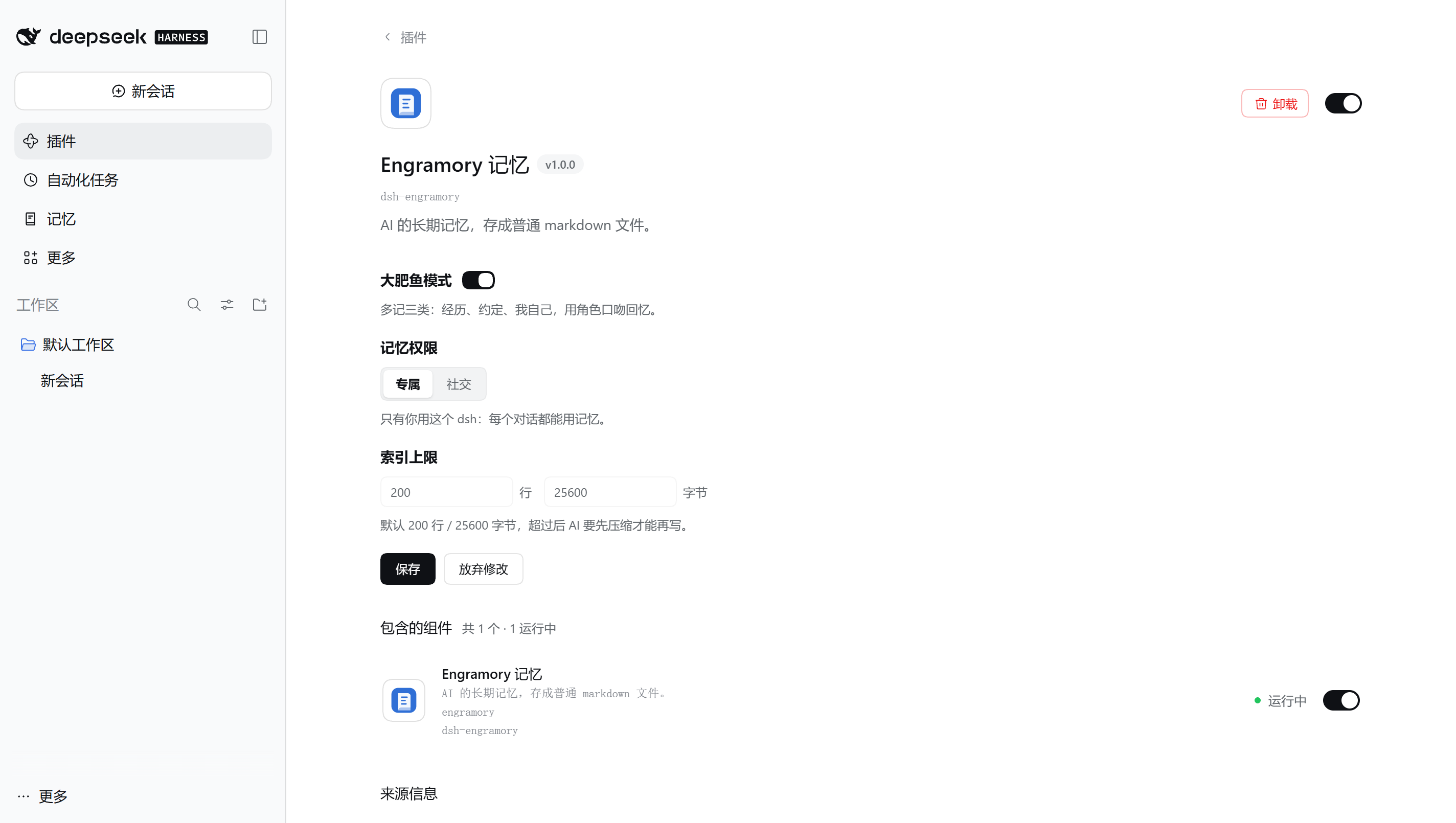
- **设置页**:dsh 的「插件」页里点开「Engramory 记忆」,能改大肥鱼模式、记忆权限和索引上限。保存走 dsh 自己的配置服务,写进你 profile 的 `cordis.patch.yml` 并重新加载插件。这个接口只有登录了的你能调,AI 没法调用它关掉社交模式。
|
|
80
|
-
-
|
|
80
|
+
- **记忆页**:左侧栏「记忆」。最上面一条横幅:列出了多少笔记、几个记忆库、多少归档,什么时候读的,还有两个开关(大肥鱼模式,打开后还有记忆权限),拨了就保存。下面按笔记类型分标签、可按名字筛选,列出全局库和各工作区的项目库(设了绝对路径的 `indexPath` 时只列那一个,相对路径则列不出)。每条笔记一行:类型图标、名字、类型和大小;约定那一行标出日期和还有几天(日期已过的写「待确认」,只是提醒,不会自动归档),超过 12 KB 的标「偏大,建议拆分」,不在索引里的也会标出。每个库名旁边是索引用量(进度条按两项上限里离得近的那个画)和「打开索引」「打开文件夹」。体检发现的问题集中列在库下面:索引里指向不存在的文件、不在索引里的笔记(AI 回忆从索引开始,除非别的笔记链到它们,否则通常找不到)、没写类型的笔记、超过 12 KB 的笔记、索引超上限;旁边的「复制整理指令」复制一段给 AI 的整理要求,粘贴进对话即可,插件本身不改任何文件。体检只按文件名和索引里的链接判断,不顺着符号链接走;索引超上限、要核对的太多或有文件读不了时不做,完整检查仍用 `engramory_doctor.py`。列表被截断或有库读不了时会注明,不把没列到的算成零。只读,不显示正文;点名字、「打开索引」「打开文件夹」都在运行 dsh 的那台机器上打开;没有桌面的机器(无界面服务器、SSH 连过去的)不显示这些按钮。下面有一段「怎么用」,还没有记忆时自动展开。页底是反馈入口:到 GitHub 提 issue(正文预先写好插件版本和系统类型,不带路径和笔记),或发邮件,地址可以一键复制。
|
|
81
81
|
|
|
82
82
|
## 配置
|
|
83
83
|
|