dsh-dot-life 0.12.2 → 0.13.0
This diff represents the content of publicly available package versions that have been released to one of the supported registries. The information contained in this diff is provided for informational purposes only and reflects changes between package versions as they appear in their respective public registries.
- package/README.en.md +148 -0
- package/README.md +242 -101
- package/docs/DESIGN.md +6 -0
- package/docs/SETTINGS.md +194 -0
- package/docs/phone.md +4 -0
- package/docs/qq.md +1 -1
- package/lib/client.js +2 -2
- package/package.json +1 -1
- package/src/computer/gate.js +2 -1
- package/src/computer/vm.js +4 -1
- package/src/dot/activity.js +247 -0
- package/src/dot/core.js +23 -2
- package/src/dot/panel.js +78 -5
- package/src/interlude/core.js +3 -1
- package/src/memory/memory.js +5 -2
- package/src/phone/phone.js +33 -3
- package/src/qq/qq.js +4 -2
- package/src/qq/stickers.js +9 -2
- package/src/settings.js +40 -0
package/README.en.md
ADDED
|
@@ -0,0 +1,148 @@
|
|
|
1
|
+
<div align="center">
|
|
2
|
+
|
|
3
|
+
# ◎ dsh-dot
|
|
4
|
+
|
|
5
|
+
**A character who lives on her own phone · a companion plugin for [DeepSeek Harness](https://github.com/deepseek-ai/deepseek-harness)**
|
|
6
|
+
|
|
7
|
+
She has her own Android phone, her own QQ, her own days and diary.<br>
|
|
8
|
+
Between your conversations, she keeps living.
|
|
9
|
+
|
|
10
|
+
[](https://www.npmjs.com/package/dsh-dot-life)
|
|
11
|
+
[](LICENSE)
|
|
12
|
+
[](https://github.com/deepseek-ai/deepseek-harness)
|
|
13
|
+
[](package.json)
|
|
14
|
+
[](https://github.com/Kevinwu901113/dsh-dot/stargazers)
|
|
15
|
+
|
|
16
|
+
[简体中文](README.md) · **English**
|
|
17
|
+
|
|
18
|
+
[Quick start](#-quick-start) · [Features](#-features) · [Settings](#%EF%B8%8F-settings) · [Architecture](#-architecture) · [Commands](#%EF%B8%8F-commands) · [Coexistence](#-coexisting-with-other-plugins)
|
|
19
|
+
|
|
20
|
+
<img src="docs/demo.gif" alt="dsh-dot demo" width="820">
|
|
21
|
+
|
|
22
|
+
</div>
|
|
23
|
+
|
|
24
|
+
---
|
|
25
|
+
|
|
26
|
+
## ✨ Features
|
|
27
|
+
|
|
28
|
+
- 📱 **A real phone** — the plugin downloads, builds and boots an Android emulator (no Java / Android Studio). No app store: **she installs her own apps**.
|
|
29
|
+
- 💬 **Her own QQ** — NapCat or SnowLuma (OneBot 11), same account as on her phone. Your message wakes her in **1–2 s**; she replies in several short messages and sends stickers.
|
|
30
|
+
- 🌙 **A life between conversations** — the interlude, ported from [HDS-Interlude](https://github.com/REcklessNOLOve117/HDS-Interlude): she writes down her days, keeps intents, goes to look at what she's curious about, and sometimes has a real reason to message you.
|
|
31
|
+
- 🧠 **Memory** — profile, people cards, fragments, handoff at 150k tokens, and (0.12+) automatic recall of the most relevant past turns. Public memory benchmark: **74 → 95 / 108**. A diary every night at 23:30.
|
|
32
|
+
- 🎮 **She browses and plays** — likes, comments and follows in the apps she installed herself. How much is her own habit, not a quota.
|
|
33
|
+
- 🖥️ **An optional computer** — a bundled microVM (no Docker): shell, browser, desktop, live view, approval gates, audit log.
|
|
34
|
+
|
|
35
|
+
> [!NOTE]
|
|
36
|
+
> **She can look, but never act behind your back.** Looking is read-only; anything with consequences (installing, passwords, payments, messaging strangers) goes through approval or isn't allowed at all.
|
|
37
|
+
|
|
38
|
+
## 🚀 Quick start
|
|
39
|
+
|
|
40
|
+
Requires dsh ≥ 0.2.1 and hardware virtualization (Apple silicon / Intel Mac, Linux with KVM, Windows with WHPX). Quit the dsh desktop app first:
|
|
41
|
+
|
|
42
|
+
```bash
|
|
43
|
+
# macOS
|
|
44
|
+
"/Applications/DeepSeek Harness.app/Contents/Resources/runtime/cli/bin/dsh" plugin --profile desktop add \
|
|
45
|
+
dsh-dot-life @xmanrui/dsh-im
|
|
46
|
+
```
|
|
47
|
+
|
|
48
|
+
```powershell
|
|
49
|
+
# Windows
|
|
50
|
+
& "$env:LOCALAPPDATA\Programs\DeepSeek Harness\resources\runtime\cli\bin\dsh.cmd" plugin --profile desktop add `
|
|
51
|
+
dsh-dot-life @xmanrui/dsh-im
|
|
52
|
+
```
|
|
53
|
+
|
|
54
|
+
Web: `dsh plugin --profile web add dsh-dot-life`. From source: use `github:Kevinwu901113/dsh-dot`.
|
|
55
|
+
|
|
56
|
+
Then, in dsh:
|
|
57
|
+
|
|
58
|
+
```text
|
|
59
|
+
/phone accept # accept the Android SDK license; the phone installs itself (~2 GB)
|
|
60
|
+
/interlude preset 6QA0-1PD6 # import an HDSI persona from typ0.space
|
|
61
|
+
/qq install → /qq account <alt account> → /qq start → /qq qr
|
|
62
|
+
```
|
|
63
|
+
|
|
64
|
+
**Use alt accounts.** No platform's terms allow automation.
|
|
65
|
+
|
|
66
|
+
## ⚙️ Settings
|
|
67
|
+
|
|
68
|
+
Every personal setting lives in **one file**: `~/.dsh/dsh-dot.json` (Windows: `%USERPROFILE%\.dsh\dsh-dot.json`), one section per component. Upgrades never overwrite it; restart dsh after editing.
|
|
69
|
+
|
|
70
|
+
```json
|
|
71
|
+
{
|
|
72
|
+
"phone": { "dataGb": 32 },
|
|
73
|
+
"computer": { "rootDisk": "32G", "memory": "6G" },
|
|
74
|
+
"interlude": { "activeHours": "09:00-01:00", "speak": true }
|
|
75
|
+
}
|
|
76
|
+
```
|
|
77
|
+
|
|
78
|
+
Every key, which ones only apply to a newly created phone / VM, and rules for agents editing the file: **[docs/SETTINGS.md](docs/SETTINGS.md)** (Chinese). Or just ask dsh: "follow docs/SETTINGS.md and set dsh-dot's phone storage to 32 GB".
|
|
79
|
+
|
|
80
|
+
## 🧩 Architecture
|
|
81
|
+
|
|
82
|
+
One plugin, six components. Each can be turned off on its own; the rest keep running.
|
|
83
|
+
|
|
84
|
+
```mermaid
|
|
85
|
+
flowchart LR
|
|
86
|
+
you(["👤 You<br/>QQ / WeChat / Feishu"])
|
|
87
|
+
subgraph dot["dsh-dot"]
|
|
88
|
+
direction TB
|
|
89
|
+
contact["dot<br/>contact layer"]
|
|
90
|
+
interlude["interlude<br/>life between chats"]
|
|
91
|
+
memory["memory<br/>memory · recall · diary"]
|
|
92
|
+
phone["phone<br/>Android emulator"]
|
|
93
|
+
qq["qq<br/>NapCat / SnowLuma"]
|
|
94
|
+
computer["computer<br/>microVM (optional)"]
|
|
95
|
+
end
|
|
96
|
+
session(["her session<br/>run by dsh"])
|
|
97
|
+
|
|
98
|
+
you <-->|messages| qq
|
|
99
|
+
you <-->|dsh-im| contact
|
|
100
|
+
phone -->|notifications wake| session
|
|
101
|
+
qq -->|wake in 1–2 s| session
|
|
102
|
+
interlude -->|look · play · reach out| session
|
|
103
|
+
memory -->|profile + recall| session
|
|
104
|
+
session -->|mcp__dot-phone__*| phone
|
|
105
|
+
session -->|mcp__dot-vm__*| computer
|
|
106
|
+
qq -.runs in.-> computer
|
|
107
|
+
```
|
|
108
|
+
|
|
109
|
+
| Component | What it is | Off switch |
|
|
110
|
+
|---|---|---|
|
|
111
|
+
| **`phone`** | Android emulator exposed as `mcp__dot-phone__*` via [mobile-mcp](https://github.com/mobile-next/mobile-mcp) · [docs](docs/phone.md) | `DSH_DOT_PHONE=off` |
|
|
112
|
+
| **`interlude`** | Canon persona, script, continuity, intents, read-only looking, optional proactive contact · [docs](docs/interlude.md) | `DSH_DOT_INTERLUDE=off` |
|
|
113
|
+
| **`qq`** | Her QQ inside the computer VM, same account as her phone · [docs](docs/qq.md) | `DSH_DOT_QQ=off` |
|
|
114
|
+
| **`memory`** | Profile, people, fragments, diary, handoff, auto-recall (local bge-small-zh by default; SiliconFlow / DashScope optional) · [docs](docs/memory.md) | `DSH_DOT_MEMORY=off` |
|
|
115
|
+
| **`dot`** | Scheduled results → IM, approval and device notices, working rules, sidebar status panel | `DSH_DOT_CONTACT=off` |
|
|
116
|
+
| **`computer`** | Bundled microVM ([microsandbox](https://github.com/zerocore-ai/microsandbox)) or Docker · [docs](docs/computer.md) | `DSH_DOT_COMPUTER=off` |
|
|
117
|
+
|
|
118
|
+
## ⌨️ Commands
|
|
119
|
+
|
|
120
|
+
```text
|
|
121
|
+
/phone [accept|restart|screenshot]
|
|
122
|
+
/interlude [now|advance|seed|preset <code>|canon]
|
|
123
|
+
/dot [test|check]
|
|
124
|
+
/dot memory [now|diary|handoff|recall …]
|
|
125
|
+
/dot people [approve <id>|drop <id>|forget <name>]
|
|
126
|
+
/qq [install|account|start|qr|backend|owner]
|
|
127
|
+
```
|
|
128
|
+
|
|
129
|
+
The **◎** button at the top of a conversation opens the dot panel: device status, handoff progress, what she's doing now, today's tokens, and her **last 30 scenes**.
|
|
130
|
+
|
|
131
|
+
## 🤝 Coexisting with other plugins
|
|
132
|
+
|
|
133
|
+
- With the computer on, dsh-dot replaces the subprocess provider, sets `sandbox-policy` to `danger-full-access` (the VM is the boundary) and rewrites permission presets — don't combine with other sandbox / subprocess / permission plugins, or set `DSH_DOT_COMPUTER=off`.
|
|
134
|
+
- MCP tools are namespaced: `mcp__dot-vm__*`, `mcp__dot-phone__*`.
|
|
135
|
+
- Memory coexistence (`DSH_DOT_MEMORY_COEXIST=auto`) drops to `people-only` when another memory service is found.
|
|
136
|
+
- One QQ account, one responder. `bash` also passes the computer gate.
|
|
137
|
+
|
|
138
|
+
See the [Chinese README](README.md#-与其他插件共存) for injected message `source` tags (for context-compression plugins) and upgrade notes.
|
|
139
|
+
|
|
140
|
+
## 📄 License
|
|
141
|
+
|
|
142
|
+
[AGPL-3.0-only](LICENSE). The interlude uses HDS-Interlude's (AGPL-3.0) prompts verbatim, so the whole package is AGPL. Computer / dot code released under MIT before v0.3 remains MIT in those versions.
|
|
143
|
+
|
|
144
|
+
<div align="center">
|
|
145
|
+
|
|
146
|
+
If she made you smile, leave a ⭐
|
|
147
|
+
|
|
148
|
+
</div>
|
package/README.md
CHANGED
|
@@ -1,145 +1,286 @@
|
|
|
1
|
-
|
|
1
|
+
<div align="center">
|
|
2
2
|
|
|
3
|
-
|
|
3
|
+
# ◎ dsh-dot
|
|
4
4
|
|
|
5
|
-
|
|
5
|
+
**一个在自己手机上过日子的角色 · 给 [DeepSeek Harness](https://github.com/deepseek-ai/deepseek-harness) 的养鱼插件**
|
|
6
6
|
|
|
7
|
-
|
|
7
|
+
她有自己的安卓手机、自己的 QQ、自己的作息和日记。<br>
|
|
8
|
+
你们不聊天的时候,她也在过日子。
|
|
8
9
|
|
|
9
|
-
|
|
10
|
-
|
|
11
|
-
|
|
12
|
-
|
|
13
|
-
|
|
14
|
-
| **`dsh-dot/memory`** | What she remembers: you, her own notes, the people she meets, what happened; recalls the old turns most like the message that woke her (local embedding by default, cloud optional); hands her conversation over to a fresh session past 150k tokens. `DSH_DOT_MEMORY=off` turns it off. [Details](docs/memory.md) | — |
|
|
15
|
-
| **`dsh-dot/dot`** | The contact layer: scheduled results → IM unless the reply is `DOT_SILENT`, approval and device notices on IM, working rules as a prompt section. `DSH_DOT_CONTACT=off` turns it off | [dsh-im](https://github.com/xmanrui/dsh-im) for IM; dsh's built-in schedule service |
|
|
16
|
-
| **`dsh-dot/computer`** (optional) | A bundled microVM (no Docker needed) with shell, browser, desktop, live view, approval gates and an audit log — the isolation boundary for work. `DSH_DOT_COMPUTER=off` turns it off. [Details](docs/computer.md) | [microsandbox](https://github.com/zerocore-ai/microsandbox) (bundled) or Docker |
|
|
10
|
+
[](https://www.npmjs.com/package/dsh-dot-life)
|
|
11
|
+
[](LICENSE)
|
|
12
|
+
[](https://github.com/deepseek-ai/deepseek-harness)
|
|
13
|
+
[](package.json)
|
|
14
|
+
[](https://github.com/Kevinwu901113/dsh-dot/stargazers)
|
|
17
15
|
|
|
18
|
-
|
|
19
|
-
|
|
20
|
-
|
|
21
|
-
|
|
22
|
-
|
|
16
|
+
**简体中文** · [English](README.en.md)
|
|
17
|
+
|
|
18
|
+
[快速开始](#-快速开始) · [她能做什么](#-她能做什么) · [设置](#%EF%B8%8F-设置) · [架构](#-架构) · [命令](#%EF%B8%8F-命令与文件) · [共存](#-与其他插件共存) · [路线图](docs/ROADMAP.md)
|
|
19
|
+
|
|
20
|
+
<img src="docs/demo.gif" alt="dsh-dot demo" width="820">
|
|
23
21
|
|
|
24
|
-
|
|
22
|
+
</div>
|
|
25
23
|
|
|
26
24
|
---
|
|
27
25
|
|
|
28
|
-
|
|
26
|
+
## ✨ 她能做什么
|
|
27
|
+
|
|
28
|
+
<table>
|
|
29
|
+
<tr>
|
|
30
|
+
<td width="50%" valign="top">
|
|
31
|
+
|
|
32
|
+
### 📱 有一部真的手机
|
|
33
|
+
插件自己下载、建好、开机一台 Android 模拟器,不需要 Java / Android Studio。App 和登录态都在里面,重启不丢。手机没带应用商店,**App 让她自己去装**。
|
|
34
|
+
|
|
35
|
+
</td>
|
|
36
|
+
<td width="50%" valign="top">
|
|
37
|
+
|
|
38
|
+
### 💬 有自己的 QQ
|
|
39
|
+
NapCat / SnowLuma(OneBot 11)和她手机上同一个账号。你发消息 **1–2 秒叫醒她**,她分条回、会发表情包、会存别人发的图。
|
|
40
|
+
|
|
41
|
+
</td>
|
|
42
|
+
</tr>
|
|
43
|
+
<tr>
|
|
44
|
+
<td valign="top">
|
|
45
|
+
|
|
46
|
+
### 🌙 两次对话之间也在生活
|
|
47
|
+
「幕间」移植自 [HDS-Interlude](https://github.com/REcklessNOLOve117/HDS-Interlude):写下这段时间的日子、记下打算、拿手机去看她好奇的东西,偶尔有真实的理由来找你。
|
|
48
|
+
|
|
49
|
+
</td>
|
|
50
|
+
<td valign="top">
|
|
51
|
+
|
|
52
|
+
### 🧠 记得你,也记得她遇到的人
|
|
53
|
+
画像 + 碎片 + 交班,每个人一张卡;0.12 起叫醒前自动召回最相关的旧对话。公开记忆基准 **74 → 95 / 108**。每天 23:30 写日记。
|
|
54
|
+
|
|
55
|
+
</td>
|
|
56
|
+
</tr>
|
|
57
|
+
<tr>
|
|
58
|
+
<td valign="top">
|
|
29
59
|
|
|
30
|
-
|
|
60
|
+
### 🎮 自己逛、自己玩
|
|
61
|
+
小黑盒、B 站、微博、小红书……她装了哪个就逛哪个,点赞、评论、关注。玩多少不设配额,由她自己养成的习惯决定。
|
|
31
62
|
|
|
32
|
-
|
|
63
|
+
</td>
|
|
64
|
+
<td valign="top">
|
|
33
65
|
|
|
34
|
-
###
|
|
66
|
+
### 🖥️ 想让她干活?给她一台电脑
|
|
67
|
+
可选的 microVM(不需要 Docker):shell、浏览器、桌面、实时画面、审批闸门、审计日志。定时任务有结果推到 IM,没有就安静。
|
|
35
68
|
|
|
36
|
-
|
|
37
|
-
|
|
38
|
-
|
|
39
|
-
| **`dsh-dot/interlude`** 幕间 | 按 [HDS-Interlude](https://github.com/REcklessNOLOve117/HDS-Interlude):Canon(人设,HDSI 分享码导入)作为系统提示的一段;两次对话之间的生活——剧本、连续性、打算;想看什么就拿手机(或电脑浏览器)去看,只读、无审批;可选的主动联系。`DSH_DOT_INTERLUDE=off` 关掉。详见 [docs/interlude.md](docs/interlude.md) | — |
|
|
40
|
-
| **`dsh-dot/qq`** 她电脑上的 QQ | [NapCat](https://github.com/NapNeko/NapCatQQ) 或 [SnowLuma](https://github.com/SnowLuma/SnowLuma)(OneBot 11,`/qq backend` 切换)跑在她的电脑 VM 里,和手机上的 QQ 同一个账号;消息到的瞬间叫醒她,她用 `qq_send` 秒回;dot 的提醒和她的主动联系也走这里,官方机器人退为后备。`DSH_DOT_QQ=off` 关掉(电脑关了它也关)。详见 [docs/qq.md](docs/qq.md) | 电脑组件 |
|
|
41
|
-
| **`dsh-dot/memory`** 她记得的 | 关于你的画像和她自己的笔记(按 Hermes 的做法,有字数上限,她自己能改),她在各个 App 里遇到的人(每人一张卡:互动次数由代码根据真实事件记,印象和事由模型写;只在帖子里互动过的人只记次数和一句印象;关于别人的事先进待核实区),发生过的事(按 dsh-whale-inurqq:碎片带重要度、被说起几次、会老化)。她的对话到 15 万 token 就交班换一个新会话,远早于 dsh 自己在 80% 窗口时的压缩。0.12 起每次她被叫醒,还会用叫醒她的那句话从以前的聊天里自动翻出最相关的原话放在她面前(默认本机 bge-small-zh,不要 key,第一次用时下载;也可以切 SiliconFlow / DashScope 或关掉,一条 `/dot memory recall …` 命令,不用重启)。公开记忆基准 108 题上从 74 题提到 93 题。`DSH_DOT_MEMORY=off` 关掉。详见 [docs/memory.md](docs/memory.md) | — |
|
|
42
|
-
| **`dsh-dot/dot`** 联系人层 | 定时任务的结果推到 IM(回复只是 `DOT_SILENT` 就不发)、审批和设备状况的提醒、工作规则作为系统提示的一段。`DSH_DOT_CONTACT=off` 关掉 | IM 用 [dsh-im](https://github.com/xmanrui/dsh-im);定时用 dsh 内置的定时服务 |
|
|
43
|
-
| **`dsh-dot/computer`**(可选)她的电脑 | 自带 microVM(不需要 Docker),里面有 shell、浏览器、桌面;实时画面、审批闸门、审计日志。干活时的隔离边界。`DSH_DOT_COMPUTER=off` 关掉。详见 [docs/computer.md](docs/computer.md) | [microsandbox](https://github.com/zerocore-ai/microsandbox)(自带)或 Docker |
|
|
69
|
+
</td>
|
|
70
|
+
</tr>
|
|
71
|
+
</table>
|
|
44
72
|
|
|
45
|
-
|
|
73
|
+
> [!NOTE]
|
|
74
|
+
> **她只能看,不能瞒着你动。** 「去看」是只读的;装 App、输密码、付款、给陌生人发消息这类有后果的动作,要么走审批,要么根本不给。
|
|
46
75
|
|
|
47
|
-
|
|
76
|
+
## 🚀 快速开始
|
|
48
77
|
|
|
49
|
-
需要 dsh ≥ 0.2.1
|
|
78
|
+
需要 dsh ≥ 0.2.1,以及硬件虚拟化(Apple silicon / Intel Mac;Linux 需 KVM;Windows 需 WHPX)。先退出 dsh 桌面版:
|
|
79
|
+
|
|
80
|
+
<details open>
|
|
81
|
+
<summary><b>macOS</b></summary>
|
|
50
82
|
|
|
51
83
|
```bash
|
|
52
|
-
# macOS
|
|
53
84
|
"/Applications/DeepSeek Harness.app/Contents/Resources/runtime/cli/bin/dsh" plugin --profile desktop add \
|
|
54
85
|
dsh-dot-life @xmanrui/dsh-im
|
|
55
86
|
open -a "DeepSeek Harness"
|
|
56
87
|
```
|
|
88
|
+
</details>
|
|
89
|
+
|
|
90
|
+
<details>
|
|
91
|
+
<summary><b>Windows(PowerShell)</b></summary>
|
|
57
92
|
|
|
58
93
|
```powershell
|
|
59
|
-
# Windows(PowerShell;需要开启 Windows 虚拟机监控程序平台 WHPX,手机才能跑)
|
|
60
94
|
& "$env:LOCALAPPDATA\Programs\DeepSeek Harness\resources\runtime\cli\bin\dsh.cmd" plugin --profile desktop add `
|
|
61
95
|
dsh-dot-life @xmanrui/dsh-im
|
|
62
96
|
```
|
|
97
|
+
</details>
|
|
63
98
|
|
|
64
|
-
|
|
99
|
+
<details>
|
|
100
|
+
<summary><b>Web 版 / 从源码</b></summary>
|
|
65
101
|
|
|
66
|
-
|
|
102
|
+
```bash
|
|
103
|
+
dsh plugin --profile web add dsh-dot-life
|
|
104
|
+
dsh plugin --profile desktop add github:Kevinwu901113/dsh-dot # 源码
|
|
105
|
+
```
|
|
106
|
+
</details>
|
|
107
|
+
|
|
108
|
+
然后在 dsh 里:
|
|
109
|
+
|
|
110
|
+
```text
|
|
111
|
+
/phone accept # 接受 Android SDK 许可,手机开始自己装(约 2 GB;/phone accept 32 给 32 GB 存储)
|
|
112
|
+
/interlude preset 6QA0-1PD6 # 从 typ0.space 导入一份 HDSI 人设,换成你喜欢的分享码
|
|
113
|
+
/qq install → /qq account <小号> → /qq start → /qq qr # 她用手机摄像头扫码登录电脑 QQ
|
|
114
|
+
```
|
|
67
115
|
|
|
68
|
-
|
|
69
|
-
|
|
70
|
-
3. **人设**:`/interlude preset <分享码>` 从 [typ0.space](https://typ0.space) 导入一份 HDSI 预设,或者把 `examples/canon.minase-style.json` 放到 `~/dot/interlude/canon.json`。
|
|
71
|
-
4. **她在手机上看什么、玩什么**:不用配。常见社区 App(小黑盒、B 站、微博、小红书、知乎、抖音、酷安、贴吧、豆瓣)的站 → 包名表是内置的,只对她**自己装了**的 App 生效:有 App 的站她用手机去看(只读、无审批、每天有上限),幕间里想点赞 / 评论 / 关注就在那些 App 里做。别的 App 在 profile 的 `cordis.patch.yml` 里给 `dot-interlude` 加 `phoneApps` / `playApps`。
|
|
72
|
-
5. **她的 QQ**:`/qq install` → `/qq account <小号>` → `/qq start` → `/qq qr`,在「手机」标签页里用她手机上的 QQ 扫一扫(码会出现在她的摄像头画面里)确认电脑登录(详见 [docs/qq.md](docs/qq.md))。之后你在 QQ 里给她发消息,1–2 秒叫醒她,她用 `qq_send` 回。不想用协议端的,按 dsh-im 的说明接一个官方机器人也行。
|
|
73
|
-
6. **电脑(可选)**:默认装上并启动;不想要就在环境里设 `DSH_DOT_COMPUTER=off`。要公网实时画面按 [docs/computer.md](docs/computer.md) 用 `tailscale serve`。
|
|
116
|
+
<details>
|
|
117
|
+
<summary><b>第一次设置的完整说明</b></summary>
|
|
74
118
|
|
|
75
|
-
|
|
119
|
+
1. **手机**:`/phone accept` 后插件下载模拟器、platform-tools、系统镜像(进度在 `~/.dsh/dsh-phone.log`),装完自动开机,桌面出现手机窗口。存储大小建好后不能再改。`/phone` 看状态。
|
|
120
|
+
2. **装 App、登录**:在手机窗口里像真手机一样操作,或者让她自己装(`mobile_install_app` 会弹审批)。登录、验证码、人脸由你亲手过,她遇到会停下来叫你。**用小号**,各平台条款都不允许自动化。
|
|
121
|
+
3. **人设**:`/interlude preset <分享码>`,或把 [`examples/canon.minase-style.json`](examples/canon.minase-style.json) 放到 `~/dot/interlude/canon.json`。
|
|
122
|
+
4. **她逛什么**:不用配。常见社区 App 的站点 → 包名表是内置的,只对她**自己装了**的 App 生效。其他 App 在 `cordis.patch.yml` 里给 `dot-interlude` 加 `phoneApps` / `playApps`。
|
|
123
|
+
5. **QQ**:详见 [docs/qq.md](docs/qq.md)。不想用协议端,也可以按 dsh-im 的说明接官方机器人。
|
|
124
|
+
6. **电脑(可选)**:默认装上并启动;不要就设 `DSH_DOT_COMPUTER=off`。公网看实时画面见 [docs/computer.md](docs/computer.md)。
|
|
76
125
|
|
|
77
|
-
|
|
78
|
-
|
|
79
|
-
|
|
80
|
-
|
|
81
|
-
-
|
|
82
|
-
|
|
83
|
-
|
|
84
|
-
|
|
85
|
-
|
|
126
|
+
</details>
|
|
127
|
+
|
|
128
|
+
## ⚙️ 设置
|
|
129
|
+
|
|
130
|
+
所有个人设置都在**一个文件**:`~/.dsh/dsh-dot.json`(Windows:`%USERPROFILE%\.dsh\dsh-dot.json`),按组件分段,升级插件不会覆盖,改完重启 dsh。
|
|
131
|
+
|
|
132
|
+
```json
|
|
133
|
+
{
|
|
134
|
+
"phone": { "dataGb": 32 },
|
|
135
|
+
"computer": { "rootDisk": "32G", "memory": "6G" },
|
|
136
|
+
"interlude": { "activeHours": "09:00-01:00", "speak": true }
|
|
137
|
+
}
|
|
138
|
+
```
|
|
139
|
+
|
|
140
|
+
存储、作息、主动联系、群聊规则、省 token、网络镜像……每一项怎么改、哪些只在新建手机 / 虚拟机时生效,都在 **[docs/SETTINGS.md](docs/SETTINGS.md)**。
|
|
141
|
+
|
|
142
|
+
> [!TIP]
|
|
143
|
+
> 懒得自己改?直接对 dsh 说「按 docs/SETTINGS.md 把 dsh-dot 的手机存储改成 32 GB」。文档里有写给 agent 的规则,dsh 或其他 agent 照着就能改对。
|
|
144
|
+
|
|
145
|
+
## 🧩 架构
|
|
146
|
+
|
|
147
|
+
一个插件,六个组件。每个都能单独关,缺了哪个其余照常跑。
|
|
148
|
+
|
|
149
|
+
```mermaid
|
|
150
|
+
flowchart LR
|
|
151
|
+
you(["👤 你<br/>QQ / 微信 / 飞书"])
|
|
152
|
+
subgraph dot["dsh-dot"]
|
|
153
|
+
direction TB
|
|
154
|
+
contact["dot<br/>联系人层"]
|
|
155
|
+
interlude["interlude<br/>幕间生活"]
|
|
156
|
+
memory["memory<br/>记忆 · 召回 · 日记"]
|
|
157
|
+
phone["phone<br/>Android 模拟器"]
|
|
158
|
+
qq["qq<br/>NapCat / SnowLuma"]
|
|
159
|
+
computer["computer<br/>microVM(可选)"]
|
|
160
|
+
end
|
|
161
|
+
session(["她的会话<br/>dsh 跑对话"])
|
|
162
|
+
|
|
163
|
+
you <-->|消息| qq
|
|
164
|
+
you <-->|dsh-im| contact
|
|
165
|
+
phone -->|通知叫醒| session
|
|
166
|
+
qq -->|1–2 s 叫醒| session
|
|
167
|
+
interlude -->|去看 · 玩 · 主动联系| session
|
|
168
|
+
memory -->|画像 + 召回注入| session
|
|
169
|
+
session -->|mcp__dot-phone__*| phone
|
|
170
|
+
session -->|mcp__dot-vm__*| computer
|
|
171
|
+
qq -.运行在.-> computer
|
|
172
|
+
```
|
|
86
173
|
|
|
87
|
-
|
|
174
|
+
| 组件 | 是什么 | 依赖 | 关掉 |
|
|
175
|
+
|---|---|---|---|
|
|
176
|
+
| **`phone`** 📱 | Android 模拟器,以 `mcp__dot-phone__*` 暴露([mobile-mcp](https://github.com/mobile-next/mobile-mcp) 走 adb);任何 App 的通知都能叫醒她 · [文档](docs/phone.md) | 硬件虚拟化 | `DSH_DOT_PHONE=off` |
|
|
177
|
+
| **`interlude`** 🌙 | 幕间:Canon 人设、剧本、连续性、打算、只读的「去看」、可选的主动联系 · [文档](docs/interlude.md) | — | `DSH_DOT_INTERLUDE=off` |
|
|
178
|
+
| **`qq`** 💬 | 她电脑 VM 里的 QQ,和手机同号;`qq_send` 回复、表情包 · [文档](docs/qq.md) | computer | `DSH_DOT_QQ=off` |
|
|
179
|
+
| **`memory`** 🧠 | 画像、人物卡、碎片、日记;15 万 token 交班;自动召回(默认本机 bge-small-zh,可切 SiliconFlow / DashScope) · [文档](docs/memory.md) | — | `DSH_DOT_MEMORY=off` |
|
|
180
|
+
| **`dot`** ◎ | 定时结果 → IM、审批与设备提醒、工作规则、右侧栏状态面板 | [dsh-im](https://github.com/xmanrui/dsh-im) | `DSH_DOT_CONTACT=off` |
|
|
181
|
+
| **`computer`** 🖥️ | 自带 microVM:shell、浏览器、桌面、实时画面、审批、审计 · [文档](docs/computer.md) | [microsandbox](https://github.com/zerocore-ai/microsandbox)(自带)或 Docker | `DSH_DOT_COMPUTER=off` |
|
|
88
182
|
|
|
89
|
-
|
|
183
|
+
## 🕰️ 她的一天
|
|
184
|
+
|
|
185
|
+
| 时刻 | 发生什么 |
|
|
90
186
|
|---|---|
|
|
91
|
-
|
|
|
92
|
-
|
|
|
93
|
-
|
|
|
187
|
+
| **你找她** | QQ 消息 1–2 秒叫醒她的对话;她忙时来的消息攒到那轮结束一起处理,回复按行拆成多条 |
|
|
188
|
+
| **手机响了** | 任何 App 的新通知叫醒她:`[手机通知] QQ · 宽:在吗`。她自己去回,或者不理 |
|
|
189
|
+
| **拿起手机** | 没响也会隔一阵(默认 30 分钟)看一眼,有没回的就回,没事就放下 |
|
|
190
|
+
| **安静下来** | 跑一轮**幕间**:写下这段日子、更新打算、想去看点什么 |
|
|
191
|
+
| **去看 · 玩** | 在独立的「跑腿」会话里用手机看、点赞、评论;截图不进你们的对话,只留一句「刚才拿起手机看了一眼」 |
|
|
192
|
+
| **想找你** | 过了活跃时段、意愿值、每日上限、投递目标四道闸,才发消息给你 |
|
|
193
|
+
| **23:30** | 写今天的日记 |
|
|
194
|
+
|
|
195
|
+
## ⌨️ 命令与文件
|
|
196
|
+
|
|
197
|
+
```text
|
|
198
|
+
/phone [accept|restart|screenshot]
|
|
199
|
+
/interlude [now|advance|seed|preset <code>|canon]
|
|
200
|
+
/dot [test|check]
|
|
201
|
+
/dot memory [now|diary|handoff|recall …]
|
|
202
|
+
/dot people [approve <id>|drop <id>|forget <名字>]
|
|
203
|
+
/qq [install|account|start|qr|backend|owner]
|
|
204
|
+
```
|
|
205
|
+
|
|
206
|
+
**状态面板**:会话顶部 ◎ 按钮打开右侧栏 dot 标签页——设备状态、交班进度、她此刻在做什么、今天的 token,以及**最近 30 场**(每次被叫醒到结束是一场,展开看她做了什么、说了什么)。
|
|
207
|
+
|
|
208
|
+
<details>
|
|
209
|
+
<summary><b>数据都在哪</b></summary>
|
|
210
|
+
|
|
211
|
+
| 路径 | 内容 |
|
|
212
|
+
|---|---|
|
|
213
|
+
| `~/dot/interlude/` | 人设 `canon.json`、剧本 `script.md`、连续性 `state.json`、打算 `intents.json`、看到的东西、每轮原始回复与 token |
|
|
214
|
+
| `~/dot/memory/` | `memory.md`(给你看的)、`diary.md`、`transcript.jsonl`、召回索引 `recall/`、交班记录 |
|
|
215
|
+
| `~/.dsh/phone/` | 模拟器、镜像、AVD;`~/.dsh/dsh-phone*.{log,jsonl,json}` 日志 / 审计 / 设置 |
|
|
94
216
|
| `~/.dsh/dsh-computer*` | 电脑的日志、审计、状态 |
|
|
95
|
-
| `/phone [accept\|restart\|screenshot]` · `/interlude [now\|advance\|seed\|preset <code>\|canon]` · `/dot [test\|check]` · `/dot memory [now\|diary\|handoff\|recall …]` · `/dot people [approve <id>\|drop <id>\|forget <名字>]` | 各组件的状态和操作 |
|
|
96
|
-
| 右侧栏 **dot** 标签页(会话顶部 ◎ 按钮) | 一页看全:手机 / 电脑 QQ / 电脑 状态、她的对话交班进度、她此刻在做什么和打算、今天的轮数 / 玩 / 去看 / 叫醒 / token、记忆用量、日记、最近两段剧本。只读,3 秒刷新;页面由 `dsh-dot/dot` 挂在 dsh 自己的 web server 上(`/dsh-dot/panel/`),不开新端口 |
|
|
97
|
-
| 安全边界 | 手机实时画面与控制(`/dsh-dot/phone/`)和 dot 面板都挂在 dsh 的 web server 上,每个请求先过 dsh 的 `connection` 服务(dsh 登录态 + Host/Origin 围栏,不信任任何转发头)——插件不自带鉴权、不开自己的端口。电脑的实时桌面同样挂在 dsh 的 web server 上(`/dsh-dot/computer/`,含 VNC 的 WebSocket),由插件带密钥中继给虚拟机网关;网关端口(`127.0.0.1:18080`)只绑本机回环且要求密钥(`SANDBOX_API_KEY`,每台机器自动生成在 `~/.dsh/dsh-computer.key`),只有插件内部持有。若要从外面看,请暴露 dsh 本身而不是这个端口 |
|
|
98
217
|
|
|
99
|
-
|
|
218
|
+
</details>
|
|
100
219
|
|
|
101
|
-
|
|
220
|
+
<details>
|
|
221
|
+
<summary><b>安全边界</b></summary>
|
|
102
222
|
|
|
103
|
-
-
|
|
104
|
-
-
|
|
105
|
-
-
|
|
106
|
-
-
|
|
107
|
-
- **用小号**。
|
|
223
|
+
- 手机实时画面、dot 面板、电脑实时桌面都挂在 dsh 自己的 web server 上(`/dsh-dot/*`),每个请求先过 dsh 的 `connection` 服务(登录态 + Host/Origin 围栏)。插件不开自己的端口、不自带鉴权。
|
|
224
|
+
- 虚拟机网关只绑 `127.0.0.1:18080`,要求密钥(每台机器自动生成在 `~/.dsh/dsh-computer.key`),只有插件内部持有。
|
|
225
|
+
- **「你」只有一个来源**:`/qq owner` 指定的号。手机通知上的昵称谁都能改,永远不算你的指令。
|
|
226
|
+
- 她看到什么、为什么没出声、哪次工具被拒,`calls.jsonl` 和审计日志里都有。
|
|
108
227
|
|
|
109
|
-
|
|
228
|
+
</details>
|
|
110
229
|
|
|
111
|
-
|
|
230
|
+
## 🤝 与其他插件共存
|
|
112
231
|
|
|
113
|
-
|
|
114
|
-
|
|
115
|
-
- **每个组件都能单独关**,在启动 dsh 的环境里设:
|
|
232
|
+
<details>
|
|
233
|
+
<summary><b>装别的插件前先看一眼</b></summary>
|
|
116
234
|
|
|
117
|
-
|
|
235
|
+
- **电脑组件开着时会改全局设置**:subprocess provider 换成虚拟机里的、`sandbox-policy` 设为 `danger-full-access`(虚拟机才是隔离边界)、权限预设改写成 `computer` / `computer-auto`。所以不要同时装别的沙箱 / subprocess / 权限预设插件;要用就 `DSH_DOT_COMPUTER=off`。
|
|
236
|
+
- **MCP 工具名有命名空间**:`mcp__dot-vm__*`、`mcp__dot-phone__*`,前缀定义在 `src/tool-prefixes.js`。
|
|
237
|
+
- **记忆共存**:`DSH_DOT_MEMORY_COEXIST` 默认 `auto`,发现 `hermesMemory` / `autoMemory` / `dshMemory` / `memoryBank` 等就切到 `people-only`,只保留人物卡、碎片、日记,免得两个插件一起"讲记忆"。`full` / `people-only` 可强制。
|
|
238
|
+
- **一个 QQ 号只能有一个应答者**:不要在她的号上再跑别的 OneBot 机器人。
|
|
239
|
+
- **`bash` 也过电脑闸门**:别的插件再给 `bash` 加审批,同一条命令会弹两次。
|
|
240
|
+
- **上下文压缩插件**:dsh-dot 注入的消息带固定 `source`,压缩时请保留、别当成用户原话:
|
|
241
|
+
|
|
242
|
+
| source | 含义 |
|
|
118
243
|
|---|---|
|
|
119
|
-
|
|
|
120
|
-
| phone |
|
|
121
|
-
|
|
|
122
|
-
|
|
|
123
|
-
|
|
|
124
|
-
|
|
|
125
|
-
|
|
126
|
-
|
|
127
|
-
|
|
128
|
-
|
|
129
|
-
|
|
130
|
-
|
|
131
|
-
|
|
132
|
-
|
|
133
|
-
|
|
134
|
-
|
|
135
|
-
|
|
136
|
-
|
|
137
|
-
|
|
138
|
-
|
|
139
|
-
|
|
140
|
-
|
|
141
|
-
|
|
142
|
-
|
|
143
|
-
|
|
144
|
-
|
|
145
|
-
|
|
244
|
+
| `{ kind: 'dsh-dot', form: 'phone-notification' }` | 手机通知叫醒 |
|
|
245
|
+
| `{ kind: 'dsh-dot', form: 'phone-check' }` | 定时看手机 |
|
|
246
|
+
| `{ kind: 'dsh-dot', form: 'errand-note' }` | 跑腿结果回写 |
|
|
247
|
+
| `{ kind: 'dsh-interlude', form: 'observation' \| 'play' }` | 幕间观察 / 玩 |
|
|
248
|
+
| `{ kind: 'handoff', generation }` | 记忆交班 |
|
|
249
|
+
| `{ kind: 'user', rpcId: 'qq-…' }` | 主人的 QQ 消息(普通用户消息) |
|
|
250
|
+
|
|
251
|
+
</details>
|
|
252
|
+
|
|
253
|
+
<details>
|
|
254
|
+
<summary><b>从旧版本升级</b></summary>
|
|
255
|
+
|
|
256
|
+
- **v0.9 起 npm 包名是 `dsh-dot-life`**(`dsh-dot` 在 npm 上被占;v0.8.x 的 `@kevinwu901113/dsh-dot` 已 deprecated)。装过旧名的先 `dsh plugin --profile desktop remove @kevinwu901113/dsh-dot` 再装,`~/dot`、`~/.dsh/phone`、虚拟机都不用动。
|
|
257
|
+
- **v0.9.2 起工具名带命名空间**:`mcp__vm__*` → `mcp__dot-vm__*`,`mcp__phone__*` → `mcp__dot-phone__*`。
|
|
258
|
+
- `dsh-computer`(v0.1–0.5)和 `dsh-interlude` 曾是独立插件,v0.3 / v0.4 起并入,git 历史一并合入。装过的先 `remove dsh-computer dsh-interlude`。
|
|
259
|
+
|
|
260
|
+
</details>
|
|
261
|
+
|
|
262
|
+
## 💡 设计原则
|
|
263
|
+
|
|
264
|
+
- **最好的代码是不写代码**:手机用 Google 官方模拟器 + mobile-mcp,电脑用 microsandbox,IM 用 dsh-im,定时用 dsh 内置的,人设用 HDSI 社区预设。
|
|
265
|
+
- **不替她做她该自己做的事**:App 她自己装,日常她自己过。
|
|
266
|
+
- **她只能看,不能瞒着你动**:有后果的动作走审批,或者根本不给。
|
|
267
|
+
- **可审计**:每一轮的原始回复、每一次工具调用都有记录。
|
|
268
|
+
- **用小号**。
|
|
269
|
+
|
|
270
|
+
## 🙏 致谢
|
|
271
|
+
|
|
272
|
+
[HDS-Interlude](https://github.com/REcklessNOLOve117/HDS-Interlude) · [mobile-mcp](https://github.com/mobile-next/mobile-mcp) · [microsandbox](https://github.com/zerocore-ai/microsandbox) · [NapCatQQ](https://github.com/NapNeko/NapCatQQ) · [SnowLuma](https://github.com/SnowLuma/SnowLuma) · [dsh-im](https://github.com/xmanrui/dsh-im) · [Moltbook](https://www.moltbook.com/heartbeat.md) · [memory-system-benchmark](https://github.com/Ornn8/memory-system-benchmark)
|
|
273
|
+
|
|
274
|
+
## 📄 许可证
|
|
275
|
+
|
|
276
|
+
[AGPL-3.0-only](LICENSE)。幕间组件按原文使用 HDS-Interlude(AGPL-3.0)的提示词,所以整个包按 AGPL 发布;v0.3 之前以 MIT 发布的 computer / dot 代码,那些版本仍按 MIT 可用。
|
|
277
|
+
|
|
278
|
+
<div align="center">
|
|
279
|
+
|
|
280
|
+
---
|
|
281
|
+
|
|
282
|
+
如果她让你会心一笑,点个 ⭐ 吧
|
|
283
|
+
|
|
284
|
+
[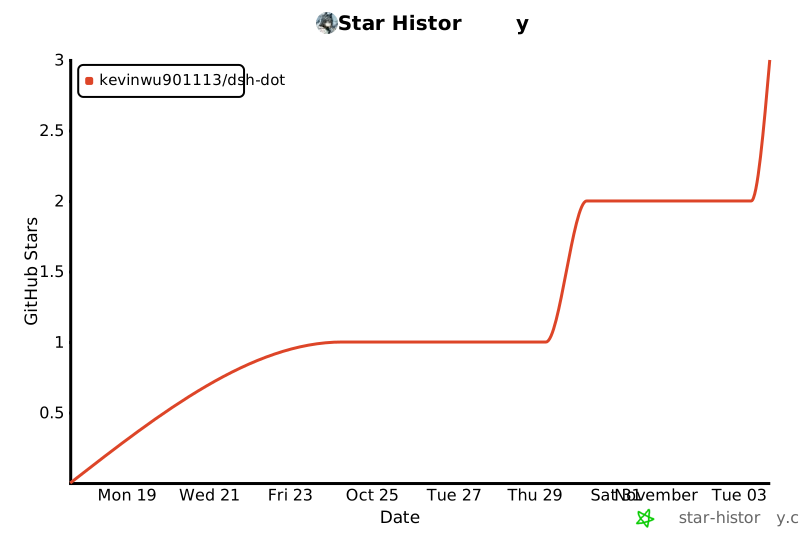](https://star-history.com/#Kevinwu901113/dsh-dot&Date)
|
|
285
|
+
|
|
286
|
+
</div>
|
package/docs/DESIGN.md
CHANGED
|
@@ -209,3 +209,9 @@ Kevin:"感觉现在很难给他长任务。他很容易直接结束然后就
|
|
|
209
209
|
|
|
210
210
|
**手机存储**:她 8 GB 数据分区满了;改 `disk.dataPartition.size` 不会扩大已有分区(实测)。新手机默认 16 GB,建之前可选(`/phone accept <GB>`、`/phone size <GB>`)。
|
|
211
211
|
|
|
212
|
+
|
|
213
|
+
## v0.12.3(2026-11-03):面板「最近 30 场」、启动自检、mface 表情
|
|
214
|
+
|
|
215
|
+
- **最近 N 场**(`src/dot/activity.js`,参照别家养鱼面板的"按场列表"):一场 = 一次叫醒到那轮结束(他的话、QQ / 手机通知、拿手机、幕间一轮、定时任务、玩、每天的日记),按会话 + 时间窗把已有记录拼起来——dot / interlude / memory 审计、QQ 审计(`private`/`group`、`sent`、`sticker-kept`)、memory 的 transcript / calls / diary、幕间的 calls / script。不新增任何写入;每个文件只读尾部(最近 3 天、至多 1 MB,审计含 `.1`),按 size+mtime 缓存,面板 3 秒一轮也只做几次 `stat`。每场:时间 · 进行中/完成/出错 · 来源,展开是动作(短标签 + 她的原话,截 80 字)和工具 / 模型次数 / token(只有幕间和日记的 token 有记录)。
|
|
216
|
+
- **启动自检**:`lastSession` 指向跑腿(在 pastErrands、或标题含"跑腿")或已归档(`workspaceRegistry.archivedSessionIds`)就清空并记 `last-session-cleared`;查不到的跳过。起因:11-03 旧状态文件指向已归档的跑腿,他的 QQ 消息投进去没人回。
|
|
217
|
+
- **mface**:QQ 自带大表情的 summary 是 `[?]`、`[doge]`,没有"表情"二字,原来没被当表情包存;短方括号(1–8 字,`[图片]` 除外)也算。
|