dsh-custom-mode 2.1.0 → 2.2.1
This diff represents the content of publicly available package versions that have been released to one of the supported registries. The information contained in this diff is provided for informational purposes only and reflects changes between package versions as they appear in their respective public registries.
- package/README.i18n.yaml +2 -2
- package/README.md +44 -391
- package/README.zh.md +44 -287
- package/client.js +14 -14
- package/composition.mjs +6 -6
- package/defaults.mjs +59 -0
- package/index.mjs +14 -4
- package/locales.mjs +8 -8
- package/package.json +18 -22
package/README.i18n.yaml
CHANGED
|
@@ -1,5 +1,5 @@
|
|
|
1
1
|
# 双语配对一致性记录:两侧在「上次确认一致」时的 git blob 哈希。
|
|
2
2
|
# 两份文档权威相同——改完任意一侧,请把另一侧也改掉,然后重新记录:
|
|
3
3
|
# node tools/verify-translation-pairing.mjs --write
|
|
4
|
-
README.md:
|
|
5
|
-
README.zh.md:
|
|
4
|
+
README.md: 56782bdda64e7f6bc4bbeff3d83d5f194c9db794
|
|
5
|
+
README.zh.md: e117f0d585894980bd28b4013c82b24347ca97a7
|
package/README.md
CHANGED
|
@@ -2,426 +2,79 @@
|
|
|
2
2
|
|
|
3
3
|
English | [中文](README.zh.md)
|
|
4
4
|
|
|
5
|
-
|
|
6
|
-
the settings page, and keep several assistants side by side (multi-mode / multi-persona, coding, chat or
|
|
7
|
-
role-play). · **中文**:DeepSeek Harness(dsh)自定义模式插件 —— 在设置页编辑系统提示词、选择基础模式、逐行
|
|
8
|
-
开关插件,可并存多个助手(多模式 / 多角色扮演 RP)。
|
|
9
|
-
|
|
10
|
-
|
|
11
|
-
|
|
12
|
-
[](https://github.com/BOWLUNA/dsh-custom-mode/stargazers) [](https://www.npmjs.com/package/dsh-custom-mode) [](https://github.com/BOWLUNA/dsh-custom-mode/actions/workflows/test.yml) [](LICENSE) [](https://github.com/BOWLUNA/dsh-custom-mode#readme)
|
|
13
|
-
|
|
14
|
-
[](https://b23.tv/qJ4Ev0W) [](https://v.douyin.com/VWh0M03Fa4Y/) [](https://xhslink.cn/o/A7QtXmePBBF) [](https://discord.gg/pz97SfAfSy) [](https://github.com/BOWLUNA/dsh-custom-mode/discussions)
|
|
15
|
-
|
|
16
|
-
A custom mode for [DeepSeek Harness](https://github.com/deepseek-ai/deepseek-harness) (dsh). Its
|
|
17
|
-
system prompt is a plain file you can edit on the Web settings page, and an edit takes effect on the
|
|
18
|
-
**next model step** — no restart, no new session.
|
|
19
|
-
|
|
20
|
-
In one line: **a settings page for dsh agent modes** — choose a mode's base composition, toggle the plugin
|
|
21
|
-
rows it mounts, and edit its system prompt, which the agent loop re-reads before every model step. Several
|
|
22
|
-
modes ("assistants") can live side by side, each with its own prompt.
|
|
23
|
-
|
|
24
|
-
Also searched for as: custom mode · custom prompt · system-prompt editor · multi-mode / several assistants ·
|
|
25
|
-
multi-agent · roleplay (RP) / chat personas.
|
|
26
|
-
|
|
27
|
-
**Unit tests cover three lines. The render gate runs only on `0.2.0-rc.2`.** npm's `latest` and `next` have both pointed at `0.2.0-rc.2` since 2026-09-29:
|
|
28
|
-
|
|
29
|
-
| dsh | role | status |
|
|
30
|
-
| --- | --- | --- |
|
|
31
|
-
| `0.2.0-rc.2` | **newest line** — npm's `latest` *and* `next`, and the line the official desktop app ships (it is version-locked to dsh) | ✅ CI (ubuntu node 20/24 + **windows**) + a real instance: install, composition and the seeded preset verified on this line (the full render gate runs here) |
|
|
32
|
-
| `0.2.1-alpha.1` | preview line — npm `alpha`. Covered by unit tests; the render gate does not run here | ✅ CI |
|
|
33
|
-
| `0.1.7-rc.2` | previous stable — still inside the declared range, and what most existing installs run | ✅ CI. On this line the page falls back where the shell does not provide atoms; the render gate does not run here |
|
|
34
|
-
|
|
35
|
-
Older builds (`0.1.5-rc.3`, `0.1.6-alpha.*`) use the same mechanisms and remain inside the declared peer
|
|
36
|
-
range, but they no longer get a CI leg of their own.
|
|
37
|
-
|
|
38
|
-
The four official modes (`standard` / `ptc` / `minimal` / `cordis`) are untouched.
|
|
39
|
-
|
|
40
|
-
<p align="center">
|
|
41
|
-
<img src="https://raw.githubusercontent.com/BOWLUNA/dsh-custom-mode/main/docs/images/01-mode-switch.png" width="360" alt="Base mode and plugin switches">
|
|
42
|
-
<img src="https://raw.githubusercontent.com/BOWLUNA/dsh-custom-mode/main/docs/images/02-plugin-switches.png" width="360" alt="Plugin switches"><br>
|
|
43
|
-
<img src="https://raw.githubusercontent.com/BOWLUNA/dsh-custom-mode/main/docs/images/03-system-prompt.png" width="360" alt="System prompt">
|
|
44
|
-
<img src="https://raw.githubusercontent.com/BOWLUNA/dsh-custom-mode/main/docs/images/04-preset-picker.png" width="360" alt="Mode picker">
|
|
45
|
-
</p>
|
|
5
|
+
Edit a DeepSeek Harness (`dsh`) custom mode: system prompt, base mode, and plugin switches. Keep more than one assistant. 自定义模式、系统提示词、提示词编辑。
|
|
46
6
|
|
|
47
7
|
<p align="center">
|
|
48
|
-
<img src="https://raw.githubusercontent.com/BOWLUNA/dsh-custom-mode/main/docs/images/
|
|
8
|
+
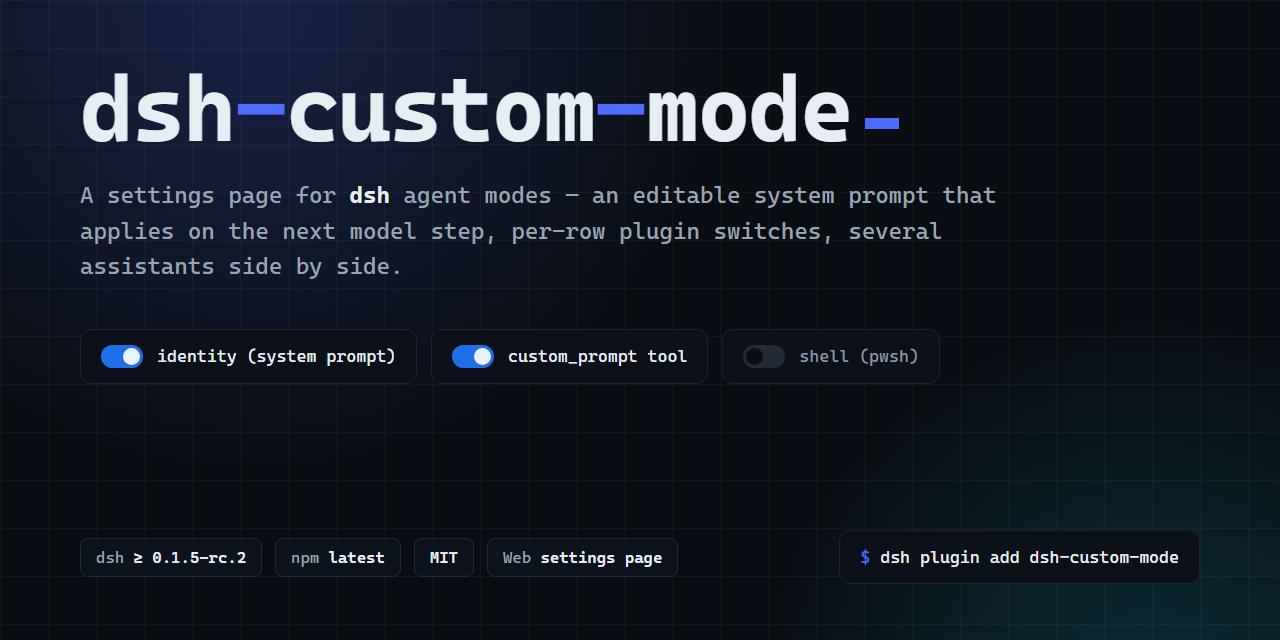
<img src="https://raw.githubusercontent.com/BOWLUNA/dsh-custom-mode/main/docs/images/header.png" width="820" alt="dsh-custom-mode">
|
|
49
9
|
</p>
|
|
50
10
|
|
|
51
|
-
|
|
11
|
+
<table align="center">
|
|
12
|
+
<tr>
|
|
13
|
+
<td align="center"><img src="https://raw.githubusercontent.com/BOWLUNA/dsh-custom-mode/main/docs/images/05-assistant-manager.png" width="360" alt="Assistants"></td>
|
|
14
|
+
<td align="center"><img src="https://raw.githubusercontent.com/BOWLUNA/dsh-custom-mode/main/docs/images/03-system-prompt.png" width="360" alt="System prompt"></td>
|
|
15
|
+
</tr>
|
|
16
|
+
<tr>
|
|
17
|
+
<td align="center"><img src="https://raw.githubusercontent.com/BOWLUNA/dsh-custom-mode/main/docs/images/01-mode-switch.png" width="360" alt="Base mode"></td>
|
|
18
|
+
<td align="center"><img src="https://raw.githubusercontent.com/BOWLUNA/dsh-custom-mode/main/docs/images/02-plugin-switches.png" width="360" alt="Plugin switches"></td>
|
|
19
|
+
</tr>
|
|
20
|
+
</table>
|
|
52
21
|
|
|
53
22
|
## Install
|
|
54
23
|
|
|
55
|
-
|
|
56
|
-
activation:
|
|
24
|
+
Pin the version. A bare name can install an older build during pnpm's release cooldown. Details: [docs/TROUBLESHOOTING.md](docs/TROUBLESHOOTING.md).
|
|
57
25
|
|
|
58
26
|
```sh
|
|
59
|
-
dsh plugin --profile web add dsh-custom-mode@2.1
|
|
60
|
-
# A bare `add dsh-custom-mode` is subject to pnpm's release cooldown (`minimumReleaseAge`, 1 day by
|
|
61
|
-
# default): for hours after a release it can silently install an OLDER version — measured: a bare
|
|
62
|
-
# install 38 minutes after 1.3.0 shipped landed on 1.0.3. Check what you got with `npm ls
|
|
63
|
-
# dsh-custom-mode` inside the profile, or pin the version as above.
|
|
27
|
+
dsh plugin --profile web add dsh-custom-mode@2.2.1
|
|
64
28
|
```
|
|
65
29
|
|
|
66
|
-
Restart
|
|
67
|
-
`$DSH_HOME/.agent-presets/custom/`; anything already there is left alone, so a `prompt.md` you wrote
|
|
68
|
-
yourself is never overwritten.
|
|
69
|
-
|
|
70
|
-
**Platforms**: the suite runs on every push under Ubuntu (Node 20 and 24) **and Windows (Node 24)** — the
|
|
71
|
-
Windows job exists because that platform has its own failure modes (MSYS paths in `install.sh`, `rename`
|
|
72
|
-
locking under concurrent saves, platform expressions evaluating the other way). Both shell scripts work in
|
|
73
|
-
any POSIX shell, Git Bash included.
|
|
30
|
+
Restart the process that serves the profile. The version on the settings page is the one that is running.
|
|
74
31
|
|
|
75
|
-
|
|
32
|
+
Desktop app: install from the in-app Plugins page. The CLI cannot modify `profiles/desktop`.
|
|
76
33
|
|
|
77
|
-
|
|
78
|
-
kinds of input, and all three work here:
|
|
79
|
-
|
|
80
|
-
| Input | What to paste |
|
|
81
|
-
| --- | --- |
|
|
82
|
-
| **Package name** | `dsh-custom-mode` |
|
|
83
|
-
| **GitHub repository URL** | `https://github.com/BOWLUNA/dsh-custom-mode` (the repository root) |
|
|
84
|
-
| **Local plugin directory** | `<your clone>` — the repository root, which *is* the package |
|
|
34
|
+
On Windows, `install.sh` is bash and it needs a `dsh` executable on `PATH`. Otherwise use the `dsh` shipped with DeepSeek Harness, or `node node_modules/@deepseek-ai/dsh/lib/bin.js`.
|
|
85
35
|
|
|
86
|
-
|
|
87
|
-
(`dsh plugin --profile web add dshmarket`), open **Settings → Plugin Market** and search
|
|
88
|
-
`dsh-custom-mode` — its cards read the `engines.dsh` range this plugin declares, and the curated shots
|
|
89
|
-
listed in the repository's `screenshots.json` (five images; they are the same `docs/images/*.png`
|
|
90
|
-
files the README shows, so each picture exists once).
|
|
36
|
+
## Use
|
|
91
37
|
|
|
92
|
-
|
|
93
|
-
|
|
94
|
-
|
|
95
|
-
root plus `editor/package.json` — and that is what made third-party catalogues render the plugin as
|
|
96
|
-
`dsh-custom-mode#editor` and what made dshfind-derived cards read the wrapper's `private: true` and
|
|
97
|
-
report "not published to npm". One manifest at the root, and `test/manifests.test.mjs` keeps it that way.
|
|
38
|
+
1. Open Settings → Custom mode.
|
|
39
|
+
2. Edit the system prompt. Save is directly under the editor.
|
|
40
|
+
3. A new session uses this assistant when `settings.yaml` has no `agent-presets.default` yet. An existing value is left as it is.
|
|
98
41
|
|
|
99
|
-
|
|
42
|
+
The prompt is `prompt.md`. The next time a model step is assembled, that file is read again. History can load an older draft into the editor; loading does not write. A save computed against an older copy is refused when the file changed underneath. The model can change the same file only through `custom_prompt`, which asks first.
|
|
100
43
|
|
|
101
|
-
|
|
102
|
-
`@deepseek-ai/dsh` always carry the same exact version — and it is **the complete Web application in an
|
|
103
|
-
Electron shell**, so this plugin's page renders there unchanged. One install path, and it is the one above:
|
|
44
|
+
New assistants start as one posture. That choice applies only to the assistant you create next.
|
|
104
45
|
|
|
105
|
-
|
|
106
|
-
The app runs the shared plugin manager with its own bundled pnpm.
|
|
107
|
-
- **Do not try to use a standalone CLI for it — dsh itself refuses** (measured on 0.1.7-rc.2, and again on
|
|
108
|
-
0.2.0-rc.2):
|
|
109
|
-
```
|
|
110
|
-
$ dsh plugin --profile desktop add .
|
|
111
|
-
error: profile "desktop" is managed exclusively by the Electron application
|
|
112
|
-
```
|
|
113
|
-
The desktop owns `$DSH_HOME/profiles/desktop`: package operations there hold a profile transaction lock
|
|
114
|
-
and startup recovery renames `cordis.patch.yml`. `install.sh` therefore **refuses** `--profile desktop`
|
|
115
|
-
too and points you at the app, so the two agree instead of one silently working around the other.
|
|
116
|
-
(A lab simulation of the profile shape can override it with `DSH_ALLOW_DESKTOP_PROFILE=1`.)
|
|
117
|
-
**The app's own bundled CLI is the exception** — `<install>\resources\runtime\cli\bin\dsh.cmd` is allowed
|
|
118
|
-
to operate on that profile (an older note claimed a pin installed a different version; that note is withdrawn).
|
|
119
|
-
It is a launcher, not a dsh feature: it starts Electron with `ELECTRON_RUN_AS_NODE=1` and runs the
|
|
120
|
-
desktop-host CLI, so it is the app talking to its own profile rather than something driving from outside.
|
|
121
|
-
- **Nothing else to do on the preset side**: `$DSH_HOME/.agent-presets/` is product data shared by the
|
|
122
|
-
desktop app and the CLI, and the preset is seeded by the plugin on first activation.
|
|
123
|
-
- **If the mode does not show up in the picker, open Settings → Custom mode and read the warning.** A preset
|
|
124
|
-
whose rows cannot start on that machine is marked *broken* by the platform and dropped from every picker;
|
|
125
|
-
the settings page names the rows and offers **Fix for this line**. On the desktop line that can take one
|
|
126
|
-
click and then a **restart of the app** — the picker re-reads the registry only at boot (measured on
|
|
127
|
-
1.11.1, see `docs/MEASUREMENTS.md` section 34).
|
|
128
|
-
- If a third-party bundle ever keeps the app from starting, the native recovery dialog offers
|
|
129
|
-
**Disable third-party plugins**; installed packages and the plugin's own data stay on disk.
|
|
130
|
-
|
|
131
|
-
**Compatibility is declared, not assumed.** dsh checks every plugin's
|
|
132
|
-
`peerDependencies["@deepseek-ai/dsh"]` against the running runtime (prereleases included), and since
|
|
133
|
-
0.2.0 that check is an **installation gate**, not a warning: a range that does not cover the runtime
|
|
134
|
-
means `dsh plugin add` refuses the package outright
|
|
135
|
-
(`installation rejected: Plugin … is incompatible with dsh 0.2.0-rc.2`). The declared range therefore
|
|
136
|
-
*is* the support statement, which is why it moves only after the new line has been installed and tested
|
|
137
|
-
— a range that "probably" works is exactly the kind of claim that turns into a support ticket.
|
|
138
|
-
|
|
139
|
-
To keep the sources around as well — or to install without npm — clone and run the script, which does
|
|
140
|
-
the same two things explicitly:
|
|
141
|
-
|
|
142
|
-
```sh
|
|
143
|
-
git clone https://github.com/BOWLUNA/dsh-custom-mode
|
|
144
|
-
cd dsh-custom-mode
|
|
145
|
-
./install.sh # copies preset/ into $DSH_HOME/.agent-presets/custom/ and installs the plugin
|
|
146
|
-
./uninstall.sh # removes the plugin; keeps your prompt unless you pass --purge
|
|
147
|
-
```
|
|
148
|
-
|
|
149
|
-
The mode needs a profile that ships `agent-presets` — the `web` profile does, `tui` and `headless` do
|
|
150
|
-
not.
|
|
151
|
-
|
|
152
|
-
### Trying it without installing anything
|
|
153
|
-
|
|
154
|
-
Every release carries a **`dsh-custom-mode.dshpreset`** beside the source
|
|
155
|
-
([latest](https://github.com/BOWLUNA/dsh-custom-mode/releases/latest/download/dsh-custom-mode.dshpreset)).
|
|
156
|
-
It is a zip holding one ready-to-use assistant: `manifest.json` plus `preset/` — the composition, a
|
|
157
|
-
`prompt.md`, the reader that re-reads it before every model step, and a model-facing tool that reads and
|
|
158
|
-
rewrites that prompt. Import it in the desktop app and you have a working「自定义模式」**without
|
|
159
|
-
installing a package**:
|
|
160
|
-
|
|
161
|
-
| | |
|
|
46
|
+
| Posture | After create |
|
|
162
47
|
| --- | --- |
|
|
163
|
-
|
|
|
164
|
-
|
|
|
165
|
-
|
|
166
|
-
So the preset is the 30-second way to see what this is, and the plugin is the way to live with it.
|
|
167
|
-
Importing the preset does not conflict with installing the plugin afterwards: the plugin seeds its own
|
|
168
|
-
preset under `$DSH_HOME/.agent-presets/` and never overwrites a `prompt.md` you wrote.
|
|
169
|
-
|
|
170
|
-
## Usage
|
|
171
|
-
|
|
172
|
-
The settings page (Settings → "Custom mode") is an **assistant manager**: the top of the page lists
|
|
173
|
-
every custom mode you have — create, switch, delete — and the four blocks below (name, base mode,
|
|
174
|
-
plugin switches, system prompt) edit **whichever one is selected**.
|
|
48
|
+
| Develop | Built-in Standard tool set. |
|
|
49
|
+
| Write | Terminal off. File tools on. |
|
|
50
|
+
| Chat | Files and terminal off. |
|
|
175
51
|
|
|
176
|
-
|
|
177
|
-
the roster's own sort key), so it survives a restart and the new-session picker follows it.
|
|
178
|
-
- **Import / export a prompt** — "Export prompt" saves the current text as a `.md`; "Import prompt"
|
|
179
|
-
reads a file into the **editor** (nothing is written until you save), so an import goes through the
|
|
180
|
-
same `{{…}}` validation as anything typed.
|
|
181
|
-
- **Asking the agent to change its own prompt requires your approval.** The in-session `custom_prompt`
|
|
182
|
-
tool goes through the platform's approval seam (`tools/pre-execute` returning `ask`), so the request waits
|
|
183
|
-
for an explicit「允许一次」and shows what would be written and where. Measured: with the `ask` approval
|
|
184
|
-
policy the panel appears and approving really writes; with `never` (full access) nothing prompts and the
|
|
185
|
-
call is **denied**. The worst case is therefore "the change does not happen", never "it happened quietly".
|
|
186
|
-
- **配置了却不生效会被点名** — the page warns when a setting cannot take effect: the「身份(系统提示词)」
|
|
187
|
-
row is off while `prompt.md` still has content (so your prompt is silently ignored), the `custom_prompt`
|
|
188
|
-
tool row is off, the assistant has no name or no description (the picker shows the bare id /「暂无描述」).
|
|
189
|
-
- **The agent can change its own prompt, with your approval** — the in-session `custom_prompt` tool reads the
|
|
190
|
-
prompt, replaces it, or **appends** to it. Appending matters because it never has to *reproduce* the whole
|
|
191
|
-
prompt: an agent that wants to remember one rule cannot lose existing content on the way (measured: it may
|
|
192
|
-
still read first to see what it is adding to). Both writing actions go through the platform's approval panel
|
|
193
|
-
first.
|
|
194
|
-
- **Change history** — every save, *and* any change made outside this page (the in-session
|
|
195
|
-
`custom_prompt` tool, a hand edit of `prompt.md`), leaves a version in the history list under the
|
|
196
|
-
prompt box, labelled with when and where it came from. Loading one only edits the draft: nothing is
|
|
197
|
-
written until you save, so browsing old versions cannot destroy the current one. Before this, a prompt
|
|
198
|
-
changed from inside a session was invisible — the page only ever showed "the current text".
|
|
199
|
-
- **Reset to the factory prompt** — one click puts the **shipped template** (the text a new assistant
|
|
200
|
-
starts from) back into the editor. It is draft-only like every other edit: nothing is written until
|
|
201
|
-
you save, and Reload discards it. Before this existed, a prompt you had edited into a corner could
|
|
202
|
-
only be recovered by deleting the assistant and creating it again.
|
|
203
|
-
- **New assistant** — type a name and click "New assistant". It is seeded from the packaged template:
|
|
204
|
-
the full Standard row set plus a starter prompt, selectable in a new session as soon as you save it —
|
|
205
|
-
**in an already-open page the picker's list is a load-time snapshot, so refresh (F5) once to see a new
|
|
206
|
-
assistant there** (measured; the roster itself is up to date).
|
|
207
|
-
- **Duplicate** — copies the selected assistant's prompt, base mode and row switches into a new one;
|
|
208
|
-
the two are independent afterwards.
|
|
209
|
-
- **Each assistant is independent** — its prompt, base mode and row switches are its own; changing one
|
|
210
|
-
leaves the others alone.
|
|
211
|
-
- **Base mode is the row set, not the prompt** — it decides which rows exist and which tools the mode has;
|
|
212
|
-
this plugin always replaces the base's `persona` row with its own reader (`complete: false`), so the
|
|
213
|
-
base's *prompt* semantics are **not** inherited. Minimal is the visible case: you get minimal's tool set,
|
|
214
|
-
not minimal's prompt.
|
|
215
|
-
- **A fifth base mode: Custom — the union of every shipped row.** The first four are dsh's own; the fifth is
|
|
216
|
-
**synthesised by this plugin**. Its row set is the union of those four, and a row declared by more than one
|
|
217
|
-
mode keeps the text and shipped default of whichever mode comes first in `standard → ptc → minimal →
|
|
218
|
-
cordis` order — so standard's shipped state wins where there is a conflict.
|
|
219
|
-
Why it has to exist: a switch can only rewrite a row the *base text already has*, so on Standard the rows
|
|
220
|
-
only PTC declares (`tool-presentation`), only Minimal declares (the persistent-terminal group) and only
|
|
221
|
-
Cordis declares (`tool-cordis`) were **unreachable** — not hidden in the UI, just absent from the composer.
|
|
222
|
-
Measured on `0.2.0-rc.2`: standard 32 rows, PTC 33, Cordis 33, Minimal 7, and the union **40**. Groups
|
|
223
|
-
travel whole with their `isolate` realms and `!!js` conditions intact, so the union cannot invent a row
|
|
224
|
-
that `dsh-agent-presets` would refuse to mount.
|
|
225
|
-
- **The two shells cannot both be on, and the plugin moves the switch for you.** The union contains one
|
|
226
|
-
mutually exclusive pair: Minimal's "persistent terminal" set and standard's `tool-bash` / `tool-pwsh` are
|
|
227
|
-
two implementations of the same thing — both register a tool called `bash`. Enabling both makes
|
|
228
|
-
`dsh-agent-presets` mark the whole mode **broken**, and a broken mode is silently dropped from **every**
|
|
229
|
-
picker while the settings page stays green. So in Custom mode, turning one side on turns the other off,
|
|
230
|
-
and the save message says which row moved. A conflicting combination written outside the page (hand edit,
|
|
231
|
-
another tool) is named by a warning instead of failing silently.
|
|
232
|
-
- **Switching assistants never discards drafts** — each keeps its own unsaved edits, marked
|
|
233
|
-
"Unsaved" in the list; the only path that throws edits away is the reload button, which renames
|
|
234
|
-
itself to say so.
|
|
235
|
-
- **Delete** — a confirmation, then the plugin does the removal itself. Which confirmation depends on the
|
|
236
|
-
line: when the shell hands a third-party client plugin its `RiskConfirmation` atom you get the shell's own
|
|
237
|
-
dialog with a tick-box; on `0.1.7-rc.2` the client seed table only exposes `Button/Input/Switch/Tag/Pill`,
|
|
238
|
-
so it degrades to a native `confirm` (same guardrail, one prompt instead of a dialog). Removal works on both
|
|
239
|
-
lines: `0.1.6` and older have `agentPresets.remove()`, while `0.1.7`+ has no such call at all — there the
|
|
240
|
-
plugin disposes its own registration and removes the directory. It only removes the mode directory from disk:
|
|
241
|
-
**sessions already using it keep running** (their composition was read when they started), and new sessions
|
|
242
|
-
no longer offer it.
|
|
243
|
-
- **Ask the agent** — every assistant ships a `custom_prompt` tool, so a session can read or rewrite
|
|
244
|
-
**its own** prompt.
|
|
245
|
-
- **Edit the file** — `$DSH_HOME/.agent-presets/<assistant id>/prompt.md` is that assistant's single
|
|
246
|
-
source of truth.
|
|
52
|
+
## Boundaries
|
|
247
53
|
|
|
248
|
-
|
|
249
|
-
|
|
54
|
+
- It does not replace Standard, PTC, Minimal, or Creator.
|
|
55
|
+
- It does not ship a role-play preset.
|
|
56
|
+
- It does not run in the desktop profile from the CLI. Headless mode will not start a session that uses an agent preset.
|
|
250
57
|
|
|
251
|
-
|
|
252
|
-
shell's own `@deepseek-ai/dsh-client-ui-primitives`, so theme, light/dark and future restyling reach
|
|
253
|
-
this page automatically; a shell that does not provide those atoms falls back to built-in plain
|
|
254
|
-
controls with the same behaviour.
|
|
58
|
+
## Compatibility
|
|
255
59
|
|
|
256
|
-
|
|
257
|
-
and its directory name is its internal id. The page manages only **presets this tool created** — the
|
|
258
|
-
test is that the directory carries `prompt.md` and that its composition injects identity through
|
|
259
|
-
`prompt-reader.mjs`. Any other hand-authored preset is neither listed nor touched: the page
|
|
260
|
-
regenerates a composition from a base mode, and doing that to a hand-written one would destroy it.
|
|
60
|
+
Declared range: `>=0.1.5-rc.2 <0.2.0-0 || >=0.1.6-alpha.1 <0.2.0-0 || >=0.1.7-alpha.1 <0.2.0-0 || >=0.2.0-0 <0.3.0-0 || >=0.2.1-alpha.1 <0.3.0-0`
|
|
261
61
|
|
|
262
|
-
|
|
263
|
-
|
|
264
|
-
From dsh `0.1.6-alpha.2` the harness ships a Plugins page that can enable and disable plugins live.
|
|
265
|
-
It and this mode's per-row switches act at **different levels**:
|
|
266
|
-
|
|
267
|
-
| | Built-in Plugins page | This mode's per-row switches |
|
|
62
|
+
| dsh | Claim | Checked for 2.2.1 |
|
|
268
63
|
| --- | --- | --- |
|
|
269
|
-
|
|
|
270
|
-
|
|
|
271
|
-
|
|
272
|
-
They coexist: the harness decides what the machine has, this mode decides which of it the mode uses.
|
|
273
|
-
|
|
274
|
-
The boundary is **drawn by upstream**: the Plugins page documents that it manages "the profile's bundles
|
|
275
|
-
and their uniquely addressable rows", and states plainly that **agent-preset rows remain read-only**.
|
|
276
|
-
The preset layer is therefore out of its reach — and that is exactly the layer this mode covers.
|
|
64
|
+
| `0.2.0-rc.2` | declared | Windows web profile, before this release |
|
|
65
|
+
| `0.2.1-alpha.1` | declared, in CI | not re-run for this release |
|
|
66
|
+
| `0.1.7-rc.2` | declared, in CI | not re-run for this release |
|
|
277
67
|
|
|
278
|
-
|
|
279
|
-
Standard and PTC** — only Creator enables it. The official modes give you no way to change that; here
|
|
280
|
-
you flip one switch.
|
|
68
|
+
The unit suite also passed under WSL2 Ubuntu 26.04 (Node only, no dsh process, no browser). That is not a Linux desktop result.
|
|
281
69
|
|
|
282
|
-
##
|
|
70
|
+
## Docs
|
|
283
71
|
|
|
284
|
-
|
|
285
|
-
|
|
286
|
-
|
|
287
|
-
|
|
288
|
-
|
|
289
|
-
|
|
290
|
-
- **Prompt text** is re-read per step, so an edit applies to the **running** session immediately.
|
|
291
|
-
- **Switches and base mode** rewrite the composition file. `agent-presets` remounts a preset when that
|
|
292
|
-
file's `mtimeMs` and `size` change, so a **new session** picks them up; a running session keeps the
|
|
293
|
-
configuration it started with, which is deliberate — swapping a tool set mid-conversation would be wrong.
|
|
294
|
-
|
|
295
|
-
Row switches are tri-state. A row you never touched stays byte-identical to the shipped one, including
|
|
296
|
-
its `!!js` platform condition and its shipped `disabled` state; an explicit on/off replaces that
|
|
297
|
-
condition with a boolean. Platform expressions are evaluated on the host, so the page shows the state
|
|
298
|
-
actually in force on this machine rather than whether a key exists.
|
|
299
|
-
|
|
300
|
-
Several assistants need no new mechanism: `dsh-agent-presets` already scans **every** directory under
|
|
301
|
-
the user preset root, and re-reads those roots on each roster call, so a directory created just now is
|
|
302
|
-
selectable the next time a session is started. Each assistant's `prompt-reader.mjs` / `prompt-tool.mjs`
|
|
303
|
-
resolves `prompt.md` relative to **its own module location**, so N copies are N independent prompts.
|
|
304
|
-
Creation seeds the packaged template; deletion goes through the platform's `agentPresets.remove()` where it
|
|
305
|
-
exists and through the plugin's own dispose-and-remove path where it does not (0.1.7+),
|
|
306
|
-
which refuses a shipped preset and re-checks that the directory really lives under the writable root.
|
|
307
|
-
|
|
308
|
-
## Versioning
|
|
309
|
-
|
|
310
|
-
The package version is its **own line** — `1.0.0`, then `1.0.1`, … It does not mirror the DSH release.
|
|
311
|
-
What this plugin supports is declared in `engines.dsh` and the `@deepseek-ai/dsh` peer range in
|
|
312
|
-
`package.json`, and `tools/verify-version-consistency.mjs` (run in CI) asserts that the DSH
|
|
313
|
-
version CI installs and tests falls inside those ranges.
|
|
314
|
-
|
|
315
|
-
**Three lines are supported: the newest stable line (`0.2.0-rc.2`, which npm's `latest` and `next` both
|
|
316
|
-
point at since 2026-09-29, and the line the desktop app ships), the newest preview line
|
|
317
|
-
(`0.2.1-alpha.1`, which npm's `alpha` points at) and the previous stable (`0.1.7-rc.2` — still inside
|
|
318
|
-
the declared range, and what most existing installs run)** — declared as
|
|
319
|
-
`>=0.1.5-rc.2 <0.2.0-0 || >=0.1.6-alpha.1 <0.2.0-0 || >=0.1.7-alpha.1 <0.2.0-0 || >=0.2.0-0 <0.3.0-0 || >=0.2.1-alpha.1 <0.3.0-0`.
|
|
320
|
-
The official one-click installer reads `peerDependencies` and **lets prereleases match** (`semver.satisfies(version, range, { includePrerelease: true })` in `dsh-app-boot`). The current stable line `0.2.0-rc.2` and the preview line `0.2.1-alpha.1` both install. The range still names those prereleases because npm and pnpm's default comparison is stricter, so a marketplace using that comparison does not reject the preview line either. CI installs all three lines and runs the full suite on each. The render gate runs only on `0.2.0-rc.2`, where the shell's UI changes land first. Older `0.1.5` / `0.1.6` builds stay inside the peer range and no longer have their own CI leg.
|
|
321
|
-
**The official desktop app (DeepSeek Harness Desktop) is covered too**: it is version-locked to dsh and now
|
|
322
|
-
ships `0.2.0-rc.2`, i.e. the same combination this matrix pins. Install it from inside the app (sidebar →
|
|
323
|
-
Plugins); the CLI is refused for that profile by dsh itself. On `0.2.0-rc.2` measured (2026-09-30, clean
|
|
324
|
-
throwaway `DSH_HOME`): `dsh plugin --profile web add dsh-custom-mode` resolves the package in 640 ms, the
|
|
325
|
-
composition tree carries the row, boot seeds all five preset files, the declarative registry syncs the
|
|
326
|
-
assistant, and the `agentPresets` capability set is unchanged (`list, register, inventory, select,
|
|
327
|
-
document`).
|
|
328
|
-
|
|
329
|
-
Two reasons for the split. A bare `x.y.z` is what directories and markets require before they will
|
|
330
|
-
auto-install a package — several resolve npm `latest` and reject anything carrying a prerelease tag.
|
|
331
|
-
And a version string was never a checkable claim anyway: the declared range is, and it is the thing
|
|
332
|
-
that goes stale when upstream moves. What decides compatibility in practice is still whether the APIs
|
|
333
|
-
below exist, which is what the ranges are for.
|
|
334
|
-
|
|
335
|
-
<details>
|
|
336
|
-
<summary>Coupling points (check these when upgrading dsh)</summary>
|
|
337
|
-
|
|
338
|
-
| Dependency | Failure if it changes |
|
|
339
|
-
| --- | --- |
|
|
340
|
-
| `ctx.systemPrompt.section()` with a **function** `text` | the prompt stops hot-reloading — the point of the project |
|
|
341
|
-
| `agentPresets` remounts on composition `mtimeMs`+`size` | switches need a process restart to apply |
|
|
342
|
-
| `ctx.tools.register()` | loses the `custom_prompt` tool |
|
|
343
|
-
| `ctx.connection.fetch.register({ path, methods, requestBody, fetch })` | settings page 404s — nothing is registered |
|
|
344
|
-
| `kind: 'prefix'` matching both `path` and `path/…` | only the list opens; `/state`, `/create`, `/delete` all 404 |
|
|
345
|
-
| `agentPresets.list()` rows carrying `id` / `trust` / `path`, with `preset.yml` supplying `name` / `description` | the assistant list is empty or unrecognisable |
|
|
346
|
-
| `agentPresets.remove(id)` (legacy only), refusing `trust: 'system'` | 0.1.7+ deletion no longer needs it — the declarative backend disposes the registration and deletes the directory instead |
|
|
347
|
-
| the `/api` channel's fence (Host/Origin + browser auth) | the page cannot authenticate at all; do **not** "fix" it by moving the route to the raw `webServer` table |
|
|
348
|
-
| `ctx.inject(deps, cb)` (scoped wait) | the row parks in `pending` in profiles without a web server |
|
|
349
|
-
| `dsh.client` + `exports["./client"]`, client bundle id == package name | the browser half is not discovered |
|
|
350
|
-
| `settings.section` slot (`id` / `order` / `label`) | page placement and label |
|
|
351
|
-
| **`settings.section` no longer takes `locale:`** (since 0.1.6-alpha.2) | the shell does not hand over a `t` bound to this namespace; the page carries its own dictionaries as a floor — see ARCHITECTURE §15 |
|
|
352
|
-
| `preset.yml`'s `order` participating in the roster sort | move up/down stops working |
|
|
353
|
-
| `ctx.locale.register/bind` | falls back to Chinese |
|
|
354
|
-
| **where the base composition comes from** — `agentPresets.readDocument(<mode>).content` on 0.1.7+, the `@deepseek-ai/dsh-agent-presets` files before that | the base mode and the plugin switches become read-only (the prompt still saves); see `base-composition.mjs` |
|
|
355
|
-
| shipped layout `<presets>/<id>/agent.cordis.yml` and row text shape | base-mode switching breaks |
|
|
356
|
-
| `!!js` platform expressions | platform rows display the wrong state |
|
|
357
|
-
|
|
358
|
-
</details>
|
|
359
|
-
|
|
360
|
-
## Documentation
|
|
361
|
-
|
|
362
|
-
- [`docs/TROUBLESHOOTING.md`](docs/TROUBLESHOOTING.md) — failures reproduced on a real machine, with symptoms, cause and a way out.
|
|
363
|
-
- [`docs/MEASUREMENTS.md`](docs/MEASUREMENTS.md) — the commands and raw output behind each claim.
|
|
364
|
-
- [`docs/ARCHITECTURE.md`](docs/ARCHITECTURE.md) — why this is two artifacts, and which host APIs it depends on.
|
|
365
|
-
- [`docs/PUBLISHING.md`](docs/PUBLISHING.md) — how the npm package is published.
|
|
366
|
-
- [`AGENTS.md`](AGENTS.md) — agent-facing notes, including the full recipe for verifying the UI in a
|
|
367
|
-
real browser on the lab (`tools/browser-verify.mjs`).
|
|
368
|
-
- [`CHANGELOG.md`](CHANGELOG.md) · [`SECURITY.md`](SECURITY.md) · [`CONTRIBUTING.md`](CONTRIBUTING.md)
|
|
369
|
-
|
|
370
|
-
## Development
|
|
371
|
-
|
|
372
|
-
```sh
|
|
373
|
-
node test/run.mjs # 15 suites; resolves the shipped presets itself (0.1.7+ derives them from the host)
|
|
374
|
-
```
|
|
375
|
-
|
|
376
|
-
Edits to `client.js` are hot-swapped by `@deepseek-ai/dsh-client-hmr` about a second later; the
|
|
377
|
-
host half (`index.mjs`, `composition.mjs`, `meta.mjs`, `paths.mjs`) needs a restart. See
|
|
378
|
-
[`test/README.md`](test/README.md) for what each suite protects, and [`CONTRIBUTING.md`](CONTRIBUTING.md)
|
|
379
|
-
before changing behaviour.
|
|
380
|
-
|
|
381
|
-
## If it helps
|
|
382
|
-
|
|
383
|
-
A ⭐ on GitHub is what makes a plugin findable in a catalogue of thousands — it costs you nothing and it is
|
|
384
|
-
the whole reason this page keeps getting maintenance. If it is **not** working on your dsh line, open an issue
|
|
385
|
-
with the output of `dsh --version`: that is the fastest path to a fix, and the compatibility table above is
|
|
386
|
-
what came out of the last one.
|
|
72
|
+
- [docs/TROUBLESHOOTING.md](docs/TROUBLESHOOTING.md) — wrong version installed, base mode unavailable, half-finished upgrade
|
|
73
|
+
- [docs/ARCHITECTURE.md](docs/ARCHITECTURE.md) — where the prompt is read, and which host calls this package depends on
|
|
74
|
+
- [docs/PUBLISHING.md](docs/PUBLISHING.md) — tags and release
|
|
75
|
+
- [CONTRIBUTING.md](CONTRIBUTING.md) — people
|
|
76
|
+
- [AGENTS.md](AGENTS.md) — agents
|
|
387
77
|
|
|
388
78
|
## License
|
|
389
79
|
|
|
390
80
|
MIT
|
|
391
|
-
|
|
392
|
-
## Updating
|
|
393
|
-
|
|
394
|
-
The plugin lives in the profile's `node_modules` and the platform owns that installation, so updating means
|
|
395
|
-
installing again — your data is not touched:
|
|
396
|
-
|
|
397
|
-
```sh
|
|
398
|
-
# the pinned form: what you ask for is what you get
|
|
399
|
-
dsh plugin --profile web add dsh-custom-mode@2.1.0
|
|
400
|
-
# then restart the DSH process that serves the web profile
|
|
401
|
-
```
|
|
402
|
-
|
|
403
|
-
**Do not install by bare name, and do not use `@latest`.** pnpm applies a release cooldown
|
|
404
|
-
(`minimumReleaseAge`, 24 hours by default). A bare `dsh plugin add dsh-custom-mode` resolves to *the newest
|
|
405
|
-
version older than 24 hours*. Measured: while npm `latest` was 1.12.2 and six minutes old, `@latest` installed
|
|
406
|
-
1.11.6. Pin the exact version.
|
|
407
|
-
|
|
408
|
-
Each exact pin appends a `minimumReleaseAgeExclude` line in the profile's `pnpm-workspace.yaml`. pnpm 11.7.0
|
|
409
|
-
honours only the first line that matches the package name ([pnpm#12463](https://github.com/pnpm/pnpm/issues/12463)).
|
|
410
|
-
Keep one line, `dsh-custom-mode`, not a list of versions. This plugin does not edit that file. If install fails
|
|
411
|
-
with `ERR_PNPM_MINIMUM_RELEASE_AGE_VIOLATION`, merge the list to that one line and run the install again:
|
|
412
|
-
`node_modules` may already show the new version while `package.json` still names the old one.
|
|
413
|
-
|
|
414
|
-
**How to know the upgrade worked**: restart dsh, then read the version at the bottom of this settings page.
|
|
415
|
-
|
|
416
|
-
**What an update does not touch**: `$DSH_HOME/.agent-presets/<your assistants>/` — `prompt.md`, `preset.yml` and
|
|
417
|
-
your row switches are yours. Seeding only fills in *missing* files, so a prompt you wrote is never overwritten.
|
|
418
|
-
|
|
419
|
-
**If the base mode and the plugin switches are greyed out with a one-line warning**: this dsh line exposes no
|
|
420
|
-
shipped composition to this plugin (the resolver tried the host's `readDocument()`, the legacy presets package
|
|
421
|
-
and the packaged `dsh-web-app` patch — the host log names each attempt). The system prompt still saves on its
|
|
422
|
-
own; nothing else about the mode is touched. On 0.1.7 that was a hard 500 until 1.9.13.
|
|
423
|
-
|
|
424
|
-
**If a mode stops appearing in the picker after an update**: an assistant created by an older version keeps its
|
|
425
|
-
old composition file, and if that file enables a plugin row this dsh line does not ship, the platform marks the
|
|
426
|
-
whole preset broken and silently drops it while the settings page keeps working. Open the settings page: it says
|
|
427
|
-
so and offers **「Fix for this line」**, which turns exactly those rows off and leaves everything else alone.
|