directus-extension-super-table 0.6.3 → 0.6.4
This diff represents the content of publicly available package versions that have been released to one of the supported registries. The information contained in this diff is provided for informational purposes only and reflects changes between package versions as they appear in their respective public registries.
- package/README.md +13 -2
- package/index.js +2 -2
- package/package.json +25 -24
package/README.md
CHANGED
|
@@ -9,7 +9,7 @@
|
|
|
9
9
|

|
|
10
10
|

|
|
11
11
|
|
|
12
|
-
A powerful and feature-rich table layout extension for Directus 11
|
|
12
|
+
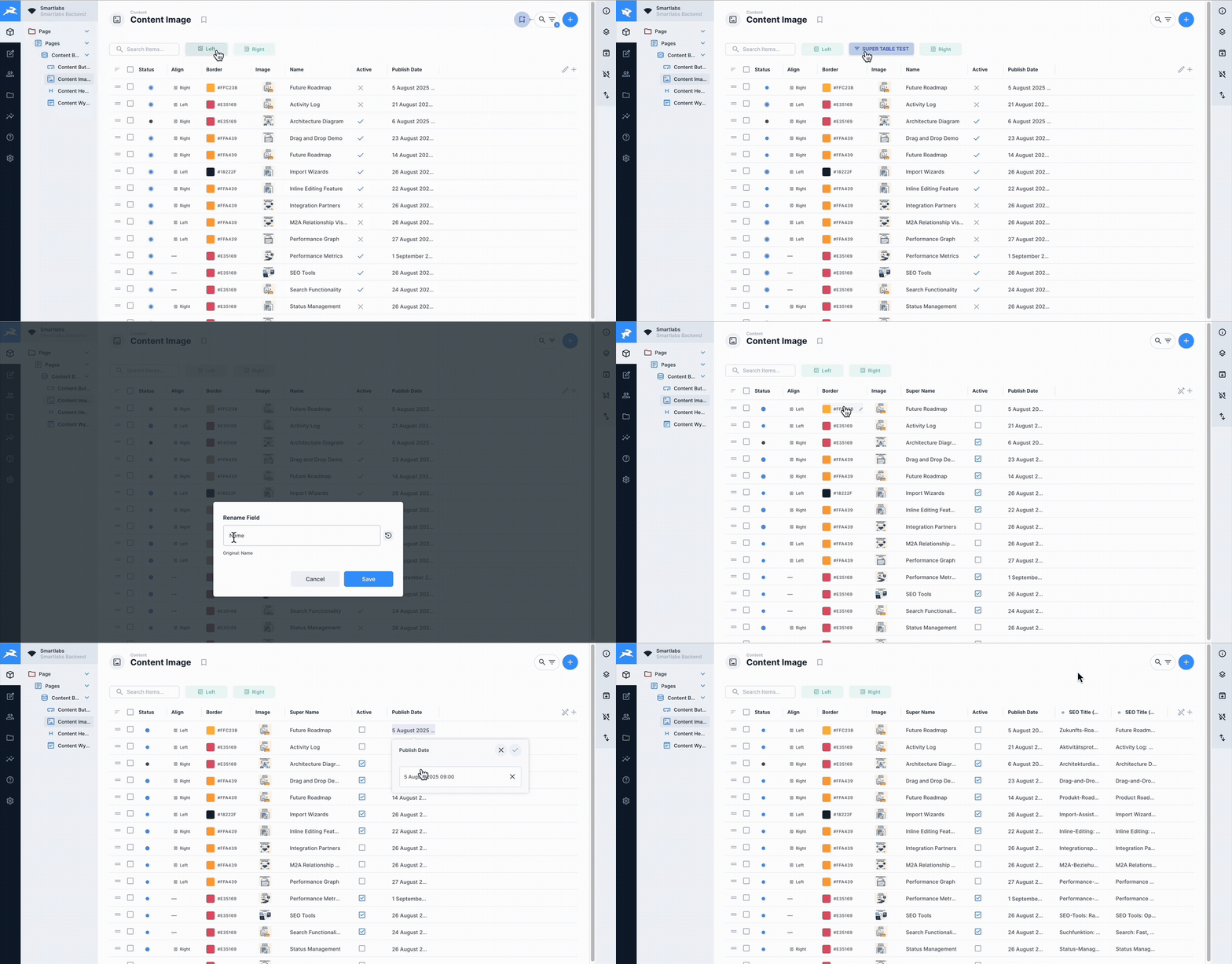
A powerful and feature-rich table layout extension for Directus 11 and 12 that enhances the default table view with advanced functionality including inline editing, quick filters, shareable saved views, and custom cell rendering.
|
|
13
13
|
|
|
14
14
|
|
|
15
15
|
|
|
@@ -27,6 +27,9 @@ Rename table columns on-the-fly without changing the underlying field names. Cre
|
|
|
27
27
|
### 🎨 Quick Filters with Colors & Icons
|
|
28
28
|
Create custom filter buttons with personalized colors and icons for instant data filtering. Visual organization at its best.
|
|
29
29
|
|
|
30
|
+
### 🔖 Saved & Shared Views
|
|
31
|
+
Save the current table view (columns, filters, sort, search) as a native bookmark — and, as an admin, share it with **specific roles and/or users** in one step (or with everyone). Recipients get the exact same view in their own navigation.
|
|
32
|
+
|
|
30
33
|
### 🔍 Global Table Search
|
|
31
34
|
Powerful search functionality across all table fields, including nested relations and translations. Find anything, anywhere in your data.
|
|
32
35
|
|
|
@@ -204,6 +207,14 @@ Save table configurations for quick access:
|
|
|
204
207
|
3. **Update Bookmark**: Load bookmark, make changes, save with same name
|
|
205
208
|
4. **Delete Bookmark**: Right-click bookmark and select delete
|
|
206
209
|
|
|
210
|
+
### Shared Views (Save & Share)
|
|
211
|
+
Save the current view and choose who can see it:
|
|
212
|
+
|
|
213
|
+
1. **Save view**: Click the **Save view** button in the header → name it, optionally pick an icon/color, and choose a scope.
|
|
214
|
+
2. **Scopes**: **Just me** (personal), **Everyone** (global), or **Specific targets** (admins only) — select any number of **roles** and/or **users** to share with.
|
|
215
|
+
3. **Re-saving** the same name updates the shared view in place (no duplicates).
|
|
216
|
+
4. **Visibility**: each recipient sees the shared view once in their own bookmark navigation. Non-admins only ever see the "Just me" option.
|
|
217
|
+
|
|
207
218
|
## Project Structure
|
|
208
219
|
|
|
209
220
|
```
|
|
@@ -241,7 +252,7 @@ super-layout-table/
|
|
|
241
252
|
### Prerequisites
|
|
242
253
|
- Node.js 20+ (CI runs on 20.x and 22.x)
|
|
243
254
|
- pnpm package manager
|
|
244
|
-
- Directus 11.0.0
|
|
255
|
+
- Directus 11 and 12 (verified on 11.11.0 and 12.0.2)
|
|
245
256
|
|
|
246
257
|
### Setup Development Environment
|
|
247
258
|
```bash
|