deepagents 1.3.1 → 1.4.1
This diff represents the content of publicly available package versions that have been released to one of the supported registries. The information contained in this diff is provided for informational purposes only and reflects changes between package versions as they appear in their respective public registries.
- package/README.md +108 -3
- package/dist/index.cjs +3452 -0
- package/dist/index.cjs.map +1 -0
- package/dist/index.d.cts +1584 -0
- package/dist/index.d.ts +930 -21
- package/dist/index.js +1496 -35
- package/dist/index.js.map +1 -0
- package/package.json +40 -38
package/README.md
CHANGED
|
@@ -1,4 +1,4 @@
|
|
|
1
|
-
# 🧠🤖Deep Agents
|
|
1
|
+
# 🧠🤖 Deep Agents
|
|
2
2
|
|
|
3
3
|
Using an LLM to call tools in a loop is the simplest form of an agent.
|
|
4
4
|
This architecture, however, can yield agents that are "shallow" and fail to plan and act over longer, more complex tasks.
|
|
@@ -6,14 +6,43 @@ This architecture, however, can yield agents that are "shallow" and fail to plan
|
|
|
6
6
|
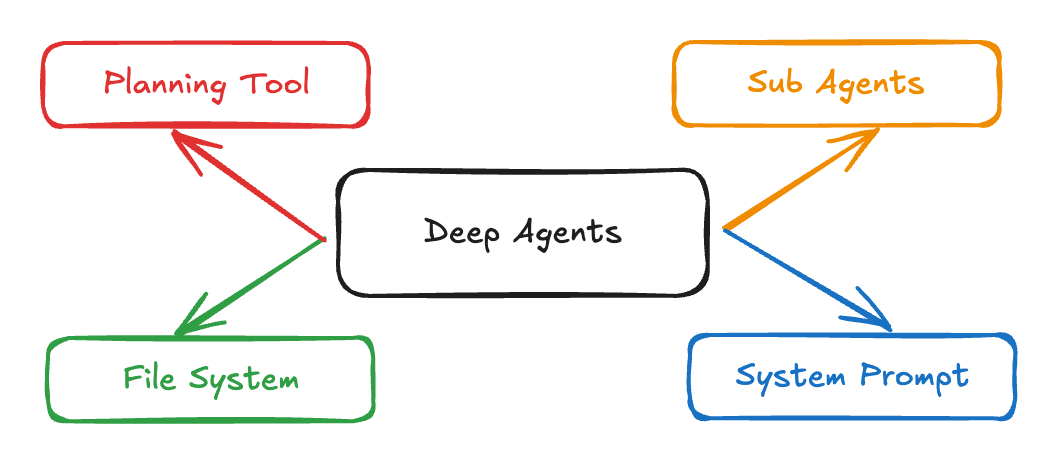
Applications like "Deep Research", "Manus", and "Claude Code" have gotten around this limitation by implementing a combination of four things:
|
|
7
7
|
a **planning tool**, **sub agents**, access to a **file system**, and a **detailed prompt**.
|
|
8
8
|
|
|
9
|
-
> 💡 **Tip:** Looking for the Python version of this package? See [
|
|
9
|
+
> 💡 **Tip:** Looking for the Python version of this package? See [langchain-ai/deepagents](https://github.com/langchain-ai/deepagents)
|
|
10
10
|
|
|
11
|
-
|
|
11
|
+
|
|
12
12
|
|
|
13
13
|
`deepagents` is a TypeScript package that implements these in a general purpose way so that you can easily create a Deep Agent for your application.
|
|
14
14
|
|
|
15
15
|
**Acknowledgements: This project was primarily inspired by Claude Code, and initially was largely an attempt to see what made Claude Code general purpose, and make it even more so.**
|
|
16
16
|
|
|
17
|
+
[](https://www.npmjs.com/package/deepagents)
|
|
18
|
+
[](https://opensource.org/licenses/MIT)
|
|
19
|
+
[](https://www.typescriptlang.org/)
|
|
20
|
+
|
|
21
|
+
[Documentation](https://docs.langchain.com/oss/javascript/deepagents/overview) | [Examples](./examples) | [Report Bug](https://github.com/langchain-ai/deepagentsjs/issues) | [Request Feature](https://github.com/langchain-ai/deepagentsjs/issues)
|
|
22
|
+
|
|
23
|
+
## 📖 Overview
|
|
24
|
+
|
|
25
|
+
Using an LLM to call tools in a loop is the simplest form of an agent. However, this architecture can yield agents that are "shallow" and fail to plan and act over longer, more complex tasks.
|
|
26
|
+
|
|
27
|
+
Applications like **Deep Research**, **Manus**, and **Claude Code** have overcome this limitation by implementing a combination of four key components:
|
|
28
|
+
|
|
29
|
+
1. **Planning Tool** - Strategic task decomposition
|
|
30
|
+
2. **Sub-Agents** - Specialized agents for subtasks
|
|
31
|
+
3. **File System Access** - Persistent state and memory
|
|
32
|
+
4. **Detailed Prompts** - Context-rich instructions
|
|
33
|
+
|
|
34
|
+
**Deep Agents** is a TypeScript package that implements these patterns in a general-purpose way, enabling you to easily create sophisticated agents for your applications.
|
|
35
|
+
|
|
36
|
+
## ✨ Features
|
|
37
|
+
|
|
38
|
+
- 🎯 **Task Planning & Decomposition** - Break complex tasks into manageable steps
|
|
39
|
+
- 🤖 **Sub-Agent Architecture** - Delegate specialized work to focused agents
|
|
40
|
+
- 💾 **File System Integration** - Persistent memory and state management
|
|
41
|
+
- 🌊 **Streaming Support** - Real-time updates, token streaming, and progress tracking
|
|
42
|
+
- 🔄 **LangGraph Powered** - Built on the robust LangGraph framework
|
|
43
|
+
- 📝 **TypeScript First** - Full type safety and IntelliSense support
|
|
44
|
+
- 🔌 **Extensible** - Easy to customize and extend for your use case
|
|
45
|
+
|
|
17
46
|
## Installation
|
|
18
47
|
|
|
19
48
|
```bash
|
|
@@ -440,6 +469,81 @@ const agent4 = createDeepAgent({
|
|
|
440
469
|
|
|
441
470
|
See [examples/backends/](examples/backends/) for detailed examples of each backend type.
|
|
442
471
|
|
|
472
|
+
### Sandbox Execution
|
|
473
|
+
|
|
474
|
+
For agents that need to run shell commands, you can create a sandbox backend by extending `BaseSandbox`. This enables the `execute` tool which allows agents to run arbitrary shell commands in an isolated environment.
|
|
475
|
+
|
|
476
|
+
```typescript
|
|
477
|
+
import {
|
|
478
|
+
createDeepAgent,
|
|
479
|
+
BaseSandbox,
|
|
480
|
+
type ExecuteResponse,
|
|
481
|
+
type FileUploadResponse,
|
|
482
|
+
type FileDownloadResponse,
|
|
483
|
+
} from "deepagents";
|
|
484
|
+
import { spawn } from "child_process";
|
|
485
|
+
|
|
486
|
+
// Create a concrete sandbox by extending BaseSandbox
|
|
487
|
+
class LocalShellSandbox extends BaseSandbox {
|
|
488
|
+
readonly id = "local-shell";
|
|
489
|
+
private readonly workingDirectory: string;
|
|
490
|
+
|
|
491
|
+
constructor(workingDirectory: string) {
|
|
492
|
+
super();
|
|
493
|
+
this.workingDirectory = workingDirectory;
|
|
494
|
+
}
|
|
495
|
+
|
|
496
|
+
// Only execute() is required - BaseSandbox implements all file operations
|
|
497
|
+
async execute(command: string): Promise<ExecuteResponse> {
|
|
498
|
+
return new Promise((resolve) => {
|
|
499
|
+
const child = spawn("/bin/bash", ["-c", command], {
|
|
500
|
+
cwd: this.workingDirectory,
|
|
501
|
+
});
|
|
502
|
+
|
|
503
|
+
const chunks: string[] = [];
|
|
504
|
+
child.stdout.on("data", (data) => chunks.push(data.toString()));
|
|
505
|
+
child.stderr.on("data", (data) => chunks.push(data.toString()));
|
|
506
|
+
|
|
507
|
+
child.on("close", (exitCode) => {
|
|
508
|
+
resolve({
|
|
509
|
+
output: chunks.join(""),
|
|
510
|
+
exitCode,
|
|
511
|
+
truncated: false,
|
|
512
|
+
});
|
|
513
|
+
});
|
|
514
|
+
});
|
|
515
|
+
}
|
|
516
|
+
|
|
517
|
+
async uploadFiles(
|
|
518
|
+
files: Array<[string, Uint8Array]>,
|
|
519
|
+
): Promise<FileUploadResponse[]> {
|
|
520
|
+
// Implement file upload logic
|
|
521
|
+
return files.map(([path]) => ({ path, error: null }));
|
|
522
|
+
}
|
|
523
|
+
|
|
524
|
+
async downloadFiles(paths: string[]): Promise<FileDownloadResponse[]> {
|
|
525
|
+
// Implement file download logic
|
|
526
|
+
return paths.map((path) => ({
|
|
527
|
+
path,
|
|
528
|
+
content: null,
|
|
529
|
+
error: "file_not_found",
|
|
530
|
+
}));
|
|
531
|
+
}
|
|
532
|
+
}
|
|
533
|
+
|
|
534
|
+
// Use the sandbox with your agent
|
|
535
|
+
const sandbox = new LocalShellSandbox("./workspace");
|
|
536
|
+
|
|
537
|
+
const agent = createDeepAgent({
|
|
538
|
+
backend: sandbox,
|
|
539
|
+
systemPrompt: "You can run shell commands using the execute tool.",
|
|
540
|
+
});
|
|
541
|
+
```
|
|
542
|
+
|
|
543
|
+
When using a sandbox backend, the agent gains access to an `execute` tool that can run shell commands. The tool automatically returns the command output, exit code, and whether the output was truncated.
|
|
544
|
+
|
|
545
|
+
See [examples/sandbox/local-sandbox.ts](examples/sandbox/local-sandbox.ts) for a complete implementation.
|
|
546
|
+
|
|
443
547
|
## Deep Agents Middleware
|
|
444
548
|
|
|
445
549
|
Deep Agents are built with a modular middleware architecture. As a reminder, Deep Agents have access to:
|
|
@@ -486,6 +590,7 @@ Context engineering is one of the main challenges in building effective agents.
|
|
|
486
590
|
- **edit_file**: Edit an existing file in your filesystem
|
|
487
591
|
- **glob**: Find files matching a pattern
|
|
488
592
|
- **grep**: Search for text within files
|
|
593
|
+
- **execute**: Run shell commands (only available when using a `SandboxBackendProtocol`)
|
|
489
594
|
|
|
490
595
|
```typescript
|
|
491
596
|
import { createAgent } from "langchain";
|