dbgate-serve-premium 5.5.7-alpha.45
This diff represents the content of publicly available package versions that have been released to one of the supported registries. The information contained in this diff is provided for informational purposes only and reflects changes between package versions as they appear in their respective public registries.
- package/README.md +27 -0
- package/bin/dbgate-serve.js +12 -0
- package/package.json +32 -0
package/README.md
ADDED
|
@@ -0,0 +1,27 @@
|
|
|
1
|
+
[](https://github.com/prettier/prettier)
|
|
2
|
+
[](https://www.npmjs.com/package/dbgate)
|
|
3
|
+
|
|
4
|
+
# DbGate - database administration tool
|
|
5
|
+
DbGate is fast and easy to use database administration tool for MySQL, PostgreSQL, SQL Server.
|
|
6
|
+
|
|
7
|
+
## Install using npm
|
|
8
|
+
```sh
|
|
9
|
+
npm install -g dbgate-serve-premium
|
|
10
|
+
```
|
|
11
|
+
|
|
12
|
+
After installing, you can run dbgate with command:
|
|
13
|
+
```sh
|
|
14
|
+
dbgate-serve-premium
|
|
15
|
+
```
|
|
16
|
+
|
|
17
|
+
Then open http://localhost:3000 in your browser
|
|
18
|
+
|
|
19
|
+
## Download electron app
|
|
20
|
+
You can also download binary packages from https://dbgate.org . Or run from source code, as described on [github](https://github.com/dbgate/dbgate)
|
|
21
|
+
|
|
22
|
+
## Other dbgate packages
|
|
23
|
+
You can use some functionality of dbgate from your JavaScript code. See [dbgate-api](https://npmjs.com/dbgate-api) package.
|
|
24
|
+
|
|
25
|
+
## Screenshot
|
|
26
|
+
|
|
27
|
+
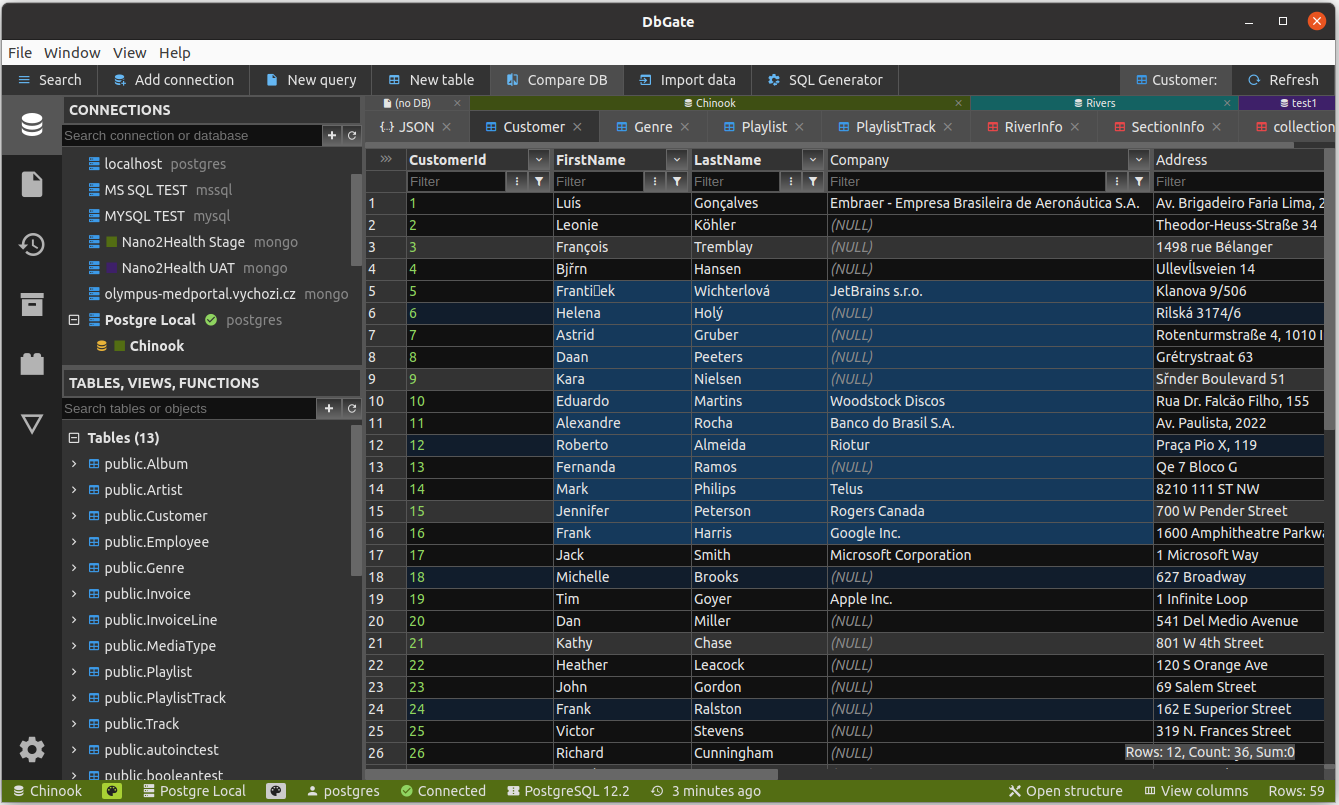
|
|
@@ -0,0 +1,12 @@
|
|
|
1
|
+
#!/usr/bin/env node
|
|
2
|
+
|
|
3
|
+
const path = require('path');
|
|
4
|
+
require('dotenv').config();
|
|
5
|
+
|
|
6
|
+
global.API_PACKAGE = path.dirname(path.dirname(require.resolve('dbgate-api')));
|
|
7
|
+
global.PLUGINS_DIR = path.dirname(global.API_PACKAGE);
|
|
8
|
+
global.IS_NPM_DIST = true;
|
|
9
|
+
|
|
10
|
+
const dbgateApi = require('dbgate-api');
|
|
11
|
+
|
|
12
|
+
dbgateApi.getMainModule().start();
|
package/package.json
ADDED
|
@@ -0,0 +1,32 @@
|
|
|
1
|
+
{
|
|
2
|
+
"name": "dbgate-serve-premium",
|
|
3
|
+
"version": "5.5.7-alpha.45",
|
|
4
|
+
"homepage": "https://dbgate.org/",
|
|
5
|
+
"repository": {
|
|
6
|
+
"type": "git",
|
|
7
|
+
"url": "https://github.com/dbgate/dbgate.git"
|
|
8
|
+
},
|
|
9
|
+
"description": "Opensource database administration tool - web interface",
|
|
10
|
+
"author": "Jan Prochazka",
|
|
11
|
+
"license": "Commercial",
|
|
12
|
+
"bin": {
|
|
13
|
+
"dbgate-serve": "./bin/dbgate-serve.js"
|
|
14
|
+
},
|
|
15
|
+
"keywords": [
|
|
16
|
+
"sql",
|
|
17
|
+
"dbgate",
|
|
18
|
+
"web"
|
|
19
|
+
],
|
|
20
|
+
"dependencies": {
|
|
21
|
+
"dbgate-plugin-csv": "^5.5.7-alpha.45",
|
|
22
|
+
"dbgate-plugin-excel": "^5.5.7-alpha.45",
|
|
23
|
+
"dbgate-plugin-mongo": "^5.5.7-alpha.45",
|
|
24
|
+
"dbgate-plugin-mssql": "^5.5.7-alpha.45",
|
|
25
|
+
"dbgate-plugin-mysql": "^5.5.7-alpha.45",
|
|
26
|
+
"dbgate-plugin-postgres": "^5.5.7-alpha.45",
|
|
27
|
+
"dbgate-plugin-xml": "^5.5.7-alpha.45",
|
|
28
|
+
"dotenv": "^16.0.0",
|
|
29
|
+
"dbgate-api-premium": "^5.5.7-alpha.45",
|
|
30
|
+
"dbgate-web-premium": "^5.5.7-alpha.45"
|
|
31
|
+
}
|
|
32
|
+
}
|