dawmcp 0.0.1 → 0.0.2
This diff represents the content of publicly available package versions that have been released to one of the supported registries. The information contained in this diff is provided for informational purposes only and reflects changes between package versions as they appear in their respective public registries.
- package/README.md +46 -91
- package/THIRD-PARTY-NOTICES.md +997 -2
- package/bridge/index.mjs +62 -0
- package/bridge/types/browser-bridge-client.d.ts +134 -0
- package/bridge/types/browser-bridge-protocol.d.ts +150 -0
- package/bridge/types/catalog.d.ts +106 -0
- package/bridge/types/contracts.d.ts +3330 -0
- package/bridge/types/cubase-contracts.d.ts +87 -0
- package/bridge/types/fl-contracts.d.ts +297 -0
- package/bridge/types/http-daw-contracts.d.ts +141 -0
- package/bridge/types/logic-contracts.d.ts +527 -0
- package/bridge/types/plugin-contracts.d.ts +581 -0
- package/bridge/types/pro-tools-contracts.d.ts +103 -0
- package/bridge/types/provider-declaration.d.ts +122 -0
- package/bridge/types/provider-manifest.d.ts +463 -0
- package/bridge/types/provider-operations.d.ts +597 -0
- package/bridge/types/reaper-contracts.d.ts +217 -0
- package/bridge/types/studio-one-contracts.d.ts +125 -0
- package/bridge/types/waveform-contracts.d.ts +131 -0
- package/cli.mjs +253 -148
- package/logic/LogicProMCP +2 -2
- package/logic/runtime.json +2 -2
- package/package.json +18 -2
- package/plugin/.claude-plugin/marketplace.json +1 -0
- package/plugin/.claude-plugin/plugin.json +3 -2
- package/plugin/.mcp.json +1 -1
- package/plugin/README.md +46 -91
- package/plugin/THIRD-PARTY-NOTICES.md +997 -2
- package/plugin/plugin.json +1 -1
- package/plugin/skills/daw/SKILL.md +8 -2
- package/plugin/skills/daw/references/ardour.md +7 -2
- package/plugin/skills/daw/references/arrangement.md +17 -0
- package/plugin/skills/daw/references/connection.md +21 -0
- package/plugin/skills/daw/references/drums.md +23 -0
- package/plugin/skills/daw/references/editing.md +9 -0
- package/plugin/skills/daw/references/mix-check.md +17 -0
- package/plugin/skills/daw/references/session-hygiene.md +15 -0
- package/plugin/skills/daw/references/theory.md +26 -0
- package/skill/SKILL.md +8 -2
- package/skill/references/ardour.md +7 -2
- package/skill/references/arrangement.md +17 -0
- package/skill/references/connection.md +21 -0
- package/skill/references/drums.md +23 -0
- package/skill/references/editing.md +9 -0
- package/skill/references/mix-check.md +17 -0
- package/skill/references/session-hygiene.md +15 -0
- package/skill/references/theory.md +26 -0
package/README.md
CHANGED
|
@@ -1,112 +1,67 @@
|
|
|
1
|
-
[![
|
|
1
|
+
[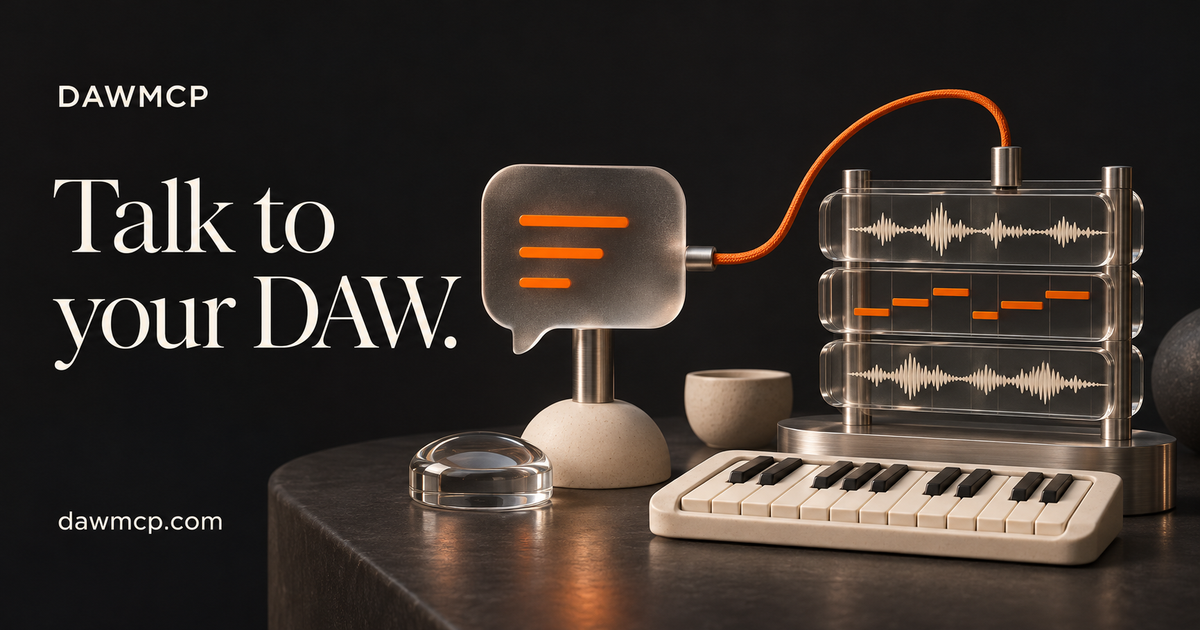](https://dawmcp.com)
|
|
2
2
|
|
|
3
|
-
#
|
|
3
|
+
# DAW MCP
|
|
4
4
|
|
|
5
|
-
**Talk to your DAW.**
|
|
6
|
-
|
|
7
|
-
|
|
8
|
-
bring in sounds through your agent. You make the musical decisions.
|
|
5
|
+
🎛️ **Talk to your DAW.** Ask Claude, ChatGPT or Cursor to set up sessions,
|
|
6
|
+
try ideas, find samples and explain what's going on in your project. You make
|
|
7
|
+
the music and decide what stays.
|
|
9
8
|
|
|
10
|
-
|
|
11
|
-
|
|
9
|
+
Free, runs on your computer, no account. It only reads your project until you
|
|
10
|
+
allow more.
|
|
12
11
|
|
|
13
|
-
|
|
14
|
-
[Recipes](https://dawmcp.com/recipes) · [Documentation](https://dawmcp.com/docs)
|
|
15
|
-
|
|
16
|
-
## Install
|
|
17
|
-
|
|
18
|
-
The full setup, which adds the connection to your DAW and the skill, takes one
|
|
19
|
-
command in your project folder. It needs Node.js 22 or newer:
|
|
12
|
+
## 🚀 Get started
|
|
20
13
|
|
|
21
14
|
```sh
|
|
22
15
|
npx dawmcp setup
|
|
23
16
|
```
|
|
24
17
|
|
|
25
|
-
|
|
26
|
-
|
|
27
|
-
Codex, Claude Code and Cursor use your project folder. For Claude Desktop, run
|
|
28
|
-
`npx dawmcp setup --client claude-desktop` from any folder.
|
|
29
|
-
|
|
30
|
-
The MCP connection runs locally. Your agent app must be able to start a local
|
|
31
|
-
process; the ChatGPT website cannot launch DAWMCP directly. The CLI and bundled
|
|
32
|
-
bridges are included; some DAWs also need a script loaded or a connection enabled
|
|
33
|
-
inside the DAW. Follow the [setup guide](https://dawmcp.com/docs/getting-started)
|
|
34
|
-
for your app and the [coverage page](https://dawmcp.com/daws) for your DAW.
|
|
35
|
-
|
|
36
|
-
DAW capabilities differ. Waveform works with saved projects; Pro Tools needs
|
|
37
|
-
your Avid SDK schema. The coverage page explains each adapter's requirements
|
|
38
|
-
and available operations.
|
|
39
|
-
|
|
40
|
-
### Only the skill
|
|
41
|
-
|
|
42
|
-
Already connected to your DAW through another MCP server? Add just the skill:
|
|
43
|
-
|
|
44
|
-
```sh
|
|
45
|
-
npx skills add maru-audio/dawmcp
|
|
46
|
-
```
|
|
47
|
-
|
|
48
|
-
Add `-g` to install it for every project, or `-a claude-code`, `-a codex` or
|
|
49
|
-
`-a cursor` to choose the agent. In Claude Desktop, download the skill ZIP for
|
|
50
|
-
your DAW from [dawmcp.com/daws](https://dawmcp.com/daws#skills) and upload it in
|
|
51
|
-
Claude's Skills settings.
|
|
52
|
-
|
|
53
|
-
### As a Claude Code plugin
|
|
54
|
-
|
|
55
|
-
```text
|
|
56
|
-
/plugin marketplace add maru-audio/dawmcp
|
|
57
|
-
/plugin install dawmcp@dawmcp
|
|
58
|
-
```
|
|
18
|
+
👉 **[Install guide](https://dawmcp.com/start)**: the steps for Claude,
|
|
19
|
+
ChatGPT, Claude Code and Cursor, and how to connect your DAW.
|
|
59
20
|
|
|
60
|
-
|
|
61
|
-
`npx dawmcp setup` for a project, not both, so you don't get two connections.
|
|
21
|
+
## 🎚️ Works with
|
|
62
22
|
|
|
63
|
-
|
|
23
|
+
[REAPER](https://dawmcp.com/daws#reaper) ·
|
|
24
|
+
[Ableton Live](https://dawmcp.com/daws#ableton) ·
|
|
25
|
+
[FL Studio](https://dawmcp.com/daws#fl-studio) ·
|
|
26
|
+
[Logic Pro](https://dawmcp.com/daws#logic) ·
|
|
27
|
+
[Bitwig Studio](https://dawmcp.com/daws#bitwig) ·
|
|
28
|
+
[Ardour](https://dawmcp.com/daws#ardour) ·
|
|
29
|
+
[Cubase](https://dawmcp.com/daws#cubase) ·
|
|
30
|
+
[Studio One](https://dawmcp.com/daws#studio-one) ·
|
|
31
|
+
[Pro Tools](https://dawmcp.com/daws#pro-tools) ·
|
|
32
|
+
[Waveform](https://dawmcp.com/daws#waveform)
|
|
64
33
|
|
|
65
|
-
|
|
66
|
-
a first request that changes nothing:
|
|
34
|
+
Each DAW does different things today. [See what works where](https://dawmcp.com/daws).
|
|
67
35
|
|
|
68
|
-
|
|
69
|
-
> anything or start playback.
|
|
36
|
+
## 💬 Things to ask
|
|
70
37
|
|
|
71
|
-
|
|
38
|
+
- "I haven't touched this one in months. Where did I leave it?"
|
|
39
|
+
- "Give me two variations on my lead melody in the chorus."
|
|
40
|
+
- "Find a few dusty snares in my Splice folder and line them up at the drop."
|
|
41
|
+
- "How do I make the pads pump with the kick, like in house music?"
|
|
72
42
|
|
|
73
|
-
|
|
43
|
+
More in [Recipes](https://dawmcp.com/recipes). Everything else is in the
|
|
44
|
+
[documentation](https://dawmcp.com/docs).
|
|
74
45
|
|
|
75
|
-
|
|
76
|
-
in media in a project, explicitly grant those categories:
|
|
46
|
+
## 🌱 Help it grow
|
|
77
47
|
|
|
78
|
-
|
|
79
|
-
|
|
80
|
-
|
|
81
|
-
|
|
82
|
-
Playback has a separate transport grant. Existing DAW and agent permissions
|
|
83
|
-
still apply. Session information returned to your agent follows that app's data
|
|
84
|
-
policies; see [privacy](https://dawmcp.com/docs/privacy).
|
|
85
|
-
|
|
86
|
-
## Check your connection
|
|
87
|
-
|
|
88
|
-
```sh
|
|
89
|
-
npx dawmcp doctor
|
|
90
|
-
```
|
|
91
|
-
|
|
92
|
-
Doctor checks the local installation. Ask your agent to read the session to
|
|
93
|
-
verify the live connection. If it needs attention, see
|
|
94
|
-
[troubleshooting](https://dawmcp.com/docs/troubleshooting).
|
|
95
|
-
|
|
96
|
-
To remove DAWMCP from the current project:
|
|
97
|
-
|
|
98
|
-
```sh
|
|
99
|
-
npx dawmcp uninstall
|
|
100
|
-
```
|
|
48
|
+
We think talking to your DAW should work for every musician, in every DAW, and
|
|
49
|
+
we're putting real time and compute into getting there. Maru maintains
|
|
50
|
+
DAW MCP, and we'd love your help shaping it:
|
|
101
51
|
|
|
102
|
-
|
|
103
|
-
|
|
52
|
+
- 🎹 **Tell us your DAW and workflow.** What would you hand to an assistant?
|
|
53
|
+
- 🧪 **Try it in your DAW** and tell us what worked and what didn't.
|
|
54
|
+
- 🔌 **Help add a DAW or a feature.** Get in touch first and we'll work out
|
|
55
|
+
the plan together. DAW makers: start with
|
|
56
|
+
[Integrate your DAW](https://dawmcp.com/docs/integrate-your-daw) and
|
|
57
|
+
[What we'd like DAWs to show](https://dawmcp.com/docs/daw-visibility).
|
|
104
58
|
|
|
105
|
-
|
|
59
|
+
[Open an issue](https://github.com/maru-audio/dawmcp/issues),
|
|
60
|
+
join us on [Discord](https://discord.gg/kcrMkwxA9e) or write to
|
|
61
|
+
[hello@maru.audio](mailto:hello@maru.audio).
|
|
106
62
|
|
|
107
|
-
|
|
108
|
-
- [Documentation](https://dawmcp.com/docs)
|
|
109
|
-
- [Privacy](https://dawmcp.com/docs/privacy)
|
|
63
|
+
## 💛 Made by Maru
|
|
110
64
|
|
|
111
|
-
|
|
112
|
-
|
|
65
|
+
[Maru](https://maru.audio) is an open audio platform for making, sharing and
|
|
66
|
+
playing instruments, effects and sounds. [Connect Maru](https://maru.audio/mcp)
|
|
67
|
+
to generate sounds and build your own instruments with your agent.
|