data-navigator 1.0.0 → 1.0.1

This diff represents the content of publicly available package versions that have been released to one of the supported registries. The information contained in this diff is provided for informational purposes only and reflects changes between package versions as they appear in their respective public registries.
Files changed (2) hide show
  1. package/README.md +4 -4
  2. package/package.json +1 -1
package/README.md CHANGED
@@ -1,22 +1,22 @@
1
1
  # Data-Navigator
2
2
 
3
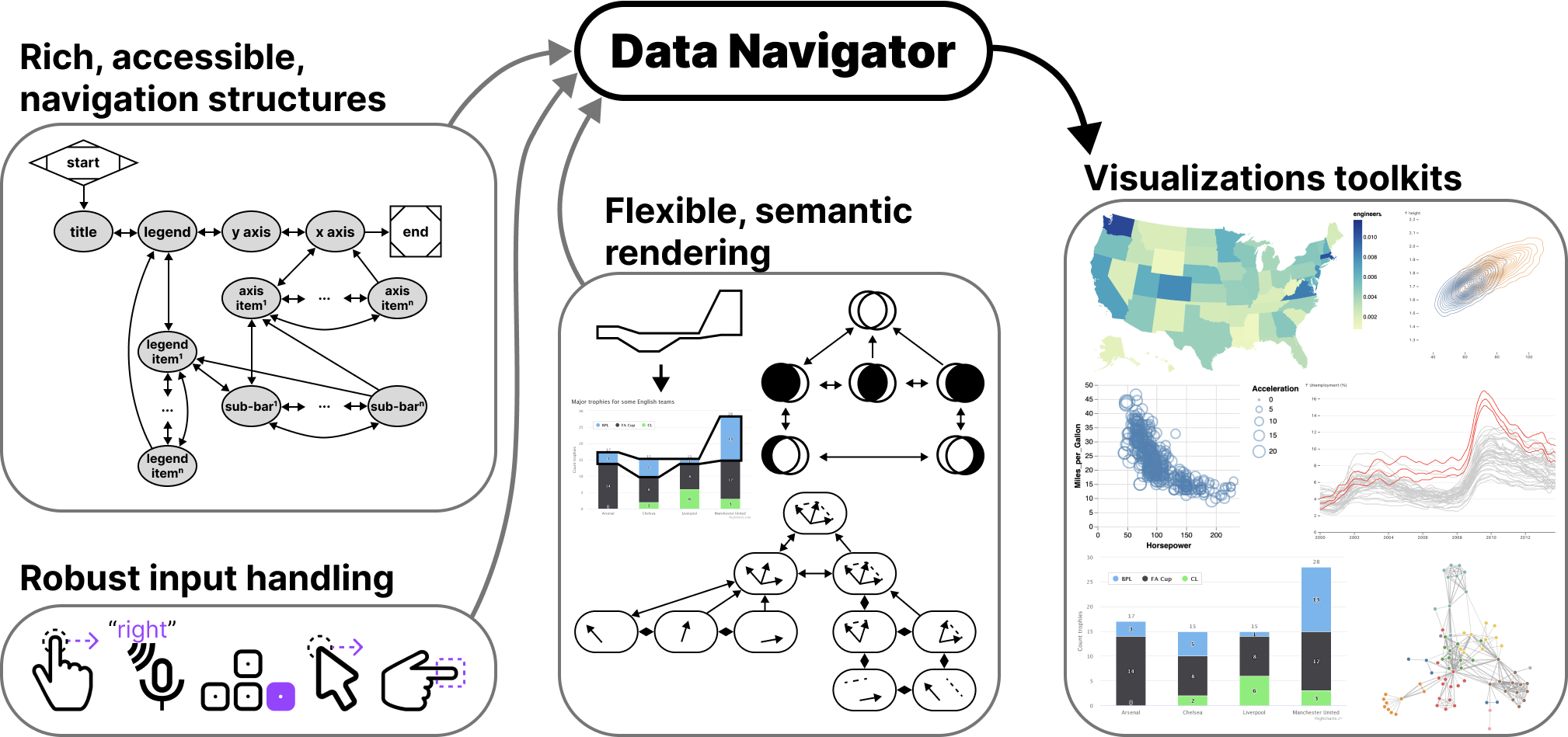
- ![Data Navigator provides visualization toolkits with rich, accessible navigation structures, robust input handling, and flexible, semantic rendering.](assets/data_navigator.png)
3
+ ![Data Navigator provides visualization toolkits with rich, accessible navigation structures, robust input handling, and flexible, semantic rendering.](https://raw.githubusercontent.com/cmudig/data-navigator/main/assets/data_navigator.png)
4
4
 
5
5
  Data Navigator is a JavaScript library that allows for navigation of data structures. Data Navigator makes png, svg, canvas, and even webgl graphics accessible to a wide array of assistive technologies and input modalities.
6
6
 
7
7
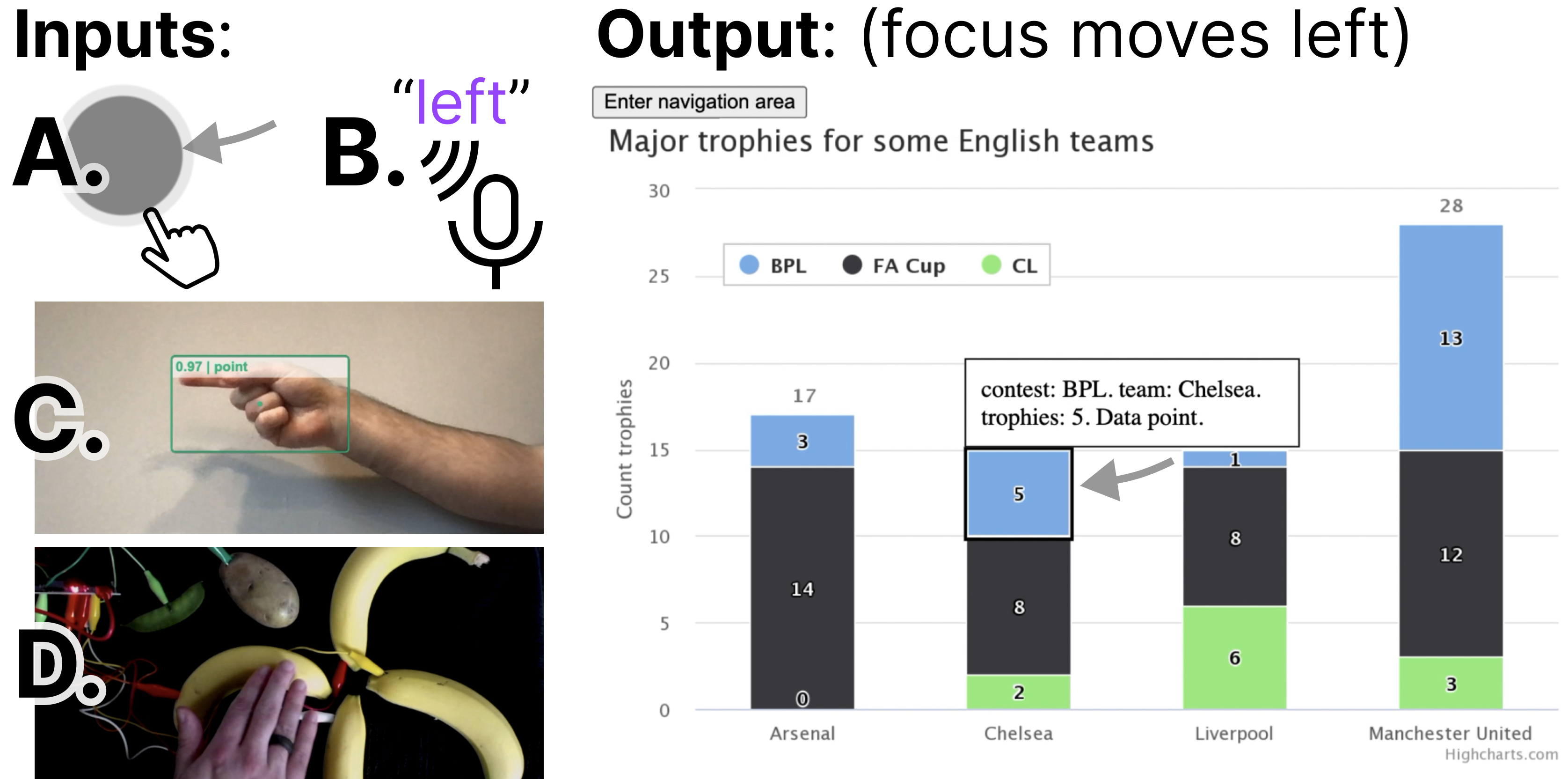
  Data Navigator has abstracted navigation into commands, which enables it to easily receive input from screen readers and keyboards to more interesting modalities like touch and mouse swiping, spoken commands, hand gestures, and even fabricated or totally novel interfaces, like bananas.
8
8
 
9
- ![Image in two parts. First part: Inputs: A. Hand swiping. B: Speaking "left." C. A hand gesture on camera. D. Bananas. Second part: Output: (focus moves left) A focus indicator has moved on a bar chart from one stacked bar to another on its left.](assets/inputs.png)
9
+ ![Image in two parts. First part: Inputs: A. Hand swiping. B: Speaking "left." C. A hand gesture on camera. D. Bananas. Second part: Output: (focus moves left) A focus indicator has moved on a bar chart from one stacked bar to another on its left.](https://raw.githubusercontent.com/cmudig/data-navigator/main/assets/inputs.png)
10
10
 
11
11
  Data Navigator is expressive for builders and enables entire toolkits or ecosystems to become more accessible. The system provides low-level control over narratives, interaction paths, and journeys a user might want to take through an image or graphic.
12
12
 
13
13
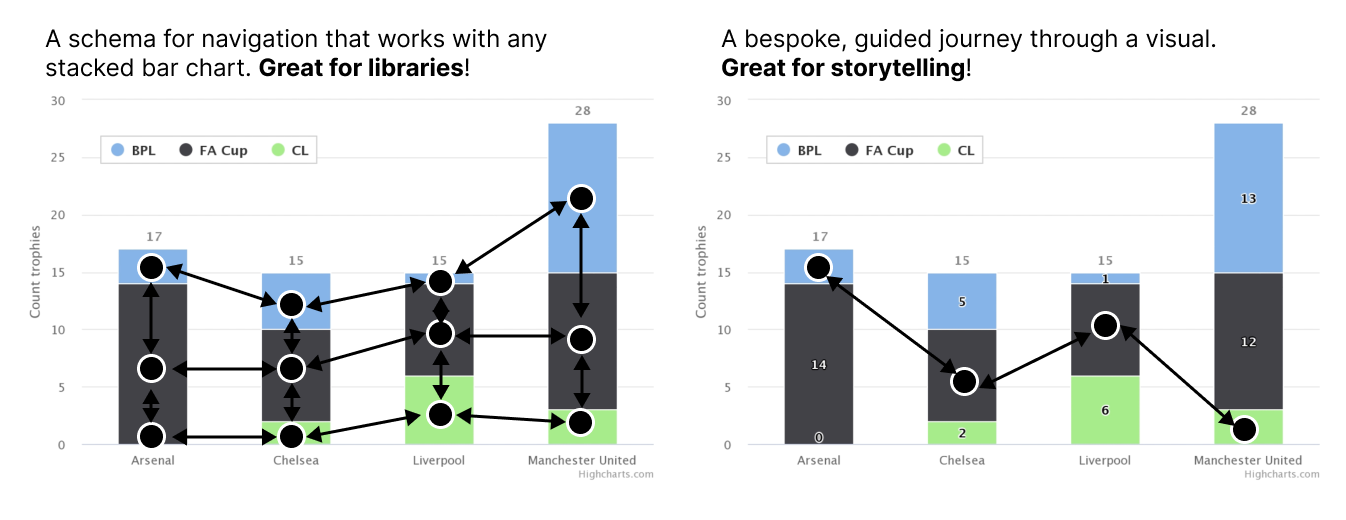
  Developers can build schemas that scale to work with any chart in a charting library or a single, bespoke implemetation for use in story-telling contexts like journalism, reports, presentations, and interactive infographics.
14
14
 
15
- ![Image in two parts. First part: A schema for navigation that works with any stacked bar chart. Great for libraries! A complex schema is shown over a stacked bar chart with up, down, left, and right directions. Second part: A bespoke, guided journey through a visual. Great for storytelling! A simple navigation path is shown going through the image.](assets/journey.png)
15
+ ![Image in two parts. First part: A schema for navigation that works with any stacked bar chart. Great for libraries! A complex schema is shown over a stacked bar chart with up, down, left, and right directions. Second part: A bespoke, guided journey through a visual. Great for storytelling! A simple navigation path is shown going through the image.](https://raw.githubusercontent.com/cmudig/data-navigator/main/assets/journey.png)
16
16
 
17
17
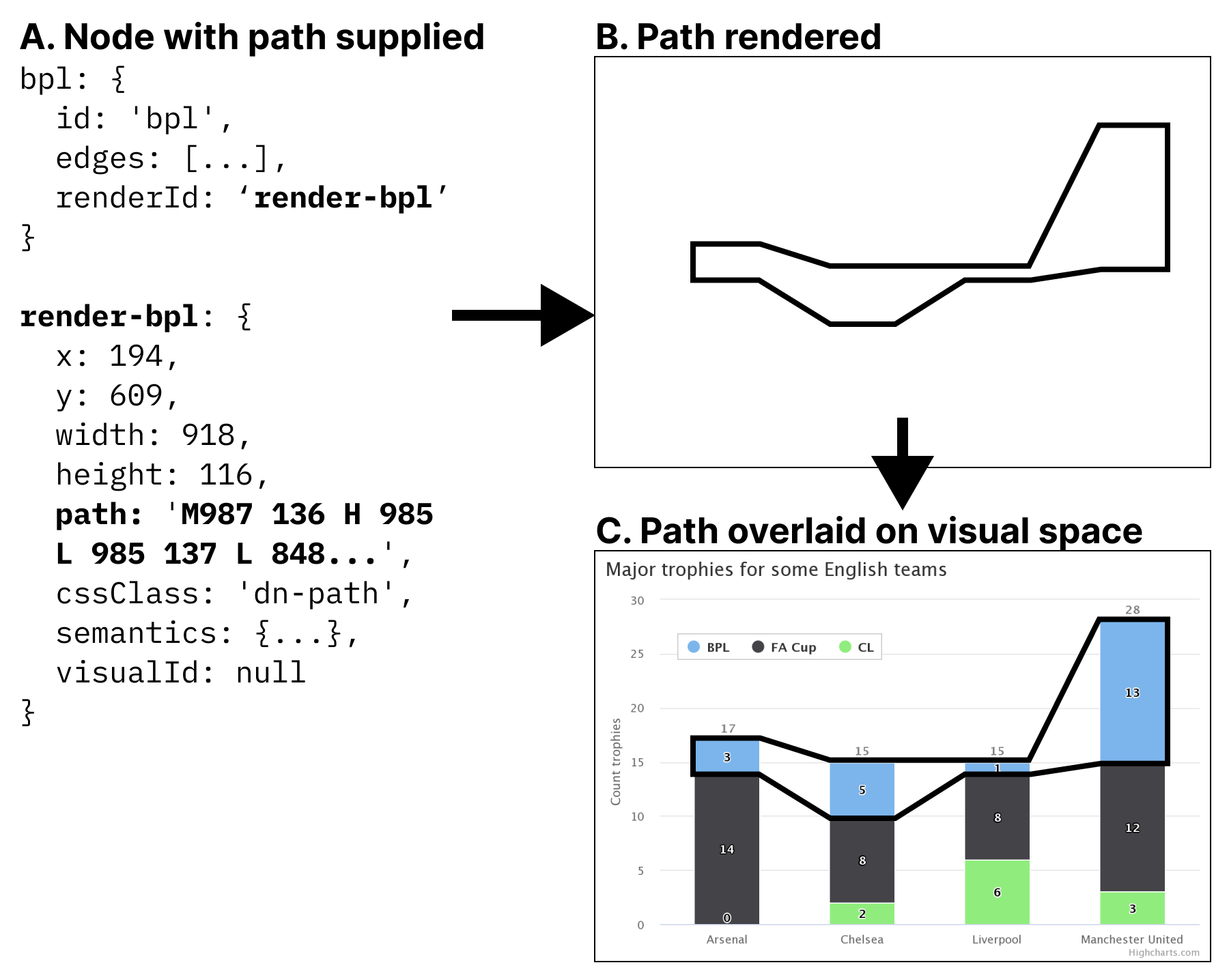
  Not only are paths through an image customizeable but so are the visual indications that are rendered alongside those journeys. These visual indications use semantically rich, native HTML elements for maximized accessibility.
18
18
 
19
- ![Code used to render a path that looks like an outline and then place that outline over visual elements on a data visualization.](assets/path.png)
19
+ ![Code used to render a path that looks like an outline and then place that outline over visual elements on a data visualization.](https://raw.githubusercontent.com/cmudig/data-navigator/main/assets/path.png)
20
20
 
21
21
  Visit [our landing page](http://dig.cmu.edu/data-navigator/) to try our demo, which shows a png image made into navigable experience. A variety of input modalities are enabled, including touch and mouse swiping, keyboard, screen reader, text input, voice control, and hand gesture recognition.
22
22
 
package/package.json CHANGED
@@ -1,7 +1,7 @@
1
1
  {
2
2
  "name": "data-navigator",
3
3
  "author": "Frank Elavsky",
4
- "version": "1.0.0",
4
+ "version": "1.0.1",
5
5
  "main": "dist/index.jsm",
6
6
  "module": "dist/index",
7
7
  "types": "data-navigator.d.ts",