danoniplus 47.5.1 → 47.5.3
This diff represents the content of publicly available package versions that have been released to one of the supported registries. The information contained in this diff is provided for informational purposes only and reflects changes between package versions as they appear in their respective public registries.
- package/README.md +137 -80
- package/js/danoni_main.js +9 -4
- package/js/lib/danoni_constants.js +14 -12
- package/package.json +1 -1
package/README.md
CHANGED
|
@@ -8,116 +8,174 @@
|
|
|
8
8
|
[](https://github.com/cwtickle/danoniplus/releases)
|
|
9
9
|
[](https://github.com/cwtickle/danoniplus/blob/develop/LICENSE)
|
|
10
10
|
|
|
11
|
-
|
|
12
|
-
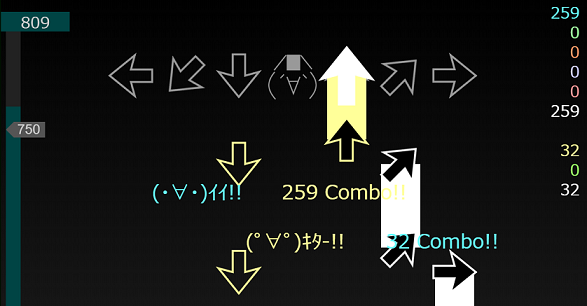
*Dancing Onigiri "CW Edition"* is a rhythm game.
|
|
13
|
-
You can create original game data by combining a set of published sources with music files and sequences (text file). See the [wiki](https://github.com/cwtickle/danoniplus-docs/wiki) for details.
|
|
14
11
|
|
|
15
|
-
|
|
12
|
+
[ **English** | [**日本語**](#Japanese) ]
|
|
16
13
|
|
|
17
|
-
Dancing☆Onigiri (CW Edition)
|
|
18
|
-
|
|
19
|
-
|
|
20
|
-
|
|
21
|
-
ここで公開しているソースは、以前Flashとして公開していたリズムゲーム
|
|
22
|
-
「Dancing☆Onigiri」の **HTML5 (HTML Living Standard)** 版です。
|
|
23
|
-
これまでのParaFla版に比べ、さまざまな機能強化を行っています。
|
|
14
|
+
*Dancing☆Onigiri (CW Edition)* is a high-performance, keyboard-based rhythm game engine that runs natively in web browsers.
|
|
15
|
+
👉 [**How to Play**](https://github.com/cwtickle/danoniplus-docs/wiki/) /
|
|
16
|
+
👉 [**Game system overview**](https://github.com/cwtickle/danoniplus-docs/wiki/AboutGameSystem) /
|
|
17
|
+
👉 [**Shortcut**](https://github.com/cwtickle/danoniplus-docs/wiki/Shortcut)
|
|
24
18
|
|
|
25
19
|
[](https://dl-danoniplus.qu7-52m.workers.dev/danoniplus/latest/archive.zip)
|
|
26
20
|
|
|
27
|
-
|
|
21
|
+
- 📹 [Introducing Dancing☆Onigiri (Twitch)](https://www.twitch.tv/videos/1601561414?collection=svxqeEFHGBfVdg)
|
|
22
|
+
- 📹 [Introducing Dancing☆Onigiri (YouTube)](https://www.youtube.com/watch?v=ESTdqf8hpos)
|
|
28
23
|
|
|
29
|
-
|
|
30
|
-
- [Demo2](https://cw7.sakura.ne.jp/danoni/2017/0305_ShiningStar.html) シャイニングスター / MaouDamashii
|
|
31
|
-
- [Demo3](https://cw7.sakura.ne.jp/danoni/2018/0315_PetitMagie.html) プチ・マギエ / Napi
|
|
24
|
+
## 🚀 Features
|
|
32
25
|
|
|
33
|
-
|
|
26
|
+
- **Multi-Platform:** Works on any modern web browser. Using keyboard.
|
|
27
|
+
- **Flexible Key Modes:** Supports 5-key, 7-key, 9-key, and more.
|
|
28
|
+
In addition to **20+ standard modes**, you can define your own **Custom Key Modes**!
|
|
29
|
+
- **Easy Deployment:** No complex backend required. Just upload to your web server.
|
|
30
|
+
- **Highly Customizable:** Highly extensible via advanced chart settings and custom JavaScript (safe execution support).
|
|
34
31
|
|
|
35
|
-
|
|
36
|
-
There are many playstyles in the *Dancing Onigiri*. For example, 5keys, 7keys, 11keys, etc.
|
|
37
|
-
The details are as follows.
|
|
38
|
-
-> [How to Play](https://github.com/cwtickle/danoniplus-docs/wiki/AboutGameSystem)
|
|
32
|
+
<img src="https://user-images.githubusercontent.com/44026291/193052877-fc0b5dc6-307c-4311-befa-22ba29580413.png" width="45%"><img src="https://user-images.githubusercontent.com/44026291/226273587-7804ca76-c1a5-490b-9f29-d8f370217d08.png" width="45%">
|
|
39
33
|
|
|
40
|
-
|
|
41
|
-
キーボードを使って遊びます。
|
|
42
|
-
下記は7keyの例ですが、他にも5keyや11keyなど多様なプレイスタイルがあります。
|
|
34
|
+
## 📦 Quick Start
|
|
43
35
|
|
|
44
|
-
|
|
45
|
-
|
|
36
|
+
1. Download the latest version from [Releases](https://github.com/cwtickle/danoniplus/releases).
|
|
37
|
+
2. Open `danoni/danoni1.html` in your browser.
|
|
38
|
+
3. Enjoy the pre-installed songs immediately!
|
|
46
39
|
|
|
47
|
-
|
|
48
|
-
(The image is under development. / 画像は開発中のものです)
|
|
40
|
+
## 📖 Documentation (Wiki)
|
|
49
41
|
|
|
50
|
-
|
|
42
|
+
For more details, please refer to the Wiki:
|
|
51
43
|
|
|
52
|
-
|
|
53
|
-
|
|
54
|
-
If the life of the life gauge remains by the end of the game or it is over the quota, the game is cleared.
|
|
44
|
+
- [🚀 Creating chart Using the Preview Site](https://github.com/cwtickle/danoniplus-docs/wiki/HowToUsePreview-Example)
|
|
45
|
+
- [📝 How to make chart overview](https://github.com/cwtickle/danoniplus-docs/wiki/HowtoMake)
|
|
55
46
|
|
|
56
|
-
|
|
57
|
-
一方、タイミングを外すと(´・ω・\`)ショボーン、(\`Д´)ウワァン、(・A・)イクナイとなり、ライフが下がります。
|
|
58
|
-
ゲーム終了までにライフゲージのライフが残っているか、ノルマ以上であればゲームクリアです。
|
|
47
|
+
Need help? Join our community on [Discord (Dancing☆Onigiri Server)](https://discord.gg/YVWUdUGyMy)!
|
|
59
48
|
|
|
60
|
-
##
|
|
49
|
+
## 🎮 Playable Demos
|
|
50
|
+
Experience *Dancing☆Onigiri* in action:
|
|
61
51
|
|
|
62
|
-
- [
|
|
63
|
-
- [
|
|
64
|
-
- [
|
|
65
|
-
|
|
66
|
-
|
|
52
|
+
- [Demo1 (7key, 11key)](https://cw7.sakura.ne.jp/danoni/2013/0237_Cllema.html) Cllema / Kinoshita Tamaki
|
|
53
|
+
- [Demo2 (9Akey)](https://cw7.sakura.ne.jp/danoni/2017/0305_ShiningStar.html) Shining Star / MaouDamashii
|
|
54
|
+
- [Demo3 (11Wkey)](https://cw7.sakura.ne.jp/danoni/2018/0315_PetitMagie.html) Petit Magie / Napi
|
|
55
|
+
|
|
56
|
+
## 🌐 Ecosystem & Works
|
|
57
|
+
There are many titles to choose from. Start with a level that suits you!
|
|
58
|
+
|
|
59
|
+
- [Dancing☆Onigiri Difficulty Table for.js](http://dodl4.g3.xrea.com/)
|
|
60
|
+
- [The danoni database for minor keymodes](http://apoi108.sakura.ne.jp/danoni/ta/)
|
|
61
|
+
- [The danoni database for simpler keymodes](https://apoi108.sakura.ne.jp/danoni/danoni_all_list/)
|
|
62
|
+
- [Dancing☆Onigiri Site List](https://cw7.sakura.ne.jp/danonidb/)
|
|
67
63
|
|
|
68
|
-
## How to
|
|
64
|
+
## 🤝 How to Contribute
|
|
65
|
+
We welcome contributions of all kinds—from bug reports to new features!
|
|
66
|
+
|
|
67
|
+
- [Contribution Guide](https://github.com/cwtickle/danoniplus/blob/develop/.github/CONTRIBUTING.md)
|
|
68
|
+
- [Contributors](https://github.com/cwtickle/danoniplus/blob/develop/CONTRIBUTORS.md)
|
|
69
|
+
- Discussion: Join the `#ソース` channel on [Discord](https://discord.gg/YVWUdUGyMy).
|
|
70
|
+
|
|
71
|
+
## 🏠 Portal Site & Community
|
|
72
|
+
Join the Dancing Onigiri Discord server! We hold regular events there.
|
|
73
|
+
|
|
74
|
+
- [Dancing☆Onigiri Wiki](https://wikiwiki.jp/danoniplus/)
|
|
75
|
+
- [Dancing☆Onigiri Discord server](https://discord.gg/TegbHFY7zg)
|
|
76
|
+
- [X #danoni](https://x.com/search?q=%23danoni&src=typed_query&f=live)
|
|
69
77
|
|
|
70
|
-
|
|
71
|
-
- [Creating chart Using the Preview Site](https://github.com/cwtickle/danoniplus-docs/wiki/HowToUsePreview-Example) / [プレビューサイトを使った譜面の作成](https://github.com/cwtickle/danoniplus/wiki/HowToUsePreview-Example)
|
|
72
|
-
- [ParaFla!ソース利用者向け移行方法 (Japanese Only)](https://github.com/cwtickle/danoniplus/wiki/forParaFlaUser)
|
|
78
|
+
## 🛠️ Related Tools Repository
|
|
73
79
|
|
|
74
|
-
###
|
|
80
|
+
### Dancing☆Onigiri
|
|
75
81
|
|
|
76
|
-
-
|
|
77
|
-
|
|
78
|
-
|
|
79
|
-
|
|
80
|
-
|
|
81
|
-
-
|
|
82
|
-
|
|
83
|
-
```
|
|
84
|
-
npm i danoniplus@26.1.2
|
|
85
|
-
```
|
|
82
|
+
- [Dancing☆Onigiri Preview](https://danonicw.skr.jp/) ([Repository](https://github.com/cwtickle/danoniplus-preview)) @cwtickle
|
|
83
|
+
- [Dancing☆Onigiri Editor(for CW Edition)](https://github.com/superkuppabros/danoni-editor) @superkuppabros
|
|
84
|
+
- [Tool for Converting Dan-Oni Song Data to JS file](https://github.com/suzme/danoni-base64) @suzme
|
|
85
|
+
- [Dan-Oni Arrow Color Tool](https://github.com/suzme/danoni-colorpicker) @suzme
|
|
86
|
+
- [Gauge Calculator for Dan-Oni](http://www.omission0.com/other/gauge_calculator/) @goe0
|
|
87
|
+
- [Waveform Analysis Tool for Dan-Oni](https://github.com/suzme/danoni-waveform) @suzme
|
|
88
|
+
- [Dan-Oni StepViewer](https://github.com/ittn-exe/danoni_stepViewer) @ittn-exe
|
|
86
89
|
|
|
87
|
-
|
|
90
|
+
#### CustomJS
|
|
88
91
|
|
|
89
|
-
-
|
|
90
|
-
-
|
|
92
|
+
- [Dancing☆Onigiri 9tkey](https://github.com/suzme/danoni-9t) @suzme
|
|
93
|
+
- [danoni-key-change](https://github.com/suzme/danoni-key-change) @suzme
|
|
91
94
|
|
|
92
|
-
|
|
95
|
+
### Kirizma / Keyboard Rhythmer
|
|
93
96
|
|
|
94
|
-
|
|
97
|
+
- [Kirizma (CW Edition)](https://github.com/cwtickle/kirizma-cw) @cwtickle
|
|
98
|
+
- [Chart character converter from Dan-Oni](https://github.com/suzme/kirizma-converter) @suzme
|
|
99
|
+
- [Kirizma Lyrics Display Generator](https://github.com/prlg25/kirizma_lyric) @prlg25
|
|
100
|
+
- [The difficulty table for Kirizma](https://github.com/suzme/kirizma) @suzme
|
|
95
101
|
|
|
96
|
-
|
|
97
|
-
細かい点が従来と異なります。詳細は下記をご覧ください。
|
|
102
|
+
### Punching◇Panels
|
|
98
103
|
|
|
99
|
-
- [
|
|
104
|
+
- [Punching◇Panels](https://github.com/cwtickle/punching-panels) @cwtickle
|
|
105
|
+
- [Punching◇Panels Editor](https://github.com/suzme/punpane-editor) @suzme
|
|
106
|
+
- [The difficulty table for Punching◇Panels](https://github.com/suzme/punpane) @suzme
|
|
100
107
|
|
|
101
|
-
##
|
|
108
|
+
## ⚖️ License
|
|
102
109
|
|
|
103
|
-
|
|
110
|
+
This software is released under the MIT License, see LICENSE.
|
|
104
111
|
|
|
105
|
-
|
|
112
|
+
---
|
|
106
113
|
|
|
107
|
-
|
|
108
|
-
- [GitLab community for requests and bug reports / 要望・不具合報告(GitLab Issues)](https://gitlab.com/cwtickle/danonicw/-/issues)
|
|
109
|
-
- [Contributors / コントリビューター](https://github.com/cwtickle/danoniplus/blob/develop/CONTRIBUTORS.md)
|
|
114
|
+
<a id="Japanese"></a>
|
|
110
115
|
|
|
111
|
-
|
|
116
|
+
[ **[English](#top)** | **日本語** ]
|
|
112
117
|
|
|
113
|
-
|
|
118
|
+
*Dancing☆Onigiri (CW Edition)* は、Webブラウザ上で動作するキーボード操作のリズムゲームエンジンです。
|
|
119
|
+
👉 [**遊び方**](https://github.com/cwtickle/danoniplus/wiki/) /
|
|
120
|
+
👉 [**操作説明**](https://github.com/cwtickle/danoniplus/wiki/AboutGameSystem) /
|
|
121
|
+
👉 [**ショートカット一覧**](https://github.com/cwtickle/danoniplus/wiki/Shortcut)
|
|
114
122
|
|
|
115
|
-
|
|
123
|
+
[](https://dl-danoniplus.qu7-52m.workers.dev/danoniplus/latest/archive.zip)
|
|
116
124
|
|
|
125
|
+
- 📹 [Dancing☆Onigiriの紹介 (Twitch)](https://www.twitch.tv/videos/1601561414?collection=svxqeEFHGBfVdg)
|
|
126
|
+
- 📹 [Dancing☆Onigiriの紹介 (YouTube)](https://www.youtube.com/watch?v=ESTdqf8hpos)
|
|
127
|
+
|
|
128
|
+
## 🚀 特徴
|
|
129
|
+
- **マルチプラットフォーム:** モダンなブラウザがあれば、PCでもスマホでも動作します。
|
|
130
|
+
- **多彩なキーモード:** 5key、7key、9Akeyなど、20種類以上の標準モードに加え、独自の**カスタムキーモード**も作成可能です。
|
|
131
|
+
- **容易な起動:** サーバーにファイルをアップロードするだけで、すぐに自分の譜面を公開できます。
|
|
132
|
+
- **高度なカスタマイズ性:** 豊富な譜面設定やカスタムJavaScript(安全な実行環境をサポート)により、自由度の高い演出が可能です。
|
|
133
|
+
|
|
134
|
+
<img src="https://user-images.githubusercontent.com/44026291/193052561-235aa8b9-43a3-4045-a417-26fbced5beb0.png" width="45%"><img src="https://user-images.githubusercontent.com/44026291/226273658-7afdc349-4e0c-4ae8-9d70-2f30eb80ab5f.png" width="45%">
|
|
135
|
+
|
|
136
|
+
## 📦 クイックスタート
|
|
137
|
+
1. [リリースページ](https://github.com/cwtickle/danoniplus/releases) から最新版をダウンロードします。
|
|
138
|
+
2. `danoni/danoni1.html` をブラウザで開きます。
|
|
139
|
+
3. プリセット曲ですぐに動作を確認できます。
|
|
140
|
+
|
|
141
|
+
## 📖 ドキュメント (Wiki)
|
|
142
|
+
詳細な使い方は公式Wikiを確認してください:
|
|
143
|
+
|
|
144
|
+
- [🚀 プレビューサイトを使った譜面作成](https://github.com/cwtickle/danoniplus/wiki/HowToUsePreview-Example)
|
|
145
|
+
- [📝 譜面制作の概要](https://github.com/cwtickle/danoniplus/wiki/HowtoMake)
|
|
146
|
+
|
|
147
|
+
質問や交流は [Dancing☆Onigiri Discord サーバー](https://discord.gg/YVWUdUGyMy) の「#一般」チャンネルへどうぞ!
|
|
148
|
+
|
|
149
|
+
## 🎮 デモ
|
|
150
|
+
Dancing☆Onigiriを実際にプレイしてみましょう!
|
|
151
|
+
|
|
152
|
+
- [Demo1 (7key, 11key)](https://cw7.sakura.ne.jp/danoni/2013/0237_Cllema.html) クレマ / 木下たまき
|
|
153
|
+
- [Demo2 (9Akey)](https://cw7.sakura.ne.jp/danoni/2017/0305_ShiningStar.html) シャイニングスター / 魔王魂
|
|
154
|
+
- [Demo3 (11Wkey)](https://cw7.sakura.ne.jp/danoni/2018/0315_PetitMagie.html) プチ・マギエ / Napi
|
|
155
|
+
|
|
156
|
+
## 🌐 公開作品
|
|
157
|
+
数多くの作品が公開されています。自分に合った難易度から始めていきましょう!
|
|
158
|
+
|
|
159
|
+
- [Dancing☆Onigiri 難易度表 for.js](http://dodl4.g3.xrea.com/)
|
|
160
|
+
- [多鍵データベース](http://apoi108.sakura.ne.jp/danoni/ta/)
|
|
161
|
+
- [メジャー多鍵データベース](https://apoi108.sakura.ne.jp/danoni/danoni_all_list/)
|
|
162
|
+
- [Dancing☆Onigiri サイト一覧](https://cw7.sakura.ne.jp/danonidb/)
|
|
163
|
+
|
|
164
|
+
## 🤝 リポジトリへの貢献方法
|
|
165
|
+
Dancing☆Onigiri (CW Edition)に関する機能要望・不具合報告については下記をご覧ください。参加歓迎です。
|
|
166
|
+
|
|
167
|
+
- [Contribution Guide](https://github.com/cwtickle/danoniplus/blob/develop/.github/CONTRIBUTING.md)
|
|
168
|
+
- [Contributors](https://github.com/cwtickle/danoniplus/blob/develop/CONTRIBUTORS.md)
|
|
169
|
+
- [Dancing☆Onigiri Discord サーバー](https://discord.gg/YVWUdUGyMy)の`#ソース`チャンネルで各種要望・不具合報告を受け付けています。
|
|
170
|
+
|
|
171
|
+
## 🏠 関連ポータル・コミュニティ
|
|
172
|
+
Dancing☆OnigiriのDiscordサーバーにぜひお越しください! 定期的にイベントも開催しています。
|
|
173
|
+
|
|
174
|
+
- [Dancing☆Onigiri Wiki](https://wikiwiki.jp/danoniplus/)
|
|
117
175
|
- [Dancing☆Onigiri Discord server](https://discord.gg/TegbHFY7zg)
|
|
118
|
-
- [X #danoni](https://x.com/search?q=%23danoni&src=typed_query&f=live)
|
|
176
|
+
- [X (旧Twitter) #danoni](https://x.com/search?q=%23danoni&src=typed_query&f=live)
|
|
119
177
|
|
|
120
|
-
##
|
|
178
|
+
## 🛠️ 関連ツール・リポジトリ
|
|
121
179
|
|
|
122
180
|
### Dancing☆Onigiri
|
|
123
181
|
|
|
@@ -127,14 +185,14 @@ If you would like to cooperate with the development, please see below. Even if y
|
|
|
127
185
|
- [ダンおに矢印色ツール](https://github.com/suzme/danoni-colorpicker) @suzme
|
|
128
186
|
- [ダンおにゲージ計算機 (Gauge Calculator)](http://www.omission0.com/other/gauge_calculator/) @goe0
|
|
129
187
|
- [ダンおに波形解析ツール](https://github.com/suzme/danoni-waveform) @suzme
|
|
130
|
-
- [
|
|
188
|
+
- [ダンおに譜面ビューア](https://github.com/ittn-exe/danoni_stepViewer) @ittn-exe
|
|
131
189
|
|
|
132
|
-
####
|
|
190
|
+
#### カスタムスクリプト
|
|
133
191
|
|
|
134
192
|
- [Dancing☆Onigiri 9tkey](https://github.com/suzme/danoni-9t) @suzme
|
|
135
193
|
- [danoni-key-change](https://github.com/suzme/danoni-key-change) @suzme
|
|
136
194
|
|
|
137
|
-
####
|
|
195
|
+
#### 旧Flashからの変換ツール
|
|
138
196
|
|
|
139
197
|
- [Dancing☆Onigiri Chart Reverser](https://github.com/cwtickle/danoniplus-reverser) @cwtickle
|
|
140
198
|
- [Dancing☆Onigiri Chart Converter](https://github.com/cwtickle/danoniplus-converter) @cwtickle
|
|
@@ -152,6 +210,5 @@ If you would like to cooperate with the development, please see below. Even if y
|
|
|
152
210
|
- [Punching◇Panels エディター](https://github.com/suzme/punpane-editor) @suzme
|
|
153
211
|
- [Punching◇Panels 難易度表](https://github.com/suzme/punpane) @suzme
|
|
154
212
|
|
|
155
|
-
##
|
|
156
|
-
|
|
157
|
-
This software is released under the MIT License, see LICENSE.
|
|
213
|
+
## ⚖️ ライセンス (License)
|
|
214
|
+
このソフトウェアは **MIT License** のもとで公開されています。詳細は LICENSE ファイルをご確認ください。
|
package/js/danoni_main.js
CHANGED
|
@@ -4,12 +4,12 @@
|
|
|
4
4
|
*
|
|
5
5
|
* Source by tickle
|
|
6
6
|
* Created : 2018/10/08
|
|
7
|
-
* Revised : 2026/05/
|
|
7
|
+
* Revised : 2026/05/09
|
|
8
8
|
*
|
|
9
9
|
* https://github.com/cwtickle/danoniplus
|
|
10
10
|
*/
|
|
11
|
-
const g_version = `Ver 47.5.
|
|
12
|
-
const g_revisedDate = `2026/05/
|
|
11
|
+
const g_version = `Ver 47.5.3`;
|
|
12
|
+
const g_revisedDate = `2026/05/09`;
|
|
13
13
|
|
|
14
14
|
// カスタム用バージョン (danoni_custom.js 等で指定可)
|
|
15
15
|
let g_localVersion = ``;
|
|
@@ -8146,7 +8146,7 @@ const setDifficulty = (_initFlg) => {
|
|
|
8146
8146
|
lnkExcessive.style.display = C_DIS_INHERIT;
|
|
8147
8147
|
} else {
|
|
8148
8148
|
g_stateObj.excessiveChgFlg = false;
|
|
8149
|
-
lblExcessive.style.display = (g_stateObj.
|
|
8149
|
+
lblExcessive.style.display = (g_headerObj.excessiveJdgUses[g_stateObj.scoreId] ? C_DIS_INHERIT : C_DIS_NONE);
|
|
8150
8150
|
lnkExcessive.style.display = C_DIS_NONE;
|
|
8151
8151
|
}
|
|
8152
8152
|
|
|
@@ -8429,6 +8429,7 @@ const createOptionWindow = _sprite => {
|
|
|
8429
8429
|
title: g_msgObj.excessive, cxtFunc: evt => setExcessive(evt.target),
|
|
8430
8430
|
}, g_cssObj.button_Default, g_cssObj[`button_Rev${g_stateObj.excessive}`])
|
|
8431
8431
|
);
|
|
8432
|
+
createScText(lnkExcessive, `Excessive`, { x: -13, targetLabel: `lnkExcessive` });
|
|
8432
8433
|
|
|
8433
8434
|
// ---------------------------------------------------
|
|
8434
8435
|
// タイミング調整 (Adjustment)
|
|
@@ -13219,6 +13220,10 @@ const mainInit = () => {
|
|
|
13219
13220
|
jdgY[0] += g_diffObj.arrowJdgY;
|
|
13220
13221
|
jdgY[1] += g_diffObj.frzJdgY;
|
|
13221
13222
|
}
|
|
13223
|
+
if (g_stateObj.playWindow === `SideScroll`) {
|
|
13224
|
+
jdgX[0] += 30;
|
|
13225
|
+
jdgX[1] -= 60;
|
|
13226
|
+
}
|
|
13222
13227
|
|
|
13223
13228
|
jdgGroups.forEach((jdg, j) => {
|
|
13224
13229
|
// キャラクタ表示
|
|
@@ -5,7 +5,7 @@
|
|
|
5
5
|
*
|
|
6
6
|
* Source by tickle
|
|
7
7
|
* Created : 2019/11/19
|
|
8
|
-
* Revised : 2026/05/
|
|
8
|
+
* Revised : 2026/05/09 (v47.5.3)
|
|
9
9
|
*
|
|
10
10
|
* https://github.com/cwtickle/danoniplus
|
|
11
11
|
*/
|
|
@@ -434,10 +434,10 @@ const updateWindowSiz = () => {
|
|
|
434
434
|
x: 160, y: 0, w: 90, h: 21, siz: g_limitObj.difSelectorSiz, borderStyle: `solid`,
|
|
435
435
|
},
|
|
436
436
|
lblExcessive: {
|
|
437
|
-
x:
|
|
437
|
+
x: 0, y: 27, w: 100, h: 18, siz: 12,
|
|
438
438
|
},
|
|
439
439
|
btnExcessive: {
|
|
440
|
-
x:
|
|
440
|
+
x: 0, y: 25, w: 100, h: 21, siz: g_limitObj.difSelectorSiz, borderStyle: `solid`,
|
|
441
441
|
},
|
|
442
442
|
lblGauge2: {
|
|
443
443
|
x: g_limitObj.setLblLeft - 55, y: g_limitObj.setLblHeight,
|
|
@@ -2728,8 +2728,6 @@ const g_shortcutObj = {
|
|
|
2728
2728
|
ControlLeft_KeyC: { id: `` },
|
|
2729
2729
|
ControlRight_KeyC: { id: `` },
|
|
2730
2730
|
KeyC: { id: `lnkHighScore`, reset: true },
|
|
2731
|
-
Comma: { id: `btnSpdCursorL` },
|
|
2732
|
-
Period: { id: `btnSpdCursorR` },
|
|
2733
2731
|
|
|
2734
2732
|
Escape: { id: `btnBack` },
|
|
2735
2733
|
Space: { id: `btnKeyConfig` },
|
|
@@ -2812,6 +2810,8 @@ const g_shortcutObj = {
|
|
|
2812
2810
|
ControlLeft_KeyC: { id: `` },
|
|
2813
2811
|
ControlRight_KeyC: { id: `` },
|
|
2814
2812
|
KeyC: { id: `lnkHighScore`, reset: true },
|
|
2813
|
+
Comma: { id: `btnSpdCursorL` },
|
|
2814
|
+
Period: { id: `btnSpdCursorR` },
|
|
2815
2815
|
|
|
2816
2816
|
Escape: { id: `btnBack` },
|
|
2817
2817
|
Space: { id: `btnKeyConfig` },
|
|
@@ -4838,10 +4838,10 @@ const g_lang_msgObj = {
|
|
|
4838
4838
|
|
|
4839
4839
|
difficulty: `譜面を選択します。`,
|
|
4840
4840
|
speed: `矢印の流れる速度を設定します。\n外側のボタンは1x単位、内側は0.25x単位で変更できます。`,
|
|
4841
|
-
motion:
|
|
4841
|
+
motion: `矢印の速度を一定ではなく、変動させるモーションをつけるか設定します。`,
|
|
4842
4842
|
reverse: `矢印の流れる向きを設定します。`,
|
|
4843
4843
|
scroll: `各レーンのスクロール方向をパターンに沿って設定します。\nReverse:ONでスクロール方向を反転します。`,
|
|
4844
|
-
shuffle:
|
|
4844
|
+
shuffle: `譜面を左右反転したり、ランダムにします。ランダムにした場合は別譜面扱いとなります。\nハイスコアは保存されるのはOFF,Mirror,X-Mirrorのみです。`,
|
|
4845
4845
|
autoPlay: `オートプレイや一部キーを自動で打たせる設定を行います。\nオートプレイ時はハイスコアを保存しません。`,
|
|
4846
4846
|
gauge: `クリア条件を設定します。\n[Start] ゲージ初期値, [Border] クリア条件(ハイフン時は0),\n[Recovery] 回復量, [Damage] ダメージ量, [Accuracy] クリアに必要な正確率、許容ミス数`,
|
|
4847
4847
|
excessive: `空押し判定を行うか設定します。`,
|
|
@@ -4854,14 +4854,15 @@ const g_lang_msgObj = {
|
|
|
4854
4854
|
toDisplay: `プレイ画面上のオブジェクトの\n表示・非表示(一部透明度)を設定します。`,
|
|
4855
4855
|
toSettings: `その他の拡張設定を設定します。`,
|
|
4856
4856
|
|
|
4857
|
-
d_stepzone:
|
|
4857
|
+
d_stepzone: `ステップゾーンの表示\n[FlatBar] ステップゾーンをフラットな帯状にします`,
|
|
4858
4858
|
d_judgment: `判定キャラクタ・コンボの表示`,
|
|
4859
4859
|
d_fastslow: `Fast/Slow表示`,
|
|
4860
4860
|
d_lifegauge: `ライフゲージの表示`,
|
|
4861
4861
|
d_score: `現時点の判定数を表示`,
|
|
4862
4862
|
d_musicinfo: `音楽情報(時間表示含む)`,
|
|
4863
4863
|
d_filterline: `Hidden+, Sudden+使用時のフィルターの境界線表示`,
|
|
4864
|
-
d_velocity:
|
|
4864
|
+
d_velocity: `途中変速、個別加速の有効化設定\n[Extreme] 全体変速、個別加速について速度変化(の絶対値)が\n1倍より大きい場合は1.5倍、小さい場合は0.75倍します\n` +
|
|
4865
|
+
`[Soft] 全体変速、個別加速について速度変化の振れ幅が緩くなります(Extremeと逆の効果)`,
|
|
4865
4866
|
d_color: `色変化の有効化設定`,
|
|
4866
4867
|
d_lyrics: `歌詞表示の有効化設定`,
|
|
4867
4868
|
d_background: `背景・マスクモーションの有効化設定`,
|
|
@@ -4941,7 +4942,7 @@ const g_lang_msgObj = {
|
|
|
4941
4942
|
motion: `Set whether to turn on acceleration or deceleration\nin the middle of the sequence.`,
|
|
4942
4943
|
reverse: `Set the flow direction of the sequences.`,
|
|
4943
4944
|
scroll: `Set the scroll direction for each lane according to the pattern.\nIf "Reverse:ON" sets, reverse the scroll direction.`,
|
|
4944
|
-
shuffle: `Flip the chart left and right or make it random.\nIf you make it random, it will be treated as
|
|
4945
|
+
shuffle: `Flip the chart left and right or make it random.\nIf you make it random, it will be treated as a different chart.\nOnly when OFF, Mirror, or X-Mirror is selected, the high score will be saved.`,
|
|
4945
4946
|
autoPlay: `Set to auto play and to hit some keys automatically.\nHigh score is not saved during auto play.`,
|
|
4946
4947
|
gauge: `Set the clear condition.\n[Start] initial value, [Border] borderline value (hyphen means zero),\n[Recovery] recovery amount, [Damage] damage amount,\n[Accuracy] accuracy required to clear and the number of allowed mistakes`,
|
|
4947
4948
|
excessive: `Set whether to use excessive miss judgment.`,
|
|
@@ -4954,14 +4955,15 @@ const g_lang_msgObj = {
|
|
|
4954
4955
|
toDisplay: `Set the display or non-display (partial transparency) of objects on the play screen.`,
|
|
4955
4956
|
toSettings: `Set other extended settings.`,
|
|
4956
4957
|
|
|
4957
|
-
d_stepzone: `Display step zone
|
|
4958
|
+
d_stepzone: `Display step zone\n[FlatBar] Make the step zone a flat bar shape.`,
|
|
4958
4959
|
d_judgment: `Display judgment and combo counts`,
|
|
4959
4960
|
d_fastslow: `Display fast and slow `,
|
|
4960
4961
|
d_lifegauge: `Display lifegauge`,
|
|
4961
4962
|
d_score: `Display the current number of judgments`,
|
|
4962
4963
|
d_musicinfo: `Display the music credits and current time`,
|
|
4963
4964
|
d_filterline: `Filter border display when using "Hidden+" or "Sudden+"`,
|
|
4964
|
-
d_velocity: `Enable velocity change settings
|
|
4965
|
+
d_velocity: `Enable velocity change settings\n[Extreme] For overall speed change and individual acceleration, \nif the speed change (absolute value) is greater than 1x, it will be 1.5x, \nand if it is less than 1x, it will be 0.75x.\n` +
|
|
4966
|
+
`[Soft] For overall speed change and individual acceleration, \nthe fluctuation of speed change is softened (opposite effect to Extreme).`,
|
|
4965
4967
|
d_color: `Enable color change settings`,
|
|
4966
4968
|
d_lyrics: `Enable lyrics display`,
|
|
4967
4969
|
d_background: `Enable background images and animations`,
|