create-zenith 0.2.2 → 0.2.3
This diff represents the content of publicly available package versions that have been released to one of the supported registries. The information contained in this diff is provided for informational purposes only and reflects changes between package versions as they appear in their respective public registries.
Potentially problematic release.
This version of create-zenith might be problematic. Click here for more details.
- package/README.md +158 -0
- package/assets/banner.png +0 -0
- package/assets/logos/0E3B5DDD-605C-4839-BB2E-DFCA8ADC9604.PNG +0 -0
- package/assets/logos/404_demo.gif +0 -0
- package/assets/logos/760971E5-79A1-44F9-90B9-925DF30F4278.PNG +0 -0
- package/assets/logos/8A06ED80-9ED2-4689-BCBD-13B2E95EE8E4.JPG +0 -0
- package/assets/logos/C691FF58-ED13-4E8D-B6A3-02E835849340.PNG +0 -0
- package/assets/logos/C691FF58-ED13-4E8D-B6A3-02E835849340.svg +601 -0
- package/assets/logos/README.md +54 -0
- package/assets/logos/counter_working.png +0 -0
- package/assets/logos/zen.icns +0 -0
- package/assets/quick-start.png +0 -0
- package/package.json +1 -1
package/README.md
ADDED
|
@@ -0,0 +1,158 @@
|
|
|
1
|
+
# create-zenith
|
|
2
|
+
|
|
3
|
+
|
|
4
|
+
|
|
5
|
+
**The fastest way to create a new Zenith application.**
|
|
6
|
+
|
|
7
|
+
Create-zenith is the official scaffolding tool for [Zenith Framework](https://github.com/zenithbuild/zenith) - a modern, reactive web framework with built-in state management, lifecycle hooks, and zero-config development.
|
|
8
|
+
|
|
9
|
+
---
|
|
10
|
+
|
|
11
|
+
## 🚀 Quick Start
|
|
12
|
+
|
|
13
|
+
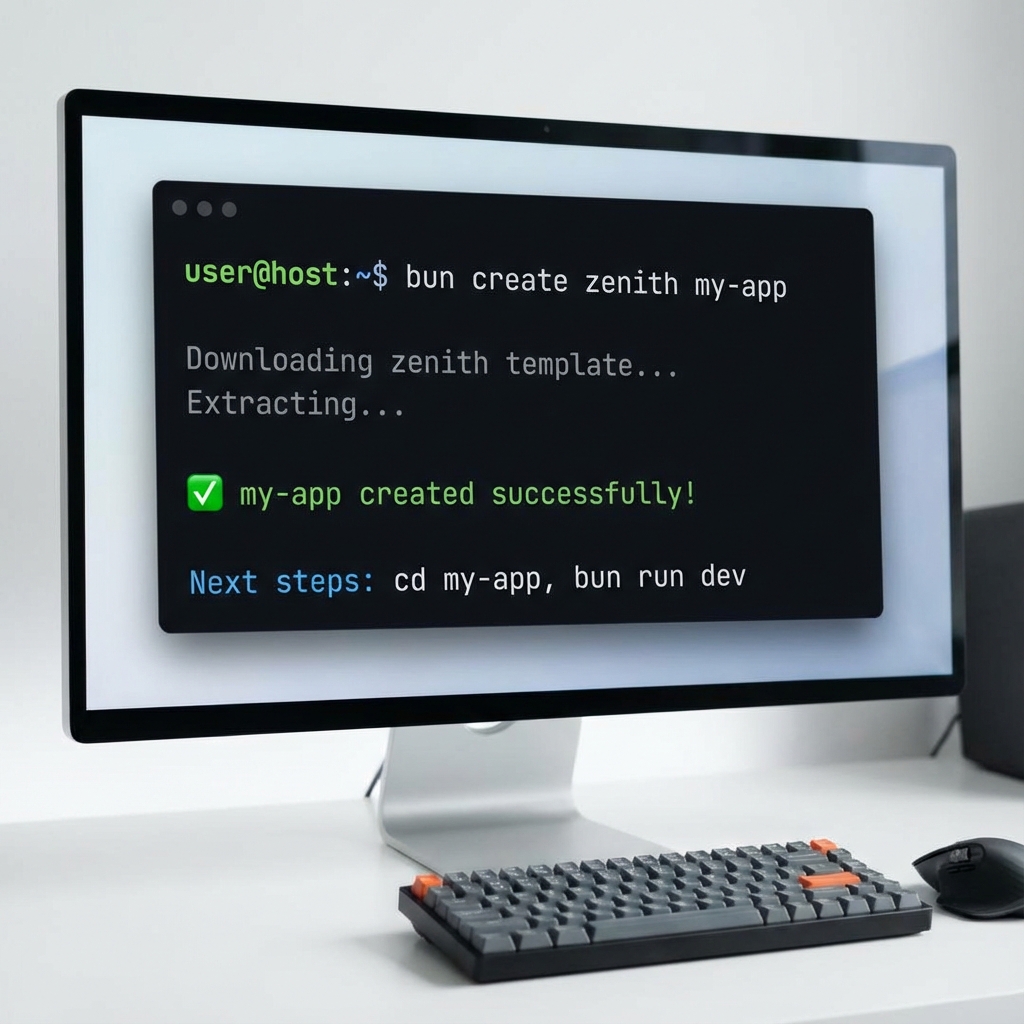
Get started with Zenith in seconds using your preferred package manager:
|
|
14
|
+
|
|
15
|
+
### Using Bun (Recommended)
|
|
16
|
+
```bash
|
|
17
|
+
bun create zenith my-app
|
|
18
|
+
```
|
|
19
|
+
|
|
20
|
+
### Using npm
|
|
21
|
+
```bash
|
|
22
|
+
npm create zenith my-app
|
|
23
|
+
```
|
|
24
|
+
|
|
25
|
+
### Using npx
|
|
26
|
+
```bash
|
|
27
|
+
npx create-zenith my-app
|
|
28
|
+
```
|
|
29
|
+
|
|
30
|
+
### Using pnpm
|
|
31
|
+
```bash
|
|
32
|
+
pnpm create zenith my-app
|
|
33
|
+
```
|
|
34
|
+
|
|
35
|
+
|
|
36
|
+
|
|
37
|
+
---
|
|
38
|
+
|
|
39
|
+
## 📦 What You Get
|
|
40
|
+
|
|
41
|
+
After running the create command, you'll have a fully-configured Zenith project with:
|
|
42
|
+
|
|
43
|
+
✅ **Reactive State Management** - Built-in `state`, `signal`, and `effect` primitives
|
|
44
|
+
✅ **Lifecycle Hooks** - `zenOnMount` and `zenOnUnmount` for component lifecycle
|
|
45
|
+
✅ **File-Based Routing** - Automatic routing from your `app/pages/` directory
|
|
46
|
+
✅ **Component System** - Reusable components with scoped styles
|
|
47
|
+
✅ **Hot Module Reload** - Instant updates during development
|
|
48
|
+
✅ **Zero Config** - Works immediately after scaffolding
|
|
49
|
+
|
|
50
|
+
---
|
|
51
|
+
|
|
52
|
+
## 🎯 Next Steps
|
|
53
|
+
|
|
54
|
+
Once your project is created:
|
|
55
|
+
|
|
56
|
+
```bash
|
|
57
|
+
# Navigate to your project
|
|
58
|
+
cd my-app
|
|
59
|
+
|
|
60
|
+
# Start the development server
|
|
61
|
+
bun run dev
|
|
62
|
+
|
|
63
|
+
# Open http://localhost:3000 in your browser
|
|
64
|
+
```
|
|
65
|
+
|
|
66
|
+
Your app is now running with full reactivity! Try clicking the counter button to see state management in action.
|
|
67
|
+
|
|
68
|
+
---
|
|
69
|
+
|
|
70
|
+
## 📁 Project Structure
|
|
71
|
+
|
|
72
|
+
```
|
|
73
|
+
my-app/
|
|
74
|
+
├── app/
|
|
75
|
+
│ ├── pages/ # Your routes (index.zen = /)
|
|
76
|
+
│ ├── layouts/ # Layout components
|
|
77
|
+
│ └── components/ # Reusable components
|
|
78
|
+
├── package.json
|
|
79
|
+
└── bun.lock
|
|
80
|
+
```
|
|
81
|
+
|
|
82
|
+
---
|
|
83
|
+
|
|
84
|
+
## 🛠️ Available Commands
|
|
85
|
+
|
|
86
|
+
| Command | Description |
|
|
87
|
+
|---------|-------------|
|
|
88
|
+
| `bun run dev` | Start development server with HMR |
|
|
89
|
+
| `bun run build` | Build for production |
|
|
90
|
+
| `bun run preview` | Preview production build |
|
|
91
|
+
|
|
92
|
+
---
|
|
93
|
+
|
|
94
|
+
## 💡 Example: Your First Component
|
|
95
|
+
|
|
96
|
+
The scaffolded `app/pages/index.zen` includes a working counter example:
|
|
97
|
+
|
|
98
|
+
```html
|
|
99
|
+
<script>
|
|
100
|
+
state count = 0
|
|
101
|
+
|
|
102
|
+
function increment() {
|
|
103
|
+
count = count + 1
|
|
104
|
+
}
|
|
105
|
+
</script>
|
|
106
|
+
|
|
107
|
+
<main>
|
|
108
|
+
<h1>Welcome to Zenith</h1>
|
|
109
|
+
<p>Count: {count}</p>
|
|
110
|
+
<button onclick="increment">Increment</button>
|
|
111
|
+
</main>
|
|
112
|
+
|
|
113
|
+
<style>
|
|
114
|
+
main {
|
|
115
|
+
max-width: 800px;
|
|
116
|
+
margin: 2rem auto;
|
|
117
|
+
padding: 2rem;
|
|
118
|
+
}
|
|
119
|
+
</style>
|
|
120
|
+
```
|
|
121
|
+
|
|
122
|
+
**Key Features:**
|
|
123
|
+
- `state count = 0` - Reactive state variable
|
|
124
|
+
- `{count}` - Automatic DOM updates when state changes
|
|
125
|
+
- `onclick="increment"` - Event handler wiring
|
|
126
|
+
- Component-scoped `<style>` blocks
|
|
127
|
+
|
|
128
|
+
---
|
|
129
|
+
|
|
130
|
+
## 🔧 Requirements
|
|
131
|
+
|
|
132
|
+
- **Bun** 1.0+ (recommended) or **Node.js** 18+
|
|
133
|
+
- Modern browser with ES6+ support
|
|
134
|
+
|
|
135
|
+
---
|
|
136
|
+
|
|
137
|
+
## 📚 Learn More
|
|
138
|
+
|
|
139
|
+
- [Zenith Documentation](https://github.com/zenithbuild/zenith)
|
|
140
|
+
- [Zenith CLI](https://github.com/zenithbuild/zenith-cli)
|
|
141
|
+
- [Examples & Tutorials](https://github.com/zenithbuild/zenith/tree/main/examples)
|
|
142
|
+
|
|
143
|
+
---
|
|
144
|
+
|
|
145
|
+
## 🤝 Contributing
|
|
146
|
+
|
|
147
|
+
Found a bug or have a feature request? [Open an issue](https://github.com/zenithbuild/create-zenith/issues) or submit a pull request!
|
|
148
|
+
|
|
149
|
+
---
|
|
150
|
+
|
|
151
|
+
## 📄 License
|
|
152
|
+
|
|
153
|
+
MIT © Zenith Team
|
|
154
|
+
|
|
155
|
+
---
|
|
156
|
+
|
|
157
|
+
**Made with ⚡ by the Zenith Team**
|
|
158
|
+
# create-zenith
|
|
Binary file
|
|
Binary file
|
|
Binary file
|
|
Binary file
|
|
Binary file
|
|
Binary file
|