cm-chessboard 8.2.0 → 8.3.0
This diff represents the content of publicly available package versions that have been released to one of the supported registries. The information contained in this diff is provided for informational purposes only and reflects changes between package versions as they appear in their respective public registries.
- package/README.md +112 -178
- package/assets/_chessboard-theme.scss +14 -11
- package/assets/chessboard.css +13 -13
- package/assets/chessboard.css.map +1 -1
- package/examples/extensions/markers-extension.html +1 -1
- package/examples/simple-boards.html +5 -3
- package/package.json +1 -1
- package/src/Chessboard.js +1 -5
- package/src/extensions/accessibility/Accessibility.js +6 -2
- package/src/extensions/markers/README.md +97 -0
- /package/src/{lib → extensions/accessibility}/I18n.js +0 -0
package/README.md
CHANGED
|
@@ -5,12 +5,7 @@ A JavaScript chessboard which is lightweight, ES6 module based, responsive, SVG
|
|
|
5
5
|
cm-chessboard is the main chessboard of
|
|
6
6
|
[chessmail.eu](https://www.chessmail.eu) and [chessmail.de](https://www.chessmail.de). It is also used
|
|
7
7
|
in [chess-console](https://shaack.com/projekte/chess-console/examples/load-pgn.html) and in
|
|
8
|
-
[cm-fen-editor](https://shaack.com/projekte/cm-fen-editor/). They are all nice written ES6 Modules to handle different
|
|
9
|
-
aspects of chess games.
|
|
10
|
-
|
|
11
|
-
> Note: With version 7, I made a heavy allover refactoring. The chessboard props have been changed and the files
|
|
12
|
-
> structure also. Version 7 of the cm-chessboard will not work out of the box after an update from a previous version.
|
|
13
|
-
> Also with version 7 comes the move cancelling via secondary mouse button.
|
|
8
|
+
[cm-fen-editor](https://shaack.com/projekte/cm-fen-editor/). They are all nice written ES6 Modules to handle different aspects of chess games.
|
|
14
9
|
|
|
15
10
|
## Features
|
|
16
11
|
|
|
@@ -18,24 +13,18 @@ aspects of chess games.
|
|
|
18
13
|
- [Can handle moves input via click or drag](https://shaack.com/projekte/cm-chessboard/examples/validate-moves.html)
|
|
19
14
|
- [Styleable via css and supports multiple piece sets](https://shaack.com/projekte/cm-chessboard/examples/different-styles.html)
|
|
20
15
|
- Uses SVG for rendering
|
|
21
|
-
- [Allows adding
|
|
16
|
+
- [Allows adding extensions to extend the
|
|
22
17
|
functionality](https://shaack.com/projekte/cm-chessboard/examples/extensions/arrows-extension.html)
|
|
23
18
|
|
|
24
19
|
## Extensions
|
|
25
20
|
|
|
26
|
-
The core of cm-chessboard is small, fast and reduced to the essentials. You can extend its functionality with
|
|
27
|
-
extensions.
|
|
21
|
+
The core of cm-chessboard is small, fast and reduced to the essentials. You can easily extend its functionality with extensions.
|
|
28
22
|
|
|
29
|
-
- [
|
|
30
|
-
|
|
31
|
-
- [
|
|
32
|
-
|
|
33
|
-
- [
|
|
34
|
-
markers on specific squares
|
|
35
|
-
- [PromotionDialog Extension](https://shaack.com/projekte/cm-chessboard/examples/extensions/promotion-dialog-extension.html)
|
|
36
|
-
🆕 - shows a dialog to select the piece to promote to
|
|
37
|
-
- [RenderVideo Extension](https://shaack.com/projekte/cm-chessboard/examples/extensions/render-video-extension.html)
|
|
38
|
-
🆕 - renders a video from the pieces movement on the board
|
|
23
|
+
- [Markers Extension](https://shaack.com/projekte/cm-chessboard/examples/extensions/markers-extension.html) ⇨ create markers on specific squares
|
|
24
|
+
- [Arrows Extension](https://shaack.com/projekte/cm-chessboard/examples/extensions/arrows-extension.html) ⇨ renders arrows on the chessboard
|
|
25
|
+
- [Accessibility Extension](https://shaack.com/projekte/cm-chessboard/examples/extensions/accessibility-extension.html) ⇨ makes the chessboard more accessible
|
|
26
|
+
- [PromotionDialog Extension](https://shaack.com/projekte/cm-chessboard/examples/extensions/promotion-dialog-extension.html) ⇨ shows a dialog to select the piece to promote to
|
|
27
|
+
- [RenderVideo Extension](https://shaack.com/projekte/cm-chessboard/examples/extensions/render-video-extension.html) ⇨ renders a video from the pieces movement on the board (beta version for now)
|
|
39
28
|
|
|
40
29
|
## Demo and repository
|
|
41
30
|
|
|
@@ -44,43 +33,92 @@ extensions.
|
|
|
44
33
|
|
|
45
34
|
|
|
46
35
|
|
|
47
|
-
##
|
|
36
|
+
## Installation and first steps
|
|
48
37
|
|
|
49
|
-
|
|
38
|
+
### Step 1: Install the package
|
|
50
39
|
|
|
51
|
-
**Option
|
|
40
|
+
- **Option 1:** Install the [npm package](https://www.npmjs.com/package/cm-chessboard) with `npm install cm-chessboard`.
|
|
41
|
+
- **Option 2:** Download the code from [GitHub](https://github.com/shaack/cm-chessboard).
|
|
42
|
+
- **Option 3:** Use it via CDN https://cdn.jsdelivr.net/npm/cm-chessboard@8/src/Chessboard.js
|
|
52
43
|
|
|
53
|
-
|
|
44
|
+
### Step 2: Create your cm-chessboard page
|
|
54
45
|
|
|
55
|
-
|
|
56
|
-
folder. If you put the sprite somewhere else you have to configure the location
|
|
57
|
-
with `{sprite.url: "./url/of/chessboard-sprite.svg"}`
|
|
58
|
-
(see section 'Configuration' below).
|
|
46
|
+
#### Step 2a: Include the CSS file
|
|
59
47
|
|
|
60
|
-
|
|
61
|
-
|
|
48
|
+
```html
|
|
49
|
+
<link rel="stylesheet" href="./node_modules/cm-chessboard/assets/styles/cm-chessboard.css">
|
|
50
|
+
```
|
|
62
51
|
|
|
63
|
-
|
|
52
|
+
- Some extensions, like "[Markers](https://shaack.com/projekte/cm-chessboard/examples/extensions/markers-extension.html)", "[Promotion Dialog](https://shaack.com/projekte/cm-chessboard/examples/extensions/promotion-dialog-extension.html)" or "[Arrows](https://shaack.com/projekte/cm-chessboard/examples/extensions/arrows-extension.html)" need additional CSS. See the examples.
|
|
64
53
|
|
|
65
|
-
|
|
54
|
+
#### Step 2b: Create a container for the chessboard
|
|
66
55
|
|
|
67
|
-
|
|
68
|
-
|
|
56
|
+
```html
|
|
57
|
+
<div id="board"></div>
|
|
58
|
+
```
|
|
69
59
|
|
|
70
|
-
|
|
60
|
+
#### Step 2c: Create the chessboard in your JavaScript code.
|
|
71
61
|
|
|
72
62
|
```html
|
|
73
|
-
|
|
74
63
|
<script type="module">
|
|
75
64
|
import {Chessboard} from "./src/Chessboard.js"
|
|
76
65
|
|
|
77
|
-
new Chessboard(document.getElementById("
|
|
78
|
-
|
|
66
|
+
const board = new Chessboard(document.getElementById("board"), {
|
|
67
|
+
position: FEN.start,
|
|
68
|
+
assetsUrl: "./node_modules/cm-chessboard/assets/" // or wherever you copied the assets folder to
|
|
69
|
+
})
|
|
79
70
|
</script>
|
|
80
71
|
```
|
|
81
72
|
|
|
82
|
-
|
|
83
|
-
|
|
73
|
+
You need to configure the `assetsUrl` in your chessboard props (the second parameter). The `assetsUrl` must be the path to the `assets` folder of this project, where the pieces SVGs and other resources are located.
|
|
74
|
+
|
|
75
|
+
You can also copy the `assets` folder from `cm-chessboard/assets` to your project and modify the content.
|
|
76
|
+
|
|
77
|
+
#### See also
|
|
78
|
+
|
|
79
|
+
- [Simple cm-chessboard example online](https://shaack.com/projekte/cm-chessboard/examples/simple-boards.html)
|
|
80
|
+
|
|
81
|
+
### Step 3: (Optional) Enable user input
|
|
82
|
+
|
|
83
|
+
To enable the user to move the pieces, you have to enable the move input.
|
|
84
|
+
|
|
85
|
+
```javascript
|
|
86
|
+
const board = new Chessboard(document.getElementById("board"), {
|
|
87
|
+
position: FEN.start,
|
|
88
|
+
assetsUrl: "../assets/",
|
|
89
|
+
extensions: [{class: Markers}] // Looks better with markers
|
|
90
|
+
})
|
|
91
|
+
|
|
92
|
+
board.enableMoveInput(inputHandler) // This enables the move input
|
|
93
|
+
|
|
94
|
+
function inputHandler(event) {
|
|
95
|
+
console.log(event)
|
|
96
|
+
switch (event.type) {
|
|
97
|
+
case INPUT_EVENT_TYPE.moveInputStarted:
|
|
98
|
+
log(`moveInputStarted: ${event.squareFrom}`)
|
|
99
|
+
return true // false cancels move
|
|
100
|
+
case INPUT_EVENT_TYPE.validateMoveInput:
|
|
101
|
+
log(`validateMoveInput: ${event.squareFrom}-${event.squareTo}`)
|
|
102
|
+
return true // false cancels move
|
|
103
|
+
case INPUT_EVENT_TYPE.moveInputCanceled:
|
|
104
|
+
log(`moveInputCanceled`)
|
|
105
|
+
break
|
|
106
|
+
case INPUT_EVENT_TYPE.moveInputFinished:
|
|
107
|
+
log(`moveInputFinished`)
|
|
108
|
+
break
|
|
109
|
+
case INPUT_EVENT_TYPE.movingOverSquare:
|
|
110
|
+
log(`movingOverSquare: ${event.square}`)
|
|
111
|
+
break
|
|
112
|
+
}
|
|
113
|
+
}
|
|
114
|
+
```
|
|
115
|
+
|
|
116
|
+
#### See also
|
|
117
|
+
|
|
118
|
+
- [Simple example with move input enabled](https://shaack.com/projekte/cm-chessboard/examples/enable-input.html)
|
|
119
|
+
- [More complex example with move validation](https://shaack.com/projekte/cm-chessboard/examples/validate-moves.html)
|
|
120
|
+
|
|
121
|
+
Take a look at the [/examples](https://github.com/shaack/cm-chessboard/tree/master/examples) folder for more examples.
|
|
84
122
|
|
|
85
123
|
## Configuration
|
|
86
124
|
|
|
@@ -91,9 +129,8 @@ this.props = {
|
|
|
91
129
|
position: FEN.empty, // set position as fen, use FEN.start or FEN.empty as shortcuts
|
|
92
130
|
orientation: COLOR.white, // white on bottom
|
|
93
131
|
responsive: true, // resize the board automatically to the size of the context element
|
|
94
|
-
language: navigator.language.substring(0, 2).toLowerCase(), // supports "de" and "en" for now, used for pieces naming
|
|
95
132
|
assetsUrl: "./assets/", // put all css and sprites in this folder, will be ignored for absolute urls of assets files
|
|
96
|
-
assetsCache: true, // cache sprites
|
|
133
|
+
assetsCache: true, // cache the sprites, deactivate if you want to use multiple pieces sets in one page
|
|
97
134
|
style: {
|
|
98
135
|
cssClass: "default", // set the css theme of the board, try "green", "blue" or "chess-club"
|
|
99
136
|
showCoordinates: true, // show ranks and files
|
|
@@ -146,44 +183,6 @@ Sets the position as `fen` or only the position part of a `fen`. Returns a **Pro
|
|
|
146
183
|
|
|
147
184
|
Returns the board position in form of the position part of a `fen`.
|
|
148
185
|
|
|
149
|
-
### addMarker(type, square)
|
|
150
|
-
|
|
151
|
-
> Moved to the Markers extension with version 6
|
|
152
|
-
|
|
153
|
-
Adds a marker on a square.
|
|
154
|
-
|
|
155
|
-
Default types are: `MARKER_TYPE.frame`, `MARKER_TYPE.square`, `MARKER_TYPE.dot`, `MARKER_TYPE.circle` exportet
|
|
156
|
-
by `Chessboard.js`.
|
|
157
|
-
|
|
158
|
-
#### You can create your own marker types:
|
|
159
|
-
|
|
160
|
-
Just create an object like `const myMarker = {class: "markerCssClass", slice: "markerSliceId"}`, where `class` is the
|
|
161
|
-
css class of the marker for styling
|
|
162
|
-
and `slice` is the `id` in `sprite.svg`. See also [Create your own custom markers](#create-your-own-custom-markers)
|
|
163
|
-
below.
|
|
164
|
-
|
|
165
|
-
[Example for **addMarker**, **getMarkers** and
|
|
166
|
-
**removeMarkers**](https://shaack.com/projekte/cm-chessboard/examples/extensions/markers-extension.html)
|
|
167
|
-
|
|
168
|
-
### getMarkers(type = undefined, square = undefined)
|
|
169
|
-
|
|
170
|
-
> Moved to the Markers extension with version 6
|
|
171
|
-
|
|
172
|
-
Returns the board's markers as an array.
|
|
173
|
-
|
|
174
|
-
Only set type, to get all markers of a type on the board. Set type to `undefined`, to get markers of all types on a
|
|
175
|
-
square.
|
|
176
|
-
Set `both` to `undefined` to get all markers on the board.
|
|
177
|
-
|
|
178
|
-
### removeMarkers(type = undefined, square = undefined)
|
|
179
|
-
|
|
180
|
-
> Moved to the Markers extension with version 6
|
|
181
|
-
|
|
182
|
-
Removes markers from the board.
|
|
183
|
-
|
|
184
|
-
Only set `type` to remove all markers of `type` from the board. Set `type` to `undefined`, to remove all types
|
|
185
|
-
of markers from a square. Call without parameters to remove all markers from the board.
|
|
186
|
-
|
|
187
186
|
### setOrientation(color)
|
|
188
187
|
|
|
189
188
|
Sets the board orientation (color at bottom). Allowed values are `COLOR.white` or `COLOR.black`.
|
|
@@ -254,70 +253,7 @@ chessboard-sprite-staunty.svg) and a sprite of the
|
|
|
254
253
|
(chessboard-sprite.svg).
|
|
255
254
|
|
|
256
255
|
Sprites must be 40x40px in size where the piece elements must have ids like
|
|
257
|
-
"bp" (black pawn) or "wq" (white queen). Just open the sprite in a text editor, SVG is readable like HTML.
|
|
258
|
-
markers are defined in the sprite.
|
|
259
|
-
|
|
260
|
-
## Create your own custom markers
|
|
261
|
-
|
|
262
|
-
The ability to add custom markers is build in. You can use the existing
|
|
263
|
-
marker shapes in the SVG sprite and create your own markers with just css or create
|
|
264
|
-
your own custom SVG shapes. With a program like InkScape or Sketch this should be relatively easy.
|
|
265
|
-
|
|
266
|
-
Example: The markerCircle is defined in the SVG like this.
|
|
267
|
-
|
|
268
|
-
```svg
|
|
269
|
-
|
|
270
|
-
<g id="markerCircle" transform="translate(2.000000, 2.000000)" fill="#000000" fill-opacity="0">
|
|
271
|
-
<circle cx="18" cy="18" r="18"/>
|
|
272
|
-
</g>
|
|
273
|
-
```
|
|
274
|
-
|
|
275
|
-
It's a circle with the radius 18 and its center at 20/20.
|
|
276
|
-
|
|
277
|
-
Important is the id "markerCircle". You can set the marker
|
|
278
|
-
with `board.addMarker({class: "markerSquare", slice: "markerSquare"}, "e4")`
|
|
279
|
-
"emphasize" is the css class, which defines the color and opacity of the marker. "slice" is the id of the marker in the
|
|
280
|
-
SVG. This is
|
|
281
|
-
also demonstrated in
|
|
282
|
-
the [mark squares example](https://shaack.com/projekte/cm-chessboard/examples/extensions/markers-extension.html)
|
|
283
|
-
.
|
|
284
|
-
|
|
285
|
-
The color and stroke-width of the marker is defined in the css (or scss). You could also define your marker completely
|
|
286
|
-
in the sprite, but then that is not so flexible.
|
|
287
|
-
|
|
288
|
-
These are the css styles of the markers "markerSquare" and "markerCircleRed".
|
|
289
|
-
|
|
290
|
-
```css
|
|
291
|
-
marker.marker-square {
|
|
292
|
-
fill: black;
|
|
293
|
-
opacity: 0.11;
|
|
294
|
-
}
|
|
295
|
-
|
|
296
|
-
marker.marker-circle-red {
|
|
297
|
-
stroke: #aa0000;
|
|
298
|
-
stroke-width: 3px;
|
|
299
|
-
opacity: 0.4;
|
|
300
|
-
}
|
|
301
|
-
```
|
|
302
|
-
|
|
303
|
-
So you can simply add a marker with the id `myMarkerIdInSvg` to the SVG, and add the class `myMarkerCssClass` to the
|
|
304
|
-
css. Then you can show it on the field "e4" with
|
|
305
|
-
|
|
306
|
-
`addMarker({class: "myMarkerCssClass", slice: "myMarkerIdInSvg"}, "e4")`
|
|
307
|
-
|
|
308
|
-
To allow easy removing of the marker, you have to define the marker type in your code.
|
|
309
|
-
|
|
310
|
-
```js
|
|
311
|
-
const myMarkerType = {class: "myMarkerCssClass", slice: "myMarkerIdInSvg"}
|
|
312
|
-
// add
|
|
313
|
-
chessboard.addMarker(myMarkerType, "e4")
|
|
314
|
-
// remove a specific marker
|
|
315
|
-
chessboard.removeMarkers(myMarkerType, "e4")
|
|
316
|
-
// remove all "myMarkerType"
|
|
317
|
-
chessboard.removeMarkers(myMarkerType)
|
|
318
|
-
// remove all markers
|
|
319
|
-
chessboard.removeMarkers()
|
|
320
|
-
```
|
|
256
|
+
"bp" (black pawn) or "wq" (white queen). Just open the sprite in a text editor, SVG is readable like HTML.
|
|
321
257
|
|
|
322
258
|
## Extensions
|
|
323
259
|
|
|
@@ -369,32 +305,52 @@ const chessboard = new Chessboard(document.getElementById("board"), {
|
|
|
369
305
|
})
|
|
370
306
|
```
|
|
371
307
|
|
|
372
|
-
###
|
|
373
|
-
|
|
374
|
-
> Deprecated 2023-05-18, just add methods directly to the chessboard class instance.
|
|
308
|
+
### Add methods to the chessboard
|
|
375
309
|
|
|
376
|
-
Add methods to the
|
|
377
|
-
like `addArrow(type, from, to)` in the
|
|
378
|
-
[Arrows extension](https://shaack.com/projekte/cm-chessboard/examples/extensions/arrows-extension.html).
|
|
310
|
+
Add methods to the chessboard in the constructor of your extension like shown below.
|
|
379
311
|
|
|
380
312
|
```js
|
|
381
|
-
this.
|
|
313
|
+
chessboard.addMarker = this.addMarker.bind(this)
|
|
382
314
|
```
|
|
383
315
|
|
|
384
|
-
|
|
316
|
+
## The main extensions contained in cm-chessboard
|
|
385
317
|
|
|
386
|
-
|
|
318
|
+
### Markers extension
|
|
387
319
|
|
|
388
|
-
|
|
320
|
+
Creates markers on the board. Example: [Markers extension](https://shaack.com/projekte/cm-chessboard/examples/extensions/markers-extension.html)
|
|
321
|
+
|
|
322
|
+
See the [README](src/extensions/markers/README.md) of the Markers. extension.
|
|
323
|
+
|
|
324
|
+
### Arrows extension
|
|
325
|
+
|
|
326
|
+
Draw arrows on the board. Example: [Arrows extension](https://shaack.com/projekte/cm-chessboard/examples/extensions/arrows-extension.html)
|
|
327
|
+
|
|
328
|
+
#### Methods
|
|
329
|
+
|
|
330
|
+
##### addArrow(type, fromSquare, toSquare)
|
|
331
|
+
|
|
332
|
+
Add an arrow.
|
|
333
|
+
|
|
334
|
+
##### removeArrows(type, from, to)
|
|
335
|
+
|
|
336
|
+
To remove all arrows, call `chessboard.removeArrows()` without parameters. To remove all arrows of a specific
|
|
337
|
+
type (type "danger"), call `chessboard.removeArrows(ARROW_TYPE.danger)`. To remove all arrows starting at "
|
|
338
|
+
e2"
|
|
339
|
+
you can call `chessboard.removeArrows(undefined, "e2")` and so on...
|
|
340
|
+
|
|
341
|
+
##### getArrows(type, from, to)
|
|
342
|
+
|
|
343
|
+
To get all arrows, call `chessboard.getArrows()` without parameters, as with `removeArrows(type, from, to)`.
|
|
344
|
+
|
|
345
|
+
### Accessibility Extension
|
|
389
346
|
|
|
390
347
|
This extension ensures that visual impaired people can better use the chessboard. It displays the braille notation
|
|
391
348
|
of the current position in the alt tag of the board image and enables a form to move the pieces via text input. It
|
|
392
349
|
can also display the board as HTML table and the pieces as list.
|
|
393
350
|
|
|
394
|
-
See
|
|
395
|
-
example [Accessibility extension](https://shaack.com/projekte/cm-chessboard/examples/extensions/accessibility-extension.html)
|
|
351
|
+
See the example [Accessibility extension](https://shaack.com/projekte/cm-chessboard/examples/extensions/accessibility-extension.html)
|
|
396
352
|
|
|
397
|
-
|
|
353
|
+
#### Usage
|
|
398
354
|
|
|
399
355
|
```js
|
|
400
356
|
const chessboard = new Chessboard(document.getElementById("board"), {
|
|
@@ -419,28 +375,6 @@ const chessboard = new Chessboard(document.getElementById("board"), {
|
|
|
419
375
|
})
|
|
420
376
|
```
|
|
421
377
|
|
|
422
|
-
#### Arrows extension
|
|
423
|
-
|
|
424
|
-
Draw arrows on the board.
|
|
425
|
-
|
|
426
|
-
Example: [Arrows extension](https://shaack.com/projekte/cm-chessboard/examples/extensions/arrows-extension.html)
|
|
427
|
-
|
|
428
|
-
##### Methods
|
|
429
|
-
|
|
430
|
-
###### addArrow(type, fromSquare, toSquare)
|
|
431
|
-
|
|
432
|
-
Add an arrow.
|
|
433
|
-
|
|
434
|
-
###### removeArrows(type, from, to)
|
|
435
|
-
|
|
436
|
-
To remove all arrows, call `chessboard.removeArrows()` without parameters. To remove all arrows of a specific
|
|
437
|
-
type (type "danger"), call `chessboard.removeArrows(ARROW_TYPE.danger)`. To remove all arrows starting at "
|
|
438
|
-
e2"
|
|
439
|
-
you can call `chessboard.removeArrows(undefined, "e2")` and so on...
|
|
440
|
-
|
|
441
|
-
###### getArrows(type, from, to)
|
|
442
|
-
|
|
443
|
-
To get all arrows, call `chessboard.getArrows()` without parameters, as with `removeArrows(type, from, to)`.
|
|
444
378
|
|
|
445
379
|
## Usage with JS Frameworks
|
|
446
380
|
|
|
@@ -1,17 +1,20 @@
|
|
|
1
|
+
$darkenCoordinates: 8%;
|
|
2
|
+
|
|
1
3
|
@mixin cm-chessboard-theme($name,
|
|
2
|
-
$
|
|
3
|
-
$coordinates-
|
|
4
|
-
$coordinates-
|
|
5
|
-
$
|
|
4
|
+
$light, $dark,
|
|
5
|
+
$coordinates-light: mix(black, $dark, $darkenCoordinates),
|
|
6
|
+
$coordinates-dark: mix(white, $light, $darkenCoordinates),
|
|
7
|
+
$coordinates-frame: mix(black, $dark, $darkenCoordinates),
|
|
8
|
+
$border: $dark, $frame-bg: $light) {
|
|
6
9
|
.cm-chessboard.#{$name} {
|
|
7
10
|
.board {
|
|
8
11
|
.square {
|
|
9
12
|
&.white {
|
|
10
|
-
fill: $
|
|
13
|
+
fill: $light;
|
|
11
14
|
}
|
|
12
15
|
|
|
13
16
|
&.black {
|
|
14
|
-
fill: $
|
|
17
|
+
fill: $dark;
|
|
15
18
|
}
|
|
16
19
|
}
|
|
17
20
|
}
|
|
@@ -21,7 +24,7 @@ $border: $square-black, $frame-bg: $square-white,) {
|
|
|
21
24
|
.border {
|
|
22
25
|
stroke: $border;
|
|
23
26
|
stroke-width: 0.7%;
|
|
24
|
-
fill: $
|
|
27
|
+
fill: $dark;
|
|
25
28
|
}
|
|
26
29
|
}
|
|
27
30
|
}
|
|
@@ -30,7 +33,7 @@ $border: $square-black, $frame-bg: $square-white,) {
|
|
|
30
33
|
.border {
|
|
31
34
|
stroke: $border;
|
|
32
35
|
stroke-width: 0;
|
|
33
|
-
fill: $
|
|
36
|
+
fill: $dark;
|
|
34
37
|
}
|
|
35
38
|
}
|
|
36
39
|
}
|
|
@@ -42,7 +45,7 @@ $border: $square-black, $frame-bg: $square-white,) {
|
|
|
42
45
|
stroke: none;
|
|
43
46
|
}
|
|
44
47
|
.border-inner {
|
|
45
|
-
fill: $
|
|
48
|
+
fill: $dark;
|
|
46
49
|
stroke: $border;
|
|
47
50
|
stroke-width: 0.7%;
|
|
48
51
|
}
|
|
@@ -57,10 +60,10 @@ $border: $square-black, $frame-bg: $square-white,) {
|
|
|
57
60
|
font-size: 7px;
|
|
58
61
|
cursor: default;
|
|
59
62
|
&.black {
|
|
60
|
-
fill: $coordinates-
|
|
63
|
+
fill: $coordinates-dark;
|
|
61
64
|
}
|
|
62
65
|
&.white {
|
|
63
|
-
fill: $coordinates-
|
|
66
|
+
fill: $coordinates-light;
|
|
64
67
|
}
|
|
65
68
|
}
|
|
66
69
|
}
|
package/assets/chessboard.css
CHANGED
|
@@ -61,13 +61,13 @@
|
|
|
61
61
|
pointer-events: none;
|
|
62
62
|
user-select: none; }
|
|
63
63
|
.cm-chessboard.default .coordinates .coordinate {
|
|
64
|
-
fill: #
|
|
64
|
+
fill: #b5936d;
|
|
65
65
|
font-size: 7px;
|
|
66
66
|
cursor: default; }
|
|
67
67
|
.cm-chessboard.default .coordinates .coordinate.black {
|
|
68
|
-
fill: #
|
|
68
|
+
fill: #eeddbf; }
|
|
69
69
|
.cm-chessboard.default .coordinates .coordinate.white {
|
|
70
|
-
fill: #
|
|
70
|
+
fill: #b5936d; }
|
|
71
71
|
|
|
72
72
|
.cm-chessboard.default-contrast .board .square.white {
|
|
73
73
|
fill: #ecdab9; }
|
|
@@ -98,7 +98,7 @@
|
|
|
98
98
|
pointer-events: none;
|
|
99
99
|
user-select: none; }
|
|
100
100
|
.cm-chessboard.default-contrast .coordinates .coordinate {
|
|
101
|
-
fill: #
|
|
101
|
+
fill: #b5936d;
|
|
102
102
|
font-size: 7px;
|
|
103
103
|
cursor: default; }
|
|
104
104
|
.cm-chessboard.default-contrast .coordinates .coordinate.black {
|
|
@@ -135,13 +135,13 @@
|
|
|
135
135
|
pointer-events: none;
|
|
136
136
|
user-select: none; }
|
|
137
137
|
.cm-chessboard.green .coordinates .coordinate {
|
|
138
|
-
fill: #
|
|
138
|
+
fill: #468862;
|
|
139
139
|
font-size: 7px;
|
|
140
140
|
cursor: default; }
|
|
141
141
|
.cm-chessboard.green .coordinates .coordinate.black {
|
|
142
|
-
fill: #
|
|
142
|
+
fill: #e2e0d0; }
|
|
143
143
|
.cm-chessboard.green .coordinates .coordinate.white {
|
|
144
|
-
fill: #
|
|
144
|
+
fill: #468862; }
|
|
145
145
|
|
|
146
146
|
.cm-chessboard.blue .board .square.white {
|
|
147
147
|
fill: #d8ecfb; }
|
|
@@ -172,13 +172,13 @@
|
|
|
172
172
|
pointer-events: none;
|
|
173
173
|
user-select: none; }
|
|
174
174
|
.cm-chessboard.blue .coordinates .coordinate {
|
|
175
|
-
fill: #
|
|
175
|
+
fill: #7ba1be;
|
|
176
176
|
font-size: 7px;
|
|
177
177
|
cursor: default; }
|
|
178
178
|
.cm-chessboard.blue .coordinates .coordinate.black {
|
|
179
|
-
fill: #
|
|
179
|
+
fill: #dbeefb; }
|
|
180
180
|
.cm-chessboard.blue .coordinates .coordinate.white {
|
|
181
|
-
fill: #
|
|
181
|
+
fill: #7ba1be; }
|
|
182
182
|
|
|
183
183
|
.cm-chessboard.chess-club .board .square.white {
|
|
184
184
|
fill: #E6D3B1; }
|
|
@@ -283,12 +283,12 @@
|
|
|
283
283
|
pointer-events: none;
|
|
284
284
|
user-select: none; }
|
|
285
285
|
.cm-chessboard.black-and-white .coordinates .coordinate {
|
|
286
|
-
fill: #
|
|
286
|
+
fill: #909090;
|
|
287
287
|
font-size: 7px;
|
|
288
288
|
cursor: default; }
|
|
289
289
|
.cm-chessboard.black-and-white .coordinates .coordinate.black {
|
|
290
|
-
fill:
|
|
290
|
+
fill: white; }
|
|
291
291
|
.cm-chessboard.black-and-white .coordinates .coordinate.white {
|
|
292
|
-
fill: #
|
|
292
|
+
fill: #909090; }
|
|
293
293
|
|
|
294
294
|
/*# sourceMappingURL=chessboard.css.map */
|
|
@@ -6,5 +6,5 @@
|
|
|
6
6
|
"_chessboard-theme.scss"
|
|
7
7
|
],
|
|
8
8
|
"names": [],
|
|
9
|
-
"mappings": "AAGA,AAIM,cAJQ,CAEZ,MAAM,AACH,cAAc,CACb,OAAO,CAAC;EACN,MAAM,EAAE,OAAO,GAChB;;AANP,AAUE,cAVY,CAUZ,YAAY,EAVd,cAAc,CAUE,cAAc,EAV9B,cAAc,CAUkB,aAAa,EAV7C,cAAc,CAUiC,kBAAkB,CAAC;EAC9D,cAAc,EAAE,IAAI,GACrB;;AAGH,AACE,sBADoB,CACpB,YAAY,CAAC;EACX,YAAY,EAAE,CAAC;EACf,UAAU,EAAE,IAAI,GACjB;;AAJH,AAME,sBANoB,CAMpB,iBAAiB,CAAC;EAChB,OAAO,EAAE,YAAY,GAKtB;EAZH,AASI,sBATkB,CAMpB,iBAAiB,CAGd,GAAK,EAAC,UAAU,EAAE;IACjB,YAAY,EAAE,IAAI,GACnB;;AAIL,AAEE,sBAFoB,CAEpB,YAAY,CAAC;EACX,YAAY,EAAE,CAAC;EACf,UAAU,EAAE,IAAI,GACjB;;AALH,AAOE,sBAPoB,CAOpB,iBAAiB,CAAC;EAChB,OAAO,EAAE,YAAY,GAKtB;EAbH,AAUI,sBAVkB,CAOpB,iBAAiB,CAGd,GAAK,EAAC,UAAU,EAAE;IACjB,YAAY,EAAE,IAAI,GACnB;;AAIL,AAAA,4BAA4B,AAAA,gBAAgB,CAAC;EAC3C,KAAK,EAAE,GAAG;EACV,MAAM,EAAE,GAAG;EACX,OAAO,EAAE,CAAC;EACV,MAAM,EAAE,IAAI;EACZ,QAAQ,EAAE,MAAM;EAChB,IAAI,EAAE,gBAAgB;EACtB,WAAW,EAAE,MAAM;EACnB,MAAM,EAAE,CAAC,GACV;;AC1DD,
|
|
9
|
+
"mappings": "AAGA,AAIM,cAJQ,CAEZ,MAAM,AACH,cAAc,CACb,OAAO,CAAC;EACN,MAAM,EAAE,OAAO,GAChB;;AANP,AAUE,cAVY,CAUZ,YAAY,EAVd,cAAc,CAUE,cAAc,EAV9B,cAAc,CAUkB,aAAa,EAV7C,cAAc,CAUiC,kBAAkB,CAAC;EAC9D,cAAc,EAAE,IAAI,GACrB;;AAGH,AACE,sBADoB,CACpB,YAAY,CAAC;EACX,YAAY,EAAE,CAAC;EACf,UAAU,EAAE,IAAI,GACjB;;AAJH,AAME,sBANoB,CAMpB,iBAAiB,CAAC;EAChB,OAAO,EAAE,YAAY,GAKtB;EAZH,AASI,sBATkB,CAMpB,iBAAiB,CAGd,GAAK,EAAC,UAAU,EAAE;IACjB,YAAY,EAAE,IAAI,GACnB;;AAIL,AAEE,sBAFoB,CAEpB,YAAY,CAAC;EACX,YAAY,EAAE,CAAC;EACf,UAAU,EAAE,IAAI,GACjB;;AALH,AAOE,sBAPoB,CAOpB,iBAAiB,CAAC;EAChB,OAAO,EAAE,YAAY,GAKtB;EAbH,AAUI,sBAVkB,CAOpB,iBAAiB,CAGd,GAAK,EAAC,UAAU,EAAE;IACjB,YAAY,EAAE,IAAI,GACnB;;AAIL,AAAA,4BAA4B,AAAA,gBAAgB,CAAC;EAC3C,KAAK,EAAE,GAAG;EACV,MAAM,EAAE,GAAG;EACX,OAAO,EAAE,CAAC;EACV,MAAM,EAAE,IAAI;EACZ,QAAQ,EAAE,MAAM;EAChB,IAAI,EAAE,gBAAgB;EACtB,WAAW,EAAE,MAAM;EACnB,MAAM,EAAE,CAAC,GACV;;AC1DD,AAWQ,cAXM,AAAA,QAAQ,CASlB,MAAM,CACJ,OAAO,AACJ,MAAM,CAAC;EACN,IAAI,EDmDE,OAAO,GClDd;;AAbT,AAeQ,cAfM,AAAA,QAAQ,CASlB,MAAM,CACJ,OAAO,AAKJ,MAAM,CAAC;EACN,IAAI,ED+CW,OAAO,GC9CvB;;AAjBT,AAuBQ,cAvBM,AAAA,QAAQ,AAqBjB,iBAAiB,CAChB,MAAM,CACJ,OAAO,CAAC;EACN,MAAM,EDuCS,OAAO;ECtCtB,YAAY,EAAE,IAAI;EAClB,IAAI,EDqCW,OAAO,GCpCvB;;AA3BT,AAgCQ,cAhCM,AAAA,QAAQ,AA8BjB,iBAAiB,CAChB,MAAM,CACJ,OAAO,CAAC;EACN,MAAM,ED8BS,OAAO;EC7BtB,YAAY,EAAE,CAAC;EACf,IAAI,ED4BW,OAAO,GC3BvB;;AApCT,AA0CQ,cA1CM,AAAA,QAAQ,AAwCjB,kBAAkB,CACjB,MAAM,CACJ,OAAO,CAAC;EACN,IAAI,EDoBE,OAAO;ECnBb,MAAM,EAAE,IAAI,GACb;;AA7CT,AA8CQ,cA9CM,AAAA,QAAQ,AAwCjB,kBAAkB,CACjB,MAAM,CAKJ,aAAa,CAAC;EACZ,IAAI,EDgBW,OAAO;ECftB,MAAM,EDeS,OAAO;ECdtB,YAAY,EAAE,IAAI,GACnB;;AAlDT,AAqDI,cArDU,AAAA,QAAQ,CAqDlB,YAAY,CAAC;EACX,cAAc,EAAE,IAAI;EACpB,WAAW,EAAE,IAAI,GAalB;EApEL,AAyDM,cAzDQ,AAAA,QAAQ,CAqDlB,YAAY,CAIV,WAAW,CAAC;IACV,IAAI,EApDS,OAAqC;IAqDlD,SAAS,EAAE,GAAG;IACd,MAAM,EAAE,OAAO,GAOhB;IAnEP,AA6DQ,cA7DM,AAAA,QAAQ,CAqDlB,YAAY,CAIV,WAAW,AAIR,MAAM,CAAC;MACN,IAAI,EAzDK,OAAsC,GA0DhD;IA/DT,AAgEQ,cAhEM,AAAA,QAAQ,CAqDlB,YAAY,CAIV,WAAW,AAOR,MAAM,CAAC;MACN,IAAI,EA7DM,OAAqC,GA8DhD;;AAlET,AAWQ,cAXM,AAAA,iBAAiB,CAS3B,MAAM,CACJ,OAAO,AACJ,MAAM,CAAC;EACN,IAAI,EDuDE,OAAO,GCtDd;;AAbT,AAeQ,cAfM,AAAA,iBAAiB,CAS3B,MAAM,CACJ,OAAO,AAKJ,MAAM,CAAC;EACN,IAAI,EDmDW,OAAO,GClDvB;;AAjBT,AAuBQ,cAvBM,AAAA,iBAAiB,AAqB1B,iBAAiB,CAChB,MAAM,CACJ,OAAO,CAAC;EACN,MAAM,ED2CS,OAAO;EC1CtB,YAAY,EAAE,IAAI;EAClB,IAAI,EDyCW,OAAO,GCxCvB;;AA3BT,AAgCQ,cAhCM,AAAA,iBAAiB,AA8B1B,iBAAiB,CAChB,MAAM,CACJ,OAAO,CAAC;EACN,MAAM,EDkCS,OAAO;ECjCtB,YAAY,EAAE,CAAC;EACf,IAAI,EDgCW,OAAO,GC/BvB;;AApCT,AA0CQ,cA1CM,AAAA,iBAAiB,AAwC1B,kBAAkB,CACjB,MAAM,CACJ,OAAO,CAAC;EACN,IAAI,EDwBE,OAAO;ECvBb,MAAM,EAAE,IAAI,GACb;;AA7CT,AA8CQ,cA9CM,AAAA,iBAAiB,AAwC1B,kBAAkB,CACjB,MAAM,CAKJ,aAAa,CAAC;EACZ,IAAI,EDoBW,OAAO;ECnBtB,MAAM,EDmBS,OAAO;EClBtB,YAAY,EAAE,IAAI,GACnB;;AAlDT,AAqDI,cArDU,AAAA,iBAAiB,CAqD3B,YAAY,CAAC;EACX,cAAc,EAAE,IAAI;EACpB,WAAW,EAAE,IAAI,GAalB;EApEL,AAyDM,cAzDQ,AAAA,iBAAiB,CAqD3B,YAAY,CAIV,WAAW,CAAC;IACV,IAAI,EApDS,OAAqC;IAqDlD,SAAS,EAAE,GAAG;IACd,MAAM,EAAE,OAAO,GAOhB;IAnEP,AA6DQ,cA7DM,AAAA,iBAAiB,CAqD3B,YAAY,CAIV,WAAW,AAIR,MAAM,CAAC;MACN,IAAI,EDMQ,IAAI,GCLjB;IA/DT,AAgEQ,cAhEM,AAAA,iBAAiB,CAqD3B,YAAY,CAIV,WAAW,AAOR,MAAM,CAAC;MACN,IAAI,EDGE,IAAI,GCFX;;AAlET,AAWQ,cAXM,AAAA,MAAM,CAShB,MAAM,CACJ,OAAO,AACJ,MAAM,CAAC;EACN,IAAI,ED4DE,OAAO,GC3Dd;;AAbT,AAeQ,cAfM,AAAA,MAAM,CAShB,MAAM,CACJ,OAAO,AAKJ,MAAM,CAAC;EACN,IAAI,EDwDW,OAAO,GCvDvB;;AAjBT,AAuBQ,cAvBM,AAAA,MAAM,AAqBf,iBAAiB,CAChB,MAAM,CACJ,OAAO,CAAC;EACN,MAAM,EDgDS,OAAO;EC/CtB,YAAY,EAAE,IAAI;EAClB,IAAI,ED8CW,OAAO,GC7CvB;;AA3BT,AAgCQ,cAhCM,AAAA,MAAM,AA8Bf,iBAAiB,CAChB,MAAM,CACJ,OAAO,CAAC;EACN,MAAM,EDuCS,OAAO;ECtCtB,YAAY,EAAE,CAAC;EACf,IAAI,EDqCW,OAAO,GCpCvB;;AApCT,AA0CQ,cA1CM,AAAA,MAAM,AAwCf,kBAAkB,CACjB,MAAM,CACJ,OAAO,CAAC;EACN,IAAI,ED6BE,OAAO;EC5Bb,MAAM,EAAE,IAAI,GACb;;AA7CT,AA8CQ,cA9CM,AAAA,MAAM,AAwCf,kBAAkB,CACjB,MAAM,CAKJ,aAAa,CAAC;EACZ,IAAI,EDyBW,OAAO;ECxBtB,MAAM,EDwBS,OAAO;ECvBtB,YAAY,EAAE,IAAI,GACnB;;AAlDT,AAqDI,cArDU,AAAA,MAAM,CAqDhB,YAAY,CAAC;EACX,cAAc,EAAE,IAAI;EACpB,WAAW,EAAE,IAAI,GAalB;EApEL,AAyDM,cAzDQ,AAAA,MAAM,CAqDhB,YAAY,CAIV,WAAW,CAAC;IACV,IAAI,EApDS,OAAqC;IAqDlD,SAAS,EAAE,GAAG;IACd,MAAM,EAAE,OAAO,GAOhB;IAnEP,AA6DQ,cA7DM,AAAA,MAAM,CAqDhB,YAAY,CAIV,WAAW,AAIR,MAAM,CAAC;MACN,IAAI,EAzDK,OAAsC,GA0DhD;IA/DT,AAgEQ,cAhEM,AAAA,MAAM,CAqDhB,YAAY,CAIV,WAAW,AAOR,MAAM,CAAC;MACN,IAAI,EA7DM,OAAqC,GA8DhD;;AAlET,AAWQ,cAXM,AAAA,KAAK,CASf,MAAM,CACJ,OAAO,AACJ,MAAM,CAAC;EACN,IAAI,EDgEE,OAAO,GC/Dd;;AAbT,AAeQ,cAfM,AAAA,KAAK,CASf,MAAM,CACJ,OAAO,AAKJ,MAAM,CAAC;EACN,IAAI,ED4DW,OAAO,GC3DvB;;AAjBT,AAuBQ,cAvBM,AAAA,KAAK,AAqBd,iBAAiB,CAChB,MAAM,CACJ,OAAO,CAAC;EACN,MAAM,EDoDS,OAAO;ECnDtB,YAAY,EAAE,IAAI;EAClB,IAAI,EDkDW,OAAO,GCjDvB;;AA3BT,AAgCQ,cAhCM,AAAA,KAAK,AA8Bd,iBAAiB,CAChB,MAAM,CACJ,OAAO,CAAC;EACN,MAAM,ED2CS,OAAO;EC1CtB,YAAY,EAAE,CAAC;EACf,IAAI,EDyCW,OAAO,GCxCvB;;AApCT,AA0CQ,cA1CM,AAAA,KAAK,AAwCd,kBAAkB,CACjB,MAAM,CACJ,OAAO,CAAC;EACN,IAAI,EDiCE,OAAO;EChCb,MAAM,EAAE,IAAI,GACb;;AA7CT,AA8CQ,cA9CM,AAAA,KAAK,AAwCd,kBAAkB,CACjB,MAAM,CAKJ,aAAa,CAAC;EACZ,IAAI,ED6BW,OAAO;EC5BtB,MAAM,ED4BS,OAAO;EC3BtB,YAAY,EAAE,IAAI,GACnB;;AAlDT,AAqDI,cArDU,AAAA,KAAK,CAqDf,YAAY,CAAC;EACX,cAAc,EAAE,IAAI;EACpB,WAAW,EAAE,IAAI,GAalB;EApEL,AAyDM,cAzDQ,AAAA,KAAK,CAqDf,YAAY,CAIV,WAAW,CAAC;IACV,IAAI,EApDS,OAAqC;IAqDlD,SAAS,EAAE,GAAG;IACd,MAAM,EAAE,OAAO,GAOhB;IAnEP,AA6DQ,cA7DM,AAAA,KAAK,CAqDf,YAAY,CAIV,WAAW,AAIR,MAAM,CAAC;MACN,IAAI,EAzDK,OAAsC,GA0DhD;IA/DT,AAgEQ,cAhEM,AAAA,KAAK,CAqDf,YAAY,CAIV,WAAW,AAOR,MAAM,CAAC;MACN,IAAI,EA7DM,OAAqC,GA8DhD;;AAlET,AAWQ,cAXM,AAAA,WAAW,CASrB,MAAM,CACJ,OAAO,AACJ,MAAM,CAAC;EACN,IAAI,EDoEE,OAAO,GCnEd;;AAbT,AAeQ,cAfM,AAAA,WAAW,CASrB,MAAM,CACJ,OAAO,AAKJ,MAAM,CAAC;EACN,IAAI,EDgEW,OAAO,GC/DvB;;AAjBT,AAuBQ,cAvBM,AAAA,WAAW,AAqBpB,iBAAiB,CAChB,MAAM,CACJ,OAAO,CAAC;EACN,MAAM,ED2DA,OAAO;EC1Db,YAAY,EAAE,IAAI;EAClB,IAAI,EDsDW,OAAO,GCrDvB;;AA3BT,AAgCQ,cAhCM,AAAA,WAAW,AA8BpB,iBAAiB,CAChB,MAAM,CACJ,OAAO,CAAC;EACN,MAAM,EDkDA,OAAO;ECjDb,YAAY,EAAE,CAAC;EACf,IAAI,ED6CW,OAAO,GC5CvB;;AApCT,AA0CQ,cA1CM,AAAA,WAAW,AAwCpB,kBAAkB,CACjB,MAAM,CACJ,OAAO,CAAC;EACN,IAAI,EDwCW,OAAO;ECvCtB,MAAM,EAAE,IAAI,GACb;;AA7CT,AA8CQ,cA9CM,AAAA,WAAW,AAwCpB,kBAAkB,CACjB,MAAM,CAKJ,aAAa,CAAC;EACZ,IAAI,EDiCW,OAAO;EChCtB,MAAM,EDmCA,OAAO;EClCb,YAAY,EAAE,IAAI,GACnB;;AAlDT,AAqDI,cArDU,AAAA,WAAW,CAqDrB,YAAY,CAAC;EACX,cAAc,EAAE,IAAI;EACpB,WAAW,EAAE,IAAI,GAalB;EApEL,AAyDM,cAzDQ,AAAA,WAAW,CAqDrB,YAAY,CAIV,WAAW,CAAC;IACV,IAAI,EDwBI,OAAO;ICvBf,SAAS,EAAE,GAAG;IACd,MAAM,EAAE,OAAO,GAOhB;IAnEP,AA6DQ,cA7DM,AAAA,WAAW,CAqDrB,YAAY,CAIV,WAAW,AAIR,MAAM,CAAC;MACN,IAAI,EDmBW,OAAO,GClBvB;IA/DT,AAgEQ,cAhEM,AAAA,WAAW,CAqDrB,YAAY,CAIV,WAAW,AAOR,MAAM,CAAC;MACN,IAAI,EDgBE,OAAO,GCfd;;AAlET,AAWQ,cAXM,AAAA,cAAc,CASxB,MAAM,CACJ,OAAO,AACJ,MAAM,CAAC;EACN,IAAI,ED2EE,OAAO,GC1Ed;;AAbT,AAeQ,cAfM,AAAA,cAAc,CASxB,MAAM,CACJ,OAAO,AAKJ,MAAM,CAAC;EACN,IAAI,EDuEW,OAAO,GCtEvB;;AAjBT,AAuBQ,cAvBM,AAAA,cAAc,AAqBvB,iBAAiB,CAChB,MAAM,CACJ,OAAO,CAAC;EACN,MAAM,EDkEA,OAAO;ECjEb,YAAY,EAAE,IAAI;EAClB,IAAI,ED6DW,OAAO,GC5DvB;;AA3BT,AAgCQ,cAhCM,AAAA,cAAc,AA8BvB,iBAAiB,CAChB,MAAM,CACJ,OAAO,CAAC;EACN,MAAM,EDyDA,OAAO;ECxDb,YAAY,EAAE,CAAC;EACf,IAAI,EDoDW,OAAO,GCnDvB;;AApCT,AA0CQ,cA1CM,AAAA,cAAc,AAwCvB,kBAAkB,CACjB,MAAM,CACJ,OAAO,CAAC;EACN,IAAI,ED+CW,OAAO;EC9CtB,MAAM,EAAE,IAAI,GACb;;AA7CT,AA8CQ,cA9CM,AAAA,cAAc,AAwCvB,kBAAkB,CACjB,MAAM,CAKJ,aAAa,CAAC;EACZ,IAAI,EDwCW,OAAO;ECvCtB,MAAM,ED0CA,OAAO;ECzCb,YAAY,EAAE,IAAI,GACnB;;AAlDT,AAqDI,cArDU,AAAA,cAAc,CAqDxB,YAAY,CAAC;EACX,cAAc,EAAE,IAAI;EACpB,WAAW,EAAE,IAAI,GAalB;EApEL,AAyDM,cAzDQ,AAAA,cAAc,CAqDxB,YAAY,CAIV,WAAW,CAAC;IACV,IAAI,ED+BI,OAAO;IC9Bf,SAAS,EAAE,GAAG;IACd,MAAM,EAAE,OAAO,GAOhB;IAnEP,AA6DQ,cA7DM,AAAA,cAAc,CAqDxB,YAAY,CAIV,WAAW,AAIR,MAAM,CAAC;MACN,IAAI,ED0BW,OAAO,GCzBvB;IA/DT,AAgEQ,cAhEM,AAAA,cAAc,CAqDxB,YAAY,CAIV,WAAW,AAOR,MAAM,CAAC;MACN,IAAI,EDuBE,OAAO,GCtBd;;AAlET,AAWQ,cAXM,AAAA,gBAAgB,CAS1B,MAAM,CACJ,OAAO,AACJ,MAAM,CAAC;EACN,IAAI,EDkFE,OAAO,GCjFd;;AAbT,AAeQ,cAfM,AAAA,gBAAgB,CAS1B,MAAM,CACJ,OAAO,AAKJ,MAAM,CAAC;EACN,IAAI,ED8EW,OAAO,GC7EvB;;AAjBT,AAuBQ,cAvBM,AAAA,gBAAgB,AAqBzB,iBAAiB,CAChB,MAAM,CACJ,OAAO,CAAC;EACN,MAAM,EDsES,OAAO;ECrEtB,YAAY,EAAE,IAAI;EAClB,IAAI,EDoEW,OAAO,GCnEvB;;AA3BT,AAgCQ,cAhCM,AAAA,gBAAgB,AA8BzB,iBAAiB,CAChB,MAAM,CACJ,OAAO,CAAC;EACN,MAAM,ED6DS,OAAO;EC5DtB,YAAY,EAAE,CAAC;EACf,IAAI,ED2DW,OAAO,GC1DvB;;AApCT,AA0CQ,cA1CM,AAAA,gBAAgB,AAwCzB,kBAAkB,CACjB,MAAM,CACJ,OAAO,CAAC;EACN,IAAI,EDmDE,OAAO;EClDb,MAAM,EAAE,IAAI,GACb;;AA7CT,AA8CQ,cA9CM,AAAA,gBAAgB,AAwCzB,kBAAkB,CACjB,MAAM,CAKJ,aAAa,CAAC;EACZ,IAAI,ED+CW,OAAO;EC9CtB,MAAM,ED8CS,OAAO;EC7CtB,YAAY,EAAE,IAAI,GACnB;;AAlDT,AAqDI,cArDU,AAAA,gBAAgB,CAqD1B,YAAY,CAAC;EACX,cAAc,EAAE,IAAI;EACpB,WAAW,EAAE,IAAI,GAalB;EApEL,AAyDM,cAzDQ,AAAA,gBAAgB,CAqD1B,YAAY,CAIV,WAAW,CAAC;IACV,IAAI,EApDS,OAAqC;IAqDlD,SAAS,EAAE,GAAG;IACd,MAAM,EAAE,OAAO,GAOhB;IAnEP,AA6DQ,cA7DM,AAAA,gBAAgB,CAqD1B,YAAY,CAIV,WAAW,AAIR,MAAM,CAAC;MACN,IAAI,EAzDK,KAAsC,GA0DhD;IA/DT,AAgEQ,cAhEM,AAAA,gBAAgB,CAqD1B,YAAY,CAIV,WAAW,AAOR,MAAM,CAAC;MACN,IAAI,EA7DM,OAAqC,GA8DhD"
|
|
10
10
|
}
|
|
@@ -11,7 +11,7 @@
|
|
|
11
11
|
<body>
|
|
12
12
|
<h1><a href="../../">cm-chessboard</a></h1>
|
|
13
13
|
<h2>Example: Markers Extension with pointer input</h2>
|
|
14
|
-
<p>The second board shows the usage of autoMarkers, when moving a piece.</p>
|
|
14
|
+
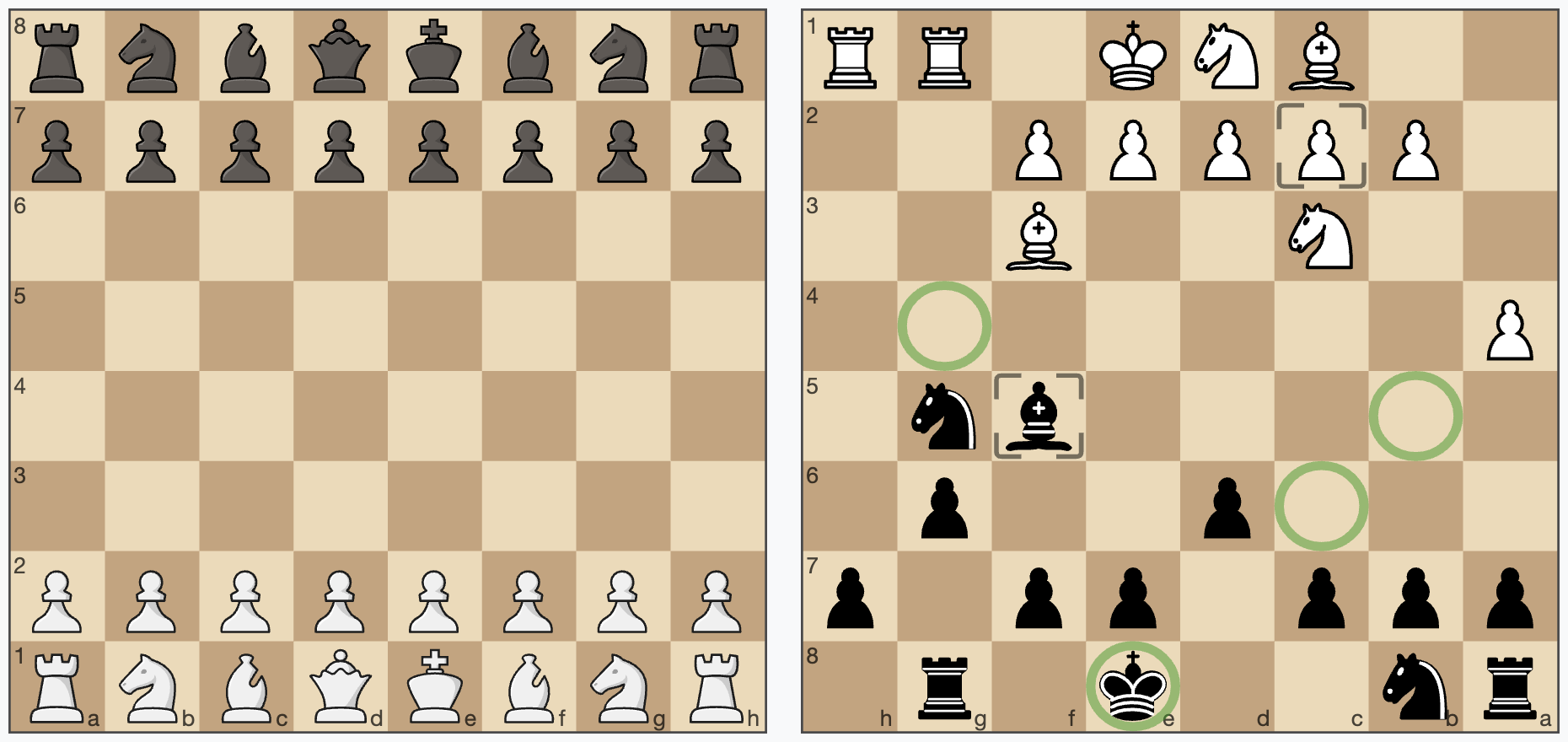
<p>Use left and right click to create markers on the boards. The second board shows the usage of autoMarkers, when moving a piece.</p>
|
|
15
15
|
<div class="board" id="board1"></div>
|
|
16
16
|
<div class="board" id="board2"></div>
|
|
17
17
|
<div style="clear: both"></div>
|
|
@@ -15,9 +15,11 @@
|
|
|
15
15
|
<br style="clear: both"/>
|
|
16
16
|
<pre>
|
|
17
17
|
new Chessboard(document.getElementById("board1"), {
|
|
18
|
+
assetsUrl: "../assets/",
|
|
18
19
|
position: FEN.start
|
|
19
20
|
})
|
|
20
21
|
new Chessboard(document.getElementById("board2"), {
|
|
22
|
+
assetsUrl: "../assets/",
|
|
21
23
|
position: "rn2k1r1/ppp1pp1p/3p2p1/5bn1/P7/2N2B2/1PPPPP2/2BNK1RR w Gkq - 4 11",
|
|
22
24
|
style: {pieces: {file: "pieces/staunty.svg"},cssClass: "green", borderType: BORDER_TYPE.frame},
|
|
23
25
|
orientation: COLOR.black
|
|
@@ -28,13 +30,13 @@ new Chessboard(document.getElementById("board2"), {
|
|
|
28
30
|
import {FEN} from "../src/model/Position.js"
|
|
29
31
|
|
|
30
32
|
new Chessboard(document.getElementById("board1"), {
|
|
31
|
-
|
|
32
|
-
|
|
33
|
+
assetsUrl: "../assets/",
|
|
34
|
+
position: FEN.start
|
|
33
35
|
})
|
|
34
36
|
new Chessboard(document.getElementById("board2"), {
|
|
35
|
-
position: "rn2k1r1/ppp1pp1p/3p2p1/5bn1/P7/2N2B2/1PPPPP2/2BNK1RR w Gkq - 4 11",
|
|
36
37
|
assetsUrl: "../assets/",
|
|
37
38
|
assetsCache: false,
|
|
39
|
+
position: "rn2k1r1/ppp1pp1p/3p2p1/5bn1/P7/2N2B2/1PPPPP2/2BNK1RR w Gkq - 4 11",
|
|
38
40
|
style: {pieces: {file: "pieces/staunty.svg"},cssClass: "green", borderType: BORDER_TYPE.frame},
|
|
39
41
|
orientation: COLOR.black
|
|
40
42
|
})
|
package/package.json
CHANGED
package/src/Chessboard.js
CHANGED
|
@@ -56,9 +56,8 @@ export class Chessboard {
|
|
|
56
56
|
position: FEN.empty, // set position as fen, use FEN.start or FEN.empty as shortcuts
|
|
57
57
|
orientation: COLOR.white, // white on bottom
|
|
58
58
|
responsive: true, // resize the board automatically to the size of the context element
|
|
59
|
-
language: navigator.language.substring(0, 2).toLowerCase(), // supports "de" and "en" for now, used for pieces naming
|
|
60
59
|
assetsUrl: "./assets/", // put all css and sprites in this folder, will be ignored for absolute urls of assets files
|
|
61
|
-
assetsCache: true, // cache sprites
|
|
60
|
+
assetsCache: true, // cache the sprites, deactivate if you want to use multiple pieces sets in one page
|
|
62
61
|
style: {
|
|
63
62
|
cssClass: "default", // set the css theme of the board, try "green", "blue" or "chess-club"
|
|
64
63
|
showCoordinates: true, // show ranks and files
|
|
@@ -74,9 +73,6 @@ export class Chessboard {
|
|
|
74
73
|
extensions: [ /* {class: ExtensionClass, props: { ... }} */] // add extensions here
|
|
75
74
|
}
|
|
76
75
|
Utils.mergeObjects(this.props, props)
|
|
77
|
-
if (this.props.language !== "de" && this.props.language !== "en") {
|
|
78
|
-
this.props.language = "en"
|
|
79
|
-
}
|
|
80
76
|
this.state = new ChessboardState()
|
|
81
77
|
this.view = new ChessboardView(this)
|
|
82
78
|
this.positionAnimationsQueue = new PositionAnimationsQueue(this)
|
|
@@ -5,7 +5,7 @@
|
|
|
5
5
|
*/
|
|
6
6
|
import {Extension, EXTENSION_POINT} from "../../model/Extension.js"
|
|
7
7
|
import {COLOR, INPUT_EVENT_TYPE} from "../../Chessboard.js"
|
|
8
|
-
import {piecesTranslations, renderPieceTitle} from "
|
|
8
|
+
import {piecesTranslations, renderPieceTitle} from "./I18n.js"
|
|
9
9
|
import {Utils} from "../../lib/Utils.js"
|
|
10
10
|
|
|
11
11
|
const translations = {
|
|
@@ -41,6 +41,7 @@ export class Accessibility extends Extension {
|
|
|
41
41
|
constructor(chessboard, props) {
|
|
42
42
|
super(chessboard)
|
|
43
43
|
this.props = {
|
|
44
|
+
language: navigator.language.substring(0, 2).toLowerCase(), // supports "de" and "en" for now, used for pieces naming
|
|
44
45
|
brailleNotationInAlt: true, // show the braille notation of the position in the alt attribute of the SVG image
|
|
45
46
|
movePieceForm: true, // display a form to move a piece (from, to, move)
|
|
46
47
|
boardAsTable: true, // display the board additionally as HTML table
|
|
@@ -48,7 +49,10 @@ export class Accessibility extends Extension {
|
|
|
48
49
|
visuallyHidden: true // hide all those extra outputs visually but keep them accessible for screen readers and braille displays
|
|
49
50
|
}
|
|
50
51
|
Object.assign(this.props, props)
|
|
51
|
-
this.
|
|
52
|
+
if (this.props.language !== "de" && this.props.language !== "en") {
|
|
53
|
+
this.props.language = "en"
|
|
54
|
+
}
|
|
55
|
+
this.lang = this.props.language
|
|
52
56
|
this.tPieces = piecesTranslations[this.lang]
|
|
53
57
|
this.t = translations[this.lang]
|
|
54
58
|
this.components = []
|
|
@@ -0,0 +1,97 @@
|
|
|
1
|
+
# cm-chessboard Markers extension
|
|
2
|
+
|
|
3
|
+
## API
|
|
4
|
+
|
|
5
|
+
### addMarker(type, square)
|
|
6
|
+
|
|
7
|
+
Adds a marker on a square.
|
|
8
|
+
|
|
9
|
+
Default types are: `MARKER_TYPE.frame`, `MARKER_TYPE.square`, `MARKER_TYPE.dot`, `MARKER_TYPE.circle` exportet
|
|
10
|
+
by `Chessboard.js`.
|
|
11
|
+
|
|
12
|
+
#### You can create your own marker types:
|
|
13
|
+
|
|
14
|
+
Just create an object like `const myMarker = {class: "markerCssClass", slice: "markerSliceId"}`, where `class` is the
|
|
15
|
+
css class of the marker for styling
|
|
16
|
+
and `slice` is the `id` in `sprite.svg`. See also [Create your own custom markers](#create-your-own-custom-markers)
|
|
17
|
+
below.
|
|
18
|
+
|
|
19
|
+
[Example for **addMarker**, **getMarkers** and
|
|
20
|
+
**removeMarkers**](https://shaack.com/projekte/cm-chessboard/examples/extensions/markers-extension.html)
|
|
21
|
+
|
|
22
|
+
### getMarkers(type = undefined, square = undefined)
|
|
23
|
+
|
|
24
|
+
Returns the board's markers as an array.
|
|
25
|
+
|
|
26
|
+
Only set type, to get all markers of a type on the board. Set type to `undefined`, to get markers of all types on a
|
|
27
|
+
square.
|
|
28
|
+
Set `both` to `undefined` to get all markers on the board.
|
|
29
|
+
|
|
30
|
+
### removeMarkers(type = undefined, square = undefined)
|
|
31
|
+
|
|
32
|
+
Removes markers from the board.
|
|
33
|
+
|
|
34
|
+
Only set `type` to remove all markers of `type` from the board. Set `type` to `undefined`, to remove all types
|
|
35
|
+
of markers from a square. Call without parameters to remove all markers from the board.
|
|
36
|
+
|
|
37
|
+
## Create your own custom markers
|
|
38
|
+
|
|
39
|
+
The ability to add custom markers is build in. You can use the existing
|
|
40
|
+
marker shapes in the SVG sprite and create your own markers with just css or create
|
|
41
|
+
your own custom SVG shapes. With a program like InkScape or Sketch this should be relatively easy.
|
|
42
|
+
|
|
43
|
+
Example: The markerCircle is defined in the SVG like this.
|
|
44
|
+
|
|
45
|
+
```svg
|
|
46
|
+
|
|
47
|
+
<g id="markerCircle" transform="translate(2.000000, 2.000000)" fill="#000000" fill-opacity="0">
|
|
48
|
+
<circle cx="18" cy="18" r="18"/>
|
|
49
|
+
</g>
|
|
50
|
+
```
|
|
51
|
+
|
|
52
|
+
It's a circle with the radius 18 and its center at 20/20.
|
|
53
|
+
|
|
54
|
+
Important is the id "markerCircle". You can set the marker
|
|
55
|
+
with `board.addMarker({class: "markerSquare", slice: "markerSquare"}, "e4")`
|
|
56
|
+
"emphasize" is the css class, which defines the color and opacity of the marker. "slice" is the id of the marker in the
|
|
57
|
+
SVG. This is
|
|
58
|
+
also demonstrated in
|
|
59
|
+
the [mark squares example](https://shaack.com/projekte/cm-chessboard/examples/extensions/markers-extension.html)
|
|
60
|
+
.
|
|
61
|
+
|
|
62
|
+
The color and stroke-width of the marker is defined in the css (or scss). You could also define your marker completely
|
|
63
|
+
in the sprite, but then that is not so flexible.
|
|
64
|
+
|
|
65
|
+
These are the css styles of the markers "markerSquare" and "markerCircleRed".
|
|
66
|
+
|
|
67
|
+
```css
|
|
68
|
+
marker.marker-square {
|
|
69
|
+
fill: black;
|
|
70
|
+
opacity: 0.11;
|
|
71
|
+
}
|
|
72
|
+
|
|
73
|
+
marker.marker-circle-red {
|
|
74
|
+
stroke: #aa0000;
|
|
75
|
+
stroke-width: 3px;
|
|
76
|
+
opacity: 0.4;
|
|
77
|
+
}
|
|
78
|
+
```
|
|
79
|
+
|
|
80
|
+
So you can simply add a marker with the id `myMarkerIdInSvg` to the SVG, and add the class `myMarkerCssClass` to the
|
|
81
|
+
css. Then you can show it on the field "e4" with
|
|
82
|
+
|
|
83
|
+
`addMarker({class: "myMarkerCssClass", slice: "myMarkerIdInSvg"}, "e4")`
|
|
84
|
+
|
|
85
|
+
To allow easy removing of the marker, you have to define the marker type in your code.
|
|
86
|
+
|
|
87
|
+
```js
|
|
88
|
+
const myMarkerType = {class: "myMarkerCssClass", slice: "myMarkerIdInSvg"}
|
|
89
|
+
// add
|
|
90
|
+
chessboard.addMarker(myMarkerType, "e4")
|
|
91
|
+
// remove a specific marker
|
|
92
|
+
chessboard.removeMarkers(myMarkerType, "e4")
|
|
93
|
+
// remove all "myMarkerType"
|
|
94
|
+
chessboard.removeMarkers(myMarkerType)
|
|
95
|
+
// remove all markers
|
|
96
|
+
chessboard.removeMarkers()
|
|
97
|
+
```
|
|
File without changes
|