cloud-pc-templates 1.2.0 → 1.2.1
This diff represents the content of publicly available package versions that have been released to one of the supported registries. The information contained in this diff is provided for informational purposes only and reflects changes between package versions as they appear in their respective public registries.
- package/README.md +13 -0
- package/handlers/launch.js +4 -0
- package/package.json +1 -1
package/README.md
CHANGED
|
@@ -151,6 +151,7 @@ The launch command works on:
|
|
|
151
151
|
- macOS (uses `open` command)
|
|
152
152
|
- Linux (uses `xdg-open` command)
|
|
153
153
|
- Windows (uses `start` command)
|
|
154
|
+
- Android/Termux (uses `termux-open` with fallback to `xdg-open`)
|
|
154
155
|
|
|
155
156
|
### Health Check System
|
|
156
157
|
The Ollama Cloud login includes automatic health checking:
|
|
@@ -250,6 +251,18 @@ When entering your API key:
|
|
|
250
251
|
- Ensure you have a default browser configured
|
|
251
252
|
- On Linux, make sure `xdg-open` is installed: `sudo apt-get install xdg-utils`
|
|
252
253
|
- On Windows, ensure a browser is set as default
|
|
254
|
+
- On Android/Termux:
|
|
255
|
+
- For best results, install Termux API: `pkg install termux-api`
|
|
256
|
+
- Otherwise, `xdg-open` will be used as fallback
|
|
257
|
+
- Ensure you have a browser app installed on your device
|
|
258
|
+
|
|
259
|
+
## Video Tutorial
|
|
260
|
+
|
|
261
|
+
For a step-by-step guide on using Cloud PC Templates, watch this video tutorial:
|
|
262
|
+
|
|
263
|
+
[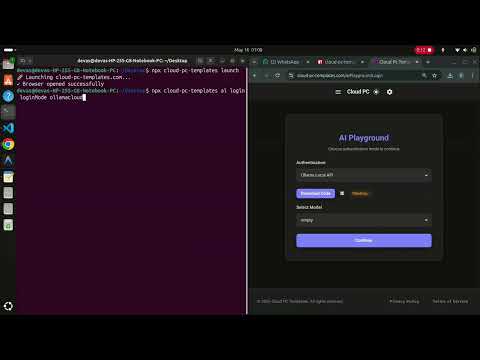](https://www.youtube.com/watch?v=XMF0K9R2rD0)
|
|
264
|
+
|
|
265
|
+
[Click here to watch on YouTube](https://www.youtube.com/watch?v=XMF0K9R2rD0)
|
|
253
266
|
|
|
254
267
|
## License
|
|
255
268
|
|
package/handlers/launch.js
CHANGED
|
@@ -15,6 +15,10 @@ function openBrowser(url) {
|
|
|
15
15
|
// Linux
|
|
16
16
|
command = `xdg-open "${url}"`;
|
|
17
17
|
break;
|
|
18
|
+
case 'android':
|
|
19
|
+
// Termux/Android - try termux-open first, fallback to xdg-open
|
|
20
|
+
command = `termux-open "${url}" || xdg-open "${url}"`;
|
|
21
|
+
break;
|
|
18
22
|
case 'win32':
|
|
19
23
|
// Windows
|
|
20
24
|
command = `start "${url}"`;
|