chartjs-plugin-trendline 2.1.9 → 3.0.0
This diff represents the content of publicly available package versions that have been released to one of the supported registries. The information contained in this diff is provided for informational purposes only and reflects changes between package versions as they appear in their respective public registries.
- package/.github/copilot-instructions.md +40 -0
- package/.github/workflows/release.yml +61 -0
- package/.github/workflows/tests.yml +26 -0
- package/.prettierrc +5 -5
- package/LICENSE +21 -21
- package/README.md +88 -87
- package/babel.config.js +3 -0
- package/changelog.md +27 -0
- package/dist/chartjs-plugin-trendline.min.js +1 -2
- package/dist/chartjs-plugin-trendline.min.js.LICENSE.txt +1 -1
- package/example/barChart.html +53 -53
- package/example/barChartWithNullValues.html +53 -53
- package/example/barChart_label.html +60 -60
- package/example/lineChart.html +110 -110
- package/example/lineChartProjection.html +191 -60
- package/example/lineChartTypeTime.html +101 -101
- package/example/scatterChart.html +69 -0
- package/example/scatterProjection.html +73 -0
- package/jest.config.js +4 -0
- package/package.json +29 -22
- package/src/components/label.js +57 -0
- package/src/components/label.test.js +129 -0
- package/src/components/trendline.js +342 -0
- package/src/components/trendline.test.js +356 -0
- package/src/core/plugin.js +78 -0
- package/src/index.js +13 -0
- package/src/utils/drawing.js +115 -0
- package/src/utils/drawing.test.js +257 -0
- package/src/utils/lineFitter.js +71 -0
- package/src/utils/lineFitter.test.js +265 -0
- package/webpack.config.js +9 -9
- package/src/chartjs-plugin-trendline.js +0 -532
|
@@ -0,0 +1,40 @@
|
|
|
1
|
+
# Chart.js Plugin Trendline — Copilot Instructions
|
|
2
|
+
|
|
3
|
+
This plugin adds trendline support to Chart.js charts. It fits a linear regression model to datasets and draws trendlines over bar or line charts.
|
|
4
|
+
|
|
5
|
+
## Project Structure
|
|
6
|
+
|
|
7
|
+
- Root:
|
|
8
|
+
- `package.json`, `webpack.config.js`, `example/*.html`
|
|
9
|
+
- Source (`src/`):
|
|
10
|
+
- `index.js` — Entry point
|
|
11
|
+
- `components/` — Rendering logic (`label.js`, `trendline.js`)
|
|
12
|
+
- `core/` — Plugin definition (`plugin.js`)
|
|
13
|
+
- `utils/` — Math and drawing helpers (`drawing.js`, `lineFitter.js`)
|
|
14
|
+
|
|
15
|
+
## Coding Guidelines
|
|
16
|
+
|
|
17
|
+
1. Use modern JavaScript (ES6+)
|
|
18
|
+
2. Indent with 2 spaces
|
|
19
|
+
3. Use JSDoc for public methods (Google style)
|
|
20
|
+
4. Ensure compatibility with Chart.js v4+
|
|
21
|
+
5. Name files/functions descriptively (no abbreviations)
|
|
22
|
+
|
|
23
|
+
## File Notes
|
|
24
|
+
|
|
25
|
+
- `plugin.js`: Main plugin lifecycle integration
|
|
26
|
+
- `trendline.js`: Handles drawing trendlines
|
|
27
|
+
- `lineFitter.js`: Performs regression math
|
|
28
|
+
- `example/*.html`: Demo charts — manually verify after changes
|
|
29
|
+
|
|
30
|
+
## Workflow Tips
|
|
31
|
+
|
|
32
|
+
1. Changes to `plugin.js` should align with Chart.js plugin lifecycle (e.g., `afterDatasetsDraw`)
|
|
33
|
+
2. If editing `trendline.js`, test with multiple chart types
|
|
34
|
+
3. Validate rendering via example HTMLs after code updates
|
|
35
|
+
4. Run linter and formatter before commit (see `.eslintrc.js` if present)
|
|
36
|
+
|
|
37
|
+
## Restrictions
|
|
38
|
+
|
|
39
|
+
- Do not modify build config unless changing build behavior
|
|
40
|
+
- Do not auto-generate example files
|
|
@@ -0,0 +1,61 @@
|
|
|
1
|
+
name: release
|
|
2
|
+
|
|
3
|
+
on:
|
|
4
|
+
push:
|
|
5
|
+
tags:
|
|
6
|
+
- 'v*' # Ex: v1.2.3 → publish as latest
|
|
7
|
+
- 'beta/*' # Ex: beta/1.2.3-beta.1 → publish as beta
|
|
8
|
+
|
|
9
|
+
jobs:
|
|
10
|
+
publish:
|
|
11
|
+
runs-on: ubuntu-latest
|
|
12
|
+
|
|
13
|
+
steps:
|
|
14
|
+
- name: Checkout repository
|
|
15
|
+
uses: actions/checkout@v4
|
|
16
|
+
|
|
17
|
+
- name: Set up Node.js
|
|
18
|
+
uses: actions/setup-node@v4
|
|
19
|
+
with:
|
|
20
|
+
node-version: '22'
|
|
21
|
+
registry-url: 'https://registry.npmjs.org/'
|
|
22
|
+
|
|
23
|
+
- name: Install dependencies
|
|
24
|
+
run: npm ci
|
|
25
|
+
|
|
26
|
+
- name: Build
|
|
27
|
+
run: npm run build
|
|
28
|
+
|
|
29
|
+
- name: Verify package.json version matches tag
|
|
30
|
+
run: |
|
|
31
|
+
PKG_VERSION=$(node -p "require('./package.json').version")
|
|
32
|
+
TAG_NAME=${GITHUB_REF#refs/tags/}
|
|
33
|
+
|
|
34
|
+
# Hantera både vX.X.X och beta/X.X.X-beta.X
|
|
35
|
+
if [[ "$TAG_NAME" == beta/* ]]; then
|
|
36
|
+
TAG_VERSION=${TAG_NAME#beta/}
|
|
37
|
+
else
|
|
38
|
+
TAG_VERSION=${TAG_NAME#v}
|
|
39
|
+
fi
|
|
40
|
+
|
|
41
|
+
echo "Package version: $PKG_VERSION"
|
|
42
|
+
echo "Tag version: $TAG_VERSION"
|
|
43
|
+
|
|
44
|
+
if [ "$PKG_VERSION" != "$TAG_VERSION" ]; then
|
|
45
|
+
echo "::error ::❌ Version mismatch: package.json=$PKG_VERSION ≠ tag=$TAG_VERSION"
|
|
46
|
+
exit 1
|
|
47
|
+
else
|
|
48
|
+
echo "✅ Version match confirmed"
|
|
49
|
+
fi
|
|
50
|
+
|
|
51
|
+
- name: Publish to npm (beta)
|
|
52
|
+
if: startsWith(github.ref, 'refs/tags/beta/')
|
|
53
|
+
run: npm publish --tag beta
|
|
54
|
+
env:
|
|
55
|
+
NODE_AUTH_TOKEN: ${{ secrets.NPM_TOKEN }}
|
|
56
|
+
|
|
57
|
+
- name: Publish to npm (latest)
|
|
58
|
+
if: startsWith(github.ref, 'refs/tags/v')
|
|
59
|
+
run: npm publish
|
|
60
|
+
env:
|
|
61
|
+
NODE_AUTH_TOKEN: ${{ secrets.NPM_TOKEN }}
|
|
@@ -0,0 +1,26 @@
|
|
|
1
|
+
name: tests
|
|
2
|
+
# This workflow runs tests on the main branch when code is pushed or a pull request is made.
|
|
3
|
+
on:
|
|
4
|
+
push:
|
|
5
|
+
branches: [main]
|
|
6
|
+
pull_request:
|
|
7
|
+
branches: ['**'] # Run on all branches for PRs
|
|
8
|
+
|
|
9
|
+
jobs:
|
|
10
|
+
build:
|
|
11
|
+
runs-on: ubuntu-latest
|
|
12
|
+
|
|
13
|
+
steps:
|
|
14
|
+
- name: Checkout repository
|
|
15
|
+
uses: actions/checkout@v4
|
|
16
|
+
|
|
17
|
+
- name: Set up Node.js
|
|
18
|
+
uses: actions/setup-node@v3
|
|
19
|
+
with:
|
|
20
|
+
node-version: '22'
|
|
21
|
+
|
|
22
|
+
- name: Install dependencies
|
|
23
|
+
run: npm install
|
|
24
|
+
|
|
25
|
+
- name: Run tests
|
|
26
|
+
run: npm test
|
package/.prettierrc
CHANGED
|
@@ -1,6 +1,6 @@
|
|
|
1
|
-
{
|
|
2
|
-
"trailingComma": "es5",
|
|
3
|
-
"tabWidth": 4,
|
|
4
|
-
"semi": true,
|
|
5
|
-
"singleQuote": true
|
|
1
|
+
{
|
|
2
|
+
"trailingComma": "es5",
|
|
3
|
+
"tabWidth": 4,
|
|
4
|
+
"semi": true,
|
|
5
|
+
"singleQuote": true
|
|
6
6
|
}
|
package/LICENSE
CHANGED
|
@@ -1,21 +1,21 @@
|
|
|
1
|
-
MIT License
|
|
2
|
-
|
|
3
|
-
Copyright (c) 2025 Marcus Alsterfjord
|
|
4
|
-
|
|
5
|
-
Permission is hereby granted, free of charge, to any person obtaining a copy
|
|
6
|
-
of this software and associated documentation files (the "Software"), to deal
|
|
7
|
-
in the Software without restriction, including without limitation the rights
|
|
8
|
-
to use, copy, modify, merge, publish, distribute, sublicense, and/or sell
|
|
9
|
-
copies of the Software, and to permit persons to whom the Software is
|
|
10
|
-
furnished to do so, subject to the following conditions:
|
|
11
|
-
|
|
12
|
-
The above copyright notice and this permission notice shall be included in all
|
|
13
|
-
copies or substantial portions of the Software.
|
|
14
|
-
|
|
15
|
-
THE SOFTWARE IS PROVIDED "AS IS", WITHOUT WARRANTY OF ANY KIND, EXPRESS OR
|
|
16
|
-
IMPLIED, INCLUDING BUT NOT LIMITED TO THE WARRANTIES OF MERCHANTABILITY,
|
|
17
|
-
FITNESS FOR A PARTICULAR PURPOSE AND NONINFRINGEMENT. IN NO EVENT SHALL THE
|
|
18
|
-
AUTHORS OR COPYRIGHT HOLDERS BE LIABLE FOR ANY CLAIM, DAMAGES OR OTHER
|
|
19
|
-
LIABILITY, WHETHER IN AN ACTION OF CONTRACT, TORT OR OTHERWISE, ARISING FROM,
|
|
20
|
-
OUT OF OR IN CONNECTION WITH THE SOFTWARE OR THE USE OR OTHER DEALINGS IN THE
|
|
21
|
-
SOFTWARE.
|
|
1
|
+
MIT License
|
|
2
|
+
|
|
3
|
+
Copyright (c) 2025 Marcus Alsterfjord
|
|
4
|
+
|
|
5
|
+
Permission is hereby granted, free of charge, to any person obtaining a copy
|
|
6
|
+
of this software and associated documentation files (the "Software"), to deal
|
|
7
|
+
in the Software without restriction, including without limitation the rights
|
|
8
|
+
to use, copy, modify, merge, publish, distribute, sublicense, and/or sell
|
|
9
|
+
copies of the Software, and to permit persons to whom the Software is
|
|
10
|
+
furnished to do so, subject to the following conditions:
|
|
11
|
+
|
|
12
|
+
The above copyright notice and this permission notice shall be included in all
|
|
13
|
+
copies or substantial portions of the Software.
|
|
14
|
+
|
|
15
|
+
THE SOFTWARE IS PROVIDED "AS IS", WITHOUT WARRANTY OF ANY KIND, EXPRESS OR
|
|
16
|
+
IMPLIED, INCLUDING BUT NOT LIMITED TO THE WARRANTIES OF MERCHANTABILITY,
|
|
17
|
+
FITNESS FOR A PARTICULAR PURPOSE AND NONINFRINGEMENT. IN NO EVENT SHALL THE
|
|
18
|
+
AUTHORS OR COPYRIGHT HOLDERS BE LIABLE FOR ANY CLAIM, DAMAGES OR OTHER
|
|
19
|
+
LIABILITY, WHETHER IN AN ACTION OF CONTRACT, TORT OR OTHERWISE, ARISING FROM,
|
|
20
|
+
OUT OF OR IN CONNECTION WITH THE SOFTWARE OR THE USE OR OTHER DEALINGS IN THE
|
|
21
|
+
SOFTWARE.
|
package/README.md
CHANGED
|
@@ -1,87 +1,88 @@
|
|
|
1
|
-
# chartjs-plugin-trendline
|
|
2
|
-
|
|
3
|
-
This plugin draws an linear trendline in your Chart.
|
|
4
|
-
It has been tested with Chart.js version 4.4.
|
|
5
|
-
|
|
6
|
-
## Installation
|
|
7
|
-
|
|
8
|
-
#### Load directly in the browser
|
|
9
|
-
|
|
10
|
-
Load Chart.js first, then the plugin which will automatically register itself with Chart.js
|
|
11
|
-
|
|
12
|
-
```html
|
|
13
|
-
<script src="https://cdn.jsdelivr.net/npm/chart.js@4.4.
|
|
14
|
-
<script src="https://cdn.jsdelivr.net/npm/chartjs-plugin-trendline/dist/chartjs-plugin-trendline.min.js"></script>
|
|
15
|
-
```
|
|
16
|
-
|
|
17
|
-
#### As a Chart.JS plugin
|
|
18
|
-
|
|
19
|
-
Install & import the plugin via npm:
|
|
20
|
-
|
|
21
|
-
`npm i chart.js chartjs-plugin-trendline`
|
|
22
|
-
|
|
23
|
-
```js
|
|
24
|
-
import ChartJS from 'chart.js';
|
|
25
|
-
import chartTrendline from 'chartjs-plugin-trendline';
|
|
26
|
-
|
|
27
|
-
ChartJS.plugins.register(chartTrendline);
|
|
28
|
-
```
|
|
29
|
-
|
|
30
|
-
## Configuration
|
|
31
|
-
|
|
32
|
-
To configure the trendline plugin you simply add a new config options to your dataset in your chart config.
|
|
33
|
-
|
|
34
|
-
```javascript
|
|
35
|
-
{
|
|
36
|
-
trendlineLinear: {
|
|
37
|
-
colorMin: Color,
|
|
38
|
-
colorMax: Color,
|
|
39
|
-
lineStyle: string, // "dotted" | "solid" | "dashed" | "dashdot"
|
|
40
|
-
width: number,
|
|
41
|
-
xAxisKey: string, // optional
|
|
42
|
-
yAxisKey: string, // optional
|
|
43
|
-
projection: boolean, // optional
|
|
44
|
-
// optional
|
|
45
|
-
|
|
46
|
-
|
|
47
|
-
|
|
48
|
-
|
|
49
|
-
|
|
50
|
-
|
|
51
|
-
|
|
52
|
-
|
|
53
|
-
|
|
54
|
-
|
|
55
|
-
|
|
56
|
-
|
|
57
|
-
|
|
58
|
-
|
|
59
|
-
|
|
60
|
-
|
|
61
|
-
|
|
62
|
-
|
|
63
|
-
|
|
64
|
-
|
|
65
|
-
|
|
66
|
-
|
|
67
|
-
}
|
|
68
|
-
|
|
69
|
-
|
|
70
|
-
|
|
71
|
-
|
|
72
|
-
|
|
73
|
-
-
|
|
74
|
-
-
|
|
75
|
-
|
|
76
|
-
|
|
77
|
-
|
|
78
|
-
|
|
79
|
-
|
|
80
|
-
|
|
81
|
-
|
|
82
|
-
|
|
83
|
-
|
|
84
|
-
|
|
85
|
-
|
|
86
|
-
|
|
87
|
-
|
|
1
|
+
# chartjs-plugin-trendline
|
|
2
|
+
|
|
3
|
+
This plugin draws an linear trendline in your Chart.
|
|
4
|
+
It has been tested with Chart.js version 4.4.9.
|
|
5
|
+
|
|
6
|
+
## Installation
|
|
7
|
+
|
|
8
|
+
#### Load directly in the browser
|
|
9
|
+
|
|
10
|
+
Load Chart.js first, then the plugin which will automatically register itself with Chart.js
|
|
11
|
+
|
|
12
|
+
```html
|
|
13
|
+
<script src="https://cdn.jsdelivr.net/npm/chart.js@4.4.9/dist/chart.min.js"></script>
|
|
14
|
+
<script src="https://cdn.jsdelivr.net/npm/chartjs-plugin-trendline/dist/chartjs-plugin-trendline.min.js"></script>
|
|
15
|
+
```
|
|
16
|
+
|
|
17
|
+
#### As a Chart.JS plugin
|
|
18
|
+
|
|
19
|
+
Install & import the plugin via npm:
|
|
20
|
+
|
|
21
|
+
`npm i chart.js chartjs-plugin-trendline`
|
|
22
|
+
|
|
23
|
+
```js
|
|
24
|
+
import ChartJS from 'chart.js';
|
|
25
|
+
import chartTrendline from 'chartjs-plugin-trendline';
|
|
26
|
+
|
|
27
|
+
ChartJS.plugins.register(chartTrendline);
|
|
28
|
+
```
|
|
29
|
+
|
|
30
|
+
## Configuration
|
|
31
|
+
|
|
32
|
+
To configure the trendline plugin you simply add a new config options to your dataset in your chart config.
|
|
33
|
+
|
|
34
|
+
```javascript
|
|
35
|
+
{
|
|
36
|
+
trendlineLinear: {
|
|
37
|
+
colorMin: Color,
|
|
38
|
+
colorMax: Color,
|
|
39
|
+
lineStyle: string, // "dotted" | "solid" | "dashed" | "dashdot"
|
|
40
|
+
width: number,
|
|
41
|
+
xAxisKey: string, // optional
|
|
42
|
+
yAxisKey: string, // optional
|
|
43
|
+
projection: boolean, // optional
|
|
44
|
+
trendoffset: number, // optional, if > 0 skips first n elements, if < 0 uses last n elements
|
|
45
|
+
// optional
|
|
46
|
+
label: {
|
|
47
|
+
color: Color,
|
|
48
|
+
text: string,
|
|
49
|
+
display: boolean,
|
|
50
|
+
displayValue: boolean,
|
|
51
|
+
offset: number,
|
|
52
|
+
percentage: boolean,
|
|
53
|
+
font: {
|
|
54
|
+
family: string,
|
|
55
|
+
size: number,
|
|
56
|
+
}
|
|
57
|
+
},
|
|
58
|
+
// optional
|
|
59
|
+
legend: {
|
|
60
|
+
text: string,
|
|
61
|
+
strokeStyle: Color,
|
|
62
|
+
fillStyle: Color,
|
|
63
|
+
lineCap: string,
|
|
64
|
+
lineDash: number[],
|
|
65
|
+
lineWidth: number,
|
|
66
|
+
}
|
|
67
|
+
}
|
|
68
|
+
}
|
|
69
|
+
```
|
|
70
|
+
|
|
71
|
+
## Supported chart types
|
|
72
|
+
|
|
73
|
+
- bar
|
|
74
|
+
- line
|
|
75
|
+
- scatter
|
|
76
|
+
|
|
77
|
+
## Contributing
|
|
78
|
+
|
|
79
|
+
Pull requests and issues are always welcome.
|
|
80
|
+
For bugs and feature requests, [please create an issue](https://github.com/Makanz/chartjs-plugin-trendline/issues).
|
|
81
|
+
|
|
82
|
+
## License
|
|
83
|
+
|
|
84
|
+
chartjs-plugin-trendline.js is available under the [MIT license](http://opensource.org/licenses/MIT).
|
|
85
|
+
|
|
86
|
+
## Star History
|
|
87
|
+
|
|
88
|
+
[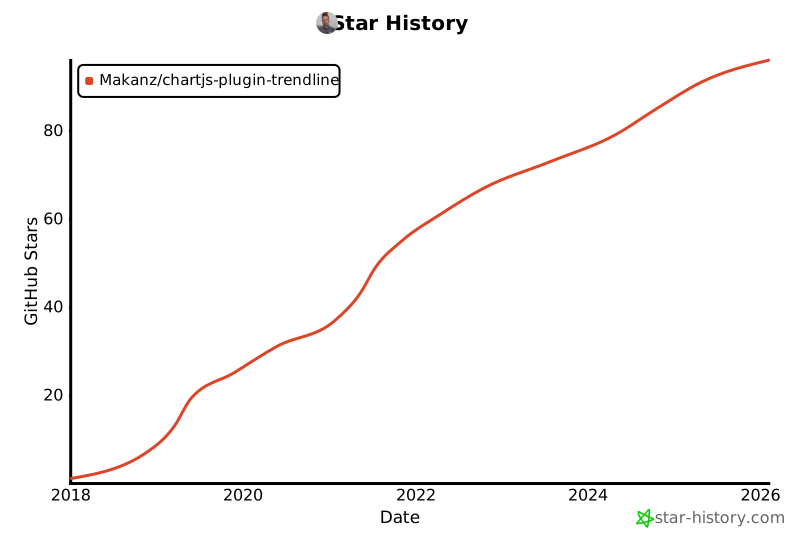](https://star-history.com/#Makanz/chartjs-plugin-trendline&Date)
|
package/babel.config.js
ADDED
package/changelog.md
ADDED
|
@@ -0,0 +1,27 @@
|
|
|
1
|
+
# Changelog 3.0.0
|
|
2
|
+
|
|
3
|
+
### Breaking Changes
|
|
4
|
+
- Updated to version 3.0.0-beta.1 with modular code structure
|
|
5
|
+
|
|
6
|
+
### New Features
|
|
7
|
+
- Added trendline offset setting (`trendoffset`)
|
|
8
|
+
- Added two new example files (barChartWithNullValues.html, scatterProjection.html)
|
|
9
|
+
|
|
10
|
+
### Bug Fixes
|
|
11
|
+
- Fixed trendline accuracy and boundary calculations
|
|
12
|
+
- Corrected trendline rendering, projection, and data accuracy
|
|
13
|
+
- Fixed trendline data processing issues
|
|
14
|
+
|
|
15
|
+
### Testing & CI
|
|
16
|
+
- Added comprehensive unit tests for all components (trendline, label, drawing utils, lineFitter)
|
|
17
|
+
- Added GitHub Actions workflow for automated testing on PRs and main branch
|
|
18
|
+
- Updated Node.js version to 22 in CI
|
|
19
|
+
|
|
20
|
+
### Code Quality
|
|
21
|
+
- Split code into modular structure with separate components
|
|
22
|
+
- Added Copilot instructions for development
|
|
23
|
+
- Updated Chart.js dependency to version 4.4.9
|
|
24
|
+
|
|
25
|
+
### Documentation
|
|
26
|
+
- Updated README with new features
|
|
27
|
+
- Added agent instructions for development workflow
|
|
@@ -1,2 +1 @@
|
|
|
1
|
-
|
|
2
|
-
(()=>{var e={339:(e,t)=>{const i={id:"chartjs-plugin-trendline",afterDatasetsDraw:e=>{const t=e.ctx,{xScale:i,yScale:s}=n(e);e.data.datasets.map(((e,t)=>({dataset:e,index:t}))).filter((e=>e.dataset.trendlineLinear)).sort(((e,t)=>{const i=e.dataset.order??0,n=t.dataset.order??0;return 0===i&&0!==n?1:0===n&&0!==i?-1:i-n})).forEach((({dataset:n,index:r})=>{if((n.alwaysShowTrendline||e.isDatasetVisible(r))&&n.data.length>1){const o=e.getDatasetMeta(r);a(o,t,n,i,s)}})),t.setLineDash([])},beforeInit:e=>{e.data.datasets.forEach((t=>{if(t.trendlineLinear&&t.trendlineLinear.label){const i=t.trendlineLinear.label,n=e.legend.options.labels.generateLabels;e.legend.options.labels.generateLabels=function(e){const a=n(e),s=t.trendlineLinear.legend;return s&&!1!==s.display&&a.push({text:s.text||i+" (Trendline)",strokeStyle:s.color||t.borderColor||"rgba(169,169,169, .6)",fillStyle:s.fillStyle||"transparent",lineCap:s.lineCap||"butt",lineDash:s.lineDash||[],lineWidth:s.width||1}),a}}}))}},n=e=>{let t,i;for(const n of Object.values(e.scales))if(n.isHorizontal()?t=n:i=n,t&&i)break;return{xScale:t,yScale:i}},a=(e,t,i,n,a)=>{const x=i.yAxisID||"y",h=e.controller.chart.scales[x]||a,u=i.borderColor||"rgba(169,169,169, .6)",{colorMin:y=u,colorMax:f=u,width:m=i.borderWidth||3,lineStyle:p="solid",fillColor:b=!1}=i.trendlineLinear||{},{color:w=u,text:g="Trendline",display:F=!0,displayValue:L=!0,offset:S=10,percentage:v=!1}=i.trendlineLinear.label||{},{family:C="'Helvetica Neue', 'Helvetica', 'Arial', sans-serif",size:D=12}=i.trendlineLinear.label?.font||{},T=e.controller.chart.options,N="object"==typeof T.parsing?T.parsing:void 0,P=i.trendlineLinear?.xAxisKey||N?.xAxisKey||"x",A=i.trendlineLinear?.yAxisKey||N?.yAxisKey||"y";let M=new c,V=i.data.findIndex((e=>null!=e)),k=i.data.length-1,j=e.data[V]?.[P],E=e.data[k]?.[P],W="object"==typeof i.data[V];i.data.forEach(((e,t)=>{if(null!=e)if(["time","timeseries"].includes(n.options.type)){let i=null!=e[P]?e[P]:e.t;void 0!==i?M.add(new Date(i).getTime(),e[A]):M.add(t,e)}else W?isNaN(e.x)||isNaN(e.y)?isNaN(e.x)?isNaN(e.y)||M.add(t,e.y):M.add(t,e.x):M.add(e.x,e.y):M.add(t,e)}));let I,K,$=isFinite(j)?j:n.getPixelForValue(M.minx),B=h.getPixelForValue(M.f(M.minx));if(i.trendlineLinear.projection&&M.scale()<0){let e=M.fo();e<M.minx&&(e=M.maxx),I=n.getPixelForValue(e),K=h.getPixelForValue(M.f(e))}else I=isFinite(E)?E:n.getPixelForValue(M.maxx),K=h.getPixelForValue(M.f(M.maxx));const H=e.controller.chart.chartArea.bottom,z=e.controller.chart.width;if(isFinite($)&&isFinite(B)&&isFinite(I)&&isFinite(K)){r({x1:$,y1:B,x2:I,y2:K,drawBottom:H,chartWidth:z}),t.lineWidth=m,o(t,p),l({ctx:t,x1:$,y1:B,x2:I,y2:K,colorMin:y,colorMax:f}),b&&d(t,$,B,I,K,H,b);const e=Math.atan2(K-B,I-$),n=(B-K)/(I-$);if(i.trendlineLinear.label&&!1!==F){const i=L?`${g} (Slope: ${v?(100*n).toFixed(2)+"%":n.toFixed(2)})`:g;s(t,i,$,B,I,K,e,w,C,D,S)}}},s=(e,t,i,n,a,s,r,o,l,d,c)=>{e.font=`${d}px ${l}`,e.fillStyle=o;const x=e.measureText(t).width,h=(i+a)/2,u=(n+s)/2;e.save(),e.translate(h,u),e.rotate(r);const y=-x/2,f=c;e.fillText(t,y,f),e.restore()},r=({x1:e,y1:t,x2:i,y2:n,drawBottom:a,chartWidth:s})=>{if(t>a){t=a}else if(n>a){let e=n-a,r=n-t;n=a,i=s-(i-(s-s*(e/r)))}},o=(e,t)=>{switch(t){case"dotted":e.setLineDash([2,2]);break;case"dashed":e.setLineDash([8,3]);break;case"dashdot":e.setLineDash([8,3,2,3]);break;default:e.setLineDash([])}},l=({ctx:e,x1:t,y1:i,x2:n,y2:a,colorMin:s,colorMax:r})=>{if(isFinite(t)&&isFinite(i)&&isFinite(n)&&isFinite(a)){e.beginPath(),e.moveTo(t,i),e.lineTo(n,a);try{let o=e.createLinearGradient(t,i,n,a);o.addColorStop(0,s),o.addColorStop(1,r),e.strokeStyle=o}catch(t){console.warn("Gradient creation failed, using solid color:",t),e.strokeStyle=s}e.stroke(),e.closePath()}else console.warn("Cannot draw trendline: coordinates contain non-finite values",{x1:t,y1:i,x2:n,y2:a})},d=(e,t,i,n,a,s,r)=>{isFinite(t)&&isFinite(i)&&isFinite(n)&&isFinite(a)&&isFinite(s)?(e.beginPath(),e.moveTo(t,i),e.lineTo(n,a),e.lineTo(n,s),e.lineTo(t,s),e.lineTo(t,i),e.closePath(),e.fillStyle=r,e.fill()):console.warn("Cannot fill below trendline: coordinates contain non-finite values",{x1:t,y1:i,x2:n,y2:a,drawBottom:s})};class c{constructor(){this.count=0,this.sumx=0,this.sumy=0,this.sumx2=0,this.sumxy=0,this.minx=Number.MAX_VALUE,this.maxx=Number.MIN_VALUE}add(e,t){this.sumx+=e,this.sumy+=t,this.sumx2+=e*e,this.sumxy+=e*t,e<this.minx&&(this.minx=e),e>this.maxx&&(this.maxx=e),this.count++}slope(){const e=this.count*this.sumx2-this.sumx*this.sumx;return(this.count*this.sumxy-this.sumx*this.sumy)/e}intercept(){return(this.sumy-this.slope()*this.sumx)/this.count}f(e){return this.slope()*e+this.intercept()}fo(){return-this.intercept()/this.slope()}scale(){return this.slope()}}"undefined"!=typeof window&&window.Chart&&(window.Chart.hasOwnProperty("register")?window.Chart.register(i):window.Chart.plugins.register(i));try{e.exports=i}catch(e){}}},t={};!function i(n){var a=t[n];if(void 0!==a)return a.exports;var s=t[n]={exports:{}};return e[n](s,s.exports,i),s.exports}(339)})();
|
|
1
|
+
(()=>{"use strict";class e{constructor(){this.count=0,this.sumx=0,this.sumy=0,this.sumx2=0,this.sumxy=0,this.minx=Number.MAX_VALUE,this.maxx=Number.MIN_VALUE}add(e,t){this.sumx+=e,this.sumy+=t,this.sumx2+=e*e,this.sumxy+=e*t,e<this.minx&&(this.minx=e),e>this.maxx&&(this.maxx=e),this.count++}slope(){const e=this.count*this.sumx2-this.sumx*this.sumx;return(this.count*this.sumxy-this.sumx*this.sumy)/e}intercept(){return(this.sumy-this.slope()*this.sumx)/this.count}f(e){return this.slope()*e+this.intercept()}fo(){return-this.intercept()/this.slope()}scale(){return this.slope()}}const t={id:"chartjs-plugin-trendline",afterDatasetsDraw:t=>{const i=t.ctx,{xScale:n,yScale:l}=(e=>{let t,i;for(const n of Object.values(e.scales))if(n.isHorizontal()?t=n:i=n,t&&i)break;return{xScale:t,yScale:i}})(t);t.data.datasets.map(((e,t)=>({dataset:e,index:t}))).filter((e=>e.dataset.trendlineLinear)).sort(((e,t)=>{const i=e.dataset.order??0,n=t.dataset.order??0;return 0===i&&0!==n?1:0===n&&0!==i?-1:i-n})).forEach((({dataset:s,index:a})=>{if((s.alwaysShowTrendline||t.isDatasetVisible(a))&&s.data.length>1){((t,i,n,l,s)=>{const a=n.yAxisID||"y",o=t.controller.chart.scales[a]||s,r=n.borderColor||"rgba(169,169,169, .6)",{colorMin:d=r,colorMax:x=r,width:h=n.borderWidth||3,lineStyle:c="solid",fillColor:u=!1}=n.trendlineLinear||{};let f=(n.trendlineLinear||{}).trendoffset||0;const{color:y=r,text:g="Trendline",display:p=!0,displayValue:m=!0,offset:b=10,percentage:F=!1}=n.trendlineLinear.label||{},{family:w="'Helvetica Neue', 'Helvetica', 'Arial', sans-serif",size:L=12}=n.trendlineLinear.label?.font||{},P=t.controller.chart.options,V="object"==typeof P.parsing?P.parsing:void 0,M=n.trendlineLinear?.xAxisKey||V?.xAxisKey||"x",N=n.trendlineLinear?.yAxisKey||V?.yAxisKey||"y";let S=new e;Math.abs(f)>=n.data.length&&(f=0);let C=0;if(f>0){const e=n.data.slice(f).findIndex((e=>null!=e));C=-1!==e?f+e:n.data.length}else{const e=n.data.findIndex((e=>null!=e));C=-1!==e?e:n.data.length}let D,T,v,A,k=C<n.data.length&&"object"==typeof n.data[C];if(n.data.forEach(((e,t)=>{if(null!=e&&!(f>0&&t<C||f<0&&t>=n.data.length+f))if(["time","timeseries"].includes(l.options.type)){let t=null!=e[M]?e[M]:e.t;const i=e[N];null==t||void 0===t||null==i||isNaN(i)||S.add(new Date(t).getTime(),i)}else if(k){const t=e[M],i=e[N],n=null!=t&&!isNaN(t),l=null!=i&&!isNaN(i);n&&l&&S.add(t,i)}else null==e||isNaN(e)||S.add(t,e)})),S.count<2)return;const I=t.controller.chart.chartArea;if(n.trendlineLinear.projection){const e=S.slope(),t=S.intercept();let i=[];if(Math.abs(e)>1e-6){const n=o.getValueForPixel(I.top),l=(n-t)/e;i.push({x:l,y:n});const s=o.getValueForPixel(I.bottom),a=(s-t)/e;i.push({x:a,y:s})}else i.push({x:l.getValueForPixel(I.left),y:t}),i.push({x:l.getValueForPixel(I.right),y:t});const n=l.getValueForPixel(I.left),s=S.f(n);i.push({x:n,y:s});const a=l.getValueForPixel(I.right),r=S.f(a);i.push({x:a,y:r});const d=l.getValueForPixel(I.left),x=l.getValueForPixel(I.right),h=[o.getValueForPixel(I.top),o.getValueForPixel(I.bottom)].filter((e=>isFinite(e))),c=h.length>0?Math.min(...h):-1/0,u=h.length>0?Math.max(...h):1/0;let f=i.filter((e=>isFinite(e.x)&&isFinite(e.y)&&e.x>=d&&e.x<=x&&e.y>=c&&e.y<=u));f=f.filter(((e,t,i)=>t===i.findIndex((t=>Math.abs(t.x-e.x)<1e-4&&Math.abs(t.y-e.y)<1e-4)))),f.length>=2?(f.sort(((e,t)=>e.x-t.x||e.y-t.y)),D=l.getPixelForValue(f[0].x),T=o.getPixelForValue(f[0].y),v=l.getPixelForValue(f[f.length-1].x),A=o.getPixelForValue(f[f.length-1].y)):(D=NaN,T=NaN,v=NaN,A=NaN)}else{const e=S.f(S.minx),t=S.f(S.maxx);D=l.getPixelForValue(S.minx),T=o.getPixelForValue(e),v=l.getPixelForValue(S.maxx),A=o.getPixelForValue(t)}let j=null;if(isFinite(D)&&isFinite(T)&&isFinite(v)&&isFinite(A)&&(j=function(e,t,i,n,l){let s=i-e,a=n-t,o=0,r=1;const d=[-s,s,-a,a],x=[e-l.left,l.right-e,t-l.top,l.bottom-t];for(let e=0;e<4;e++)if(0===d[e]){if(x[e]<0)return null}else{const t=x[e]/d[e];if(d[e]<0){if(t>r)return null;o=Math.max(o,t)}else{if(t<o)return null;r=Math.min(r,t)}}return o>r?null:{x1:e+o*s,y1:t+o*a,x2:e+r*s,y2:t+r*a}}(D,T,v,A,I)),j)if(D=j.x1,T=j.y1,v=j.x2,A=j.y2,Math.abs(D-v)<.5&&Math.abs(T-A)<.5);else{i.lineWidth=h,((e,t)=>{switch(t){case"dotted":e.setLineDash([2,2]);break;case"dashed":e.setLineDash([8,3]);break;case"dashdot":e.setLineDash([8,3,2,3]);break;default:e.setLineDash([])}})(i,c),(({ctx:e,x1:t,y1:i,x2:n,y2:l,colorMin:s,colorMax:a})=>{if(isFinite(t)&&isFinite(i)&&isFinite(n)&&isFinite(l)){e.beginPath(),e.moveTo(t,i),e.lineTo(n,l);try{let o=e.createLinearGradient(t,i,n,l);o.addColorStop(0,s),o.addColorStop(1,a),e.strokeStyle=o}catch(t){console.warn("Gradient creation failed, using solid color:",t),e.strokeStyle=s}e.stroke(),e.closePath()}else console.warn("Cannot draw trendline: coordinates contain non-finite values",{x1:t,y1:i,x2:n,y2:l})})({ctx:i,x1:D,y1:T,x2:v,y2:A,colorMin:d,colorMax:x}),u&&((e,t,i,n,l,s,a)=>{isFinite(t)&&isFinite(i)&&isFinite(n)&&isFinite(l)&&isFinite(s)?(e.beginPath(),e.moveTo(t,i),e.lineTo(n,l),e.lineTo(n,s),e.lineTo(t,s),e.lineTo(t,i),e.closePath(),e.fillStyle=a,e.fill()):console.warn("Cannot fill below trendline: coordinates contain non-finite values",{x1:t,y1:i,x2:n,y2:l,drawBottom:s})})(i,D,T,v,A,I.bottom,u);const e=Math.atan2(A-T,v-D),t=S.slope();n.trendlineLinear.label&&!1!==p&&((e,t,i,n,l,s,a,o,r,d,x)=>{e.font=`${d}px ${r}`,e.fillStyle=o;const h=e.measureText(t).width,c=(i+l)/2,u=(n+s)/2;e.save(),e.translate(c,u),e.rotate(a);const f=-h/2,y=x;e.fillText(t,f,y),e.restore()})(i,m?`${g} (Slope: ${F?(100*t).toFixed(2)+"%":t.toFixed(2)})`:g,D,T,v,A,e,y,w,L,b)}})(t.getDatasetMeta(a),i,s,n,l)}})),i.setLineDash([])},beforeInit:e=>{e.data.datasets.forEach((t=>{if(t.trendlineLinear&&t.trendlineLinear.label){const i=t.trendlineLinear.label,n=e.legend.options.labels.generateLabels;e.legend.options.labels.generateLabels=function(e){const l=n(e),s=t.trendlineLinear.legend;return s&&!1!==s.display&&l.push({text:s.text||i+" (Trendline)",strokeStyle:s.color||t.borderColor||"rgba(169,169,169, .6)",fillStyle:s.fillStyle||"transparent",lineCap:s.lineCap||"butt",lineDash:s.lineDash||[],lineWidth:s.width||1}),l}}}))}};"undefined"!=typeof window&&window.Chart&&(window.Chart.hasOwnProperty("register")?window.Chart.register(t):window.Chart.plugins.register(t))})();
|
package/example/barChart.html
CHANGED
|
@@ -1,54 +1,54 @@
|
|
|
1
|
-
<!DOCTYPE html>
|
|
2
|
-
<html lang="en">
|
|
3
|
-
|
|
4
|
-
<head>
|
|
5
|
-
<meta charset="UTF-8">
|
|
6
|
-
<meta name="viewport" content="width=device-width, initial-scale=1.0">
|
|
7
|
-
<meta http-equiv="X-UA-Compatible" content="ie=edge">
|
|
8
|
-
<title>BarChart Example</title>
|
|
9
|
-
<script src="https://cdn.jsdelivr.net/npm/chart.js@4.4.
|
|
10
|
-
<script src="
|
|
11
|
-
<script>
|
|
12
|
-
document.addEventListener("DOMContentLoaded", function (event) {
|
|
13
|
-
// Bar chart
|
|
14
|
-
new Chart(document.getElementById("bar-chart"), {
|
|
15
|
-
type: 'bar',
|
|
16
|
-
data: {
|
|
17
|
-
labels: ["Africa", "Asia", "Europe", "Latin America", "North America"],
|
|
18
|
-
datasets: [
|
|
19
|
-
{
|
|
20
|
-
label: "Population (millions)",
|
|
21
|
-
backgroundColor: ["#3e95cd", "#8e5ea2", "#3cba9f", "#e8c3b9", "#c45850"],
|
|
22
|
-
data: [2478, 5267, 734, 784, 433],
|
|
23
|
-
trendlineLinear: {
|
|
24
|
-
colorMin: "rgba(255,105,180, .8)",
|
|
25
|
-
lineStyle: "dotted",
|
|
26
|
-
width: 2
|
|
27
|
-
}
|
|
28
|
-
},
|
|
29
|
-
]
|
|
30
|
-
},
|
|
31
|
-
options: {
|
|
32
|
-
legend: { display: false },
|
|
33
|
-
title: {
|
|
34
|
-
display: true,
|
|
35
|
-
text: 'Predicted world population (millions) in 2050'
|
|
36
|
-
}
|
|
37
|
-
}
|
|
38
|
-
});
|
|
39
|
-
});
|
|
40
|
-
</script>
|
|
41
|
-
</head>
|
|
42
|
-
|
|
43
|
-
<body>
|
|
44
|
-
<h1>Bar Chart</h1>
|
|
45
|
-
|
|
46
|
-
<div style="width: 800px;">
|
|
47
|
-
<canvas id="bar-chart"></canvas>
|
|
48
|
-
</div>
|
|
49
|
-
|
|
50
|
-
<p>Using example code from <a href="http://tobiasahlin.com/blog/chartjs-charts-to-get-you-started/"
|
|
51
|
-
target="_blank">tobiasahlin.com.</a></p>
|
|
52
|
-
</body>
|
|
53
|
-
|
|
1
|
+
<!DOCTYPE html>
|
|
2
|
+
<html lang="en">
|
|
3
|
+
|
|
4
|
+
<head>
|
|
5
|
+
<meta charset="UTF-8">
|
|
6
|
+
<meta name="viewport" content="width=device-width, initial-scale=1.0">
|
|
7
|
+
<meta http-equiv="X-UA-Compatible" content="ie=edge">
|
|
8
|
+
<title>BarChart Example</title>
|
|
9
|
+
<script src="https://cdn.jsdelivr.net/npm/chart.js@4.4.9/dist/chart.umd.js"></script>
|
|
10
|
+
<script src="../dist/chartjs-plugin-trendline.min.js"></script>
|
|
11
|
+
<script>
|
|
12
|
+
document.addEventListener("DOMContentLoaded", function (event) {
|
|
13
|
+
// Bar chart
|
|
14
|
+
new Chart(document.getElementById("bar-chart"), {
|
|
15
|
+
type: 'bar',
|
|
16
|
+
data: {
|
|
17
|
+
labels: ["Africa", "Asia", "Europe", "Latin America", "North America"],
|
|
18
|
+
datasets: [
|
|
19
|
+
{
|
|
20
|
+
label: "Population (millions)",
|
|
21
|
+
backgroundColor: ["#3e95cd", "#8e5ea2", "#3cba9f", "#e8c3b9", "#c45850"],
|
|
22
|
+
data: [2478, 5267, 734, 784, 433],
|
|
23
|
+
trendlineLinear: {
|
|
24
|
+
colorMin: "rgba(255,105,180, .8)",
|
|
25
|
+
lineStyle: "dotted",
|
|
26
|
+
width: 2
|
|
27
|
+
}
|
|
28
|
+
},
|
|
29
|
+
]
|
|
30
|
+
},
|
|
31
|
+
options: {
|
|
32
|
+
legend: { display: false },
|
|
33
|
+
title: {
|
|
34
|
+
display: true,
|
|
35
|
+
text: 'Predicted world population (millions) in 2050'
|
|
36
|
+
}
|
|
37
|
+
}
|
|
38
|
+
});
|
|
39
|
+
});
|
|
40
|
+
</script>
|
|
41
|
+
</head>
|
|
42
|
+
|
|
43
|
+
<body>
|
|
44
|
+
<h1>Bar Chart</h1>
|
|
45
|
+
|
|
46
|
+
<div style="width: 800px;">
|
|
47
|
+
<canvas id="bar-chart"></canvas>
|
|
48
|
+
</div>
|
|
49
|
+
|
|
50
|
+
<p>Using example code from <a href="http://tobiasahlin.com/blog/chartjs-charts-to-get-you-started/"
|
|
51
|
+
target="_blank">tobiasahlin.com.</a></p>
|
|
52
|
+
</body>
|
|
53
|
+
|
|
54
54
|
</html>
|
|
@@ -1,54 +1,54 @@
|
|
|
1
|
-
<!DOCTYPE html>
|
|
2
|
-
<html lang="en">
|
|
3
|
-
|
|
4
|
-
<head>
|
|
5
|
-
<meta charset="UTF-8">
|
|
6
|
-
<meta name="viewport" content="width=device-width, initial-scale=1.0">
|
|
7
|
-
<meta http-equiv="X-UA-Compatible" content="ie=edge">
|
|
8
|
-
<title>BarChart Example</title>
|
|
9
|
-
<script src="https://cdn.jsdelivr.net/npm/chart.js@4.4.
|
|
10
|
-
<script src="
|
|
11
|
-
<script>
|
|
12
|
-
document.addEventListener("DOMContentLoaded", function (event) {
|
|
13
|
-
// Bar chart
|
|
14
|
-
new Chart(document.getElementById("bar-chart"), {
|
|
15
|
-
type: 'bar',
|
|
16
|
-
data: {
|
|
17
|
-
labels: ["Africa", "Asia", "Europe", "Latin America", "Undefined", "null", "North America"],
|
|
18
|
-
datasets: [
|
|
19
|
-
{
|
|
20
|
-
label: "Population (millions)",
|
|
21
|
-
backgroundColor: ["#3e95cd", "#8e5ea2", "#3cba9f", "#e8c3b9", "#c45850"],
|
|
22
|
-
data: [2478, 5267, 734, 784, undefined, null, 433],
|
|
23
|
-
trendlineLinear: {
|
|
24
|
-
colorMin: "rgba(255,105,180, .8)",
|
|
25
|
-
lineStyle: "dotted",
|
|
26
|
-
width: 2
|
|
27
|
-
}
|
|
28
|
-
},
|
|
29
|
-
]
|
|
30
|
-
},
|
|
31
|
-
options: {
|
|
32
|
-
legend: { display: false },
|
|
33
|
-
title: {
|
|
34
|
-
display: true,
|
|
35
|
-
text: 'Predicted world population (millions) in 2050'
|
|
36
|
-
}
|
|
37
|
-
}
|
|
38
|
-
});
|
|
39
|
-
});
|
|
40
|
-
</script>
|
|
41
|
-
</head>
|
|
42
|
-
|
|
43
|
-
<body>
|
|
44
|
-
<h1>Bar Chart</h1>
|
|
45
|
-
|
|
46
|
-
<div style="width: 800px;">
|
|
47
|
-
<canvas id="bar-chart"></canvas>
|
|
48
|
-
</div>
|
|
49
|
-
|
|
50
|
-
<p>Using example code from <a href="http://tobiasahlin.com/blog/chartjs-charts-to-get-you-started/"
|
|
51
|
-
target="_blank">tobiasahlin.com.</a></p>
|
|
52
|
-
</body>
|
|
53
|
-
|
|
1
|
+
<!DOCTYPE html>
|
|
2
|
+
<html lang="en">
|
|
3
|
+
|
|
4
|
+
<head>
|
|
5
|
+
<meta charset="UTF-8">
|
|
6
|
+
<meta name="viewport" content="width=device-width, initial-scale=1.0">
|
|
7
|
+
<meta http-equiv="X-UA-Compatible" content="ie=edge">
|
|
8
|
+
<title>BarChart Example</title>
|
|
9
|
+
<script src="https://cdn.jsdelivr.net/npm/chart.js@4.4.9/dist/chart.umd.js"></script>
|
|
10
|
+
<script src="../dist/chartjs-plugin-trendline.min.js"></script>
|
|
11
|
+
<script>
|
|
12
|
+
document.addEventListener("DOMContentLoaded", function (event) {
|
|
13
|
+
// Bar chart
|
|
14
|
+
new Chart(document.getElementById("bar-chart"), {
|
|
15
|
+
type: 'bar',
|
|
16
|
+
data: {
|
|
17
|
+
labels: ["Africa", "Asia", "Europe", "Latin America", "Undefined", "null", "North America"],
|
|
18
|
+
datasets: [
|
|
19
|
+
{
|
|
20
|
+
label: "Population (millions)",
|
|
21
|
+
backgroundColor: ["#3e95cd", "#8e5ea2", "#3cba9f", "#e8c3b9", "#c45850"],
|
|
22
|
+
data: [2478, 5267, 734, 784, undefined, null, 433],
|
|
23
|
+
trendlineLinear: {
|
|
24
|
+
colorMin: "rgba(255,105,180, .8)",
|
|
25
|
+
lineStyle: "dotted",
|
|
26
|
+
width: 2
|
|
27
|
+
}
|
|
28
|
+
},
|
|
29
|
+
]
|
|
30
|
+
},
|
|
31
|
+
options: {
|
|
32
|
+
legend: { display: false },
|
|
33
|
+
title: {
|
|
34
|
+
display: true,
|
|
35
|
+
text: 'Predicted world population (millions) in 2050'
|
|
36
|
+
}
|
|
37
|
+
}
|
|
38
|
+
});
|
|
39
|
+
});
|
|
40
|
+
</script>
|
|
41
|
+
</head>
|
|
42
|
+
|
|
43
|
+
<body>
|
|
44
|
+
<h1>Bar Chart</h1>
|
|
45
|
+
|
|
46
|
+
<div style="width: 800px;">
|
|
47
|
+
<canvas id="bar-chart"></canvas>
|
|
48
|
+
</div>
|
|
49
|
+
|
|
50
|
+
<p>Using example code from <a href="http://tobiasahlin.com/blog/chartjs-charts-to-get-you-started/"
|
|
51
|
+
target="_blank">tobiasahlin.com.</a></p>
|
|
52
|
+
</body>
|
|
53
|
+
|
|
54
54
|
</html>
|