chartjs-plugin-trendline 2.1.5 → 2.1.7
This diff represents the content of publicly available package versions that have been released to one of the supported registries. The information contained in this diff is provided for informational purposes only and reflects changes between package versions as they appear in their respective public registries.
- package/LICENSE +1 -1
- package/README.md +8 -3
- package/dist/chartjs-plugin-trendline.min.js +2 -2
- package/dist/chartjs-plugin-trendline.min.js.LICENSE.txt +11 -11
- package/example/barChart.html +34 -30
- package/example/barChartWithNullValues.html +34 -30
- package/example/barChart_label.html +61 -0
- package/example/issue.html +113 -0
- package/example/lineChart.html +101 -98
- package/example/lineChartProjection.html +41 -38
- package/package.json +2 -2
- package/src/chartjs-plugin-trendline.js +97 -52
package/LICENSE
CHANGED
package/README.md
CHANGED
|
@@ -1,7 +1,7 @@
|
|
|
1
1
|
# chartjs-plugin-trendline
|
|
2
2
|
|
|
3
3
|
This plugin draws an linear trendline in your Chart.
|
|
4
|
-
It has been tested with Chart.js version 4.4.
|
|
4
|
+
It has been tested with Chart.js version 4.4.4.
|
|
5
5
|
|
|
6
6
|
## Installation
|
|
7
7
|
|
|
@@ -10,7 +10,7 @@ It has been tested with Chart.js version 4.4.3.
|
|
|
10
10
|
Load Chart.js first, then the plugin which will automatically register itself with Chart.js
|
|
11
11
|
|
|
12
12
|
```html
|
|
13
|
-
<script src="https://cdn.jsdelivr.net/npm/chart.js@4.4.
|
|
13
|
+
<script src="https://cdn.jsdelivr.net/npm/chart.js@4.4.4/dist/chart.min.js"></script>
|
|
14
14
|
<script src="https://cdn.jsdelivr.net/npm/chartjs-plugin-trendline/dist/chartjs-plugin-trendline.min.js"></script>
|
|
15
15
|
```
|
|
16
16
|
|
|
@@ -34,7 +34,7 @@ To configure the trendline plugin you simply add a new config options to your da
|
|
|
34
34
|
```javascript
|
|
35
35
|
{
|
|
36
36
|
trendlineLinear: {
|
|
37
|
-
colorMin: Color
|
|
37
|
+
colorMin: Color,
|
|
38
38
|
colorMax: Color,
|
|
39
39
|
lineStyle: string, // "dotted" | "solid" | "dashed" | "dashdot"
|
|
40
40
|
width: number,
|
|
@@ -48,6 +48,7 @@ To configure the trendline plugin you simply add a new config options to your da
|
|
|
48
48
|
display: boolean,
|
|
49
49
|
displayValue: boolean,
|
|
50
50
|
offset: number,
|
|
51
|
+
percentage: boolean,
|
|
51
52
|
font: {
|
|
52
53
|
family: string,
|
|
53
54
|
size: number,
|
|
@@ -80,3 +81,7 @@ For bugs and feature requests, [please create an issue](https://github.com/Makan
|
|
|
80
81
|
## License
|
|
81
82
|
|
|
82
83
|
chartjs-plugin-trendline.js is available under the [MIT license](http://opensource.org/licenses/MIT).
|
|
84
|
+
|
|
85
|
+
## Star History
|
|
86
|
+
|
|
87
|
+
[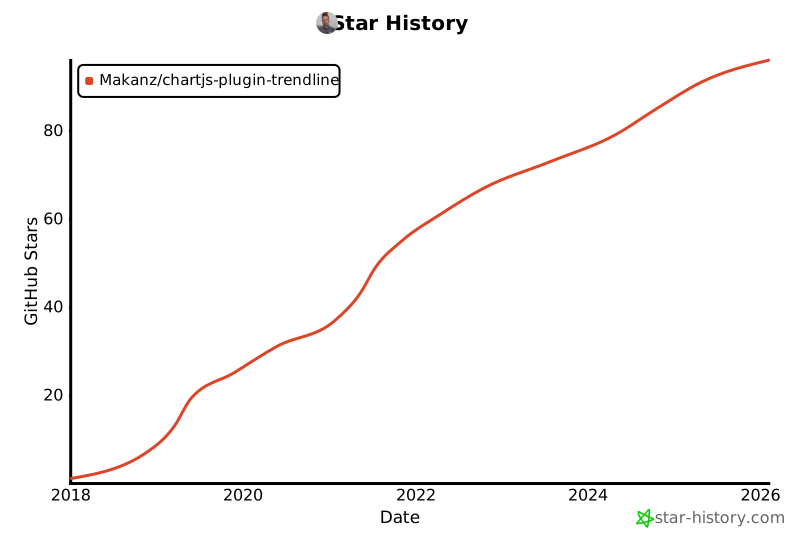](https://star-history.com/#Makanz/chartjs-plugin-trendline&Date)
|
|
@@ -1,2 +1,2 @@
|
|
|
1
|
-
/*! For license information please see chartjs-plugin-trendline.min.js.LICENSE.txt */
|
|
2
|
-
(()=>{var e={339:(e,t)=>{const i={id:"chartjs-plugin-trendline",afterDatasetsDraw:e=>{const t=e.ctx,{xScale:i,yScale:
|
|
1
|
+
/*! For license information please see chartjs-plugin-trendline.min.js.LICENSE.txt */
|
|
2
|
+
(()=>{var e={339:(e,t)=>{const i={id:"chartjs-plugin-trendline",afterDatasetsDraw:e=>{const t=e.ctx,{xScale:i,yScale:a}=n(e);e.data.datasets.forEach(((n,l)=>{const o=n.alwaysShowTrendline||e.isDatasetVisible(l);if(n.trendlineLinear&&o&&n.data.length>1){const o=e.getDatasetMeta(l);s(o,t,n,i,a)}})),t.setLineDash([])},beforeInit:e=>{e.data.datasets.forEach((t=>{if(t.trendlineLinear&&t.trendlineLinear.label){const i=t.trendlineLinear.label,n=e.legend.options.labels.generateLabels;e.legend.options.labels.generateLabels=function(e){const s=n(e),a=t.trendlineLinear.legend;return a&&!1!==a.display&&s.push({text:a.text||i+" (Trendline)",strokeStyle:a.color||t.borderColor||"rgba(169,169,169, .6)",fillStyle:a.fillStyle||"transparent",lineCap:a.lineCap||"butt",lineDash:a.lineDash||[],lineWidth:a.width||1}),s}}}))}},n=e=>{let t,i;for(const n of Object.values(e.scales))if(n.isHorizontal()?t=n:i=n,t&&i)break;return{xScale:t,yScale:i}},s=(e,t,i,n,s)=>{const x=i.yAxisID||"y",h=e.controller.chart.scales[x]||s,u=i.borderColor||"rgba(169,169,169, .6)",{colorMin:y=u,colorMax:f=u,width:m=i.borderWidth||3,lineStyle:p="solid",fillColor:b=!1}=i.trendlineLinear||{},{color:w=u,text:g="Trendline",display:L=!0,displayValue:F=!0,offset:S=10,percentage:v=!1}=i.trendlineLinear.label||{},{family:C="'Helvetica Neue', 'Helvetica', 'Arial', sans-serif",size:D=12}=i.trendlineLinear.label?.font||{},T=e.controller.chart.options,N="object"==typeof T.parsing?T.parsing:void 0,P=i.trendlineLinear?.xAxisKey||N?.xAxisKey||"x",A=i.trendlineLinear?.yAxisKey||N?.yAxisKey||"y";let M=new c,V=i.data.findIndex((e=>null!=e)),k=(i.data.length,"object"==typeof i.data[V]);i.data.forEach(((e,t)=>{if(null!=e)if(["time","timeseries"].includes(n.options.type)){let i=null!=e[P]?e[P]:e.t;void 0!==i?M.add(new Date(i).getTime(),e[A]):M.add(t,e)}else k?isNaN(e.x)||isNaN(e.y)?isNaN(e.x)?isNaN(e.y)||M.add(t,e.y):M.add(t,e.x):M.add(e.x,e.y):M.add(t,e)}));let j,E,W=n.getPixelForValue(M.minx),I=h.getPixelForValue(M.f(M.minx));if(i.trendlineLinear.projection&&M.scale()<0){let e=M.fo();e<M.minx&&(e=M.maxx),j=n.getPixelForValue(e),E=h.getPixelForValue(M.f(e))}else j=n.getPixelForValue(M.maxx),E=h.getPixelForValue(M.f(M.maxx));const K=e.controller.chart.chartArea.bottom,$=e.controller.chart.width;if(isFinite(W)&&isFinite(I)&&isFinite(j)&&isFinite(E)){l({x1:W,y1:I,x2:j,y2:E,drawBottom:K,chartWidth:$}),t.lineWidth=m,o(t,p),r({ctx:t,x1:W,y1:I,x2:j,y2:E,colorMin:y,colorMax:f}),b&&d(t,W,I,j,E,K,b);const e=Math.atan2(E-I,j-W),n=(I-E)/(j-W);if(i.trendlineLinear.label&&!1!==L){const i=F?`${g} (Slope: ${v?(100*n).toFixed(2)+"%":n.toFixed(2)})`:g;a(t,i,W,I,j,E,e,w,C,D,S)}}},a=(e,t,i,n,s,a,l,o,r,d,c)=>{e.font=`${d}px ${r}`,e.fillStyle=o;const x=e.measureText(t).width,h=(i+s)/2,u=(n+a)/2;e.save(),e.translate(h,u),e.rotate(l);const y=-x/2,f=c;e.fillText(t,y,f),e.restore()},l=({x1:e,y1:t,x2:i,y2:n,drawBottom:s,chartWidth:a})=>{if(t>s){t=s}else if(n>s){let e=n-s,l=n-t;n=s,i=a-(i-(a-a*(e/l)))}},o=(e,t)=>{switch(t){case"dotted":e.setLineDash([2,2]);break;case"dashed":e.setLineDash([8,3]);break;case"dashdot":e.setLineDash([8,3,2,3]);break;default:e.setLineDash([])}},r=({ctx:e,x1:t,y1:i,x2:n,y2:s,colorMin:a,colorMax:l})=>{if(isFinite(t)&&isFinite(i)&&isFinite(n)&&isFinite(s)){e.beginPath(),e.moveTo(t,i),e.lineTo(n,s);try{let o=e.createLinearGradient(t,i,n,s);o.addColorStop(0,a),o.addColorStop(1,l),e.strokeStyle=o}catch(t){console.warn("Gradient creation failed, using solid color:",t),e.strokeStyle=a}e.stroke(),e.closePath()}else console.warn("Cannot draw trendline: coordinates contain non-finite values",{x1:t,y1:i,x2:n,y2:s})},d=(e,t,i,n,s,a,l)=>{isFinite(t)&&isFinite(i)&&isFinite(n)&&isFinite(s)&&isFinite(a)?(e.beginPath(),e.moveTo(t,i),e.lineTo(n,s),e.lineTo(n,a),e.lineTo(t,a),e.lineTo(t,i),e.closePath(),e.fillStyle=l,e.fill()):console.warn("Cannot fill below trendline: coordinates contain non-finite values",{x1:t,y1:i,x2:n,y2:s,drawBottom:a})};class c{constructor(){this.count=0,this.sumx=0,this.sumy=0,this.sumx2=0,this.sumxy=0,this.minx=Number.MAX_VALUE,this.maxx=Number.MIN_VALUE}add(e,t){this.sumx+=e,this.sumy+=t,this.sumx2+=e*e,this.sumxy+=e*t,e<this.minx&&(this.minx=e),e>this.maxx&&(this.maxx=e),this.count++}slope(){const e=this.count*this.sumx2-this.sumx*this.sumx;return(this.count*this.sumxy-this.sumx*this.sumy)/e}intercept(){return(this.sumy-this.slope()*this.sumx)/this.count}f(e){return this.slope()*e+this.intercept()}fo(){return-this.intercept()/this.slope()}scale(){return this.slope()}}"undefined"!=typeof window&&window.Chart&&(window.Chart.hasOwnProperty("register")?window.Chart.register(i):window.Chart.plugins.register(i));try{e.exports=i}catch(e){}}},t={};!function i(n){var s=t[n];if(void 0!==s)return s.exports;var a=t[n]={exports:{}};return e[n](a,a.exports,i),a.exports}(339)})();
|
|
@@ -1,11 +1,11 @@
|
|
|
1
|
-
/*!
|
|
2
|
-
* chartjs-plugin-trendline.js
|
|
3
|
-
* Version: 2.1.
|
|
4
|
-
*
|
|
5
|
-
* Copyright
|
|
6
|
-
* Released under the MIT license
|
|
7
|
-
* https://github.com/Makanz/chartjs-plugin-trendline/blob/master/README.md
|
|
8
|
-
*
|
|
9
|
-
* Modified by @vesal: accept xy-data from scatter,
|
|
10
|
-
* Modified by @Megaemce: add label and basic legend to trendline, add JSDoc,
|
|
11
|
-
*/
|
|
1
|
+
/*!
|
|
2
|
+
* chartjs-plugin-trendline.js
|
|
3
|
+
* Version: 2.1.7
|
|
4
|
+
*
|
|
5
|
+
* Copyright 2025 Marcus Alsterfjord
|
|
6
|
+
* Released under the MIT license
|
|
7
|
+
* https://github.com/Makanz/chartjs-plugin-trendline/blob/master/README.md
|
|
8
|
+
*
|
|
9
|
+
* Modified by @vesal: accept xy-data from scatter,
|
|
10
|
+
* Modified by @Megaemce: add label and basic legend to trendline, add JSDoc,
|
|
11
|
+
*/
|
package/example/barChart.html
CHANGED
|
@@ -1,43 +1,45 @@
|
|
|
1
1
|
<!DOCTYPE html>
|
|
2
2
|
<html lang="en">
|
|
3
|
+
|
|
3
4
|
<head>
|
|
4
5
|
<meta charset="UTF-8">
|
|
5
6
|
<meta name="viewport" content="width=device-width, initial-scale=1.0">
|
|
6
7
|
<meta http-equiv="X-UA-Compatible" content="ie=edge">
|
|
7
8
|
<title>BarChart Example</title>
|
|
8
|
-
<script src="https://cdn.jsdelivr.net/npm/chart.js@4.4.
|
|
9
|
+
<script src="https://cdn.jsdelivr.net/npm/chart.js@4.4.4/dist/chart.umd.js"></script>
|
|
9
10
|
<script src="./../src/chartjs-plugin-trendline.js"></script>
|
|
10
11
|
<script>
|
|
11
|
-
|
|
12
|
-
|
|
13
|
-
|
|
14
|
-
|
|
15
|
-
|
|
16
|
-
|
|
17
|
-
|
|
18
|
-
|
|
19
|
-
|
|
20
|
-
|
|
21
|
-
|
|
22
|
-
|
|
23
|
-
|
|
24
|
-
|
|
25
|
-
|
|
26
|
-
}
|
|
27
|
-
},
|
|
28
|
-
]
|
|
29
|
-
},
|
|
30
|
-
options: {
|
|
31
|
-
legend: { display: false },
|
|
32
|
-
title: {
|
|
33
|
-
display: true,
|
|
34
|
-
text: 'Predicted world population (millions) in 2050'
|
|
35
|
-
}
|
|
12
|
+
document.addEventListener("DOMContentLoaded", function (event) {
|
|
13
|
+
// Bar chart
|
|
14
|
+
new Chart(document.getElementById("bar-chart"), {
|
|
15
|
+
type: 'bar',
|
|
16
|
+
data: {
|
|
17
|
+
labels: ["Africa", "Asia", "Europe", "Latin America", "North America"],
|
|
18
|
+
datasets: [
|
|
19
|
+
{
|
|
20
|
+
label: "Population (millions)",
|
|
21
|
+
backgroundColor: ["#3e95cd", "#8e5ea2", "#3cba9f", "#e8c3b9", "#c45850"],
|
|
22
|
+
data: [2478, 5267, 734, 784, 433],
|
|
23
|
+
trendlineLinear: {
|
|
24
|
+
colorMin: "rgba(255,105,180, .8)",
|
|
25
|
+
lineStyle: "dotted",
|
|
26
|
+
width: 2
|
|
36
27
|
}
|
|
37
|
-
}
|
|
38
|
-
|
|
39
|
-
|
|
28
|
+
},
|
|
29
|
+
]
|
|
30
|
+
},
|
|
31
|
+
options: {
|
|
32
|
+
legend: { display: false },
|
|
33
|
+
title: {
|
|
34
|
+
display: true,
|
|
35
|
+
text: 'Predicted world population (millions) in 2050'
|
|
36
|
+
}
|
|
37
|
+
}
|
|
38
|
+
});
|
|
39
|
+
});
|
|
40
|
+
</script>
|
|
40
41
|
</head>
|
|
42
|
+
|
|
41
43
|
<body>
|
|
42
44
|
<h1>Bar Chart</h1>
|
|
43
45
|
|
|
@@ -45,6 +47,8 @@
|
|
|
45
47
|
<canvas id="bar-chart"></canvas>
|
|
46
48
|
</div>
|
|
47
49
|
|
|
48
|
-
<p>Using example code from <a href="http://tobiasahlin.com/blog/chartjs-charts-to-get-you-started/"
|
|
50
|
+
<p>Using example code from <a href="http://tobiasahlin.com/blog/chartjs-charts-to-get-you-started/"
|
|
51
|
+
target="_blank">tobiasahlin.com.</a></p>
|
|
49
52
|
</body>
|
|
53
|
+
|
|
50
54
|
</html>
|
|
@@ -1,43 +1,45 @@
|
|
|
1
1
|
<!DOCTYPE html>
|
|
2
2
|
<html lang="en">
|
|
3
|
+
|
|
3
4
|
<head>
|
|
4
5
|
<meta charset="UTF-8">
|
|
5
6
|
<meta name="viewport" content="width=device-width, initial-scale=1.0">
|
|
6
7
|
<meta http-equiv="X-UA-Compatible" content="ie=edge">
|
|
7
8
|
<title>BarChart Example</title>
|
|
8
|
-
<script src="https://cdn.jsdelivr.net/npm/chart.js@4.4.
|
|
9
|
+
<script src="https://cdn.jsdelivr.net/npm/chart.js@4.4.4/dist/chart.umd.js"></script>
|
|
9
10
|
<script src="./../src/chartjs-plugin-trendline.js"></script>
|
|
10
11
|
<script>
|
|
11
|
-
|
|
12
|
-
|
|
13
|
-
|
|
14
|
-
|
|
15
|
-
|
|
16
|
-
|
|
17
|
-
|
|
18
|
-
|
|
19
|
-
|
|
20
|
-
|
|
21
|
-
|
|
22
|
-
|
|
23
|
-
|
|
24
|
-
|
|
25
|
-
|
|
26
|
-
}
|
|
27
|
-
},
|
|
28
|
-
]
|
|
29
|
-
},
|
|
30
|
-
options: {
|
|
31
|
-
legend: { display: false },
|
|
32
|
-
title: {
|
|
33
|
-
display: true,
|
|
34
|
-
text: 'Predicted world population (millions) in 2050'
|
|
35
|
-
}
|
|
12
|
+
document.addEventListener("DOMContentLoaded", function (event) {
|
|
13
|
+
// Bar chart
|
|
14
|
+
new Chart(document.getElementById("bar-chart"), {
|
|
15
|
+
type: 'bar',
|
|
16
|
+
data: {
|
|
17
|
+
labels: ["Africa", "Asia", "Europe", "Latin America", "Undefined", "null", "North America"],
|
|
18
|
+
datasets: [
|
|
19
|
+
{
|
|
20
|
+
label: "Population (millions)",
|
|
21
|
+
backgroundColor: ["#3e95cd", "#8e5ea2", "#3cba9f", "#e8c3b9", "#c45850"],
|
|
22
|
+
data: [2478, 5267, 734, 784, undefined, null, 433],
|
|
23
|
+
trendlineLinear: {
|
|
24
|
+
colorMin: "rgba(255,105,180, .8)",
|
|
25
|
+
lineStyle: "dotted",
|
|
26
|
+
width: 2
|
|
36
27
|
}
|
|
37
|
-
}
|
|
38
|
-
|
|
39
|
-
|
|
28
|
+
},
|
|
29
|
+
]
|
|
30
|
+
},
|
|
31
|
+
options: {
|
|
32
|
+
legend: { display: false },
|
|
33
|
+
title: {
|
|
34
|
+
display: true,
|
|
35
|
+
text: 'Predicted world population (millions) in 2050'
|
|
36
|
+
}
|
|
37
|
+
}
|
|
38
|
+
});
|
|
39
|
+
});
|
|
40
|
+
</script>
|
|
40
41
|
</head>
|
|
42
|
+
|
|
41
43
|
<body>
|
|
42
44
|
<h1>Bar Chart</h1>
|
|
43
45
|
|
|
@@ -45,6 +47,8 @@
|
|
|
45
47
|
<canvas id="bar-chart"></canvas>
|
|
46
48
|
</div>
|
|
47
49
|
|
|
48
|
-
<p>Using example code from <a href="http://tobiasahlin.com/blog/chartjs-charts-to-get-you-started/"
|
|
50
|
+
<p>Using example code from <a href="http://tobiasahlin.com/blog/chartjs-charts-to-get-you-started/"
|
|
51
|
+
target="_blank">tobiasahlin.com.</a></p>
|
|
49
52
|
</body>
|
|
53
|
+
|
|
50
54
|
</html>
|
|
@@ -0,0 +1,61 @@
|
|
|
1
|
+
<!DOCTYPE html>
|
|
2
|
+
<html lang="en">
|
|
3
|
+
|
|
4
|
+
<head>
|
|
5
|
+
<meta charset="UTF-8">
|
|
6
|
+
<meta name="viewport" content="width=device-width, initial-scale=1.0">
|
|
7
|
+
<meta http-equiv="X-UA-Compatible" content="ie=edge">
|
|
8
|
+
<title>BarChart Example</title>
|
|
9
|
+
<script src="https://cdn.jsdelivr.net/npm/chart.js@4.4.4/dist/chart.umd.js"></script>
|
|
10
|
+
<script src="./../src/chartjs-plugin-trendline.js"></script>
|
|
11
|
+
<script>
|
|
12
|
+
document.addEventListener("DOMContentLoaded", function (event) {
|
|
13
|
+
// Bar chart
|
|
14
|
+
new Chart(document.getElementById("bar-chart"), {
|
|
15
|
+
type: 'bar',
|
|
16
|
+
data: {
|
|
17
|
+
labels: ["Africa", "Asia", "Europe", "Latin America", "North America"],
|
|
18
|
+
datasets: [
|
|
19
|
+
{
|
|
20
|
+
label: "Population (millions)",
|
|
21
|
+
backgroundColor: ["#3e95cd", "#8e5ea2", "#3cba9f", "#e8c3b9", "#c45850"],
|
|
22
|
+
data: [500, 1555, 650, 1555, 2505],
|
|
23
|
+
trendlineLinear: {
|
|
24
|
+
label: {
|
|
25
|
+
color: "#000",
|
|
26
|
+
text: "Trendline label",
|
|
27
|
+
display: true,
|
|
28
|
+
percentage: true,
|
|
29
|
+
offset: 10
|
|
30
|
+
},
|
|
31
|
+
colorMin: "rgba(255,105,180, .8)",
|
|
32
|
+
lineStyle: "dotted",
|
|
33
|
+
width: 2
|
|
34
|
+
}
|
|
35
|
+
},
|
|
36
|
+
]
|
|
37
|
+
},
|
|
38
|
+
options: {
|
|
39
|
+
legend: { display: false },
|
|
40
|
+
title: {
|
|
41
|
+
display: true,
|
|
42
|
+
text: 'Predicted world population (millions) in 2050'
|
|
43
|
+
}
|
|
44
|
+
}
|
|
45
|
+
});
|
|
46
|
+
});
|
|
47
|
+
</script>
|
|
48
|
+
</head>
|
|
49
|
+
|
|
50
|
+
<body>
|
|
51
|
+
<h1>Bar Chart</h1>
|
|
52
|
+
|
|
53
|
+
<div style="width: 800px;">
|
|
54
|
+
<canvas id="bar-chart"></canvas>
|
|
55
|
+
</div>
|
|
56
|
+
|
|
57
|
+
<p>Using example code from <a href="http://tobiasahlin.com/blog/chartjs-charts-to-get-you-started/"
|
|
58
|
+
target="_blank">tobiasahlin.com.</a></p>
|
|
59
|
+
</body>
|
|
60
|
+
|
|
61
|
+
</html>
|
|
@@ -0,0 +1,113 @@
|
|
|
1
|
+
<!DOCTYPE html>
|
|
2
|
+
<html lang="en">
|
|
3
|
+
<head>
|
|
4
|
+
<meta charset="UTF-8">
|
|
5
|
+
<meta name="viewport" content="width=device-width, initial-scale=1.0">
|
|
6
|
+
<title>Chart.js Example</title>
|
|
7
|
+
<!-- Include Chart.js and the Trendline plugin -->
|
|
8
|
+
<script src="https://cdn.jsdelivr.net/npm/chart.js"></script>
|
|
9
|
+
<script src="../src/chartjs-plugin-trendline.js"></script>
|
|
10
|
+
</head>
|
|
11
|
+
<body>
|
|
12
|
+
|
|
13
|
+
<!-- Canvas element for rendering the chart -->
|
|
14
|
+
<canvas id="chartjs" width="400" height="200"></canvas>
|
|
15
|
+
|
|
16
|
+
<script type="text/javascript">
|
|
17
|
+
// Define colors
|
|
18
|
+
const barColor1 = '#258cda'; // Blue color for incidents
|
|
19
|
+
const borderColor1 = '#258cda'; // Same as backgroundColor for incidents
|
|
20
|
+
const barColor2 = '#cccccc'; // Gray color for outage
|
|
21
|
+
const borderColor2 = '#808080'; // Darker gray for borderColor of outage
|
|
22
|
+
|
|
23
|
+
// Get the context of the canvas element we want to select
|
|
24
|
+
const ctx = document.getElementById("chartjs").getContext('2d');
|
|
25
|
+
|
|
26
|
+
// Create a new Chart instance
|
|
27
|
+
const myChart1 = new Chart(ctx, {
|
|
28
|
+
type: 'bar', // Specify chart type (e.g., bar)
|
|
29
|
+
|
|
30
|
+
data: {
|
|
31
|
+
labels: ["July 2024","August 2024","September 2024","October 2024","November 2024","December 2024","January 2025","February 2025","March 2025","April 2025","May 2025","June 2025"], // Example labels for x-axis
|
|
32
|
+
datasets: [
|
|
33
|
+
{
|
|
34
|
+
label: '# of Incidents',
|
|
35
|
+
yAxisID: 'y1',
|
|
36
|
+
fill: false,
|
|
37
|
+
backgroundColor: barColor1,
|
|
38
|
+
borderColor: borderColor1,
|
|
39
|
+
borderWidth: 3,
|
|
40
|
+
tension: 0.3,
|
|
41
|
+
data: [7,6,13,6,4,3,4,4,0,0,0,0], // Example data for incidents
|
|
42
|
+
trendlineLinear: {
|
|
43
|
+
lineStyle: 'dotted',
|
|
44
|
+
width: 2
|
|
45
|
+
},
|
|
46
|
+
},
|
|
47
|
+
{
|
|
48
|
+
label: 'Total Outage',
|
|
49
|
+
yAxisID: 'y2',
|
|
50
|
+
fill: true,
|
|
51
|
+
backgroundColor: barColor2,
|
|
52
|
+
borderColor: borderColor2,
|
|
53
|
+
borderWidth: 3,
|
|
54
|
+
tension: 0.3,
|
|
55
|
+
data: [112,201,316,16,16,13,11,81,20,300,250,200], // Example data for outage in hours
|
|
56
|
+
trendlineLinear: {
|
|
57
|
+
lineStyle: 'dotted',
|
|
58
|
+
width: 2
|
|
59
|
+
},
|
|
60
|
+
}
|
|
61
|
+
],
|
|
62
|
+
},
|
|
63
|
+
|
|
64
|
+
options: {
|
|
65
|
+
plugins: {
|
|
66
|
+
legend: {
|
|
67
|
+
position: 'bottom', // Position of the legend
|
|
68
|
+
},
|
|
69
|
+
},
|
|
70
|
+
tooltips: {
|
|
71
|
+
displayColors: true, // Display color in tooltip
|
|
72
|
+
mode: 'index', // Tooltip mode
|
|
73
|
+
},
|
|
74
|
+
scales: {
|
|
75
|
+
x: { // X-axis configuration
|
|
76
|
+
ticks: {
|
|
77
|
+
autoSkip: true,
|
|
78
|
+
maxTicksLimit: 12,
|
|
79
|
+
maxRotation: 45,
|
|
80
|
+
minRotation: 45,
|
|
81
|
+
},
|
|
82
|
+
},
|
|
83
|
+
y1: { // Left Y-axis for incidents
|
|
84
|
+
ticks: {
|
|
85
|
+
beginAtZero: true,
|
|
86
|
+
},
|
|
87
|
+
title: {
|
|
88
|
+
display: true,
|
|
89
|
+
text: 'Incidents',
|
|
90
|
+
},
|
|
91
|
+
type: 'linear',
|
|
92
|
+
position: 'left',
|
|
93
|
+
},
|
|
94
|
+
y2: { // Right Y-axis for outage in hours
|
|
95
|
+
ticks: {
|
|
96
|
+
beginAtZero: true,
|
|
97
|
+
},
|
|
98
|
+
title: {
|
|
99
|
+
display: true,
|
|
100
|
+
text: 'Outage in Hours',
|
|
101
|
+
},
|
|
102
|
+
type: 'linear',
|
|
103
|
+
position: 'right',
|
|
104
|
+
}
|
|
105
|
+
},
|
|
106
|
+
responsive: true, // Make the chart responsive
|
|
107
|
+
maintainAspectRatio: true, // Maintain aspect ratio
|
|
108
|
+
}
|
|
109
|
+
});
|
|
110
|
+
</script>
|
|
111
|
+
|
|
112
|
+
</body>
|
|
113
|
+
</html>
|
package/example/lineChart.html
CHANGED
|
@@ -1,108 +1,111 @@
|
|
|
1
1
|
<!DOCTYPE html>
|
|
2
2
|
<html lang="en">
|
|
3
|
-
|
|
4
|
-
|
|
5
|
-
|
|
6
|
-
|
|
7
|
-
|
|
8
|
-
|
|
9
|
-
|
|
10
|
-
|
|
11
|
-
|
|
12
|
-
|
|
13
|
-
|
|
14
|
-
|
|
15
|
-
|
|
16
|
-
|
|
17
|
-
|
|
18
|
-
|
|
19
|
-
|
|
20
|
-
|
|
21
|
-
|
|
22
|
-
|
|
23
|
-
|
|
24
|
-
|
|
25
|
-
|
|
26
|
-
|
|
27
|
-
|
|
28
|
-
|
|
29
|
-
|
|
30
|
-
|
|
31
|
-
|
|
32
|
-
|
|
3
|
+
|
|
4
|
+
<head>
|
|
5
|
+
<meta charset="UTF-8" />
|
|
6
|
+
<meta name="viewport" content="width=device-width, initial-scale=1.0" />
|
|
7
|
+
<meta http-equiv="X-UA-Compatible" content="ie=edge" />
|
|
8
|
+
<title>LineChart Example with Labeled Trendlines</title>
|
|
9
|
+
<script src="https://cdn.jsdelivr.net/npm/chart.js@4.4.4/dist/chart.umd.js"></script>
|
|
10
|
+
<script src="./../src/chartjs-plugin-trendline.js"></script>
|
|
11
|
+
<script>
|
|
12
|
+
document.addEventListener('DOMContentLoaded', function (event) {
|
|
13
|
+
new Chart(document.getElementById('line-chart'), {
|
|
14
|
+
type: 'line',
|
|
15
|
+
data: {
|
|
16
|
+
labels: [
|
|
17
|
+
1500, 1600, 1700, 1750, 1800, 1850, 1900, 1950,
|
|
18
|
+
1999, 2050,
|
|
19
|
+
],
|
|
20
|
+
datasets: [
|
|
21
|
+
{
|
|
22
|
+
data: [
|
|
23
|
+
86, 114, 106, 106, 107, 111, 133, 221, 783,
|
|
24
|
+
2478,
|
|
25
|
+
],
|
|
26
|
+
label: 'Africa',
|
|
27
|
+
borderColor: '#3e95cd',
|
|
28
|
+
fill: false,
|
|
29
|
+
trendlineLinear: {
|
|
30
|
+
colorMin: '#3e95cd',
|
|
31
|
+
width: 1,
|
|
32
|
+
lineStyle: 'solid',
|
|
33
33
|
},
|
|
34
|
-
|
|
35
|
-
|
|
36
|
-
|
|
37
|
-
|
|
38
|
-
|
|
39
|
-
|
|
40
|
-
|
|
41
|
-
|
|
42
|
-
|
|
43
|
-
|
|
44
|
-
|
|
45
|
-
|
|
46
|
-
|
|
47
|
-
|
|
48
|
-
|
|
49
|
-
|
|
50
|
-
|
|
51
|
-
color: 'red',
|
|
52
|
-
text: 'Asia',
|
|
53
|
-
displayValue: false,
|
|
54
|
-
offset: 10,
|
|
55
|
-
},
|
|
56
|
-
legend: {
|
|
57
|
-
color: 'red',
|
|
58
|
-
text: 'Asian trendline',
|
|
59
|
-
display: true,
|
|
60
|
-
lineDash: [8, 3],
|
|
34
|
+
},
|
|
35
|
+
{
|
|
36
|
+
data: [
|
|
37
|
+
282, 350, 411, 502, 635, 809, 947, 1402,
|
|
38
|
+
3700, 5267,
|
|
39
|
+
],
|
|
40
|
+
label: 'Asia',
|
|
41
|
+
borderColor: '#8e5ea2',
|
|
42
|
+
fill: false,
|
|
43
|
+
trendlineLinear: {
|
|
44
|
+
colorMin: 'red',
|
|
45
|
+
colorMax: 'green',
|
|
46
|
+
lineStyle: 'dashed',
|
|
47
|
+
width: 1,
|
|
48
|
+
label: {
|
|
49
|
+
font: {
|
|
50
|
+
size: 12,
|
|
61
51
|
},
|
|
52
|
+
color: 'red',
|
|
53
|
+
text: 'Asia',
|
|
54
|
+
displayValue: false,
|
|
55
|
+
offset: 10,
|
|
56
|
+
},
|
|
57
|
+
legend: {
|
|
58
|
+
color: 'red',
|
|
59
|
+
text: 'Asian trendline',
|
|
60
|
+
display: true,
|
|
61
|
+
lineDash: [8, 3],
|
|
62
62
|
},
|
|
63
63
|
},
|
|
64
|
-
|
|
65
|
-
|
|
66
|
-
|
|
67
|
-
|
|
68
|
-
|
|
69
|
-
|
|
70
|
-
|
|
71
|
-
|
|
72
|
-
|
|
73
|
-
|
|
74
|
-
|
|
75
|
-
|
|
76
|
-
|
|
77
|
-
|
|
78
|
-
|
|
79
|
-
|
|
80
|
-
|
|
81
|
-
|
|
82
|
-
|
|
83
|
-
|
|
84
|
-
|
|
85
|
-
|
|
86
|
-
|
|
87
|
-
|
|
88
|
-
|
|
89
|
-
|
|
90
|
-
|
|
91
|
-
|
|
92
|
-
|
|
93
|
-
|
|
94
|
-
|
|
64
|
+
},
|
|
65
|
+
{
|
|
66
|
+
data: [
|
|
67
|
+
168, 170, 178, 190, 203, 276, 408, 547, 675,
|
|
68
|
+
734,
|
|
69
|
+
],
|
|
70
|
+
label: 'Europe',
|
|
71
|
+
borderColor: '#3cba9f',
|
|
72
|
+
fill: false,
|
|
73
|
+
},
|
|
74
|
+
{
|
|
75
|
+
data: [
|
|
76
|
+
40, 20, 10, 16, 24, 38, 74, 167, 508, 784,
|
|
77
|
+
],
|
|
78
|
+
label: 'Latin America',
|
|
79
|
+
borderColor: '#e8c3b9',
|
|
80
|
+
fill: false,
|
|
81
|
+
},
|
|
82
|
+
{
|
|
83
|
+
data: [6, 3, 2, 2, 7, 26, 82, 172, 312, 433],
|
|
84
|
+
label: 'North America',
|
|
85
|
+
borderColor: '#c45850',
|
|
86
|
+
fill: false,
|
|
87
|
+
},
|
|
88
|
+
],
|
|
89
|
+
},
|
|
90
|
+
options: {
|
|
91
|
+
plugins: {
|
|
92
|
+
title: {
|
|
93
|
+
display: true,
|
|
94
|
+
text: 'World population per region (in millions)',
|
|
95
95
|
},
|
|
96
96
|
},
|
|
97
|
-
}
|
|
97
|
+
},
|
|
98
98
|
});
|
|
99
|
-
|
|
100
|
-
</
|
|
101
|
-
|
|
102
|
-
|
|
99
|
+
});
|
|
100
|
+
</script>
|
|
101
|
+
</head>
|
|
102
|
+
|
|
103
|
+
<body>
|
|
104
|
+
<h1>Line Chart with Labeled Trendlines</h1>
|
|
105
|
+
|
|
106
|
+
<div style="width: 800px">
|
|
107
|
+
<canvas id="line-chart"></canvas>
|
|
108
|
+
</div>
|
|
109
|
+
</body>
|
|
103
110
|
|
|
104
|
-
|
|
105
|
-
<canvas id="line-chart"></canvas>
|
|
106
|
-
</div>
|
|
107
|
-
</body>
|
|
108
|
-
</html>
|
|
111
|
+
</html>
|
|
@@ -1,52 +1,54 @@
|
|
|
1
1
|
<!DOCTYPE html>
|
|
2
2
|
<html lang="en">
|
|
3
|
+
|
|
3
4
|
<head>
|
|
4
5
|
<meta charset="UTF-8">
|
|
5
6
|
<meta name="viewport" content="width=device-width, initial-scale=1.0">
|
|
6
7
|
<meta http-equiv="X-UA-Compatible" content="ie=edge">
|
|
7
8
|
<title>XYlineChart Projection Example</title>
|
|
8
|
-
<script src="https://cdn.jsdelivr.net/npm/chart.js@4.4.
|
|
9
|
+
<script src="https://cdn.jsdelivr.net/npm/chart.js@4.4.4/dist/chart.umd.js"></script>
|
|
9
10
|
<script src="./../src/chartjs-plugin-trendline.js"></script>
|
|
10
11
|
<script>
|
|
11
|
-
|
|
12
|
-
|
|
13
|
-
|
|
14
|
-
|
|
15
|
-
|
|
16
|
-
|
|
17
|
-
|
|
18
|
-
|
|
19
|
-
|
|
20
|
-
|
|
21
|
-
|
|
22
|
-
|
|
23
|
-
|
|
24
|
-
|
|
25
|
-
}
|
|
26
|
-
},
|
|
27
|
-
{
|
|
28
|
-
data: [{x: 60, y: 0}],
|
|
29
|
-
borderColor: "black",
|
|
30
|
-
label: "Goal",
|
|
31
|
-
fill: false
|
|
32
|
-
}]
|
|
33
|
-
},
|
|
34
|
-
options: {
|
|
35
|
-
title: {
|
|
36
|
-
display: true,
|
|
37
|
-
text: 'Cigarettes per days',
|
|
38
|
-
},
|
|
39
|
-
maintainAspectRatio: true,
|
|
40
|
-
responsive: true,
|
|
41
|
-
scales: {
|
|
42
|
-
x: { type: 'linear', position: 'bottom', scaleLabel: { labelString: 'days', display: true}},
|
|
43
|
-
y: { type: 'linear', position: 'left', scaleLabel: { labelString: 'cigarretts/day', display: true}, display: true },
|
|
44
|
-
}
|
|
12
|
+
document.addEventListener("DOMContentLoaded", function (event) {
|
|
13
|
+
new Chart(document.getElementById("line-chart"), {
|
|
14
|
+
type: 'line',
|
|
15
|
+
data: {
|
|
16
|
+
datasets: [{
|
|
17
|
+
data: [{ x: 0, y: 30 }, { x: 5, y: 25 }, { x: 10, y: 23 }, { x: 25, y: 23 }, { x: 35, y: 17 }, { x: 45, y: 17 }],
|
|
18
|
+
label: "Count",
|
|
19
|
+
borderColor: "#3e95cd",
|
|
20
|
+
fill: false,
|
|
21
|
+
trendlineLinear: {
|
|
22
|
+
colorMin: "#3e95cd",
|
|
23
|
+
lineStyle: "line",
|
|
24
|
+
width: 1,
|
|
25
|
+
projection: true
|
|
45
26
|
}
|
|
46
|
-
|
|
47
|
-
|
|
48
|
-
|
|
27
|
+
},
|
|
28
|
+
{
|
|
29
|
+
data: [{ x: 60, y: 0 }],
|
|
30
|
+
borderColor: "black",
|
|
31
|
+
label: "Goal",
|
|
32
|
+
fill: false
|
|
33
|
+
}]
|
|
34
|
+
},
|
|
35
|
+
options: {
|
|
36
|
+
title: {
|
|
37
|
+
display: true,
|
|
38
|
+
text: 'Cigarettes per days',
|
|
39
|
+
},
|
|
40
|
+
maintainAspectRatio: true,
|
|
41
|
+
responsive: true,
|
|
42
|
+
scales: {
|
|
43
|
+
x: { type: 'linear', position: 'bottom', scaleLabel: { labelString: 'days', display: true } },
|
|
44
|
+
y: { type: 'linear', position: 'left', scaleLabel: { labelString: 'cigarretts/day', display: true }, display: true },
|
|
45
|
+
}
|
|
46
|
+
}
|
|
47
|
+
});
|
|
48
|
+
});
|
|
49
|
+
</script>
|
|
49
50
|
</head>
|
|
51
|
+
|
|
50
52
|
<body>
|
|
51
53
|
<h1>X/Y Chart with trendline projection on x axis</h1>
|
|
52
54
|
|
|
@@ -55,4 +57,5 @@
|
|
|
55
57
|
</div>
|
|
56
58
|
|
|
57
59
|
</body>
|
|
60
|
+
|
|
58
61
|
</html>
|
package/package.json
CHANGED
|
@@ -1,6 +1,6 @@
|
|
|
1
1
|
{
|
|
2
2
|
"name": "chartjs-plugin-trendline",
|
|
3
|
-
"version": "2.1.
|
|
3
|
+
"version": "2.1.7",
|
|
4
4
|
"description": "Trendline for Chart.js",
|
|
5
5
|
"main": "src/chartjs-plugin-trendline.js",
|
|
6
6
|
"scripts": {
|
|
@@ -20,4 +20,4 @@
|
|
|
20
20
|
"webpack": "^5.92.1",
|
|
21
21
|
"webpack-cli": "^5.1.4"
|
|
22
22
|
}
|
|
23
|
-
}
|
|
23
|
+
}
|
|
@@ -1,8 +1,8 @@
|
|
|
1
1
|
/*!
|
|
2
2
|
* chartjs-plugin-trendline.js
|
|
3
|
-
* Version: 2.1.
|
|
3
|
+
* Version: 2.1.7
|
|
4
4
|
*
|
|
5
|
-
* Copyright
|
|
5
|
+
* Copyright 2025 Marcus Alsterfjord
|
|
6
6
|
* Released under the MIT license
|
|
7
7
|
* https://github.com/Makanz/chartjs-plugin-trendline/blob/master/README.md
|
|
8
8
|
*
|
|
@@ -107,6 +107,9 @@ const getScales = (chartInstance) => {
|
|
|
107
107
|
* @param {Scale} yScale - The y-axis scale object.
|
|
108
108
|
*/
|
|
109
109
|
const addFitter = (datasetMeta, ctx, dataset, xScale, yScale) => {
|
|
110
|
+
const yAxisID = dataset.yAxisID || 'y'; // Default to 'y' if no yAxisID is specified
|
|
111
|
+
const yScaleToUse = datasetMeta.controller.chart.scales[yAxisID] || yScale;
|
|
112
|
+
|
|
110
113
|
const defaultColor = dataset.borderColor || 'rgba(169,169,169, .6)';
|
|
111
114
|
const {
|
|
112
115
|
colorMin = defaultColor,
|
|
@@ -122,6 +125,7 @@ const addFitter = (datasetMeta, ctx, dataset, xScale, yScale) => {
|
|
|
122
125
|
display = true,
|
|
123
126
|
displayValue = true,
|
|
124
127
|
offset = 10,
|
|
128
|
+
percentage = false,
|
|
125
129
|
} = dataset.trendlineLinear.label || {};
|
|
126
130
|
|
|
127
131
|
const {
|
|
@@ -144,10 +148,9 @@ const addFitter = (datasetMeta, ctx, dataset, xScale, yScale) => {
|
|
|
144
148
|
(d) => d !== undefined && d !== null
|
|
145
149
|
);
|
|
146
150
|
let lastIndex = dataset.data.length - 1;
|
|
147
|
-
let startPos = datasetMeta.data[firstIndex]?.[xAxisKey];
|
|
148
|
-
let endPos = datasetMeta.data[lastIndex]?.[xAxisKey];
|
|
149
151
|
let xy = typeof dataset.data[firstIndex] === 'object';
|
|
150
152
|
|
|
153
|
+
// Collect data points for the fitter
|
|
151
154
|
dataset.data.forEach((data, index) => {
|
|
152
155
|
if (data == null) return;
|
|
153
156
|
|
|
@@ -171,9 +174,9 @@ const addFitter = (datasetMeta, ctx, dataset, xScale, yScale) => {
|
|
|
171
174
|
}
|
|
172
175
|
});
|
|
173
176
|
|
|
177
|
+
// Calculate the pixel coordinates for the trendline
|
|
174
178
|
let x1 = xScale.getPixelForValue(fitter.minx);
|
|
175
|
-
let y1 =
|
|
176
|
-
|
|
179
|
+
let y1 = yScaleToUse.getPixelForValue(fitter.f(fitter.minx));
|
|
177
180
|
let x2, y2;
|
|
178
181
|
|
|
179
182
|
// Projection logic for trendline
|
|
@@ -181,58 +184,63 @@ const addFitter = (datasetMeta, ctx, dataset, xScale, yScale) => {
|
|
|
181
184
|
let x2value = fitter.fo();
|
|
182
185
|
if (x2value < fitter.minx) x2value = fitter.maxx;
|
|
183
186
|
x2 = xScale.getPixelForValue(x2value);
|
|
184
|
-
y2 =
|
|
187
|
+
y2 = yScaleToUse.getPixelForValue(fitter.f(x2value));
|
|
185
188
|
} else {
|
|
186
189
|
x2 = xScale.getPixelForValue(fitter.maxx);
|
|
187
|
-
y2 =
|
|
190
|
+
y2 = yScaleToUse.getPixelForValue(fitter.f(fitter.maxx));
|
|
188
191
|
}
|
|
189
192
|
|
|
190
|
-
|
|
191
|
-
|
|
192
|
-
x2 = endPos;
|
|
193
|
-
}
|
|
193
|
+
// Do not use startPos and endPos directly, as they may be undefined
|
|
194
|
+
// This was causing the vertical line issue
|
|
194
195
|
|
|
195
196
|
const drawBottom = datasetMeta.controller.chart.chartArea.bottom;
|
|
196
197
|
const chartWidth = datasetMeta.controller.chart.width;
|
|
197
198
|
|
|
198
|
-
|
|
199
|
+
// Only adjust line for overflow if coordinates are valid
|
|
200
|
+
if (isFinite(x1) && isFinite(y1) && isFinite(x2) && isFinite(y2)) {
|
|
201
|
+
adjustLineForOverflow({ x1, y1, x2, y2, drawBottom, chartWidth });
|
|
199
202
|
|
|
200
|
-
|
|
201
|
-
|
|
202
|
-
|
|
203
|
+
// Set line width and styles
|
|
204
|
+
ctx.lineWidth = lineWidth;
|
|
205
|
+
setLineStyle(ctx, lineStyle);
|
|
203
206
|
|
|
204
|
-
|
|
205
|
-
|
|
207
|
+
// Draw the trendline
|
|
208
|
+
drawTrendline({ ctx, x1, y1, x2, y2, colorMin, colorMax });
|
|
206
209
|
|
|
207
|
-
|
|
208
|
-
|
|
209
|
-
|
|
210
|
-
|
|
210
|
+
// Optionally fill below the trendline
|
|
211
|
+
if (fillColor) {
|
|
212
|
+
fillBelowTrendline(ctx, x1, y1, x2, y2, drawBottom, fillColor);
|
|
213
|
+
}
|
|
211
214
|
|
|
212
|
-
|
|
213
|
-
|
|
214
|
-
|
|
215
|
-
|
|
216
|
-
|
|
217
|
-
|
|
218
|
-
|
|
219
|
-
|
|
220
|
-
|
|
221
|
-
|
|
222
|
-
|
|
223
|
-
|
|
224
|
-
|
|
225
|
-
|
|
226
|
-
|
|
227
|
-
|
|
228
|
-
|
|
229
|
-
|
|
230
|
-
|
|
231
|
-
|
|
232
|
-
|
|
233
|
-
|
|
234
|
-
|
|
235
|
-
|
|
215
|
+
// Calculate the angle of the trendline
|
|
216
|
+
const angle = Math.atan2(y2 - y1, x2 - x1);
|
|
217
|
+
|
|
218
|
+
// Calculate the slope of the trendline (value of trend)
|
|
219
|
+
const slope = (y1 - y2) / (x2 - x1);
|
|
220
|
+
|
|
221
|
+
// Add the label to the trendline if it's populated and not set to hidden
|
|
222
|
+
if (dataset.trendlineLinear.label && display !== false) {
|
|
223
|
+
const trendText = displayValue
|
|
224
|
+
? `${text} (Slope: ${
|
|
225
|
+
percentage
|
|
226
|
+
? (slope * 100).toFixed(2) + '%'
|
|
227
|
+
: slope.toFixed(2)
|
|
228
|
+
})`
|
|
229
|
+
: text;
|
|
230
|
+
addTrendlineLabel(
|
|
231
|
+
ctx,
|
|
232
|
+
trendText,
|
|
233
|
+
x1,
|
|
234
|
+
y1,
|
|
235
|
+
x2,
|
|
236
|
+
y2,
|
|
237
|
+
angle,
|
|
238
|
+
color,
|
|
239
|
+
family,
|
|
240
|
+
size,
|
|
241
|
+
offset
|
|
242
|
+
);
|
|
243
|
+
}
|
|
236
244
|
}
|
|
237
245
|
};
|
|
238
246
|
|
|
@@ -267,7 +275,10 @@ const addTrendlineLabel = (
|
|
|
267
275
|
ctx.font = `${size}px ${family}`;
|
|
268
276
|
ctx.fillStyle = labelColor;
|
|
269
277
|
|
|
270
|
-
//
|
|
278
|
+
// Label width
|
|
279
|
+
const labelWidth = ctx.measureText(label).width;
|
|
280
|
+
|
|
281
|
+
// Calculate the center of the trendline
|
|
271
282
|
const labelX = (x1 + x2) / 2;
|
|
272
283
|
const labelY = (y1 + y2) / 2;
|
|
273
284
|
|
|
@@ -280,8 +291,12 @@ const addTrendlineLabel = (
|
|
|
280
291
|
// Rotate the context to align with the trendline
|
|
281
292
|
ctx.rotate(angle);
|
|
282
293
|
|
|
294
|
+
// Adjust for the length of the label and rotation
|
|
295
|
+
const adjustedX = -labelWidth / 2; // Center the label horizontally
|
|
296
|
+
const adjustedY = offset; // Adjust Y to compensate for the height
|
|
297
|
+
|
|
283
298
|
// Draw the label
|
|
284
|
-
ctx.fillText(label,
|
|
299
|
+
ctx.fillText(label, adjustedX, adjustedY);
|
|
285
300
|
|
|
286
301
|
// Restore the canvas state
|
|
287
302
|
ctx.restore();
|
|
@@ -352,15 +367,30 @@ const setLineStyle = (ctx, lineStyle) => {
|
|
|
352
367
|
* @param {string} params.colorMax - The ending color of the trendline gradient.
|
|
353
368
|
*/
|
|
354
369
|
const drawTrendline = ({ ctx, x1, y1, x2, y2, colorMin, colorMax }) => {
|
|
370
|
+
// Ensure all values are finite numbers
|
|
371
|
+
if (!isFinite(x1) || !isFinite(y1) || !isFinite(x2) || !isFinite(y2)) {
|
|
372
|
+
console.warn(
|
|
373
|
+
'Cannot draw trendline: coordinates contain non-finite values',
|
|
374
|
+
{ x1, y1, x2, y2 }
|
|
375
|
+
);
|
|
376
|
+
return;
|
|
377
|
+
}
|
|
378
|
+
|
|
355
379
|
ctx.beginPath();
|
|
356
380
|
ctx.moveTo(x1, y1);
|
|
357
381
|
ctx.lineTo(x2, y2);
|
|
358
382
|
|
|
359
|
-
|
|
360
|
-
|
|
361
|
-
|
|
383
|
+
try {
|
|
384
|
+
let gradient = ctx.createLinearGradient(x1, y1, x2, y2);
|
|
385
|
+
gradient.addColorStop(0, colorMin);
|
|
386
|
+
gradient.addColorStop(1, colorMax);
|
|
387
|
+
ctx.strokeStyle = gradient;
|
|
388
|
+
} catch (e) {
|
|
389
|
+
// Fallback to solid color if gradient creation fails
|
|
390
|
+
console.warn('Gradient creation failed, using solid color:', e);
|
|
391
|
+
ctx.strokeStyle = colorMin;
|
|
392
|
+
}
|
|
362
393
|
|
|
363
|
-
ctx.strokeStyle = gradient;
|
|
364
394
|
ctx.stroke();
|
|
365
395
|
ctx.closePath();
|
|
366
396
|
};
|
|
@@ -376,6 +406,21 @@ const drawTrendline = ({ ctx, x1, y1, x2, y2, colorMin, colorMax }) => {
|
|
|
376
406
|
* @param {string} fillColor - The color to fill below the trendline.
|
|
377
407
|
*/
|
|
378
408
|
const fillBelowTrendline = (ctx, x1, y1, x2, y2, drawBottom, fillColor) => {
|
|
409
|
+
// Ensure all values are finite numbers
|
|
410
|
+
if (
|
|
411
|
+
!isFinite(x1) ||
|
|
412
|
+
!isFinite(y1) ||
|
|
413
|
+
!isFinite(x2) ||
|
|
414
|
+
!isFinite(y2) ||
|
|
415
|
+
!isFinite(drawBottom)
|
|
416
|
+
) {
|
|
417
|
+
console.warn(
|
|
418
|
+
'Cannot fill below trendline: coordinates contain non-finite values',
|
|
419
|
+
{ x1, y1, x2, y2, drawBottom }
|
|
420
|
+
);
|
|
421
|
+
return;
|
|
422
|
+
}
|
|
423
|
+
|
|
379
424
|
ctx.beginPath();
|
|
380
425
|
ctx.moveTo(x1, y1);
|
|
381
426
|
ctx.lineTo(x2, y2);
|