canvas-globe 1.0.1 → 1.0.2
This diff represents the content of publicly available package versions that have been released to one of the supported registries. The information contained in this diff is provided for informational purposes only and reflects changes between package versions as they appear in their respective public registries.
- package/CHANGELOG.md +7 -0
- package/README.md +21 -5
- package/codemeta.json +1 -1
- package/dist/canvas-globe.umd.js +1 -1
- package/package.json +1 -1
- package/src/version.js +1 -1
package/CHANGELOG.md
CHANGED
|
@@ -6,6 +6,13 @@ All notable changes to this package are documented here. The format follows
|
|
|
6
6
|
|
|
7
7
|
## [Unreleased]
|
|
8
8
|
|
|
9
|
+
## [1.0.2] - 2026-09-17
|
|
10
|
+
|
|
11
|
+
- Added a prominent commercial-license notice near the top of the npm README,
|
|
12
|
+
with direct links to pricing, the license agreement, and licensing support.
|
|
13
|
+
- Kept the animated product demo above the notice and replaced the unavailable
|
|
14
|
+
Skills.sh badge destination with the installable skill source in GitHub.
|
|
15
|
+
|
|
9
16
|
## [1.0.1] - 2026-09-17
|
|
10
17
|
|
|
11
18
|
- Updated browser CDN and ESM examples to load the current commercial release
|
package/README.md
CHANGED
|
@@ -6,10 +6,26 @@
|
|
|
6
6
|
[](https://canvasglobe.swiftools.com/licensing)
|
|
7
7
|
[](types/index.d.ts)
|
|
8
8
|
[](package.json)
|
|
9
|
-
[](https://
|
|
9
|
+
[](https://github.com/Shree-hari/canvas-globe/tree/main/skills/canvas-globe)
|
|
10
10
|
|
|
11
11
|
[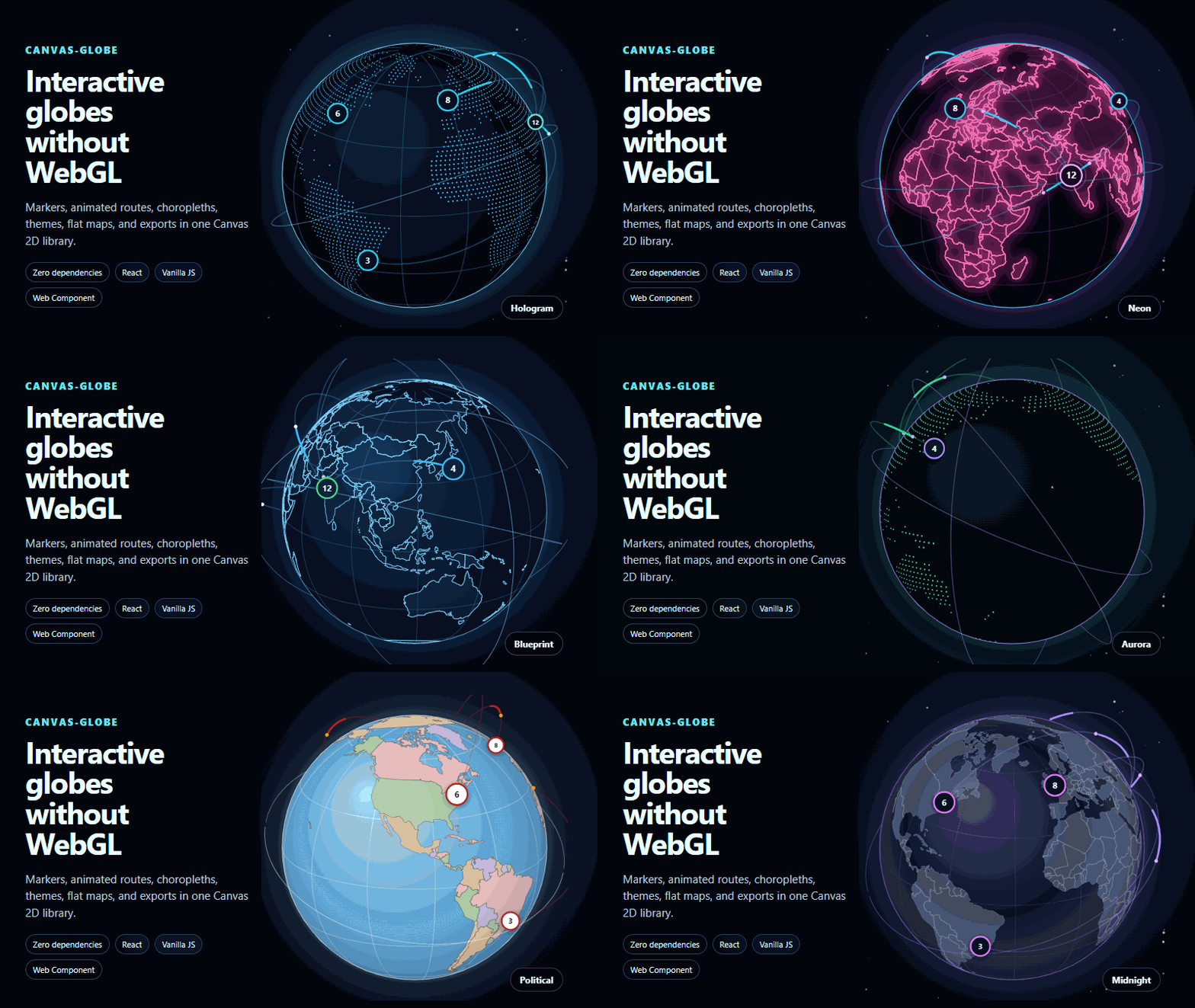](https://canvasglobe.swiftools.com/playground)
|
|
12
12
|
|
|
13
|
+
> **Important: a commercial license is required for production use**
|
|
14
|
+
>
|
|
15
|
+
> - CanvasGlobe is proprietary commercial software. Availability on npm or
|
|
16
|
+
> GitHub does not grant production or redistribution rights.
|
|
17
|
+
> - Purchase a
|
|
18
|
+
> [Solo, Team, Business, or OEM license](https://canvasglobe.swiftools.com/pricing)
|
|
19
|
+
> before using CanvasGlobe in production.
|
|
20
|
+
> - After purchase, configure the supplied license key in the `licenseKey`
|
|
21
|
+
> option. Public production use without a valid license key is restricted and
|
|
22
|
+
> displays a licensing notice.
|
|
23
|
+
> - Downloading, installing, purchasing, or using CanvasGlobe indicates
|
|
24
|
+
> acceptance of the
|
|
25
|
+
> [CanvasGlobe Software License Agreement](https://canvasglobe.swiftools.com/licensing).
|
|
26
|
+
> - For help related to purchasing or licensing, email
|
|
27
|
+
> [globe@swiftools.com](mailto:globe@swiftools.com).
|
|
28
|
+
|
|
13
29
|
[**Open the live playground**](https://canvasglobe.swiftools.com/playground) ·
|
|
14
30
|
[Examples](https://canvasglobe.swiftools.com/examples) ·
|
|
15
31
|
[Documentation](https://canvasglobe.swiftools.com/intro) ·
|
|
@@ -119,19 +135,19 @@ your existing application rather than installing a second React copy.
|
|
|
119
135
|
For a plain `<script>` installation, use the versioned UMD build:
|
|
120
136
|
|
|
121
137
|
```html
|
|
122
|
-
<script src="https://cdn.jsdelivr.net/npm/canvas-globe@1.0.
|
|
138
|
+
<script src="https://cdn.jsdelivr.net/npm/canvas-globe@1.0.2/dist/canvas-globe.umd.js"></script>
|
|
123
139
|
```
|
|
124
140
|
|
|
125
141
|
The same npm release is also available from UNPKG:
|
|
126
142
|
|
|
127
143
|
```html
|
|
128
|
-
<script src="https://unpkg.com/canvas-globe@1.0.
|
|
144
|
+
<script src="https://unpkg.com/canvas-globe@1.0.2/dist/canvas-globe.umd.js"></script>
|
|
129
145
|
```
|
|
130
146
|
|
|
131
147
|
Modern browsers can import the package through an ESM CDN:
|
|
132
148
|
|
|
133
149
|
```js
|
|
134
|
-
import { createGlobe } from "https://esm.sh/canvas-globe@1.0.
|
|
150
|
+
import { createGlobe } from "https://esm.sh/canvas-globe@1.0.2";
|
|
135
151
|
```
|
|
136
152
|
|
|
137
153
|
Pin an exact version in production so a future release cannot change a deployed page unexpectedly.
|
|
@@ -151,7 +167,7 @@ import { createGlobe } from "canvas-globe";
|
|
|
151
167
|
Or drop the UMD build on a page with no build step at all:
|
|
152
168
|
|
|
153
169
|
```html
|
|
154
|
-
<script src="https://cdn.jsdelivr.net/npm/canvas-globe@1.0.
|
|
170
|
+
<script src="https://cdn.jsdelivr.net/npm/canvas-globe@1.0.2/dist/canvas-globe.umd.js"></script>
|
|
155
171
|
<canvas id="globe" style="width:520px;aspect-ratio:1"></canvas>
|
|
156
172
|
<script>
|
|
157
173
|
CanvasGlobe.createGlobe(document.getElementById("globe"), {
|
package/codemeta.json
CHANGED
|
@@ -5,7 +5,7 @@
|
|
|
5
5
|
"identifier": "canvas-globe",
|
|
6
6
|
"description": "CanvasGlobe helps developers add interactive 3D globes and flat world maps to JavaScript and React apps with Canvas 2D, without WebGL, map tiles, API keys, or runtime network calls.",
|
|
7
7
|
"url": "https://canvasglobe.swiftools.com/",
|
|
8
|
-
"version": "1.0.
|
|
8
|
+
"version": "1.0.2",
|
|
9
9
|
"codeRepository": "https://github.com/Shree-hari/canvas-globe",
|
|
10
10
|
"issueTracker": "https://github.com/Shree-hari/canvas-globe/issues",
|
|
11
11
|
"downloadUrl": "https://www.npmjs.com/package/canvas-globe",
|
package/dist/canvas-globe.umd.js
CHANGED
|
@@ -1314,7 +1314,7 @@ function drawFitted(ctx, media, box) {
|
|
|
1314
1314
|
}
|
|
1315
1315
|
|
|
1316
1316
|
// Keep in sync with package.json. Release checks enforce this value.
|
|
1317
|
-
const CANVAS_GLOBE_VERSION = "1.0.
|
|
1317
|
+
const CANVAS_GLOBE_VERSION = "1.0.2";
|
|
1318
1318
|
|
|
1319
1319
|
/** Local license-key checks and production-use presentation helpers. */
|
|
1320
1320
|
|
package/package.json
CHANGED
|
@@ -1,6 +1,6 @@
|
|
|
1
1
|
{
|
|
2
2
|
"name": "canvas-globe",
|
|
3
|
-
"version": "1.0.
|
|
3
|
+
"version": "1.0.2",
|
|
4
4
|
"description": "Build interactive 3D globes and flat world maps in JavaScript or React with Canvas 2D, without WebGL, map tiles, API keys, or runtime network calls.",
|
|
5
5
|
"license": "SEE LICENSE IN LICENSE.md",
|
|
6
6
|
"author": {
|
package/src/version.js
CHANGED
|
@@ -1,2 +1,2 @@
|
|
|
1
1
|
// Keep in sync with package.json. Release checks enforce this value.
|
|
2
|
-
export const CANVAS_GLOBE_VERSION = "1.0.
|
|
2
|
+
export const CANVAS_GLOBE_VERSION = "1.0.2";
|