bun-types 1.1.44-canary.20250112T140558 → 1.1.44-canary.20250113T140648
This diff represents the content of publicly available package versions that have been released to one of the supported registries. The information contained in this diff is provided for informational purposes only and reflects changes between package versions as they appear in their respective public registries.
- package/ambient.d.ts +10 -0
- package/bun.d.ts +292 -5
- package/docs/api/binary-data.md +1 -1
- package/docs/api/fetch.md +1 -1
- package/docs/api/html-rewriter.md +323 -20
- package/docs/api/spawn.md +1 -1
- package/docs/cli/publish.md +1 -1
- package/docs/guides/ecosystem/nuxt.md +1 -1
- package/docs/guides/install/add-peer.md +2 -2
- package/docs/guides/install/from-npm-install-to-bun-install.md +1 -1
- package/docs/guides/test/run-tests.md +3 -3
- package/docs/guides/test/snapshot.md +3 -3
- package/docs/guides/test/update-snapshots.md +1 -1
- package/docs/guides/util/version.md +1 -1
- package/docs/installation.md +4 -4
- package/docs/project/contributing.md +304 -0
- package/docs/project/licensing.md +73 -0
- package/docs/quickstart.md +1 -1
- package/docs/runtime/debugger.md +3 -3
- package/docs/runtime/hot.md +7 -0
- package/docs/runtime/modules.md +0 -1
- package/docs/test/dom.md +1 -1
- package/html-rewriter.d.ts +57 -1
- package/package.json +2 -2
package/docs/api/spawn.md
CHANGED
|
@@ -110,7 +110,7 @@ You can read results from the subprocess via the `stdout` and `stderr` propertie
|
|
|
110
110
|
```ts
|
|
111
111
|
const proc = Bun.spawn(["bun", "--version"]);
|
|
112
112
|
const text = await new Response(proc.stdout).text();
|
|
113
|
-
console.log(text); // => "1.1.
|
|
113
|
+
console.log(text); // => "1.1.44-canary.20250113T140648"
|
|
114
114
|
```
|
|
115
115
|
|
|
116
116
|
Configure the output stream by passing one of the following values to `stdout/stderr`:
|
package/docs/cli/publish.md
CHANGED
|
@@ -9,7 +9,7 @@ $ bunx nuxi init my-nuxt-app
|
|
|
9
9
|
✔ Which package manager would you like to use?
|
|
10
10
|
bun
|
|
11
11
|
◐ Installing dependencies...
|
|
12
|
-
bun install
|
|
12
|
+
bun install v$BUN_LATEST_VERSION (16b4bf34)
|
|
13
13
|
+ @nuxt/devtools@0.8.2
|
|
14
14
|
+ nuxt@3.7.0
|
|
15
15
|
785 packages installed [2.67s]
|
|
@@ -16,7 +16,7 @@ This will add the package to `peerDependencies` in `package.json`.
|
|
|
16
16
|
```json-diff
|
|
17
17
|
{
|
|
18
18
|
"peerDependencies": {
|
|
19
|
-
+ "@types/bun": "
|
|
19
|
+
+ "@types/bun": "^$BUN_LATEST_VERSION"
|
|
20
20
|
}
|
|
21
21
|
}
|
|
22
22
|
```
|
|
@@ -28,7 +28,7 @@ Running `bun install` will install peer dependencies by default, unless marked o
|
|
|
28
28
|
```json-diff
|
|
29
29
|
{
|
|
30
30
|
"peerDependencies": {
|
|
31
|
-
"@types/bun": "
|
|
31
|
+
"@types/bun": "^$BUN_LATEST_VERSION"
|
|
32
32
|
},
|
|
33
33
|
"peerDependenciesMeta": {
|
|
34
34
|
+ "@types/bun": {
|
|
@@ -97,7 +97,7 @@ $ bun update
|
|
|
97
97
|
$ bun update @types/bun --latest
|
|
98
98
|
|
|
99
99
|
# Update a dependency to a specific version
|
|
100
|
-
$ bun update @types/bun
|
|
100
|
+
$ bun update @types/bun@$BUN_LATEST_VERSION
|
|
101
101
|
|
|
102
102
|
# Update all dependencies to the latest versions
|
|
103
103
|
$ bun update --latest
|
|
@@ -21,7 +21,7 @@ Here's what the output of a typical test run looks like. In this case, there are
|
|
|
21
21
|
|
|
22
22
|
```sh
|
|
23
23
|
$ bun test
|
|
24
|
-
bun test
|
|
24
|
+
bun test v$BUN_LATEST_VERSION (9c68abdb)
|
|
25
25
|
|
|
26
26
|
test.test.js:
|
|
27
27
|
✓ add [0.87ms]
|
|
@@ -47,7 +47,7 @@ To only run certain test files, pass a positional argument to `bun test`. The ru
|
|
|
47
47
|
|
|
48
48
|
```sh
|
|
49
49
|
$ bun test test3
|
|
50
|
-
bun test
|
|
50
|
+
bun test v$BUN_LATEST_VERSION (9c68abdb)
|
|
51
51
|
|
|
52
52
|
test3.test.js:
|
|
53
53
|
✓ add [1.40ms]
|
|
@@ -85,7 +85,7 @@ Adding `-t add` will only run tests with "add" in the name. This works with test
|
|
|
85
85
|
|
|
86
86
|
```sh
|
|
87
87
|
$ bun test -t add
|
|
88
|
-
bun test
|
|
88
|
+
bun test v$BUN_LATEST_VERSION (9c68abdb)
|
|
89
89
|
|
|
90
90
|
test.test.js:
|
|
91
91
|
✓ add [1.79ms]
|
|
@@ -18,7 +18,7 @@ The first time this test is executed, Bun will evaluate the value passed into `e
|
|
|
18
18
|
|
|
19
19
|
```sh
|
|
20
20
|
$ bun test test/snap
|
|
21
|
-
bun test
|
|
21
|
+
bun test v$BUN_LATEST_VERSION (9c68abdb)
|
|
22
22
|
|
|
23
23
|
test/snap.test.ts:
|
|
24
24
|
✓ snapshot [1.48ms]
|
|
@@ -61,7 +61,7 @@ Later, when this test file is executed again, Bun will read the snapshot file an
|
|
|
61
61
|
|
|
62
62
|
```sh
|
|
63
63
|
$ bun test
|
|
64
|
-
bun test
|
|
64
|
+
bun test v$BUN_LATEST_VERSION (9c68abdb)
|
|
65
65
|
|
|
66
66
|
test/snap.test.ts:
|
|
67
67
|
✓ snapshot [1.05ms]
|
|
@@ -78,7 +78,7 @@ To update snapshots, use the `--update-snapshots` flag.
|
|
|
78
78
|
|
|
79
79
|
```sh
|
|
80
80
|
$ bun test --update-snapshots
|
|
81
|
-
bun test
|
|
81
|
+
bun test v$BUN_LATEST_VERSION (9c68abdb)
|
|
82
82
|
|
|
83
83
|
test/snap.test.ts:
|
|
84
84
|
✓ snapshot [0.86ms]
|
package/docs/installation.md
CHANGED
|
@@ -14,7 +14,7 @@ Kernel version 5.6 or higher is strongly recommended, but the minimum is 5.1. Us
|
|
|
14
14
|
```bash#macOS/Linux_(curl)
|
|
15
15
|
$ curl -fsSL https://bun.sh/install | bash # for macOS, Linux, and WSL
|
|
16
16
|
# to install a specific version
|
|
17
|
-
$ curl -fsSL https://bun.sh/install | bash -s "bun-
|
|
17
|
+
$ curl -fsSL https://bun.sh/install | bash -s "bun-v$BUN_LATEST_VERSION"
|
|
18
18
|
```
|
|
19
19
|
|
|
20
20
|
```bash#npm
|
|
@@ -166,10 +166,10 @@ Since Bun is a single binary, you can install older versions of Bun by re-runnin
|
|
|
166
166
|
|
|
167
167
|
### Installing a specific version of Bun on Linux/Mac
|
|
168
168
|
|
|
169
|
-
To install a specific version of Bun, you can pass the git tag of the version you want to install to the install script, such as `bun-v1.
|
|
169
|
+
To install a specific version of Bun, you can pass the git tag of the version you want to install to the install script, such as `bun-v1.2.0` or `bun-v$BUN_LATEST_VERSION`.
|
|
170
170
|
|
|
171
171
|
```sh
|
|
172
|
-
$ curl -fsSL https://bun.sh/install | bash -s "bun-
|
|
172
|
+
$ curl -fsSL https://bun.sh/install | bash -s "bun-v$BUN_LATEST_VERSION"
|
|
173
173
|
```
|
|
174
174
|
|
|
175
175
|
### Installing a specific version of Bun on Windows
|
|
@@ -178,7 +178,7 @@ On Windows, you can install a specific version of Bun by passing the version num
|
|
|
178
178
|
|
|
179
179
|
```sh
|
|
180
180
|
# PowerShell:
|
|
181
|
-
$ iex "& {$(irm https://bun.sh/install.ps1)} -Version
|
|
181
|
+
$ iex "& {$(irm https://bun.sh/install.ps1)} -Version $BUN_LATEST_VERSION"
|
|
182
182
|
```
|
|
183
183
|
|
|
184
184
|
## Downloading Bun binaries directly
|
|
@@ -0,0 +1,304 @@
|
|
|
1
|
+
Configuring a development environment for Bun can take 10-30 minutes depending on your internet connection and computer speed. You will need ~10GB of free disk space for the repository and build artifacts.
|
|
2
|
+
|
|
3
|
+
If you are using Windows, please refer to [this guide](https://bun.sh/docs/project/building-windows)
|
|
4
|
+
|
|
5
|
+
## Install Dependencies
|
|
6
|
+
|
|
7
|
+
Using your system's package manager, install Bun's dependencies:
|
|
8
|
+
|
|
9
|
+
{% codetabs group="os" %}
|
|
10
|
+
|
|
11
|
+
```bash#macOS (Homebrew)
|
|
12
|
+
$ brew install automake ccache cmake coreutils gnu-sed go icu4c libiconv libtool ninja pkg-config rust ruby
|
|
13
|
+
```
|
|
14
|
+
|
|
15
|
+
```bash#Ubuntu/Debian
|
|
16
|
+
$ sudo apt install curl wget lsb-release software-properties-common cargo ccache cmake git golang libtool ninja-build pkg-config rustc ruby-full xz-utils
|
|
17
|
+
```
|
|
18
|
+
|
|
19
|
+
```bash#Arch
|
|
20
|
+
$ sudo pacman -S base-devel ccache cmake git go libiconv libtool make ninja pkg-config python rust sed unzip ruby
|
|
21
|
+
```
|
|
22
|
+
|
|
23
|
+
```bash#Fedora
|
|
24
|
+
$ sudo dnf install cargo ccache cmake git golang libtool ninja-build pkg-config rustc ruby libatomic-static libstdc++-static sed unzip which libicu-devel 'perl(Math::BigInt)'
|
|
25
|
+
```
|
|
26
|
+
|
|
27
|
+
```bash#openSUSE Tumbleweed
|
|
28
|
+
$ sudo zypper install go cmake ninja automake git icu rustup && rustup toolchain install stable
|
|
29
|
+
```
|
|
30
|
+
|
|
31
|
+
{% /codetabs %}
|
|
32
|
+
|
|
33
|
+
> **Note**: The Zig compiler is automatically installed and updated by the build scripts. Manual installation is not required.
|
|
34
|
+
|
|
35
|
+
Before starting, you will need to already have a release build of Bun installed, as we use our bundler to transpile and minify our code, as well as for code generation scripts.
|
|
36
|
+
|
|
37
|
+
{% codetabs %}
|
|
38
|
+
|
|
39
|
+
```bash#Native
|
|
40
|
+
$ curl -fsSL https://bun.sh/install | bash
|
|
41
|
+
```
|
|
42
|
+
|
|
43
|
+
```bash#npm
|
|
44
|
+
$ npm install -g bun
|
|
45
|
+
```
|
|
46
|
+
|
|
47
|
+
```bash#Homebrew
|
|
48
|
+
$ brew tap oven-sh/bun
|
|
49
|
+
$ brew install bun
|
|
50
|
+
```
|
|
51
|
+
|
|
52
|
+
{% /codetabs %}
|
|
53
|
+
|
|
54
|
+
## Install LLVM
|
|
55
|
+
|
|
56
|
+
Bun requires LLVM 18 (`clang` is part of LLVM). This version requirement is to match WebKit (precompiled), as mismatching versions will cause memory allocation failures at runtime. In most cases, you can install LLVM through your system package manager:
|
|
57
|
+
|
|
58
|
+
{% codetabs group="os" %}
|
|
59
|
+
|
|
60
|
+
```bash#macOS (Homebrew)
|
|
61
|
+
$ brew install llvm@18
|
|
62
|
+
```
|
|
63
|
+
|
|
64
|
+
```bash#Ubuntu/Debian
|
|
65
|
+
$ # LLVM has an automatic installation script that is compatible with all versions of Ubuntu
|
|
66
|
+
$ wget https://apt.llvm.org/llvm.sh -O - | sudo bash -s -- 18 all
|
|
67
|
+
```
|
|
68
|
+
|
|
69
|
+
```bash#Arch
|
|
70
|
+
$ sudo pacman -S llvm clang lld
|
|
71
|
+
```
|
|
72
|
+
|
|
73
|
+
```bash#Fedora
|
|
74
|
+
$ sudo dnf install llvm18 clang18 lld18-devel
|
|
75
|
+
```
|
|
76
|
+
|
|
77
|
+
```bash#openSUSE Tumbleweed
|
|
78
|
+
$ sudo zypper install clang18 lld18 llvm18
|
|
79
|
+
```
|
|
80
|
+
|
|
81
|
+
{% /codetabs %}
|
|
82
|
+
|
|
83
|
+
If none of the above solutions apply, you will have to install it [manually](https://github.com/llvm/llvm-project/releases/tag/llvmorg-18.1.8).
|
|
84
|
+
|
|
85
|
+
Make sure Clang/LLVM 18 is in your path:
|
|
86
|
+
|
|
87
|
+
```bash
|
|
88
|
+
$ which clang-18
|
|
89
|
+
```
|
|
90
|
+
|
|
91
|
+
If not, run this to manually add it:
|
|
92
|
+
|
|
93
|
+
{% codetabs group="os" %}
|
|
94
|
+
|
|
95
|
+
```bash#macOS (Homebrew)
|
|
96
|
+
# use fish_add_path if you're using fish
|
|
97
|
+
# use path+="$(brew --prefix llvm@18)/bin" if you are using zsh
|
|
98
|
+
$ export PATH="$(brew --prefix llvm@18)/bin:$PATH"
|
|
99
|
+
```
|
|
100
|
+
|
|
101
|
+
```bash#Arch
|
|
102
|
+
# use fish_add_path if you're using fish
|
|
103
|
+
$ export PATH="$PATH:/usr/lib/llvm18/bin"
|
|
104
|
+
```
|
|
105
|
+
|
|
106
|
+
{% /codetabs %}
|
|
107
|
+
|
|
108
|
+
> ⚠️ Ubuntu distributions (<= 20.04) may require installation of the C++ standard library independently. See the [troubleshooting section](#span-file-not-found-on-ubuntu) for more information.
|
|
109
|
+
|
|
110
|
+
## Building Bun
|
|
111
|
+
|
|
112
|
+
After cloning the repository, run the following command to build. This may take a while as it will clone submodules and build dependencies.
|
|
113
|
+
|
|
114
|
+
```bash
|
|
115
|
+
$ bun run build
|
|
116
|
+
```
|
|
117
|
+
|
|
118
|
+
The binary will be located at `./build/debug/bun-debug`. It is recommended to add this to your `$PATH`. To verify the build worked, let's print the version number on the development build of Bun.
|
|
119
|
+
|
|
120
|
+
```bash
|
|
121
|
+
$ build/debug/bun-debug --version
|
|
122
|
+
x.y.z_debug
|
|
123
|
+
```
|
|
124
|
+
|
|
125
|
+
## VSCode
|
|
126
|
+
|
|
127
|
+
VSCode is the recommended IDE for working on Bun, as it has been configured. Once opening, you can run `Extensions: Show Recommended Extensions` to install the recommended extensions for Zig and C++. ZLS is automatically configured.
|
|
128
|
+
|
|
129
|
+
If you use a different editor, make sure that you tell ZLS to use the automatically installed Zig compiler, which is located at `./vendor/zig/zig.exe`. The filename is `zig.exe` so that it works as expected on Windows, but it still works on macOS/Linux (it just has a surprising file extension).
|
|
130
|
+
|
|
131
|
+
We recommend adding `./build/debug` to your `$PATH` so that you can run `bun-debug` in your terminal:
|
|
132
|
+
|
|
133
|
+
```sh
|
|
134
|
+
$ bun-debug
|
|
135
|
+
```
|
|
136
|
+
|
|
137
|
+
## Code generation scripts
|
|
138
|
+
|
|
139
|
+
Several code generation scripts are used during Bun's build process. These are run automatically when changes are made to certain files.
|
|
140
|
+
|
|
141
|
+
In particular, these are:
|
|
142
|
+
|
|
143
|
+
- `./src/codegen/generate-jssink.ts` -- Generates `build/debug/codegen/JSSink.cpp`, `build/debug/codegen/JSSink.h` which implement various classes for interfacing with `ReadableStream`. This is internally how `FileSink`, `ArrayBufferSink`, `"type": "direct"` streams and other code related to streams works.
|
|
144
|
+
- `./src/codegen/generate-classes.ts` -- Generates `build/debug/codegen/ZigGeneratedClasses*`, which generates Zig & C++ bindings for JavaScriptCore classes implemented in Zig. In `**/*.classes.ts` files, we define the interfaces for various classes, methods, prototypes, getters/setters etc which the code generator reads to generate boilerplate code implementing the JavaScript objects in C++ and wiring them up to Zig
|
|
145
|
+
- `./src/codegen/bundle-modules.ts` -- Bundles built-in modules like `node:fs`, `bun:ffi` into files we can include in the final binary. In development, these can be reloaded without rebuilding Zig (you still need to run `bun run build`, but it re-reads the transpiled files from disk afterwards). In release builds, these are embedded into the binary.
|
|
146
|
+
- `./src/codegen/bundle-functions.ts` -- Bundles globally-accessible functions implemented in JavaScript/TypeScript like `ReadableStream`, `WritableStream`, and a handful more. These are used similarly to the builtin modules, but the output more closely aligns with what WebKit/Safari does for Safari's built-in functions so that we can copy-paste the implementations from WebKit as a starting point.
|
|
147
|
+
|
|
148
|
+
## Modifying ESM modules
|
|
149
|
+
|
|
150
|
+
Certain modules like `node:fs`, `node:stream`, `bun:sqlite`, and `ws` are implemented in JavaScript. These live in `src/js/{node,bun,thirdparty}` files and are pre-bundled using Bun.
|
|
151
|
+
|
|
152
|
+
## Release build
|
|
153
|
+
|
|
154
|
+
To compile a release build of Bun, run:
|
|
155
|
+
|
|
156
|
+
```bash
|
|
157
|
+
$ bun run build:release
|
|
158
|
+
```
|
|
159
|
+
|
|
160
|
+
The binary will be located at `./build/release/bun` and `./build/release/bun-profile`.
|
|
161
|
+
|
|
162
|
+
### Download release build from pull requests
|
|
163
|
+
|
|
164
|
+
To save you time spent building a release build locally, we provide a way to run release builds from pull requests. This is useful for manually testing changes in a release build before they are merged.
|
|
165
|
+
|
|
166
|
+
To run a release build from a pull request, you can use the `bun-pr` npm package:
|
|
167
|
+
|
|
168
|
+
```sh
|
|
169
|
+
bunx bun-pr <pr-number>
|
|
170
|
+
bunx bun-pr <branch-name>
|
|
171
|
+
bunx bun-pr "https://github.com/oven-sh/bun/pull/1234566"
|
|
172
|
+
```
|
|
173
|
+
|
|
174
|
+
This will download the release build from the pull request and add it to `$PATH` as `bun-${pr-number}`. You can then run the build with `bun-${pr-number}`.
|
|
175
|
+
|
|
176
|
+
```sh
|
|
177
|
+
bun-1234566 --version
|
|
178
|
+
```
|
|
179
|
+
|
|
180
|
+
This works by downloading the release build from the GitHub Actions artifacts on the linked pull request. You may need the `gh` CLI installed to authenticate with GitHub.
|
|
181
|
+
|
|
182
|
+
## Valgrind
|
|
183
|
+
|
|
184
|
+
On Linux, valgrind can help find memory issues.
|
|
185
|
+
|
|
186
|
+
Keep in mind:
|
|
187
|
+
|
|
188
|
+
- JavaScriptCore doesn't support valgrind. It will report spurious errors.
|
|
189
|
+
- Valgrind is slow
|
|
190
|
+
- Mimalloc will sometimes cause spurious errors when debug build is enabled
|
|
191
|
+
|
|
192
|
+
You'll need a very recent version of Valgrind due to DWARF 5 debug symbols. You may need to manually compile Valgrind instead of using it from your Linux package manager.
|
|
193
|
+
|
|
194
|
+
`--fair-sched=try` is necessary if running multithreaded code in Bun (such as the bundler). Otherwise it will hang.
|
|
195
|
+
|
|
196
|
+
```bash
|
|
197
|
+
$ valgrind --fair-sched=try --track-origins=yes bun-debug <args>
|
|
198
|
+
```
|
|
199
|
+
|
|
200
|
+
## Building WebKit locally + Debug mode of JSC
|
|
201
|
+
|
|
202
|
+
WebKit is not cloned by default (to save time and disk space). To clone and build WebKit locally, run:
|
|
203
|
+
|
|
204
|
+
```bash
|
|
205
|
+
# Clone WebKit into ./vendor/WebKit
|
|
206
|
+
$ git clone https://github.com/oven-sh/WebKit vendor/WebKit
|
|
207
|
+
|
|
208
|
+
# Make a debug build of JSC. This will output build artifacts in ./vendor/WebKit/WebKitBuild/Debug
|
|
209
|
+
# Optionally, you can use `make jsc` for a release build
|
|
210
|
+
$ make jsc-debug
|
|
211
|
+
|
|
212
|
+
# Build bun with the local JSC build
|
|
213
|
+
$ bun run build:local
|
|
214
|
+
```
|
|
215
|
+
|
|
216
|
+
Note that the WebKit folder, including build artifacts, is 8GB+ in size.
|
|
217
|
+
|
|
218
|
+
If you are using a JSC debug build and using VScode, make sure to run the `C/C++: Select a Configuration` command to configure intellisense to find the debug headers.
|
|
219
|
+
|
|
220
|
+
## Troubleshooting
|
|
221
|
+
|
|
222
|
+
### 'span' file not found on Ubuntu
|
|
223
|
+
|
|
224
|
+
> ⚠️ Please note that the instructions below are specific to issues occurring on Ubuntu. It is unlikely that the same issues will occur on other Linux distributions.
|
|
225
|
+
|
|
226
|
+
The Clang compiler typically uses the `libstdc++` C++ standard library by default. `libstdc++` is the default C++ Standard Library implementation provided by the GNU Compiler Collection (GCC). While Clang may link against the `libc++` library, this requires explicitly providing the `-stdlib` flag when running Clang.
|
|
227
|
+
|
|
228
|
+
Bun relies on C++20 features like `std::span`, which are not available in GCC versions lower than 11. GCC 10 doesn't have all of the C++20 features implemented. As a result, running `make setup` may fail with the following error:
|
|
229
|
+
|
|
230
|
+
```
|
|
231
|
+
fatal error: 'span' file not found
|
|
232
|
+
#include <span>
|
|
233
|
+
^~~~~~
|
|
234
|
+
```
|
|
235
|
+
|
|
236
|
+
The issue may manifest when initially running `bun setup` as Clang being unable to compile a simple program:
|
|
237
|
+
|
|
238
|
+
```
|
|
239
|
+
The C++ compiler
|
|
240
|
+
|
|
241
|
+
"/usr/bin/clang++-18"
|
|
242
|
+
|
|
243
|
+
is not able to compile a simple test program.
|
|
244
|
+
```
|
|
245
|
+
|
|
246
|
+
To fix the error, we need to update the GCC version to 11. To do this, we'll need to check if the latest version is available in the distribution's official repositories or use a third-party repository that provides GCC 11 packages. Here are general steps:
|
|
247
|
+
|
|
248
|
+
```bash
|
|
249
|
+
$ sudo apt update
|
|
250
|
+
$ sudo apt install gcc-11 g++-11
|
|
251
|
+
# If the above command fails with `Unable to locate package gcc-11` we need
|
|
252
|
+
# to add the APT repository
|
|
253
|
+
$ sudo add-apt-repository -y ppa:ubuntu-toolchain-r/test
|
|
254
|
+
# Now run `apt install` again
|
|
255
|
+
$ sudo apt install gcc-11 g++-11
|
|
256
|
+
```
|
|
257
|
+
|
|
258
|
+
Now, we need to set GCC 11 as the default compiler:
|
|
259
|
+
|
|
260
|
+
```bash
|
|
261
|
+
$ sudo update-alternatives --install /usr/bin/gcc gcc /usr/bin/gcc-11 100
|
|
262
|
+
$ sudo update-alternatives --install /usr/bin/g++ g++ /usr/bin/g++-11 100
|
|
263
|
+
```
|
|
264
|
+
|
|
265
|
+
### libarchive
|
|
266
|
+
|
|
267
|
+
If you see an error on macOS when compiling `libarchive`, run:
|
|
268
|
+
|
|
269
|
+
```bash
|
|
270
|
+
$ brew install pkg-config
|
|
271
|
+
```
|
|
272
|
+
|
|
273
|
+
### macOS `library not found for -lSystem`
|
|
274
|
+
|
|
275
|
+
If you see this error when compiling, run:
|
|
276
|
+
|
|
277
|
+
```bash
|
|
278
|
+
$ xcode-select --install
|
|
279
|
+
```
|
|
280
|
+
|
|
281
|
+
### Cannot find `libatomic.a`
|
|
282
|
+
|
|
283
|
+
Bun defaults to linking `libatomic` statically, as not all systems have it. If you are building on a distro that does not have a static libatomic available, you can run the following command to enable dynamic linking:
|
|
284
|
+
|
|
285
|
+
```bash
|
|
286
|
+
$ bun run build -DUSE_STATIC_LIBATOMIC=OFF
|
|
287
|
+
```
|
|
288
|
+
|
|
289
|
+
The built version of Bun may not work on other systems if compiled this way.
|
|
290
|
+
|
|
291
|
+
### ccache conflicts with building TinyCC on macOS
|
|
292
|
+
|
|
293
|
+
If you run into issues with `ccache` when building TinyCC, try reinstalling ccache
|
|
294
|
+
|
|
295
|
+
```bash
|
|
296
|
+
brew uninstall ccache
|
|
297
|
+
brew install ccache
|
|
298
|
+
```
|
|
299
|
+
|
|
300
|
+
## Using bun-debug
|
|
301
|
+
|
|
302
|
+
- Disable logging: `BUN_DEBUG_QUIET_LOGS=1 bun-debug ...` (to disable all debug logging)
|
|
303
|
+
- Enable logging for a specific zig scope: `BUN_DEBUG_EventLoop=1 bun-debug ...` (to allow `std.log.scoped(.EventLoop)`)
|
|
304
|
+
- Bun transpiles every file it runs, to see the actual executed source in a debug build find it in `/tmp/bun-debug-src/...path/to/file`, for example the transpiled version of `/home/bun/index.ts` would be in `/tmp/bun-debug-src/home/bun/index.ts`
|
|
@@ -0,0 +1,73 @@
|
|
|
1
|
+
Bun itself is MIT-licensed.
|
|
2
|
+
|
|
3
|
+
## JavaScriptCore
|
|
4
|
+
|
|
5
|
+
Bun statically links JavaScriptCore (and WebKit) which is LGPL-2 licensed. WebCore files from WebKit are also licensed under LGPL2. Per LGPL2:
|
|
6
|
+
|
|
7
|
+
> (1) If you statically link against an LGPL’d library, you must also provide your application in an object (not necessarily source) format, so that a user has the opportunity to modify the library and relink the application.
|
|
8
|
+
|
|
9
|
+
You can find the patched version of WebKit used by Bun here: <https://github.com/oven-sh/webkit>. If you would like to relink Bun with changes:
|
|
10
|
+
|
|
11
|
+
- `git submodule update --init --recursive`
|
|
12
|
+
- `make jsc`
|
|
13
|
+
- `zig build`
|
|
14
|
+
|
|
15
|
+
This compiles JavaScriptCore, compiles Bun’s `.cpp` bindings for JavaScriptCore (which are the object files using JavaScriptCore) and outputs a new `bun` binary with your changes.
|
|
16
|
+
|
|
17
|
+
## Linked libraries
|
|
18
|
+
|
|
19
|
+
Bun statically links these libraries:
|
|
20
|
+
|
|
21
|
+
| Library | License |
|
|
22
|
+
|---------|---------|
|
|
23
|
+
| [`boringssl`](https://boringssl.googlesource.com/boringssl/) | [several licenses](https://boringssl.googlesource.com/boringssl/+/refs/heads/master/LICENSE) |
|
|
24
|
+
| [`brotli`](https://github.com/google/brotli) | MIT |
|
|
25
|
+
| [`libarchive`](https://github.com/libarchive/libarchive) | [several licenses](https://github.com/libarchive/libarchive/blob/master/COPYING) |
|
|
26
|
+
| [`lol-html`](https://github.com/cloudflare/lol-html/tree/master/c-api) | BSD 3-Clause |
|
|
27
|
+
| [`mimalloc`](https://github.com/microsoft/mimalloc) | MIT |
|
|
28
|
+
| [`picohttp`](https://github.com/h2o/picohttpparser) | dual-licensed under the Perl License or the MIT License |
|
|
29
|
+
| [`zstd`](https://github.com/facebook/zstd) | dual-licensed under the BSD License or GPLv2 license |
|
|
30
|
+
| [`simdutf`](https://github.com/simdutf/simdutf) | Apache 2.0 |
|
|
31
|
+
| [`tinycc`](https://github.com/tinycc/tinycc) | LGPL v2.1 |
|
|
32
|
+
| [`uSockets`](https://github.com/uNetworking/uSockets) | Apache 2.0 |
|
|
33
|
+
| [`zlib-cloudflare`](https://github.com/cloudflare/zlib) | zlib |
|
|
34
|
+
| [`c-ares`](https://github.com/c-ares/c-ares) | MIT licensed |
|
|
35
|
+
| [`libicu`](https://github.com/unicode-org/icu) 72 | [license here](https://github.com/unicode-org/icu/blob/main/icu4c/LICENSE) |
|
|
36
|
+
| [`libbase64`](https://github.com/aklomp/base64/blob/master/LICENSE) | BSD 2-Clause |
|
|
37
|
+
| [`libuv`](https://github.com/libuv/libuv) (on Windows) | MIT |
|
|
38
|
+
| [`libdeflate`](https://github.com/ebiggers/libdeflate) | MIT |
|
|
39
|
+
| A fork of [`uWebsockets`](https://github.com/jarred-sumner/uwebsockets) | Apache 2.0 licensed |
|
|
40
|
+
| Parts of [Tigerbeetle's IO code](https://github.com/tigerbeetle/tigerbeetle/blob/532c8b70b9142c17e07737ab6d3da68d7500cbca/src/io/windows.zig#L1) | Apache 2.0 licensed |
|
|
41
|
+
|
|
42
|
+
## Polyfills
|
|
43
|
+
|
|
44
|
+
For compatibility reasons, the following packages are embedded into Bun's binary and injected if imported.
|
|
45
|
+
|
|
46
|
+
| Package | License |
|
|
47
|
+
|---------|---------|
|
|
48
|
+
| [`assert`](https://npmjs.com/package/assert) | MIT |
|
|
49
|
+
| [`browserify-zlib`](https://npmjs.com/package/browserify-zlib) | MIT |
|
|
50
|
+
| [`buffer`](https://npmjs.com/package/buffer) | MIT |
|
|
51
|
+
| [`constants-browserify`](https://npmjs.com/package/constants-browserify) | MIT |
|
|
52
|
+
| [`crypto-browserify`](https://npmjs.com/package/crypto-browserify) | MIT |
|
|
53
|
+
| [`domain-browser`](https://npmjs.com/package/domain-browser) | MIT |
|
|
54
|
+
| [`events`](https://npmjs.com/package/events) | MIT |
|
|
55
|
+
| [`https-browserify`](https://npmjs.com/package/https-browserify) | MIT |
|
|
56
|
+
| [`os-browserify`](https://npmjs.com/package/os-browserify) | MIT |
|
|
57
|
+
| [`path-browserify`](https://npmjs.com/package/path-browserify) | MIT |
|
|
58
|
+
| [`process`](https://npmjs.com/package/process) | MIT |
|
|
59
|
+
| [`punycode`](https://npmjs.com/package/punycode) | MIT |
|
|
60
|
+
| [`querystring-es3`](https://npmjs.com/package/querystring-es3) | MIT |
|
|
61
|
+
| [`stream-browserify`](https://npmjs.com/package/stream-browserify) | MIT |
|
|
62
|
+
| [`stream-http`](https://npmjs.com/package/stream-http) | MIT |
|
|
63
|
+
| [`string_decoder`](https://npmjs.com/package/string_decoder) | MIT |
|
|
64
|
+
| [`timers-browserify`](https://npmjs.com/package/timers-browserify) | MIT |
|
|
65
|
+
| [`tty-browserify`](https://npmjs.com/package/tty-browserify) | MIT |
|
|
66
|
+
| [`url`](https://npmjs.com/package/url) | MIT |
|
|
67
|
+
| [`util`](https://npmjs.com/package/util) | MIT |
|
|
68
|
+
| [`vm-browserify`](https://npmjs.com/package/vm-browserify) | MIT |
|
|
69
|
+
|
|
70
|
+
## Additional credits
|
|
71
|
+
|
|
72
|
+
- Bun's JS transpiler, CSS lexer, and Node.js module resolver source code is a Zig port of [@evanw](https://github.com/evanw)’s [esbuild](https://github.com/evanw/esbuild) project.
|
|
73
|
+
- Credit to [@kipply](https://github.com/kipply) for the name "Bun"!
|
package/docs/quickstart.md
CHANGED
package/docs/runtime/debugger.md
CHANGED
|
@@ -124,11 +124,11 @@ await fetch("https://example.com", {
|
|
|
124
124
|
This prints the `fetch` request as a single-line `curl` command to let you copy-paste into your terminal to replicate the request.
|
|
125
125
|
|
|
126
126
|
```sh
|
|
127
|
-
[fetch] $ curl --http1.1 "https://example.com/" -X POST -H "content-type: application/json" -H "Connection: keep-alive" -H "User-Agent: Bun/1.1.
|
|
127
|
+
[fetch] $ curl --http1.1 "https://example.com/" -X POST -H "content-type: application/json" -H "Connection: keep-alive" -H "User-Agent: Bun/1.1.44-canary.20250113T140648" -H "Accept: */*" -H "Host: example.com" -H "Accept-Encoding: gzip, deflate, br" --compressed -H "Content-Length: 13" --data-raw "{\"foo\":\"bar\"}"
|
|
128
128
|
[fetch] > HTTP/1.1 POST https://example.com/
|
|
129
129
|
[fetch] > content-type: application/json
|
|
130
130
|
[fetch] > Connection: keep-alive
|
|
131
|
-
[fetch] > User-Agent: Bun/1.1.
|
|
131
|
+
[fetch] > User-Agent: Bun/1.1.44-canary.20250113T140648
|
|
132
132
|
[fetch] > Accept: */*
|
|
133
133
|
[fetch] > Host: example.com
|
|
134
134
|
[fetch] > Accept-Encoding: gzip, deflate, br
|
|
@@ -170,7 +170,7 @@ This prints the following to the console:
|
|
|
170
170
|
[fetch] > HTTP/1.1 POST https://example.com/
|
|
171
171
|
[fetch] > content-type: application/json
|
|
172
172
|
[fetch] > Connection: keep-alive
|
|
173
|
-
[fetch] > User-Agent: Bun/1.1.
|
|
173
|
+
[fetch] > User-Agent: Bun/1.1.44-canary.20250113T140648
|
|
174
174
|
[fetch] > Accept: */*
|
|
175
175
|
[fetch] > Host: example.com
|
|
176
176
|
[fetch] > Accept-Encoding: gzip, deflate, br
|
package/docs/runtime/hot.md
CHANGED
|
@@ -63,6 +63,13 @@ $ bun --watch test
|
|
|
63
63
|
|
|
64
64
|
|
|
65
65
|
|
|
66
|
+
{% callout %}
|
|
67
|
+
|
|
68
|
+
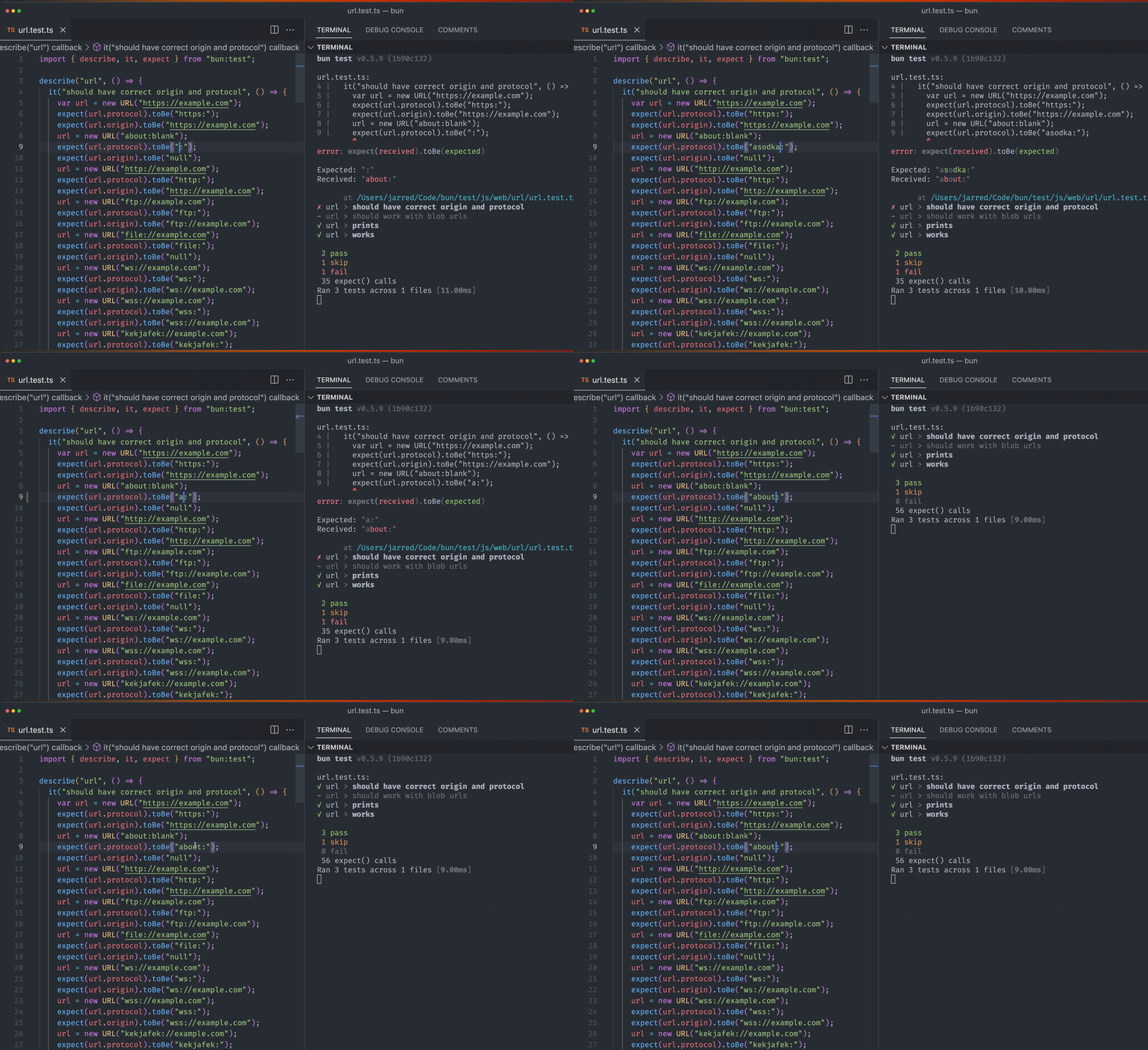
The **`--no-clear-screen`** flag is useful in scenarios where you don’t want the terminal to clear, such as when running multiple `bun build --watch` commands simultaneously using tools like `concurrently`. Without this flag, the output of one instance could clear the output of others, potentially hiding errors from one instance beneath the output of another. The `--no-clear-screen` flag, similar to TypeScript’s `--preserveWatchOutput`, prevents this issue. It can be used in combination with `--watch`, for example: `bun build --watch --no-clear-screen`.
|
|
69
|
+
|
|
70
|
+
{% /callout %}
|
|
71
|
+
|
|
72
|
+
|
|
66
73
|
## `--hot` mode
|
|
67
74
|
|
|
68
75
|
Use `bun --hot` to enable hot reloading when executing code with Bun. This is distinct from `--watch` mode in that Bun does not hard-restart the entire process. Instead, it detects code changes and updates its internal module cache with the new code.
|
package/docs/runtime/modules.md
CHANGED
|
@@ -181,7 +181,6 @@ Once it finds the `foo` package, Bun reads the `package.json` to determine how t
|
|
|
181
181
|
"name": "foo",
|
|
182
182
|
"exports": {
|
|
183
183
|
"bun": "./index.js",
|
|
184
|
-
"worker": "./index.js",
|
|
185
184
|
"node": "./index.js",
|
|
186
185
|
"require": "./index.js", // if importer is CommonJS
|
|
187
186
|
"import": "./index.mjs", // if importer is ES module
|