bun-docx 0.6.1 → 0.8.0
This diff represents the content of publicly available package versions that have been released to one of the supported registries. The information contained in this diff is provided for informational purposes only and reflects changes between package versions as they appear in their respective public registries.
- package/README.md +98 -101
- package/dist/index.js +3930 -1044
- package/package.json +1 -1
package/README.md
CHANGED
|
@@ -1,6 +1,12 @@
|
|
|
1
1
|
# docx-cli
|
|
2
2
|
|
|
3
|
-
|
|
3
|
+
[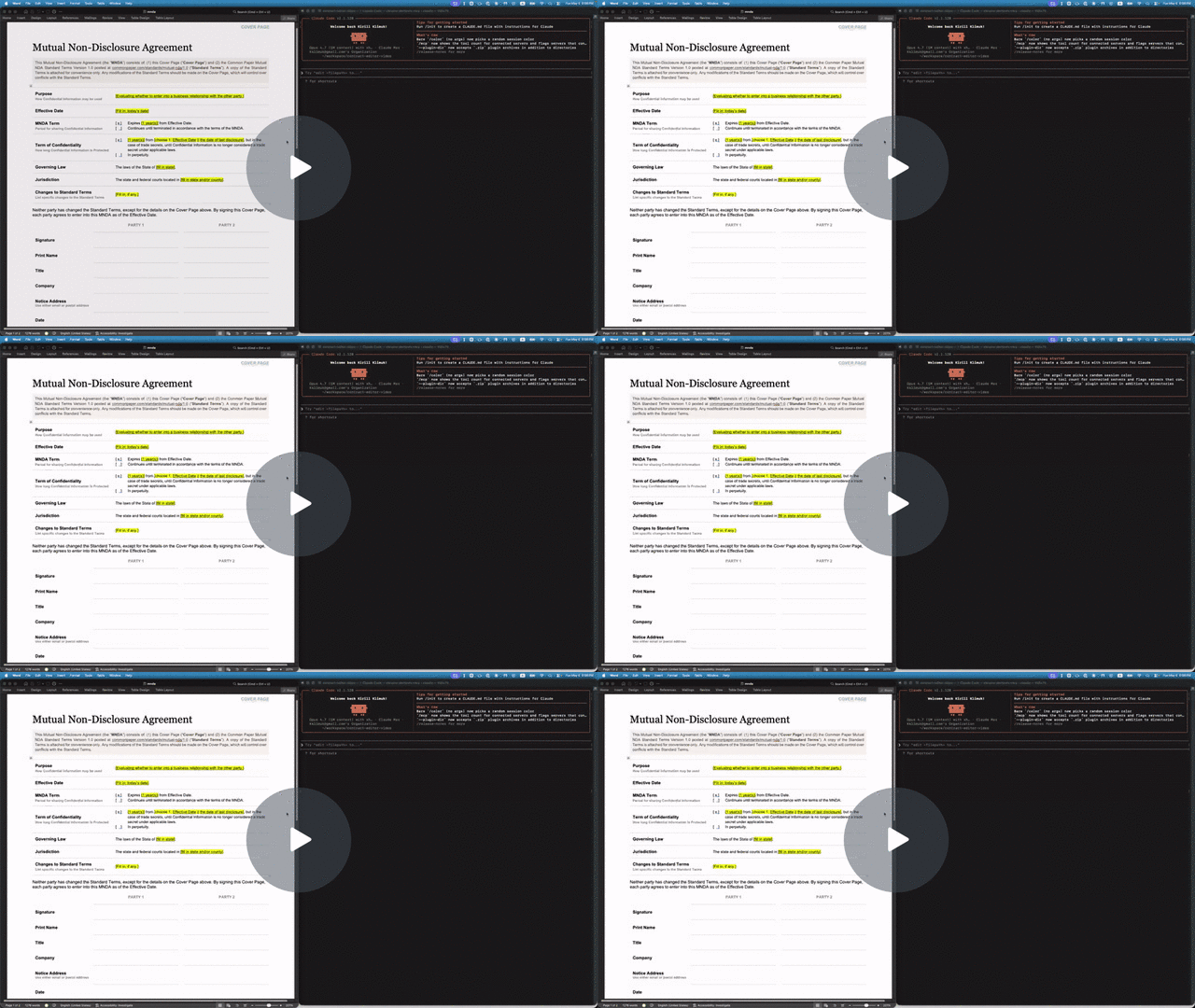](https://www.loom.com/share/da70269a970f42caa138fb3389b4b9cc)
|
|
4
|
+
|
|
5
|
+
**Let your AI agent review Word documents the way a human would.** Leave comments, suggest redlines, never break the formatting or remove content. You accept or reject in Word.
|
|
6
|
+
|
|
7
|
+
- Hand a `.docx` to Claude or Codex and get back a redlined copy with comments — open it in Word, accept or reject as usual.
|
|
8
|
+
- Agents see a structured AST with stable character offsets (`p3:5-20`); humans see normal Word formatting on disk.
|
|
9
|
+
- Custom styles, theme colors, embedded objects — all of it survives. We mutate XML in place rather than re-emitting from a lossy model.
|
|
4
10
|
|
|
5
11
|
## Install
|
|
6
12
|
|
|
@@ -27,26 +33,72 @@ bun add -g bun-docx
|
|
|
27
33
|
bunx bun-docx read doc.docx
|
|
28
34
|
```
|
|
29
35
|
|
|
36
|
+
## Quick example: filling out an NDA
|
|
37
|
+
|
|
38
|
+
The repo includes a Common Paper Mutual NDA template at `tests/fixtures/mnda.docx`. Below are the primitives an agent would compose to fill in the cover page and leave redline edits — the same flow shown in the video above. Every command was verified end-to-end against the fixture:
|
|
39
|
+
|
|
40
|
+
```sh
|
|
41
|
+
# Make a copy first — there's no undo
|
|
42
|
+
cp tests/fixtures/mnda.docx mnda-filled.docx
|
|
43
|
+
|
|
44
|
+
# Read the cover-page table so the agent knows what placeholders exist
|
|
45
|
+
docx read mnda-filled.docx --markdown --to t1
|
|
46
|
+
|
|
47
|
+
# Fill the yellow-highlighted bracketed placeholders
|
|
48
|
+
docx replace mnda-filled.docx "Fill in: today’s date" "May 6, 2026"
|
|
49
|
+
docx replace mnda-filled.docx "fill in state and/or county" "California"
|
|
50
|
+
docx replace mnda-filled.docx "fill in state" "California"
|
|
51
|
+
docx replace mnda-filled.docx "Fill in, if any." "None."
|
|
52
|
+
|
|
53
|
+
# Verify nothing's left to fill
|
|
54
|
+
docx find mnda-filled.docx '\[(Fill|fill)[^]]*\]' --regex --all
|
|
55
|
+
|
|
56
|
+
# Flip on tracked changes for the redline pass
|
|
57
|
+
docx track-changes mnda-filled.docx on
|
|
58
|
+
|
|
59
|
+
# Tighten "having a reasonable need to know" in the Use & Protection clause
|
|
60
|
+
docx replace mnda-filled.docx \
|
|
61
|
+
"having a reasonable need to know" \
|
|
62
|
+
"with a documented need to know"
|
|
63
|
+
|
|
64
|
+
# Leave a comment for the human reviewer
|
|
65
|
+
docx comments add mnda-filled.docx --range p7:0-30 \
|
|
66
|
+
--text "Should we narrow 'representatives' to a named list?"
|
|
67
|
+
```
|
|
68
|
+
|
|
69
|
+
Open `mnda-filled.docx` in Word: tracked changes and comments appear in the review pane, ready to accept, reject, or reply. Or run `docx track-changes accept --all mnda-filled.docx` to bake them in from the CLI.
|
|
70
|
+
|
|
30
71
|
## Commands
|
|
31
72
|
|
|
32
73
|
```sh
|
|
33
74
|
docx create FILE [--title T] [--author A] [--text "..."]
|
|
34
|
-
docx read FILE [--markdown [--from pN] [--to pN] [--
|
|
75
|
+
docx read FILE [--markdown [--from pN] [--to pN] [--accepted | --baseline | --current] [--comments]]
|
|
35
76
|
docx insert FILE --after p3 --text "..." [--style HeadingN] [--color HEX] [--bold] [--italic] [--url URL]
|
|
36
77
|
docx insert FILE --after p3 --runs '[{"type":"text","text":"X","bold":true}]'
|
|
37
|
-
docx
|
|
78
|
+
docx insert FILE --after p3 --page-break | --column-break
|
|
79
|
+
docx insert FILE --after p3 --section [--columns N] [--type continuous|nextPage|evenPage|oddPage|nextColumn]
|
|
80
|
+
docx edit FILE --at p3 --text "..." [--no-formatting] # word-level diff preserves bold/italic on unchanged words
|
|
81
|
+
docx edit FILE --at p3 --runs '[...]'
|
|
82
|
+
docx edit FILE --at s0 [--columns N] [--type T] # mutate section properties
|
|
38
83
|
docx delete FILE --at p3
|
|
84
|
+
docx delete FILE --at s0 # strip an inline sectPr
|
|
39
85
|
|
|
40
|
-
docx find FILE QUERY [--regex] [--ignore-case] [--all] [--nth N]
|
|
41
|
-
docx replace FILE PATTERN REPLACEMENT [--regex] [--ignore-case] [--all] [--limit N] [--dry-run]
|
|
86
|
+
docx find FILE QUERY [--regex] [--ignore-case] [--all] [--nth N] [--current | --baseline] [--exact]
|
|
87
|
+
docx replace FILE PATTERN REPLACEMENT [--regex] [--ignore-case] [--all] [--limit N] [--current | --baseline] [--exact] [--dry-run]
|
|
42
88
|
|
|
43
|
-
docx wc FILE [LOCATOR]
|
|
89
|
+
docx wc FILE [LOCATOR] [--accepted | --baseline | --current]
|
|
44
90
|
docx outline FILE
|
|
45
91
|
|
|
46
|
-
docx comments add FILE --range p3:5-20 --text "..." [--author NAME]
|
|
92
|
+
docx comments add FILE --range p3:5-20 --text "..." [--author NAME] [--current | --baseline]
|
|
93
|
+
docx comments add FILE --anchor "phrase" --text "..." [--occurrence N]
|
|
94
|
+
docx comments add FILE --batch reviews.jsonl # JSONL: { range | anchor (+occurrence), text, author? }
|
|
47
95
|
docx comments reply FILE --to c0 --text "..."
|
|
48
96
|
docx comments resolve FILE --id c0 [--unset]
|
|
97
|
+
docx comments resolve FILE --id c1 --id c3 [--unset] # repeatable
|
|
98
|
+
docx comments resolve FILE --batch resolutions.jsonl
|
|
49
99
|
docx comments delete FILE --id c0
|
|
100
|
+
docx comments delete FILE --id c1 --id c3 # repeatable
|
|
101
|
+
docx comments delete FILE --batch removals.jsonl
|
|
50
102
|
docx comments list FILE [--include-resolved] [--thread c0]
|
|
51
103
|
|
|
52
104
|
docx images list FILE
|
|
@@ -59,117 +111,64 @@ docx hyperlinks replace FILE --at linkN --with URL
|
|
|
59
111
|
docx hyperlinks delete FILE --at linkN
|
|
60
112
|
|
|
61
113
|
docx track-changes FILE on|off
|
|
114
|
+
docx track-changes list FILE
|
|
115
|
+
docx track-changes accept FILE (--at tcN [--at tcM ...] | --all)
|
|
116
|
+
docx track-changes reject FILE (--at tcN [--at tcM ...] | --all)
|
|
62
117
|
docx info schema [--ts]
|
|
63
118
|
docx info locators [--json]
|
|
64
119
|
```
|
|
65
120
|
|
|
66
|
-
Every command has `--help`. Mutating commands accept `--dry-run
|
|
121
|
+
Every command has `--help`. Mutating commands accept `--dry-run`, `-o/--output PATH` (write to a parallel file instead of overwriting `FILE`), and `-v/--verbose` (print the JSON ack — see "Quiet by default" below).
|
|
67
122
|
|
|
68
|
-
|
|
69
|
-
|
|
70
|
-
OOXML has no native tracked-change form for hyperlink edits or image swaps, so when track-changes is on, `hyperlinks add/replace/delete` and `images replace` auto-emit a `[docx-cli] …` comment anchored to the affected span/run instead. The comment carries the same `--author` attribution as the other tracked operations. Word itself silently bypasses tracking for these — we trade silence for an explicit audit trail.
|
|
123
|
+
**Quiet by default.** Mutators (`create`, `insert`, `edit`, `delete`, `replace`, `comments add/reply/resolve/delete`, `images replace`, `hyperlinks add/replace/delete`, `track-changes` toggle/accept/reject) print nothing on success and exit 0. Errors always print as `{ok: false, code, error, hint}`. Pass `-v`/`--verbose` to get the full JSON ack. Read commands (`read`, `find`, `wc`, `outline`, `info *`, `*-list`) print their data unconditionally. Batch operations that mint new ids — `comments add --batch`, `comments delete --batch`, `comments resolve --batch`, and `comments delete/resolve` with multiple `--id` — always print the affected ids since the agent can't reconstruct them otherwise.
|
|
71
124
|
|
|
72
125
|
### Markdown rendering
|
|
73
126
|
|
|
74
|
-
`docx read FILE --markdown` renders the document body as GitHub-flavored Markdown instead of JSON. Useful when
|
|
127
|
+
`docx read FILE --markdown` renders the document body as GitHub-flavored Markdown instead of JSON. Useful when an LLM wants to skim a doc without parsing the AST. Each rendered paragraph is followed by an HTML comment with its locator (`<!-- p3 -->`) so the markdown is invisible-pinned: humans see clean prose in a renderer, agents parse the locators from raw text.
|
|
75
128
|
|
|
76
|
-
-
|
|
77
|
-
- Lists → `- ` indented per `level`
|
|
78
|
-
- Bold/italic/strike → `**…**` / `*…*` / `~~…~~`; underline → `<u>…</u>`
|
|
79
|
-
- Run color → `<span style="color:#hex">…</span>`; highlight → `<span style="background-color:NAME">…</span>`
|
|
80
|
-
- Hyperlinks → `[text](url)`
|
|
81
|
-
- Images → ``
|
|
82
|
-
- Tables → GitHub pipe tables; multi-paragraph cells joined with `<br>`; per-cell-paragraph locators inline
|
|
83
|
-
- Section breaks → `---`
|
|
84
|
-
- Equations (`<m:oMath>`/`<m:oMathPara>`) → `` `equation: text` `` (concatenated `<m:t>` plaintext; structure like sub/sup/fractions collapses to literal characters — degraded but readable)
|
|
85
|
-
- Footnotes / endnotes → inline `[^fnN]` / `[^enN]` refs with GFM footnote definitions at end of output
|
|
86
|
-
- Charts / SmartArt / shapes / other non-picture drawings → `` `[chart]` `` / `` `[smartart]` `` / `` `[shape]` `` / `` `[drawing]` `` placeholders
|
|
129
|
+
`--from LOC` and `--to LOC` slice by top-level block (both inclusive). Accepts paragraph, table, cell, span, and range locators; cell/span/range collapse to their enclosing top-level block.
|
|
87
130
|
|
|
88
|
-
|
|
131
|
+
**Tracked changes — three views.** Default is the **accepted** view: `<w:del>` and `<w:moveFrom>` runs are dropped; `<w:ins>` and `<w:moveTo>` runs render as plain text. Three mutually-exclusive flags select the view (the default needs no flag):
|
|
89
132
|
|
|
90
|
-
`--
|
|
133
|
+
- `--accepted` — explicit alias for the default. Post-accept view.
|
|
134
|
+
- `--baseline` — pre-change view: drops `<w:ins>` and `<w:moveTo>`, renders `<w:del>` and `<w:moveFrom>` as plain text.
|
|
135
|
+
- `--current` — raw concatenation, with diff markup. Additive wrappers render as CriticMarkup `{++text++}[^tcN]` and subtractive as `{--text--}[^tcN]`, with `[^tcN]: …` definitions appended at end.
|
|
91
136
|
|
|
92
|
-
`--comments`
|
|
137
|
+
The same `--current`/`--baseline` flags apply to `find`, `replace`, `wc`, and `comments add` so offsets stay consistent across commands (default everywhere is the accepted view). `comments add` uses the same view to resolve `--anchor` matches and `--range` offsets — agents can pipe `find` output to `comments add` without coordinate translation.
|
|
93
138
|
|
|
94
|
-
|
|
95
|
-
… some commented text[^c0] …
|
|
139
|
+
`docx wc` also accepts `sN` as a locator — the count covers every paragraph and table in that section's content range. Whole-document `wc` returns a `sections` count alongside `words`.
|
|
96
140
|
|
|
97
|
-
|
|
98
|
-
[^c1]: "another span" — Author Name (2024-01-15T...) ↳ c0: reply body
|
|
99
|
-
```
|
|
141
|
+
`find` and `replace` auto-normalize their query/pattern by default: balanced markdown emphasis around non-whitespace (`**X**`, `__X__`, `*X*`, `` `X` ``) is stripped; smart and straight quotes are equivalent; em-dash and en-dash collapse to a hyphen. Pass `--exact` to disable normalization. `--regex` is always verbatim. `find`'s response surfaces `normalizedQuery` / `normalizationApplied` when normalization changed the query so the agent sees what was actually searched.
|
|
100
142
|
|
|
101
|
-
Footnotes/endnotes (the document's own `<w:footnoteReference>` / `<w:endnoteReference>`) are rendered unconditionally
|
|
143
|
+
`--comments` appends a GFM footnote reference (`[^cN]`) at the end of each commented span and emits one footnote definition per comment at the end of the output. Footnotes/endnotes (the document's own `<w:footnoteReference>` / `<w:endnoteReference>`) are rendered unconditionally as `[^fnN]` / `[^enN]`. Run `docx info schema` for the full mapping table.
|
|
102
144
|
|
|
103
|
-
###
|
|
145
|
+
### Bulk + anchored comments
|
|
104
146
|
|
|
105
|
-
|
|
106
|
-
pN paragraph N (e.g., p3)
|
|
107
|
-
pN:S-E characters S..E within paragraph N
|
|
108
|
-
pN:S-pM:E cross-paragraph range
|
|
109
|
-
tN table N; tN:rRcC for cell at row R, col C
|
|
110
|
-
cN, imgN, linkN comment / image / hyperlink ids
|
|
111
|
-
```
|
|
147
|
+
`comments add --anchor "phrase"` resolves the phrase via the same matcher as `docx find` (default accepted view, query normalization on) and anchors the comment to that match. Pass `--occurrence N` (1-indexed) to disambiguate when the phrase matches more than once; without it, an ambiguous anchor errors atomically before any writes.
|
|
112
148
|
|
|
113
|
-
|
|
149
|
+
`comments add --batch FILE.jsonl` (or `--batch -` for stdin) takes one JSON object per line: `{range | anchor (+ optional occurrence), text, author?}`. The whole batch validates against the pre-mutation tree first and aborts cleanly if any entry fails. `comments delete` and `comments resolve` accept `--batch FILE.jsonl` (`{"id": "cN"}` per line) or repeated `--id c1 --id c3`. Atomic in all cases — no partial writes on error.
|
|
114
150
|
|
|
115
|
-
|
|
151
|
+
### Formatting preservation
|
|
116
152
|
|
|
117
|
-
|
|
118
|
-
bun install && bun run prepare # set up + git hooks
|
|
119
|
-
bun dev <subcommand> # run via source
|
|
120
|
-
bun run check # biome + knip + tsc
|
|
121
|
-
bun run test:unit # core + cli tests (fast)
|
|
122
|
-
bun run test:integration # LibreOffice round-trip (needs `soffice` on PATH)
|
|
123
|
-
bun test # everything
|
|
124
|
-
bun run build # produce dist/docx via bun build --compile
|
|
125
|
-
```
|
|
153
|
+
`docx edit --at pN --text "..."` runs a word-level diff between the existing paragraph's text and the new text, preserving `<w:rPr>` formatting (bold, italic, color, etc.) on unchanged words. New words inherit formatting via position-pairing with the deleted span (Kth inserted word inherits from the Kth deleted word, falling back to neighboring kept words when the edit group has no deletes). Pass `--no-formatting` to fall back to a single fresh run with no formatting; explicit `--color`/`--bold`/`--italic` also bypass preservation and apply uniformly to the new paragraph. Under tracking, the result is per-word `<w:del>`/`<w:ins>` markers (the same shape Word produces when an author edits a few words mid-tracking) instead of whole-paragraph del+ins.
|
|
126
154
|
|
|
127
|
-
###
|
|
155
|
+
### Atomic batch accept/reject
|
|
128
156
|
|
|
129
|
-
-
|
|
130
|
-
- **Linux**: `sudo apt-get install libreoffice-core libreoffice-writer`
|
|
131
|
-
- **Windows**: <https://www.libreoffice.org/download/>
|
|
157
|
+
`track-changes accept --at tc1 --at tc2 --at tc3` resolves all targets against the pre-mutation tree, deduplicates, and applies in a single call. Mid-batch renumbering doesn't shift the still-pending ids out from under the agent. Mutually exclusive with `--all`. Same shape for `reject`.
|
|
132
158
|
|
|
133
|
-
|
|
159
|
+
### Locators
|
|
134
160
|
|
|
135
161
|
```
|
|
136
|
-
|
|
137
|
-
|
|
138
|
-
|
|
139
|
-
|
|
140
|
-
|
|
141
|
-
|
|
142
|
-
|
|
143
|
-
read/ # read FILE [--markdown ...] (markdown.ts renderer)
|
|
144
|
-
insert/ # insert FILE (uses ./emit Paragraph component)
|
|
145
|
-
edit/ # edit FILE
|
|
146
|
-
delete/ # delete FILE
|
|
147
|
-
find/ # find FILE QUERY
|
|
148
|
-
replace/ # replace FILE PATTERN REPLACEMENT
|
|
149
|
-
wc/ # wc FILE [LOCATOR]
|
|
150
|
-
outline/ # outline FILE
|
|
151
|
-
comments/ # add | reply | resolve | delete | list
|
|
152
|
-
images/ # list | extract | replace
|
|
153
|
-
hyperlinks/ # add | list | replace | delete
|
|
154
|
-
track-changes/ # FILE on|off
|
|
155
|
-
info/ # schema | locators (reference output)
|
|
156
|
-
core/
|
|
157
|
-
package/ # JSZip open/close, named-part read/write
|
|
158
|
-
parser/ # XmlNode class + parse/serialize + JSX factory
|
|
159
|
-
jsx/ # h, Fragment, namespaces (w, r, a, wp, pic, ...)
|
|
160
|
-
ast/ # types + DocView + XML→AST reader (text.ts: shared paragraph helpers)
|
|
161
|
-
locators/ # parse "p3:5-20" + resolve to refs
|
|
162
|
-
tests/
|
|
163
|
-
core/, cli/, integration/
|
|
164
|
-
fixtures/
|
|
162
|
+
pN paragraph N (e.g., p3)
|
|
163
|
+
pN:S-E characters S..E within paragraph N
|
|
164
|
+
pN:S-pM:E cross-paragraph range
|
|
165
|
+
tN table N; tN:rRcC for cell at row R, col C
|
|
166
|
+
sN section break N — column count, type (continuous /
|
|
167
|
+
nextPage / nextColumn / evenPage / oddPage)
|
|
168
|
+
cN, imgN, linkN, tcN comment / image / hyperlink / tracked-change ids
|
|
165
169
|
```
|
|
166
170
|
|
|
167
|
-
|
|
168
|
-
|
|
169
|
-
- **Runtime**: Bun (`node:util` parseArgs, JSX with custom factory, native zlib)
|
|
170
|
-
- **Parser**: [`jszip`](https://www.npmjs.com/package/jszip) + [`fast-xml-parser`](https://www.npmjs.com/package/fast-xml-parser) + [`fast-xml-builder`](https://www.npmjs.com/package/fast-xml-builder)
|
|
171
|
-
- **Quality**: Biome + Knip + tsc; LibreOffice headless for round-trip integration tests
|
|
172
|
-
- **Standard**: ECMA-376 Part 1 §17 (WordprocessingML), Transitional profile
|
|
171
|
+
Run `docx info locators` for the full reference.
|
|
173
172
|
|
|
174
173
|
## How It Works
|
|
175
174
|
|
|
@@ -177,7 +176,7 @@ tests/
|
|
|
177
176
|
|
|
178
177
|
**JSX for emitters.** Constructing OOXML fragments imperatively (`<w:rPr>` → `<w:b/>` → `<w:color w:val="800080"/>`) gets verbose. We write emitters in JSX with a custom factory: `<w.rPr><w.b/><w.color w-val="800080"/></w.rPr>` becomes the right `XmlNode` tree. Component names are PascalCase (`<Paragraph>`, `<RunProperties>`); they return `XmlNode | null` so empty wrappers get omitted automatically.
|
|
179
178
|
|
|
180
|
-
**Span-aware comments.** `comments add --range p3:5-20` finds the runs that contain offsets 5 and 20, splits them at the boundaries (preserving rPr formatting on both halves), and inserts `<w:commentRangeStart>` / `<w:commentRangeEnd>` markers between the slices.
|
|
179
|
+
**Span-aware comments.** `comments add --range p3:5-20` finds the runs that contain offsets 5 and 20, splits them at the boundaries (preserving rPr formatting on both halves), and inserts `<w:commentRangeStart>` / `<w:commentRangeEnd>` markers between the slices.
|
|
181
180
|
|
|
182
181
|
**ParaId auto-injection.** Comments authored by tools like mammoth or older Word versions lack `w14:paraId`, which `commentsExtended.xml` requires for resolve/reply. We detect this on resolve/reply and inject a fresh paraId, also adding the `xmlns:w14` namespace declaration to the `<w:comments>` root if missing.
|
|
183
182
|
|
|
@@ -185,15 +184,13 @@ tests/
|
|
|
185
184
|
|
|
186
185
|
**Hyperlink CRUD.** `hyperlinks list` enumerates `<w:hyperlink>` elements with positional `linkN` ids; `hyperlinks add --at p3:5-20 --url URL` wraps an existing span (splitting runs at offsets); `hyperlinks replace --at link0 --with URL` updates the rels `Target`, allocating a new rId if the existing one is shared so siblings stay pointed at the original URL; `hyperlinks delete --at link0` unwraps the link (text survives) and prunes the rels entry when no longer referenced.
|
|
187
186
|
|
|
188
|
-
##
|
|
187
|
+
## Stack
|
|
189
188
|
|
|
190
|
-
|
|
189
|
+
- **Runtime**: Bun (`node:util` parseArgs, JSX with custom factory, native zlib)
|
|
190
|
+
- **Parser**: [`jszip`](https://www.npmjs.com/package/jszip) + [`fast-xml-parser`](https://www.npmjs.com/package/fast-xml-parser) + [`fast-xml-builder`](https://www.npmjs.com/package/fast-xml-builder)
|
|
191
|
+
- **Quality**: Biome + Knip + tsc; LibreOffice headless for round-trip integration tests
|
|
192
|
+
- **Standard**: ECMA-376 Part 1 §17 (WordprocessingML), Transitional profile
|
|
191
193
|
|
|
192
|
-
|
|
193
|
-
| ------------------- | ----------------------------------------------------------- |
|
|
194
|
-
| `check` | `biome check . && knip-bun && tsc --noEmit` |
|
|
195
|
-
| `unit-tests` | `bun run test:unit` (core + cli, fast) |
|
|
196
|
-
| `integration-tests` | Installs LibreOffice, runs `bun run test:integration` |
|
|
197
|
-
| `build-binary` | Smoke-builds via `bun build --compile` and runs `--version` |
|
|
194
|
+
## Contributing
|
|
198
195
|
|
|
199
|
-
|
|
196
|
+
See [CONTRIBUTING.md](CONTRIBUTING.md) for development setup, architecture overview, and CI.
|