brighterscript 1.0.0-alpha.41 → 1.0.0-alpha.43
This diff represents the content of publicly available package versions that have been released to one of the supported registries. The information contained in this diff is provided for informational purposes only and reflects changes between package versions as they appear in their respective public registries.
- package/CHANGELOG.md +78 -2
- package/dist/AstValidationSegmenter.d.ts +3 -0
- package/dist/AstValidationSegmenter.js +62 -2
- package/dist/AstValidationSegmenter.js.map +1 -1
- package/dist/BsConfig.d.ts +7 -7
- package/dist/CrossScopeValidator.js +3 -3
- package/dist/CrossScopeValidator.js.map +1 -1
- package/dist/DiagnosticFilterer.d.ts +5 -1
- package/dist/DiagnosticFilterer.js +92 -33
- package/dist/DiagnosticFilterer.js.map +1 -1
- package/dist/DiagnosticManager.js +12 -9
- package/dist/DiagnosticManager.js.map +1 -1
- package/dist/DiagnosticMessages.d.ts +374 -225
- package/dist/DiagnosticMessages.js +641 -424
- package/dist/DiagnosticMessages.js.map +1 -1
- package/dist/DiagnosticSeverityAdjuster.js +4 -0
- package/dist/DiagnosticSeverityAdjuster.js.map +1 -1
- package/dist/LanguageServer.js +0 -7
- package/dist/LanguageServer.js.map +1 -1
- package/dist/PluginInterface.js +2 -0
- package/dist/PluginInterface.js.map +1 -1
- package/dist/Program.d.ts +22 -1
- package/dist/Program.js +206 -49
- package/dist/Program.js.map +1 -1
- package/dist/SymbolTable.d.ts +3 -0
- package/dist/SymbolTable.js +19 -1
- package/dist/SymbolTable.js.map +1 -1
- package/dist/XmlScope.js +3 -6
- package/dist/XmlScope.js.map +1 -1
- package/dist/astUtils/creators.d.ts +35 -3
- package/dist/astUtils/creators.js +52 -1
- package/dist/astUtils/creators.js.map +1 -1
- package/dist/astUtils/reflection.d.ts +24 -5
- package/dist/astUtils/reflection.js +89 -19
- package/dist/astUtils/reflection.js.map +1 -1
- package/dist/astUtils/visitors.d.ts +3 -2
- package/dist/astUtils/visitors.js +37 -14
- package/dist/astUtils/visitors.js.map +1 -1
- package/dist/astUtils/visitors.spec.js +172 -6
- package/dist/astUtils/visitors.spec.js.map +1 -1
- package/dist/bscPlugin/codeActions/CodeActionsProcessor.d.ts +0 -1
- package/dist/bscPlugin/codeActions/CodeActionsProcessor.js +0 -13
- package/dist/bscPlugin/codeActions/CodeActionsProcessor.js.map +1 -1
- package/dist/bscPlugin/completions/CompletionsProcessor.d.ts +2 -1
- package/dist/bscPlugin/completions/CompletionsProcessor.js +5 -5
- package/dist/bscPlugin/completions/CompletionsProcessor.js.map +1 -1
- package/dist/bscPlugin/completions/CompletionsProcessor.spec.js +106 -2
- package/dist/bscPlugin/completions/CompletionsProcessor.spec.js.map +1 -1
- package/dist/bscPlugin/hover/HoverProcessor.spec.js +51 -3
- package/dist/bscPlugin/hover/HoverProcessor.spec.js.map +1 -1
- package/dist/bscPlugin/transpile/BrsFileTranspileProcessor.d.ts +1 -0
- package/dist/bscPlugin/transpile/BrsFileTranspileProcessor.js +149 -0
- package/dist/bscPlugin/transpile/BrsFileTranspileProcessor.js.map +1 -1
- package/dist/bscPlugin/validation/BrsFileValidator.js +15 -8
- package/dist/bscPlugin/validation/BrsFileValidator.js.map +1 -1
- package/dist/bscPlugin/validation/BrsFileValidator.spec.js +170 -24
- package/dist/bscPlugin/validation/BrsFileValidator.spec.js.map +1 -1
- package/dist/bscPlugin/validation/ScopeValidator.d.ts +7 -0
- package/dist/bscPlugin/validation/ScopeValidator.js +150 -80
- package/dist/bscPlugin/validation/ScopeValidator.js.map +1 -1
- package/dist/bscPlugin/validation/ScopeValidator.spec.js +1341 -29
- package/dist/bscPlugin/validation/ScopeValidator.spec.js.map +1 -1
- package/dist/bscPlugin/validation/XmlFileValidator.js +0 -8
- package/dist/bscPlugin/validation/XmlFileValidator.js.map +1 -1
- package/dist/diagnosticUtils.js +6 -5
- package/dist/diagnosticUtils.js.map +1 -1
- package/dist/files/BrsFile.Class.spec.js +87 -28
- package/dist/files/BrsFile.Class.spec.js.map +1 -1
- package/dist/files/BrsFile.d.ts +1 -0
- package/dist/files/BrsFile.js +20 -8
- package/dist/files/BrsFile.js.map +1 -1
- package/dist/files/BrsFile.spec.js +133 -34
- package/dist/files/BrsFile.spec.js.map +1 -1
- package/dist/files/XmlFile.js +2 -2
- package/dist/files/XmlFile.js.map +1 -1
- package/dist/files/XmlFile.spec.js +3 -20
- package/dist/files/XmlFile.spec.js.map +1 -1
- package/dist/globalCallables.js +1 -1
- package/dist/index.d.ts +8 -3
- package/dist/index.js +24 -16
- package/dist/index.js.map +1 -1
- package/dist/interfaces.d.ts +18 -0
- package/dist/interfaces.js.map +1 -1
- package/dist/lexer/Lexer.js +17 -11
- package/dist/lexer/Lexer.js.map +1 -1
- package/dist/lexer/Lexer.spec.js +21 -3
- package/dist/lexer/Lexer.spec.js.map +1 -1
- package/dist/lexer/TokenKind.d.ts +9 -0
- package/dist/lexer/TokenKind.js +11 -1
- package/dist/lexer/TokenKind.js.map +1 -1
- package/dist/parser/AstNode.d.ts +2 -1
- package/dist/parser/AstNode.js +3 -2
- package/dist/parser/AstNode.js.map +1 -1
- package/dist/parser/Expression.d.ts +22 -2
- package/dist/parser/Expression.js +84 -49
- package/dist/parser/Expression.js.map +1 -1
- package/dist/parser/Parser.Class.spec.js +3 -3
- package/dist/parser/Parser.Class.spec.js.map +1 -1
- package/dist/parser/Parser.js +73 -61
- package/dist/parser/Parser.js.map +1 -1
- package/dist/parser/Parser.spec.js +198 -15
- package/dist/parser/Parser.spec.js.map +1 -1
- package/dist/parser/SGParser.js +9 -9
- package/dist/parser/SGParser.js.map +1 -1
- package/dist/parser/SGParser.spec.js +3 -2
- package/dist/parser/SGParser.spec.js.map +1 -1
- package/dist/parser/Statement.d.ts +16 -18
- package/dist/parser/Statement.js +136 -82
- package/dist/parser/Statement.js.map +1 -1
- package/dist/parser/tests/controlFlow/If.spec.js +1 -1
- package/dist/parser/tests/controlFlow/If.spec.js.map +1 -1
- package/dist/parser/tests/expression/ArrayLiterals.spec.js +3 -3
- package/dist/parser/tests/expression/ArrayLiterals.spec.js.map +1 -1
- package/dist/parser/tests/expression/AssociativeArrayLiterals.spec.js +3 -3
- package/dist/parser/tests/expression/AssociativeArrayLiterals.spec.js.map +1 -1
- package/dist/parser/tests/expression/Call.spec.js +9 -9
- package/dist/parser/tests/expression/Call.spec.js.map +1 -1
- package/dist/parser/tests/expression/Indexing.spec.js +3 -3
- package/dist/parser/tests/expression/Indexing.spec.js.map +1 -1
- package/dist/parser/tests/expression/TemplateStringExpression.spec.js +1 -1
- package/dist/parser/tests/expression/TemplateStringExpression.spec.js.map +1 -1
- package/dist/parser/tests/expression/TernaryExpression.spec.js +353 -71
- package/dist/parser/tests/expression/TernaryExpression.spec.js.map +1 -1
- package/dist/parser/tests/statement/Dim.spec.js +10 -3
- package/dist/parser/tests/statement/Dim.spec.js.map +1 -1
- package/dist/parser/tests/statement/Enum.spec.js +2 -2
- package/dist/parser/tests/statement/Enum.spec.js.map +1 -1
- package/dist/parser/tests/statement/Increment.spec.js +3 -5
- package/dist/parser/tests/statement/Increment.spec.js.map +1 -1
- package/dist/parser/tests/statement/PrintStatement.spec.js +3 -3
- package/dist/parser/tests/statement/TryCatch.spec.js +1 -1
- package/dist/parser/tests/statement/TryCatch.spec.js.map +1 -1
- package/dist/roku-types/data.json +567 -247
- package/dist/roku-types/index.d.ts +72 -42
- package/dist/types/ArrayType.d.ts +3 -0
- package/dist/types/ArrayType.js +18 -5
- package/dist/types/ArrayType.js.map +1 -1
- package/dist/types/AssociativeArrayType.d.ts +1 -0
- package/dist/types/AssociativeArrayType.js +1 -0
- package/dist/types/AssociativeArrayType.js.map +1 -1
- package/dist/types/BaseFunctionType.d.ts +1 -0
- package/dist/types/BaseFunctionType.js +1 -0
- package/dist/types/BaseFunctionType.js.map +1 -1
- package/dist/types/BooleanType.d.ts +1 -0
- package/dist/types/BooleanType.js +1 -0
- package/dist/types/BooleanType.js.map +1 -1
- package/dist/types/BscType.d.ts +8 -1
- package/dist/types/BscType.js +22 -6
- package/dist/types/BscType.js.map +1 -1
- package/dist/types/BuiltInInterfaceAdder.js +10 -6
- package/dist/types/BuiltInInterfaceAdder.js.map +1 -1
- package/dist/types/ClassType.d.ts +1 -0
- package/dist/types/ClassType.js +5 -2
- package/dist/types/ClassType.js.map +1 -1
- package/dist/types/ComponentType.d.ts +11 -4
- package/dist/types/ComponentType.js +100 -8
- package/dist/types/ComponentType.js.map +1 -1
- package/dist/types/DoubleType.d.ts +2 -0
- package/dist/types/DoubleType.js +4 -5
- package/dist/types/DoubleType.js.map +1 -1
- package/dist/types/DynamicType.d.ts +1 -0
- package/dist/types/DynamicType.js +4 -0
- package/dist/types/DynamicType.js.map +1 -1
- package/dist/types/EnumType.d.ts +2 -0
- package/dist/types/EnumType.js +20 -2
- package/dist/types/EnumType.js.map +1 -1
- package/dist/types/FloatType.d.ts +2 -0
- package/dist/types/FloatType.js +4 -5
- package/dist/types/FloatType.js.map +1 -1
- package/dist/types/FunctionType.js +2 -1
- package/dist/types/FunctionType.js.map +1 -1
- package/dist/types/InheritableType.js +8 -0
- package/dist/types/InheritableType.js.map +1 -1
- package/dist/types/IntegerType.d.ts +2 -0
- package/dist/types/IntegerType.js +4 -5
- package/dist/types/IntegerType.js.map +1 -1
- package/dist/types/InterfaceType.js +4 -1
- package/dist/types/InterfaceType.js.map +1 -1
- package/dist/types/InvalidType.d.ts +2 -1
- package/dist/types/InvalidType.js +3 -2
- package/dist/types/InvalidType.js.map +1 -1
- package/dist/types/LongIntegerType.d.ts +2 -0
- package/dist/types/LongIntegerType.js +4 -5
- package/dist/types/LongIntegerType.js.map +1 -1
- package/dist/types/ObjectType.d.ts +1 -0
- package/dist/types/ObjectType.js +1 -0
- package/dist/types/ObjectType.js.map +1 -1
- package/dist/types/ReferenceType.d.ts +20 -2
- package/dist/types/ReferenceType.js +106 -5
- package/dist/types/ReferenceType.js.map +1 -1
- package/dist/types/StringType.d.ts +1 -0
- package/dist/types/StringType.js +3 -2
- package/dist/types/StringType.js.map +1 -1
- package/dist/types/TypedFunctionType.d.ts +1 -1
- package/dist/types/TypedFunctionType.js +8 -2
- package/dist/types/TypedFunctionType.js.map +1 -1
- package/dist/types/UninitializedType.d.ts +2 -0
- package/dist/types/UninitializedType.js +5 -6
- package/dist/types/UninitializedType.js.map +1 -1
- package/dist/types/UnionType.js +8 -2
- package/dist/types/UnionType.js.map +1 -1
- package/dist/types/VoidType.d.ts +4 -1
- package/dist/types/VoidType.js +5 -0
- package/dist/types/VoidType.js.map +1 -1
- package/dist/types/helpers.js +8 -1
- package/dist/types/helpers.js.map +1 -1
- package/dist/util.d.ts +17 -6
- package/dist/util.js +320 -24
- package/dist/util.js.map +1 -1
- package/dist/validators/ClassValidator.js +13 -5
- package/dist/validators/ClassValidator.js.map +1 -1
- package/package.json +2 -2
|
@@ -1,5 +1,5 @@
|
|
|
1
1
|
{
|
|
2
|
-
"generatedDate": "
|
|
2
|
+
"generatedDate": "2025-01-29T14:28:37.015Z",
|
|
3
3
|
"nodes": {
|
|
4
4
|
"animation": {
|
|
5
5
|
"description": "Extends [**AnimationBase**](https://developer.roku.com/docs/references/scenegraph/abstract-nodes/animationbase.md\n\nThe Animation node class provides animations of renderable nodes, by applying interpolator functions to the values in specified renderable node fields. For an animation to take effect, an Animation node definition must include a child field interpolator node ([FloatFieldInterpolator](https://developer.roku.com/docs/references/scenegraph/animation-nodes/floatfieldinterpolator.md\"FloatFieldInterpolator\"), [Vector2DFieldInterpolator](https://developer.roku.com/docs/references/scenegraph/animation-nodes/vector2dfieldinterpolator.md\"Vector2DFieldInterpolator\"), [ColorFieldInterpolator](https://developer.roku.com/docs/references/scenegraph/animation-nodes/colorfieldinterpolator.md\"ColorFieldInterpolator\")) definition for each renderable node field that is animated.\n\nThe Animation node class provides a simple linear interpolator function, where the animation takes place smoothly and simply from beginning to end. The Animation node class also provides several more complex interpolator functions to allow custom animation effects. For example, you can move a graphic image around the screen at differing speeds and curved trajectories at different times in the animation by specifying the appropriate function in the easeFunction field (quadratic and exponential are two examples of functions that can be specified). The interpolator functions are divided into two parts: the beginning of the animation (ease-in), and the end of the animation (ease-out). You can apply a specified interpolator function to either or both ease-in and ease-out, or specify no function for either or both (which is the linear function). You can also change the portion of the animation that is ease-in and ease-out to arbitrary fractional values for a quadratic interpolator function applied to both ease-in and ease-out.",
|
|
@@ -40,7 +40,7 @@
|
|
|
40
40
|
{
|
|
41
41
|
"accessPermission": "READ_WRITE",
|
|
42
42
|
"default": "false",
|
|
43
|
-
"description": "Set to true to skip animations on lower performing Roku devices
|
|
43
|
+
"description": "Set to true to skip animations on lower performing Roku devices. See \\[Roku Devices\\](/docs/specs/hardware.md#current-models \"Roku Devices\") for model numbers and code names. When an Animation has optional set to true, setting the control field to start will cause the state field to change to running and immediately change again to finished. These state changes allow any logic tied to state field observers that run at the start and end of the Animation to be properly called",
|
|
44
44
|
"name": "optional",
|
|
45
45
|
"type": "boolean"
|
|
46
46
|
},
|
|
@@ -57,7 +57,7 @@
|
|
|
57
57
|
"url": "https://developer.roku.com/docs/references/scenegraph/animation-nodes/animation.md"
|
|
58
58
|
},
|
|
59
59
|
"animationbase": {
|
|
60
|
-
"description": "Extends [**Node**](https://developer.roku.com/docs/references/scenegraph/node.md\"**Node**\")\n\nAnimationBase is an abstract node class that contains the fields common to the [Animation](https://developer.roku.com/docs/references/scenegraph/animation-nodes/animation.md\"Animation\"), [SequentialAnimation](https://developer.roku.com/docs/references/scenegraph/animation-nodes/sequentialanimation.md\"SequentialAnimation\"), and [ParallelAnimation](https://developer.roku.com/docs/references/scenegraph/animation-nodes/parallelanimation.md\"ParallelAnimation\") nodes. The purpose of the AnimationBase node class is to provide the basic functionality needed to animate screen elements, such as moving them across the display screen, fading them in and out of view, or changing their color. All node classes extended from AnimationBase require the use of the interpolator node classes [FloatFieldInterpolator](https://developer.roku.com/docs/references/scenegraph/animation-nodes/floatfieldinterpolator.md\"FloatFieldInterpolator\"), [Vector2DFieldInterpolator](https://developer.roku.com/docs/references/scenegraph/animation-nodes/vector2dfieldinterpolator.md\"Vector2DFieldInterpolator\"), and [ColorFieldInterpolator](https://developer.roku.com/docs/references/scenegraph/animation-nodes/colorfieldinterpolator.md\"ColorFieldInterpolator\") as child nodes to achieve a specific animation effect.\n\n> AnimationBase is not meant to be instantiated directly by
|
|
60
|
+
"description": "Extends [**Node**](https://developer.roku.com/docs/references/scenegraph/node.md\"**Node**\")\n\nAnimationBase is an abstract node class that contains the fields common to the [Animation](https://developer.roku.com/docs/references/scenegraph/animation-nodes/animation.md\"Animation\"), [SequentialAnimation](https://developer.roku.com/docs/references/scenegraph/animation-nodes/sequentialanimation.md\"SequentialAnimation\"), and [ParallelAnimation](https://developer.roku.com/docs/references/scenegraph/animation-nodes/parallelanimation.md\"ParallelAnimation\") nodes. The purpose of the AnimationBase node class is to provide the basic functionality needed to animate screen elements, such as moving them across the display screen, fading them in and out of view, or changing their color. All node classes extended from AnimationBase require the use of the interpolator node classes [FloatFieldInterpolator](https://developer.roku.com/docs/references/scenegraph/animation-nodes/floatfieldinterpolator.md\"FloatFieldInterpolator\"), [Vector2DFieldInterpolator](https://developer.roku.com/docs/references/scenegraph/animation-nodes/vector2dfieldinterpolator.md\"Vector2DFieldInterpolator\"), and [ColorFieldInterpolator](https://developer.roku.com/docs/references/scenegraph/animation-nodes/colorfieldinterpolator.md\"ColorFieldInterpolator\") as child nodes to achieve a specific animation effect.\n\n> AnimationBase is not meant to be instantiated directly by app code",
|
|
61
61
|
"events": [],
|
|
62
62
|
"extends": {
|
|
63
63
|
"name": "Node",
|
|
@@ -98,7 +98,7 @@
|
|
|
98
98
|
"url": "https://developer.roku.com/docs/references/scenegraph/abstract-nodes/animationbase.md"
|
|
99
99
|
},
|
|
100
100
|
"arraygrid": {
|
|
101
|
-
"description": "Extends [**Group**](https://developer.roku.com/docs/references/scenegraph/layout-group-nodes/group.md\"**Group**\")\n\nThe ArrayGrid node class is an abstract base class that provides functionality to the list and grid node classes that are extended from ArrayGrid. The field value settings and their effect in this abstract base class depend in many cases on whether a list, or a grid, node class is extended from ArrayGrid, and the specific type of list or grid.\n\nThe following node classes extended from ArrayGrid derive their basic functionality from the ArrayGrid abstract node class:\n\n* [LabelList](https://developer.roku.com/docs/references/scenegraph/list-and-grid-nodes/labellist.md\"LabelList\")\n* [MarkupList](https://developer.roku.com/docs/references/scenegraph/list-and-grid-nodes/markuplist.md\"MarkupList\")\n* [PosterGrid](https://developer.roku.com/docs/references/scenegraph/list-and-grid-nodes/postergrid.md\"PosterGrid\")\n* [MarkupGrid](https://developer.roku.com/docs/references/scenegraph/list-and-grid-nodes/markupgrid.md\"MarkupGrid\")\n* [RowList](https://developer.roku.com/docs/references/scenegraph/list-and-grid-nodes/rowlist.md\"RowList\")\n\n> ArrayGrid is not meant to be instantiated directly by
|
|
101
|
+
"description": "Extends [**Group**](https://developer.roku.com/docs/references/scenegraph/layout-group-nodes/group.md\"**Group**\")\n\nThe ArrayGrid node class is an abstract base class that provides functionality to the list and grid node classes that are extended from ArrayGrid. The field value settings and their effect in this abstract base class depend in many cases on whether a list, or a grid, node class is extended from ArrayGrid, and the specific type of list or grid.\n\nThe following node classes extended from ArrayGrid derive their basic functionality from the ArrayGrid abstract node class:\n\n* [LabelList](https://developer.roku.com/docs/references/scenegraph/list-and-grid-nodes/labellist.md\"LabelList\")\n* [MarkupList](https://developer.roku.com/docs/references/scenegraph/list-and-grid-nodes/markuplist.md\"MarkupList\")\n* [PosterGrid](https://developer.roku.com/docs/references/scenegraph/list-and-grid-nodes/postergrid.md\"PosterGrid\")\n* [MarkupGrid](https://developer.roku.com/docs/references/scenegraph/list-and-grid-nodes/markupgrid.md\"MarkupGrid\")\n* [RowList](https://developer.roku.com/docs/references/scenegraph/list-and-grid-nodes/rowlist.md\"RowList\")\n\n> ArrayGrid is not meant to be instantiated directly by app code",
|
|
102
102
|
"events": [],
|
|
103
103
|
"extends": {
|
|
104
104
|
"name": "Group",
|
|
@@ -329,6 +329,13 @@
|
|
|
329
329
|
"name": "rowSpacings",
|
|
330
330
|
"type": "array of floats"
|
|
331
331
|
},
|
|
332
|
+
{
|
|
333
|
+
"accessPermission": "READ_ONLY",
|
|
334
|
+
"default": "false",
|
|
335
|
+
"description": "When the list or grid is scrolling, is set to true (undocumented).",
|
|
336
|
+
"name": "scrollingStatus",
|
|
337
|
+
"type": "boolean"
|
|
338
|
+
},
|
|
332
339
|
{
|
|
333
340
|
"accessPermission": "READ_WRITE",
|
|
334
341
|
"default": "",
|
|
@@ -641,7 +648,7 @@
|
|
|
641
648
|
"url": "https://developer.roku.com/en-ca/docs/references/scenegraph/media-playback-nodes/video.md#ui-fields"
|
|
642
649
|
},
|
|
643
650
|
"busyspinner": {
|
|
644
|
-
"description": "Extends [**Group**](https://developer.roku.com/docs/references/scenegraph/layout-group-nodes/group.md\n\nThe BusySpinner node class is a simple widget that displays a continuously rotating bitmap. Since the BusySpinner node class uses an internal Poster node instance, the busy spinner bitmap can be specified by setting the internal Poster node uri field.\n\n[SimpleBusySpinner](https://github.com/rokudev/samples/tree/master/ux%20components/widgets) is a sample
|
|
651
|
+
"description": "Extends [**Group**](https://developer.roku.com/docs/references/scenegraph/layout-group-nodes/group.md\n\nThe BusySpinner node class is a simple widget that displays a continuously rotating bitmap. Since the BusySpinner node class uses an internal Poster node instance, the busy spinner bitmap can be specified by setting the internal Poster node uri field.\n\n[SimpleBusySpinner](https://github.com/rokudev/samples/tree/master/ux%20components/widgets) is a sample app that demonstrates usage of the BusySpinner.\n\n> Not all Roku Player hardware versions support arbitrary rotations. In particular, some hardware versions only support 90 degree rotation increments. In those cases, the icon will step through 90 degree, 180 degree, 270 degree and back to 0 degree rotations, rather than spin smoothly.",
|
|
645
652
|
"events": [],
|
|
646
653
|
"extends": {
|
|
647
654
|
"name": "Group",
|
|
@@ -918,7 +925,7 @@
|
|
|
918
925
|
"url": "https://developer.roku.com/docs/references/scenegraph/layout-group-nodes/buttongroup.md"
|
|
919
926
|
},
|
|
920
927
|
"channelstore": {
|
|
921
|
-
"description": "Extends [**Node**](https://developer.roku.com/docs/references/scenegraph/node.md\n\nThe **ChannelStore** node class provides an interface to the
|
|
928
|
+
"description": "Extends [**Node**](https://developer.roku.com/docs/references/scenegraph/node.md\n\nThe **ChannelStore** node class provides an interface to the Streaming Store. It provides functionality equivalent to the [roChannelStore](https://developer.roku.com/docs/references/brightscript/interfaces/ifchannelstore.md component. In general, the **ChannelStore** node class allows developers to issue one of several commands, which involves the following steps:\n\n1. Set the fields containing the data needed by the command (optional).\n2. Set up an observer of the result field associated with the command.\n3. Set the command field to the appropriate string to start the command execution.\n4. The field associated with the command is set to a **ContentNode** object containing the results of the command.\n\nEach of the commands starts a sequence of actions associated with the financial transaction that are handled by the Roku OS outside of control or monitoring by the app SceneGraph markup. The SceneGraph markup merely initiates the purchase and receives a final result.",
|
|
922
929
|
"events": [],
|
|
923
930
|
"extends": {
|
|
924
931
|
"name": "Node",
|
|
@@ -935,14 +942,14 @@
|
|
|
935
942
|
{
|
|
936
943
|
"accessPermission": "READ_WRITE",
|
|
937
944
|
"default": "",
|
|
938
|
-
"description": "Specifies the command to be executed: \\* \\[getUserData\\](#getuserdata) \\* \\[getUserRegionData\\](#getuserregiondata) () \\* \\[getCatalog\\](#getcatalog) and \\[getStoreCatalog\\](#getstorecatalog) \\* \\[doOrder\\](#doorder) \\* \\[getPurchases\\](#getpurchases) and \\[getAllPurchases\\](#getallpurchases) \\* \\[storeChannelCredData\\](#storechannelcreddata) \\* \\[getChannelCred\\](#getchannelcred) \\* \\[getDeviceAttestationToken\\](#getdeviceattestationtoken)
|
|
945
|
+
"description": "Specifies the command to be executed: \\* \\[getUserData\\](#getuserdata) \\* \\[getUserRegionData\\](#getuserregiondata) () \\* \\[getCatalog\\](#getcatalog) and \\[getStoreCatalog\\](#getstorecatalog) \\* \\[doOrder\\](#doorder) \\* \\[getPurchases\\](#getpurchases) and \\[getAllPurchases\\](#getallpurchases) \\* \\[storeChannelCredData\\](#storechannelcreddata) \\* \\[getChannelCred\\](#getchannelcred) \\* \\[getDeviceAttestationToken\\](#getdeviceattestationtoken) \\* \\[requestPartnerOrder\\](#requestpartnerorder) \\* \\[confirmPartnerOrder\\](#confirmpartnerorder)",
|
|
939
946
|
"name": "command",
|
|
940
947
|
"type": "string"
|
|
941
948
|
},
|
|
942
949
|
{
|
|
943
950
|
"accessPermission": "READ_WRITE",
|
|
944
951
|
"default": "invalid",
|
|
945
|
-
"description": "Confirms the product being ordered from a TVOD
|
|
952
|
+
"description": "Confirms the product being ordered from a TVOD app. The order contains the following fields:\n\n| Field | Type | Description |\n| --- | --- | --- |\n| orderId | string | The orderID returned by Roku in the [RequestPartnerOrderStatus](#requestpartnerorderstatus) content node. |\n| code | string | The product identifier. |\n| priceDisplay | string | The original price of the product. Do not include a currency symbol (for example, set this to \"3.99\" instead of \"$3.99\"). |\n| price | string | The final price of the product, including any discounts. Do not include a currency symbol (for example, set this to \"3.99\" instead of \"$3.99\"). |\n| title | string | The name of the product to be displayed on customers' invoices. |\n| couponCode | string | An alphanumeric string entered by the customer to receive a discounted price on the product. |\n| contentKey | string | The publisher-specific SKU (or other unique identifier) for the product. |",
|
|
946
953
|
"name": "confirmPartnerOrder",
|
|
947
954
|
"type": "ContentNode"
|
|
948
955
|
},
|
|
@@ -963,14 +970,14 @@
|
|
|
963
970
|
{
|
|
964
971
|
"accessPermission": "READ_WRITE",
|
|
965
972
|
"default": "false",
|
|
966
|
-
"description": "Enables a test mode for the \\*\\*ChannelStore\\*\\* node. The test mode disables communication by the ChannelStore node with the
|
|
973
|
+
"description": "Enables a test mode for the \\*\\*ChannelStore\\*\\* node. The test mode disables communication by the ChannelStore node with the Streaming Store server, and it causes responses to asynchronous queries and operations to come from XML test configuration files rather than the server. To use this test method, create a \\*\\*csFake\\*\\* folder and add the following XML files to it in order to simulate web service request and response data: \\* \\*\\*csfake/GetCatalog.xml\\*\\*: Simulates the list of products available for purchase in the app. \\* \\*\\*csfake/GetPurchases.xml\\*\\*: Simulates the list of products already purchased by the user. \\* \\*\\*csfake/PlaceOrder.xml\\*\\*: Contains information about the product to be ordered. \\* \\*\\*csfake/CheckOrder.xml\\*\\*: Verifies the validity of the order placed. For example, if the \\*\\*order\\*\\* and \\*\\*id\\*\\* values in the PlaceOrder and CheckOrder XML files do not match, the fake server will report an error in the order processing. See the \\[SimpleChannelStore sample app\\](https://github.com/rokudev/samples/tree/master/roku%20pay/SimpleChannelStore/csfake) for how to use this testing method. The \\*\\*fakeServer\\*\\* field must be set to false in a published app to allow actual \\[In-App Product\\](/docs/developer-program/roku-pay/quickstart/in-channel-products.md) purchases by users. It is recommended that developers use \\[billing testing\\](/docs/developer-program/roku-pay/testing/billing-testing.md) instead of the fakeServer.",
|
|
967
974
|
"name": "fakeServer",
|
|
968
975
|
"type": "Boolean"
|
|
969
976
|
},
|
|
970
977
|
{
|
|
971
978
|
"accessPermission": "READ_WRITE",
|
|
972
979
|
"default": "invalid",
|
|
973
|
-
"description": "Contains the order to be filled when the \\[\\*\\*doOrder\\*\\*\\](#doorder) command is executed. This ContentNode contains one child ContentNode for each of the items to be purchased. The child ContentNode must contain the following fields:\n\n| Field | Type | Description |\n| --- | --- | --- |\n| code | string | Identifies the product to be purchased, as entered in the **Product Identifier** field on the [In-
|
|
980
|
+
"description": "Contains the order to be filled when the \\[\\*\\*doOrder\\*\\*\\](#doorder) command is executed. This ContentNode contains one child ContentNode for each of the items to be purchased. The child ContentNode must contain the following fields:\n\n| Field | Type | Description |\n| --- | --- | --- |\n| code | string | Identifies the product to be purchased, as entered in the **Product Identifier** field on the [In-App Product page in the Developer Dashboard](https://developer.roku.com/products) when the product was created. See [Creating an order](#creating-an-order) for more information. |\n| qty | string | The quantity of the item to be purchased, which is typically 1 for most in-app products. This is only typically more than 1 if the product is a \"packet\" of identical items (such as game points, number of viewings permitted of some item of content, and so on). |\n| action | string | **For upgrades/downgrades only**. Set this to \"Upgrade\" or \"Downgrade\" to change the subscription plan from a previous purchase (for example, `myOrder.action = \"Upgrade\"`). The required values are case-sensitive; do not pass \"upgrade\" or \"downgrade\". See [On-device upgrade and downgrade](/docs/developer-program/roku-pay/implementation/on-device-upgrade-downgrade.md) for more information. |\n\nTo clear an order, set the \\*\\*order\\*\\* field to \"invalid\".",
|
|
974
981
|
"name": "order",
|
|
975
982
|
"type": "ContentNode"
|
|
976
983
|
},
|
|
@@ -991,21 +998,21 @@
|
|
|
991
998
|
{
|
|
992
999
|
"accessPermission": "READ_WRITE",
|
|
993
1000
|
"default": "all",
|
|
994
|
-
"description": "Specifies the Roku customer account fields to be retrieved when the \\[\\*\\*getUserData\\*\\*\\](#getuserdata) command is executed. The default value is \"all\", which causes a ContentNode object to be returned from \\*\\*getUserData\\*\\* that includes all of the available Roku customer account information. To request specific Roku customer account information items (for example, an email address, first name, and last name) set this field to a string containing a comma-separated list of values (for example, \"email, firstname, lastname\"). The available values are as follows: \\* email \\* phone \\* firstname \\* lastname \\* street \\* city \\* state \\* zip \\* country \\* birth
|
|
1001
|
+
"description": "Specifies the Roku customer account fields to be retrieved when the \\[\\*\\*getUserData\\*\\*\\](#getuserdata) command is executed. The default value is \"all\", which causes a ContentNode object to be returned from \\*\\*getUserData\\*\\* that includes all of the available Roku customer account information. To request specific Roku customer account information items (for example, an email address, first name, and last name) set this field to a string containing a comma-separated list of values (for example, \"email, firstname, lastname\"). The available values are as follows: \\* email \\* phone \\* firstname \\* lastname \\* street \\* city \\* state \\* zip \\* country \\* birth \\* gender In this case, the ContentNode object returned from the \\*\\*getUserData\\*\\* command includes the specified customer account information.",
|
|
995
1002
|
"name": "requestedUserData",
|
|
996
1003
|
"type": "string"
|
|
997
1004
|
},
|
|
998
1005
|
{
|
|
999
1006
|
"accessPermission": "READ_WRITE",
|
|
1000
1007
|
"default": "invalid",
|
|
1001
|
-
"description": "Specifies whether the RFI screen is used for customer sign-ups or sign-ins. This may be one of the following values:\n\n| Field | Type | Default | Description |\n| --- | --- | --- | --- |\n| context | string | \"signup\" | Specifies the context of the RFI screen, which may be one of the following values: * \"signup\": The RFI screen displays a \"Let's create your account\" title and lists the customer information specified in the [**requestedUserData** field](#requesteduserdata). The RFI screen uses the \"signup\" context by default. See [Sign-up requirements and best practices](/docs/developer-program/roku-pay/signup-best-practices.md) for more information on implementing the
|
|
1008
|
+
"description": "Specifies whether the RFI screen is used for customer sign-ups or sign-ins. This may be one of the following values:\n\n| Field | Type | Default | Description |\n| --- | --- | --- | --- |\n| context | string | \"signup\" | Specifies the context of the RFI screen, which may be one of the following values: * \"signup\": The RFI screen displays a \"Let's create your account\" title and lists the customer information specified in the [**requestedUserData** field](#requesteduserdata). The RFI screen uses the \"signup\" context by default. See [Sign-up requirements and best practices](/docs/developer-program/roku-pay/signup-best-practices.md) for more information on implementing the app sign-up UI. * \"signin: \"The RFI screen displays a \"Sign in\" title and lists only email or phone attributes, if specified in the [**requestedUserData** field](#requesteduserdata). Other attributes are ignored, even if specified. See the [Sign-in example](#sign-in-example) for how to use this field. See [Sign-in requirements and best practices](/docs/developer-program/roku-pay/signin-best-practices.md) for more information on implementing the app sign-in UI. |\n| forceShowData | Boolean | false | If true, the RFI signup screen displays the values of the requested customer information to be shared with the app (for example, Jone Doe, jon.doe@emailaddress.com). By default, this flag is set to false, which means that the default RFI screen for the region is used. For example, in the US, the RFI screen displays the type of customer information being requested (email address, name, and so on). This flag has no effect if the context field is set to \"signin\" (the RFI sign-in screen always displays the customer information values). **Example**: ``` store = CreateObject(\"roSGNode\", \"ChannelStore\") ' Doesn't show user data in dialog unless necessary in the user's region. store.requestedUserData = \"email,firstname,lastname,gender,birth\" store.command = \"getUserData\" ' Shows user data in dialog. info = CreateObject(\"roSGNode\", \"ContentNode\") info.addFields({forceShowData: true}) store.requestedUserDataInfo = info store.requestedUserData = \"email\" store.command = \"getUserData\" ``` |",
|
|
1002
1009
|
"name": "requestedUserDataInfo",
|
|
1003
1010
|
"type": "ContentNode"
|
|
1004
1011
|
},
|
|
1005
1012
|
{
|
|
1006
1013
|
"accessPermission": "READ_WRITE",
|
|
1007
1014
|
"default": "invalid",
|
|
1008
|
-
"description": "Specifies the product to be ordered from a TVOD
|
|
1015
|
+
"description": "Specifies the product to be ordered from a TVOD app. The order contains the following fields:\n\n| Field | Type | Description |\n| --- | --- | --- |\n| code | string | Identifies the product to be purchased, as entered in the **Product Identifier** field on the [In-App Product page in the Developer Dashboard](https://developer.roku.com/products) when the product was created. For TVOD-exclusive apps, a single in-app product may be used for all orders. A TVOD-exclusive app only has transactional products such as movie rentals; it does not offer any subscription products. |\n| priceDisplay | string | The original price of the product. Do not include a currency symbol (for example, set this to \"3.99\" instead of \"$3.99\"). |\n| price | string | The final price of the product, including any discounts. Do not include a currency symbol (for example, set this to \"3.99\" instead of \"$3.99\"). |\n| title | string | A description of the product (for example, the name of a rental movie). |\n| couponCode | string | An alphanumeric string entered by the customer to receive a discounted price on the product. |\n| contentKey | string | The publisher-specific SKU (or other unique identifier) for the product. |",
|
|
1009
1016
|
"name": "requestPartnerOrder",
|
|
1010
1017
|
"type": "ContentNode"
|
|
1011
1018
|
},
|
|
@@ -1491,7 +1498,7 @@
|
|
|
1491
1498
|
{
|
|
1492
1499
|
"accessPermission": "READ_WRITE",
|
|
1493
1500
|
"default": "not specified",
|
|
1494
|
-
"description": "When set to true the media player will not stop playback when it runs into a streaming related error for this content. Instead, it will skip to the next item in the content list. If this was the last item in the content list the media player will send a regular completion event (like isFullResult).
|
|
1501
|
+
"description": "When set to true the media player will not stop playback when it runs into a streaming related error for this content. Instead, it will skip to the next item in the content list. If this was the last item in the content list the media player will send a regular completion event (like isFullResult). Apps are still notified of any errors via an isRequestFailed notification but a new attribute in the event’s GetInfo object tells the app the error was ignored. See the changes related to isRequestFailed for more information. The default value is false.",
|
|
1495
1502
|
"name": "IgnoreStreamErrors",
|
|
1496
1503
|
"type": "Boolean"
|
|
1497
1504
|
},
|
|
@@ -1519,7 +1526,7 @@
|
|
|
1519
1526
|
{
|
|
1520
1527
|
"accessPermission": "READ_WRITE",
|
|
1521
1528
|
"default": "not specified",
|
|
1522
|
-
"description": "Allows
|
|
1529
|
+
"description": "Allows an app to customize Media Player behavior on live streams when playing in the earliest part of a DVR buffer. The stream remains paused even though it is playing in the earliest part of the buffer of a live stream when the value of the attribute is set to \"pause.\" This enables the Roku OS to distinguish between live streams and live streams that eventually transition to video on demand. The possible values of this attribute are \"resume\", \"stop\", \"pause\", with resume being the default value. \\*\\*Currently, this attribute will work only with Smooth and Dash streams.\\*\\* (Available since Roku OS 8.1)",
|
|
1523
1530
|
"name": "LiveBoundsPauseBehavior",
|
|
1524
1531
|
"type": "String"
|
|
1525
1532
|
},
|
|
@@ -1547,14 +1554,14 @@
|
|
|
1547
1554
|
{
|
|
1548
1555
|
"accessPermission": "READ_WRITE",
|
|
1549
1556
|
"default": "not specified",
|
|
1550
|
-
"description": "PlayStart defines the start position of the content, in seconds. The player is not allowed to move to a position prior to this point. Any seek operation prior to this point will be clipped to PlayStart.
|
|
1557
|
+
"description": "PlayStart defines the start position of the content, in seconds. The player is not allowed to move to a position prior to this point. Any seek operation prior to this point will be clipped to PlayStart. Apps can use PlayStart and PlayDuration to split one content piece into multiple clips and insert these clips with other content (typically advertisements) into one content list. Starting from Roku OS 8.0, content metadata supports negative PlayStart values. This feature allows the media players to start playbacks distanced from the edge of the live stream",
|
|
1551
1558
|
"name": "PlayStart",
|
|
1552
1559
|
"type": "Float"
|
|
1553
1560
|
},
|
|
1554
1561
|
{
|
|
1555
1562
|
"accessPermission": "READ_WRITE",
|
|
1556
1563
|
"default": "not specified",
|
|
1557
|
-
"description": "Specifies the audio codec that should be used during playback. The Media Player will select and report to the
|
|
1564
|
+
"description": "Specifies the audio codec that should be used during playback. The Media Player will select and report to the app only those audio renditions that are encoded with the specified codec. Renditions that are encoded with a different codec are ignored. Possible values of this attribute are \"aac\", \"ac3\" and \"eac3\".",
|
|
1558
1565
|
"name": "PreferredAudioCodec",
|
|
1559
1566
|
"type": "String"
|
|
1560
1567
|
},
|
|
@@ -1865,7 +1872,7 @@
|
|
|
1865
1872
|
"url": "https://developer.roku.com/docs/references/scenegraph/control-nodes/contentnode.md"
|
|
1866
1873
|
},
|
|
1867
1874
|
"dialog": {
|
|
1868
|
-
"description": "> Roku OS 10.0 introduced a new [StandardDialog node](https://developer.roku.com/docs/references/scenegraph/standard-dialog-framework-nodes/standard-dialog.md\"**Standard Dialog**\"), which features updated graphics and color palette support. This enables developers to provide a consistent user experience across the dialogs in their
|
|
1875
|
+
"description": "> Roku OS 10.0 introduced a new [StandardDialog node](https://developer.roku.com/docs/references/scenegraph/standard-dialog-framework-nodes/standard-dialog.md\"**Standard Dialog**\"), which features updated graphics and color palette support. This enables developers to provide a consistent user experience across the dialogs in their app. Developers should replace the legacy Dialog nodes in their app with the new [StandardDialog nodes](https://developer.roku.com/docs/references/scenegraph/standard-dialog-framework-nodes/standard-dialog.md\"**Standard Dialog**\").\n\nExtends [**Group**](https://developer.roku.com/docs/references/scenegraph/layout-group-nodes/group.md\"**Group**\")\n\nThe Dialog node class defines a modal pop-up dialog used to present the user with information requiring their immediate attention.\n\nSetting the dialog field of the current Scene node to a Dialog node causes the dialog to be displayed.\n\nThe Dialog node is configured to have up to five regions: the title, message, bullet text, graphic, and button regions. All of these are optional except for the title.\n\n* The title region consists of a an icon and a title label, along with a horizontal divider that visually separates the title from the rest of the dialog.\n \n* The message region consist of a string that is displayed below the title divider.\n \n* The bullet text region contains a set of zero or more bullet points. It is displayed below the message.\n \n* The graphic region consists of a single bitmap displayed center-aligned below the message and bullet text and above the button region.\n \n* The button region contains a ButtonGroup node that contains zero or more Button nodes, arranged vertically.\n \n\nDialogs are modal and intercept all key events except pressing the Home key. Dialogs are closed automatically when the user presses the Home key or the Back key. If the optionsDialog field is set to true, pressing the Options key also closes the dialog.\n\nOnly a single dialog may appear at any time. If a second dialog is shown, the previous dialog is closed automatically.",
|
|
1869
1876
|
"events": [],
|
|
1870
1877
|
"extends": {
|
|
1871
1878
|
"name": "Group",
|
|
@@ -2092,7 +2099,7 @@
|
|
|
2092
2099
|
"url": "https://developer.roku.com/docs/references/scenegraph/dynamic-voice-keyboard-nodes/dynamic-keyboard.md"
|
|
2093
2100
|
},
|
|
2094
2101
|
"dynamickeyboardbase": {
|
|
2095
|
-
"description": "Extends [**Group**](https://developer.roku.com/docs/references/scenegraph/layout-group-nodes/group.md\"**Group**\")\n\n>
|
|
2102
|
+
"description": "Extends [**Group**](https://developer.roku.com/docs/references/scenegraph/layout-group-nodes/group.md\"**Group**\")\n\n> Apps must use Roku voice keyboards for [email](https://developer.roku.com/docs/references/scenegraph/dynamic-voice-keyboard-nodes/dynamic-keyboard.md, [PIN](https://developer.roku.com/docs/references/scenegraph/dynamic-voice-keyboard-nodes/dynamic-pinpad.md, [password](https://developer.roku.com/docs/references/scenegraph/dynamic-voice-keyboard-nodes/dynamic-keyboard.md entry to pass [certification](/docs/developer-program/certification/certification.md#4-channel-operation).\n\nThe DynamicKeyboardBase is an abstract class that provides the functionality for dynamic voice-enabled keyboards. It combines [**DynamicKeyGrid**](https://developer.roku.com/docs/references/scenegraph/dynamic-voice-keyboard-nodes/dynamic-key-grid.md and [**VoiceTextEditBox**](https://developer.roku.com/docs/references/scenegraph/dynamic-voice-keyboard-nodes/voice-text-edit-box.md nodes to provide a single node that supports text entry in multiple languages and voice entry in English and Spanish.\n\n* The [**DynamicKeyGrid**](https://developer.roku.com/docs/references/scenegraph/dynamic-voice-keyboard-nodes/dynamic-key-grid.md provides keyboard functionality. The layout of the keyboard is based on a JSON-formatted Key Definition File.\n \n The classes derived from DynamicKeyboardBase (DynamicKeyboard, DynamicPinPad, and DynamicMiniKeyboard) have built-in Key Definition Files. For example, the DynamicKeyboard node uses a Key Definition File that matches the key layout of the [legacy Keyboard node](https://developer.roku.com/docs/references/scenegraph/widget-nodes/keyboard.md.\n \n The [**DynamicCustomKeyboard** node](https://developer.roku.com/docs/references/scenegraph/dynamic-voice-keyboard-nodes/dynamic-custom-keyboard.md enables developers to define a custom Key Definition File in order to configure the key layout. In the Key Definition File, the developer specifies the keys in each section and row of the keyboard. The keys support the characters in the Basic Latin, Latin 1 Supplement, Latin Extended-A, and Latin Extended-B blocks. This provides support for most Western European languages, including English, French, German, Italian, Portuguese, and Spanish.\n \n\n* The [**VoiceTextEditBox**](https://developer.roku.com/docs/references/scenegraph/dynamic-voice-keyboard-nodes/voice-text-edit-box.md displays the text that has been entered or spoken. This node supports multiple voice entry modes for entering email addresses, passwords, street addresses, and PINs. This node currently supports voice entry in English and Spanish.\n\n> Developers should upgrade the [legacy keyboards](https://developer.roku.com/docs/references/scenegraph/widget-nodes/keyboard.md in their apps to dynamic voice-enabled keyboards in order to leverage the following benefits:\n> \n> * **Faster on-device sign-ups and sign-ins.** Enable customers to use voice entry to provide their information when subscribing to apps and logging in.\n> \n> * **Localized in-app search**: Enable customers to search for content in their native language.\n> \n> * **Localized customer information entry**: Enable customers to enter their personal information in their native language.\n>",
|
|
2096
2103
|
"events": [],
|
|
2097
2104
|
"extends": {
|
|
2098
2105
|
"name": "Group",
|
|
@@ -2280,14 +2287,14 @@
|
|
|
2280
2287
|
"default": "[ ]",
|
|
2281
2288
|
"description": "Specifies the key percentages for the interpolator's keyframes. Each key percentage should be a unique value from 0 to 1 indicating the percentage of the animation where the keyValue should occur. Behavior is undefined if the number of values in the key field does not match the number of values in the keyValue field",
|
|
2282
2289
|
"name": "key",
|
|
2283
|
-
"type": "array of
|
|
2290
|
+
"type": "array of floats"
|
|
2284
2291
|
},
|
|
2285
2292
|
{
|
|
2286
2293
|
"accessPermission": "READ_WRITE",
|
|
2287
2294
|
"default": "[ ]",
|
|
2288
2295
|
"description": "Specifies the key values or the interpolator's keyframes. Each value in the keyValue array corresponds to a value in the key field's array. The interpolator's behavior is undefined if the number of values in the key field does not match the number of values in the keyValue field",
|
|
2289
2296
|
"name": "keyValue",
|
|
2290
|
-
"type": "array of
|
|
2297
|
+
"type": "array of floats"
|
|
2291
2298
|
},
|
|
2292
2299
|
{
|
|
2293
2300
|
"accessPermission": "READ_WRITE",
|
|
@@ -2443,7 +2450,7 @@
|
|
|
2443
2450
|
{
|
|
2444
2451
|
"accessPermission": "READ_WRITE",
|
|
2445
2452
|
"default": "false",
|
|
2446
|
-
"description": "Set to true to suppress the default CVAA text to speech. This allows
|
|
2453
|
+
"description": "Set to true to suppress the default CVAA text to speech. This allows apps to provide their own custom implementation",
|
|
2447
2454
|
"name": "muteAudioGuide",
|
|
2448
2455
|
"type": "Boolean"
|
|
2449
2456
|
},
|
|
@@ -2509,8 +2516,7 @@
|
|
|
2509
2516
|
"url": "https://developer.roku.com/docs/references/scenegraph/layout-group-nodes/group.md"
|
|
2510
2517
|
},
|
|
2511
2518
|
"infopane": {
|
|
2512
|
-
"
|
|
2513
|
-
"description": "_Available since Roku OS 10.5_\n\nThe **InfoPane** node class is used to display an opaque, white-bordered, rounded rectangular label with text providing help for a specific setting. This component can be used to help customers successfully configure settings related to their account profile, closed captioning, parental controls, and so on.\n\n",
|
|
2519
|
+
"description": "The **InfoPane** node class is used to display an opaque, white-bordered, rounded rectangular label with text providing help for a specific setting. This component can be used to help customers successfully configure settings related to their account profile, closed captioning, parental controls, and so on.\n\n",
|
|
2514
2520
|
"events": [],
|
|
2515
2521
|
"fields": [],
|
|
2516
2522
|
"interfaces": [],
|
|
@@ -2588,7 +2594,7 @@
|
|
|
2588
2594
|
"url": "https://developer.roku.com/docs/references/scenegraph/widget-nodes/keyboard.md"
|
|
2589
2595
|
},
|
|
2590
2596
|
"keyboarddialog": {
|
|
2591
|
-
"description": "> Roku OS 10.0 introduced a new [StandardKeyboardDialog node](https://developer.roku.com/docs/references/scenegraph/standard-dialog-framework-nodes/standard-keyboard-dialog.md\"**Standard Keyboard Dialog**\"), which features updated graphics, color palette support, and voice entry support. This enables developers to provide a consistent user experience across the keyboard dialogs in their
|
|
2597
|
+
"description": "> Roku OS 10.0 introduced a new [StandardKeyboardDialog node](https://developer.roku.com/docs/references/scenegraph/standard-dialog-framework-nodes/standard-keyboard-dialog.md\"**Standard Keyboard Dialog**\"), which features updated graphics, color palette support, and voice entry support. This enables developers to provide a consistent user experience across the keyboard dialogs in their app, and help speed up customer sign-ups and sign-ins. Developers must replace the legacy KeyboardDialog nodes in their app with the new [StandardKeyboardDialog node](https://developer.roku.com/docs/references/scenegraph/standard-dialog-framework-nodes/standard-keyboard-dialog.md\"**Standard Keyboard Dialog**\").\n> \n> To upgrade a legacy keyboard dialog to the standard version, prepend \"Standard\" to the node type. For example, change `keyboarddialog = createObject(\"roSGNode\", \"KeyboardDialog\")` to `keyboarddialog = createObject(\"roSGNode\", \"StandardKeyboardDialog\")`.\n\nExtends [**Dialog**](https://developer.roku.com/docs/references/scenegraph/dialog-nodes/dialog.md\"**Dialog**\")\n\nThe KeyboardDialog node class is a special type of Dialog node that prompts the user to enter an alphanumeric text string. The KeyboardDialog node class includes an interrnal Keyboard node to allow the user to enter the string.\n\nThe KeyboardDialog allows you to add a title (by setting the Dialog title field), a help message (by setting the Dialog message field), and a set of action buttons (by setting the Dialog node buttons field). The bulletText and graphicUrl fields of the Dialog node should not be set. If those Dialog node fields are set, the layout of the dialog will likely not look correct.\n\nAlso, the KeyboardDialog node class inherits the behavior of the interrnal [Keyboard](https://developer.roku.com/docs/references/scenegraph/widget-nodes/keyboard.md\"Keyboard\") node when the Options remote key is pressed. The Keyboard node class toggles between uppercase and lowercase letters when the Options remote key is pressed, to speed the entry of mixed-case strings by the user. Therefore, the optionsDialog field of the Dialog node class should not be set to true.\n\nTypically, you will want to set the KeyboardDialog node title field to prompt the user to enter the string, and add \"OK\" and \"Cancel\" buttons by setting the Dialog node buttons field to \\[ \"OK\", \"Cancel\" \\], then observe the Dialog node class buttonSelected field to react when the user presses one of those buttons. At any time, the text field can be accessed to obtain the string entered by the user.\n\nAnother typical usage of the KeyboardDialog node class adds a \"Hide Text\" button, with an observer function set up to toggle the secureMode field of the Keyboard node internal TextEditBox node (that is, by toggling the value of the keyboard.textEditBox.secureMode field).",
|
|
2592
2598
|
"events": [],
|
|
2593
2599
|
"extends": {
|
|
2594
2600
|
"name": "Dialog",
|
|
@@ -2615,7 +2621,7 @@
|
|
|
2615
2621
|
"url": "https://developer.roku.com/docs/references/scenegraph/dialog-nodes/keyboarddialog.md"
|
|
2616
2622
|
},
|
|
2617
2623
|
"label": {
|
|
2618
|
-
"description": "Extends [**LabelBase**](https://developer.roku.com/docs/references/scenegraph/label-nodes/label-base.md\n\n> As of Roku OS 10.5, the Label node inherits most of its functionality from [LabelBase](https://developer.roku.com/docs/references/scenegraph/label-nodes/label-base.md node class. Developers, however, do not need to update their
|
|
2624
|
+
"description": "Extends [**LabelBase**](https://developer.roku.com/docs/references/scenegraph/label-nodes/label-base.md\n\n> As of Roku OS 10.5, the Label node inherits most of its functionality from [LabelBase](https://developer.roku.com/docs/references/scenegraph/label-nodes/label-base.md node class. Developers, however, do not need to update their app code to account for this refactoring.\n\nThe Label node class is used to display a string of text.",
|
|
2619
2625
|
"events": [],
|
|
2620
2626
|
"extends": {
|
|
2621
2627
|
"name": "LabelBase",
|
|
@@ -2649,8 +2655,7 @@
|
|
|
2649
2655
|
"url": "https://developer.roku.com/docs/references/scenegraph/label-nodes/label.md"
|
|
2650
2656
|
},
|
|
2651
2657
|
"labelbase": {
|
|
2652
|
-
"
|
|
2653
|
-
"description": "_Available since Roku OS 10.5_\n\nExtends [**Group**](https://developer.roku.com/docs/references/scenegraph/layout-group-nodes/group.md\n\nThe LabelBase node is an abstract base class for the [**Label**](https://developer.roku.com/docs/references/scenegraph/label-nodes/label.md and [**MultiStyleLabel**](https://developer.roku.com/docs/references/scenegraph/label-nodes/multi-style-label.md nodes. The Label node is used to display a string of text with a single style; the MultiStyleLabel node is used display a string of text with mixed styles (for example, plain and bold text, different fonts, and/or multiple colors). The LabelBase node provides the dimensions, text alignment, wrapping, auto-truncating, and other common functionality for its child nodes.\n\n> The LabelBase node was introduced in Roku OS 10.5 to provide a single base class for the Label node and the new MultiStyleLabel node, which was added as part of the Roku OS 10.5 release. The Label node now inherits most of its functionality from LabelBase node class. Developers, however, do not need to update their channel application code to account for this refactoring.",
|
|
2658
|
+
"description": "Extends [**Group**](https://developer.roku.com/docs/references/scenegraph/layout-group-nodes/group.md\n\nThe LabelBase node is an abstract base class for the [**Label**](https://developer.roku.com/docs/references/scenegraph/label-nodes/label.md and [**MultiStyleLabel**](https://developer.roku.com/docs/references/scenegraph/label-nodes/multi-style-label.md nodes. The Label node is used to display a string of text with a single style; the MultiStyleLabel node is used display a string of text with mixed styles (for example, plain and bold text, different fonts, and/or multiple colors). The LabelBase node provides the dimensions, text alignment, wrapping, auto-truncating, and other common functionality for its child nodes.\n\n> The LabelBase node was introduced in Roku OS 10.5 to provide a single base class for the Label node and the new MultiStyleLabel node, which was added as part of the Roku OS 10.5 release. The Label node now inherits most of its functionality from LabelBase node class. Developers, however, do not need to update their app code to account for this refactoring.",
|
|
2654
2659
|
"events": [],
|
|
2655
2660
|
"extends": {
|
|
2656
2661
|
"name": "Group",
|
|
@@ -2720,6 +2725,13 @@
|
|
|
2720
2725
|
"name": "maxLines",
|
|
2721
2726
|
"type": "integer"
|
|
2722
2727
|
},
|
|
2728
|
+
{
|
|
2729
|
+
"accessPermission": "READ_WRITE",
|
|
2730
|
+
"default": "false",
|
|
2731
|
+
"description": "Renders numeric values using tabular (fixed-width) fonts.",
|
|
2732
|
+
"name": "monospacedDigits",
|
|
2733
|
+
"type": "Boolean"
|
|
2734
|
+
},
|
|
2723
2735
|
{
|
|
2724
2736
|
"accessPermission": "READ_WRITE",
|
|
2725
2737
|
"default": "0",
|
|
@@ -2768,7 +2780,7 @@
|
|
|
2768
2780
|
"url": "https://developer.roku.com/docs/references/scenegraph/label-nodes/label-base.md"
|
|
2769
2781
|
},
|
|
2770
2782
|
"labellist": {
|
|
2771
|
-
"description": "Extends [**ArrayGrid**](https://developer.roku.com/docs/references/scenegraph/abstract-nodes/arraygrid.md\n\nThe LabelList node class is a simple list class that can be used to display a list of items. Each item can include a text string and an optional icon positioned to the left of the text string.\n\nThe list items can be organized into sections that are demarcated by labelled horizontal divider lines between the sections.\n\nIn most cases, you will want to populate the content of a LabelList (or other similar components like PosterGrids, etc.) from a content feed, web service API, or some other dynamic data source. However, to illustrate the basics of how a LabelList is constructed and used, here is a simple example of creating a LabelList and populating it with static data. Static data in a LabelList may be useful for
|
|
2783
|
+
"description": "Extends [**ArrayGrid**](https://developer.roku.com/docs/references/scenegraph/abstract-nodes/arraygrid.md\n\nThe LabelList node class is a simple list class that can be used to display a list of items. Each item can include a text string and an optional icon positioned to the left of the text string.\n\nThe list items can be organized into sections that are demarcated by labelled horizontal divider lines between the sections.\n\nIn most cases, you will want to populate the content of a LabelList (or other similar components like PosterGrids, etc.) from a content feed, web service API, or some other dynamic data source. However, to illustrate the basics of how a LabelList is constructed and used, here is a simple example of creating a LabelList and populating it with static data. Static data in a LabelList may be useful for app screens such as settings or menus with fixed items.\n\n**Static LabelList configuration**\n\n```\n<LabelList\n id = \"moviemenu\"\n translation = \"[160,92]\"\n itemSize = \"[440,48]\" >\n\n <ContentNode id = \"moviemenucontent\" role = \"content\" >\n\n <ContentNode title = \"Drama\" />\n <ContentNode title = \"Action\" />\n <ContentNode title = \"Horror\" />\n <ContentNode title = \"Comedy\" />\n\n </ContentNode>\n\n</LabelList>\n```\n\n**Example**\n\nThis code renders the LabelList shown below.\n\nIn this screen shot, the user has scrolled down one item to highlight \"Drama\" showing the separator after the last list item.\n\n",
|
|
2772
2784
|
"events": [],
|
|
2773
2785
|
"extends": {
|
|
2774
2786
|
"name": "ArrayGrid",
|
|
@@ -3108,7 +3120,7 @@
|
|
|
3108
3120
|
"url": "https://developer.roku.com/docs/references/scenegraph/sliding-panels-nodes/listpanel.md"
|
|
3109
3121
|
},
|
|
3110
3122
|
"markupgrid": {
|
|
3111
|
-
"description": "Extends [**ArrayGrid**](https://developer.roku.com/docs/references/scenegraph/abstract-nodes/arraygrid.md\n\nThe MarkupGrid node class is a is a generic grid class that can be used to display a set of items arranged into a 2D grid. The contents of each grid item is an instance of an XML component specified by the `itemComponentName` field. An instance of the XML component is used to display the data for each item in the grid data model. The appearance of the grid item as it enters/exits the grid focus position can be customized using scripting. [SimpleMarkupList](https://github.com/rokudev/samples/blob/master/ux%20components/lists%20and%20grids/SimpleMarkupList) is a sample
|
|
3123
|
+
"description": "Extends [**ArrayGrid**](https://developer.roku.com/docs/references/scenegraph/abstract-nodes/arraygrid.md\n\nThe MarkupGrid node class is a is a generic grid class that can be used to display a set of items arranged into a 2D grid. The contents of each grid item is an instance of an XML component specified by the `itemComponentName` field. An instance of the XML component is used to display the data for each item in the grid data model. The appearance of the grid item as it enters/exits the grid focus position can be customized using scripting. [SimpleMarkupList](https://github.com/rokudev/samples/blob/master/ux%20components/lists%20and%20grids/SimpleMarkupList) is a sample app containing a MarkupGrid where each item is an instance of an XML component. See the section [MarkupGrid XML component](https://developer.roku.com/docs/references/scenegraph/list-and-grid-nodes/markupgrid.mdmarkupgrid-xml-component) for details.\n\nThe number of columns in the MarkupGrid node is fixed and the number of rows varies as needed to display all of the items in the grid data model. The items in the grid fill each row from left to right, then top to bottom. For example, if the grid data contains 8 items and the number of columns is set to 3, then items 1, 2 and 3 will be in the first row. Items 4, 5 and 6 will be in the second row. The third row will contain items 7 and 8 in the leftmost two columns and blank space in the right column.\n\nThe layout of rows and columns in the grid is very flexible. Possible layouts include:\n\n* a simple layout with all items in the grid having the same size\n* a layout with the items in some rows having varying heights and/or the items in some columns having varying widths\n* a layout with varying width rows and columns and items that occupy one or more rows and columns\n\nThe grid items can be organized into sections that are demarcated by labelled horizontal divider lines between the sections.",
|
|
3112
3124
|
"events": [],
|
|
3113
3125
|
"extends": {
|
|
3114
3126
|
"name": "ArrayGrid",
|
|
@@ -3338,7 +3350,7 @@
|
|
|
3338
3350
|
"url": "https://developer.roku.com/docs/references/scenegraph/list-and-grid-nodes/markupgrid.md"
|
|
3339
3351
|
},
|
|
3340
3352
|
"markuplist": {
|
|
3341
|
-
"description": "Extends [**ArrayGrid**](https://developer.roku.com/docs/references/scenegraph/abstract-nodes/arraygrid.md\n\nThe MarkupList node class is a generic list class that can be used to display a list of items.\n\nThe contents of each list item is an instance of an XML component specified by the `itemComponentName` field value. An instance of the XML component is used to display the data for each item in the list data model. The appearance of the list item as it enters/exits the list focus position can be customized using BrightScript.\n\n[SimpleMarkupList](https://github.com/rokudev/samples/tree/master/ux%20components/lists%20and%20grids) is a sample
|
|
3353
|
+
"description": "Extends [**ArrayGrid**](https://developer.roku.com/docs/references/scenegraph/abstract-nodes/arraygrid.md\n\nThe MarkupList node class is a generic list class that can be used to display a list of items.\n\nThe contents of each list item is an instance of an XML component specified by the `itemComponentName` field value. An instance of the XML component is used to display the data for each item in the list data model. The appearance of the list item as it enters/exits the list focus position can be customized using BrightScript.\n\n[SimpleMarkupList](https://github.com/rokudev/samples/tree/master/ux%20components/lists%20and%20grids) is a sample app containing a MarkupList where each item is an instance of an XML component. See the [MarkupList XML component](#markuplist-xml-component) section for details.\n\n**Example**\n\nThe following example displays the use of the MarkupList node.\n\n",
|
|
3342
3354
|
"events": [],
|
|
3343
3355
|
"extends": {
|
|
3344
3356
|
"name": "ArrayGrid",
|
|
@@ -3649,9 +3661,17 @@
|
|
|
3649
3661
|
"name": "MiniKeyboard",
|
|
3650
3662
|
"url": "https://developer.roku.com/docs/references/scenegraph/widget-nodes/minikeyboard.md"
|
|
3651
3663
|
},
|
|
3664
|
+
"monospacelabel": {
|
|
3665
|
+
"availableSince": "14.0",
|
|
3666
|
+
"description": "_Available since Roku OS 14.0_\n\nThe **MonospaceLabel** node is used to draw a single line of text with all characters spaced at a fixed distance from each other. It transforms proportional fonts into monospaced fonts. It is a substitute for using a monospace font with the **Label** node.\n\n**Fields**\n\n| **Field** | **Type** | **Default** | **Access Permission** | **Description** |\n| --- | --- | --- | --- | --- |\n| text | string | | READ\\_WRITE | Specifies the text to be displayed |\n| color | color | 0xddddddff | READ\\_WRITE | Specifies the text color |\n| font | Font | system default | READ\\_WRITE | Specifies the Font node to be used |\n| horizAlign | string | left | READ\\_WRITE | See [Horizontal Alignment](https://developer.roku.com/docs/references/scenegraph/typographic-nodes/scrollinglabel.mdalignment) |\n| vertAlign | string | top | READ\\_WRITE | See [Vertical Alignment](https://developer.roku.com/docs/references/scenegraph/label-nodes/label-base.mdwrapping-text) |\n| width | float | 0 | READ\\_WRITE | Specifies the width of the label. If set to zero, the width of the label will be set automatically |\n| height | float | 0 | READ\\_WRITE | Specifies the height of the label. If set to zero, the height of the label will be set automatically |\n| characterWidth | float | 0 | READ\\_WRITE | Specifies the width of the label characters. If set to zero, width of font’s character 'M' will be used |\n| ellipsizeOnBoundary | Boolean | false | READ\\_WRITE | If the width field value is greater than zero, controls whether or not the last line of text displayed should be ellipsized if it extends beyond the specified width. It is ignored if the truncateOnDelimiter field value is set to a non-empty stringWhen set to true, text will be ellipsized by whole words. Example: \"This is the last line of...\"When set to false, text will be ellipsized by characters. Example: \"This is the last line of tex...\" |\n| firstCharTrueLeftAlign | Boolean | false | READ\\_WRITE | Forces the first character to left align completely instead of rendering centered in the character box. Subsequent characters are centered in their character box. If enabled monospace text strings with different first characters will shift around. This is primarily used for single characters strings |\n| wordBreakChars | string | | READ\\_WRITE | By default, space and hyphen characters are used to determine where lines can be divided. In addition, this field can specify additional characters to be used to determine where the text can be broken into lines |\n| isTextEllipsized | Boolean | false | READ | Tells whether or not currently displayed text is clipped. |",
|
|
3667
|
+
"events": [],
|
|
3668
|
+
"fields": [],
|
|
3669
|
+
"interfaces": [],
|
|
3670
|
+
"name": "MonospaceLabel",
|
|
3671
|
+
"url": "https://developer.roku.com/docs/references/scenegraph/label-nodes/monospace-label.md"
|
|
3672
|
+
},
|
|
3652
3673
|
"multistylelabel": {
|
|
3653
|
-
"
|
|
3654
|
-
"description": "_Available since Roku OS 10.5_\n\nExtends [**LabelBase**](https://developer.roku.com/docs/references/scenegraph/label-nodes/label-base.md\n\nThe MultiStyleLabel node class is used to create labels with mixed styles. For example, this node can be used to create a single label with plain and bold text, different fonts, and/or multiple colors.\n\n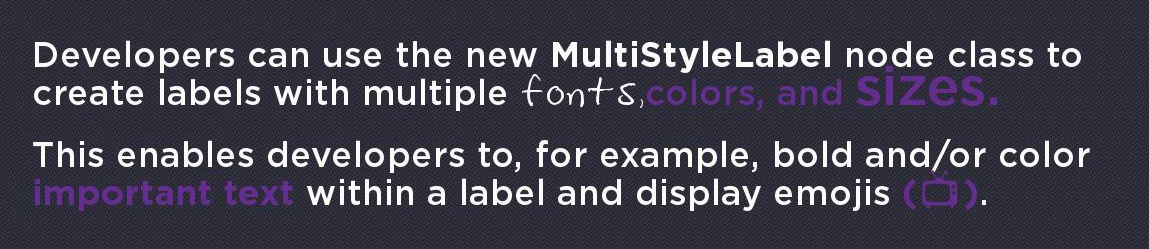",
|
|
3674
|
+
"description": "Extends [**LabelBase**](https://developer.roku.com/docs/references/scenegraph/label-nodes/label-base.md\n\nThe MultiStyleLabel node class is used to create labels with mixed styles. For example, this node can be used to create a single label with plain and bold text, different fonts, and/or multiple colors.\n\n",
|
|
3655
3675
|
"events": [],
|
|
3656
3676
|
"extends": {
|
|
3657
3677
|
"name": "LabelBase",
|
|
@@ -3742,7 +3762,7 @@
|
|
|
3742
3762
|
"url": "https://developer.roku.com/docs/references/scenegraph/node.md"
|
|
3743
3763
|
},
|
|
3744
3764
|
"overhang": {
|
|
3745
|
-
"description": "Extends [**Group**](https://developer.roku.com/docs/references/scenegraph/layout-group-nodes/group.md\n\nThe Overhang node provides a information bar that is displayed at the top of a screen in many Roku
|
|
3765
|
+
"description": "Extends [**Group**](https://developer.roku.com/docs/references/scenegraph/layout-group-nodes/group.md\n\nThe Overhang node provides a information bar that is displayed at the top of a screen in many Roku apps. The regions occupied by the overhang can be filled with either a solid color or a bitmap.\n\nOn the left side, a logo bitmap and/or a string can be displayed. If both are displayed, a vertical divider is drawn to separate them. The string is typically set to display a reminder to the user of their current location in the interface. For example, in the Roku homescreen, the string is set to \"Search\" while the user in the search entry portion of the user interface. Then when the user explores a search result, the string is changed to reflect the name of the content being explored.\n\nOn the right side, a clock and/or an indicator that the options key (\\*) is available can be displayed. If both are displayed, a vertical divider is drawn to separate them.\n\nThe appearance and contents of the Overhang can be customized by setting its fields to the desired values.",
|
|
3746
3766
|
"events": [],
|
|
3747
3767
|
"extends": {
|
|
3748
3768
|
"name": "Group",
|
|
@@ -3754,7 +3774,7 @@
|
|
|
3754
3774
|
"url": "https://developer.roku.com/docs/references/scenegraph/sliding-panels-nodes/overhang.md"
|
|
3755
3775
|
},
|
|
3756
3776
|
"overhangpanelsetscene": {
|
|
3757
|
-
"description": "Extends [**Scene**](https://developer.roku.com/docs/references/scenegraph/scene.md\n\nThe OverhangPanelSetScene node class provides a convenient way to create a Scene node that has set with default Overhang and PanelSet nodes. The layout of the Overhang and PanelSet use the default sizes for SDK2
|
|
3777
|
+
"description": "Extends [**Scene**](https://developer.roku.com/docs/references/scenegraph/scene.md\n\nThe OverhangPanelSetScene node class provides a convenient way to create a Scene node that has set with default Overhang and PanelSet nodes. The layout of the Overhang and PanelSet use the default sizes for SDK2 apps. The node provides access to the PanelSet and Overhang via fields that contain the node objects.\n\n```\nscene = screen.CreateScene(\"OverhangPanelSetScene\")\n```",
|
|
3758
3778
|
"events": [],
|
|
3759
3779
|
"extends": {
|
|
3760
3780
|
"name": "Scene",
|
|
@@ -3766,7 +3786,7 @@
|
|
|
3766
3786
|
"url": "https://developer.roku.com/docs/references/scenegraph/sliding-panels-nodes/overhangpanelsetscene.md"
|
|
3767
3787
|
},
|
|
3768
3788
|
"panel": {
|
|
3769
|
-
"description": "Extends [**Group**](https://developer.roku.com/docs/references/scenegraph/layout-group-nodes/group.md\n\nThe Panel node is used to create sliding panels for
|
|
3789
|
+
"description": "Extends [**Group**](https://developer.roku.com/docs/references/scenegraph/layout-group-nodes/group.md\n\nThe Panel node is used to create sliding panels for app UI, similar to those in the Roku OS home screen.",
|
|
3770
3790
|
"events": [],
|
|
3771
3791
|
"extends": {
|
|
3772
3792
|
"name": "Group",
|
|
@@ -3840,13 +3860,91 @@
|
|
|
3840
3860
|
"parentalcontrolpinpad": {
|
|
3841
3861
|
"description": "ParentalControlPinPad is a variant of the [PinPad component](https://developer.roku.com/docs/references/scenegraph/widget-nodes/pinpad.md\"PinPad component\"), although it does have a few key differences: The pin, pinLength, and secureMode fields are made private (i.e., not accessible to BrightScript, and secureMode set to true).\n\nThere are two use cases for the ParentalControlPinPad node:\n\n* If the user enters the correct pin, a 2-hour override of content blocking starts, similar to the system behavior on RokuTV\n* If the user enters an incorrect PIN, the text fields are cleared automatically",
|
|
3842
3862
|
"events": [],
|
|
3843
|
-
"fields": [
|
|
3863
|
+
"fields": [
|
|
3864
|
+
{
|
|
3865
|
+
"accessPermission": "READ_WRITE",
|
|
3866
|
+
"default": "\"\"",
|
|
3867
|
+
"description": "Specifies the URI of an image file to be loaded to replace the keyboard focus indicator. This should be a 9-patch image so that it can be stretched to the appropriate size for the double width keys.",
|
|
3868
|
+
"name": "focusBitmapUri",
|
|
3869
|
+
"type": "string"
|
|
3870
|
+
},
|
|
3871
|
+
{
|
|
3872
|
+
"accessPermission": "READ_WRITE",
|
|
3873
|
+
"default": "0xffffffff",
|
|
3874
|
+
"description": "Specifies the color of the key labels and icons when the keyboard has the focus",
|
|
3875
|
+
"name": "focusedKeyColor",
|
|
3876
|
+
"type": "color"
|
|
3877
|
+
},
|
|
3878
|
+
{
|
|
3879
|
+
"accessPermission": "READ_WRITE",
|
|
3880
|
+
"default": "\"\"",
|
|
3881
|
+
"description": "Specifies the URI of an image file to be loaded to replace the default keyboard image drawn underneath the numeric keys and icons. Note that this image must be carefully designed so that the key positions match the default image. Template images for SD, HD and FHD resolutions are provided below.",
|
|
3882
|
+
"name": "keyboardBitmapUri",
|
|
3883
|
+
"type": "string"
|
|
3884
|
+
},
|
|
3885
|
+
{
|
|
3886
|
+
"accessPermission": "READ_WRITE",
|
|
3887
|
+
"default": "0xffffffff",
|
|
3888
|
+
"description": "Specifies the color of the key labels and icons when the keyboard does not have the focus",
|
|
3889
|
+
"name": "keyColor",
|
|
3890
|
+
"type": "color"
|
|
3891
|
+
},
|
|
3892
|
+
{
|
|
3893
|
+
"accessPermission": "READ_WRITE",
|
|
3894
|
+
"default": "\"\"",
|
|
3895
|
+
"description": "Contains the string of numbers that have been entered.",
|
|
3896
|
+
"name": "pin",
|
|
3897
|
+
"type": "string"
|
|
3898
|
+
},
|
|
3899
|
+
{
|
|
3900
|
+
"accessPermission": "READ_WRITE",
|
|
3901
|
+
"default": "\"\"",
|
|
3902
|
+
"description": "Specifed the URI of an image file to be loaded to replace the default box drawn underneath each entered digit in the pin display. This should be a 9-patch image so that it can be stretched to appropriate size depending on the pinLength field.",
|
|
3903
|
+
"name": "pinDisplayBitmapUri",
|
|
3904
|
+
"type": "string"
|
|
3905
|
+
},
|
|
3906
|
+
{
|
|
3907
|
+
"accessPermission": "READ_WRITE",
|
|
3908
|
+
"default": "0xffffffff",
|
|
3909
|
+
"description": "Specifies the color of the numbers displayed in the pin display boxes",
|
|
3910
|
+
"name": "pinDisplayTextColor",
|
|
3911
|
+
"type": "color"
|
|
3912
|
+
},
|
|
3913
|
+
{
|
|
3914
|
+
"accessPermission": "READ_WRITE",
|
|
3915
|
+
"default": "4",
|
|
3916
|
+
"description": "Contains the maximum number of digits that can be entered",
|
|
3917
|
+
"name": "pinLength",
|
|
3918
|
+
"type": "integer"
|
|
3919
|
+
},
|
|
3920
|
+
{
|
|
3921
|
+
"accessPermission": "READ_WRITE",
|
|
3922
|
+
"default": "incomplete",
|
|
3923
|
+
"description": "\\*\\*Read-only\\*\\* \"true\": Content is now unblocked \"false\": Pin incorrect, \"incomplete\": a full pin is not entered",
|
|
3924
|
+
"name": "pinSuccess",
|
|
3925
|
+
"type": "string"
|
|
3926
|
+
},
|
|
3927
|
+
{
|
|
3928
|
+
"accessPermission": "READ_WRITE",
|
|
3929
|
+
"default": "true",
|
|
3930
|
+
"description": "When set to true, each digit entered is displayed briefly, then replaced with an asterisk. When false, the entered digits always remain visible.",
|
|
3931
|
+
"name": "secureMode",
|
|
3932
|
+
"type": "boolean"
|
|
3933
|
+
},
|
|
3934
|
+
{
|
|
3935
|
+
"accessPermission": "READ_WRITE",
|
|
3936
|
+
"default": "true",
|
|
3937
|
+
"description": "Specifies whether or not the pin display that shows the entered digits is visible. In most cases, it is desirable to display the entered digits so that the user can see the string as it is entered. In some cases though, you might want to only show the keyboard part of the PinPad node. In those cases, the pinfield of the node will still contain the string entered by the user, so that it can displayed in some different manner.",
|
|
3938
|
+
"name": "showPinDisplay",
|
|
3939
|
+
"type": "boolean"
|
|
3940
|
+
}
|
|
3941
|
+
],
|
|
3844
3942
|
"interfaces": [],
|
|
3845
3943
|
"name": "ParentalControlPinPad",
|
|
3846
3944
|
"url": "https://developer.roku.com/docs/references/scenegraph/widget-nodes/parentalcontrolpinpad.md"
|
|
3847
3945
|
},
|
|
3848
3946
|
"pindialog": {
|
|
3849
|
-
"description": "> Roku OS 10.0 introduced a new [StandardPinPadDialog node](https://developer.roku.com/docs/references/scenegraph/standard-dialog-framework-nodes/standard-pinpad-dialog.md\"**Standard PinPad Dialog**\"), which features updated graphics, color palette support, and voice entry support. This enables developers to provide a consistent user experience across the PIN pad dialogs in their
|
|
3947
|
+
"description": "> Roku OS 10.0 introduced a new [StandardPinPadDialog node](https://developer.roku.com/docs/references/scenegraph/standard-dialog-framework-nodes/standard-pinpad-dialog.md\"**Standard PinPad Dialog**\"), which features updated graphics, color palette support, and voice entry support. This enables developers to provide a consistent user experience across the PIN pad dialogs in their app, and help speed up customer sign-ups and sign-ins. Developers must replace the legacy PinDialog nodes in their app with the new [StandardPinPadDialog node](https://developer.roku.com/docs/references/scenegraph/standard-dialog-framework-nodes/standard-pinpad-dialog.md\"**Standard PinPad Dialog**\").\n> \n> To upgrade a legacy pinpad dialog to the standard version, prepend \"Standard\" to the node type. For example, change `pindialog = createObject(\"roSGNode\", \"PinDialog\")` to `pindialog = createObject(\"roSGNode\", \"StandardPinDialog\")`.\n\nExtends [**Dialog**](https://developer.roku.com/docs/references/scenegraph/dialog-nodes/dialog.md\"**Dialog**\")\n\nThe PinDialog node class is a special type of Dialog node that prompts the user to enter a numeric string. The PinDialog node class includes an internal [PinPad](https://developer.roku.com/docs/references/scenegraph/widget-nodes/pinpad.md\"PinPad\") node to allow the user to input a numeric value, such as a PIN.\n\nThe PinDialog node class allows you to add a title (by setting the Dialog node title field), a message (by setting the Dialog node message field), and a set of action buttons (by setting the Dialog node buttons field). The bulletText and graphicUrl fields of the Dialog node should not be set. If those fields are set, the layout of the PinDialog node will likely not look correct.\n\nTypically, you will want to set the Dialog node title field to prompt the user to enter a PIN, and add \"OK\" and \"Cancel\" buttons by setting the Dialog node buttons field to \\[ \"OK\", \"Cancel\" \\], then observe the Dialog node buttonSelected field to react when the user presses one of those buttons. At any time, the PinDialog node pin field can be accessed to obtain the PIN value entered by the user.\n\nThe PinDialog node displays a privacy hint at the bottom of the dialog instructing the user how to show/hide the PinPad node focus indicator with the Options remote key. This provides more privacy for the user when entering a PIN. You should not override this default behavior of the Options remote key in the PinDialog node.",
|
|
3850
3948
|
"events": [],
|
|
3851
3949
|
"extends": {
|
|
3852
3950
|
"name": "Dialog",
|
|
@@ -4516,7 +4614,7 @@
|
|
|
4516
4614
|
},
|
|
4517
4615
|
{
|
|
4518
4616
|
"accessPermission": "READ_WRITE",
|
|
4519
|
-
"default": "not
|
|
4617
|
+
"default": "not specified",
|
|
4520
4618
|
"description": "A 9-patch or ordinary PNG of the track of the progress bar, which surrounds the filled and empty bars. This will be blended with the color specified by the `trackBlendColor` field, if set to a non-default value.",
|
|
4521
4619
|
"name": "percentage",
|
|
4522
4620
|
"type": "integer"
|
|
@@ -4548,7 +4646,7 @@
|
|
|
4548
4646
|
"url": "https://developer.roku.com/en-ca/docs/references/scenegraph/media-playback-nodes/video.md#ui-fields"
|
|
4549
4647
|
},
|
|
4550
4648
|
"progressdialog": {
|
|
4551
|
-
"description": "> Roku OS 10.0 introduced a new [StandardProgressDialog node](https://developer.roku.com/docs/references/scenegraph/standard-dialog-framework-nodes/standard-progress-dialog.md\"**Standard Progress Dialog**\"), which features updated graphics and color palette support. This enables developers to provide a consistent user experience across the progress dialogs in their
|
|
4649
|
+
"description": "> Roku OS 10.0 introduced a new [StandardProgressDialog node](https://developer.roku.com/docs/references/scenegraph/standard-dialog-framework-nodes/standard-progress-dialog.md\"**Standard Progress Dialog**\"), which features updated graphics and color palette support. This enables developers to provide a consistent user experience across the progress dialogs in their app. Developers should replace the legacy ProgressDialog nodes in their app with the new [StandardProgressDialog nodes](https://developer.roku.com/docs/references/scenegraph/standard-dialog-framework-nodes/standard-progress-dialog.md\"**Standard Progress Dialog**\").\n> \n> To upgrade a legacy progress dialog to the standard version, prepend \"Standard\" to the node type. For example, change `progressdialog = createObject(\"roSGNode\", \"ProgressDialog\")` to `progressdialog = createObject(\"roSGNode\", \"StandardProgressDialog\")`.\n\nExtends [**Dialog**](https://developer.roku.com/docs/references/scenegraph/dialog-nodes/dialog.md\"**Dialog**\")\n\nThe ProgressDialog node class is a special type of Dialog node that includes the dialog title region and a spinning icon as the body of the dialog. The ProgressDialog node class uses a BusySpinner node to display the spinning icon.\n\nThe message, bulleted text, graphic, and button regions of the dialog should all be empty. If those dialog regions are not empty, the layout of the dialog will likely not look correct.\n\n> Not all Roku Player hardware supports arbitrary rotations. In particular, some hardware only supports 90 degree rotation increments. In those cases, the icon will step through 90 degree, 180 degree, 270 degree and back to 0 degree rotations, rather than spin smoothly.",
|
|
4552
4650
|
"events": [],
|
|
4553
4651
|
"extends": {
|
|
4554
4652
|
"name": "Dialog",
|
|
@@ -5006,7 +5104,7 @@
|
|
|
5006
5104
|
"url": "https://developer.roku.com/en-ca/docs/references/scenegraph/scene.md"
|
|
5007
5105
|
},
|
|
5008
5106
|
"scene": {
|
|
5009
|
-
"description": "Extends [**Group**](https://developer.roku.com/docs/references/scenegraph/layout-group-nodes/group.md\"**Group**\")\n\nThe **Scene** node class serves as the root of a SceneGraph node tree. Every **roSGScreen** object must have a **Scene** node, or a node that derives from the **Scene** node class as its root, including an XML markup component that extends the Scene node class or subclass. That node must be created using the **roSGScreen** createScene() function, with an argument that is a string of the name of the **Scene** node object created. For example:\n\n```\nscreen = CreateObject(\"roSGScreen\")\nscene = screen.CreateScene(\"Scene\")\n```\n\nWhile it is technically possible to have more than one scene per
|
|
5107
|
+
"description": "Extends [**Group**](https://developer.roku.com/docs/references/scenegraph/layout-group-nodes/group.md\"**Group**\")\n\nThe **Scene** node class serves as the root of a SceneGraph node tree. Every **roSGScreen** object must have a **Scene** node, or a node that derives from the **Scene** node class as its root, including an XML markup component that extends the Scene node class or subclass. That node must be created using the **roSGScreen** createScene() function, with an argument that is a string of the name of the **Scene** node object created. For example:\n\n```\nscreen = CreateObject(\"roSGScreen\")\nscene = screen.CreateScene(\"Scene\")\n```\n\nWhile it is technically possible to have more than one scene per app, we recommend you only have one **roSGScreen** and one **Scene** node. Child nodes of the scene can be treated as different \"scenes\" where you can then implement transitions between them.",
|
|
5010
5108
|
"events": [],
|
|
5011
5109
|
"extends": {
|
|
5012
5110
|
"name": "Group",
|
|
@@ -5037,7 +5135,7 @@
|
|
|
5037
5135
|
{
|
|
5038
5136
|
"accessPermission": "READ_WRITE",
|
|
5039
5137
|
"default": "",
|
|
5040
|
-
"description": "This read-only field is set when the Scene is initialized. It indicates which of
|
|
5138
|
+
"description": "This read-only field is set when the Scene is initialized. It indicates which of an app's design resolutions (per manifest's ui\\\\\\_resolutions value) is being used, based on the player model and connected display type. Previously, a developer could deduct the same information by using both \\[roDeviceInfo.GetUIResolution\\](https://developer.roku.com/docs/references/brightscript/interfaces/ifdeviceinfo.mdgetuiresolution-as-object() \"roDeviceInfo.GetUIResolution\") and \\[roAppInfo.getValue\\](https://developer.roku.com/docs/references/brightscript/interfaces/ifappinfo.mdgetvaluekey-as-string-as-string \"roAppInfo.getValue\")(\"ui\\\\\\_resolutions\"). This new field simplifies the process. The field is set to an AA with two numeric-valued keys — width and height — as well as a string value indicating the current design resolution (\"HD\", \"FHD\" or \"SD\"). \\`\\`\\` Brightscript Debugger> ? myNode.getScene().currentDesignResolution \\= { height: 720 resolution: \"HD\" width: 1280 } \\`\\`\\`",
|
|
5041
5139
|
"name": "currentDesignResolution",
|
|
5042
5140
|
"type": "assocarray"
|
|
5043
5141
|
},
|
|
@@ -5058,7 +5156,7 @@
|
|
|
5058
5156
|
{
|
|
5059
5157
|
"accessPermission": "READ_WRITE",
|
|
5060
5158
|
"default": "not set",
|
|
5061
|
-
"description": "Defines the default color palette used by those nodes that have a \\*\\*palette\\*\\* field (for example, the \\*\\*Scene\\*\\* node, \\[standard dialogs\\](https://developer.roku.com/docs/references/scenegraph/standard-dialog-framework-nodes/standard-dialog.md, \\[dynamic custom voice keyboards\\](https://developer.roku.com/docs/references/scenegraph/dynamic-voice-keyboard-nodes/dynamic-keyboard-base.md, and so on).
|
|
5159
|
+
"description": "Defines the default color palette used by those nodes that have a \\*\\*palette\\*\\* field (for example, the \\*\\*Scene\\*\\* node, \\[standard dialogs\\](https://developer.roku.com/docs/references/scenegraph/standard-dialog-framework-nodes/standard-dialog.md, \\[dynamic custom voice keyboards\\](https://developer.roku.com/docs/references/scenegraph/dynamic-voice-keyboard-nodes/dynamic-keyboard-base.md, and so on). Apps typically set the \\*\\*Scene.palette\\*\\* field to consistently color the standard dialogs and keyboards in the app. Nodes that include a \\*\\*palette\\*\\* field can be set to an \\*\\*RSGPalette\\*\\* node to override the default colors specified in the \\*\\*Scene\\*\\* node. If a node that supports a palette does not set its \\*\\*palette\\*\\* filed, the node looks up the scene graph until it finds a node with its \\*\\*palette\\*\\* field set. If no ancestor node is found with its palette field set, the default color palette is used (grey with white text). The RSGPalette color values used by the Scene node are as follows:\n\n| Palette Color Name | Usages |\n| --- | --- |\n| PrimaryTextColor | The text color used for the entered text displayed in the VoiceTextEditBox node. |\n| SecondaryTextColor | The text color used for the hints displayed in the VoiceTextEditBox. |\n| InputFieldColor | The blend color applied to the VoiceTextEditBox background |\n| DialogBackgroundColor | Blend color for dialog's background bitmap. |\n| DialogItemColor | Blend color for the following items: * [StdDlgProgressItem's](https://developer.roku.com/docs/references/scenegraph/standard-dialog-framework-nodes/std-dlg-progress-item.md spinner bitmap * [StdDlgDeterminateProgressItem's](https://developer.roku.com/docs/references/scenegraph/standard-dialog-framework-nodes/std-dlg-determinate-progress-item.md graphic |\n| DialogTextColor | Color for the text in the following items: * [StdDlgTextItem](https://developer.roku.com/docs/references/scenegraph/standard-dialog-framework-nodes/std-dlg-text-item.md and [StdDlgGraphicItem](https://developer.roku.com/docs/references/scenegraph/standard-dialog-framework-nodes/std-dlg-graphic-item.md if the **namedTextStyle** field is set to \"normal\" or \"bold\". * All [content area items](https://developer.roku.com/docs/references/scenegraph/standard-dialog-framework-nodes/std-dlg-item-base.md, except for [StdDlgTextItem](https://developer.roku.com/docs/references/scenegraph/standard-dialog-framework-nodes/std-dlg-text-item.md and [StdDlgGraphicItem](https://developer.roku.com/docs/references/scenegraph/standard-dialog-framework-nodes/std-dlg-graphic-item.md. * [Title area](https://developer.roku.com/docs/references/scenegraph/standard-dialog-framework-nodes/std-dlg-title-area.mdfields). Unfocused button. |\n| DialogFocusColor | Blend color for the following: * The [button area](https://developer.roku.com/docs/references/scenegraph/standard-dialog-framework-nodes/std-dlg-button-area.mdfields) focus bitmap. * The focused scrollbar thumb. |\n| DialogFocusItemColor | Color for the text of the focused button. |\n| DialogSecondaryTextColor | Color for the text of in the following items: * [StdDlgTextItem](https://developer.roku.com/docs/references/scenegraph/standard-dialog-framework-nodes/std-dlg-text-item.md and [StdDlgGraphicItem](https://developer.roku.com/docs/references/scenegraph/standard-dialog-framework-nodes/std-dlg-graphic-item.md if the **namedTextStyle** field is set to \"secondary\". * Disabled button. |\n| DialogSecondaryItemColor | Color for the following items: * The divider displayed below the title area. * The unfilled portion of the [StdDlgDeterminateProgressItem's](https://developer.roku.com/docs/references/scenegraph/standard-dialog-framework-nodes/std-dlg-determinate-progress-item.md graphic. |\n| DialogInputFieldColor | The blend color for the text edit box background bitmap for keyboards used inside dialogs. |\n| DialogKeyboardColor | The blend color for the keyboard background bitmap for keyboards used inside dialogs |\n| DialogFootprintColor | The blend color for the following items: * The button focus footprint bitmap that is displayed when the [button area](https://developer.roku.com/docs/references/scenegraph/standard-dialog-framework-nodes/std-dlg-button-area.mdfields) does not have focus. * Unfocused scrollbar thumb and scrollbar track. |",
|
|
5062
5160
|
"name": "palette",
|
|
5063
5161
|
"type": "RSGPalette node"
|
|
5064
5162
|
}
|
|
@@ -5260,6 +5358,13 @@
|
|
|
5260
5358
|
"name": "clippingRect",
|
|
5261
5359
|
"type": "array of float"
|
|
5262
5360
|
},
|
|
5361
|
+
{
|
|
5362
|
+
"accessPermission": "READ_WRITE",
|
|
5363
|
+
"default": "0xddddddff",
|
|
5364
|
+
"description": "Specifies the text color",
|
|
5365
|
+
"name": "color",
|
|
5366
|
+
"type": "color"
|
|
5367
|
+
},
|
|
5263
5368
|
{
|
|
5264
5369
|
"accessPermission": "READ_WRITE",
|
|
5265
5370
|
"default": "false",
|
|
@@ -5267,6 +5372,27 @@
|
|
|
5267
5372
|
"name": "enableRenderTracking",
|
|
5268
5373
|
"type": "Boolean"
|
|
5269
5374
|
},
|
|
5375
|
+
{
|
|
5376
|
+
"accessPermission": "READ_WRITE",
|
|
5377
|
+
"default": "system default",
|
|
5378
|
+
"description": "Specifies the size of the font in points. As noted in the description of the \\`fontUri\\` field, the use of fixed size system fonts ignores the value of the \\`fontSize\\` field.",
|
|
5379
|
+
"name": "fontSize",
|
|
5380
|
+
"type": "integer"
|
|
5381
|
+
},
|
|
5382
|
+
{
|
|
5383
|
+
"accessPermission": "READ_WRITE",
|
|
5384
|
+
"default": "system default",
|
|
5385
|
+
"description": "Specifies either a path to a TrueType or OpenType font file or a built-in system font name. For TrueType or OpenType font files, the file must be included with the application (e.g. \\`pkg:/fonts/SomeFontFile.ttf\\`). If no fontUri is specified, the System Default font is used. The table below shows the options for using built-in system fonts. The \"\\*\\*Fixed Size?\"\\*\\* column indicates whether the \\`fontSize\\` field of the \\*\\*SimpleLabel\\*\\* is respected or not. For those where the size is fixed, the font size cannot be modified.\n\n| fontUri String | Fixed Size? |\n| --- | --- |\n| `font:SmallestSystemFont` | Yes |\n| `font:SmallSystemFont` | Yes |\n| `font:MediumSystemFont` | Yes |\n| `font:LargeSystemFont` | Yes |\n| `font:SmallestBoldSystemFont` | Yes |\n| `font:SmallBoldSystemFont` | Yes |\n| `font:MediumBoldSystemFont` | Yes |\n| `font:LargeBoldSystemFont` | Yes |\n| `font:SystemFontFile` | No |\n| `font:BoldSystemFontFile` | No |\n| System Default (field not set) | Yes |",
|
|
5386
|
+
"name": "fontUri",
|
|
5387
|
+
"type": "string"
|
|
5388
|
+
},
|
|
5389
|
+
{
|
|
5390
|
+
"accessPermission": "READ_WRITE",
|
|
5391
|
+
"default": "left",
|
|
5392
|
+
"description": "See \\[\\*\\*Horizontal Origin\\*\\*\\](https://developer.roku.com/docs/references/scenegraph/renderable-nodes/simplelabel.mdSimpleLabel-HorizontalOrigin)",
|
|
5393
|
+
"name": "horizOrigin",
|
|
5394
|
+
"type": "string"
|
|
5395
|
+
},
|
|
5270
5396
|
{
|
|
5271
5397
|
"accessPermission": "READ_WRITE",
|
|
5272
5398
|
"default": "true",
|
|
@@ -5284,7 +5410,7 @@
|
|
|
5284
5410
|
{
|
|
5285
5411
|
"accessPermission": "READ_WRITE",
|
|
5286
5412
|
"default": "false",
|
|
5287
|
-
"description": "Set to true to suppress the default CVAA text to speech. This allows
|
|
5413
|
+
"description": "Set to true to suppress the default CVAA text to speech. This allows apps to provide their own custom implementation",
|
|
5288
5414
|
"name": "muteAudioGuide",
|
|
5289
5415
|
"type": "Boolean"
|
|
5290
5416
|
},
|
|
@@ -5330,6 +5456,13 @@
|
|
|
5330
5456
|
"name": "scaleRotateCenter",
|
|
5331
5457
|
"type": "vector2d"
|
|
5332
5458
|
},
|
|
5459
|
+
{
|
|
5460
|
+
"accessPermission": "READ_WRITE",
|
|
5461
|
+
"default": "\"\"",
|
|
5462
|
+
"description": "Specifies the text to be displayed",
|
|
5463
|
+
"name": "text",
|
|
5464
|
+
"type": "string"
|
|
5465
|
+
},
|
|
5333
5466
|
{
|
|
5334
5467
|
"accessPermission": "READ_WRITE",
|
|
5335
5468
|
"default": "[0.0,0.0]",
|
|
@@ -5337,6 +5470,13 @@
|
|
|
5337
5470
|
"name": "translation",
|
|
5338
5471
|
"type": "vector2d"
|
|
5339
5472
|
},
|
|
5473
|
+
{
|
|
5474
|
+
"accessPermission": "READ_WRITE",
|
|
5475
|
+
"default": "top",
|
|
5476
|
+
"description": "See \\[\\*\\*Vertical Origin\\*\\*\\](https://developer.roku.com/docs/references/scenegraph/renderable-nodes/simplelabel.mdSimpleLabel-VerticalOrigin)",
|
|
5477
|
+
"name": "vertOrigin",
|
|
5478
|
+
"type": "string"
|
|
5479
|
+
},
|
|
5340
5480
|
{
|
|
5341
5481
|
"accessPermission": "READ_WRITE",
|
|
5342
5482
|
"default": "true",
|
|
@@ -5350,7 +5490,7 @@
|
|
|
5350
5490
|
"url": "https://developer.roku.com/docs/references/scenegraph/renderable-nodes/simplelabel.md"
|
|
5351
5491
|
},
|
|
5352
5492
|
"soundeffect": {
|
|
5353
|
-
"description": "Extends [**Node**](https://developer.roku.com/docs/references/scenegraph/node.md\n\nThe SoundEffect node class is used to play audio sound effects that can be triggered from events that occur in the UI. Typically, these sound effects are short audio clips, but there is no inherent limit on their length. Currently, up to four simultaneous sounds can be playing at any time, in addition to audio from streaming content and TextToSpeech audio.\n\nFiles can be installed locally as part of the
|
|
5493
|
+
"description": "Extends [**Node**](https://developer.roku.com/docs/references/scenegraph/node.md\n\nThe SoundEffect node class is used to play audio sound effects that can be triggered from events that occur in the UI. Typically, these sound effects are short audio clips, but there is no inherent limit on their length. Currently, up to four simultaneous sounds can be playing at any time, in addition to audio from streaming content and TextToSpeech audio.\n\nFiles can be installed locally as part of the package file or dynamically downloaded from the network. All files must be WAV (i.e. PCM) format.\n\nFor local files, the convention is to include the WAV files in a directory named \"sounds\".\n\nFor downloaded files, a least-recently-used (LRU) mechanism is used to keep the most recently downloaded/played sounds in temporary storage on the device. If the limits on the maximum number/size of downloaded sounds is exceeded, the least recently used sounds are removed from temporary storage. They will be automatically reloaded the next time the control field is set to \"play\".\n\nA sample demonstrating how to use the SoundEffect node can be found here: [SimpleSoundEffect](https://github.com/rokudev/samples/blob/master/media/SimpleSoundEffect)",
|
|
5354
5494
|
"events": [],
|
|
5355
5495
|
"extends": {
|
|
5356
5496
|
"name": "Node",
|
|
@@ -5374,7 +5514,7 @@
|
|
|
5374
5514
|
{
|
|
5375
5515
|
"accessPermission": "READ_ONLY",
|
|
5376
5516
|
"default": "none",
|
|
5377
|
-
"description": "Can be used to track the progress of current state of local and networked sound files When the field value changes to ready, the sound is ready to be played. The possible values are:\n\n| Value | Meaning |\n| --- | --- |\n| none | No current playback state |\n| playing | Audio is currently playing. |\n| stopped | The audio playback was stopped by setting control to \"stop\". The state will also be set to \"stopped\" if audio was playing and the uri is changed. |\n| finished | The audio playback reached the end of the audio |\n| toomanysounds | Control was to \"play\" while there were already the maximum number of SoundEffect sounds playing. Currently, this limit is 4. |\n| notready | The sound file is not on the device. This is set in response to the control field being set to \"play\". For local WAV files included in a
|
|
5517
|
+
"description": "Can be used to track the progress of current state of local and networked sound files When the field value changes to ready, the sound is ready to be played. The possible values are:\n\n| Value | Meaning |\n| --- | --- |\n| none | No current playback state |\n| playing | Audio is currently playing. |\n| stopped | The audio playback was stopped by setting control to \"stop\". The state will also be set to \"stopped\" if audio was playing and the uri is changed. |\n| finished | The audio playback reached the end of the audio |\n| toomanysounds | Control was to \"play\" while there were already the maximum number of SoundEffect sounds playing. Currently, this limit is 4. |\n| notready | The sound file is not on the device. This is set in response to the control field being set to \"play\". For local WAV files included in a package file, it will be occur if the path to the file is not correct, or if the file is not a valid WAV file. For network-accessed WAV files, this indicates one of these three conditions is true: * The file has been requested, but is not finished downloading. In this case, the `loadStatus` field will be set to \"loading\". * The file request has completed, but the URL is incorrect or the downloaded file is not a valid WAV filed. In this case, the `loadStatus` field will be set to \"failed\" * The file has previously been downloaded, but has been flushed from the LRU cache. In this case, the `loadStatus` field will be set to \"flushed\". |",
|
|
5378
5518
|
"name": "state",
|
|
5379
5519
|
"type": "value string"
|
|
5380
5520
|
},
|
|
@@ -5398,8 +5538,7 @@
|
|
|
5398
5538
|
"url": "https://developer.roku.com/docs/references/scenegraph/media-playback-nodes/soundeffect.md"
|
|
5399
5539
|
},
|
|
5400
5540
|
"standarddialog": {
|
|
5401
|
-
"
|
|
5402
|
-
"description": "_Available since Roku OS 10.0_\n\nExtends [Group](https://developer.roku.com/docs/references/scenegraph/layout-group-nodes/group.md\"**Group**\")\n\nThe **StandardDialog** node is the base for Roku's pre-built standard message, keyboard, pinpad, and progress dialogs. It can also be used directly with a custom dialog structure built with the **StdDialogItem** nodes.",
|
|
5541
|
+
"description": "Extends [Group](https://developer.roku.com/docs/references/scenegraph/layout-group-nodes/group.md\"**Group**\")\n\nThe **StandardDialog** node is the base for Roku's pre-built standard message, keyboard, pinpad, and progress dialogs. It can also be used directly with a custom dialog structure built with the **StdDialogItem** nodes.",
|
|
5403
5542
|
"events": [],
|
|
5404
5543
|
"extends": {
|
|
5405
5544
|
"name": "Group",
|
|
@@ -5437,7 +5576,7 @@
|
|
|
5437
5576
|
{
|
|
5438
5577
|
"accessPermission": "READ_WRITE",
|
|
5439
5578
|
"default": "not set",
|
|
5440
|
-
"description": "Sets the color palette for the dialog's background, text, buttons, and other elements. By default, no palette is specified; therefore, the dialog inherits the color palette from the nodes higher in the scene graph (typically, from the dialog's \\[Scene\\](https://developer.roku.com/docs/references/scenegraph/scene.md node, which has a \\*\\*palette\\*\\* field that can be used to consistently color the standard dialogs and keyboards in the
|
|
5579
|
+
"description": "Sets the color palette for the dialog's background, text, buttons, and other elements. By default, no palette is specified; therefore, the dialog inherits the color palette from the nodes higher in the scene graph (typically, from the dialog's \\[Scene\\](https://developer.roku.com/docs/references/scenegraph/scene.md node, which has a \\*\\*palette\\*\\* field that can be used to consistently color the standard dialogs and keyboards in the app). The RSGPalette color values used by the StandardDialog node are as follows:\n\n| Palette Color Name | Usages |\n| --- | --- |\n| DialogBackgroundColor | Blend color for dialog's background bitmap. |\n| DialogItemColor | Blend color for the following items: * [StdDlgProgressItem's](https://developer.roku.com/docs/references/scenegraph/standard-dialog-framework-nodes/std-dlg-progress-item.md spinner bitmap * [StdDlgDeterminateProgressItem's](https://developer.roku.com/docs/references/scenegraph/standard-dialog-framework-nodes/std-dlg-determinate-progress-item.md graphic |\n| DialogTextColor | Color for the text in the following items: * [StdDlgTextItem](https://developer.roku.com/docs/references/scenegraph/standard-dialog-framework-nodes/std-dlg-text-item.md and [StdDlgGraphicItem](https://developer.roku.com/docs/references/scenegraph/standard-dialog-framework-nodes/std-dlg-graphic-item.md if the **namedTextStyle** field is set to \"normal\" or \"bold\". * All [content area items](https://developer.roku.com/docs/references/scenegraph/standard-dialog-framework-nodes/std-dlg-item-base.md, except for [StdDlgTextItem](https://developer.roku.com/docs/references/scenegraph/standard-dialog-framework-nodes/std-dlg-text-item.md and [StdDlgGraphicItem](https://developer.roku.com/docs/references/scenegraph/standard-dialog-framework-nodes/std-dlg-graphic-item.md. * [Title area](https://developer.roku.com/docs/references/scenegraph/standard-dialog-framework-nodes/std-dlg-title-area.mdfields). Unfocused button. |\n| DialogFocusColor | Blend color for the following: * The [button area](https://developer.roku.com/docs/references/scenegraph/standard-dialog-framework-nodes/std-dlg-button-area.mdfields) focus bitmap. * The focused scrollbar thumb. |\n| DialogFocusItemColor | Color for the text of the focused button. |\n| DialogSecondaryTextColor | Color for the text of in the following items: * [StdDlgTextItem](https://developer.roku.com/docs/references/scenegraph/standard-dialog-framework-nodes/std-dlg-text-item.md and [StdDlgGraphicItem](https://developer.roku.com/docs/references/scenegraph/standard-dialog-framework-nodes/std-dlg-graphic-item.md if the **namedTextStyle** field is set to \"secondary\". * Disabled button. |\n| DialogSecondaryItemColor | Color for the following items: * The divider displayed below the title area. * The unfilled portion of the [StdDlgDeterminateProgressItem's](https://developer.roku.com/docs/references/scenegraph/standard-dialog-framework-nodes/std-dlg-determinate-progress-item.md graphic. |\n| DialogInputFieldColor | The blend color for the text edit box background bitmap for keyboards used inside dialogs. |\n| DialogKeyboardColor | The blend color for the keyboard background bitmap for keyboards used inside dialogs |\n| DialogFootprintColor | The blend color for the following items: * The button focus footprint bitmap that is displayed when the [button area](https://developer.roku.com/docs/references/scenegraph/standard-dialog-framework-nodes/std-dlg-button-area.mdfields) does not have focus. * Unfocused scrollbar thumb and scrollbar track. |",
|
|
5441
5580
|
"name": "palette",
|
|
5442
5581
|
"type": "RSGPalette node"
|
|
5443
5582
|
},
|
|
@@ -5461,8 +5600,7 @@
|
|
|
5461
5600
|
"url": "https://developer.roku.com/docs/references/scenegraph/standard-dialog-framework-nodes/standard-dialog.md"
|
|
5462
5601
|
},
|
|
5463
5602
|
"standardkeyboarddialog": {
|
|
5464
|
-
"
|
|
5465
|
-
"description": "_Available since Roku OS 10.0_\n\nExtends [StandardDialog](https://developer.roku.com/docs/references/scenegraph/standard-dialog-framework-nodes/standard-dialog.md\"**Standard Dialog**\")\n\nThe **StandardKeyboardDialog** node enables text and voice entry of strings consisting of alphanumeric characters as well as many commonly used symbols. It is similar to the legacy [KeyboardDialog](https://developer.roku.com/docs/references/scenegraph/dialog-nodes/keyboarddialog.md node, but includes voice entry functionality, which is provided through its internal **DynamicKeyboard** node.\n\n",
|
|
5603
|
+
"description": "Extends [StandardDialog](https://developer.roku.com/docs/references/scenegraph/standard-dialog-framework-nodes/standard-dialog.md\"**Standard Dialog**\")\n\nThe **StandardKeyboardDialog** node enables text and voice entry of strings consisting of alphanumeric characters as well as many commonly used symbols. It is similar to the legacy [KeyboardDialog](https://developer.roku.com/docs/references/scenegraph/dialog-nodes/keyboarddialog.md node, but includes voice entry functionality, which is provided through its internal **DynamicKeyboard** node.\n\n",
|
|
5466
5604
|
"events": [],
|
|
5467
5605
|
"extends": {
|
|
5468
5606
|
"name": "StandardDialog",
|
|
@@ -5517,8 +5655,7 @@
|
|
|
5517
5655
|
"url": "https://developer.roku.com/docs/references/scenegraph/standard-dialog-framework-nodes/standard-keyboard-dialog.md"
|
|
5518
5656
|
},
|
|
5519
5657
|
"standardmessagedialog": {
|
|
5520
|
-
"
|
|
5521
|
-
"description": "_Available since Roku OS 10.0_\n\nExtends [StandardDialog](https://developer.roku.com/docs/references/scenegraph/standard-dialog-framework-nodes/standard-dialog.md\"**Standard Dialog**\")\n\nThe **StandardMessageDialog** node is used to displays a message to the user. It is similar to the legacy [Dialog](https://developer.roku.com/docs/references/scenegraph/dialog-nodes/dialog.md node. It may contain the following items (from top to bottom):\n\n* One or more blocks of text at the top.\n* One bulleted / numbered list.\n* One or more blocks of text at the bottom.\n\n",
|
|
5658
|
+
"description": "Extends [StandardDialog](https://developer.roku.com/docs/references/scenegraph/standard-dialog-framework-nodes/standard-dialog.md\"**Standard Dialog**\")\n\nThe **StandardMessageDialog** node is used to displays a message to the user. It is similar to the legacy [Dialog](https://developer.roku.com/docs/references/scenegraph/dialog-nodes/dialog.md node. It may contain the following items (from top to bottom):\n\n* One or more blocks of text at the top.\n* One bulleted / numbered list.\n* One or more blocks of text at the bottom.\n\n",
|
|
5522
5659
|
"events": [],
|
|
5523
5660
|
"extends": {
|
|
5524
5661
|
"name": "StandardDialog",
|
|
@@ -5573,8 +5710,7 @@
|
|
|
5573
5710
|
"url": "https://developer.roku.com/docs/references/scenegraph/standard-dialog-framework-nodes/standard-message-dialog.md"
|
|
5574
5711
|
},
|
|
5575
5712
|
"standardpinpaddialog": {
|
|
5576
|
-
"
|
|
5577
|
-
"description": "_Available since Roku OS 10.0_\n\nExtends [StandardDialog](https://developer.roku.com/docs/references/scenegraph/standard-dialog-framework-nodes/standard-dialog.md\"**Standard Dialog**\")\n\nThe **StandardPinPadDialog** node enables text and voice entry of numeric characters—typically, short numeric PIN codes. It is similar to the legacy [PinDialog](https://developer.roku.com/docs/references/scenegraph/dialog-nodes/pindialog.md node, but includes additional voice entry of the numeric digits. This additional functionality is provided through the node's internal DynamicPinPad and VoiceTextEditBox nodes.\n\n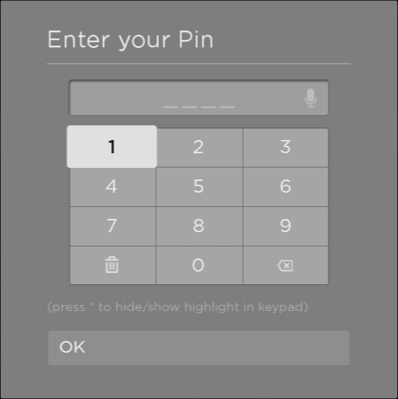",
|
|
5713
|
+
"description": "Extends [StandardDialog](https://developer.roku.com/docs/references/scenegraph/standard-dialog-framework-nodes/standard-dialog.md\"**Standard Dialog**\")\n\nThe **StandardPinPadDialog** node enables text and voice entry of numeric characters—typically, short numeric PIN codes. It is similar to the legacy [PinDialog](https://developer.roku.com/docs/references/scenegraph/dialog-nodes/pindialog.md node, but includes additional voice entry of the numeric digits. This additional functionality is provided through the node's internal DynamicPinPad and VoiceTextEditBox nodes.\n\n",
|
|
5578
5714
|
"events": [],
|
|
5579
5715
|
"extends": {
|
|
5580
5716
|
"name": "StandardDialog",
|
|
@@ -5622,8 +5758,7 @@
|
|
|
5622
5758
|
"url": "https://developer.roku.com/docs/references/scenegraph/standard-dialog-framework-nodes/standard-pinpad-dialog.md"
|
|
5623
5759
|
},
|
|
5624
5760
|
"standardprogressdialog": {
|
|
5625
|
-
"
|
|
5626
|
-
"description": "_Available since Roku OS 10.0_\n\nExtends [StandardDialog](https://developer.roku.com/docs/references/scenegraph/standard-dialog-framework-nodes/standard-dialog.md\"**Standard Dialog**\")\n\nThe StandardProgressDialog node displays a spinning progress indicator that includes a short progress message to the user. It is similar to the legacy [ProgressDialog](https://developer.roku.com/docs/references/scenegraph/dialog-nodes/progressdialog.md node.\n\n",
|
|
5761
|
+
"description": "Extends [StandardDialog](https://developer.roku.com/docs/references/scenegraph/standard-dialog-framework-nodes/standard-dialog.md\"**Standard Dialog**\")\n\nThe StandardProgressDialog node displays a spinning progress indicator that includes a short progress message to the user. It is similar to the legacy [ProgressDialog](https://developer.roku.com/docs/references/scenegraph/dialog-nodes/progressdialog.md node.\n\n",
|
|
5627
5762
|
"events": [],
|
|
5628
5763
|
"extends": {
|
|
5629
5764
|
"name": "StandardDialog",
|
|
@@ -5650,8 +5785,7 @@
|
|
|
5650
5785
|
"url": "https://developer.roku.com/docs/references/scenegraph/standard-dialog-framework-nodes/standard-progress-dialog.md"
|
|
5651
5786
|
},
|
|
5652
5787
|
"stddlgactioncarditem": {
|
|
5653
|
-
"
|
|
5654
|
-
"description": "_Available since Roku OS 11.0_\n\nExtends [StdDlgItemBase](https://developer.roku.com/docs/references/scenegraph/standard-dialog-framework-nodes/std-dlg-item-base.md",
|
|
5788
|
+
"description": "Extends [StdDlgItemBase](https://developer.roku.com/docs/references/scenegraph/standard-dialog-framework-nodes/std-dlg-item-base.md",
|
|
5655
5789
|
"events": [],
|
|
5656
5790
|
"extends": {
|
|
5657
5791
|
"name": "StdDlgItemBase",
|
|
@@ -5678,8 +5812,7 @@
|
|
|
5678
5812
|
"url": "https://developer.roku.com/docs/references/scenegraph/standard-dialog-framework-nodes/std-dlg-action-card-item.md"
|
|
5679
5813
|
},
|
|
5680
5814
|
"stddlgareabase": {
|
|
5681
|
-
"
|
|
5682
|
-
"description": "_Available since Roku OS 10.0_\n\nExtends [Group](https://developer.roku.com/docs/references/scenegraph/layout-group-nodes/group.md\n\nThe **StdDlgAreaBase** node is the base class and provides the common functionality for the three StandardDialog area nodes: [**StdDlgTitleArea**](https://developer.roku.com/docs/references/scenegraph/standard-dialog-framework-nodes/std-dlg-title-area.md, [**StdDlgContentArea**](https://developer.roku.com/docs/references/scenegraph/standard-dialog-framework-nodes/std-dlg-content-area.md and [**StdDlgButtonArea**](https://developer.roku.com/docs/references/scenegraph/standard-dialog-framework-nodes/std-dlg-button-area.md.",
|
|
5815
|
+
"description": "Extends [Group](https://developer.roku.com/docs/references/scenegraph/layout-group-nodes/group.md\n\nThe **StdDlgAreaBase** node is the base class and provides the common functionality for the three StandardDialog area nodes: [**StdDlgTitleArea**](https://developer.roku.com/docs/references/scenegraph/standard-dialog-framework-nodes/std-dlg-title-area.md, [**StdDlgContentArea**](https://developer.roku.com/docs/references/scenegraph/standard-dialog-framework-nodes/std-dlg-content-area.md and [**StdDlgButtonArea**](https://developer.roku.com/docs/references/scenegraph/standard-dialog-framework-nodes/std-dlg-button-area.md.",
|
|
5683
5816
|
"events": [],
|
|
5684
5817
|
"extends": {
|
|
5685
5818
|
"name": "Group",
|
|
@@ -5691,8 +5824,7 @@
|
|
|
5691
5824
|
"url": "https://developer.roku.com/docs/references/scenegraph/standard-dialog-framework-nodes/std-dlg-area-base.md"
|
|
5692
5825
|
},
|
|
5693
5826
|
"stddlgbullettextitem": {
|
|
5694
|
-
"
|
|
5695
|
-
"description": "_Available since Roku OS 10.0_\n\nExtends [StdDlgItemBase](https://developer.roku.com/docs/references/scenegraph/standard-dialog-framework-nodes/std-dlg-item-base.md\"**StdDlgItemBase**\")\n\nThe **StdDlgBulletTextItem** node is used to display a bulleted list of text in the dialog's content area. It should only be used as a child of a [**StdDlgContentArea**](https://developer.roku.com/docs/references/scenegraph/standard-dialog-framework-nodes/std-dlg-content-area.md node.\n\n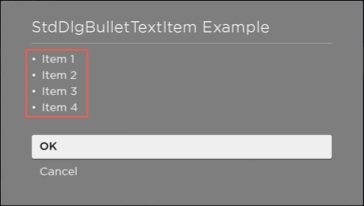",
|
|
5827
|
+
"description": "Extends [StdDlgItemBase](https://developer.roku.com/docs/references/scenegraph/standard-dialog-framework-nodes/std-dlg-item-base.md\"**StdDlgItemBase**\")\n\nThe **StdDlgBulletTextItem** node is used to display a bulleted list of text in the dialog's content area. It should only be used as a child of a [**StdDlgContentArea**](https://developer.roku.com/docs/references/scenegraph/standard-dialog-framework-nodes/std-dlg-content-area.md node.\n\n",
|
|
5696
5828
|
"events": [],
|
|
5697
5829
|
"extends": {
|
|
5698
5830
|
"name": "StdDlgItemBase",
|
|
@@ -5719,8 +5851,7 @@
|
|
|
5719
5851
|
"url": "https://developer.roku.com/docs/references/scenegraph/standard-dialog-framework-nodes/std-dlg-bullet-text-item.md"
|
|
5720
5852
|
},
|
|
5721
5853
|
"stddlgbutton": {
|
|
5722
|
-
"
|
|
5723
|
-
"description": "_Available since Roku OS 10.0_\n\nExtends [Group](https://developer.roku.com/docs/references/scenegraph/layout-group-nodes/group.md\"**Group**\")\n\n**StdDlgButton** is the class used for each button in the [button area](https://developer.roku.com/docs/references/scenegraph/standard-dialog-framework-nodes/standard-dialog-framework-overview.mdstructure). The buttons are displayed in the order in which they are listed as children of the [**StdDlgButtonArea** node](https://developer.roku.com/docs/references/scenegraph/standard-dialog-framework-nodes/std-dlg-button-area.md. The size and layout of each button are controlled by the StandardDialog layout algorithm. **StdDlgButton** nodes should only be used as children of a **StdDlgButtonArea** node.\n\n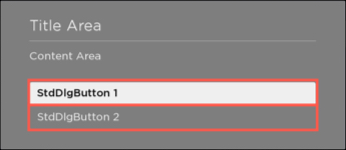",
|
|
5854
|
+
"description": "Extends [Group](https://developer.roku.com/docs/references/scenegraph/layout-group-nodes/group.md\"**Group**\")\n\n**StdDlgButton** is the class used for each button in the [button area](https://developer.roku.com/docs/references/scenegraph/standard-dialog-framework-nodes/standard-dialog-framework-overview.mdstructure). The buttons are displayed in the order in which they are listed as children of the [**StdDlgButtonArea** node](https://developer.roku.com/docs/references/scenegraph/standard-dialog-framework-nodes/std-dlg-button-area.md. The size and layout of each button are controlled by the StandardDialog layout algorithm. **StdDlgButton** nodes should only be used as children of a **StdDlgButtonArea** node.\n\n",
|
|
5724
5855
|
"events": [],
|
|
5725
5856
|
"extends": {
|
|
5726
5857
|
"name": "Group",
|
|
@@ -5747,8 +5878,7 @@
|
|
|
5747
5878
|
"url": "https://developer.roku.com/docs/references/scenegraph/standard-dialog-framework-nodes/std-dlg-button.md"
|
|
5748
5879
|
},
|
|
5749
5880
|
"stddlgbuttonarea": {
|
|
5750
|
-
"
|
|
5751
|
-
"description": "_Available since Roku OS 10.0_\n\nExtends [StdDlgAreaBase](https://developer.roku.com/docs/references/scenegraph/standard-dialog-framework-nodes/std-dlg-area-base.md\"**StdDlgAreaBase**\")\n\nThe **StdDlgButtonArea** node is always positioned at the bottom of the [StandardDialog](https://developer.roku.com/docs/references/scenegraph/standard-dialog-framework-nodes/standard-dialog.md. It contains zero or more child nodes of type [**StdDlgButton**](https://developer.roku.com/docs/references/scenegraph/standard-dialog-framework-nodes/std-dlg-button.md or a type that extends **StdDlgButton**. Each of the **StdDlgButton** nodes provides an option to perform some task related to the purpose of the dialog. For example, dialogs often have \"Continue\" and \"Cancel\" buttons in the bottom area. The buttons are positioned and sized so that they are arranged vertically in the order in which their **StdDlgButton** child nodes are listed.\n\nA dialog may only have a single button area, and the button area is optional.\n\n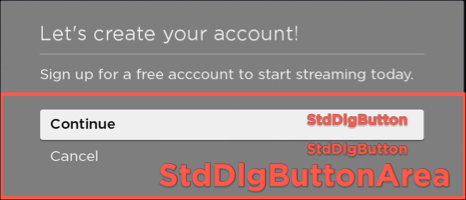",
|
|
5881
|
+
"description": "Extends [StdDlgAreaBase](https://developer.roku.com/docs/references/scenegraph/standard-dialog-framework-nodes/std-dlg-area-base.md\"**StdDlgAreaBase**\")\n\nThe **StdDlgButtonArea** node is always positioned at the bottom of the [StandardDialog](https://developer.roku.com/docs/references/scenegraph/standard-dialog-framework-nodes/standard-dialog.md. It contains zero or more child nodes of type [**StdDlgButton**](https://developer.roku.com/docs/references/scenegraph/standard-dialog-framework-nodes/std-dlg-button.md or a type that extends **StdDlgButton**. Each of the **StdDlgButton** nodes provides an option to perform some task related to the purpose of the dialog. For example, dialogs often have \"Continue\" and \"Cancel\" buttons in the bottom area. The buttons are positioned and sized so that they are arranged vertically in the order in which their **StdDlgButton** child nodes are listed.\n\nA dialog may only have a single button area, and the button area is optional.\n\n",
|
|
5752
5882
|
"events": [],
|
|
5753
5883
|
"extends": {
|
|
5754
5884
|
"name": "StdDlgAreaBase",
|
|
@@ -5760,8 +5890,7 @@
|
|
|
5760
5890
|
"url": "https://developer.roku.com/docs/references/scenegraph/standard-dialog-framework-nodes/std-dlg-button-area.md"
|
|
5761
5891
|
},
|
|
5762
5892
|
"stddlgcontentarea": {
|
|
5763
|
-
"
|
|
5764
|
-
"description": "_Available since Roku OS 10.0_\n\nExtends [StdDlgAreaBase](https://developer.roku.com/docs/references/scenegraph/standard-dialog-framework-nodes/std-dlg-area-base.md\"**StdDlgAreaBase**\")\n\nThe **StdDlgContentArea** node contains the main body of the dialog. It is positioned between the title area and the button area.\n\nIt contains zero or more child nodes that extend [**StdDlgItemBase**](https://developer.roku.com/docs/references/scenegraph/standard-dialog-framework-nodes/std-dlg-item-base.md (for example, [**StdDlgTextItem**](https://developer.roku.com/docs/references/scenegraph/standard-dialog-framework-nodes/std-dlg-text-item.md, [**StdDlgProgressItem**](https://developer.roku.com/docs/references/scenegraph/standard-dialog-framework-nodes/std-dlg-progress-item.md, [**StdDlgGraphicItem**](https://developer.roku.com/docs/references/scenegraph/standard-dialog-framework-nodes/std-dlg-graphic-item.md, and other dialog building blocks). The layout and position of the [**StdDlgItemBase** nodes](https://developer.roku.com/docs/references/scenegraph/standard-dialog-framework-nodes/std-dlg-item-base.md are based on the dialog's width; the nodes are arranged vertically from top to bottom in the content area based on the order in which they are listed. The content area should contain only [**StdDlgItemBase** nodes](https://developer.roku.com/docs/references/scenegraph/standard-dialog-framework-nodes/std-dlg-item-base.md; otherwise, its layout and rendering are undefined.\n\n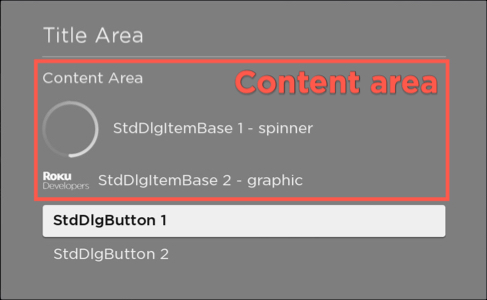",
|
|
5893
|
+
"description": "Extends [StdDlgAreaBase](https://developer.roku.com/docs/references/scenegraph/standard-dialog-framework-nodes/std-dlg-area-base.md\"**StdDlgAreaBase**\")\n\nThe **StdDlgContentArea** node contains the main body of the dialog. It is positioned between the title area and the button area.\n\nIt contains zero or more child nodes that extend [**StdDlgItemBase**](https://developer.roku.com/docs/references/scenegraph/standard-dialog-framework-nodes/std-dlg-item-base.md (for example, [**StdDlgTextItem**](https://developer.roku.com/docs/references/scenegraph/standard-dialog-framework-nodes/std-dlg-text-item.md, [**StdDlgProgressItem**](https://developer.roku.com/docs/references/scenegraph/standard-dialog-framework-nodes/std-dlg-progress-item.md, [**StdDlgGraphicItem**](https://developer.roku.com/docs/references/scenegraph/standard-dialog-framework-nodes/std-dlg-graphic-item.md, and other dialog building blocks). The layout and position of the [**StdDlgItemBase** nodes](https://developer.roku.com/docs/references/scenegraph/standard-dialog-framework-nodes/std-dlg-item-base.md are based on the dialog's width; the nodes are arranged vertically from top to bottom in the content area based on the order in which they are listed. The content area should contain only [**StdDlgItemBase** nodes](https://developer.roku.com/docs/references/scenegraph/standard-dialog-framework-nodes/std-dlg-item-base.md; otherwise, its layout and rendering are undefined.\n\n",
|
|
5765
5894
|
"events": [],
|
|
5766
5895
|
"extends": {
|
|
5767
5896
|
"name": "StdDlgAreaBase",
|
|
@@ -5773,8 +5902,7 @@
|
|
|
5773
5902
|
"url": "https://developer.roku.com/docs/references/scenegraph/standard-dialog-framework-nodes/std-dlg-content-area.md"
|
|
5774
5903
|
},
|
|
5775
5904
|
"stddlgcustomitem": {
|
|
5776
|
-
"
|
|
5777
|
-
"description": "_Available since Roku OS 10.5_\n\nExtends [StdDlgItemBase](https://developer.roku.com/docs/references/scenegraph/standard-dialog-framework-nodes/std-dlg-item-base.md\"**StdDlgItemBase**\")\n\nThe **StdDlgCustomItem** node is used to display free-form dialog items in the content area that require a custom layout.\n\n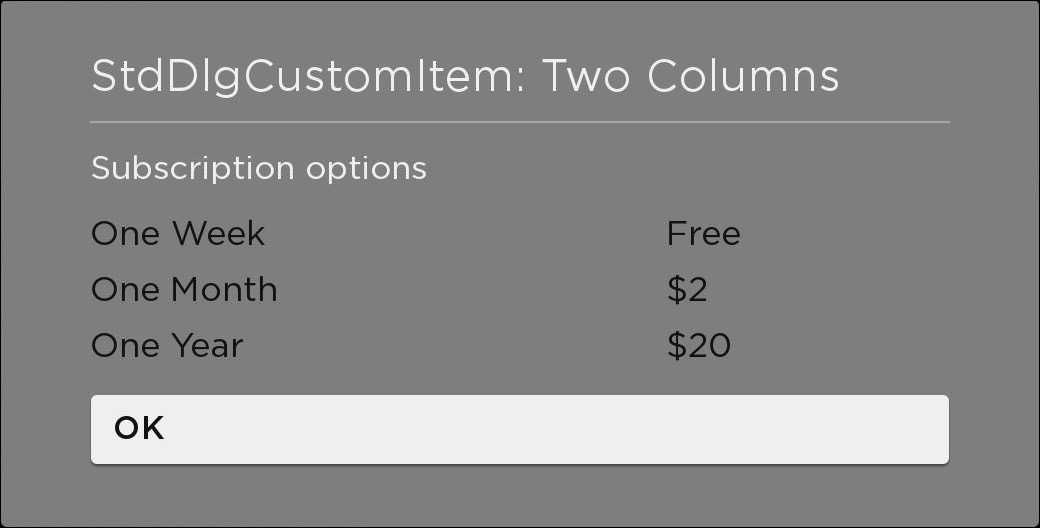",
|
|
5905
|
+
"description": "Extends [StdDlgItemBase](https://developer.roku.com/docs/references/scenegraph/standard-dialog-framework-nodes/std-dlg-item-base.md\"**StdDlgItemBase**\")\n\nThe **StdDlgCustomItem** node is used to display free-form dialog items in the content area that require a custom layout.\n\n",
|
|
5778
5906
|
"events": [],
|
|
5779
5907
|
"extends": {
|
|
5780
5908
|
"name": "StdDlgItemBase",
|
|
@@ -5801,8 +5929,7 @@
|
|
|
5801
5929
|
"url": "https://developer.roku.com/docs/references/scenegraph/standard-dialog-framework-nodes/std-dlg-custom-item.md"
|
|
5802
5930
|
},
|
|
5803
5931
|
"stddlgdeterminateprogressitem": {
|
|
5804
|
-
"
|
|
5805
|
-
"description": "_Available since Roku OS 10.0_\n\nExtends [StdDlgItemBase](https://developer.roku.com/docs/references/scenegraph/standard-dialog-framework-nodes/std-dlg-item-base.md\"**StdDlgItemBase**\")\n\nThe **StdDlgDeterminateProgressItem** node is used to display a progress indicator in the dialog's content area. It provides the percentage of progress that has been completed for a task that takes a limited amount of time. It should only be used as a child of a [**StdDlgContentArea**](https://developer.roku.com/docs/references/scenegraph/standard-dialog-framework-nodes/std-dlg-content-area.md node.\n\n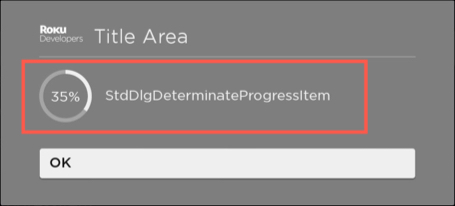",
|
|
5932
|
+
"description": "Extends [StdDlgItemBase](https://developer.roku.com/docs/references/scenegraph/standard-dialog-framework-nodes/std-dlg-item-base.md\"**StdDlgItemBase**\")\n\nThe **StdDlgDeterminateProgressItem** node is used to display a progress indicator in the dialog's content area. It provides the percentage of progress that has been completed for a task that takes a limited amount of time. It should only be used as a child of a [**StdDlgContentArea**](https://developer.roku.com/docs/references/scenegraph/standard-dialog-framework-nodes/std-dlg-content-area.md node.\n\n",
|
|
5806
5933
|
"events": [],
|
|
5807
5934
|
"extends": {
|
|
5808
5935
|
"name": "StdDlgItemBase",
|
|
@@ -5829,8 +5956,7 @@
|
|
|
5829
5956
|
"url": "https://developer.roku.com/docs/references/scenegraph/standard-dialog-framework-nodes/std-dlg-determinate-progress-item.md"
|
|
5830
5957
|
},
|
|
5831
5958
|
"stddlggraphicitem": {
|
|
5832
|
-
"
|
|
5833
|
-
"description": "_Available since Roku OS 10.0_\n\nExtends [StdDlgItemBase](https://developer.roku.com/docs/references/scenegraph/standard-dialog-framework-nodes/std-dlg-item-base.md\"**StdDlgItemBase**\")\n\nThe **StdDlgGraphicItem** node is used to display an image in the dialog's content area with an optional text label displayed to the left, right, above, or below the image. It should only be used as a child of a [**StdDlgContentArea**](https://developer.roku.com/docs/references/scenegraph/standard-dialog-framework-nodes/std-dlg-content-area.md node.\n\n",
|
|
5959
|
+
"description": "Extends [StdDlgItemBase](https://developer.roku.com/docs/references/scenegraph/standard-dialog-framework-nodes/std-dlg-item-base.md\"**StdDlgItemBase**\")\n\nThe **StdDlgGraphicItem** node is used to display an image in the dialog's content area with an optional text label displayed to the left, right, above, or below the image. It should only be used as a child of a [**StdDlgContentArea**](https://developer.roku.com/docs/references/scenegraph/standard-dialog-framework-nodes/std-dlg-content-area.md node.\n\n",
|
|
5834
5960
|
"events": [],
|
|
5835
5961
|
"extends": {
|
|
5836
5962
|
"name": "StdDlgItemBase",
|
|
@@ -5878,8 +6004,7 @@
|
|
|
5878
6004
|
"url": "https://developer.roku.com/docs/references/scenegraph/standard-dialog-framework-nodes/std-dlg-graphic-item.md"
|
|
5879
6005
|
},
|
|
5880
6006
|
"stddlgitembase": {
|
|
5881
|
-
"
|
|
5882
|
-
"description": "_Available since Roku OS 10.0_\n\nExtends [Group](https://developer.roku.com/docs/references/scenegraph/layout-group-nodes/group.md\n\n**StdDlgItemBase** is the base class for all the content area items. It provides the common functionality for all StdDlg\\[_x_\\]Item nodes (for example, [**StdDlgBulletTextItem**](https://developer.roku.com/docs/references/scenegraph/standard-dialog-framework-nodes/std-dlg-bullet-text-item.md, [**StdDlgTextItem**](https://developer.roku.com/docs/references/scenegraph/standard-dialog-framework-nodes/std-dlg-text-item.md, [**StdDlgKeyboardItem**](https://developer.roku.com/docs/references/scenegraph/standard-dialog-framework-nodes/std-dlg-keyboard-item.md, [**StdDlgProgressItem**](https://developer.roku.com/docs/references/scenegraph/standard-dialog-framework-nodes/std-dlg-progress-item.md, [**StdDlgGraphicItem**](https://developer.roku.com/docs/references/scenegraph/standard-dialog-framework-nodes/std-dlg-graphic-item.md, and the other dialog building block nodes).",
|
|
6007
|
+
"description": "Extends [Group](https://developer.roku.com/docs/references/scenegraph/layout-group-nodes/group.md\n\n**StdDlgItemBase** is the base class for all the content area items. It provides the common functionality for all StdDlg\\[_x_\\]Item nodes (for example, [**StdDlgBulletTextItem**](https://developer.roku.com/docs/references/scenegraph/standard-dialog-framework-nodes/std-dlg-bullet-text-item.md, [**StdDlgTextItem**](https://developer.roku.com/docs/references/scenegraph/standard-dialog-framework-nodes/std-dlg-text-item.md, [**StdDlgKeyboardItem**](https://developer.roku.com/docs/references/scenegraph/standard-dialog-framework-nodes/std-dlg-keyboard-item.md, [**StdDlgProgressItem**](https://developer.roku.com/docs/references/scenegraph/standard-dialog-framework-nodes/std-dlg-progress-item.md, [**StdDlgGraphicItem**](https://developer.roku.com/docs/references/scenegraph/standard-dialog-framework-nodes/std-dlg-graphic-item.md, and the other dialog building block nodes).",
|
|
5883
6008
|
"events": [],
|
|
5884
6009
|
"extends": {
|
|
5885
6010
|
"name": "Group",
|
|
@@ -5899,8 +6024,7 @@
|
|
|
5899
6024
|
"url": "https://developer.roku.com/docs/references/scenegraph/standard-dialog-framework-nodes/std-dlg-item-base.md"
|
|
5900
6025
|
},
|
|
5901
6026
|
"stddlgitemgroup": {
|
|
5902
|
-
"
|
|
5903
|
-
"description": "_Available since Roku OS 11.0_\n\nExtends [StdDlgItemBase](https://developer.roku.com/docs/references/scenegraph/standard-dialog-framework-nodes/std-dlg-item-base.md\n\nThe **StdDlgItemGroup** node is used to visually group a set of StdDlgAreaBase child nodes in a custom dialog. Developers can use this node to reduce the vertical spacing between the StdDlgItemBase child nodes. For [**StdDlgActionCardItem**](https://developer.roku.com/docs/references/scenegraph/standard-dialog-framework-nodes/std-dlg-action-card-item.md nodes, the **StdDlgItemGroup** node enforces the rule that when multiple items **StdDlgActionCardItem** nodes have their **iconType** field set to \"radiobutton\", only one may have its **selected** status be set to \"true\".\n\nThe **StdDlgItemGroup** node may contain one or more [**StdDlgItemBase**](https://developer.roku.com/docs/references/scenegraph/standard-dialog-framework-nodes/std-dlg-item-base.md child nodes (for example, StdDlgTextItem, StdDlgGraphicItem, and so on) as its children. It will visually group those child **StdDlgItemBase** nodes by reducing the amount of vertical space between them. However, the primary benefit of the StdDlgItemGroup node is managing **StdDlgActionCardItem** child nodes that have their **iconType** field set to \"radiobutton\".\n\n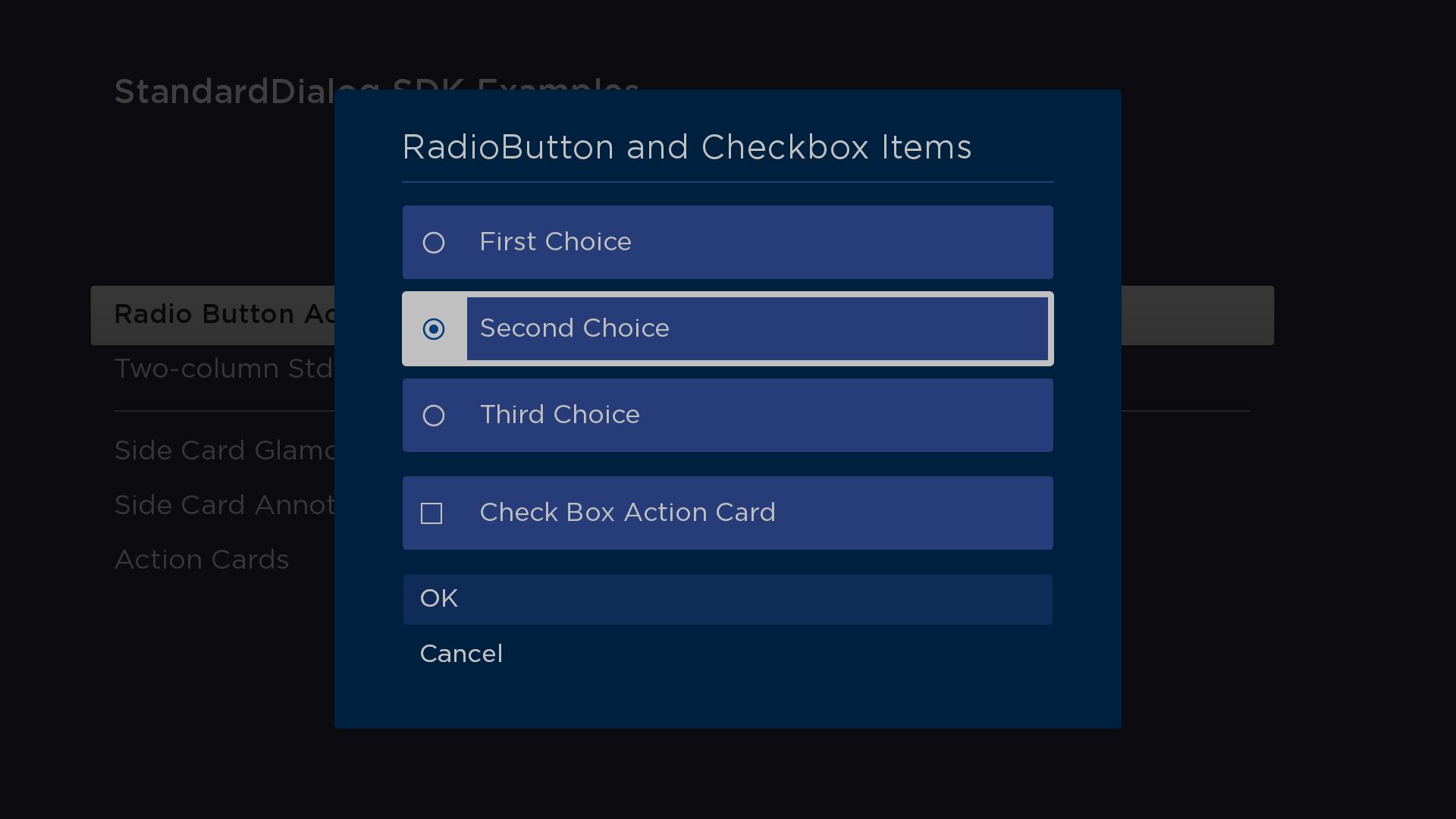\n\n> See the [**stdDlgActionCardItem** documentation](https://developer.roku.com/docs/references/scenegraph/standard-dialog-framework-nodes/std-dlg-action-card-item.mdradiobutton-icontype) for code demonstarting how to use the **StdDlgItemGroup** node in a custom dialog.",
|
|
6027
|
+
"description": "Extends [StdDlgItemBase](https://developer.roku.com/docs/references/scenegraph/standard-dialog-framework-nodes/std-dlg-item-base.md\n\nThe **StdDlgItemGroup** node is used to visually group a set of StdDlgAreaBase child nodes in a custom dialog. Developers can use this node to reduce the vertical spacing between the StdDlgItemBase child nodes. For [**StdDlgActionCardItem**](https://developer.roku.com/docs/references/scenegraph/standard-dialog-framework-nodes/std-dlg-action-card-item.md nodes, the **StdDlgItemGroup** node enforces the rule that when multiple items **StdDlgActionCardItem** nodes have their **iconType** field set to \"radiobutton\", only one may have its **selected** status be set to \"true\".\n\nThe **StdDlgItemGroup** node may contain one or more [**StdDlgItemBase**](https://developer.roku.com/docs/references/scenegraph/standard-dialog-framework-nodes/std-dlg-item-base.md child nodes (for example, StdDlgTextItem, StdDlgGraphicItem, and so on) as its children. It will visually group those child **StdDlgItemBase** nodes by reducing the amount of vertical space between them. However, the primary benefit of the StdDlgItemGroup node is managing **StdDlgActionCardItem** child nodes that have their **iconType** field set to \"radiobutton\".\n\n\n\n> See the [**stdDlgActionCardItem** documentation](https://developer.roku.com/docs/references/scenegraph/standard-dialog-framework-nodes/std-dlg-action-card-item.mdradiobutton-icontype) for code demonstarting how to use the **StdDlgItemGroup** node in a custom dialog.",
|
|
5904
6028
|
"events": [],
|
|
5905
6029
|
"extends": {
|
|
5906
6030
|
"name": "StdDlgItemBase",
|
|
@@ -5920,8 +6044,7 @@
|
|
|
5920
6044
|
"url": "https://developer.roku.com/docs/references/scenegraph/standard-dialog-framework-nodes/std-dlg-item-group.md"
|
|
5921
6045
|
},
|
|
5922
6046
|
"stddlgkeyboarditem": {
|
|
5923
|
-
"
|
|
5924
|
-
"description": "_Available since Roku OS 10.0_\n\nExtends [StdDlgItemBase](https://developer.roku.com/docs/references/scenegraph/standard-dialog-framework-nodes/std-dlg-item-base.md\"**StdDlgItemBase**\")\n\nThe **StdDlgKeyboardItem** node is used to display a keyboard or PINpad in the dialog's content area. It provides text and voice entry of strings containing alphanumeric characters and symbols or numeric digits. It should only be used as a child of a [**StdDlgContentArea**](https://developer.roku.com/docs/references/scenegraph/standard-dialog-framework-nodes/std-dlg-content-area.md node.\n\n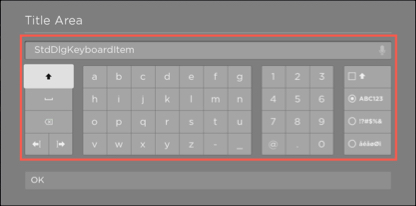",
|
|
6047
|
+
"description": "Extends [StdDlgItemBase](https://developer.roku.com/docs/references/scenegraph/standard-dialog-framework-nodes/std-dlg-item-base.md\"**StdDlgItemBase**\")\n\nThe **StdDlgKeyboardItem** node is used to display a keyboard or PINpad in the dialog's content area. It provides text and voice entry of strings containing alphanumeric characters and symbols or numeric digits. It should only be used as a child of a [**StdDlgContentArea**](https://developer.roku.com/docs/references/scenegraph/standard-dialog-framework-nodes/std-dlg-content-area.md node.\n\n",
|
|
5925
6048
|
"events": [],
|
|
5926
6049
|
"extends": {
|
|
5927
6050
|
"name": "StdDlgItemBase",
|
|
@@ -5955,8 +6078,7 @@
|
|
|
5955
6078
|
"url": "https://developer.roku.com/docs/references/scenegraph/standard-dialog-framework-nodes/std-dlg-keyboard-item.md"
|
|
5956
6079
|
},
|
|
5957
6080
|
"stddlgmultistyletextitem": {
|
|
5958
|
-
"
|
|
5959
|
-
"description": "_Available since Roku OS 11.0_\n\nExtends [StdDlgItemBase](https://developer.roku.com/docs/references/scenegraph/standard-dialog-framework-nodes/std-dlg-item-base.md",
|
|
6081
|
+
"description": "Extends [StdDlgItemBase](https://developer.roku.com/docs/references/scenegraph/standard-dialog-framework-nodes/std-dlg-item-base.md",
|
|
5960
6082
|
"events": [],
|
|
5961
6083
|
"extends": {
|
|
5962
6084
|
"name": "StdDlgItemBase",
|
|
@@ -5990,8 +6112,7 @@
|
|
|
5990
6112
|
"url": "https://developer.roku.com/docs/references/scenegraph/standard-dialog-framework-nodes/std-dlg-multi-style-text-item.md"
|
|
5991
6113
|
},
|
|
5992
6114
|
"stddlgprogressitem": {
|
|
5993
|
-
"
|
|
5994
|
-
"description": "_Available since Roku OS 10.0_\n\nExtends [StdDlgItemBase](https://developer.roku.com/docs/references/scenegraph/standard-dialog-framework-nodes/std-dlg-item-base.md\"**StdDlgItemBase**\")\n\nThe **StdDlgProgressItem** node is used to display a spinning progress indicator in the dialog's content area. It provides the status of a task that takes an indeterminate amount of time. It should only be used as a child of a [**StdDlgContentArea**](https://developer.roku.com/docs/references/scenegraph/standard-dialog-framework-nodes/std-dlg-content-area.md node.\n\n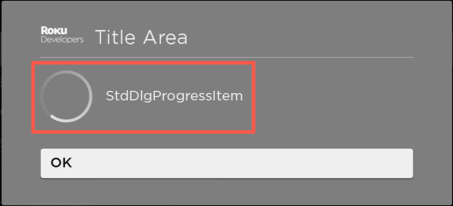",
|
|
6115
|
+
"description": "Extends [StdDlgItemBase](https://developer.roku.com/docs/references/scenegraph/standard-dialog-framework-nodes/std-dlg-item-base.md\"**StdDlgItemBase**\")\n\nThe **StdDlgProgressItem** node is used to display a spinning progress indicator in the dialog's content area. It provides the status of a task that takes an indeterminate amount of time. It should only be used as a child of a [**StdDlgContentArea**](https://developer.roku.com/docs/references/scenegraph/standard-dialog-framework-nodes/std-dlg-content-area.md node.\n\n",
|
|
5995
6116
|
"events": [],
|
|
5996
6117
|
"extends": {
|
|
5997
6118
|
"name": "StdDlgItemBase",
|
|
@@ -6011,8 +6132,7 @@
|
|
|
6011
6132
|
"url": "https://developer.roku.com/docs/references/scenegraph/standard-dialog-framework-nodes/std-dlg-progress-item.md"
|
|
6012
6133
|
},
|
|
6013
6134
|
"stddlgsidecardarea": {
|
|
6014
|
-
"
|
|
6015
|
-
"description": "_Available since Roku OS 11.0_\n\nExtends [StdDlgAreaBase](https://developer.roku.com/docs/references/scenegraph/standard-dialog-framework-nodes/std-dlg-area-base.md",
|
|
6135
|
+
"description": "Extends [StdDlgAreaBase](https://developer.roku.com/docs/references/scenegraph/standard-dialog-framework-nodes/std-dlg-area-base.md",
|
|
6016
6136
|
"events": [],
|
|
6017
6137
|
"extends": {
|
|
6018
6138
|
"name": "StdDlgAreaBase",
|
|
@@ -6043,7 +6163,7 @@
|
|
|
6043
6163
|
{
|
|
6044
6164
|
"accessPermission": "READ_WRITE",
|
|
6045
6165
|
"default": "0.0f",
|
|
6046
|
-
"description": "Specifies the width of the \\*\\*StdDlgSideCardArea\\*\\* node. If this field is set to its default value (0.0), the width is set to the width of the \\[\\*\\*StdDlgContentArea\\*\\*\\](
|
|
6166
|
+
"description": "Specifies the width of the \\*\\*StdDlgSideCardArea\\*\\* node. If this field is set to its default value (0.0), the width is set to the width of the \\[\\*\\*StdDlgContentArea\\*\\*\\](https://developer.roku.com/docs/references/scenegraph/standard-dialog-framework-nodes/std-dlg-content-area.md) node's bounding rectangle (the union of the width of all of its child nodes). If set to a value greater than 0.0, the width of the \\*\\*StdDlgSideCardArea\\*\\* node is fixed to that explicit value. The height of \\*\\*StdDlgSideCardArea\\*\\* node is based on the StandardDialog layout logic. This sets the height to a maximum of the height of the \\*\\*StdDlgSideCardArea\\*\\* bounding rectangle and the height of the vertical column containing the dialog's child \\[\\*\\*StdDlgAreaBase\\*\\*\\](https://developer.roku.com/docs/references/scenegraph/standard-dialog-framework-nodes/std-dlg-area-base.md nodes. This is constrained by the maximum permissible height of the dialog such that it is fully visible onscreen.",
|
|
6047
6167
|
"name": "width",
|
|
6048
6168
|
"type": "float"
|
|
6049
6169
|
}
|
|
@@ -6053,8 +6173,7 @@
|
|
|
6053
6173
|
"url": "https://developer.roku.com/docs/references/scenegraph/standard-dialog-framework-nodes/std-dlg-side-card-area.md"
|
|
6054
6174
|
},
|
|
6055
6175
|
"stddlgtextitem": {
|
|
6056
|
-
"
|
|
6057
|
-
"description": "_Available since Roku OS 10.0_\n\nExtends [StdDlgItemBase](https://developer.roku.com/docs/references/scenegraph/standard-dialog-framework-nodes/std-dlg-item-base.md\"**StdDlgItemBase**\")\n\nThe **StdDlgTextItem** node is used to display a block of text. It should only be used as a child of a [**StdDlgContentArea**](https://developer.roku.com/docs/references/scenegraph/standard-dialog-framework-nodes/std-dlg-content-area.md node.\n\n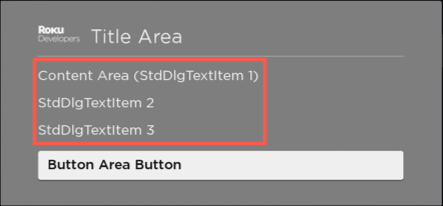\n\n> To separate lines of text, use multiple **StdDlgTextItem** nodes. Do not use newline characters.",
|
|
6176
|
+
"description": "Extends [StdDlgItemBase](https://developer.roku.com/docs/references/scenegraph/standard-dialog-framework-nodes/std-dlg-item-base.md\"**StdDlgItemBase**\")\n\nThe **StdDlgTextItem** node is used to display a block of text. It should only be used as a child of a [**StdDlgContentArea**](https://developer.roku.com/docs/references/scenegraph/standard-dialog-framework-nodes/std-dlg-content-area.md node.\n\n\n\n> To separate lines of text, use multiple **StdDlgTextItem** nodes. Do not use newline characters.",
|
|
6058
6177
|
"events": [],
|
|
6059
6178
|
"extends": {
|
|
6060
6179
|
"name": "StdDlgItemBase",
|
|
@@ -6088,8 +6207,7 @@
|
|
|
6088
6207
|
"url": "https://developer.roku.com/docs/references/scenegraph/standard-dialog-framework-nodes/std-dlg-text-item.md"
|
|
6089
6208
|
},
|
|
6090
6209
|
"stddlgtitlearea": {
|
|
6091
|
-
"
|
|
6092
|
-
"description": "_Available since Roku OS 10.0_\n\nExtends [StdDlgAreaBase](https://developer.roku.com/docs/references/scenegraph/standard-dialog-framework-nodes/std-dlg-area-base.md\"**StdDlgAreaBase**\")\n\nThe **StdDlgTitleArea** node contains the dialog's title information, which is always displayed at the top of the dialog. The title area may also include optional icons that appear left or right justified. The **StdDlgTitleArea** should only be used as a child node of a [**StandardDialog**](https://developer.roku.com/docs/references/scenegraph/standard-dialog-framework-nodes/standard-dialog.md.\n\nA dialog may contain a single title area, and the title area is optional (but is typically used in nearly all cases)\n\n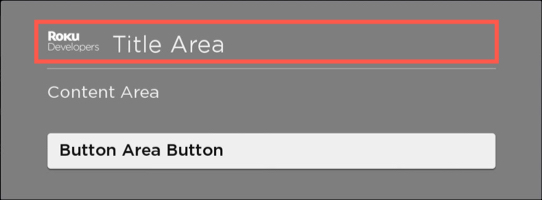",
|
|
6210
|
+
"description": "Extends [StdDlgAreaBase](https://developer.roku.com/docs/references/scenegraph/standard-dialog-framework-nodes/std-dlg-area-base.md\"**StdDlgAreaBase**\")\n\nThe **StdDlgTitleArea** node contains the dialog's title information, which is always displayed at the top of the dialog. The title area may also include optional icons that appear left or right justified. The **StdDlgTitleArea** should only be used as a child node of a [**StandardDialog**](https://developer.roku.com/docs/references/scenegraph/standard-dialog-framework-nodes/standard-dialog.md.\n\nA dialog may contain a single title area, and the title area is optional (but is typically used in nearly all cases)\n\n",
|
|
6093
6211
|
"events": [],
|
|
6094
6212
|
"extends": {
|
|
6095
6213
|
"name": "StdDlgAreaBase",
|
|
@@ -6252,7 +6370,7 @@
|
|
|
6252
6370
|
{
|
|
6253
6371
|
"accessPermission": "READ_WRITE",
|
|
6254
6372
|
"default": "false",
|
|
6255
|
-
"description": "Specifies whether the current target rectangles (as defined in the read-only currTargetSet field's TargetSet) are drawn or not. Typically this would only be set to true while debugging
|
|
6373
|
+
"description": "Specifies whether the current target rectangles (as defined in the read-only currTargetSet field's TargetSet) are drawn or not. Typically this would only be set to true while debugging an app, although in some use cases its possible that you might want to display the current target rectangles. The rectangles are drawn using the color in the targetSet's TargetSet node's color field",
|
|
6256
6374
|
"name": "showTargetRects",
|
|
6257
6375
|
"type": "Boolean"
|
|
6258
6376
|
},
|
|
@@ -6420,6 +6538,20 @@
|
|
|
6420
6538
|
"name": "cursorPosition",
|
|
6421
6539
|
"type": "integer"
|
|
6422
6540
|
},
|
|
6541
|
+
{
|
|
6542
|
+
"accessPermission": "READ_WRITE",
|
|
6543
|
+
"default": "not specified",
|
|
6544
|
+
"description": "Specifies the size of the font in points for the text shown in the box (undocumented).",
|
|
6545
|
+
"name": "fontSize",
|
|
6546
|
+
"type": "integer"
|
|
6547
|
+
},
|
|
6548
|
+
{
|
|
6549
|
+
"accessPermission": "READ_WRITE",
|
|
6550
|
+
"default": "\"\"",
|
|
6551
|
+
"description": "Specifies the URI of a TrueType or OpenType font file to be used for the text shown in the box (undocumented).",
|
|
6552
|
+
"name": "fontUri",
|
|
6553
|
+
"type": "string"
|
|
6554
|
+
},
|
|
6423
6555
|
{
|
|
6424
6556
|
"accessPermission": "Read-Write",
|
|
6425
6557
|
"default": "\"\"",
|
|
@@ -6482,7 +6614,7 @@
|
|
|
6482
6614
|
"url": "https://developer.roku.com/docs/references/scenegraph/widget-nodes/texteditbox.md"
|
|
6483
6615
|
},
|
|
6484
6616
|
"timegrid": {
|
|
6485
|
-
"description": "OTT providers can use the TimeGrid node to implement an Electronic Program Guide (EPG) in their
|
|
6617
|
+
"description": "OTT providers can use the TimeGrid node to implement an Electronic Program Guide (EPG) in their apps. In an EPG, channels are represented as horizontal rows, one for each channel. Each row has an channel name on the left, and a set of programs airing on that app to the right. The size of each program depends on its duration. One of these programs has a remote control focus highlight indicator on it, and this highlight can be moved around using the remote control (as long as the TimeGrid node has remote control focus).\n\nThe TimeGrid node also features an alternative Now/Next view that lists only the programs currently airing and airing next, with their respective start times. See [Now/Next mode](https://developer.roku.com/docs/references/scenegraph/list-and-grid-nodes/timegrid.mdnownext-mode) for more information.\n\n",
|
|
6486
6618
|
"events": [],
|
|
6487
6619
|
"fields": [],
|
|
6488
6620
|
"interfaces": [],
|
|
@@ -6626,14 +6758,14 @@
|
|
|
6626
6758
|
"default": "[ ]",
|
|
6627
6759
|
"description": "Specifies the key percentages for the interpolator's keyframes. Each key percentage should be a unique value from 0 to 1 indicating the percentage of the animation where the keyValue should occur. Behavior is undefined if the number of values in the key field does not match the number of values in the keyValue field",
|
|
6628
6760
|
"name": "key",
|
|
6629
|
-
"type": "array of
|
|
6761
|
+
"type": "array of floats"
|
|
6630
6762
|
},
|
|
6631
6763
|
{
|
|
6632
6764
|
"accessPermission": "READ_WRITE",
|
|
6633
6765
|
"default": "[ ]",
|
|
6634
6766
|
"description": "Specifies the key values or the interpolator's keyframes. Each value in the keyValue array corresponds to a value in the key field's array. The interpolator's behavior is undefined if the number of values in the key field does not match the number of values in the keyValue field",
|
|
6635
6767
|
"name": "keyValue",
|
|
6636
|
-
"type": "array of
|
|
6768
|
+
"type": "array of vector2d"
|
|
6637
6769
|
},
|
|
6638
6770
|
{
|
|
6639
6771
|
"accessPermission": "READ_WRITE",
|
|
@@ -6658,7 +6790,7 @@
|
|
|
6658
6790
|
{
|
|
6659
6791
|
"accessPermission": "WRITE",
|
|
6660
6792
|
"default": "false",
|
|
6661
|
-
"description": "Indicates whether the \"STOP\" command is executed asynchronously (true) or synchronously (false). By default, the STOP command is executed synchronously, which blocks the UI thread. Enabling this field makes the STOP command non-blocking, which enables the video to be switched faster. When this field is enabled, the \\`state\\` field is set to \"stopping\" when the asynnchronous stop begins. The \\`state\\` field then changes to \"stopped\" once the stop has been completed. Any other media player component calls on the UI thread that require the Video node to be re-instantiated should be blocked until the asynnchronous stop has been completed (for example, updating the \\`control\\` field to \"Play\" or \"Prebuffer\"
|
|
6793
|
+
"description": "Indicates whether the \"STOP\" command is executed asynchronously (true) or synchronously (false). By default, the STOP command is executed synchronously, which blocks the UI thread. Enabling this field makes the STOP command non-blocking, which enables the video to be switched faster. When this field is enabled, the \\`state\\` field is set to \"stopping\" when the asynnchronous stop begins. The \\`state\\` field then changes to \"stopped\" once the stop has been completed. Any other media player component calls on the UI thread that require the Video node to be re-instantiated should be blocked until the asynnchronous stop has been completed (for example, updating the \\`control\\` field to \"Play\" or \"Prebuffer\" or updating the \\`seek\\` field). This is because a video node in the \"stopping\" state is still using the underlying media player, which is not available at that time. As a result, performing these types of operations on a different video while in the \"stopping\" state may result in a playback failure.",
|
|
6662
6794
|
"name": "asyncStopSemantics",
|
|
6663
6795
|
"type": "boolean"
|
|
6664
6796
|
},
|
|
@@ -6672,14 +6804,14 @@
|
|
|
6672
6804
|
{
|
|
6673
6805
|
"accessPermission": "WRITE_ONLY",
|
|
6674
6806
|
"default": "{ }",
|
|
6675
|
-
"description": "The significance and priority order of the attributes and values for the audio tracks available in the video stream. > A language matching any country code does not match a track that specifies the same language but with no country code. Provide the attribute fields from highest to lowest significance (for example, if the \\*\\*language\\*\\* should take precedence over the \\*\\*description\\*\\*, list \\*\\*language\\*\\* first. For the audio track languages, provide the language code values from highest to lowest priority (for example, if English for the United States \\\\\\[\"en-US\"\\\\\\] has precedence over English for the United Kingdom \\\\\\[\"en-UK\"\\\\\\], list the language codes in the following order: \\\\\\[\"en-US\", \"en-UK\"\\\\\\].\n\n| Field | Type | Description |\n| --- | --- | --- |\n| values | roAssociativeArray | Specify values for the following audio track attributes. List the attributes from highest to lowest significance. <table><thead><tr><th>Field</th><th>Type</th><th>Description</th></tr></thead><tbody><tr><td>language</td><td>array of Strings</td><td>A list of (ISO-639)/country (ISO-3166) codes for the audio track. List the languages in priority order (highest to lowest).</td></tr><tr><td>descriptive</td><td>array of Strings</td><td>A flag indicating whether descriptives exist for the video playing in the stream. This is equivalent to the HLS \"public.accessibility.describes-video\" characteristic.</td></tr></tbody></table> |\n| overrideSystem | boolean | Specify whether to use the
|
|
6807
|
+
"description": "The significance and priority order of the attributes and values for the audio tracks available in the video stream. > A language matching any country code does not match a track that specifies the same language but with no country code. Provide the attribute fields from highest to lowest significance (for example, if the \\*\\*language\\*\\* should take precedence over the \\*\\*description\\*\\*, list \\*\\*language\\*\\* first. For the audio track languages, provide the language code values from highest to lowest priority (for example, if English for the United States \\\\\\[\"en-US\"\\\\\\] has precedence over English for the United Kingdom \\\\\\[\"en-UK\"\\\\\\], list the language codes in the following order: \\\\\\[\"en-US\", \"en-UK\"\\\\\\].\n\n| Field | Type | Description |\n| --- | --- | --- |\n| values | roAssociativeArray | Specify values for the following audio track attributes. List the attributes from highest to lowest significance. <table><thead><tr><th>Field</th><th>Type</th><th>Description</th></tr></thead><tbody><tr><td>language</td><td>array of Strings</td><td>A list of (ISO-639)/country (ISO-3166) codes for the audio track. List the languages in priority order (highest to lowest).</td></tr><tr><td>descriptive</td><td>array of Strings</td><td>A flag indicating whether descriptives exist for the video playing in the stream. This is equivalent to the HLS \"public.accessibility.describes-video\" characteristic.</td></tr></tbody></table> |\n| overrideSystem | boolean | Specify whether to use the app's preferences over the system preferences (true) or use the app's preferences only when the system preferences do not match any of the available tracks (false), which allows the app to provide additional rules in this case. The default value is false. |\n\n\\*\\*Example\\*\\* \\`\\`\\` video.audioSelectionPreferences = { values: \\[ { language: \\[\"en-US\", \"en-UK\", \"en\", \"en-\\*\"\\] }, { descriptive: \"false\" } \\], overrideSystem: true } \\`\\`\\` \\*\\*Explanation\\*\\* The audio language with the highest priority is \"en-US\". The next highest priority language is \"en-UK\", then \"en\" with no country code, and finally \"en\" with any country code.",
|
|
6676
6808
|
"name": "audioSelectionPreferences",
|
|
6677
6809
|
"type": "roAssociativeArray"
|
|
6678
6810
|
},
|
|
6679
6811
|
{
|
|
6680
6812
|
"accessPermission": "READ_WRITE",
|
|
6681
6813
|
"default": "",
|
|
6682
|
-
"description": "The track identifier of the selected audio track. Reading this field will return the track identifier of the audio selected by the user. Writing this value will change the audio track. However,
|
|
6814
|
+
"description": "The track identifier of the selected audio track. Reading this field will return the track identifier of the audio selected by the user. Writing this value will change the audio track. However, apps should not do this unless they are implementing their own track selection menu that users control. This is because the Roku OS selects the best track automatically based on preferred language setting on the device. See \\[Automatic audio track selection\\](#automatic-audio-track-selection) for more information.",
|
|
6683
6815
|
"name": "audioTrack",
|
|
6684
6816
|
"type": "string"
|
|
6685
6817
|
},
|
|
@@ -6721,7 +6853,7 @@
|
|
|
6721
6853
|
{
|
|
6722
6854
|
"accessPermission": "READ_ONLY",
|
|
6723
6855
|
"default": "invalid",
|
|
6724
|
-
"description": "Contains information about stream buffering progress and status. This field is valid only while buffering is in progress, both at stream startup or when re-buffering is required. Observers will be notified when any element of the array changes, and also when buffering is complete and the field itself becomes invalid. The array contains the following name - value pairs.\n\n| Value | Meaning |\n| --- | --- |\n| percentage | Percent buffering complete as an integer. |\n| isUnderrun | Boolean value indicating if a stream underrun occurred. |\n| prebufferDone
|
|
6856
|
+
"description": "Contains information about stream buffering progress and status. This field is valid only while buffering is in progress, both at stream startup or when re-buffering is required. Observers will be notified when any element of the array changes, and also when buffering is complete and the field itself becomes invalid. The array contains the following name - value pairs.\n\n| Value | Meaning |\n| --- | --- |\n| percentage | Percent buffering complete as an integer. |\n| isUnderrun | Boolean value indicating if a stream underrun occurred. |\n| prebufferDone | A boolean value that indicates whether the player has buffered enough data to allow the player to begin playing immediately should \"control\" be set to \"play.\" |\n| actualStart | A time value that is automatically set when prebufferDone becomes true, specifying the actual time from which playback will resume. This may vary from the time requested in the content node's playStart field, depending on the capabilities of the player and the seekMode setting. |\n\n\\> While it is possible to use the Video node seek field to specify the seek time, it is recommended that apps do the following: > > 1. Set the content node field playStart in seek-to-pause scenarios. > 2. In the video node, set \"control\" to \"prebuffer\". > 3. Wait for \"prebufferDone\" to become \"true\". > 4. Check \"actualStart\" (if desired). > 5. Set \"control\" to \"play\".",
|
|
6725
6857
|
"name": "bufferingStatus",
|
|
6726
6858
|
"type": "associative array"
|
|
6727
6859
|
},
|
|
@@ -6735,7 +6867,7 @@
|
|
|
6735
6867
|
{
|
|
6736
6868
|
"accessPermission": "READ_WRITE",
|
|
6737
6869
|
"default": "system default",
|
|
6738
|
-
"description": "Allows
|
|
6870
|
+
"description": "Allows apps to style closed captions. For any keys that are absent from the associative array, or for unexpected values, the Default value is assumed for that property. Following are the possible key names and values for this field:\n\n| Property | Possible Values |\n| --- | --- |\n| Text/Font | Default Serif Fixed Width Serif Proportional Sans Serif Fixed Width Sans Serif Proportional Casual Cursive Small Caps |\n| Text/Effect | Default None Raised Depressed Uniform Drop shadow (left) Drop shadow (right) |\n| Text/Size | Default Large Medium Small |\n| Text/Color | Default White Black Red Green Blue Yellow Magenta Cyan |\n| Text/Opacity | Default 25% 50% 75% 100% |\n| Background/Color | Default White Black Red Green Blue Yellow Magenta Cyan |\n| Background/Opacity | Default Off 25% 50% 75% 100% |\n| Window/Color | Default White Black Red Green Blue Yellow Magenta Cyan |\n| Window/Opacity | Default Off 25% 50% 75% 100% |",
|
|
6739
6871
|
"name": "captionStyle",
|
|
6740
6872
|
"type": "associative array"
|
|
6741
6873
|
},
|
|
@@ -6889,7 +7021,7 @@
|
|
|
6889
7021
|
{
|
|
6890
7022
|
"accessPermission": "READ_ONLY",
|
|
6891
7023
|
"default": "",
|
|
6892
|
-
"description": "A diagnostic message to help resolve the video play error set in the \\`state\\` field. The roAssociativeArray contains the following fields:\n\n| Field | Type | Description |\n| --- | --- | --- |\n| clipId | integer | The unique ID for the clip |\n| ignored | integer | Indicates whether the error generated an exception (0) or was ignored resulting in the next item in the content list being played (1). |\n| source | string | The module that generated the error. |\n| category | String | The type of error, which includes: \"http\", \"drm\", \"mediaerror\", or \"mediaplayer\". |\n| errcode | integer | The internal Roku code associated with the error. Use the **dbgmsg** field for debugging. |\n| dbgmsg | string | A verbose debug message that can help identify the root cause of the error. |\n| drmerrcode
|
|
7024
|
+
"description": "A diagnostic message to help resolve the video play error set in the \\`state\\` field. The roAssociativeArray contains the following fields:\n\n| Field | Type | Description |\n| --- | --- | --- |\n| clipId | integer | The unique ID for the clip |\n| ignored | integer | Indicates whether the error generated an exception (0) or was ignored resulting in the next item in the content list being played (1). |\n| source | string | The module that generated the error. |\n| category | String | The type of error, which includes: \"http\", \"drm\", \"mediaerror\", or \"mediaplayer\". |\n| errcode | integer | The internal Roku code associated with the error. Use the **dbgmsg** field for debugging. |\n| dbgmsg | string | A verbose debug message that can help identify the root cause of the error. |\n| drmerrcode | integer | The error code returned by the DRM system, if any, when a video player error occurs |",
|
|
6893
7025
|
"name": "errorInfo",
|
|
6894
7026
|
"type": "roAssociativeArray"
|
|
6895
7027
|
},
|
|
@@ -6910,7 +7042,7 @@
|
|
|
6910
7042
|
{
|
|
6911
7043
|
"accessPermission": "READ_WRITE",
|
|
6912
7044
|
"default": "Off",
|
|
6913
|
-
"description": "Sets the value of the global Roku closed-caption mode. This can be used to allow the user or the application to change the closed-caption mode in an application just before or during video playback. The possible options are:\n\n| Option | Effect |\n| --- | --- |\n| \"Off\" | Turns the global Roku closed-caption mode off. |\n| \"On\" | Turns the global Roku closed-caption mode on. |\n| \"Instant replay\" | Sets the global Roku closed-caption setting to display captions only during instant replay. |\n| \"When mute\" | Sets the global Roku closed-caption setting to display captions only when the volume is muted. (This only applies to Roku TVs.) |\n\nThe
|
|
7045
|
+
"description": "Sets the value of the global Roku closed-caption mode. This can be used to allow the user or the application to change the closed-caption mode in an application just before or during video playback. The possible options are:\n\n| Option | Effect |\n| --- | --- |\n| \"Off\" | Turns the global Roku closed-caption mode off. |\n| \"On\" | Turns the global Roku closed-caption mode on. |\n| \"Instant replay\" | Sets the global Roku closed-caption setting to display captions only during instant replay. |\n| \"When mute\" | Sets the global Roku closed-caption setting to display captions only when the volume is muted. (This only applies to Roku TVs.) |\n\nThe app should set the \\`subtitleTrack\\` field regardless of the selected Caption Mode.",
|
|
6914
7046
|
"name": "globalCaptionMode",
|
|
6915
7047
|
"type": "option string"
|
|
6916
7048
|
},
|
|
@@ -7057,7 +7189,7 @@
|
|
|
7057
7189
|
{
|
|
7058
7190
|
"accessPermission": "READ_ONLY",
|
|
7059
7191
|
"default": "",
|
|
7060
|
-
"description": "Provides timing measurements related to the start of video playback. All measurements are in seconds. The roAssociativeArray contains the following fields:\n\n| Field | Type | Access Permission | Description |\n| --- | --- | --- | --- |\n| total\\_dur | float | READ\\_ONLY | Total video start duration. |\n| manifest\\_dur | float | READ\\_ONLY | Manifest download and parsing. |\n| drm\\_load\\_dur | float | READ\\_ONLY | DRM system initialization. |\n| drm\\_lic\\_acq\\_dur | float | READ\\_ONLY | License acquisition. This typically includes interactions with the license server. |\n| prebuf\\_dur | float | READ\\_ONLY | Prebuffer content. |\n| manifest\\_start
|
|
7192
|
+
"description": "Provides timing measurements related to the start of video playback. All measurements are in seconds. The roAssociativeArray contains the following fields:\n\n| Field | Type | Access Permission | Description |\n| --- | --- | --- | --- |\n| total\\_dur | float | READ\\_ONLY | Total video start duration. |\n| manifest\\_dur | float | READ\\_ONLY | Manifest download and parsing. |\n| drm\\_load\\_dur | float | READ\\_ONLY | DRM system initialization. |\n| drm\\_lic\\_acq\\_dur | float | READ\\_ONLY | License acquisition. This typically includes interactions with the license server. |\n| prebuf\\_dur | float | READ\\_ONLY | Prebuffer content. |\n| manifest\\_start | Float | READ\\_ONLY | Point at which manifest download and parsing begins. |\n| drm\\_load\\_start | Float | READ\\_ONLY | Point at which DRM system initialization begins. |\n| drm\\_lic\\_acq\\_start | Float | READ\\_ONLY | Point at which license acquisition begins. |\n| prebuf\\_start | Float | READ\\_ONLY | Point at which content pre-buffering begins. |\n\n\\> The \\\\\\_start fields correspond to the similarly named \\\\\\_dur (duration) fields in this structure. In each case, the \\\\\\_start point is the number of milliseconds elapsed from the initialization of the media player (t=0.000). If required, ending points for each interval can be derived from its associated starting-point and duration.",
|
|
7061
7193
|
"name": "playStartInfo",
|
|
7062
7194
|
"type": "roAssociativeArray"
|
|
7063
7195
|
},
|
|
@@ -7127,14 +7259,14 @@
|
|
|
7127
7259
|
{
|
|
7128
7260
|
"accessPermission": "READ_ONLY",
|
|
7129
7261
|
"default": "{ }",
|
|
7130
|
-
"description": "Information about the video segment that is currently streaming. This is only meaningful for segmented video transports, such as DASH and HLS. The associative array has the following entries:\n\n| Key | Type | Value |\n| --- | --- | --- |\n| segBitrateBps | integer | Bitrate of the segment in bits per second |\n| segSequence | integer | The sequence number of the segment in the video |\n| segStart | time | The start time of the segment from the start of the video, specified in seconds |\n| segUrl | string | URL of the segment |\n| Path | string | A path indicating the Period, AdaptationSet and Representation that is played. This is in UNIX directory notation as: /// |\n| Width | integer | For video segments, the width of the encoded video picture |\n| Height | integer | For video segments, the height of the encoded video picture |",
|
|
7262
|
+
"description": "Information about the video segment that is currently streaming. This is only meaningful for segmented video transports, such as DASH and HLS. The associative array has the following entries:\n\n| Key | Type | Value |\n| --- | --- | --- |\n| segBitrateBps | integer | Bitrate of the segment in bits per second |\n| segSequence | integer | The sequence number of the segment in the video |\n| segStart | time | The start time of the segment from the start of the video, specified in seconds |\n| segUrl | string | URL of the segment |\n| SegType | integer | Type of data in the segment: 1=audio, 2=video, 3=captions, 0=mux |\n| Path | string | A path indicating the Period, AdaptationSet and Representation that is played. This is in UNIX directory notation as: /// |\n| Width | integer | For video segments, the width of the encoded video picture |\n| Height | integer | For video segments, the height of the encoded video picture |",
|
|
7131
7263
|
"name": "streamingSegment",
|
|
7132
7264
|
"type": "associative array"
|
|
7133
7265
|
},
|
|
7134
7266
|
{
|
|
7135
7267
|
"accessPermission": "WRITE_ONLY",
|
|
7136
7268
|
"default": "{ }",
|
|
7137
|
-
"description": "The significance and priority order of the attributes and values for the subtitle tracks available in the video stream. Provide the attribute fields from highest to lowest significance (for example, if \\*\\*language\\*\\* should take precedence over all other attributes, list it first). For the subtitle track languages, provide the language codes from highest to lowest priority (for example, if Spanish for Latin America and the Caribbean \\\\\\[\"es-419\"\\\\\\] has precedence over Spanish \\\\\\[\"es\"\\\\\\], list the language codes in the following order: \\\\\\[\"es-419\", \"es\"\\\\\\].\n\n| Field | Type | Description |\n| --- | --- | --- |\n| values | roAssociativeArray | Specify values for the following subtitle track attributes. List the attributes from highest to lowest significance. <table><thead><tr><th>Field</th><th>Type</th><th>Description</th></tr></thead><tbody><tr><td>language</td><td>array of Strings</td><td>A list of language (ISO-639)/country (ISO-3166) codes for the subtitles. List the language codes in priority order (highest to lowest).</td></tr><tr><td>caption</td><td>array of Strings</td><td>A flag indicating whether captions exist for the video stream. This is equivalent to the HLS \"public.accessibility.transcribes-spoken-dialog\" characteristic.</td></tr><tr><td>descriptive</td><td>array of Strings</td><td>A flag indicating whether descriptives exist for the music and sounds in the video stream. This is equivalent to the HLS \"public.accessibility.describes-music-and-sound\" characteristic.</td></tr><tr><td>easyReader</td><td>array of Strings</td><td>A flag indicating whether subtitles are easy to read.</td></tr></tbody></table> |\n| overrideSystem | boolean | Specify whether to use the
|
|
7269
|
+
"description": "The significance and priority order of the attributes and values for the subtitle tracks available in the video stream. Provide the attribute fields from highest to lowest significance (for example, if \\*\\*language\\*\\* should take precedence over all other attributes, list it first). For the subtitle track languages, provide the language codes from highest to lowest priority (for example, if Spanish for Latin America and the Caribbean \\\\\\[\"es-419\"\\\\\\] has precedence over Spanish \\\\\\[\"es\"\\\\\\], list the language codes in the following order: \\\\\\[\"es-419\", \"es\"\\\\\\].\n\n| Field | Type | Description |\n| --- | --- | --- |\n| values | roAssociativeArray | Specify values for the following subtitle track attributes. List the attributes from highest to lowest significance. <table><thead><tr><th>Field</th><th>Type</th><th>Description</th></tr></thead><tbody><tr><td>language</td><td>array of Strings</td><td>A list of language (ISO-639)/country (ISO-3166) codes for the subtitles. List the language codes in priority order (highest to lowest).</td></tr><tr><td>caption</td><td>array of Strings</td><td>A flag indicating whether captions exist for the video stream. This is equivalent to the HLS \"public.accessibility.transcribes-spoken-dialog\" characteristic.</td></tr><tr><td>descriptive</td><td>array of Strings</td><td>A flag indicating whether descriptives exist for the music and sounds in the video stream. This is equivalent to the HLS \"public.accessibility.describes-music-and-sound\" characteristic.</td></tr><tr><td>easyReader</td><td>array of Strings</td><td>A flag indicating whether subtitles are easy to read.</td></tr></tbody></table> |\n| overrideSystem | boolean | Specify whether to use the app's preferences over the system preferences (true) or use the app's preferences only when the system preferences do not match any of the available tracks (false), which allows the app to provide additional rules in this case. The default value is false. |\n\n\\*\\*Example\\*\\* \\`\\`\\` video.subtitleSelectionPreferences = { values: \\[ { language: \\[\"es-419\", \"es\", \"es-\\*\", \"fr\", \"en-US\", \"en-UK\", \"en\"\\] }, { caption: \"true\" }, { descriptive: \\[\"false\"\\] }, { easyReader: \"true\" } \\], overrideSystem: true } \\`\\`\\` \\*\\*Explanation\\*\\* The subititle language with the highest priority is \"es\" with a country code of \"419\". The next highest priority language is \"es\" with no country code, and then \"es\" with any country code.",
|
|
7138
7270
|
"name": "subtitleSelectionPreferences",
|
|
7139
7271
|
"type": "roAssociativeArray"
|
|
7140
7272
|
},
|
|
@@ -7162,7 +7294,7 @@
|
|
|
7162
7294
|
{
|
|
7163
7295
|
"accessPermission": "READ_WRITE",
|
|
7164
7296
|
"default": "[]",
|
|
7165
|
-
"description": "Contains the information about HLS and DASH standard thumbnail tiles as they are discovered within the manifest for streams which contain them. This field was first introduced (for VOD only) starting in Roku OS 9.1. Starting with Roku OS 11.0, the
|
|
7297
|
+
"description": "Contains the information about HLS and DASH standard thumbnail tiles as they are discovered within the manifest for streams which contain them. This field was first introduced (for VOD only) starting in Roku OS 9.1. Starting with Roku OS 11.0, the app can enable this field for HLS and DASH live streams containing standard thumbnails by setting enableThumbnailTilesDuringLive to true. > For Roku OS releases before 9.4, the \\*\\*thumbnailTiles\\*\\* associative array has the following structure: {tile\\\\\\_id: tile\\\\\\_set} (string to associative array) > > For Roku OS 9.4 and later, the \\*\\*thumbnailTiles\\*\\* associative array has the following structure: {tile\\\\\\_id: \\\\\\[tile\\\\\\_set, tile\\\\\\_set, tile\\\\\\_set,...\\\\\\]}(string to array of associative arrays). This format allows discontinuous tile\\\\\\_sets of the same resolution to be grouped together as a \"choice\" for display. The \\*\\*tile\\\\\\_id\\*\\* field is a unique string identifier for the \\*\\*tile\\\\\\_set\\*\\*, which is an associative array containing the attributes of the tile set as well as information about the thumbnails. The \\*\\*tile\\\\\\_set\\*\\* field contains the following fields:\n\n| Field | Type | Default | Description |\n| --- | --- | --- | --- |\n| htiles | integer | 0 | Horizontal number of thumbnails in a tile (columns.) |\n| vtiles | integer | 0 | Vertical number of thumbnails in a tile (rows.) |\n| width | integer | 0 | Number of horizontal pixels in a thumbnail (this is not the tile as the one in the DASH spec). |\n| height | integer | 0 | Number of vertical pixels in a thumbnail (this is not the same tile as the one in the DASH spec). |\n| bandwidth | integer | 0 | Max tile size in bits / duration. |\n| duration | float | 0.0 | Duration of one tile in seconds (assuming a full tile). |\n| initial\\_time | float | 0.0 | Presentation start time of current **tile\\_set** in seconds. Thumbnails in tiles beginning before this time should be skipped, and the first relevant thumbnail duration should be updated accordingly. |\n| final\\_time | float | 0.0 | End time of current tile\\_set in seconds. |\n| tiles | roArray | \\[\\] | Contains information about each tile in the **tile\\_set**. This contains the following fields: * url (index 0). A string with the URL of the tile. * start\\_time (index 1). A float with the start time of the tile in seconds.<br/ * format (index 2). Typically, an empty string, but it may contain the tile format \"jpeg\", \"png\", and so on. |",
|
|
7166
7298
|
"name": "thumbnailTiles",
|
|
7167
7299
|
"type": "roAssociativeArray"
|
|
7168
7300
|
},
|
|
@@ -7204,7 +7336,7 @@
|
|
|
7204
7336
|
{
|
|
7205
7337
|
"accessPermission": "READ_WRITE",
|
|
7206
7338
|
"default": "internal instance default",
|
|
7207
|
-
"description": "The visible TrickPlayBar node. The fields of this internal node are as follows:\n\n| Field | Type | Default | Use |\n| --- | --- | --- | --- |\n| currentTimeMarkerBlendColor | color | 0xFFFFFFFF | This is blended with the marker for the current playback position. This is typically a small vertical bar displayed in the TrickPlayBar node when the user is fast-forwarding or rewinding through the video. |\n| textColor | color | system default | Sets the color of the text next to the trickPlayBar node indicating the time elapsed/remaining. |\n| thumbBlendColor | color | 0xFFFFFFFF | Sets the blend color of the square image in the trickPlayBar node that shows the current position, with the current direction arrows or pause icon on top. The blending is performed by multiplying this value with each pixel in the image. If not changed from the default value, no blending will take place. |\n| filledBarBlendColor | color | 0xFFFFFFFF | This color will be blended with the graphical image specified in the `filledBarImageUri` field. The blending is performed by multiplying this value with each pixel in the image. If not changed from the default value, no blending will take place. |\n| liveFilledBarBlendColor
|
|
7339
|
+
"description": "The visible TrickPlayBar node. The fields of this internal node are as follows:\n\n| Field | Type | Default | Use |\n| --- | --- | --- | --- |\n| currentTimeMarkerBlendColor | color | 0xFFFFFFFF | This is blended with the marker for the current playback position. This is typically a small vertical bar displayed in the TrickPlayBar node when the user is fast-forwarding or rewinding through the video. |\n| textColor | color | system default | Sets the color of the text next to the trickPlayBar node indicating the time elapsed/remaining. |\n| thumbBlendColor | color | 0xFFFFFFFF | Sets the blend color of the square image in the trickPlayBar node that shows the current position, with the current direction arrows or pause icon on top. The blending is performed by multiplying this value with each pixel in the image. If not changed from the default value, no blending will take place. |\n| filledBarBlendColor | color | 0xFFFFFFFF | This color will be blended with the graphical image specified in the `filledBarImageUri` field. The blending is performed by multiplying this value with each pixel in the image. If not changed from the default value, no blending will take place. |\n| liveFilledBarBlendColor | Color | 0xFFFFFFFF | The color of the trickplay progress bar to be blended with the **filledBarImageUri** for live linear streams. |\n| filledBarImageUri | uri | \"\" | A 9-patch or ordinary PNG of the bar that represents the completed portion of the work represented by this ProgressBar node. This is typically displayed on the left side of the track. This will be blended with the color specified by the `filledBarBlendColor` field, if set to a non-default value. |\n| trackBlendColor | color | 0xFFFFFFFF | This color is blended with the graphical image specified by `trackImageUri` field. The blending is performed by multiplying this value with each pixel in the image. If not changed from the default value, no blending will take place. |\n| trackImageUri | uri | \"\" | A 9-patch or ordinary PNG of the track of the progress bar, which surrounds the filled and empty bars. This will be blended with the color specified by the `trackBlendColor` field, if set to a non-default value. |",
|
|
7208
7340
|
"name": "trickPlayBar",
|
|
7209
7341
|
"type": "TrickPlayBar node"
|
|
7210
7342
|
},
|
|
@@ -7305,7 +7437,7 @@
|
|
|
7305
7437
|
},
|
|
7306
7438
|
"roappmanager": {
|
|
7307
7439
|
"constructors": [],
|
|
7308
|
-
"description": "The roAppManager component is used to returns information about the
|
|
7440
|
+
"description": "The roAppManager component is used to returns information about the app.",
|
|
7309
7441
|
"events": [],
|
|
7310
7442
|
"interfaces": [
|
|
7311
7443
|
{
|
|
@@ -7317,13 +7449,20 @@
|
|
|
7317
7449
|
"url": "https://developer.roku.com/docs/references/brightscript/components/roappmanager.md"
|
|
7318
7450
|
},
|
|
7319
7451
|
"roappmemorymonitor": {
|
|
7320
|
-
"availableSince": "10.5",
|
|
7321
7452
|
"constructors": [],
|
|
7322
|
-
"description": "
|
|
7453
|
+
"description": "The **roAppMemoryMonitor** component is used to subscribe apps to low-memory notifications. When an app is subscribed, it receives a [roAppMemoryNotificationEvent](https://developer.roku.com/docs/references/brightscript/events/roappmemorynotificationevent.md when it reaches a specific percentage of the per-app memory limit (80%).\n\n> The roAppMemoryMonitor functions are supported on all [current and updatable device models](/docs/specs/hardware.md), except for Liberty, Austin, Mustang and Littlefield.",
|
|
7323
7454
|
"events": [
|
|
7324
7455
|
{
|
|
7325
|
-
"name": "
|
|
7326
|
-
"url": "https://developer.roku.com/docs/references/brightscript/
|
|
7456
|
+
"name": "ifGetMessagePort",
|
|
7457
|
+
"url": "https://developer.roku.com/docs/references/brightscript/interfaces/ifgetmessageport.md"
|
|
7458
|
+
},
|
|
7459
|
+
{
|
|
7460
|
+
"name": "ifSetMessagePort",
|
|
7461
|
+
"url": "https://developer.roku.com/docs/references/brightscript/interfaces/ifsetmessageport.md"
|
|
7462
|
+
},
|
|
7463
|
+
{
|
|
7464
|
+
"name": "roAppMemoryNotificationEvent",
|
|
7465
|
+
"url": "https://developer.roku.com/docs/references/brightscript/events/roappmemorynotificationevent.md"
|
|
7327
7466
|
}
|
|
7328
7467
|
],
|
|
7329
7468
|
"interfaces": [
|
|
@@ -7432,7 +7571,7 @@
|
|
|
7432
7571
|
"returnType": "roAudioMetadata"
|
|
7433
7572
|
}
|
|
7434
7573
|
],
|
|
7435
|
-
"description": "The roAudioMetadata component provides developers access to audio file metadata included in many audio files. This should enable some audiofiles to deliver the information needed to fill out an roSpringboard screen without passing the info in a separate xml feed. roAudioMetadata currently only works with local file URLs.\n\nThe component requires the use of a dynamically loaded library that is not part of the initially booted image. Therefore, an entry must be added to the manifest of any applications that use the roAudioMetadata component so it can be loaded when the
|
|
7574
|
+
"description": "The roAudioMetadata component provides developers access to audio file metadata included in many audio files. This should enable some audiofiles to deliver the information needed to fill out an roSpringboard screen without passing the info in a separate xml feed. roAudioMetadata currently only works with local file URLs.\n\nThe component requires the use of a dynamically loaded library that is not part of the initially booted image. Therefore, an entry must be added to the manifest of any applications that use the roAudioMetadata component so it can be loaded when the app is launched. Here's the manifest entry:\n\n_requires\\_audiometadata=1_\n\nThis object is created without any arguments:\n\n`CreateObject(\"roAudioMetadata\")`\n\n**Example**\n\n```\nREM printAA() is from generalUtils.brs in our sample apps\nREM and used to print an associative Array\n\nSub SaveCoverArtFile(filename As String)\n meta = CreateObject(\"roAudioMetadata\")\n meta.SetUrl(filename)\n print \"------------- GetTags() -------------------------\"\n tags = meta.GetTags()\n printAA(tags)\n print \"------------- GetAudioProperties() --------------\"\n properties = meta.GetAudioProperties()\n printAA(properties)\n print \"------------- GetCoverArt() ---------------------\"\n thumbnail = meta.GetCoverArt()\n if (thumbnail <> invalid) then\n if (thumbnail.bytes = invalid) then\n return\n end if\n imgtype = thumbnail.type\n image_ext=\"\"\n if (imgtype = \"image/jpeg\" or imgtype = \"jpg\") then\n image_ext = \"jpg\"\n else if (imgtype = \"image/png\" or imgtype = \"png\") then\n image_ext = \"png\"\n else\n image_ext = \"jpg\"\n end if\n tmp_img = \"tmp:/CoverArtImage\" + \".\" + image_ext\n if (tmp_img <> invalid) then\n DeleteFile(tmp_img)\n end if\n thumbnail.bytes.Writefile(tmp_img)\n end if\nEnd Sub\n```",
|
|
7436
7575
|
"events": [],
|
|
7437
7576
|
"interfaces": [
|
|
7438
7577
|
{
|
|
@@ -7547,7 +7686,7 @@
|
|
|
7547
7686
|
"returnType": "roBitmap"
|
|
7548
7687
|
}
|
|
7549
7688
|
],
|
|
7550
|
-
"description": "The roBitmap component contains image data and provides an interface (ifDraw2D) for drawing. Bitmaps can be used for a variety of purposes, such as for sprites, compositing, or as double buffers.\n\nIt stores four color
|
|
7689
|
+
"description": "The roBitmap component contains image data and provides an interface (ifDraw2D) for drawing. Bitmaps can be used for a variety of purposes, such as for sprites, compositing, or as double buffers.\n\nIt stores four color apps: red, green, blue, and alpha, with 32-bits per pixel. They can be any arbitrary size up to 2048x2048. However, the maximum size bitmap uses 16MB of memory, so there are practical memory limitations which would compel smaller bitmap sizes. Coordinates (x,y) for 2D bitmaps have an origin (0,0) at the top left. roBitmap is always offscreen. The top roScreen is the only ifDraw2D surface which is displayed. roBitmap represents something that can be drawn onto, as well as something that can be drawn.\n\nDrawing operations into a roBitmap (or other surface with ifDraw2D interface, such as an [roScreen](https://developer.roku.com/docs/references/brightscript/components/roscreen.md\"roScreen\")) are clipped so the only the part that is within its bounds is rendered. X,Y coordinates that specify a location in a bitmap to render to (for example, as used by DrawObject() or DrawText() ) may be positive or negative. Negative implies that the left and top of the rendered object will be clipped.The same bitmap cannot be used as a source and a destination in a single DrawObject() call.\n\nThere are limitations when using the onscreen bitmap as a source. For example, Alpha blending may not work.\n\nAn empty roBitmap object can be created with CreateObject():\n\n`CreateObject(\"roBitmap\", bitmapProps As Object)`\n\nbitmapProps is an roAssociativeArray with Integers width (Integer), height (Integer), and AlphaEnable (Boolean), and name (String) parameters. The contents of an empty RoBitmap are initialized to zero (transparent black).\n\nExample: `CreateObject(\"roBitmap\", {width:10, height:10, AlphaEnable:false, name:\"MyBitmapName\"})`\n\nAn roBitmap can also load its image data from a file:\n\n`CreateObject(\"roBitmap\", String filename)`\n\n**Example**\n\n```\n' Draw three bitmaps as fast as we can\n'\nScreen=CreateObject(\"roScreen\")\nbm1=CreateObject(\"roBitmap\", \"pkg:/images/myphoto1.jpg\")\nbm2=CreateObject(\"roBitmap\", \"pkg:/images/myphoto2.jpg\")\nbm3=CreateObject(\"roBitmap\", \"pkg:/images/myphoto3.jpg\")\nbmarray=[bm1, bm2, bm3]\nWhile true\n For each bitmap in bmarray\n Screen.DrawObject(0,0, bitmap)\n Screen.Finish()\n End for\nEnd While\n```\n\n**Example: Double buffering with roBitmap**\n\n```\nscreen1=CreateObject(\"roScreen\")\noff=CreateObject(\"roBitmap\", {width:1280, height:720, AlphaEnable:false})\noff.Clear(white)\ndfDrawImage(off, \"pkg:/images/myimage.png\", 50, 50)\noff.DrawRect(150, 150, 200, 200, &hFF) ' black, alpha: all source\nscreen1.DrawObject(0, 0, off)\nScreen1.Finish()\n```",
|
|
7551
7690
|
"events": [],
|
|
7552
7691
|
"interfaces": [
|
|
7553
7692
|
{
|
|
@@ -7597,6 +7736,10 @@
|
|
|
7597
7736
|
"name": "ifArraySet",
|
|
7598
7737
|
"url": "https://developer.roku.com/docs/references/brightscript/interfaces/ifarrayset.md"
|
|
7599
7738
|
},
|
|
7739
|
+
{
|
|
7740
|
+
"name": "ifArraySlice",
|
|
7741
|
+
"url": "https://developer.roku.com/docs/references/brightscript/interfaces/ifarrayslice.md"
|
|
7742
|
+
},
|
|
7600
7743
|
{
|
|
7601
7744
|
"name": "ifByteArray",
|
|
7602
7745
|
"url": "https://developer.roku.com/docs/references/brightscript/interfaces/ifbytearray.md"
|
|
@@ -7611,7 +7754,7 @@
|
|
|
7611
7754
|
},
|
|
7612
7755
|
"rocecstatus": {
|
|
7613
7756
|
"constructors": [],
|
|
7614
|
-
"description": "The roCECStatus component enables
|
|
7757
|
+
"description": "The roCECStatus component enables apps to identify the active-source status for set boxes.",
|
|
7615
7758
|
"events": [
|
|
7616
7759
|
{
|
|
7617
7760
|
"name": "roCECStatusEvent",
|
|
@@ -7624,8 +7767,12 @@
|
|
|
7624
7767
|
"url": "https://developer.roku.com/docs/references/brightscript/interfaces/ifcecstatus.md"
|
|
7625
7768
|
},
|
|
7626
7769
|
{
|
|
7627
|
-
"name": "
|
|
7628
|
-
"url": "https://developer.roku.com/docs/references/brightscript/interfaces/
|
|
7770
|
+
"name": "ifGetMessagePort",
|
|
7771
|
+
"url": "https://developer.roku.com/docs/references/brightscript/interfaces/ifgetmessageport.md"
|
|
7772
|
+
},
|
|
7773
|
+
{
|
|
7774
|
+
"name": "ifSetMessagePort",
|
|
7775
|
+
"url": "https://developer.roku.com/docs/references/brightscript/interfaces/ifsetmessageport.md"
|
|
7629
7776
|
}
|
|
7630
7777
|
],
|
|
7631
7778
|
"name": "roCECStatus",
|
|
@@ -7638,7 +7785,7 @@
|
|
|
7638
7785
|
"returnType": "roChannelStore"
|
|
7639
7786
|
}
|
|
7640
7787
|
],
|
|
7641
|
-
"description": "The roChannelStore component allows the application to perform a purchase of an In-
|
|
7788
|
+
"description": "The roChannelStore component allows the application to perform a purchase of an In-App Product or upgrade an app. Most of the purchase flow, screens and messaging associated with the financial transaction are handled by the Roku OS outside of control or monitoring by BrightScript code. The BrightScript code merely initiates the purchase and receives a final result. This will engender trust with users and give them confidence that they are dealing with the Streaming Store.\n\nThe roChannelStore component allows purchasing only those In-App Products which are associated with the running app. Please see [Adding in-app products](/docs/developer-program/roku-pay/quickstart/in-channel-products.md \"Adding in-app products\") for details on how to create an In-App Product and associate it with an app. After one or Products are created, GetCatalog() can be used to retrieve a list of Products and their attributes. DoOrder() can be called to initiate a purchase of one or more of the Products.\n\nThis object is created without any arguments:\n\n`CreateObject(\"roChannelStore\")`\n\n> Because [ifChannelStore.DoOrder()](https://developer.roku.com/docs/references/brightscript/interfaces/ifchannelstore.mddoorder-as-boolean \"ifChannelStore.DoOrder()\") needs to read the product type returned by GetCatalog(), only one instance of roChannelStore should ever be used for a complete purchase flow - you should never create a separate roChannelStore object to complete a purchase that was initiated by a different instance of roChannelStore.",
|
|
7642
7789
|
"events": [
|
|
7643
7790
|
{
|
|
7644
7791
|
"name": "roChannelStoreEvent",
|
|
@@ -7744,7 +7891,7 @@
|
|
|
7744
7891
|
"returnType": "roDeviceCrypto"
|
|
7745
7892
|
}
|
|
7746
7893
|
],
|
|
7747
|
-
"description": "The roDeviceCrypto component enables you to encrypt and decrypt data on a device using a key that is unique per
|
|
7894
|
+
"description": "The roDeviceCrypto component enables you to encrypt and decrypt data on a device using a key that is unique per app, device, or model. Using an app key for example, you can encrypt data for an app so that it may only be decrypted by that same app. In this case, you could provision credentials or an API key from the cloud to devices securely. With a device key for example, you could implement a secure-storage like algorithm.",
|
|
7748
7895
|
"events": [],
|
|
7749
7896
|
"interfaces": [
|
|
7750
7897
|
{
|
|
@@ -7804,9 +7951,8 @@
|
|
|
7804
7951
|
"url": "https://developer.roku.com/docs/references/brightscript/components/rodouble.md"
|
|
7805
7952
|
},
|
|
7806
7953
|
"rodsa": {
|
|
7807
|
-
"availableSince": "10.5",
|
|
7808
7954
|
"constructors": [],
|
|
7809
|
-
"description": "
|
|
7955
|
+
"description": "The DSA component provides support for the ECDSA and EdDSA (with Ed25519 form) digital signature algorithms. It is used to provide cryptographically signed evidence that an ad request originated from an actual Roku device.",
|
|
7810
7956
|
"events": [],
|
|
7811
7957
|
"interfaces": [
|
|
7812
7958
|
{
|
|
@@ -8022,7 +8168,7 @@
|
|
|
8022
8168
|
"returnType": "roInput"
|
|
8023
8169
|
}
|
|
8024
8170
|
],
|
|
8025
|
-
"description": "An roInput object can be used to receive events sent from a network client using the External Control Protocol (ECP), as described in [External Control API](/docs/developer-program/dev-tools/external-control-api.md \"External Control API\").\n\n> The [supports\\_input\\_launch manifest flag](/docs/developer-program/getting-started/architecture/channel-manifest.md#launch-requirement-attributes) must be set for channels to accept deep linking parameters when already running. This flag enables deep linking into content without relaunching the
|
|
8171
|
+
"description": "An roInput object can be used to receive events sent from a network client using the External Control Protocol (ECP), as described in [External Control API](/docs/developer-program/dev-tools/external-control-api.md \"External Control API\").\n\n> The [supports\\_input\\_launch manifest flag](/docs/developer-program/getting-started/architecture/channel-manifest.md#launch-requirement-attributes) must be set for channels to accept deep linking parameters when already running. This flag enables deep linking into content without relaunching the app. See the [Deep Linking sample app](https://github.com/rokudev/deep-Linking-samples) for how to use roInput to handle deep links into content while the app is already running.\n\nRefer to [External Control Service Commands](/docs/developer-program/dev-tools/external-control-api.md#external-control-service-commands \"External Control Service Commands\") for information about the ECP input command.\n\nThis object is created without any arguments:\n\n`CreateObject(\"roInput\")`\n\n**Example**\n\nThe following prints information received from an external device in JSON format. If the external device sends the following input command:\n\n```\ncurl -d '' '<roku_target_device>:8060/input?my_event=My%20Test&x=100&y=200&action=start'\n```\n\nThe following will be printed:\n\n```\n{\"action\":\"start\",\"my_event\":\"My Test\",\"x\":\"100\",\"y\":\"200\"}\n```\n\n**roInput Example**\n\n```\nmsgPort = CreateObject(\"roMessagePort\")\n\ninput = CreateObject(\"roInput\")\ninput.SetMessagePort(msgPort)\n\nprint \"Waiting for messages...\"\nwhile true\n msg = wait(0, msgPort)\n if type(msg) = \"roInputEvent\"\n if msg.IsInput()\n info = msg.GetInfo()\n print \"Received input: \"; FormatJSON(info)\n end if\n end if\nend while\n```",
|
|
8026
8172
|
"events": [
|
|
8027
8173
|
{
|
|
8028
8174
|
"name": "roInputEvent",
|
|
@@ -8078,6 +8224,7 @@
|
|
|
8078
8224
|
"url": "https://developer.roku.com/docs/references/brightscript/interfaces/iftostr.md"
|
|
8079
8225
|
}
|
|
8080
8226
|
],
|
|
8227
|
+
"methods": [],
|
|
8081
8228
|
"name": "roIntrinsicDouble",
|
|
8082
8229
|
"url": "https://developer.roku.com/docs/references/brightscript/components/rodouble.md"
|
|
8083
8230
|
},
|
|
@@ -8187,7 +8334,7 @@
|
|
|
8187
8334
|
},
|
|
8188
8335
|
"romicrophone": {
|
|
8189
8336
|
"constructors": [],
|
|
8190
|
-
"description": "The roMicrophone API allows
|
|
8337
|
+
"description": "The roMicrophone API allows apps to receive audio data from the user’s microphone-supported remote control device or mobile phone. When a user initiates recording on their remote control device or mobile phone (via the Roku Mobile App) for the first time within the application, the application will request the user’s permission for the application to access the microphone by displaying a UI dialog box.\n\nThe application will only receive microphone access if the permission is granted by the user.\n\n\n\nAfter the permission is granted, whenever a user activates the microphone, the application will display a notice informing the user that the microphone is currently being used by the application.\n\nFrom the settings menu (Settings > Privacy > Microphone), the user can revoke microphone permissions from individual applications, at which time the particular application will not be able to access the microphone unless the user re-enables microphone permissions.\n\nFrom the settings menu, the user may also:\n\n* (a) enable universal microphone access permissions for all applications (thereby eliminating the need to request microphone permission on an application by application basis), and\n* (b) prohibit all applications from accessing the microphone.\n\n\n\nWhen integrating the roMicrophone API, you acknowledge and agree to the following:\n\n* (i) that you will notify your users of your collection, use, and disclosure of any voice recordings or other derived data that you receive through the roMicrophone API;\n* (ii) you will not modify, circumvent, obscure, or otherwise diminish the notices provided by the roMicrophone API to users when they activate or enable microphone recording from their remote control device or mobile phone;\n* (iii) you will not collect any information from, or otherwise activate, the microphone on any remote control device or mobile phone using the roMicrophone API feature without receiving the requisite permissions from the user;\n* (iv) you have and will maintain a legally adequate privacy policy;\n* (v) you have and will maintain all necessary rights and consents from users to use the roMicrophone API features; and\n* (vi) your use of the roMicrophone API features will comply with all applicable laws, rules, and regulations.\n\nYOU FURTHER AGREE YOU WILL NOT USE THE roMicrophone API AND FEATURES IN CONNECTION WITH CONTENT OR APPS DIRECTED TOWARD CHILDREN OR IN CONNECTION WITH USERS KNOWN TO BE CHILDREN. If Roku discovers or determines that you are using the roMicrophone API and features in connection with content or apps directed toward children or with users known to be children, Roku reserves the right to disable or otherwise limit your access to the roMicrophone API feature and related functionality.\n\nYOU MAY NOT ENABLE THE roMicrophone API FEATURES IF YOU DO NOT AGREE TO ABOVE. PLEASE CONTACT ROKU FOR FURTHER INFORMATION. Implementation\n\nThe application should display a focusable button or indicator in the UI that the user selects by pressing and holding the OK button. In response to the OK press event, the application can call:\n\n* [StartRecording()](https://developer.roku.com/docs/references/brightscript/interfaces/ifmicrophone.md\"StartRecording\") - to receive streamed audio data from the microphone asynchronously or\n* [RecordToFile()](https://developer.roku.com/docs/references/brightscript/interfaces/ifmicrophone.md\"RecordToFile()\") - to have the audio data directly captured to a WAV format output file.\n\n> Roku OS will display a HUD to let the user initially consent to be recorded and to subsequently be informed when the microphone is being used. Recording is performed as long as the user holds down the OK button, or until a limit is reached or if an error should occur.",
|
|
8191
8338
|
"events": [
|
|
8192
8339
|
{
|
|
8193
8340
|
"name": "roMicrophoneEvent",
|
|
@@ -8351,7 +8498,7 @@
|
|
|
8351
8498
|
"returnType": "roRegistry"
|
|
8352
8499
|
}
|
|
8353
8500
|
],
|
|
8354
|
-
"description": "The Registry is an area of non-volatile storage where a small number of persistent settings can be stored.\n\nThe Registry provides a means for an application to write and read small amounts of data such as settings, scores, etc. The data persists even if the user exits the application and even if the player is rebooted. Registry data is removed only when the application explicitly removes it, the user uninstalls the application, which remove the registry for the application, or the user performs a factory reset, which removes the registry for all applications.\n\nAccess to the registry is available through the roRegistry object. This object is created with no parameters:\n\n`CreateObject(\"roRegistry\")`\n\nThere is a separate registry for each [developer ID](/docs/developer-program/publishing/packaging-channels.md#step-3-run-the-genkey-utility-to-create-a-signing-key \"developer ID\"). This allows multiple applications to use the registry without being able to read or modify the registry from other applications. If desired, a single registry can be shared across multiple applications by using the same developer ID to package the applications. This is the conventional way that an \"application suite\" with shared preferences and other shared information should work. Each registry is divided into sections which are specified by the developer for organization and grouping of attributes. Methods in ifRegistry are provided to list the sections in the registry and to provide access to the data in each section.\n\n> The maximum size of each zlib-compressed application registry is **32K bytes**.
|
|
8501
|
+
"description": "The Registry is an area of non-volatile storage where a small number of persistent settings can be stored.\n\nThe Registry provides a means for an application to write and read small amounts of data such as settings, scores, etc. The data persists even if the user exits the application and even if the player is rebooted. Registry data is removed only when the application explicitly removes it, the user uninstalls the application, which remove the registry for the application, or the user performs a factory reset, which removes the registry for all applications.\n\nAccess to the registry is available through the roRegistry object. This object is created with no parameters:\n\n`CreateObject(\"roRegistry\")`\n\nThere is a separate registry for each [developer ID](/docs/developer-program/publishing/packaging-channels.md#step-3-run-the-genkey-utility-to-create-a-signing-key \"developer ID\"). This allows multiple applications to use the registry without being able to read or modify the registry from other applications. If desired, a single registry can be shared across multiple applications by using the same developer ID to package the applications. This is the conventional way that an \"application suite\" with shared preferences and other shared information should work. Each registry is divided into sections which are specified by the developer for organization and grouping of attributes. Methods in ifRegistry are provided to list the sections in the registry and to provide access to the data in each section.\n\n> The maximum size of each zlib-compressed application registry is **32K bytes**. Apps should minimize the amount of data stored in the registry and the frequency in which they update it.\n> \n> Use the **ifRegistry.GetSpaceAvailable()** function to check the number of bytes available in the registry.\n\nThe Registry also supports the use of a special transient registry section. A registry section named \"Transient\" can be used to store attributes that have the lifetime of a single boot. Within a specific boot session, these values will be persistent to the application and stored as any other registry value. Whenever the user reboots the Roku Streaming Player, all \"Transient\" registry sections are removed and the values no longer persist. This technique is useful for caching data to minimize network access, yet still ensuring that this data is always fresh after a system reboot.\n\nThe registry is encrypted, and updates are relatively performance intensive and should be used sparingly. Note that all writes to the registry are delayed, and not committed to non-volatile storage until ifRegistry.Flush() or ifRegistrySection.Flush() is explicitly called. The platform may choose opportune times to flush data on its own, but no application is technically correct unless it explicitly calls Flush() at appropriate times. Flushing the registry is a relatively time-consuming operation, so it should be done as infrequently as possible. The Registry data is stored in a fault tolerant manner by preserving a backup for each write which is automatically rolled-back in the event of a failure.",
|
|
8355
8502
|
"events": [],
|
|
8356
8503
|
"interfaces": [
|
|
8357
8504
|
{
|
|
@@ -8558,7 +8705,7 @@
|
|
|
8558
8705
|
"returnType": "roSGScreen"
|
|
8559
8706
|
}
|
|
8560
8707
|
],
|
|
8561
|
-
"description": "The roSGScreen object is a SceneGraph canvas that displays the contents of a SceneGraph Scene node instance. The object is created by calling:\n\n`CreateObject(\"roSGScreen\")`\n\n`CreateScene()` takes one argument, the name of the scene component.
|
|
8708
|
+
"description": "The roSGScreen object is a SceneGraph canvas that displays the contents of a SceneGraph Scene node instance. The object is created by calling:\n\n`CreateObject(\"roSGScreen\")`\n\n`CreateScene()` takes one argument, the name of the scene component. An app will typically extend Scene to define its own app-specific Scene type (such as MyScene, etc.) This Scene component name is passed to `CreateScene().`\n\n**roSGScreen typical usage example**\n\n```\nscreen = CreateObject(\"roSGScreen\")\nscene = screen.CreateScene(\"Scene\")\nscreen.show()\n```",
|
|
8562
8709
|
"events": [
|
|
8563
8710
|
{
|
|
8564
8711
|
"name": "roSGScreenEvent",
|
|
@@ -8640,6 +8787,10 @@
|
|
|
8640
8787
|
"name": "ifSocketConnectionStatus",
|
|
8641
8788
|
"url": "https://developer.roku.com/docs/references/brightscript/interfaces/ifsocketconnectionstatus.md"
|
|
8642
8789
|
},
|
|
8790
|
+
{
|
|
8791
|
+
"name": "ifSocketOption",
|
|
8792
|
+
"url": "https://developer.roku.com/docs/references/brightscript/interfaces/ifsocketoption.md"
|
|
8793
|
+
},
|
|
8643
8794
|
{
|
|
8644
8795
|
"name": "ifSocketStatus",
|
|
8645
8796
|
"url": "https://developer.roku.com/docs/references/brightscript/interfaces/ifsocketstatus.md"
|
|
@@ -8694,7 +8845,7 @@
|
|
|
8694
8845
|
"returnType": "roTextToSpeech"
|
|
8695
8846
|
}
|
|
8696
8847
|
],
|
|
8697
|
-
"description": "> To implement CVAA/screen reader support in your
|
|
8848
|
+
"description": "> To implement CVAA/screen reader support in your app, use the [roAudioGuide](https://developer.roku.com/docs/references/brightscript/components/roaudioguide.md component object. The roTextToSpeech component object is typically used for book readers and other special-purpose applications.\n> \n> Please note this component is only available on the following devices: Roku Streaming Stick (3600X), Roku Express (3700X) and Express+ (3710X), Roku Premiere (4620X) and Premiere+ (4630X), Roku Ultra (4640X), and any Roku TV running Roku OS version 7.2 and later.\n\nThe roTextToSpeech component provides text to speech capabilities to applications.\n\nAn roTextToSpeech component object is created with no parameters:\n\n`CreateObject(\"roTextToSpeech\")`",
|
|
8698
8849
|
"events": [
|
|
8699
8850
|
{
|
|
8700
8851
|
"name": "roTextToSpeechEvent",
|
|
@@ -8942,7 +9093,7 @@
|
|
|
8942
9093
|
"description": "Returns the app's developer ID, or the keyed developer ID, if the application is sideloaded.",
|
|
8943
9094
|
"name": "GetDevID",
|
|
8944
9095
|
"params": [],
|
|
8945
|
-
"returnDescription": "
|
|
9096
|
+
"returnDescription": "App's Developer ID",
|
|
8946
9097
|
"returnType": "String"
|
|
8947
9098
|
},
|
|
8948
9099
|
{
|
|
@@ -8956,7 +9107,7 @@
|
|
|
8956
9107
|
"description": "Returns the title value from the manifest.",
|
|
8957
9108
|
"name": "GetTitle",
|
|
8958
9109
|
"params": [],
|
|
8959
|
-
"returnDescription": "Title of the
|
|
9110
|
+
"returnDescription": "Title of the app",
|
|
8960
9111
|
"returnType": "String"
|
|
8961
9112
|
},
|
|
8962
9113
|
{
|
|
@@ -8978,11 +9129,11 @@
|
|
|
8978
9129
|
"description": "Returns the conglomerate version number from the manifest, as formatted major\\_version + minor\\_version + build\\_version.",
|
|
8979
9130
|
"name": "GetVersion",
|
|
8980
9131
|
"params": [],
|
|
8981
|
-
"returnDescription": "
|
|
9132
|
+
"returnDescription": "App version number. e.g. \"1.2.3\"",
|
|
8982
9133
|
"returnType": "String"
|
|
8983
9134
|
},
|
|
8984
9135
|
{
|
|
8985
|
-
"description": "Returns true if the application is sideloaded, i.e. the
|
|
9136
|
+
"description": "Returns true if the application is sideloaded, i.e. the app ID is \"dev\".",
|
|
8986
9137
|
"name": "IsDev",
|
|
8987
9138
|
"params": [],
|
|
8988
9139
|
"returnDescription": "True/ False",
|
|
@@ -9023,29 +9174,29 @@
|
|
|
9023
9174
|
"returnType": "Object"
|
|
9024
9175
|
},
|
|
9025
9176
|
{
|
|
9026
|
-
"description": "This method returns true if
|
|
9177
|
+
"description": "This method returns true if an app with the specified channelID and the minimum version required is installed.",
|
|
9027
9178
|
"name": "IsAppInstalled",
|
|
9028
9179
|
"params": [
|
|
9029
9180
|
{
|
|
9030
9181
|
"default": null,
|
|
9031
|
-
"description": "The unique id of the
|
|
9182
|
+
"description": "The unique id of the app.",
|
|
9032
9183
|
"isRequired": true,
|
|
9033
9184
|
"name": "channelID",
|
|
9034
9185
|
"type": "String"
|
|
9035
9186
|
},
|
|
9036
9187
|
{
|
|
9037
9188
|
"default": null,
|
|
9038
|
-
"description": "The minimum version number of the
|
|
9189
|
+
"description": "The minimum version number of the app to be used for the query.",
|
|
9039
9190
|
"isRequired": true,
|
|
9040
9191
|
"name": "version",
|
|
9041
9192
|
"type": "String"
|
|
9042
9193
|
}
|
|
9043
9194
|
],
|
|
9044
|
-
"returnDescription": "A boolean indicating whether the specified
|
|
9195
|
+
"returnDescription": "A boolean indicating whether the specified BrightScript app is installed.",
|
|
9045
9196
|
"returnType": "Boolean"
|
|
9046
9197
|
},
|
|
9047
9198
|
{
|
|
9048
|
-
"description": "Enables or disables the automatic screen reader and override any manifest setting.This is useful for
|
|
9199
|
+
"description": "Enables or disables the automatic screen reader and override any manifest setting.This is useful for apps that want to temporarily turn off the automatic screen reader for specific screens.",
|
|
9049
9200
|
"name": "SetAutomaticAudioGuideEnabled",
|
|
9050
9201
|
"params": [
|
|
9051
9202
|
{
|
|
@@ -9073,7 +9224,7 @@
|
|
|
9073
9224
|
"returnType": "Void"
|
|
9074
9225
|
},
|
|
9075
9226
|
{
|
|
9076
|
-
"description": "This method allows
|
|
9227
|
+
"description": "This method allows an app to tell Roku when the user is signed in or signed out of the appIf the app is removed, the Roku OS will call SetUserSignedIn(false) on the app's behalf.",
|
|
9077
9228
|
"name": "SetUserSignedIn",
|
|
9078
9229
|
"params": [
|
|
9079
9230
|
{
|
|
@@ -9092,7 +9243,7 @@
|
|
|
9092
9243
|
"params": [
|
|
9093
9244
|
{
|
|
9094
9245
|
"default": null,
|
|
9095
|
-
"description": "The list of text strings to be regsitered. Once a text string is registered, it can be matched to voice requests received by the
|
|
9246
|
+
"description": "The list of text strings to be regsitered. Once a text string is registered, it can be matched to voice requests received by the app. Each text string is defined with the following attributes: * a **text** key for storing the name or word to be matched. * an optional **link** key for storing a deep link.",
|
|
9096
9247
|
"isRequired": true,
|
|
9097
9248
|
"name": "actions",
|
|
9098
9249
|
"type": "Object"
|
|
@@ -9101,12 +9252,12 @@
|
|
|
9101
9252
|
"returnType": "Void"
|
|
9102
9253
|
},
|
|
9103
9254
|
{
|
|
9104
|
-
"description": "Launches the
|
|
9255
|
+
"description": "Launches the app store springboard of the specified app. The app store springboard contains detailed information about the app, including ratings, version, date of last update, developer name, and a description.",
|
|
9105
9256
|
"name": "ShowChannelStoreSpringboard",
|
|
9106
9257
|
"params": [
|
|
9107
9258
|
{
|
|
9108
9259
|
"default": null,
|
|
9109
|
-
"description": "The unique ID of the
|
|
9260
|
+
"description": "The unique ID of the app to be launched.",
|
|
9110
9261
|
"isRequired": true,
|
|
9111
9262
|
"name": "channelID",
|
|
9112
9263
|
"type": "String"
|
|
@@ -9115,7 +9266,7 @@
|
|
|
9115
9266
|
"returnType": "Void"
|
|
9116
9267
|
},
|
|
9117
9268
|
{
|
|
9118
|
-
"description": "Triggers a voice request for the viewer to select a user profile if the device is paired with a hands-free Roku Voice remote control. This function should be called by
|
|
9269
|
+
"description": "Triggers a voice request for the viewer to select a user profile if the device is paired with a hands-free Roku Voice remote control. This function should be called by apps that support voice commands and display a user profile selection screen upon launch, which is when this method should be called.",
|
|
9119
9270
|
"name": "StartVoiceActionSelectionRequest",
|
|
9120
9271
|
"params": [],
|
|
9121
9272
|
"returnType": "Void"
|
|
@@ -9128,19 +9279,19 @@
|
|
|
9128
9279
|
"ifappmemorymonitor": {
|
|
9129
9280
|
"implementers": [
|
|
9130
9281
|
{
|
|
9131
|
-
"description": "Subscribes channels to low-memory notifications. When
|
|
9282
|
+
"description": "Subscribes channels to low-memory notifications. When an app is subscribed, it receives a [roAppMemoryNotificationEvent](https://developer.roku.com/docs/references/brightscript/events/roappmemorynotificationevent.md when it reaches a specific percentage of the per-app memory limit (80%).",
|
|
9132
9283
|
"name": "roAppMemoryMonitor",
|
|
9133
9284
|
"url": "https://developer.roku.com/docs/references/brightscript/components/roappmemorymonitor.md"
|
|
9134
9285
|
}
|
|
9135
9286
|
],
|
|
9136
9287
|
"methods": [
|
|
9137
9288
|
{
|
|
9138
|
-
"description": "Enables
|
|
9289
|
+
"description": "Enables an app to be alerted when it has reached 80% of its memory usage limit.",
|
|
9139
9290
|
"name": "EnableMemoryWarningEvent",
|
|
9140
9291
|
"params": [
|
|
9141
9292
|
{
|
|
9142
9293
|
"default": null,
|
|
9143
|
-
"description": "A flag that enables or disables memory alerts on the
|
|
9294
|
+
"description": "A flag that enables or disables memory alerts on the app.",
|
|
9144
9295
|
"isRequired": true,
|
|
9145
9296
|
"name": "enable",
|
|
9146
9297
|
"type": "Boolean"
|
|
@@ -9150,24 +9301,24 @@
|
|
|
9150
9301
|
"returnType": "Boolean"
|
|
9151
9302
|
},
|
|
9152
9303
|
{
|
|
9153
|
-
"description": "Returns the estimated kilobytes (Kb) of memory available for the
|
|
9304
|
+
"description": "Returns the estimated kilobytes (Kb) of memory available for the app. This can be used to determine when to release memory when an app receives low-memory warnings.",
|
|
9154
9305
|
"name": "GetChannelAvailableMemory",
|
|
9155
9306
|
"params": [],
|
|
9156
|
-
"returnDescription": "An integer indicating the estimated available memory remaining for the
|
|
9157
|
-
"returnType": "
|
|
9307
|
+
"returnDescription": "An integer indicating the estimated available memory remaining for the app or the available memory for the device, whichever is lower.",
|
|
9308
|
+
"returnType": "integer"
|
|
9158
9309
|
},
|
|
9159
9310
|
{
|
|
9160
|
-
"description": "Returns the amount of foreground and background memory the app may use and the maximum amount of memory that the RokuOS may allocate on behalf of the app (the memory that shows up in the
|
|
9311
|
+
"description": "Returns the amount of foreground and background memory the app may use and the maximum amount of memory that the RokuOS may allocate on behalf of the app (the memory that shows up in the app's heap memory statistics). This helps developers debug memory issues and find out the maximum available memory for scenarios such as when their app has been suspended and is in the background, is playing a video, and so on.",
|
|
9161
9312
|
"name": "GetChannelMemoryLimit",
|
|
9162
9313
|
"params": [],
|
|
9163
9314
|
"returnType": "Object"
|
|
9164
9315
|
},
|
|
9165
9316
|
{
|
|
9166
|
-
"description": "Returns the usage percentage of memory limit for the
|
|
9317
|
+
"description": "Returns the usage percentage of memory limit for the app.",
|
|
9167
9318
|
"name": "GetMemoryLimitPercent",
|
|
9168
9319
|
"params": [],
|
|
9169
|
-
"returnDescription": "The usage percentage of memory limit for the
|
|
9170
|
-
"returnType": "
|
|
9320
|
+
"returnDescription": "The usage percentage of memory limit for the app.",
|
|
9321
|
+
"returnType": "integer"
|
|
9171
9322
|
}
|
|
9172
9323
|
],
|
|
9173
9324
|
"name": "ifAppMemoryMonitor",
|
|
@@ -9268,14 +9419,14 @@
|
|
|
9268
9419
|
"returnType": "Void"
|
|
9269
9420
|
},
|
|
9270
9421
|
{
|
|
9271
|
-
"description": "Removes the first entry (zero index) from the beginning of the array and shifts the other entries up. This method is similar to the [Pop method](#pushtvalue-as-dynamic-as-void), but
|
|
9422
|
+
"description": "Removes the first entry (zero index) from the beginning of the array and shifts the other entries up. This method is similar to the [Pop method](#pushtvalue-as-dynamic-as-void), but removes the first entry in the array instead of the last one.",
|
|
9272
9423
|
"name": "Shift",
|
|
9273
9424
|
"params": [],
|
|
9274
9425
|
"returnDescription": "The first entry (zero index) removed from the array.",
|
|
9275
9426
|
"returnType": "Dynamic"
|
|
9276
9427
|
},
|
|
9277
9428
|
{
|
|
9278
|
-
"description": "Adds the specified value to the beginning of the array (at the zero index) and shifts the other entries down. This method is similar to the [Push method](#push-as-dynamic), but
|
|
9429
|
+
"description": "Adds the specified value to the beginning of the array (at the zero index) and shifts the other entries down. This method is similar to the [Push method](#push-as-dynamic), but adds the new entry to the beginning of the array instead of to the end.",
|
|
9279
9430
|
"name": "Unshift",
|
|
9280
9431
|
"params": [
|
|
9281
9432
|
{
|
|
@@ -9424,11 +9575,16 @@
|
|
|
9424
9575
|
"description": "An array stores an indexed collection of BrightScript objects. Each entry of an array can be a different type, or they may all of the same type.",
|
|
9425
9576
|
"name": "roArray",
|
|
9426
9577
|
"url": "https://developer.roku.com/docs/references/brightscript/components/roarray.md"
|
|
9578
|
+
},
|
|
9579
|
+
{
|
|
9580
|
+
"description": "The byte array component is used to contain and manipulate an arbitrary array of bytes",
|
|
9581
|
+
"name": "roByteArray",
|
|
9582
|
+
"url": "https://developer.roku.com/docs/references/brightscript/interfaces/ifbytearray.md"
|
|
9427
9583
|
}
|
|
9428
9584
|
],
|
|
9429
9585
|
"methods": [
|
|
9430
9586
|
{
|
|
9431
|
-
"description": "
|
|
9587
|
+
"description": "**OVERLOADED METHOD**\n\nReturns a new array object with a shallow copy of the specified portion of the array.\n\n or \n\nReturns a new array object with a shallow copy of the specified portion of the array.\n\nThe **start_pos** and **end_pos** fields specify the 0-based indices of items in the array, where the **end_pos** field represents the position **past** the last element to be copied.",
|
|
9432
9588
|
"name": "Slice",
|
|
9433
9589
|
"params": [
|
|
9434
9590
|
{
|
|
@@ -9436,17 +9592,17 @@
|
|
|
9436
9592
|
"description": "The 0-based index of first element to copy. A negative index specifies an offset from the end of the array. The default value is 0.",
|
|
9437
9593
|
"isRequired": false,
|
|
9438
9594
|
"name": "start_pos",
|
|
9439
|
-
"type": "integer"
|
|
9595
|
+
"type": "Integer or integer"
|
|
9440
9596
|
},
|
|
9441
9597
|
{
|
|
9442
9598
|
"default": null,
|
|
9443
9599
|
"description": "The 0-based index past last element to copy. A negative index indicates an offset from the end of the array. The default value is the array length.",
|
|
9444
9600
|
"isRequired": false,
|
|
9445
9601
|
"name": "end_pos",
|
|
9446
|
-
"type": "integer"
|
|
9602
|
+
"type": "Integer or integer"
|
|
9447
9603
|
}
|
|
9448
9604
|
],
|
|
9449
|
-
"returnDescription": "
|
|
9605
|
+
"returnDescription": "\n\n or \n\nShallow copy of specified portion of the array",
|
|
9450
9606
|
"returnType": "Object"
|
|
9451
9607
|
}
|
|
9452
9608
|
],
|
|
@@ -9878,12 +10034,12 @@
|
|
|
9878
10034
|
"returnType": "Void"
|
|
9879
10035
|
},
|
|
9880
10036
|
{
|
|
9881
|
-
"description": "Specifies the timedMetaData keys that the
|
|
10037
|
+
"description": "Specifies the timedMetaData keys that the app is interested in receiving from the timedMetaData event.",
|
|
9882
10038
|
"name": "SetTimedMetaDataForKeys",
|
|
9883
10039
|
"params": [
|
|
9884
10040
|
{
|
|
9885
10041
|
"default": null,
|
|
9886
|
-
"description": "The set of keys to be received from the timedMetaData event. If the keys array is empty, all the timed metadata associated with the current stream is sent with the isTimedMetaData event. If the keys array is invalid, then do not return any keys to the BrightScript
|
|
10042
|
+
"description": "The set of keys to be received from the timedMetaData event. If the keys array is empty, all the timed metadata associated with the current stream is sent with the isTimedMetaData event. If the keys array is invalid, then do not return any keys to the BrightScript app. Any keys not specified with this method are deleted by the Roku OS and never returned to the BrightScript application.",
|
|
9887
10043
|
"isRequired": true,
|
|
9888
10044
|
"name": "keys",
|
|
9889
10045
|
"type": "roArray"
|
|
@@ -10270,7 +10426,7 @@
|
|
|
10270
10426
|
"ifchannelstore": {
|
|
10271
10427
|
"implementers": [
|
|
10272
10428
|
{
|
|
10273
|
-
"description": "allows the application to perform a purchase of an
|
|
10429
|
+
"description": "allows the application to perform a purchase of an in-app product or upgrade an app",
|
|
10274
10430
|
"name": "roChannelStore",
|
|
10275
10431
|
"url": "https://developer.roku.com/docs/references/brightscript/components/rochannelstore.md"
|
|
10276
10432
|
}
|
|
@@ -10323,7 +10479,7 @@
|
|
|
10323
10479
|
"returnType": "Integer"
|
|
10324
10480
|
},
|
|
10325
10481
|
{
|
|
10326
|
-
"description": "Displays the
|
|
10482
|
+
"description": "Displays the Streaming Store Product Purchase Screen populated with information from the current Order.",
|
|
10327
10483
|
"name": "DoOrder",
|
|
10328
10484
|
"params": [],
|
|
10329
10485
|
"returnDescription": "A flag indicating whether the user approved the order (true if the order was approved; false otherwise).",
|
|
@@ -10350,7 +10506,7 @@
|
|
|
10350
10506
|
"returnType": "Void"
|
|
10351
10507
|
},
|
|
10352
10508
|
{
|
|
10353
|
-
"description": "Requests the list of
|
|
10509
|
+
"description": "Requests the list of in-app products that are linked to the running app.",
|
|
10354
10510
|
"name": "GetCatalog",
|
|
10355
10511
|
"params": [],
|
|
10356
10512
|
"returnType": "Void"
|
|
@@ -10363,7 +10519,7 @@
|
|
|
10363
10519
|
"returnType": "Object"
|
|
10364
10520
|
},
|
|
10365
10521
|
{
|
|
10366
|
-
"description": "Generates a signed JSON web token (JWT) in the Roku cloud and returns it to the
|
|
10522
|
+
"description": "Generates a signed JSON web token (JWT) in the Roku cloud and returns it to the app. This token can then be used by the publisher's web services to verify that a message originated from a genuine Roku device. The following example demonstrates how to generate the device attestation token:",
|
|
10367
10523
|
"name": "GetDeviceAttestation",
|
|
10368
10524
|
"params": [
|
|
10369
10525
|
{
|
|
@@ -10374,7 +10530,7 @@
|
|
|
10374
10530
|
"type": "String"
|
|
10375
10531
|
}
|
|
10376
10532
|
],
|
|
10377
|
-
"returnDescription": "The generated JWT token. The following demonstrates a sample JWT that is returned to the
|
|
10533
|
+
"returnDescription": "The generated JWT token. The following demonstrates a sample JWT that is returned to the app. Developers can use a [JWT debugger](https://jwt.io/#debugger-io) to decode this token.",
|
|
10378
10534
|
"returnType": "String"
|
|
10379
10535
|
},
|
|
10380
10536
|
{
|
|
@@ -10397,7 +10553,7 @@
|
|
|
10397
10553
|
"params": [
|
|
10398
10554
|
{
|
|
10399
10555
|
"default": null,
|
|
10400
|
-
"description": "A comma-separated list of the attribute names to be returned. For example, to return only the email address and first name of the user's account, you would call GetPartialUserData(\"email, firstname\"). The full set of user account properties that can be queried with the function is: * firstname * lastname * email * street * city * state * zip * country * phone * birth
|
|
10556
|
+
"description": "A comma-separated list of the attribute names to be returned. For example, to return only the email address and first name of the user's account, you would call GetPartialUserData(\"email, firstname\"). The full set of user account properties that can be queried with the function is: * firstname * lastname * email * street * city * state * zip * country * phone * birth * gender",
|
|
10401
10557
|
"isRequired": true,
|
|
10402
10558
|
"name": "properties",
|
|
10403
10559
|
"type": "String"
|
|
@@ -10420,13 +10576,13 @@
|
|
|
10420
10576
|
"returnType": "Void"
|
|
10421
10577
|
},
|
|
10422
10578
|
{
|
|
10423
|
-
"description": "Requests the list of globally available
|
|
10579
|
+
"description": "Requests the list of globally available in-app products, which are available to all apps.",
|
|
10424
10580
|
"name": "GetStoreCatalog",
|
|
10425
10581
|
"params": [],
|
|
10426
10582
|
"returnType": "Void"
|
|
10427
10583
|
},
|
|
10428
10584
|
{
|
|
10429
|
-
"description": "The GetUserData() function provides a way to request user authorization to share the user’s account information with the calling
|
|
10585
|
+
"description": "The GetUserData() function provides a way to request user authorization to share the user’s account information with the calling app.",
|
|
10430
10586
|
"name": "GetUserData",
|
|
10431
10587
|
"params": [],
|
|
10432
10588
|
"returnDescription": "When called, the method presents a dialog screen containing the user’s account information, along with two buttons labeled Share and Don’t Share.",
|
|
@@ -10701,12 +10857,19 @@
|
|
|
10701
10857
|
"returnType": "String"
|
|
10702
10858
|
},
|
|
10703
10859
|
{
|
|
10704
|
-
"description": "Returns the date/time as the number of seconds from the Unix epoch (00:00:00 1/1/1970 GMT).",
|
|
10860
|
+
"description": "Returns an Integer representing the date/time as the number of seconds from the Unix epoch (00:00:00 1/1/1970 GMT).",
|
|
10705
10861
|
"name": "AsSeconds",
|
|
10706
10862
|
"params": [],
|
|
10707
10863
|
"returnDescription": "Number of seconds as Integer.",
|
|
10708
10864
|
"returnType": "Integer"
|
|
10709
10865
|
},
|
|
10866
|
+
{
|
|
10867
|
+
"description": "Returns a LongInteger representing the date/time as the number of seconds from the Unix epoch (00:00:00 1/1/1970 GMT).",
|
|
10868
|
+
"name": "AsSecondsLong",
|
|
10869
|
+
"params": [],
|
|
10870
|
+
"returnDescription": "Number of seconds as a LongInteger.",
|
|
10871
|
+
"returnType": "Object"
|
|
10872
|
+
},
|
|
10710
10873
|
{
|
|
10711
10874
|
"description": "Returns the localized time of the device.",
|
|
10712
10875
|
"name": "asTimeStringLoc",
|
|
@@ -10750,6 +10913,19 @@
|
|
|
10750
10913
|
],
|
|
10751
10914
|
"returnType": "Void"
|
|
10752
10915
|
},
|
|
10916
|
+
{
|
|
10917
|
+
"description": "Sets the date/time value using the number of seconds from the Unix epoch.",
|
|
10918
|
+
"name": "FromSecondsLong",
|
|
10919
|
+
"params": [
|
|
10920
|
+
{
|
|
10921
|
+
"default": null,
|
|
10922
|
+
"isRequired": true,
|
|
10923
|
+
"name": "numSeconds",
|
|
10924
|
+
"type": "LongInteger"
|
|
10925
|
+
}
|
|
10926
|
+
],
|
|
10927
|
+
"returnType": "Void"
|
|
10928
|
+
},
|
|
10753
10929
|
{
|
|
10754
10930
|
"description": "Returns the date/time value's day of the month.",
|
|
10755
10931
|
"name": "GetDayOfMonth",
|
|
@@ -10861,7 +11037,7 @@
|
|
|
10861
11037
|
"ifdevicecrypto": {
|
|
10862
11038
|
"implementers": [
|
|
10863
11039
|
{
|
|
10864
|
-
"description": "Encrypts and decrypts data on a device using a key that is unique per
|
|
11040
|
+
"description": "Encrypts and decrypts data on a device using a key that is unique per app, device, or model.",
|
|
10865
11041
|
"name": "roDeviceCrypto",
|
|
10866
11042
|
"url": "https://developer.roku.com/docs/references/brightscript/components/rodevicecrypto.md"
|
|
10867
11043
|
}
|
|
@@ -10887,10 +11063,10 @@
|
|
|
10887
11063
|
}
|
|
10888
11064
|
],
|
|
10889
11065
|
"returnDescription": "An roByteArray containing the decrypted data.",
|
|
10890
|
-
"returnType": "
|
|
11066
|
+
"returnType": "roByteArray"
|
|
10891
11067
|
},
|
|
10892
11068
|
{
|
|
10893
|
-
"description": "Encrypts data on a device that is unique per device,
|
|
11069
|
+
"description": "Encrypts data on a device that is unique per device, app, or model.",
|
|
10894
11070
|
"name": "Encrypt",
|
|
10895
11071
|
"params": [
|
|
10896
11072
|
{
|
|
@@ -10902,14 +11078,14 @@
|
|
|
10902
11078
|
},
|
|
10903
11079
|
{
|
|
10904
11080
|
"default": null,
|
|
10905
|
-
"description": "The encryption key type, which is a string that may be set to \"channel\", \"device\", or \"model\": \n| encType | Description
|
|
11081
|
+
"description": "The encryption key type, which is a string that may be set to \"channel\", \"device\", or \"model\": \n| encType | Description |\n| ------- | ------------------------------------------------------------------------------------------------------------------------------------------------------------------------------------------------------------- |\n| device | Encrypt data with a device unique key. This can be used to implement a secure storage-like algorithm. |\n| channel | Encrypt data with an app unique key This enables you to provision credentials, API tokens, or other data from the cloud to devices securely. Apps signed with same signing key will share the encryption key. |\n| model | Encrypt app with a model unique key This is similar to the \"channel\" encryption type, but with the scope limited to a specific model. |\n",
|
|
10906
11082
|
"isRequired": true,
|
|
10907
11083
|
"name": "encType",
|
|
10908
11084
|
"type": "String"
|
|
10909
11085
|
}
|
|
10910
11086
|
],
|
|
10911
11087
|
"returnDescription": "An roByteArray containing the encrypted data.",
|
|
10912
|
-
"returnType": "
|
|
11088
|
+
"returnType": "roByteArray"
|
|
10913
11089
|
}
|
|
10914
11090
|
],
|
|
10915
11091
|
"name": "ifDeviceCrypto",
|
|
@@ -10931,7 +11107,7 @@
|
|
|
10931
11107
|
"params": [
|
|
10932
11108
|
{
|
|
10933
11109
|
"default": null,
|
|
10934
|
-
"description": "An associative array with the audio format to be checked. The general format of the associative arrays for CanDecodeAudio() is similar to the parameter and return associative arrays used in [CanDecodeVideo()](
|
|
11110
|
+
"description": "An associative array with the audio format to be checked. The general format of the associative arrays for CanDecodeAudio() is similar to the parameter and return associative arrays used in [CanDecodeVideo()](#candecodevideovideo_format-as-object-as-object). As of Roku OS 14.1, the keys in the associative array are fully case-insensitive. For older OS versions, use lower-case letters for the keys when specified within double quotes (\"\"). \n| Key | Type | Value | Requirement |\n| ---------- | ------- | ----------------------------------------------------------------------------------------------------------------------------------------------------------------------------------------------------------------------------------------------------------------------------------------------------------------------------------------------------------------------------------------------------------------------- | ----------- |\n| Codec | string | Specifies the audio codec: “aac”, “ac3”, “eac3”, \"alac\", \"flac\", “mp2”, “mp3”, “vorbis”, “wma” (sunset as of Roku OS 12.5), “wma pro” (sunset as of Roku OS 12.5), “dts”, \"ac4\" | Required |\n| Profile | string | Specifies the codec profile:CodecProfile\"h.265/h.265\"\"main\", \"high\", \"main 10\"\"vp9\"\"profile 0\", \"profile 2\"\"AAC codec profiles\"\"mp2 lc\", \"mp4 he\" | Optional |\n| Level | String | Specifies the codec level:CodecLevel\"h.265/h.265\"4.1, 4.2, 5.0, 5.1\"vp9\"3.0, 3.1, 4.0, 4.1, 5.0, 5.1 | Optional |\n| ChCnt | integer | Specifies the required number of audio channels | Optional |\n| PassThru | integer | Specifies whether the bitstream needs to be decoded on the device. By default, this reports the codec properties of both the Roku device and the attached HDMI device.You can filter the values returned by including one of the following options:**0** \\- Reports only codecs that are supported on the Roku device itself.**1** \\- Reports only codecs of the attached HDMI device (for example, an audio receiver). | Optional |\n| Atmos | Integer | Specifies whether Atmos presence is to be validated. Include 'atmos=1' to check for the presence of Atmos. Starting with Roku OS 14.1,'atmos=0' can be used to specifically check for the absence of Atmos. | Optional |\n| SampleRate | integer | Specifies the sample rate | Optional |\n| BitRate | integer | Specifies the bit rate in Kbit/sec | Optional |\n| Container | string | Specifies the container format | Optional |\n",
|
|
10935
11111
|
"isRequired": true,
|
|
10936
11112
|
"name": "audio_format",
|
|
10937
11113
|
"type": "Object"
|
|
@@ -10946,7 +11122,7 @@
|
|
|
10946
11122
|
"params": [
|
|
10947
11123
|
{
|
|
10948
11124
|
"default": null,
|
|
10949
|
-
"description": "An associative array with the following key/value pairs specifying the video format to be checked
|
|
11125
|
+
"description": "An associative array with the following key/value pairs specifying the video format to be checked. As of Roku OS 14.1, the keys in the associative array are fully case-insensitive. For older OS versions, use lower-case letters for the keys when specified within double quotes (\"\"). \n| Key | Type | Value | Requirement |\n| --------- | ------ | -------------------------------------------------------------------------------------------------------------------------------------------------------------------------------------------------------- | ----------- |\n| Codec | string | Specifies the video codec:CodecProfileLevel\"mpeg2\"n/a\"main\", \"high\"\"mpeg4 avc\" 1\"main\", \"high\"\"4.1\", \"4.2\"\"hevc\" 1\"main\", \"main 10\"\"4.1\", \"5.0\", \"5.1\"\"vp9\" 1\"profile 0\", \"profile 2\"\"4.1\", \"5.0\", \"5.1\" | Required |\n| Profile | string | Specifies the profile | Optional |\n| Level | string | Specifies the level | Optional |\n| Container | string | Specifies the container format: “mp4”, “hls”, “mkv”, “ism”, “dash”, “ts” | Optional |\n",
|
|
10950
11126
|
"isRequired": true,
|
|
10951
11127
|
"name": "video_format",
|
|
10952
11128
|
"type": "Object"
|
|
@@ -10956,7 +11132,7 @@
|
|
|
10956
11132
|
"returnType": "Object"
|
|
10957
11133
|
},
|
|
10958
11134
|
{
|
|
10959
|
-
"description": "Notifies the
|
|
11135
|
+
"description": "Notifies the app when a system overlay event (such as the [confirm partner button HUD](/docs/developer-program/getting-started/architecture/channel-manifest.md#special-purpose-attributes) or the caption control overlay) is displayed. This notification gives the app the opportunity to do any processing they may want to when the app loses or regains focus.",
|
|
10960
11136
|
"name": "EnableAppFocusEvent",
|
|
10961
11137
|
"params": [
|
|
10962
11138
|
{
|
|
@@ -10971,7 +11147,7 @@
|
|
|
10971
11147
|
"returnType": "Dynamic"
|
|
10972
11148
|
},
|
|
10973
11149
|
{
|
|
10974
|
-
"description": "Notifies the
|
|
11150
|
+
"description": "Notifies the app when the screen reader changes. This function enables the sending of an [roDeviceInfoEvent](https://developer.roku.com/docs/references/brightscript/events/rodeviceinfoevent.md when the screen reader changes. To receive events, you must have first called [SetMessagePort](https://developer.roku.com/docs/references/brightscript/interfaces/ifsetmessageport.md on the roDeviceInfo object specifying the message port that is to receive the events",
|
|
10975
11151
|
"name": "EnableAudioGuideChangedEvent",
|
|
10976
11152
|
"params": [
|
|
10977
11153
|
{
|
|
@@ -10986,7 +11162,7 @@
|
|
|
10986
11162
|
"returnType": "Dynamic"
|
|
10987
11163
|
},
|
|
10988
11164
|
{
|
|
10989
|
-
"description": "Notifies the
|
|
11165
|
+
"description": "Notifies the app when the audio or video codec changes. This function enables the sending of an [roDeviceInfoEvent](https://developer.roku.com/docs/references/brightscript/events/rodeviceinfoevent.md when the codec changes. To receive events, you must have first called [SetMessagePort](https://developer.roku.com/docs/references/brightscript/interfaces/ifsetmessageport.md on the roDeviceInfo object specifying the message port that is to receive the events",
|
|
10990
11166
|
"name": "EnableCodecCapChangedEvent",
|
|
10991
11167
|
"params": [
|
|
10992
11168
|
{
|
|
@@ -11001,7 +11177,7 @@
|
|
|
11001
11177
|
"returnType": "Void"
|
|
11002
11178
|
},
|
|
11003
11179
|
{
|
|
11004
|
-
"description": "Notifies the
|
|
11180
|
+
"description": "Notifies the app when an internet connection status event occurs. This function enables the sending of an [roDeviceInfoEvent](https://developer.roku.com/docs/references/brightscript/events/rodeviceinfoevent.md when the network connection status changes, as indicated by `roDeviceInfoEvent.internetStatus`. To receive events, the app must have first called [SetMessagePort](https://developer.roku.com/docs/references/brightscript/interfaces/ifsetmessageport.md on the roDeviceInfo object specifying the message port that is to receive the events.",
|
|
11005
11181
|
"name": "EnableInternetStatusEvent",
|
|
11006
11182
|
"params": [
|
|
11007
11183
|
{
|
|
@@ -11016,7 +11192,7 @@
|
|
|
11016
11192
|
"returnType": "Boolean"
|
|
11017
11193
|
},
|
|
11018
11194
|
{
|
|
11019
|
-
"description": "Notifies the
|
|
11195
|
+
"description": "Notifies the app when a network connection status event occurs. This function enables the sending of an [roDeviceInfoEvent](https://developer.roku.com/docs/references/brightscript/events/rodeviceinfoevent.md when the network connection status changes. To receive events, you must have first called [SetMessagePort](https://developer.roku.com/docs/references/brightscript/interfaces/ifsetmessageport.md on the roDeviceInfo object specifying the message port that is to receive the events",
|
|
11020
11196
|
"name": "EnableLinkStatusEvent",
|
|
11021
11197
|
"params": [
|
|
11022
11198
|
{
|
|
@@ -11045,7 +11221,7 @@
|
|
|
11045
11221
|
"returnType": "Dynamic"
|
|
11046
11222
|
},
|
|
11047
11223
|
{
|
|
11048
|
-
"description": "Notifies the
|
|
11224
|
+
"description": "Notifies the app when a screensaver exit event occurs. This function enables the sending of an [roDeviceInfoEvent](https://developer.roku.com/docs/references/brightscript/events/rodeviceinfoevent.md when a user has exited the screensaver.",
|
|
11049
11225
|
"name": "EnableScreensaverExitedEvent",
|
|
11050
11226
|
"params": [
|
|
11051
11227
|
{
|
|
@@ -11059,6 +11235,21 @@
|
|
|
11059
11235
|
"returnDescription": "A flag indicating whether screensaver exit event notifications are enabled (true) or disabled (false).",
|
|
11060
11236
|
"returnType": "Dynamic"
|
|
11061
11237
|
},
|
|
11238
|
+
{
|
|
11239
|
+
"description": "Notifies the app when the device's system clock becomes valid.",
|
|
11240
|
+
"name": "EnableValidClockEvent",
|
|
11241
|
+
"params": [
|
|
11242
|
+
{
|
|
11243
|
+
"default": null,
|
|
11244
|
+
"description": "A flag specifying whether to enable valid system clock events.",
|
|
11245
|
+
"isRequired": true,
|
|
11246
|
+
"name": "enable",
|
|
11247
|
+
"type": "Boolean"
|
|
11248
|
+
}
|
|
11249
|
+
],
|
|
11250
|
+
"returnDescription": "A flag indicating whether valid system clock events are enabled (true) or disabled (false).",
|
|
11251
|
+
"returnType": "Dynamic"
|
|
11252
|
+
},
|
|
11062
11253
|
{
|
|
11063
11254
|
"description": "Forces a new internet connection check. A new check will only be initiated if the cached internet status is older than 10 seconds.",
|
|
11064
11255
|
"name": "ForceInternetStatusCheck",
|
|
@@ -11067,7 +11258,7 @@
|
|
|
11067
11258
|
"returnType": "Boolean"
|
|
11068
11259
|
},
|
|
11069
11260
|
{
|
|
11070
|
-
"deprecatedDescription": "**This method is deprecated**.\n\nDevelopers must update their
|
|
11261
|
+
"deprecatedDescription": "**This method is deprecated**.\n\nDevelopers must update their apps to use the [GetRIDA()](/docs/references/brightscript/interfaces/ifdeviceinfo.md#getrida-as-string) method to get the unique identifier.\n",
|
|
11071
11262
|
"description": "Returns a unique identifier for the device. This identifier is persistent but can be reset by the user from the device's Settings menu or by performing a factory reset on the device.",
|
|
11072
11263
|
"isDeprecated": true,
|
|
11073
11264
|
"name": "GetAdvertisingId",
|
|
@@ -11076,7 +11267,7 @@
|
|
|
11076
11267
|
"returnType": "String"
|
|
11077
11268
|
},
|
|
11078
11269
|
{
|
|
11079
|
-
"deprecatedDescription": "**This method is deprecated**.\n\
|
|
11270
|
+
"deprecatedDescription": "**This method is deprecated**.\n\nDevelopers should use the [CanDecodeAudio()](#candecodeaudioaudio_format-as-object-as-object) function instead.\n",
|
|
11080
11271
|
"description": "Lists each audio decoder supported by the device, with up to four numbers describing the decoder from the EDID SAD (Short Audio Descriptor). Each value is of the form \"::::\"",
|
|
11081
11272
|
"isDeprecated": true,
|
|
11082
11273
|
"name": "GetAudioDecodeInfo",
|
|
@@ -11114,19 +11305,19 @@
|
|
|
11114
11305
|
"returnType": "String"
|
|
11115
11306
|
},
|
|
11116
11307
|
{
|
|
11117
|
-
"description": "Returns a unique identifier for the device. The ID is persistent and cannot be reset. This value can be used to manage or identify devices linked to the
|
|
11308
|
+
"description": "Returns a unique identifier for the device. The ID is persistent and cannot be reset. This value can be used to manage or identify devices linked to the app’s content services.",
|
|
11118
11309
|
"name": "GetChannelClientId",
|
|
11119
11310
|
"params": [],
|
|
11120
|
-
"returnDescription": "A unique
|
|
11311
|
+
"returnDescription": "A unique identifier. This identifier is different across apps so each app will get a different identifier when calling this function",
|
|
11121
11312
|
"returnType": "String"
|
|
11122
11313
|
},
|
|
11123
11314
|
{
|
|
11124
|
-
"deprecatedDescription": "**This method is deprecated**.\n\nDevelopers must update their
|
|
11315
|
+
"deprecatedDescription": "**This method is deprecated**.\n\nDevelopers must update their apps to use the [GetChannelClientId](/docs/references/brightscript/interfaces/ifdeviceinfo.md#getchannelclientid-as-string) method to get the unique identifier.\n",
|
|
11125
11316
|
"description": "Returns a unique identifier for the device.",
|
|
11126
11317
|
"isDeprecated": true,
|
|
11127
11318
|
"name": "GetClientTrackingId",
|
|
11128
11319
|
"params": [],
|
|
11129
|
-
"returnDescription": "A unique
|
|
11320
|
+
"returnDescription": "A unique identifier. This identifier is different across apps so each app will get a different identifier when calling this function",
|
|
11130
11321
|
"returnType": "String"
|
|
11131
11322
|
},
|
|
11132
11323
|
{
|
|
@@ -11151,10 +11342,10 @@
|
|
|
11151
11342
|
"returnType": "String"
|
|
11152
11343
|
},
|
|
11153
11344
|
{
|
|
11154
|
-
"description": "Checks for the country code of the
|
|
11345
|
+
"description": "Checks for the country code of the app.",
|
|
11155
11346
|
"name": "GetCountryCode",
|
|
11156
11347
|
"params": [],
|
|
11157
|
-
"returnDescription": "A value that indicates the
|
|
11348
|
+
"returnDescription": "A value that indicates the Streaming Store associated with a user’s Roku account. Typically, the value returned will be an ISO 3166-1 (2-letter) country code representing the country. Alternatively, if the app owner entered into an additional agreement to have the app published to a curated [Roku Powered Streaming Store](https://www.roku.com/roku-powered) instead of the user country, then a Roku Powered Streaming Store Identifier will instead be returned. This may be one of the following values:",
|
|
11158
11349
|
"returnType": "String"
|
|
11159
11350
|
},
|
|
11160
11351
|
{
|
|
@@ -11165,8 +11356,8 @@
|
|
|
11165
11356
|
"returnType": "String"
|
|
11166
11357
|
},
|
|
11167
11358
|
{
|
|
11168
|
-
"deprecatedDescription": "**This method is deprecated**.\n\nDevelopers must update their
|
|
11169
|
-
"description": "Returns a string of 12 zeroes (it no longer returns the unique identifier for the
|
|
11359
|
+
"deprecatedDescription": "**This method is deprecated**.\n\nDevelopers must update their apps to use the 32-character alphanumeric unique identifier returned by [GetChannelClientId()](/docs/references/brightscript/interfaces/ifdeviceinfo.md#getchannelclientid-as-string).\n",
|
|
11360
|
+
"description": "Returns a string of 12 zeroes (it no longer returns the unique identifier for the app on a device).",
|
|
11170
11361
|
"isDeprecated": true,
|
|
11171
11362
|
"name": "GetDeviceUniqueId",
|
|
11172
11363
|
"params": [],
|
|
@@ -11198,7 +11389,7 @@
|
|
|
11198
11389
|
"description": "Checks the display size of a screen.",
|
|
11199
11390
|
"name": "GetDisplaySize",
|
|
11200
11391
|
"params": [],
|
|
11201
|
-
"returnDescription": "An associative array with the screen width and height. Specifically, the keys \"w\" and \"h\" contain the values for the screen width and height respectively
|
|
11392
|
+
"returnDescription": "An associative array with the screen width and height. Specifically, the keys \"w\" and \"h\" contain the values for the screen width and height respectively. This may be one of the following:",
|
|
11202
11393
|
"returnType": "Object"
|
|
11203
11394
|
},
|
|
11204
11395
|
{
|
|
@@ -11209,7 +11400,7 @@
|
|
|
11209
11400
|
"returnType": "String"
|
|
11210
11401
|
},
|
|
11211
11402
|
{
|
|
11212
|
-
"deprecatedDescription": "**This method is deprecated**.\n\nDevelopers must update their
|
|
11403
|
+
"deprecatedDescription": "**This method is deprecated**.\n\nDevelopers must update their apps to use the replacement API [GetDrmInfoEx()](/docs/references/brightscript/interfaces/ifdeviceinfo.md#getdrminfoex-as-object) to return the supported DRM system and features.\n",
|
|
11213
11404
|
"description": "Checks for the supported DRM system and its features.",
|
|
11214
11405
|
"isDeprecated": true,
|
|
11215
11406
|
"name": "GetDrmInfo",
|
|
@@ -11218,7 +11409,7 @@
|
|
|
11218
11409
|
"returnType": "Object"
|
|
11219
11410
|
},
|
|
11220
11411
|
{
|
|
11221
|
-
"description": "Checks for the DRM system used by the
|
|
11412
|
+
"description": "Checks for the DRM system used by the app.",
|
|
11222
11413
|
"name": "GetDrmInfoEx",
|
|
11223
11414
|
"params": [],
|
|
11224
11415
|
"returnType": "Object"
|
|
@@ -11241,7 +11432,7 @@
|
|
|
11241
11432
|
"description": "Checks the general memory levels of the device.",
|
|
11242
11433
|
"name": "GetGeneralMemoryLevel",
|
|
11243
11434
|
"params": [],
|
|
11244
|
-
"returnDescription": "Returns the general memory levels of the
|
|
11435
|
+
"returnDescription": "Returns the general memory levels of the app, which may be one of the following values:",
|
|
11245
11436
|
"returnType": "String"
|
|
11246
11437
|
},
|
|
11247
11438
|
{
|
|
@@ -11364,7 +11555,7 @@
|
|
|
11364
11555
|
"returnType": "String"
|
|
11365
11556
|
},
|
|
11366
11557
|
{
|
|
11367
|
-
"deprecatedDescription": "**This method is deprecated**.\n\nDevelopers must update their
|
|
11558
|
+
"deprecatedDescription": "**This method is deprecated**.\n\nDevelopers must update their apps to use [GetOSVersion()](/docs/references/brightscript/interfaces/ifdeviceinfo.md#getosversion-as-object) method to get the current Roku OS version running on a device.\n",
|
|
11368
11559
|
"description": "Returns the version number of the device.",
|
|
11369
11560
|
"isDeprecated": true,
|
|
11370
11561
|
"name": "GetVersion",
|
|
@@ -11373,7 +11564,7 @@
|
|
|
11373
11564
|
"returnType": "String"
|
|
11374
11565
|
},
|
|
11375
11566
|
{
|
|
11376
|
-
"deprecatedDescription": "**This method is deprecated**.\n\
|
|
11567
|
+
"deprecatedDescription": "**This method is deprecated**.\n\nDevelopers should use the [CanDecodeVideo()](#candecodevideovideo_format-as-object-as-object) function instead.\n",
|
|
11377
11568
|
"description": "See [http://en.wikipedia.org/wiki/Extended\\_display\\_identification\\_data#EIA.2FCEA-861\\_extension\\_block](http://en.wikipedia.org/wiki/Extended_display_identification_data#EIA.2FCEA-861_extension_block) for an explanation of the information returned.",
|
|
11378
11569
|
"isDeprecated": true,
|
|
11379
11570
|
"name": "GetVideoDecodeInfo",
|
|
@@ -11389,12 +11580,14 @@
|
|
|
11389
11580
|
"returnType": "String"
|
|
11390
11581
|
},
|
|
11391
11582
|
{
|
|
11583
|
+
"deprecatedDescription": "The \"1080p\\_hardware\" argument is deprecated. Apps should use the GetVideoMode() and CanDecodeVideo() functions instead\n",
|
|
11392
11584
|
"description": "Checks if the current device/firmware supports the passed in feature string.",
|
|
11585
|
+
"isDeprecated": true,
|
|
11393
11586
|
"name": "HasFeature",
|
|
11394
11587
|
"params": [
|
|
11395
11588
|
{
|
|
11396
11589
|
"default": null,
|
|
11397
|
-
"description": "The feature to be checked, which may be one of the following values: * \"5.1\\_surround\\_sound\" * \"can\\_output\\_5.1\\_surround\\_sound\" * \"sd\\_only\\_hardware\" * \"usb\\_hardware\" * \"sdcard\\_hardware\" * \"ethernet\\_hardware\" * \"gaming\\_hardware\" * \"energy\\_star\\_compliant\" * \"soundbar\\_hardware\". Check whether the device has soundbar hardware (for example, speakers). * \"voice\\_remote\" (
|
|
11590
|
+
"description": "The feature to be checked, which may be one of the following values: * \"5.1\\_surround\\_sound\" * \"can\\_output\\_5.1\\_surround\\_sound\" * \"sd\\_only\\_hardware\" * \"usb\\_hardware\" * \"sdcard\\_hardware\" * \"ethernet\\_hardware\" * \"gaming\\_hardware\" * \"energy\\_star\\_compliant\" * \"soundbar\\_hardware\". Check whether the device has soundbar hardware (for example, speakers). * \"voice\\_remote\" (). Checks whether a Roku device is paired with a Roku voice remote. This enables developers to tailor the in-app user experience for viewers with Roku voice remote controls. * \"handsfree\\_voice\" (). Checks whether a Roku device is paired with a hands-free Roku remote control such as the Roku Voice Remote Pro. This enables developers to tailor the in-app user experience for viewers with hands-free Roku remote controls (for example, displaying voice tips and tricks in the UI).",
|
|
11398
11591
|
"isRequired": true,
|
|
11399
11592
|
"name": "feature",
|
|
11400
11593
|
"type": "String"
|
|
@@ -11404,7 +11597,7 @@
|
|
|
11404
11597
|
"returnType": "Boolean"
|
|
11405
11598
|
},
|
|
11406
11599
|
{
|
|
11407
|
-
"deprecatedDescription": "**This method is deprecated**.\n\nDevelopers must update their
|
|
11600
|
+
"deprecatedDescription": "**This method is deprecated**.\n\nDevelopers must update their apps to use [IsRIDADisabled()](/docs/references/brightscript/interfaces/ifdeviceinfo.md#isridadisabled-as-boolean) to get the Ad Id tracking status.\n",
|
|
11408
11601
|
"description": "If Ad Id tracking is disabled, the identifier returned by GetAdvertisingId() should not be used for Ad targeting",
|
|
11409
11602
|
"isDeprecated": true,
|
|
11410
11603
|
"name": "IsAdIdTrackingDisabled",
|
|
@@ -11426,7 +11619,14 @@
|
|
|
11426
11619
|
"returnType": "Boolean"
|
|
11427
11620
|
},
|
|
11428
11621
|
{
|
|
11429
|
-
"
|
|
11622
|
+
"description": "Checks if the device's system clock is valid.",
|
|
11623
|
+
"name": "IsClockValid",
|
|
11624
|
+
"params": [],
|
|
11625
|
+
"returnDescription": "A flag indicating whether the system clock on the device is valid.",
|
|
11626
|
+
"returnType": "Dynamic"
|
|
11627
|
+
},
|
|
11628
|
+
{
|
|
11629
|
+
"deprecatedDescription": "**This method is deprecated**.\n\nDevelopers must use the [ifHdmiStatus](/docs/references/brightscript/interfaces/ifhdmistatus.md) interface functions instead.\n",
|
|
11430
11630
|
"description": "Checks for an HDMI connection.",
|
|
11431
11631
|
"isDeprecated": true,
|
|
11432
11632
|
"name": "IsHDMIConnected",
|
|
@@ -11434,6 +11634,13 @@
|
|
|
11434
11634
|
"returnDescription": "A flag indicating whether an HDMI connection to a TV has been detected.",
|
|
11435
11635
|
"returnType": "Boolean"
|
|
11436
11636
|
},
|
|
11637
|
+
{
|
|
11638
|
+
"description": "Indicates whether a passthrough device that owns the codec (a TV, audio receiver, or soundbar connected to a Roku device via HDMI) is rendering audio.",
|
|
11639
|
+
"name": "IsPassthruCodecActive",
|
|
11640
|
+
"params": [],
|
|
11641
|
+
"returnDescription": "A flag indicating whether the passthrough device is rendering audio.",
|
|
11642
|
+
"returnType": "Boolean"
|
|
11643
|
+
},
|
|
11437
11644
|
{
|
|
11438
11645
|
"description": "Indicates whether tracking via Roku's ID for Advertisers (RIDA) is disabled on the device.",
|
|
11439
11646
|
"name": "IsRIDADisabled",
|
|
@@ -11694,7 +11901,7 @@
|
|
|
11694
11901
|
"returnType": "Void"
|
|
11695
11902
|
},
|
|
11696
11903
|
{
|
|
11697
|
-
"description": "
|
|
11904
|
+
"description": "**OVERLOADED METHOD**\n\nDraws the source object, where src is an [roBitmap](https://developer.roku.com/docs/references/brightscript/components/robitmap.md\"roBitmap\") or an [roRegion](https://developer.roku.com/docs/references/brightscript/components/roregion.md\"roRegion\") object, at position x,y rotated by angle theta degrees.\n\n or \n\nDraws and rotates the source object, where src is an [roBitmap](https://developer.roku.com/docs/references/brightscript/components/robitmap.md\"roBitmap\") or an [roRegion](https://developer.roku.com/docs/references/brightscript/components/roregion.md\"roRegion\") object at position x,y, rotated by angle theta degrees.",
|
|
11698
11905
|
"name": "DrawRotatedObject",
|
|
11699
11906
|
"params": [
|
|
11700
11907
|
{
|
|
@@ -11724,6 +11931,13 @@
|
|
|
11724
11931
|
"isRequired": true,
|
|
11725
11932
|
"name": "src",
|
|
11726
11933
|
"type": "Object"
|
|
11934
|
+
},
|
|
11935
|
+
{
|
|
11936
|
+
"default": null,
|
|
11937
|
+
"description": "The RGBA color of the source object.",
|
|
11938
|
+
"isRequired": false,
|
|
11939
|
+
"name": "rgba",
|
|
11940
|
+
"type": "Integer"
|
|
11727
11941
|
}
|
|
11728
11942
|
],
|
|
11729
11943
|
"returnDescription": "A flag indicating whether the object was successfully drawn.",
|
|
@@ -11822,6 +12036,63 @@
|
|
|
11822
12036
|
"returnDescription": "A flag indicating whether the object was successfully drawn.",
|
|
11823
12037
|
"returnType": "Boolean"
|
|
11824
12038
|
},
|
|
12039
|
+
{
|
|
12040
|
+
"description": "**OVERLOADED METHOD**\n\nDraws and then scales and rotates the source object, where src is an [roBitmap](https://developer.roku.com/docs/references/brightscript/components/robitmap.md\"roBitmap\") or an [roRegion](https://developer.roku.com/docs/references/brightscript/components/roregion.md\"roRegion\") object; at position x,y; scaled in the x direction by scaleX and in the y direction by scaleY; and rotated by angle theta degrees.",
|
|
12041
|
+
"name": "DrawTransformedObject",
|
|
12042
|
+
"params": [
|
|
12043
|
+
{
|
|
12044
|
+
"default": null,
|
|
12045
|
+
"description": "The x-coordinate of the source object.",
|
|
12046
|
+
"isRequired": true,
|
|
12047
|
+
"name": "x",
|
|
12048
|
+
"type": "Integer"
|
|
12049
|
+
},
|
|
12050
|
+
{
|
|
12051
|
+
"default": null,
|
|
12052
|
+
"description": "The y-coordinate of the source object.",
|
|
12053
|
+
"isRequired": true,
|
|
12054
|
+
"name": "y",
|
|
12055
|
+
"type": "Integer"
|
|
12056
|
+
},
|
|
12057
|
+
{
|
|
12058
|
+
"default": null,
|
|
12059
|
+
"description": "The position which to rotate the source object. This may be 0, 90, 180, and 270 degrees.",
|
|
12060
|
+
"isRequired": true,
|
|
12061
|
+
"name": "theta",
|
|
12062
|
+
"type": "Float"
|
|
12063
|
+
},
|
|
12064
|
+
{
|
|
12065
|
+
"default": null,
|
|
12066
|
+
"description": "The x direction in which the source object is to be scaled.",
|
|
12067
|
+
"isRequired": true,
|
|
12068
|
+
"name": "scaleX",
|
|
12069
|
+
"type": "Float"
|
|
12070
|
+
},
|
|
12071
|
+
{
|
|
12072
|
+
"default": null,
|
|
12073
|
+
"description": "The y direction in which the source object is to be scaled.",
|
|
12074
|
+
"isRequired": true,
|
|
12075
|
+
"name": "scaleY",
|
|
12076
|
+
"type": "Float"
|
|
12077
|
+
},
|
|
12078
|
+
{
|
|
12079
|
+
"default": null,
|
|
12080
|
+
"description": "The [roBitmap](https://developer.roku.com/docs/references/brightscript/components/robitmap.md\"roBitmap\") or an [roRegion](https://developer.roku.com/docs/references/brightscript/components/roregion.md\"roRegion\") object to be drawn.",
|
|
12081
|
+
"isRequired": true,
|
|
12082
|
+
"name": "src",
|
|
12083
|
+
"type": "Object"
|
|
12084
|
+
},
|
|
12085
|
+
{
|
|
12086
|
+
"default": null,
|
|
12087
|
+
"description": "The RGBA color of the source object.",
|
|
12088
|
+
"isRequired": false,
|
|
12089
|
+
"name": "rgba",
|
|
12090
|
+
"type": "Integer"
|
|
12091
|
+
}
|
|
12092
|
+
],
|
|
12093
|
+
"returnDescription": "A flag indicating whether the object was successfully drawn.",
|
|
12094
|
+
"returnType": "Boolean"
|
|
12095
|
+
},
|
|
11825
12096
|
{
|
|
11826
12097
|
"description": "Realizes the bitmap by finishing all queued draw calls. Until Finish() is called, prior graphics operations may not be user visible. For example, they may be in the graphics display pipeline, or in a server queue.",
|
|
11827
12098
|
"name": "Finish",
|
|
@@ -11941,8 +12212,6 @@
|
|
|
11941
12212
|
"url": "https://developer.roku.com/docs/references/brightscript/interfaces/ifdraw2d.md"
|
|
11942
12213
|
},
|
|
11943
12214
|
"ifdsa": {
|
|
11944
|
-
"availableSince": "10.5",
|
|
11945
|
-
"description": "_Available since Roku OS 10.5_",
|
|
11946
12215
|
"implementers": [
|
|
11947
12216
|
{
|
|
11948
12217
|
"description": "The **roDSA** component provides support for the ECDSA and EdDSA (with Ed25519 form) digital signature algorithms. It is used to provide cryptographically signed evidence that an ad request originated from an actual Roku device.",
|
|
@@ -12568,7 +12837,7 @@
|
|
|
12568
12837
|
{
|
|
12569
12838
|
"description": "roFont represents a particular font, from a font-family (eg. Arial), with a particular pixel size (e.g 20), and a particular boldness or italicness",
|
|
12570
12839
|
"name": "roFont",
|
|
12571
|
-
"url": "https://developer.roku.com/docs/references/
|
|
12840
|
+
"url": "https://developer.roku.com/docs/references/brightscript/components/rofont.md"
|
|
12572
12841
|
}
|
|
12573
12842
|
],
|
|
12574
12843
|
"methods": [
|
|
@@ -13012,7 +13281,7 @@
|
|
|
13012
13281
|
"params": [
|
|
13013
13282
|
{
|
|
13014
13283
|
"default": null,
|
|
13015
|
-
"description": "The name of the HTTP header to be added to the list of headers. If \"x-roku-reserved-dev-id\" is passed as the name, the value parameter is ignored and in its place, the devid of the currently running
|
|
13284
|
+
"description": "The name of the HTTP header to be added to the list of headers. If \"x-roku-reserved-dev-id\" is passed as the name, the value parameter is ignored and in its place, the devid of the currently running app is used as the value. This allows the developer's server to know which client app is talking to it. Any other headers with names beginning with \"x-roku-reserved-\" are reserved and may not be set.",
|
|
13016
13285
|
"isRequired": true,
|
|
13017
13286
|
"name": "name",
|
|
13018
13287
|
"type": "String"
|
|
@@ -13104,7 +13373,7 @@
|
|
|
13104
13373
|
"params": [
|
|
13105
13374
|
{
|
|
13106
13375
|
"default": null,
|
|
13107
|
-
"description": "An associative array containing the HTTP headers and values to be included in the HTTP request. If \"x-roku-reserved-dev-id\" is passed as a key, the value parameter is ignored and in its place, the devid of the currently running
|
|
13376
|
+
"description": "An associative array containing the HTTP headers and values to be included in the HTTP request. If \"x-roku-reserved-dev-id\" is passed as a key, the value parameter is ignored and in its place, the devid of the currently running app is used as the value. This allows the developer's server to know which client app is talking to it. Any other headers with names beginning with \"x-roku-reserved-\" are reserved and may not be set.",
|
|
13108
13377
|
"isRequired": true,
|
|
13109
13378
|
"name": "nameValueMap",
|
|
13110
13379
|
"type": "Object"
|
|
@@ -13199,7 +13468,7 @@
|
|
|
13199
13468
|
],
|
|
13200
13469
|
"methods": [
|
|
13201
13470
|
{
|
|
13202
|
-
"description": "Registers
|
|
13471
|
+
"description": "Registers an app to receive `roInput transport` events, which are voice commands sent via the Roku remote control, Roku mobile app, or a virtual assistant such as Amazon Alexa or Google Assistant.",
|
|
13203
13472
|
"name": "EnableTransportEvents",
|
|
13204
13473
|
"params": [],
|
|
13205
13474
|
"returnDescription": "A flag indicating whether transport event notifications were successfully registered.",
|
|
@@ -13217,7 +13486,7 @@
|
|
|
13217
13486
|
}
|
|
13218
13487
|
],
|
|
13219
13488
|
"returnDescription": "A flag indicating whether the event response operation was successful.",
|
|
13220
|
-
"returnType": "
|
|
13489
|
+
"returnType": "Boolean"
|
|
13221
13490
|
},
|
|
13222
13491
|
{
|
|
13223
13492
|
"description": "Returns the message port (if any) currently associated with the object.",
|
|
@@ -13584,7 +13853,7 @@
|
|
|
13584
13853
|
"ifmicrophone": {
|
|
13585
13854
|
"implementers": [
|
|
13586
13855
|
{
|
|
13587
|
-
"description": "The roMicrophone API allows
|
|
13856
|
+
"description": "The roMicrophone API allows apps to receive audio data from the user’s microphone-supported remote control device or mobile phone",
|
|
13588
13857
|
"name": "roMicrophone",
|
|
13589
13858
|
"url": "https://developer.roku.com/docs/references/brightscript/components/romicrophone.md"
|
|
13590
13859
|
}
|
|
@@ -13627,14 +13896,14 @@
|
|
|
13627
13896
|
"returnType": "Void"
|
|
13628
13897
|
},
|
|
13629
13898
|
{
|
|
13630
|
-
"description": "Opens the microphone and begins streaming microphone events to the
|
|
13899
|
+
"description": "Opens the microphone and begins streaming microphone events to the app. The app must have called the [SetMessagePort()](https://developer.roku.com/docs/references/brightscript/interfaces/ifsetmessageport.mdsetmessageportport-as-object--as-void) method previously.",
|
|
13631
13900
|
"name": "StartRecording",
|
|
13632
13901
|
"params": [],
|
|
13633
13902
|
"returnDescription": "A flag indicating whether the microphone was opened successfully.",
|
|
13634
13903
|
"returnType": "Boolean"
|
|
13635
13904
|
},
|
|
13636
13905
|
{
|
|
13637
|
-
"description": "Stops recording and closes the microphone. This method is useful if the microphone was previously opened via the [StartRecording()](#startrecording-as-boolean) method and the
|
|
13906
|
+
"description": "Stops recording and closes the microphone. This method is useful if the microphone was previously opened via the [StartRecording()](#startrecording-as-boolean) method and the app needs to cancel the current recording prematurely, (for example, the duration limit was reached or an application error).",
|
|
13638
13907
|
"name": "StopRecording",
|
|
13639
13908
|
"params": [],
|
|
13640
13909
|
"returnDescription": "A flag indicating whether the microphone was opened and closed successfully.",
|
|
@@ -13704,7 +13973,7 @@
|
|
|
13704
13973
|
"params": [
|
|
13705
13974
|
{
|
|
13706
13975
|
"default": null,
|
|
13707
|
-
"description": "The program ID containing
|
|
13976
|
+
"description": "The program ID containing to be returned.",
|
|
13708
13977
|
"isRequired": true,
|
|
13709
13978
|
"name": "id",
|
|
13710
13979
|
"type": "Integer"
|
|
@@ -13713,18 +13982,18 @@
|
|
|
13713
13982
|
"returnType": "Object"
|
|
13714
13983
|
},
|
|
13715
13984
|
{
|
|
13716
|
-
"description": "Returns details about the current and next program on
|
|
13985
|
+
"description": "Returns details about the current and next program on an app.",
|
|
13717
13986
|
"name": "GetNowNextPrograms",
|
|
13718
13987
|
"params": [
|
|
13719
13988
|
{
|
|
13720
13989
|
"default": null,
|
|
13721
|
-
"description": "The
|
|
13990
|
+
"description": "The app number for which programs are to be retrieved.",
|
|
13722
13991
|
"isRequired": true,
|
|
13723
13992
|
"name": "channel",
|
|
13724
13993
|
"type": "String"
|
|
13725
13994
|
}
|
|
13726
13995
|
],
|
|
13727
|
-
"returnDescription": "An roAssociativeArray containing two roArray components: one for the current program and another for the next program on the
|
|
13996
|
+
"returnDescription": "An roAssociativeArray containing two roArray components: one for the current program and another for the next program on the app. Each roArray contains the following key/value pairs detailing the program:",
|
|
13728
13997
|
"returnType": "Dynamic"
|
|
13729
13998
|
},
|
|
13730
13999
|
{
|
|
@@ -13740,7 +14009,7 @@
|
|
|
13740
14009
|
},
|
|
13741
14010
|
{
|
|
13742
14011
|
"default": null,
|
|
13743
|
-
"description": "The
|
|
14012
|
+
"description": "The app number for which programs are to be retrieved.",
|
|
13744
14013
|
"isRequired": true,
|
|
13745
14014
|
"name": "channel",
|
|
13746
14015
|
"type": "String"
|
|
@@ -14210,7 +14479,7 @@
|
|
|
14210
14479
|
"returnType": "Object"
|
|
14211
14480
|
},
|
|
14212
14481
|
{
|
|
14213
|
-
"description": "Returns the number of bytes available in the
|
|
14482
|
+
"description": "Returns the number of bytes available in the app's device registry (32K). This function can be used, for example, to check the remaining space and remove older entries before writing newer ones. The following code demonstrates how to do this:",
|
|
14214
14483
|
"name": "GetSpaceAvailable",
|
|
14215
14484
|
"params": [],
|
|
14216
14485
|
"returnDescription": "An integer representing the the number of bytes available in the device registry.",
|
|
@@ -14765,17 +15034,17 @@
|
|
|
14765
15034
|
"returnType": "Object"
|
|
14766
15035
|
},
|
|
14767
15036
|
{
|
|
14768
|
-
"description": "Returns an array with every existing node created by the currently running
|
|
15037
|
+
"description": "Returns an array with every existing node created by the currently running app.",
|
|
14769
15038
|
"name": "getAll",
|
|
14770
15039
|
"params": [],
|
|
14771
|
-
"returnDescription": "An roArray with the all the existing nodes created by the
|
|
15040
|
+
"returnDescription": "An roArray with the all the existing nodes created by the app.",
|
|
14772
15041
|
"returnType": "Object"
|
|
14773
15042
|
},
|
|
14774
15043
|
{
|
|
14775
|
-
"description": "Returns
|
|
15044
|
+
"description": "Returns a string with every existing node created by the currently running app (similar to the [getAll()](#getall-as-object) method) organized as an XML forest of trees according to the usual parent-child node relationship. Cycles are handled with a reference entry in the tree rather than indefinite recursion.",
|
|
14776
15045
|
"name": "getAllMeta",
|
|
14777
15046
|
"params": [],
|
|
14778
|
-
"returnDescription": "
|
|
15047
|
+
"returnDescription": "A string with the all the existing nodes created by the app.",
|
|
14779
15048
|
"returnType": "Object"
|
|
14780
15049
|
},
|
|
14781
15050
|
{
|
|
@@ -14827,19 +15096,19 @@
|
|
|
14827
15096
|
"name": "getParent",
|
|
14828
15097
|
"params": [],
|
|
14829
15098
|
"returnDescription": "The parent node; otherwise, \"invalid\".",
|
|
14830
|
-
"returnType": "
|
|
15099
|
+
"returnType": "roSGNode"
|
|
14831
15100
|
},
|
|
14832
15101
|
{
|
|
14833
|
-
"description": "Returns an array with every existing node without a parent created by the currently running
|
|
15102
|
+
"description": "Returns an array with every existing node without a parent created by the currently running app.",
|
|
14834
15103
|
"name": "getRoots",
|
|
14835
15104
|
"params": [],
|
|
14836
15105
|
"returnType": "Object"
|
|
14837
15106
|
},
|
|
14838
15107
|
{
|
|
14839
|
-
"description": "Returns
|
|
15108
|
+
"description": "Returns a string with every existing node without a parent created by the currently running app.",
|
|
14840
15109
|
"name": "getRootsMeta",
|
|
14841
15110
|
"params": [],
|
|
14842
|
-
"returnDescription": "
|
|
15111
|
+
"returnDescription": "A string with every existing node without a parent created by the currently running app.",
|
|
14843
15112
|
"returnType": "Object"
|
|
14844
15113
|
},
|
|
14845
15114
|
{
|
|
@@ -14847,7 +15116,7 @@
|
|
|
14847
15116
|
"name": "getScene",
|
|
14848
15117
|
"params": [],
|
|
14849
15118
|
"returnDescription": "The node's root Scene.",
|
|
14850
|
-
"returnType": "
|
|
15119
|
+
"returnType": "roSGNode"
|
|
14851
15120
|
},
|
|
14852
15121
|
{
|
|
14853
15122
|
"description": "Inserts a previously-created child node at the position index in the subject node list of children, so that this is the position that the new child node is traversed during render.",
|
|
@@ -15333,6 +15602,35 @@
|
|
|
15333
15602
|
"returnDescription": "A flag indicating whether this operation was successful.",
|
|
15334
15603
|
"returnType": "Boolean"
|
|
15335
15604
|
},
|
|
15605
|
+
{
|
|
15606
|
+
"description": "Sets up a connection between the observed node's field and the current component from which this call is made. This method is similar to the [observeField()](https://developer.roku.com/docs/references/brightscript/interfaces/ifsgnodefield.mdobservefieldfieldname-as-string-functionname-as-string-as-boolean \"observeField(fieldName as String, functionName as String)\") method.",
|
|
15607
|
+
"name": "observeFieldScopedEx",
|
|
15608
|
+
"params": [
|
|
15609
|
+
{
|
|
15610
|
+
"default": null,
|
|
15611
|
+
"description": "The name of the field to be monitored.",
|
|
15612
|
+
"isRequired": true,
|
|
15613
|
+
"name": "fieldName",
|
|
15614
|
+
"type": "String"
|
|
15615
|
+
},
|
|
15616
|
+
{
|
|
15617
|
+
"default": null,
|
|
15618
|
+
"description": "The [roMessagePort](https://developer.roku.com/docs/references/brightscript/components/romessageport.md\"roMessagePort\") to receive a [roSGNodeEvent](https://developer.roku.com/docs/references/brightscript/components/rosgnode.md\"roSGNodeEvent\") message when the value of the field changes.",
|
|
15619
|
+
"isRequired": true,
|
|
15620
|
+
"name": "port",
|
|
15621
|
+
"type": "Object"
|
|
15622
|
+
},
|
|
15623
|
+
{
|
|
15624
|
+
"default": null,
|
|
15625
|
+
"description": "Optional. Names of \"context\" field values to be reported via getInfo() when the monitored field changes.",
|
|
15626
|
+
"isRequired": false,
|
|
15627
|
+
"name": "infoFields",
|
|
15628
|
+
"type": "Object"
|
|
15629
|
+
}
|
|
15630
|
+
],
|
|
15631
|
+
"returnDescription": "A flag indicating whether this operation was successful.",
|
|
15632
|
+
"returnType": "Boolean"
|
|
15633
|
+
},
|
|
15336
15634
|
{
|
|
15337
15635
|
"description": "Makes subsequent operations on the node fields to queue on the node itself rather than on the [Scene](https://developer.roku.com/docs/references/scenegraph/scene.md\"Scene\") node render thread. This prevents the operations from being executed immediately.",
|
|
15338
15636
|
"name": "queueFields",
|
|
@@ -15416,7 +15714,7 @@
|
|
|
15416
15714
|
"returnType": "Boolean"
|
|
15417
15715
|
},
|
|
15418
15716
|
{
|
|
15419
|
-
"description": "Signals start and/or stop points for measuring
|
|
15717
|
+
"description": "Signals start and/or stop points for measuring app launch and Electronic Program Grid (EPG) launch times.",
|
|
15420
15718
|
"name": "signalBeacon",
|
|
15421
15719
|
"params": [
|
|
15422
15720
|
{
|
|
@@ -15433,7 +15731,7 @@
|
|
|
15433
15731
|
"description": "A runtime debugging method for helping minimize Rendezvous spread. This method can be called on any node from any thread.",
|
|
15434
15732
|
"name": "threadinfo",
|
|
15435
15733
|
"params": [],
|
|
15436
|
-
"returnDescription": "An
|
|
15734
|
+
"returnDescription": "An roAssociativeArray with the following information:",
|
|
15437
15735
|
"returnType": "Object"
|
|
15438
15736
|
},
|
|
15439
15737
|
{
|
|
@@ -15587,21 +15885,21 @@
|
|
|
15587
15885
|
"name": "getGlobalNode",
|
|
15588
15886
|
"params": [],
|
|
15589
15887
|
"returnDescription": "A global reference object.",
|
|
15590
|
-
"returnType": "
|
|
15888
|
+
"returnType": "roSGNode"
|
|
15591
15889
|
},
|
|
15592
15890
|
{
|
|
15593
15891
|
"description": "Returns the roMessagePort object for the SceneGraph scene.",
|
|
15594
15892
|
"name": "GetMessagePort",
|
|
15595
15893
|
"params": [],
|
|
15596
15894
|
"returnDescription": "The roMessagePort object.",
|
|
15597
|
-
"returnType": "
|
|
15895
|
+
"returnType": "roMessagePort"
|
|
15598
15896
|
},
|
|
15599
15897
|
{
|
|
15600
15898
|
"description": "The roSGScene object associated with the screen.",
|
|
15601
15899
|
"name": "GetScene",
|
|
15602
15900
|
"params": [],
|
|
15603
15901
|
"returnDescription": "Typically, the scene created in main.brs by a roSGScreen.CreateScene() call.",
|
|
15604
|
-
"returnType": "
|
|
15902
|
+
"returnType": "roSGNode"
|
|
15605
15903
|
},
|
|
15606
15904
|
{
|
|
15607
15905
|
"description": "Specifies the roMessagePort object for the roSGScreen object",
|
|
@@ -15882,7 +16180,9 @@
|
|
|
15882
16180
|
"returnType": "Boolean"
|
|
15883
16181
|
},
|
|
15884
16182
|
{
|
|
16183
|
+
"deprecatedDescription": "This function is deprecated and should not be used. Use the [setMessagePort()](/docs/references/brightscript/interfaces/ifsetmessageport.md#setmessageportport-as-object--as-void) function instead.\n",
|
|
15885
16184
|
"description": "Sets the port number. The hostname is unchanged.",
|
|
16185
|
+
"isDeprecated": true,
|
|
15886
16186
|
"name": "SetPort",
|
|
15887
16187
|
"params": [
|
|
15888
16188
|
{
|
|
@@ -17282,7 +17582,7 @@
|
|
|
17282
17582
|
"url": "https://developer.roku.com/docs/references/brightscript/interfaces/ifsystemlog.md"
|
|
17283
17583
|
},
|
|
17284
17584
|
"iftexttospeech": {
|
|
17285
|
-
"description": "> To implement CVAA/screen reader support in your
|
|
17585
|
+
"description": "> To implement CVAA/screen reader support in your app, use the [roAudioGuide](https://developer.roku.com/docs/references/brightscript/components/roaudioguide.md component object. The roTextToSpeech component object is typically used for book readers and other special-purpose applications.",
|
|
17286
17586
|
"implementers": [
|
|
17287
17587
|
{
|
|
17288
17588
|
"description": "The roTextToSpeech component provides text to speech capabilities to applications",
|
|
@@ -17292,7 +17592,7 @@
|
|
|
17292
17592
|
],
|
|
17293
17593
|
"methods": [
|
|
17294
17594
|
{
|
|
17295
|
-
"description": "Interrupts and stops any current text to speech spoken string, to be used when the
|
|
17595
|
+
"description": "Interrupts and stops any current text to speech spoken string, to be used when the app does not want to the text to speech to continue.",
|
|
17296
17596
|
"name": "Flush",
|
|
17297
17597
|
"params": [],
|
|
17298
17598
|
"returnType": "Void"
|
|
@@ -18174,10 +18474,10 @@
|
|
|
18174
18474
|
"returnType": "Object"
|
|
18175
18475
|
},
|
|
18176
18476
|
{
|
|
18177
|
-
"description": "This method returns the
|
|
18477
|
+
"description": "This method returns the roCaptionRenderer instance associated with this roVideoPlayer.",
|
|
18178
18478
|
"name": "GetCaptionRenderer",
|
|
18179
18479
|
"params": [],
|
|
18180
|
-
"returnDescription": "The
|
|
18480
|
+
"returnDescription": "The roCaptionRenderer instance associated with this roVideoPlayer.",
|
|
18181
18481
|
"returnType": "Object"
|
|
18182
18482
|
},
|
|
18183
18483
|
{
|
|
@@ -18294,7 +18594,7 @@
|
|
|
18294
18594
|
"returnType": "Void"
|
|
18295
18595
|
},
|
|
18296
18596
|
{
|
|
18297
|
-
"description": "Mutes the audio during video playback. This is useful, for example, for implementing a video preview feature in
|
|
18597
|
+
"description": "Mutes the audio during video playback. This is useful, for example, for implementing a video preview feature in an app.",
|
|
18298
18598
|
"name": "setEnableAudio",
|
|
18299
18599
|
"params": [
|
|
18300
18600
|
{
|
|
@@ -18386,12 +18686,12 @@
|
|
|
18386
18686
|
"returnType": "Void"
|
|
18387
18687
|
},
|
|
18388
18688
|
{
|
|
18389
|
-
"description": "Specifies the timedMetaData keys that the BrightScript
|
|
18689
|
+
"description": "Specifies the timedMetaData keys that the BrightScript app is interested in receiving from the timedMetaData event.",
|
|
18390
18690
|
"name": "SetTimedMetaDataForKeys",
|
|
18391
18691
|
"params": [
|
|
18392
18692
|
{
|
|
18393
18693
|
"default": null,
|
|
18394
|
-
"description": "An array of timedMetaData keys for the
|
|
18694
|
+
"description": "An array of timedMetaData keys for the app to receive from the timedMetaData event. If the keys array is empty, all the timed metadata associated with the current stream is sent with the isTimedMetaData event. If the keys array is invalid, then do not return any keys to the BrightScript app. Any keys not specified with this method are deleted by the Roku OS and never returned to the BrightScript application.",
|
|
18395
18695
|
"isRequired": true,
|
|
18396
18696
|
"name": "keys",
|
|
18397
18697
|
"type": "roArray"
|
|
@@ -18759,18 +19059,25 @@
|
|
|
18759
19059
|
}
|
|
18760
19060
|
},
|
|
18761
19061
|
"events": {
|
|
18762
|
-
"
|
|
18763
|
-
"description": "The [roAppMemoryMonitor](https://developer.roku.com/docs/references/brightscript/components/roappmemorymonitor.md\"roAppMemoryMonitor\") component sends the **
|
|
19062
|
+
"roappmemorynotificationevent": {
|
|
19063
|
+
"description": "The [roAppMemoryMonitor](https://developer.roku.com/docs/references/brightscript/components/roappmemorymonitor.md\"roAppMemoryMonitor\") component sends the **roAppMemoryNotificationEvent** with the percentage of memory consumed by the app compared to per-app memory limit.",
|
|
18764
19064
|
"implementers": [
|
|
18765
19065
|
{
|
|
18766
19066
|
"name": "roAppMemoryMonitor",
|
|
18767
19067
|
"url": "https://developer.roku.com/docs/references/brightscript/components/roappmemorymonitor.md"
|
|
18768
19068
|
}
|
|
18769
19069
|
],
|
|
18770
|
-
"methods": [
|
|
18771
|
-
|
|
19070
|
+
"methods": [
|
|
19071
|
+
{
|
|
19072
|
+
"description": "Returns an associative array with the following key/value pair:",
|
|
19073
|
+
"name": "GetInfo",
|
|
19074
|
+
"params": [],
|
|
19075
|
+
"returnType": "Object"
|
|
19076
|
+
}
|
|
19077
|
+
],
|
|
19078
|
+
"name": "roAppMemoryNotificationEvent",
|
|
18772
19079
|
"properties": [],
|
|
18773
|
-
"url": "https://developer.roku.com/docs/references/brightscript/events/
|
|
19080
|
+
"url": "https://developer.roku.com/docs/references/brightscript/events/roappmemorynotificationevent.md"
|
|
18774
19081
|
},
|
|
18775
19082
|
"roaudioplayerevent": {
|
|
18776
19083
|
"description": "The roAudioPlayer sends the roAudioPlayerEvent with the following predicates that indicate its valid event types:",
|
|
@@ -18854,7 +19161,7 @@
|
|
|
18854
19161
|
"returnType": "Boolean"
|
|
18855
19162
|
},
|
|
18856
19163
|
{
|
|
18857
|
-
"description": "This event is fired when an ID3 timecode has passed with an event that includes key/value pairs for timed metadata that the Brightscript
|
|
19164
|
+
"description": "This event is fired when an ID3 timecode has passed with an event that includes key/value pairs for timed metadata that the Brightscript app is interested in.",
|
|
18858
19165
|
"name": "isTimedMetaData",
|
|
18859
19166
|
"params": [],
|
|
18860
19167
|
"returnType": "Boolean"
|
|
@@ -18865,7 +19172,7 @@
|
|
|
18865
19172
|
"url": "https://developer.roku.com/docs/references/brightscript/events/roaudioplayerevent.md"
|
|
18866
19173
|
},
|
|
18867
19174
|
"rocecstatusevent": {
|
|
18868
|
-
"description": "The roCECStatusEvent determines the active source status for set boxes.
|
|
19175
|
+
"description": "The roCECStatusEvent determines the active source status for set boxes. Apps subscribing to the roCECStatusEvent are notified when the active-source status of the device changes per the CEC message traffic.\n\nTo use the roCECStatusEvent, follow the steps below:\n\n1. Connect a Roku STB to a TV which transmits and receives CEC messages.\n \n2. Select the HDMI input to which the STB is connected.\n \n3. Switch away and then back to the STB's HDMI input.",
|
|
18869
19176
|
"implementers": [
|
|
18870
19177
|
{
|
|
18871
19178
|
"name": "roCECStatus",
|
|
@@ -18937,6 +19244,19 @@
|
|
|
18937
19244
|
}
|
|
18938
19245
|
],
|
|
18939
19246
|
"methods": [
|
|
19247
|
+
{
|
|
19248
|
+
"description": "Indicates whether the RokuOS has successfully connected to the network and contacted the timeserver in order to set the device's clock. Call the [GetInfo()](#getinfo-as-object) method to confirm that the system clock is valid.",
|
|
19249
|
+
"name": "EnableValidClockEvent",
|
|
19250
|
+
"params": [
|
|
19251
|
+
{
|
|
19252
|
+
"default": null,
|
|
19253
|
+
"isRequired": true,
|
|
19254
|
+
"name": "enable",
|
|
19255
|
+
"type": "Boolean"
|
|
19256
|
+
}
|
|
19257
|
+
],
|
|
19258
|
+
"returnType": "Void"
|
|
19259
|
+
},
|
|
18940
19260
|
{
|
|
18941
19261
|
"description": "Indicates whether the user has changed the closed caption mode or track. This method returns true if the caption mode changed; otherwise, it returns false.",
|
|
18942
19262
|
"name": "isCaptionModeChanged",
|
|
@@ -19092,7 +19412,7 @@
|
|
|
19092
19412
|
"url": "https://developer.roku.com/docs/references/brightscript/events/rosgnodeevent.md"
|
|
19093
19413
|
},
|
|
19094
19414
|
"rosgscreenevent": {
|
|
19095
|
-
"description": "**roSGScreenEvents** are events sent to a scene graph **roSGScreen** by the framework. Other than when notifying the
|
|
19415
|
+
"description": "**roSGScreenEvents** are events sent to a scene graph **roSGScreen** by the framework. Other than when notifying the app's main BrightScript thread that the screen is being closed, and thus that the app should be terminated, apps do not generally handle these events.",
|
|
19096
19416
|
"implementers": [
|
|
19097
19417
|
{
|
|
19098
19418
|
"name": "roSGScreen",
|
|
@@ -19438,7 +19758,7 @@
|
|
|
19438
19758
|
"returnType": "Boolean"
|
|
19439
19759
|
},
|
|
19440
19760
|
{
|
|
19441
|
-
"description": "Checks whether an ID3 timecode has passed with an event that includes key-value pairs for timed metadata that the BrightScript
|
|
19761
|
+
"description": "Checks whether an ID3 timecode has passed with an event that includes key-value pairs for timed metadata that the BrightScript app is interested in.",
|
|
19442
19762
|
"name": "isTimedMetaData",
|
|
19443
19763
|
"params": [],
|
|
19444
19764
|
"returnType": "Boolean"
|