brain-cleaner 1.2.3 → 1.2.5
This diff represents the content of publicly available package versions that have been released to one of the supported registries. The information contained in this diff is provided for informational purposes only and reflects changes between package versions as they appear in their respective public registries.
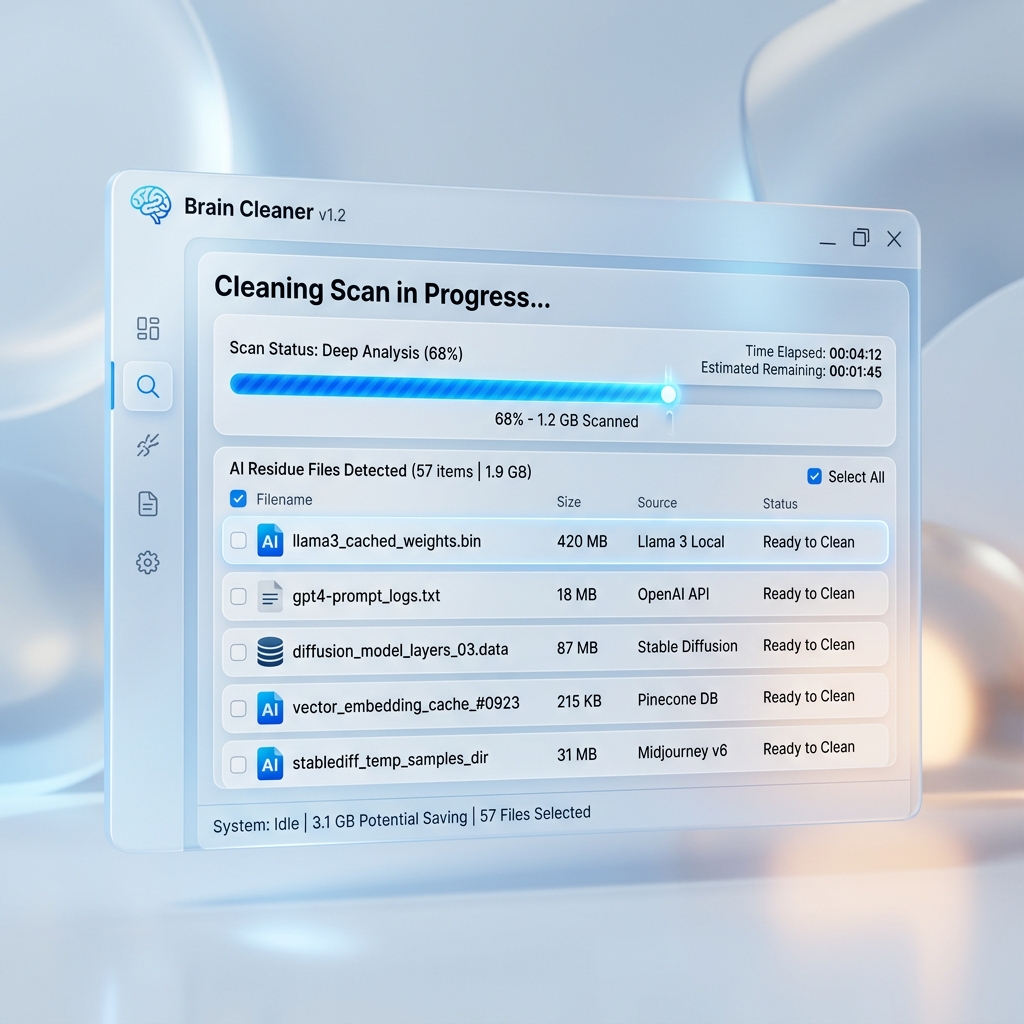
- package/README.es.md +64 -49
- package/README.md +3 -1
- package/app.py +1 -1
- package/bin/brain-cleaner.js +39 -40
- package/bin/postinstall.js +69 -0
- package/console/brain_cleaner_cli.py +1 -1
- package/package.json +3 -2
- package/assets/ui-demo.png +0 -1
package/README.es.md
CHANGED
|
@@ -1,85 +1,100 @@
|
|
|
1
1
|
# Brain Cleaner
|
|
2
2
|
|
|
3
|
-
|
|
4
|
-
[](https://opensource.org/licenses/MIT)
|
|
5
|
-
[](https://www.python.org/downloads/)
|
|
3
|
+
|
|
6
4
|
|
|
7
5
|
**Language / Idioma:**
|
|
8
6
|
🇪🇸 Español | [🇬🇧 English](https://github.com/konstantinWDK/brain-cleaner/blob/main/README.md)
|
|
9
7
|
|
|
10
|
-
|
|
9
|
+
|
|
10
|
+
---
|
|
11
|
+
[](https://www.python.org/downloads/)
|
|
12
|
+
[](https://opensource.org/licenses/MIT)
|
|
13
|
+
[](https://www.apple.com/macos/)
|
|
11
14
|
|
|
12
15
|
---
|
|
13
16
|
|
|
14
|
-
|
|
17
|
+
### 🚀 Instalación Recomendada (Global)
|
|
18
|
+
Instala directamente desde NPM para obtener la última versión estable:
|
|
19
|
+
|
|
20
|
+
```bash
|
|
21
|
+
npm install -g brain-cleaner
|
|
22
|
+
```
|
|
15
23
|
|
|
16
|
-
|
|
24
|
+
#### Alternativa: Instalación desde el Código Fuente (Python)
|
|
25
|
+
Si prefieres instalar vía Python/Pip directamente desde el repositorio:
|
|
17
26
|
|
|
18
|
-
|
|
27
|
+
```bash
|
|
28
|
+
pip install git+https://github.com/konstantinwdk/brain-cleaner
|
|
29
|
+
```
|
|
19
30
|
|
|
20
31
|
---
|
|
21
32
|
|
|
22
|
-
|
|
23
|
-
|
|
24
|
-
- **
|
|
25
|
-
- **Optimización NPM** — Encuentra y elimina de forma segura carpetas `node_modules` pesadas de proyectos olvidados.
|
|
26
|
-
- **Gestión de Entornos Python** — Detecta entornos virtuales obsoletos (`venv`, `.venv`) que no se han tocado en más de 90 días.
|
|
27
|
-
- **Potencia Híbrida** — La facilidad de una instalación global de NPM con el motor de escaneo de alto rendimiento de Python.
|
|
28
|
-
- **Interfaz Interactiva** — Elige entre una elegante GUI de escritorio o una interfaz de línea de comandos (CLI) profesional.
|
|
33
|
+
### 🚀 Requisitos
|
|
34
|
+
- Se requiere **Python 3.9+**.
|
|
35
|
+
- **Node.js 14+** (si se instala por NPM).
|
|
29
36
|
|
|
30
37
|
---
|
|
31
38
|
|
|
32
|
-
##
|
|
39
|
+
## Inicio Rápido (Instalación y Ejecución)
|
|
40
|
+
|
|
41
|
+
### Instalación (Modo Consola)
|
|
33
42
|
|
|
34
|
-
|
|
43
|
+
Para instalar **Brain Cleaner** como un comando global en tu terminal:
|
|
35
44
|
|
|
45
|
+
1. **Clonar el repositorio**:
|
|
46
|
+
```bash
|
|
47
|
+
git clone https://github.com/konstantinwdk/brain-cleaner.git
|
|
48
|
+
```
|
|
49
|
+
2. **Navegar a la carpeta**:
|
|
50
|
+
```bash
|
|
51
|
+
cd brain-cleaner
|
|
52
|
+
```
|
|
53
|
+
3. **Instalar el paquete**:
|
|
54
|
+
```bash
|
|
55
|
+
pip install .
|
|
56
|
+
```
|
|
57
|
+
|
|
58
|
+
### Instalación (Modo NPM)
|
|
59
|
+
Si prefieres usar NPM, puedes instalarlo globalmente:
|
|
36
60
|
```bash
|
|
37
61
|
npm install -g brain-cleaner
|
|
38
62
|
```
|
|
63
|
+
*Nota: Requiere tener Python 3.9+ instalado en el sistema.*
|
|
39
64
|
|
|
40
|
-
|
|
41
|
-
- **Python 3.9+** (Requerido para el motor de escaneo).
|
|
42
|
-
- **Node.js 14+**.
|
|
43
|
-
|
|
44
|
-
---
|
|
65
|
+
## Uso
|
|
45
66
|
|
|
46
|
-
|
|
67
|
+
Una vez instalado, puedes arrancar la **Consola Interactiva (CLI)** desde cualquier directorio:
|
|
47
68
|
|
|
48
|
-
### 1. Iniciar la Interfaz
|
|
49
|
-
Simplemente ejecuta el comando desde cualquier terminal:
|
|
50
69
|
```bash
|
|
51
70
|
brain-cleaner
|
|
52
71
|
```
|
|
72
|
+
*Consejo: Usa el CLI para una limpieza rápida gestionada totalmente por teclado.*
|
|
53
73
|
|
|
54
|
-
|
|
55
|
-
|
|
56
|
-
|
|
57
|
-
### 3. Selecciona Modo y Escanea
|
|
58
|
-
- **AI Tools**: Para logs y caché de asistentes de IA.
|
|
59
|
-
- **NPM Modules**: Para carpetas `node_modules` pesadas.
|
|
60
|
-
- **Python Envs**: Para identificar entornos virtuales abandonados.
|
|
61
|
-
|
|
62
|
-
### 4. Revisa y Limpia
|
|
63
|
-
Despliega las entradas para revisar las subcarpetas, marca elementos individuales y haz clic en **Clean Selected** o **Clean All**.
|
|
64
|
-
|
|
65
|
-
---
|
|
66
|
-
|
|
67
|
-
## 🛠 Detalles Técnicos
|
|
68
|
-
|
|
69
|
-
Aunque se distribuye a través de NPM, Brain Cleaner es una herramienta híbrida. El wrapper de Node.js automáticamente:
|
|
70
|
-
1. Detecta tu entorno local de Python.
|
|
71
|
-
2. Auto-instala las dependencias principales (`customtkinter`, `blessed`, `Pillow`) en la primera ejecución.
|
|
72
|
-
3. Ejecuta de forma segura el motor de limpieza multiplataforma.
|
|
74
|
+
> [!TIP]
|
|
75
|
+
> En macOS usa Python de Homebrew para evitar cierres inesperados: `brew install python@3.11`
|
|
73
76
|
|
|
74
|
-
|
|
77
|
+
## Uso
|
|
75
78
|
|
|
76
|
-
|
|
79
|
+
1. **Ubicación** — Elige `Home`, `Full System` o `Custom Folder` en la barra lateral.
|
|
80
|
+
2. **Modo** — Elige entre `AI Tools` o `NPM Modules` según lo que quieras escanear.
|
|
81
|
+
3. **Escanear** — Pulsa `START SCAN`. Los resultados aparecen en dos secciones diferenciadas.
|
|
82
|
+
4. **Revisar** — Haz clic en `›` para desplegar el contenido de una carpeta. Puedes marcar o desmarcar elementos individuales.
|
|
83
|
+
5. **Limpiar** — Usa `Clean Selected` para los elementos marcados o `Clean All (Visible)` para todo lo visible en el filtro activo.
|
|
77
84
|
|
|
78
85
|
> [!WARNING]
|
|
79
|
-
> La eliminación es **permanente**.
|
|
86
|
+
> La eliminación es **permanente**. No hay papelera de reciclaje. Revisa bien antes de limpiar.
|
|
80
87
|
|
|
81
|
-
|
|
88
|
+
## Categorías Detectadas
|
|
89
|
+
|
|
90
|
+
| Categoría | Herramientas |
|
|
91
|
+
|---|---|
|
|
92
|
+
| **Gemini** | Caché de la CLI / API de Google Gemini |
|
|
93
|
+
| **Claude** | Logs y configuración de Anthropic Claude |
|
|
94
|
+
| **IDE Agents** | Cursor, Windsurf, Trae, Roo-Code, Claude-Dev |
|
|
95
|
+
| **Other Tools** | Herramientas de IA no categorizadas |
|
|
96
|
+
| **Node Modules** | Carpetas `node_modules` en proyectos Node.js |
|
|
82
97
|
|
|
83
|
-
##
|
|
98
|
+
## Licencia
|
|
84
99
|
|
|
85
|
-
MIT — *Desarrollado para mantener tu sistema de
|
|
100
|
+
MIT — *Desarrollado para mantener tu sistema libre de ruido digital.*
|
package/README.md
CHANGED
|
@@ -1,5 +1,7 @@
|
|
|
1
1
|
# Brain Cleaner
|
|
2
2
|
|
|
3
|
+

|
|
4
|
+
|
|
3
5
|
[](https://www.npmjs.com/package/brain-cleaner)
|
|
4
6
|
[](https://opensource.org/licenses/MIT)
|
|
5
7
|
[](https://www.python.org/downloads/)
|
|
@@ -7,7 +9,7 @@
|
|
|
7
9
|
**Language / Idioma:**
|
|
8
10
|
🇬🇧 English | [🇪🇸 Español](https://github.com/konstantinWDK/brain-cleaner/blob/main/README.es.md)
|
|
9
11
|
|
|
10
|
-

|
|
11
13
|
|
|
12
14
|
---
|
|
13
15
|
|
package/app.py
CHANGED
|
@@ -90,7 +90,7 @@ class BrainCleanerApp(ctk.CTk):
|
|
|
90
90
|
ctk.CTkLabel(title_f, text="Brain Cleaner",
|
|
91
91
|
font=ctk.CTkFont(size=19, weight="bold")
|
|
92
92
|
).pack(pady=(0, 2))
|
|
93
|
-
ctk.CTkLabel(title_f, text="v1.2.
|
|
93
|
+
ctk.CTkLabel(title_f, text="v1.2.5",
|
|
94
94
|
font=ctk.CTkFont(size=11, slant="italic"), text_color="#a1a1a1"
|
|
95
95
|
).pack()
|
|
96
96
|
|
package/bin/brain-cleaner.js
CHANGED
|
@@ -4,63 +4,62 @@ const { spawn, execSync } = require('child_process');
|
|
|
4
4
|
const path = require('path');
|
|
5
5
|
|
|
6
6
|
/**
|
|
7
|
-
*
|
|
8
|
-
*
|
|
7
|
+
* Robust JS Wrapper for Brain Cleaner (Python)
|
|
8
|
+
* Focuses on execution and clear error reporting.
|
|
9
9
|
*/
|
|
10
10
|
|
|
11
|
-
|
|
12
|
-
|
|
13
|
-
|
|
14
|
-
|
|
15
|
-
|
|
16
|
-
|
|
17
|
-
|
|
18
|
-
continue;
|
|
19
|
-
}
|
|
20
|
-
}
|
|
21
|
-
return null;
|
|
22
|
-
}
|
|
11
|
+
const COLORS = {
|
|
12
|
+
red: '\x1b[31m',
|
|
13
|
+
yellow: '\x1b[33m',
|
|
14
|
+
cyan: '\x1b[36m',
|
|
15
|
+
bold: '\x1b[1m',
|
|
16
|
+
reset: '\x1b[0m'
|
|
17
|
+
};
|
|
23
18
|
|
|
24
|
-
function
|
|
25
|
-
|
|
26
|
-
|
|
27
|
-
|
|
28
|
-
|
|
29
|
-
|
|
30
|
-
|
|
31
|
-
|
|
32
|
-
} catch (e) {
|
|
33
|
-
console.log(`\x1b[33mDependency '${dep}' not found. Installing...\x1b[0m`);
|
|
34
|
-
try {
|
|
35
|
-
execSync(`${python} -m pip install ${dep}`, { stdio: 'inherit' });
|
|
36
|
-
} catch (pipErr) {
|
|
37
|
-
console.error(`\x1b[31mFailed to install '${dep}'. Please run 'pip install ${dep}' manually.\x1b[0m`);
|
|
38
|
-
}
|
|
39
|
-
}
|
|
19
|
+
function findPython() {
|
|
20
|
+
const commands = ['python3', 'python', 'py'];
|
|
21
|
+
for (const cmd of commands) {
|
|
22
|
+
try {
|
|
23
|
+
execSync(`${cmd} --version`, { stdio: 'ignore' });
|
|
24
|
+
return cmd;
|
|
25
|
+
} catch (e) {
|
|
26
|
+
continue;
|
|
40
27
|
}
|
|
28
|
+
}
|
|
29
|
+
return null;
|
|
41
30
|
}
|
|
42
31
|
|
|
43
32
|
const python = findPython();
|
|
44
33
|
|
|
45
34
|
if (!python) {
|
|
46
|
-
|
|
47
|
-
|
|
48
|
-
|
|
49
|
-
|
|
35
|
+
console.error(`\n${COLORS.red}${COLORS.bold}Error: Python not found!${COLORS.reset}`);
|
|
36
|
+
console.error(`${COLORS.yellow}Brain Cleaner requires Python 3.9 or higher to operate.${COLORS.reset}`);
|
|
37
|
+
console.error(`Please install Python: ${COLORS.cyan}https://www.python.org/downloads/${COLORS.reset}\n`);
|
|
38
|
+
process.exit(1);
|
|
50
39
|
}
|
|
51
40
|
|
|
52
|
-
// Ensure dependencies are present
|
|
53
|
-
checkAndInstallDeps(python);
|
|
54
|
-
|
|
55
41
|
// Path to the python entry point
|
|
56
42
|
const scriptPath = path.join(__dirname, '..', 'console', 'brain_cleaner_cli.py');
|
|
57
43
|
const args = process.argv.slice(2);
|
|
58
44
|
|
|
59
45
|
const pythonProcess = spawn(python, [scriptPath, ...args], {
|
|
60
|
-
|
|
61
|
-
|
|
46
|
+
stdio: 'inherit',
|
|
47
|
+
env: {
|
|
48
|
+
...process.env,
|
|
49
|
+
PYTHONPATH: path.join(__dirname, '..'),
|
|
50
|
+
PYTHONIOENCODING: 'utf-8' // Ensure rich terminal output works well
|
|
51
|
+
}
|
|
52
|
+
});
|
|
53
|
+
|
|
54
|
+
pythonProcess.on('error', (err) => {
|
|
55
|
+
console.error(`\n${COLORS.red}Failed to start Brain Cleaner:${COLORS.reset}`, err.message);
|
|
56
|
+
process.exit(1);
|
|
62
57
|
});
|
|
63
58
|
|
|
64
59
|
pythonProcess.on('close', (code) => {
|
|
65
|
-
|
|
60
|
+
if (code !== 0 && code !== null) {
|
|
61
|
+
console.log(`\n${COLORS.yellow}Note: If you see "ModuleNotFoundError", please run:${COLORS.reset}`);
|
|
62
|
+
console.log(`${COLORS.bold}npm install${COLORS.reset} again to finalize the setup.\n`);
|
|
63
|
+
}
|
|
64
|
+
process.exit(code);
|
|
66
65
|
});
|
|
@@ -0,0 +1,69 @@
|
|
|
1
|
+
#!/usr/bin/env node
|
|
2
|
+
|
|
3
|
+
const { execSync } = require('child_process');
|
|
4
|
+
const path = require('path');
|
|
5
|
+
const fs = require('fs');
|
|
6
|
+
|
|
7
|
+
/**
|
|
8
|
+
* Premium Post-install script for Brain Cleaner
|
|
9
|
+
* Automatically handles Python dependency setup.
|
|
10
|
+
*/
|
|
11
|
+
|
|
12
|
+
const COLORS = {
|
|
13
|
+
cyan: '\x1b[36m',
|
|
14
|
+
green: '\x1b[32m',
|
|
15
|
+
yellow: '\x1b[33m',
|
|
16
|
+
red: '\x1b[31m',
|
|
17
|
+
bold: '\x1b[1m',
|
|
18
|
+
reset: '\x1b[0m'
|
|
19
|
+
};
|
|
20
|
+
|
|
21
|
+
function log(msg, color = COLORS.reset) {
|
|
22
|
+
console.log(`${color}${msg}${COLORS.reset}`);
|
|
23
|
+
}
|
|
24
|
+
|
|
25
|
+
function findPython() {
|
|
26
|
+
const commands = ['python3', 'python', 'py'];
|
|
27
|
+
for (const cmd of commands) {
|
|
28
|
+
try {
|
|
29
|
+
execSync(`${cmd} --version`, { stdio: 'ignore' });
|
|
30
|
+
return cmd;
|
|
31
|
+
} catch (e) {
|
|
32
|
+
continue;
|
|
33
|
+
}
|
|
34
|
+
}
|
|
35
|
+
return null;
|
|
36
|
+
}
|
|
37
|
+
|
|
38
|
+
async function run() {
|
|
39
|
+
log('\n── Brain Cleaner CLI Setup ──────────────────', COLORS.cyan + COLORS.bold);
|
|
40
|
+
|
|
41
|
+
const python = findPython();
|
|
42
|
+
if (!python) {
|
|
43
|
+
log('⚠️ Python 3.9+ not found in your PATH.', COLORS.yellow);
|
|
44
|
+
log('Brain Cleaner requires Python to run its core logic.');
|
|
45
|
+
log('Please install it from https://python.org\n');
|
|
46
|
+
process.exit(0); // Exit gracefully during install to not break npm flow
|
|
47
|
+
}
|
|
48
|
+
|
|
49
|
+
log(`Found ${COLORS.bold}${python}${COLORS.reset}. Installing dependencies...`, COLORS.cyan);
|
|
50
|
+
|
|
51
|
+
const requirementsPath = path.join(__dirname, '..', 'requirements.txt');
|
|
52
|
+
|
|
53
|
+
try {
|
|
54
|
+
// Use -m pip to ensure we use the pip associated with the detected python
|
|
55
|
+
execSync(`${python} -m pip install --upgrade pip`, { stdio: 'ignore' });
|
|
56
|
+
execSync(`${python} -m pip install -r "${requirementsPath}"`, { stdio: 'inherit' });
|
|
57
|
+
|
|
58
|
+
log('\n✅ Dependencies installed successfully!', COLORS.green + COLORS.bold);
|
|
59
|
+
log('You can now run Brain Cleaner using: ' + COLORS.bold + 'brain-cleaner', COLORS.green);
|
|
60
|
+
log('────────────────────────────────────────────\n', COLORS.cyan);
|
|
61
|
+
} catch (error) {
|
|
62
|
+
log('\n⚠️ Could not install dependencies automatically.', COLORS.yellow);
|
|
63
|
+
log('This often happens due to permission restrictions.');
|
|
64
|
+
log(`Please run manually: ${COLORS.bold}${python} -m pip install -r requirements.txt`, COLORS.reset);
|
|
65
|
+
log('────────────────────────────────────────────\n', COLORS.cyan);
|
|
66
|
+
}
|
|
67
|
+
}
|
|
68
|
+
|
|
69
|
+
run();
|
|
@@ -50,7 +50,7 @@ class BrainCleanerCLI:
|
|
|
50
50
|
def draw_splash(self):
|
|
51
51
|
content = []
|
|
52
52
|
content.append(self.term.cyan(ASCII_ART))
|
|
53
|
-
content.append(self.term.bold("\n Welcome to Brain Cleaner CLI v1.2.
|
|
53
|
+
content.append(self.term.bold("\n Welcome to Brain Cleaner CLI v1.2.5"))
|
|
54
54
|
content.append(" " + "-" * 40)
|
|
55
55
|
content.append("\n Select Mode to begin:")
|
|
56
56
|
content.append(self.term.blue(" [1] AI Tools Cleanup"))
|
package/package.json
CHANGED
|
@@ -1,13 +1,14 @@
|
|
|
1
1
|
{
|
|
2
2
|
"name": "brain-cleaner",
|
|
3
|
-
"version": "1.2.
|
|
3
|
+
"version": "1.2.5",
|
|
4
4
|
"description": "Professional CLI utility to reclaim disk space by removing residues from AI tools (Gemini, Claude, Cursor) and heavy node_modules folders. Optimized for system performance and digital decluttering.",
|
|
5
5
|
"main": "bin/brain-cleaner.js",
|
|
6
6
|
"bin": {
|
|
7
7
|
"brain-cleaner": "bin/brain-cleaner.js"
|
|
8
8
|
},
|
|
9
9
|
"scripts": {
|
|
10
|
-
"test": "echo \"Error: no test specified\" && exit 1"
|
|
10
|
+
"test": "echo \"Error: no test specified\" && exit 1",
|
|
11
|
+
"postinstall": "node bin/postinstall.js"
|
|
11
12
|
},
|
|
12
13
|
"repository": {
|
|
13
14
|
"type": "git",
|
package/assets/ui-demo.png
DELETED
|
@@ -1 +0,0 @@
|
|
|
1
|
-
IMAGE_DATA_ATTACHED
|