awesome-timeline-react 0.1.14 → 0.2.0
This diff represents the content of publicly available package versions that have been released to one of the supported registries. The information contained in this diff is provided for informational purposes only and reflects changes between package versions as they appear in their respective public registries.
- package/LICENSE +21 -21
- package/README.md +184 -96
- package/dist/_tsup-dts-rollup.d.mts +738 -329
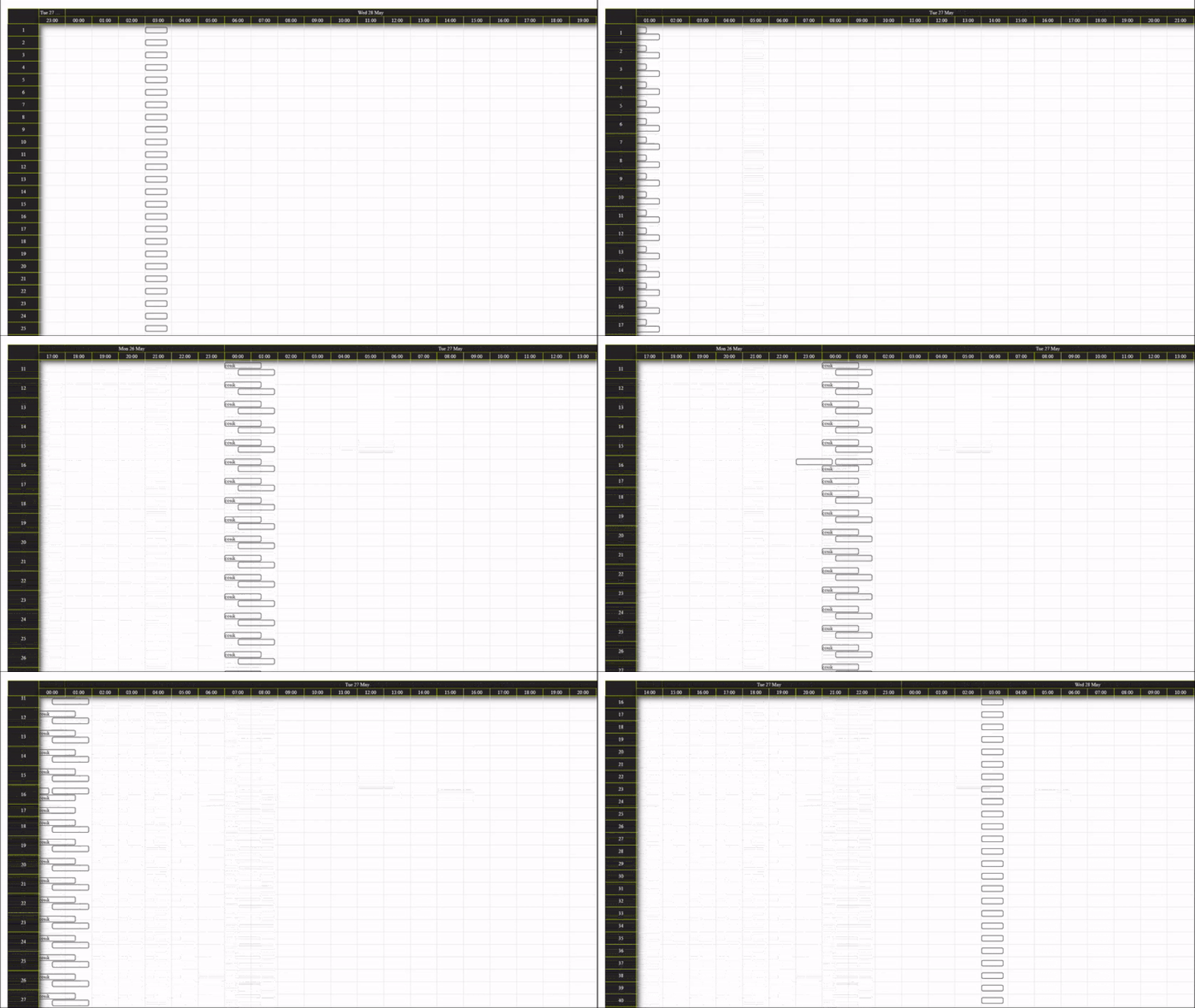
- package/dist/_tsup-dts-rollup.d.ts +738 -329
- package/dist/index.css +44 -125
- package/dist/index.css.map +1 -1
- package/dist/index.d.mts +19 -0
- package/dist/index.d.ts +19 -0
- package/dist/index.js +1775 -1643
- package/dist/index.js.map +1 -1
- package/dist/index.mjs +1792 -1662
- package/dist/index.mjs.map +1 -1
- package/package.json +66 -62
- package/dist/src/index.d.mts +0 -1
- package/dist/src/index.d.ts +0 -1
package/LICENSE
CHANGED
|
@@ -1,21 +1,21 @@
|
|
|
1
|
-
MIT License
|
|
2
|
-
|
|
3
|
-
Copyright (c) 2024 Jakub Plata
|
|
4
|
-
|
|
5
|
-
Permission is hereby granted, free of charge, to any person obtaining a copy
|
|
6
|
-
of this software and associated documentation files (the "Software"), to deal
|
|
7
|
-
in the Software without restriction, including without limitation the rights
|
|
8
|
-
to use, copy, modify, merge, publish, distribute, sublicense, and/or sell
|
|
9
|
-
copies of the Software, and to permit persons to whom the Software is
|
|
10
|
-
furnished to do so, subject to the following conditions:
|
|
11
|
-
|
|
12
|
-
The above copyright notice and this permission notice shall be included in all
|
|
13
|
-
copies or substantial portions of the Software.
|
|
14
|
-
|
|
15
|
-
THE SOFTWARE IS PROVIDED "AS IS", WITHOUT WARRANTY OF ANY KIND, EXPRESS OR
|
|
16
|
-
IMPLIED, INCLUDING BUT NOT LIMITED TO THE WARRANTIES OF MERCHANTABILITY,
|
|
17
|
-
FITNESS FOR A PARTICULAR PURPOSE AND NONINFRINGEMENT. IN NO EVENT SHALL THE
|
|
18
|
-
AUTHORS OR COPYRIGHT HOLDERS BE LIABLE FOR ANY CLAIM, DAMAGES OR OTHER
|
|
19
|
-
LIABILITY, WHETHER IN AN ACTION OF CONTRACT, TORT OR OTHERWISE, ARISING FROM,
|
|
20
|
-
OUT OF OR IN CONNECTION WITH THE SOFTWARE OR THE USE OR OTHER DEALINGS IN THE
|
|
21
|
-
SOFTWARE.
|
|
1
|
+
MIT License
|
|
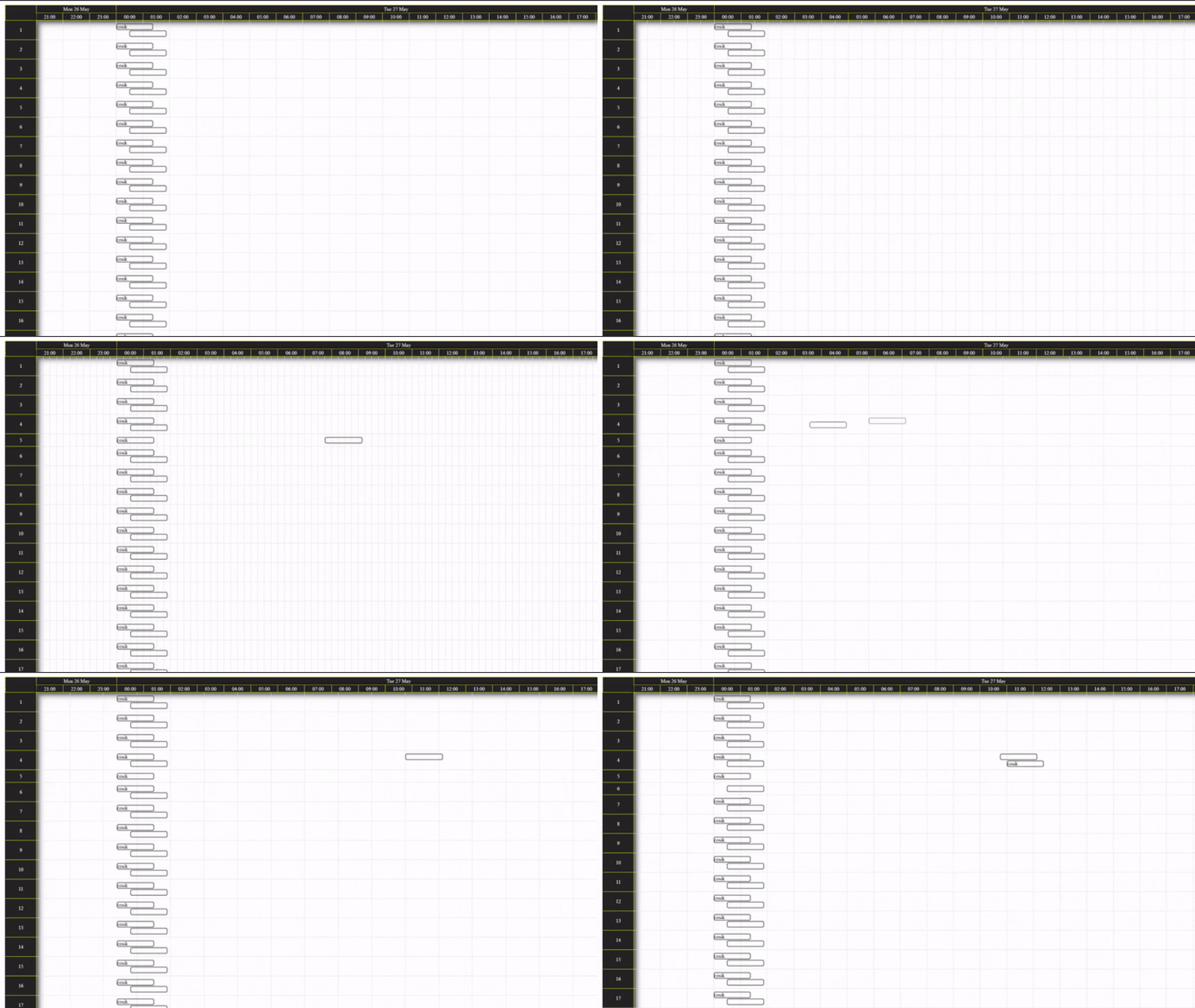
2
|
+
|
|
3
|
+
Copyright (c) 2024 Jakub Plata
|
|
4
|
+
|
|
5
|
+
Permission is hereby granted, free of charge, to any person obtaining a copy
|
|
6
|
+
of this software and associated documentation files (the "Software"), to deal
|
|
7
|
+
in the Software without restriction, including without limitation the rights
|
|
8
|
+
to use, copy, modify, merge, publish, distribute, sublicense, and/or sell
|
|
9
|
+
copies of the Software, and to permit persons to whom the Software is
|
|
10
|
+
furnished to do so, subject to the following conditions:
|
|
11
|
+
|
|
12
|
+
The above copyright notice and this permission notice shall be included in all
|
|
13
|
+
copies or substantial portions of the Software.
|
|
14
|
+
|
|
15
|
+
THE SOFTWARE IS PROVIDED "AS IS", WITHOUT WARRANTY OF ANY KIND, EXPRESS OR
|
|
16
|
+
IMPLIED, INCLUDING BUT NOT LIMITED TO THE WARRANTIES OF MERCHANTABILITY,
|
|
17
|
+
FITNESS FOR A PARTICULAR PURPOSE AND NONINFRINGEMENT. IN NO EVENT SHALL THE
|
|
18
|
+
AUTHORS OR COPYRIGHT HOLDERS BE LIABLE FOR ANY CLAIM, DAMAGES OR OTHER
|
|
19
|
+
LIABILITY, WHETHER IN AN ACTION OF CONTRACT, TORT OR OTHERWISE, ARISING FROM,
|
|
20
|
+
OUT OF OR IN CONNECTION WITH THE SOFTWARE OR THE USE OR OTHER DEALINGS IN THE
|
|
21
|
+
SOFTWARE.
|
package/README.md
CHANGED
|
@@ -1,96 +1,184 @@
|
|
|
1
|
-
# Awesome Timeline React
|
|
2
|
-
|
|
3
|
-
## Introduction
|
|
4
|
-
|
|
5
|
-
**Awesome Timeline React** is a component
|
|
6
|
-
|
|
7
|
-
|
|
8
|
-
|
|
9
|
-
## Instalation
|
|
10
|
-
|
|
11
|
-
```sh
|
|
12
|
-
npm install awesome-react
|
|
13
|
-
```
|
|
14
|
-
|
|
15
|
-
## Ladle
|
|
16
|
-
|
|
17
|
-
To run ladle stories, type:
|
|
18
|
-
|
|
19
|
-
```sh
|
|
20
|
-
npm run ladle
|
|
21
|
-
```
|
|
22
|
-
|
|
23
|
-
|
|
24
|
-
|
|
25
|
-
|
|
26
|
-
|
|
27
|
-
|
|
28
|
-
|
|
29
|
-
|
|
30
|
-
|
|
31
|
-
|
|
32
|
-
|
|
33
|
-
|
|
34
|
-
|
|
35
|
-
|
|
36
|
-
|
|
37
|
-
|
|
38
|
-
|
|
39
|
-
|
|
40
|
-
|
|
41
|
-
|
|
42
|
-
- `
|
|
43
|
-
|
|
44
|
-
|
|
45
|
-
|
|
46
|
-
|
|
47
|
-
- `
|
|
48
|
-
- `
|
|
49
|
-
|
|
50
|
-
- `
|
|
51
|
-
|
|
52
|
-
- `
|
|
53
|
-
|
|
54
|
-
|
|
55
|
-
|
|
56
|
-
|
|
57
|
-
|
|
58
|
-
|
|
59
|
-
|
|
60
|
-
- `
|
|
61
|
-
|
|
62
|
-
- `
|
|
63
|
-
- `
|
|
64
|
-
|
|
65
|
-
|
|
66
|
-
|
|
67
|
-
|
|
68
|
-
- `
|
|
69
|
-
- `
|
|
70
|
-
|
|
71
|
-
|
|
72
|
-
|
|
73
|
-
|
|
74
|
-
|
|
75
|
-
|
|
76
|
-
|
|
77
|
-
|
|
78
|
-
|
|
79
|
-
|
|
80
|
-
|
|
81
|
-
|
|
82
|
-
|
|
83
|
-
|
|
84
|
-
|
|
85
|
-
|
|
86
|
-
|
|
87
|
-
|
|
88
|
-
|
|
89
|
-
|
|
90
|
-
|
|
91
|
-
|
|
92
|
-
|
|
93
|
-
|
|
94
|
-
|
|
95
|
-
|
|
96
|
-
|
|
1
|
+
# Awesome Timeline React
|
|
2
|
+
|
|
3
|
+
## Introduction
|
|
4
|
+
|
|
5
|
+
**Awesome Timeline React** is a Gantt timeline component for visualizing and managing events. Since version **0.2.0** it renders on **HTML canvas** with vertical virtualization and an imperative streaming API — designed to hold **10,000+ events at 60 fps**, including boards fed by live data (websockets). If you have any ideas for features or encounter any bugs, please email me at [jakub.plata@yahoo.pl](mailto:jakub.plata@yahoo.pl).
|
|
6
|
+
|
|
7
|
+

|
|
8
|
+
|
|
9
|
+
## Instalation
|
|
10
|
+
|
|
11
|
+
```sh
|
|
12
|
+
npm install awesome-timeline-react
|
|
13
|
+
```
|
|
14
|
+
|
|
15
|
+
## Ladle
|
|
16
|
+
|
|
17
|
+
To run ladle stories, type:
|
|
18
|
+
|
|
19
|
+
```sh
|
|
20
|
+
npm run ladle
|
|
21
|
+
```
|
|
22
|
+
|
|
23
|
+
The `TimelineStreaming10k` story demonstrates 10k events with 2,000 live updates per second.
|
|
24
|
+
|
|
25
|
+
## Configuration
|
|
26
|
+
|
|
27
|
+
Import the `Timeline` component and css into your project.
|
|
28
|
+
|
|
29
|
+
```tsx
|
|
30
|
+
import { Timeline } from "awesome-timeline-react";
|
|
31
|
+
import "awesome-timeline-react/dist/index.css";
|
|
32
|
+
```
|
|
33
|
+
|
|
34
|
+
> **Important:** the timeline virtualizes vertically — render it inside a container with a bounded height (e.g. `height: 90vh`), otherwise the board cannot scroll.
|
|
35
|
+
|
|
36
|
+
The following properties for Timeline component are available:
|
|
37
|
+
|
|
38
|
+
- `rows` – an array of objects that define rows. The order within the array will be preserved in the Timeline.
|
|
39
|
+
|
|
40
|
+
- `events` – an array of objects that define events assigned to particular rows. Each object includes:
|
|
41
|
+
|
|
42
|
+
- `id`: `string`
|
|
43
|
+
- `rowId`: `string`
|
|
44
|
+
- `startTime`: `number` (timestamp in seconds)
|
|
45
|
+
- `endTime`: `number` (timestamp in seconds)
|
|
46
|
+
- `props`:
|
|
47
|
+
- `isLocked`: `boolean` (defines if event is locked, meaning it cannot be moved. Default is `false`)
|
|
48
|
+
- `label`: `string` (plain-text label drawn inside the event bar)
|
|
49
|
+
- `style`: `EventStyle` (per-event appearance: `fill`, `stroke`, `strokeWidth`, `textColor`, `font`, `borderRadius`, `opacity`)
|
|
50
|
+
- `drawEvent`: `DrawEventFn` (per-event custom canvas renderer, see below)
|
|
51
|
+
- `isResizable`: `boolean` (defines if event is resizable, overrides the default property `eventsResize`)
|
|
52
|
+
- `showPrompt`: `boolean` (defines if prompt will be shown after hover. Works only if `showEventPrompt` is set as true)
|
|
53
|
+
- `metadata`: `unknown` (some data that can be used by event prompt template)
|
|
54
|
+
|
|
55
|
+
- `staticEvents` – an array of objects that define static events for particular rows, meaning the events are not interactable by the user.
|
|
56
|
+
|
|
57
|
+
- `onDrop` – an external callback for the drop after dragging an event. The callback receives the following properties:
|
|
58
|
+
|
|
59
|
+
- `eventId`: `string`
|
|
60
|
+
- `oldRowId`: `string`
|
|
61
|
+
- `newRowId`: `string`
|
|
62
|
+
- `startTime`: `number` (timestamp in seconds)
|
|
63
|
+
- `endTime`: `number` (timestamp in seconds)
|
|
64
|
+
|
|
65
|
+
- `onResize` – an external callback after the resize event was done. The callback receives the following properties:
|
|
66
|
+
|
|
67
|
+
- `eventId`: `string`
|
|
68
|
+
- `startTime`: `number` (timestamp in seconds)
|
|
69
|
+
- `endTime`: `number` (timestamp in seconds)
|
|
70
|
+
|
|
71
|
+
- `onEventClick` – callback for a click on an event (`eventId`, `rowId`, `nativeEvent`, `modifiers`).
|
|
72
|
+
|
|
73
|
+
- `onEventHover` – callback when the hovered event changes (`eventId`/`rowId`, `null` on hover-out).
|
|
74
|
+
|
|
75
|
+
- `theme` – color/font tokens for everything drawn to canvas (see Theming).
|
|
76
|
+
|
|
77
|
+
- `drawEvent` – custom canvas renderer for all events (see Custom event rendering).
|
|
78
|
+
|
|
79
|
+
- `additionalClassNames` – only `rowsHeader` still applies; everything else is canvas-drawn, use `theme` instead.
|
|
80
|
+
|
|
81
|
+
- `showRTIndicator` – property that controls wheter Real Time Indicator will be show (default as true)
|
|
82
|
+
|
|
83
|
+
- `eventsResize` - property that define if events are resizeable (default as true)
|
|
84
|
+
|
|
85
|
+
- `showEventPrompt` - property that define if prompt for events will be shown after hover (defualt as true)
|
|
86
|
+
|
|
87
|
+
- `eventPromptTemplate` - function that can be passed for event prompt. Function receives currently hovered `event` object. It returns JSX Element so it can be customize in various ways. The example is in story. (The prompt is regular DOM — JSX still works here.)
|
|
88
|
+
|
|
89
|
+
- `panZoom` – interaction configuration: `panOnDragBackground` (default true), `ctrlWheelZoom` (default true), `middleClickGranularity` (default true), `zoomStepSeconds` (default 900).
|
|
90
|
+
|
|
91
|
+
- `animations` – layout animations when events re-stack (rows growing, events changing lanes). `true` (default), `false` to disable, or `{ layoutMs?: number, fadeMs?: number }` to tune (defaults 200/120; `layoutMs` is the stacking tween, `fadeMs` the resize-handle fade). A dropped event always lands instantly — only the events re-stacking around it animate.
|
|
92
|
+
|
|
93
|
+
## Theming
|
|
94
|
+
|
|
95
|
+
CSS classes cannot style canvas pixels, so canvas-drawn elements are themed with the `theme` prop. Defaults mirror the pre-0.2.0 stylesheet:
|
|
96
|
+
|
|
97
|
+
```tsx
|
|
98
|
+
<Timeline
|
|
99
|
+
theme={{
|
|
100
|
+
eventFill: "#ffffff",
|
|
101
|
+
eventStroke: "#000000",
|
|
102
|
+
eventTextColor: "#000000",
|
|
103
|
+
staticEventFill: "#e0e0e0",
|
|
104
|
+
gridColor: "#e4dcdc",
|
|
105
|
+
timeBarBorder: "yellow",
|
|
106
|
+
timeBarTextColor: "white",
|
|
107
|
+
font: "12px Inter", // defaults to the canvas element's computed font
|
|
108
|
+
}}
|
|
109
|
+
...
|
|
110
|
+
/>
|
|
111
|
+
```
|
|
112
|
+
|
|
113
|
+
## Custom event rendering (`drawEvent`)
|
|
114
|
+
|
|
115
|
+
For visuals beyond `label` + `style`, draw the event yourself. Resolution order: per-event `props.drawEvent` → Timeline-level `drawEvent` → built-in default. Return `false` to fall through to the default.
|
|
116
|
+
|
|
117
|
+
```tsx
|
|
118
|
+
const drawEvent: DrawEventFn = (ctx, event, rect, state, theme) => {
|
|
119
|
+
if (!event.props?.metadata) return false; // default drawing
|
|
120
|
+
ctx.fillStyle = state.hovered ? "#ffe8a3" : "#a3d5ff";
|
|
121
|
+
ctx.fillRect(rect.x, rect.y, rect.width, rect.height);
|
|
122
|
+
ctx.fillStyle = theme.eventTextColor;
|
|
123
|
+
ctx.fillText(event.props.label ?? "", rect.x + 4, rect.y + rect.height / 2);
|
|
124
|
+
};
|
|
125
|
+
```
|
|
126
|
+
|
|
127
|
+
`state` carries `{ hovered, dragging, resizing, selected }`.
|
|
128
|
+
|
|
129
|
+
## Streaming / imperative updates
|
|
130
|
+
|
|
131
|
+
For live boards, diffing a 10k-element `events` prop per tick is wasteful. Use the imperative handle — patches go straight to the internal store and coalesce into a single redraw per animation frame, with zero React re-renders on the hot path:
|
|
132
|
+
|
|
133
|
+
```tsx
|
|
134
|
+
const ref = useRef<TimelineHandle>(null);
|
|
135
|
+
|
|
136
|
+
<Timeline ref={ref} rows={rows} events={initialEvents} ... />;
|
|
137
|
+
|
|
138
|
+
// e.g. from a websocket:
|
|
139
|
+
ref.current?.updateEvents([
|
|
140
|
+
{ op: "update", id: "42", changes: { startTime, endTime } },
|
|
141
|
+
{ op: "upsert", event: newEvent },
|
|
142
|
+
{ op: "remove", id: "17" },
|
|
143
|
+
]);
|
|
144
|
+
```
|
|
145
|
+
|
|
146
|
+
The full handle: `setEvents`, `updateEvents`, `getEvent`, `scrollToRow`, `scrollToTime`, `setWindow`, `getVisibleRange`, `redraw`.
|
|
147
|
+
|
|
148
|
+
**Reconciliation rule:** the `events` prop is authoritative whenever its reference changes — a new array fully resets the store and discards imperative state. Pick one mode: declarative (swap the prop) or imperative (stable prop + handle calls).
|
|
149
|
+
|
|
150
|
+
## Awesome Features
|
|
151
|
+
|
|
152
|
+
Adjusting the granulation of the grid: click the wheel on the mouse. This will hide the scroll bar, and you can adjust the grid granulation by scrolling the wheel. Each scroll iteration adjusts the grid by ±15 minutes, depending on the scroll direction. Since 0.2.0, `ctrl`/`cmd` + wheel does the same without the mode toggle.
|
|
153
|
+
|
|
154
|
+
|
|
155
|
+
|
|
156
|
+
Panning is smooth since 0.2.0: drag the background to move the time window with sub-hour precision (no more snapping to full hours).
|
|
157
|
+
|
|
158
|
+
## Migration 0.1.x → 0.2.0
|
|
159
|
+
|
|
160
|
+
0.2.0 replaces DOM rendering with a canvas engine. Breaking changes:
|
|
161
|
+
|
|
162
|
+
| 0.1.x | 0.2.0 |
|
|
163
|
+
| --- | --- |
|
|
164
|
+
| `props.content: JSX.Element \| string` | `props.label: string` for text, or `drawEvent` for rich visuals |
|
|
165
|
+
| `props.classNames: string[]` | `props.style: EventStyle` |
|
|
166
|
+
| `additionalClassNames.timeBar/dayRow/hourRow/gridLine` | `theme.timeBar*/gridColor` |
|
|
167
|
+
| CSS overrides via imported stylesheet | `theme` object (only rows header + prompt remain CSS-styleable) |
|
|
168
|
+
| `TimelineType` | renamed `TimelineProps` (deprecated alias kept) |
|
|
169
|
+
| unbounded height grew the page | bounded-height container required (virtualized scrolling) |
|
|
170
|
+
| `onDrop` / `onResize` / `metadata` / `eventPromptTemplate` | unchanged |
|
|
171
|
+
|
|
172
|
+
New in 0.2.0: `ref` (`TimelineHandle`), `theme`, `drawEvent`, `onEventClick`, `onEventHover`, `panZoom`.
|
|
173
|
+
|
|
174
|
+
## Roadmap
|
|
175
|
+
|
|
176
|
+
Here, we will store major features planned for future releases (from highest to lowest priority):
|
|
177
|
+
|
|
178
|
+
1. ~~Resize events~~ - published in 0.1.8 version
|
|
179
|
+
2. ~~Real time line~~ - published in 0.1.7 version
|
|
180
|
+
3. ~~Customizable prompts after hovering over an event~~ - published in 0.1.14 version
|
|
181
|
+
4. ~~Canvas rendering engine, virtualization, streaming API~~ - published in 0.2.0 version
|
|
182
|
+
5. Customizable second row of the time bar
|
|
183
|
+
6. Themeable bar geometry (heights, lane spacing, radius)
|
|
184
|
+
7. Multi-select and rubber-band selection
|