angular-froala-wysiwyg 4.5.0 → 4.5.1
This diff represents the content of publicly available package versions that have been released to one of the supported registries. The information contained in this diff is provided for informational purposes only and reflects changes between package versions as they appear in their respective public registries.
- package/package.json +2 -2
- package/README.md +0 -786
package/package.json
CHANGED
|
@@ -5,9 +5,9 @@
|
|
|
5
5
|
"url": "https://github.com/froala/angular-froala-wysiwyg.git",
|
|
6
6
|
"directory": "projects/library"
|
|
7
7
|
},
|
|
8
|
-
"version": "4.5.
|
|
8
|
+
"version": "4.5.1",
|
|
9
9
|
"dependencies": {
|
|
10
|
-
"froala-editor": "4.5.
|
|
10
|
+
"froala-editor": "4.5.1",
|
|
11
11
|
"tslib": "^2.3.0"
|
|
12
12
|
},
|
|
13
13
|
"module": "fesm2022/angular-froala-wysiwyg.mjs",
|
package/README.md
DELETED
|
@@ -1,786 +0,0 @@
|
|
|
1
|
-
# Angular Froala WYSIWYG Editor - [Demo](https://www.froala.com/wysiwyg-editor)
|
|
2
|
-
|
|
3
|
-
[](https://www.npmjs.com/package/angular-froala-wysiwyg)
|
|
4
|
-
[](https://www.npmjs.com/package/angular-froala-wysiwyg)
|
|
5
|
-
[](https://www.npmjs.com/package/angular-froala-wysiwyg)
|
|
6
|
-
|
|
7
|
-
>Angular 19+ versions bindings for Froala WYSIWYG Editor.
|
|
8
|
-
|
|
9
|
-
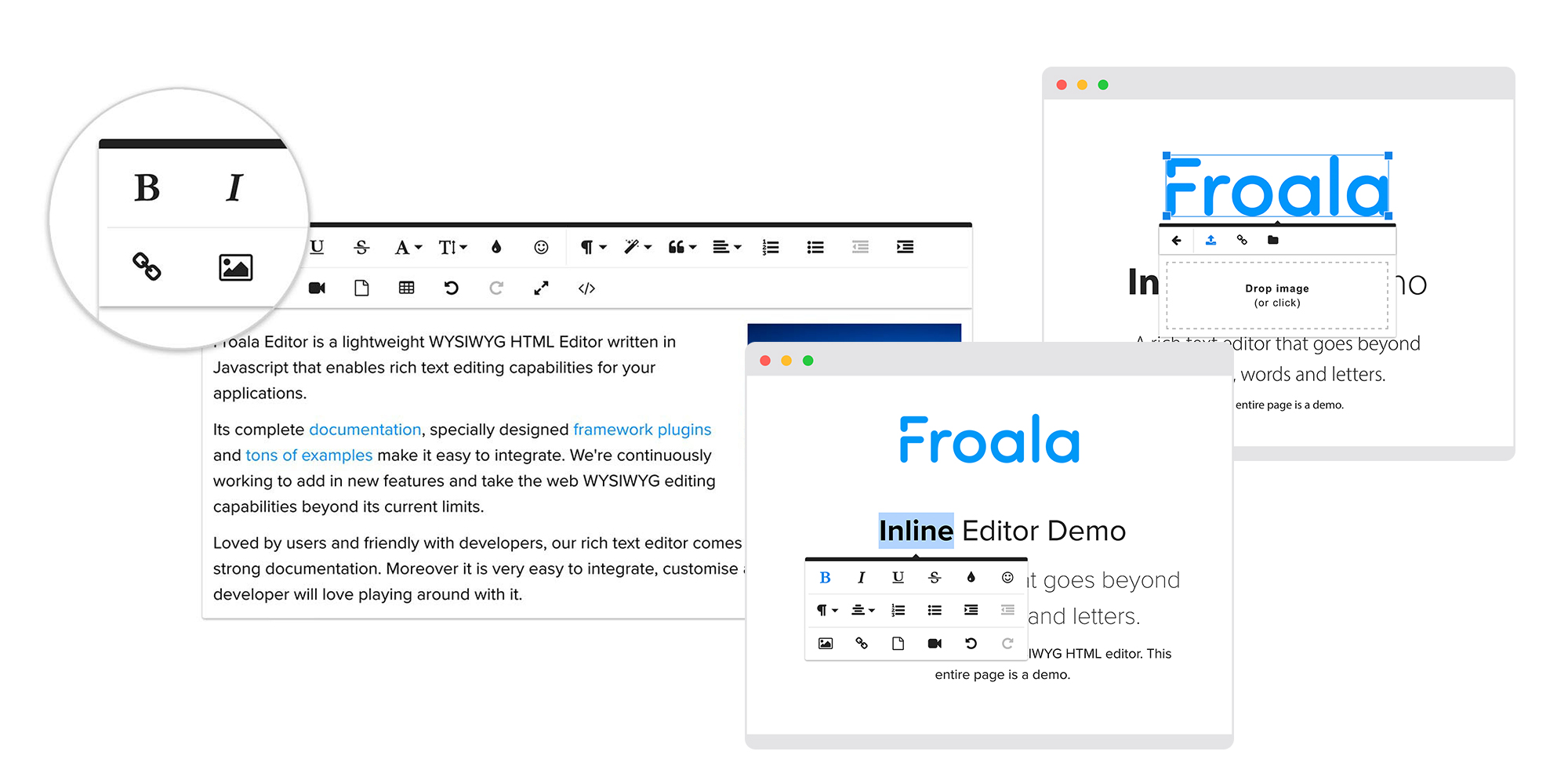
|
|
10
|
-
|
|
11
|
-
## Table of contents
|
|
12
|
-
1. [Installation instructions](#installation-instructions)
|
|
13
|
-
2. [Update editor instructions](#update-editor-instructions)
|
|
14
|
-
3. [Integration](#integration)
|
|
15
|
-
- [angular-cli](#use-with-angular-cli)
|
|
16
|
-
- [ionic v2 or v3](#use-with-ionic-v2-or-v3)
|
|
17
|
-
- [webpack/starter](#use-with-webpack)
|
|
18
|
-
- [System.js and JIT](#use-with-systemjs-and-jit)
|
|
19
|
-
- [AOT](#use-with-aot)
|
|
20
|
-
4. [Usage](#usage)
|
|
21
|
-
5. [Manual Initialization](#manual-initialization)
|
|
22
|
-
6. [Displaying HTML](#displaying-html)
|
|
23
|
-
7. [License](#license)
|
|
24
|
-
8. [Development environment setup](#development-environment-setup)
|
|
25
|
-
|
|
26
|
-
## Installation instructions
|
|
27
|
-
|
|
28
|
-
Install `angular-froala-wysiwyg` from `npm`
|
|
29
|
-
|
|
30
|
-
```bash
|
|
31
|
-
npm install angular-froala-wysiwyg
|
|
32
|
-
```
|
|
33
|
-
|
|
34
|
-
You will need CSS styles
|
|
35
|
-
|
|
36
|
-
```html
|
|
37
|
-
<!-- index.html -->
|
|
38
|
-
<link href="node_modules/froala-editor/css/froala_editor.pkgd.min.css" rel="stylesheet">
|
|
39
|
-
```
|
|
40
|
-
|
|
41
|
-
>Note : In case you want to use font-awesome icons , you can use them by installing it.
|
|
42
|
-
- Run ` npm install font-awesome `
|
|
43
|
-
- Or in `index.hml` add given cdn
|
|
44
|
-
`<link rel="stylesheet" href="https://cdnjs.cloudflare.com/ajax/libs/font-awesome/4.7.0/css/font-awesome.min.css">`
|
|
45
|
-
|
|
46
|
-
|
|
47
|
-
## Update editor instructions
|
|
48
|
-
|
|
49
|
-
```bash
|
|
50
|
-
npm update froala-editor --save
|
|
51
|
-
```
|
|
52
|
-
|
|
53
|
-
## Integration
|
|
54
|
-
|
|
55
|
-
### Use with Angular CLI
|
|
56
|
-
|
|
57
|
-
#### Installing @angular/cli
|
|
58
|
-
|
|
59
|
-
*Note*: you can skip this part if you already have application generated.
|
|
60
|
-
|
|
61
|
-
```bash
|
|
62
|
-
npm install -g @angular/cli
|
|
63
|
-
ng new my-app
|
|
64
|
-
cd my-app
|
|
65
|
-
```
|
|
66
|
-
|
|
67
|
-
#### Add angular-froala-wysiwyg
|
|
68
|
-
|
|
69
|
-
- install `angular-froala-wysiwyg`
|
|
70
|
-
|
|
71
|
-
```bash
|
|
72
|
-
npm install angular-froala-wysiwyg --save
|
|
73
|
-
```
|
|
74
|
-
|
|
75
|
-
- if you are adding Froala to an application that uses Server-side rendering, open `src/app/app.component.ts` and add
|
|
76
|
-
|
|
77
|
-
```typescript
|
|
78
|
-
// Import helpers to detect browser context
|
|
79
|
-
import { PLATFORM_ID, Inject } from '@angular/core';
|
|
80
|
-
import { isPlatformBrowser } from "@angular/common";
|
|
81
|
-
// Import Angular plugin.
|
|
82
|
-
import { FroalaEditorModule, FroalaViewModule } from 'angular-froala-wysiwyg';
|
|
83
|
-
...
|
|
84
|
-
|
|
85
|
-
@Component({
|
|
86
|
-
...
|
|
87
|
-
imports: [FroalaEditorModule, FroalaViewModule ... ],
|
|
88
|
-
...
|
|
89
|
-
})
|
|
90
|
-
|
|
91
|
-
export class AppComponent {
|
|
92
|
-
...
|
|
93
|
-
constructor(@Inject(PLATFORM_ID) private platformId: Object) {}
|
|
94
|
-
|
|
95
|
-
ngOnInit() {
|
|
96
|
-
// Import Froala plugins dynamically only in the browser context
|
|
97
|
-
if (isPlatformBrowser(this.platformId)) {
|
|
98
|
-
// Import all Froala Editor plugins.
|
|
99
|
-
// @ts-ignore
|
|
100
|
-
// import('froala-editor/js/plugins.pkgd.min.js');
|
|
101
|
-
|
|
102
|
-
// Import a single Froala Editor plugin.
|
|
103
|
-
// @ts-ignore
|
|
104
|
-
// import('froala-editor/js/plugins/align.min.js');
|
|
105
|
-
|
|
106
|
-
// Import a Froala Editor language file.
|
|
107
|
-
// @ts-ignore
|
|
108
|
-
// import('froala-editor/js/languages/de.js');
|
|
109
|
-
|
|
110
|
-
// Import a third-party plugin.
|
|
111
|
-
// @ts-ignore
|
|
112
|
-
// import('froala-editor/js/third_party/font_awesome.min');
|
|
113
|
-
// @ts-ignore
|
|
114
|
-
// import('froala-editor/js/third_party/image_tui.min');
|
|
115
|
-
// @ts-ignore
|
|
116
|
-
// import('froala-editor/js/third_party/spell_checker.min';
|
|
117
|
-
// @ts-ignore
|
|
118
|
-
// import('froala-editor/js/third_party/embedly.min');
|
|
119
|
-
}
|
|
120
|
-
}
|
|
121
|
-
...
|
|
122
|
-
}
|
|
123
|
-
```
|
|
124
|
-
|
|
125
|
-
- alternatively, for non-SSR applications, open `src/app/app.module.ts` and add
|
|
126
|
-
|
|
127
|
-
```typescript
|
|
128
|
-
// Import all Froala Editor plugins.
|
|
129
|
-
// import 'froala-editor/js/plugins.pkgd.min.js';
|
|
130
|
-
|
|
131
|
-
// Import a single Froala Editor plugin.
|
|
132
|
-
// import 'froala-editor/js/plugins/align.min.js';
|
|
133
|
-
|
|
134
|
-
// Import a Froala Editor language file.
|
|
135
|
-
// import 'froala-editor/js/languages/de.js';
|
|
136
|
-
|
|
137
|
-
// Import a third-party plugin.
|
|
138
|
-
// import 'froala-editor/js/third_party/font_awesome.min';
|
|
139
|
-
// import 'froala-editor/js/third_party/image_tui.min';
|
|
140
|
-
// import 'froala-editor/js/third_party/spell_checker.min';
|
|
141
|
-
// import 'froala-editor/js/third_party/embedly.min';
|
|
142
|
-
|
|
143
|
-
// Import Angular plugin.
|
|
144
|
-
import { FroalaEditorModule, FroalaViewModule } from 'angular-froala-wysiwyg';
|
|
145
|
-
...
|
|
146
|
-
|
|
147
|
-
@NgModule({
|
|
148
|
-
...
|
|
149
|
-
imports: [FroalaEditorModule.forRoot(), FroalaViewModule.forRoot() ... ],
|
|
150
|
-
...
|
|
151
|
-
})
|
|
152
|
-
```
|
|
153
|
-
|
|
154
|
-
- open `angular.json` file and insert a new entry into the `styles` array
|
|
155
|
-
|
|
156
|
-
```json
|
|
157
|
-
"styles": [
|
|
158
|
-
"styles.css",
|
|
159
|
-
"./node_modules/froala-editor/css/froala_editor.pkgd.min.css",
|
|
160
|
-
"./node_modules/froala-editor/css/froala_style.min.css",
|
|
161
|
-
]
|
|
162
|
-
```
|
|
163
|
-
|
|
164
|
-
- open `src/app/app.component.html` and add
|
|
165
|
-
|
|
166
|
-
```html
|
|
167
|
-
<div [froalaEditor]>Hello, Froala!</div>
|
|
168
|
-
```
|
|
169
|
-
|
|
170
|
-
#### Run angular-cli
|
|
171
|
-
```bash
|
|
172
|
-
ng serve
|
|
173
|
-
```
|
|
174
|
-
|
|
175
|
-
|
|
176
|
-
|
|
177
|
-
### Use with `ionic v2 or v3`
|
|
178
|
-
|
|
179
|
-
#### Create Ionic app
|
|
180
|
-
|
|
181
|
-
*Note*: you can skip this part if you already have application generated.
|
|
182
|
-
|
|
183
|
-
```bash
|
|
184
|
-
npm install -g cordova ionic
|
|
185
|
-
ionic start sample blank
|
|
186
|
-
cd sample
|
|
187
|
-
```
|
|
188
|
-
|
|
189
|
-
#### Add angular-froala-wysiwyg
|
|
190
|
-
|
|
191
|
-
For v3 make sure that you use the latest version of ionic and also the latest version of angular.
|
|
192
|
-
|
|
193
|
-
Installing Froala Wysiwyg Editor in Ionic is fairly easy, it can be done using npm:
|
|
194
|
-
```bash
|
|
195
|
-
npm install angular-froala-wysiwyg --save
|
|
196
|
-
```
|
|
197
|
-
|
|
198
|
-
- Inside `src/app/app.component.html` add
|
|
199
|
-
|
|
200
|
-
```html
|
|
201
|
-
<ion-app>
|
|
202
|
-
<ion-router-outlet></ion-router-outlet>
|
|
203
|
-
<div [froalaEditor]>Hello, Froala!</div>
|
|
204
|
-
</ion-app>
|
|
205
|
-
```
|
|
206
|
-
|
|
207
|
-
|
|
208
|
-
- open `src/app/app.module.ts` and add
|
|
209
|
-
|
|
210
|
-
```typescript
|
|
211
|
-
// Import all Froala Editor plugins.
|
|
212
|
-
// import 'froala-editor/js/plugins.pkgd.min.js';
|
|
213
|
-
|
|
214
|
-
// Import a single Froala Editor plugin.
|
|
215
|
-
// import 'froala-editor/js/plugins/align.min.js';
|
|
216
|
-
|
|
217
|
-
// Import a Froala Editor language file.
|
|
218
|
-
// import 'froala-editor/js/languages/de.js';
|
|
219
|
-
|
|
220
|
-
// Import a third-party plugin.
|
|
221
|
-
// import 'froala-editor/js/third_party/font_awesome.min';
|
|
222
|
-
// import 'froala-editor/js/third_party/image_tui.min';
|
|
223
|
-
// import 'froala-editor/js/third_party/spell_checker.min';
|
|
224
|
-
// import 'froala-editor/js/third_party/embedly.min';
|
|
225
|
-
|
|
226
|
-
// Import Angular2 plugin.
|
|
227
|
-
import { FroalaEditorModule, FroalaViewModule } from 'angular-froala-wysiwyg';
|
|
228
|
-
...
|
|
229
|
-
|
|
230
|
-
```
|
|
231
|
-
Replace
|
|
232
|
-
```
|
|
233
|
-
imports: [BrowserModule, IonicModule.forRoot(), AppRoutingModule]
|
|
234
|
-
```
|
|
235
|
-
with
|
|
236
|
-
```
|
|
237
|
-
imports: [BrowserModule, IonicModule.forRoot(), AppRoutingModule,FroalaEditorModule.forRoot(), FroalaViewModule.forRoot()]
|
|
238
|
-
```
|
|
239
|
-
|
|
240
|
-
- Inside `src/app/app-routing.module.ts` remove the line
|
|
241
|
-
```
|
|
242
|
-
{ path: '', redirectTo: 'home', pathMatch: 'full' }
|
|
243
|
-
```
|
|
244
|
-
|
|
245
|
-
- Inside `src/index.html`
|
|
246
|
-
|
|
247
|
-
```html
|
|
248
|
-
<link rel="stylesheet" href="assets/css/font-awesome.min.css">
|
|
249
|
-
<link rel="stylesheet" href="assets/css/froala_editor.pkgd.min.css">
|
|
250
|
-
<link rel="stylesheet" href="assets/css/froala_style.min.css">
|
|
251
|
-
```
|
|
252
|
-
|
|
253
|
-
- In `angular.json` change outpath of build to "outputPath": "src/assets" and insert following inside `assets`array of build:
|
|
254
|
-
```javascript
|
|
255
|
-
"assets":[
|
|
256
|
-
...,
|
|
257
|
-
|
|
258
|
-
{
|
|
259
|
-
"glob": "**/*",
|
|
260
|
-
"input": "node_modules/froala-editor/css",
|
|
261
|
-
"output": "css"
|
|
262
|
-
},
|
|
263
|
-
{
|
|
264
|
-
"glob": "**/*",
|
|
265
|
-
"input": "node_modules/font-awesome/css",
|
|
266
|
-
"output": "css"
|
|
267
|
-
},
|
|
268
|
-
{
|
|
269
|
-
"glob": "**/*",
|
|
270
|
-
"input": "node_modules/font-awesome/fonts",
|
|
271
|
-
"output": "fonts"
|
|
272
|
-
},
|
|
273
|
-
{
|
|
274
|
-
"glob": "**/*",
|
|
275
|
-
"input": "node_modules/froala-editor/js",
|
|
276
|
-
"output": "js"
|
|
277
|
-
}
|
|
278
|
-
]
|
|
279
|
-
```
|
|
280
|
-
|
|
281
|
-
#### Run your App
|
|
282
|
-
|
|
283
|
-
```bash
|
|
284
|
-
ionic build
|
|
285
|
-
ionic serve
|
|
286
|
-
```
|
|
287
|
-
|
|
288
|
-
|
|
289
|
-
|
|
290
|
-
### Use with `webpack/starter`
|
|
291
|
-
|
|
292
|
-
#### Create webpack app
|
|
293
|
-
|
|
294
|
-
*Note*: you can skip this part if you already have application generated.
|
|
295
|
-
|
|
296
|
-
```bash
|
|
297
|
-
git clone --depth 1 https://github.com/AngularClass/angular-starter.git
|
|
298
|
-
cd angular-starter
|
|
299
|
-
npm install
|
|
300
|
-
npm install rxjs@6.0.0 --save
|
|
301
|
-
npm install @types/node@10.1.4
|
|
302
|
-
```
|
|
303
|
-
|
|
304
|
-
#### Add angular-froala-wysiwyg
|
|
305
|
-
|
|
306
|
-
- install `angular-froala-wysiwyg`
|
|
307
|
-
|
|
308
|
-
```bash
|
|
309
|
-
npm install angular-froala-wysiwyg --save
|
|
310
|
-
```
|
|
311
|
-
|
|
312
|
-
- open `src/app/app.module.ts` and add
|
|
313
|
-
|
|
314
|
-
```typescript
|
|
315
|
-
// Import all Froala Editor plugins.
|
|
316
|
-
// import 'froala-editor/js/plugins.pkgd.min.js';
|
|
317
|
-
|
|
318
|
-
// Import a single Froala Editor plugin.
|
|
319
|
-
// import 'froala-editor/js/plugins/align.min.js';
|
|
320
|
-
|
|
321
|
-
// Import a Froala Editor language file.
|
|
322
|
-
// import 'froala-editor/js/languages/de.js';
|
|
323
|
-
|
|
324
|
-
// Import a third-party plugin.
|
|
325
|
-
// import 'froala-editor/js/third_party/font_awesome.min';
|
|
326
|
-
// import 'froala-editor/js/third_party/image_tui.min';
|
|
327
|
-
// import 'froala-editor/js/third_party/spell_checker.min';
|
|
328
|
-
// import 'froala-editor/js/third_party/embedly.min';
|
|
329
|
-
|
|
330
|
-
// Import Angular plugin.
|
|
331
|
-
import { FroalaEditorModule, FroalaViewModule } from 'angular-froala-wysiwyg';
|
|
332
|
-
...
|
|
333
|
-
|
|
334
|
-
@NgModule({
|
|
335
|
-
...
|
|
336
|
-
imports: [FroalaEditorModule.forRoot(), FroalaViewModule.forRoot(), ... ],
|
|
337
|
-
...
|
|
338
|
-
})
|
|
339
|
-
```
|
|
340
|
-
|
|
341
|
-
- open `src/app/app.component.ts` and add to the template
|
|
342
|
-
|
|
343
|
-
```html
|
|
344
|
-
<div [froalaEditor]>Hello, Froala!</div>
|
|
345
|
-
```
|
|
346
|
-
|
|
347
|
-
- open `config/webpack.common.js`
|
|
348
|
-
|
|
349
|
-
```javascript
|
|
350
|
-
var webpack = require('webpack');
|
|
351
|
-
```
|
|
352
|
-
|
|
353
|
-
|
|
354
|
-
- open `config/webpack.common.js` and add the following to `CopyWebpackPlugin`
|
|
355
|
-
|
|
356
|
-
```javascript
|
|
357
|
-
{
|
|
358
|
-
from: 'node_modules/froala-editor/css/',
|
|
359
|
-
to: 'assets/froala-editor/css/',
|
|
360
|
-
},
|
|
361
|
-
```
|
|
362
|
-
|
|
363
|
-
- open `config/head-config.common.js` and add a new entry to link
|
|
364
|
-
|
|
365
|
-
```javascript
|
|
366
|
-
{ rel: 'stylesheet', href: '/assets/froala-editor/css/froala_editor.pkgd.min.css' },
|
|
367
|
-
{ rel: 'stylesheet', href: '/assets/froala-editor/css/froala_style.min.css' }
|
|
368
|
-
```
|
|
369
|
-
|
|
370
|
-
#### Run webpack app
|
|
371
|
-
|
|
372
|
-
```bash
|
|
373
|
-
npm run start
|
|
374
|
-
```
|
|
375
|
-
|
|
376
|
-
### Use with `system.js` and `JIT`
|
|
377
|
-
|
|
378
|
-
#### Create Angular app
|
|
379
|
-
|
|
380
|
-
*Note*: you can skip this part if you already have application generated.
|
|
381
|
-
|
|
382
|
-
```bash
|
|
383
|
-
git clone https://github.com/froala/angular-froala-systemjs-demo
|
|
384
|
-
cd angular-froala-systemjs-demo
|
|
385
|
-
npm install
|
|
386
|
-
```
|
|
387
|
-
|
|
388
|
-
#### Add angular-froala-wysiwyg
|
|
389
|
-
|
|
390
|
-
- install `angular-froala-wysiwyg`
|
|
391
|
-
|
|
392
|
-
```bash
|
|
393
|
-
npm install angular-froala-wysiwyg --save
|
|
394
|
-
```
|
|
395
|
-
|
|
396
|
-
- open `src/index.html` and add
|
|
397
|
-
|
|
398
|
-
```html
|
|
399
|
-
<link rel="stylesheet" href="node_modules/froala-editor/css/froala_editor.pkgd.min.css">
|
|
400
|
-
<link rel="stylesheet" href="node_modules/froala-editor/css/froala_style.min.css">
|
|
401
|
-
```
|
|
402
|
-
|
|
403
|
-
- open `src/app/app.module.ts` and add
|
|
404
|
-
|
|
405
|
-
```typescript
|
|
406
|
-
// Import all Froala Editor plugins.
|
|
407
|
-
// import 'froala-editor/js/plugins.pkgd.min.js';
|
|
408
|
-
|
|
409
|
-
// Import a single Froala Editor plugin.
|
|
410
|
-
// import 'froala-editor/js/plugins/align.min.js';
|
|
411
|
-
|
|
412
|
-
// Import a Froala Editor language file.
|
|
413
|
-
// import 'froala-editor/js/languages/de.js';
|
|
414
|
-
|
|
415
|
-
// Import a third-party plugin.
|
|
416
|
-
// import 'froala-editor/js/third_party/font_awesome.min';
|
|
417
|
-
// import 'froala-editor/js/third_party/image_tui.min';
|
|
418
|
-
// import 'froala-editor/js/third_party/spell_checker.min';
|
|
419
|
-
// import 'froala-editor/js/third_party/embedly.min';
|
|
420
|
-
|
|
421
|
-
// Import Angular2 plugin.
|
|
422
|
-
import { FroalaEditorModule, FroalaViewModule } from 'angular-froala-wysiwyg';
|
|
423
|
-
...
|
|
424
|
-
|
|
425
|
-
@NgModule({
|
|
426
|
-
...
|
|
427
|
-
imports: [FroalaEditorModule.forRoot(), FroalaViewModule.forRoot(), ... ],
|
|
428
|
-
...
|
|
429
|
-
})
|
|
430
|
-
```
|
|
431
|
-
|
|
432
|
-
- open `src/app/app.component.ts` file and add to the template
|
|
433
|
-
|
|
434
|
-
```html
|
|
435
|
-
<div [froalaEditor]>Hello, Froala!</div>
|
|
436
|
-
```
|
|
437
|
-
|
|
438
|
-
#### Run app
|
|
439
|
-
|
|
440
|
-
```bash
|
|
441
|
-
npm run start
|
|
442
|
-
```
|
|
443
|
-
|
|
444
|
-
|
|
445
|
-
|
|
446
|
-
### Use with `aot`
|
|
447
|
-
|
|
448
|
-
#### Create Angular app
|
|
449
|
-
|
|
450
|
-
1. ng new froala-aot
|
|
451
|
-
|
|
452
|
-
```javascript
|
|
453
|
-
{
|
|
454
|
-
"glob": "**/*",
|
|
455
|
-
"input": "./node_modules/froala-editor",
|
|
456
|
-
"output": "assets/froala-editor/"
|
|
457
|
-
},
|
|
458
|
-
{
|
|
459
|
-
"glob": "**/*",
|
|
460
|
-
"input": "./node_modules/font-awesome",
|
|
461
|
-
"output": "assets/font-awesome/"
|
|
462
|
-
},
|
|
463
|
-
{
|
|
464
|
-
"glob": "**/*",
|
|
465
|
-
"input": "./node_modules/jquery",
|
|
466
|
-
"output": "assets/jquery/"
|
|
467
|
-
}
|
|
468
|
-
```
|
|
469
|
-
- Go to `package.json` and update `scripts.build` to `ng build --aot` and `scripts.start` to `ng serve --aot`
|
|
470
|
-
|
|
471
|
-
#### Add angular-froala-wysiwyg
|
|
472
|
-
|
|
473
|
-
- install `angular-froala-wysiwyg`
|
|
474
|
-
|
|
475
|
-
In case you want to use font-awesome icons , you can use them by installing it.
|
|
476
|
-
|
|
477
|
-
- Run ` npm install font-awesome ` and add in `app.module.ts`
|
|
478
|
-
```
|
|
479
|
-
import 'froala-editor/js/third_party/font_awesome.min';
|
|
480
|
-
```
|
|
481
|
-
|
|
482
|
-
- Go to `angular.json` and change `architect.build.options.outputPath` to `src/dist` and add following json to `architect.build.options.assets array`
|
|
483
|
-
|
|
484
|
-
```bash
|
|
485
|
-
npm install angular-froala-wysiwyg --save
|
|
486
|
-
```
|
|
487
|
-
|
|
488
|
-
- open `src/index.html` and add
|
|
489
|
-
|
|
490
|
-
```html
|
|
491
|
-
<link rel="stylesheet" href="assets/font-awesome/css/font-awesome.min.css">
|
|
492
|
-
<link rel="stylesheet" href="assets/froala-editor/css/froala_editor.pkgd.min.css">
|
|
493
|
-
```
|
|
494
|
-
|
|
495
|
-
- open `src/app/app.module.ts` and add
|
|
496
|
-
|
|
497
|
-
```typescript
|
|
498
|
-
// Import all Froala Editor plugins.
|
|
499
|
-
// import 'froala-editor/js/plugins.pkgd.min.js';
|
|
500
|
-
|
|
501
|
-
// Import a single Froala Editor plugin.
|
|
502
|
-
// import 'froala-editor/js/plugins/align.min.js';
|
|
503
|
-
|
|
504
|
-
// Import a Froala Editor language file.
|
|
505
|
-
// import 'froala-editor/js/languages/de.js';
|
|
506
|
-
|
|
507
|
-
// Import a third-party plugin.
|
|
508
|
-
// import 'froala-editor/js/third_party/image_tui.min';
|
|
509
|
-
// import 'froala-editor/js/third_party/spell_checker.min';
|
|
510
|
-
// import 'froala-editor/js/third_party/embedly.min';
|
|
511
|
-
|
|
512
|
-
// Import Angular2 plugin.
|
|
513
|
-
import { FroalaEditorModule, FroalaViewModule } from 'angular-froala-wysiwyg';
|
|
514
|
-
...
|
|
515
|
-
|
|
516
|
-
@NgModule({
|
|
517
|
-
...
|
|
518
|
-
imports: [FroalaEditorModule.forRoot(), FroalaViewModule.forRoot(), ... ],
|
|
519
|
-
...
|
|
520
|
-
})
|
|
521
|
-
```
|
|
522
|
-
|
|
523
|
-
- open `src/app/app.component.ts` file and add to the template
|
|
524
|
-
|
|
525
|
-
```html
|
|
526
|
-
<div [froalaEditor]>Hello, Froala!</div>
|
|
527
|
-
```
|
|
528
|
-
|
|
529
|
-
#### Run app
|
|
530
|
-
|
|
531
|
-
```bash
|
|
532
|
-
npm run build
|
|
533
|
-
npm run start
|
|
534
|
-
```
|
|
535
|
-
|
|
536
|
-
|
|
537
|
-
## Usage
|
|
538
|
-
|
|
539
|
-
### Options
|
|
540
|
-
|
|
541
|
-
You can pass editor options as Input (optional).
|
|
542
|
-
|
|
543
|
-
`[froalaEditor]='options'`
|
|
544
|
-
|
|
545
|
-
You can pass any existing Froala option. Consult the [Froala documentation](https://www.froala.com/wysiwyg-editor/docs/options) to view the list of all the available options:
|
|
546
|
-
|
|
547
|
-
```typescript
|
|
548
|
-
public options: Object = {
|
|
549
|
-
placeholderText: 'Edit Your Content Here!',
|
|
550
|
-
charCounterCount: false
|
|
551
|
-
}
|
|
552
|
-
```
|
|
553
|
-
|
|
554
|
-
Aditional option is used:
|
|
555
|
-
* **immediateAngularModelUpdate**: (default: false) This option synchronizes the angular model as soon as a key is released in the editor. Note that it may affect performances.
|
|
556
|
-
|
|
557
|
-
|
|
558
|
-
|
|
559
|
-
### Events and Methods
|
|
560
|
-
|
|
561
|
-
Events can be passed in with the options, with a key events and object where the key is the event name and the value is the callback function.
|
|
562
|
-
|
|
563
|
-
```typescript
|
|
564
|
-
public options: Object = {
|
|
565
|
-
placeholder: "Edit Me",
|
|
566
|
-
events : {
|
|
567
|
-
'focus' : function(e, editor) {
|
|
568
|
-
console.log(editor.selection.get());
|
|
569
|
-
}
|
|
570
|
-
}
|
|
571
|
-
}
|
|
572
|
-
```
|
|
573
|
-
|
|
574
|
-
Using the editor instance from the arguments of the callback you can call editor methods as described in the [method docs](http://froala.com/wysiwyg-editor/docs/methods).
|
|
575
|
-
|
|
576
|
-
Froala events are described in the [events docs](https://froala.com/wysiwyg-editor/docs/events).
|
|
577
|
-
|
|
578
|
-
|
|
579
|
-
|
|
580
|
-
### Model
|
|
581
|
-
|
|
582
|
-
The WYSIWYG HTML editor content model.
|
|
583
|
-
|
|
584
|
-
`[(froalaModel)]="editorContent"`
|
|
585
|
-
|
|
586
|
-
Pass initial content:
|
|
587
|
-
|
|
588
|
-
```typescript
|
|
589
|
-
public editorContent: string = 'My Document\'s Title'
|
|
590
|
-
```
|
|
591
|
-
|
|
592
|
-
Use the content in other places:
|
|
593
|
-
|
|
594
|
-
```html
|
|
595
|
-
<input [ngModel]="editorContent"/>
|
|
596
|
-
<input [(ngModel)]="editorContent"/> <!-- For two way binding -->
|
|
597
|
-
```
|
|
598
|
-
|
|
599
|
-
Other two way binding example:
|
|
600
|
-
|
|
601
|
-
```html
|
|
602
|
-
<div [froalaEditor] [(froalaModel)]="editorContent"></div>
|
|
603
|
-
<div [froalaEditor] [(froalaModel)]="editorContent"></div>
|
|
604
|
-
```
|
|
605
|
-
|
|
606
|
-
Use it with reactive forms:
|
|
607
|
-
|
|
608
|
-
```html
|
|
609
|
-
<form [formGroup]="form" (ngSubmit)="onSubmit()">
|
|
610
|
-
<textarea [froalaEditor] formControlName="formModel"></textarea>
|
|
611
|
-
<button type="submit">Submit</button>
|
|
612
|
-
</form>
|
|
613
|
-
```
|
|
614
|
-
|
|
615
|
-
If you want to use two-way binding to display the form model in other places you must include `[(froalaModel)]`:
|
|
616
|
-
|
|
617
|
-
```html
|
|
618
|
-
<form [formGroup]="form" (ngSubmit)="onSubmit()">
|
|
619
|
-
<textarea [froalaEditor] formControlName="formModel" [(froalaModel)]="form.formModel"></textarea>
|
|
620
|
-
<div [froalaView]="form.formModel"></div>
|
|
621
|
-
<button type="submit">Submit</button>
|
|
622
|
-
</form>
|
|
623
|
-
```
|
|
624
|
-
|
|
625
|
-
If you want to wrap froalaEditor directive into a component that supports reactive forms please see [froala.component.ts](https://github.com/froala/angular-froala-wysiwyg/blob/master/demo/src/app/froala.component.ts) from demo.
|
|
626
|
-
|
|
627
|
-
### Extend functionality
|
|
628
|
-
|
|
629
|
-
You can extend the functionality by adding a custom button like bellow:
|
|
630
|
-
|
|
631
|
-
```typescript
|
|
632
|
-
// Import Froala Editor.
|
|
633
|
-
import FroalaEditor from 'froala-editor';
|
|
634
|
-
|
|
635
|
-
// We will make usage of the Init hook and make the implementation there.
|
|
636
|
-
import { Component, OnInit } from '@angular/core';
|
|
637
|
-
|
|
638
|
-
@Component({
|
|
639
|
-
selector: 'app-demo',
|
|
640
|
-
template: `<div class="sample">
|
|
641
|
-
<h2>Sample 11: Add Custom Button</h2>
|
|
642
|
-
<div [froalaEditor]="options" [(froalaModel)]="content" ></div>
|
|
643
|
-
</div>`,
|
|
644
|
-
|
|
645
|
-
|
|
646
|
-
export class AppComponent implements OnInit{
|
|
647
|
-
|
|
648
|
-
ngOnInit () {
|
|
649
|
-
FroalaEditor.DefineIcon('alert', {NAME: 'info'});
|
|
650
|
-
FroalaEditor.RegisterCommand('alert', {
|
|
651
|
-
title: 'Hello',
|
|
652
|
-
focus: false,
|
|
653
|
-
undo: false,
|
|
654
|
-
refreshAfterCallback: false,
|
|
655
|
-
|
|
656
|
-
callback: () => {
|
|
657
|
-
alert('Hello!', this);
|
|
658
|
-
}
|
|
659
|
-
});
|
|
660
|
-
}
|
|
661
|
-
|
|
662
|
-
public options: Object = {
|
|
663
|
-
charCounterCount: true,
|
|
664
|
-
toolbarButtons: ['bold', 'italic', 'underline', 'paragraphFormat','alert'],
|
|
665
|
-
toolbarButtonsXS: ['bold', 'italic', 'underline', 'paragraphFormat','alert'],
|
|
666
|
-
toolbarButtonsSM: ['bold', 'italic', 'underline', 'paragraphFormat','alert'],
|
|
667
|
-
toolbarButtonsMD: ['bold', 'italic', 'underline', 'paragraphFormat','alert'],
|
|
668
|
-
};
|
|
669
|
-
}
|
|
670
|
-
```
|
|
671
|
-
|
|
672
|
-
|
|
673
|
-
### Special tags
|
|
674
|
-
Note: In order to use special tags in `app.module.ts` add
|
|
675
|
-
```
|
|
676
|
-
// Import all Froala Editor plugins.
|
|
677
|
-
import 'froala-editor/js/plugins.pkgd.min.js';
|
|
678
|
-
```
|
|
679
|
-
|
|
680
|
-
You may also use the editor on **img**, **button**, **input** and **a** tags:
|
|
681
|
-
|
|
682
|
-
```html
|
|
683
|
-
<img [froalaEditor] [(froalaModel)]="imgObj"/>
|
|
684
|
-
```
|
|
685
|
-
|
|
686
|
-
The model must be an object containing the attributes for your special tags. Example:
|
|
687
|
-
|
|
688
|
-
```typescript
|
|
689
|
-
public imgObj: Object = {
|
|
690
|
-
src: 'path/to/image.jpg'
|
|
691
|
-
};
|
|
692
|
-
```
|
|
693
|
-
|
|
694
|
-
The froalaModel will change as the attributes change during usage.
|
|
695
|
-
|
|
696
|
-
* froalaModel can contain a special attribute named **innerHTML** which inserts innerHTML in the element: If you are using 'button' tag, you can specify the button text like this:
|
|
697
|
-
|
|
698
|
-
```typescript
|
|
699
|
-
public buttonModel: Object = {
|
|
700
|
-
innerHTML: 'Click Me'
|
|
701
|
-
};
|
|
702
|
-
```
|
|
703
|
-
As the button text is modified by the editor, the **innerHTML** attribute from buttonModel model will be modified too.
|
|
704
|
-
|
|
705
|
-
|
|
706
|
-
|
|
707
|
-
### Specific option for special tags
|
|
708
|
-
|
|
709
|
-
* **angularIgnoreAttrs**: (default: null) This option is an array of attributes that you want to ignore when the editor updates the froalaModel:
|
|
710
|
-
|
|
711
|
-
```typescript
|
|
712
|
-
public inputOptions: Object = {
|
|
713
|
-
angularIgnoreAttrs: ['class', 'id']
|
|
714
|
-
};
|
|
715
|
-
```
|
|
716
|
-
|
|
717
|
-
|
|
718
|
-
|
|
719
|
-
## Manual Initialization
|
|
720
|
-
|
|
721
|
-
Gets the functionality to operate on the editor: create, destroy and get editor instance. Use it if you want to manually initialize the editor.
|
|
722
|
-
|
|
723
|
-
`(froalaInit)="initialize($event)"`
|
|
724
|
-
|
|
725
|
-
Where `initialize` is the name of a function in your component which will receive an object with different methods to control the editor initialization process.
|
|
726
|
-
|
|
727
|
-
```typescript
|
|
728
|
-
public initialize(initControls) {
|
|
729
|
-
this.initControls = initControls;
|
|
730
|
-
this.deleteAll = function() {
|
|
731
|
-
this.initControls.getEditor()('html.set', '');
|
|
732
|
-
};
|
|
733
|
-
}
|
|
734
|
-
```
|
|
735
|
-
|
|
736
|
-
The object received by the function will contain the following methods:
|
|
737
|
-
|
|
738
|
-
- **initialize**: Call this method to initialize the Froala Editor
|
|
739
|
-
- **destroy**: Call this method to destroy the Froala Editor
|
|
740
|
-
- **getEditor**: Call this method to retrieve the editor that was created. This method will return *null* if the editor was not yet created
|
|
741
|
-
|
|
742
|
-
|
|
743
|
-
|
|
744
|
-
|
|
745
|
-
## Displaying HTML
|
|
746
|
-
|
|
747
|
-
To display content created with the froala editor use the froalaView directive.
|
|
748
|
-
|
|
749
|
-
`[froalaView]="editorContent"`
|
|
750
|
-
|
|
751
|
-
```html
|
|
752
|
-
<div [froalaEditor] [(froalaModel)]="editorContent"></div>
|
|
753
|
-
<div [froalaView]="editorContent"></div>
|
|
754
|
-
```
|
|
755
|
-
|
|
756
|
-
|
|
757
|
-
|
|
758
|
-
## License
|
|
759
|
-
|
|
760
|
-
The `angular-froala-wyswiyg` project is under MIT license. However, in order to use Froala WYSIWYG HTML Editor plugin you should purchase a license for it.
|
|
761
|
-
|
|
762
|
-
Froala Editor has [3 different licenses](http://froala.com/wysiwyg-editor/pricing) for commercial use.
|
|
763
|
-
For details please see [License Agreement](http://froala.com/wysiwyg-editor/terms).
|
|
764
|
-
|
|
765
|
-
|
|
766
|
-
|
|
767
|
-
## Development environment setup
|
|
768
|
-
|
|
769
|
-
If you want to contribute to angular-froala-wyswiyg, you will first need to install the required tools to get the project going.
|
|
770
|
-
|
|
771
|
-
#### Prerequisites
|
|
772
|
-
|
|
773
|
-
* [Node Package Manager](https://npmjs.org/) (NPM)
|
|
774
|
-
* [Git](http://git-scm.com/)
|
|
775
|
-
|
|
776
|
-
#### Install dependencies
|
|
777
|
-
|
|
778
|
-
$ npm install
|
|
779
|
-
|
|
780
|
-
#### Build
|
|
781
|
-
|
|
782
|
-
$ npm run demo.build
|
|
783
|
-
|
|
784
|
-
#### Run Demo
|
|
785
|
-
|
|
786
|
-
$ npm run start
|