agy-powerline 1.3.0 → 1.5.0
This diff represents the content of publicly available package versions that have been released to one of the supported registries. The information contained in this diff is provided for informational purposes only and reflects changes between package versions as they appear in their respective public registries.
- package/CHANGELOG.md +55 -1
- package/README.fr.md +87 -32
- package/README.ja.md +87 -32
- package/README.md +89 -34
- package/README.zh-CN.md +87 -32
- package/llms.txt +127 -0
- package/package.json +8 -3
- package/src/cli/configure.js +70 -36
- package/src/cli/doctor.js +17 -1
- package/src/index.js +2 -1
- package/src/lib/catalog.js +21 -0
- package/src/lib/colors.js +17 -14
- package/src/lib/config.js +72 -20
- package/src/lib/fit.js +3 -0
- package/src/lib/formatters.js +107 -4
- package/src/lib/git.js +14 -5
- package/src/lib/layouts/lines.js +87 -22
- package/src/lib/layouts/pills.js +120 -33
- package/src/lib/session.js +49 -1
- package/src/lib/shared.js +2 -1
- package/src/lib/widget-options.js +108 -14
- package/src/lib/widget-style.js +112 -10
package/README.md
CHANGED
|
@@ -2,22 +2,26 @@
|
|
|
2
2
|
|
|
3
3
|
**English** | [简体中文](README.zh-CN.md) | [日本語](README.ja.md) | [Français](README.fr.md)
|
|
4
4
|
|
|
5
|
-
[](https://github.com/wassim-azi/agy-powerline/actions/workflows/ci.yml)
|
|
6
5
|
[](https://www.npmjs.com/package/agy-powerline)
|
|
7
|
-
[](#privacy-and-security)
|
|
6
|
+
[](https://www.npmjs.com/package/agy-powerline)
|
|
7
|
+
[](https://github.com/wassim-azi/agy-powerline/stargazers)
|
|
8
|
+
[](https://github.com/wassim-azi/agy-powerline/actions/workflows/ci.yml)
|
|
9
|
+
[](https://github.com/wassim-azi/agy-powerline/actions/workflows/codeql.yml)
|
|
12
10
|
[](https://scorecard.dev/viewer/?uri=github.com/wassim-azi/agy-powerline)
|
|
11
|
+
[](https://www.bestpractices.dev/projects/15655)
|
|
12
|
+
[](#privacy-and-security)
|
|
13
|
+
[](docs/install.md)
|
|
14
|
+
[](https://opensource.org/licenses/MIT)
|
|
15
|
+
[](https://codespaces.new/wassim-azi/agy-powerline?quickstart=1)
|
|
16
|
+
[](https://agy-powerline.com/configure/)
|
|
13
17
|
[](https://github.com/Piebald-AI/awesome-gemini-cli)
|
|
14
18
|
|
|
15
|
-
**A fast, configurable statusline for Google Antigravity
|
|
19
|
+
**A fast, configurable agy statusline for Google Antigravity CLI.**
|
|
16
20
|
|
|
17
21
|
See your model, Gemini 5h/7d, Claude/GPT and Argon quotas, context window, git branch and more at a glance. Pick widgets, themes and layout from an interactive editor. One command to install, no dependencies.
|
|
18
22
|
|
|
19
23
|
<p align="center">
|
|
20
|
-
<img src="assets/
|
|
24
|
+
<img src="assets/demo.gif" alt="agy-powerline configure: add Argon's weekly quota by typing argon, then browse the presets, themes and layouts with a live preview of the bar, and open the Powerline tab" width="850">
|
|
21
25
|
</p>
|
|
22
26
|
|
|
23
27
|
## Install
|
|
@@ -32,6 +36,15 @@ agy # start Antigravity
|
|
|
32
36
|
|
|
33
37
|
On a first install `init` asks for a preset, a layout and a theme, with a preview of each; add `--yes` to skip the questions. It asks before replacing anything and backs up Antigravity's `settings.json` first. Restart `agy` once after `init`. Details: [what `init` does](docs/install.md).
|
|
34
38
|
|
|
39
|
+
<details>
|
|
40
|
+
<summary>Screenshot: the bar in a real agy session (Windows Terminal)</summary>
|
|
41
|
+
|
|
42
|
+
<p align="center">
|
|
43
|
+
<img src="assets/screenshots/windows.png" alt="agy-powerline under agy's input box in Windows Terminal: a short conversation above, the three-row Pills bar below" width="850">
|
|
44
|
+
</p>
|
|
45
|
+
|
|
46
|
+
</details>
|
|
47
|
+
|
|
35
48
|
### Install from inside agy
|
|
36
49
|
|
|
37
50
|
agy-powerline is also an agy plugin. Add it, then run its setup skill in an `agy` session; it runs `init` and `doctor` for you:
|
|
@@ -65,13 +78,15 @@ Changes apply to a running `agy` on its next refresh.
|
|
|
65
78
|
|
|
66
79
|
Start from a preset, then adjust:
|
|
67
80
|
|
|
68
|
-
| Preset
|
|
69
|
-
|
|
|
70
|
-
| `default`
|
|
71
|
-
| `compact`
|
|
72
|
-
| `
|
|
73
|
-
| `
|
|
74
|
-
| `
|
|
81
|
+
| Preset | Shows |
|
|
82
|
+
| --------- | ----------------------------------------------------------------------------------------- |
|
|
83
|
+
| `default` | Model, context, git; 5h and 7d quotas with resets on a second row |
|
|
84
|
+
| `compact` | One line: short model, tightest quota, context %, git |
|
|
85
|
+
| `agent` | Agent state, subagents, title, mode, sandbox; model, context %, artifacts, tightest quota |
|
|
86
|
+
| `git` | Project, branch, worktree, stash; file counts, line changes, commit |
|
|
87
|
+
| `tokens` | Context tokens, session tokens in/out, cache hit; tokens today and over 7 days |
|
|
88
|
+
| `quotas` | Plan and model; 5h and 7d quotas side by side; third-party and Argon on a third row |
|
|
89
|
+
| `full` | Everything: session, project and git; context, tokens and cache; both quotas |
|
|
75
90
|
|
|
76
91
|
### Themes
|
|
77
92
|
|
|
@@ -89,21 +104,54 @@ Preview them all in the [theme gallery](https://agy-powerline.com/) or with `npx
|
|
|
89
104
|
**Pills** (default): powerline-style capsules. Choose round, angled, slanted or flat shapes, and optionally a blank line between rows.
|
|
90
105
|
|
|
91
106
|
<p align="center">
|
|
92
|
-
<img src="assets/screenshots/pills-
|
|
107
|
+
<img src="assets/screenshots/pills-dark.png" alt="agy-powerline Pills layout with the dark-aurora theme: model, context, project and git; Gemini 5h and 7d quotas with pace markers and resets; Claude/GPT and Argon weekly quotas" width="850">
|
|
108
|
+
</p>
|
|
109
|
+
|
|
110
|
+
<details>
|
|
111
|
+
<summary>On a light terminal</summary>
|
|
112
|
+
|
|
113
|
+
<p align="center">
|
|
114
|
+
<img src="assets/screenshots/pills-light.png" alt="agy-powerline Pills layout with the light-paper theme on a light terminal" width="850">
|
|
93
115
|
</p>
|
|
94
116
|
|
|
117
|
+
</details>
|
|
118
|
+
|
|
95
119
|
**Lines**: the same information as plain colored text.
|
|
96
120
|
|
|
97
121
|
<p align="center">
|
|
98
|
-
<img src="assets/screenshots/lines-dark.png" alt="agy-powerline Lines layout with the dark-
|
|
99
|
-
<img src="assets/screenshots/lines-light.png" alt="agy-powerline Lines layout with the light-sky theme on a light terminal" width="850">
|
|
122
|
+
<img src="assets/screenshots/lines-dark.png" alt="agy-powerline Lines layout with the dark-aurora theme on a dark terminal" width="850">
|
|
100
123
|
</p>
|
|
101
124
|
|
|
125
|
+
<details>
|
|
126
|
+
<summary>On a light terminal</summary>
|
|
127
|
+
|
|
128
|
+
<p align="center">
|
|
129
|
+
<img src="assets/screenshots/lines-light.png" alt="agy-powerline Lines layout with the light-paper theme on a light terminal" width="850">
|
|
130
|
+
</p>
|
|
131
|
+
|
|
132
|
+
</details>
|
|
133
|
+
|
|
134
|
+
**Classic**: plain colored text with `|` dividers and block meters, like `███░│░░░░░`.
|
|
135
|
+
|
|
136
|
+
<p align="center">
|
|
137
|
+
<img src="assets/screenshots/classic-dark.png" alt="agy-powerline Classic layout with the dark-aurora theme on a dark terminal, with block meters" width="850">
|
|
138
|
+
</p>
|
|
139
|
+
|
|
140
|
+
<details>
|
|
141
|
+
<summary>On a light terminal</summary>
|
|
142
|
+
|
|
143
|
+
<p align="center">
|
|
144
|
+
<img src="assets/screenshots/classic-light.png" alt="agy-powerline Classic layout with the light-paper theme on a light terminal" width="850">
|
|
145
|
+
</p>
|
|
146
|
+
|
|
147
|
+
</details>
|
|
148
|
+
|
|
102
149
|
## Widgets
|
|
103
150
|
|
|
104
151
|
| Widget | Shows |
|
|
105
152
|
| ------------------------------------------------------------- | -------------------------------------------------------------------------------------------------------- |
|
|
106
153
|
| `model` | The model in use |
|
|
154
|
+
| `clock` | The current local time (12/24-hour format set under `clock`) |
|
|
107
155
|
| `fiveHourBar`, `weeklyBar` | 5h / 7d quota left as a meter, with a [pace marker](docs/configuration.md#quota-pace-marker) |
|
|
108
156
|
| `fiveHourPct`, `weeklyPct` | 5h / 7d quota left as a percentage |
|
|
109
157
|
| `fiveHourReset`, `weeklyReset` | Time until the quota resets, or the reset time |
|
|
@@ -121,27 +169,29 @@ Preview them all in the [theme gallery](https://agy-powerline.com/) or with `npx
|
|
|
121
169
|
| `totalTokens`, `cacheHit`, `cacheRead`, `cacheCreate` | Session tokens and prompt cache usage |
|
|
122
170
|
| `tokensToday`, `tokensWeek` | Tokens used today and over the last 7 days, all conversations (Node 22.13+) |
|
|
123
171
|
| `ram` | Memory used on your machine |
|
|
172
|
+
| `os` | System agy runs on: Windows, macOS, Linux or WSL |
|
|
173
|
+
| `host` | Current user and short hostname from the OS (`alex@devbox`) |
|
|
124
174
|
| `customText`, `exec` | Your own text, or the output of a [shell command](docs/configuration.md#shell-command-widget-exec) |
|
|
125
175
|
|
|
126
|
-
A widget with nothing to show hides itself. Widgets can be recolored, made label-free or given their own alert thresholds: see [Configuration](docs/configuration.md).
|
|
176
|
+
A widget with nothing to show hides itself. Widgets can be recolored, renamed, given another icon, made label-free or given their own alert thresholds: see [Configuration](docs/configuration.md).
|
|
127
177
|
|
|
128
178
|
## Commands
|
|
129
179
|
|
|
130
|
-
| Command
|
|
131
|
-
|
|
|
132
|
-
| `npx agy-powerline init [--yes]`
|
|
133
|
-
| `npx agy-powerline configure`
|
|
134
|
-
| `npx agy-powerline preset <name>`
|
|
135
|
-
| `npx agy-powerline theme <name>`
|
|
136
|
-
| `npx agy-powerline gradient <name>`
|
|
137
|
-
| `npx agy-powerline layout <pills\|lines>` | Switch layout |
|
|
138
|
-
| `npx agy-powerline caps <style>`
|
|
139
|
-
| `npx agy-powerline export [file]`
|
|
140
|
-
| `npx agy-powerline import <file>`
|
|
141
|
-
| `npx agy-powerline doctor`
|
|
142
|
-
| `npx agy-powerline report`
|
|
143
|
-
| `npx agy-powerline uninstall [--delete]`
|
|
144
|
-
| `npx agy-powerline render --demo`
|
|
180
|
+
| Command | What it does |
|
|
181
|
+
| -------------------------------------------------- | ----------------------------------------------------------- |
|
|
182
|
+
| `npx agy-powerline init [--yes]` | Install or update the statusline |
|
|
183
|
+
| `npx agy-powerline configure` | Open the editor (alias `config`) |
|
|
184
|
+
| `npx agy-powerline preset <name>` | Apply a preset (`--list` to see them) |
|
|
185
|
+
| `npx agy-powerline theme <name>` | Switch theme (`--list`, `--gallery`) |
|
|
186
|
+
| `npx agy-powerline gradient <name>` | Color each row with a gradient (`--list`, `off`) |
|
|
187
|
+
| `npx agy-powerline layout <pills\|lines\|classic>` | Switch layout |
|
|
188
|
+
| `npx agy-powerline caps <style>` | Switch the pill shape: `round`, `angled`, `slanted`, `flat` |
|
|
189
|
+
| `npx agy-powerline export [file]` | Save your config to a file, to back it up or share it |
|
|
190
|
+
| `npx agy-powerline import <file>` | Load a config, after showing what changes (`--merge`) |
|
|
191
|
+
| `npx agy-powerline doctor` | Check the install and explain what's wrong |
|
|
192
|
+
| `npx agy-powerline report` | Write a privacy-safe bug report |
|
|
193
|
+
| `npx agy-powerline uninstall [--delete]` | Remove it from agy (`--delete` also removes its files) |
|
|
194
|
+
| `npx agy-powerline render --demo` | Print the bar with sample data |
|
|
145
195
|
|
|
146
196
|
Run any command with `--help` for its options.
|
|
147
197
|
|
|
@@ -185,6 +235,7 @@ Thanks to everyone who has contributed:
|
|
|
185
235
|
<td align="center" valign="top" width="14.28%"><a href="https://github.com/yuefdev"><img src="https://avatars.githubusercontent.com/u/120668197?v=4&s=160" width="80" height="80" alt="Yusuf Efe"/><br /><sub><b>Yusuf Efe</b></sub></a></td>
|
|
186
236
|
<td align="center" valign="top" width="14.28%"><a href="https://github.com/hiyouwhatsapp"><img src="https://avatars.githubusercontent.com/u/89997383?v=4&s=160" width="80" height="80" alt="hiyouwhatsapp"/><br /><sub><b>hiyouwhatsapp</b></sub></a></td>
|
|
187
237
|
<td align="center" valign="top" width="14.28%"><a href="https://github.com/dharamdan01"><img src="https://avatars.githubusercontent.com/u/188893946?v=4&s=160" width="80" height="80" alt="dharamdan01"/><br /><sub><b>dharamdan01</b></sub></a></td>
|
|
238
|
+
<td align="center" valign="top" width="14.28%"><a href="https://github.com/Ashuge11"><img src="https://avatars.githubusercontent.com/u/210247942?v=4&s=160" width="80" height="80" alt="Ashvini Sundge"/><br /><sub><b>Ashvini Sundge</b></sub></a></td>
|
|
188
239
|
</tr>
|
|
189
240
|
</tbody>
|
|
190
241
|
</table>
|
|
@@ -196,6 +247,10 @@ Thanks to everyone who has contributed:
|
|
|
196
247
|
|
|
197
248
|
If agy-powerline is useful to you, a ⭐ helps other agy users find it.
|
|
198
249
|
|
|
250
|
+
## Star History
|
|
251
|
+
|
|
252
|
+
[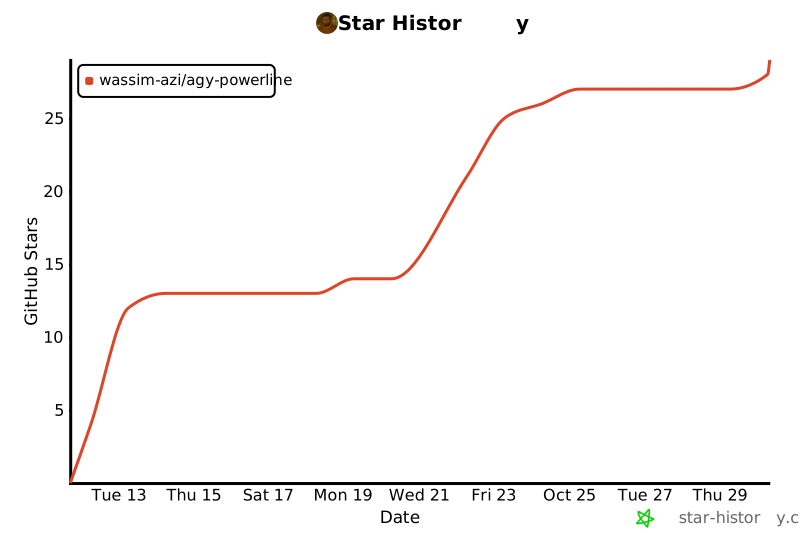](https://star-history.com/#wassim-azi/agy-powerline&Date)
|
|
253
|
+
|
|
199
254
|
## License
|
|
200
255
|
|
|
201
256
|
[MIT](LICENSE) © Wassim AZI
|
package/README.zh-CN.md
CHANGED
|
@@ -2,14 +2,18 @@
|
|
|
2
2
|
|
|
3
3
|
[English](README.md) | **简体中文** | [日本語](README.ja.md) | [Français](README.fr.md)
|
|
4
4
|
|
|
5
|
-
[](https://github.com/wassim-azi/agy-powerline/actions/workflows/ci.yml)
|
|
6
5
|
[](https://www.npmjs.com/package/agy-powerline)
|
|
7
|
-
[](#隐私与安全)
|
|
6
|
+
[](https://www.npmjs.com/package/agy-powerline)
|
|
7
|
+
[](https://github.com/wassim-azi/agy-powerline/stargazers)
|
|
8
|
+
[](https://github.com/wassim-azi/agy-powerline/actions/workflows/ci.yml)
|
|
9
|
+
[](https://github.com/wassim-azi/agy-powerline/actions/workflows/codeql.yml)
|
|
12
10
|
[](https://scorecard.dev/viewer/?uri=github.com/wassim-azi/agy-powerline)
|
|
11
|
+
[](https://www.bestpractices.dev/projects/15655)
|
|
12
|
+
[](#隐私与安全)
|
|
13
|
+
[](docs/install.md)
|
|
14
|
+
[](https://opensource.org/licenses/MIT)
|
|
15
|
+
[](https://codespaces.new/wassim-azi/agy-powerline?quickstart=1)
|
|
16
|
+
[](https://agy-powerline.com/configure/)
|
|
13
17
|
[](https://github.com/Piebald-AI/awesome-gemini-cli)
|
|
14
18
|
|
|
15
19
|
> 本文译自英文版 [README](README.md),可能落后于英文版;如有出入,以英文版为准。详细文档([`docs/`](docs/))仅提供英文版。
|
|
@@ -19,7 +23,7 @@
|
|
|
19
23
|
一眼看到当前模型、Gemini 5h/7d、Claude/GPT 和 Argon 配额、上下文窗口、git 分支等信息。在交互式编辑器中挑选组件、主题和布局。一条命令即可安装,零依赖。
|
|
20
24
|
|
|
21
25
|
<p align="center">
|
|
22
|
-
<img src="assets/
|
|
26
|
+
<img src="assets/demo.gif" alt="agy-powerline 的 configure:输入 argon 添加 Argon 每周配额,然后浏览预设、主题和布局并实时预览状态栏,最后打开 Powerline 标签页" width="850">
|
|
23
27
|
</p>
|
|
24
28
|
|
|
25
29
|
## 安装
|
|
@@ -34,6 +38,15 @@ agy # 启动 Antigravity
|
|
|
34
38
|
|
|
35
39
|
`init` 在替换任何内容之前都会先询问,并会先备份 Antigravity 的 `settings.json`。运行 `init` 后需重启一次 `agy`。详情:[`init` 做了什么](docs/install.md)。
|
|
36
40
|
|
|
41
|
+
<details>
|
|
42
|
+
<summary>截图:真实 agy 会话中的状态栏(Windows Terminal)</summary>
|
|
43
|
+
|
|
44
|
+
<p align="center">
|
|
45
|
+
<img src="assets/screenshots/windows.png" alt="Windows Terminal 中 agy 输入框下方的 agy-powerline:上方是一段简短对话,下方是三行的 Pills 状态栏" width="850">
|
|
46
|
+
</p>
|
|
47
|
+
|
|
48
|
+
</details>
|
|
49
|
+
|
|
37
50
|
也可以让 agy 帮你安装:把下面这段话粘贴到 `agy` 会话中。
|
|
38
51
|
|
|
39
52
|
```text
|
|
@@ -54,13 +67,15 @@ Install the agy-powerline statusline: run `npx agy-powerline init --yes`, then t
|
|
|
54
67
|
|
|
55
68
|
从一个预设开始,再按需调整:
|
|
56
69
|
|
|
57
|
-
| 预设
|
|
58
|
-
|
|
|
59
|
-
| `default`
|
|
60
|
-
| `compact`
|
|
61
|
-
| `
|
|
62
|
-
| `
|
|
63
|
-
| `
|
|
70
|
+
| 预设 | 显示内容 |
|
|
71
|
+
| --------- | ---------------------------------------------------------------------- |
|
|
72
|
+
| `default` | 模型、上下文、git;第二行显示 5h 和 7d 配额及重置时间 |
|
|
73
|
+
| `compact` | 单行:简短模型名、最紧张的配额、上下文 %、git |
|
|
74
|
+
| `agent` | 代理状态、子代理、标题、模式、沙盒;模型、上下文 %、产物、最紧张的配额 |
|
|
75
|
+
| `git` | 项目、分支、worktree、stash;文件数、改动行数、提交 |
|
|
76
|
+
| `tokens` | 上下文 token、会话输入/输出 token、缓存;今天和 7 天的 token |
|
|
77
|
+
| `quotas` | 套餐和模型;5h 和 7d 配额并排显示,第三方和 Argon 配额在第三行 |
|
|
78
|
+
| `full` | 全部:会话、项目和 git;上下文、token 和缓存;两组配额 |
|
|
64
79
|
|
|
65
80
|
### 主题
|
|
66
81
|
|
|
@@ -78,21 +93,54 @@ Install the agy-powerline statusline: run `npx agy-powerline init --yes`, then t
|
|
|
78
93
|
**Pills**(默认):powerline 风格的胶囊。可选圆角、尖角、斜角或平直形状,也可以在行与行之间留一个空行。
|
|
79
94
|
|
|
80
95
|
<p align="center">
|
|
81
|
-
<img src="assets/screenshots/pills-
|
|
96
|
+
<img src="assets/screenshots/pills-dark.png" alt="agy-powerline 的 Pills 布局,dark-aurora 主题:模型、上下文、项目和 git;Gemini 5h 和 7d 配额,带进度标记和重置时间;Claude/GPT 和 Argon 每周配额" width="850">
|
|
97
|
+
</p>
|
|
98
|
+
|
|
99
|
+
<details>
|
|
100
|
+
<summary>浅色终端</summary>
|
|
101
|
+
|
|
102
|
+
<p align="center">
|
|
103
|
+
<img src="assets/screenshots/pills-light.png" alt="agy-powerline 的 Pills 布局,浅色终端上的 light-paper 主题" width="850">
|
|
82
104
|
</p>
|
|
83
105
|
|
|
106
|
+
</details>
|
|
107
|
+
|
|
84
108
|
**Lines**:以纯彩色文本显示相同的信息。
|
|
85
109
|
|
|
86
110
|
<p align="center">
|
|
87
|
-
<img src="assets/screenshots/lines-dark.png" alt="agy-powerline 的 Lines 布局,深色终端上的 dark-
|
|
88
|
-
<img src="assets/screenshots/lines-light.png" alt="agy-powerline 的 Lines 布局,浅色终端上的 light-sky 主题" width="850">
|
|
111
|
+
<img src="assets/screenshots/lines-dark.png" alt="agy-powerline 的 Lines 布局,深色终端上的 dark-aurora 主题" width="850">
|
|
89
112
|
</p>
|
|
90
113
|
|
|
114
|
+
<details>
|
|
115
|
+
<summary>浅色终端</summary>
|
|
116
|
+
|
|
117
|
+
<p align="center">
|
|
118
|
+
<img src="assets/screenshots/lines-light.png" alt="agy-powerline 的 Lines 布局,浅色终端上的 light-paper 主题" width="850">
|
|
119
|
+
</p>
|
|
120
|
+
|
|
121
|
+
</details>
|
|
122
|
+
|
|
123
|
+
**Classic**:用 `|` 分隔的纯彩色文本,进度条为方块,例如 `███░│░░░░░`。
|
|
124
|
+
|
|
125
|
+
<p align="center">
|
|
126
|
+
<img src="assets/screenshots/classic-dark.png" alt="agy-powerline 的 Classic 布局,深色终端上的 dark-aurora 主题,方块进度条" width="850">
|
|
127
|
+
</p>
|
|
128
|
+
|
|
129
|
+
<details>
|
|
130
|
+
<summary>浅色终端</summary>
|
|
131
|
+
|
|
132
|
+
<p align="center">
|
|
133
|
+
<img src="assets/screenshots/classic-light.png" alt="agy-powerline 的 Classic 布局,浅色终端上的 light-paper 主题" width="850">
|
|
134
|
+
</p>
|
|
135
|
+
|
|
136
|
+
</details>
|
|
137
|
+
|
|
91
138
|
## 组件
|
|
92
139
|
|
|
93
140
|
| 组件 | 显示内容 |
|
|
94
141
|
| ------------------------------------------------------------- | -------------------------------------------------------------------------------------------------------- |
|
|
95
142
|
| `model` | 当前使用的模型 |
|
|
143
|
+
| `clock` | Current local time (12/24-hour format set under `clock`) |
|
|
96
144
|
| `fiveHourBar`、`weeklyBar` | 以进度条显示 5h / 7d 剩余配额,带[进度标记](docs/configuration.md#quota-pace-marker) |
|
|
97
145
|
| `fiveHourPct`、`weeklyPct` | 以百分比显示 5h / 7d 剩余配额 |
|
|
98
146
|
| `fiveHourReset`、`weeklyReset` | 距配额重置的时间,或重置时刻 |
|
|
@@ -110,27 +158,29 @@ Install the agy-powerline statusline: run `npx agy-powerline init --yes`, then t
|
|
|
110
158
|
| `totalTokens`、`cacheHit`、`cacheRead`、`cacheCreate` | 会话 token 数和提示缓存的使用情况 |
|
|
111
159
|
| `tokensToday`、`tokensWeek` | 今天和过去 7 天的 token 用量(所有对话,Node 22.13+) |
|
|
112
160
|
| `ram` | 本机已用内存 |
|
|
161
|
+
| `os` | System agy runs on: Windows, macOS, Linux or WSL |
|
|
162
|
+
| `host` | Current user and short hostname from the OS (`alex@devbox`) |
|
|
113
163
|
| `customText`、`exec` | 你自己的文本,或 [shell 命令](docs/configuration.md#shell-command-widget-exec)的输出 |
|
|
114
164
|
|
|
115
165
|
没有内容可显示的组件会自动隐藏。组件可以更改颜色、去掉标签,或设置自己的告警阈值:见 [Configuration](docs/configuration.md)。
|
|
116
166
|
|
|
117
167
|
## 命令
|
|
118
168
|
|
|
119
|
-
| 命令
|
|
120
|
-
|
|
|
121
|
-
| `npx agy-powerline init [--yes]`
|
|
122
|
-
| `npx agy-powerline configure`
|
|
123
|
-
| `npx agy-powerline preset <name>`
|
|
124
|
-
| `npx agy-powerline theme <name>`
|
|
125
|
-
| `npx agy-powerline gradient <name>`
|
|
126
|
-
| `npx agy-powerline layout <pills\|lines>` | 切换布局 |
|
|
127
|
-
| `npx agy-powerline caps <style>`
|
|
128
|
-
| `npx agy-powerline export [file]`
|
|
129
|
-
| `npx agy-powerline import <file>`
|
|
130
|
-
| `npx agy-powerline doctor`
|
|
131
|
-
| `npx agy-powerline report`
|
|
132
|
-
| `npx agy-powerline uninstall [--delete]`
|
|
133
|
-
| `npx agy-powerline render --demo`
|
|
169
|
+
| 命令 | 作用 |
|
|
170
|
+
| -------------------------------------------------- | ----------------------------------------------------- |
|
|
171
|
+
| `npx agy-powerline init [--yes]` | 安装或更新状态栏 |
|
|
172
|
+
| `npx agy-powerline configure` | 打开编辑器(别名 `config`) |
|
|
173
|
+
| `npx agy-powerline preset <name>` | 应用预设(`--list` 查看全部) |
|
|
174
|
+
| `npx agy-powerline theme <name>` | 切换主题(`--list`、`--gallery`) |
|
|
175
|
+
| `npx agy-powerline gradient <name>` | Color each row with a gradient (`--list`, `off`) |
|
|
176
|
+
| `npx agy-powerline layout <pills\|lines\|classic>` | 切换布局 |
|
|
177
|
+
| `npx agy-powerline caps <style>` | 切换胶囊形状:`round`、`angled`、`slanted`、`flat` |
|
|
178
|
+
| `npx agy-powerline export [file]` | Save your config to a file, to back it up or share it |
|
|
179
|
+
| `npx agy-powerline import <file>` | Load a config, after showing what changes (`--merge`) |
|
|
180
|
+
| `npx agy-powerline doctor` | 检查安装并说明问题所在 |
|
|
181
|
+
| `npx agy-powerline report` | 生成保护隐私的错误报告 |
|
|
182
|
+
| `npx agy-powerline uninstall [--delete]` | 从 agy 中移除(`--delete` 会同时删除其文件) |
|
|
183
|
+
| `npx agy-powerline render --demo` | 用示例数据打印状态栏 |
|
|
134
184
|
|
|
135
185
|
任何命令加上 `--help` 即可查看其选项。
|
|
136
186
|
|
|
@@ -174,6 +224,7 @@ npx agy-powerline doctor # 检查一切是否为最新
|
|
|
174
224
|
<td align="center" valign="top" width="14.28%"><a href="https://github.com/yuefdev"><img src="https://avatars.githubusercontent.com/u/120668197?v=4&s=160" width="80" height="80" alt="Yusuf Efe"/><br /><sub><b>Yusuf Efe</b></sub></a></td>
|
|
175
225
|
<td align="center" valign="top" width="14.28%"><a href="https://github.com/hiyouwhatsapp"><img src="https://avatars.githubusercontent.com/u/89997383?v=4&s=160" width="80" height="80" alt="hiyouwhatsapp"/><br /><sub><b>hiyouwhatsapp</b></sub></a></td>
|
|
176
226
|
<td align="center" valign="top" width="14.28%"><a href="https://github.com/dharamdan01"><img src="https://avatars.githubusercontent.com/u/188893946?v=4&s=160" width="80" height="80" alt="dharamdan01"/><br /><sub><b>dharamdan01</b></sub></a></td>
|
|
227
|
+
<td align="center" valign="top" width="14.28%"><a href="https://github.com/Ashuge11"><img src="https://avatars.githubusercontent.com/u/210247942?v=4&s=160" width="80" height="80" alt="Ashvini Sundge"/><br /><sub><b>Ashvini Sundge</b></sub></a></td>
|
|
177
228
|
</tr>
|
|
178
229
|
</tbody>
|
|
179
230
|
</table>
|
|
@@ -185,6 +236,10 @@ npx agy-powerline doctor # 检查一切是否为最新
|
|
|
185
236
|
|
|
186
237
|
如果 agy-powerline 对你有用,点个 ⭐ 能帮助更多 agy 用户发现它。
|
|
187
238
|
|
|
239
|
+
## Star History
|
|
240
|
+
|
|
241
|
+
[](https://star-history.com/#wassim-azi/agy-powerline&Date)
|
|
242
|
+
|
|
188
243
|
## 许可证
|
|
189
244
|
|
|
190
245
|
[MIT](LICENSE) © Wassim AZI
|
package/llms.txt
ADDED
|
@@ -0,0 +1,127 @@
|
|
|
1
|
+
# agy-powerline
|
|
2
|
+
|
|
3
|
+
> A fast, configurable agy statusline for Google Antigravity CLI (`agy`). Requires Node.js 20+; has no runtime dependencies or network calls.
|
|
4
|
+
|
|
5
|
+
## Install
|
|
6
|
+
- `npx agy-powerline init` installs the statusline and wires it into Antigravity settings.
|
|
7
|
+
- Restart `agy` once after `init`; `npx agy-powerline doctor` checks the installation.
|
|
8
|
+
|
|
9
|
+
## Commands
|
|
10
|
+
- `npx agy-powerline init [--yes]` — Install or update the statusline.
|
|
11
|
+
- `npx agy-powerline configure` — Open the editor (alias `config`).
|
|
12
|
+
- `npx agy-powerline preset <name>` — Apply a preset (`--list` to see them).
|
|
13
|
+
- `npx agy-powerline theme <name>` — Switch theme (`--list`, `--gallery`).
|
|
14
|
+
- `npx agy-powerline gradient <name>` — Color rows with a gradient (`--list`, `off`); presets: `aurora`, `sunset`, `ocean`, `forest`, `neon`, `candy`, `rainbow`, `mono`.
|
|
15
|
+
- `npx agy-powerline layout <pills|lines|classic>` — Switch layout.
|
|
16
|
+
- `npx agy-powerline caps <style>` — Switch the pill shape: `round`, `angled`, `slanted`, `flat`.
|
|
17
|
+
- `npx agy-powerline export [file]` — Save your config to a file, to back it up or share it.
|
|
18
|
+
- `npx agy-powerline import <file>` — Load a config after showing changes (`--merge`).
|
|
19
|
+
- `npx agy-powerline doctor` — Check the install and explain what's wrong.
|
|
20
|
+
- `npx agy-powerline report` — Write a privacy-safe bug report.
|
|
21
|
+
- `npx agy-powerline uninstall [--delete]` — Remove it from agy (`--delete` also removes its files).
|
|
22
|
+
- `npx agy-powerline render --demo` — Print the bar with sample data.
|
|
23
|
+
|
|
24
|
+
## Presets
|
|
25
|
+
- `default` — Model, context, git and quota meters.
|
|
26
|
+
- `compact` — One-line model, quota, context and git.
|
|
27
|
+
- `agent` — Agent state, mode, sandbox and artifacts.
|
|
28
|
+
- `git` — Project, branch, worktree, stash and file changes.
|
|
29
|
+
- `tokens` — Context, session tokens and cache usage.
|
|
30
|
+
- `quotas` — Plan and quota meters.
|
|
31
|
+
- `full` — Session, project, git, context, tokens and quotas.
|
|
32
|
+
|
|
33
|
+
## Themes
|
|
34
|
+
- `dark-aurora`
|
|
35
|
+
- `dark-ocean`
|
|
36
|
+
- `dark-ember`
|
|
37
|
+
- `dark-forest`
|
|
38
|
+
- `dark-neon`
|
|
39
|
+
- `dark-mono`
|
|
40
|
+
- `dark-nocturne`
|
|
41
|
+
- `dark-onyx`
|
|
42
|
+
- `dark-metro`
|
|
43
|
+
- `dark-macchiato`
|
|
44
|
+
- `light-paper`
|
|
45
|
+
- `light-sky`
|
|
46
|
+
- `light-sunset`
|
|
47
|
+
- `light-cream`
|
|
48
|
+
- `colorblind-dark`
|
|
49
|
+
- `colorblind-light`
|
|
50
|
+
- `custom` — Your own colors.
|
|
51
|
+
|
|
52
|
+
## Layouts
|
|
53
|
+
- `pills` — Powerline-style capsules.
|
|
54
|
+
- `lines` — Plain colored text.
|
|
55
|
+
- `classic` — Colored text with `|` dividers and block meters.
|
|
56
|
+
|
|
57
|
+
## Widgets
|
|
58
|
+
- `model` — The model in use.
|
|
59
|
+
- `quota` — The quota closest to running out, with its reset.
|
|
60
|
+
- `fiveHourBar` — 5-hour quota left as a pace-marked meter.
|
|
61
|
+
- `fiveHourPct` — 5-hour quota left as a percentage.
|
|
62
|
+
- `fiveHourReset` — Time until the 5-hour quota resets, or its reset time.
|
|
63
|
+
- `weeklyBar` — 7-day quota left as a pace-marked meter.
|
|
64
|
+
- `weeklyPct` — 7-day quota left as a percentage.
|
|
65
|
+
- `weeklyReset` — Time until the 7-day quota resets, or its reset time.
|
|
66
|
+
- `thirdPartyFiveHour` — Third-party 5-hour quota left.
|
|
67
|
+
- `thirdPartyWeekly` — Third-party 7-day quota left.
|
|
68
|
+
- `argonWeekly` — Gemini 4 Argon's weekly quota (Google AI Pro).
|
|
69
|
+
- `argonReset` — Time until Argon's weekly quota resets.
|
|
70
|
+
- `context` — Context window used as a meter.
|
|
71
|
+
- `contextPct` — Context window used as a percentage.
|
|
72
|
+
- `contextTokens` — Context tokens used out of the window size.
|
|
73
|
+
- `cwd` — Current folder.
|
|
74
|
+
- `project` — Project folder name.
|
|
75
|
+
- `git` — Branch, uncommitted changes and ahead/behind counts.
|
|
76
|
+
- `gitChanges` — Lines added and removed.
|
|
77
|
+
- `gitFiles` — Staged, modified, untracked and conflicted file counts.
|
|
78
|
+
- `gitSha` — Short ID of the checked-out commit.
|
|
79
|
+
- `gitStash` — Number of stashes.
|
|
80
|
+
- `gitWorktree` — Name of the linked worktree.
|
|
81
|
+
- `plan` — Antigravity plan.
|
|
82
|
+
- `agentState` — What the agent is doing.
|
|
83
|
+
- `sandbox` — Sandbox and network restrictions.
|
|
84
|
+
- `artifacts` — Number of artifacts.
|
|
85
|
+
- `tasks` — Running subagents and background tasks.
|
|
86
|
+
- `mode` — Approval mode and Vim mode.
|
|
87
|
+
- `title` — Current conversation title.
|
|
88
|
+
- `ram` — Memory used on the machine.
|
|
89
|
+
- `os` — Operating system running agy (Windows, macOS, Linux or WSL).
|
|
90
|
+
- `host` — Current user and short hostname from the OS.
|
|
91
|
+
- `version` — Antigravity CLI version.
|
|
92
|
+
- `cacheRead` — Prompt-cache tokens read.
|
|
93
|
+
- `cacheCreate` — Prompt-cache tokens created.
|
|
94
|
+
- `cacheHit` — Prompt-cache usage.
|
|
95
|
+
- `totalTokens` — Input and output tokens for the session.
|
|
96
|
+
- `clock` — Current local time.
|
|
97
|
+
- `tokensToday` — Tokens used today across conversations.
|
|
98
|
+
- `tokensWeek` — Tokens used over the last 7 days.
|
|
99
|
+
- `exec` — Output from a shell command you configure.
|
|
100
|
+
- `customText` — Your own text.
|
|
101
|
+
|
|
102
|
+
## Config
|
|
103
|
+
Default: `~/.agy-powerline/statusline.config.json`; with `AGY_POWERLINE_HOME`, use `$AGY_POWERLINE_HOME/statusline.config.json`. See [Configuration](https://github.com/wassim-azi/agy-powerline/blob/develop/docs/configuration.md).
|
|
104
|
+
```json
|
|
105
|
+
{
|
|
106
|
+
"theme": "dark-aurora",
|
|
107
|
+
"layout": "pills",
|
|
108
|
+
"ascii": false,
|
|
109
|
+
"widgets": [
|
|
110
|
+
{ "id": "model" },
|
|
111
|
+
{ "id": "context" },
|
|
112
|
+
{ "id": "git" }
|
|
113
|
+
]
|
|
114
|
+
}
|
|
115
|
+
```
|
|
116
|
+
|
|
117
|
+
## Rules for assistants
|
|
118
|
+
- Do not edit `~/.gemini/antigravity-cli/settings.json` by hand; run `npx agy-powerline init`.
|
|
119
|
+
- `configure` is an interactive TUI; do not run it on the user's behalf.
|
|
120
|
+
- `import` asks before adding shell commands; never pass `--allow-exec` without approval of the exact commands.
|
|
121
|
+
|
|
122
|
+
## Docs
|
|
123
|
+
- [README](https://github.com/wassim-azi/agy-powerline#readme)
|
|
124
|
+
- [Configuration](https://github.com/wassim-azi/agy-powerline/blob/develop/docs/configuration.md)
|
|
125
|
+
- [Install](https://github.com/wassim-azi/agy-powerline/blob/develop/docs/install.md)
|
|
126
|
+
- [Troubleshooting](https://github.com/wassim-azi/agy-powerline/blob/develop/docs/troubleshooting.md)
|
|
127
|
+
- [Security](https://github.com/wassim-azi/agy-powerline/blob/develop/SECURITY.md)
|
package/package.json
CHANGED
|
@@ -1,7 +1,7 @@
|
|
|
1
1
|
{
|
|
2
2
|
"name": "agy-powerline",
|
|
3
|
-
"version": "1.
|
|
4
|
-
"description": "
|
|
3
|
+
"version": "1.5.0",
|
|
4
|
+
"description": "agy statusline for Google Antigravity CLI: live Gemini, Claude/GPT and Argon quota pacing, git, themes and an interactive TUI configurator",
|
|
5
5
|
"bin": {
|
|
6
6
|
"agy-powerline": "src/index.js"
|
|
7
7
|
},
|
|
@@ -10,13 +10,14 @@
|
|
|
10
10
|
"type": "git",
|
|
11
11
|
"url": "https://github.com/wassim-azi/agy-powerline.git"
|
|
12
12
|
},
|
|
13
|
-
"homepage": "https://
|
|
13
|
+
"homepage": "https://agy-powerline.com/",
|
|
14
14
|
"bugs": {
|
|
15
15
|
"url": "https://github.com/wassim-azi/agy-powerline/issues"
|
|
16
16
|
},
|
|
17
17
|
"files": [
|
|
18
18
|
"src",
|
|
19
19
|
"README.md",
|
|
20
|
+
"llms.txt",
|
|
20
21
|
"CHANGELOG.md",
|
|
21
22
|
"LICENSE"
|
|
22
23
|
],
|
|
@@ -35,6 +36,7 @@
|
|
|
35
36
|
"test:update": "node tests/update-snapshots.js",
|
|
36
37
|
"test:coverage": "node --test --experimental-test-coverage tests/shared.js",
|
|
37
38
|
"gallery": "node scripts/gallery/build.js",
|
|
39
|
+
"screenshots": "node scripts/gallery/screenshots.js",
|
|
38
40
|
"configurator": "node scripts/configurator/build.js",
|
|
39
41
|
"lint": "eslint .",
|
|
40
42
|
"lint:fix": "eslint . --fix",
|
|
@@ -49,6 +51,8 @@
|
|
|
49
51
|
"agy",
|
|
50
52
|
"agy-cli",
|
|
51
53
|
"agy-powerline",
|
|
54
|
+
"agy-statusline",
|
|
55
|
+
"antigravity-statusline",
|
|
52
56
|
"statusline",
|
|
53
57
|
"status-line",
|
|
54
58
|
"powerline",
|
|
@@ -71,6 +75,7 @@
|
|
|
71
75
|
"devDependencies": {
|
|
72
76
|
"@eslint/js": "10.0.1",
|
|
73
77
|
"eslint": "10.12.0",
|
|
78
|
+
"fast-check": "4.10.2",
|
|
74
79
|
"globals": "17.13.0",
|
|
75
80
|
"prettier": "3.9.10"
|
|
76
81
|
}
|