@zumer/orbit 1.4.8 → 1.4.11
This diff represents the content of publicly available package versions that have been released to one of the supported registries. The information contained in this diff is provided for informational purposes only and reflects changes between package versions as they appear in their respective public registries.
- package/README.md +125 -111
- package/dist/orbit.css +3 -3
- package/dist/orbit.js +96 -109
- package/dist/orbit.min.css +1 -1
- package/dist/orbit.min.js +4 -4
- package/package.json +2 -2
package/README.md
CHANGED
|
@@ -1,170 +1,184 @@
|
|
|
1
|
+
# Orbit CSS Composer
|
|
1
2
|
|
|
2
|
-
|
|
3
|
-
<a href="http://zumerlab.github.io/orbit-docs">
|
|
4
|
-
<img src="https://raw.githubusercontent.com/zumerlab/orbit-docs/main/public/images/orbithero.gif" width="100%">
|
|
5
|
-
</a>
|
|
6
|
-
</p>
|
|
7
|
-
<p align="center">
|
|
8
|
-
<a href="https://zumerlab.github.io/orbit-docs" target="_blank"><b>📚 Docs</b></a> •
|
|
9
|
-
<a href="https://github.com/zumerlab/orbit/discussions" target="_blank"><b>💬 Github discussions</b></a> •
|
|
10
|
-
<a href="https://t.me/ZumlyCommunity" target="_blank"><b>🧑💻 Telegram group</b></a>
|
|
11
|
-
</p>
|
|
12
|
-
<p align="center">
|
|
13
|
-
<b>Use Orbit to create amazing radial UIs using CSS only!</b>
|
|
14
|
-
</p>
|
|
3
|
+
**Orbit** is a CSS framework for building radial UIs — gauges, donuts, knobs, pie menus, dashboards — with **CSS only**. No layout JavaScript. Works with plain HTML and any framework (React, Vue, Svelte).
|
|
15
4
|
|
|
16
5
|
<p align="center">
|
|
17
|
-
<a href="https://
|
|
6
|
+
<a href="https://zumerlab.github.io/orbit-docs" target="_blank"><strong>🚀 Live showcase & docs</strong></a>
|
|
7
|
+
|
|
18
8
|
</p>
|
|
19
9
|
|
|
20
10
|
<p align="center">
|
|
21
|
-
<a href="
|
|
22
|
-
|
|
11
|
+
<a href="https://www.npmjs.com/package/@zumer/orbit"><img src="https://img.shields.io/npm/v/@zumer/orbit" alt="npm"></a>
|
|
12
|
+
<a href="https://github.com/zumerlab/orbit/stargazers"><img src="https://img.shields.io/github/stars/zumerlab/orbit" alt="Stars"></a>
|
|
23
13
|
</p>
|
|
24
14
|
|
|
25
|
-
|
|
26
|
-
|
|
27
|
-
**Orbit** is a CSS framework designed for creating radial layouts. It offers simplicity, effectiveness, ease of use, and tremendous versatility for crafting compelling designs. It offers extensive customization options and supports nesting for building intricate designs tailored to your requirements.
|
|
15
|
+
---
|
|
28
16
|
|
|
29
17
|
## Why Orbit?
|
|
30
18
|
|
|
31
|
-
|
|
32
|
-
|
|
33
|
-
## Features
|
|
19
|
+
Radial UIs usually need JavaScript to compute angles, radii, and positions. **Orbit** handles all of that with CSS classes and a couple of Web Components. Drop in two files and start building.
|
|
34
20
|
|
|
35
|
-
|
|
36
|
-
|
|
37
|
-
- Build any kind of radial UI using predefined CSS classes that do the heavy lifting.
|
|
38
|
-
- Easily compose simple or complex radial designs by combining **Orbit** elements.
|
|
39
|
-
- Use **Orbit** alongside other traditional CSS frameworks.
|
|
40
|
-
- Get started quickly with our detailed documentation, examples, and guides.
|
|
21
|
+
## Installation
|
|
41
22
|
|
|
42
|
-
|
|
23
|
+
**CDN (fastest):**
|
|
43
24
|
|
|
44
|
-
|
|
25
|
+
```html
|
|
26
|
+
<link rel="stylesheet" href="https://unpkg.com/@zumer/orbit@latest/dist/orbit.css">
|
|
27
|
+
<script src="https://unpkg.com/@zumer/orbit@latest/dist/orbit.js"></script>
|
|
28
|
+
```
|
|
45
29
|
|
|
46
|
-
|
|
30
|
+
**npm:**
|
|
47
31
|
|
|
48
|
-
|
|
32
|
+
```bash
|
|
33
|
+
npm install @zumer/orbit
|
|
34
|
+
```
|
|
49
35
|
|
|
50
|
-
|
|
51
|
-
|
|
52
|
-
|
|
53
|
-
|
|
54
|
-
- **Creative art and structures:** mandalas, sci-fi-inspired art, chemical structures
|
|
55
|
-
- **Interactive interfaces:** watch faces, dynamic controls for games or tools
|
|
36
|
+
```js
|
|
37
|
+
import '@zumer/orbit/style'
|
|
38
|
+
import '@zumer/orbit'
|
|
39
|
+
```
|
|
56
40
|
|
|
57
|
-
|
|
41
|
+
---
|
|
58
42
|
|
|
59
|
-
|
|
60
|
-
- **Center-focused:** the center often serves as a focal point.
|
|
61
|
-
- **Symmetry:** radial UIs frequently exhibit symmetry, fostering a sense of balance.
|
|
62
|
-
- **Angular relationships:** elements are positioned at specific angles relative to one another.
|
|
43
|
+
## Quick start
|
|
63
44
|
|
|
64
|
-
|
|
45
|
+
Minimal gauge in 10 lines:
|
|
65
46
|
|
|
66
|
-
|
|
67
|
-
|
|
68
|
-
-
|
|
47
|
+
```html
|
|
48
|
+
<div class="bigbang">
|
|
49
|
+
<div class="gravity-spot">
|
|
50
|
+
<div class="orbit-4">
|
|
51
|
+
<o-progress value="72"></o-progress>
|
|
52
|
+
</div>
|
|
53
|
+
</div>
|
|
54
|
+
</div>
|
|
55
|
+
```
|
|
69
56
|
|
|
70
|
-
|
|
57
|
+
**Structure:** `bigbang` (container) → `gravity-spot` (center) → `orbit-N` (ring level) → `o-progress` or `o-arc` (the visual element).
|
|
71
58
|
|
|
72
|
-
|
|
59
|
+
---
|
|
73
60
|
|
|
74
|
-
|
|
61
|
+
## Core elements
|
|
75
62
|
|
|
76
|
-
|
|
63
|
+
| Element | Role |
|
|
64
|
+
|---------|------|
|
|
65
|
+
| `.bigbang` | Root container, sets viewport |
|
|
66
|
+
| `.gravity-spot` | Center of the radial layout; holds rings |
|
|
67
|
+
| `.orbit-1` … `.orbit-7` | Rings at different radii (1 = innermost) |
|
|
68
|
+
| `.satellite` | Item placed on a ring (dot, label, icon) |
|
|
69
|
+
| `<o-arc>` | Arc segment (donut slice, gauge needle, menu sector); `value` 0–100, `shape` e.g. `arrow`, `circle-a` |
|
|
70
|
+
| `<o-progress>` | Simple progress ring |
|
|
71
|
+
| `.vector` | Tick/marker on a ring |
|
|
72
|
+
| `.side` | Stretch content along arc |
|
|
73
|
+
| `.capsule` | Wrapper for content inside satellite; required when satellite holds more than plain text |
|
|
77
74
|
|
|
78
|
-
|
|
75
|
+
**Structure rules (avoid visual warnings):**
|
|
76
|
+
- `.bigbang` → direct children: `.gravity-spot` only
|
|
77
|
+
- `.gravity-spot` → direct children: `.orbit`, `.orbit-N`, or `.gravity-spot` only
|
|
78
|
+
- `.satellite` → direct children: `.capsule` or `.gravity-spot` (for nesting) only
|
|
79
|
+
- `.orbit` / `.orbit-N` → do not nest other orbits; orbits live inside gravity-spot
|
|
80
|
+
- `o-arc` and `o-progress` → only work in circular orbits; they are hidden in elliptical shapes
|
|
79
81
|
|
|
80
|
-
-
|
|
81
|
-
- Download the **JS file:** [orbit.js](https://unpkg.com/@zumer/orbit@latest/dist/orbit.js) or [orbit.min.js](https://unpkg.com/@zumer/orbit@latest/dist/orbit.min.js).
|
|
82
|
+
**Useful classes:** `range-180`, `range-270`, `range-360` (arc span); `from-180` (start angle); `fit-range` (distribute items); `shrink-50`, `gap-4` (spacing); `at-center` (place satellite in middle).
|
|
82
83
|
|
|
83
|
-
|
|
84
|
+
---
|
|
84
85
|
|
|
85
|
-
|
|
86
|
-
Uncompressed: [orbit.css](https://unpkg.com/@zumer/orbit@latest/dist/orbit.css)
|
|
87
|
-
Minified: [orbit.min.css](https://unpkg.com/@zumer/orbit@latest/dist/orbit.min.css)
|
|
86
|
+
## Themes
|
|
88
87
|
|
|
89
|
-
-
|
|
90
|
-
Uncompressed: [orbit.js](https://unpkg.com/@zumer/orbit@latest/dist/orbit.js)
|
|
91
|
-
Minified: [orbit.min.js](https://unpkg.com/@zumer/orbit@latest/dist/orbit.min.js)
|
|
88
|
+
Orbit includes built-in themes. Add the theme class to `.bigbang`:
|
|
92
89
|
|
|
93
|
-
|
|
90
|
+
| Theme | Class | Description |
|
|
91
|
+
|-------|-------|-------------|
|
|
92
|
+
| **Default** | *(none)* | Transparent borders, gray fills, satellites use `currentColor` |
|
|
93
|
+
| **Cyan** | `theme-cyan` | Cyan satellite borders, cyan vectors/sides, light cyan fills for `o-arc` and `o-progress` |
|
|
94
|
+
| **Developer** | `dev-orbit` | Dashed red borders on orbits and satellites to visualize structure while debugging |
|
|
94
95
|
|
|
95
|
-
```
|
|
96
|
-
|
|
97
|
-
|
|
96
|
+
```html
|
|
97
|
+
<!-- Default (no class) -->
|
|
98
|
+
<div class="bigbang">...</div>
|
|
98
99
|
|
|
99
|
-
|
|
100
|
+
<!-- Cyan theme -->
|
|
101
|
+
<div class="bigbang theme-cyan">...</div>
|
|
100
102
|
|
|
101
|
-
|
|
102
|
-
|
|
103
|
+
<!-- Developer mode for layout debugging -->
|
|
104
|
+
<div class="bigbang dev-orbit">...</div>
|
|
103
105
|
```
|
|
104
106
|
|
|
105
|
-
|
|
107
|
+
You can combine themes, e.g. `class="bigbang theme-cyan dev-orbit"`.
|
|
106
108
|
|
|
107
|
-
|
|
109
|
+
---
|
|
108
110
|
|
|
109
|
-
|
|
110
|
-
<head>
|
|
111
|
-
<link rel="stylesheet" href="path/to/orbit.css">
|
|
112
|
-
<script src="path/to/orbit.js"></script>
|
|
113
|
-
</head>
|
|
114
|
-
```
|
|
111
|
+
## Visual aids & development
|
|
115
112
|
|
|
116
|
-
|
|
117
|
-
|
|
118
|
-
```html
|
|
119
|
-
<head>
|
|
120
|
-
<link rel="stylesheet" href="https://unpkg.com/@zumer/orbit@latest/dist/orbit.css">
|
|
121
|
-
<script src="https://unpkg.com/@zumer/orbit@latest/dist/orbit.js"></script>
|
|
122
|
-
</head>
|
|
123
|
-
```
|
|
113
|
+
Orbit provides **CSS visual warnings** to catch invalid structure. When rules are broken (e.g. wrong children in `gravity-spot` or `satellite`), Orbit shows a red dotted border, grays out content, and displays a ⚠️ icon.
|
|
124
114
|
|
|
125
|
-
|
|
115
|
+
Add **`class="dev-orbit"`** to your root container to enable **developer mode**: dashed red borders on `gravity-spot`, `orbit`, and `satellite` to visualize the layout structure. Useful for debugging.
|
|
126
116
|
|
|
127
117
|
```html
|
|
128
|
-
<div class="bigbang">
|
|
118
|
+
<div class="bigbang dev-orbit">
|
|
129
119
|
<div class="gravity-spot">
|
|
130
|
-
|
|
131
|
-
<o-arc shape="circle" class="shrink-50"></o-arc>
|
|
132
|
-
</div>
|
|
133
|
-
<div class="orbit-3 range-270 ">
|
|
134
|
-
<o-arc shape="circle" class="shrink-50"></o-arc>
|
|
135
|
-
</div>
|
|
120
|
+
...
|
|
136
121
|
</div>
|
|
137
122
|
</div>
|
|
138
123
|
```
|
|
139
124
|
|
|
125
|
+
Orbit also checks browser support for `:has()` and trigonometric CSS functions (`cos`, `sin`); unsupported browsers show an upgrade message. See [CSS visual aids](https://zumerlab.github.io/orbit-docs/tools/support) in the full docs.
|
|
126
|
+
|
|
127
|
+
---
|
|
128
|
+
|
|
140
129
|
## Examples
|
|
141
130
|
|
|
142
|
-
|
|
143
|
-
|
|
131
|
+
Browse examples on the [Orbit docs site](https://zumerlab.github.io/orbit-docs):
|
|
132
|
+
|
|
133
|
+
| Example | Link |
|
|
134
|
+
|---------|------|
|
|
135
|
+
| Circular timer | [circular_time](https://zumerlab.github.io/orbit-docs/examples/circular_time/) |
|
|
136
|
+
| Progress bars | [progress](https://zumerlab.github.io/orbit-docs/examples/progress/) |
|
|
137
|
+
| Charts (donut, pie, sunburst) | [charts](https://zumerlab.github.io/orbit-docs/examples/charts/) |
|
|
138
|
+
| Gauges (180°, 240°, fuel) | [gauges](https://zumerlab.github.io/orbit-docs/examples/gauges/) |
|
|
139
|
+
| Knobs | [knobs](https://zumerlab.github.io/orbit-docs/examples/knobs/) |
|
|
140
|
+
| Pie menus | [piemenu](https://zumerlab.github.io/orbit-docs/examples/piemenu/) |
|
|
141
|
+
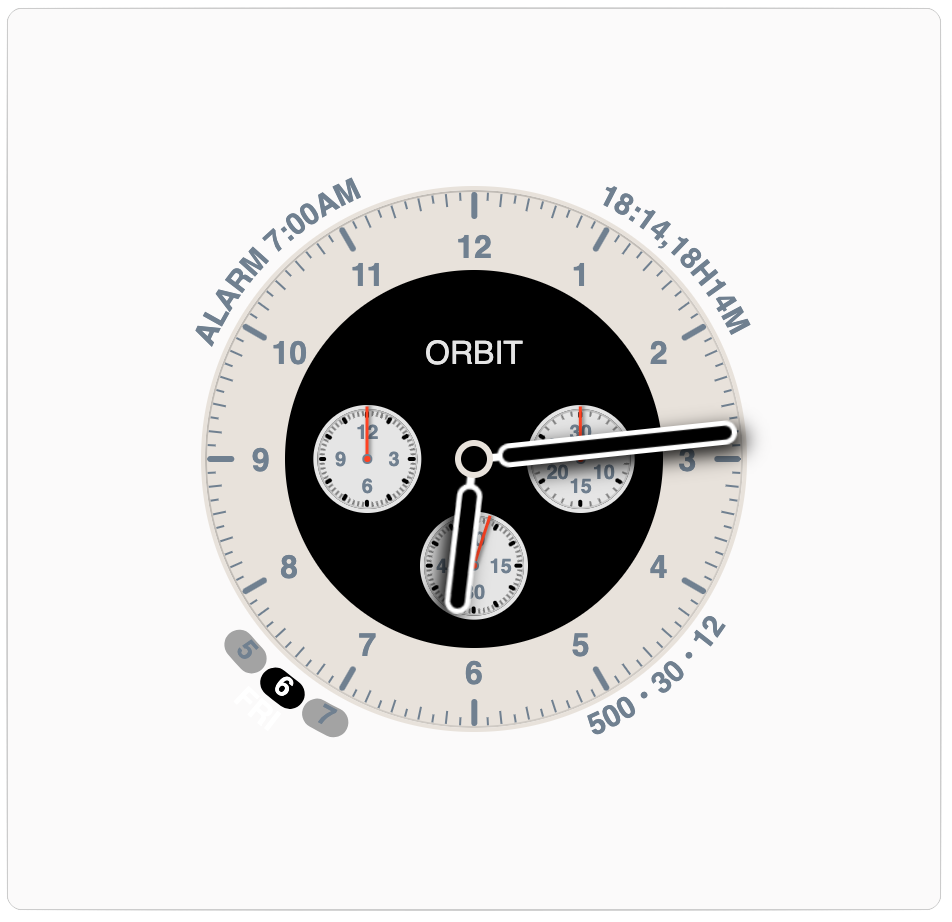
| Watch faces | [watches](https://zumerlab.github.io/orbit-docs/examples/watches/) |
|
|
142
|
+
| Chemical structures | [chemical_structures](https://zumerlab.github.io/orbit-docs/examples/chemical_structures/) |
|
|
143
|
+
| Calendars & time planners | [calendar](https://zumerlab.github.io/orbit-docs/examples/calendar/) |
|
|
144
|
+
| Mandalas | [mandalas](https://zumerlab.github.io/orbit-docs/examples/mandalas/) |
|
|
145
|
+
| Dashboard | [dashboard](https://zumerlab.github.io/orbit-docs/examples/dashboard/) |
|
|
146
|
+
| Abstract orbital map | [abstract_map](https://zumerlab.github.io/orbit-docs/examples/abstract_map/) |
|
|
147
|
+
|
|
148
|
+
---
|
|
149
|
+
|
|
150
|
+
## Use cases
|
|
151
|
+
|
|
152
|
+
- **Dashboards:** gauges, status rings, KPIs
|
|
153
|
+
- **Automotive / HUD:** speedometers, tachometers, battery, temp
|
|
154
|
+
- **IoT / Smart home:** thermostats, energy rings, scenes
|
|
155
|
+
- **Ops / monitoring:** status rings, uptime gauges
|
|
156
|
+
- **Fitness / health:** activity rings (Move, Exercise, Stand)
|
|
157
|
+
- **Controls:** knobs, radial menus, compass
|
|
144
158
|
|
|
145
|
-
|
|
146
|
-
|
|
159
|
+
---
|
|
147
160
|
|
|
148
|
-
|
|
161
|
+
## Using Orbit with AI / LLMs
|
|
149
162
|
|
|
150
|
-
|
|
163
|
+
Orbit's radial model is unlike the box-flow layouts most models were trained on,
|
|
164
|
+
so an assistant generating Orbit markup from scratch will struggle. Give it the
|
|
165
|
+
reference first — these files are written for that purpose:
|
|
151
166
|
|
|
152
|
-
|
|
167
|
+
- **[llms.txt](https://zumerlab.github.io/orbit-docs/llms.txt)** — concise overview, structure rules, quick recipes.
|
|
168
|
+
- **[llms-full.txt](https://zumerlab.github.io/orbit-docs/llms-full.txt)** — complete reference: every class, custom property, web component, and copy-paste pattern.
|
|
153
169
|
|
|
154
|
-
|
|
155
|
-
|
|
156
|
-
- [**Telegram group**](https://t.me/ZumlyCommunity): Join our Telegram group for real-time discussions and updates.
|
|
170
|
+
Paste the relevant one into your prompt (or your tool's context/rules) before
|
|
171
|
+
asking the model to build a radial UI.
|
|
157
172
|
|
|
158
|
-
##
|
|
173
|
+
## Resources
|
|
159
174
|
|
|
160
|
-
|
|
161
|
-
|
|
162
|
-
|
|
175
|
+
- [Full documentation](https://zumerlab.github.io/orbit-docs) — elements, tools, advanced examples
|
|
176
|
+
- [Contributing](CONTRIBUTING.md)
|
|
177
|
+
- [GitHub Discussions](https://github.com/zumerlab/orbit/discussions)
|
|
178
|
+
- [Telegram](https://t.me/ZumlyCommunity)
|
|
163
179
|
|
|
164
|
-
|
|
165
|
-
<img src="https://contrib.rocks/image?repo=zumerlab/orbit" />
|
|
166
|
-
</a>
|
|
180
|
+
---
|
|
167
181
|
|
|
168
|
-
## License
|
|
182
|
+
## License
|
|
169
183
|
|
|
170
|
-
[MIT](
|
|
184
|
+
[MIT](LICENSE)
|
package/dist/orbit.css
CHANGED
|
@@ -1242,8 +1242,8 @@ body > .bigbang {
|
|
|
1242
1242
|
|
|
1243
1243
|
.orbit, [class*=orbit-] {
|
|
1244
1244
|
container-name: orbit;
|
|
1245
|
-
--o-base-diameter: (var(--o-initial-orbit, 0) + var(--o-orbit-number)) * (var(--o-force) * var(--o-force-ratio)) / (12 + var(--o-initial-orbit, 0));
|
|
1246
|
-
--o-prev-diameter: ((var(--o-initial-orbit, 0) + var(--o-orbit-number)) - 1) * (var(--o-force) * var(--o-force-ratio)) / (12 + var(--o-initial-orbit, 0));
|
|
1245
|
+
--o-base-diameter: calc((var(--o-initial-orbit, 0) + var(--o-orbit-number)) * (var(--o-force) * var(--o-force-ratio)) / (12 + var(--o-initial-orbit, 0)));
|
|
1246
|
+
--o-prev-diameter: calc(((var(--o-initial-orbit, 0) + var(--o-orbit-number)) - 1) * (var(--o-force) * var(--o-force-ratio)) / (12 + var(--o-initial-orbit, 0)));
|
|
1247
1247
|
--o-diameter: calc(var(--o-base-diameter) - ((var(--o-base-diameter) - var(--o-prev-diameter)) * var(--o-orbit-ratio, 0)));
|
|
1248
1248
|
--o-radius: calc(var(--o-diameter) / 2);
|
|
1249
1249
|
width: calc(var(--o-diameter) / var(--o-ellipse-x));
|
|
@@ -1394,7 +1394,7 @@ o-progress {
|
|
|
1394
1394
|
rotate: calc(var(--o-angle-composite));
|
|
1395
1395
|
}
|
|
1396
1396
|
|
|
1397
|
-
/* radial elements
|
|
1397
|
+
/* radial elements alignment utilities */
|
|
1398
1398
|
.at-top-left {
|
|
1399
1399
|
align-items: flex-start !important;
|
|
1400
1400
|
justify-content: flex-start !important;
|