@zereight/mcp-gitlab 2.1.28 → 2.1.30
This diff represents the content of publicly available package versions that have been released to one of the supported registries. The information contained in this diff is provided for informational purposes only and reflects changes between package versions as they appear in their respective public registries.
- package/README.ko.md +82 -28
- package/README.md +56 -23
- package/README.zh-CN.md +82 -28
- package/build/config.js +13 -0
- package/build/downloads/proxy.js +199 -0
- package/build/index.js +564 -482
- package/build/oauth-proxy.js +18 -4
- package/build/schemas.js +47 -9
- package/build/scripts/check-skill-sync.js +137 -0
- package/build/scripts/generate-tool-docs.js +7 -2
- package/build/server/metrics.js +84 -0
- package/build/server/transport-mode.js +25 -0
- package/build/test/callback-proxy-tests.js +1 -1
- package/build/test/client-pool-test.js +1 -1
- package/build/test/dynamic-api-url-allowlist.test.js +2 -2
- package/build/test/dynamic-api-url-test.js +4 -4
- package/build/test/dynamic-routing-tests.js +4 -4
- package/build/test/mcp-oauth-tests.js +17 -4
- package/build/test/multi-server-test.js +3 -3
- package/build/test/no-proxy-integration-test.js +1 -1
- package/build/test/path-segment-encoding.test.js +27 -0
- package/build/test/remote-auth-simple-test.js +226 -199
- package/build/test/server/metrics.test.js +47 -0
- package/build/test/sse-auth-guard.test.js +2 -2
- package/build/test/stateless/callback-proxy.test.js +8 -0
- package/build/test/stateless/session-id-integration.test.js +3 -3
- package/build/test/streamable-http-concurrent-session.test.js +1 -1
- package/build/test/streamable-http-dns-rebinding.test.js +185 -0
- package/build/test/streamable-http-static-token-auth.test.js +25 -22
- package/build/test/streamable-http-unauthenticated-discovery.test.js +28 -15
- package/build/test/test-ci-catalog.js +1 -1
- package/build/test/test-ci-lint.js +1 -1
- package/build/test/test-ci-variables.js +8 -5
- package/build/test/test-dependency-proxy.js +11 -7
- package/build/test/test-deployment-tools.js +16 -2
- package/build/test/test-download-attachment.js +1 -1
- package/build/test/test-get-file-blame.js +1 -1
- package/build/test/test-geteffectiveprojectid.js +7 -7
- package/build/test/test-issue-description-patch.js +1 -1
- package/build/test/test-job-artifacts.js +1 -1
- package/build/test/test-list-issues.js +1 -1
- package/build/test/test-list-merge-requests.js +1 -1
- package/build/test/test-list-project-members.js +1 -1
- package/build/test/test-merge-request-approval-state-tools.js +1 -1
- package/build/test/test-merge-request-pipelines.js +1 -1
- package/build/test/test-mr-diffs-filter.js +1 -1
- package/build/test/test-mr-file-diffs.js +2 -2
- package/build/test/test-oauth-proxy-rate-limit.js +1 -1
- package/build/test/test-permission-mode.js +215 -0
- package/build/test/test-protected-branches.js +1 -1
- package/build/test/test-remote-downloads.js +2 -2
- package/build/test/test-search-code.js +1 -1
- package/build/test/test-tags.js +1 -1
- package/build/test/test-todos.js +1 -1
- package/build/test/test-token-optimizations.js +3 -3
- package/build/test/test-toolset-filtering.js +1 -1
- package/build/test/test-update-issue-slim.js +141 -0
- package/build/test/test-upload-markdown.js +1 -1
- package/build/test/utils/download-token.test.js +35 -0
- package/build/test/utils/forwarded-public-base-url.test.js +9 -1
- package/build/test/utils/graphql-query.test.js +64 -1
- package/build/test/utils/mock-gitlab-server.js +24 -31
- package/build/test/utils/redact-sensitive.test.js +32 -0
- package/build/test/utils/server-launcher.js +1 -2
- package/build/test/utils/version-check.test.js +52 -0
- package/build/tools/registry.js +30 -5
- package/build/utils/download-token.js +71 -0
- package/build/utils/forwarded-public-base-url.js +22 -0
- package/build/utils/graphql-query.js +109 -12
- package/build/utils/redact-sensitive.js +21 -0
- package/build/utils/version-check.js +40 -0
- package/package.json +5 -4
package/README.ko.md
CHANGED
|
@@ -2,9 +2,9 @@
|
|
|
2
2
|
|
|
3
3
|
[English](./README.md) | [한국어](./README.ko.md) | [简体中文](./README.zh-CN.md)
|
|
4
4
|
|
|
5
|
-
|
|
5
|
+
📖 **[문서 →](https://zereight.github.io/gitlab-mcp/)** 설정 가이드, 환경 변수, 전체 도구 레퍼런스는 호스팅된 문서 사이트에서 확인할 수 있습니다.
|
|
6
6
|
|
|
7
|
-
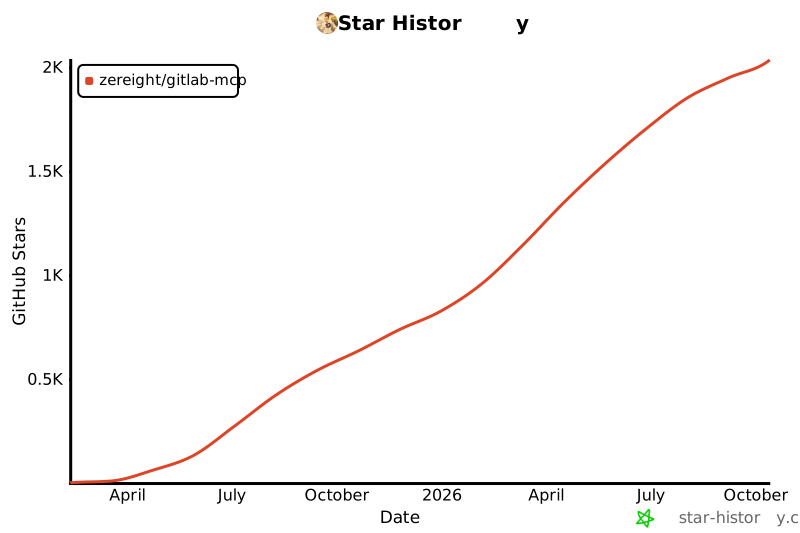
[](https://www.star-history.com/?repos=zereight%2Fgitlab-mcp&type=date&legend=top-left)
|
|
8
8
|
|
|
9
9
|
## @zereight/mcp-gitlab
|
|
10
10
|
|
|
@@ -32,6 +32,8 @@ PAT, OAuth, 읽기 전용 모드, 동적 API URL, 원격 인증을 지원하며
|
|
|
32
32
|
- [JSON 기반 MCP 클라이언트 설정 가이드](./docs/clients/json-clients.md) - Factory AI Droid, OpenClaw, OpenCode 스타일 클라이언트용
|
|
33
33
|
- [OAuth2 인증 설정 가이드](./docs/auth/oauth-setup.md)
|
|
34
34
|
- [환경 변수 레퍼런스](./docs/configuration/environment-variables.md)
|
|
35
|
+
- [Stateless Mode — 멀티 Pod HPA](./docs/configuration/stateless-mode.md)
|
|
36
|
+
- [커스텀 에이전트 및 다중 PAT 설정](./docs/auth/custom-agent-multiple-pat.md)
|
|
35
37
|
|
|
36
38
|
## 사용법
|
|
37
39
|
|
|
@@ -63,7 +65,13 @@ PAT, OAuth, 읽기 전용 모드, 동적 API URL, 원격 인증을 지원하며
|
|
|
63
65
|
|
|
64
66
|
가장 단순한 로컬 설정은 Personal Access Token으로 시작하세요. 브라우저 기반 로컬 인증은 OAuth2를 사용하세요. 원격 또는 멀티 유저 배포는 아래 MCP OAuth 및 원격 인증 섹션을 참고하세요.
|
|
65
67
|
|
|
66
|
-
서버를 한 번
|
|
68
|
+
서버를 한 번 설치하세요.
|
|
69
|
+
|
|
70
|
+
```shell
|
|
71
|
+
brew install zereight/gitlab-mcp/zereight-mcp-gitlab
|
|
72
|
+
```
|
|
73
|
+
|
|
74
|
+
npm으로 설치할 수도 있습니다:
|
|
67
75
|
|
|
68
76
|
```shell
|
|
69
77
|
npm install -g @zereight/mcp-gitlab
|
|
@@ -71,7 +79,7 @@ npm install -g @zereight/mcp-gitlab
|
|
|
71
79
|
|
|
72
80
|
예시는 기존 `mcp-gitlab`보다 충돌 가능성이 낮은 `zereight-mcp-gitlab` 별칭을 사용합니다. MCP 클라이언트가 찾지 못하면 `which zereight-mcp-gitlab`의 절대 경로를 사용하세요.
|
|
73
81
|
|
|
74
|
-
전역 설치를 쓰지 않으려면 `npx -y @zereight/mcp-gitlab@2.1.
|
|
82
|
+
전역 설치를 쓰지 않으려면 `npx -y @zereight/mcp-gitlab@2.1.29`처럼 직전 안정 버전(문서가 권장하는 버전)으로 고정하세요. 항상 최신 버전을 원하면 `npx -y @zereight/mcp-gitlab@latest`를 사용하세요. 새 버전이 나오면 서버가 시작 시 stderr로 알려줍니다(`GITLAB_DISABLE_VERSION_CHECK=true`로 비활성화 가능).
|
|
75
83
|
|
|
76
84
|
#### CLI 인자 사용하기(환경 변수 문제가 있는 클라이언트용)
|
|
77
85
|
|
|
@@ -93,13 +101,23 @@ npm install -g @zereight/mcp-gitlab
|
|
|
93
101
|
|
|
94
102
|
- `--token` - GitLab Personal Access Token (`GITLAB_PERSONAL_ACCESS_TOKEN` 대체)
|
|
95
103
|
- `--api-url` - GitLab API URL (`GITLAB_API_URL` 대체)
|
|
96
|
-
- `--read-only=true` - 읽기 전용 모드 활성화 (`GITLAB_READ_ONLY_MODE`
|
|
97
|
-
- `--
|
|
98
|
-
- `--use-
|
|
99
|
-
- `--use-
|
|
104
|
+
- `--read-only=true` - 읽기 전용 모드 활성화 (`GITLAB_READ_ONLY_MODE` 대체, deprecated — `--permission-mode=readonly` 권장)
|
|
105
|
+
- `--permission-mode` - 권한 수준: `readonly`, `modify`(삭제 도구 비활성), `full` (`GITLAB_PERMISSION_MODE` 대체, 기본값 `full`)
|
|
106
|
+
- `--use-wiki=true` - 위키 API 활성화 (`USE_GITLAB_WIKI` 대체, 레거시 — `GITLAB_TOOLSETS=wiki` 권장)
|
|
107
|
+
- `--use-milestone=true` - 마일스톤 API 활성화 (`USE_MILESTONE` 대체, 레거시 — `GITLAB_TOOLSETS=milestones` 권장)
|
|
108
|
+
- `--use-pipeline=true` - 파이프라인 API 활성화 (`USE_PIPELINE` 대체, 레거시 — `GITLAB_TOOLSETS=pipelines` 권장)
|
|
109
|
+
- `--disable-version-check=true` - 시작 시 신규 버전 알림 비활성화 (`GITLAB_DISABLE_VERSION_CHECK` 대체)
|
|
100
110
|
|
|
101
111
|
CLI 인자는 환경 변수보다 우선합니다.
|
|
102
112
|
|
|
113
|
+
> **세밀한 도구 필터링:** `GITLAB_PERMISSION_MODE=modify`로 생성/수정은 허용하고 모든 삭제 도구를
|
|
114
|
+
> 차단하거나, `GITLAB_PERMISSION_MODE=readonly`로 읽기 전용으로 운영할 수 있습니다. 또한
|
|
115
|
+
> `GITLAB_TOOLSETS=<group,…>`로 도구 그룹을 활성화하고, `GITLAB_TOOLS=<tool,…>`로 개별 도구만
|
|
116
|
+
> 허용하며(예: 읽기 도구 + 특정 쓰기 도구 몇 개), `GITLAB_DENIED_TOOLS_REGEX`로 패턴 차단할 수
|
|
117
|
+
> 있습니다. 레거시 `USE_GITLAB_WIKI` / `USE_MILESTONE` / `USE_PIPELINE` 플래그는 하위 호환용으로만
|
|
118
|
+
> 유지됩니다. [Tools Reference](./docs/tools/index.md#feature-toggles)와
|
|
119
|
+
> [Environment Variables](./docs/configuration/environment-variables.md)를 참고하세요.
|
|
120
|
+
|
|
103
121
|
#### SSE
|
|
104
122
|
|
|
105
123
|
```shell
|
|
@@ -107,11 +125,10 @@ docker run -i --rm \
|
|
|
107
125
|
-e HOST=0.0.0.0 \
|
|
108
126
|
-e GITLAB_PERSONAL_ACCESS_TOKEN=your_gitlab_token \
|
|
109
127
|
-e GITLAB_API_URL="https://gitlab.com/api/v4" \
|
|
110
|
-
-e
|
|
111
|
-
-e
|
|
112
|
-
-e USE_MILESTONE=true \
|
|
113
|
-
-e USE_PIPELINE=true \
|
|
128
|
+
-e GITLAB_PERMISSION_MODE=readonly \
|
|
129
|
+
-e GITLAB_TOOLSETS=wiki,milestones,pipelines \
|
|
114
130
|
-e SSE=true \
|
|
131
|
+
-e SSE_AUTH_TOKEN=your_mcp_sse_token \
|
|
115
132
|
-p 3333:3002 \
|
|
116
133
|
zereight050/gitlab-mcp
|
|
117
134
|
```
|
|
@@ -121,7 +138,10 @@ docker run -i --rm \
|
|
|
121
138
|
"mcpServers": {
|
|
122
139
|
"gitlab": {
|
|
123
140
|
"type": "sse",
|
|
124
|
-
"url": "http://localhost:3333/sse"
|
|
141
|
+
"url": "http://localhost:3333/sse",
|
|
142
|
+
"headers": {
|
|
143
|
+
"Authorization": "Bearer your_mcp_sse_token"
|
|
144
|
+
}
|
|
125
145
|
}
|
|
126
146
|
}
|
|
127
147
|
}
|
|
@@ -132,12 +152,10 @@ docker run -i --rm \
|
|
|
132
152
|
```shell
|
|
133
153
|
docker run -i --rm \
|
|
134
154
|
-e HOST=0.0.0.0 \
|
|
135
|
-
-e
|
|
155
|
+
-e REMOTE_AUTHORIZATION=true \
|
|
136
156
|
-e GITLAB_API_URL="https://gitlab.com/api/v4" \
|
|
137
|
-
-e
|
|
138
|
-
-e
|
|
139
|
-
-e USE_MILESTONE=true \
|
|
140
|
-
-e USE_PIPELINE=true \
|
|
157
|
+
-e GITLAB_PERMISSION_MODE=readonly \
|
|
158
|
+
-e GITLAB_TOOLSETS=wiki,milestones,pipelines \
|
|
141
159
|
-e STREAMABLE_HTTP=true \
|
|
142
160
|
-p 3333:3002 \
|
|
143
161
|
zereight050/gitlab-mcp
|
|
@@ -148,7 +166,10 @@ docker run -i --rm \
|
|
|
148
166
|
"mcpServers": {
|
|
149
167
|
"gitlab": {
|
|
150
168
|
"type": "streamable-http",
|
|
151
|
-
"url": "http://localhost:3333/mcp"
|
|
169
|
+
"url": "http://localhost:3333/mcp",
|
|
170
|
+
"headers": {
|
|
171
|
+
"Authorization": "Bearer glpat-..."
|
|
172
|
+
}
|
|
152
173
|
}
|
|
153
174
|
}
|
|
154
175
|
}
|
|
@@ -194,6 +215,8 @@ MCP 서버가 직접 로컬 브라우저 callback을 받을 때만 `GITLAB_OAUTH
|
|
|
194
215
|
| `GITLAB_OAUTH_SCOPES` | 선택 | 쉼표로 구분된 scope 목록(기본값: `api,read_api,read_user`) |
|
|
195
216
|
| `GITLAB_OAUTH_ALLOWED_GROUPS` | 선택 | 쉼표로 구분된 GitLab 그룹 전체 경로 — 해당 그룹 및 하위 그룹 멤버만 토큰을 발급받을 수 있음 (기존 `GITLAB_ALLOWED_GROUPS` 대체) |
|
|
196
217
|
|
|
218
|
+
`STREAMABLE_HTTP=true`일 때 서버 측 GitLab 자격 증명(`GITLAB_PERSONAL_ACCESS_TOKEN`, `GITLAB_JOB_TOKEN`, `GITLAB_AUTH_COOKIE_PATH`, 또는 `GITLAB_USE_OAUTH`)은 `REMOTE_AUTHORIZATION=true`, `GITLAB_MCP_OAUTH=true`, 또는 `STREAMABLE_HTTP_AUTH_TOKEN`이 필요합니다.
|
|
219
|
+
|
|
197
220
|
> **`Unregistered redirect_uri` 문제 해결**
|
|
198
221
|
>
|
|
199
222
|
> 브라우저 URL의 `redirect_uri`를 확인하세요. 값이 `http://127.0.0.1:xxxxx/.../callback` 같은 클라이언트 callback을 가리키면 다음 설정을 켜세요.
|
|
@@ -238,12 +261,19 @@ MCP 클라이언트 설정:
|
|
|
238
261
|
|
|
239
262
|
**헤더 우선순위**: `Private-Token` > `JOB-TOKEN` > `Authorization: Bearer`
|
|
240
263
|
|
|
241
|
-
| 환경 변수
|
|
242
|
-
|
|
|
243
|
-
| `REMOTE_AUTHORIZATION`
|
|
244
|
-
| `STREAMABLE_HTTP`
|
|
245
|
-
| `ENABLE_DYNAMIC_API_URL`
|
|
246
|
-
| `GITLAB_ALLOWED_HOSTS`
|
|
264
|
+
| 환경 변수 | 필수 | 설명 |
|
|
265
|
+
| ---------------------------------------------------------------- | ---- | ----------------------------------------------------------------------------------------------------------------------- |
|
|
266
|
+
| `REMOTE_AUTHORIZATION` | 예 | 활성화하려면 `true` |
|
|
267
|
+
| `STREAMABLE_HTTP` | 예 | 반드시 `true` |
|
|
268
|
+
| `ENABLE_DYNAMIC_API_URL` | 선택 | 요청별 `X-GitLab-API-URL` 헤더 허용 |
|
|
269
|
+
| `GITLAB_ALLOWED_HOSTS` | 선택 | 허용할 `X-GitLab-API-URL` 호스트의 쉼표 구분 목록; `GITLAB_API_URL` 호스트는 항상 허용 |
|
|
270
|
+
| `GITLAB_ALLOW_UNAUTHENTICATED_TOOL_DISCOVERY` | 선택 | 인증 없이 `initialize`, `notifications/initialized`, `tools/list`만 허용(도구 호출은 여전히 인증 필요) |
|
|
271
|
+
| `MCP_SERVER_URL` / `MCP_ALLOWED_HOSTS` / `MCP_ALLOWED_ORIGINS` | 선택 | DNS rebinding 방지를 위한 허용 `/mcp` 호스트/오리진 값 |
|
|
272
|
+
| `MCP_TRUST_PROXY` | 선택 | 리버스 프록시 뒤에서 `Forwarded` / `X-Forwarded-*` 헤더 신뢰(다운로드 URL, Express `req.ip`, `/mcp` IP rate limit, OAuth rate limit) |
|
|
273
|
+
|
|
274
|
+
`GITLAB_ALLOW_UNAUTHENTICATED_TOOL_DISCOVERY=true`는 사용자가 GitLab 토큰을 제공하기 전에 도구 메타데이터를 조회해야 하는 MCP 게이트웨이나 관리 UI용입니다. 배포 환경에서 도구 목록 공개가 안전한 경우가 아니면 비활성화하세요.
|
|
275
|
+
|
|
276
|
+
`MCP_SERVER_URL`이 설정되지 않으면 원격 다운로드 URL은 로컬 서버 주소로 대체됩니다. `MCP_TRUST_PROXY=true`는 서버가 신뢰할 수 있는 리버스 프록시를 통해서만 접근 가능하고 MCP 서버에 대한 직접 클라이언트 접근이 차단된 경우에만 설정하세요. 이 설정은 Streamable HTTP 및 SSE용 Express `trust proxy`를 활성화하고, `Forwarded` / `X-Forwarded-Proto` / `X-Forwarded-Host` / `X-Forwarded-Prefix`에서 공개 다운로드 URL을 파생하며, 프록시가 `X-Forwarded-For`에 클라이언트 포트를 포함해 보낼 때(예: `1.2.3.4:5678`) OAuth 엔드포인트 rate limiting이 동작하도록 유지합니다. 이 플래그 도입 이후 기존 OAuth+프록시 배포는 명시적으로 설정해야 합니다.
|
|
247
277
|
|
|
248
278
|
**예시 요청 헤더:**
|
|
249
279
|
|
|
@@ -269,7 +299,8 @@ Authorization: Bearer glpat-xxxxxxxxxxxxxxxxxxxx
|
|
|
269
299
|
|
|
270
300
|
- **로컬 PAT**: `GITLAB_PERSONAL_ACCESS_TOKEN`, `GITLAB_API_URL`
|
|
271
301
|
- **로컬 OAuth**: `GITLAB_USE_OAUTH=true`, `GITLAB_OAUTH_CLIENT_ID`, `GITLAB_OAUTH_REDIRECT_URI`, `GITLAB_API_URL`
|
|
272
|
-
- **원격 멀티 유저 HTTP**: `STREAMABLE_HTTP=true`, `REMOTE_AUTHORIZATION=true`, `HOST`, `PORT`
|
|
302
|
+
- **원격 멀티 유저 HTTP**: `STREAMABLE_HTTP=true`, `REMOTE_AUTHORIZATION=true`(또는 `GITLAB_MCP_OAUTH=true`), `MCP_TRUST_PROXY=true`(리버스 프록시 뒤), `MAX_REQUESTS_PER_MINUTE=300`, `MCP_SERVER_URL` 또는 `MCP_ALLOWED_HOSTS`, `HOST`, `PORT`
|
|
303
|
+
- **멀티 Pod HPA (stateless)**: 위 설정 + `OAUTH_STATELESS_MODE=true`, `OAUTH_STATELESS_SECRET`(모든 Pod에서 동일). [Stateless Mode](./docs/configuration/stateless-mode.md) 참고.
|
|
273
304
|
|
|
274
305
|
자주 참조하는 변수:
|
|
275
306
|
|
|
@@ -277,8 +308,15 @@ Authorization: Bearer glpat-xxxxxxxxxxxxxxxxxxxx
|
|
|
277
308
|
- `GITLAB_PERSONAL_ACCESS_TOKEN`
|
|
278
309
|
- `GITLAB_USE_OAUTH`
|
|
279
310
|
- `REMOTE_AUTHORIZATION`
|
|
311
|
+
- `MCP_TRUST_PROXY`
|
|
312
|
+
- `MAX_REQUESTS_PER_MINUTE`
|
|
313
|
+
- `MAX_SESSIONS`
|
|
314
|
+
- `MCP_ALLOWED_HOSTS`
|
|
315
|
+
- `MCP_ALLOWED_ORIGINS`
|
|
280
316
|
- `GITLAB_MCP_OAUTH`
|
|
281
317
|
- `GITLAB_OAUTH_CALLBACK_PROXY`
|
|
318
|
+
- `OAUTH_STATELESS_MODE`
|
|
319
|
+
- `OAUTH_STATELESS_SECRET`
|
|
282
320
|
|
|
283
321
|
레퍼런스 문서는 다음 내용도 다룹니다.
|
|
284
322
|
|
|
@@ -306,7 +344,7 @@ docker run -d \
|
|
|
306
344
|
-e STREAMABLE_HTTP=true \
|
|
307
345
|
-e REMOTE_AUTHORIZATION=true \
|
|
308
346
|
-e GITLAB_API_URL="https://gitlab.com/api/v4" \
|
|
309
|
-
-e
|
|
347
|
+
-e GITLAB_PERMISSION_MODE=readonly \
|
|
310
348
|
-e SESSION_TIMEOUT_SECONDS=3600 \
|
|
311
349
|
-p 3333:3002 \
|
|
312
350
|
zereight050/gitlab-mcp
|
|
@@ -349,7 +387,7 @@ Private-Token: glpat-xxxxxxxxxxxxxxxxxxxx
|
|
|
349
387
|
- 각 세션은 격리됩니다. 한 세션의 토큰은 다른 세션 데이터에 접근할 수 없습니다. 세션이 종료되면 토큰은 자동으로 정리됩니다.
|
|
350
388
|
- **세션 타임아웃:** 인증 토큰은 `SESSION_TIMEOUT_SECONDS`(기본 1시간) 동안 비활성 상태가 지속되면 만료됩니다. 만료 후 클라이언트는 인증 헤더를 다시 보내야 합니다. 전송 세션은 유지됩니다.
|
|
351
389
|
- 각 요청은 해당 세션의 타임아웃 타이머를 초기화합니다.
|
|
352
|
-
- **Rate limiting:**
|
|
390
|
+
- **Rate limiting:** `/mcp` 요청은 클라이언트 IP당 `MAX_REQUESTS_PER_MINUTE`로 제한되며, OAuth 또는 원격 인증 사용 시 MCP 세션당으로도 제한됩니다(기본 60). 자세한 내용은 [environment-variables.md](docs/configuration/environment-variables.md#max_requests_per_minute)를 참고하세요.
|
|
353
391
|
- **Capacity limit:** 서버는 최대 `MAX_SESSIONS` 동시 세션을 허용합니다(기본 1000).
|
|
354
392
|
|
|
355
393
|
### MCP OAuth 설정(Claude.ai Native OAuth)
|
|
@@ -453,6 +491,22 @@ AI 클라이언트에 skill 디렉터리를 등록하면 전체 ListTools 응답
|
|
|
453
491
|
|
|
454
492
|
전체 도구 목록은 영어 README의 [Tools 섹션](./README.md#tools-%EF%B8%8F)을 참고하세요. 현재 서버는 머지 리퀘스트, 이슈, 파이프라인, 배포, 환경, 아티팩트, 마일스톤, 위키, 저장소, 릴리스, 사용자, 이벤트, work item, 웹훅, 코드 검색, GraphQL 실행 도구를 제공합니다.
|
|
455
493
|
|
|
494
|
+
### Wiki 페이지 제목과 slug
|
|
495
|
+
|
|
496
|
+
GitLab은 wiki 페이지 제목에서 **slug**(URL, `/-/wikis/<slug>`)를 도출합니다. 따라서 `update_wiki_page` / `update_group_wiki_page`에 `title`을 전달하면 **페이지 이름이 바뀌고 URL이 변경**되어(중첩 페이지의 경우 페이지가 다른 경로로 이동할 수도 있음) 기존 링크가 깨집니다.
|
|
497
|
+
|
|
498
|
+
URL을 유지한 채 **표시 제목**만 변경하려면 `title`을 전달하지 **말고**, 표시 제목을 페이지 내용의 YAML front matter에 저장한 뒤 내용을 업데이트하세요:
|
|
499
|
+
|
|
500
|
+
```markdown
|
|
501
|
+
---
|
|
502
|
+
title: 사용자 지정 표시 제목
|
|
503
|
+
---
|
|
504
|
+
|
|
505
|
+
페이지 본문…
|
|
506
|
+
```
|
|
507
|
+
|
|
508
|
+
GitLab은 slug/URL을 그대로 유지하고 UI에 front matter의 제목을 표시합니다. 다시 읽을 때는 `get_wiki_page`에 `render_html: true`를 전달하면 `front_matter` 필드가 채워집니다 — 일반 `title` 필드는 항상 slug에서 도출된 값을 반영합니다.
|
|
509
|
+
|
|
456
510
|
## 테스트 🧪
|
|
457
511
|
|
|
458
512
|
프로젝트에는 원격 인증을 포함한 포괄적인 테스트가 포함되어 있습니다.
|
package/README.md
CHANGED
|
@@ -4,9 +4,7 @@
|
|
|
4
4
|
|
|
5
5
|
📖 **[Documentation →](https://zereight.github.io/gitlab-mcp/)** Setup guides, environment variables, and the full tool reference live on the hosted docs site.
|
|
6
6
|
|
|
7
|
-
|
|
8
|
-
|
|
9
|
-
[](https://www.star-history.com/#zereight/gitlab-mcp&Date)
|
|
7
|
+
[](https://www.star-history.com/?repos=zereight%2Fgitlab-mcp&type=date&legend=top-left)
|
|
10
8
|
|
|
11
9
|
## @zereight/mcp-gitlab
|
|
12
10
|
|
|
@@ -67,7 +65,13 @@ The server supports four authentication methods:
|
|
|
67
65
|
|
|
68
66
|
For the simplest local setup, start with a Personal Access Token. For browser-based local auth, use OAuth2. For remote or multi-user deployments, continue to the MCP OAuth and Remote Authorization sections later in this README.
|
|
69
67
|
|
|
70
|
-
Install the server
|
|
68
|
+
Install the server once:
|
|
69
|
+
|
|
70
|
+
```shell
|
|
71
|
+
brew install zereight/gitlab-mcp/zereight-mcp-gitlab
|
|
72
|
+
```
|
|
73
|
+
|
|
74
|
+
Or with npm:
|
|
71
75
|
|
|
72
76
|
```shell
|
|
73
77
|
npm install -g @zereight/mcp-gitlab
|
|
@@ -75,7 +79,7 @@ npm install -g @zereight/mcp-gitlab
|
|
|
75
79
|
|
|
76
80
|
The examples use `zereight-mcp-gitlab`, a less collision-prone alias for the legacy `mcp-gitlab` binary. If your MCP client cannot find it, use the absolute path from `which zereight-mcp-gitlab`.
|
|
77
81
|
|
|
78
|
-
No global install? Pin `npx` to
|
|
82
|
+
No global install? Pin `npx` to the previous stable release (the version these docs recommend), for example `npx -y @zereight/mcp-gitlab@2.1.29`. If you always want the newest release, use `npx -y @zereight/mcp-gitlab@latest` instead. The server prints a notice to stderr on startup when a newer version is available (disable with `GITLAB_DISABLE_VERSION_CHECK=true`).
|
|
79
83
|
|
|
80
84
|
#### Using CLI Arguments (for clients with env var issues)
|
|
81
85
|
|
|
@@ -97,13 +101,25 @@ Some MCP clients (like GitHub Copilot CLI) have issues with environment variable
|
|
|
97
101
|
|
|
98
102
|
- `--token` - GitLab Personal Access Token (replaces `GITLAB_PERSONAL_ACCESS_TOKEN`)
|
|
99
103
|
- `--api-url` - GitLab API URL (replaces `GITLAB_API_URL`)
|
|
100
|
-
- `--read-only=true` - Enable read-only mode (replaces `GITLAB_READ_ONLY_MODE`)
|
|
101
|
-
- `--
|
|
102
|
-
- `--use-
|
|
103
|
-
- `--use-
|
|
104
|
+
- `--read-only=true` - Enable read-only mode (replaces `GITLAB_READ_ONLY_MODE`, deprecated — prefer `--permission-mode=readonly`)
|
|
105
|
+
- `--permission-mode` - Permission level: `readonly`, `modify` (no delete tools), or `full` (replaces `GITLAB_PERMISSION_MODE`, default `full`)
|
|
106
|
+
- `--use-wiki=true` - Enable wiki API (replaces `USE_GITLAB_WIKI`, legacy — prefer `GITLAB_TOOLSETS=wiki`)
|
|
107
|
+
- `--use-milestone=true` - Enable milestone API (replaces `USE_MILESTONE`, legacy — prefer `GITLAB_TOOLSETS=milestones`)
|
|
108
|
+
- `--use-pipeline=true` - Enable pipeline API (replaces `USE_PIPELINE`, legacy — prefer `GITLAB_TOOLSETS=pipelines`)
|
|
109
|
+
- `--disable-version-check=true` - Disable the startup new-version notice (replaces `GITLAB_DISABLE_VERSION_CHECK`)
|
|
104
110
|
|
|
105
111
|
CLI arguments take precedence over environment variables.
|
|
106
112
|
|
|
113
|
+
> **Fine-grained tool filtering:** use `GITLAB_PERMISSION_MODE=modify` to allow create/update while
|
|
114
|
+
> blocking every delete tool (including delete mutations through `execute_graphql`), or
|
|
115
|
+
> `GITLAB_PERMISSION_MODE=readonly` for read-only access. You can also
|
|
116
|
+
> enable toolset groups with `GITLAB_TOOLSETS=<group,…>`, allow-list individual tools with
|
|
117
|
+
> `GITLAB_TOOLS=<tool,…>` (e.g. read-only groups plus a few specific write tools), and
|
|
118
|
+
> deny-list by pattern with `GITLAB_DENIED_TOOLS_REGEX`. The legacy `USE_GITLAB_WIKI` /
|
|
119
|
+
> `USE_MILESTONE` / `USE_PIPELINE` flags are kept for backward compatibility only.
|
|
120
|
+
> See [Tools Reference](./docs/tools/index.md#feature-toggles) and
|
|
121
|
+
> [Environment Variables](./docs/configuration/environment-variables.md).
|
|
122
|
+
|
|
107
123
|
- sse
|
|
108
124
|
|
|
109
125
|
```shell
|
|
@@ -111,10 +127,8 @@ docker run -i --rm \
|
|
|
111
127
|
-e HOST=0.0.0.0 \
|
|
112
128
|
-e GITLAB_PERSONAL_ACCESS_TOKEN=your_gitlab_token \
|
|
113
129
|
-e GITLAB_API_URL="https://gitlab.com/api/v4" \
|
|
114
|
-
-e
|
|
115
|
-
-e
|
|
116
|
-
-e USE_MILESTONE=true \
|
|
117
|
-
-e USE_PIPELINE=true \
|
|
130
|
+
-e GITLAB_PERMISSION_MODE=readonly \
|
|
131
|
+
-e GITLAB_TOOLSETS=wiki,milestones,pipelines \
|
|
118
132
|
-e SSE=true \
|
|
119
133
|
-e SSE_AUTH_TOKEN=your_mcp_sse_token \
|
|
120
134
|
-p 3333:3002 \
|
|
@@ -142,10 +156,8 @@ docker run -i --rm \
|
|
|
142
156
|
-e HOST=0.0.0.0 \
|
|
143
157
|
-e REMOTE_AUTHORIZATION=true \
|
|
144
158
|
-e GITLAB_API_URL="https://gitlab.com/api/v4" \
|
|
145
|
-
-e
|
|
146
|
-
-e
|
|
147
|
-
-e USE_MILESTONE=true \
|
|
148
|
-
-e USE_PIPELINE=true \
|
|
159
|
+
-e GITLAB_PERMISSION_MODE=readonly \
|
|
160
|
+
-e GITLAB_TOOLSETS=wiki,milestones,pipelines \
|
|
149
161
|
-e STREAMABLE_HTTP=true \
|
|
150
162
|
-p 3333:3002 \
|
|
151
163
|
zereight050/gitlab-mcp
|
|
@@ -221,7 +233,7 @@ exchanging credentials with GitLab on behalf of the client.
|
|
|
221
233
|
| `GITLAB_OAUTH_SCOPES` | optional | Comma-separated scopes (default: `api,read_api,read_user`) |
|
|
222
234
|
| `GITLAB_OAUTH_ALLOWED_GROUPS` | optional | Comma-separated group full paths — only members (and subgroup members) may obtain a token (replaces deprecated `GITLAB_ALLOWED_GROUPS`) |
|
|
223
235
|
|
|
224
|
-
When `STREAMABLE_HTTP=true`, server-side `GITLAB_PERSONAL_ACCESS_TOKEN` or `
|
|
236
|
+
When `STREAMABLE_HTTP=true`, server-side GitLab credentials (`GITLAB_PERSONAL_ACCESS_TOKEN`, `GITLAB_JOB_TOKEN`, `GITLAB_AUTH_COOKIE_PATH`, or `GITLAB_USE_OAUTH`) require `REMOTE_AUTHORIZATION=true`, `GITLAB_MCP_OAUTH=true`, or `STREAMABLE_HTTP_AUTH_TOKEN`.
|
|
225
237
|
|
|
226
238
|
> **Troubleshooting `Unregistered redirect_uri`**
|
|
227
239
|
>
|
|
@@ -278,7 +290,8 @@ the token to GitLab on behalf of the caller.
|
|
|
278
290
|
| `ENABLE_DYNAMIC_API_URL` | optional | Allow per-request GitLab URL via `X-GitLab-API-URL` header |
|
|
279
291
|
| `GITLAB_ALLOWED_HOSTS` | optional | Comma-separated allowed `X-GitLab-API-URL` hosts; `GITLAB_API_URL` hosts are always allowed |
|
|
280
292
|
| `GITLAB_ALLOW_UNAUTHENTICATED_TOOL_DISCOVERY` | optional | Allow unauthenticated `initialize`, `notifications/initialized`, and `tools/list` only (tool calls still require auth) |
|
|
281
|
-
| `
|
|
293
|
+
| `MCP_SERVER_URL` / `MCP_ALLOWED_HOSTS` / `MCP_ALLOWED_ORIGINS` | optional | Allowed public `/mcp` host/origin values for DNS rebinding protection |
|
|
294
|
+
| `MCP_TRUST_PROXY` | optional | Trust `Forwarded` / `X-Forwarded-*` headers behind a reverse proxy (download URLs, Express `req.ip`, `/mcp` IP rate limits, OAuth rate limits) |
|
|
282
295
|
|
|
283
296
|
`GITLAB_ALLOW_UNAUTHENTICATED_TOOL_DISCOVERY=true` is intended for MCP gateways
|
|
284
297
|
or admin UIs that need to inspect tool metadata before a user provides a GitLab
|
|
@@ -318,7 +331,7 @@ Most users only need one of these starting sets:
|
|
|
318
331
|
|
|
319
332
|
- **Local PAT**: `GITLAB_PERSONAL_ACCESS_TOKEN`, `GITLAB_API_URL`
|
|
320
333
|
- **Local OAuth**: `GITLAB_USE_OAUTH=true`, `GITLAB_OAUTH_CLIENT_ID`, `GITLAB_OAUTH_REDIRECT_URI`, `GITLAB_API_URL`
|
|
321
|
-
- **Remote multi-user HTTP**: `STREAMABLE_HTTP=true`, `REMOTE_AUTHORIZATION=true`, `HOST`, `PORT`
|
|
334
|
+
- **Remote multi-user HTTP**: `STREAMABLE_HTTP=true`, `REMOTE_AUTHORIZATION=true` (or `GITLAB_MCP_OAUTH=true`), `MCP_TRUST_PROXY=true` (behind a reverse proxy), `MAX_REQUESTS_PER_MINUTE=300`, `MCP_SERVER_URL` or `MCP_ALLOWED_HOSTS`, `HOST`, `PORT`
|
|
322
335
|
- **Multi-pod HPA (stateless)**: above + `OAUTH_STATELESS_MODE=true`, `OAUTH_STATELESS_SECRET` (same across all pods). See [Stateless Mode](./docs/configuration/stateless-mode.md).
|
|
323
336
|
|
|
324
337
|
Commonly referenced variables:
|
|
@@ -328,6 +341,10 @@ Commonly referenced variables:
|
|
|
328
341
|
- `GITLAB_USE_OAUTH`
|
|
329
342
|
- `REMOTE_AUTHORIZATION`
|
|
330
343
|
- `MCP_TRUST_PROXY`
|
|
344
|
+
- `MAX_REQUESTS_PER_MINUTE`
|
|
345
|
+
- `MAX_SESSIONS`
|
|
346
|
+
- `MCP_ALLOWED_HOSTS`
|
|
347
|
+
- `MCP_ALLOWED_ORIGINS`
|
|
331
348
|
- `GITLAB_MCP_OAUTH`
|
|
332
349
|
- `GITLAB_OAUTH_CALLBACK_PROXY`
|
|
333
350
|
- `OAUTH_STATELESS_MODE`
|
|
@@ -360,7 +377,7 @@ docker run -d \
|
|
|
360
377
|
-e STREAMABLE_HTTP=true \
|
|
361
378
|
-e REMOTE_AUTHORIZATION=true \
|
|
362
379
|
-e GITLAB_API_URL="https://gitlab.com/api/v4" \
|
|
363
|
-
-e
|
|
380
|
+
-e GITLAB_PERMISSION_MODE=readonly \
|
|
364
381
|
-e SESSION_TIMEOUT_SECONDS=3600 \
|
|
365
382
|
-p 3333:3002 \
|
|
366
383
|
zereight050/gitlab-mcp
|
|
@@ -404,7 +421,7 @@ The token is stored per session (identified by `mcp-session-id` header) and reus
|
|
|
404
421
|
Tokens are automatically cleaned up when sessions close
|
|
405
422
|
- **Session timeout:** Auth tokens expire after `SESSION_TIMEOUT_SECONDS` (default 1 hour) of inactivity. After timeout, the client must send auth headers again. The transport session remains active.
|
|
406
423
|
- Each request resets the timeout timer for that session
|
|
407
|
-
- **Rate limiting:**
|
|
424
|
+
- **Rate limiting:** `/mcp` requests are limited to `MAX_REQUESTS_PER_MINUTE` per client IP, and per MCP session when using OAuth or remote authorization (default 60). See [environment-variables.md](docs/configuration/environment-variables.md#max_requests_per_minute).
|
|
408
425
|
- **Capacity limit:** Server accepts up to `MAX_SESSIONS` concurrent sessions (default 1000)
|
|
409
426
|
|
|
410
427
|
### MCP OAuth Setup (Claude.ai Native OAuth)
|
|
@@ -480,7 +497,7 @@ No `headers` field is needed — Claude.ai obtains the token via OAuth automatic
|
|
|
480
497
|
| ------------------------------------------- | -------- | ------------------------------------------------------------------------------------------------------------------------------------------------------------------------------------------------------------------- |
|
|
481
498
|
| `GITLAB_MCP_OAUTH` | Yes | Set to `true` to enable |
|
|
482
499
|
| `GITLAB_OAUTH_APP_ID` | Yes | Client ID of the pre-registered GitLab OAuth application |
|
|
483
|
-
| `MCP_SERVER_URL` | Yes | Public HTTPS URL of your MCP server
|
|
500
|
+
| `MCP_SERVER_URL` | Yes | Public HTTPS URL of your MCP server; also allowed for `/mcp` Host/Origin checks |
|
|
484
501
|
| `GITLAB_API_URL` | Yes | Your GitLab instance API URL (e.g. `https://gitlab.com/api/v4`) |
|
|
485
502
|
| `STREAMABLE_HTTP` | Yes | Must be `true` (SSE is not supported) |
|
|
486
503
|
| `GITLAB_OAUTH_SCOPES` | No | Comma-separated GitLab scopes to request (e.g. `api,read_user`). Defaults to `api` (or `read_api` when `GITLAB_READ_ONLY_MODE=true`). The pre-registered application must be configured with at least these scopes. |
|
|
@@ -696,6 +713,22 @@ Register the skill directory in your AI client to get optimal tool usage guidanc
|
|
|
696
713
|
|
|
697
714
|
</details>
|
|
698
715
|
|
|
716
|
+
### Wiki page titles vs. slugs
|
|
717
|
+
|
|
718
|
+
GitLab derives a wiki page's **slug** (its URL, `/-/wikis/<slug>`) from the page title. Passing `title` to `update_wiki_page` / `update_group_wiki_page` therefore **renames the page and changes its URL** — for nested pages it can also move the page to a different path — which breaks existing links.
|
|
719
|
+
|
|
720
|
+
To change only the **displayed title** while keeping the URL stable, do **not** pass `title`. Instead, store the display title in the page content's YAML front matter and update the content:
|
|
721
|
+
|
|
722
|
+
```markdown
|
|
723
|
+
---
|
|
724
|
+
title: My Custom Display Title
|
|
725
|
+
---
|
|
726
|
+
|
|
727
|
+
Page body…
|
|
728
|
+
```
|
|
729
|
+
|
|
730
|
+
GitLab keeps the slug/URL untouched and shows the front-matter title in the UI. Read it back with `get_wiki_page` using `render_html: true`, which populates the `front_matter` field — the plain `title` field always reflects the slug-derived value.
|
|
731
|
+
|
|
699
732
|
## Testing 🧪
|
|
700
733
|
|
|
701
734
|
The project includes comprehensive test coverage including remote authorization:
|
package/README.zh-CN.md
CHANGED
|
@@ -2,9 +2,9 @@
|
|
|
2
2
|
|
|
3
3
|
[English](./README.md) | [한국어](./README.ko.md) | [简体中文](./README.zh-CN.md)
|
|
4
4
|
|
|
5
|
-
|
|
5
|
+
📖 **[文档 →](https://zereight.github.io/gitlab-mcp/)** 设置指南、环境变量和完整工具参考请查看托管文档站点。
|
|
6
6
|
|
|
7
|
-
[](https://www.star-history.com/?repos=zereight%2Fgitlab-mcp&type=date&legend=top-left)
|
|
8
8
|
|
|
9
9
|
## @zereight/mcp-gitlab
|
|
10
10
|
|
|
@@ -32,6 +32,8 @@
|
|
|
32
32
|
- [基于 JSON 的 MCP 客户端设置指南](./docs/clients/json-clients.md) - 适用于 Factory AI Droid、OpenClaw 和 OpenCode 风格客户端
|
|
33
33
|
- [OAuth2 认证设置指南](./docs/auth/oauth-setup.md)
|
|
34
34
|
- [环境变量参考](./docs/configuration/environment-variables.md)
|
|
35
|
+
- [Stateless Mode — 多 Pod HPA](./docs/configuration/stateless-mode.md)
|
|
36
|
+
- [自定义 Agent 与多 PAT 设置](./docs/auth/custom-agent-multiple-pat.md)
|
|
35
37
|
|
|
36
38
|
## 使用方法
|
|
37
39
|
|
|
@@ -63,7 +65,13 @@
|
|
|
63
65
|
|
|
64
66
|
最简单的本地设置可以从 Personal Access Token 开始。基于浏览器的本地认证使用 OAuth2。远程或多用户部署请继续查看下面的 MCP OAuth 和远程授权部分。
|
|
65
67
|
|
|
66
|
-
|
|
68
|
+
安装服务器:
|
|
69
|
+
|
|
70
|
+
```shell
|
|
71
|
+
brew install zereight/gitlab-mcp/zereight-mcp-gitlab
|
|
72
|
+
```
|
|
73
|
+
|
|
74
|
+
也可以使用 npm 安装:
|
|
67
75
|
|
|
68
76
|
```shell
|
|
69
77
|
npm install -g @zereight/mcp-gitlab
|
|
@@ -71,7 +79,7 @@ npm install -g @zereight/mcp-gitlab
|
|
|
71
79
|
|
|
72
80
|
示例使用 `zereight-mcp-gitlab`,这是比旧的 `mcp-gitlab` 更不容易冲突的别名。如果 MCP 客户端找不到它,请使用 `which zereight-mcp-gitlab` 输出的绝对路径。
|
|
73
81
|
|
|
74
|
-
|
|
82
|
+
如果不想全局安装,请将 `npx` 固定到上一个稳定版本(即文档推荐的版本),例如 `npx -y @zereight/mcp-gitlab@2.1.29`。如果始终想使用最新版本,请改用 `npx -y @zereight/mcp-gitlab@latest`。有新版本发布时,服务器会在启动时通过 stderr 提示(可用 `GITLAB_DISABLE_VERSION_CHECK=true` 关闭)。
|
|
75
83
|
|
|
76
84
|
#### 使用 CLI 参数(适用于环境变量有问题的客户端)
|
|
77
85
|
|
|
@@ -93,13 +101,23 @@ npm install -g @zereight/mcp-gitlab
|
|
|
93
101
|
|
|
94
102
|
- `--token` - GitLab Personal Access Token(替代 `GITLAB_PERSONAL_ACCESS_TOKEN`)
|
|
95
103
|
- `--api-url` - GitLab API URL(替代 `GITLAB_API_URL`)
|
|
96
|
-
- `--read-only=true` - 启用只读模式(替代 `GITLAB_READ_ONLY_MODE`)
|
|
97
|
-
- `--
|
|
98
|
-
- `--use-
|
|
99
|
-
- `--use-
|
|
104
|
+
- `--read-only=true` - 启用只读模式(替代 `GITLAB_READ_ONLY_MODE`,已弃用 — 推荐 `--permission-mode=readonly`)
|
|
105
|
+
- `--permission-mode` - 权限级别:`readonly`、`modify`(禁用删除工具)或 `full`(替代 `GITLAB_PERMISSION_MODE`,默认 `full`)
|
|
106
|
+
- `--use-wiki=true` - 启用 Wiki API(替代 `USE_GITLAB_WIKI`,旧版 — 推荐 `GITLAB_TOOLSETS=wiki`)
|
|
107
|
+
- `--use-milestone=true` - 启用里程碑 API(替代 `USE_MILESTONE`,旧版 — 推荐 `GITLAB_TOOLSETS=milestones`)
|
|
108
|
+
- `--use-pipeline=true` - 启用流水线 API(替代 `USE_PIPELINE`,旧版 — 推荐 `GITLAB_TOOLSETS=pipelines`)
|
|
109
|
+
- `--disable-version-check=true` - 关闭启动时的新版本提示(替代 `GITLAB_DISABLE_VERSION_CHECK`)
|
|
100
110
|
|
|
101
111
|
CLI 参数优先于环境变量。
|
|
102
112
|
|
|
113
|
+
> **细粒度工具过滤:**使用 `GITLAB_PERMISSION_MODE=modify` 允许创建/更新并阻止所有删除工具,
|
|
114
|
+
> 或使用 `GITLAB_PERMISSION_MODE=readonly` 只读运行。还可以用
|
|
115
|
+
> `GITLAB_TOOLSETS=<group,…>` 启用工具分组,用 `GITLAB_TOOLS=<tool,…>` 白名单启用单个工具
|
|
116
|
+
> (例如:只读分组 + 少数几个写工具),用 `GITLAB_DENIED_TOOLS_REGEX` 按正则屏蔽工具。
|
|
117
|
+
> 旧版 `USE_GITLAB_WIKI` / `USE_MILESTONE` / `USE_PIPELINE` 标志仅为向后兼容保留。
|
|
118
|
+
> 参见 [Tools Reference](./docs/tools/index.md#feature-toggles) 和
|
|
119
|
+
> [Environment Variables](./docs/configuration/environment-variables.md)。
|
|
120
|
+
|
|
103
121
|
#### SSE
|
|
104
122
|
|
|
105
123
|
```shell
|
|
@@ -107,11 +125,10 @@ docker run -i --rm \
|
|
|
107
125
|
-e HOST=0.0.0.0 \
|
|
108
126
|
-e GITLAB_PERSONAL_ACCESS_TOKEN=your_gitlab_token \
|
|
109
127
|
-e GITLAB_API_URL="https://gitlab.com/api/v4" \
|
|
110
|
-
-e
|
|
111
|
-
-e
|
|
112
|
-
-e USE_MILESTONE=true \
|
|
113
|
-
-e USE_PIPELINE=true \
|
|
128
|
+
-e GITLAB_PERMISSION_MODE=readonly \
|
|
129
|
+
-e GITLAB_TOOLSETS=wiki,milestones,pipelines \
|
|
114
130
|
-e SSE=true \
|
|
131
|
+
-e SSE_AUTH_TOKEN=your_mcp_sse_token \
|
|
115
132
|
-p 3333:3002 \
|
|
116
133
|
zereight050/gitlab-mcp
|
|
117
134
|
```
|
|
@@ -121,7 +138,10 @@ docker run -i --rm \
|
|
|
121
138
|
"mcpServers": {
|
|
122
139
|
"gitlab": {
|
|
123
140
|
"type": "sse",
|
|
124
|
-
"url": "http://localhost:3333/sse"
|
|
141
|
+
"url": "http://localhost:3333/sse",
|
|
142
|
+
"headers": {
|
|
143
|
+
"Authorization": "Bearer your_mcp_sse_token"
|
|
144
|
+
}
|
|
125
145
|
}
|
|
126
146
|
}
|
|
127
147
|
}
|
|
@@ -132,12 +152,10 @@ docker run -i --rm \
|
|
|
132
152
|
```shell
|
|
133
153
|
docker run -i --rm \
|
|
134
154
|
-e HOST=0.0.0.0 \
|
|
135
|
-
-e
|
|
155
|
+
-e REMOTE_AUTHORIZATION=true \
|
|
136
156
|
-e GITLAB_API_URL="https://gitlab.com/api/v4" \
|
|
137
|
-
-e
|
|
138
|
-
-e
|
|
139
|
-
-e USE_MILESTONE=true \
|
|
140
|
-
-e USE_PIPELINE=true \
|
|
157
|
+
-e GITLAB_PERMISSION_MODE=readonly \
|
|
158
|
+
-e GITLAB_TOOLSETS=wiki,milestones,pipelines \
|
|
141
159
|
-e STREAMABLE_HTTP=true \
|
|
142
160
|
-p 3333:3002 \
|
|
143
161
|
zereight050/gitlab-mcp
|
|
@@ -148,7 +166,10 @@ docker run -i --rm \
|
|
|
148
166
|
"mcpServers": {
|
|
149
167
|
"gitlab": {
|
|
150
168
|
"type": "streamable-http",
|
|
151
|
-
"url": "http://localhost:3333/mcp"
|
|
169
|
+
"url": "http://localhost:3333/mcp",
|
|
170
|
+
"headers": {
|
|
171
|
+
"Authorization": "Bearer glpat-..."
|
|
172
|
+
}
|
|
152
173
|
}
|
|
153
174
|
}
|
|
154
175
|
}
|
|
@@ -194,6 +215,8 @@ OpenCode、MCPJam、Claude.ai 等远程 MCP 客户端可能会在授权时发送
|
|
|
194
215
|
| `GITLAB_OAUTH_SCOPES` | 可选 | 逗号分隔的 scope(默认:`api,read_api,read_user`) |
|
|
195
216
|
| `GITLAB_OAUTH_ALLOWED_GROUPS` | 可选 | 逗号分隔的 GitLab 群组完整路径 — 仅该群组及其子群组的成员可获取令牌(替代已废弃的 `GITLAB_ALLOWED_GROUPS`) |
|
|
196
217
|
|
|
218
|
+
当 `STREAMABLE_HTTP=true` 时,服务端 GitLab 凭据(`GITLAB_PERSONAL_ACCESS_TOKEN`、`GITLAB_JOB_TOKEN`、`GITLAB_AUTH_COOKIE_PATH` 或 `GITLAB_USE_OAUTH`)需要 `REMOTE_AUTHORIZATION=true`、`GITLAB_MCP_OAUTH=true` 或 `STREAMABLE_HTTP_AUTH_TOKEN`。
|
|
219
|
+
|
|
197
220
|
> **排查 `Unregistered redirect_uri`**
|
|
198
221
|
>
|
|
199
222
|
> 检查浏览器 URL 中的 `redirect_uri`。如果它指向客户端 callback,例如 `http://127.0.0.1:xxxxx/.../callback`,请启用:
|
|
@@ -238,12 +261,19 @@ MCP 客户端配置:
|
|
|
238
261
|
|
|
239
262
|
**请求头优先级**:`Private-Token` > `JOB-TOKEN` > `Authorization: Bearer`
|
|
240
263
|
|
|
241
|
-
| 环境变量
|
|
242
|
-
|
|
|
243
|
-
| `REMOTE_AUTHORIZATION`
|
|
244
|
-
| `STREAMABLE_HTTP`
|
|
245
|
-
| `ENABLE_DYNAMIC_API_URL`
|
|
246
|
-
| `GITLAB_ALLOWED_HOSTS`
|
|
264
|
+
| 环境变量 | 必需 | 说明 |
|
|
265
|
+
| ---------------------------------------------------------------- | ---- | ----------------------------------------------------------------------------------------------------------------------- |
|
|
266
|
+
| `REMOTE_AUTHORIZATION` | 是 | 设置为 `true` 以启用 |
|
|
267
|
+
| `STREAMABLE_HTTP` | 是 | 必须为 `true` |
|
|
268
|
+
| `ENABLE_DYNAMIC_API_URL` | 可选 | 允许按请求通过 `X-GitLab-API-URL` 请求头指定 GitLab URL |
|
|
269
|
+
| `GITLAB_ALLOWED_HOSTS` | 可选 | 允许的 `X-GitLab-API-URL` 主机逗号分隔列表;`GITLAB_API_URL` 中的主机始终允许 |
|
|
270
|
+
| `GITLAB_ALLOW_UNAUTHENTICATED_TOOL_DISCOVERY` | 可选 | 仅允许未认证的 `initialize`、`notifications/initialized`、`tools/list`(工具调用仍需认证) |
|
|
271
|
+
| `MCP_SERVER_URL` / `MCP_ALLOWED_HOSTS` / `MCP_ALLOWED_ORIGINS` | 可选 | 用于 DNS rebinding 防护的允许 `/mcp` 主机/来源值 |
|
|
272
|
+
| `MCP_TRUST_PROXY` | 可选 | 在反向代理后信任 `Forwarded` / `X-Forwarded-*` 请求头(下载 URL、Express `req.ip`、`/mcp` IP 速率限制、OAuth 速率限制) |
|
|
273
|
+
|
|
274
|
+
`GITLAB_ALLOW_UNAUTHENTICATED_TOOL_DISCOVERY=true` 适用于在用户提供 GitLab token 之前需要检查工具元数据的 MCP 网关或管理 UI。除非你的部署可以安全地暴露工具列表,否则请保持禁用。
|
|
275
|
+
|
|
276
|
+
当未设置 `MCP_SERVER_URL` 时,远程下载 URL 会回退到本地服务器地址。仅当服务器通过受信任的反向代理可达且已阻止客户端直接访问 MCP 服务器时,才设置 `MCP_TRUST_PROXY=true`。这会为 Streamable HTTP 和 SSE 启用 Express `trust proxy`,从 `Forwarded` / `X-Forwarded-Proto` / `X-Forwarded-Host` / `X-Forwarded-Prefix` 派生公共下载 URL,并在代理通过 `X-Forwarded-For` 发送带客户端端口的地址(例如 `1.2.3.4:5678`)时保持 OAuth 端点速率限制可用。引入此标志后,现有 OAuth+代理部署必须显式设置。
|
|
247
277
|
|
|
248
278
|
**示例请求头:**
|
|
249
279
|
|
|
@@ -269,7 +299,8 @@ Authorization: Bearer glpat-xxxxxxxxxxxxxxxxxxxx
|
|
|
269
299
|
|
|
270
300
|
- **本地 PAT**:`GITLAB_PERSONAL_ACCESS_TOKEN`, `GITLAB_API_URL`
|
|
271
301
|
- **本地 OAuth**:`GITLAB_USE_OAUTH=true`, `GITLAB_OAUTH_CLIENT_ID`, `GITLAB_OAUTH_REDIRECT_URI`, `GITLAB_API_URL`
|
|
272
|
-
- **远程多用户 HTTP**:`STREAMABLE_HTTP=true`, `REMOTE_AUTHORIZATION=true`, `HOST`, `PORT`
|
|
302
|
+
- **远程多用户 HTTP**:`STREAMABLE_HTTP=true`, `REMOTE_AUTHORIZATION=true`(或 `GITLAB_MCP_OAUTH=true`), `MCP_TRUST_PROXY=true`(反向代理后), `MAX_REQUESTS_PER_MINUTE=300`, `MCP_SERVER_URL` 或 `MCP_ALLOWED_HOSTS`, `HOST`, `PORT`
|
|
303
|
+
- **多 Pod HPA(stateless)**:上述配置 + `OAUTH_STATELESS_MODE=true`, `OAUTH_STATELESS_SECRET`(所有 Pod 相同)。参见 [Stateless Mode](./docs/configuration/stateless-mode.md)。
|
|
273
304
|
|
|
274
305
|
常用变量:
|
|
275
306
|
|
|
@@ -277,8 +308,15 @@ Authorization: Bearer glpat-xxxxxxxxxxxxxxxxxxxx
|
|
|
277
308
|
- `GITLAB_PERSONAL_ACCESS_TOKEN`
|
|
278
309
|
- `GITLAB_USE_OAUTH`
|
|
279
310
|
- `REMOTE_AUTHORIZATION`
|
|
311
|
+
- `MCP_TRUST_PROXY`
|
|
312
|
+
- `MAX_REQUESTS_PER_MINUTE`
|
|
313
|
+
- `MAX_SESSIONS`
|
|
314
|
+
- `MCP_ALLOWED_HOSTS`
|
|
315
|
+
- `MCP_ALLOWED_ORIGINS`
|
|
280
316
|
- `GITLAB_MCP_OAUTH`
|
|
281
317
|
- `GITLAB_OAUTH_CALLBACK_PROXY`
|
|
318
|
+
- `OAUTH_STATELESS_MODE`
|
|
319
|
+
- `OAUTH_STATELESS_SECRET`
|
|
282
320
|
|
|
283
321
|
参考文档还包含:
|
|
284
322
|
|
|
@@ -306,7 +344,7 @@ docker run -d \
|
|
|
306
344
|
-e STREAMABLE_HTTP=true \
|
|
307
345
|
-e REMOTE_AUTHORIZATION=true \
|
|
308
346
|
-e GITLAB_API_URL="https://gitlab.com/api/v4" \
|
|
309
|
-
-e
|
|
347
|
+
-e GITLAB_PERMISSION_MODE=readonly \
|
|
310
348
|
-e SESSION_TIMEOUT_SECONDS=3600 \
|
|
311
349
|
-p 3333:3002 \
|
|
312
350
|
zereight050/gitlab-mcp
|
|
@@ -349,7 +387,7 @@ token 按会话存储(由 `mcp-session-id` 请求头标识),并在同一
|
|
|
349
387
|
- 每个会话相互隔离。一个会话的 token 不能访问另一个会话的数据。会话关闭后 token 会自动清理。
|
|
350
388
|
- **会话超时:** 认证 token 在 `SESSION_TIMEOUT_SECONDS`(默认 1 小时)无活动后过期。超时后,客户端必须再次发送认证请求头。传输会话仍保持活动。
|
|
351
389
|
- 每个请求都会重置该会话的超时计时器。
|
|
352
|
-
- **Rate limiting:**
|
|
390
|
+
- **Rate limiting:** `/mcp` 请求按客户端 IP 限制为每分钟 `MAX_REQUESTS_PER_MINUTE` 次;使用 OAuth 或远程授权时还按 MCP 会话限制(默认 60)。详见 [environment-variables.md](docs/configuration/environment-variables.md#max_requests_per_minute)。
|
|
353
391
|
- **Capacity limit:** 服务器最多接受 `MAX_SESSIONS` 个并发会话(默认 1000)。
|
|
354
392
|
|
|
355
393
|
### MCP OAuth 设置(Claude.ai Native OAuth)
|
|
@@ -453,6 +491,22 @@ npx skills add zereight/gitlab-mcp --skill gitlab-mcp-skill
|
|
|
453
491
|
|
|
454
492
|
完整工具列表请参考英文 README 的 [Tools 部分](./README.md#tools-%EF%B8%8F)。当前服务器提供合并请求、议题、流水线、部署、环境、制品、里程碑、Wiki、仓库、发布、用户、事件、work item、webhook、代码搜索和 GraphQL 执行相关工具。
|
|
455
493
|
|
|
494
|
+
### Wiki 页面标题与 slug
|
|
495
|
+
|
|
496
|
+
GitLab 会根据 wiki 页面标题推导其 **slug**(即 URL,`/-/wikis/<slug>`)。因此向 `update_wiki_page` / `update_group_wiki_page` 传入 `title` 会**重命名页面并改变其 URL**——对于嵌套页面,还可能把页面移动到不同的路径——从而导致已有链接失效。
|
|
497
|
+
|
|
498
|
+
若只想修改**显示标题**而保持 URL 不变,请**不要**传入 `title`,而是把显示标题写入页面内容的 YAML front matter 并更新内容:
|
|
499
|
+
|
|
500
|
+
```markdown
|
|
501
|
+
---
|
|
502
|
+
title: 我的自定义显示标题
|
|
503
|
+
---
|
|
504
|
+
|
|
505
|
+
页面正文…
|
|
506
|
+
```
|
|
507
|
+
|
|
508
|
+
GitLab 会保持 slug/URL 不变,并在界面中显示 front matter 中的标题。读取时对 `get_wiki_page` 传入 `render_html: true`,即可填充 `front_matter` 字段——而普通的 `title` 字段始终反映由 slug 推导的值。
|
|
509
|
+
|
|
456
510
|
## 测试 🧪
|
|
457
511
|
|
|
458
512
|
项目包含完整测试覆盖,包括远程授权:
|