@zereight/mcp-gitlab 2.0.3 → 2.0.4
This diff represents the content of publicly available package versions that have been released to one of the supported registries. The information contained in this diff is provided for informational purposes only and reflects changes between package versions as they appear in their respective public registries.
- package/README.md +18 -19
- package/build/index.js +2 -0
- package/build/schemas.js +2 -2
- package/package.json +1 -2
- package/build/scripts/generate-tools-readme.js +0 -41
package/README.md
CHANGED
|
@@ -1,4 +1,6 @@
|
|
|
1
|
-
#
|
|
1
|
+
# GitLab MCP Server
|
|
2
|
+
|
|
3
|
+
[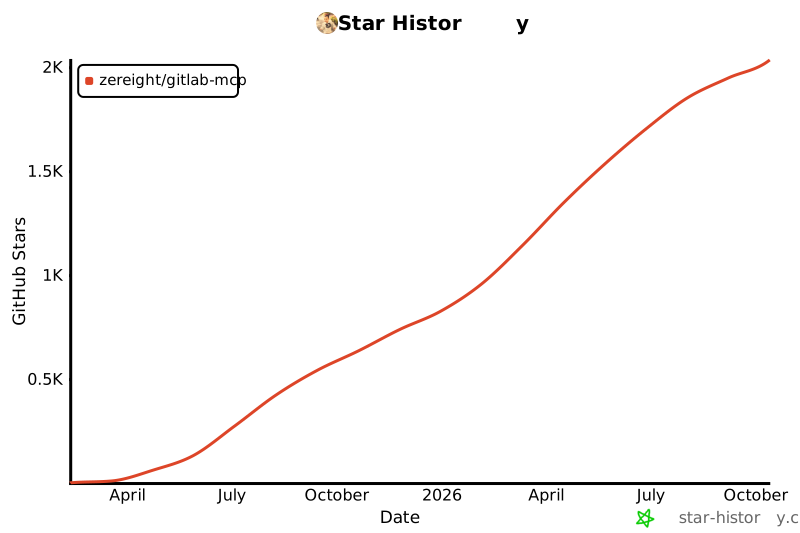](https://www.star-history.com/#zereight/gitlab-mcp&Date)
|
|
2
4
|
|
|
3
5
|
## @zereight/mcp-gitlab
|
|
4
6
|
|
|
@@ -10,7 +12,7 @@ GitLab MCP(Model Context Protocol) Server. **Includes bug fixes and improvements
|
|
|
10
12
|
|
|
11
13
|
## Usage
|
|
12
14
|
|
|
13
|
-
### Using with Claude App, Cline, Roo Code, Cursor
|
|
15
|
+
### Using with Claude App, Cline, Roo Code, Cursor, Kilo Code
|
|
14
16
|
|
|
15
17
|
When using with the Claude App, you need to set up your API key and URLs directly.
|
|
16
18
|
|
|
@@ -19,7 +21,7 @@ When using with the Claude App, you need to set up your API key and URLs directl
|
|
|
19
21
|
```json
|
|
20
22
|
{
|
|
21
23
|
"mcpServers": {
|
|
22
|
-
"
|
|
24
|
+
"gitlab": {
|
|
23
25
|
"command": "npx",
|
|
24
26
|
"args": ["-y", "@zereight/mcp-gitlab"],
|
|
25
27
|
"env": {
|
|
@@ -72,7 +74,7 @@ When using with the Claude App, you need to set up your API key and URLs directl
|
|
|
72
74
|
```json
|
|
73
75
|
{
|
|
74
76
|
"mcpServers": {
|
|
75
|
-
"
|
|
77
|
+
"gitlab": {
|
|
76
78
|
"command": "docker",
|
|
77
79
|
"args": [
|
|
78
80
|
"run",
|
|
@@ -110,7 +112,7 @@ When using with the Claude App, you need to set up your API key and URLs directl
|
|
|
110
112
|
```shell
|
|
111
113
|
docker run -i --rm \
|
|
112
114
|
-e GITLAB_PERSONAL_ACCESS_TOKEN=your_gitlab_token \
|
|
113
|
-
-e GITLAB_API_URL=
|
|
115
|
+
-e GITLAB_API_URL="https://gitlab.com/api/v4" \
|
|
114
116
|
-e GITLAB_READ_ONLY_MODE=true \
|
|
115
117
|
-e USE_GITLAB_WIKI=true \
|
|
116
118
|
-e USE_MILESTONE=true \
|
|
@@ -123,7 +125,7 @@ docker run -i --rm \
|
|
|
123
125
|
```json
|
|
124
126
|
{
|
|
125
127
|
"mcpServers": {
|
|
126
|
-
"
|
|
128
|
+
"gitlab": {
|
|
127
129
|
"type": "sse",
|
|
128
130
|
"url": "http://localhost:3333/sse"
|
|
129
131
|
}
|
|
@@ -131,10 +133,8 @@ docker run -i --rm \
|
|
|
131
133
|
}
|
|
132
134
|
```
|
|
133
135
|
|
|
134
|
-
|
|
135
136
|
- streamable-http
|
|
136
137
|
|
|
137
|
-
|
|
138
138
|
```shell
|
|
139
139
|
docker run -i --rm \
|
|
140
140
|
-e GITLAB_PERSONAL_ACCESS_TOKEN=your_gitlab_token \
|
|
@@ -151,20 +151,14 @@ docker run -i --rm \
|
|
|
151
151
|
```json
|
|
152
152
|
{
|
|
153
153
|
"mcpServers": {
|
|
154
|
-
"
|
|
154
|
+
"gitlab": {
|
|
155
|
+
"type": "streamable-http",
|
|
155
156
|
"url": "http://localhost:3333/mcp"
|
|
156
157
|
}
|
|
157
158
|
}
|
|
158
159
|
}
|
|
159
160
|
```
|
|
160
161
|
|
|
161
|
-
|
|
162
|
-
#### Docker Image Push
|
|
163
|
-
|
|
164
|
-
```shell
|
|
165
|
-
$ sh scripts/image_push.sh docker_user_name
|
|
166
|
-
```
|
|
167
|
-
|
|
168
162
|
### Environment Variables
|
|
169
163
|
|
|
170
164
|
- `GITLAB_PERSONAL_ACCESS_TOKEN`: Your GitLab personal access token.
|
|
@@ -174,6 +168,7 @@ $ sh scripts/image_push.sh docker_user_name
|
|
|
174
168
|
- Single value `123`: MCP server can only access project 123 and uses it as default
|
|
175
169
|
- Multiple values `123,456,789`: MCP server can access projects 123, 456, and 789 but requires explicit project ID in requests
|
|
176
170
|
- `GITLAB_READ_ONLY_MODE`: When set to 'true', restricts the server to only expose read-only operations. Useful for enhanced security or when write access is not needed. Also useful for using with Cursor and it's 40 tool limit.
|
|
171
|
+
- `GITLAB_DENIED_TOOLS_REGEX`: When set as a regular expression, it excludes the matching tools.
|
|
177
172
|
- `USE_GITLAB_WIKI`: When set to 'true', enables the wiki-related tools (list_wiki_pages, get_wiki_page, create_wiki_page, update_wiki_page, delete_wiki_page). By default, wiki features are disabled.
|
|
178
173
|
- `USE_MILESTONE`: When set to 'true', enables the milestone-related tools (list_milestones, get_milestone, create_milestone, edit_milestone, delete_milestone, get_milestone_issue, get_milestone_merge_requests, promote_milestone, get_milestone_burndown_events). By default, milestone features are disabled.
|
|
179
174
|
- `USE_PIPELINE`: When set to 'true', enables the pipeline-related tools (list_pipelines, get_pipeline, list_pipeline_jobs, get_pipeline_job, get_pipeline_job_output, create_pipeline, retry_pipeline, cancel_pipeline). By default, pipeline features are disabled.
|
|
@@ -181,11 +176,13 @@ $ sh scripts/image_push.sh docker_user_name
|
|
|
181
176
|
- `SSE`: When set to 'true', enables the Server-Sent Events transport.
|
|
182
177
|
- `STREAMABLE_HTTP`: When set to 'true', enables the Streamable HTTP transport. If both **SSE** and **STREAMABLE_HTTP** are set to 'true', the server will prioritize Streamable HTTP over SSE transport.
|
|
183
178
|
|
|
184
|
-
[](https://www.star-history.com/#zereight/gitlab-mcp&Date)
|
|
185
|
-
|
|
186
179
|
## Tools 🛠️
|
|
187
180
|
|
|
188
|
-
|
|
181
|
+
<details>
|
|
182
|
+
<summary>Click to expand</summary>
|
|
183
|
+
|
|
184
|
+
<!-- TOOLS-START -->
|
|
185
|
+
|
|
189
186
|
1. `merge_merge_request` - Merge a merge request in a GitLab project
|
|
190
187
|
2. `create_or_update_file` - Create or update a single file in a GitLab project
|
|
191
188
|
3. `search_repositories` - Search for GitLab projects
|
|
@@ -270,3 +267,5 @@ $ sh scripts/image_push.sh docker_user_name
|
|
|
270
267
|
82. `upload_markdown` - Upload a file to a GitLab project for use in markdown content
|
|
271
268
|
83. `download_attachment` - Download an uploaded file from a GitLab project by secret and filename
|
|
272
269
|
<!-- TOOLS-END -->
|
|
270
|
+
|
|
271
|
+
</details>
|
package/build/index.js
CHANGED
|
@@ -80,6 +80,7 @@ const GITLAB_PERSONAL_ACCESS_TOKEN = process.env.GITLAB_PERSONAL_ACCESS_TOKEN;
|
|
|
80
80
|
const GITLAB_AUTH_COOKIE_PATH = process.env.GITLAB_AUTH_COOKIE_PATH;
|
|
81
81
|
const IS_OLD = process.env.GITLAB_IS_OLD === "true";
|
|
82
82
|
const GITLAB_READ_ONLY_MODE = process.env.GITLAB_READ_ONLY_MODE === "true";
|
|
83
|
+
const GITLAB_DENIED_TOOLS_REGEX = process.env.GITLAB_DENIED_TOOLS_REGEX ? new RegExp(process.env.GITLAB_DENIED_TOOLS_REGEX) : undefined;
|
|
83
84
|
const USE_GITLAB_WIKI = process.env.USE_GITLAB_WIKI === "true";
|
|
84
85
|
const USE_MILESTONE = process.env.USE_MILESTONE === "true";
|
|
85
86
|
const USE_PIPELINE = process.env.USE_PIPELINE === "true";
|
|
@@ -3113,6 +3114,7 @@ server.setRequestHandler(ListToolsRequestSchema, async () => {
|
|
|
3113
3114
|
: tools1.filter(tool => !milestoneToolNames.includes(tool.name));
|
|
3114
3115
|
// Toggle pipeline tools by USE_PIPELINE flag
|
|
3115
3116
|
let tools = USE_PIPELINE ? tools2 : tools2.filter(tool => !pipelineToolNames.includes(tool.name));
|
|
3117
|
+
tools = GITLAB_DENIED_TOOLS_REGEX ? tools.filter(tool => !GITLAB_DENIED_TOOLS_REGEX.test(tool.name)) : tools;
|
|
3116
3118
|
// <<< START: Gemini 호환성을 위해 $schema 제거 >>>
|
|
3117
3119
|
tools = tools.map(tool => {
|
|
3118
3120
|
// inputSchema가 존재하고 객체인지 확인
|
package/build/schemas.js
CHANGED
|
@@ -20,7 +20,7 @@ export const GitLabPipelineSchema = z.object({
|
|
|
20
20
|
duration: z.number().nullable().optional(),
|
|
21
21
|
started_at: z.string().nullable().optional(),
|
|
22
22
|
finished_at: z.string().nullable().optional(),
|
|
23
|
-
coverage: z.number().nullable().optional(),
|
|
23
|
+
coverage: z.coerce.number().nullable().optional(),
|
|
24
24
|
user: z
|
|
25
25
|
.object({
|
|
26
26
|
id: z.coerce.string(),
|
|
@@ -58,7 +58,7 @@ export const GitLabPipelineJobSchema = z.object({
|
|
|
58
58
|
name: z.string(),
|
|
59
59
|
ref: z.string(),
|
|
60
60
|
tag: flexibleBoolean,
|
|
61
|
-
coverage: z.number().nullable().optional(),
|
|
61
|
+
coverage: z.coerce.number().nullable().optional(),
|
|
62
62
|
created_at: z.string(),
|
|
63
63
|
started_at: z.string().nullable().optional(),
|
|
64
64
|
finished_at: z.string().nullable().optional(),
|
package/package.json
CHANGED
|
@@ -1,6 +1,6 @@
|
|
|
1
1
|
{
|
|
2
2
|
"name": "@zereight/mcp-gitlab",
|
|
3
|
-
"version": "2.0.
|
|
3
|
+
"version": "2.0.4",
|
|
4
4
|
"description": "MCP server for using the GitLab API",
|
|
5
5
|
"license": "MIT",
|
|
6
6
|
"author": "zereight",
|
|
@@ -21,7 +21,6 @@
|
|
|
21
21
|
"dev": "npm run build && node build/index.js",
|
|
22
22
|
"watch": "tsc --watch",
|
|
23
23
|
"deploy": "npm publish --access public",
|
|
24
|
-
"generate-tools": "npx ts-node scripts/generate-tools-readme.ts",
|
|
25
24
|
"changelog": "auto-changelog -p",
|
|
26
25
|
"test": "node test/validate-api.js",
|
|
27
26
|
"test:integration": "node test/validate-api.js",
|
|
@@ -1,41 +0,0 @@
|
|
|
1
|
-
import fs from "fs";
|
|
2
|
-
import path from "path";
|
|
3
|
-
import { fileURLToPath } from "url";
|
|
4
|
-
const __filename = fileURLToPath(import.meta.url);
|
|
5
|
-
const __dirname = path.dirname(__filename);
|
|
6
|
-
async function main() {
|
|
7
|
-
const repoRoot = path.resolve(__dirname, "..");
|
|
8
|
-
const indexPath = path.join(repoRoot, "index.ts");
|
|
9
|
-
const readmePath = path.join(repoRoot, "README.md");
|
|
10
|
-
// 1. Read index.ts
|
|
11
|
-
const code = fs.readFileSync(indexPath, "utf-8");
|
|
12
|
-
// 2. Extract allTools array block
|
|
13
|
-
const match = code.match(/const allTools = \[([\s\S]*?)\];/);
|
|
14
|
-
if (!match) {
|
|
15
|
-
console.error("Unable to locate allTools array in index.ts");
|
|
16
|
-
process.exit(1);
|
|
17
|
-
}
|
|
18
|
-
const toolsBlock = match[1];
|
|
19
|
-
// 3. Parse tool entries
|
|
20
|
-
const toolRegex = /name:\s*"([^"]+)",[\s\S]*?description:\s*"([^"]+)"/g;
|
|
21
|
-
const tools = [];
|
|
22
|
-
let m;
|
|
23
|
-
while ((m = toolRegex.exec(toolsBlock)) !== null) {
|
|
24
|
-
tools.push({ name: m[1], description: m[2] });
|
|
25
|
-
}
|
|
26
|
-
// 4. Generate markdown
|
|
27
|
-
const lines = tools.map((tool, index) => {
|
|
28
|
-
return `${index + 1}. \`${tool.name}\` - ${tool.description}`;
|
|
29
|
-
});
|
|
30
|
-
const markdown = lines.join("\n");
|
|
31
|
-
// 5. Read README.md and replace between markers
|
|
32
|
-
const readme = fs.readFileSync(readmePath, "utf-8");
|
|
33
|
-
const updated = readme.replace(/<!-- TOOLS-START -->([\s\S]*?)<!-- TOOLS-END -->/, `<!-- TOOLS-START -->\n${markdown}\n<!-- TOOLS-END -->`);
|
|
34
|
-
// 6. Write back
|
|
35
|
-
fs.writeFileSync(readmePath, updated, "utf-8");
|
|
36
|
-
console.log("README.md tools section updated.");
|
|
37
|
-
}
|
|
38
|
-
main().catch(err => {
|
|
39
|
-
console.error(err);
|
|
40
|
-
process.exit(1);
|
|
41
|
-
});
|