@zappinginc/zm2 6.0.14 → 6.0.15
This diff represents the content of publicly available package versions that have been released to one of the supported registries. The information contained in this diff is provided for informational purposes only and reflects changes between package versions as they appear in their respective public registries.
- package/CLAUDE.md +24 -10
- package/README.md +81 -99
- package/package.json +4 -4
package/CLAUDE.md
CHANGED
|
@@ -1,8 +1,8 @@
|
|
|
1
|
-
# CLAUDE.md -
|
|
1
|
+
# CLAUDE.md - ZM2 Project Guide
|
|
2
2
|
|
|
3
3
|
## Project Overview
|
|
4
4
|
|
|
5
|
-
|
|
5
|
+
ZM2 is a production process manager for Node.js/Bun applications with a built-in load balancer. Forked from PM2 6.0.14, published as `@zappinginc/zm2`. Licensed under AGPL-3.0. Minimum Node.js version: 16.
|
|
6
6
|
|
|
7
7
|
## Quick Commands
|
|
8
8
|
|
|
@@ -10,12 +10,12 @@ PM2 is a production process manager for Node.js/Bun applications with a built-in
|
|
|
10
10
|
npm test # Run all tests (e2e + unit)
|
|
11
11
|
npm run test:unit # Unit tests only (bash test/unit.sh)
|
|
12
12
|
npm run test:e2e # E2E tests only (bash test/e2e.sh)
|
|
13
|
-
|
|
13
|
+
zm2 update # Restart daemon after modifying Daemon.js, God.js, God/*, Watcher.js
|
|
14
14
|
```
|
|
15
15
|
|
|
16
16
|
## Architecture
|
|
17
17
|
|
|
18
|
-
- **Entry points**: `index.js` (programmatic API), `bin/
|
|
18
|
+
- **Entry points**: `index.js` (programmatic API), `bin/zm2` (CLI)
|
|
19
19
|
- **API** (`lib/API.js`): Main programmatic interface, ~1900 lines
|
|
20
20
|
- **Daemon** (`lib/Daemon.js`): Daemon lifecycle, uses pm2-axon for RPC/messaging
|
|
21
21
|
- **God** (`lib/God.js` + `lib/God/`): Core process monitoring — ClusterMode, ForkMode, Reload, ActionMethods
|
|
@@ -28,7 +28,7 @@ pm2 update # Restart daemon after modifying Daemon.js, God.js, God/*,
|
|
|
28
28
|
## Key Directories
|
|
29
29
|
|
|
30
30
|
```
|
|
31
|
-
bin/ CLI entry points (
|
|
31
|
+
bin/ CLI entry points (zm2, zm2-dev, zm2-docker, zm2-runtime)
|
|
32
32
|
lib/ Core source code
|
|
33
33
|
lib/API/ Extended API modules (Deploy, Log, Startup, Modules, etc.)
|
|
34
34
|
lib/God/ Process management submodules (ClusterMode, ForkMode, Reload)
|
|
@@ -43,14 +43,28 @@ types/ TypeScript definitions
|
|
|
43
43
|
examples/ Example applications
|
|
44
44
|
```
|
|
45
45
|
|
|
46
|
-
##
|
|
46
|
+
## ZM2 Runtime Files
|
|
47
47
|
|
|
48
|
-
Located at `$HOME/.
|
|
49
|
-
- `
|
|
48
|
+
Located at `$HOME/.zm2/`:
|
|
49
|
+
- `zm2.log`, `zm2.pid` — daemon log and PID
|
|
50
50
|
- `rpc.sock`, `pub.sock` — IPC sockets
|
|
51
|
-
- `dump.
|
|
51
|
+
- `dump.zm2` — process list dump for resurrection
|
|
52
52
|
- `logs/`, `pids/` — app logs and PIDs
|
|
53
|
-
- `modules/` — installed
|
|
53
|
+
- `modules/` — installed ZM2 modules
|
|
54
|
+
|
|
55
|
+
## Naming Convention (Fork from PM2)
|
|
56
|
+
|
|
57
|
+
- **User-facing**: All CLI commands, console messages, env vars, and paths use `zm2`/`ZM2`
|
|
58
|
+
- **Internal**: Variable names (`pm2_env`, `pm2_home`) and object property keys (`PM2_ROOT_PATH`) remain as `pm2` for compatibility with upstream dependencies (`@pm2/io`, `pm2-axon`, etc.)
|
|
59
|
+
- **Env vars**: `ZM2_HOME`, `ZM2_DEBUG`, etc. are preferred, with fallback to `PM2_*` equivalents
|
|
60
|
+
|
|
61
|
+
## Syslog Support
|
|
62
|
+
|
|
63
|
+
ZM2 adds syslog as a log transport option (not in upstream PM2):
|
|
64
|
+
- `--log-transport file` (default) — write to `~/.zm2/logs/`
|
|
65
|
+
- `--log-transport syslog` — send to syslog via unix socket
|
|
66
|
+
- `--log-transport both` — write to files AND syslog
|
|
67
|
+
- Implementation in `lib/Utility.js` (SyslogStream, DualStream classes)
|
|
54
68
|
|
|
55
69
|
## Code Style
|
|
56
70
|
|
package/README.md
CHANGED
|
@@ -1,58 +1,43 @@
|
|
|
1
1
|
<div align="center">
|
|
2
2
|
<br/>
|
|
3
3
|
|
|
4
|
-
|
|
4
|
+
<h1>ZM2</h1>
|
|
5
5
|
|
|
6
|
-
<b>
|
|
6
|
+
<b>Z</b>(apping) <b>M</b>(anager) <b>2</b><br/>
|
|
7
7
|
<i>Runtime Edition</i>
|
|
8
8
|
<br/><br/>
|
|
9
9
|
|
|
10
|
-
|
|
11
|
-
<a
|
|
12
|
-
<img src="https://img.shields.io/npm/dm/pm2" alt="Downloads per Month"/>
|
|
13
|
-
</a>
|
|
14
|
-
|
|
15
|
-
<a title="PM2 Downloads" href="https://npm-stat.com/charts.html?package=pm2&from=2018-01-01&to=2023-08-01">
|
|
16
|
-
<img src="https://img.shields.io/npm/dy/pm2" alt="Downloads per Year"/>
|
|
17
|
-
</a>
|
|
18
|
-
|
|
19
|
-
<a href="https://badge.fury.io/js/pm2" title="NPM Version Badge">
|
|
20
|
-
<img src="https://badge.fury.io/js/pm2.svg" alt="npm version">
|
|
21
|
-
</a>
|
|
10
|
+
A production process manager for Node.js/Bun applications with a built-in load balancer.<br/>
|
|
11
|
+
Forked from <a href="https://github.com/Unitech/pm2">PM2</a>.
|
|
22
12
|
|
|
23
|
-
<br/>
|
|
24
13
|
<br/>
|
|
25
14
|
<br/>
|
|
26
15
|
</div>
|
|
27
16
|
|
|
28
17
|
|
|
29
|
-
|
|
18
|
+
ZM2 is a production process manager for Node.js/Bun applications with a built-in load balancer. It allows you to keep applications alive forever, to reload them without downtime and to facilitate common system admin tasks.
|
|
30
19
|
|
|
31
20
|
Starting an application in production mode is as easy as:
|
|
32
21
|
|
|
33
22
|
```bash
|
|
34
|
-
$
|
|
23
|
+
$ zm2 start app.js
|
|
35
24
|
```
|
|
36
25
|
|
|
37
|
-
|
|
38
|
-
|
|
39
|
-
Official website: [https://pm2.keymetrics.io/](https://pm2.keymetrics.io/)
|
|
26
|
+
Works on Linux (stable) & macOS (stable) & Windows (stable). All Node.js versions are supported starting Node.js 16.X and Bun since v1.
|
|
40
27
|
|
|
41
|
-
Works on Linux (stable) & macOS (stable) & Windows (stable). All Node.js versions are supported starting Node.js 12.X and Bun since v1
|
|
42
28
|
|
|
43
|
-
|
|
44
|
-
## Installing PM2
|
|
29
|
+
## Installing ZM2
|
|
45
30
|
|
|
46
31
|
### With NPM
|
|
47
32
|
|
|
48
33
|
```bash
|
|
49
|
-
$ npm install
|
|
34
|
+
$ npm install @zappinginc/zm2 -g
|
|
50
35
|
```
|
|
51
36
|
|
|
52
37
|
### With Bun
|
|
53
38
|
|
|
54
39
|
```bash
|
|
55
|
-
$ bun install
|
|
40
|
+
$ bun install @zappinginc/zm2 -g
|
|
56
41
|
```
|
|
57
42
|
**Please note that you might need to symlink node to bun if you only want to use bun via `sudo ln -s /home/$USER/.bun/bin/bun /usr/bin/node`**
|
|
58
43
|
|
|
@@ -65,7 +50,7 @@ You can install Node.js easily with [NVM](https://github.com/nvm-sh/nvm#installi
|
|
|
65
50
|
You can start any application (Node.js, Bun, and also Python, Ruby, binaries in $PATH...) like that:
|
|
66
51
|
|
|
67
52
|
```bash
|
|
68
|
-
$
|
|
53
|
+
$ zm2 start app.js
|
|
69
54
|
```
|
|
70
55
|
|
|
71
56
|
Your app is now daemonized, monitored and kept alive forever.
|
|
@@ -74,46 +59,40 @@ Your app is now daemonized, monitored and kept alive forever.
|
|
|
74
59
|
|
|
75
60
|
Once applications are started you can manage them easily:
|
|
76
61
|
|
|
77
|
-

|
|
78
|
-
|
|
79
62
|
To list all running applications:
|
|
80
63
|
|
|
81
64
|
```bash
|
|
82
|
-
$
|
|
65
|
+
$ zm2 list
|
|
83
66
|
```
|
|
84
67
|
|
|
85
68
|
Managing apps is straightforward:
|
|
86
69
|
|
|
87
70
|
```bash
|
|
88
|
-
$
|
|
89
|
-
$
|
|
90
|
-
$
|
|
71
|
+
$ zm2 stop <app_name|namespace|id|'all'|json_conf>
|
|
72
|
+
$ zm2 restart <app_name|namespace|id|'all'|json_conf>
|
|
73
|
+
$ zm2 delete <app_name|namespace|id|'all'|json_conf>
|
|
91
74
|
```
|
|
92
75
|
|
|
93
76
|
To have more details on a specific application:
|
|
94
77
|
|
|
95
78
|
```bash
|
|
96
|
-
$
|
|
79
|
+
$ zm2 describe <id|app_name>
|
|
97
80
|
```
|
|
98
81
|
|
|
99
82
|
To monitor logs, custom metrics, application information:
|
|
100
83
|
|
|
101
84
|
```bash
|
|
102
|
-
$
|
|
85
|
+
$ zm2 monit
|
|
103
86
|
```
|
|
104
87
|
|
|
105
|
-
[More about Process Management](https://pm2.keymetrics.io/docs/usage/process-management/)
|
|
106
|
-
|
|
107
88
|
### Cluster Mode: Node.js Load Balancing & Zero Downtime Reload
|
|
108
89
|
|
|
109
90
|
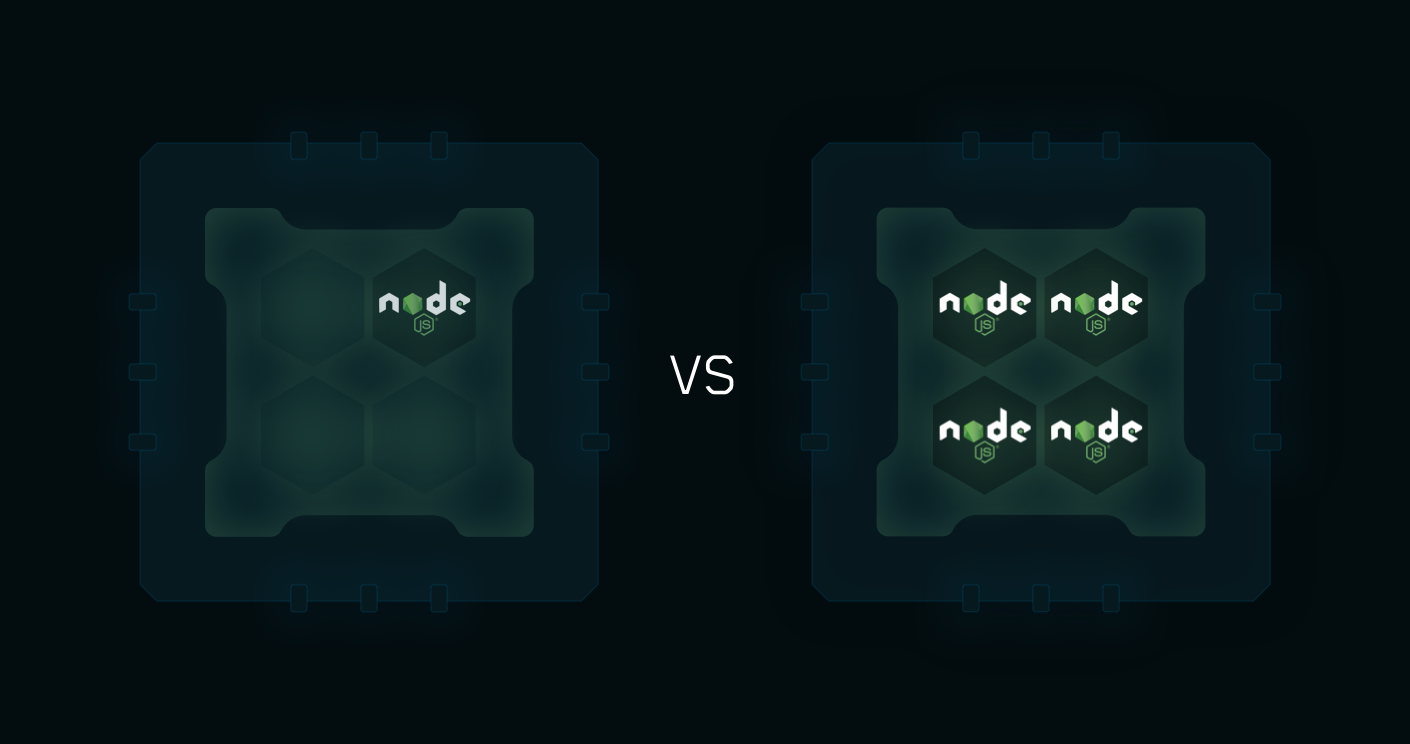
The Cluster mode is a special mode when starting a Node.js application, it starts multiple processes and load-balance HTTP/TCP/UDP queries between them. This increase overall performance (by a factor of x10 on 16 cores machines) and reliability (faster socket re-balancing in case of unhandled errors).
|
|
110
91
|
|
|
111
|
-
|
|
112
|
-
|
|
113
92
|
Starting a Node.js application in cluster mode that will leverage all CPUs available:
|
|
114
93
|
|
|
115
94
|
```bash
|
|
116
|
-
$
|
|
95
|
+
$ zm2 start api.js -i <processes>
|
|
117
96
|
```
|
|
118
97
|
|
|
119
98
|
`<processes>` can be `'max'`, `-1` (all cpu minus 1) or a specified number of instances to start.
|
|
@@ -123,44 +102,63 @@ $ pm2 start api.js -i <processes>
|
|
|
123
102
|
Hot Reload allows to update an application without any downtime:
|
|
124
103
|
|
|
125
104
|
```bash
|
|
126
|
-
$
|
|
105
|
+
$ zm2 reload all
|
|
127
106
|
```
|
|
128
107
|
|
|
129
|
-
[More informations about how PM2 make clustering easy](https://pm2.keymetrics.io/docs/usage/cluster-mode/)
|
|
130
|
-
|
|
131
108
|
### Container Support
|
|
132
109
|
|
|
133
|
-
With the drop-in replacement command for `node`, called `
|
|
110
|
+
With the drop-in replacement command for `node`, called `zm2-runtime`, run your Node.js application in a hardened production environment.
|
|
134
111
|
Using it is seamless:
|
|
135
112
|
|
|
136
113
|
```
|
|
137
|
-
RUN npm install
|
|
138
|
-
CMD [ "
|
|
114
|
+
RUN npm install @zappinginc/zm2 -g
|
|
115
|
+
CMD [ "zm2-runtime", "npm", "--", "start" ]
|
|
139
116
|
```
|
|
140
117
|
|
|
141
|
-
|
|
118
|
+
### Syslog Support
|
|
119
|
+
|
|
120
|
+
ZM2 adds syslog as a log transport (in addition to standard file logging):
|
|
121
|
+
|
|
122
|
+
```bash
|
|
123
|
+
# Send logs to syslog only
|
|
124
|
+
$ zm2 start app.js --log-transport syslog
|
|
125
|
+
|
|
126
|
+
# Send logs to both files and syslog
|
|
127
|
+
$ zm2 start app.js --log-transport both
|
|
128
|
+
|
|
129
|
+
# Default: file only (standard behavior)
|
|
130
|
+
$ zm2 start app.js
|
|
131
|
+
```
|
|
132
|
+
|
|
133
|
+
Or in ecosystem config:
|
|
134
|
+
|
|
135
|
+
```javascript
|
|
136
|
+
module.exports = {
|
|
137
|
+
apps: [{
|
|
138
|
+
name: 'api',
|
|
139
|
+
script: 'app.js',
|
|
140
|
+
log_transport: 'syslog' // 'file', 'syslog', or 'both'
|
|
141
|
+
}]
|
|
142
|
+
}
|
|
143
|
+
```
|
|
142
144
|
|
|
143
145
|
### Host monitoring speedbar
|
|
144
146
|
|
|
145
|
-
|
|
147
|
+
ZM2 allows to monitor your host/server vitals with a monitoring speedbar.
|
|
146
148
|
|
|
147
149
|
To enable host monitoring:
|
|
148
150
|
|
|
149
151
|
```bash
|
|
150
|
-
$
|
|
151
|
-
$
|
|
152
|
+
$ zm2 set zm2:sysmonit true
|
|
153
|
+
$ zm2 update
|
|
152
154
|
```
|
|
153
155
|
|
|
154
|
-

|
|
155
|
-
|
|
156
156
|
### Terminal Based Monitoring
|
|
157
157
|
|
|
158
|
-

|
|
159
|
-
|
|
160
158
|
Monitor all processes launched straight from the command line:
|
|
161
159
|
|
|
162
160
|
```bash
|
|
163
|
-
$
|
|
161
|
+
$ zm2 monit
|
|
164
162
|
```
|
|
165
163
|
|
|
166
164
|
### Log Management
|
|
@@ -168,7 +166,7 @@ $ pm2 monit
|
|
|
168
166
|
To consult logs just type the command:
|
|
169
167
|
|
|
170
168
|
```bash
|
|
171
|
-
$
|
|
169
|
+
$ zm2 logs
|
|
172
170
|
```
|
|
173
171
|
|
|
174
172
|
Standard, Raw, JSON and formated output are available.
|
|
@@ -176,73 +174,57 @@ Standard, Raw, JSON and formated output are available.
|
|
|
176
174
|
Examples:
|
|
177
175
|
|
|
178
176
|
```bash
|
|
179
|
-
$
|
|
180
|
-
$
|
|
181
|
-
$
|
|
177
|
+
$ zm2 logs APP-NAME # Display APP-NAME logs
|
|
178
|
+
$ zm2 logs --json # JSON output
|
|
179
|
+
$ zm2 logs --format # Formated output
|
|
182
180
|
|
|
183
|
-
$
|
|
184
|
-
$
|
|
181
|
+
$ zm2 flush # Flush all logs
|
|
182
|
+
$ zm2 reloadLogs # Reload all logs
|
|
185
183
|
```
|
|
186
184
|
|
|
187
|
-
To enable log rotation install the following module
|
|
188
|
-
|
|
189
|
-
```bash
|
|
190
|
-
$ pm2 install pm2-logrotate
|
|
191
|
-
```
|
|
192
|
-
|
|
193
|
-
[More about log management](https://pm2.keymetrics.io/docs/usage/log-management/)
|
|
194
|
-
|
|
195
185
|
### Startup Scripts Generation
|
|
196
186
|
|
|
197
|
-
|
|
187
|
+
ZM2 can generate and configure a Startup Script to keep ZM2 and your processes alive at every server restart.
|
|
198
188
|
|
|
199
189
|
Init Systems Supported: **systemd**, **upstart**, **launchd**, **rc.d**
|
|
200
190
|
|
|
201
191
|
```bash
|
|
202
192
|
# Generate Startup Script
|
|
203
|
-
$
|
|
193
|
+
$ zm2 startup
|
|
204
194
|
|
|
205
195
|
# Freeze your process list across server restart
|
|
206
|
-
$
|
|
196
|
+
$ zm2 save
|
|
207
197
|
|
|
208
198
|
# Remove Startup Script
|
|
209
|
-
$
|
|
199
|
+
$ zm2 unstartup
|
|
210
200
|
```
|
|
211
201
|
|
|
212
|
-
|
|
213
|
-
|
|
214
|
-
### Updating PM2
|
|
202
|
+
### Updating ZM2
|
|
215
203
|
|
|
216
204
|
```bash
|
|
217
|
-
# Install latest
|
|
218
|
-
$ npm install
|
|
219
|
-
# Save process list, exit old
|
|
220
|
-
$
|
|
205
|
+
# Install latest ZM2 version
|
|
206
|
+
$ npm install @zappinginc/zm2@latest -g
|
|
207
|
+
# Save process list, exit old ZM2 & restore all processes
|
|
208
|
+
$ zm2 update
|
|
221
209
|
```
|
|
222
210
|
|
|
223
|
-
*
|
|
211
|
+
*ZM2 updates are seamless*
|
|
224
212
|
|
|
225
|
-
##
|
|
213
|
+
## Environment Variables
|
|
226
214
|
|
|
227
|
-
|
|
215
|
+
ZM2 uses `ZM2_*` environment variables with fallback to `PM2_*` for compatibility:
|
|
228
216
|
|
|
229
|
-
|
|
230
|
-
|
|
231
|
-
|
|
232
|
-
|
|
233
|
-
|
|
234
|
-
|
|
235
|
-
|
|
236
|
-
|
|
237
|
-
## CHANGELOG
|
|
238
|
-
|
|
239
|
-
[CHANGELOG](https://github.com/Unitech/PM2/blob/master/CHANGELOG.md)
|
|
240
|
-
|
|
241
|
-
## Contributors
|
|
242
|
-
|
|
243
|
-
[Contributors](http://pm2.keymetrics.io/hall-of-fame/)
|
|
217
|
+
| Variable | Description |
|
|
218
|
+
|----------|-------------|
|
|
219
|
+
| `ZM2_HOME` | Custom home directory (default: `~/.zm2`) |
|
|
220
|
+
| `ZM2_DEBUG` | Enable debug mode |
|
|
221
|
+
| `ZM2_KILL_TIMEOUT` | Process kill timeout (default: 1600ms) |
|
|
222
|
+
| `ZM2_KILL_SIGNAL` | Kill signal (default: SIGINT) |
|
|
223
|
+
| `ZM2_LOG_DATE_FORMAT` | Log date format |
|
|
224
|
+
| `ZM2_GRACEFUL_TIMEOUT` | Graceful shutdown timeout |
|
|
244
225
|
|
|
245
226
|
## License
|
|
246
227
|
|
|
247
|
-
|
|
248
|
-
|
|
228
|
+
ZM2 is made available under the terms of the GNU Affero General Public License 3.0 (AGPL 3.0).
|
|
229
|
+
|
|
230
|
+
Based on [PM2](https://github.com/Unitech/pm2) by Alexandre Strzelewicz and contributors.
|
package/package.json
CHANGED
|
@@ -1,7 +1,7 @@
|
|
|
1
1
|
{
|
|
2
2
|
"name": "@zappinginc/zm2",
|
|
3
3
|
"preferGlobal": true,
|
|
4
|
-
"version": "6.0.
|
|
4
|
+
"version": "6.0.15",
|
|
5
5
|
"engines": {
|
|
6
6
|
"node": ">=16.0.0"
|
|
7
7
|
},
|
|
@@ -94,7 +94,7 @@
|
|
|
94
94
|
"email": "chris@chriswiggins.co.nz"
|
|
95
95
|
}
|
|
96
96
|
],
|
|
97
|
-
"homepage": "https://github.com/
|
|
97
|
+
"homepage": "https://github.com/eltelon/pm2",
|
|
98
98
|
"description": "ZM2 - Production process manager for Node.JS applications with a built-in load balancer.",
|
|
99
99
|
"main": "index.js",
|
|
100
100
|
"types": "types/index.d.ts",
|
|
@@ -209,11 +209,11 @@
|
|
|
209
209
|
"should": "^13.2.3"
|
|
210
210
|
},
|
|
211
211
|
"bugs": {
|
|
212
|
-
"url": "https://github.com/
|
|
212
|
+
"url": "https://github.com/eltelon/pm2/issues"
|
|
213
213
|
},
|
|
214
214
|
"repository": {
|
|
215
215
|
"type": "git",
|
|
216
|
-
"url": "git://github.com/
|
|
216
|
+
"url": "git://github.com/eltelon/pm2.git"
|
|
217
217
|
},
|
|
218
218
|
"license": "AGPL-3.0"
|
|
219
219
|
}
|