@yorab/react-paint 0.18.0 → 1.0.0-beta.1
This diff represents the content of publicly available package versions that have been released to one of the supported registries. The information contained in this diff is provided for informational purposes only and reflects changes between package versions as they appear in their respective public registries.
- package/README.md +270 -22
- package/dist/_chunks/canvas-CDYlr833.js +1 -0
- package/dist/_chunks/editor-BARYd5Od.js +1 -0
- package/dist/canvas/components/Canvas.d.ts +15 -3
- package/dist/canvas/components/EditTextBox.d.ts +4 -4
- package/dist/canvas/constants/app.d.ts +32 -17
- package/dist/canvas/constants/grid.d.ts +7 -0
- package/dist/canvas/constants/picture.d.ts +8 -0
- package/dist/canvas/constants/shapes.d.ts +2 -2
- package/dist/canvas/constants/tools.d.ts +12 -2
- package/dist/canvas/constants/zoom.d.ts +4 -2
- package/dist/canvas/context/PaintContext.d.ts +9 -0
- package/dist/canvas/hooks/useAnnotationsStyle.d.ts +5 -0
- package/dist/canvas/hooks/useAutoScroll.d.ts +4 -0
- package/dist/canvas/hooks/useCanvasRenderer.d.ts +17 -0
- package/dist/canvas/hooks/useDrawableCanvas.d.ts +8 -5
- package/dist/canvas/hooks/useDropPicture.d.ts +7 -0
- package/dist/canvas/hooks/useKeyboard.d.ts +6 -32
- package/dist/canvas/hooks/usePaintState.d.ts +9 -0
- package/dist/canvas/hooks/usePinchZoomAndMove.d.ts +3 -13
- package/dist/canvas/hooks/useReactPaint.d.ts +11 -163
- package/dist/canvas/hooks/useResizeObserver.d.ts +1 -0
- package/dist/canvas/hooks/useShapeEvents.d.ts +7 -0
- package/dist/canvas/hooks/useZoom.d.ts +4 -17
- package/dist/canvas/index.d.ts +24 -17
- package/dist/canvas/index.js +1 -1
- package/dist/canvas/store/createStore.d.ts +14 -0
- package/dist/canvas/store/eventEmitter.d.ts +11 -0
- package/dist/canvas/store/internal.d.ts +5 -0
- package/dist/canvas/store/paintStore.d.ts +898 -0
- package/dist/canvas/store/selectors.d.ts +855 -0
- package/dist/canvas/store/shapesReducer.d.ts +66 -0
- package/dist/canvas/store/types.d.ts +72 -0
- package/dist/canvas/types/Canvas.d.ts +19 -0
- package/dist/{common → canvas}/types/Mode.d.ts +8 -15
- package/dist/{common → canvas}/types/Settings.d.ts +6 -1
- package/dist/{common → canvas}/types/Shapes.d.ts +27 -21
- package/dist/canvas/types/editor.d.ts +388 -0
- package/dist/{common → canvas}/types/tools.d.ts +10 -6
- package/dist/{common → canvas}/utils/array.d.ts +2 -0
- package/dist/canvas/utils/canvas.d.ts +18 -2
- package/dist/canvas/utils/click.d.ts +17 -0
- package/dist/canvas/utils/data.d.ts +6 -5
- package/dist/canvas/utils/equality.d.ts +5 -0
- package/dist/canvas/utils/file.d.ts +36 -266
- package/dist/canvas/utils/grid.d.ts +1 -1
- package/dist/canvas/utils/intersect.d.ts +24 -14
- package/dist/canvas/utils/object.d.ts +11 -0
- package/dist/{common/utils/selection.d.ts → canvas/utils/selectedShapes.d.ts} +2 -2
- package/dist/canvas/utils/selection/anchors.d.ts +16 -0
- package/dist/canvas/utils/selection/groupSelection.d.ts +3 -3
- package/dist/canvas/utils/selection/lineSelection.d.ts +3 -10
- package/dist/canvas/utils/selection/rectSelection.d.ts +6 -11
- package/dist/canvas/utils/selection/selectionFrame.d.ts +2 -2
- package/dist/canvas/utils/selection.d.ts +7 -5
- package/dist/canvas/utils/shapeInput.d.ts +45 -0
- package/dist/canvas/utils/shapePatch.d.ts +10 -0
- package/dist/canvas/utils/shapes/brush.d.ts +6 -6
- package/dist/canvas/utils/shapes/circle.d.ts +5 -5
- package/dist/canvas/utils/shapes/curve.d.ts +4 -4
- package/dist/canvas/utils/shapes/ellipse.d.ts +5 -5
- package/dist/canvas/utils/shapes/group.d.ts +9 -3
- package/dist/canvas/utils/shapes/index.d.ts +31 -5
- package/dist/canvas/utils/shapes/line.d.ts +5 -5
- package/dist/canvas/utils/shapes/path.d.ts +16 -8
- package/dist/canvas/utils/shapes/picture.d.ts +7 -5
- package/dist/canvas/utils/shapes/polygon.d.ts +4 -4
- package/dist/canvas/utils/shapes/rectangle.d.ts +5 -5
- package/dist/canvas/utils/shapes/text.d.ts +12 -6
- package/dist/canvas/utils/shapes/triangle.d.ts +2 -2
- package/dist/canvas/utils/tools.d.ts +12 -3
- package/dist/canvas/utils/transform.d.ts +5 -4
- package/dist/canvas/utils/trigo.d.ts +17 -1
- package/dist/canvas/utils/util.d.ts +14 -0
- package/dist/canvas/utils/zoom.d.ts +29 -15
- package/dist/editor/components/common/Button.d.ts +0 -1
- package/dist/editor/components/common/FileInput.d.ts +0 -1
- package/dist/editor/components/common/Loading.d.ts +1 -2
- package/dist/editor/components/common/Menu.d.ts +3 -2
- package/dist/editor/components/common/Modal.d.ts +1 -2
- package/dist/editor/components/common/Panel.d.ts +1 -2
- package/dist/editor/components/common/Snackbar.d.ts +2 -3
- package/dist/editor/components/settings/ClosedPointsField.d.ts +1 -1
- package/dist/editor/components/settings/ColorField.d.ts +1 -2
- package/dist/editor/components/settings/DeleteButton.d.ts +3 -4
- package/dist/editor/components/settings/FontFamilyField.d.ts +1 -2
- package/dist/editor/components/settings/LayoutButton.d.ts +1 -2
- package/dist/editor/components/settings/Layouts.d.ts +4 -15
- package/dist/editor/components/settings/LineArrowField.d.ts +1 -2
- package/dist/editor/components/settings/LineTypeField.d.ts +2 -3
- package/dist/editor/components/settings/RangeField.d.ts +1 -2
- package/dist/editor/components/settings/SelectField.d.ts +1 -2
- package/dist/editor/components/settings/SettingsBar.d.ts +3 -18
- package/dist/editor/components/settings/ToggleField.d.ts +2 -1
- package/dist/editor/components/settings/ZoomButton.d.ts +1 -2
- package/dist/editor/components/settings/ZoomPanel.d.ts +4 -0
- package/dist/editor/components/toolbox/ActionButton.d.ts +9 -0
- package/dist/editor/components/toolbox/ContextMenu.d.ts +5 -24
- package/dist/editor/components/toolbox/ExportModal.d.ts +1 -2
- package/dist/editor/components/toolbox/LoadFileTool.d.ts +4 -4
- package/dist/editor/components/toolbox/MenuGroup.d.ts +1 -7
- package/dist/editor/components/toolbox/PictureUrlInput.d.ts +2 -2
- package/dist/editor/components/toolbox/Tool.d.ts +3 -3
- package/dist/editor/components/toolbox/Toolbar.d.ts +5 -16
- package/dist/editor/components/toolbox/ToolbarGroup.d.ts +2 -3
- package/dist/editor/constants/options.d.ts +11 -1
- package/dist/editor/constants/snackbar.d.ts +1 -1
- package/dist/editor/constants/style.d.ts +0 -9
- package/dist/editor/constants/tools.d.ts +12 -32
- package/dist/editor/editor.css +1 -0
- package/dist/editor/hooks/useDrag.d.ts +3 -3
- package/dist/editor/hooks/useMenu.d.ts +3 -2
- package/dist/editor/hooks/usePressOutside.d.ts +7 -0
- package/dist/editor/hooks/useSnackbar.d.ts +1 -1
- package/dist/editor/index.d.ts +12 -22
- package/dist/editor/index.js +1 -1
- package/dist/editor/types/tools.d.ts +7 -0
- package/dist/editor/utils/dom.d.ts +1 -0
- package/dist/editor/utils/style.d.ts +7 -1
- package/dist/editor/utils/toolbar.d.ts +1 -2
- package/dist/editor/utils/util.d.ts +5 -0
- package/dist/index.d.ts +2 -5
- package/dist/react-paint.css +1 -1
- package/dist/react-paint.js +1 -1
- package/dist/react-paint.umd.cjs +1 -1
- package/package.json +41 -28
- package/dist/_chunks/array-DuJem3vg.js +0 -1
- package/dist/_chunks/canvas-OCtokhMt.js +0 -1
- package/dist/_chunks/editor-CNTO8aYs.js +0 -1
- package/dist/canvas/context/CanvasContext.d.ts +0 -55
- package/dist/canvas/hooks/useComponent.d.ts +0 -12
- package/dist/canvas/hooks/useDoubleClick.d.ts +0 -5
- package/dist/canvas/hooks/useEventListener.d.ts +0 -2
- package/dist/canvas/hooks/useShapes.d.ts +0 -44
- package/dist/common/hooks/useDebounce.d.ts +0 -2
- package/dist/common/types/Canvas.d.ts +0 -8
- package/dist/common/types/react.d.ts +0 -6
- package/dist/common/utils/dom.d.ts +0 -1
- package/dist/common/utils/object.d.ts +0 -4
- package/dist/common/utils/util.d.ts +0 -3
- package/dist/editor/constants/grid.d.ts +0 -7
- /package/dist/{common → canvas}/types/utils.d.ts +0 -0
- /package/dist/{canvas → editor}/hooks/useDebounce.d.ts +0 -0
package/README.md
CHANGED
|
@@ -1,11 +1,22 @@
|
|
|
1
1
|
# React Paint
|
|
2
2
|
|
|
3
|
+
[](https://www.npmjs.com/package/@yorab/react-paint)
|
|
4
|
+
[](https://github.com/YoRab/react-paint-editor/blob/main/LICENSE.txt)
|
|
5
|
+
[](https://github.com/YoRab/react-paint-editor/actions/workflows/build-and-test.yaml)
|
|
6
|
+
[](https://yorab.github.io/react-paint-editor/coverage/)
|
|
7
|
+
[](https://socket.dev/npm/package/@yorab/react-paint)
|
|
8
|
+
[](https://biomejs.dev)
|
|
9
|
+
|
|
3
10
|
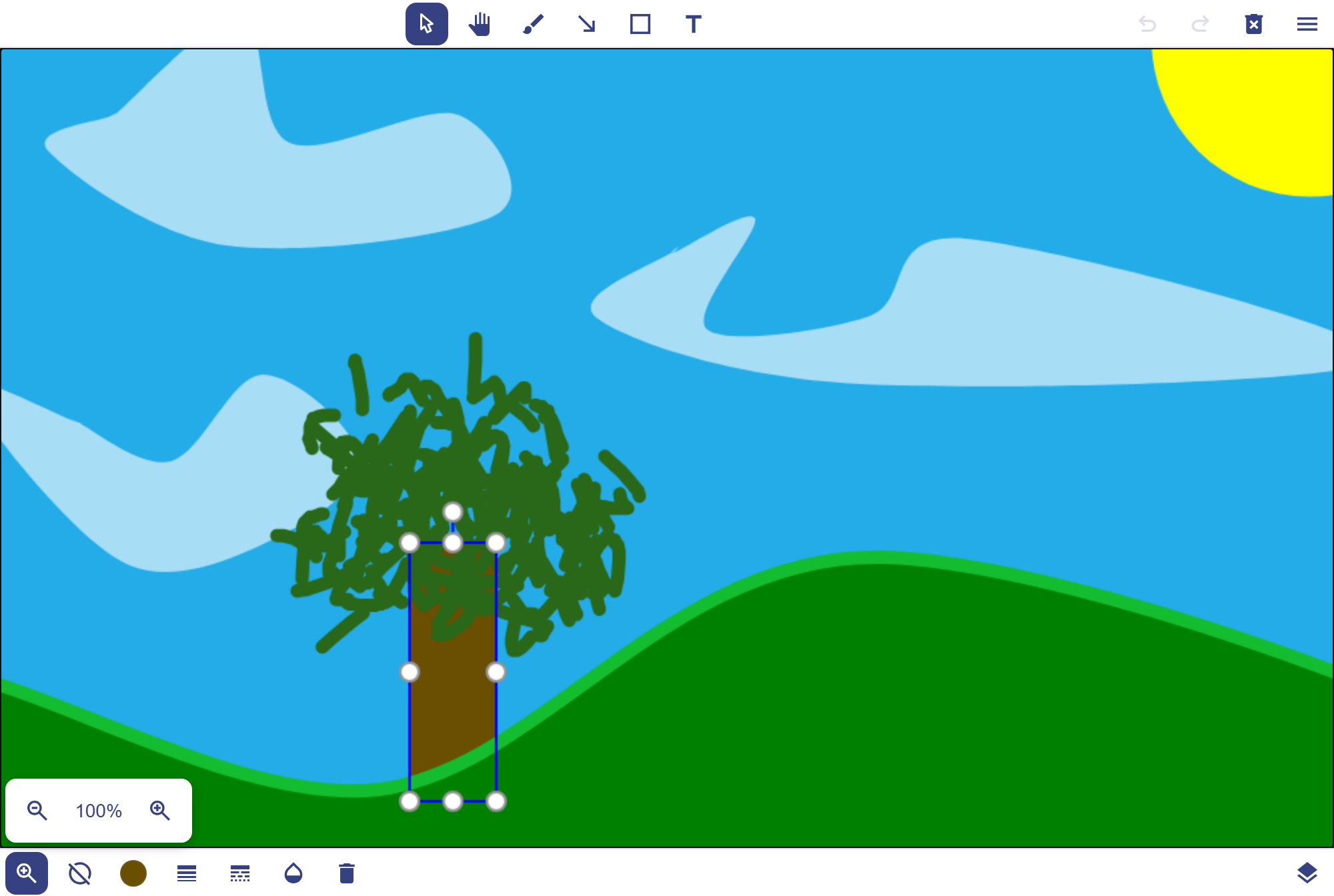
An open-source canvas-based library for React used for image annotation or as a digital whiteboard.
|
|
4
11
|
|
|
12
|
+
|
|
13
|
+
|
|
14
|
+
**[Live demo and documentation](https://yorab.github.io/react-paint-editor/)**
|
|
15
|
+
|
|
5
16
|
## Features
|
|
6
17
|
|
|
7
18
|
- **Rich Drawing Tools** - Brush, shapes (rectangles, circles, ellipses, polygons, curves), lines, text, and picture support
|
|
8
|
-
- **Interactive Canvas** - Full support for zoom, pan, pinch gestures, and infinite or fixed-size canvases
|
|
19
|
+
- **Interactive Canvas** - Full support for zoom, pan, pinch gestures, and infinite or fixed-size canvases, scaled to their container or filling it
|
|
9
20
|
- **Shape Manipulation** - Select, move, resize, rotate, and transform shapes with intuitive controls
|
|
10
21
|
- **Customizable Styling** - Control colors, line widths, opacity, line styles, arrows, and fonts
|
|
11
22
|
- **Layer Management** - Built-in layer manipulation panel for organizing your drawings
|
|
@@ -22,16 +33,38 @@ An open-source canvas-based library for React used for image annotation or as a
|
|
|
22
33
|
npm install @yorab/react-paint
|
|
23
34
|
```
|
|
24
35
|
|
|
25
|
-
**Note:** React Paint requires `react` and `react-dom` (version 18
|
|
36
|
+
**Note:** React Paint requires `react` and `react-dom` (version 18 or 19) as peer dependencies.
|
|
26
37
|
|
|
27
38
|
### Import Styles
|
|
28
39
|
|
|
29
|
-
|
|
40
|
+
When you use the `Editor`, don't forget to import the CSS file in your application:
|
|
30
41
|
|
|
31
42
|
```tsx
|
|
32
43
|
import '@yorab/react-paint/react-paint.css'
|
|
33
44
|
```
|
|
34
45
|
|
|
46
|
+
The `Canvas` needs no stylesheet: its styles are inline, see [Customizing the canvas styles](#customizing-the-canvas-styles).
|
|
47
|
+
|
|
48
|
+
## Modules
|
|
49
|
+
|
|
50
|
+
The library is made of two independent modules:
|
|
51
|
+
|
|
52
|
+
- **canvas**: the `Canvas` component and the `useReactPaint` hook, which holds the whole state and logic.
|
|
53
|
+
- **editor**: the `Editor` component (toolbar, settings bar, layers panel, context menu).
|
|
54
|
+
|
|
55
|
+
They only communicate through the handle returned by `useReactPaint`, given to `Canvas` and `Editor`, or to your own editor.
|
|
56
|
+
|
|
57
|
+
When you don't use `Editor`, it is removed from your bundle, even when importing from the package root. You can also import each module separately, only the editor has a stylesheet:
|
|
58
|
+
|
|
59
|
+
```tsx
|
|
60
|
+
import { Canvas, useReactPaint } from '@yorab/react-paint/canvas'
|
|
61
|
+
|
|
62
|
+
import { Editor } from '@yorab/react-paint/editor'
|
|
63
|
+
import '@yorab/react-paint/editor/editor.css'
|
|
64
|
+
```
|
|
65
|
+
|
|
66
|
+
Tree-shaking applies to the ES modules build. The CommonJS (UMD) build, used with `require`, contains both modules.
|
|
67
|
+
|
|
35
68
|
## Usage
|
|
36
69
|
|
|
37
70
|
### Basic Usage
|
|
@@ -41,21 +74,23 @@ import { Canvas, Editor, useReactPaint } from '@yorab/react-paint'
|
|
|
41
74
|
import '@yorab/react-paint/react-paint.css'
|
|
42
75
|
|
|
43
76
|
function MyPaintApp() {
|
|
44
|
-
const
|
|
77
|
+
const paint = useReactPaint()
|
|
45
78
|
|
|
46
79
|
return (
|
|
47
|
-
<Editor
|
|
48
|
-
<Canvas
|
|
80
|
+
<Editor paint={paint}>
|
|
81
|
+
<Canvas paint={paint} />
|
|
49
82
|
</Editor>
|
|
50
83
|
)
|
|
51
84
|
}
|
|
52
85
|
```
|
|
53
86
|
|
|
87
|
+
`paint` keeps the same identity for the whole life of the component, and the component calling `useReactPaint` does not render again when the drawing changes.
|
|
88
|
+
|
|
54
89
|
### Advanced Usage
|
|
55
90
|
|
|
56
91
|
```tsx
|
|
57
92
|
import { useEffect, useState } from 'react'
|
|
58
|
-
import { Canvas, Editor, useReactPaint, type DrawableShape
|
|
93
|
+
import { Canvas, Editor, useReactPaint, type DrawableShape } from '@yorab/react-paint'
|
|
59
94
|
import '@yorab/react-paint/react-paint.css'
|
|
60
95
|
|
|
61
96
|
const SHAPES_INIT: DrawableShape[] = [
|
|
@@ -82,13 +117,12 @@ const SHAPES_INIT: DrawableShape[] = [
|
|
|
82
117
|
function AdvancedPaintApp() {
|
|
83
118
|
const [shapes, setShapes] = useState<DrawableShape[] | undefined>(SHAPES_INIT)
|
|
84
119
|
|
|
85
|
-
const
|
|
120
|
+
const paint = useReactPaint({
|
|
86
121
|
width: 1920,
|
|
87
122
|
height: 1080,
|
|
88
123
|
shapes,
|
|
89
124
|
options: {
|
|
90
|
-
|
|
91
|
-
canShrink: true,
|
|
125
|
+
resize: 'scale',
|
|
92
126
|
brushAlgo: 'quadratic',
|
|
93
127
|
clearCallback: 'defaultShapes'
|
|
94
128
|
}
|
|
@@ -103,25 +137,216 @@ function AdvancedPaintApp() {
|
|
|
103
137
|
canvasBackgroundColor: '#ffffff'
|
|
104
138
|
}
|
|
105
139
|
|
|
106
|
-
|
|
107
|
-
|
|
108
|
-
setShapes(data.shapes)
|
|
109
|
-
}
|
|
110
|
-
registerEvent('dataChanged', onDataChanged)
|
|
111
|
-
|
|
112
|
-
return () => {
|
|
113
|
-
unregisterEvent('dataChanged', onDataChanged)
|
|
114
|
-
}
|
|
115
|
-
}, [registerEvent, unregisterEvent])
|
|
140
|
+
// registerEvent returns the function that unregisters the listener
|
|
141
|
+
useEffect(() => paint.registerEvent('dataChanged', data => setShapes(data.shapes)), [paint])
|
|
116
142
|
|
|
117
143
|
return (
|
|
118
|
-
<Editor
|
|
119
|
-
<Canvas
|
|
144
|
+
<Editor paint={paint} options={editorOptions}>
|
|
145
|
+
<Canvas paint={paint} options={canvasOptions} />
|
|
146
|
+
</Editor>
|
|
147
|
+
)
|
|
148
|
+
}
|
|
149
|
+
```
|
|
150
|
+
|
|
151
|
+
Options are compared by value: they can be written inline.
|
|
152
|
+
|
|
153
|
+
### Size of the canvas
|
|
154
|
+
|
|
155
|
+
The `resize` option sets how the canvas follows its container. The first four values keep its logical size, `width`×`height`, and show the whole drawing, its width following the container within their bounds:
|
|
156
|
+
|
|
157
|
+
| `resize` | Width of the canvas on the page |
|
|
158
|
+
| --- | --- |
|
|
159
|
+
| `'scaleDown'` (default) | the width of the container, at most `width` pixels |
|
|
160
|
+
| `'scale'` | the width of the container |
|
|
161
|
+
| `'scaleUp'` | the width of the container, at least `width` pixels |
|
|
162
|
+
| `'none'` | always `width` pixels |
|
|
163
|
+
|
|
164
|
+
With `resize: 'extend'`, the canvas fills its container at the scale 1 and its visible area follows the container, redrawn in the same frame: a whiteboard needs no ResizeObserver. The container must have a height. `width` and `height` stay the size of the drawing:
|
|
165
|
+
|
|
166
|
+
- with `size: 'infinite'`, they are the area exported by the `defaultView` of `exportPicture` and the size given in the exported data. The top left corner of the view stays still when the container is resized.
|
|
167
|
+
- with `size: 'fixed'`, they are the page: it is centered with a mask around it when the container is larger, and the view is kept inside it otherwise.
|
|
168
|
+
|
|
169
|
+
```tsx
|
|
170
|
+
const paint = useReactPaint({ options: { size: 'infinite', resize: 'extend', canZoom: 'always' } })
|
|
171
|
+
|
|
172
|
+
return (
|
|
173
|
+
<div style={{ height: '100vh' }}>
|
|
174
|
+
<Editor paint={paint}>
|
|
175
|
+
<Canvas paint={paint} />
|
|
120
176
|
</Editor>
|
|
177
|
+
</div>
|
|
178
|
+
)
|
|
179
|
+
```
|
|
180
|
+
|
|
181
|
+
`--react-paint-app-canvaswidth` and `--react-paint-app-row-aspectratio` have no effect with `extend`. A page larger than its container is scrolled with the wheel when `canZoom` is `'always'`, and in edit mode by dragging with the space key or the wheel button pressed.
|
|
182
|
+
|
|
183
|
+
### Reading the state
|
|
184
|
+
|
|
185
|
+
`usePaintState(paint, selector?, isEqual?)` reads the state during a render, and renders the component again only when the selected value changes. Without selector, it returns the whole `EditorState`. In an event handler, read it with `paint.getState()`.
|
|
186
|
+
|
|
187
|
+
```tsx
|
|
188
|
+
import { shallowEqual, usePaintState } from '@yorab/react-paint'
|
|
189
|
+
|
|
190
|
+
const canUndo = usePaintState(paint, state => state.history.canUndo)
|
|
191
|
+
const zoom = usePaintState(paint, state => state.view.zoom)
|
|
192
|
+
// a selector building an object or an array needs an equality function
|
|
193
|
+
const { shapes, selectedShapes } = usePaintState(paint, state => ({ shapes: state.shapes, selectedShapes: state.selectedShapes }), shallowEqual)
|
|
194
|
+
```
|
|
195
|
+
|
|
196
|
+
The handle also gives `actions` (the commands), `registerEvent` / `unregisterEvent`, `batch`, `getShape`, `getBounds`, `getShapesAt`, `toCanvasPosition` / `toClientPosition`, `resetCanvas`, `getCurrentImage` and `getCurrentData`. See [Driving the canvas from the code](#driving-the-canvas-from-the-code).
|
|
197
|
+
|
|
198
|
+
Besides the drawing, the state gives the options in effect (`state.options`), whether dropped images are added (`state.withDropPicture`) and the part of the drawing displayed (`state.view.visibleArea`). The zoom stays between the first and the last of the `ZOOM_LEVELS`, the levels of `actions.setZoom`.
|
|
199
|
+
|
|
200
|
+
### Custom Editor
|
|
201
|
+
|
|
202
|
+
The handle is a public contract: `usePaintState` gives everything an editor needs to render (shapes, selection, active tool, history, zoom, hovered shape, context menu...) and `actions` holds the commands to act on the canvas. Set `paint.scopeRef` on the root element of your editor: it defines the area where keyboard shortcuts are active, which is only the canvas otherwise. The pointer always works over the canvas.
|
|
203
|
+
|
|
204
|
+
Under a `PaintProvider`, any component can get the handle with `usePaint`: each part of the editor reads only what it shows.
|
|
205
|
+
|
|
206
|
+
```tsx
|
|
207
|
+
import { Canvas, PaintProvider, type ReactPaint, shallowEqual, usePaint, usePaintState, useReactPaint } from '@yorab/react-paint/canvas'
|
|
208
|
+
|
|
209
|
+
const MyToolbar = () => {
|
|
210
|
+
const paint = usePaint()
|
|
211
|
+
const { activeTool, tools, canUndo } = usePaintState(
|
|
212
|
+
paint,
|
|
213
|
+
state => ({ activeTool: state.activeTool, tools: state.tools, canUndo: state.history.canUndo }),
|
|
214
|
+
shallowEqual
|
|
121
215
|
)
|
|
216
|
+
const selectedIds = usePaintState(paint, state => state.selectedShapeIds)
|
|
217
|
+
|
|
218
|
+
return (
|
|
219
|
+
<div>
|
|
220
|
+
{tools.map(tool => (
|
|
221
|
+
<button key={tool.id} aria-pressed={activeTool.id === tool.id} onClick={() => paint.actions.selectTool(tool.id)}>
|
|
222
|
+
{tool.label ?? tool.type}
|
|
223
|
+
</button>
|
|
224
|
+
))}
|
|
225
|
+
<button disabled={!canUndo} onClick={paint.actions.undo}>Undo</button>
|
|
226
|
+
<button disabled={!selectedIds.length} onClick={() => paint.actions.updateShapesStyle(selectedIds, 'strokeColor', 'red')}>Red</button>
|
|
227
|
+
</div>
|
|
228
|
+
)
|
|
229
|
+
}
|
|
230
|
+
|
|
231
|
+
const MyEditor = ({ paint, children }: { paint: ReactPaint; children: React.ReactNode }) => (
|
|
232
|
+
<PaintProvider paint={paint}>
|
|
233
|
+
<div ref={paint.scopeRef}>
|
|
234
|
+
<MyToolbar />
|
|
235
|
+
{children}
|
|
236
|
+
</div>
|
|
237
|
+
</PaintProvider>
|
|
238
|
+
)
|
|
239
|
+
|
|
240
|
+
function MyPaintApp() {
|
|
241
|
+
const paint = useReactPaint()
|
|
242
|
+
|
|
243
|
+
return (
|
|
244
|
+
<MyEditor paint={paint}>
|
|
245
|
+
<Canvas paint={paint} />
|
|
246
|
+
</MyEditor>
|
|
247
|
+
)
|
|
248
|
+
}
|
|
249
|
+
```
|
|
250
|
+
|
|
251
|
+
The canvas can be used alone, with `<Canvas paint={paint} />`: the pointer works as soon as it is over it, and keyboard shortcuts while the focus is inside it. The `Editor` component provides the handle to its children too, and a `PaintProvider` lets you place parts of your interface, like a toolbar, outside of the editor.
|
|
252
|
+
|
|
253
|
+
### Driving the canvas from the code
|
|
254
|
+
|
|
255
|
+
Everything the editor and the canvas gestures do can be done from the code, without the `Editor` and even without a mounted `Canvas`. Shapes are designated by their ids, which are kept in the exported data and when the data are loaded again.
|
|
256
|
+
|
|
257
|
+
```tsx
|
|
258
|
+
const paint = useReactPaint()
|
|
259
|
+
|
|
260
|
+
// a single step of the history, and a single dataChanged event, for the whole batch
|
|
261
|
+
const [rectId, textId] = paint.batch(() =>
|
|
262
|
+
paint.actions.addShapes([
|
|
263
|
+
{ type: 'rect', x: 60, y: 60, width: 160, height: 100, style: { fillColor: 'yellow' }, data: { comment: 'to check' } },
|
|
264
|
+
// the size of a text is computed from its font size
|
|
265
|
+
{ type: 'text', x: 280, y: 80, value: ['Created', 'from code'], fontSize: 28 }
|
|
266
|
+
])
|
|
267
|
+
)
|
|
268
|
+
|
|
269
|
+
paint.actions.updateShapes([{ id: rectId, x: 20, width: 200, style: { strokeColor: 'red' } }])
|
|
270
|
+
paint.actions.rotateShapes([rectId, textId], Math.PI / 12)
|
|
271
|
+
paint.actions.resizeShapes([textId], { x: 300, y: 300, width: 200, height: 80 })
|
|
272
|
+
|
|
273
|
+
paint.registerEvent('shapeClicked', (shape, { canvasPosition }) => console.log(shape.id, shape.data, canvasPosition))
|
|
274
|
+
|
|
275
|
+
// a popover placed at the top right corner of a shape, with position: fixed
|
|
276
|
+
const box = paint.getBounds([rectId])
|
|
277
|
+
const popoverPosition = box && paint.toClientPosition([box.x + box.width, box.y])
|
|
278
|
+
```
|
|
279
|
+
|
|
280
|
+
| Operation | API |
|
|
281
|
+
| --- | --- |
|
|
282
|
+
| Create, update, remove shapes | `actions.addShapes(shapes, { select, index })`, `actions.updateShapes(patches)`, `actions.removeShapes(ids)` |
|
|
283
|
+
| Move, turn, resize, flip | `actions.translateShapes(ids, [dx, dy])`, `actions.rotateShapes(ids, angle, { center })`, `actions.resizeShapes(ids, box)`, `actions.transformShapes(ids, action)` |
|
|
284
|
+
| Style of shapes, default style of tools | `actions.setShapesStyle(ids, style, { updateTool })`, `actions.setToolStyle(toolId, style)` |
|
|
285
|
+
| Order | `actions.moveShapes(ids, 'first' \| 'last' \| 'forward' \| 'backward')`, `actions.setShapeIndex(id, index)`, `actions.reorderShapes(ids)` |
|
|
286
|
+
| Points of lines, polygons and curves | `actions.insertShapePoint`, `actions.moveShapePoint`, `actions.removeShapePoint` |
|
|
287
|
+
| Visibility, lock | `actions.setShapesVisibility(ids, visible)`, `actions.setShapesLocked(ids, locked)` |
|
|
288
|
+
| Selection | `actions.selectShapes(ids, { mode: 'replace' \| 'add' \| 'remove' })`, `actions.selectAllShapes()`, `actions.clearSelection()` |
|
|
289
|
+
| Text edition, context menu | `actions.editText(id)`, `actions.openContextMenu({ clientPosition, ids })`, `actions.closeContextMenu()` |
|
|
290
|
+
| Duplicate, copy, cut, paste | `actions.duplicateShapes`, `actions.copy`, `actions.cut`, `actions.paste` |
|
|
291
|
+
| History | `actions.undo()`, `actions.redo()`, `paint.batch(fn)` |
|
|
292
|
+
| View and grid | `actions.zoomTo(level, { center })`, `actions.zoomToShapes(ids, { padding })`, `actions.setZoom`, `actions.resetZoom`, `actions.panBy([dx, dy])`, `actions.setOffset`, `actions.setGridGap(GRID_PRESETS.medium)` |
|
|
293
|
+
| Options and settings | `actions.setOptions(options)`, `actions.resetOptions()`, `actions.resetSettings()` |
|
|
294
|
+
| Data and images | `actions.loadData(data)`, `actions.loadFile(file)`, `paint.getCurrentData()`, `paint.getCurrentImage({ view, format, quality, backgroundColor, backgroundImage })`, `actions.exportPicture`, `actions.exportData` |
|
|
295
|
+
| Read the shapes | `paint.getShape(id)`, `paint.getBounds(ids)`, `paint.getShapesAt(point)`, `usePaintState(paint, state => state.shapes)` |
|
|
296
|
+
| Positions on the screen | `paint.toClientPosition(point)`, `paint.toCanvasPosition({ x, y })`, `state.view.visibleArea` |
|
|
297
|
+
|
|
298
|
+
- The actions changing shapes add a step to the history. Give `{ save: false }` for continuous changes, then call `actions.saveShapes()`, and `{ source: 'remote' }` to apply changes received from elsewhere: `dataChanged` gives this source.
|
|
299
|
+
- `addShapes` and `updateShapes` check their input and throw an error, without changing anything, when a shape is invalid. The style of a new shape is completed with the default style of its tool.
|
|
300
|
+
- The `data` field of a shape holds data of your application. It is not drawn, and is kept in the history, the copies and the exported data.
|
|
301
|
+
- The exported data (`getCurrentData`, `dataChanged`, `exportData`) round the positions and the sizes to 3 decimals, and the angles and the factors (`rotation`, `scaleX`, `scaleY`, `ratio`) to 6, which changes nothing visible. The shapes keep their full precision while drawing, and `data` and `style` are exported as they are.
|
|
302
|
+
- Coordinates are in the units of the drawing, angles are in radians, clockwise. The actions work in every mode: `viewer` and `disabled` only restrict the user.
|
|
303
|
+
- `shapeClicked` and `shapeHovered` are also emitted in viewer mode, to make the shapes clickable. `canvasClicked` and `canvasDoubleClicked` are emitted for any click on the drawing, with the shape under the pointer or `undefined`, for instance to add a pin to an empty area.
|
|
304
|
+
- `addShapes` returns before the pictures are loaded: `pictureLoaded` tells when one is drawn. `pictureLoadFailed` tells that the image of a picture cannot be loaded: a picture of loaded data is then left out.
|
|
305
|
+
- `dataChanged(data, source, changes)` gives the shapes added, updated (with their previous version) and removed since the previous state, to send only what changed: `changes.added`, `changes.updated`, `changes.removed`, and `changes.reordered`. An undo gives the reverse changes.
|
|
306
|
+
- `setOptions` overrides options of `useReactPaint` until `resetOptions`. `resetSettings` restores what was changed while editing: the default styles of the tools, the grid, the zoom and the active tool.
|
|
307
|
+
|
|
308
|
+
### Picture annotation
|
|
309
|
+
|
|
310
|
+
To lay a picture under the canvas, give it the style returned by `useAnnotationsStyle(paint)`: it follows the zoom and the moves of the view. With `resize: 'extend'`, give the picture the size of the drawing in pixels, `width`×`height`, instead of the size of the canvas. To export the picture with the shapes, give the image element as `backgroundImage` to `paint.getCurrentImage` or `paint.actions.exportPicture`.
|
|
311
|
+
|
|
312
|
+
### Customizing the canvas styles
|
|
313
|
+
|
|
314
|
+
The styles of the canvas are inline. Some of its properties read a CSS variable: set it on any parent element (your wrapper, the editor, or the `style` prop of `Canvas`) to override the value computed by the canvas, without `!important`.
|
|
315
|
+
|
|
316
|
+
```css
|
|
317
|
+
.my-wrapper {
|
|
318
|
+
--react-paint-app-canvas-bg: #fafafa;
|
|
122
319
|
}
|
|
123
320
|
```
|
|
124
321
|
|
|
322
|
+
| Variable | Element | Property |
|
|
323
|
+
| --- | --- | --- |
|
|
324
|
+
| `--react-paint-app-canvas-bg` | drawing area | `background-color`, instead of the `canvasBackgroundColor` option |
|
|
325
|
+
| `--react-paint-canvas-cursor` | drawing area | `cursor`: replaces every cursor of the gestures |
|
|
326
|
+
| `--react-paint-app-canvaswidth` | root | `max-width` with `resize` `'scaleDown'` and `'none'`, `min-width` with `'scaleUp'` and `'none'`, as a unitless number of pixels. Set on the editor or one of its parents, it bounds the editor too |
|
|
327
|
+
| `--react-paint-app-row-aspectratio` | root | `aspect-ratio`. Not with `resize: 'extend'` |
|
|
328
|
+
| `--react-paint-canvas-edittextbox-color`, `-opacity`, `-fontfamily` | text edition box | `color`, `opacity`, `font-family` |
|
|
329
|
+
| `--react-paint-canvas-edittextbox-transform`, `-fontsize`, `-padding` | text edition box | `transform`, `font-size`, `padding`: they follow the edited text, overriding them moves the box away from it |
|
|
330
|
+
|
|
331
|
+
The other properties of the canvas elements are not set inline, or keep the canvas working (stacked canvases, touch): style the root with the `className` and `style` props of `Canvas`.
|
|
332
|
+
|
|
333
|
+
### Performance
|
|
334
|
+
|
|
335
|
+
- Select precise slices of the state: a component reading `state.history.canUndo` does not render while a shape is dragged, one reading `state.shapes` does.
|
|
336
|
+
- When a selector builds an object or an array, give `shallowEqual` (or your own equality function) as third argument, otherwise the component renders on each change of the state.
|
|
337
|
+
- Read `state.interaction` (gesture running, hovered shape and part of the selection, selection frame, modifier keys) only when you need it: it changes on each move of the pointer.
|
|
338
|
+
- In event handlers, read the state with `paint.getState()` instead of subscribing to it.
|
|
339
|
+
|
|
340
|
+
### Upgrading from 0.x
|
|
341
|
+
|
|
342
|
+
Version 1 replaces `editorProps` and `canvasProps` with a single handle and moves some options. See the [migration guide](https://github.com/YoRab/react-paint-editor/blob/main/MIGRATION.md).
|
|
343
|
+
|
|
344
|
+
## Compatibility
|
|
345
|
+
|
|
346
|
+
- **React**: 18 or 19, the only (peer) dependencies.
|
|
347
|
+
- **Browsers**: Chrome and Edge 98+, Firefox 94+, Safari 15.4+, with a mouse, a pen or touch (pinch to zoom). The automated tests run in Chromium.
|
|
348
|
+
- **Server-side rendering**: the components can be rendered on the server, the canvas draws once hydrated. The package has no `'use client'` directive: with the Next.js App Router, import it from a `'use client'` file.
|
|
349
|
+
|
|
125
350
|
## Documentation
|
|
126
351
|
|
|
127
352
|
For complete documentation, API reference, examples, and interactive demos, visit our **Storybook**:
|
|
@@ -135,10 +360,33 @@ The Storybook includes:
|
|
|
135
360
|
- Usage examples
|
|
136
361
|
- Configuration options
|
|
137
362
|
|
|
363
|
+
Looking for the documentation of version 0.x? It lives on the [`v0-stable` branch](https://github.com/YoRab/react-paint-editor/tree/v0-stable). To move to version 1, see the [migration guide](https://github.com/YoRab/react-paint-editor/blob/main/MIGRATION.md).
|
|
364
|
+
|
|
365
|
+
## Security
|
|
366
|
+
|
|
367
|
+
A drawing loaded from a source you do not control is untrusted, filter its pictures with the `resolvePictureSrc` option. The `icon` of a tool is rendered as HTML and must be trusted. See the [security model](https://github.com/YoRab/react-paint-editor/blob/main/SECURITY.md#security-model), and the [security policy](https://github.com/YoRab/react-paint-editor/blob/main/SECURITY.md#reporting-a-vulnerability) to report a vulnerability.
|
|
368
|
+
|
|
138
369
|
## Resources
|
|
139
370
|
|
|
140
371
|
- [Changelog](https://github.com/YoRab/react-paint-editor/blob/main/Changelog.md)
|
|
141
372
|
- [License](https://github.com/YoRab/react-paint-editor/blob/main/LICENSE.txt) (MIT)
|
|
142
373
|
- [GitHub Repository](https://github.com/YoRab/react-paint-editor)
|
|
374
|
+
- Questions and ideas: [GitHub Discussions](https://github.com/YoRab/react-paint-editor/discussions)
|
|
375
|
+
- Bug reports: [Issues](https://github.com/YoRab/react-paint-editor/issues)
|
|
143
376
|
|
|
144
377
|
## Contributing
|
|
378
|
+
|
|
379
|
+
Issues and pull requests are welcome. For a large change, open a discussion or an issue first.
|
|
380
|
+
|
|
381
|
+
The project uses Node 24 and pnpm (the version is set by the `packageManager` field, enable it with `corepack enable`). Pull requests target the `main` branch.
|
|
382
|
+
|
|
383
|
+
```bash
|
|
384
|
+
pnpm install
|
|
385
|
+
pnpm start # Storybook on http://localhost:6006
|
|
386
|
+
pnpm test # unit tests
|
|
387
|
+
npx playwright install chromium # once, before the UI tests
|
|
388
|
+
pnpm test-storybook # interaction and accessibility tests, in Chromium
|
|
389
|
+
pnpm lint # Biome, fixes what it can
|
|
390
|
+
```
|
|
391
|
+
|
|
392
|
+
Every pull request runs the [Build and Test workflow](https://github.com/YoRab/react-paint-editor/blob/main/.github/workflows/build-and-test.yaml).
|