@xbibzlibrary/telebibz 0.4.4 → 3.0.1
This diff represents the content of publicly available package versions that have been released to one of the supported registries. The information contained in this diff is provided for informational purposes only and reflects changes between package versions as they appear in their respective public registries.
- package/CHANGELOG.md +35 -138
- package/LICENSE +1 -1
- package/NOTICE.md +9 -4
- package/README.md +173 -242
- package/examples/01-quickstart.js +13 -0
- package/examples/02-menu-tombol.js +22 -0
- package/examples/03-wizard.js +29 -0
- package/examples/04-broadcast.js +25 -0
- package/examples/05-kirim-file.js +19 -0
- package/examples/06-menu.js +35 -0
- package/examples/07-inline-query.js +18 -0
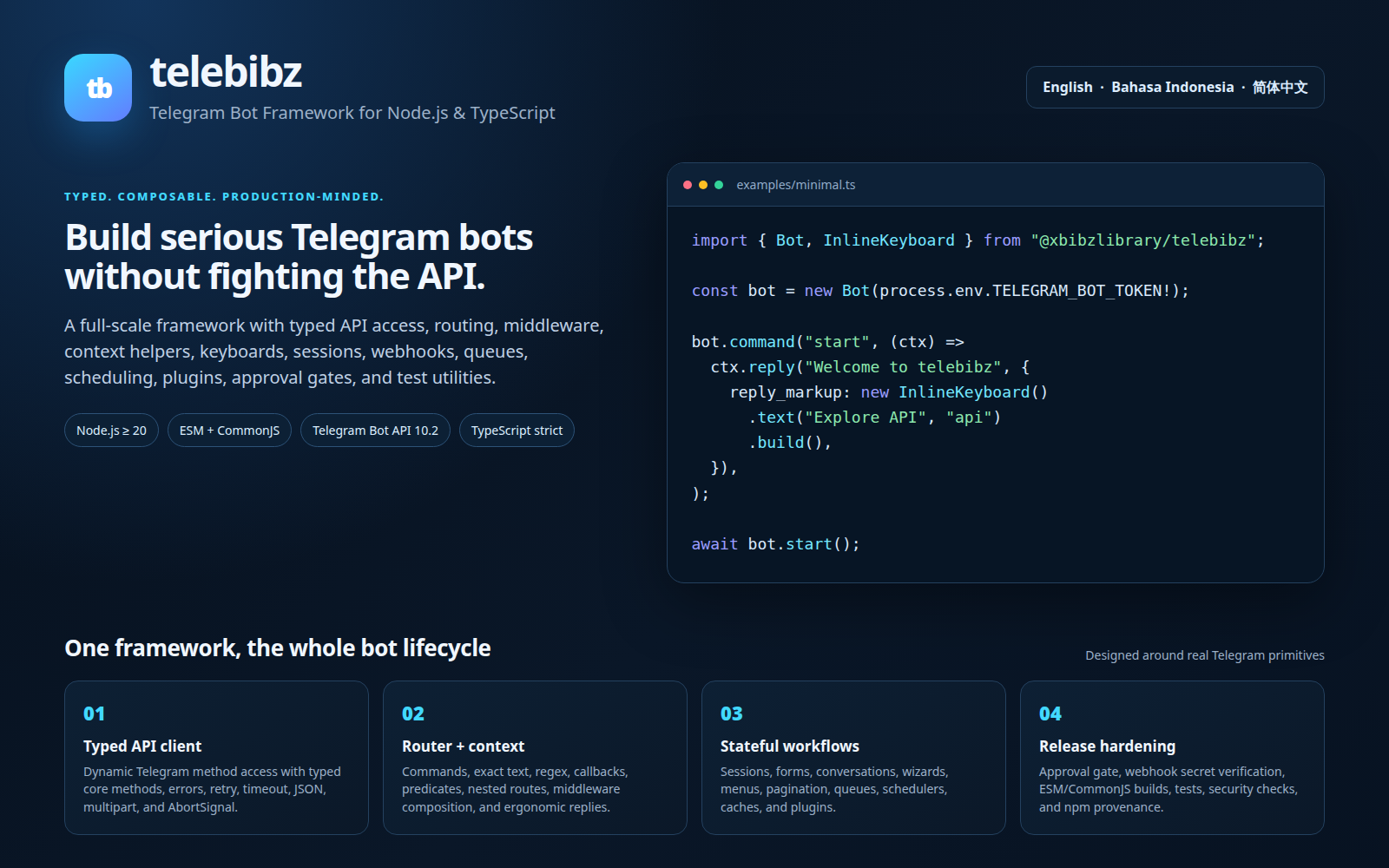
- package/index.d.ts +81 -0
- package/index.js +42 -0
- package/lib/api.js +154 -0
- package/lib/broadcast.js +35 -0
- package/lib/composer.js +174 -0
- package/lib/context.js +190 -0
- package/lib/errors.js +35 -0
- package/lib/file.js +41 -0
- package/lib/inline-query.js +28 -0
- package/lib/keyboard.js +83 -0
- package/lib/logger.js +38 -0
- package/lib/menus.js +90 -0
- package/lib/net.js +115 -0
- package/lib/ratelimit.js +61 -0
- package/lib/runner.js +45 -0
- package/lib/session.js +36 -0
- package/lib/telebibz.js +190 -0
- package/lib/wizard.js +81 -0
- package/package.json +35 -97
- package/test/all.test.js +334 -0
- package/CODE_OF_CONDUCT.md +0 -37
- package/CONTRIBUTING.md +0 -59
- package/CONTRIBUTION_RULES.md +0 -41
- package/GOVERNANCE.md +0 -47
- package/README.id.md +0 -292
- package/README.zh-CN.md +0 -292
- package/RELEASE_AUTOMATION.md +0 -78
- package/RELEASE_POLICY.md +0 -32
- package/SECURITY.md +0 -47
- package/SHOWCASE.md +0 -29
- package/SUPPORT.md +0 -30
- package/assets/readme-preview.html +0 -75
- package/assets/telebibz-logo.png +0 -0
- package/assets/telebibz-readme-preview.png +0 -0
- package/bin/telebibz.mjs +0 -3
- package/dist/generated/api.d.ts +0 -13
- package/dist/generated/api.d.ts.map +0 -1
- package/dist/generated/api.js +0 -192
- package/dist/generated/api.js.map +0 -1
- package/dist/src/api/client.d.ts +0 -62
- package/dist/src/api/client.d.ts.map +0 -1
- package/dist/src/api/client.js +0 -104
- package/dist/src/api/client.js.map +0 -1
- package/dist/src/api/errors.d.ts +0 -45
- package/dist/src/api/errors.d.ts.map +0 -1
- package/dist/src/api/errors.js +0 -65
- package/dist/src/api/errors.js.map +0 -1
- package/dist/src/api/index.d.ts +0 -6
- package/dist/src/api/index.d.ts.map +0 -1
- package/dist/src/api/index.js +0 -6
- package/dist/src/api/index.js.map +0 -1
- package/dist/src/api/telegram-types/LICENSE +0 -21
- package/dist/src/api/telegram-types/api.d.ts +0 -22
- package/dist/src/api/telegram-types/checklist.d.ts +0 -72
- package/dist/src/api/telegram-types/inline.d.ts +0 -692
- package/dist/src/api/telegram-types/langs.d.ts +0 -193
- package/dist/src/api/telegram-types/manage.d.ts +0 -1144
- package/dist/src/api/telegram-types/markup.d.ts +0 -268
- package/dist/src/api/telegram-types/message.d.ts +0 -1537
- package/dist/src/api/telegram-types/methods.d.ts +0 -2870
- package/dist/src/api/telegram-types/mod.d.ts +0 -14
- package/dist/src/api/telegram-types/passport.d.ts +0 -163
- package/dist/src/api/telegram-types/payment.d.ts +0 -570
- package/dist/src/api/telegram-types/rich.d.ts +0 -1010
- package/dist/src/api/telegram-types/settings.d.ts +0 -120
- package/dist/src/api/telegram-types/story.d.ts +0 -89
- package/dist/src/api/telegram-types/update.d.ts +0 -84
- package/dist/src/api/telegram.d.ts +0 -7
- package/dist/src/api/telegram.d.ts.map +0 -1
- package/dist/src/api/telegram.js +0 -2
- package/dist/src/api/telegram.js.map +0 -1
- package/dist/src/api/transport.d.ts +0 -68
- package/dist/src/api/transport.d.ts.map +0 -1
- package/dist/src/api/transport.js +0 -264
- package/dist/src/api/transport.js.map +0 -1
- package/dist/src/api/types.d.ts +0 -466
- package/dist/src/api/types.d.ts.map +0 -1
- package/dist/src/api/types.js +0 -2
- package/dist/src/api/types.js.map +0 -1
- package/dist/src/branding/terminal.d.ts +0 -77
- package/dist/src/branding/terminal.d.ts.map +0 -1
- package/dist/src/branding/terminal.js +0 -328
- package/dist/src/branding/terminal.js.map +0 -1
- package/dist/src/broadcast/broadcast.d.ts +0 -50
- package/dist/src/broadcast/broadcast.d.ts.map +0 -1
- package/dist/src/broadcast/broadcast.js +0 -56
- package/dist/src/broadcast/broadcast.js.map +0 -1
- package/dist/src/cache/cache.d.ts +0 -34
- package/dist/src/cache/cache.d.ts.map +0 -1
- package/dist/src/cache/cache.js +0 -41
- package/dist/src/cache/cache.js.map +0 -1
- package/dist/src/cli.d.ts +0 -2
- package/dist/src/cli.d.ts.map +0 -1
- package/dist/src/cli.js +0 -84
- package/dist/src/cli.js.map +0 -1
- package/dist/src/context/context.d.ts +0 -124
- package/dist/src/context/context.d.ts.map +0 -1
- package/dist/src/context/context.js +0 -302
- package/dist/src/context/context.js.map +0 -1
- package/dist/src/core/bot.d.ts +0 -204
- package/dist/src/core/bot.d.ts.map +0 -1
- package/dist/src/core/bot.js +0 -506
- package/dist/src/core/bot.js.map +0 -1
- package/dist/src/core/events.d.ts +0 -75
- package/dist/src/core/events.d.ts.map +0 -1
- package/dist/src/core/events.js +0 -35
- package/dist/src/core/events.js.map +0 -1
- package/dist/src/core/webhook-reply.d.ts +0 -34
- package/dist/src/core/webhook-reply.d.ts.map +0 -1
- package/dist/src/core/webhook-reply.js +0 -37
- package/dist/src/core/webhook-reply.js.map +0 -1
- package/dist/src/index.d.ts +0 -24
- package/dist/src/index.d.ts.map +0 -1
- package/dist/src/index.js +0 -24
- package/dist/src/index.js.map +0 -1
- package/dist/src/keyboard/index.d.ts +0 -46
- package/dist/src/keyboard/index.d.ts.map +0 -1
- package/dist/src/keyboard/index.js +0 -55
- package/dist/src/keyboard/index.js.map +0 -1
- package/dist/src/middleware/compose.d.ts +0 -5
- package/dist/src/middleware/compose.d.ts.map +0 -1
- package/dist/src/middleware/compose.js +0 -17
- package/dist/src/middleware/compose.js.map +0 -1
- package/dist/src/observability/logger.d.ts +0 -78
- package/dist/src/observability/logger.d.ts.map +0 -1
- package/dist/src/observability/logger.js +0 -285
- package/dist/src/observability/logger.js.map +0 -1
- package/dist/src/plugins/plugin.d.ts +0 -38
- package/dist/src/plugins/plugin.d.ts.map +0 -1
- package/dist/src/plugins/plugin.js +0 -59
- package/dist/src/plugins/plugin.js.map +0 -1
- package/dist/src/queue/queue.d.ts +0 -77
- package/dist/src/queue/queue.d.ts.map +0 -1
- package/dist/src/queue/queue.js +0 -213
- package/dist/src/queue/queue.js.map +0 -1
- package/dist/src/router/router.d.ts +0 -61
- package/dist/src/router/router.d.ts.map +0 -1
- package/dist/src/router/router.js +0 -183
- package/dist/src/router/router.js.map +0 -1
- package/dist/src/state/conversation.d.ts +0 -56
- package/dist/src/state/conversation.d.ts.map +0 -1
- package/dist/src/state/conversation.js +0 -133
- package/dist/src/state/conversation.js.map +0 -1
- package/dist/src/state/forms.d.ts +0 -34
- package/dist/src/state/forms.d.ts.map +0 -1
- package/dist/src/state/forms.js +0 -44
- package/dist/src/state/forms.js.map +0 -1
- package/dist/src/state/menu.d.ts +0 -78
- package/dist/src/state/menu.d.ts.map +0 -1
- package/dist/src/state/menu.js +0 -127
- package/dist/src/state/menu.js.map +0 -1
- package/dist/src/storage/storage.d.ts +0 -146
- package/dist/src/storage/storage.d.ts.map +0 -1
- package/dist/src/storage/storage.js +0 -195
- package/dist/src/storage/storage.js.map +0 -1
- package/dist/src/telegram-features.d.ts +0 -33
- package/dist/src/telegram-features.d.ts.map +0 -1
- package/dist/src/telegram-features.js +0 -71
- package/dist/src/telegram-features.js.map +0 -1
- package/dist/src/testing.d.ts +0 -24
- package/dist/src/testing.d.ts.map +0 -1
- package/dist/src/testing.js +0 -38
- package/dist/src/testing.js.map +0 -1
- package/dist/src/utils/concurrency.d.ts +0 -25
- package/dist/src/utils/concurrency.d.ts.map +0 -1
- package/dist/src/utils/concurrency.js +0 -52
- package/dist/src/utils/concurrency.js.map +0 -1
- package/dist/src/utils/files.d.ts +0 -45
- package/dist/src/utils/files.d.ts.map +0 -1
- package/dist/src/utils/files.js +0 -53
- package/dist/src/utils/files.js.map +0 -1
- package/dist/src/utils/text.d.ts +0 -39
- package/dist/src/utils/text.d.ts.map +0 -1
- package/dist/src/utils/text.js +0 -56
- package/dist/src/utils/text.js.map +0 -1
- package/dist/src/webhook/handler.d.ts +0 -19
- package/dist/src/webhook/handler.d.ts.map +0 -1
- package/dist/src/webhook/handler.js +0 -141
- package/dist/src/webhook/handler.js.map +0 -1
- package/dist-cjs/generated/api.js +0 -194
- package/dist-cjs/package.json +0 -3
- package/dist-cjs/src/api/client.js +0 -107
- package/dist-cjs/src/api/errors.js +0 -74
- package/dist-cjs/src/api/index.js +0 -21
- package/dist-cjs/src/api/telegram-types/LICENSE +0 -21
- package/dist-cjs/src/api/telegram-types/api.d.ts +0 -22
- package/dist-cjs/src/api/telegram-types/checklist.d.ts +0 -72
- package/dist-cjs/src/api/telegram-types/inline.d.ts +0 -692
- package/dist-cjs/src/api/telegram-types/langs.d.ts +0 -193
- package/dist-cjs/src/api/telegram-types/manage.d.ts +0 -1144
- package/dist-cjs/src/api/telegram-types/markup.d.ts +0 -268
- package/dist-cjs/src/api/telegram-types/message.d.ts +0 -1537
- package/dist-cjs/src/api/telegram-types/methods.d.ts +0 -2870
- package/dist-cjs/src/api/telegram-types/mod.d.ts +0 -14
- package/dist-cjs/src/api/telegram-types/passport.d.ts +0 -163
- package/dist-cjs/src/api/telegram-types/payment.d.ts +0 -570
- package/dist-cjs/src/api/telegram-types/rich.d.ts +0 -1010
- package/dist-cjs/src/api/telegram-types/settings.d.ts +0 -120
- package/dist-cjs/src/api/telegram-types/story.d.ts +0 -89
- package/dist-cjs/src/api/telegram-types/update.d.ts +0 -84
- package/dist-cjs/src/api/telegram.js +0 -2
- package/dist-cjs/src/api/transport.js +0 -267
- package/dist-cjs/src/api/types.js +0 -2
- package/dist-cjs/src/branding/terminal.js +0 -338
- package/dist-cjs/src/broadcast/broadcast.js +0 -58
- package/dist-cjs/src/cache/cache.js +0 -45
- package/dist-cjs/src/cli.js +0 -86
- package/dist-cjs/src/context/context.js +0 -305
- package/dist-cjs/src/core/bot.js +0 -510
- package/dist-cjs/src/core/events.js +0 -38
- package/dist-cjs/src/core/webhook-reply.js +0 -42
- package/dist-cjs/src/index.js +0 -47
- package/dist-cjs/src/keyboard/index.js +0 -61
- package/dist-cjs/src/middleware/compose.js +0 -20
- package/dist-cjs/src/observability/logger.js +0 -293
- package/dist-cjs/src/plugins/plugin.js +0 -63
- package/dist-cjs/src/queue/queue.js +0 -219
- package/dist-cjs/src/router/router.js +0 -186
- package/dist-cjs/src/state/conversation.js +0 -139
- package/dist-cjs/src/state/forms.js +0 -47
- package/dist-cjs/src/state/menu.js +0 -133
- package/dist-cjs/src/storage/storage.js +0 -202
- package/dist-cjs/src/telegram-features.js +0 -76
- package/dist-cjs/src/testing.js +0 -45
- package/dist-cjs/src/utils/concurrency.js +0 -57
- package/dist-cjs/src/utils/files.js +0 -58
- package/dist-cjs/src/utils/text.js +0 -63
- package/dist-cjs/src/webhook/handler.js +0 -144
- package/docs/API.id.md +0 -1935
- package/docs/API.md +0 -1969
- package/docs/API.zh-CN.md +0 -1929
- package/docs/GETTING_STARTED.id.md +0 -85
- package/docs/GETTING_STARTED.md +0 -85
- package/docs/GETTING_STARTED.zh-CN.md +0 -85
- package/docs/GITHUB_PACKAGES.id.md +0 -82
- package/docs/GITHUB_PACKAGES.md +0 -82
- package/docs/GITHUB_PACKAGES.zh-CN.md +0 -82
- package/docs/README.md +0 -48
- package/docs/STORAGE.id.md +0 -105
- package/docs/STORAGE.md +0 -105
- package/docs/STORAGE.zh-CN.md +0 -105
- package/examples/README.md +0 -37
- package/examples/files.ts +0 -35
- package/examples/minimal.ts +0 -12
- package/examples/tsconfig.json +0 -9
- package/examples/webhook.ts +0 -42
- package/examples/wizard-registration.ts +0 -42
|
@@ -1,85 +0,0 @@
|
|
|
1
|
-
# Memulai dengan Telebibz
|
|
2
|
-
|
|
3
|
-
Panduan ini membawa developer baru dari instalasi hingga bot Telegram yang berjalan dalam beberapa menit.
|
|
4
|
-
|
|
5
|
-
## 1. Buat token bot
|
|
6
|
-
|
|
7
|
-
Buat bot melalui akun resmi pengelola bot Telegram dan simpan token di environment deployment. Jangan pernah commit token ke source control.
|
|
8
|
-
|
|
9
|
-
## 2. Instal Telebibz
|
|
10
|
-
|
|
11
|
-
```bash
|
|
12
|
-
mkdir my-telebibz-bot && cd my-telebibz-bot
|
|
13
|
-
npm init -y
|
|
14
|
-
npm install @xbibzlibrary/telebibz
|
|
15
|
-
npm install --save-dev tsx typescript
|
|
16
|
-
```
|
|
17
|
-
|
|
18
|
-
Atur secret melalui secret manager atau export variable pada shell:
|
|
19
|
-
|
|
20
|
-
```bash
|
|
21
|
-
export TELEGRAM_BOT_TOKEN="<token-bot-kamu>"
|
|
22
|
-
```
|
|
23
|
-
|
|
24
|
-
## 3. Tulis bot pertama
|
|
25
|
-
|
|
26
|
-
Buat `index.ts`:
|
|
27
|
-
|
|
28
|
-
```ts
|
|
29
|
-
import { Bot } from "@xbibzlibrary/telebibz";
|
|
30
|
-
|
|
31
|
-
const token = process.env.TELEGRAM_BOT_TOKEN;
|
|
32
|
-
if (!token) throw new Error("TELEGRAM_BOT_TOKEN wajib diisi.");
|
|
33
|
-
|
|
34
|
-
const bot = new Bot(token);
|
|
35
|
-
bot.command("start", async (ctx) => { await ctx.reply("Telebibz berhasil berjalan."); });
|
|
36
|
-
bot.onText("ping", async (ctx) => { await ctx.reply("pong"); });
|
|
37
|
-
|
|
38
|
-
await bot.start();
|
|
39
|
-
```
|
|
40
|
-
|
|
41
|
-
Jalankan:
|
|
42
|
-
|
|
43
|
-
```bash
|
|
44
|
-
npx tsx index.ts
|
|
45
|
-
```
|
|
46
|
-
|
|
47
|
-
Kirim `/start` atau `ping` ke bot. Terminal akan menampilkan branding Telebibz dan log terstruktur. Gunakan format logger `json` jika output akan dikonsumsi log collector.
|
|
48
|
-
|
|
49
|
-
## 4. Tambahkan wizard multi-langkah
|
|
50
|
-
|
|
51
|
-
Gunakan `Wizard` dan `bot.useWizard()` ketika jawaban harus melanjutkan step aktif. Mulai flow secara eksplisit dengan `wizard.run(ctx)`:
|
|
52
|
-
|
|
53
|
-
```ts
|
|
54
|
-
const wizard = new Wizard()
|
|
55
|
-
.step({ id: "name", run: async (flow) => {
|
|
56
|
-
flow.set("name", flow.ctx.message?.text?.trim()).next();
|
|
57
|
-
await flow.ctx.reply("Berapa umur kamu?");
|
|
58
|
-
}})
|
|
59
|
-
.step({ id: "age", run: async (flow) => {
|
|
60
|
-
const age = Number(flow.ctx.message?.text?.trim());
|
|
61
|
-
if (!Number.isInteger(age)) { await flow.ctx.reply("Kirim angka bulat."); return; }
|
|
62
|
-
flow.set("age", age).next();
|
|
63
|
-
await flow.ctx.reply("Registrasi selesai.");
|
|
64
|
-
}});
|
|
65
|
-
|
|
66
|
-
bot.useWizard(wizard);
|
|
67
|
-
bot.command("register", async (ctx) => {
|
|
68
|
-
await wizard.run(ctx);
|
|
69
|
-
await ctx.reply("Siapa nama kamu?");
|
|
70
|
-
});
|
|
71
|
-
```
|
|
72
|
-
|
|
73
|
-
Conversation manager default tetap digunakan selama instance wizard hidup, sedangkan key dibuat dari identitas chat dan pengirim. `/cancel` membatalkan flow aktif secara default.
|
|
74
|
-
|
|
75
|
-
## 5. Checklist production
|
|
76
|
-
|
|
77
|
-
Gunakan HTTPS untuk webhook, validasi secret webhook Telegram, simpan token di secret manager, gunakan structured JSON logs, tambahkan health check, gunakan persistent storage untuk session yang harus bertahan setelah restart, dan jalankan `npm run typecheck`, `npm run test:types`, `npm run test:examples`, `npm test`, `npm run build`, serta `npm run security` sebelum deploy.
|
|
78
|
-
|
|
79
|
-
## Langkah berikutnya
|
|
80
|
-
|
|
81
|
-
- [Runnable examples](../examples/README.md)
|
|
82
|
-
- [Referensi API lengkap](API.id.md)
|
|
83
|
-
- [Webhook API](API.id.md#10-webhook)
|
|
84
|
-
- [Conversation dan wizard](API.id.md#8-state-session-and-conversations)
|
|
85
|
-
- [Panduan kontribusi](../CONTRIBUTING.md)
|
package/docs/GETTING_STARTED.md
DELETED
|
@@ -1,85 +0,0 @@
|
|
|
1
|
-
# Getting started with Telebibz
|
|
2
|
-
|
|
3
|
-
This guide takes a new developer from installation to a working Telegram bot in a few minutes.
|
|
4
|
-
|
|
5
|
-
## 1. Create a bot token
|
|
6
|
-
|
|
7
|
-
Create a bot with Telegram's official bot management account and keep the token in your deployment environment. Never commit it to source control.
|
|
8
|
-
|
|
9
|
-
## 2. Install Telebibz
|
|
10
|
-
|
|
11
|
-
```bash
|
|
12
|
-
mkdir my-telebibz-bot && cd my-telebibz-bot
|
|
13
|
-
npm init -y
|
|
14
|
-
npm install @xbibzlibrary/telebibz
|
|
15
|
-
npm install --save-dev tsx typescript
|
|
16
|
-
```
|
|
17
|
-
|
|
18
|
-
Create `.env` through your secret manager or export the variable in the shell:
|
|
19
|
-
|
|
20
|
-
```bash
|
|
21
|
-
export TELEGRAM_BOT_TOKEN="<your-bot-token>"
|
|
22
|
-
```
|
|
23
|
-
|
|
24
|
-
## 3. Write the first bot
|
|
25
|
-
|
|
26
|
-
Create `index.ts`:
|
|
27
|
-
|
|
28
|
-
```ts
|
|
29
|
-
import { Bot } from "@xbibzlibrary/telebibz";
|
|
30
|
-
|
|
31
|
-
const token = process.env.TELEGRAM_BOT_TOKEN;
|
|
32
|
-
if (!token) throw new Error("TELEGRAM_BOT_TOKEN is required.");
|
|
33
|
-
|
|
34
|
-
const bot = new Bot(token);
|
|
35
|
-
bot.command("start", async (ctx) => { await ctx.reply("Telebibz is working."); });
|
|
36
|
-
bot.onText("ping", async (ctx) => { await ctx.reply("pong"); });
|
|
37
|
-
|
|
38
|
-
await bot.start();
|
|
39
|
-
```
|
|
40
|
-
|
|
41
|
-
Run it with:
|
|
42
|
-
|
|
43
|
-
```bash
|
|
44
|
-
npx tsx index.ts
|
|
45
|
-
```
|
|
46
|
-
|
|
47
|
-
Send `/start` or `ping` to the bot. The terminal displays the Telebibz branding and structured logs. Set the logger format to `json` when a log collector consumes the output.
|
|
48
|
-
|
|
49
|
-
## 4. Add a multi-step wizard
|
|
50
|
-
|
|
51
|
-
Use `Wizard` and `bot.useWizard()` when replies should continue through active steps. Start the flow explicitly with `wizard.run(ctx)`:
|
|
52
|
-
|
|
53
|
-
```ts
|
|
54
|
-
const wizard = new Wizard()
|
|
55
|
-
.step({ id: "name", run: async (flow) => {
|
|
56
|
-
flow.set("name", flow.ctx.message?.text?.trim()).next();
|
|
57
|
-
await flow.ctx.reply("How old are you?");
|
|
58
|
-
}})
|
|
59
|
-
.step({ id: "age", run: async (flow) => {
|
|
60
|
-
const age = Number(flow.ctx.message?.text?.trim());
|
|
61
|
-
if (!Number.isInteger(age)) { await flow.ctx.reply("Send a whole number."); return; }
|
|
62
|
-
flow.set("age", age).next();
|
|
63
|
-
await flow.ctx.reply("Registration complete.");
|
|
64
|
-
}});
|
|
65
|
-
|
|
66
|
-
bot.useWizard(wizard);
|
|
67
|
-
bot.command("register", async (ctx) => {
|
|
68
|
-
await wizard.run(ctx);
|
|
69
|
-
await ctx.reply("What is your name?");
|
|
70
|
-
});
|
|
71
|
-
```
|
|
72
|
-
|
|
73
|
-
The default conversation manager persists for the lifetime of the wizard instance, and the key is derived from chat and sender identity. `/cancel` cancels the active flow by default.
|
|
74
|
-
|
|
75
|
-
## 5. Production checklist
|
|
76
|
-
|
|
77
|
-
Use HTTPS for webhooks, verify the Telegram webhook secret, keep tokens in a secret manager, configure structured JSON logs, add health checks, use persistent storage for sessions that must survive restarts, and run `npm run typecheck`, `npm run test:types`, `npm run test:examples`, `npm test`, `npm run build`, and `npm run security` before deployment.
|
|
78
|
-
|
|
79
|
-
## Next steps
|
|
80
|
-
|
|
81
|
-
- [Runnable examples](../examples/README.md)
|
|
82
|
-
- [Complete API reference](API.md)
|
|
83
|
-
- [Webhook API](API.md#10-webhook)
|
|
84
|
-
- [Conversations and wizards](API.md#8-state-session-and-conversations)
|
|
85
|
-
- [Contribution guide](../CONTRIBUTING.md)
|
|
@@ -1,85 +0,0 @@
|
|
|
1
|
-
# Telebibz 入门
|
|
2
|
-
|
|
3
|
-
本指南帮助新开发者在几分钟内完成安装并运行 Telegram bot。
|
|
4
|
-
|
|
5
|
-
## 1. 创建 bot token
|
|
6
|
-
|
|
7
|
-
通过 Telegram 官方 bot 管理账号创建 bot,并将 token 保存在部署环境中。不要把 token 提交到 source control。
|
|
8
|
-
|
|
9
|
-
## 2. 安装 Telebibz
|
|
10
|
-
|
|
11
|
-
```bash
|
|
12
|
-
mkdir my-telebibz-bot && cd my-telebibz-bot
|
|
13
|
-
npm init -y
|
|
14
|
-
npm install @xbibzlibrary/telebibz
|
|
15
|
-
npm install --save-dev tsx typescript
|
|
16
|
-
```
|
|
17
|
-
|
|
18
|
-
请使用 secret manager,或在 shell 中设置变量:
|
|
19
|
-
|
|
20
|
-
```bash
|
|
21
|
-
export TELEGRAM_BOT_TOKEN="<your-bot-token>"
|
|
22
|
-
```
|
|
23
|
-
|
|
24
|
-
## 3. 编写第一个 bot
|
|
25
|
-
|
|
26
|
-
创建 `index.ts`:
|
|
27
|
-
|
|
28
|
-
```ts
|
|
29
|
-
import { Bot } from "@xbibzlibrary/telebibz";
|
|
30
|
-
|
|
31
|
-
const token = process.env.TELEGRAM_BOT_TOKEN;
|
|
32
|
-
if (!token) throw new Error("TELEGRAM_BOT_TOKEN is required.");
|
|
33
|
-
|
|
34
|
-
const bot = new Bot(token);
|
|
35
|
-
bot.command("start", async (ctx) => { await ctx.reply("Telebibz is working."); });
|
|
36
|
-
bot.onText("ping", async (ctx) => { await ctx.reply("pong"); });
|
|
37
|
-
|
|
38
|
-
await bot.start();
|
|
39
|
-
```
|
|
40
|
-
|
|
41
|
-
运行:
|
|
42
|
-
|
|
43
|
-
```bash
|
|
44
|
-
npx tsx index.ts
|
|
45
|
-
```
|
|
46
|
-
|
|
47
|
-
向 bot 发送 `/start` 或 `ping`。终端会显示 Telebibz branding 和 structured logs。如果日志会被 log collector 读取,请将 logger format 设置为 `json`。
|
|
48
|
-
|
|
49
|
-
## 4. 添加多步骤 wizard
|
|
50
|
-
|
|
51
|
-
当回复需要继续处理 active step 时,使用 `Wizard` 和 `bot.useWizard()`。使用 `wizard.run(ctx)` 显式开始 flow:
|
|
52
|
-
|
|
53
|
-
```ts
|
|
54
|
-
const wizard = new Wizard()
|
|
55
|
-
.step({ id: "name", run: async (flow) => {
|
|
56
|
-
flow.set("name", flow.ctx.message?.text?.trim()).next();
|
|
57
|
-
await flow.ctx.reply("How old are you?");
|
|
58
|
-
}})
|
|
59
|
-
.step({ id: "age", run: async (flow) => {
|
|
60
|
-
const age = Number(flow.ctx.message?.text?.trim());
|
|
61
|
-
if (!Number.isInteger(age)) { await flow.ctx.reply("Send a whole number."); return; }
|
|
62
|
-
flow.set("age", age).next();
|
|
63
|
-
await flow.ctx.reply("Registration complete.");
|
|
64
|
-
}});
|
|
65
|
-
|
|
66
|
-
bot.useWizard(wizard);
|
|
67
|
-
bot.command("register", async (ctx) => {
|
|
68
|
-
await wizard.run(ctx);
|
|
69
|
-
await ctx.reply("What is your name?");
|
|
70
|
-
});
|
|
71
|
-
```
|
|
72
|
-
|
|
73
|
-
default conversation manager 会在 wizard instance 生命周期内持续使用,key 会根据 chat 和 sender identity 生成。默认情况下,`/cancel` 会取消 active flow。
|
|
74
|
-
|
|
75
|
-
## 5. Production checklist
|
|
76
|
-
|
|
77
|
-
Webhook 使用 HTTPS,验证 Telegram webhook secret,将 token 保存到 secret manager,配置 structured JSON logs,添加 health checks;如果 session 必须跨重启保留,请使用 persistent storage。部署前运行 `npm run typecheck`、`npm run test:types`、`npm run test:examples`、`npm test`、`npm run build` 和 `npm run security`。
|
|
78
|
-
|
|
79
|
-
## 下一步
|
|
80
|
-
|
|
81
|
-
- [Runnable examples](../examples/README.md)
|
|
82
|
-
- [完整 API 参考](API.zh-CN.md)
|
|
83
|
-
- [Webhook API](API.zh-CN.md#10-webhook)
|
|
84
|
-
- [Conversation 和 wizard](API.zh-CN.md#8-state-session-and-conversations)
|
|
85
|
-
- [贡献指南](../CONTRIBUTING.md)
|
|
@@ -1,82 +0,0 @@
|
|
|
1
|
-
# GitHub Packages
|
|
2
|
-
|
|
3
|
-
`@xbibzlibrary/telebibz` dirilis ke [npmjs](https://www.npmjs.com/package/@xbibzlibrary/telebibz) dan registry npm GitHub Packages. Repository GitHub resminya adalah [XbibzOfficial777/telebibz](https://github.com/XbibzOfficial777/telebibz).
|
|
4
|
-
|
|
5
|
-
## Registry
|
|
6
|
-
|
|
7
|
-
URL registry GitHub Packages:
|
|
8
|
-
|
|
9
|
-
```text
|
|
10
|
-
https://npm.pkg.github.com
|
|
11
|
-
```
|
|
12
|
-
|
|
13
|
-
Mapping scope npm:
|
|
14
|
-
|
|
15
|
-
```ini
|
|
16
|
-
@xbibzlibrary:registry=https://npm.pkg.github.com
|
|
17
|
-
```
|
|
18
|
-
|
|
19
|
-
Workflow release mempublikasikan tarball yang sama ke npmjs dan GitHub Packages setelah typecheck, test, build, security audit, dan release check berhasil. Workflow menggunakan `GITHUB_TOKEN` dengan permission `packages: write`; personal access token GitHub tidak disimpan di repository atau workflow.
|
|
20
|
-
|
|
21
|
-
## Instalasi package
|
|
22
|
-
|
|
23
|
-
Untuk package public, tambahkan mapping berikut pada `.npmrc` project yang memakai package:
|
|
24
|
-
|
|
25
|
-
```ini
|
|
26
|
-
@xbibzlibrary:registry=https://npm.pkg.github.com
|
|
27
|
-
```
|
|
28
|
-
|
|
29
|
-
Jika package atau repository bersifat private, gunakan **personal access token (classic)** dengan minimal akses `read:packages`. Simpan token di luar repository, sebaiknya melalui environment variable reference pada konfigurasi npm user:
|
|
30
|
-
|
|
31
|
-
```ini
|
|
32
|
-
@xbibzlibrary:registry=https://npm.pkg.github.com
|
|
33
|
-
//npm.pkg.github.com/:_authToken=${GITHUB_PACKAGES_TOKEN}
|
|
34
|
-
```
|
|
35
|
-
|
|
36
|
-
Kemudian jalankan:
|
|
37
|
-
|
|
38
|
-
```bash
|
|
39
|
-
export GITHUB_PACKAGES_TOKEN="<token-read-packages-kamu>"
|
|
40
|
-
npm install @xbibzlibrary/telebibz
|
|
41
|
-
```
|
|
42
|
-
|
|
43
|
-
Jangan mengganti placeholder dengan token asli di file yang di-commit. Jangan commit `.npmrc` yang berisi kredensial literal, dan jangan memasukkan token ke issue, pull request, log, atau chat.
|
|
44
|
-
|
|
45
|
-
## Publikasi lokal
|
|
46
|
-
|
|
47
|
-
Cara yang direkomendasikan adalah workflow GitHub Actions yang telah dilindungi. Workflow memeriksa versi dan hanya publish setelah seluruh release gate berhasil. Publikasi lokal hanya untuk maintainer yang memiliki personal access token (classic) dengan `write:packages` serta permission repository:
|
|
48
|
-
|
|
49
|
-
```bash
|
|
50
|
-
export GITHUB_PACKAGES_TOKEN="<token-write-packages-kamu>"
|
|
51
|
-
printf '@xbibzlibrary:registry=https://npm.pkg.github.com\n//npm.pkg.github.com/:_authToken=${GITHUB_PACKAGES_TOKEN}\n' > "$HOME/.npmrc"
|
|
52
|
-
npm run build
|
|
53
|
-
npm pack
|
|
54
|
-
npm publish ./xbibzlibrary-telebibz-<version>.tgz --registry=https://npm.pkg.github.com --access public
|
|
55
|
-
```
|
|
56
|
-
|
|
57
|
-
Gunakan semantic version baru untuk setiap publikasi. Versi registry bersifat immutable dan tidak boleh ditimpa.
|
|
58
|
-
|
|
59
|
-
## Permission GitHub Actions
|
|
60
|
-
|
|
61
|
-
Workflow release menggunakan permission minimum berikut:
|
|
62
|
-
|
|
63
|
-
```yaml
|
|
64
|
-
permissions:
|
|
65
|
-
contents: write
|
|
66
|
-
packages: write
|
|
67
|
-
```
|
|
68
|
-
|
|
69
|
-
`NPM_TOKEN` tetap menjadi environment secret untuk publikasi ke npmjs. GitHub Packages menggunakan `GITHUB_TOKEN` otomatis, sehingga tidak memerlukan secret GitHub tambahan untuk package milik repository ini. Jika kebijakan organisasi menonaktifkan pewarisan akses package, hubungkan package ke repository dan berikan akses workflow melalui pengaturan package.
|
|
70
|
-
|
|
71
|
-
## Troubleshooting
|
|
72
|
-
|
|
73
|
-
Respons `401 Unauthorized` biasanya berarti token tidak ada, sudah kedaluwarsa, atau tidak mempunyai scope package yang benar. Respons `403 Forbidden` biasanya berarti akun atau workflow tidak memiliki permission package, atau kebijakan organisasi memblokir publikasi. Respons `404 Not Found` dapat muncul ketika package private diakses tanpa autentikasi atau scope belum diarahkan ke `https://npm.pkg.github.com`.
|
|
74
|
-
|
|
75
|
-
Untuk instalasi dari npmjs, hapus mapping GitHub scope atau gunakan registry npm default. Kedua registry berisi nama package dan versi yang sama, tetapi autentikasi dan access control dikelola secara terpisah.
|
|
76
|
-
|
|
77
|
-
## Referensi
|
|
78
|
-
|
|
79
|
-
1. [Working with the npm registry — GitHub Docs](https://docs.github.com/en/packages/working-with-a-github-packages-registry/working-with-the-npm-registry)
|
|
80
|
-
2. [About permissions for GitHub Packages — GitHub Docs](https://docs.github.com/en/packages/learn-github-packages/about-permissions-for-github-packages)
|
|
81
|
-
3. [Publishing and installing a package with GitHub Actions — GitHub Docs](https://docs.github.com/en/packages/quickstart)
|
|
82
|
-
4. [npm package.json publishConfig — npm Docs](https://docs.npmjs.com/cli/v10/configuring-npm/package-json#publishconfig)
|
package/docs/GITHUB_PACKAGES.md
DELETED
|
@@ -1,82 +0,0 @@
|
|
|
1
|
-
# GitHub Packages
|
|
2
|
-
|
|
3
|
-
`@xbibzlibrary/telebibz` is released to both [npmjs](https://www.npmjs.com/package/@xbibzlibrary/telebibz) and the GitHub Packages npm registry. The canonical GitHub repository is [XbibzOfficial777/telebibz](https://github.com/XbibzOfficial777/telebibz).
|
|
4
|
-
|
|
5
|
-
## Registry
|
|
6
|
-
|
|
7
|
-
GitHub Packages uses the following npm registry URL:
|
|
8
|
-
|
|
9
|
-
```text
|
|
10
|
-
https://npm.pkg.github.com
|
|
11
|
-
```
|
|
12
|
-
|
|
13
|
-
The package scope is mapped to GitHub Packages with:
|
|
14
|
-
|
|
15
|
-
```ini
|
|
16
|
-
@xbibzlibrary:registry=https://npm.pkg.github.com
|
|
17
|
-
```
|
|
18
|
-
|
|
19
|
-
The release workflow publishes the same verified tarball to npmjs and GitHub Packages after the type checks, tests, build, security audit, and release checks pass. The workflow uses `GITHUB_TOKEN` with `packages: write`; no GitHub personal access token is stored in the repository or workflow file.
|
|
20
|
-
|
|
21
|
-
## Installing the package
|
|
22
|
-
|
|
23
|
-
For a public package, use a GitHub Packages-aware `.npmrc` in the consuming project:
|
|
24
|
-
|
|
25
|
-
```ini
|
|
26
|
-
@xbibzlibrary:registry=https://npm.pkg.github.com
|
|
27
|
-
```
|
|
28
|
-
|
|
29
|
-
If the package or repository is private, authenticate with a **personal access token (classic)** that has at least `read:packages` access. Store the token outside the repository, preferably in the user-level npm configuration or an environment-variable reference:
|
|
30
|
-
|
|
31
|
-
```ini
|
|
32
|
-
@xbibzlibrary:registry=https://npm.pkg.github.com
|
|
33
|
-
//npm.pkg.github.com/:_authToken=${GITHUB_PACKAGES_TOKEN}
|
|
34
|
-
```
|
|
35
|
-
|
|
36
|
-
Then install the package:
|
|
37
|
-
|
|
38
|
-
```bash
|
|
39
|
-
export GITHUB_PACKAGES_TOKEN="<your-read-packages-token>"
|
|
40
|
-
npm install @xbibzlibrary/telebibz
|
|
41
|
-
```
|
|
42
|
-
|
|
43
|
-
Do not replace the placeholder with a real token in a committed file. Do not commit `.npmrc` files containing literal credentials, and do not paste tokens into issues, pull requests, logs, or chat.
|
|
44
|
-
|
|
45
|
-
## Publishing locally
|
|
46
|
-
|
|
47
|
-
The recommended publishing path is the protected GitHub Actions workflow. It verifies the version and publishes only after all release gates succeed. Local publishing is intended for maintainers who have a classic personal access token with `write:packages` and repository permission to publish packages:
|
|
48
|
-
|
|
49
|
-
```bash
|
|
50
|
-
export GITHUB_PACKAGES_TOKEN="<your-write-packages-token>"
|
|
51
|
-
printf '@xbibzlibrary:registry=https://npm.pkg.github.com\n//npm.pkg.github.com/:_authToken=${GITHUB_PACKAGES_TOKEN}\n' > "$HOME/.npmrc"
|
|
52
|
-
npm run build
|
|
53
|
-
npm pack
|
|
54
|
-
npm publish ./xbibzlibrary-telebibz-<version>.tgz --registry=https://npm.pkg.github.com --access public
|
|
55
|
-
```
|
|
56
|
-
|
|
57
|
-
Use a new semantic version for every publication. Registry versions are immutable; an existing version must never be overwritten.
|
|
58
|
-
|
|
59
|
-
## GitHub Actions permissions
|
|
60
|
-
|
|
61
|
-
The release workflow declares the minimum package permission required for publication:
|
|
62
|
-
|
|
63
|
-
```yaml
|
|
64
|
-
permissions:
|
|
65
|
-
contents: write
|
|
66
|
-
packages: write
|
|
67
|
-
```
|
|
68
|
-
|
|
69
|
-
`NPM_TOKEN` remains an environment secret for npmjs publication. GitHub Packages uses the automatically provided `GITHUB_TOKEN`, so no additional GitHub token secret is required for the repository's own package. If organization policy disables automatic package access inheritance, connect the package to the repository and grant the workflow access under the package's settings.
|
|
70
|
-
|
|
71
|
-
## Troubleshooting
|
|
72
|
-
|
|
73
|
-
A `401 Unauthorized` response normally means the token is missing, expired, or lacks the required package scope. A `403 Forbidden` response usually means the account or workflow does not have permission to the package, or that organization policy blocks publication. A `404 Not Found` response can occur when a private package is queried without authentication or when the scope is not mapped to `https://npm.pkg.github.com`.
|
|
74
|
-
|
|
75
|
-
For npmjs installation, omit the GitHub scope mapping or use the default npm registry. Both registries contain the same package name and release version, but authentication and access control are handled independently.
|
|
76
|
-
|
|
77
|
-
## References
|
|
78
|
-
|
|
79
|
-
1. [Working with the npm registry — GitHub Docs](https://docs.github.com/en/packages/working-with-a-github-packages-registry/working-with-the-npm-registry)
|
|
80
|
-
2. [About permissions for GitHub Packages — GitHub Docs](https://docs.github.com/en/packages/learn-github-packages/about-permissions-for-github-packages)
|
|
81
|
-
3. [Publishing and installing a package with GitHub Actions — GitHub Docs](https://docs.github.com/en/packages/quickstart)
|
|
82
|
-
4. [npm package.json publishConfig — npm Docs](https://docs.npmjs.com/cli/v10/configuring-npm/package-json#publishconfig)
|
|
@@ -1,82 +0,0 @@
|
|
|
1
|
-
# GitHub Packages
|
|
2
|
-
|
|
3
|
-
`@xbibzlibrary/telebibz` 同时发布到 [npmjs](https://www.npmjs.com/package/@xbibzlibrary/telebibz) 和 GitHub Packages npm registry。官方 GitHub 仓库是 [XbibzOfficial777/telebibz](https://github.com/XbibzOfficial777/telebibz)。
|
|
4
|
-
|
|
5
|
-
## Registry
|
|
6
|
-
|
|
7
|
-
GitHub Packages 使用以下 npm registry 地址:
|
|
8
|
-
|
|
9
|
-
```text
|
|
10
|
-
https://npm.pkg.github.com
|
|
11
|
-
```
|
|
12
|
-
|
|
13
|
-
npm scope 映射如下:
|
|
14
|
-
|
|
15
|
-
```ini
|
|
16
|
-
@xbibzlibrary:registry=https://npm.pkg.github.com
|
|
17
|
-
```
|
|
18
|
-
|
|
19
|
-
release workflow 会在 typecheck、测试、构建、安全审计和 release check 全部通过后,将同一个经过验证的 tarball 发布到 npmjs 和 GitHub Packages。workflow 使用具有 `packages: write` 权限的 `GITHUB_TOKEN`,不会把 GitHub personal access token 存储在仓库或 workflow 文件中。
|
|
20
|
-
|
|
21
|
-
## 安装 package
|
|
22
|
-
|
|
23
|
-
对于 public package,可以在使用方项目的 `.npmrc` 中加入:
|
|
24
|
-
|
|
25
|
-
```ini
|
|
26
|
-
@xbibzlibrary:registry=https://npm.pkg.github.com
|
|
27
|
-
```
|
|
28
|
-
|
|
29
|
-
如果 package 或 repository 是 private,请使用具有至少 `read:packages` 权限的 **personal access token (classic)**。请将 token 保存在仓库之外,建议使用 npm 用户配置中的环境变量引用:
|
|
30
|
-
|
|
31
|
-
```ini
|
|
32
|
-
@xbibzlibrary:registry=https://npm.pkg.github.com
|
|
33
|
-
//npm.pkg.github.com/:_authToken=${GITHUB_PACKAGES_TOKEN}
|
|
34
|
-
```
|
|
35
|
-
|
|
36
|
-
然后执行:
|
|
37
|
-
|
|
38
|
-
```bash
|
|
39
|
-
export GITHUB_PACKAGES_TOKEN="<your-read-packages-token>"
|
|
40
|
-
npm install @xbibzlibrary/telebibz
|
|
41
|
-
```
|
|
42
|
-
|
|
43
|
-
不要把真实 token 写入已经提交的文件。不要提交包含明文凭据的 `.npmrc`,也不要在 issue、pull request、日志或聊天中粘贴 token。
|
|
44
|
-
|
|
45
|
-
## 本地发布
|
|
46
|
-
|
|
47
|
-
推荐使用受保护的 GitHub Actions workflow 发布。workflow 会检查版本,并且只有所有 release gate 成功后才会发布。本地发布仅适用于拥有 `write:packages` classic token 以及 repository 发布权限的 maintainer:
|
|
48
|
-
|
|
49
|
-
```bash
|
|
50
|
-
export GITHUB_PACKAGES_TOKEN="<your-write-packages-token>"
|
|
51
|
-
printf '@xbibzlibrary:registry=https://npm.pkg.github.com\n//npm.pkg.github.com/:_authToken=${GITHUB_PACKAGES_TOKEN}\n' > "$HOME/.npmrc"
|
|
52
|
-
npm run build
|
|
53
|
-
npm pack
|
|
54
|
-
npm publish ./xbibzlibrary-telebibz-<version>.tgz --registry=https://npm.pkg.github.com --access public
|
|
55
|
-
```
|
|
56
|
-
|
|
57
|
-
每次发布必须使用新的 semantic version。registry 中的版本是 immutable,不能覆盖已有版本。
|
|
58
|
-
|
|
59
|
-
## GitHub Actions 权限
|
|
60
|
-
|
|
61
|
-
release workflow 声明了发布所需的最小权限:
|
|
62
|
-
|
|
63
|
-
```yaml
|
|
64
|
-
permissions:
|
|
65
|
-
contents: write
|
|
66
|
-
packages: write
|
|
67
|
-
```
|
|
68
|
-
|
|
69
|
-
`NPM_TOKEN` 仍然作为 npmjs 发布所需的 environment secret。GitHub Packages 使用自动提供的 `GITHUB_TOKEN`,因此本仓库的 package 不需要额外的 GitHub token secret。如果组织策略关闭了 package 权限自动继承,请在 package 设置中连接 repository,并授予 workflow 访问权限。
|
|
70
|
-
|
|
71
|
-
## 故障排查
|
|
72
|
-
|
|
73
|
-
`401 Unauthorized` 通常表示 token 缺失、过期或没有正确的 package scope。`403 Forbidden` 通常表示账号或 workflow 没有 package 权限,或者组织策略禁止发布。访问 private package 时没有认证,或 scope 没有映射到 `https://npm.pkg.github.com`,也可能得到 `404 Not Found`。
|
|
74
|
-
|
|
75
|
-
从 npmjs 安装时,请删除 GitHub scope mapping 或使用默认 npm registry。两个 registry 包含相同的 package 名称和版本,但认证和 access control 独立管理。
|
|
76
|
-
|
|
77
|
-
## 参考资料
|
|
78
|
-
|
|
79
|
-
1. [Working with the npm registry — GitHub Docs](https://docs.github.com/en/packages/working-with-a-github-packages-registry/working-with-the-npm-registry)
|
|
80
|
-
2. [About permissions for GitHub Packages — GitHub Docs](https://docs.github.com/en/packages/learn-github-packages/about-permissions-for-github-packages)
|
|
81
|
-
3. [Publishing and installing a package with GitHub Actions — GitHub Docs](https://docs.github.com/en/packages/quickstart)
|
|
82
|
-
4. [npm package.json publishConfig — npm Docs](https://docs.npmjs.com/cli/v10/configuring-npm/package-json#publishconfig)
|
package/docs/README.md
DELETED
|
@@ -1,48 +0,0 @@
|
|
|
1
|
-
# telebibz Documentation
|
|
2
|
-
|
|
3
|
-
The default documentation language is **English**. Translated README and API references are available below.
|
|
4
|
-
|
|
5
|
-
| Language | README | Complete API reference |
|
|
6
|
-
|---|---|---|
|
|
7
|
-
| English (default) | [`README.md`](../README.md) | [`API.md`](API.md) |
|
|
8
|
-
| Bahasa Indonesia | [`README.id.md`](../README.id.md) | [`API.id.md`](API.id.md) |
|
|
9
|
-
| 简体中文 | [`README.zh-CN.md`](../README.zh-CN.md) | [`API.zh-CN.md`](API.zh-CN.md) |
|
|
10
|
-
|
|
11
|
-
|
|
12
|
-
|
|
13
|
-
The documentation covers the complete lifecycle: onboarding, bot startup and shutdown, API client and transport, update routing, middleware and context, state/session, interaction UI, background work, deployment, testing, and migration boundaries.
|
|
14
|
-
|
|
15
|
-
| Resource | Purpose |
|
|
16
|
-
|---|---|
|
|
17
|
-
| [`GETTING_STARTED.md`](GETTING_STARTED.md) | Five-minute English onboarding from installation to a working bot. |
|
|
18
|
-
| [`GETTING_STARTED.id.md`](GETTING_STARTED.id.md) | Indonesian onboarding guide. |
|
|
19
|
-
| [`GETTING_STARTED.zh-CN.md`](GETTING_STARTED.zh-CN.md) | Simplified Chinese onboarding guide. |
|
|
20
|
-
| [`../examples/README.md`](../examples/README.md) | Runnable minimal, wizard, and webhook starters. |
|
|
21
|
-
| [`../SHOWCASE.md`](../SHOWCASE.md) | Community project showcase and submission format. |
|
|
22
|
-
|
|
23
|
-
| Area | Status |
|
|
24
|
-
|---|---|
|
|
25
|
-
| Getting started | Dedicated guides are available in English, Indonesian, and Simplified Chinese, with runnable examples. |
|
|
26
|
-
| Complete API reference | Available in English, Indonesian, and Simplified Chinese |
|
|
27
|
-
| Bot lifecycle, polling, webhook | Core implementation, per-update error isolation, reconnect backoff, and tests available |
|
|
28
|
-
| API client and generated method list | Available; full vendored Telegram declarations are exposed through `TelegramTypes` |
|
|
29
|
-
| Router, middleware, context | Available and tested; first-match is default, all-match is explicit |
|
|
30
|
-
| Keyboard, callback, menus, pagination | Keyboard/callback core, permission menus, MenuController, and pagination available |
|
|
31
|
-
| Sessions, conversations, wizards, forms | Storage-backed session/conversation primitives and forms available; scene orchestration remains application-owned |
|
|
32
|
-
| Storage, cache, queue, scheduler | Memory, JSON file, Redis, SQL, Mongo driver adapters, cache, queue, and full five-field cron available |
|
|
33
|
-
| Plugins, services, observability | Lifecycle/plugin/service hooks available |
|
|
34
|
-
| Mini Apps, payments, business features | Web App signature validation and PaymentsClient wrappers available; UI is application-owned |
|
|
35
|
-
| Testing and security | Unit, integration, type-level, gated E2E, CI, and security policy available |
|
|
36
|
-
| Deployment and migration | Release automation is documented in `RELEASE_AUTOMATION.md`; webhook and deployment onboarding is in `GETTING_STARTED.md` |
|
|
37
|
-
| Governance and community | `CODE_OF_CONDUCT.md`, `GOVERNANCE.md`, `CONTRIBUTING.md`, `CONTRIBUTION_RULES.md`, and `SHOWCASE.md` |
|
|
38
|
-
| Security and support | `SECURITY.md` and `SUPPORT.md` |
|
|
39
|
-
| Third-party notices | `NOTICE.md` and `LICENSE` |
|
|
40
|
-
| GitHub contribution templates | Bug, feature, documentation, question/support, security notice, and pull request templates under `.github/` |
|
|
41
|
-
|
|
42
|
-
## GitHub templates
|
|
43
|
-
|
|
44
|
-
Issue forms are available for bug reports, feature requests, documentation problems, and support questions. A security notice template redirects reporters to the private process in `SECURITY.md`; vulnerabilities must not be disclosed in public issues. Pull requests use `.github/PULL_REQUEST_TEMPLATE/pull_request_template.md` to require tests, documentation, compatibility, and security checks.
|
|
45
|
-
|
|
46
|
-
## Documentation principle
|
|
47
|
-
|
|
48
|
-
The documentation describes only capabilities that are implemented and tested in the current package. Telegram-native API access, Mini App/Web App behavior, external persistence, and distributed adapters are described separately so the documentation does not promise features that are not included.
|
package/docs/STORAGE.id.md
DELETED
|
@@ -1,105 +0,0 @@
|
|
|
1
|
-
# Panduan cepat storage (Bahasa Indonesia)
|
|
2
|
-
|
|
3
|
-
telebibz menyediakan interface `Storage<K, V>` generik dengan lima adapter. Core package **tanpa runtime dependency**: adapter Redis, SQL, dan Mongo menerima driver interface kecil yang sudah Anda punya, jadi Anda yang memilih driver dan versinya.
|
|
4
|
-
|
|
5
|
-
Semua adapter memakai kontrak yang sama — `get` / `set` / `delete` / `has` / `clear` / `keys()` / `entries()` — ditambah **`update(key, updater, { ttlMs })`** yang menyalin penulisan per key sehingga update bersamaan ke key yang sama tidak pernah saling menimpa. TTL diatur per penulisan lewat `{ ttlMs }`.
|
|
6
|
-
|
|
7
|
-
## MemoryStorage (default — tanpa konfigurasi)
|
|
8
|
-
|
|
9
|
-
```ts
|
|
10
|
-
import { Bot } from "@xbibzlibrary/telebibz";
|
|
11
|
-
|
|
12
|
-
const bot = new Bot({ token: process.env.TELEGRAM_BOT_TOKEN! });
|
|
13
|
-
// bot.session secara default adalah MemoryStorage<string, S>.
|
|
14
|
-
```
|
|
15
|
-
|
|
16
|
-
## JsonFileStorage (persistensi satu file, tetap tanpa dependency)
|
|
17
|
-
|
|
18
|
-
```ts
|
|
19
|
-
import { Bot, JsonFileStorage } from "@xbibzlibrary/telebibz";
|
|
20
|
-
|
|
21
|
-
const bot = new Bot({
|
|
22
|
-
token: process.env.TELEGRAM_BOT_TOKEN!,
|
|
23
|
-
session: new JsonFileStorage("state/sessions.json"),
|
|
24
|
-
});
|
|
25
|
-
```
|
|
26
|
-
|
|
27
|
-
## RedisStorage (bawa client Anda sendiri)
|
|
28
|
-
|
|
29
|
-
Adapter ini hanya butuh lima method callback-style yang dimiliki setiap client Redis — `node-redis` langsung cocok:
|
|
30
|
-
|
|
31
|
-
```ts
|
|
32
|
-
import { Bot, RedisStorage } from "@xbibzlibrary/telebibz";
|
|
33
|
-
import { createClient } from "redis"; // driver dan versi pilihan Anda
|
|
34
|
-
|
|
35
|
-
const redis = createClient({ url: process.env.REDIS_URL });
|
|
36
|
-
await redis.connect();
|
|
37
|
-
|
|
38
|
-
const bot = new Bot({
|
|
39
|
-
token: process.env.TELEGRAM_BOT_TOKEN!,
|
|
40
|
-
session: new RedisStorage(redis, "mybot:"), // prefix untuk key Anda
|
|
41
|
-
});
|
|
42
|
-
// TTL per penulisan: await bot.session.set(key, value, { ttlMs: 24 * 60 * 60 * 1000 });
|
|
43
|
-
// (kedaluwarsa PX Redis diterapkan otomatis.)
|
|
44
|
-
```
|
|
45
|
-
|
|
46
|
-
## SqlStorage (semua database SQL)
|
|
47
|
-
|
|
48
|
-
Implementasikan driver lima method di atas library SQL Anda; contoh ini memakai `better-sqlite3`:
|
|
49
|
-
|
|
50
|
-
```ts
|
|
51
|
-
import { Bot, SqlStorage } from "@xbibzlibrary/telebibz";
|
|
52
|
-
import Database from "better-sqlite3";
|
|
53
|
-
|
|
54
|
-
const db = new Database("state/bot.db");
|
|
55
|
-
db.exec("CREATE TABLE IF NOT EXISTS kv (key TEXT PRIMARY KEY, value TEXT NOT NULL, expires_at INTEGER)");
|
|
56
|
-
|
|
57
|
-
const storage = new SqlStorage({
|
|
58
|
-
async get(key) {
|
|
59
|
-
const row = db.prepare("SELECT value, expires_at FROM kv WHERE key = ?").get(key) as { value: string; expires_at: number | null } | undefined;
|
|
60
|
-
return row === undefined ? undefined : JSON.parse(row.value);
|
|
61
|
-
},
|
|
62
|
-
async set(key, value, expiresAt) {
|
|
63
|
-
db.prepare("INSERT INTO kv (key, value, expires_at) VALUES (?, ?, ?) ON CONFLICT(key) DO UPDATE SET value = excluded.value, expires_at = excluded.expires_at")
|
|
64
|
-
.run(key, JSON.stringify(value), expiresAt ?? null);
|
|
65
|
-
},
|
|
66
|
-
async delete(key) { return db.prepare("DELETE FROM kv WHERE key = ?").run(key).changes > 0; },
|
|
67
|
-
async has(key) { return db.prepare("SELECT 1 FROM kv WHERE key = ?").get(key) !== undefined; },
|
|
68
|
-
async clear() { db.prepare("DELETE FROM kv").run(); },
|
|
69
|
-
async entries() {
|
|
70
|
-
const rows = db.prepare("SELECT key, value, expires_at FROM kv").all() as Array<{ key: string; value: string; expires_at: number | null }>;
|
|
71
|
-
return rows.map((row) => [row.key, JSON.parse(row.value), row.expiresAt ?? undefined] as [string, unknown, number | undefined]);
|
|
72
|
-
},
|
|
73
|
-
});
|
|
74
|
-
|
|
75
|
-
const bot = new Bot({ token: process.env.TELEGRAM_BOT_TOKEN!, session: storage });
|
|
76
|
-
```
|
|
77
|
-
|
|
78
|
-
## MongoStorage (bawa collection Anda sendiri)
|
|
79
|
-
|
|
80
|
-
Adapter ini berbicara langsung dengan bentuk collection MongoDB standar — cukup kirim collection Anda:
|
|
81
|
-
|
|
82
|
-
```ts
|
|
83
|
-
import { Bot, MongoStorage } from "@xbibzlibrary/telebibz";
|
|
84
|
-
import { MongoClient } from "mongodb";
|
|
85
|
-
|
|
86
|
-
const client = new MongoClient(process.env.MONGODB_URL!);
|
|
87
|
-
await client.connect();
|
|
88
|
-
|
|
89
|
-
const bot = new Bot({
|
|
90
|
-
token: process.env.TELEGRAM_BOT_TOKEN!,
|
|
91
|
-
session: new MongoStorage(client.db("mybot").collection("sessions")),
|
|
92
|
-
});
|
|
93
|
-
```
|
|
94
|
-
|
|
95
|
-
## Memilih
|
|
96
|
-
|
|
97
|
-
| Adapter | Pakai saat | Persistensi | Dependency tambahan |
|
|
98
|
-
|---|---|---|---|
|
|
99
|
-
| `MemoryStorage` | bot satu proses, test | selama proses hidup | tidak ada |
|
|
100
|
-
| `JsonFileStorage` | bot kecil, deploy sederhana | file di disk | tidak ada |
|
|
101
|
-
| `RedisStorage` | multi-instance, state bersama | Redis | client Redis Anda |
|
|
102
|
-
| `SqlStorage` | aplikasi berbasis SQL | semua database SQL | driver SQL Anda |
|
|
103
|
-
| `MongoStorage` | stack Mongo yang sudah ada | MongoDB | driver Mongo Anda |
|
|
104
|
-
|
|
105
|
-
Signature API lengkap: [API.id.md](API.id.md). English: [STORAGE.md](STORAGE.md) · 简体中文: [STORAGE.zh-CN.md](STORAGE.zh-CN.md).
|