@xbibzlibrary/telebibz 0.1.18 → 0.2.1
This diff represents the content of publicly available package versions that have been released to one of the supported registries. The information contained in this diff is provided for informational purposes only and reflects changes between package versions as they appear in their respective public registries.
- package/CHANGELOG.md +28 -8
- package/CONTRIBUTING.md +8 -3
- package/README.id.md +50 -10
- package/README.md +50 -12
- package/README.zh-CN.md +50 -10
- package/RELEASE_AUTOMATION.md +17 -5
- package/SHOWCASE.md +29 -0
- package/bin/telebibz.mjs +1 -1
- package/dist/src/api/client.d.ts +3 -1
- package/dist/src/api/client.d.ts.map +1 -1
- package/dist/src/api/client.js +3 -1
- package/dist/src/api/client.js.map +1 -1
- package/dist/src/api/transport.d.ts +3 -1
- package/dist/src/api/transport.d.ts.map +1 -1
- package/dist/src/api/transport.js +3 -2
- package/dist/src/api/transport.js.map +1 -1
- package/dist/src/branding/terminal.d.ts +62 -0
- package/dist/src/branding/terminal.d.ts.map +1 -1
- package/dist/src/branding/terminal.js +258 -0
- package/dist/src/branding/terminal.js.map +1 -1
- package/dist/src/cli.d.ts.map +1 -1
- package/dist/src/cli.js +7 -3
- package/dist/src/cli.js.map +1 -1
- package/dist/src/context/context.d.ts +24 -1
- package/dist/src/context/context.d.ts.map +1 -1
- package/dist/src/context/context.js +102 -8
- package/dist/src/context/context.js.map +1 -1
- package/dist/src/core/bot.d.ts +18 -1
- package/dist/src/core/bot.d.ts.map +1 -1
- package/dist/src/core/bot.js +106 -23
- package/dist/src/core/bot.js.map +1 -1
- package/dist/src/keyboard/index.d.ts +12 -0
- package/dist/src/keyboard/index.d.ts.map +1 -1
- package/dist/src/keyboard/index.js +13 -1
- package/dist/src/keyboard/index.js.map +1 -1
- package/dist/src/observability/logger.d.ts +28 -1
- package/dist/src/observability/logger.d.ts.map +1 -1
- package/dist/src/observability/logger.js +110 -0
- package/dist/src/observability/logger.js.map +1 -1
- package/dist/src/plugins/plugin.d.ts +2 -0
- package/dist/src/plugins/plugin.d.ts.map +1 -1
- package/dist/src/plugins/plugin.js +11 -4
- package/dist/src/plugins/plugin.js.map +1 -1
- package/dist/src/router/router.d.ts +19 -0
- package/dist/src/router/router.d.ts.map +1 -1
- package/dist/src/router/router.js +125 -23
- package/dist/src/router/router.js.map +1 -1
- package/dist/src/state/forms.d.ts +0 -1
- package/dist/src/state/forms.d.ts.map +1 -1
- package/dist/src/state/forms.js +27 -24
- package/dist/src/state/forms.js.map +1 -1
- package/dist/src/storage/storage.d.ts +10 -0
- package/dist/src/storage/storage.d.ts.map +1 -1
- package/dist/src/storage/storage.js +20 -2
- package/dist/src/storage/storage.js.map +1 -1
- package/dist/src/utils/text.d.ts +22 -0
- package/dist/src/utils/text.d.ts.map +1 -1
- package/dist/src/utils/text.js +0 -0
- package/dist/src/utils/text.js.map +1 -1
- package/dist/src/webhook/handler.d.ts +3 -0
- package/dist/src/webhook/handler.d.ts.map +1 -1
- package/dist/src/webhook/handler.js +85 -0
- package/dist/src/webhook/handler.js.map +1 -1
- package/dist-cjs/src/api/client.js +3 -1
- package/dist-cjs/src/api/transport.js +3 -2
- package/dist-cjs/src/branding/terminal.js +264 -1
- package/dist-cjs/src/cli.js +7 -3
- package/dist-cjs/src/context/context.js +102 -8
- package/dist-cjs/src/core/bot.js +104 -21
- package/dist-cjs/src/keyboard/index.js +13 -1
- package/dist-cjs/src/observability/logger.js +113 -1
- package/dist-cjs/src/plugins/plugin.js +11 -4
- package/dist-cjs/src/router/router.js +126 -24
- package/dist-cjs/src/state/forms.js +27 -24
- package/dist-cjs/src/storage/storage.js +20 -2
- package/dist-cjs/src/utils/text.js +0 -0
- package/dist-cjs/src/webhook/handler.js +86 -0
- package/docs/API.id.md +57 -3
- package/docs/API.md +59 -3
- package/docs/API.zh-CN.md +56 -2
- package/docs/GETTING_STARTED.id.md +85 -0
- package/docs/GETTING_STARTED.md +85 -0
- package/docs/GETTING_STARTED.zh-CN.md +85 -0
- package/docs/README.md +12 -4
- package/examples/README.md +37 -0
- package/examples/minimal.ts +12 -0
- package/examples/tsconfig.json +9 -0
- package/examples/webhook.ts +42 -0
- package/examples/wizard-registration.ts +42 -0
- package/package.json +22 -5
|
@@ -0,0 +1,85 @@
|
|
|
1
|
+
# Getting started with Telebibz
|
|
2
|
+
|
|
3
|
+
This guide takes a new developer from installation to a working Telegram bot in a few minutes.
|
|
4
|
+
|
|
5
|
+
## 1. Create a bot token
|
|
6
|
+
|
|
7
|
+
Create a bot with Telegram's official bot management account and keep the token in your deployment environment. Never commit it to source control.
|
|
8
|
+
|
|
9
|
+
## 2. Install Telebibz
|
|
10
|
+
|
|
11
|
+
```bash
|
|
12
|
+
mkdir my-telebibz-bot && cd my-telebibz-bot
|
|
13
|
+
npm init -y
|
|
14
|
+
npm install @xbibzlibrary/telebibz
|
|
15
|
+
npm install --save-dev tsx typescript
|
|
16
|
+
```
|
|
17
|
+
|
|
18
|
+
Create `.env` through your secret manager or export the variable in the shell:
|
|
19
|
+
|
|
20
|
+
```bash
|
|
21
|
+
export TELEGRAM_BOT_TOKEN="<your-bot-token>"
|
|
22
|
+
```
|
|
23
|
+
|
|
24
|
+
## 3. Write the first bot
|
|
25
|
+
|
|
26
|
+
Create `index.ts`:
|
|
27
|
+
|
|
28
|
+
```ts
|
|
29
|
+
import { Bot } from "@xbibzlibrary/telebibz";
|
|
30
|
+
|
|
31
|
+
const token = process.env.TELEGRAM_BOT_TOKEN;
|
|
32
|
+
if (!token) throw new Error("TELEGRAM_BOT_TOKEN is required.");
|
|
33
|
+
|
|
34
|
+
const bot = new Bot(token);
|
|
35
|
+
bot.command("start", async (ctx) => { await ctx.reply("Telebibz is working."); });
|
|
36
|
+
bot.onText("ping", async (ctx) => { await ctx.reply("pong"); });
|
|
37
|
+
|
|
38
|
+
await bot.start();
|
|
39
|
+
```
|
|
40
|
+
|
|
41
|
+
Run it with:
|
|
42
|
+
|
|
43
|
+
```bash
|
|
44
|
+
npx tsx index.ts
|
|
45
|
+
```
|
|
46
|
+
|
|
47
|
+
Send `/start` or `ping` to the bot. The terminal displays the Telebibz branding and structured logs. Set the logger format to `json` when a log collector consumes the output.
|
|
48
|
+
|
|
49
|
+
## 4. Add a multi-step wizard
|
|
50
|
+
|
|
51
|
+
Use `Wizard` and `bot.useWizard()` when replies should continue through active steps. Start the flow explicitly with `wizard.run(ctx)`:
|
|
52
|
+
|
|
53
|
+
```ts
|
|
54
|
+
const wizard = new Wizard()
|
|
55
|
+
.step({ id: "name", run: async (flow) => {
|
|
56
|
+
flow.set("name", flow.ctx.message?.text?.trim()).next();
|
|
57
|
+
await flow.ctx.reply("How old are you?");
|
|
58
|
+
}})
|
|
59
|
+
.step({ id: "age", run: async (flow) => {
|
|
60
|
+
const age = Number(flow.ctx.message?.text?.trim());
|
|
61
|
+
if (!Number.isInteger(age)) { await flow.ctx.reply("Send a whole number."); return; }
|
|
62
|
+
flow.set("age", age).next();
|
|
63
|
+
await flow.ctx.reply("Registration complete.");
|
|
64
|
+
}});
|
|
65
|
+
|
|
66
|
+
bot.useWizard(wizard);
|
|
67
|
+
bot.command("register", async (ctx) => {
|
|
68
|
+
await wizard.run(ctx);
|
|
69
|
+
await ctx.reply("What is your name?");
|
|
70
|
+
});
|
|
71
|
+
```
|
|
72
|
+
|
|
73
|
+
The default conversation manager persists for the lifetime of the wizard instance, and the key is derived from chat and sender identity. `/cancel` cancels the active flow by default.
|
|
74
|
+
|
|
75
|
+
## 5. Production checklist
|
|
76
|
+
|
|
77
|
+
Use HTTPS for webhooks, verify the Telegram webhook secret, keep tokens in a secret manager, configure structured JSON logs, add health checks, use persistent storage for sessions that must survive restarts, and run `npm run typecheck`, `npm run test:types`, `npm run test:examples`, `npm test`, `npm run build`, and `npm run security` before deployment.
|
|
78
|
+
|
|
79
|
+
## Next steps
|
|
80
|
+
|
|
81
|
+
- [Runnable examples](../examples/README.md)
|
|
82
|
+
- [Complete API reference](API.md)
|
|
83
|
+
- [Webhook API](API.md#10-webhook)
|
|
84
|
+
- [Conversations and wizards](API.md#8-state-session-and-conversations)
|
|
85
|
+
- [Contribution guide](../CONTRIBUTING.md)
|
|
@@ -0,0 +1,85 @@
|
|
|
1
|
+
# Telebibz 入门
|
|
2
|
+
|
|
3
|
+
本指南帮助新开发者在几分钟内完成安装并运行 Telegram bot。
|
|
4
|
+
|
|
5
|
+
## 1. 创建 bot token
|
|
6
|
+
|
|
7
|
+
通过 Telegram 官方 bot 管理账号创建 bot,并将 token 保存在部署环境中。不要把 token 提交到 source control。
|
|
8
|
+
|
|
9
|
+
## 2. 安装 Telebibz
|
|
10
|
+
|
|
11
|
+
```bash
|
|
12
|
+
mkdir my-telebibz-bot && cd my-telebibz-bot
|
|
13
|
+
npm init -y
|
|
14
|
+
npm install @xbibzlibrary/telebibz
|
|
15
|
+
npm install --save-dev tsx typescript
|
|
16
|
+
```
|
|
17
|
+
|
|
18
|
+
请使用 secret manager,或在 shell 中设置变量:
|
|
19
|
+
|
|
20
|
+
```bash
|
|
21
|
+
export TELEGRAM_BOT_TOKEN="<your-bot-token>"
|
|
22
|
+
```
|
|
23
|
+
|
|
24
|
+
## 3. 编写第一个 bot
|
|
25
|
+
|
|
26
|
+
创建 `index.ts`:
|
|
27
|
+
|
|
28
|
+
```ts
|
|
29
|
+
import { Bot } from "@xbibzlibrary/telebibz";
|
|
30
|
+
|
|
31
|
+
const token = process.env.TELEGRAM_BOT_TOKEN;
|
|
32
|
+
if (!token) throw new Error("TELEGRAM_BOT_TOKEN is required.");
|
|
33
|
+
|
|
34
|
+
const bot = new Bot(token);
|
|
35
|
+
bot.command("start", async (ctx) => { await ctx.reply("Telebibz is working."); });
|
|
36
|
+
bot.onText("ping", async (ctx) => { await ctx.reply("pong"); });
|
|
37
|
+
|
|
38
|
+
await bot.start();
|
|
39
|
+
```
|
|
40
|
+
|
|
41
|
+
运行:
|
|
42
|
+
|
|
43
|
+
```bash
|
|
44
|
+
npx tsx index.ts
|
|
45
|
+
```
|
|
46
|
+
|
|
47
|
+
向 bot 发送 `/start` 或 `ping`。终端会显示 Telebibz branding 和 structured logs。如果日志会被 log collector 读取,请将 logger format 设置为 `json`。
|
|
48
|
+
|
|
49
|
+
## 4. 添加多步骤 wizard
|
|
50
|
+
|
|
51
|
+
当回复需要继续处理 active step 时,使用 `Wizard` 和 `bot.useWizard()`。使用 `wizard.run(ctx)` 显式开始 flow:
|
|
52
|
+
|
|
53
|
+
```ts
|
|
54
|
+
const wizard = new Wizard()
|
|
55
|
+
.step({ id: "name", run: async (flow) => {
|
|
56
|
+
flow.set("name", flow.ctx.message?.text?.trim()).next();
|
|
57
|
+
await flow.ctx.reply("How old are you?");
|
|
58
|
+
}})
|
|
59
|
+
.step({ id: "age", run: async (flow) => {
|
|
60
|
+
const age = Number(flow.ctx.message?.text?.trim());
|
|
61
|
+
if (!Number.isInteger(age)) { await flow.ctx.reply("Send a whole number."); return; }
|
|
62
|
+
flow.set("age", age).next();
|
|
63
|
+
await flow.ctx.reply("Registration complete.");
|
|
64
|
+
}});
|
|
65
|
+
|
|
66
|
+
bot.useWizard(wizard);
|
|
67
|
+
bot.command("register", async (ctx) => {
|
|
68
|
+
await wizard.run(ctx);
|
|
69
|
+
await ctx.reply("What is your name?");
|
|
70
|
+
});
|
|
71
|
+
```
|
|
72
|
+
|
|
73
|
+
default conversation manager 会在 wizard instance 生命周期内持续使用,key 会根据 chat 和 sender identity 生成。默认情况下,`/cancel` 会取消 active flow。
|
|
74
|
+
|
|
75
|
+
## 5. Production checklist
|
|
76
|
+
|
|
77
|
+
Webhook 使用 HTTPS,验证 Telegram webhook secret,将 token 保存到 secret manager,配置 structured JSON logs,添加 health checks;如果 session 必须跨重启保留,请使用 persistent storage。部署前运行 `npm run typecheck`、`npm run test:types`、`npm run test:examples`、`npm test`、`npm run build` 和 `npm run security`。
|
|
78
|
+
|
|
79
|
+
## 下一步
|
|
80
|
+
|
|
81
|
+
- [Runnable examples](../examples/README.md)
|
|
82
|
+
- [完整 API 参考](API.zh-CN.md)
|
|
83
|
+
- [Webhook API](API.zh-CN.md#10-webhook)
|
|
84
|
+
- [Conversation 和 wizard](API.zh-CN.md#8-state-session-and-conversations)
|
|
85
|
+
- [贡献指南](../CONTRIBUTING.md)
|
package/docs/README.md
CHANGED
|
@@ -10,11 +10,19 @@ The default documentation language is **English**. Translated README and API ref
|
|
|
10
10
|
|
|
11
11
|
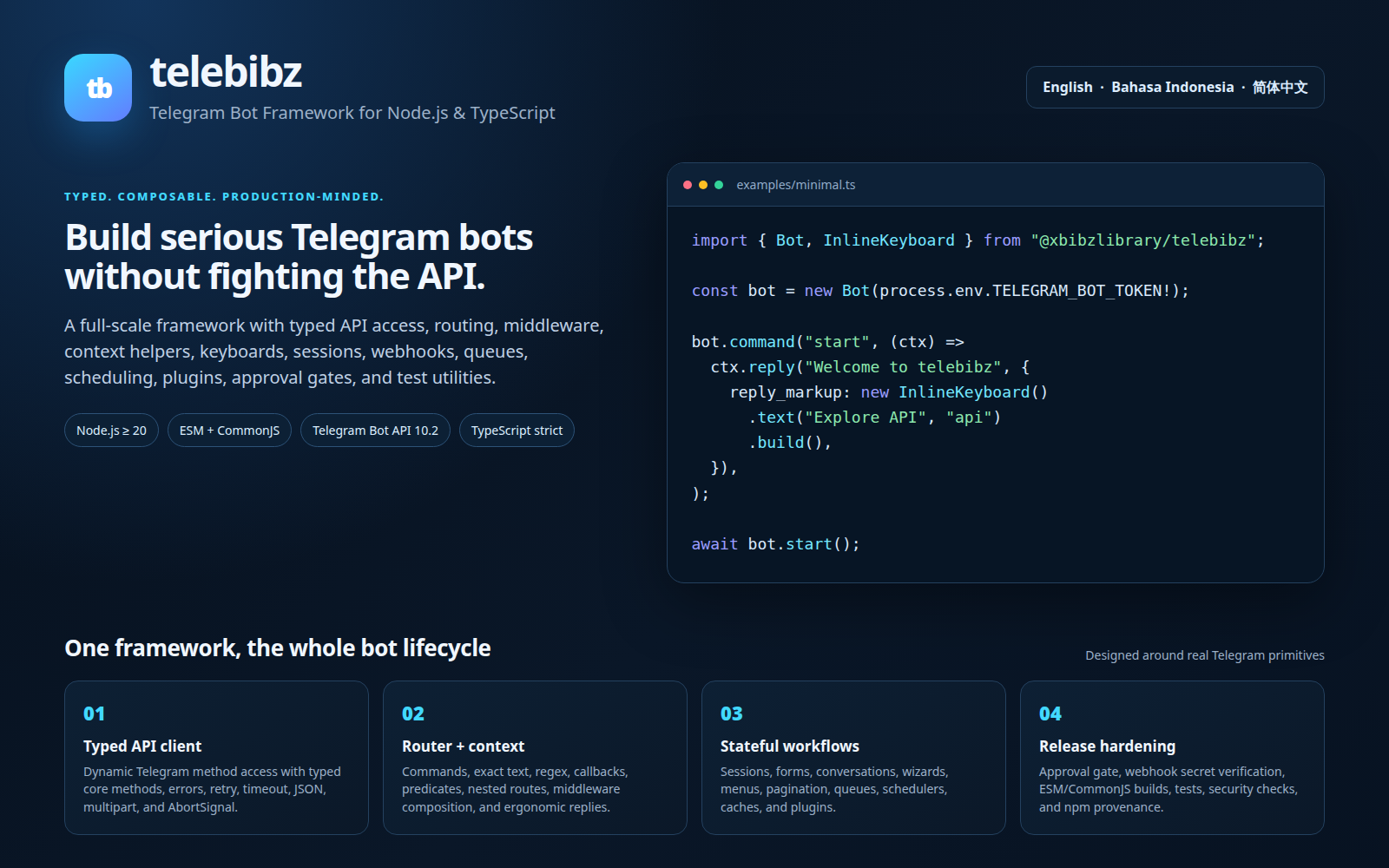
|
|
12
12
|
|
|
13
|
-
The
|
|
13
|
+
The documentation covers the complete lifecycle: onboarding, bot startup and shutdown, API client and transport, update routing, middleware and context, state/session, interaction UI, background work, deployment, testing, and migration boundaries.
|
|
14
|
+
|
|
15
|
+
| Resource | Purpose |
|
|
16
|
+
|---|---|
|
|
17
|
+
| [`GETTING_STARTED.md`](GETTING_STARTED.md) | Five-minute English onboarding from installation to a working bot. |
|
|
18
|
+
| [`GETTING_STARTED.id.md`](GETTING_STARTED.id.md) | Indonesian onboarding guide. |
|
|
19
|
+
| [`GETTING_STARTED.zh-CN.md`](GETTING_STARTED.zh-CN.md) | Simplified Chinese onboarding guide. |
|
|
20
|
+
| [`../examples/README.md`](../examples/README.md) | Runnable minimal, wizard, and webhook starters. |
|
|
21
|
+
| [`../SHOWCASE.md`](../SHOWCASE.md) | Community project showcase and submission format. |
|
|
14
22
|
|
|
15
23
|
| Area | Status |
|
|
16
24
|
|---|---|
|
|
17
|
-
| Getting started |
|
|
25
|
+
| Getting started | Dedicated guides are available in English, Indonesian, and Simplified Chinese, with runnable examples. |
|
|
18
26
|
| Complete API reference | Available in English, Indonesian, and Simplified Chinese |
|
|
19
27
|
| Bot lifecycle, polling, webhook | Core implementation, per-update error isolation, reconnect backoff, and tests available |
|
|
20
28
|
| API client and generated method list | Available; full vendored Telegram declarations are exposed through `TelegramTypes` |
|
|
@@ -25,8 +33,8 @@ The API references are organized by lifecycle: bot startup and shutdown, API cli
|
|
|
25
33
|
| Plugins, services, observability | Lifecycle/plugin/service hooks available |
|
|
26
34
|
| Mini Apps, payments, business features | Web App signature validation and PaymentsClient wrappers available; UI is application-owned |
|
|
27
35
|
| Testing and security | Unit, integration, type-level, gated E2E, CI, and security policy available |
|
|
28
|
-
| Deployment and migration | Release automation is documented in `RELEASE_AUTOMATION.md` |
|
|
29
|
-
| Governance and community | `CODE_OF_CONDUCT.md`, `GOVERNANCE.md`, `CONTRIBUTING.md`, and `
|
|
36
|
+
| Deployment and migration | Release automation is documented in `RELEASE_AUTOMATION.md`; webhook and deployment onboarding is in `GETTING_STARTED.md` |
|
|
37
|
+
| Governance and community | `CODE_OF_CONDUCT.md`, `GOVERNANCE.md`, `CONTRIBUTING.md`, `CONTRIBUTION_RULES.md`, and `SHOWCASE.md` |
|
|
30
38
|
| Security and support | `SECURITY.md` and `SUPPORT.md` |
|
|
31
39
|
| Third-party notices | `NOTICE.md` and `LICENSE` |
|
|
32
40
|
| GitHub contribution templates | Bug, feature, documentation, question/support, security notice, and pull request templates under `.github/` |
|
|
@@ -0,0 +1,37 @@
|
|
|
1
|
+
# Telebibz examples
|
|
2
|
+
|
|
3
|
+
These examples are intentionally small, runnable starting points for developers evaluating Telebibz. They use environment variables for secrets and do not contain real Telegram credentials.
|
|
4
|
+
|
|
5
|
+
## Run the examples
|
|
6
|
+
|
|
7
|
+
From the repository root:
|
|
8
|
+
|
|
9
|
+
```bash
|
|
10
|
+
npm install
|
|
11
|
+
export TELEGRAM_BOT_TOKEN="<your-bot-token>"
|
|
12
|
+
npx tsx examples/minimal.ts
|
|
13
|
+
```
|
|
14
|
+
|
|
15
|
+
The official npm package can be used from a separate project by replacing the local import path with `@xbibzlibrary/telebibz` and installing the package from npm.
|
|
16
|
+
|
|
17
|
+
## Available starters
|
|
18
|
+
|
|
19
|
+
| Example | Demonstrates | Start command |
|
|
20
|
+
|---|---|---|
|
|
21
|
+
| `minimal.ts` | Commands, text routing, and a minimal long-polling bot. | `npx tsx examples/minimal.ts` |
|
|
22
|
+
| `wizard-registration.ts` | A two-step name/age conversation with automatic continuation across messages. | `npx tsx examples/wizard-registration.ts` |
|
|
23
|
+
| `webhook.ts` | A Node.js HTTP server, webhook secret validation, and Telegram update handling. | `TELEGRAM_WEBHOOK_SECRET=<secret> npx tsx examples/webhook.ts` |
|
|
24
|
+
|
|
25
|
+
The wizard example starts the flow with `/register`, asks for a name, then asks for an age. Send `/cancel` to cancel an active flow. The webhook example requires both `TELEGRAM_BOT_TOKEN` and `TELEGRAM_WEBHOOK_SECRET`; expose the server through HTTPS in a deployment environment and configure the matching Telegram webhook secret.
|
|
26
|
+
|
|
27
|
+
## Production checklist
|
|
28
|
+
|
|
29
|
+
Use a secret manager or deployment environment for `TELEGRAM_BOT_TOKEN` and `TELEGRAM_WEBHOOK_SECRET`. Do not commit `.env` files or literal credentials. Run `npm run test:examples` before submitting changes. For production deployments, prefer a managed HTTPS endpoint, structured JSON logs, health checks, graceful shutdown, and a persistent storage adapter when conversations or sessions must survive restarts.
|
|
30
|
+
|
|
31
|
+
## More documentation
|
|
32
|
+
|
|
33
|
+
- [English API reference](../docs/API.md)
|
|
34
|
+
- [Bahasa Indonesia API reference](../docs/API.id.md)
|
|
35
|
+
- [简体中文 API reference](../docs/API.zh-CN.md)
|
|
36
|
+
- [GitHub Packages guide](../docs/GITHUB_PACKAGES.md)
|
|
37
|
+
- [Contributing guide](../CONTRIBUTING.md)
|
|
@@ -0,0 +1,12 @@
|
|
|
1
|
+
import { Bot } from "@xbibzlibrary/telebibz";
|
|
2
|
+
|
|
3
|
+
const token = process.env.TELEGRAM_BOT_TOKEN;
|
|
4
|
+
if (!token) throw new Error("Set TELEGRAM_BOT_TOKEN before starting the example.");
|
|
5
|
+
|
|
6
|
+
const bot = new Bot(token);
|
|
7
|
+
|
|
8
|
+
bot.command("start", async (ctx) => { await ctx.reply("Hello from Telebibz. Send /help to see what I can do."); });
|
|
9
|
+
bot.command("help", async (ctx) => { await ctx.reply("Commands:\n/start — welcome message\n/help — show this help"); });
|
|
10
|
+
bot.onText("ping", async (ctx) => { await ctx.reply("pong"); });
|
|
11
|
+
|
|
12
|
+
await bot.start();
|
|
@@ -0,0 +1,42 @@
|
|
|
1
|
+
import { createServer } from "node:http";
|
|
2
|
+
import { Bot, createWebhookHandler } from "@xbibzlibrary/telebibz";
|
|
3
|
+
|
|
4
|
+
const token = process.env.TELEGRAM_BOT_TOKEN;
|
|
5
|
+
const webhookSecret = process.env.TELEGRAM_WEBHOOK_SECRET;
|
|
6
|
+
const port = Number(process.env.PORT ?? 3000);
|
|
7
|
+
|
|
8
|
+
if (!token) throw new Error("Set TELEGRAM_BOT_TOKEN before starting the example.");
|
|
9
|
+
if (!webhookSecret) throw new Error("Set TELEGRAM_WEBHOOK_SECRET before starting the example.");
|
|
10
|
+
if (!Number.isInteger(port) || port < 1 || port > 65_535) throw new Error("PORT must be a valid TCP port.");
|
|
11
|
+
|
|
12
|
+
const bot = new Bot(token);
|
|
13
|
+
bot.command("start", async (ctx) => { await ctx.reply("Webhook bot is active."); });
|
|
14
|
+
|
|
15
|
+
const webhook = createWebhookHandler(bot, {
|
|
16
|
+
secretToken: webhookSecret,
|
|
17
|
+
onError: (error) => console.error("Webhook update failed", error),
|
|
18
|
+
});
|
|
19
|
+
|
|
20
|
+
const server = createServer(async (request, response) => {
|
|
21
|
+
try {
|
|
22
|
+
const body = await new Promise<Buffer>((resolve, reject) => {
|
|
23
|
+
const chunks: Buffer[] = [];
|
|
24
|
+
request.on("data", (chunk: Buffer | string) => chunks.push(Buffer.isBuffer(chunk) ? chunk : Buffer.from(chunk)));
|
|
25
|
+
request.on("end", () => resolve(Buffer.concat(chunks)));
|
|
26
|
+
request.on("error", reject);
|
|
27
|
+
});
|
|
28
|
+
const headers = new Headers();
|
|
29
|
+
for (const [key, value] of Object.entries(request.headers)) if (typeof value === "string") headers.set(key, value);
|
|
30
|
+
const requestInit: RequestInit = { method: request.method ?? "GET", headers };
|
|
31
|
+
if (request.method === "POST") requestInit.body = body.toString("utf8");
|
|
32
|
+
const result = await webhook(new Request(`http://${request.headers.host ?? "localhost"}${request.url ?? "/"}`, requestInit));
|
|
33
|
+
response.writeHead(result.status, Object.fromEntries(result.headers));
|
|
34
|
+
response.end(await result.text());
|
|
35
|
+
} catch (error) {
|
|
36
|
+
response.writeHead(500, { "content-type": "text/plain; charset=utf-8" });
|
|
37
|
+
response.end("Internal Server Error");
|
|
38
|
+
console.error("Webhook server failed", error);
|
|
39
|
+
}
|
|
40
|
+
});
|
|
41
|
+
|
|
42
|
+
server.listen(port, () => console.log(`Telebibz webhook listening on http://localhost:${port}`));
|
|
@@ -0,0 +1,42 @@
|
|
|
1
|
+
import { Bot, Wizard } from "@xbibzlibrary/telebibz";
|
|
2
|
+
|
|
3
|
+
const token = process.env.TELEGRAM_BOT_TOKEN;
|
|
4
|
+
if (!token) throw new Error("Set TELEGRAM_BOT_TOKEN before starting the example.");
|
|
5
|
+
|
|
6
|
+
const bot = new Bot(token);
|
|
7
|
+
const wizard = new Wizard();
|
|
8
|
+
|
|
9
|
+
wizard
|
|
10
|
+
.step({
|
|
11
|
+
id: "name",
|
|
12
|
+
run: async (flow) => {
|
|
13
|
+
const name = flow.ctx.message?.text?.trim();
|
|
14
|
+
if (!name) {
|
|
15
|
+
await flow.ctx.reply("Please send your name as text.");
|
|
16
|
+
return;
|
|
17
|
+
}
|
|
18
|
+
flow.set("name", name).next();
|
|
19
|
+
await flow.ctx.reply("How old are you?");
|
|
20
|
+
},
|
|
21
|
+
})
|
|
22
|
+
.step({
|
|
23
|
+
id: "age",
|
|
24
|
+
run: async (flow) => {
|
|
25
|
+
const age = Number(flow.ctx.message?.text?.trim());
|
|
26
|
+
if (!Number.isInteger(age) || age < 1 || age > 120) {
|
|
27
|
+
await flow.ctx.reply("Please send a valid age between 1 and 120.");
|
|
28
|
+
return;
|
|
29
|
+
}
|
|
30
|
+
const name = flow.get<string>("name") ?? "there";
|
|
31
|
+
flow.set("age", age).next();
|
|
32
|
+
await flow.ctx.reply(`Thanks, ${name}. Your registration is complete.`);
|
|
33
|
+
},
|
|
34
|
+
});
|
|
35
|
+
|
|
36
|
+
bot.useWizard(wizard);
|
|
37
|
+
bot.command("register", async (ctx) => {
|
|
38
|
+
await wizard.run(ctx);
|
|
39
|
+
await ctx.reply("What is your name?");
|
|
40
|
+
});
|
|
41
|
+
|
|
42
|
+
await bot.start();
|
package/package.json
CHANGED
|
@@ -1,7 +1,21 @@
|
|
|
1
1
|
{
|
|
2
2
|
"name": "@xbibzlibrary/telebibz",
|
|
3
|
-
"version": "0.1
|
|
4
|
-
"description": "
|
|
3
|
+
"version": "0.2.1",
|
|
4
|
+
"description": "Telegram Bot framework for Node.js and TypeScript with a typed API client, routing, middleware, webhooks, keyboards, conversations, plugins, queues, and a polished terminal experience.",
|
|
5
|
+
"keywords": [
|
|
6
|
+
"telegram",
|
|
7
|
+
"telegram-bot",
|
|
8
|
+
"telegram-bot-api",
|
|
9
|
+
"telegram-bot-framework",
|
|
10
|
+
"nodejs",
|
|
11
|
+
"typescript",
|
|
12
|
+
"telegram-webhook",
|
|
13
|
+
"long-polling",
|
|
14
|
+
"conversation-wizard",
|
|
15
|
+
"inline-keyboard",
|
|
16
|
+
"telegram-mini-app",
|
|
17
|
+
"bot-framework"
|
|
18
|
+
],
|
|
5
19
|
"type": "module",
|
|
6
20
|
"private": false,
|
|
7
21
|
"publishConfig": {
|
|
@@ -18,7 +32,7 @@
|
|
|
18
32
|
"url": "https://github.com/XbibzOfficial777/telebibz/issues"
|
|
19
33
|
},
|
|
20
34
|
"engines": {
|
|
21
|
-
"node": ">=
|
|
35
|
+
"node": ">=22"
|
|
22
36
|
},
|
|
23
37
|
"scripts": {
|
|
24
38
|
"generate": "node scripts/generate-api.mjs",
|
|
@@ -31,6 +45,7 @@
|
|
|
31
45
|
"test:integration": "vitest run tests/integration/**/*.test.ts",
|
|
32
46
|
"test:e2e": "vitest run tests/e2e",
|
|
33
47
|
"test:types": "tsc -p tests/tsconfig.json --noEmit",
|
|
48
|
+
"test:examples": "tsc -p examples/tsconfig.json --noEmit",
|
|
34
49
|
"benchmark": "tsx tests/benchmark.ts",
|
|
35
50
|
"package:check": "npm run build && npm pack --dry-run",
|
|
36
51
|
"security": "npm audit --audit-level=high --package-lock-only",
|
|
@@ -39,7 +54,7 @@
|
|
|
39
54
|
"start": "tsx src/cli.ts start",
|
|
40
55
|
"dev": "tsx examples/minimal.ts",
|
|
41
56
|
"prepack": "npm run build",
|
|
42
|
-
"prepublishOnly": "npm run typecheck && npm run test:types && npm run lint && npm test && npm run build && npm run security && npm run release:check"
|
|
57
|
+
"prepublishOnly": "npm run typecheck && npm run test:types && npm run test:examples && npm run lint && npm test && npm run build && npm run security && npm run release:check"
|
|
43
58
|
},
|
|
44
59
|
"bin": {
|
|
45
60
|
"telebibz": "./bin/telebibz.mjs"
|
|
@@ -84,8 +99,10 @@
|
|
|
84
99
|
"NOTICE.md",
|
|
85
100
|
"RELEASE_POLICY.md",
|
|
86
101
|
"RELEASE_AUTOMATION.md",
|
|
102
|
+
"SHOWCASE.md",
|
|
87
103
|
"assets",
|
|
88
|
-
"docs"
|
|
104
|
+
"docs",
|
|
105
|
+
"examples"
|
|
89
106
|
],
|
|
90
107
|
"devDependencies": {
|
|
91
108
|
"@types/node": "^22.10.0",
|